

Build a Job Application Form That Feeds Your Hiring Pipeline
Describe the role and what each applicant must provide. Emergent builds the job application form and the applicant table behind it, in a database you own.
Build a job application form for the open roles at my company.
Trusted by Builders Worldwide
Active Builders Worldwide
Apps Successfully Created
Countries Globally Reached



What Every Job Application Form Needs
A job application form collects one core record per candidate. Emergent adds role branching, uploads, PDFs, and an applicant table.
Every section, field by field
Emergent drafts the six standard sections with the right input for each answer: a date picker for the start date, a phone field and a block that repeats for each past employer.
One form for every open role
Applicants pick a position and see only the questions written for it. A forklift operator is asked for a certification date; a bookkeeper names the accounting software they use.
Resume and certificate uploads
Applicants attach a resume and any license or certificate the role needs from a phone, without creating an account. Each file is stored with the application it arrived on.
A filled PDF of every application
Each online application can be kept as a filled PDF in the same layout for the personnel file, typed signature included. Name each file by applicant and role, like Haddad_RN.pdf.
An applicant table with hiring stages
Every application lands as a row with role, location, stage and owner, in a table that never caps applications. The app then alerts the hiring manager by Slack or email.
Your careers page, your source code
Publish on a custom domain, included and paid in credits, or embed the form in the careers page you already run. The full source exports to your GitHub repository on paid plans.
Job Application Forms for Every Hire
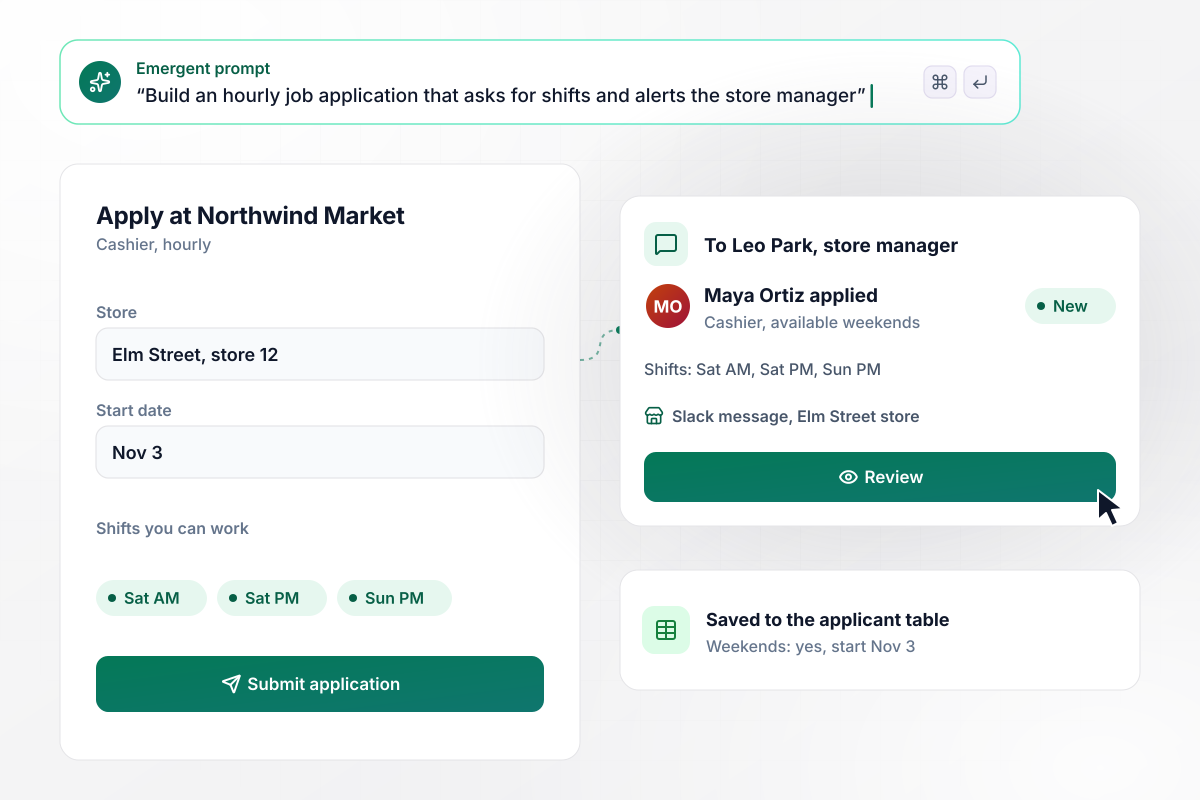
Know who can work weekends before you call
The first question is which store. Applicants then give a start date and tap the shifts they can work. That store's manager hears about it in Slack, and the applicant table filters by weekend availability.
window.awbMockup = { hourlyRoles: "I run six stores and need a job application form for hourly roles. Applicants pick their store first, then enter a start date and tap the shifts they can work. Send each application to that store's manager as a Slack message. Keep every applicant in one table I can filter by store and weekend availability.", healthcareStaff: "Set up a job application form for nurses and medical assistants at my clinic. Nurses enter a license number and the issuing state; medical assistants enter their certification. Give each expiry date its own field and add uploads for BLS and ACLS cards. Flag anyone whose credential expires within 60 days and tell my recruiter before an interview is booked.", internalOpenings: "Build an internal job application for my company. Employees enter their employee ID and months in their current role. This posting needs at least 12 months in role. Warn anyone short of that before they submit. Keep each application confidential and route it to the hiring manager, in a table separate from outside candidates. Send the applicant's current manager a Slack direct message only when they are booked for a final interview.", salariedRoles: "Design a job application form for my salaried roles, starting with a product designer opening. Ask for a resume and a portfolio upload, then two must-have questions: US work authorization and expected salary. Anyone without work authorization, or asking above the posted band, goes on a hold list. Post the rest to my design team's hiring channel in Slack as a shortlist." };
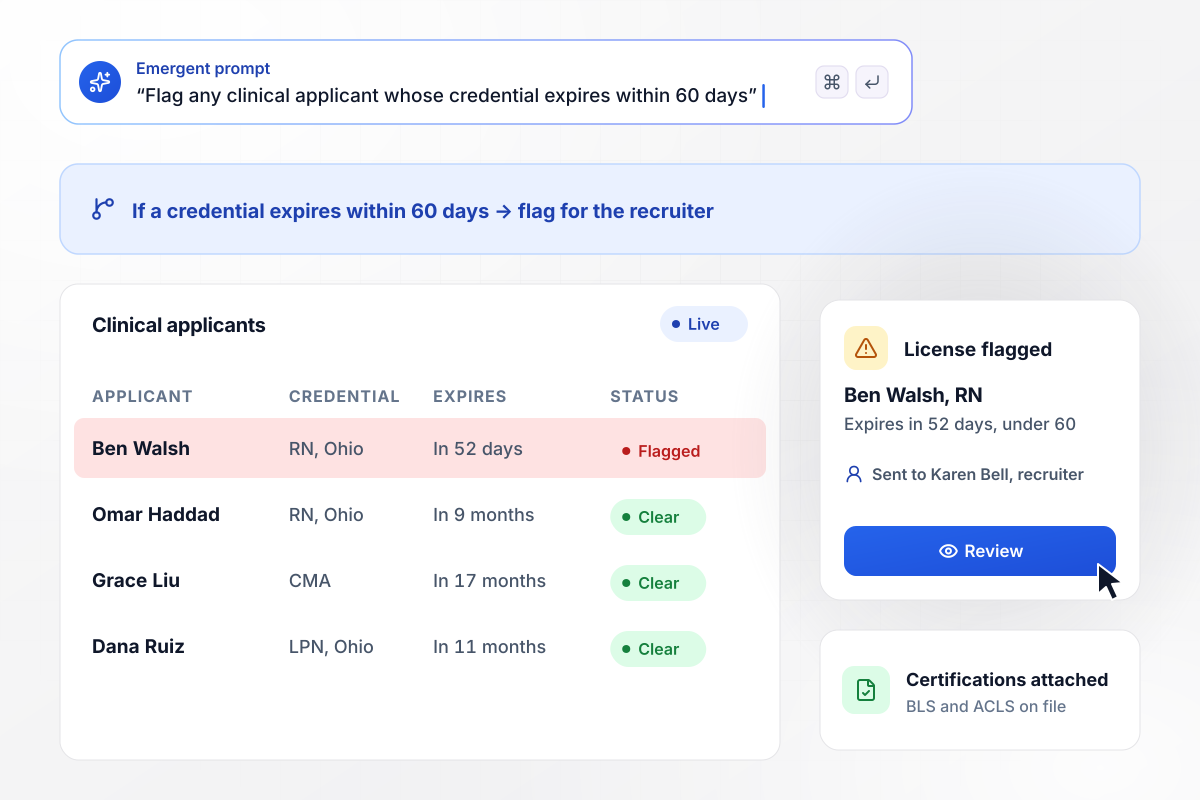
Catch any license due to lapse within 60 days
Each nurse gives a license number and the state that issued it, and medical assistants give their certification. Every expiry date has its own field, and the recruiter sees the flag before an interview is booked. BLS and ACLS cards upload on the same screen.
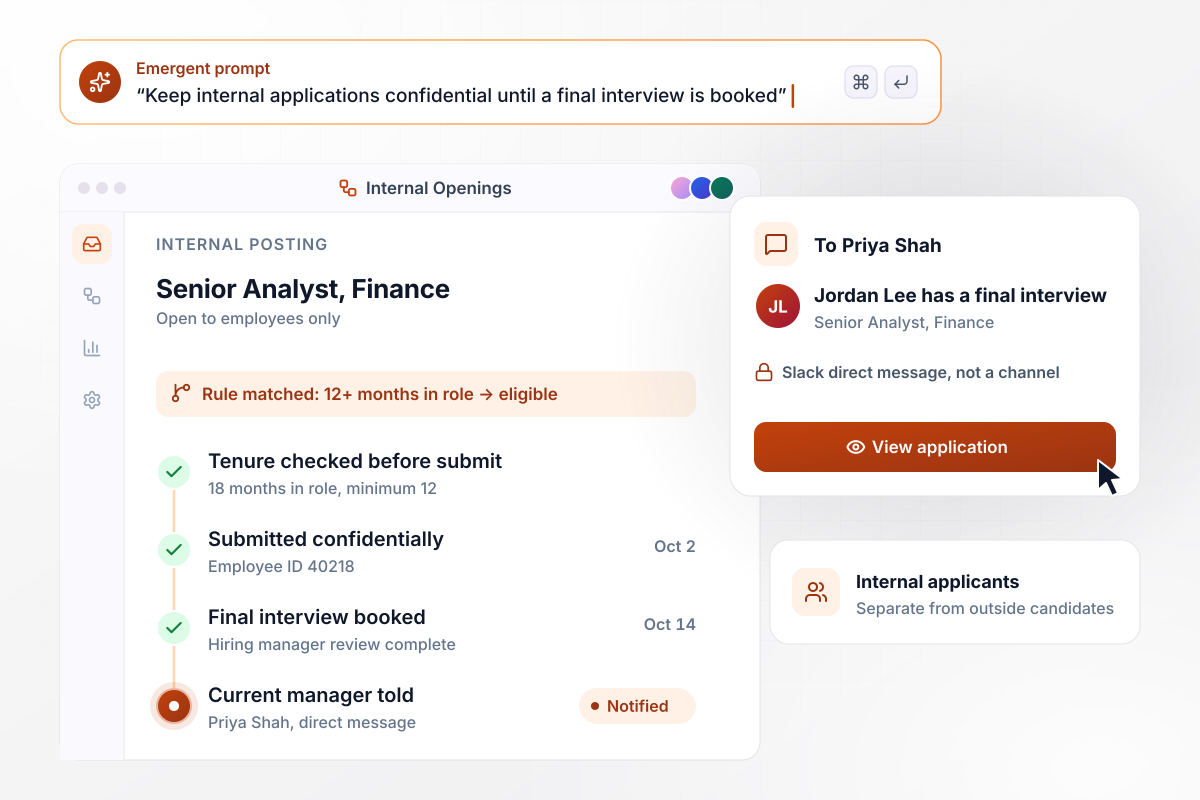
Internal moves stay confidential until the final round
Employees apply with their employee ID and months in their current role. This posting asks for at least 12, and anyone short is told before they submit. Applications sit in a table kept apart from outside candidates. The current manager gets a Slack direct message only once a final interview is booked.
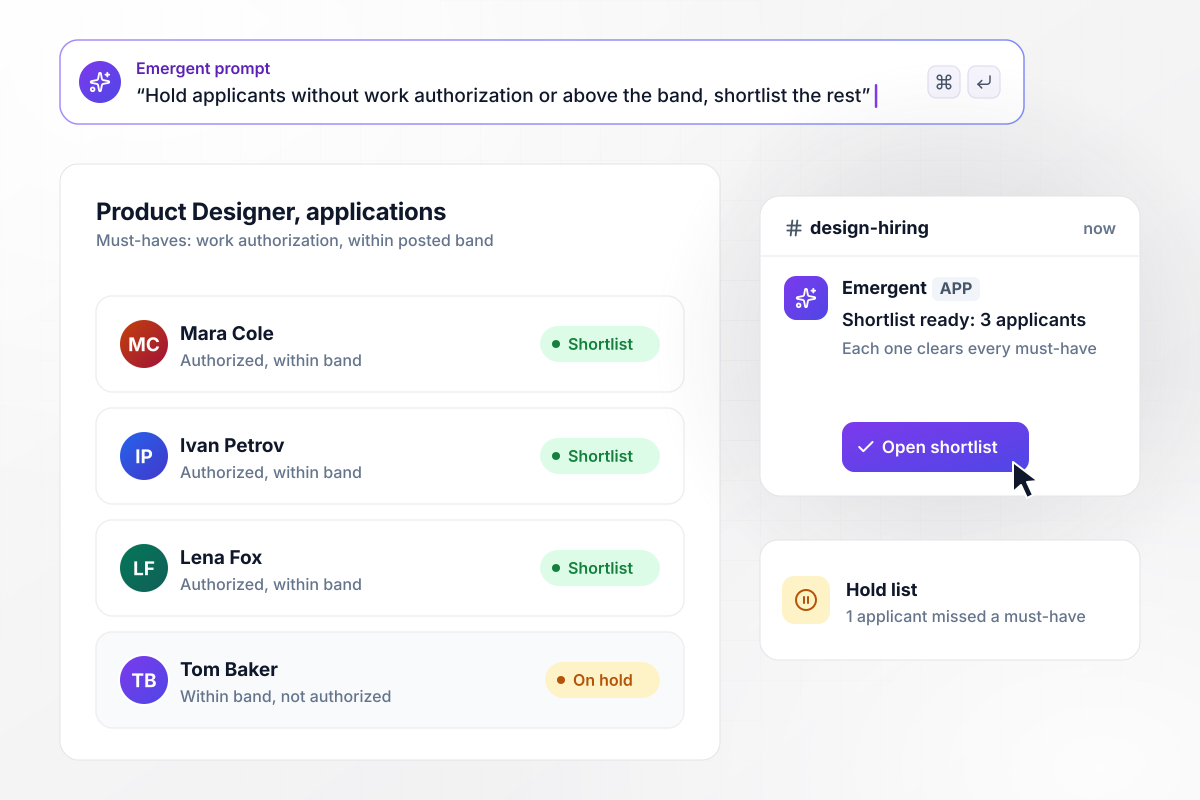
The shortlist skips anyone who fails a must-have
Designers upload a resume and a portfolio, and answer two must-haves: expected salary and US work authorization. Anyone without work authorization, or asking above the posted band, goes to a hold list. The rest land in the design team's hiring channel in Slack as a shortlist.






How to Create a Job Application Form
Settle what the role requires before you write a single question. Seven steps take you from that list to a published form that fills an applicant table.
List what you need to know before a first call: availability, location, licenses, work authorization, and expected pay. Drop any question that would not change the decision, and generally avoid ones that reveal age or religion. Several states also ban asking for pay history.
Ask for two or three references, each with a phone number and how they know the applicant, and decide whether anyone calls them before or after an interview. The form closes with a statement the applicant signs and dates: I certify that my answers are true and complete.
Name each position in the prompt with the questions only it needs, and mark which are required. Keep each role's extras to a handful, since the shared sections carry most of the form. A long role-specific block usually belongs in a later screening step.
Decide which files each role requires. A resume can be optional for cashiers and required for office roles, while a cover letter stays optional everywhere. Limit uploads to PDF and DOCX files under 10 MB each.
Choose who hears about each application and how: the store manager in Slack, the recruiter by email. Then name the stages every applicant moves through before an offer. With a stage column added, the applicant table becomes the hiring pipeline your managers filter each morning.
Decide how paper applications get in. A QR code at the counter opens the same form on a phone. When someone hands in a paper copy instead, a manager types it in through the online form and it joins the table like any other.
Put the form on your careers page or on a custom domain, which Emergent includes and bills in credits. Then submit a test application for every role, and check that each shows its own questions and that the alert reaches the right person.
Why Build Job Applications With Emergent?
The form, the applicant table and the manager alerts ship as one app, and the source code is yours to export and extend.

|
Jotform | Typeform | Google Forms | |
|---|---|---|---|---|
| How you build | Prompt for the application form and the hiring pipeline around it | Templates, editor, AI generator | Templates, editor, AI assist | Manual, field by field |
| Resume uploads | Resumes and portfolios saved to storage you own, no sign-in | Included; files count toward plan storage | Paid plans only | Respondents must sign in to Google; files fill your Drive |
| Application limits | No response caps | Monthly submission caps by plan; the form stops at the cap | Monthly response caps by plan; the form closes at the cap | No limit |
| Where applications live | A database table you own, plus any integration | Jotform account | Typeform account | Google Sheets |
| Code ownership | Full code export to GitHub on paid plans | None | None | None |

Pick the Pricing Plan That Works for You
Choose the plan that fits your building ambitions. From weekend projects to enterprise applications, we've got you covered.




Find the right form
for whatever you're collecting
Frequently Asked Questions
Your Questions, Answered
Don't change this element unless you know what you are doing
More things you can build
with Emergent









on Emergent today




