

Build a Registration Form With Fees, Caps, and a Waitlist
Describe who is signing up and for what. Emergent builds the registration form, takes any fee through Stripe, and keeps each registrant as a row in your own database.
Build a registration form for my food bank's spring dinner.
Trusted by Builders Worldwide
Active Builders Worldwide
Apps Successfully Created
Countries Globally Reached



What a Registration Form Has to Handle
Collecting a name is the easy part. These six pieces decide whether the list is still right on event day.
Questions that change with each answer
Show a meal question only to dinner guests, or a company field only to business buyers. Emergent writes that logic from your description and keeps hidden answers out of the record.
Caps and a waitlist on any option
Set a limit per ticket type or session. When one fills, the form stops offering it and adds new registrants to a waitlist, then offers a freed spot to the next name in line.
Fees taken before a spot is confirmed
Connect Stripe and take the registration fee as part of submitting. The row stays pending until the payment clears, and a refund or cancellation hands the spot back to the list.
Uploads checked before approval
Ask for a permit or a receipt and hold the registration until someone reviews it. The form can read dates and numbers off an upload and flag a file that is missing or out of date.
Confirmations and reminders by email
Send each registrant a confirmation with their details and a link to change them. Schedule a reminder before the date, and post a daily count of new sign-ups to a Slack channel.
Code you can take with you
Put the form on a custom domain, built in and paid for with credits, or embed it on a site you already run. On paid plans, export the full code to GitHub and keep building there.
Registration Forms for Four Kinds of Lists
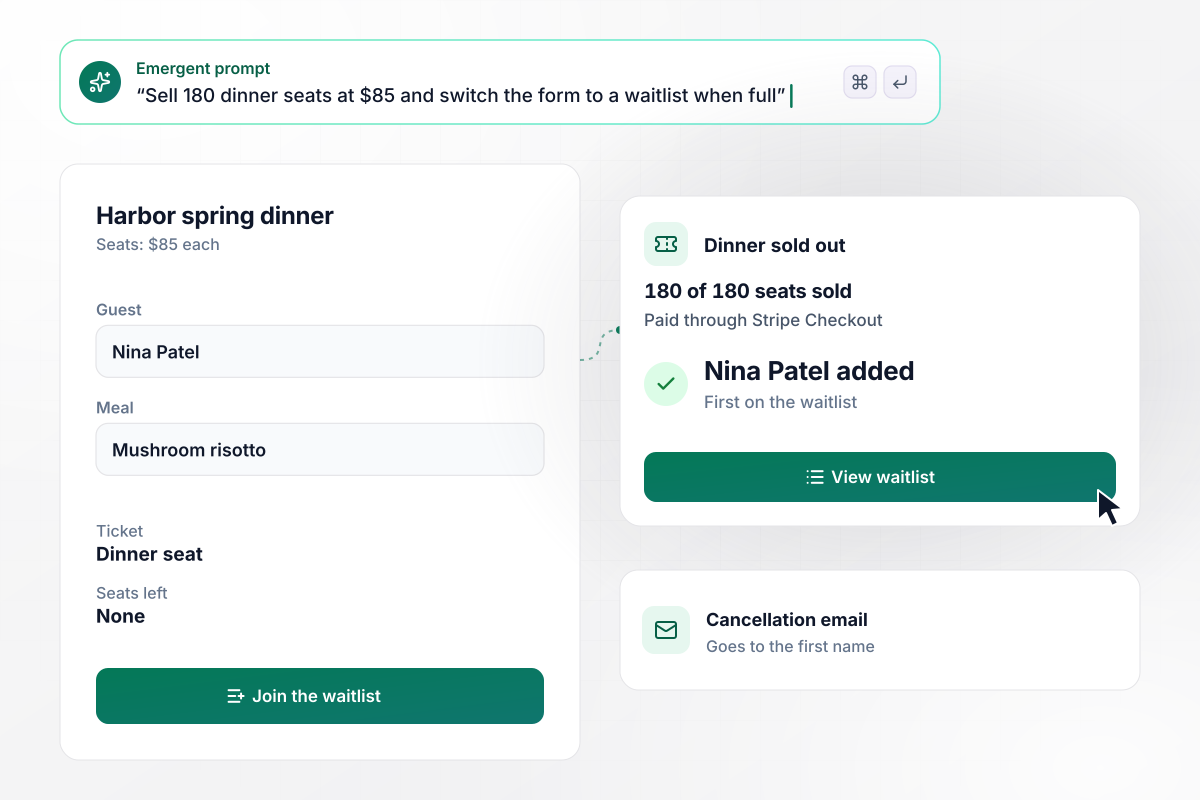
180 seats sold, then a waitlist takes over
Harbor Food Bank sells 180 seats to its spring dinner at $85 each. Guests pick a meal and pay through Stripe Checkout, and a seat is confirmed only when the payment clears. Once the last seat sells, the form turns into a waitlist. A cancellation offers that seat to the first name on it by email.
window.awbMockup = { paidEvents: "I run Harbor Food Bank and need a registration form for our spring dinner. We have 180 seats at $85 each. Guests pick a meal and pay through Stripe Checkout, and a seat counts only once payment clears. When the last seat sells, switch the form to a waitlist, and email the first person on it whenever someone cancels.", productWarranties: "Build a product registration form for our Kestrel coffee grinder. Buyers enter the serial number and upload a photo of their receipt. Read the purchase date from the photo, add two years for the warranty end date, and save it to the buyer's contact in HubSpot. Send any receipt you cannot read to our support queue.", marketVendors: "Build vendor registration for the Riverside Saturday market. Each vendor picks a booth and pays the booth fee. Food vendors must upload a county health permit. Hold any food vendor whose permit is missing or ends before market day, and show me the reason. Craft and art vendors go straight to booth assignment.", memberPrograms: "I coordinate Elm Street Garden. We have 40 plots this spring. Gardeners who had a plot last year get the first week to register and keep their bed. After that, newcomers get the remaining plots in sign-up order. Anyone who misses out goes on a waitlist ranked by when they registered." };
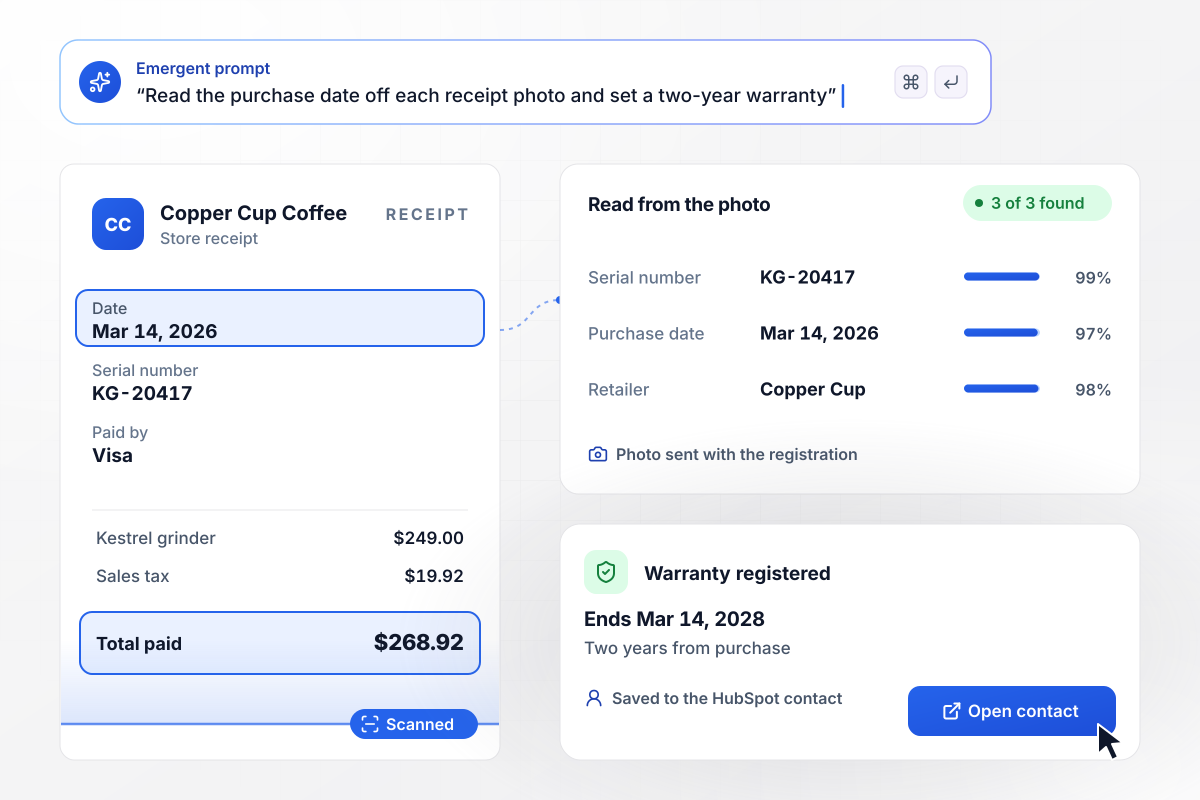
A warranty date read straight off the receipt
Buyers of the Kestrel grinder register it with the serial number and a photo of the receipt. The form reads the purchase date off the photo, adds two years, and saves the warranty end date to the buyer's contact in HubSpot. A receipt it cannot read goes to the support queue for a person to check.
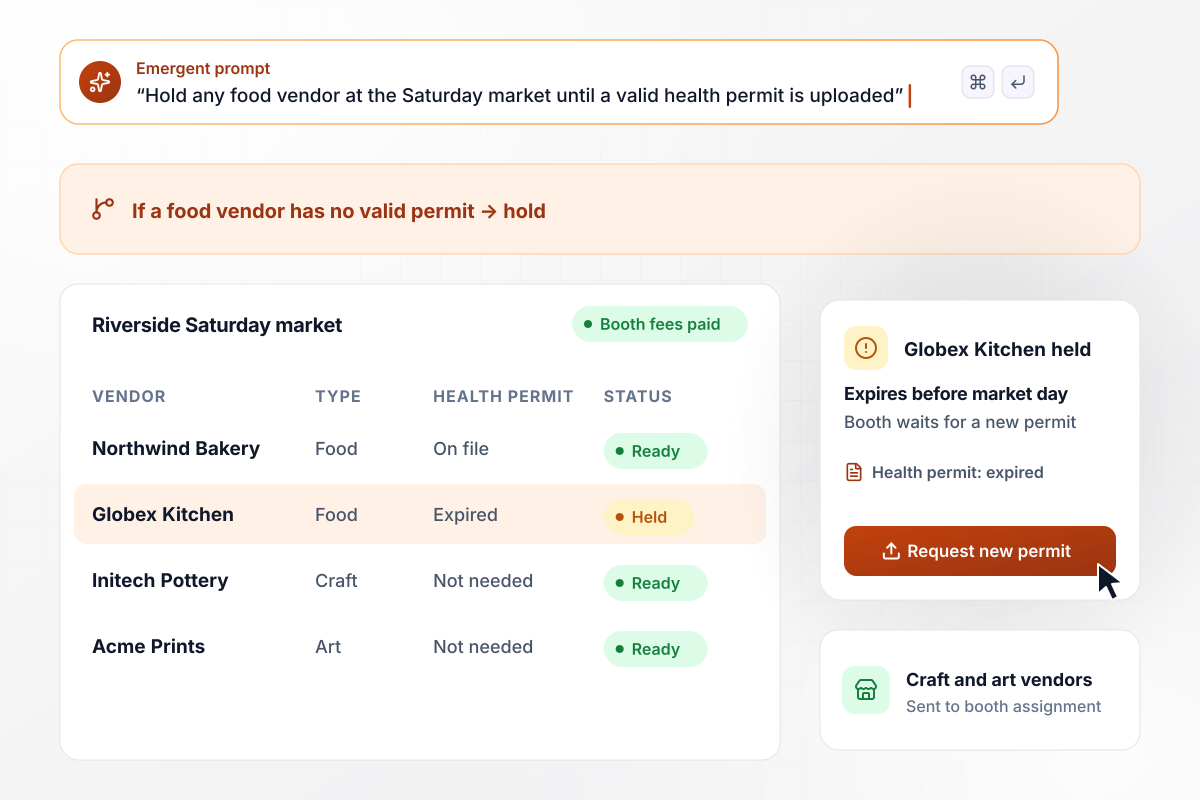
Hold food vendors until a permit is on file
Every vendor at the Riverside Saturday market registers for a booth and pays the booth fee. Food vendors also upload a county health permit. A food vendor with no permit, or one that expires before market day, is held with the reason shown. Craft and art vendors go straight to booth assignment.
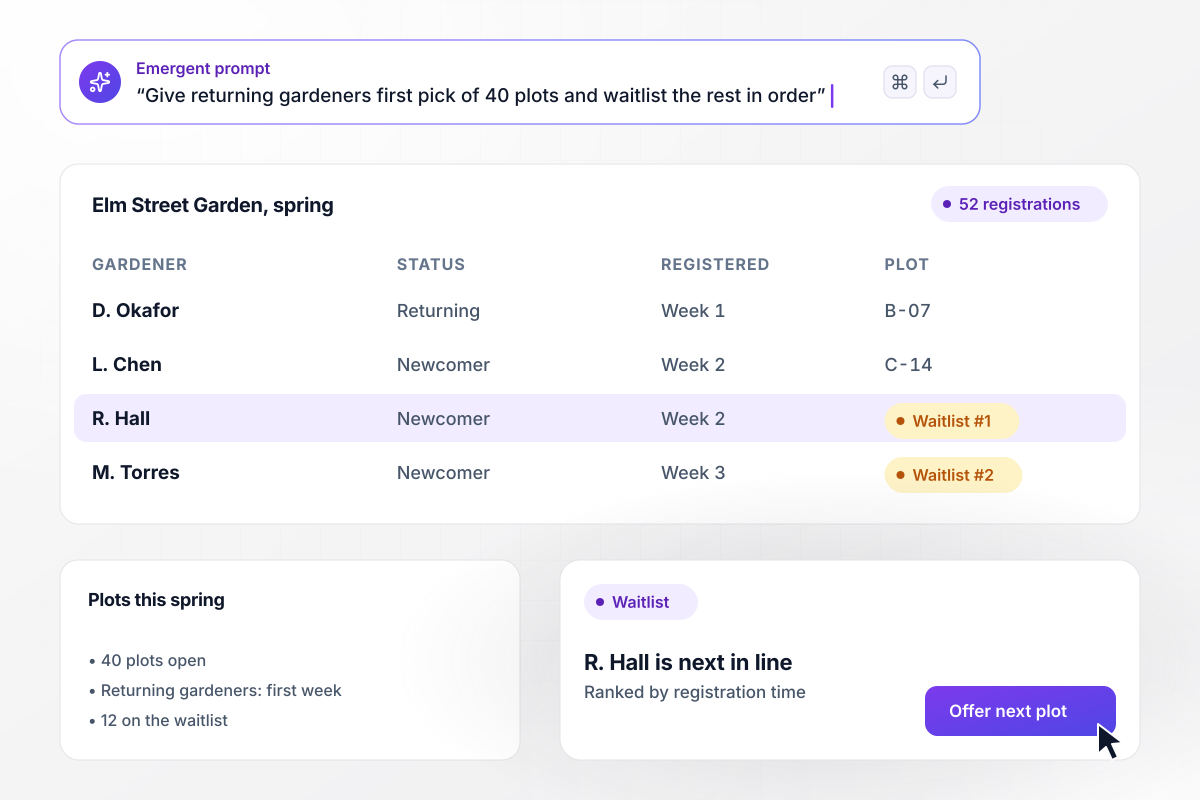
Returning gardeners pick their plots first
Elm Street Garden has 40 plots and 52 registrations this spring. Gardeners who held a plot last year get the first week to register and keep their bed. Newcomers fill the plots that are left in the order they signed up. The 12 who miss out join a waitlist ranked by registration time.






How to Create a Registration Form
Settle who the list is for and what limits it has before you write a single field.
An event seat and a market booth need different records. Write down what one finished registration looks like as a row: the person, what they registered for, what they paid, and any document attached to it.
Note every cap, such as seats per ticket type or booths per size. Then decide what happens when a cap is reached: does the form close or switch to a waitlist? Settle who gets a freed spot before anyone asks.
Go through each question and name the person who will use the answer. A caterer reads meal choices; nobody reads a fax number. Remove fields with no reader, and make optional anything only some registrants need to answer.
If there is a fee, take it in the same flow as the details. Pick the payment processor and a refund rule with a cutoff date. Put that rule on the form itself, where registrants read it before they pay anything.
Paste your notes in plain English: the fields, the caps, the fee, and who gets alerted. Emergent builds the form along with the registrant table and the emails around it. Change anything later by asking, such as moving a deadline back a week.
Sign up under a made-up name and pay with a Stripe test card. Then cancel, and watch the spot go to the first name on the waitlist. Fix anything that surprised you before the real link goes out to anyone.
Host it on a custom domain, which runs on credits, or add it to a page people already visit. Put the link where registrants look anyway, such as a newsletter or a QR code at the venue. A daily count in Slack shows how fast spots are going.
Why Build Registration Forms With Emergent?
Template galleries hand you a form. Emergent builds the list behind it, with who has paid and who is still waiting for a spot.

|
Jotform | Typeform | Google Forms | |
|---|---|---|---|---|
| How you build | Describe it in plain English | Templates, editor, AI generator | Templates, editor, AI assist | Manual, field by field |
| Response limits | No response caps | Monthly submission caps by plan; the form stops at the cap | Monthly response caps by plan; the form closes at the cap | No limit |
| Caps and waitlists | Caps per option, with a waitlist that offers freed spots in order | Closes the form at a submission limit; no waitlist of its own | Response limit on higher-tier plans; no waitlist of its own | No total-response cap without an add-on; no waitlist |
| Conditional logic | Written from your description, per field or page | Show or hide fields and skip pages by answer | Logic Jump between questions | Section jumps from multiple-choice or drop-down answers |
| Where responses live | A database table you own, plus any integration | Jotform account | Typeform account | Google Sheets |
| Payments in the form | Through your own Stripe account | Included, metered per plan | Paid plans | No |
| File uploads | Files saved to storage you own, no sign-in | Included; files count toward plan storage | Paid plans only | Respondents must sign in to Google; files fill your Drive |
| Code ownership | Full code export to GitHub on paid plans | None | None | None |

Pick the Pricing Plan That Works for You
Choose the plan that fits your building ambitions. From weekend projects to enterprise applications, we've got you covered.




Find the right form
for whatever you're collecting

Frequently Asked Questions
Your Questions, Answered
Don't change this element unless you know what you are doing
More things you can build
with Emergent









on Emergent today




