

Build a 404 Page That Finds the Next Page
Describe your site and Emergent builds the 404 page behind it, with search over your own content and a table of every URL that missed.
Build a 404 page for my site with search and links to my top pages.
Trusted by Builders Worldwide
Active Builders Worldwide
Apps Successfully Created
Countries Globally Reached



Everything Behind a Useful 404 Page
Describe the site once and Emergent writes the page, the data behind it and the code you keep.
A status code you ask for by name
Your prompt asks for every unknown URL to answer with a 404 and the designed page. Crawlers read the code; people read the page. Step 6 of the how-to shows how to confirm it.
Search over your own pages
A search box on the error page queries your own products or docs. Words from the broken URL prefill the box, and a visitor who mistyped a single letter is one click away.
Every miss saved as a row
Each missed URL lands as a row in a database you own, the same one behind your app. Query it any time or connect it to the tools you already use, with no outside analytics script.
Your own navigation and footer
Your site navigation and footer stay on the error page, in your own fonts and colors. Visitors can tell they never left, and the menu they already know stays one glance away.
Copy in the voice you describe
Emergent writes the heading and the next-step links in the voice your prompt sets out. Describe that voice in a sentence, then edit any line of it before the page goes live.
Code you keep
The 404 page and its miss log export to your GitHub on paid plans. Hosting on Emergent includes a custom domain, which uses credits, and the code also runs on any host you pick.
404 Pages for Four Kinds of Site
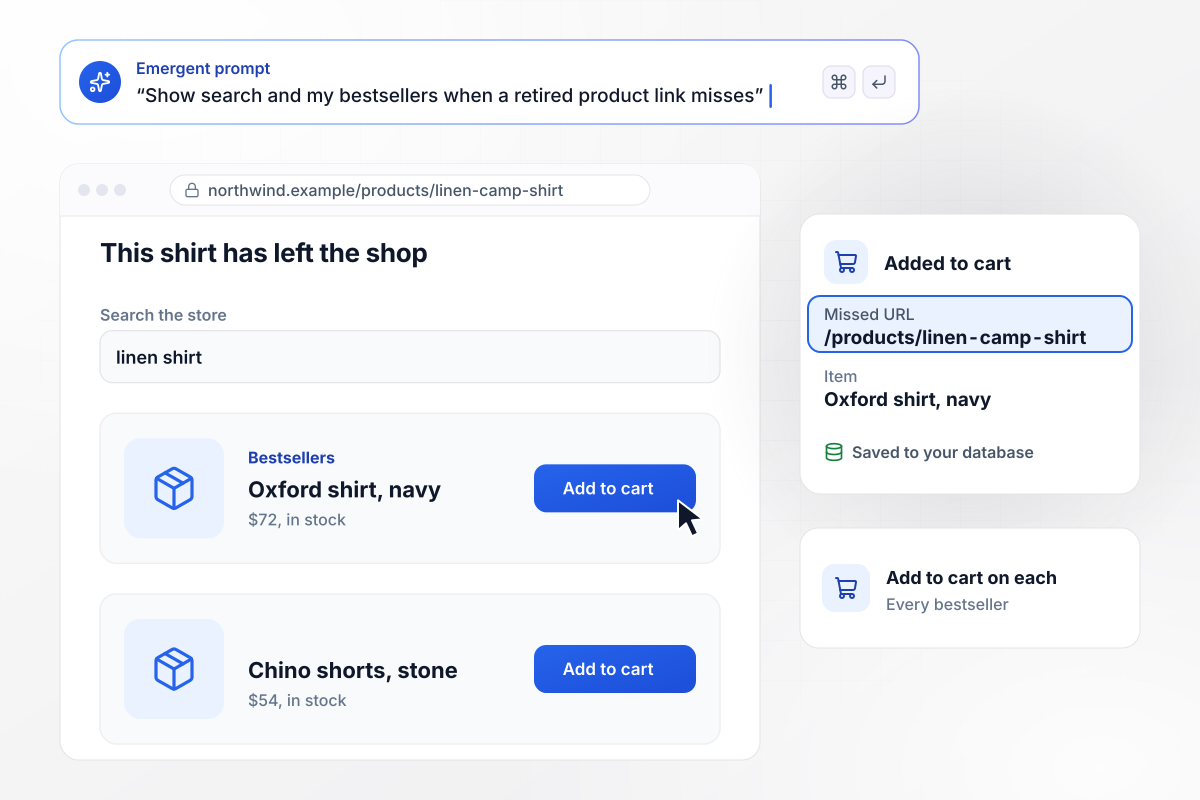
A dead product link that still sells
A shopper who follows an old link to Northwind's retired linen camp shirt lands on a page that keeps the store open. Search sits at the top, with the store's bestsellers below it and an add-to-cart button on each. An add from the error page is saved with the missed URL attached.
window.awbMockup = { onlineStore: "Build a 404 page for my clothing store that returns a real 404 status. Put a product search at the top and show my bestsellers from the live catalog underneath, each with an add-to-cart button. Keep my store header and footer, and save every add-to-cart from the error page with the missed URL attached.", docsHelpCenter: "Build a 404 page for my API docs. When a URL misses, split the path into words, search my docs and show the closest article first under a Did you mean heading. Add a link to the docs home and a support email link, and keep the docs sidebar visible.", creativeStudio: "Build a playful 404 page for my design studio. Use one short line of copy, This page is out sketching, and one button that opens a random case study from my portfolio. Put a plain homepage link under the button and make sure the page returns a real 404 status.", siteMigration: "I just moved my company's marketing site. Build a 404 page that saves every miss to a table with the URL, the referrer and a count for the last seven days. Every Monday, post the URLs with 20 or more hits to my web team's Slack channel as redirect candidates." };
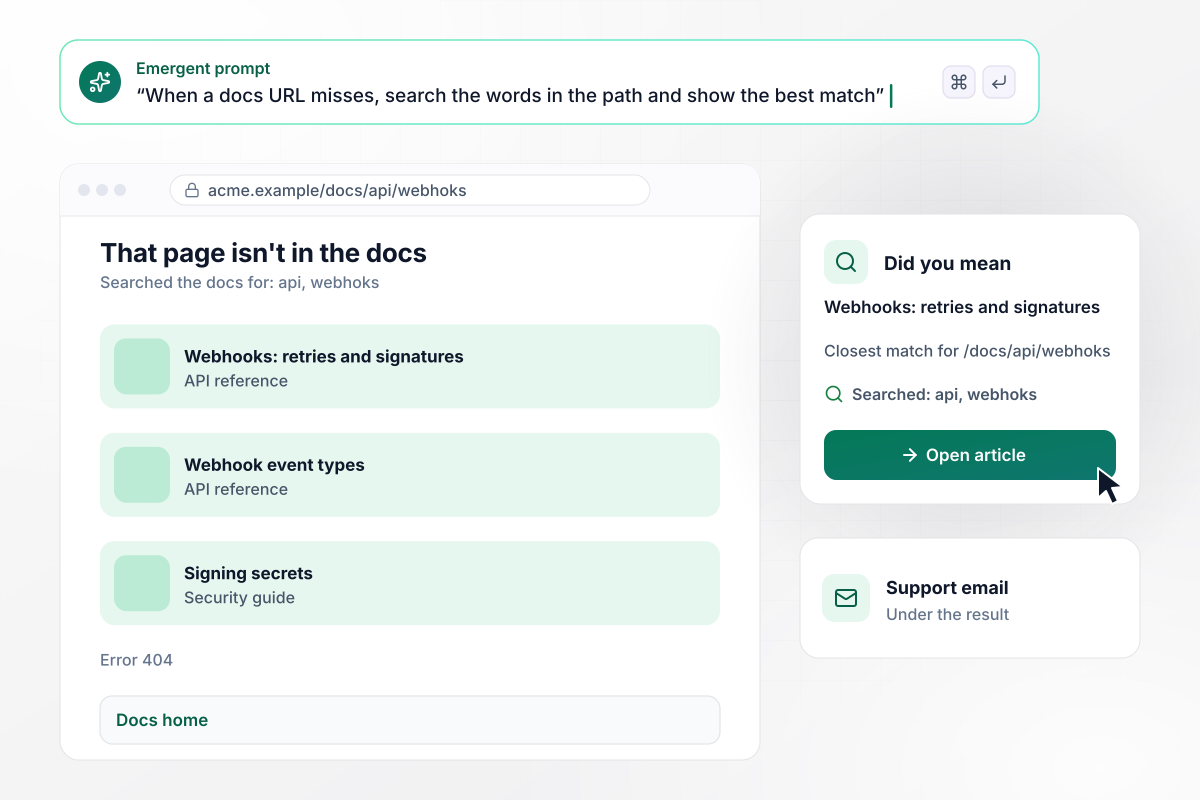
Search seeded from the broken URL
Acme's API docs collect mistyped links from forum posts and old emails. When /docs/api/webhoks misses, the 404 splits the path into words and searches the docs. The closest article comes first: Webhooks: retries and signatures. A link to the docs home and a support email sit under the result.
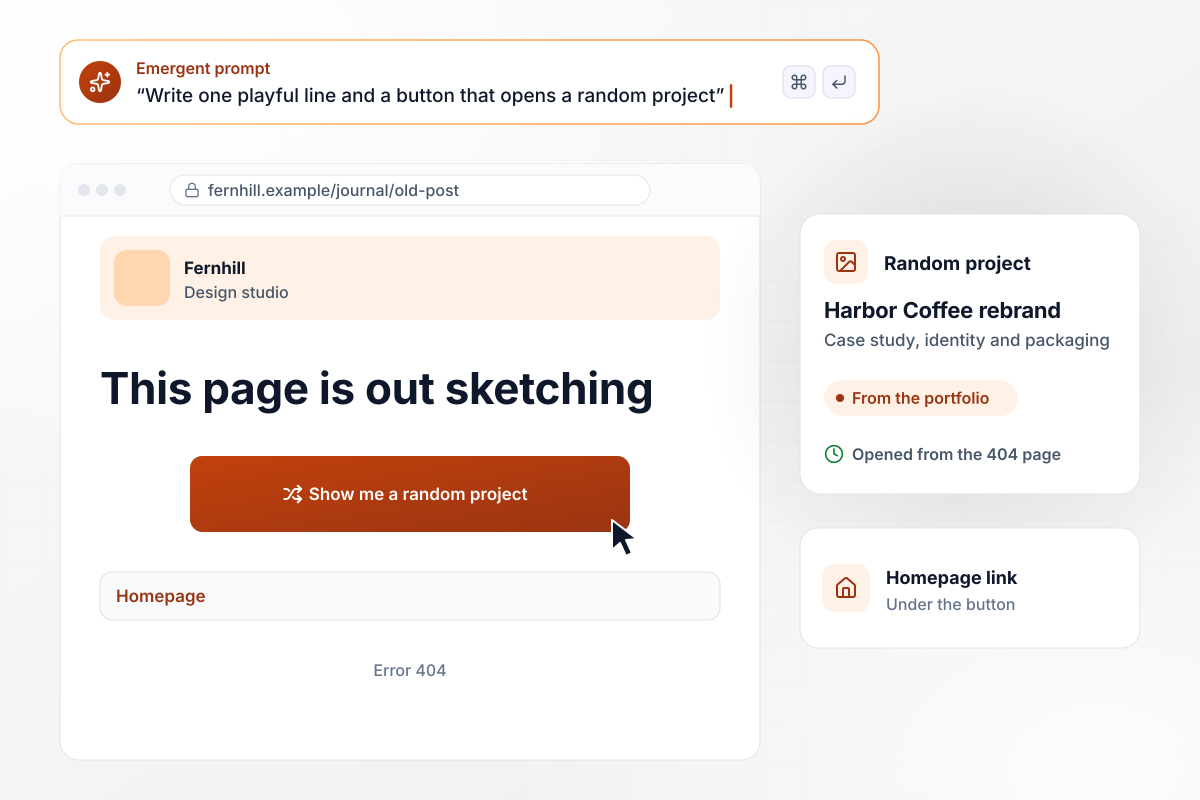
Let the joke carry a link back to the work
Fernhill is a design studio, and its visitors come to see projects. Its 404 opens with one line, "This page is out sketching," and one button, Show me a random project, that loads a case study from the portfolio. A plain homepage link sits under the button for anyone who wants the full menu.
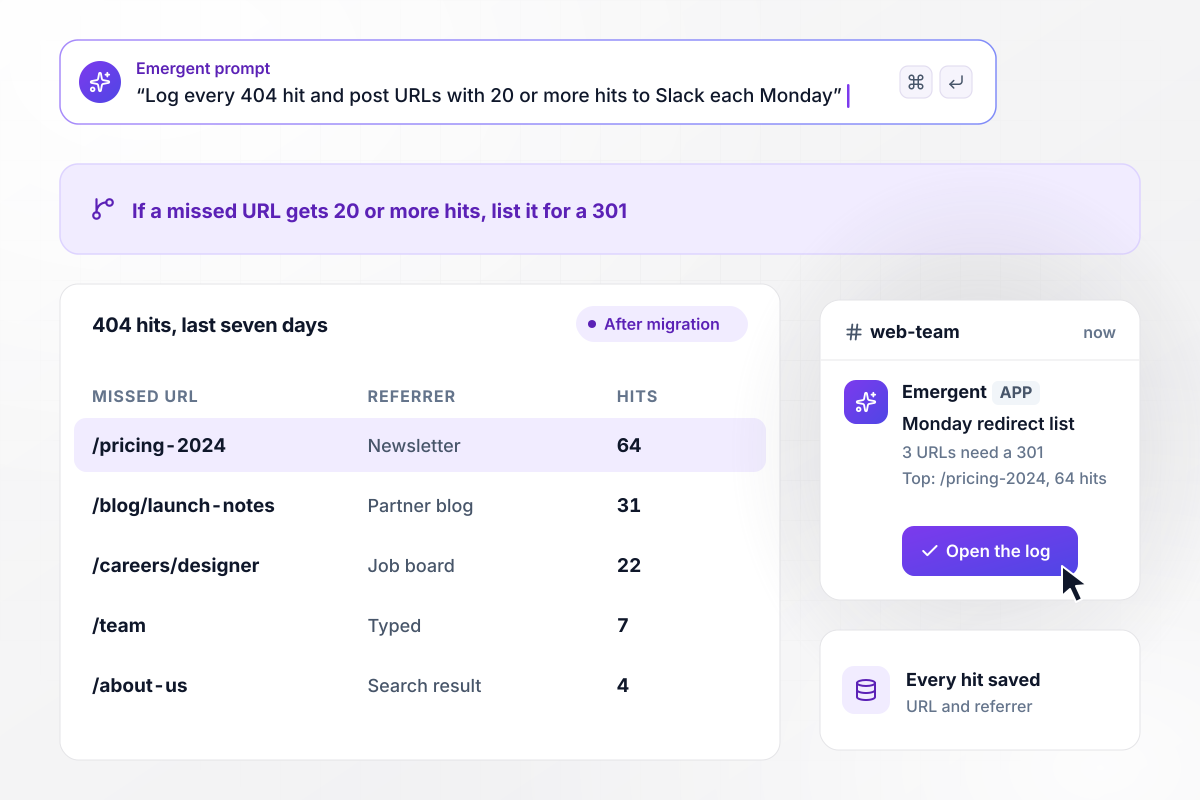
Which old URLs need a redirect this week
Site migrations leave old addresses alive in newsletters and other people's posts. After Globex moved its marketing site, each 404 hit lands in a table with the URL, the referrer and a seven-day count. Every Monday, a Slack post to the web team lists the URLs with 20 or more hits as candidates for a 301 redirect.






How to Build a 404 Page
A 404 page has one job: send someone who hit a dead address to the next page worth opening. Emergent builds it from a description of your site.
Start with the source of your broken links: retired products, mistyped docs URLs or addresses from an old site. The source decides what the page leads with: a search box for typos, products for a store, a pointer for a move.
Admit the miss in one short heading, then name the likely cause, such as an outdated link, without blaming the visitor. Keep the error code in small type below it; the heading and the next step do the work.
Under whatever leads the page, add two or three plain links: the homepage, your most visited section and a way to contact you.
Keep the error page lean. Drop pop-ups and sign-up forms that compete with the way out. Click every link on it before launch, because a 404 page with a broken link of its own sends visitors in a circle.
Save each 404 hit with the requested URL and its referrer. The referrer column tells a one-off typo apart from a partner site whose broken link sends you traffic every day.
Request an address that never existed and read the response in your browser's network tab. It should say 404. A 200 on an error page is a soft 404, and Google keeps it out of Search.
Sort the miss log by hits once a week. A URL whose content moved gets a 301 to its new address. For a page you removed on purpose, answer with 410 Gone, which MDN defines as a permanent removal. Check the list again after any release that renames pages.
Why Build Your 404 Page With Emergent?
Galleries show what a good error page looks like. Emergent builds a working one from your prompt, wired to your own catalog or docs.

|
Wix | Unbounce | Landingi | |
|---|---|---|---|---|
| How you build | Prompt for a campaign page | Prompt for a full site | Templates and drag-and-drop, AI copy assist | Templates and drag-and-drop, AI assist |
| SEO settings | Full control of the code: meta tags, schema, and sitemap | Meta title and description per page (SEO Basics) | SEO title and meta description per page | Title, description, and meta tags per page; indexable by default |
| Code ownership | Full code export to GitHub on paid plans | Hosted only | Hosted only | Hosted only |
| Visitor limits | No per-visitor pricing | Site plan bandwidth | Monthly visitor caps by plan | Tiered by traffic on most plans |

Pick the Pricing Plan That Works for You
Choose the plan that fits your building ambitions. From weekend projects to enterprise applications, we've got you covered.




Find the right
landing page for you


Frequently Asked Questions
Your Questions, Answered
Don't change this element unless you know what you are doing
More things you can build
with Emergent









on Emergent today




