

Build an Event Landing Page That Fills the Room
Describe the event and who should come. Emergent builds the event landing page and its registration form, plus a guest list you own and check arrivals against at the door.
Build a landing page for my two-day conference with a registration form that asks about dietary needs, and a guest list my team can check people in from.
Trusted by Builders Worldwide
Active Builders Worldwide
Apps Successfully Created
Countries Globally Reached



What Event Landing Pages Do After Sign-Up
Most layouts stop at the register button. An event page keeps working until the doors close, in the guest list and at check-in.
Venue address with a directions link
The venue address sits above the fold, next to the date and the hour the doors open. A directions link opens Google Maps on that address, and the confirmation email carries it too.
Questions the venue needs answered
Ask for a dietary need or an access request on the form. Each answer saves to its own column, and the totals by type are ready to send to the caterer or the crew setting up the room.
Check-in from the guest list
On event day, volunteers find each guest by name on a tablet and tap Check In. Every arrival saves with a timestamp, and the organizer sees how many people are inside at any hour.
Headcount against the room limit
Set the capacity of the room, and the page counts every registration, plus-ones included, against it. Once the count reaches the limit, a waitlist takes the place of the form.
Venue changes made by message
Tell Emergent the event moved across town, and the page and its directions link change with it, markup included. Everyone already registered gets an email with the new address.
The event site in your own repository
Emergent exports the page and its guest list table to your GitHub on paid plans. Keep it on Emergent under a custom domain, which is included and uses credits, or host it anywhere.
Four Events, Four Different Guest Lists
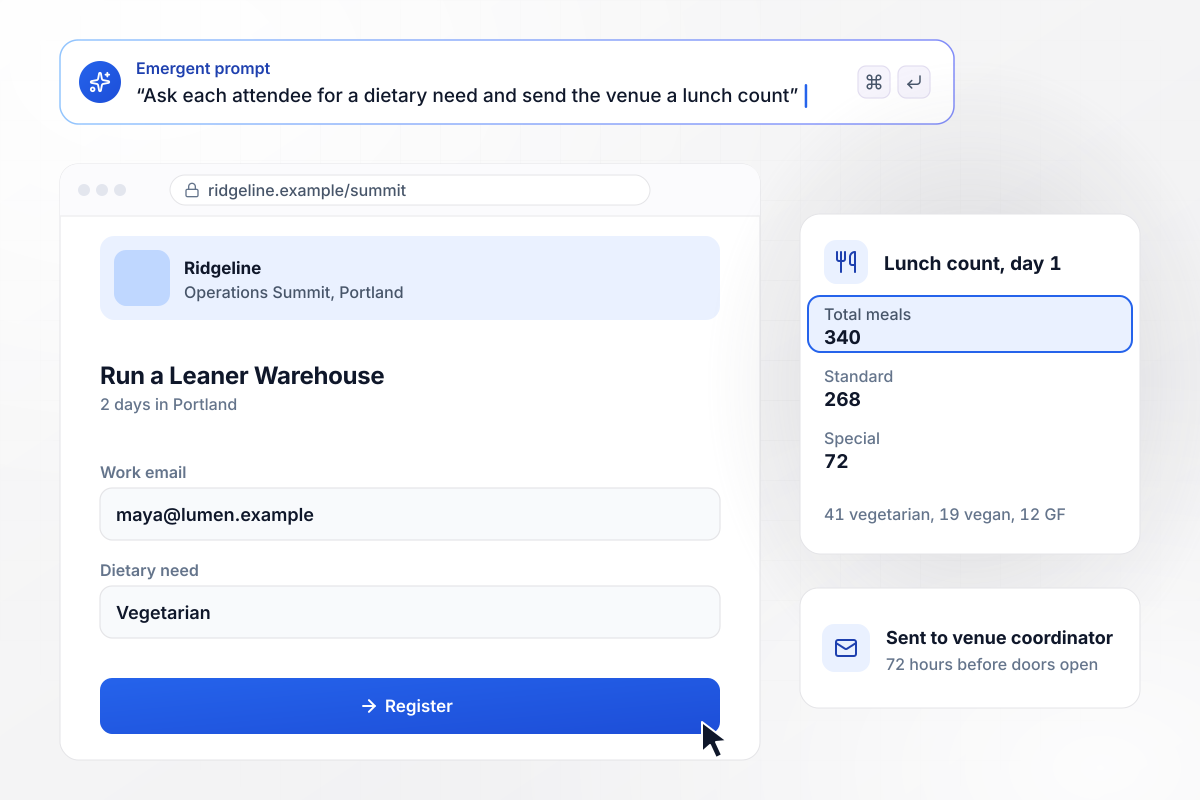
Every diet in the lunch order, counted per day
Ridgeline's operations summit runs two days in Portland, and its registration form asks each attendee for one dietary need. The venue coordinator gets an email 72 hours before doors open with the lunch count for the first day: 340 meals, 72 of them special, each type listed with its number.
window.awbMockup = { industryConference: "Build a registration page for Ridgeline's two-day operations summit in Portland. Show the dates, the venue address with a directions link and the agenda for each day. Ask every attendee for a name, a work email and one dietary need. Seventy-two hours before doors open, email our venue coordinator the lunch count for the first day, with each dietary type listed and counted.", communityMarket: "My team runs the Harbor Street Night Market. Build a page where people RSVP for free with a name and an email. On the night, our volunteers need a check-in screen for tablets: search a name, tap Check In and save the time. Give the organizers a dashboard with arrivals so far against total RSVPs and a bar for each hour.", inviteOnlyParty: "Build a private RSVP page for my studio's 10th anniversary party. Each invited guest answers yes or no and can bring one guest. Count every plus-one in the headcount and show me the total against our venue's limit of 150 people. Close the form when the headcount reaches 150 and show a short note that the party is full.", cityRoadshow: "Build one landing page for our breakfast roadshow across four cities, with a city picker on the form. Send each registration to HubSpot as a contact, set the owner to the rep for that city and send that rep a direct message in Slack. Austin goes to Dana Whitfield. Email each registrant the address of their city's venue." };
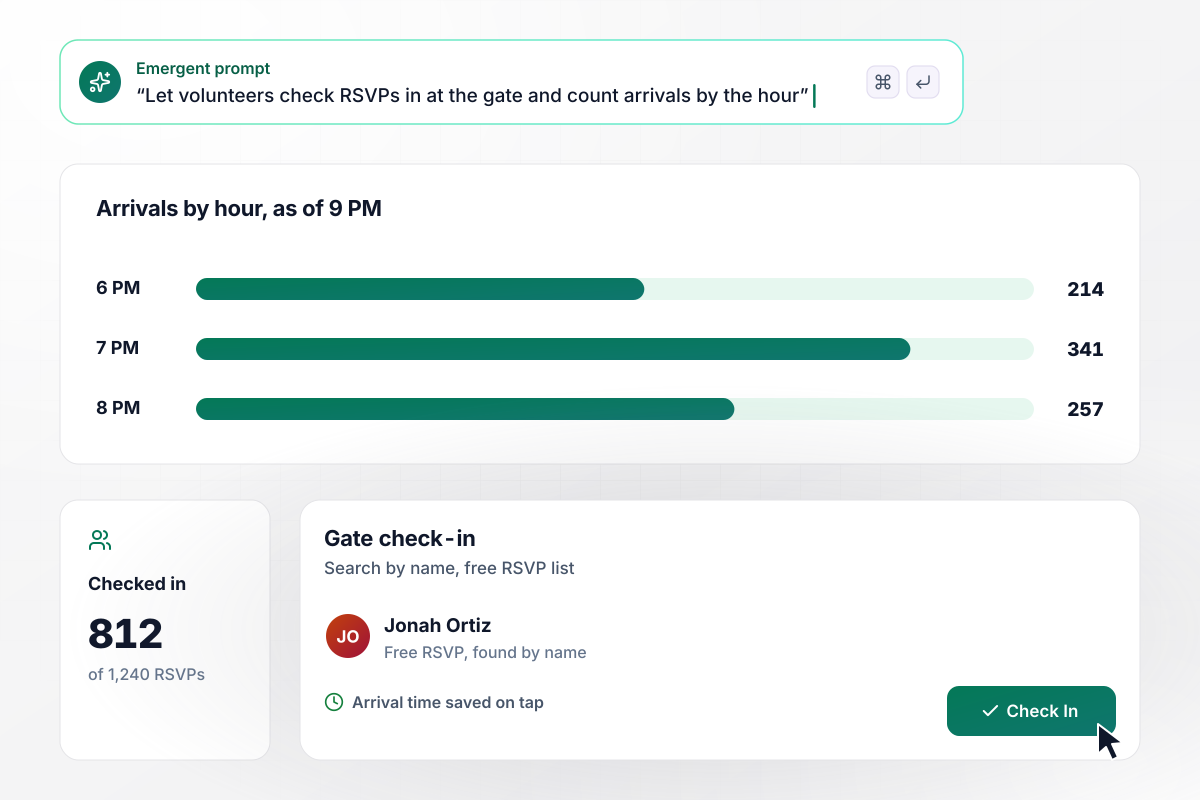
Gate check-in on a tablet, tallied hourly
On market night, Harbor Street's volunteers stand at the gate with tablets. They search each name from the 1,240 free RSVPs and tap Check In, and every arrival saves with its time. By 9 PM, the organizers' dashboard shows 812 people through the gate, with 7 PM the busiest hour.
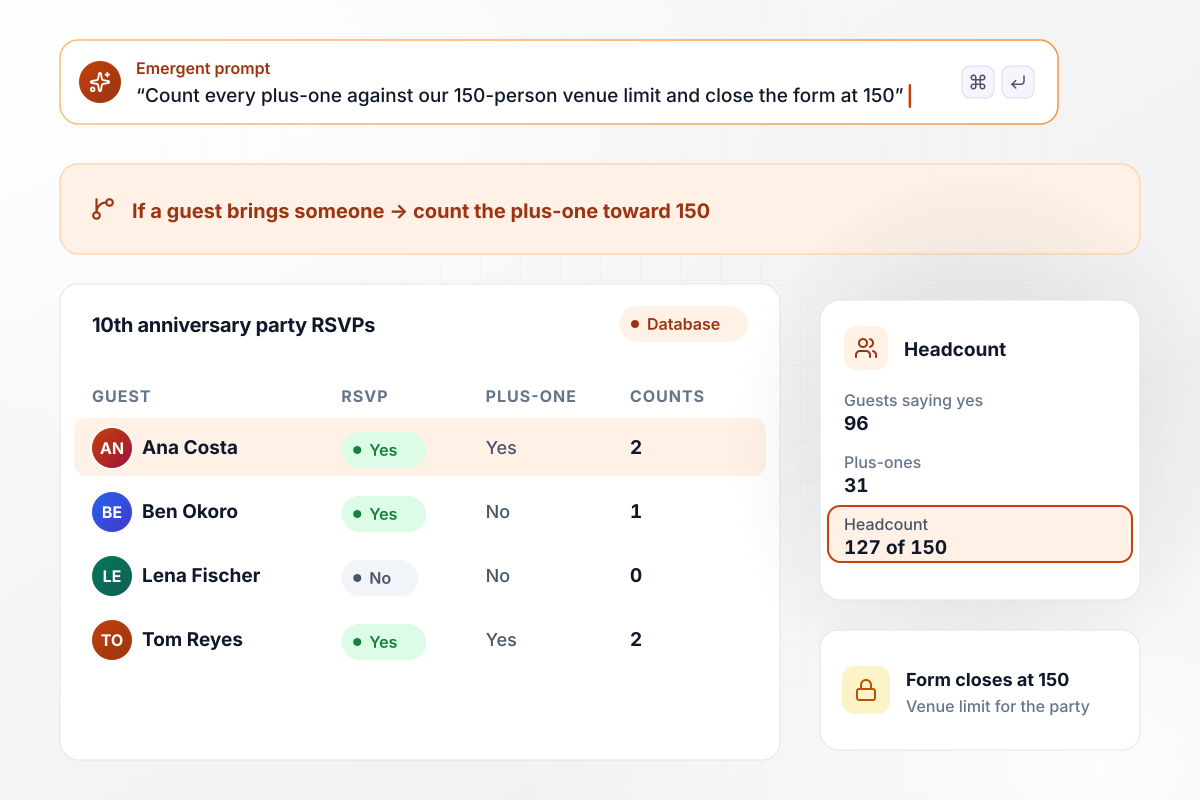
Plus-ones added to one running headcount
Guests invited to Copperline Studio's 10th anniversary party RSVP on a private page, and each can bring a guest. The headcount counts every plus-one against the venue's limit of 150. With 96 guests saying yes and 31 bringing someone, it stands at 127 of 150, and the form closes when it hits the limit.
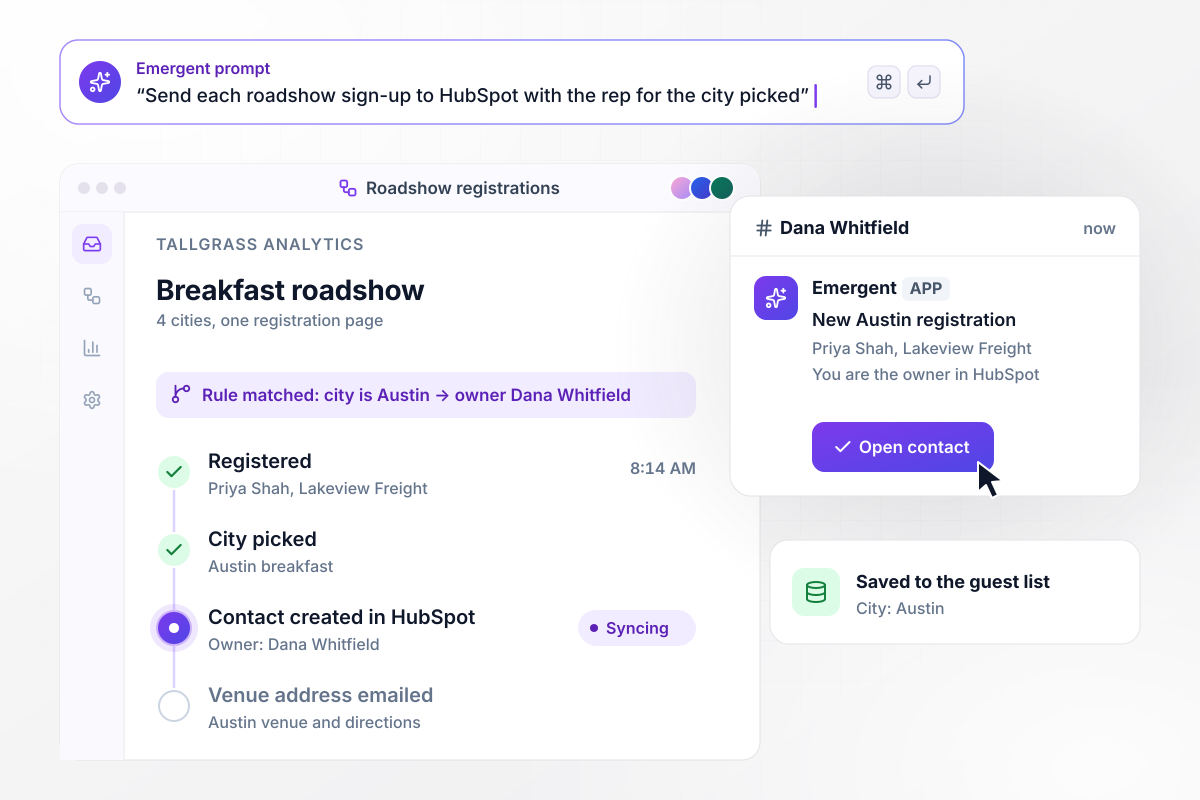
Four cities and four reps behind one page
One page carries every stop of the Tallgrass Analytics breakfast roadshow, and a visitor picks a city on the form. The registration lands in HubSpot with that city's rep as owner, and the rep gets a direct message in Slack. Austin sign-ups go to Dana Whitfield.






How to Build an Event Landing Page
An event page asks people to show up somewhere at a set time. These steps start with the details guests look for first and end with the numbers you need on the day itself.
Visitors decide in seconds whether they can come. Put the weekday and the date beside the headline, with the city underneath. Someone who has to scroll to find out where the event happens will usually leave before reaching the form.
A subhead such as for operations leads at companies with one warehouse sorts the room before anyone registers. Below it, list the sessions or acts with start times. A conference needs the full agenda; a party needs one line about the night.
Link the address to Google Maps with a Maps URL, which needs the api=1 parameter to open on the venue. Then add the nearest transit stop, where to park and whether the entrance has step-free access for wheelchairs and strollers.
A name and an email confirm a place. Add a field only when someone acts on the answer: a dietary need tells the caterer what to cook, and a plus-one changes the headcount. Every extra question costs you some registrations.
Google's Event structured data describes a physical event with a Place location and a full PostalAddress. If the date moves, set eventStatus to EventRescheduled and add previousStartDate, which tells search engines the old date no longer holds.
Event links travel through group chats and social posts. The og:title and og:image tags decide what a shared link shows. Use an image with the date and city in large type, readable at the size of a phone thumbnail.
Volunteers at the door need a list sorted by last name, with a button that marks each arrival. Timestamps show when the line peaked and how many registrants never came, which sets the overbooking margin for your next event.
Why Build an Event Page With Emergent?
Template galleries give an event a look. Emergent builds the page from a prompt, along with the guest list and the check-in screen behind it.

|
Unbounce | Landingi / Leadpages / Instapage | Wix | |
|---|---|---|---|---|
| How you build | Prompt for a campaign page | Templates and drag-and-drop, AI copy assist | Templates and drag-and-drop, AI assist | Prompt for a full site |
| Where submissions go | A database table you own, plus integrations | Unbounce lead storage and integrations | Vendor lead storage and integrations | Basic contact form to email |
| Visitor limits | No per-visitor pricing | Monthly visitor caps by plan | Tiered by traffic on most plans | Site plan bandwidth |
| A/B testing | Generate variants by prompt | A/B testing on higher-tier plans only | Higher plans | Limited or add-on |
| Code ownership | Full code export to GitHub on paid plans | Hosted only | Hosted only | Hosted only |

Pick the Pricing Plan That Works for You
Choose the plan that fits your building ambitions. From weekend projects to enterprise applications, we've got you covered.




Find the right
landing page for you
Frequently Asked Questions
Your Questions, Answered
Don't change this element unless you know what you are doing
More things you can build
with Emergent









on Emergent today




