

Build a Pricing Page Where the Numbers Add Up
Paste the plans you sell and what each one costs. Emergent builds the pricing page with its billing switch, plus a table that records which plan each visitor picks.
Build a pricing page with three plans and a switch between monthly and annual billing.
Trusted by Builders Worldwide
Active Builders Worldwide
Apps Successfully Created
Countries Globally Reached



What Sits Behind the Plan Cards
Plan cards are the visible part. Behind them sit the billing math and a record of every plan visitors choose.
One card per plan, priced as you sell it
List each tier with its price, its billing unit and its top features. Emergent lays out a card per plan, marks the one you recommend and keeps every card the same height.
Monthly and annual prices that agree
A billing switch recalculates every card from one rule you state, such as two months free on yearly plans. Monthly figures and yearly totals both come from that one rule.
A comparison grid that stays readable
Long feature lists move into a grid under the cards, grouped by topic, with plan names pinned to the top as visitors scroll. On a phone the grid shows one plan at a time.
Plan clicks saved to your database
Every press of a plan button lands as a row in a database you own, with the plan and the billing period. Send the rows on to your CRM over its API, or count them by week.
Price changes made by message
Raise a price by sending a message, such as move Team to $32 on March 1. Emergent edits every card and the comparison grid in one change, leaving no stale number on the page.
Code you can take with you
The pricing page and its click table export to GitHub on paid plans. Host both on Emergent with a custom domain, which uses credits, or deploy them beside your sign-up flow.
Four Pricing Models, Four Working Pages
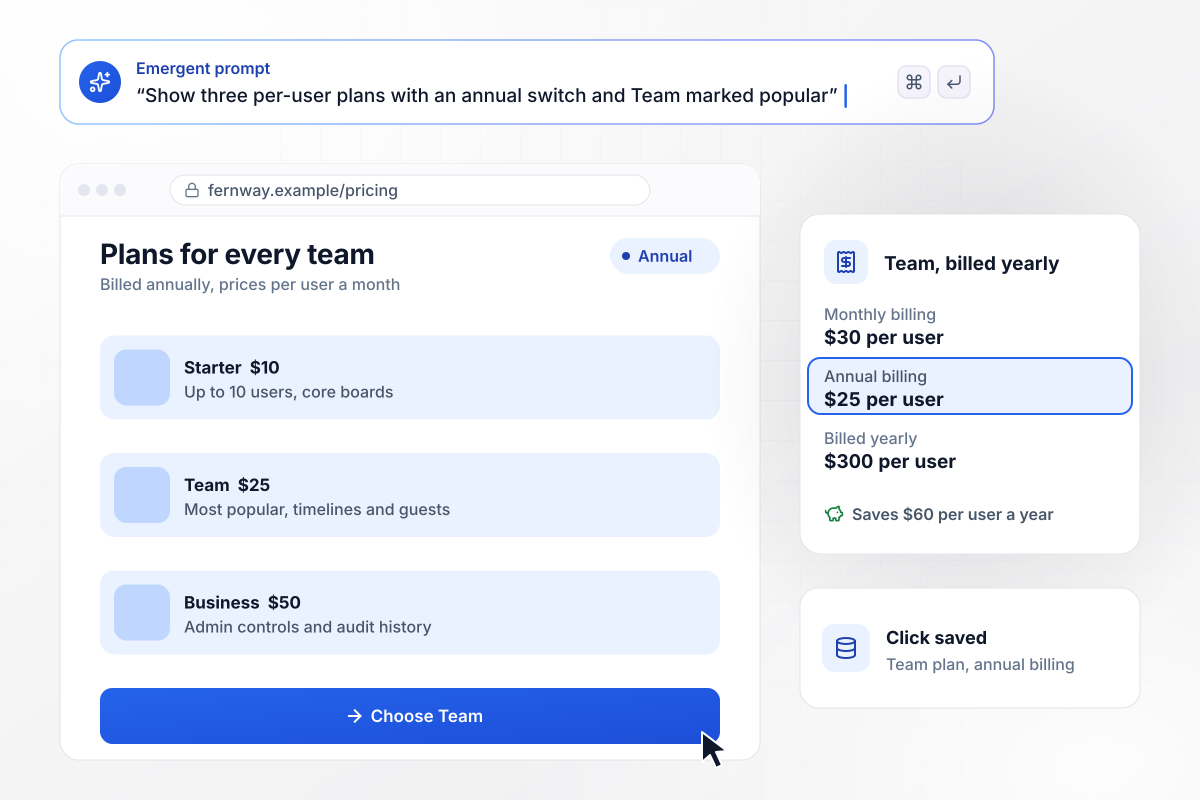
Thirty dollars per seat, twenty-five when billed yearly
Fernway prices its tiers per user and recommends Team. The switch on the page opens on annual billing, where Team reads $25 per user a month, billed as $300 a year, against $30 on monthly billing. The Team card states the yearly saving of $60 per user. Every plan click is saved with the billing period chosen.
window.awbMockup = { perSeatSaasTiers: "My project tool has Starter, Team and Business plans priced per user. Build a pricing page with a billing switch that defaults to annual, where yearly plans get two months free. Show the monthly equivalent and the yearly total on every card, highlight Team as most popular, and record each plan button click with the billing period.", usageCalculator: "I run an email API. The first 3,000 emails each month are free and every 1,000 after that is $1.00. Build a pricing page with a calculator where developers type their monthly volume and see the estimated bill. Over 250,000 emails, replace the estimate with a contact sales form.", agencyPackages: "My design studio sells a Brand Sprint for $4,500 and a Website package for $12,000. Build a pricing page with those two cards plus a Custom card. Custom opens a quote form asking for budget, launch timing and project details. Save every request and post it to our #new-business Slack channel.", classMemberships: "My yoga studio sells drop-in classes at $25, a 10-class pack for $200 and an unlimited monthly membership for $140. Build a pricing page that lists all three, asks visitors how many classes they expect to take each month, and shows which option costs the least for that number." };
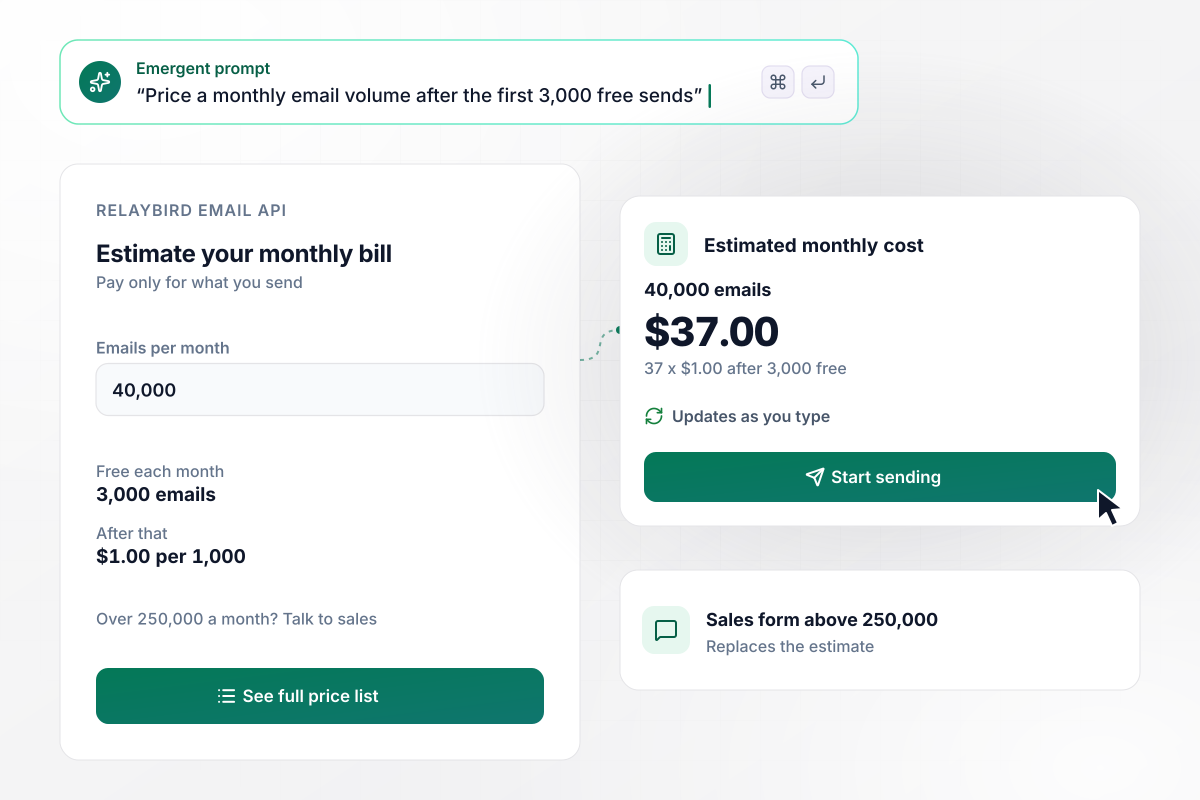
Send volume in, monthly bill out
Per-email pricing is hard to picture until you see a bill. Relaybird's pricing page takes a monthly send count and prices it: the first 3,000 emails are free, and each 1,000 after that costs $1.00. A developer who types 40,000 sees $37.00 a month. Above 250,000 emails, the calculator gives way to a sales form.
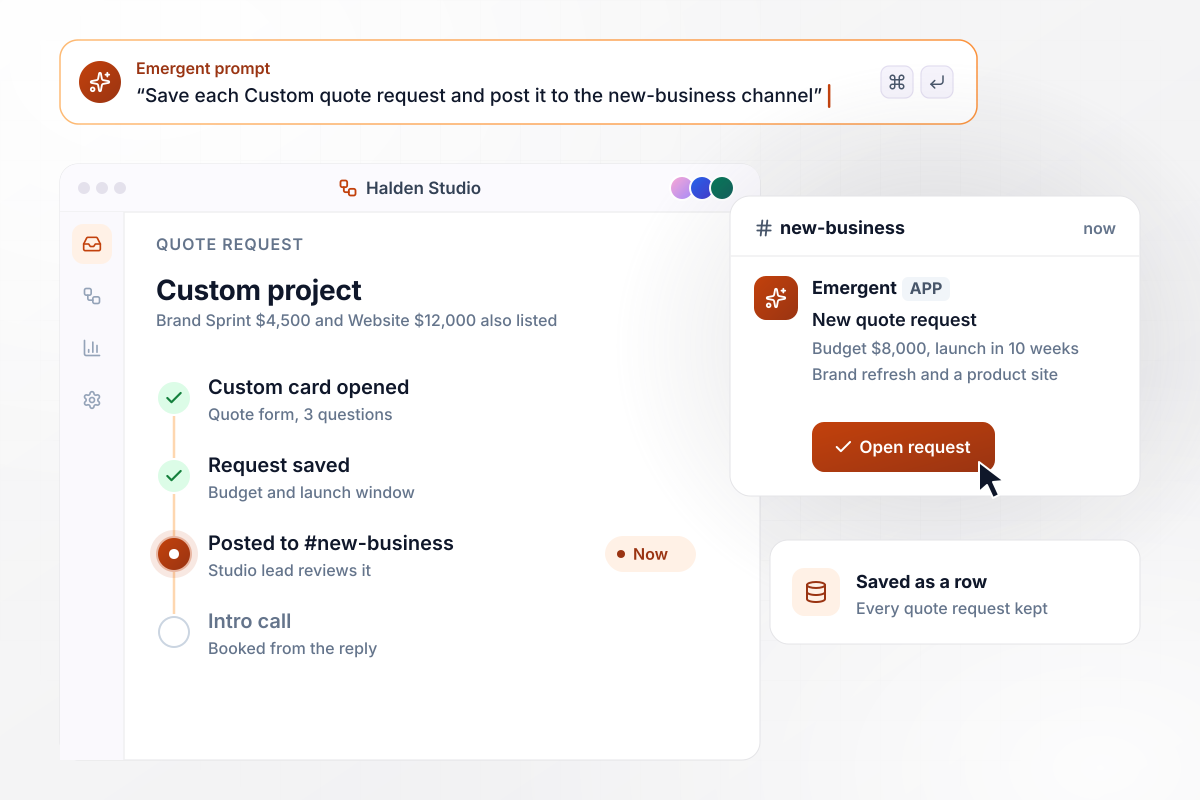
Two set packages, with quotes for everything else
Some work has no list price. Halden Studio shows a Brand Sprint at $4,500 and a Website build at $12,000, with a Custom card beside them. Custom opens a short quote form asking for a budget and a launch window. Each request is saved as a row and posted to the studio's #new-business channel in Slack.
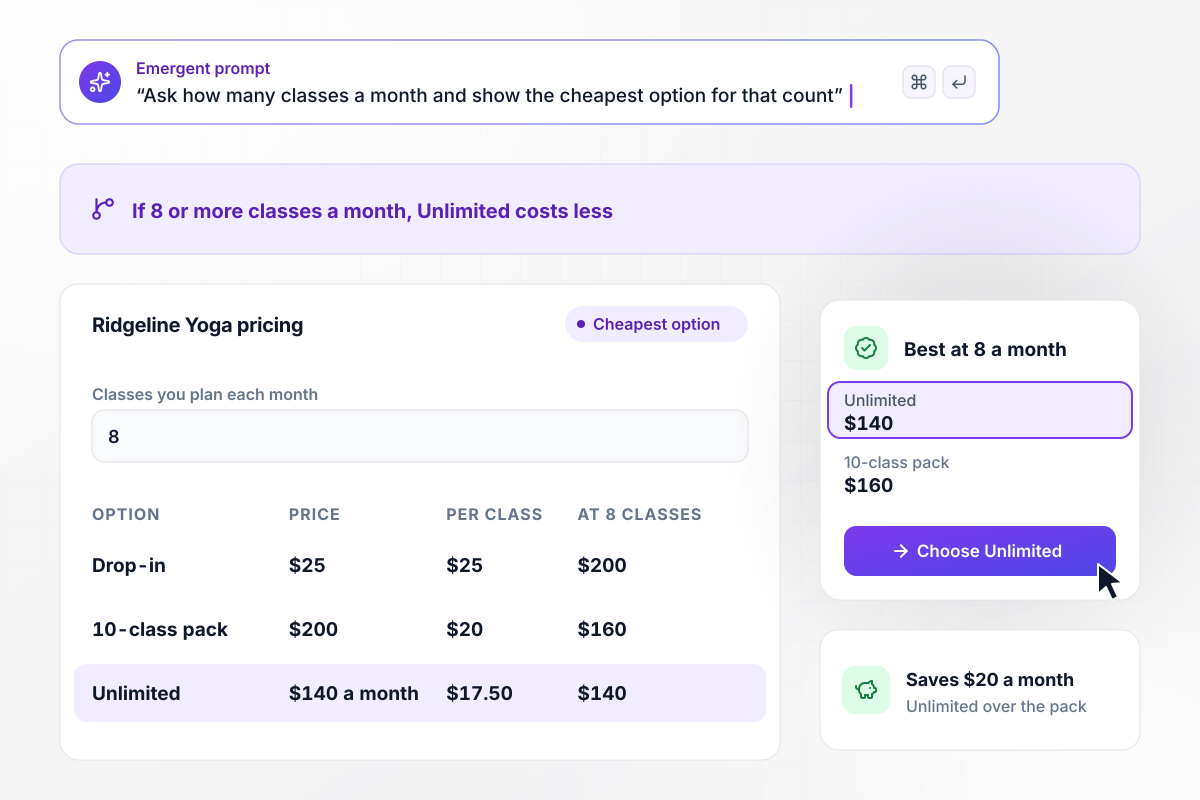
Which class option is cheapest for how often you come
At Ridgeline Yoga, new students rarely know which option suits them. The pricing page lists a $25 drop-in, a 10-class pack for $200 and Unlimited at $140 a month, then asks how many classes a month each visitor plans. Anyone who answers 8 or more sees that Unlimited costs less than the pack.






How to Build a Pricing Page
Visitors arrive with one question: which plan fits, and what will it cost? Each step below shortens the path to that answer.
Decide what you charge for: seats, usage, a fixed package, or a membership. The model sets the page's shape. Seat pricing wants plan cards, usage wants a calculator, and project work wants a quote form beside a few fixed prices.
Three or four plans fit side by side on a laptop screen. Past that, visitors start comparing columns instead of choosing one. Fold rare needs into a Contact sales card instead of a fifth tier with its own price.
Plan names such as Team or Business tell a visitor where they belong before they read a price. Under each name, write one line on who the plan suits, such as teams of up to 10 people.
Give the plan most customers should pick a label and a stronger border. Visitors who cannot decide take the default. Choose the plan that fits most of your buyers, which is rarely the most expensive one.
If yearly billing is cheaper, print the monthly equivalent, the yearly total and the saving on each card. A discount stated only as a percentage leaves visitors working out the real number for themselves, and many will not bother.
Put the questions your sales team hears most under the grid, such as what happens at the seat limit and whether a plan can change mid-cycle. Every question settled on the page is one fewer email before a purchase.
Record every plan button click with the billing period chosen. If nearly everyone picks monthly, the annual saving may be too small to notice. Change one thing at a time and compare a few weeks of clicks.
Why Build Your Pricing Page With Emergent?
Page builders hand you a pricing table block to fill in. Emergent builds the whole page from one prompt, math included.

|
Unbounce | Wix | Landingi | |
|---|---|---|---|---|
| How you build | Prompt for a campaign page | Templates and drag-and-drop, AI copy assist | Prompt for a full site | Templates and drag-and-drop, AI assist |
| Where submissions go | A database table you own, plus integrations | Unbounce lead storage and integrations | Basic contact form to email | Vendor lead storage and integrations |
| A/B testing | Generate variants by prompt | A/B testing on higher-tier plans only | Limited or add-on | Higher plans |
| Code ownership | Full code export to GitHub on paid plans | Hosted only | Hosted only | Hosted only |
| Visitor limits | No per-visitor pricing | Monthly visitor caps by plan | Site plan bandwidth | Tiered by traffic on most plans |

Pick the Pricing Plan That Works for You
Choose the plan that fits your building ambitions. From weekend projects to enterprise applications, we've got you covered.




Find the right
landing page for you
Frequently Asked Questions
Your Questions, Answered
Don't change this element unless you know what you are doing
More things you can build
with Emergent









on Emergent today




