

Build an Employee Engagement Survey From Question to Action
Describe your teams and what you need to learn. Emergent builds the questions, confidential team results, driver analysis and manager dashboards, in a database you own.
Build an employee engagement survey for my company with confidential results by team.
Trusted by Builders Worldwide
Active Builders Worldwide
Apps Successfully Created
Countries Globally Reached



What an Engagement Survey Needs to Work
An employee engagement survey measures how committed people are to their work and employer, and what drives that number.
Questions grouped by engagement driver
Core items on pride, intent to stay, advocacy and extra effort come first. Driver sections on managers, growth, recognition, and workload follow. Reword any item with one sentence.
Anonymity thresholds you set
No dashboard shows results for a group with fewer than five answers, and comments carry no names or emails. The first screen states that rule before anyone answers a question.
Engagement index and eNPS per team
Each team gets an engagement index from the core items and an eNPS from one 0-10 question, shown next to the company result and the team's own score from the last cycle.
Driver analysis that ranks what to fix
Every driver item is correlated with the team's engagement index. The manager's view opens on the three items with the strongest link, each shown with the comments that mention it.
Org data synced from your HRIS
Department, location, tenure and manager sync from your HRIS, such as BambooHR or Workday. Results split along those lines without a single demographic question in the survey.
Action plans the next survey checks
Managers log the actions they agreed with their team after each cycle. The next survey asks whether each one landed, and the answers appear beside the action they refer to.
Engagement Surveys to Build This Week
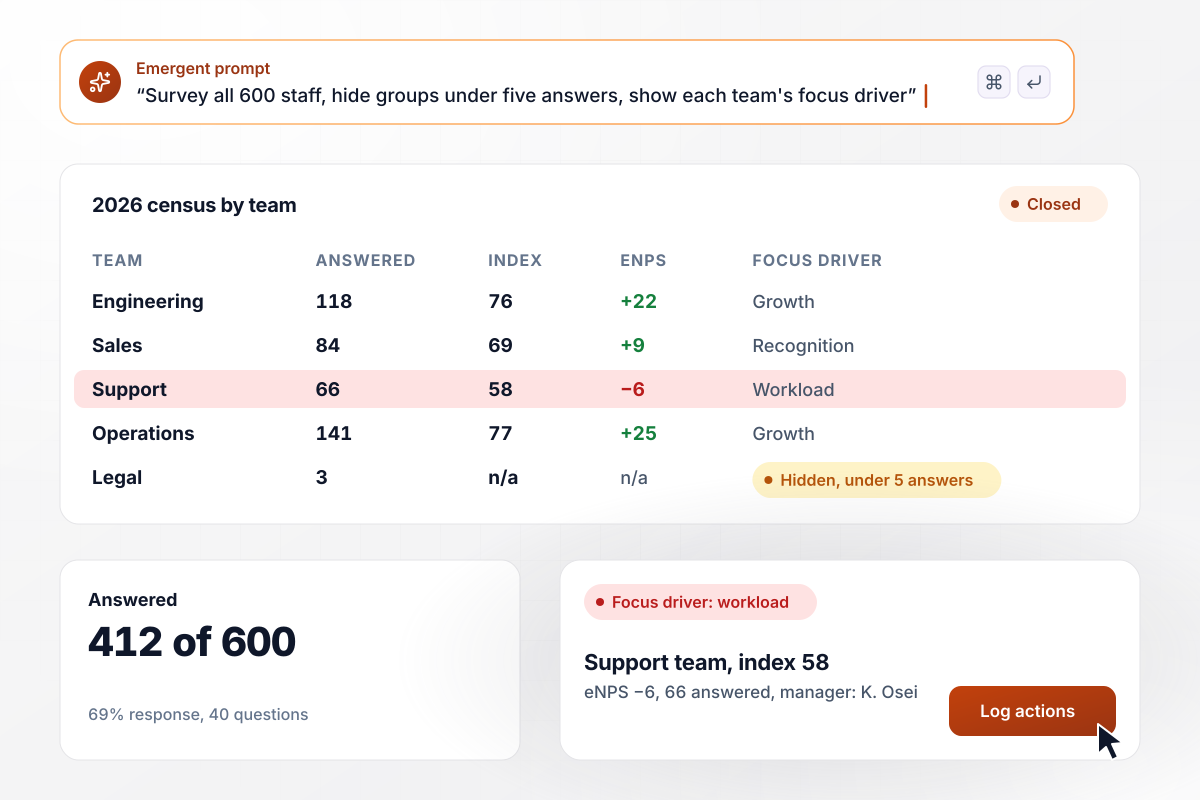
Census results each manager can act on
A 40-question survey goes to all 600 employees for two weeks, and reminders reach only people who have not answered. Legal stays hidden with under five answers, yet those answers count in the total. Each manager's dashboard puts the team's index and eNPS beside its focus driver, with an action log.
window.awbMockup = { annualCensus: "Build an annual employee engagement survey for my company of 600 people. Use 40 statements on a 1-5 agreement scale, with core engagement items first and sections on managers, growth, recognition and workload. Keep it open two weeks, remind only people who have not answered and hide results for any group with fewer than five answers. Give each manager a dashboard with their team's index, eNPS, the driver most tied to its engagement and an action log.", frontlineStaff: "Build an anonymous engagement survey for my store and warehouse staff, who have no company email. Each site gets its own QR code for the break room. The survey has 12 questions, takes two minutes on a phone, runs in English or Spanish and asks for no name or email. Tag every response to its site, and hide a site's results from its manager until that site has five answers.", afterReorg: "Build a short engagement survey for the teams affected by our reorg, sent six weeks after the change. Ask about role clarity and trust in leadership, and include the intent-to-stay item. Compare each team's scores with its last annual census, and alert the HR business partner in Slack when a team's intent to stay drops 10 points or more.", quarterlyCheckIn: "Build a quarterly eNPS survey for my company. Ask the 0-10 question on recommending us as a place to work and one open question on what would raise the score. Track the company eNPS quarter over quarter on a live dashboard, and group the comments into themes with a count for each." };
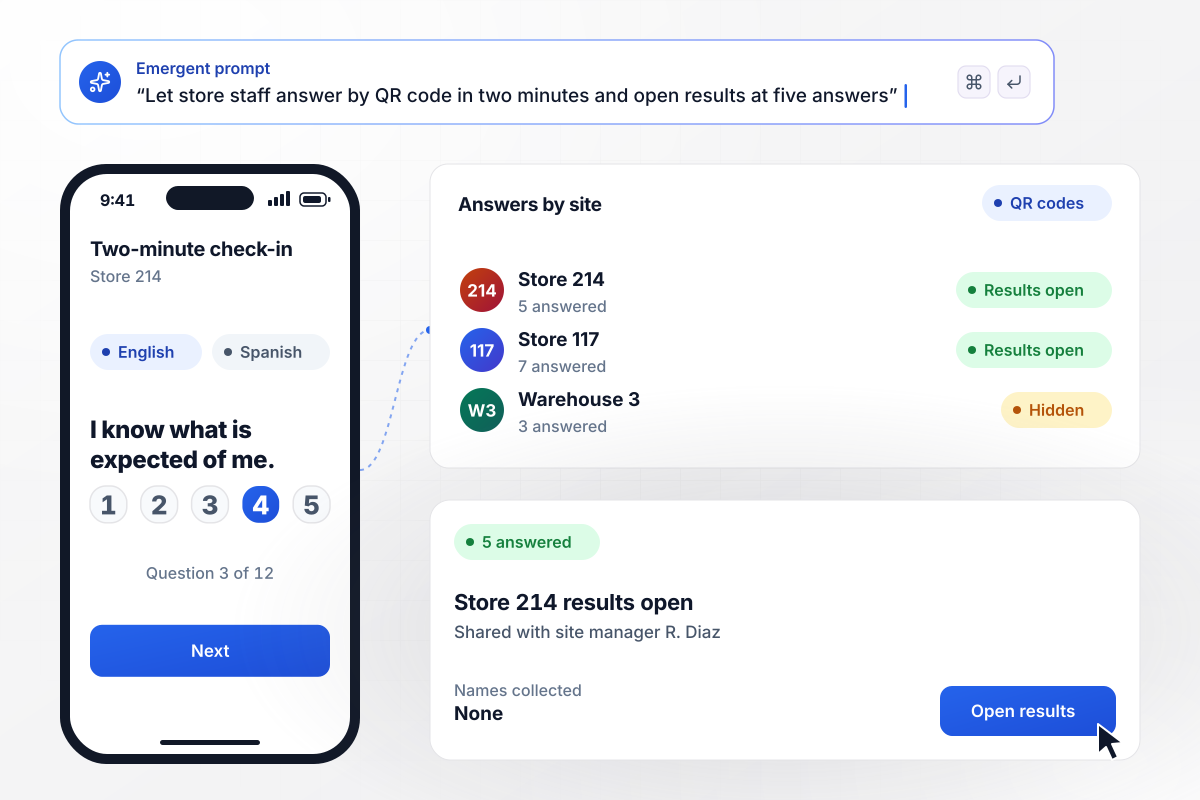
Frontline staff answer on a phone in two minutes
Store and warehouse staff without a company email scan a QR code in the break room and answer 12 questions in English or Spanish. The survey asks for no name or email. The code tags each response to its site, and the site manager sees nothing until that site has five answers.
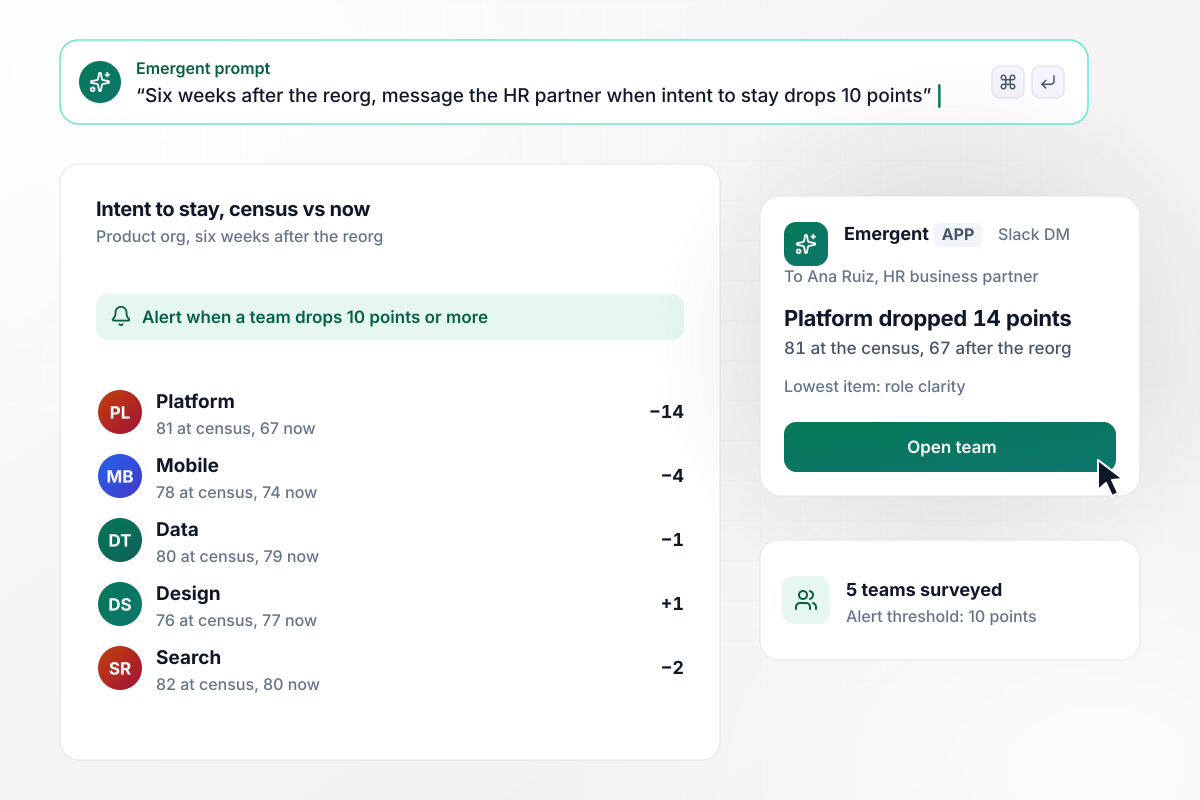
Find the teams a reorg has unsettled
Six weeks after a reorg, affected teams answer a short survey on role clarity and trust in leadership, plus the core intent-to-stay item. Each team's intent to stay is compared with its last census, and a drop of 10 points or more alerts the HR business partner in Slack.
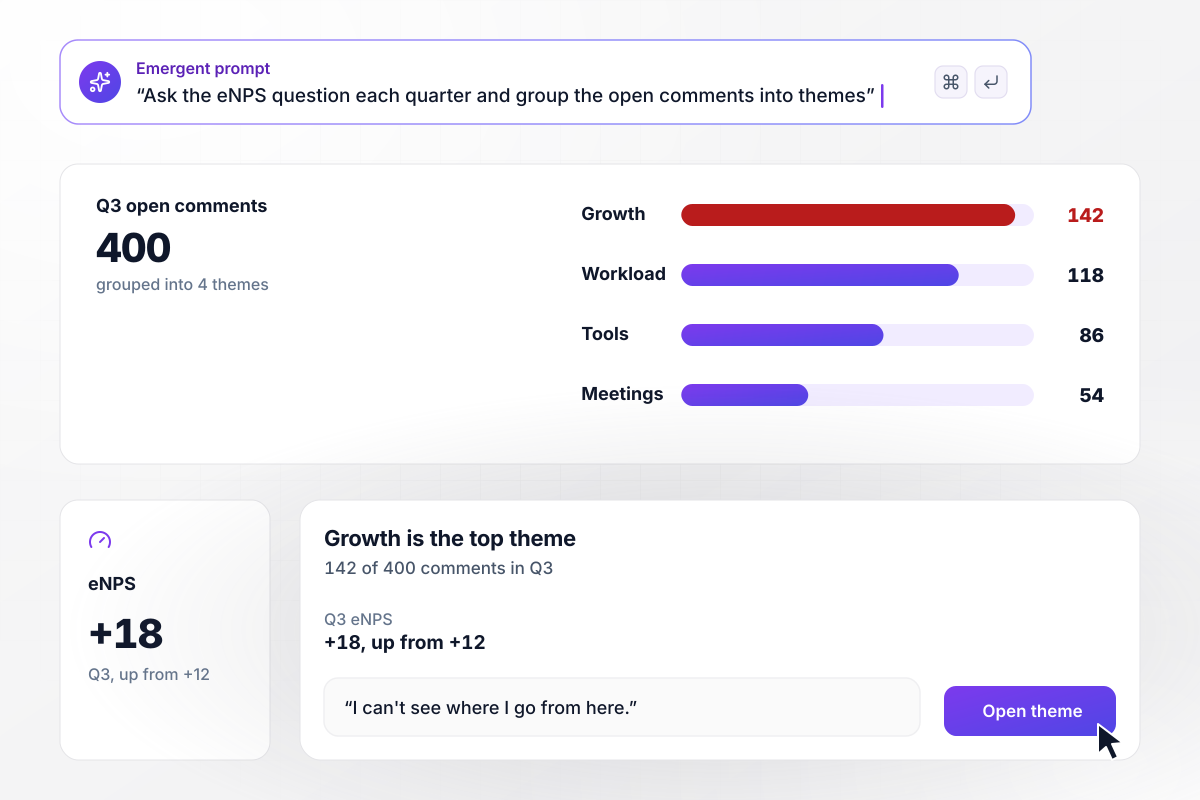
Track eNPS every quarter without survey fatigue
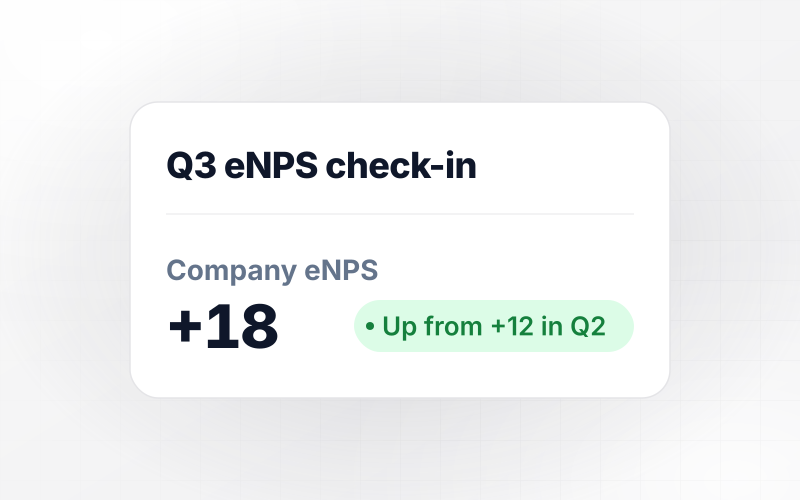
Each quarter, people answer the eNPS recommend question and one open question on what would raise their score. A live dashboard tracks the company eNPS quarter over quarter. In Q3 the score rose from +12 to +18, and 400 comments fell into four themes led by growth.






How to Create an Engagement Survey
An engagement survey is worth what managers do with its results. Budget more time for the weeks after it closes than for writing the questions.
Start with the decisions the results should inform, such as whether engineering attrition after a hiring freeze is a manager problem or a workload problem. Every question should map to one of them. Items nobody acts on teach people that answering changes nothing.
Use four to six core items for engagement itself and never reword them between cycles. A changed item breaks the comparison with last year. Add driver sections for the areas from step one, written as single statements on the same 1-5 agreement scale.
Comments need their own rule. Some companies set a higher reporting minimum for them than for scores. Then decide whether managers read comments word for word or as themes. In small teams themes are safer: a turn of phrase can identify its writer.
Write it out in plain English: who gets it, which questions, the scale, the anonymity rule, and the reminder schedule. Emergent turns that into a working survey with its own response table and team dashboards. Later changes take one more message.
Send a launch message that says who can see what and the date results come back. If reminders or HRIS splits are on, the honest word is confidential, not anonymous. A live response rate by department shows managers where a nudge is needed.
Start with each team's two headline numbers, then the drivers most tied to them. A low item that does not move engagement can wait. A middling one that does is where the first action belongs.
Publish company results within two weeks of close, while people still remember answering. Each manager then meets their team, reads out its focus driver and agrees two actions, each with one owner and a date.
Why Build Your Survey With Emergent?
Engagement platforms price per employee and hold your results. Emergent builds the survey and dashboards as an app you own.

|
Culture Amp | Qualtrics EmployeeXM | SurveyMonkey | |
|---|---|---|---|---|
| What you get | Pulse and annual surveys, confidential reporting, and manager dashboards, as code you own | Engagement, pulse, onboarding, and exit surveys with analytics | Employee listening inside the Qualtrics XM platform | Survey builder with templates, including employee engagement |
| Pricing model | Credits, no response caps or per-response fees | Quote-based, per employee by module, billed annually | Quote-based, priced by employee count | Per-user team plans with a seat minimum, billed annually |
| Where responses live | A database table you own, plus any integration | Culture Amp platform | Qualtrics platform | SurveyMonkey account |
| Code ownership | Full code export to GitHub on paid plans | None | None | None |

Pick the Pricing Plan That Works for You
Choose the plan that fits your building ambitions. From weekend projects to enterprise applications, we've got you covered.




Find the right survey, quiz, or poll
for your team
Frequently Asked Questions
Your Questions, Answered
Don't change this element unless you know what you are doing
More things you can build
with Emergent









on Emergent today




