



When a lawsuit is filed, someone has to physically track down the person being sued and hand them the court papers. Lawyers rarely do this themselves. That is exactly what one legal support firm across Texas and New Mexico does for the law firms it works with. It is not a law firm and gives no legal advice; it simply does the hands-on work a case needs, delivering legal documents by hand (known as serving papers) and notarising signatures.
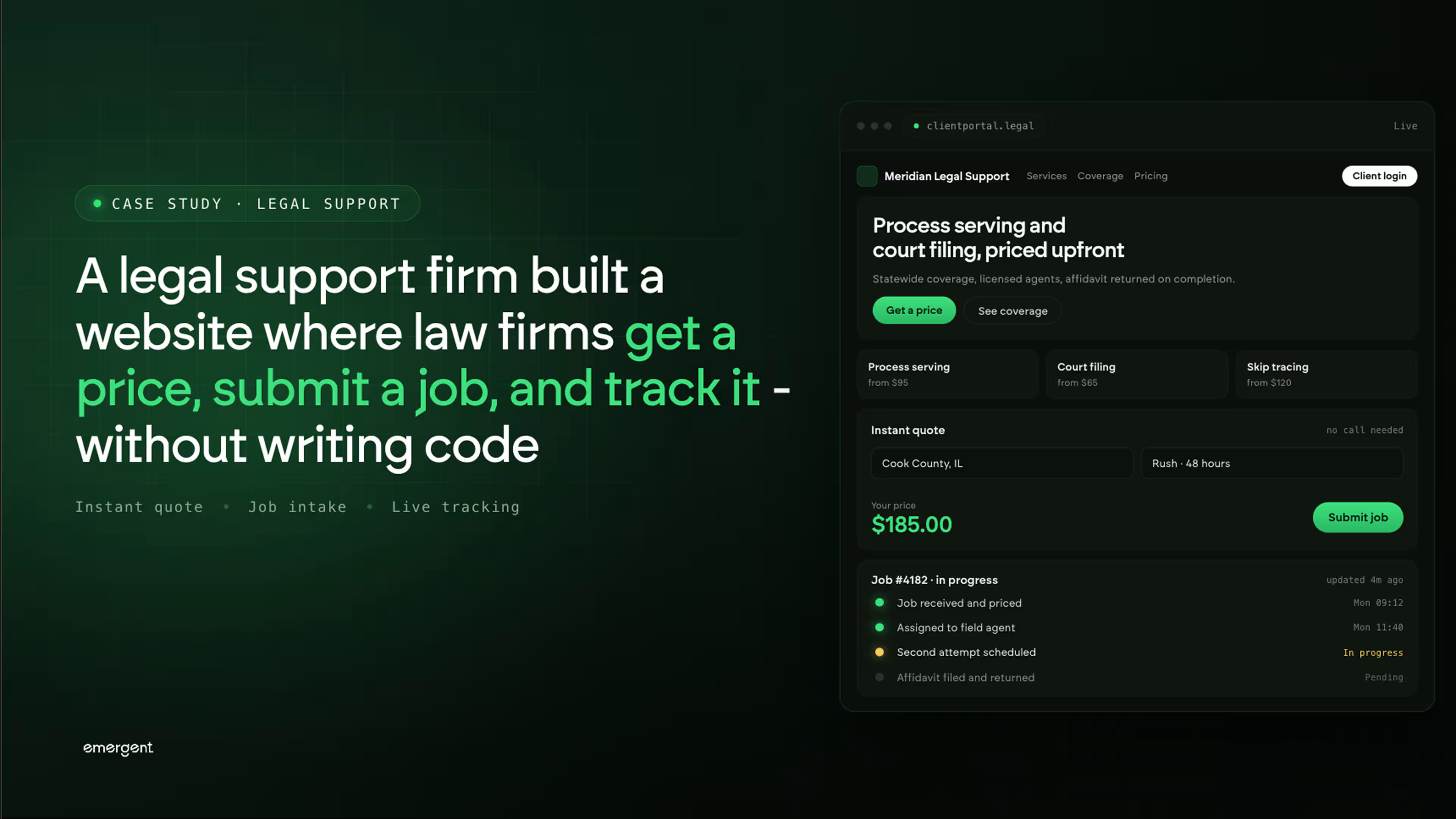
The firm works mainly for small and mid-size law firms, but had no in-house development team. Those firms had long sent work over by phone and email, with no clear price up front and no easy way to follow a job once it was handed off. Seeing that gap, the firm used Emergent's AI website builder to build a public website where a law firm can get a price by address, submit a job with its documents attached, book a notary, and sign in to track progress. The whole thing went from idea to a live website.
Challenges
Law firms hand off jobs and then hear nothing
Small and mid-size law firms hand off this work the same way they did decades ago: a phone call or an email with a PDF attached, then silence. The staff member who sent the job has no way to confirm it was received, no way to see whether the server has tried to deliver the papers yet, and no record of what happened on each attempt. When a senior lawyer asks for status, someone has to call the server and wait for a callback. The information exists, but it sits in the server's inbox and notebook, not anywhere the law firm can reach. For a firm racing a court deadline, not being able to see where things stand is a real risk, not a minor annoyance.
There is no way to know the price before the work starts
The cost of delivering papers depends on how far the server has to travel and how fast it needs to happen, but most firms in this line of work do not publish their prices. A law firm that wants to know the cost of serving papers at a given address has to call, describe the job, and wait for a quote. That back-and-forth slows down routine work and makes it hard to compare options or plan a budget. The law firm cannot get a simple answer to a simple question on its own: what will it cost to serve this address, and how fast can it be done. Every quote turns into a phone call.
Email loses the details the server needs on the ground
Delivering papers correctly depends on precise information: the exact name of the court case, who is suing and who is being served, the court and county it is filed in, the exact address, and often a physical description of the person so the server can be sure they are handing the papers to the right individual. When all of that arrives as loose text in an email, details get missed, addresses get mistyped, and the server ends up chasing the sender for the one thing that was left out. A single job can involve several addresses and a stack of documents. Email is a poor container for this kind of detail, and the gaps only show up once the server is already out in the field.
Solution
Address-based pricing that answers the cost question instantly
The website lets a visitor type in a street address, city, or ZIP code and get a price back on the spot, without a phone call. It finds the address on a map, matches it to the nearest office, and returns the price for that area. Prices are grouped into zones that ring out from each office: the farther the address, the higher the price, and there is a standard rate and a faster rush rate for each zone, so the cost lines up clearly with distance and urgency.
For addresses inside the firm's main coverage area, the price is clear up front. For addresses outside its driving range, the website hands the job to a trusted partner in that area instead of turning the visitor away. A published price table lays out every zone and its standard and rush rate, and a single flat rate applies everywhere in New Mexico. The visitor gets a real number before committing to anything.
A proper form that captures everything the job needs
Instead of an email with an attachment, the website gives law firms a proper form built around how delivering papers actually works. Emergent's AI website builder put the form fields, the document upload, and the logic behind them together in a single build from a plain-language description, so the form asks for exactly what the server needs. The visitor uploads the case documents as PDFs, then fills in their own contact details, the court case details (the case number, who is suing, who is being sued, the court name and location, and the county), and picks standard or rush service. A separate section captures optional physical descriptors such as age, height, weight, and hair colour to help the server confirm they have the right person at the door.
The form takes several addresses in one submission, up to five, so a job with more than one person to serve does not have to be split into separate requests. A special instructions box carries anything that does not fit a labelled field. Because the form asks for the right things up front, the job that reaches the server is complete, which is the difference between a delivery made and a day lost chasing a missing detail.
Read more: How a Maintenance Firm Built a Recurring Job Tracker for Their Clients, Without Writing Code.
Notary booking and a sign-in to track every job
Alongside delivering papers, the website runs a mobile notary service, where a notary travels to the customer to witness and stamp signatures. This is the one service a regular person, not just a law firm, might book directly, for things like loan and mortgage paperwork. It has its own guided booking flow with four steps:
- Select a service
- Choose a date and time
- Enter details
- Pay
A confirmation email is sent the moment the appointment is booked. Notary work is priced by service, from standard signings to mortgage and loan packages, with timing such as rush or holiday appointments changing the rate, and the booking page shows those tiers directly.
The website also has a secure sign-in where law firms can see their jobs, invoices, and progress in one place. They create an account, sign in, and follow a job from the moment it is submitted through to the finished affidavit, the signed, sworn document that proves whether the papers were delivered or not, which the law firm then files with the court. Together, the price lookup, the form, the notary booking, and the sign-in give the firm a single branded home for everything its clients used to handle over the phone.
Conclusion
A business that knows exactly how this work is priced, how a job succeeds or fails on the quality of the details it starts with, and what a law firm needs to see to trust that a deadline will be met is the right business to design the tool its own clients use. The firm described what it wanted in plain language on Emergent, and the finished website, price-by-address lookup, a map that finds the nearest office, a detailed job form that takes several addresses and document uploads, a four-step notary booking with email confirmation, and a secure sign-in for tracking jobs and invoices, went from a description to a live, working website on the firm's own web address.
If you run a business that does work for other companies, whether that is legal support, field service, or any hands-on service, and you have an idea for a tool that would solve a problem your clients feel every day, Emergent can take you from description to a live product in the same session.
Emergent turns your idea into a full-stack web or mobile app, no coding required.
 No coding required
- Web & mobile apps
- Deploys instantly


on Emergent today




