



TL;DR
Five builders made the cut, ranked by who each one suits:
- Teal: Best for building and exporting unlimited resumes for free
- Rezi: Best for keyword targeting and resume scoring
- Kickresume: Best for getting to a finished draft fast
- Emergent: Best for turning your resume into a personal site you own
- Resume-Now: Best for a guided first resume
Plenty of resume tools don't tell you what they cost until the second you hit download. You've entered 10 years of work history, picked a template, cleaned up the bullets, and now the export button is asking for a card number.
I built this list of the best AI resume builders by checking every plan against the vendor's own pricing page in August 2026, reading what each free tier really allows, and going through public reviews, including the one-star ones. Five made the cut. Five well-known names didn't, and I'll say which and why.
Here's which builder fits which kind of job search, what each one charges once the free plan runs out, and which one you can skip.
What Do AI Resume Builders Cost?
Getting a finished resume out of these tools costs anywhere from nothing to about $29 a month at the entry paid tier.
Most of them follow one of three pricing patterns:
- Free to build, paid to use AI: Kickresume lets you write and download resumes at no cost, but the AI writing tools sit behind Premium.
- Free to build, paid to download: Resume-Now gives you the builder and a plain-text export, then charges for the PDF files employers expect.
- Credit-based: Emergent gives you a set number of monthly credits, and a bigger project burns through them faster.
Teal sits outside all three. It gives you unlimited resumes and unlimited PDF exports, plus keyword matching, on the free plan, then charges for deeper analysis and design tools.
Watch the billing period, too. Resume-Now bills every four weeks, which works out to 13 charges a year instead of 12. It also opens with two cheap 14-day trials that renew at full price automatically, so the date you start matters more than the price you start at.
Some context before you spend anything. In a July 2025 survey, Clutch asked 590 full-time US workers who'd looked for a job in the past year, and 80% used AI at some point in the search. Of that group, 84% used it to edit or refine a resume. A clean AI draft is the baseline now, which leaves price and export limits to separate these five.
How I Researched and Ranked These Tools
I tested all five tools by building a resume or portfolio in each one, then compared them on the same five points.
The five things I compared:
- Free-plan reality: What you can build, and whether you can get the file out without paying.
- AI writing signals: What the AI drafts for you, and how much of it survives a rewrite.
- Screener readiness: Keyword matching, scoring, and whether the templates parse cleanly.
- Pricing clarity: Every figure was checked against the vendor's own pricing page in August 2026.
- What users complain about: Public reviews, weighted toward the critical ones, since those tell you where a tool breaks.
Emergent is the deliberate outlier. It builds a site instead of a resume file, so the AI-writing and screener criteria don't apply to it, and it's judged on the other three.
Five names came close and got cut. Enhancv's templates are the most design-forward of any I looked at, but the seven-day trial only downloads files carrying Enhancv branding, and a clean copy needs Pro. Novoresume's free tier caps you at a single one-page resume with no cover letter. Resume Worded scores and rewrites a resume you already have rather than building one.
Jobscan was the hardest cut. Its free builder exports without a paywall, the same as Teal's, but its real strength is the match-rate scanner, and that overlaps with what Rezi and Teal already do inside their own builders. Resume.io's free plan downloads only in TXT format and caps you at one resume, which is the same download trap that pushed Resume-Now down this list.
How the 5 Builders Compare at a Glance
Prices were verified in August 2026, each linked to the plan page it came from.
| Tool | Best For | Starting Price |
|---|---|---|
| Teal | Free resumes and job tracking | Free / $29 per 30 days (no annual plan; about $26/month billed every 90 days) |
| Rezi | Keyword targeting for screeners | Free / $29/month ($19/month billed quarterly; $149 one-time Lifetime) |
| Kickresume | A fast, good-looking first draft | Free / $24/month ($8/month billed annually) |
| Emergent | A personal site you own | Free / $20/month ($17/month billed annually) |
| Resume-Now | A guided first resume | Free / $23.95 per 4 weeks ($5.85/month billed annually) |
1. Teal: Best for Building and Exporting Unlimited Resumes for Free

What it does: Teal combines a resume builder with a job tracker, so every version of your resume stays attached to the job it was written for.
Best for: Anyone running more than a handful of applications at once, and anyone who doesn't want to pay to download a file.
I found Teal easy to use because it gave me three clear starting points: a blank resume, a job description, or a template. I chose a template and had a usable resume in about 10 minutes. The built-in analyzer showed me what needed work, while the job matcher compared the draft with a specific listing. Those two tools gave Teal a clear advantage over a plain document editor.
The job tracker is what separates it from a document editor. You save a listing, Teal pulls the keywords out of it, and the match score tells you what your current resume is missing for that role. That turns 30 tailored resumes into a list you work through rather than a filing job.
The free AI credits are split in a way that tells you what Teal expects you to do with them. You get 10 credits for bullet points and two each for professional summaries and cover letters. That's a tool built to sharpen writing you've already done. If you want the AI to carry the whole draft, you'll hit the ceiling in one sitting, and the free credits don't refill.
The paid tier removes caps rather than adding features. Analysis mode goes from basic to unlimited; keyword matching is no longer limited to the top five keywords, and the template count opens up. The free version stays usable after you stop paying, which is rare in this category and the main reason Teal leads this list.
Key Features
- Unlimited free exports: Download as many PDF versions as you want without a subscription.
- Job description matching: Upload a listing, and Teal surfaces the skills and keywords the employer asked for.
- Resume analysis: Teal checks a resume in 15-plus ways and scores how well an applicant tracking system, the software that filters resumes before a person reads them, will handle it.
- Version management: Every resume stays linked to the role it was built for.
Pros and Cons
Pros:
- The free plan covers building, editing, and exporting with no download paywall.
- Keyword matching runs against the live listing you saved, so the terms come from that employer.
- The tracker replaces the spreadsheet most people keep alongside their job search.
Cons:
- The interface tries to do a lot at once and takes a while to learn.
- The free plan limits you to 10 templates and basic settings in the resume designer.
- Teal+ billing is unusual, offering weekly and 90-day options instead of a standard annual plan.
What Users Say
Teal's Chrome extension has a 4.9 rating based on roughly 3,200 ratings in the Chrome Web Store.
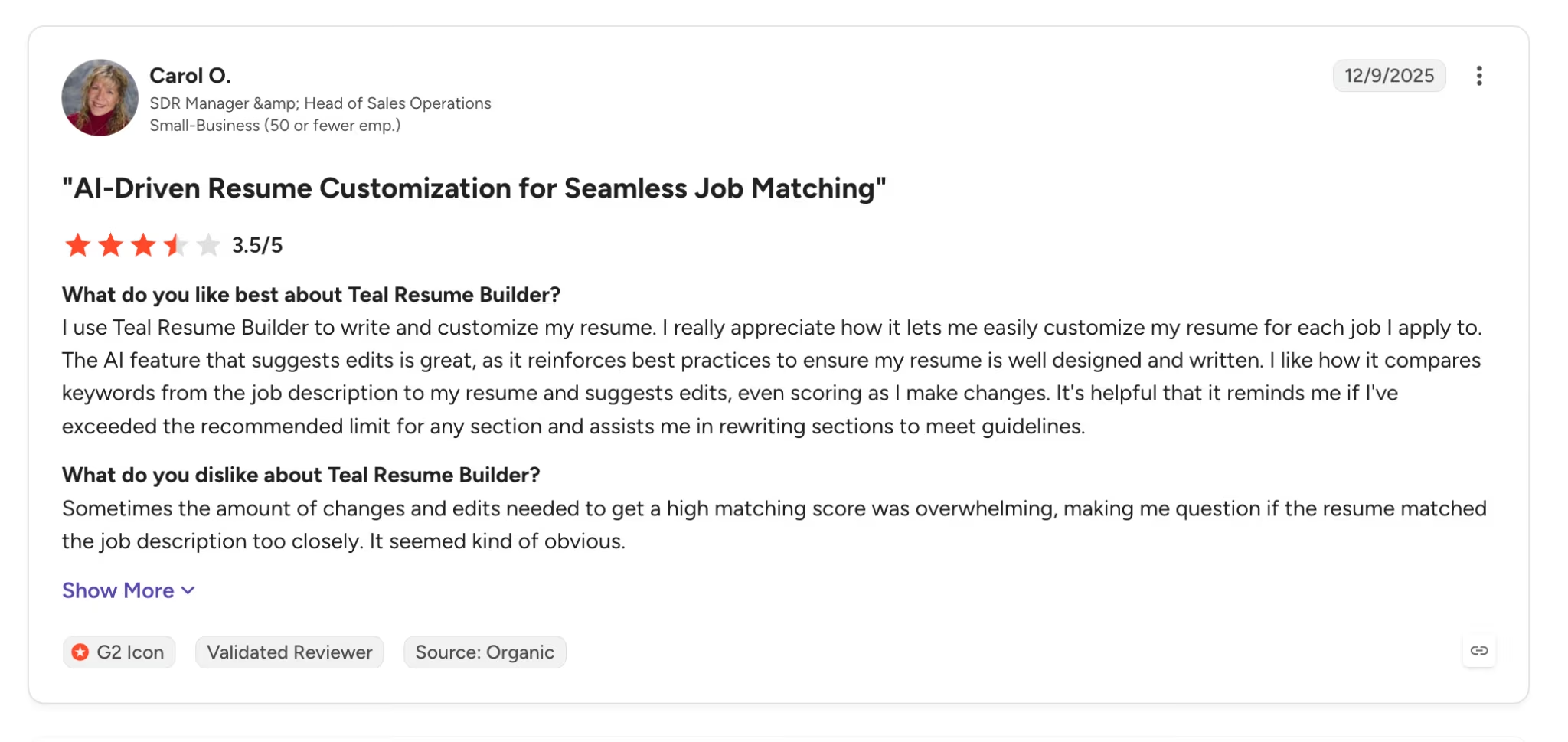
The praise keeps landing on the same thing: per-listing tailoring takes minutes once the keywords are pulled for you. "I really appreciate how it lets me easily customize my resume for each job I apply to." (Carol O., G2)
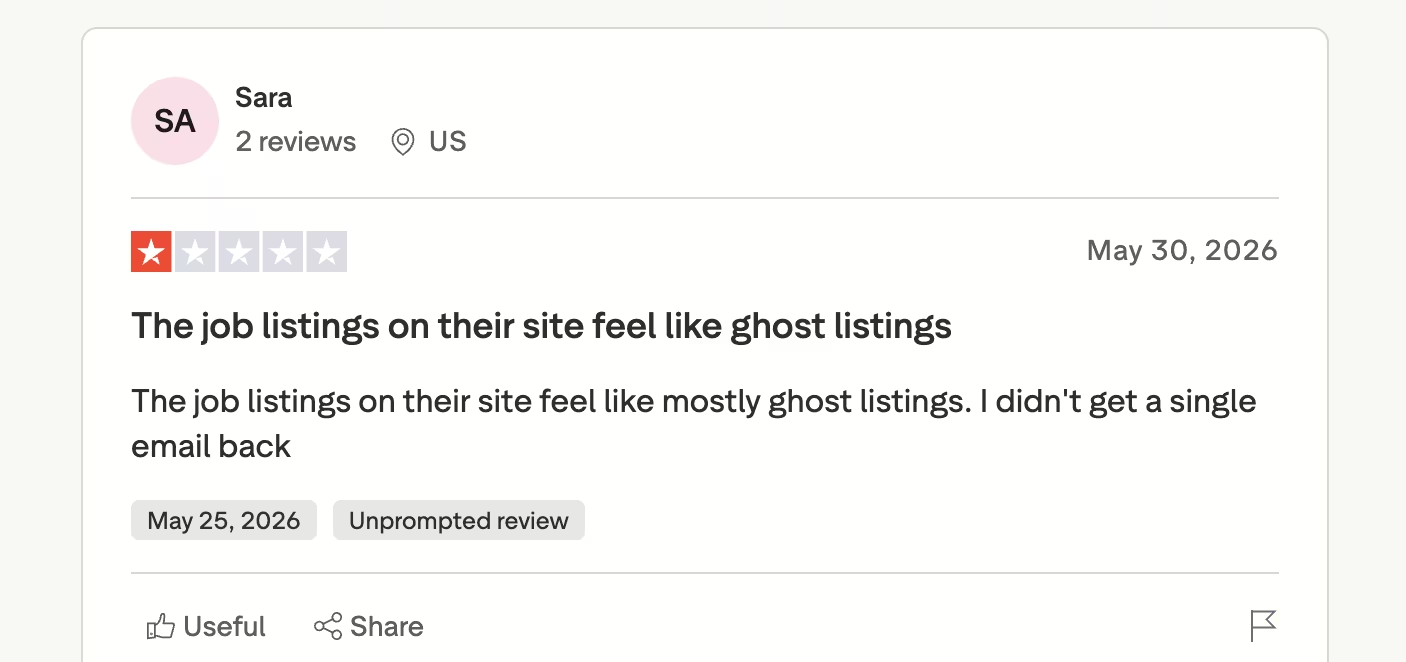
The sharper complaints skip the builder and land on the job board bolted to it. Teal surfaces listings next to the tracker, and reviewers who applied through them describe getting nowhere. "The job listings on their site feel like mostly ghost listings. I didn't get a single email back." (Sara, Trustpilot)
Pricing
Teal+ costs $29 every 30 days (no annual plan; $13 per week, or $79 every 90 days, which works out to about $26/month). It lifts the free plan's caps: unlimited templates (instead of 10), unlimited keyword matching, and unlimited AI credits.
Bottom Line
Start here. Teal gets you a finished, tailored PDF without a card, and the tracker earns its keep once you're past 10 applications.
2. Rezi: Best for Keyword Targeting and Resume Scoring
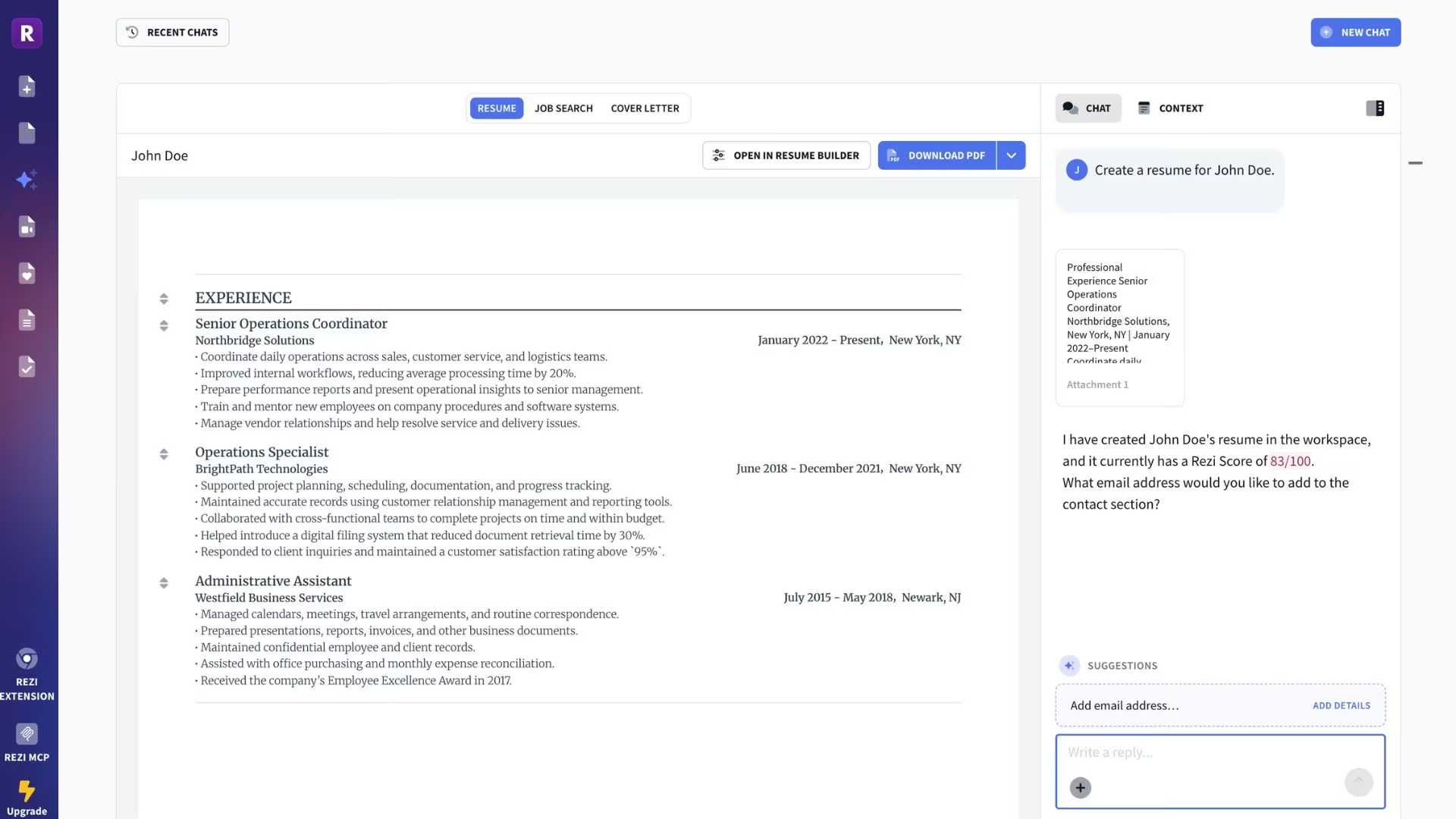
What it does: Rezi writes and scores resumes against a specific job description, with the screening software as the primary audience.
Best for: Applying to large companies where software reads your resume before a person does.
I liked that Rezi’s built-in AI agent did most of the setup for me. I uploaded a text file, let the agent organize the details, and had a resume in about two minutes. Afterward, I used “Review My Resume” to check the draft’s quality and get specific suggestions for improving it. That was the fastest hands-on build in this test.
Rezi caps the free tier hard: one resume, three PDF downloads, and one AI interview session. That's enough to judge whether the scoring is useful to you, and not much more. The paid tier is where the unlimited versions and the full template set live.
The scoring is the reason to be here, and it measures one thing only. A high Rezi Score means your document is structured and worded so that parsing software reads it correctly and the right keywords are present.
It says nothing about whether your experience fits the role, and it can't tell you if a bullet point is convincing. Treat the score as a formatting and vocabulary check, then edit for a human separately.
Rezi's plan structure is unusual in a way that matters if your search runs long. There's no annual plan. Monthly runs $29, quarterly drops to $19/month, and a $149 one-time Lifetime plan covers the same Pro features permanently. Anyone expecting more than five months of searching pays more by subscribing.
Key Features
- Rezi Score: A graded breakdown of what a screener will and won't pick up, with named fixes.
- AI Keyword Targeting: Paste a job listing, and Rezi flags the missing terms.
- AI resume writer and editor: Generates bullet points and summaries from your experience.
- AI Interview: Practice questions generated from the role you're targeting.
Pros and Cons
Pros:
- The scoring names the specific line items dragging your grade down.
- Keyword targeting reads the actual listing you paste in.
- A one-time $149 Lifetime plan exists for people who'd rather not subscribe.
Cons:
- Three PDF downloads on the free plan run out fast.
- The templates prioritize parsing over design, so they look plain next to Kickresume's.
- The cheapest subscription rate, $19/month, only comes if you pay quarterly.
What Users Say
Rezi holds a 3.8 rating across five Product Hunt reviews.
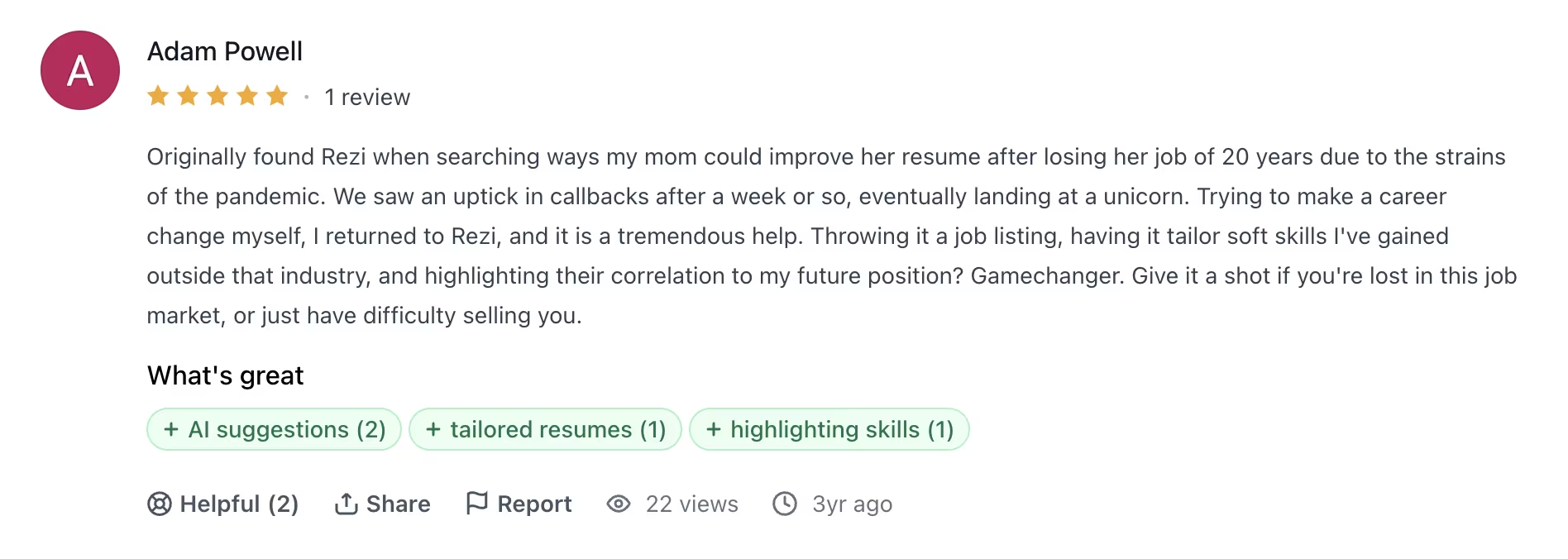
The builder itself gets credit, and specifically the keyword tailoring, which reviewers describe as surfacing connections they wouldn't have drawn themselves. "Throwing it a job listing, having it tailor soft skills I've gained outside that industry, and highlighting their correlation to my future position? Gamechanger." (Adam Powell, Product Hunt)
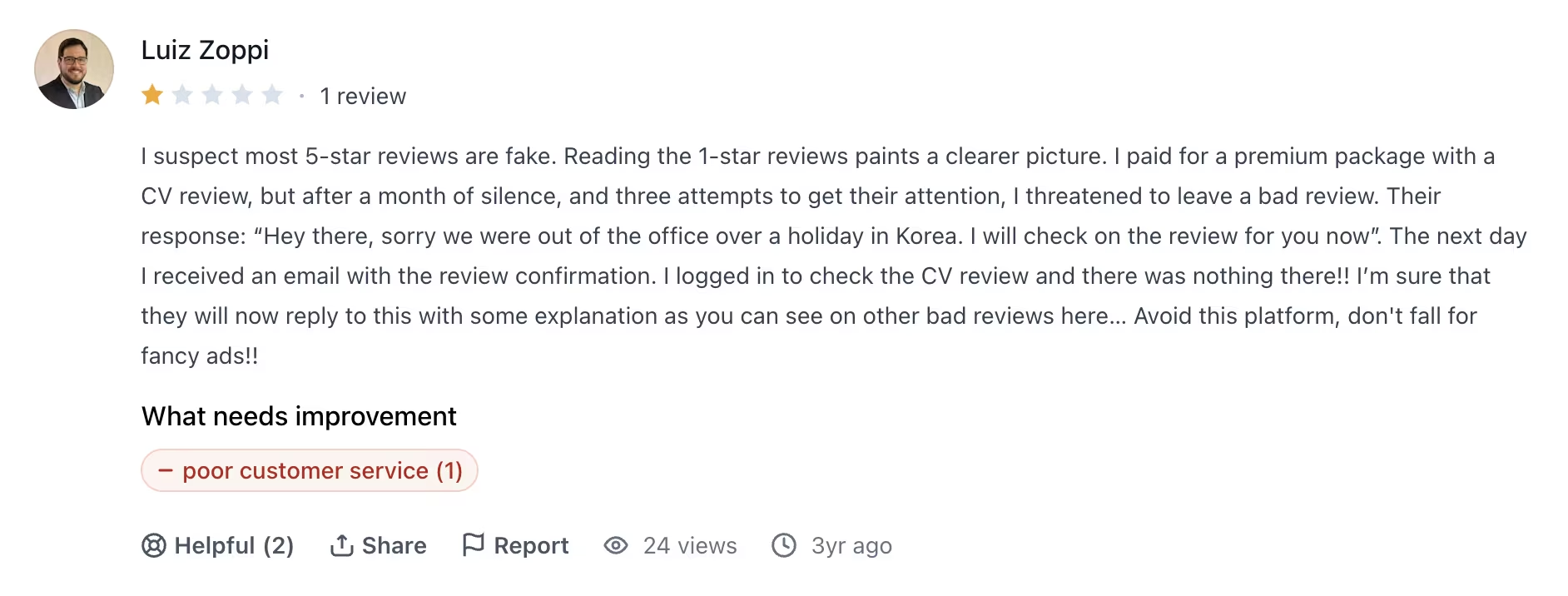
The paid add-ons are where the rating drops. The expert review service bundled into Pro draws complaints about turnaround and unanswered follow-ups. "I paid for a premium package with a CV review, but after a month of silence, and three attempts to get their attention, I threatened to leave a bad review." (Luiz Zoppi, Product Hunt)
Pricing
Pro costs $29/month (no annual discount; a $149 one-time Lifetime plan covers the same features permanently, except the monthly expert review, which is sold separately).
Pro lifts every free-tier cap: unlimited resumes, unlimited downloads, every template, the Rezi Score, keyword targeting, and one expert review a month. Enterprise runs $99/month per 200 users.
Bottom Line
Buy the Lifetime plan at $149. It pays for itself just past five months, and most searches run longer than that.
3. Kickresume: Best for Getting to a Finished Draft Fast
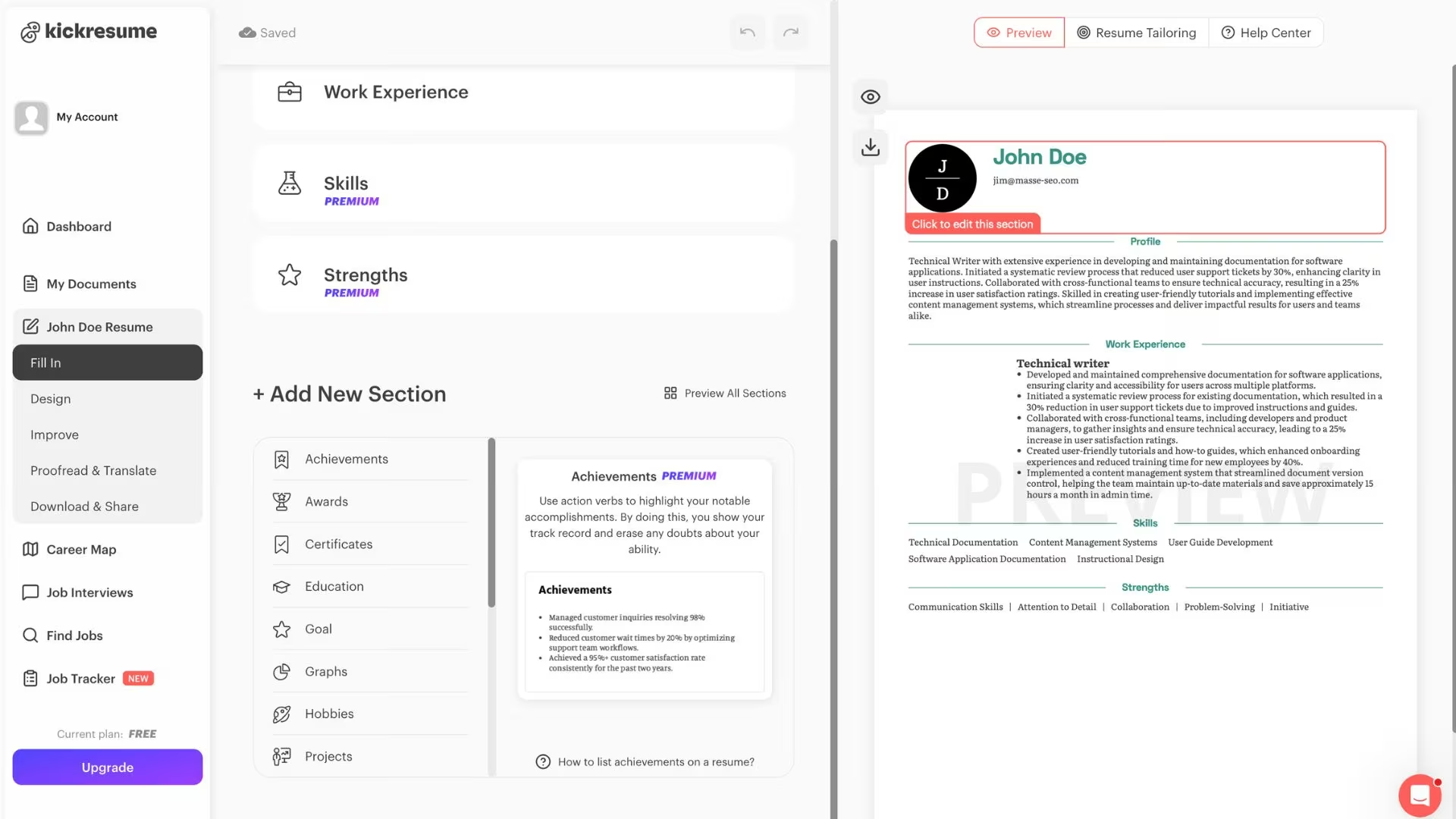
What it does: Kickresume pairs a large template library with GPT-4.1-powered writing tools that draft the sections most people get stuck on.
Best for: Anyone staring at an empty page who wants something presentable in an hour.
I found Kickresume easy to use, with plenty of templates and enough controls to customize the layout. The editor also showed options to proofread and translate the finished resume. When I reached export, the PDF download was marked as a paid feature in my session.
Its AI Resume Writer, AI Resume Summary Generator, and Work Experience Generator all run on a version of GPT-4.1 tuned for resume writing.
That split is worth sitting with, because it makes Kickresume two different products depending on what you pay. The free version is a template site with a phrase library, and it's a good one. The paid version is where the AI features live, including the AI writer and the ATS Resume Checker. Anyone shopping specifically for AI writing is shopping for Premium.
The pricing pushes hard toward a year-long commitment. Monthly is $24, quarterly is $18/month, and annual is $8/month, so the monthly rate is exactly three times the annual rate. That gap is steep enough that paying month to month rarely makes sense, and a search you expect to run two or three months makes the quarterly plan at $54 the sensible middle.
Key Features
- AI Resume Writer: Drafts a full first version from your job title and history.
- ATS Resume Checker: Flags formatting and keyword problems before you send the file.
- AI Resume Translation: Converts a finished resume into eight major languages.
- Matching cover letters: Every template comes with a matching cover letter design.
Pros and Cons
Pros:
- The template library is the strongest of the five for people who care about how the page looks.
- Unlimited free downloads mean you can use it as a plain builder at no cost.
- Verified students get Premium for free.
Cons:
- Every AI feature is locked to Premium, so the free plan gives you templates and no AI.
- Editing a template after you've committed to it is more restricted than you'd expect.
- Proofreading is a separate $30-per-resume charge on top of Premium.
What Users Say
Kickresume's iOS app holds a 4.7 rating across roughly 4,000 ratings in the App Store.
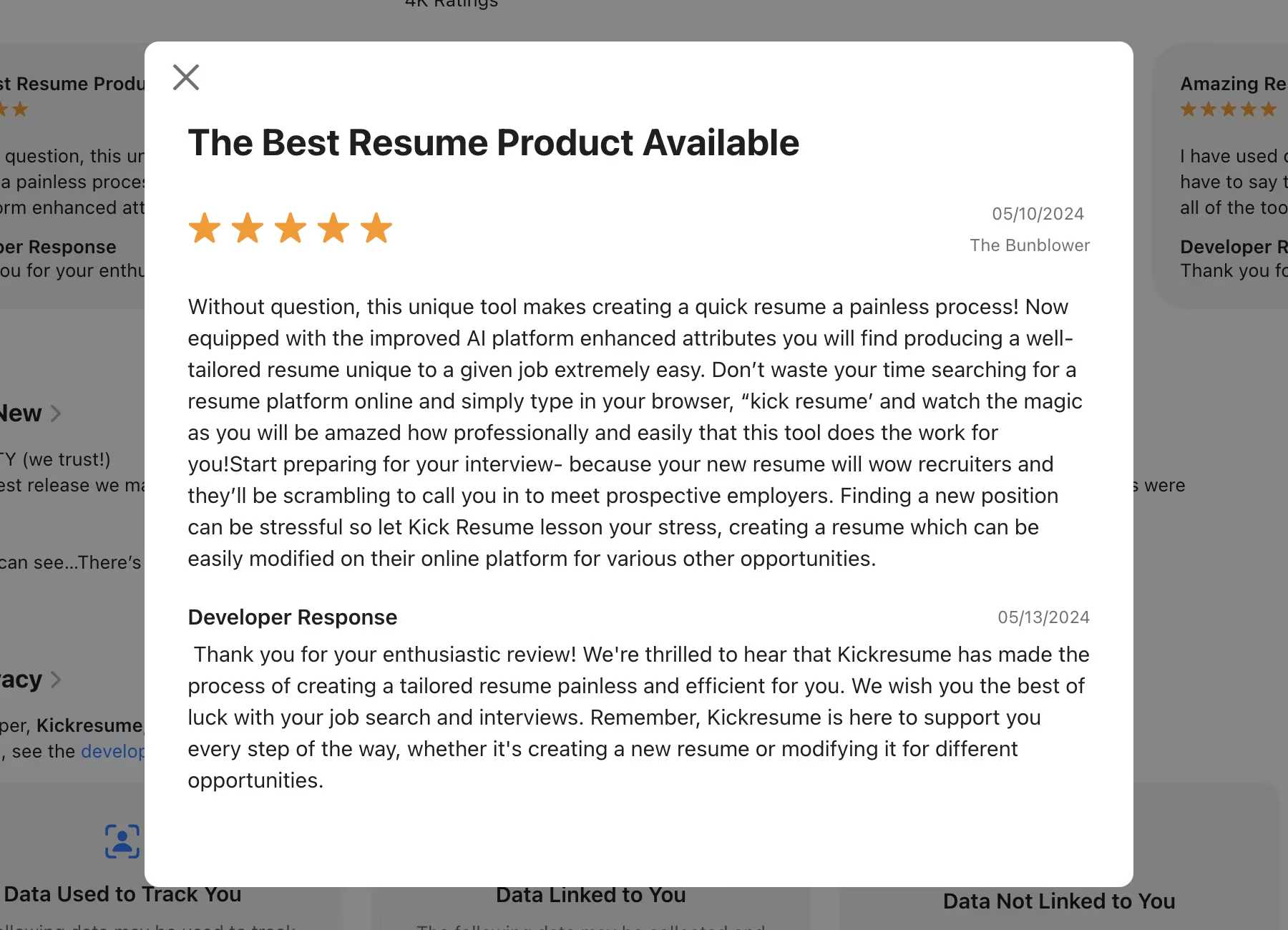
People praise the speed, and it comes from the phrase library and the template gallery. "Without question, this unique tool makes creating a quick resume a painless process!" (The Bunblower, App Store)
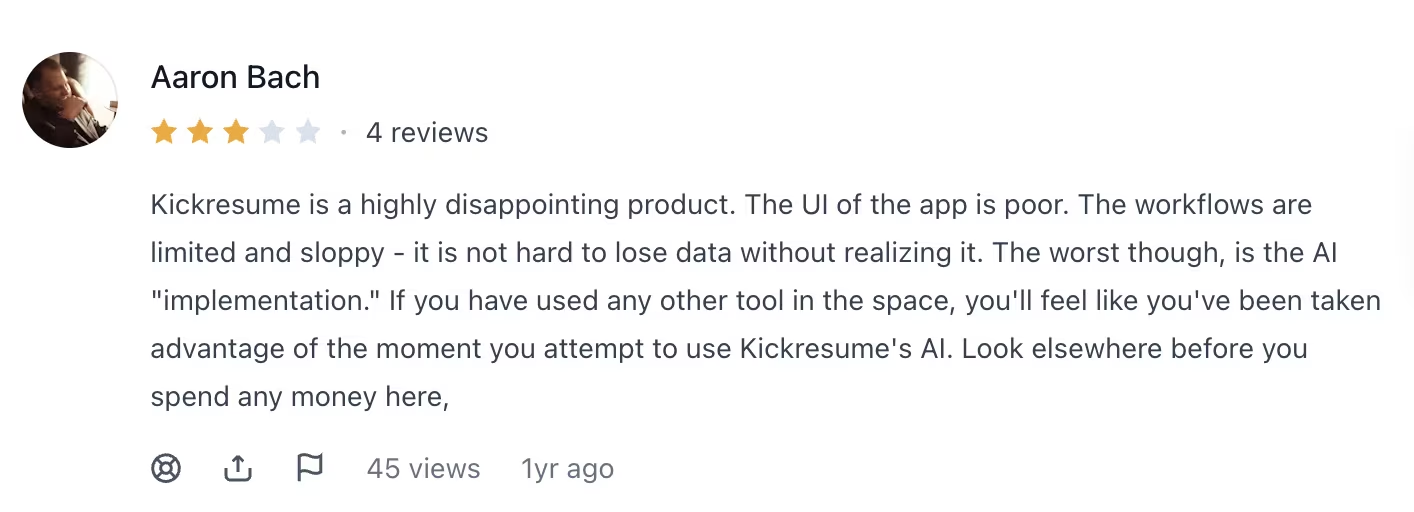
The complaints cluster on the interface once you push past a first draft, particularly around editing and workflow depth. "Kickresume is a highly disappointing product. The UI of the app is poor. The workflows are limited and sloppy - it is not hard to lose data without realizing it." (Aaron Bach, Product Hunt)
Pricing
Premium costs $24/month (billed monthly), $18/month (billed quarterly at $54), or $8/month (billed annually at $96). The free plan includes four resume templates, four cover letter templates, one website template, the phrase library, and unlimited downloads. A separate proofreading service runs $30 per resume.
Bottom Line
Kickresume wins on looks and speed, and at $8/month billed annually, it's the cheapest way here to get AI writing and a template that looks designed. Resume-Now's annual rate is lower, but you're paying that to unlock downloads. Skip Kickresume if you only want the free tier, because that version doesn't include AI.
Also read our best generative AI tools guide for what else is worth trying when a resume builder isn't enough for your AI toolkit.
4. Emergent: Best for Turning Your Resume Into a Personal Site You Own

What it does: Emergent builds a working website from a plain-English description, so your resume can live as a page you control and update.
Best for: Designers, consultants, freelancers, and service business owners whose work only makes sense when someone can see it.
Emergent is the odd one out here because it builds a page, not a file. A personal site shows a case study, embeds a demo, and updates itself when you finish a project.
Emergent is an AI app-building platform that turns a plain-English description into a complete, working product, and as an AI website builder, it handles a portfolio the same way. A coordinated system of specialized agents does the work.
I used Emergent to turn my resume details into a portfolio website. The site included the same information I’d put in a resume, and I had it ready in about 10 minutes. I liked having one link I could send to recruiters, especially when I wanted them to see projects and other work that doesn’t fit neatly into a PDF.
Budget your credits before you start. A one-page portfolio is a small build by Emergent's standards. The free plan's 10 credits are enough to build and preview a one-page portfolio. Publishing it needs Standard at $20/month, which spends 50 of its 100 monthly credits keeping the site live.
Be clear about what Emergent doesn't do. It won't generate an ATS-friendly PDF, and most online applications still require one. Treat it as the link at the top of your resume.
Key Features
- Plain-English builds: Describe the site and the agents handle the pages, the styling, and the parts that store your data.
- Built-in guidance from Emmy: Emmy is Emergent’s free, always-on assistant. She can refine your idea into a build-ready prompt, explain unfamiliar options, answer questions about your project, and help when you get stuck.
- You choose when it publishes: Hit Deploy, and the site goes live on your own Emergent address, with no separate hosting to arrange.
- Your own domain, on any paid plan: Buy one through IONOS, the registrar built into Emergent, free for the first year, or point a domain you already own at the site.
- GitHub integration: On Standard and up, sync the project so a developer can take it further later.
Pros and Cons
Pros:
- A portfolio site carries live demos and case studies a PDF can't hold.
- You aren't picking from a template library, so the layout matches your work.
- One flat plan price covers your builds and your live site, with no per-seat fee.
Cons:
- No ATS-ready PDF, so you still need a resume file from somewhere else.
- Credits disappear quickly if you keep changing your mind mid-build.
- None of the resume-specific scoring or keyword tools exist here because it isn't a resume product.
What Users Say
Emergent holds a 4.6 rating across 14 Product Hunt reviews.
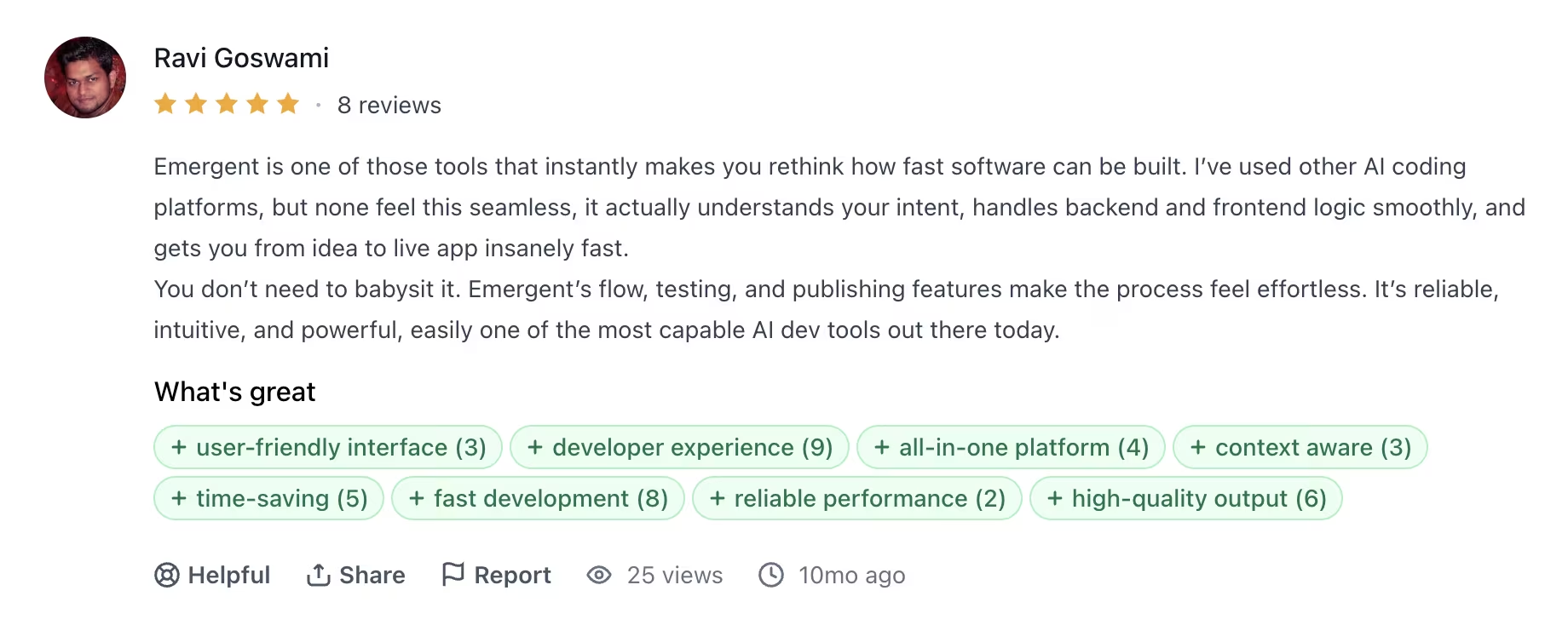
Reviewers keep coming back to build speed and to the gap between how long a working page takes here versus the usual route. "Emergent is one of those tools that instantly makes you rethink how fast software can be built." (Ravi Goswami, Product Hunt)
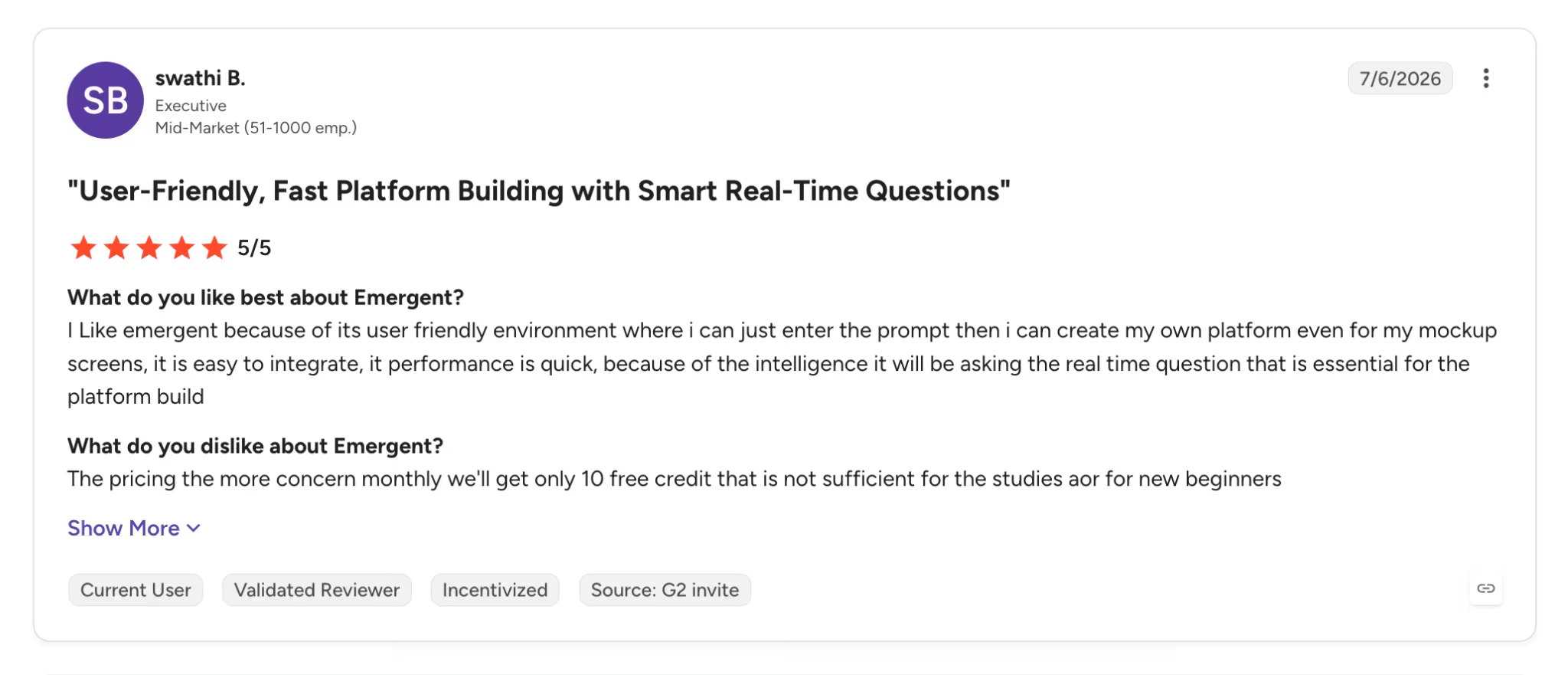
Over on G2, the 10-credit free tier is where the frustration shows up. It's enough to judge the output and not enough to keep iterating, which pushes anyone doing sustained work onto a paid plan quickly. One reviewer using it for coursework said the 10 monthly credits weren't sufficient (G2).
Pricing
Standard costs $20/month for 100 monthly credits ($17/month billed annually). Emergent has a free plan with 10 monthly credits, and Pro costs $200/month for 750 credits ($167/month when billed annually). Business and Enterprise plans are quoted directly.
Bottom Line
Emergent is the page your resume links to. Build one if your work is visual or technical, and a bullet list undersells it. The free plan's 10 monthly credits are enough to build a first version tonight, and Standard at $20/month puts it online.
Also read our best personal website builders guide for what else is worth trying when you need more than a portfolio page.
5. Resume-Now: Best for a Guided First Resume
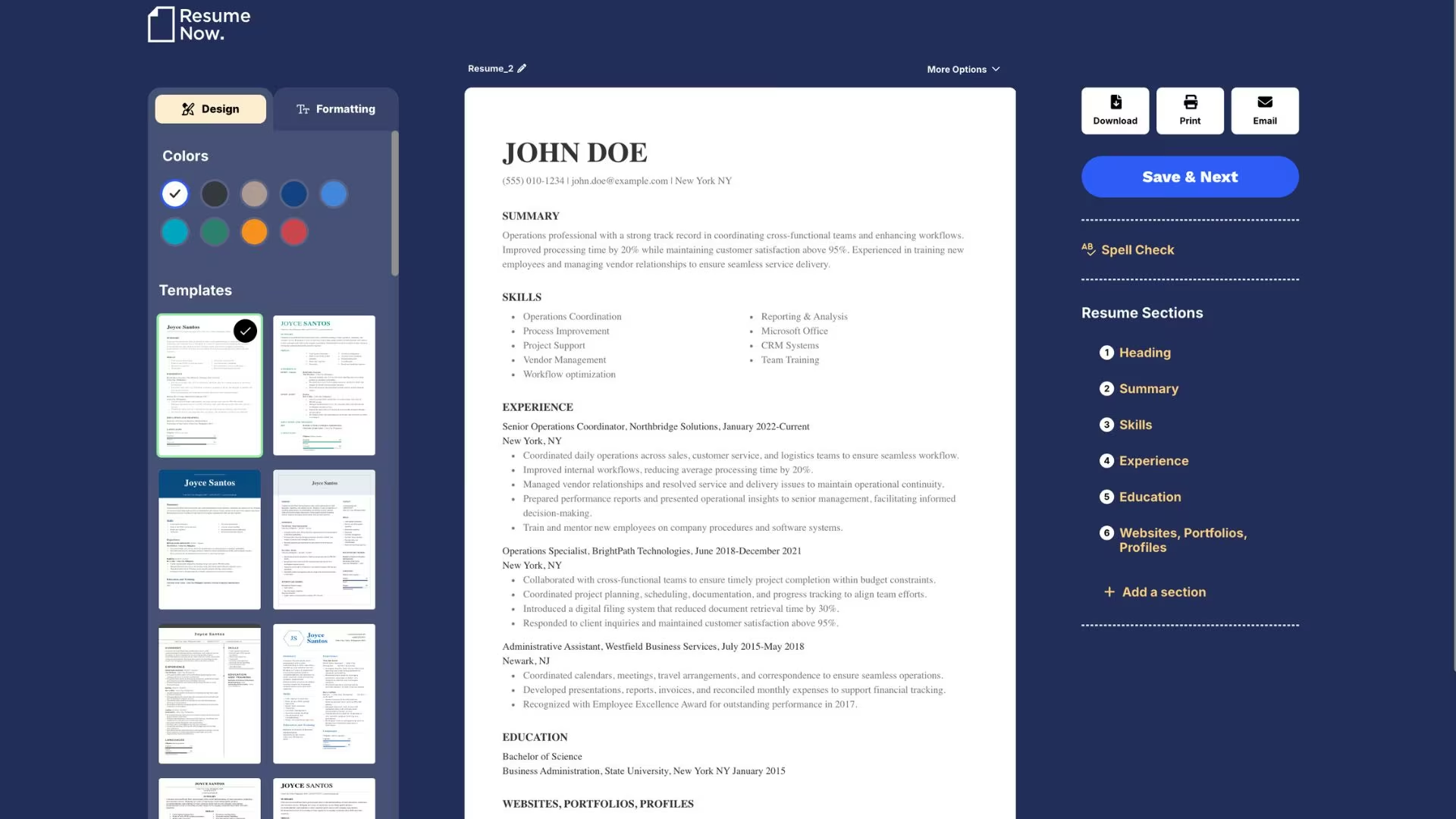
What it does: Resume-Now walks you through a three-step build. You pick a template, fill the sections with AI-suggested content, and export the file.
Best for: First-time resume writers who want to be told what goes where.
In my test, Resume-Now felt like a basic, no-frills builder. I didn’t see an AI agent taking over the build, so the experience felt manual compared with Rezi, and the templates looked simpler than Kickresume’s.
That simplicity made the process easy to follow: I picked a template, filled in each section, and finished a resume with the free version in about eight minutes. I never had to figure out what to do next, which is useful for a first-time resume writer who wants guidance without extra tools.
The catch is the export. Building is free, and you can download a plain-text version, but PDF and Word files need a subscription. That's the moment the tool charges you, and it's the complaint that comes up most often in its reviews.
The plain-text export isn't a workaround. TXT strips all formatting, so the document you spent an hour arranging arrives as an unstyled block. Any employer expecting a resume attachment expects a PDF or a Word file, which means the free tier gets you a finished draft you can't send.
Two 14-day options are available at $1.85 and $1.45. Both renew at the full rate, every four weeks rather than monthly. Anyone who forgets to cancel pays 13 times a year at a price they only ever saw once, at signup.
Key Features
- Three-step flow: Pick a template, add AI-written content, then download.
- AI Resume Summary Generator: Drafts the professional summary from your role and experience.
- AI Resume Skills Generator: Suggests the skills that match your target job.
- ATS Resume Checker: Reviews the finished file for parsing problems.
Pros and Cons
Pros:
- The guided flow removes most of the decisions a first-time writer gets stuck on.
- The annual rate of $5.85/month is the cheapest route to a downloadable file here.
- A large review base gives you a clearer picture of the product than newer tools do.
Cons:
- PDF and Word downloads are behind the paywall, and the free export is text-only.
- Billing runs every four weeks, so you pay 13 times a year.
- Both 14-day trials renew at full price automatically.
What Users Say
Resume-Now holds a 4.6 rating across more than 4,000 reviews on SmartCustomer, a review aggregator rather than a general platform like G2.
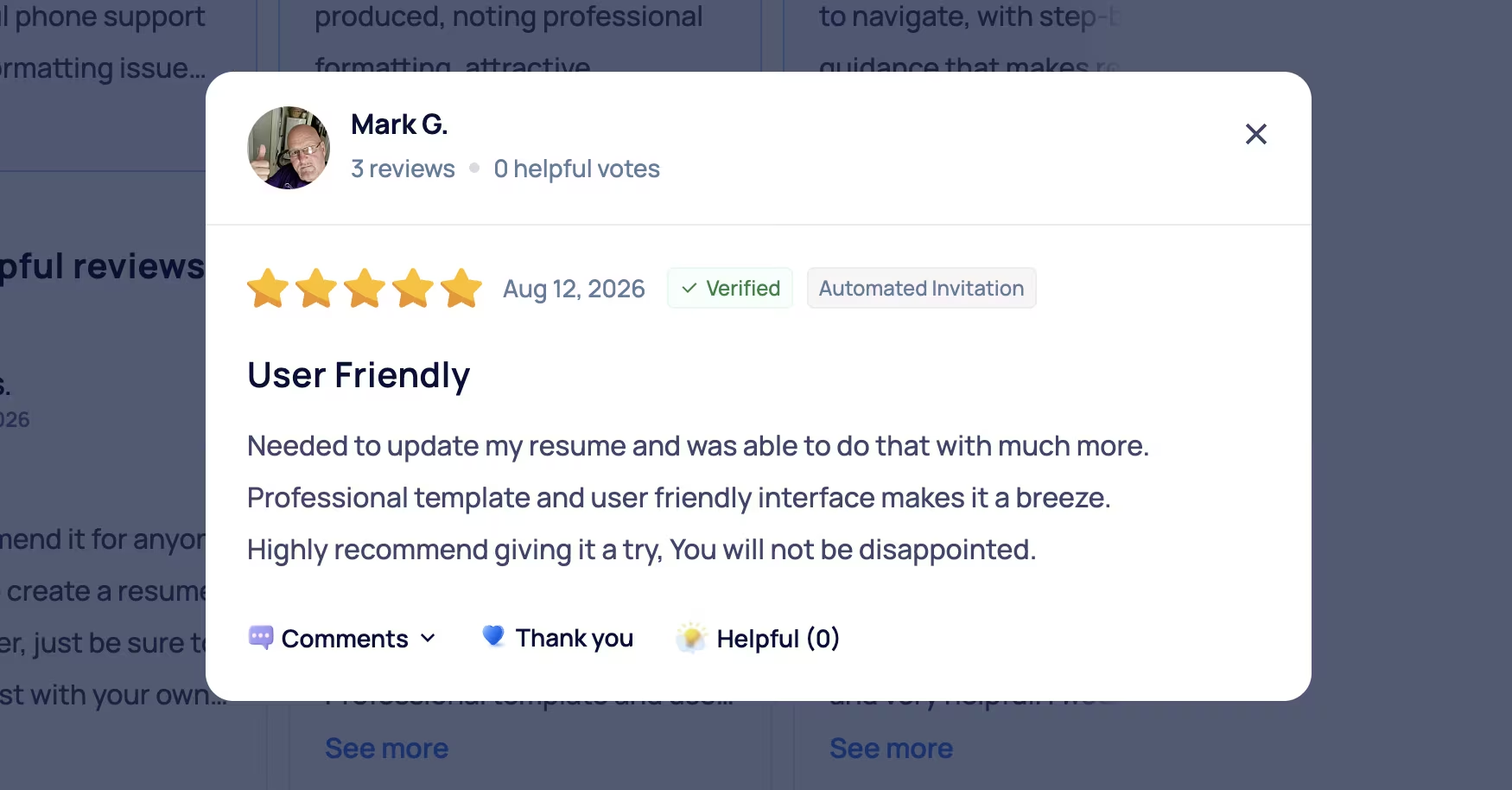
The templates and guided flow carry positive reviews, especially from people who've never built a resume before. "Professional template and user friendly interface makes it a breeze. Highly recommend giving it a try." (Mark G., SmartCustomer)
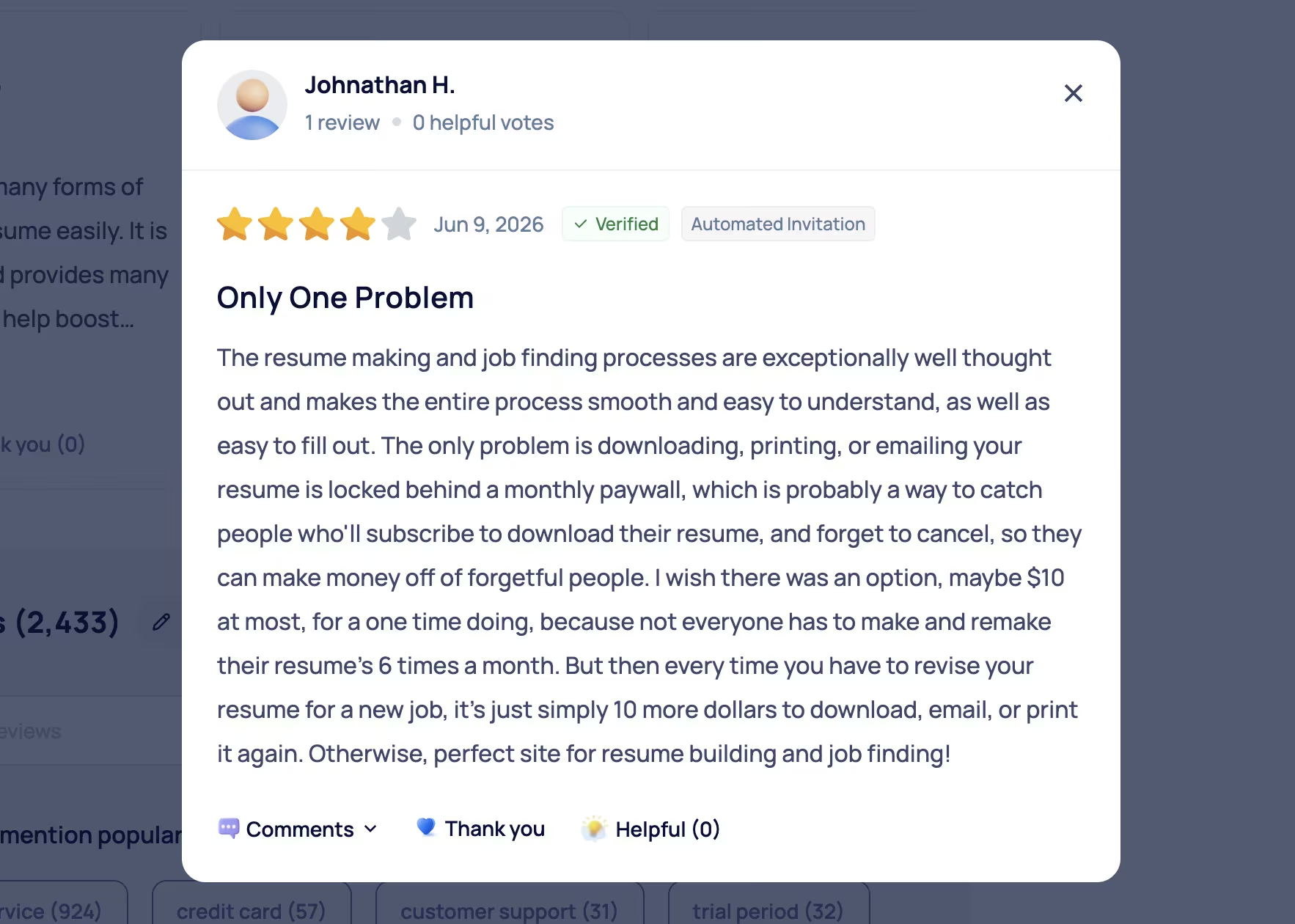
What reviewers resent is the download paywall, and several read it as a deliberate trap rather than a pricing decision. "The only problem is downloading, printing, or emailing your resume is locked behind a monthly paywall, which is probably a way to catch people who'll subscribe to download their resume, and forget to cancel." (Johnathan H., SmartCustomer)
Pricing
Unlocking PDF and Word exports costs $23.95 every four weeks ($5.85/month billed annually, or $70.20 up front). You reach the recurring rate through a 14-day full-access trial priced at $1.85, or a cheaper 14-day trial at $1.45 that covers the same period with fewer features under the same renewal terms. The builder itself is free, with a plain-text download.
Bottom Line
Set a calendar reminder for the day you start the trial. Resume-Now is the friendliest starting point of the five if you've never written a resume, and it renews at $23.95 every four weeks if you forget.
Which AI Resume Builder Should You Choose?
Pick Teal if you're not sure. Pick Rezi if software screens you before a person does, and Emergent if your work needs to be seen. The longer version breaks down by situation.
Choose Teal if you:
- Refuse to pay to download your own resume.
- Are sending enough applications that tracking them matters.
- Want a match score tied to a specific listing.
Choose Rezi if you:
- Apply mostly to large employers with automated screening.
- Want a graded resume with a named fix list.
- Would rather pay $149 once than subscribe.
Choose Kickresume if you:
- Care about how the page looks and want strong templates.
- Are willing to commit annually for the $8/month rate.
- Need a matching cover letter in the same design.
Choose Emergent if you:
- Have work that a bullet list can't show.
- Want a site on your own domain.
- Already have a resume file and need the thing you link from it.
Choose Resume-Now if you:
- Have never written a resume and want the process narrowed down.
- Would rather be told what goes in each section than face a blank template.
- Don't mind paying to download, as long as you cancel before the four-week renewal.
One case where you skip all five: You already have a resume that gets interviews. Rewriting it in a new tool won't improve your response rate, and a general assistant from our list of free AI tools will handle a one-off tailoring job for nothing.
Why I'd Start With Teal and Add a Site
Of the five AI resume builders here, Teal is the one I'd hand to almost anyone. It's the only builder here that exports a tailored PDF without a card, and the tracker solves a problem the others ignore. Rezi is the better buy if screening software is your real obstacle, and Kickresume is the better buy if the page needs to look designed.
The Clutch numbers earlier explain the squeeze. When most job seekers are already running AI over their resumes, a clean document stops setting you apart on its own. That's the case for having something to link to, and why Emergent earns a place on this list: a second step after the file, not a replacement for it.
Pick the cheapest tool that gets you a clean file, then spend the time you saved on the work that makes you worth calling.
Build the Site Your Resume Links To
If your work is worth seeing, the fastest route to a live portfolio is to describe it in plain English and let Emergent build and deploy it.
The free plan's 10 monthly credits are enough to ship a first version tonight, and the page is still yours once you've taken the job.
Also read our best AI productivity tools guide for what else is worth trying to speed up your job search and workflow.

Emergent designs, writes, and publishes your whole site from one prompt. No templates, no drag-and-drop.
- Full site from one prompt
- Custom design, real pages
- Publish in minutes







