

Build a Custom Campaign Dashboard Using AI in Minutes
Turn a plain-English description of your Campaign Dashboard into a production-ready build, from design to deployment, in minutes. No code needed.










Trusted by Builders Worldwide
Active Builders Worldwide
Apps Successfully Created
Countries Globally Reached



Build a custom campaign dashboard in 4 simple steps
See a campaign end to end rather than across a platform report and a spreadsheet.
Name how a campaign is judged. Reach, engagement, conversion, cost, contribution.
Your platforms and CRM connect, so campaign spend links to what it actually produced.
Add a channel, a different attribution window or results by creative.
Open one view per campaign, so a poor performer is caught mid flight rather than at the wash up.
Emergent Key Features for Building a Campaign Dashboard
One campaign judged against its objective and pacing plan while the flight is still running.
Pacing against the Plan Curve
Spend is compared with planned pacing rather than budget alone, so underdelivery is caught early enough to correct.
One Objective, One Measure
The campaign is judged on the outcome it was approved for, which prevents each channel reporting a favourable metric instead.
Achievability Projected
Whether the target can still be met with remaining budget and time is calculated, turning a mid flight review into a decision.
Creative Level Detail
Assets and variants are compared, which is where the fastest in flight improvements are usually available.
Frequency Decay Tracked
Creative performance is monitored as frequency rises, identifying when an asset has stopped working.
Wrap Comparison Built In
Final results are compared with the original target and with previous comparable campaigns, so the next plan is better informed.
Campaign Dashboard Use Cases You Can Build in Minutes

Correct the Pacing While Budget Remains
Spend against budget and against the planned pacing curve, days elapsed and remaining in the flight, impressions, reach and clicks against plan by channel, channels underdelivering against their booked share and projected total delivery at the current rate.
window.awbMockup = { campaignDelivery: "Build a campaign dashboard showing spend against budget and against the planned pacing curve, days elapsed and remaining in the flight, impressions, reach and clicks against plan by channel, channels underdelivering against their booked share, and projected total delivery at the current rate.", objectiveProgress: "Build a campaign outcome dashboard showing the primary objective measure against target with progress at this point in the flight, cost per outcome against the planned figure, results by channel and audience, the channels delivering the objective most efficiently, and whether the target is achievable at the current rate with remaining budget.", creativePerformance: "Build a campaign creative dashboard showing each asset and variant with impressions, engagement and cost per outcome, creatives performing above and below the campaign average, performance decay as frequency rises, assets worth pausing and those worth more budget, and results by format and message.", campaignReview: "Build a campaign wrap dashboard comparing final results against the original objective and target, spend against budget by channel, cost per outcome against plan and against comparable previous campaigns, what each channel and creative contributed, lessons recorded against each element, and a recommendation on repeating the approach."};
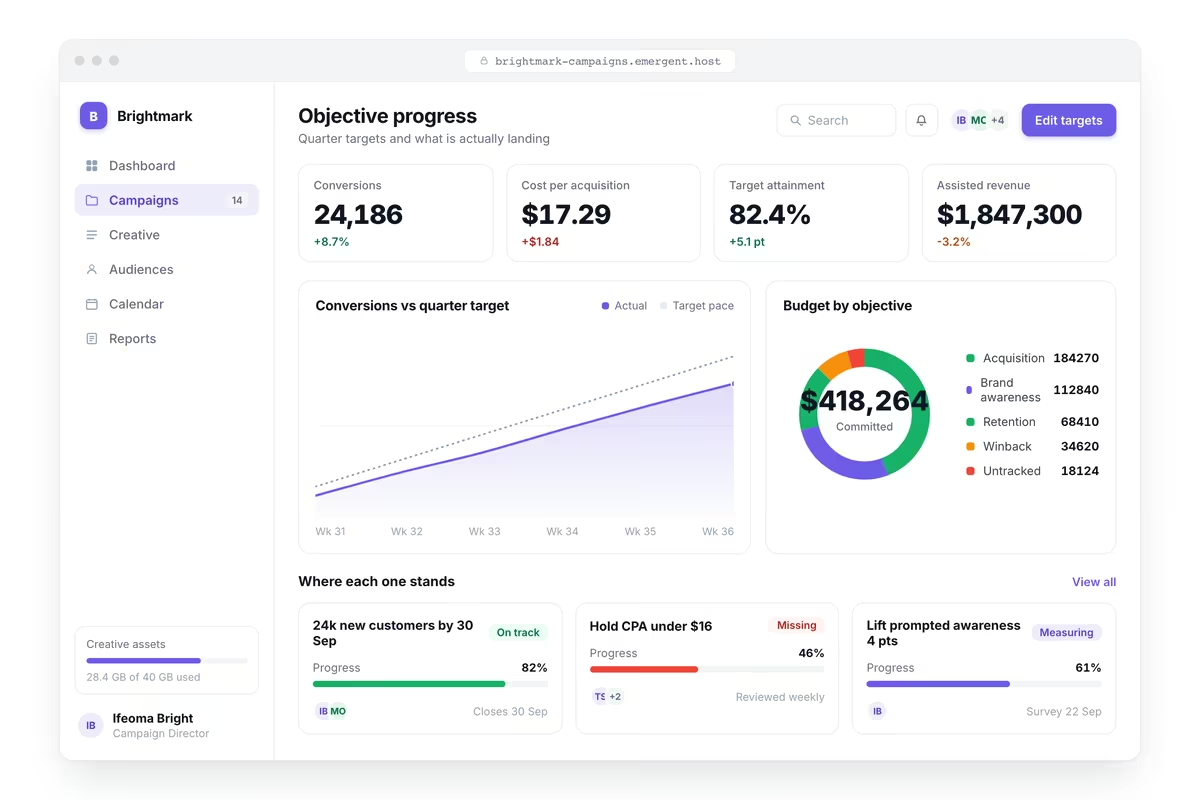
Judge the Objective the Campaign Was Approved On
The primary objective measure against target with progress at this point in the flight, cost per outcome against the planned figure, results by channel and audience, the most efficient channels and whether the target is achievable with remaining budget.

Move Budget to the Creative That Works
Each asset and variant with impressions, engagement and cost per outcome, creatives performing above and below the campaign average, performance decay as frequency rises, assets worth pausing and results by format and message.
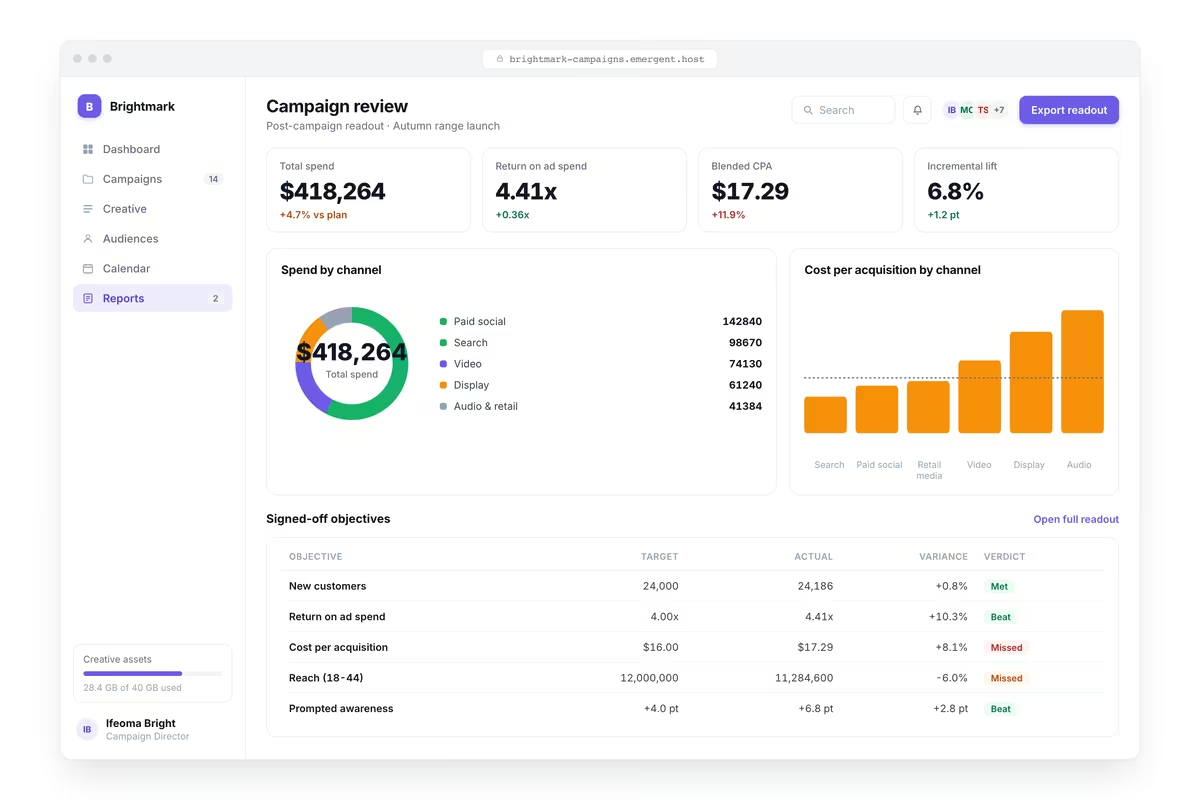
Make the Next Campaign Better, Not Similar
Final results against the original objective and target, spend against budget by channel, cost per outcome against plan and comparable previous campaigns, what each channel and creative contributed, lessons per element and a recommendation on repeating.
Every integration your
Dashboard needs from day one
Email and calendar
Inbox and calendar sync both ways, so every reply, meeting and no-show lands on the contact record without anyone logging it.



Messaging and support
Conversations from chat, WhatsApp and your helpdesk attach to the right contact, so sales and support see the same history.




Payments and billing
Invoices, subscriptions and payment status flow back into the deal, so revenue and pipeline stay in one place.




If it has an API, your CRM can connect to it.
Emergent builds the connection against the API itself, including internal tools your team made. No closed ecosystem, no approved-partner list, no waiting for a connector to ship.

More things you can build
with Emergent
AI Website Builder
Build and publish responsive websites with AI — from landing pages to complete websites.
AI App Builder
Create and launch mobile apps with AI, without the complexity of traditional app development.
AI Web App Builder
Build and ship fully functional web apps with custom interfaces, logic, and workflows.
AI Dashboard Builder
Create interactive dashboards to visualize data, track KPIs, and manage business operations.
AI SaaS Builder
Build complete SaaS products with user accounts, subscriptions, dashboards, and core product workflows.
AI CRM Builder
Build custom CRMs for managing contacts, leads, pipelines, campaigns, and automated workflows.
AI Agent Builder
Create AI agents that can understand tasks, use tools, automate workflows, and work across your business.
Build Your Own
Start with any idea and build exactly what you need with AI — no templates or limits.

Why choose Emergent?
Most tools give you a demo you have to rebuild. Emergent gives you a product that is ready to run.
| Comparison | Other Tools |  |
|---|---|---|
| Built for | Demos and MVPs | Products you keep growing |
| What you get | Front end shell only | Full stack, wired end to end |
| Backend and database | Set it up yourself | Built and connected for you |
| Customization | Surface level styling | Deep workflow control |
| Integrations and APIs | Manual glue work | Connected from a prompt |
| Code ownership | Locked to the platform | Clean code you can export |
| Time to launch | Weeks of patching and setup | Live the same day |

Pick the Pricing Plan That Works for You
Choose the plan that fits your building ambitions. From weekend projects to enterprise applications, we've got you covered.




Find the Right Dashboard Builder
for Your Business
Frequently Asked Questions
Your Questions, Answered
Don't change this element unless you know what you are doing
on Emergent today


