

Build a Custom Contractor Marketing Dashboard Using AI in Minutes
Describe your Contractor Marketing Dashboard in plain English and create a production-ready build, from design and development to deployment, in minutes. No code needed.










Trusted by Builders Worldwide
Active Builders Worldwide
Apps Successfully Created
Countries Globally Reached



Build a custom contractor marketing dashboard in 4 simple steps
See leads, cost and jobs won together rather than judging marketing on enquiry count.
Name the rates that decide whether marketing paid. Cost per lead, lead to quote rate, quote to job rate, cost per job won.
Your ads, forms and job system connect, so a lead is followed to whether it became work.
Add a new channel, a different qualification rule or results by service type.
Open one view showing cost per job won, which cost per lead never quite answers.
Emergent Key Features for Building a Contractor Marketing Dashboard
Every enquiry followed to a quote and a booked job, so channels are judged on work won rather than calls received.
Sources Judged on Invoiced Work
Every enquiry is followed to a won job, so channels are compared on revenue produced rather than on calls generated.
Quotes Tracked to a Decision
Outstanding quotes are listed with age and value, recovering the work that is lost because nobody followed up.
Job Value by Source
Average job size is compared across channels, because a source producing fewer but larger jobs is often the better investment.
Local Listing Performance
Views, calls and search terms from local search are tracked, which is where most trades enquiries actually begin.
Review Request Gap
Completed jobs with no review request sent are flagged, addressing the simplest available improvement in local visibility.
Built for a Phone
The dashboard opens on a phone between jobs, which is the only place a working contractor will realistically check it.
Contractor Marketing Dashboard Use Cases You Can Build in Minutes
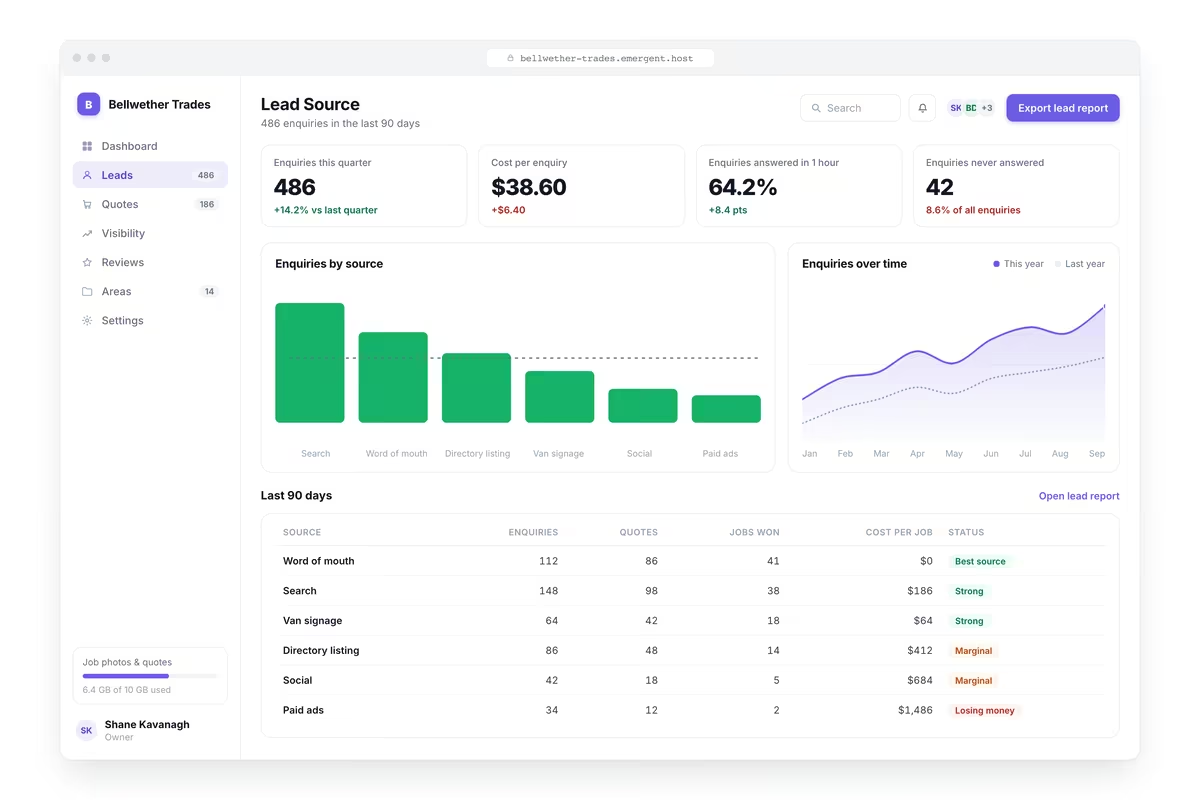
Measure Cost per Job, Not Cost per Call
Enquiries by source across local search, paid advertising, directories, referrals and repeat customers, cost per enquiry and per booked job by source, enquiries by service type and area and the sources producing the highest value work.
window.awbMockup = { leadSource: "Build a contractor marketing dashboard showing enquiries by source across local search, paid advertising, directories, referrals and repeat customers, cost per enquiry by paid source, quotes issued and jobs won from each, average job value by source, and revenue generated per pound spent on each channel.", quoteConversion: "Build a quote dashboard listing every quote issued with customer, value, date sent and status, quotes awaiting a decision beyond seven days, win rate by job type and value band, average days from enquiry to quote and quote to decision, reasons given for lost quotes, and revenue sitting in undecided quotes.", localVisibility: "Build a local marketing dashboard showing your local listing views, calls and direction requests by month, search terms bringing people to your listing, position for the services and areas you cover, review count and average rating against nearby competitors, and enquiry volume by area you serve.", reviewGeneration: "Build a review dashboard showing reviews received by month and platform, review requests sent against reviews left, average rating trend, jobs completed without a review request sent, customers who left a review and later returned for more work, and the relationship between review volume and enquiry volume."};
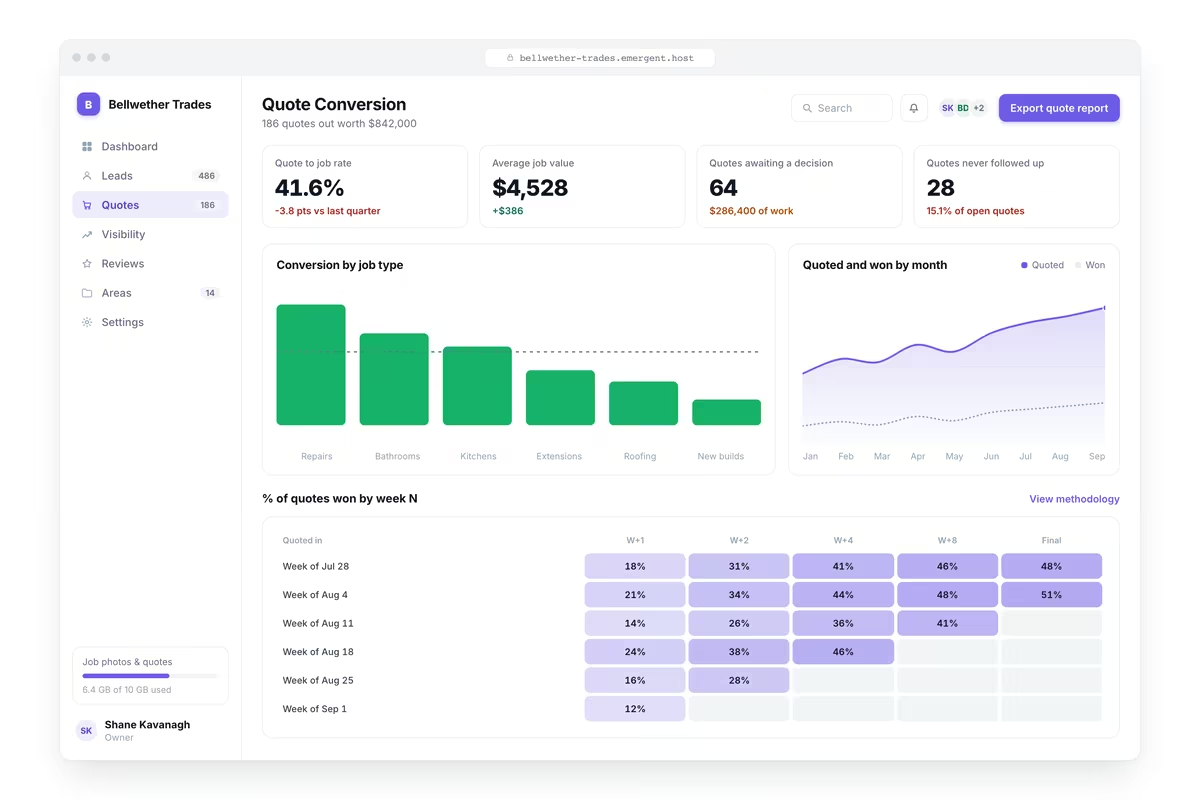
Recover the Work Lost to Silence
Every quote issued with customer, value, date sent and status, conversion by service type, area and value band, quotes outstanding beyond seven days with their value, average days from enquiry to quote and reasons for lost quotes.
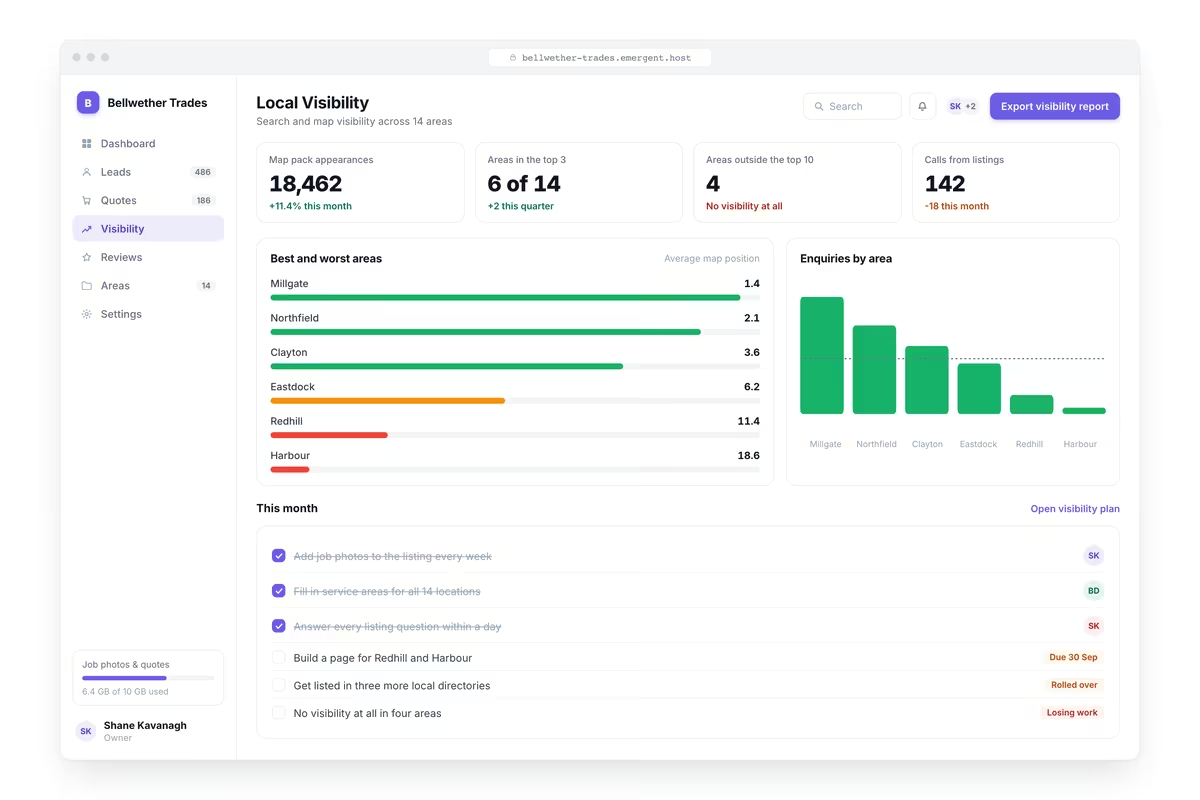
Get Found in the Areas You Want to Work
Local listing views, calls and direction requests by month, search terms bringing up your listing, visibility by area against where you want jobs, competitor rating and review counts nearby and areas with visibility but no work.
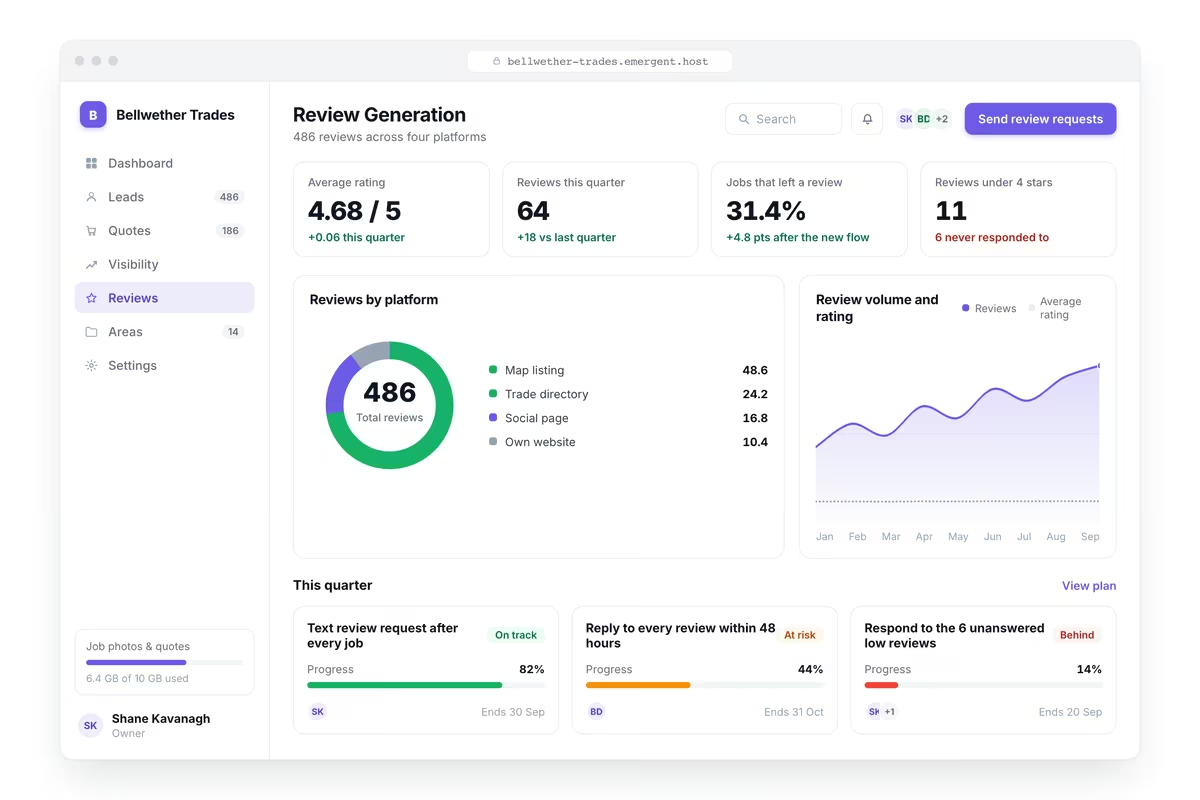
Keep Reviews Arriving Rather Than Hoping for Them
Reviews received by month and platform, review requests sent against reviews left, average rating and its trend, reviews mentioning specific staff or services and the customers most likely to leave one if asked.
Every integration your
Dashboard needs from day one
Email and calendar
Inbox and calendar sync both ways, so every reply, meeting and no-show lands on the contact record without anyone logging it.



Messaging and support
Conversations from chat, WhatsApp and your helpdesk attach to the right contact, so sales and support see the same history.




Payments and billing
Invoices, subscriptions and payment status flow back into the deal, so revenue and pipeline stay in one place.



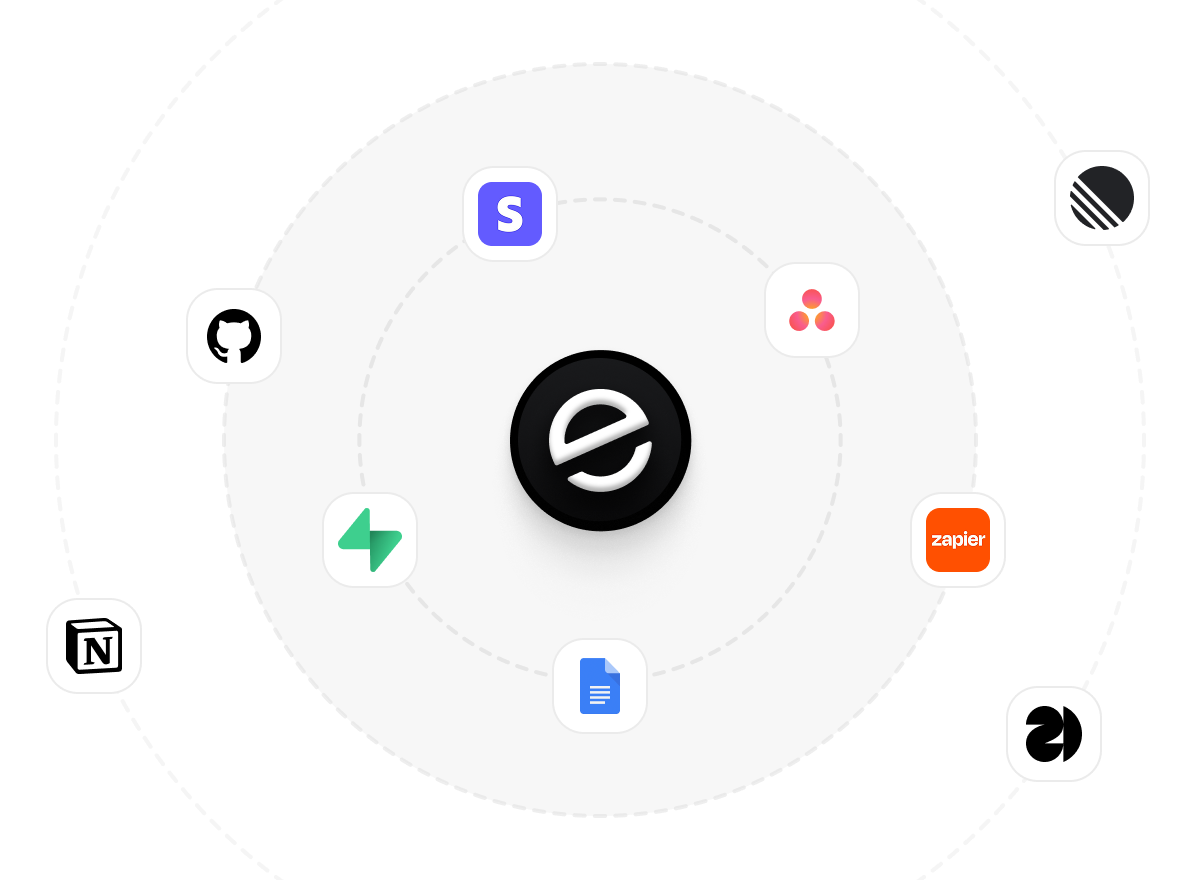
If it has an API, your CRM can connect to it.
Emergent builds the connection against the API itself, including internal tools your team made. No closed ecosystem, no approved-partner list, no waiting for a connector to ship.

More things you can build
with Emergent
AI Website Builder
Build and publish responsive websites with AI — from landing pages to complete websites.
AI App Builder
Create and launch mobile apps with AI, without the complexity of traditional app development.
AI Web App Builder
Build and ship fully functional web apps with custom interfaces, logic, and workflows.
AI Dashboard Builder
Create interactive dashboards to visualize data, track KPIs, and manage business operations.
AI SaaS Builder
Build complete SaaS products with user accounts, subscriptions, dashboards, and core product workflows.
AI CRM Builder
Build custom CRMs for managing contacts, leads, pipelines, campaigns, and automated workflows.
AI Agent Builder
Create AI agents that can understand tasks, use tools, automate workflows, and work across your business.
Build Your Own
Start with any idea and build exactly what you need with AI — no templates or limits.

Why choose Emergent?
Most tools give you a demo you have to rebuild. Emergent gives you a product that is ready to run.
| Comparison | Other Tools |  |
|---|---|---|
| Built for | Demos and MVPs | Products you keep growing |
| What you get | Front end shell only | Full stack, wired end to end |
| Backend and database | Set it up yourself | Built and connected for you |
| Customization | Surface level styling | Deep workflow control |
| Integrations and APIs | Manual glue work | Connected from a prompt |
| Code ownership | Locked to the platform | Clean code you can export |
| Time to launch | Weeks of patching and setup | Live the same day |

Pick the Pricing Plan That Works for You
Choose the plan that fits your building ambitions. From weekend projects to enterprise applications, we've got you covered.




Find the Right Dashboard Builder
for Your Business
Frequently Asked Questions
Your Questions, Answered
Don't change this element unless you know what you are doing
on Emergent today


