

Build a Custom Resident Dashboard Using AI in Minutes
Describe your Resident Dashboard in plain English and Emergent delivers a build that's ready to launch. Design, development, and deployment in minutes. No code needed.


Trusted by Builders Worldwide
Active Builders Worldwide
Apps Successfully Created
Countries Globally Reached



Build a custom resident dashboard in 4 simple steps
Give residents one place to see their own account, requests and community information.
Say what a resident should see about themselves and what belongs to management.
Your property systems connect, so account and request status come from the record.
Change it: add a section, a different permission or a community notice board.
Give every resident their own view, which removes most of the routine calls to the office.
Emergent Key Features for Building a Resident Dashboard
A self service view scoped to each unit, covering the routine contact a building office fields daily.
Scoped to Their Own Unit
Data access is restricted per resident in the generated code, so a portal cannot become a route to a neighbour's account.
Charges Explained, Not Just Billed
Service charge breakdowns are shown, which addresses the most common and most contested resident query directly.
Request Status Visible
Residents see where their maintenance issue stands, which removes the chasing that most building offices spend their day handling.
Duplicate Reports Prevented
Communal issues already reported are shown, so one problem does not generate fifteen separate jobs.
Amenity Rules Enforced
Booking limits and charges are applied automatically, so shared facilities are administered consistently rather than by whoever answers.
Notices Acknowledged
Where a notice must be seen, acknowledgement is recorded, which matters for both service and any later dispute.
Resident Dashboard Use Cases You Can Build in Minutes
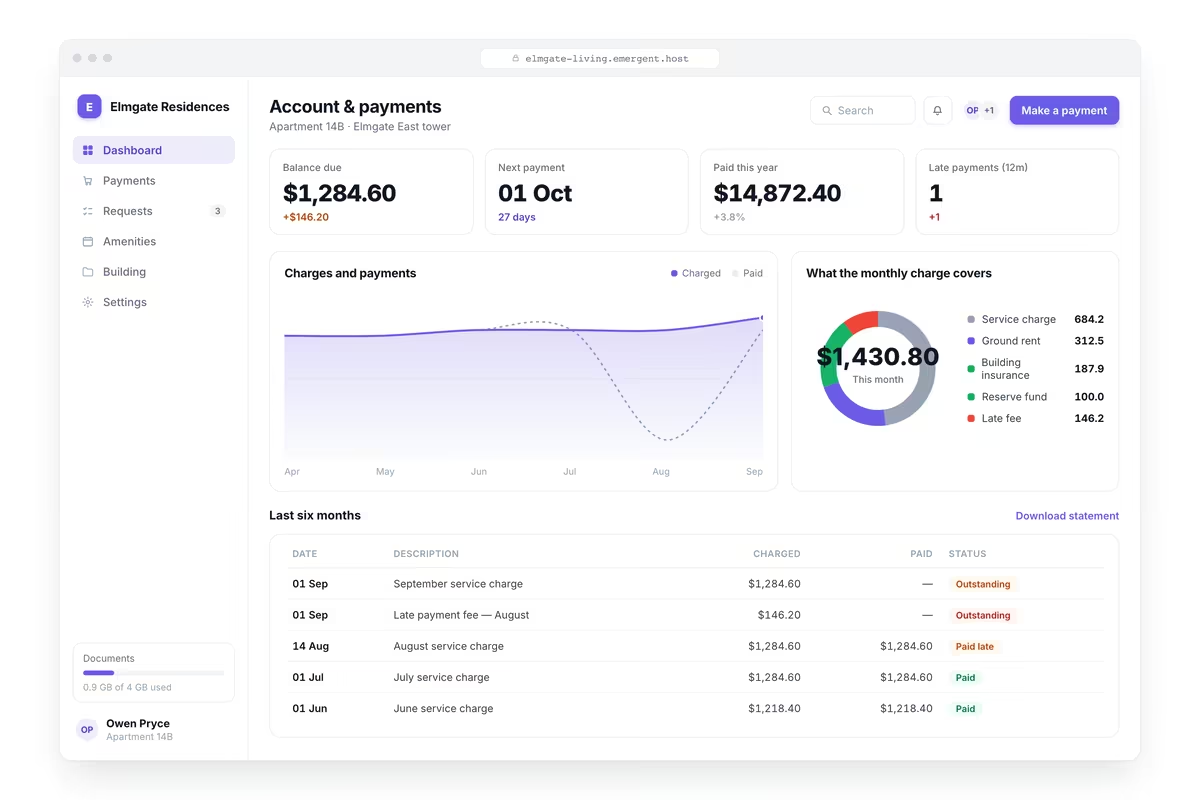
Explain the Charge, Not Just Bill It
Their current balance, next payment due with date and amount, payment history with receipts available, a service charge breakdown explaining what is included, arrears with any agreed payment plan and a route to pay or query a charge.
window.awbMockup = { accountAndPayment: "Build a resident facing dashboard showing their current balance, next payment due with date and amount, payment history with receipts available, service charge breakdown explaining what is included, arrears with any agreed payment plan, and a route to make a payment or query a charge.", maintenanceRequest: "Build a resident maintenance dashboard letting a resident report an issue with category, description and photographs, showing their open requests with current status and expected timescale, appointment dates arranged, requests completed with the work carried out, and communal issues already reported by others so duplicates are avoided.", amenityBooking: "Build a resident booking dashboard showing shared facilities with availability by date and time, the resident's own bookings with the ability to cancel, booking rules and any charges, facilities temporarily unavailable with the reason, usage limits per resident where they apply, and a waiting list where a slot is full.", buildingInformation: "Build a resident information dashboard showing current notices and planned works with dates and expected disruption, documents relevant to their tenure such as agreements, certificates and handbooks, contact routes for different issue types with response expectations, refuse and recycling arrangements, and a record of notices they have acknowledged."};
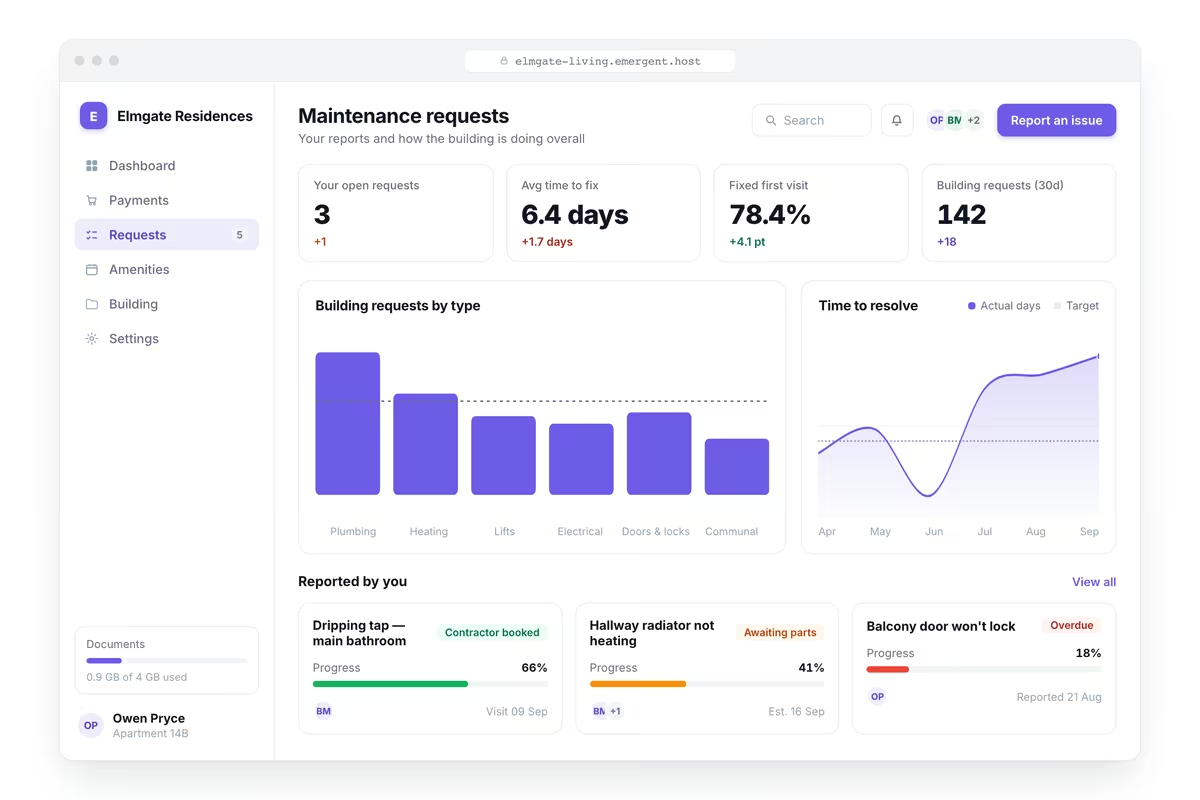
Stop One Leak Becoming Fifteen Jobs
A resident reporting an issue with category, description and photographs, their open requests with status and expected timescale, appointment dates arranged, completed requests with the work carried out and communal issues already reported by others.
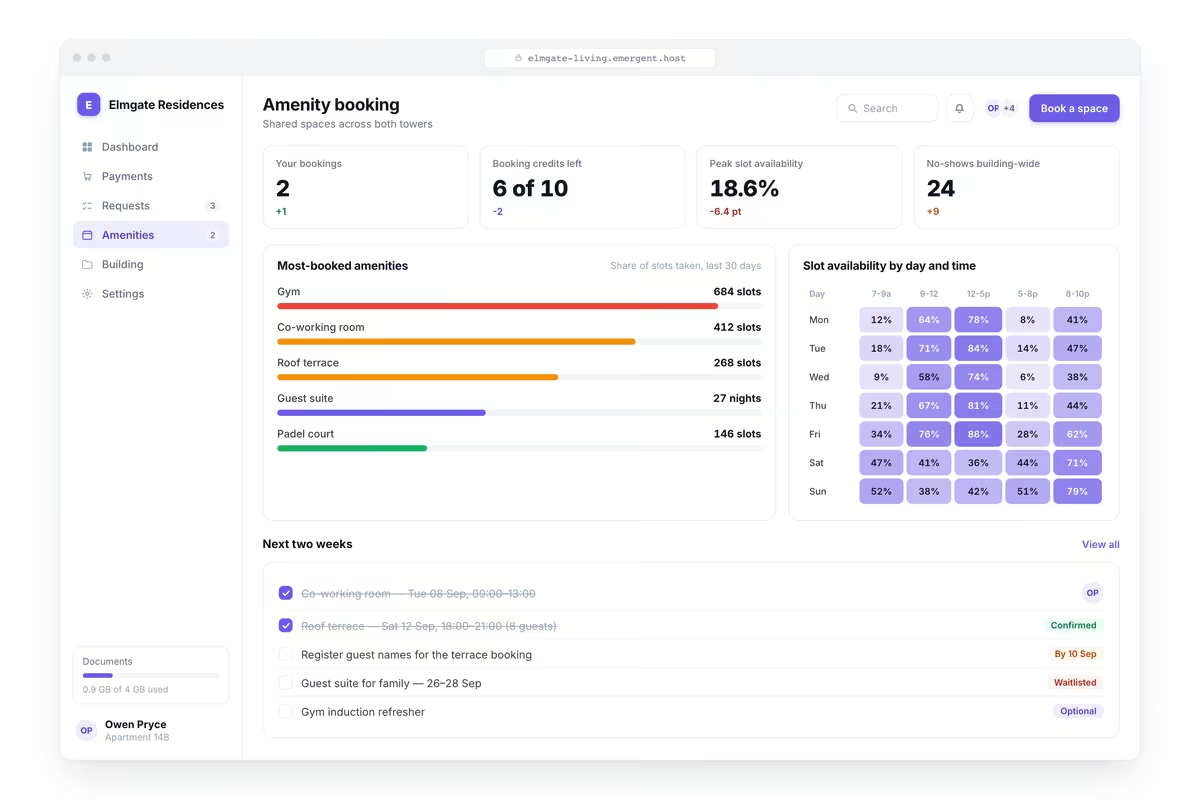
Administer Shared Facilities Consistently
Shared facilities with availability by date and time, the resident's own bookings with the ability to cancel, booking rules and any charges, facilities temporarily unavailable with the reason, usage limits where they apply and a waiting list when full.
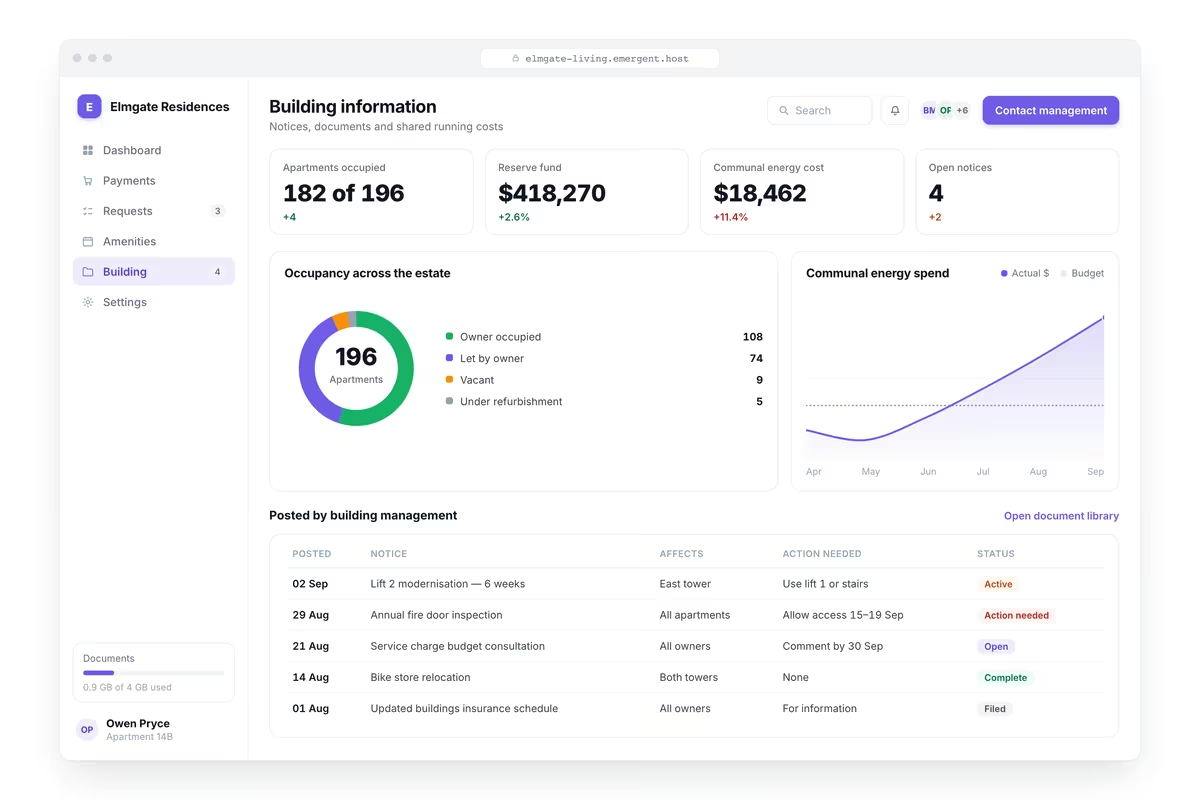
Answer the Questions before They Are Asked
Current notices and planned works with dates and expected disruption, documents relevant to their tenure such as agreements, certificates and handbooks, contact routes with response expectations, refuse arrangements and notices they have acknowledged.
Every integration your
Dashboard needs from day one
Email and calendar
Inbox and calendar sync both ways, so every reply, meeting and no-show lands on the contact record without anyone logging it.



Messaging and support
Conversations from chat, WhatsApp and your helpdesk attach to the right contact, so sales and support see the same history.




Payments and billing
Invoices, subscriptions and payment status flow back into the deal, so revenue and pipeline stay in one place.




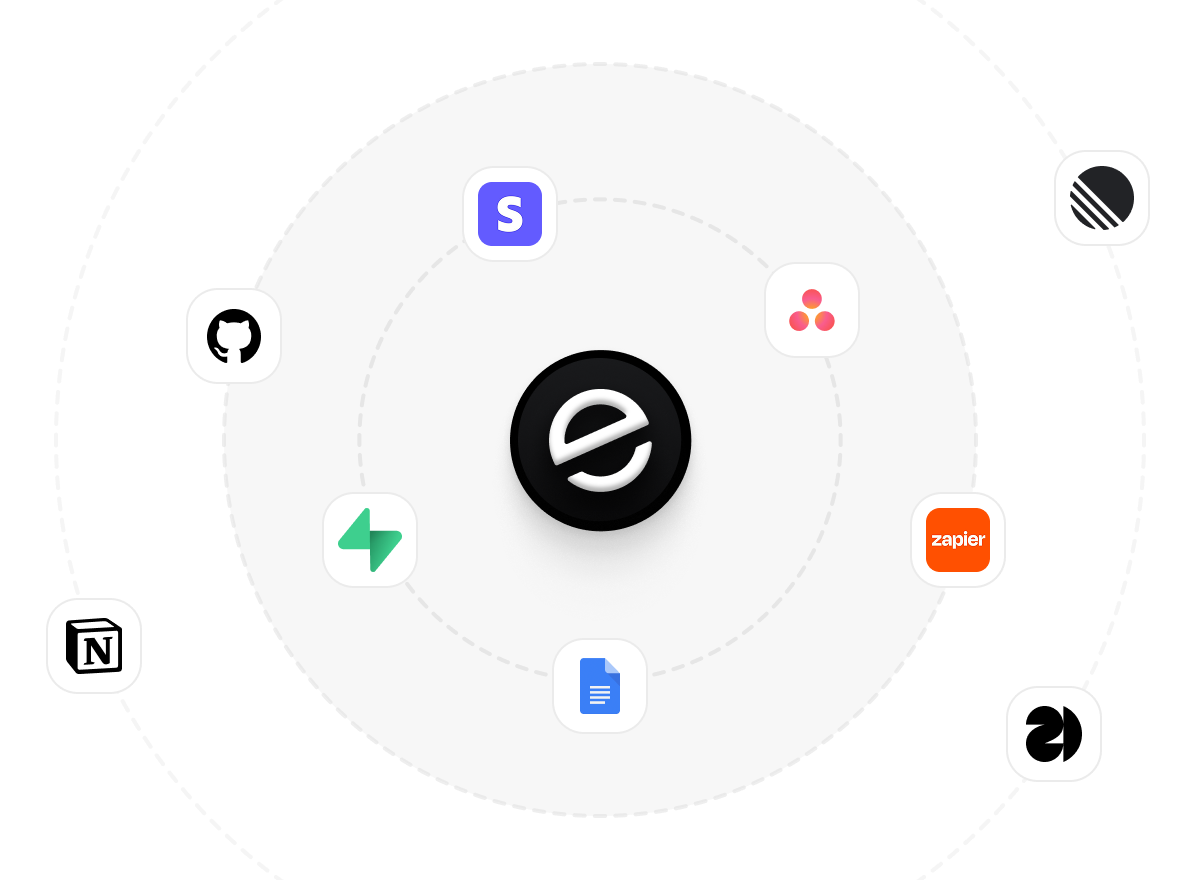
If it has an API, your CRM can connect to it.
Emergent builds the connection against the API itself, including internal tools your team made. No closed ecosystem, no approved-partner list, no waiting for a connector to ship.

More things you can build
with Emergent
AI Website Builder
Build and publish responsive websites with AI — from landing pages to complete websites.
AI App Builder
Create and launch mobile apps with AI, without the complexity of traditional app development.
AI Web App Builder
Build and ship fully functional web apps with custom interfaces, logic, and workflows.
AI Dashboard Builder
Create interactive dashboards to visualize data, track KPIs, and manage business operations.
AI SaaS Builder
Build complete SaaS products with user accounts, subscriptions, dashboards, and core product workflows.
AI CRM Builder
Build custom CRMs for managing contacts, leads, pipelines, campaigns, and automated workflows.
AI Agent Builder
Create AI agents that can understand tasks, use tools, automate workflows, and work across your business.
Build Your Own
Start with any idea and build exactly what you need with AI — no templates or limits.

Why choose Emergent?
Most tools give you a demo you have to rebuild. Emergent gives you a product that is ready to run.
| Comparison | Other Tools |  |
|---|---|---|
| Built for | Demos and MVPs | Products you keep growing |
| What you get | Front end shell only | Full stack, wired end to end |
| Backend and database | Set it up yourself | Built and connected for you |
| Customization | Surface level styling | Deep workflow control |
| Integrations and APIs | Manual glue work | Connected from a prompt |
| Code ownership | Locked to the platform | Clean code you can export |
| Time to launch | Weeks of patching and setup | Live the same day |
Pick the Pricing Plan That Works for You
Choose the plan that fits your building ambitions. From weekend projects to enterprise applications, we've got you covered.




Find the Right Dashboard Builder
for Your Business
Frequently Asked Questions
Your Questions, Answered
Don't change this element unless you know what you are doing
on Emergent today


