

Build a Custom Security Dashboard Using AI in Minutes
Describe your Security Dashboard in plain English and create a production-ready build, from design and development to deployment, in minutes. No code needed.










Trusted by Builders Worldwide
Active Builders Worldwide
Apps Successfully Created
Countries Globally Reached



Build a custom security dashboard in 4 simple steps
See alerts, incidents and exposure in one place rather than across several consoles.
Describe what you monitor and what counts as worth waking somebody for. That threshold shapes everything.
Your security tools connect, so alerts are correlated rather than reviewed console by console.
Tell it to add a new source, a different severity rule or results by asset group.
Open one view where genuine incidents rise above the noise, rather than a feed of every alert raised.
Emergent Key Features for Building a Security Dashboard
Access, alarm and incident records combined on one site timeline so related events read as a single story.
Events on One Timeline
Access, alarm and incident records are combined per site, so a sequence of related events reads as one story rather than three separate logs.
Credential Hygiene Checks
Active credentials are compared against current personnel records, identifying access that should have been revoked when someone left.
Pattern Based Anomalies
Access volume and timing are compared against each zone's normal pattern, surfacing unusual activity that a raw event log conceals.
Patrol Verification
Scheduled patrols and checkpoint scans are measured against completion, turning guarding coverage into an evidenced service rather than an assumption.
False Alarm Attribution
Repeated activations are traced to specific devices, which reduces the response fatigue that makes real alarms dangerous.
Control Room and Mobile Layouts
A wall display and an officer's phone view share one build, so the room and the site are working from the same current picture.
Security Dashboard Use Cases You Can Build in Minutes
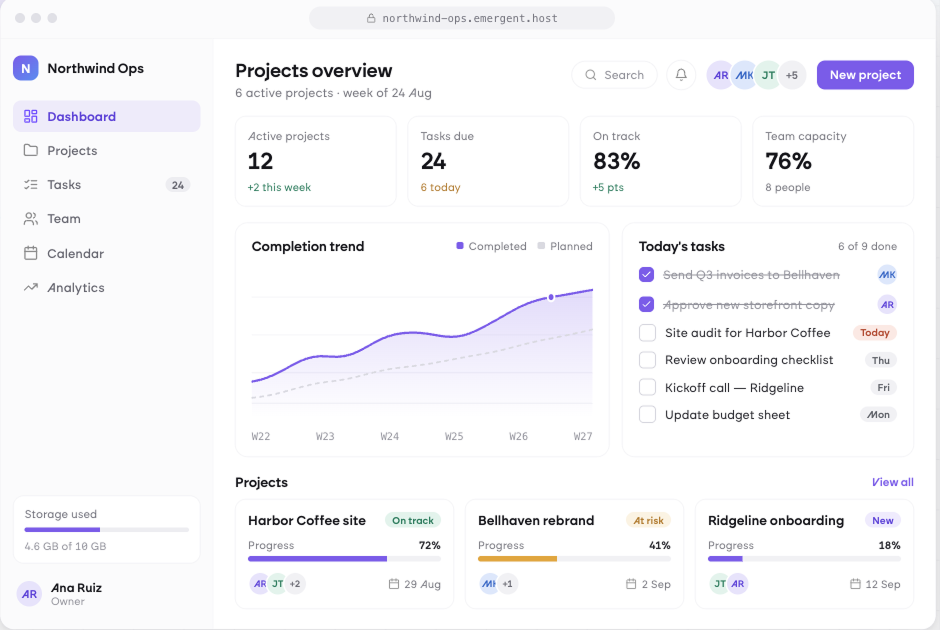
Find the Access Nobody Revoked
Access events by site and zone, denied attempts with reason and credential used, after hours entries, doors held or forced, credentials still active for people who have left and zones with unusual access volume.
window.awbMockup = { accessControl: "Build a physical security dashboard showing access events by site and zone, denied access attempts with the reason and credential used, after hours entries, doors held or forced open, credentials active for people no longer employed, and zones with unusual access volume compared to their normal pattern.", incidentReporting: "Build a security incident dashboard logging incidents by type, site and severity, showing time from report to response and to closure, incidents by time of day and location, repeat locations over 90 days, open corrective actions past their due date, and incident trend against the prior year.", patrolAndCoverage: "Build a guarding coverage dashboard showing patrols scheduled against completed by site and shift, checkpoints scanned against required, average time between patrols of high risk zones, officers currently on duty against planned cover, and missed patrols with the reason recorded.", alarmResponse: "Build an alarm management dashboard showing activations by site, zone and type, false alarm rate by device, average time from activation to acknowledgement and to resolution, devices generating repeated false activations, and activations outside operating hours requiring escalation."};
Turn Incident Logs into a Pattern
Incidents by type, site and severity with time from report to response and closure, incidents by time of day and location, repeat locations over ninety days and overdue corrective actions.
Evidence the Coverage You Are Paid For
Patrols scheduled against completed by site and shift, checkpoints scanned against required, time between patrols of high risk zones, officers on duty against planned cover and missed patrols with reasons.
Cut the False Alarms Wearing Your Team Down
Activations by site, zone and type, false alarm rate by device, time from activation to acknowledgement and resolution, devices generating repeated false activations and out of hours activations needing escalation.
Every integration your
Dashboard needs from day one
Email and calendar
Inbox and calendar sync both ways, so every reply, meeting and no-show lands on the contact record without anyone logging it.




Messaging and support
Conversations from chat, WhatsApp and your helpdesk attach to the right contact, so sales and support see the same history.




Payments and billing
Invoices, subscriptions and payment status flow back into the deal, so revenue and pipeline stay in one place.




If it has an API, your CRM can connect to it.
Emergent builds the connection against the API itself, including internal tools your team made. No closed ecosystem, no approved-partner list, no waiting for a connector to ship.

More things you can build
with Emergent
AI Website Builder
Build and publish responsive websites with AI — from landing pages to complete websites.
AI App Builder
Create and launch mobile apps with AI, without the complexity of traditional app development.
AI Web App Builder
Build and ship fully functional web apps with custom interfaces, logic, and workflows.
AI Dashboard Builder
Create interactive dashboards to visualize data, track KPIs, and manage business operations.
AI SaaS Builder
Build complete SaaS products with user accounts, subscriptions, dashboards, and core product workflows.
AI CRM Builder
Build custom CRMs for managing contacts, leads, pipelines, campaigns, and automated workflows.
AI Agent Builder
Create AI agents that can understand tasks, use tools, automate workflows, and work across your business.
Build Your Own
Start with any idea and build exactly what you need with AI — no templates or limits.

Why choose Emergent?
Most tools give you a demo you have to rebuild. Emergent gives you a product that is ready to run.
| Comparison | Other Tools |  |
|---|---|---|
| Built for | Demos and MVPs | Products you keep growing |
| What you get | Front end shell only | Full stack, wired end to end |
| Backend and database | Set it up yourself | Built and connected for you |
| Customization | Surface level styling | Deep workflow control |
| Integrations and APIs | Manual glue work | Connected from a prompt |
| Code ownership | Locked to the platform | Clean code you can export |
| Time to launch | Weeks of patching and setup | Live the same day |

Pick the Pricing Plan That Works for You
Choose the plan that fits your building ambitions. From weekend projects to enterprise applications, we've got you covered.




Find the Right Dashboard Builder
for Your Business
Frequently Asked Questions
Your Questions, Answered
Don't change this element unless you know what you are doing
on Emergent today


