



GoodBarber's pricing page opens at $30/month. That plan can't put an app in the App Store.
That gap between the headline number and the plan you'd actually need is where most of this GoodBarber review lives. I went through every tier of GoodBarber's content and commerce plans line by line, then read what its customers say on G2 and Trustpilot, plus the Play Store ratings for its companion preview app.
Almost all of it comes down to one question. Does your app look enough like other apps for a template to hold it?
GoodBarber Review: The Quick Verdict
GoodBarber is one of the strongest picks available for a store-ready mobile app built from templates, and it's been shipping since 2011. Design quality, store publishing help, and support responsiveness are its strengths.
Two things hold it back. Store publishing starts at $70/month, more than double the advertised entry price, and the templates set a ceiling on layout that experienced designers hit fast. It suits content, community, and commerce apps, and struggles with anything built around custom logic.
What Is GoodBarber?
GoodBarber is a no-code app builder that turns templates and a drag-and-drop editor into native iOS and Android apps plus a progressive web app, all from one project. A progressive web app is a version of your app that runs in a browser and can be saved to a phone's home screen without going through an app store.
The company was founded in Corsica in 2011 and sells two product lines: Content apps for publishers, courses, radio, events, schools, and community groups, and eCommerce apps for retail, grocery, restaurants, and delivery. A separate Reseller tier lets agencies run unlimited client projects.
GoodBarber's Main Features and Where Each One Stops
Every feature below does something useful and also has a boundary worth knowing before you subscribe. These are the six that shape the buying decision most:
- Native output, not a wrapped web view: GoodBarber compiles real Swift and Kotlin apps, which is why scrolling and animation feel like a normal phone app. Native output only unlocks on Premium and above, so the entry plan gives you a progressive web app and nothing you can list in a store.
- Template-led design: You pick a template, then restyle colors, fonts, and section layouts through a design system that enforces contrast and type rules for you. You can't drag a text box anywhere you like, which is exactly what keeps beginners from making ugly apps and what frustrates designers who arrive with a finished mockup.
- Built-in content management: Articles, video, podcasts, events, maps, photos, and live streams all have native section types, and the same content feeds your app and your web version at once. It's shaped around publishing, so data that isn't content, like a scheduling grid or a commission calculation, has no natural home.
- Commerce with no cut taken: GoodBarber charges 0% on transactions and installs Stripe, PayPal, and Apple Pay in a click. Several commerce features sit behind separate add-ons on the cheaper plans, including abandoned-cart recovery at $10/month and product import at $25/month.
- An extension store with 190+ options: Extensions cover Zapier, WordPress, analytics, loyalty cards, and geofencing. Standard includes up to five free extensions and Premium up to 20, so the plan you choose caps how much you can bolt on.
- AI that assists, one task at a time: GoodBarber's AI writes copy, suggests SEO tags, and translates content, and a RAG Chatbot extension answers user questions from your own app content. None of it produces a whole app from a single prompt the way vibe coding tools do, and GoodBarber isn't trying to.
Building an App in GoodBarber: What Setup Actually Looks Like
I built an events app called EventByte to find out where the templates hold and where they stop. The first working version took four screens, no account, and no card.
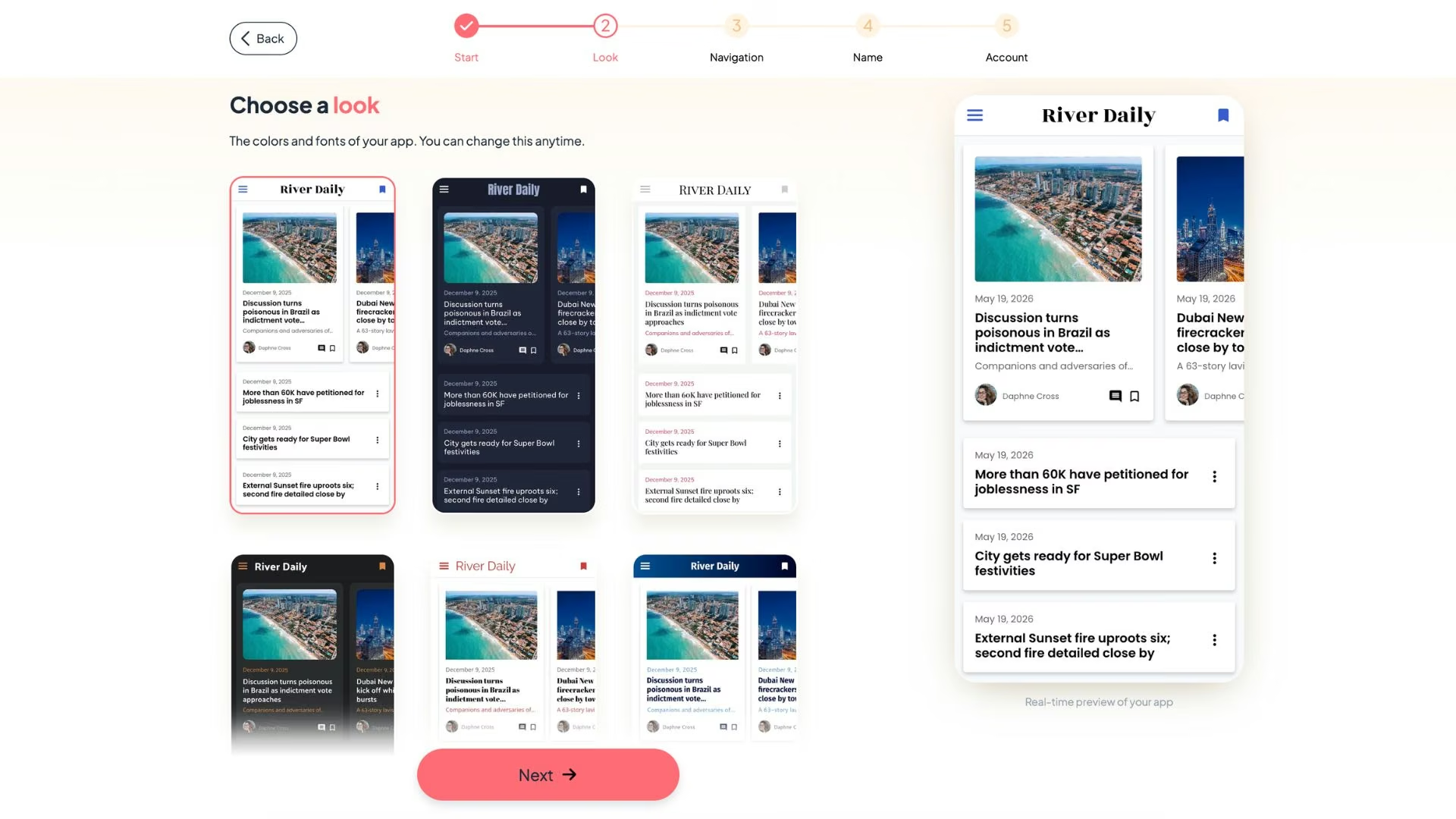
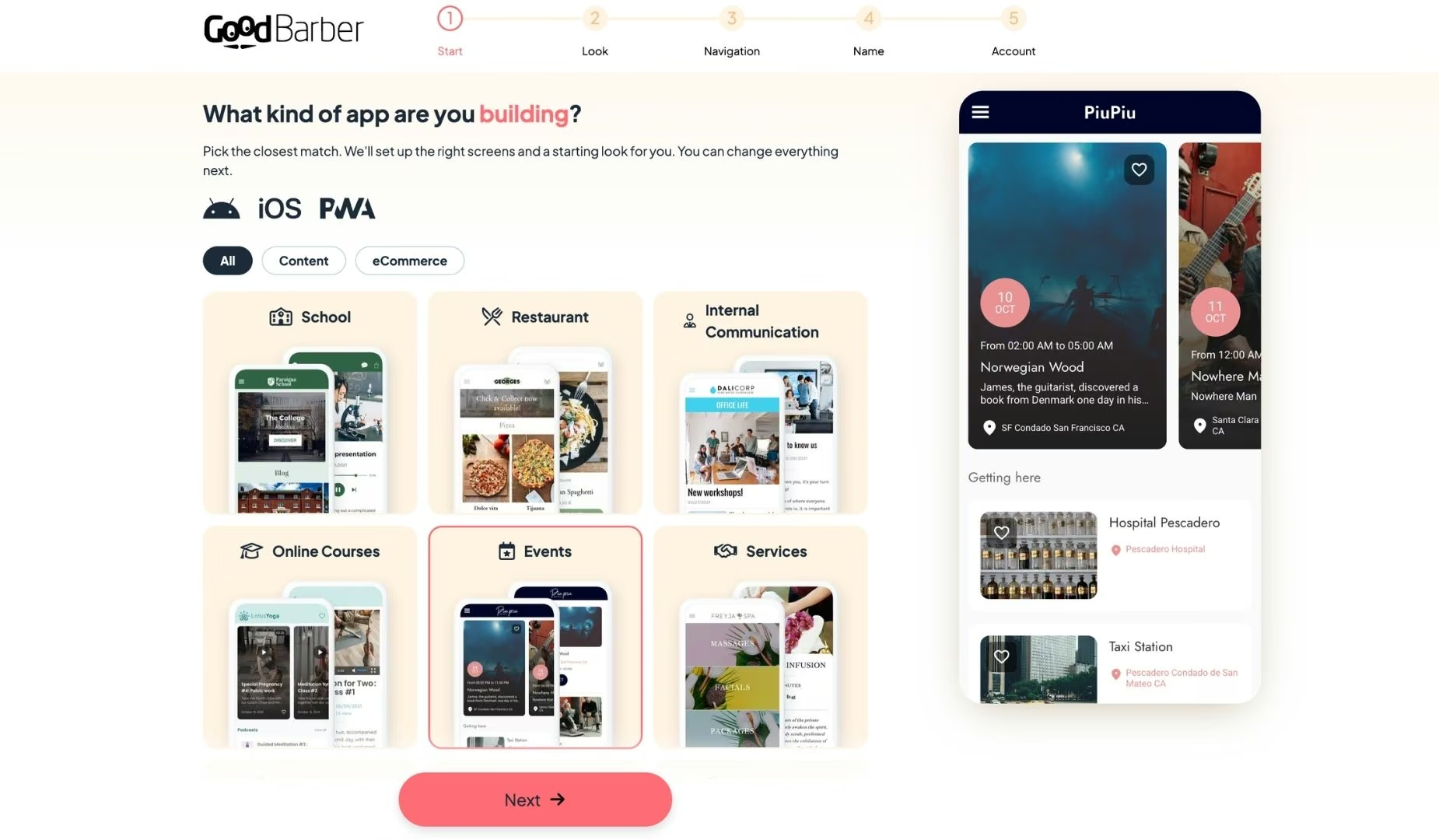
GoodBarber opens on a template picker instead of a signup form. I chose the events template because it sat closest to what I wanted, and the platform started assembling the app around it right away. Getting this far without creating an account is unusual, and the template library is deep enough that most content, community, or store ideas will find something close.
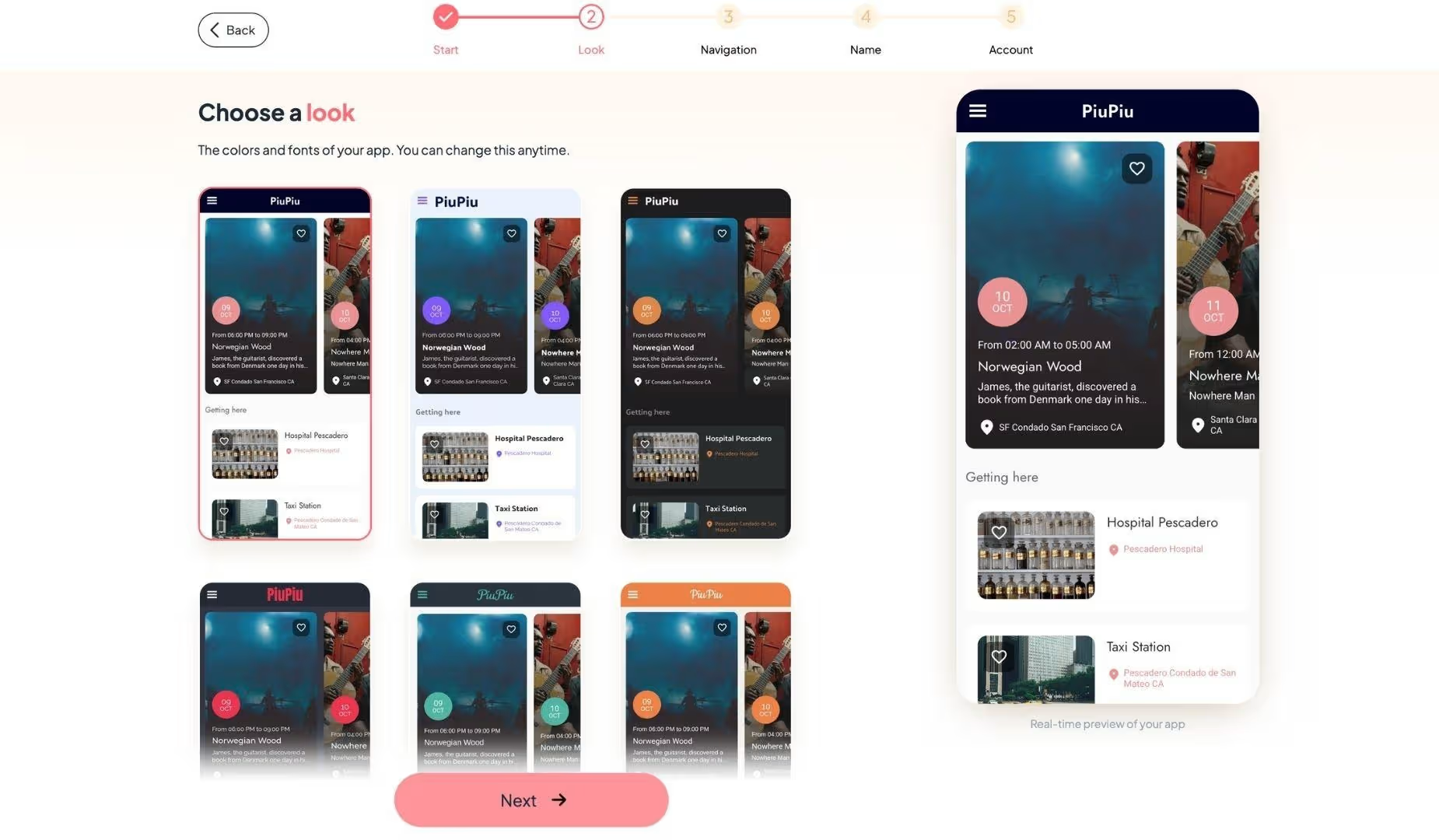
The second screen sets the look. You choose colors and fonts, and the design system pushes those choices through every section at once instead of asking you to style screens one at a time. It's the fastest part of the setup and the clearest signal of how the rest will go.
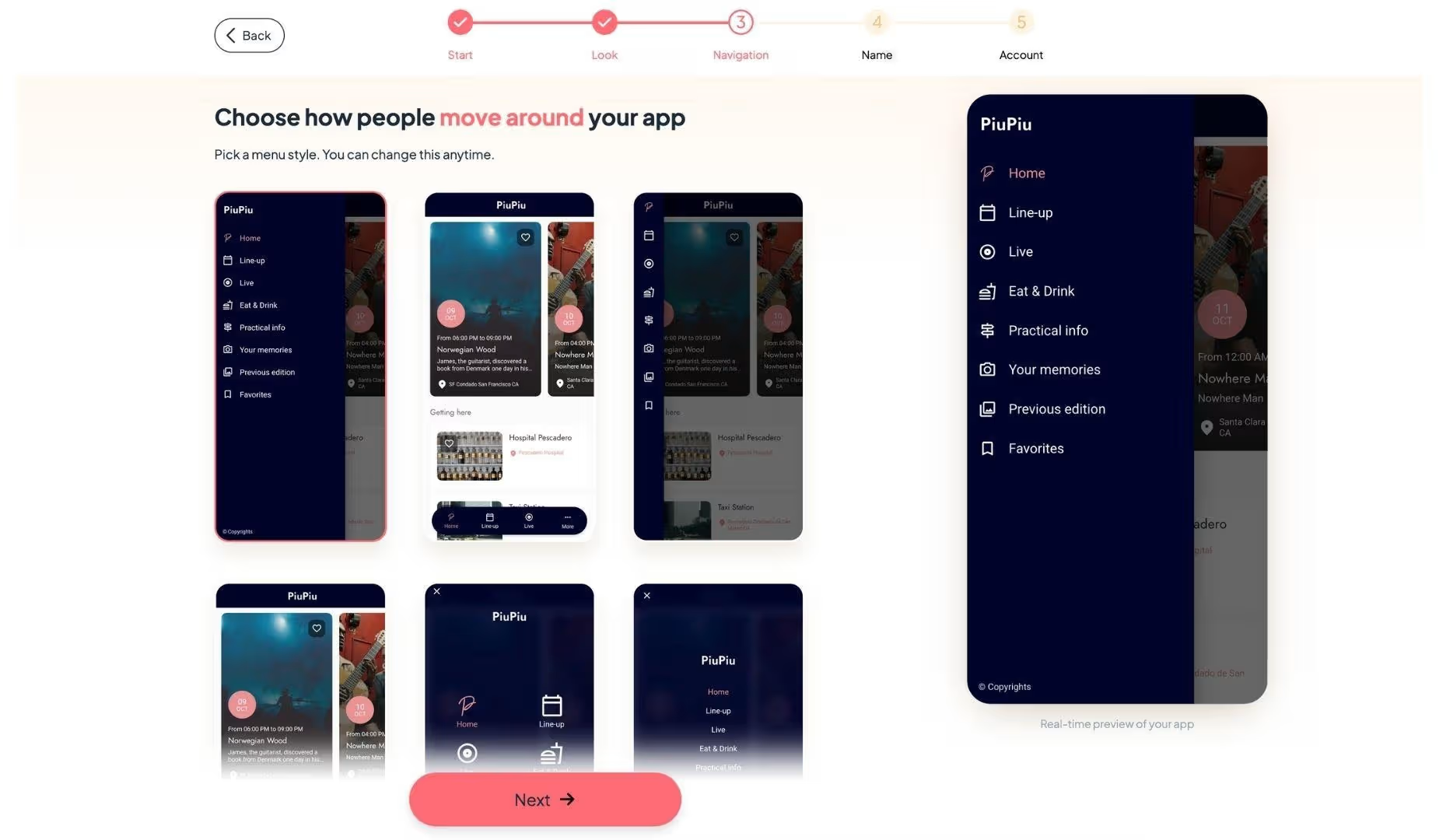
Third comes the navigation menu, where you pick the menu style and the sections that live in it. This is the last structural decision you make before the app exists, and it's worth slowing down for, because the menu shape follows the template.
The fourth screen asks for an app name and an email address. GoodBarber sends the link to your generated app there, then drops you straight into the editing dashboard.
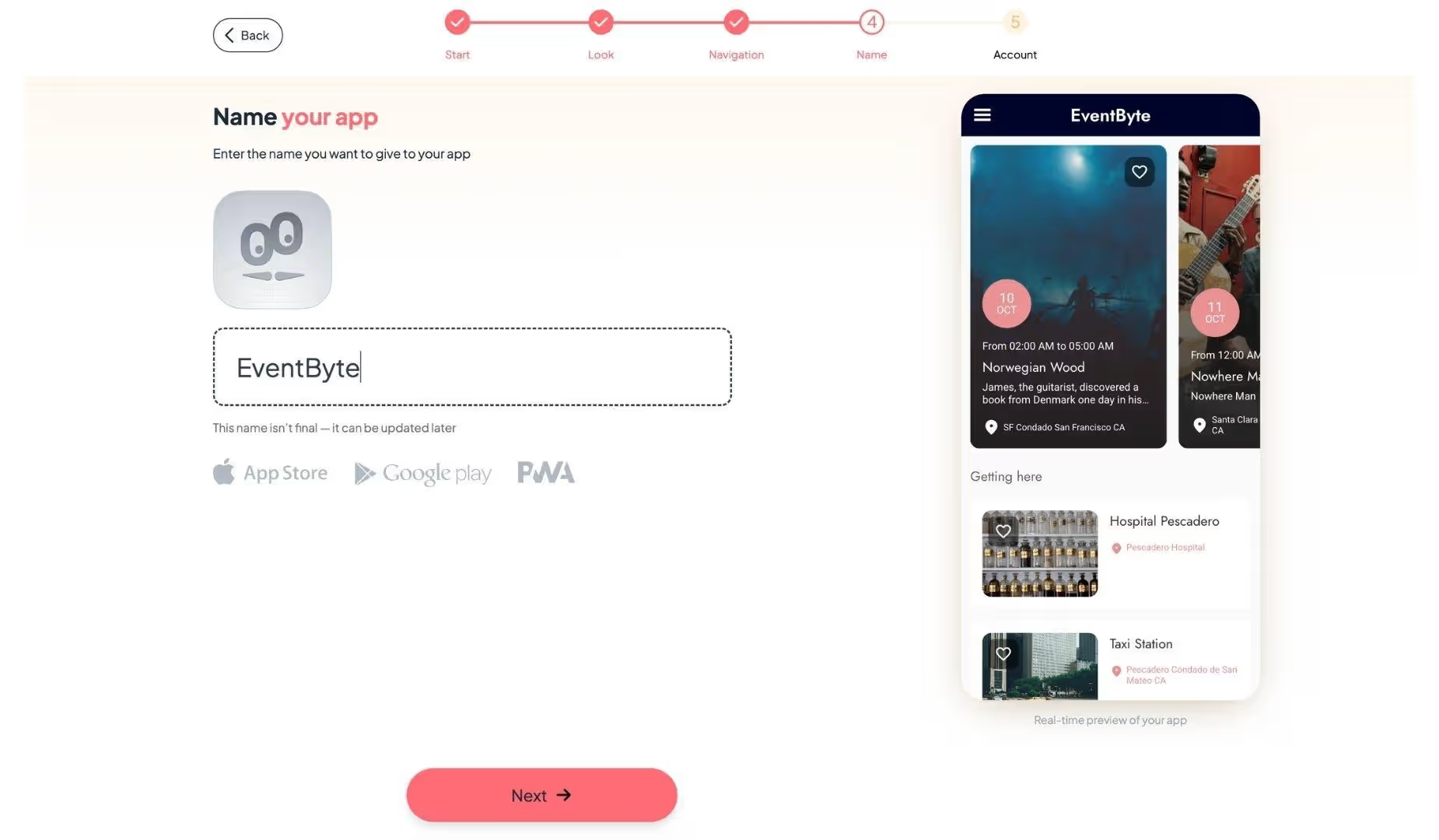
The dashboard is where the actual work starts. Sections, content, design, and settings all live in one panel, and the app preview updates as you go. Nothing here asked me to pay before I had something to look at, and the 30-day trial runs without a credit card.
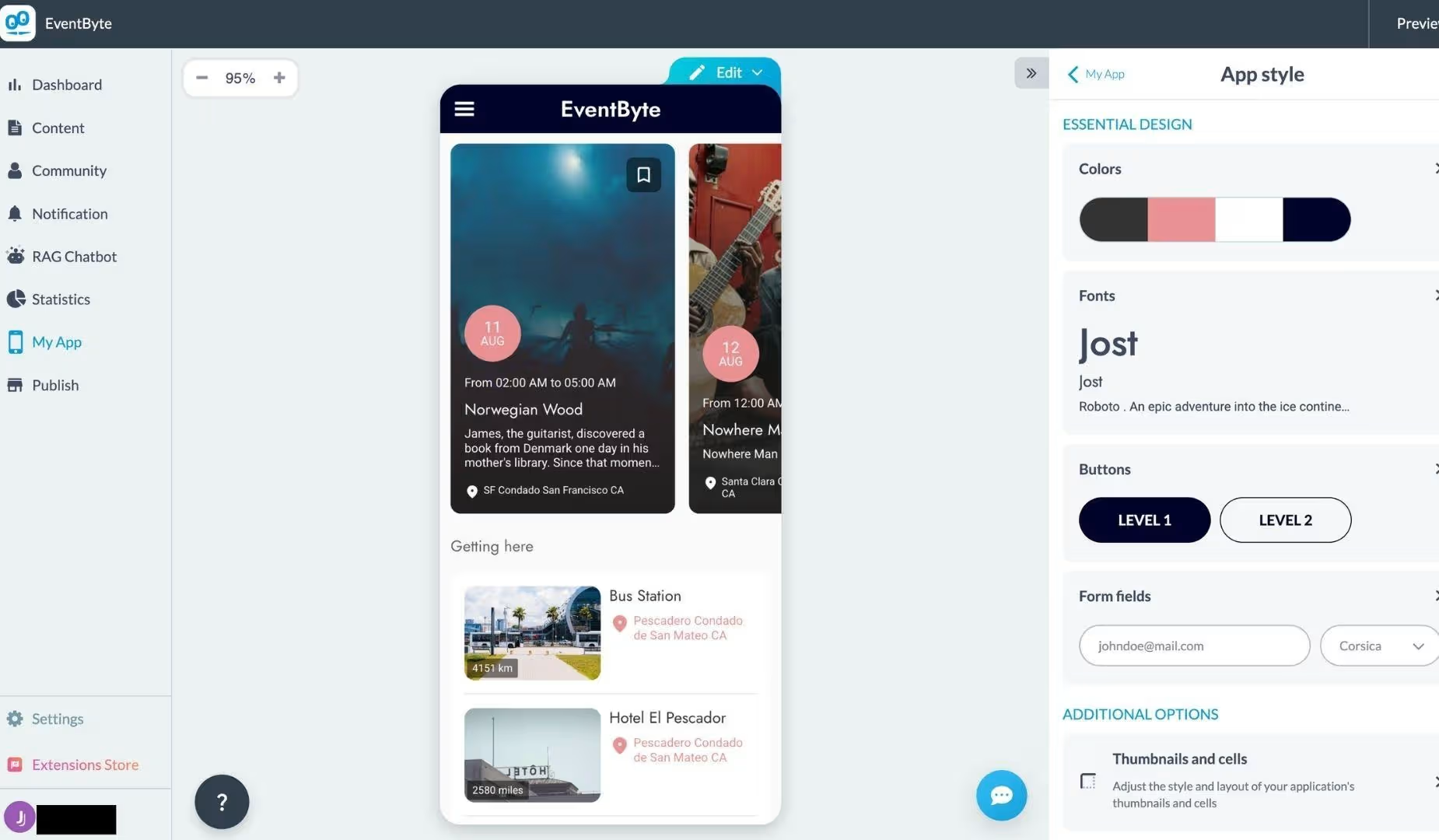
Then I hit the ceiling. There's no code layer in the editor and nothing you can describe a change to. GoodBarber's AI writes copy and generates sections, but there's no assistant in the dashboard where you can tell it what you want and watch it rebuild the screen.
When the template doesn't offer the thing you need, your options are an extension, a support ticket, or a different layout. That's a fine trade for an events app, and the wrong one if your idea depends on rules nobody wrote a template for.
GoodBarber Pricing in 2026
GoodBarber's content plans start at $36/month, and its commerce plans at $50/month, with about 17% to 24% off if you pay yearly. Every plan comes with a 30-day trial that doesn't ask for a card.
The number on the pricing page defaults to the yearly rate, which is where the $30 figure comes from. Here's the full picture with monthly billing first:
| Plan | Monthly | Billed yearly | What it unlocks |
|---|---|---|---|
| Content Standard | $36/month | $30/month | Web app only, no store listing |
| Content Premium | $70/month | $55/month | Native iOS and Android, store publishing |
| Content Pro | $135/month | $105/month | 50GB storage, unlimited staff accounts |
| Content Agency | $280/month | $215/month | Unlimited projects |
| eCommerce Standard | $50/month | $40/month | Web store, 0% transaction fees |
| eCommerce Premium | $90/month | $70/month | Native apps plus the store |
| eCommerce Pro | $180/month | $140/month | Commerce add-ons included |
| eCommerce Agency | $380/month | $290/month | Unlimited projects |
Pricing verified against GoodBarber's official pricing pages on July 28, 2026.
Several costs sit outside that table. Apple charges $99/year for a developer account, and Google charges $25 once, because GoodBarber publishes through your own accounts. If you'd rather GoodBarber build and submit the iOS version for you, that's another $50.
Several features you'd assume are standard are also add-ons. Sign-in for your users costs $12/month on Premium, in-app chat is $20/month, and paid memberships are $49/month. All three come included once you reach Pro.
So a small publisher who wants a native app with member logins is looking at about $82/month plus Apple's yearly fee. That's still far below what a custom app costs to commission, and well over the figure that headlines GoodBarber's pricing page.
If the add-ons push the monthly total past what the app is worth, our best GoodBarber alternatives guide breaks down what five other platforms actually cost at the tier that publishes.
GoodBarber Reviews: What Users Say
Ratings split by platform in a way worth pausing on. GoodBarber holds 4.6 out of 5 across 522 Trustpilot reviews and 3.9 out of 5 across 35 G2 reviews. Its companion preview app, My GoodBarber, sits lower at 3.4 stars from about 1,770 Play Store ratings.
The pattern behind the gap matters more than the numbers. Most of the glowing 2026 reviews on G2 are labeled as incentivized responses to a seller invite, while the harshest ones arrived unprompted. GoodBarber replies publicly to almost all of them, including the angry ones, and its CMO answers criticism on G2 by name.
Pros
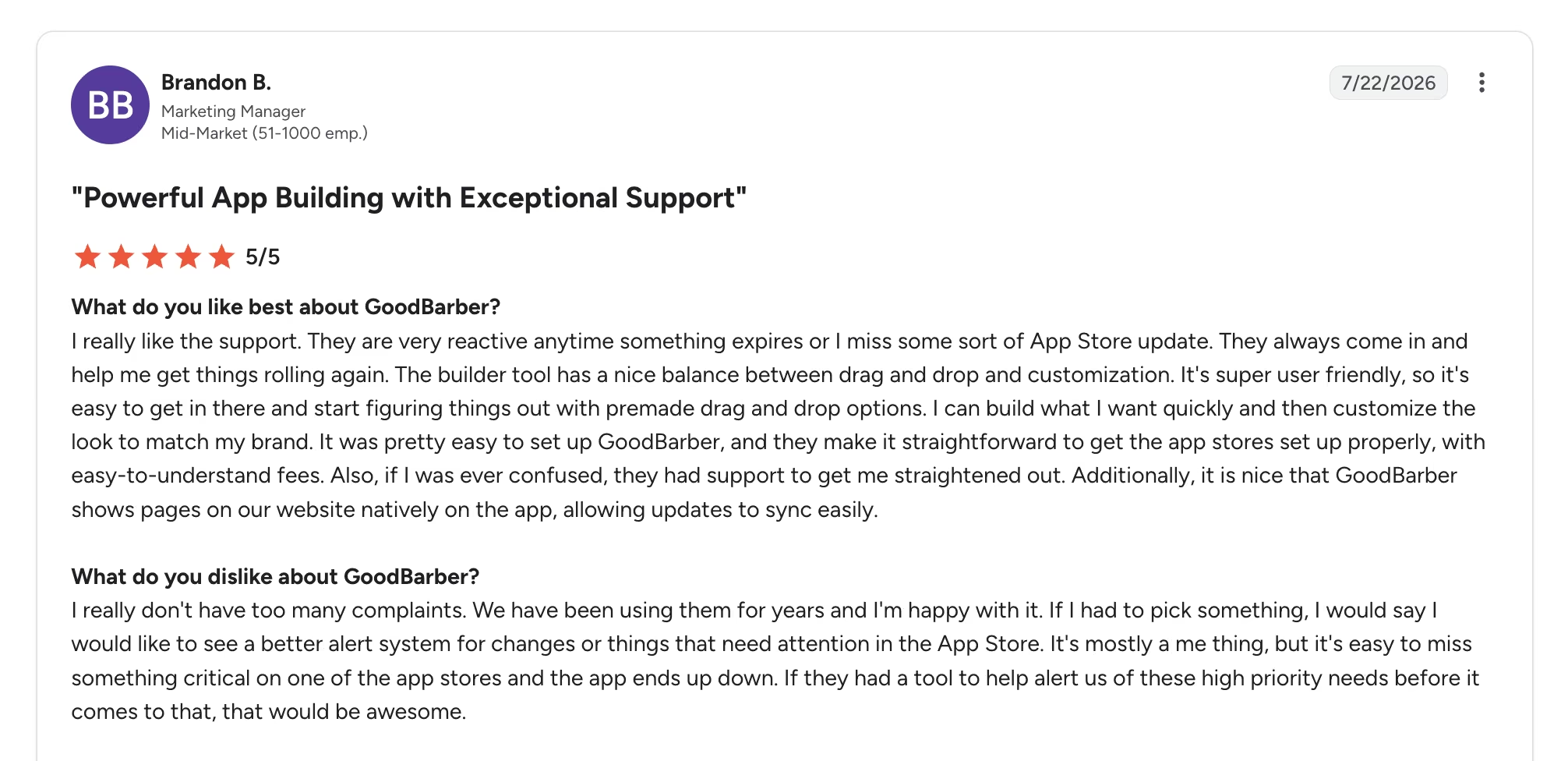
- Brandon B., a marketing manager who has used it for years, says on a G2 review that the team is "very reactive anytime something expires" on the app stores. Speed of support is one of the most repeated compliments across both platforms.
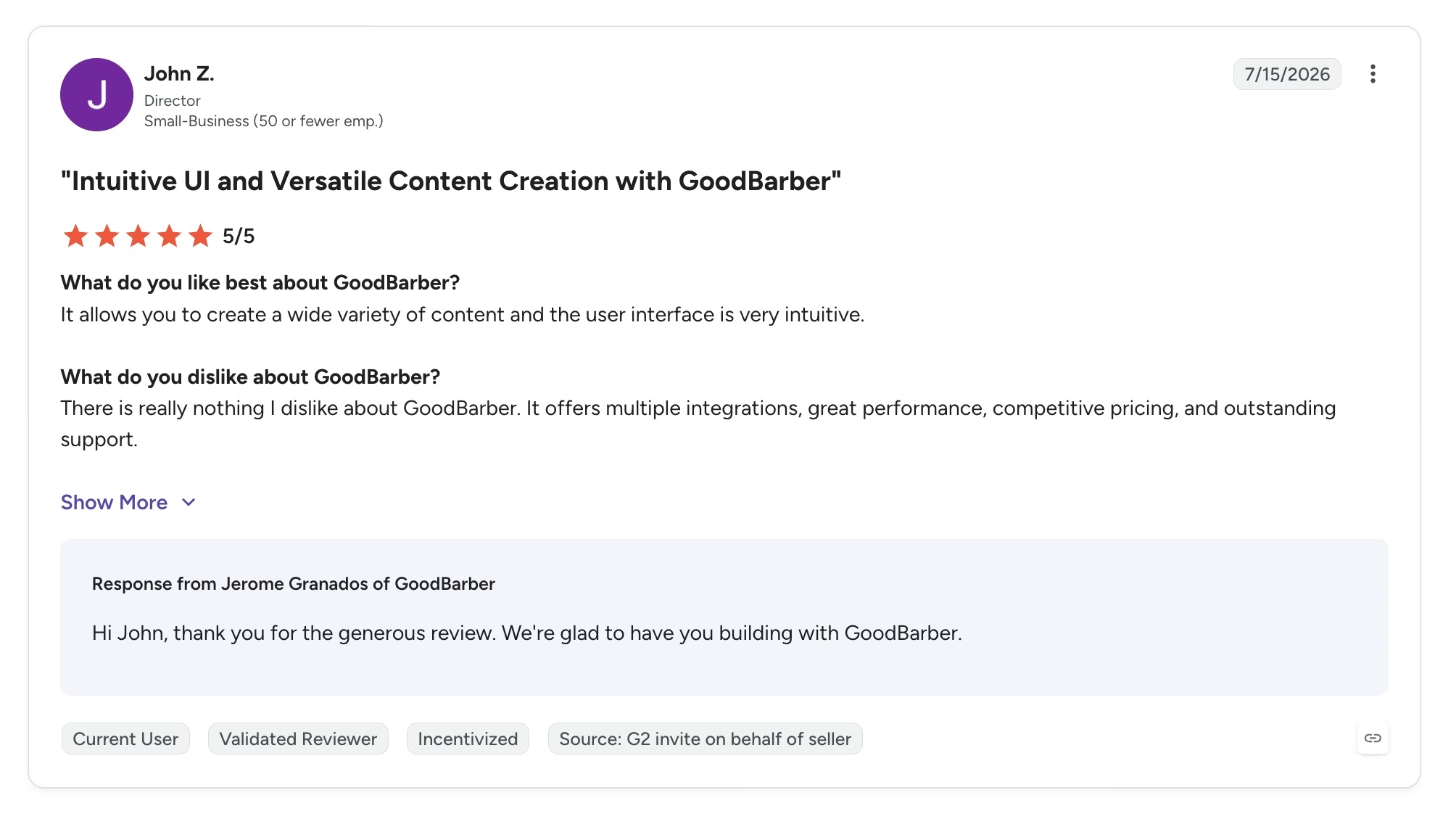
- John Z., a director, says in his G2 review that "the user interface is very intuitive," and credits it for pulling a member resource library into one place. Several reviewers with no development background describe shipping to both stores on their own.
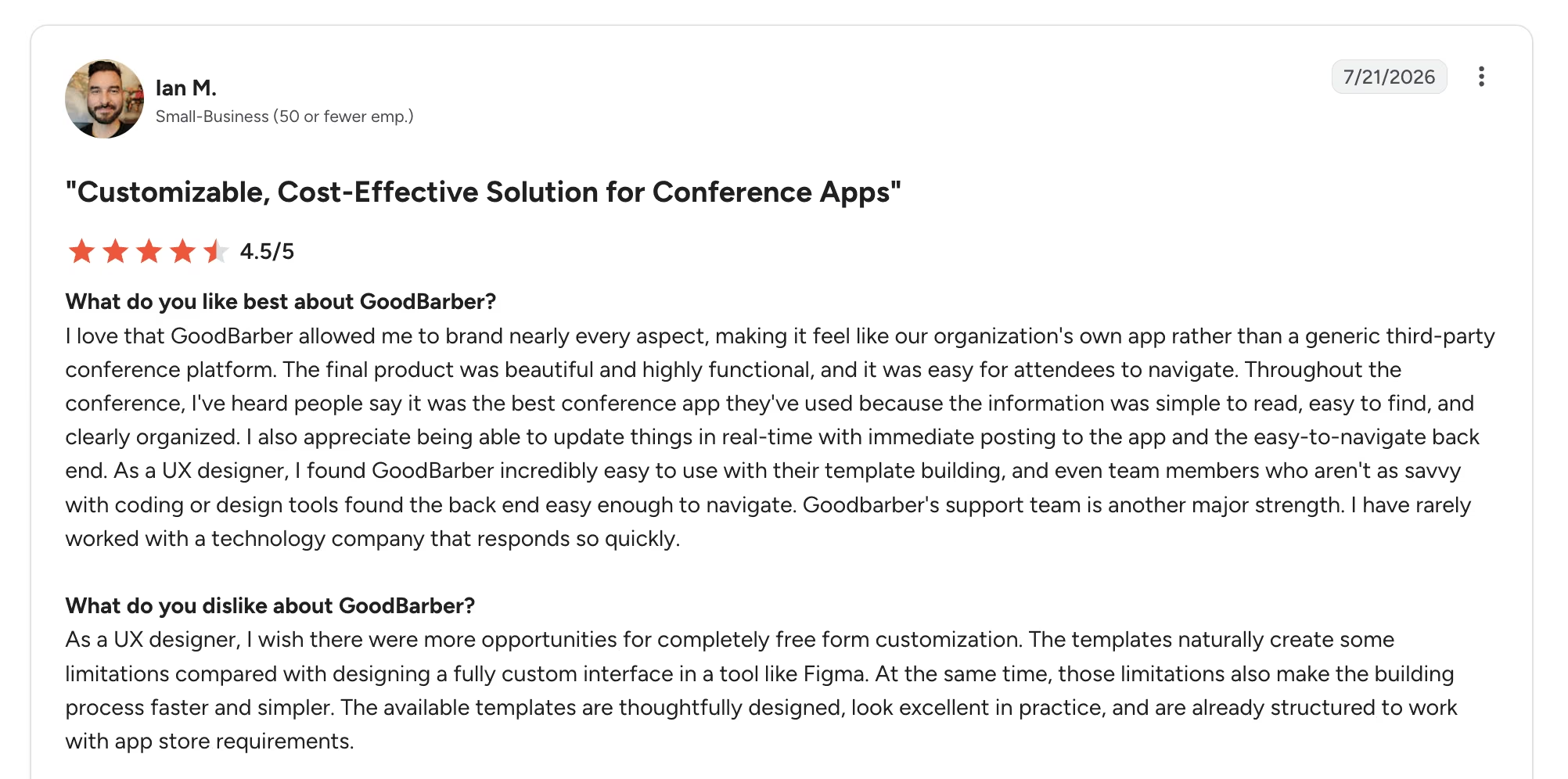
- Ian M., a UX designer who built a conference app, dropped a review on G2 saying "the final product was beautiful and highly functional" and that attendees called it the best conference app they'd used.
Cons
- Ian M., in the same G2 review, wishes for more free-form control and notes the templates limit what he could carry over from a Figma design. Chiara M. put the blunter version of the same complaint years earlier, writing that "Basic functions are ok, but if you need anything deeper good luck."
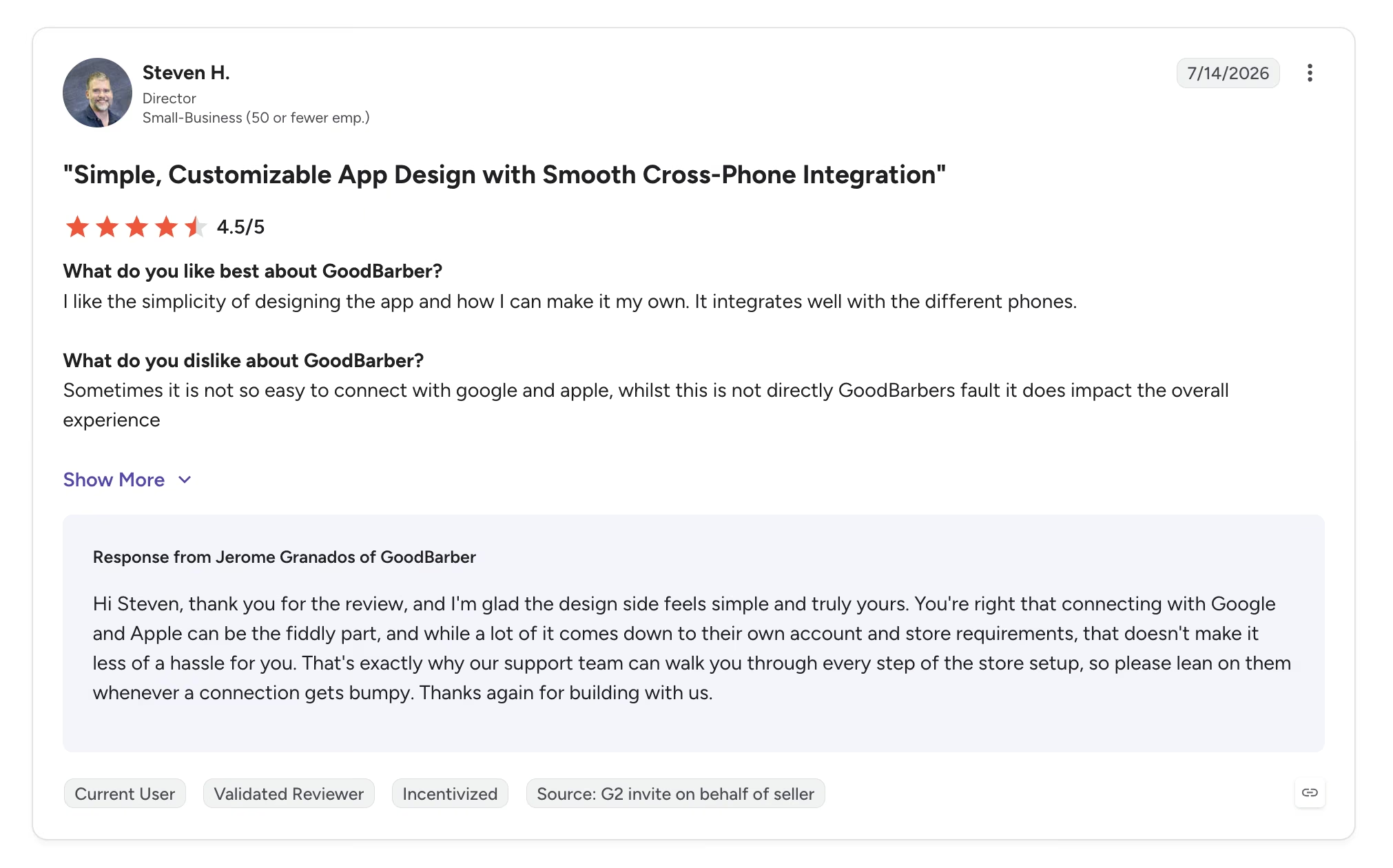
- Steven H. rated it 4.5 out of 5 on G2 and still flagged that it's "not so easy to connect with Google and Apple." Developer accounts and app signing remain the step where people get stuck, even with GoodBarber's help.
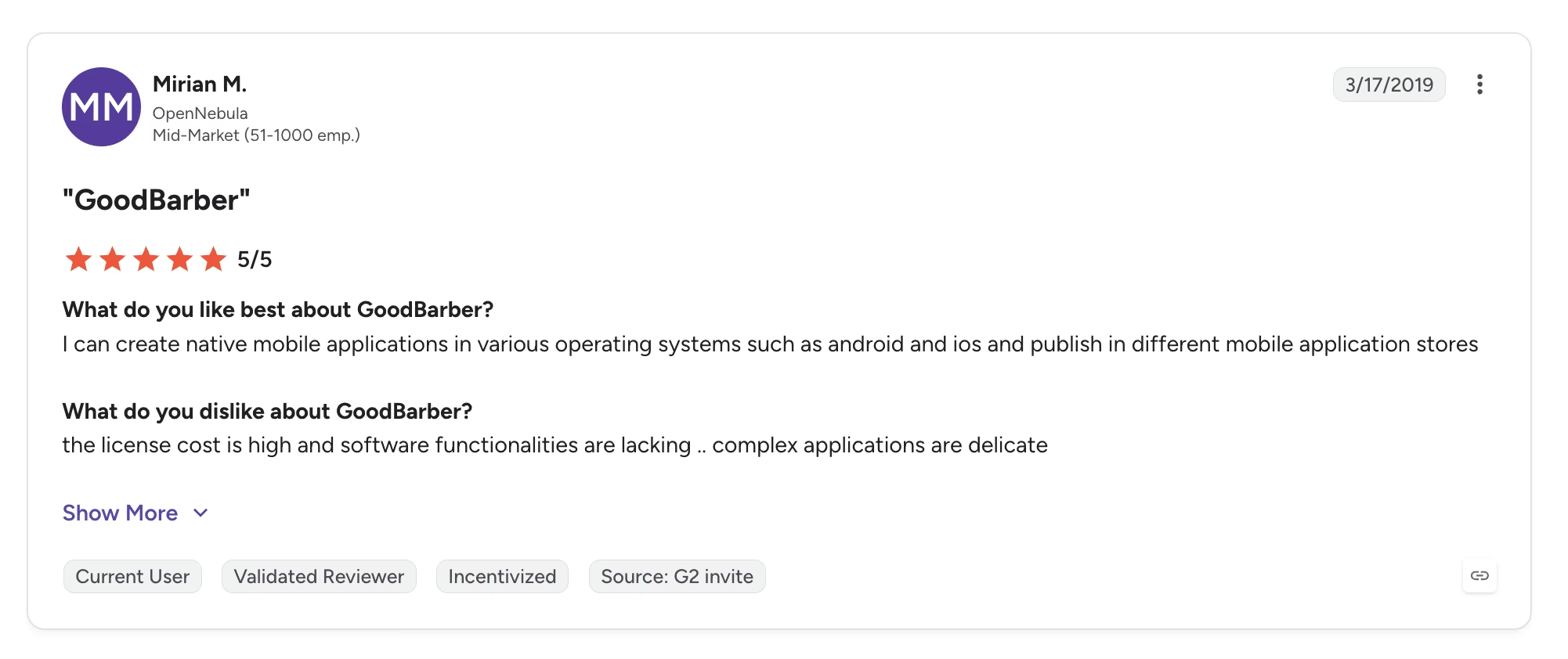
- Mirian M., another five-star reviewer on G2, wrote that "the license cost is high and software functionalities are lacking" for anything intricate. Every add-on in the pricing section above is a live example.
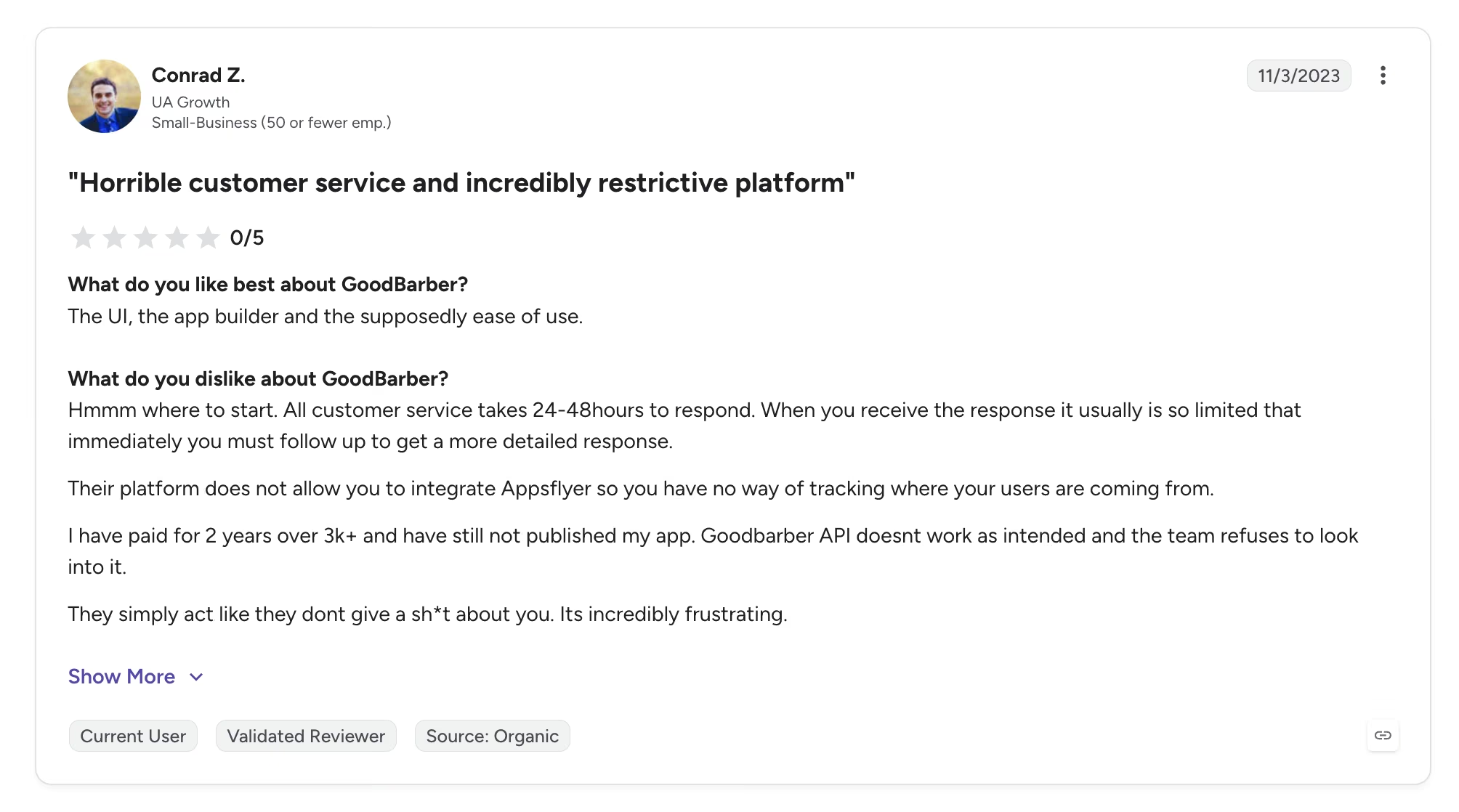
- The sharpest review on G2 comes from Conrad Z., who called it an "incredibly restrictive platform" after two paid years without shipping his app. His review is an outlier among GoodBarber’s 500-plus review pool, but the complaint underneath it, paying for months without shipping, runs through most of the low ratings.
Overall, users praise the design output and support, and the complaints cluster on one theme: what happens when your app needs to do something the templates didn't anticipate.
Is GoodBarber Right for You?
GoodBarber is right for you if your app is mostly content, community, or commerce. The further your requirements drift from those three shapes, the harder the platform pushes back.
Who will love it:
- Publishers, creators, and community organizations: If your app is mostly articles, video, audio, events, and push notifications, GoodBarber's section types map almost exactly to what you need.
- Local retail, grocery, and restaurants: The commerce plans take no cut of sales, handle pickup and delivery slots, and get you into both app stores, which is a strong package for selling through a mobile app.
- Agencies reselling client apps: Unlimited projects on the Agency tier, white labeling, and a publishing service make the per-client economics work.
Who should look elsewhere:
- Designers working from a finished mockup: You'll spend the project negotiating with the template.
- Anyone whose app is mostly logic: A booking engine with custom rules, a CRM, a marketplace, or an internal tool with role-based permissions doesn't fit a content-and-commerce template.
- Anyone testing an idea on a tight budget: There's no free tier past the 30-day trial, and the plan that publishes to stores starts at $70/month.
The Best GoodBarber Alternative for Custom Business Apps
If GoodBarber's limits sound like your limits, that's a fit problem. Templates work beautifully when your app resembles other apps and badly when it doesn't.
Emergent is a vibe coding platform. You describe the software you need in plain English and get a complete, working app with its screens, its data, sign-in, and payments already wired together.
A booking engine with your own cancellation rules, a client portal with tiered permissions, or an inventory tool shaped around how your warehouse runs are all ordinary requests here. That's the wall the reviewers above kept hitting.
Two other differences matter for the readers GoodBarber turns away. You own and can export the code, so nothing traps you if the project outgrows the tool. And Emergent pricing runs on credits rather than seats, starting free with 10 monthly credits and moving to $20/month for 100 credits on Standard ($17/month billed annually). What you pay tracks how much you build. Credits stretch further on a simple page than on a full app, so budget by scope, and keeping a deployed app live draws credits monthly on top of build usage.
Emergent isn't the answer for every reader here. If you want a template-designed content or store app live in both app stores next week, with a team to walk your submission through Apple's review, GoodBarber does that better, and you should buy it.
But when the software has to hold up in daily use, handling live customers, taking payments, and matching the way your business runs, that's what Emergent is built for. Emergent's free plan includes 10 credits, enough to describe your app and judge the result yourself. Try building your first app on Emergent.
The Bottom Line on GoodBarber
GoodBarber is worth paying for, and almost nobody should pay its advertised price. Budget for Premium at $70/month or eCommerce Premium at $90/month, add Apple's $99/year, and add the sign-in or membership extension if your app has accounts. At that number, it's a fair deal for a native app in both stores with a support team that answers.
Fifteen years of templates is why a publisher or a local store gets a professional app in days, and it's also why anyone with unusual requirements ends up filing a support ticket that ends in "that isn't possible." Answer honestly whether your app looks like other apps, and GoodBarber becomes an easy yes or an easy no.

Most AI app builders stop at prototypes. Emergent creates production-ready apps you can actually launch.
- Production-ready apps
- Web & mobile apps
- Deploy in minutes







