


Emergent Is Now Available as a Connector Inside Claude for Small Business

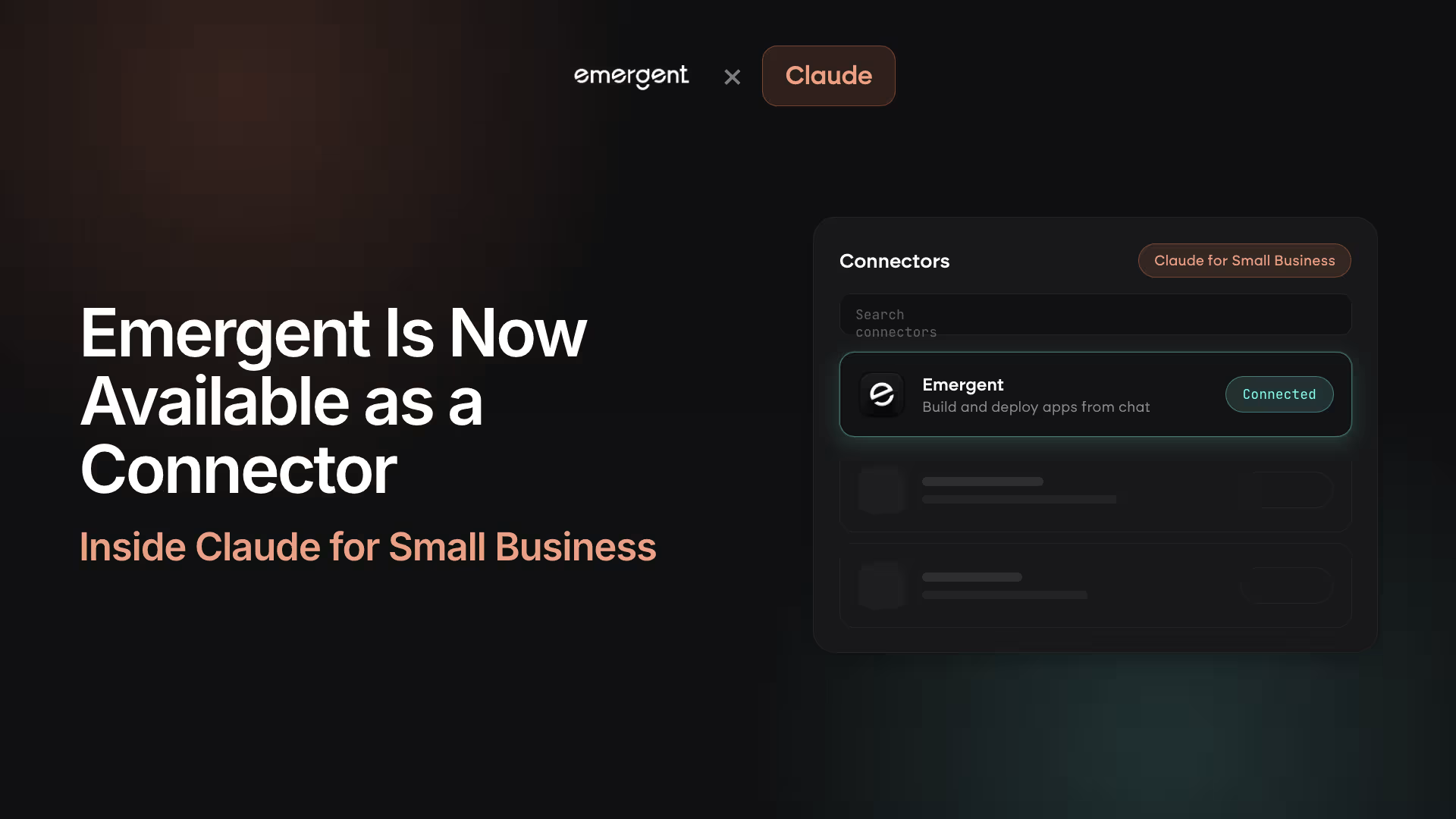
Emergent is now available as a connector inside Claude for Small Business, in partnership with Anthropic. The change means you can turn a business idea into a working app in the same place you already think it through. When you use Claude to plan a process, work through a problem, or figure out how your business could run better, you can now build that idea with Emergent right there in the conversation.
What changed
Emergent now shows up as a one-click connector in Claude, no manual setup required. Before this, connecting Emergent meant adding it as a custom connector: opening settings, pasting a server URL, and running through the setup yourself. Now Emergent appears directly in Claude's connector list. You find it, click Connect, approve the permissions, and it is ready in the same conversation.
The connector sits alongside the everyday and work tools people already link to Claude. For small business owners using Claude to think, it removes the step between planning an app and building one.
Why it matters for small business owners
The handoff between planning and building is gone. Most people who use Claude treat it as a thinking tool for drafting, planning, and working through decisions. Turning that thinking into real software used to mean stopping the conversation and moving to a separate platform. With the connector live, the assistant you already use becomes the front door to a working build.
You describe what your business needs in plain language, and Emergent builds it in the background while you stay in the chat. When the build is ready, you get a live preview link so you can see it working. There is no new platform to learn first and no code to write.
How it works once connected
You build by describing, and Emergent handles the rest. Type a request like "build me a client intake form that saves to a database" into Claude, and Emergent starts a real build. Claude relays the agent's clarifying questions back to you in the chat, so you guide the work by answering rather than configuring settings.
You can also manage builds without leaving the conversation. You can list your active projects, check the status of a specific build, get a preview link for an app in progress, or iterate on something you built earlier.
The output is the same as building on Emergent directly. You get a real database, live preview links, and Google login. The connector changes where the conversation starts, not what you get.
What still happens on Emergent
Deployment stays on Emergent. The connector covers building and previewing, which is the fastest path from an idea to a working app you can see. When you are ready to take that app live on a custom domain, you move to Emergent to configure your deployment and push to production. The Emergent MCP Connector launch covers that full journey in detail.
Getting started
Connecting takes a click inside Claude. Open Claude's connector list, find Emergent, and click Connect. Approve the permissions on Emergent's own sign-in page, and the connector is ready to use in every conversation. Your Emergent password never passes through Claude, since the connection uses a standard OAuth flow, and you can disconnect at any time from the same settings page.
If you already have an Emergent account, you can connect and build in the same session. If you do not, you can create one and connect right away.

on Emergent today




