



TL;DR
The best CRM for startups fits your sales team's dynamics and your customization needs.
- HubSpot CRM: The best CRM option for startups that want a free CRM and room to integrate sales, marketing and service tools.
- Pipedrive: Ideal for startups looking for a streamlined sales funnel.
- Attio: For flexible CRM data and custom workflows.
- Freshsales: Best for small teams that seek CRM and communication tools with a low entry price.
- Zoho CRM: Good for a wide range of CRM features and relatively affordable.
- Close: Best for sales teams that rely on calls, email and SMS.
- Salesforce Starter: Ideal for startups with new, more complex CRM needs.
- Capsule: Ideal for small teams who prefer an easy-to-use CRM tool with minimal administration.
If none of these sounds like you, Emergent is a hands-on, vibe-coding tool. It lets you create CRM software for startups that works around your workflow, rather than forcing your workflow around the software.
Early-stage startups typically face practical, straightforward issues. These include managing customer and prospect data in one place, tracking open deals, following up, and ensuring key conversations don't get lost in single inboxes and spreadsheets.
If you don't catch it early, CRM software can quickly become costly and complex. The same tool that seems cheap for two users might cost considerably more once your team grows and you need additional automation, features or add-ons.
We compared the 8 best CRM systems for startups based on pricing, core sales functionality, flexibility, and suitability for various startup stages and workflows. The prices below are indicative only of publicly listed prices in October 2026, as pricing can vary.
8 Best CRMs for Startups: Quick Comparison
Prices checked in October 2026. Prices shown with annual-billing discounts are billed annually. Actual costs may vary by location, taxes, promotions and billing cycle.
| CRM | Best for | Starting price | Core strength |
|---|---|---|---|
| HubSpot CRM | Free starting point | Free; paid plans from $7/seat/month annually | Broad CRM ecosystem |
| Pipedrive | Sales-led startups | $14/seat/month annually | Pipeline management |
| Attio | Flexible workflows | Free; Plus $35/user/month annually | Flexible CRM structure |
| Freshsales | Small sales teams | Free for up to 3 users; $9/user/month annually | CRM plus communication |
| Zoho CRM | Feature-conscious startups | Free for 3 users; $14/user/month annually | Broad functionality |
| Close | Outbound sales | $9/user/month annually | Calling, email, SMS |
| Salesforce Starter | Complex requirements | $25/user/month | Customization and scale |
| Capsule | Simple CRM needs | Free for up to 2 users | Ease of use |
HubSpot currently offers Starter at $7 per month per seat, billed annually, to qualifying new customers. It also offers a free CRM for up to two users.
1. HubSpot CRM: Best for getting started for free
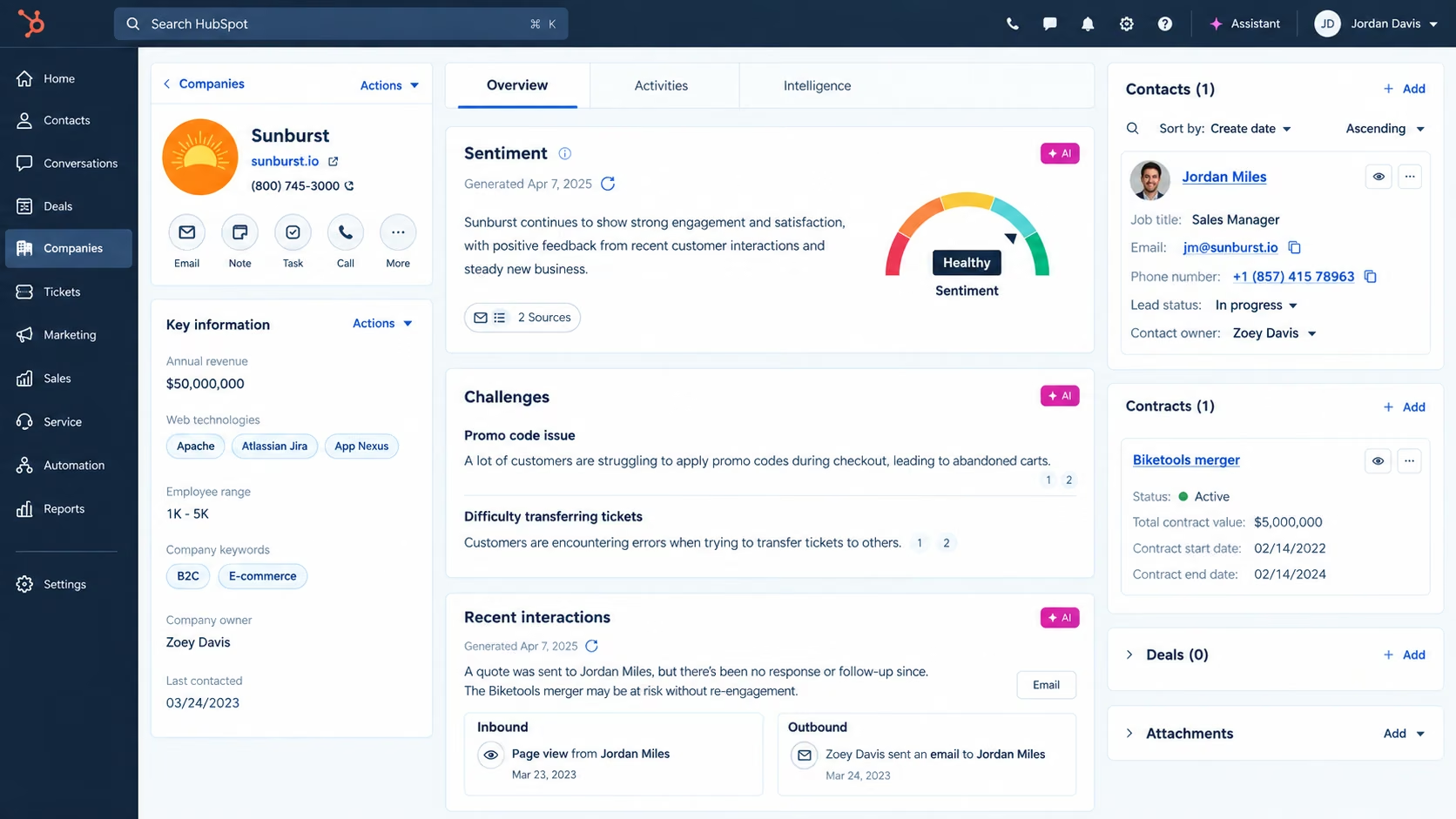
HubSpot is a CRM and contact management platform embedded within its broader customer suite of applications. Also, it includes deal pipelines, reporting, and integrations. It offers a free CRM, and paid versions add more advanced sales and automation features.
Key features
- It stores contact details, history and deal management in one place.
- Lets you customize sales pipelines, grab your first deal and close it.
- CRM import and reporting dashboards let you get customers and sales into HubSpot.
- AI-assisted features provide easy access to data and make performance tracking easy.
- Sales & marketing workflow integration, plus service integration.
Pros and cons
Pros
- The starting position is firm and upright.
- Broad CRM ecosystem; you have scope for expansion.
- Large integration ecosystem
Cons
- High-end features can come with a high price tag.
- Some features are only available in higher-tier plans.
- Customizations may take time to set up.
User reviews
HubSpot has a 4.3 out of 5 rating from more than 13,000 global users. Users most frequently praise its integrations, ease of use and pipeline management.

Pricing
Pricing as of October 2026. Free CRM is available at $0. HubSpot's CRM page lists $15 per seat per month for Starter, $50 per seat per month for Professional, and $75 per seat per month for Enterprise. The final price may vary according to the terms and discounts provided.
Bottom line
If you want a CRM that can grow into a larger sales and customer platform, HubSpot is an excellent place to start with a free CRM.
2. Pipedrive: Ideal for sales pipelines
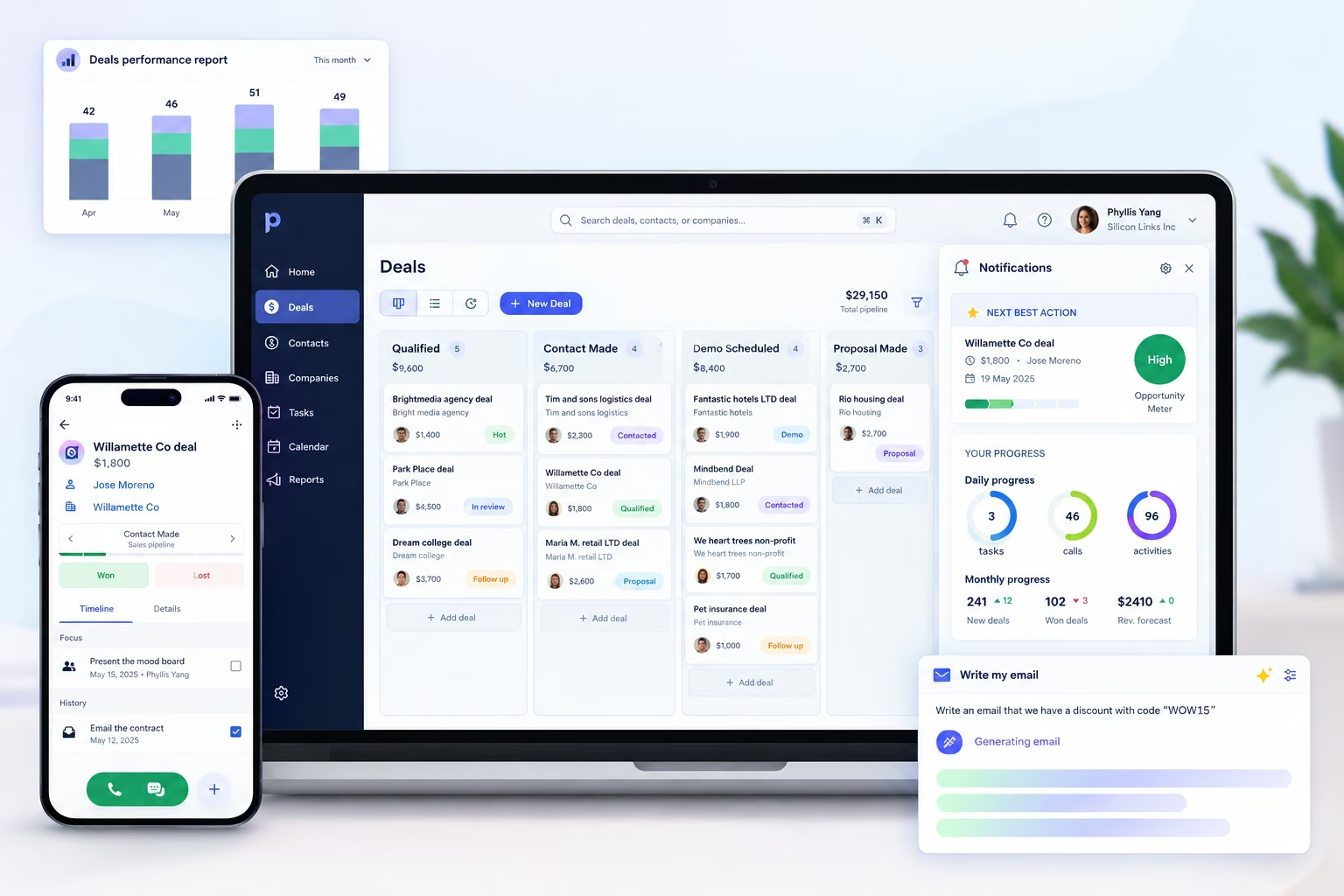
Pipedrive is a traditional sales CRM based on lead and deal management, contacts, calendars, and sales pipelines. Its features and UI keep sales activity aligned with the pipeline.
Key features
- It tracks potential customers and their progress.
- It shows the exact positioning of your customers in sales pipelines
- Calendar management helps the sales team manage and control meetings and follow-ups.
- AI-powered report creation helps you customize and create sales reports.
- Helps businesses meet other 500+ integrations.
Pros and cons
Pros
- Strong pipeline focus
- Useful sales automation
- Large integration ecosystem
Cons
- The more users and tiers you add, the higher the cost.
- More advanced automation requires higher plans
- Not ideal for companies seeking a comprehensive business solution.
User reviews
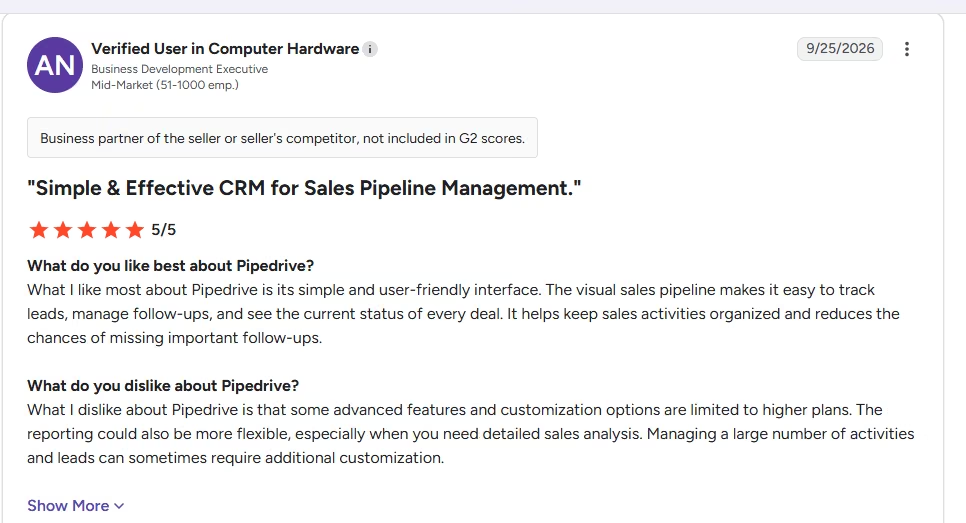
Pipedrive reviews often highlight its sales pipeline functionality, usability, and sales process organization. Users found it easy to access, with better integrations and a visual sales pipeline.
Pricing
New pricing as of October 2026. For the Lite version, $14/user/month (annual billing). Growth is $39/user/month, Premium is $59/user/month when it's billed annually. There is a 14-day free trial.
Bottom line
Pipedrive is an excellent solution for startups that want to focus their CRM on sales pipeline management.
If Pipedrive's pipeline structure doesn't match how your sales team actually works, try building one that does with our AI-powered sales CRM builder.
3. Attio: 2.5 best for flexible CRM workflows
Attio is a new CRM that integrates relationships with a flexible data structure. It offers plans that support contact syncing, data enrichment, lists, reporting and automation.
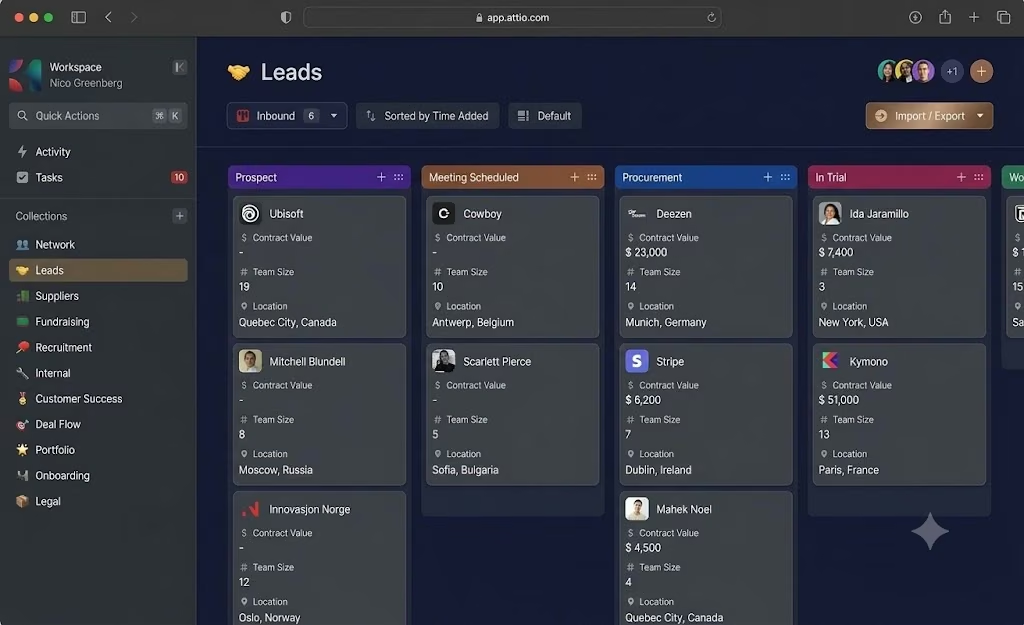
Attio’s Kanban interface for organizing records across customizable workflow stages.: Source
Key features
- Helps with automatic real-time contact syncing and contact updates.
- Automatic data enrichment lets startups add information to customer and company records.
- You can organize flexible records and objects around your company.
- One feature lets you create private lists accessible to select members.
- Its reporting and AI-assisted workflows help teams understand their business data and reports.
Pros and cons
Pros
- Flexible data model
- Modern interface
- Good contact and company enrichment
Cons
- Paid plans are available and relatively costly.
- Advanced capabilities are priced at a higher tier.
- It may take some time for teams to set up the workspace around the process
User reviews
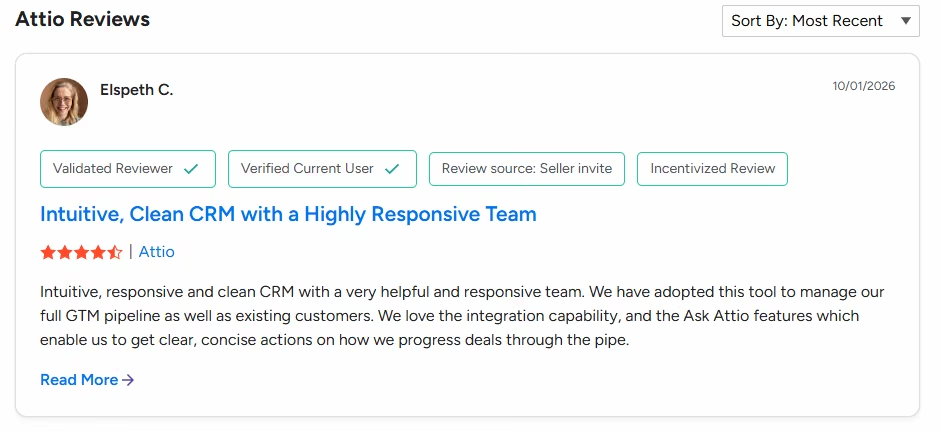
Attention currently has a 4.3/5 rating from more than 500 customers. Its flexible approach gives clients a better business model and sales achievement.
Pricing
The price as of October 2026: Free includes up to 3 seats. Plus is $35/user/month billed annually, and Pro is $79/user/month billed annually. Enterprise pricing is flexible.
Bottom line
When your startup needs a flexible CRM structure alongside a typical sales pipeline, Attio is a strong option.
4. Freshsales: Ideal for small sales teams
Freshsales is Freshworks' CRM platform to manage contacts, sales activities, communication and pipelines. Its paid offering targets startups and SMBs and is a lower-cost option.

Freshsales’ visual deal pipeline with Freddy AI-powered deal predictions and contact scoring: Source
Key features
- Kanban sales views give you a clear view of where deals and sales stand.
- Track contact lifecycle stages as your customers move through your sales journey.
- The built-in communication feature helps your team use email, chat, and the telephone.
- Custom fields let you collect crucial business information.
- It automates each workflow task, avoiding repetitive actions.
- Each tier includes sales sequences.
Pros and cons
Pros
- Low starting price
- The CRM includes communication tools.
- Useful automation on higher plans
Cons
- The system's advanced features need improvement.
- A few customization and reporting restrictions
- More complex workflows can be a learning curve.
User reviews
Users on G2 often commend Freshsales for its user-friendly interface, quick setup, integration and customer service. Some users mention shortcomings in management functionality, setting flexibility, design, and automation.

Pricing
As of October 2026, the prices are as follows: Growth is $9 per user per month, billed annually. Pro is $39, and Enterprise is $59/user/month, both billed annually.
Bottom line
For startups that want sales communication and CRM fundamentals without breaking the bank per user, Freshsales is a viable choice.
5. Zoho CRM: Most features for a low price
Zoho CRM is a comprehensive CRM solution that includes everything from lead management to contacts, accounts, deals, automation, forecasts, reports and integrations. It's especially impressive for how much it offers throughout its various plans.

Zoho CRM’s Kanban view for tracking deals and managing opportunities across different stages of the sales pipeline.
Key features
- Manage leads, accounts, and follow up with customers on time.
- Provides a platform for deal and pipeline management.
- Workflow automation is set based on rules you decide.
- Sales forecasting based on the data estimated in your pipeline.
- Turns reports and analytics into understandable insights.
- AI-assisted capabilities for CRM tasks and insights.
- Integrations with Zoho and third-party applications.
Pros and cons
Pros
- Broad feature set
- Strong customization
- Competitive pricing structure
- Large Zoho ecosystem
Cons
- Sometimes the interface does get cluttered.
- The process of advanced configuration can take time
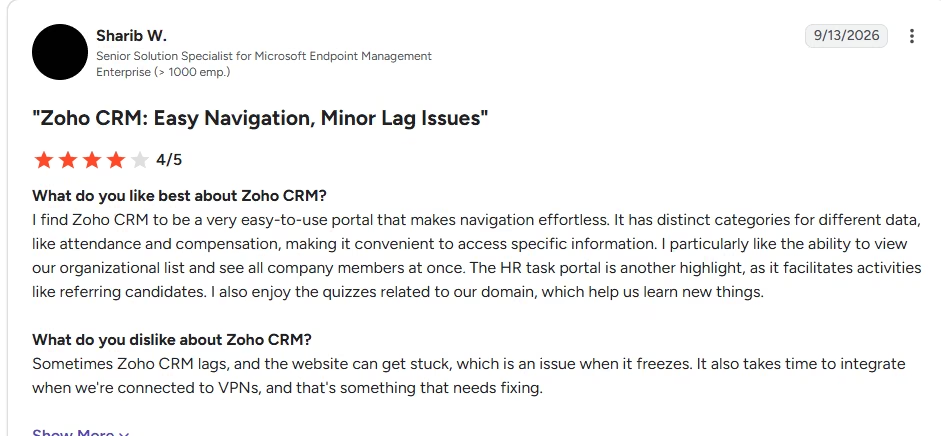
- Some users report performance and navigation issues.
User reviews
Zoho CRM earned a score of 4.1 out of 5 on G2, based on almost 3,000 testimonials. Users praise its flexibility, automation, integration capabilities, and value for the price. The most common complaints cite a steep learning curve, interface complexity, and lengthy advanced configuration time.
Pricing
The company provides a free plan for up to three users, while paid plans range from $14/month/user for Basic services, $23/month/user for Professional, $40/month/user for Enterprise, and $52/month/user for Ultimate.
Bottom line
Start-up businesses that need many CRM features and want to invest more time in setup and configuration would benefit from Zoho CRM.
6. Close: Ideal for outbound sales
Close is a sales-centric CRM for communication. The platform doesn't offer separate tools for calling, email, SMS, pipelines, or sales workflows; instead, it integrates them.

Close CRM’s unified Inbox brings emails, calls and SMS into one sales workspace:
Key features
- Built-in calling lets the team make calls directly from the CRM.
- Through automated Email and SMS, the team can communicate with customers and record sales performance.
- Lead and opportunity management in multiple pipelines.
- Power and predictive dialing at the higher plans
- More than 100 AI capabilities and sales-agent features.
Pros and cons
Pros
- For outbound sales teams, it's a big plus that it's strong.
- Communication tools are built in.
- Automation and AI capabilities
- Eliminates the need for multiple sales engagement tools
Cons
- SMS and calling are cost-dependent on usage.
- Higher-level plans are costly.
- Several mentions note limitations in customization and inbox management.
User reviews
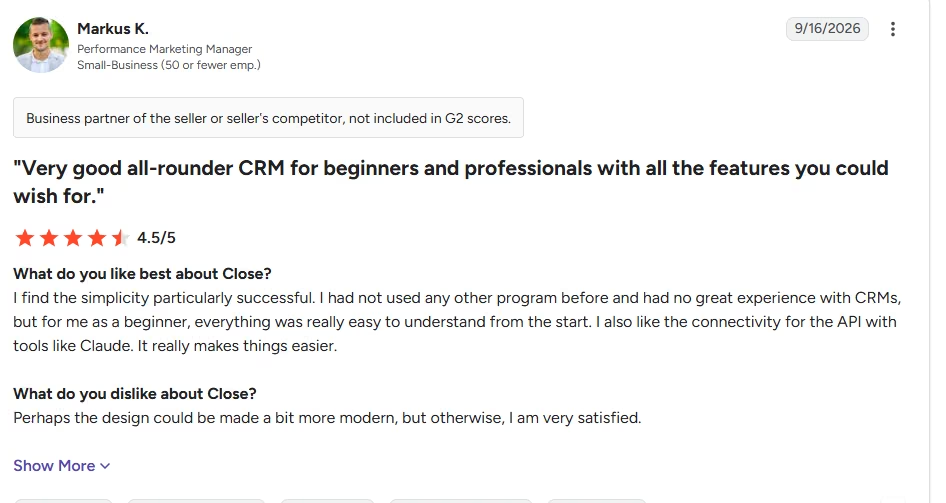
Currently, Close has a G2 rating of 4.7/5, with numerous reviews praising its usability, integrations, communication, and customer support. User-reported cons include difficulties with inbox management, call recordings, and customization options, as well as the need for some initial learning.
Pricing
Pricing as of October 2026: Solo at $9/user/month (annual); Essentials at $35; Growth at $99; and Scale at $139. Pricing is based on calls and SMS.
Bottom line
Close is a great option for startups that rely on phone calls, email, SMS, and outbound follow-up for their sales process.
7. Salesforce Starter: Ideal for more complex needs
Salesforce Starter Suite is a packaged CRM for companies that need Salesforce's contact, account, opportunity, sales-flow, and lead-routing features.
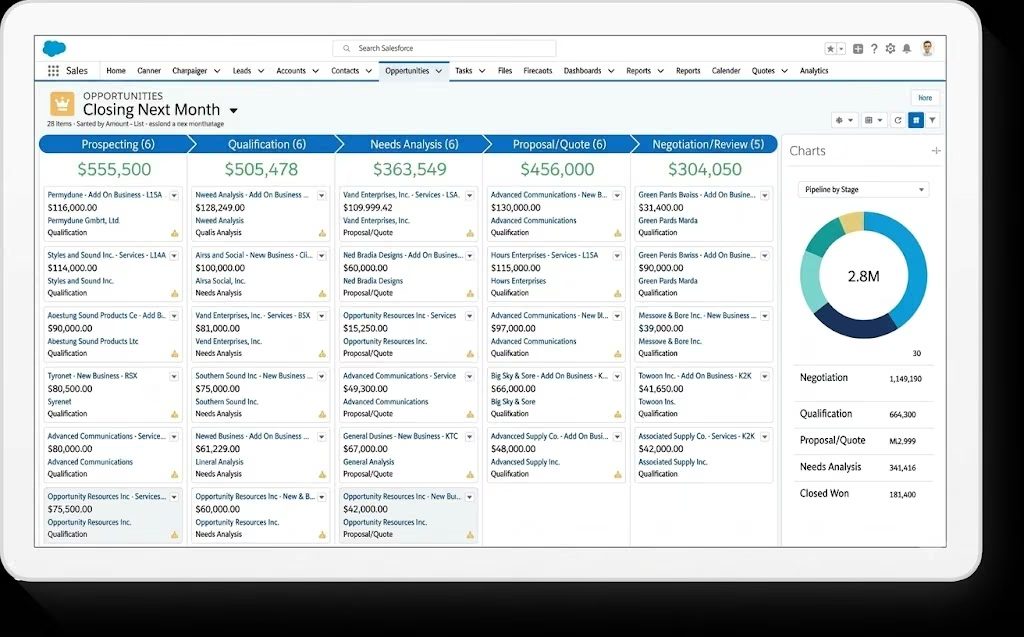
Salesforce Starter Suite’s opportunity workspace for tracking deal stages, activities and customer information in one view: Source
Key features
- The team can capture leads and manage accounts and contacts for an easy workflow.
- Its AI-automated tools handle opportunity management
- Track sales flows from initial to closing accounts.
- The lead routing option helps teams send leads to the appropriate salesperson.
- Email nurture programs that are dynamic.
- AI-powered assistance is offered for selective sales and CRM activities.
Pros and cons
Pros
- Broad CRM capabilities
- Salesforce ecosystem
- Sales and marketing capabilities are built-in.
- Clear path to more advanced Salesforce products
Cons
- Too much platform for some very early startups.
- Pricing is more expensive than some lightweight CRM options.
- Transaction fees may be charged
User reviews
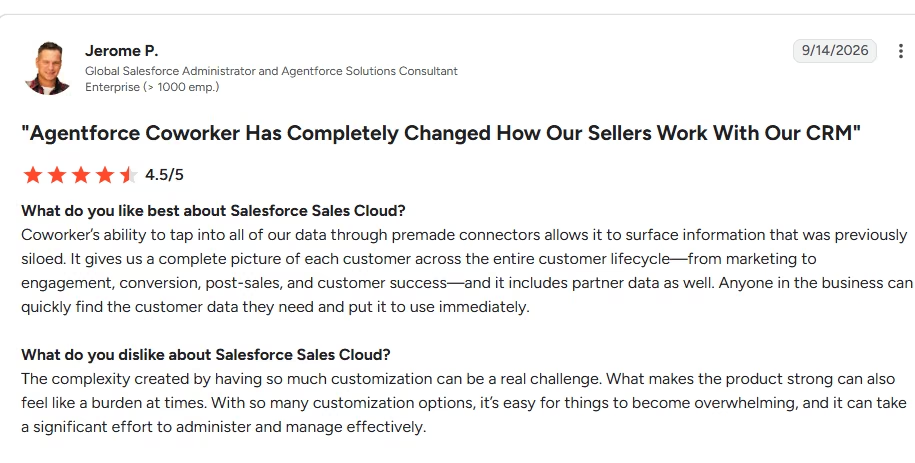
Users rate Salesforce as a powerful, customizable sales platform, with a 4.4/5 rating from about 27,000 users. One review said it enables effortless business automation.
Pricing
Starter Suite is available from $25/user/month (monthly or annual). Salesforce notes that transaction fees apply.
Bottom line
Salesforce Starter is recommended for startups that have more formal CRM needs and desire to build within the Salesforce ecosystem.
If Salesforce feels like too much platform for where you are right now, build a marketing CRM around what your team actually needs.
8. Capsule: Best for keeping CRM simple
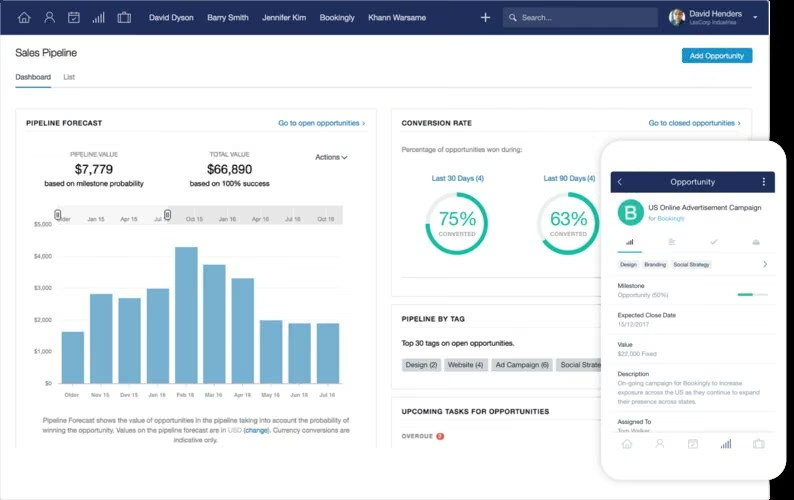
Capsule is a simpler, slimmer CRM for contact management, sales pipelines, tasks, and customer relationships. It offers a free version for two users, making it suitable for very small teams.
Key features
- Manage customer and company information in one place.
- The sales pipeline shows your sales opportunities and progress.
- Custom fields and activities
- Task management to improve operations and follow up with clients.
- Email integration in your workflow for better communication.
- Detect and report on paid plans
- Workflow automation is available on higher plans.
Pros and cons
Pros
- Simple CRM structure
- If your team is very small, the free plan is enough.
- Useful integrations
- Low operational complexity
Cons
- Free plan is available only for 2 users.
- For advanced automation, you must pay for a plan.
- The extent of the customization is less than that of larger CRM systems
User reviews
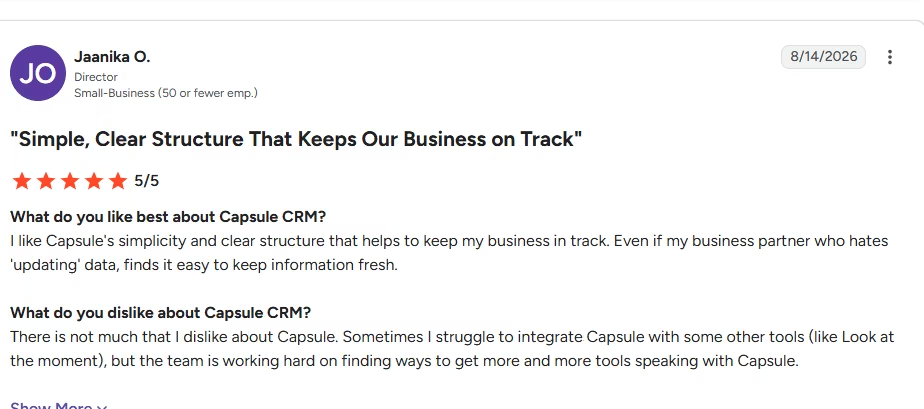
Capsule has a score of 4.7 out of 5 on G2, based on nearly 480 reviews. Users frequently highlight Capsule's simple, user-friendly interface and accessible customer service. One persistent critique is the limited advanced customization options available to users.
Pricing
In October 2026, Capsule's Free plan will be for two users. Starter: $18/user/month, Growth: $ 36/user/month, and Advanced: $54 per user per year.
Bottom line
Capsule is ideal for startups looking for an out-of-the-box CRM solution that's easy to use.
Which CRM should your startup choose?
Compare the workflow that you want to use, not the features you'll see on the pricing page.
If you're in a sales-driven startup, you will probably need just a few features: activity tracking, follow-ups and a sales pipeline. If a startup has marketing, sales and support staff, it might be better to use a broader platform. For another company, no existing CRM process fits.
| Your priority | CRM to evaluate |
|---|---|
| Start free and expand later | HubSpot |
| Sales pipeline management | Pipedrive |
| Flexible data and workflows | Attio |
| Low-cost sales communication | Freshsales |
| Broad CRM functionality | Zoho CRM |
| Calls, email, and outbound sales | Close |
| Complex CRM requirements | Salesforce |
| Simple contact and deal management | Capsule |
| A CRM built around your own workflow | Emergent |
Adoption is the real test. If your team doesn’t update the CRM, the feature set doesn’t matter.
How much should a startup spend on a CRM?
A startup should spend on the workflow it needs now, then add costs as it grows.
Some CRMs available online offer free sign-ups, such as HubSpot, Freshsales, Zoho CRM, Attio, and Capsule. Some products, depending on the billing terms, offer entry plans ranging from single digits to low double digits per user per month.
Don't just consider the headline subscription. Look at minimum seat requirements, contact limits, automation limits, messaging charges, AI usage, add-ons and the cost of the plan you will need six months later.
If the $10 CRM only comes with three add-ons to build the workflow you can get elsewhere, it's not really cheaper.
Build a CRM that fits your startup with Emergent
In some cases, a CRM designed around your workflow may be better than building your startup's workflow into a CRM.
With Emergent, you define the process your team follows for leads, deals, and customers, then build a working CRM process around it. Its CRM builder is designed for non-technical teams and founders without engineering resources, and you can alter the application by describing what needs to change.
That's important if your process is particular. Perhaps a custom lead qualification process, internal approval process, customer portal, business operational dashboards or CRM records linked to another facet of your business.
The trade-off is simple. A standard CRM gives you a mature product right off the shelf, but a custom CRM offers more flexibility in how the system operates. The right choice depends on whether an existing CRM already fits the way your team works.
Pick the CRM your team will actually use
The best CRM systems for startups fit your sales process and do not add unnecessary work to running your business.
For teams seeking entry points that won't break the bank, HubSpot and Freshsales are ideal choices. Pipedrive and Close focus more on the execution side of sales. Attio gives teams more options, and Zoho is comparatively affordable and feature-rich. Capsule makes the experience easy, while Salesforce caters to more complex needs.
If none of these options feels like a "no-brainer" because your startup's process differs from a typical CRM solution, build around it with Emergent.
Don't begin with the feature list; begin with the workflow. That's typically where you can see the right CRM.

Most AI app builders stop at prototypes. Emergent creates production-ready apps you can actually launch.
- Production-ready apps
- Web & mobile apps
- Deploy in minutes







