



6 Best Jira Alternatives: TL;DR
- Linear: best for product and engineering teams that want fast issue tracking, cycles, roadmaps, and fewer admin settings.
- GitHub Issues + Projects: best for teams that already manage code, pull requests, and releases in GitHub.
- Azure DevOps Boards: best for Microsoft-heavy teams that need planning, traceability, and delivery tracking.
- GitLab: best for teams that want issue tracking, code, delivery, security, and compliance in one platform.
- Shortcut: best for agile software teams that want stories, epics, iterations, roadmaps, and less Jira overhead.
- Plane: best for teams that want an open-source Jira alternative they can self-host.
The best Jira alternatives are Linear for fast product and engineering work, GitHub Issues + Projects for teams already building in GitHub, and Azure DevOps Boards for organizations that live in Microsoft tools.
I reviewed the strongest options through official vendor pages, current pricing, workflow fit, and the kind of reader each tool serves. If you’re a developer, founder, or agency trying to ship software without drowning in ticket setup, this guide will help you pick the right tool and know when a custom app makes more sense.
Why Look for Jira Alternatives?
Jira is strong when you need custom workflows, dependency tracking, granular permissions, deep reporting, and a large add-on marketplace. That power is the whole point when your team really uses it.
Jira starts to feel heavy when the tool adds more process than the work needs.
- You want fewer processes around the work: If your board has more statuses than your team has people, Jira starts slowing you down. Linear, Shortcut, GitHub, and Plane give you cleaner tracking without the same admin weight.
- You want work tracking closer to code: If your software work already happens inside GitHub, GitLab, or Azure DevOps, a separate Jira setup adds another tab, another permission model, and another place for context to drift.
- You’re not only managing developers: Founders, consultants, agencies, and operators often reach for Jira because they need structure around a product, internal tool, or client workflow. If you don’t have a team living in Jira every day, a lighter tracker or a custom workflow app can make more sense.
- You need a workflow that your ticket tool keeps fighting: Some business processes do not fit neatly into issues, statuses, and sprints. If you need forms, role-based dashboards, approvals, client portals, or custom logic, you may need an app instead of another project board.
Which Jira Alternative Should You Choose?
The best Jira alternative depends on whether your work starts in code, product planning, Microsoft tools, agile sprints, or a custom business workflow.
- Choose Linear if you want the fastest Jira replacement for product and engineering work. It is not the right fit if you need Jira-level enterprise workflow customization.
- Choose GitHub Issues + Projects if your code already lives in GitHub and you want issues, pull requests, projects, and automation in one place. It is weaker when product, support, and leadership need deeper portfolio reporting.
- Choose Azure DevOps Boards if you already run on Microsoft, Azure, Visual Studio, or GitHub Enterprise Cloud. It is too heavy if you only want a lightweight board for a small team.
- Choose GitLab if you want issue tracking, code, pipelines, security, and release work in one development, security, and operations (DevSecOps) platform. It is overkill if you only need a clean sprint board.
- Choose Shortcut if you want a software-team-focused Jira replacement with stories, epics, iterations, roadmaps, and fewer admin rabbit holes. It is not as code-native as GitHub, GitLab, or Azure DevOps.
- Choose Plane if you want an open-source Jira alternative that you can self-host. It is not the best call if you need the largest app marketplace or the most mature enterprise admin tooling.
- Stick with Jira if you need deep workflow customization, large-company governance, Atlassian Marketplace apps, or your company already runs on Confluence, Bitbucket, Compass, and Atlassian administration.
6 Best Jira Alternatives: At a Glance
| Platform | Best For | StartingPrice |
|---|---|---|
| Linear | Fast product work | $12/user/month ($10/user/month billed yearly) |
| GitHub Issues + Projects | GitHub-native tracking | Free; Team $4/user/month (first 12 months) |
| Azure DevOps Boards | Microsoft-heavy teams | First 5 Basic users free; then $6/user/month |
| GitLab | DevSecOps workflows | Free; Premium $29/user/month billed annually |
| Shortcut | Agile software planning | $10/user/month ($8.50/user/month billed yearly) |
| Plane | Open-source self-hosting | $8/seat/month ($6/seat/month billed yearly) |
Pricing correct as of Aug 2026.
The 6 Best Jira Alternatives
1. Linear
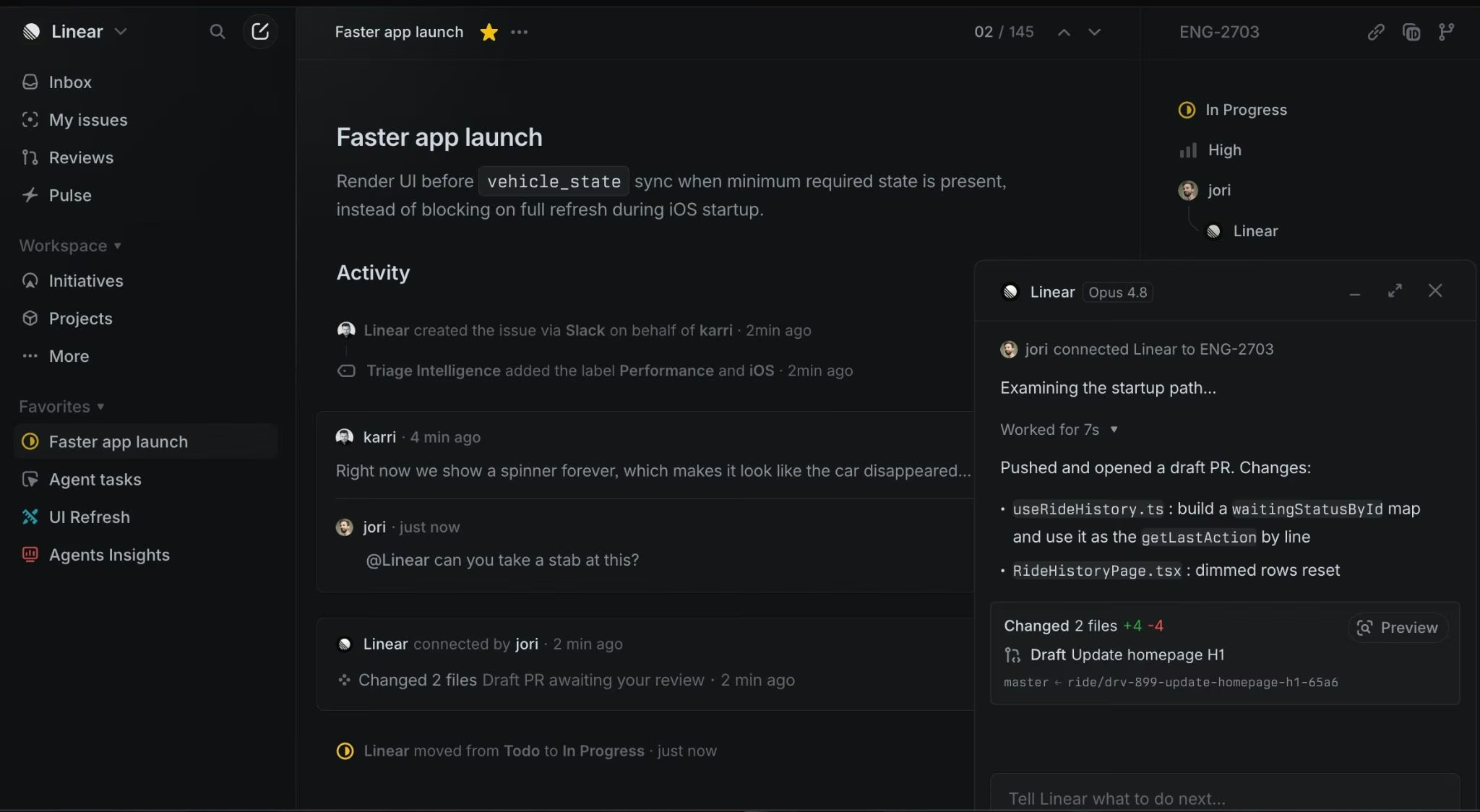
Linear is the fastest of these six for product and engineering work, and the lightest to set up.
Linear was built for teams that want planning to feel closer to the pace of product development. It strips away much of Jira’s configuration weight and keeps the focus on what needs to ship, who owns it, and what is blocking progress
Key Features
- Issues and projects: Track bugs, tasks, product work, and releases in one system.
- Cycles and initiatives: Plan short-term sprints and long-term product bets without building a custom Jira scheme.
- Triage and support routing: Turn incoming requests into prioritized work.
- Roadmaps and insights: Give product and engineering leaders a cleaner view of progress.
Pros
- Fast interface built around product and engineering work.
- Strong fit for startups and product-led teams.
- Clear planning layers: issues, cycles, projects, and initiatives.
- Less admin overhead than Jira for smaller software teams.
Cons
- Less flexible than Jira for complex workflow customization.
- Fewer built-in reports and dashboards than Jira for portfolio-level tracking.
- Enterprise teams with strict process controls may need more governance.
Best For
- Product-led startups.
- Software teams moving away from bloated Jira boards.
- Teams that want fast issue tracking, cycles, roadmaps, and triage.
Pricing
Linear has a free plan. Paid plans start at Basic at $12/user/month ($10/user/month billed yearly), Business at $20/user/month ($16/user/month billed yearly), and Enterprise with custom pricing and annual billing only.
Free includes unlimited members, 2 teams, and 250 issues; Basic adds 5 teams, unlimited issues, unlimited file uploads, and admin roles.
2. GitHub Issues + Projects
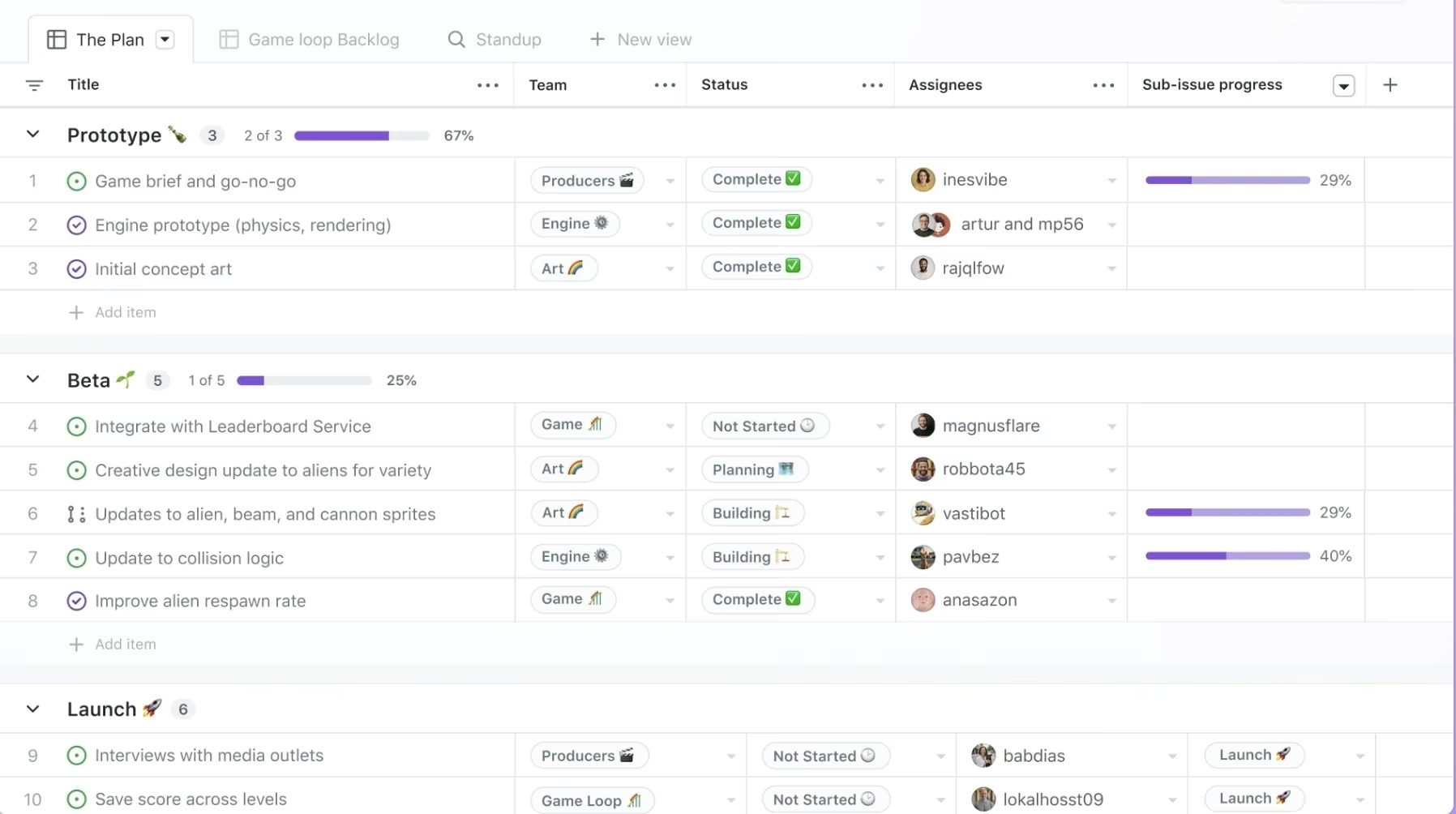
GitHub Issues + Projects turns your existing repo into the tracker.
GitHub works best when your team wants planning to stay inside the same place where code review, release work, and technical discussion already happen. It is less polished as a cross-functional product workspace, but it removes a lot of context switching for engineering-led teams.
Key Features
- Repo-native issues: Track work where your code, pull requests, and discussions already live.
- Project views: Use tables, boards, and roadmaps for planning.
- Custom fields: Track priority, story points, dates, links, notes, and iterations.
- Automation: Triage issues, update fields, and archive completed work.
Pros
- Best fit if your workflow already runs on GitHub.
- Free tier includes Issues and Projects.
- Strong pull request and code context.
- Less context switching for engineers.
Cons
- Reporting is lighter than Jira for portfolio-heavy teams.
- Non-technical stakeholders can struggle if they do not already use GitHub.
- Advanced company-wide governance depends on broader GitHub plan choices.
Best For
- GitHub-first teams.
- Small software teams that want tickets near code.
- Open-source projects and developer-led product teams.
Pricing
GitHub offers a Free plan. Paid plans start at Team at $4/user/month for the first 12 months, and Enterprise at $21/user/month for the first 12 months. Team adds collaboration controls such as repository rules, multiple reviewers in pull requests, and code owners.
3. Azure DevOps Boards
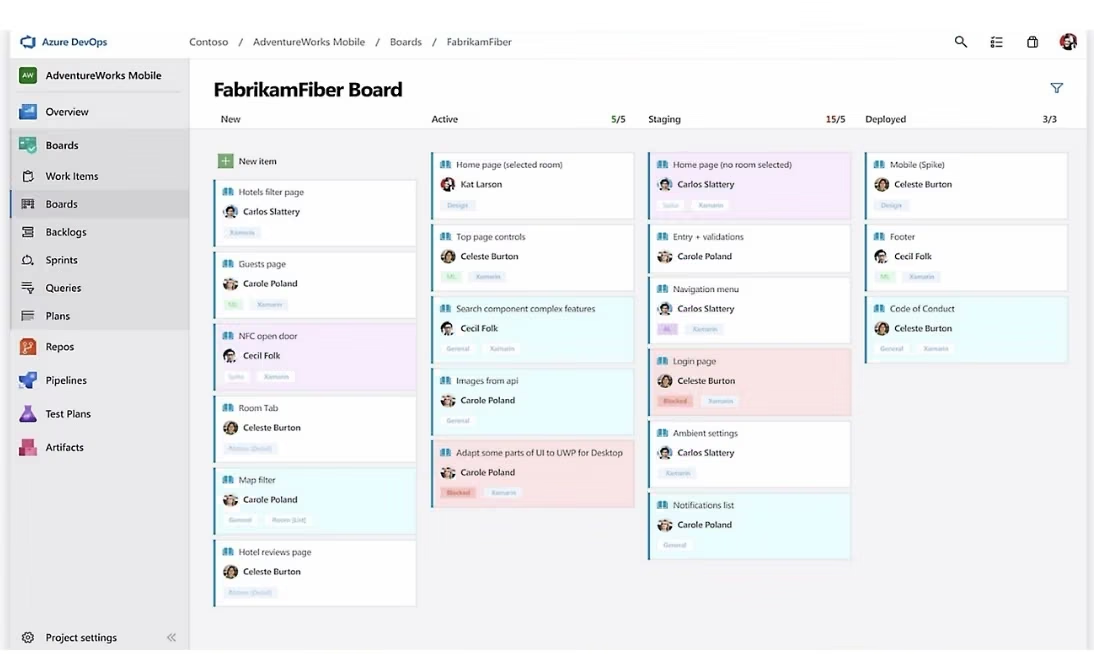
Azure DevOps Boards fits Microsoft-heavy teams that need a clear trail from backlog to release.
Azure DevOps Boards feels most natural when your company already runs on Microsoft tools. It is heavier than a simple task board, but that weight pays off when leadership, engineering, QA, and release teams need the same source of truth.
Key Features
- Work item tracking: Track bugs, requirements, tasks, and backlog items.
- Boards and sprints: Manage Kanban boards, sprint planning, and team delivery.
- Delivery plans: Track dependencies and deliverables across teams.
- Analytics views: Create Power BI reports from Azure Boards data.
Pros
- Strong fit for Microsoft, Azure, Visual Studio, and enterprise teams.
- Good traceability from planning to delivery.
- First 5 Basic users are free.
- Useful if you already use Azure Pipelines or Microsoft identity tools.
Cons
- Too heavy if you only need a simple issue board.
- Less natural if your team does not use Microsoft tools.
- The interface fits process-heavy teams better than lightweight founder-led teams.
Best For
- Azure-first software teams.
- Enterprise teams that need traceability.
- Teams already paying for Microsoft developer tools.
Pricing
Azure DevOps offers Stakeholder access for free, Basic with the first 5 users free and then $6/user/month, and Basic + Test Plans at $52/user/month. Basic includes Azure Boards work item tracking and Kanban boards, Azure Repos, Azure Pipelines, and Azure Artifacts starter usage.
4. GitLab
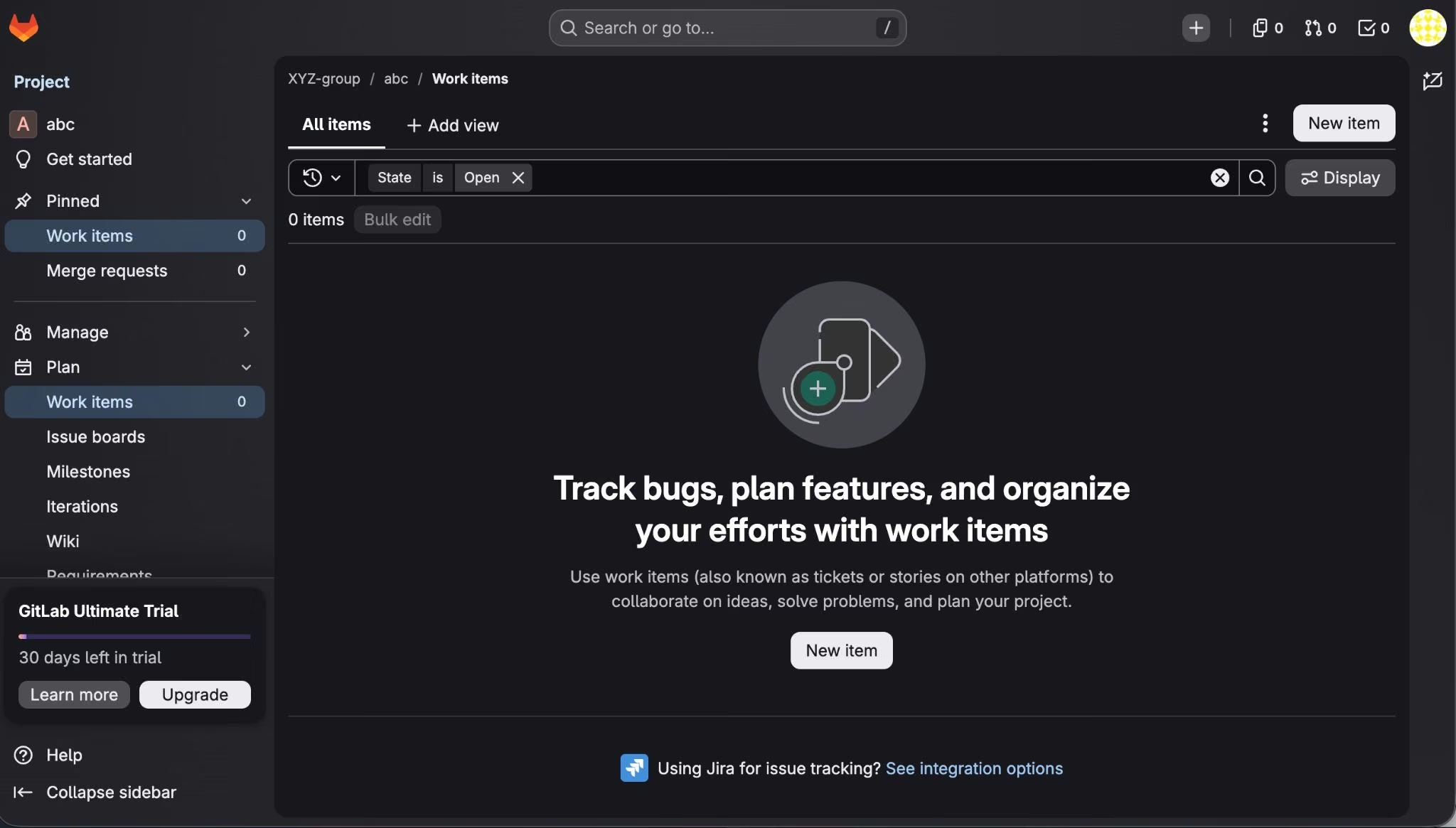
GitLab folds planning, code, delivery, security, and compliance into one DevSecOps platform.
GitLab is broader than a ticket tracker. Your code, CI/CD, release work, and service level agreement (SLA) management sit in the same workspace as the backlog, which is the real reason teams pick it over a standalone tool.
Key Features
- Issues and planning: Track work through issues, boards, time tracking, and team project management.
- Code and delivery: Keep planning close to repositories and pipelines.
- Security and compliance: Add deeper security and compliance controls on higher plans.
- DevSecOps workflow: Connect planning, building, testing, securing, and releasing in one platform.
Pros
- Best fit if you want one platform for planning and software delivery.
- Stronger than a standalone ticket tracker when pipelines and security matter.
- Free plan gives small teams a real starting point.
- Good option if you want less tool sprawl.
Cons
- Premium starts at $29/user/month billed annually, which is high if you only need tickets.
- Advanced planning and security value depend on using more of GitLab.
- Less focused than Linear if you only want product-engineering issue tracking.
Best For
- DevSecOps teams.
- Teams already using GitLab repositories.
- Teams that want planning, code, delivery, and security in one place.
Pricing
GitLab has a free plan. Premium at $29/user/month billed annually, and Ultimate with custom pricing. Free includes 5 licensed users, 400 compute minutes per month, and 10 GiB storage; Premium adds unlimited licensed users, 10,000 compute minutes, advanced CI/CD, team project management, SLA management, and priority support.
5. Shortcut
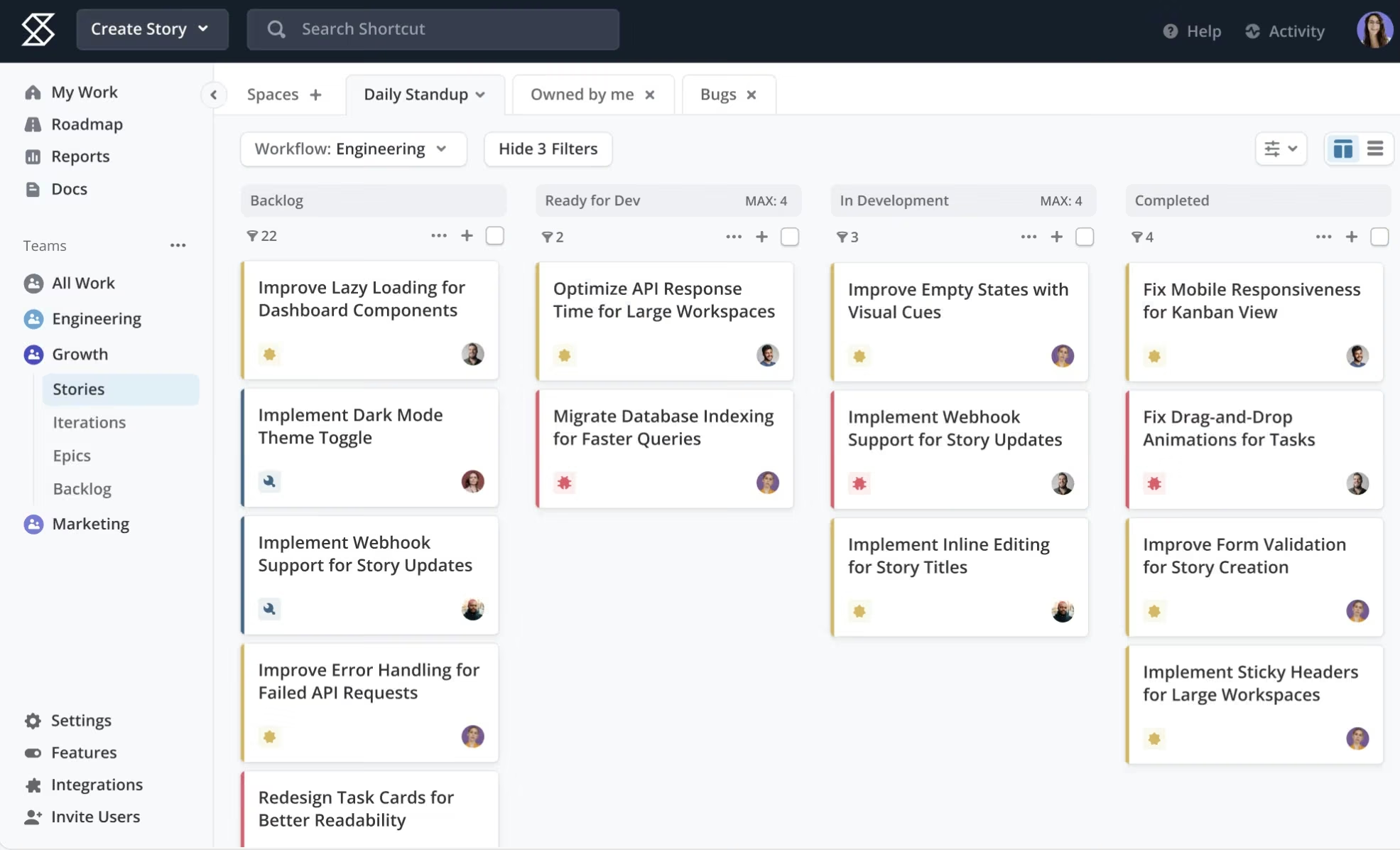
Shortcut gives agile teams the structure Jira has, without the admin maze.
Shortcut covers the day-to-day of software planning: stories, epics, iterations, and roadmaps. It stays familiar but never turns into the giant configuration project Jira becomes.
Key Features
- Stories, epics, and roadmaps: Plan product work from issue to larger initiative.
- Iterations and sprints: Run agile cycles without building a custom Jira workflow.
- Docs and reports: Keep planning notes and progress reporting close to the work.
- Integrations: Connect with GitHub, Slack, Figma, and other software-team tools.
Pros
- Strong Jira replacement for software teams.
- Easier to reason about than highly customized Jira setups.
- Good mix of product planning and engineering execution.
- Clear free, team, business, and enterprise tiers.
Cons
- Not as broad as Jira’s app marketplace.
- Not repo-native like GitHub Issues or GitLab.
- Enterprise buyers may need deeper governance than Shortcut’s lighter setup provides.
Best For
- Teams that plan work in sprints and need stories, epics, iterations, and roadmaps in one place.
- Teams leaving a heavily customized Jira setup who want far less admin.
- Teams that want a focused Jira replacement without moving work into a code host.
Pricing
Shortcut offers a Free plan. Team at $10/user/month ($8.50/user/month billed yearly), Business at $16/user/month ($12/user/month billed yearly), and Enterprise with custom pricing.
Free includes Kanban views, roadmaps, reports, iterations, docs, and GitHub, Slack, and Figma integrations; Team adds reports, work-in-progress limits, multiple workflows, automations, and all integrations.
6. Plane
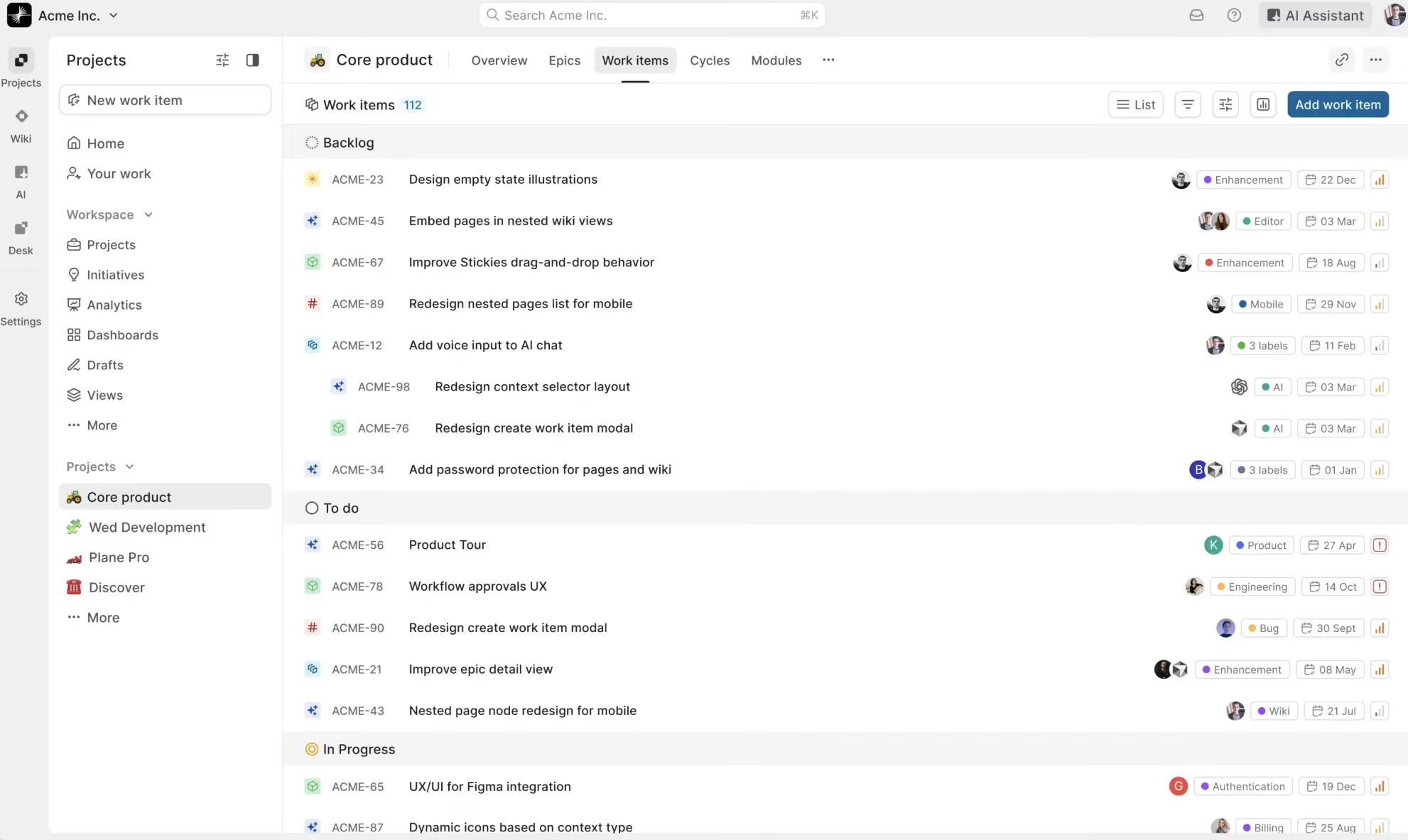
Plane is the open-source pick, built to be self-hosted.
Plane covers the core of what a software team plans with: work items, cycles, modules, and pages, plus AI credits on paid plans. It suits teams that want full control over where their data lives.
Key Features
- Projects and work items: Track issues, tasks, cycles, modules, and project views.
- Pages and wiki: Keep specs, notes, and product context inside the workspace.
- Cycles and modules: Group time-boxed work and repeatable work streams.
- Self-hosting: Run Plane on your own infrastructure when control matters.
Pros
- Best fit if you want an open-source Jira alternative.
- Strong option for self-hosted and control-heavy setups.
- Includes work items, cycles, modules, pages, and dashboards.
- GitHub, GitLab, Slack, and Sentry integrations are available.
Cons
- Younger and smaller community than Jira, GitHub, GitLab, and Azure DevOps.
- Self-hosting still requires technical ownership.
- Not the easiest choice if you want a vendor-managed enterprise suite with a large marketplace.
Best For
- Open-source-friendly teams.
- Teams that want to self-host their project management tool.
- Technical operators who need more control over infrastructure and data.
Pricing
Plane offers Free at $0/seat/month, Pro at $8/seat/month ($6/seat/month billed yearly), Business at $15/seat/month ($13/seat/month billed yearly), and Enterprise Grid with quote-based pricing.
Free includes 500 AI credits per seat, Pro includes 1,000 AI credits per seat, Business includes 2,000 AI credits per seat, and Enterprise Grid includes flexible AI credits plus custom enterprise controls.
Tools I Left Off This List
ClickUp is better for broad work management than focused Jira replacement work. It belongs on your shortlist if you want one workspace for tasks, docs, goals, and operations, but this article focuses on Jira alternatives that map more closely to software planning and issue tracking.
Trello is too light for most Jira replacement searches. It works when you want a simple Kanban board, but it does not give you the same depth for software planning, code-linked work, or release coordination.
Emergent is not a Jira alternative because Jira is a project management and issue-tracking tool. Emergent belongs in the conversation when your real problem sounds like “we need a custom internal workflow app that a ticket tracker can’t model.”
Emergent lets you describe what you need in plain language, generate layouts and app logic, connect data, build dashboards, set up roles, and automate workflows without starting in a developer-heavy setup.
How to Evaluate Jira Alternatives
The right Jira alternative depends on how you ship work, who needs to use the tool, and whether you need a tracker or a custom workflow.
Where the Work Starts
Choose a tool that matches where your work starts. If work starts in code, GitHub Issues, GitLab, or Azure DevOps Boards will feel natural. If work starts in product planning, Linear or Shortcut will give you cleaner planning layers.
Who Needs to Use It
If engineers are the only daily users, a developer-native tool works. If founders, clients, support, sales, or operations need to use it too, pick a tool they can understand without training. This is where heavy Jira setups lose people fast.
Workflow Control
Jira wins when you need deep workflow customization. Linear, Shortcut, and Plane win when you want fewer settings and faster execution. Do not copy your old Jira workflow into a new tool unless that workflow still helps you ship.
Code Context
If your team constantly jumps between tickets, pull requests, builds, and releases, pick a tool that keeps those links close. GitHub Issues, GitLab, and Azure DevOps Boards are strongest here because they sit near code and delivery work.
Pricing Model
Compare the real cost of your team size, not the homepage price. Check free-user limits, annual billing, seat rules, enterprise add-ons, test-plan costs, AI credits, and whether non-engineering stakeholders need paid seats.
Tracker vs. Custom App
A ticket tracker is right when your work fits issues, statuses, sprints, and reports. A custom app is right when you need forms, dashboards, approvals, client portals, role-based views, or workflow logic that keeps fighting your project management tool.
Pick the Jira Alternative That Matches the Work
The best Jira alternative removes friction from the way you actually ship. Choose Linear for speed, GitHub Issues + Projects for repo-native tracking, Azure DevOps Boards for Microsoft-heavy traceability, GitLab for DevSecOps, Shortcut for agile software planning, and Plane for open-source self-hosting.
If you are a founder, agency, consultant, or operator trying to turn a messy business process into software, another ticket tracker will not solve the whole problem. Use Emergent when you need to describe a custom workflow and get a real, working app back, without starting in a developer-heavy setup.

Most AI app builders stop at prototypes. Emergent creates production-ready apps you can actually launch.
- Production-ready apps
- Web & mobile apps
- Deploy in minutes







