

Build a Medical Assistant Web App Using AI in Minutes
Describe your Medical Assistant Web App in plain English and create a production-ready build, from design and development to deployment, in minutes. No code needed.
Build a medical assistant app.
Trusted by Builders Worldwide
Active Builders Worldwide
Apps Successfully Created
Countries Globally Reached



How to Build a Medical Assistant Web App Without Coding
Describe the app instead of assembling it. Give the medical assistant web app builder your patients, queries, and rules in plain English and get a running medical assistant web app in minutes, not weeks.
Type out your patients, queries, and rules in a sentence or two. That prompt is the whole setup.
In moments you are looking at a working medical assistant web app, not a mockup, with your patients wired in.
Anything that is not quite right, you fix by asking. New fields, changed flows, different layouts.
Deploy with one click, invite your users, and let it carry the daily work from day one.
What can you build with the medical assistant web app builder?

Patient Records & History
Keep patient profiles, visit history, and notes in one structured, searchable place. One clear description is all it takes to get this into your medical assistant web app.
window.awbMockup = { patientRecords: "Build a medical assistant web app with patient records, visit history, and notes.", appointments: "Build an appointment system with reminders across practitioners and rooms.", carePlans: "Build care plan tracking with automatic follow-ups between visits.", secureAccess: "Build role-based access so clinical data is visible only to the right staff.", };
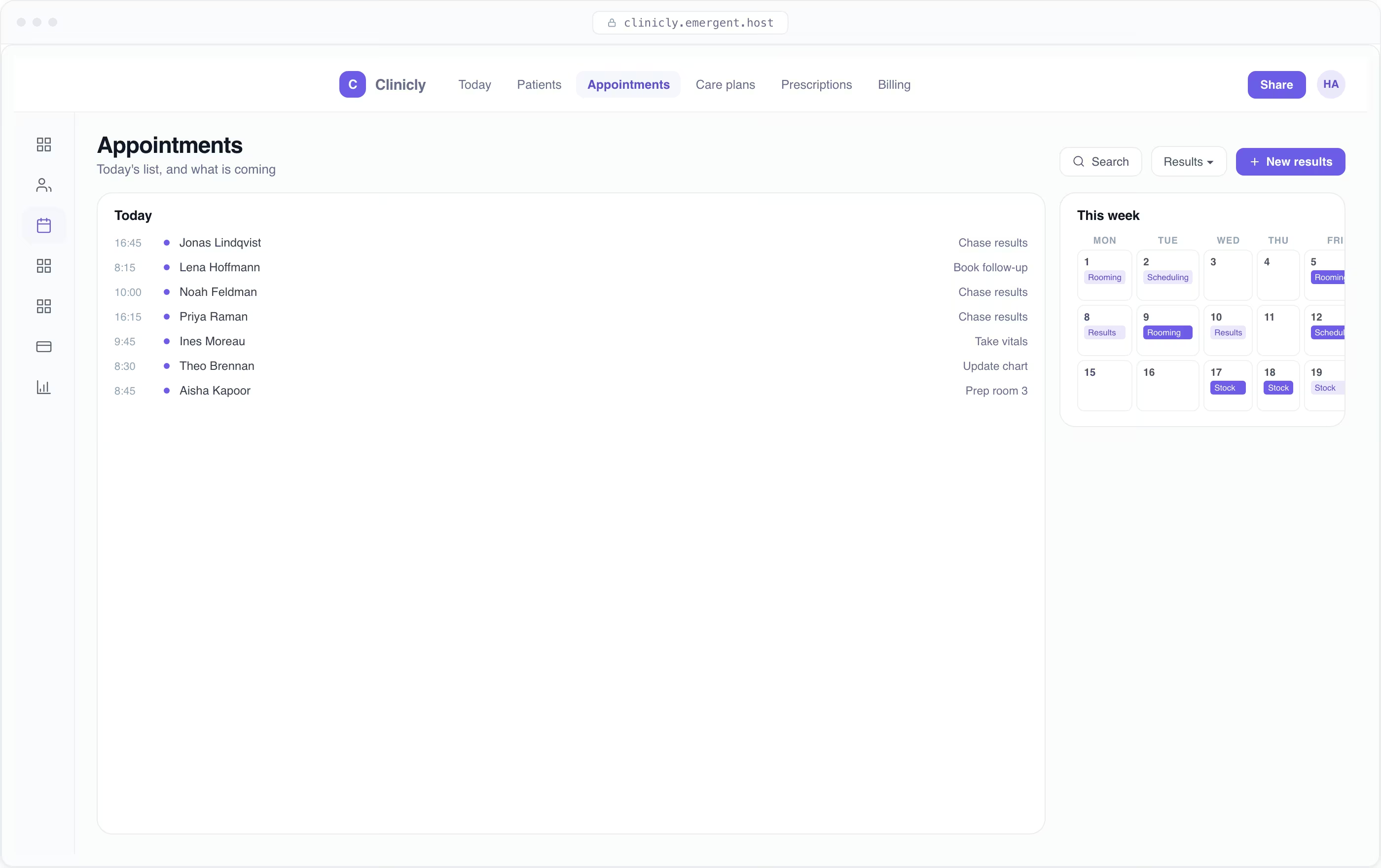
Appointments & Scheduling
Manage bookings, reschedules, and reminders across practitioners and rooms. Describe this flow in a sentence and your medical assistant web app is generated around it.

Care Plans & Follow-Ups
Track treatment plans and trigger follow-ups so care continues between visits. This is what building a medical assistant web app with AI looks like in practice.
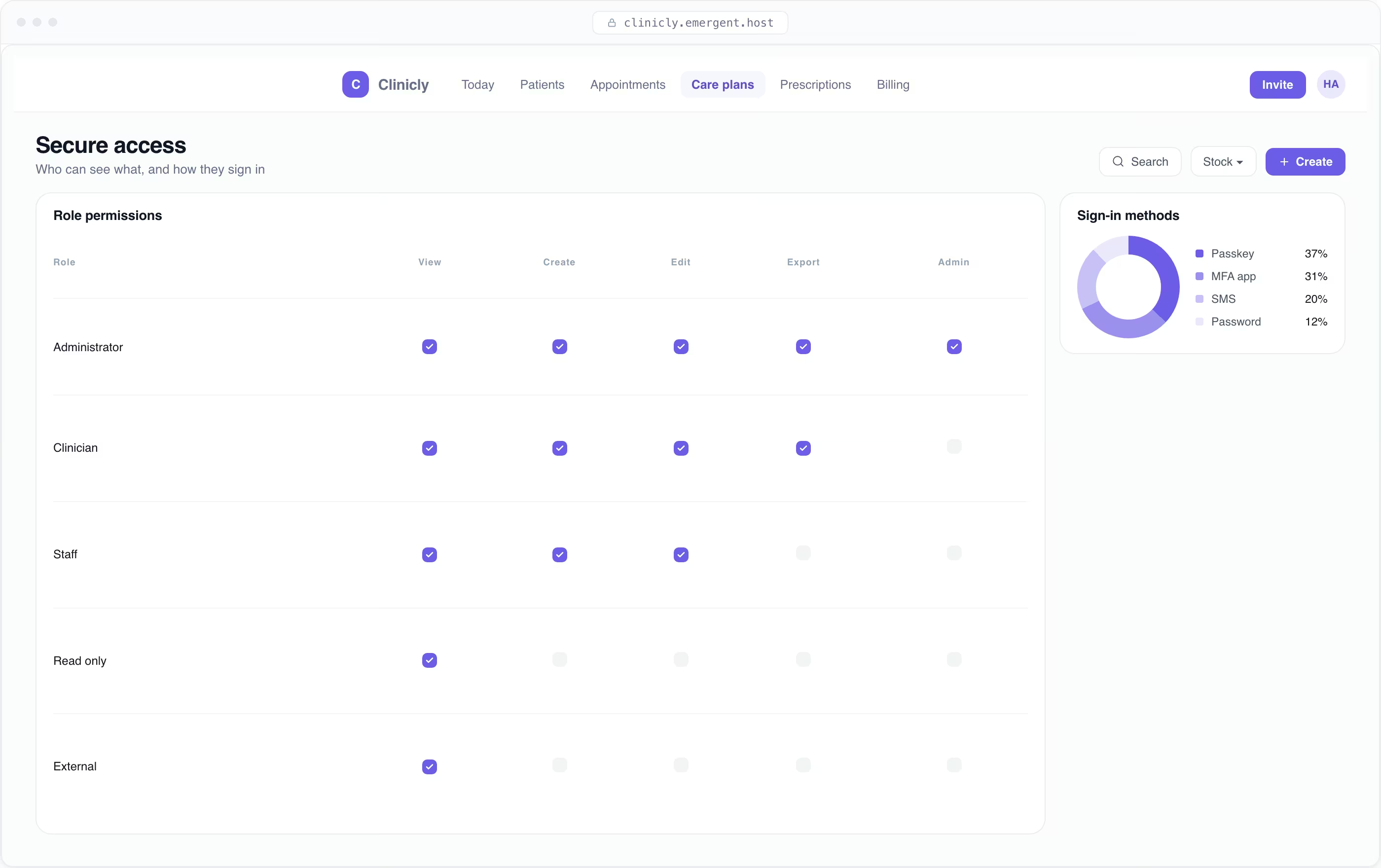
Secure, Role-Based Access
Control who sees clinical information with roles and audit-friendly records. Prompt it in plain English and this workflow ships working.
Build your medical assistant web app once. Improve it forever.
These are not add-ons. They are what you get the moment your medical assistant web app is generated.
Patient & Query Records
Create, edit, and organize patients, queries, guidance, and history in one place, with fields, filters, and views shaped to your workflow. Explain what you keep track of and the interface is generated around it.
Question-to-Guidance Flow for Medical Assistant Web App
Take health questions from ask to safe guidance with every status, handoff, and edge case handled. Describe the journey once and every screen, state, and rule is built for you.
Symptom Triage & Guidance
Guide patients through structured triage to the right next step. Explain what you need and it arrives wired into the rest of the app.
Medical Automation
Set up follow-up reminders, medication prompts, and escalation alerts that run themselves. Describe the trigger and the action in plain English, and the workflow runs on its own.
Medical Assistant Integrations
Connect AI models, health APIs, and secure messaging, plus anything with an API or webhook. Tell the builder what you already use and the integrations are wired in.
Doctor Handoff & Escalation
Escalate to a human clinician with full context attached. Describe your protocols and the handoffs are generated.
Why Choose Emergent for Building Your Medical Assistant Web App?
Build a medical assistant web app around your unique workflows, with the flexibility to customize, scale, and adapt as your business grows.
| Other Tools |  | |
|---|---|---|
| Built for | Demos and MVPs | Products you keep growing |
| What you get | Front-end shell only | Full stack, wired end to end |
| Backend and database | Set it up yourself | Built and connected for you |
| Customization | Surface-level styling | Deep workflow control |
| Integrations and APIs | Manual glue work | Connected from a prompt |
| Code ownership | Locked to the platform | Clean code you can export |
| Time to launch | Weeks of patching and setup | Live the same day |

Every integration your web app needs from day one
Email and calendar
Inbox and calendar sync both ways, so every reply, meeting and no-show lands on the contact record without anyone logging it.




Messaging and support
Conversations from chat, WhatsApp and your helpdesk attach to the right contact, so sales and support see the same history.




Payments and billing
Invoices, subscriptions and payment status flow back into the deal, so revenue and pipeline stay in one place.




If it has an API, your web app can connect to it.
Emergent builds the connection against the API itself, including internal tools your team made. No closed ecosystem, no approved-partner list, no waiting for a connector to ship.


More things you can build
with Emergent
AI Website Builder
Build and publish responsive websites with AI from landing pages to complete websites.
AI App Builder
Create and launch mobile apps with AI, without the complexity of traditional app development.
AI Web App Builder
Build and ship fully functional web apps with custom interfaces, logic, and workflows.
AI Dashboard Builder
Create interactive dashboards to visualize data, track KPIs, and manage business operations.
AI SaaS Builder
Build complete SaaS products with user accounts, subscriptions, dashboards, and core product workflows.
AI CRM Builder
Build custom CRMs for managing contacts, leads, pipelines, campaigns, and automated workflows.
AI Agent Builder
Create AI agents that can understand tasks, use tools, automate workflows, and work across your business.
Build Your Own
Start with any idea and build exactly what you need with AI, no templates or limits.
Pick the Pricing Plan That Works for You
Choose the plan that fits your building ambitions. From weekend projects to enterprise applications, we've got you covered.




Find the Right Web App Builder for Your Business
Frequently Asked Questions
Your Questions, Answered
Don't change this element unless you know what you are doing
on Emergent today


