Businesses building their own product often get pitched enterprise helpdesk software when a simple client-facing portal would do the job. You want a clean, secure space where customers check project updates, grab deliverables, and pay an invoice.
What you get instead is a bloated ticketing system that needs a dedicated engineer just to set up.
To find the best customer portal software, I built a real client-facing setup in each one: a productized service catalog, a SaaS customer portal, an agency onboarding flow, and a ticket-driven support desk. I checked how fast each one gets you to a live portal, and whether you're stuck if you outgrow it.
By the end, you'll know whether to buy a ready-made portal or build your own, and which tool fits your situation.
How I Researched and Tested These Customer Portal Tools
I built live environments in each tool: the same four setups described above, plus permission tiers, a test client, and a real file upload in every one. Clinked is demo-gated and wasn't hands-on tested, so I worked from Clinked's official docs and reviews for that section.
I also tried Copilot and ManyRequests, but cut them. They either duplicated what a better tool already did, or locked too much behind paid tiers
- Features: How well each tool handles project tracking, file sharing, and client messages.
- Usability: Whether the portal feels fast and clear for non-technical clients.
- Integrations: How easily it connects to tools you already use, like Stripe, Slack, or Google Workspace.
- Pricing: What you get for the money, across free and paid tiers.
- Use cases: How each tool holds up for product builders versus service agencies.
This hands-on pass showed me which tools hold up in daily use. One thing to know up front: Emergent publishes this blog. It leads the list because the list is grouped by the job you're hiring a portal to do, not ranked best to worst, and I say plainly below where Emergent is the wrong call.
Buy vs. Build: Which Path Fits You?
Before you pick a tool, decide whether you're buying a ready-made portal or building a custom one into your product. Get this wrong and you'll be migrating everything six months from now.
Path A: Buy a ready-made portal: Run an agency, a consultancy, or a service business? Buy a ready-made portal. You need invoicing, intake forms, file sharing, and status updates out of the box.
Tools like SuiteDash, Zendo, and Agency Handy get you running the same afternoon. Zendo took me 10 minutes and Agency Handy under 20, and you never touch the underlying infrastructure. Neither asked me to think about hosting, sign-in, or backups once. If your clients all want roughly the same thing, that is the whole job done.
Path B: Build a custom portal: Launching a SaaS product or a unique platform? Build the portal directly into your app. Off-the-shelf agency tools won't bend to match your own user accounts, data structure, or product features. AI app builders now let non-technical business owners generate, host, and deploy a working portal without writing code or hiring a developer.
Owners use this same approach beyond portals. Some build internal tools instead of paying for five point solutions, and others build a dashboard that tracks the metrics they care about.
Some go further and build their own CRM rather than buy a seat at a time, and there are plenty of CRM system examples already running that way.
7 Best Customer Portal Software: Quick Comparison
1. Emergent: Best for a Custom Customer Portal Built into Your Product

What it does: Emergent is an AI app builder that generates, hosts, and deploys web and mobile apps from plain-English prompts.
Best for: Non-technical owners and product creators building custom SaaS apps, proprietary tools, or unique customer-facing platforms.
I built a customer portal called Mascot in Emergent in a single afternoon, leaning entirely on the platform’s conversational AI agents.
I started with a simple prompt: “Create a secure customer portal called Mascot with email/password login, a dashboard showing recent activity and open tickets, a document library for downloads, a simple support ticket system, and a profile page.”
Emergent built the complete app (on React and MongoDB), with authentication and basic styling, in about 35 minutes. The first live preview already had working login and a clean dashboard, but it used Emergent's default color scheme instead of picking up my brand colors.
I asked for a darker theme with my brand colors along with searchable tickets and file-upload support for attachments. Each edit took 10 to 20 minutes. The agents updated the code, retested, and redeployed, and one pass left the login not working at first.
Emergent diagnosed and fixed the errors. A quick re-test confirmed everything worked.
I spent an hour polishing copy and connecting a basic email integration for ticket updates. Then Mascot was live on a custom subdomain, fully functional. In all, it took about 57 credits to build and polish the app.
Key Features
- AI app generation: Builds the interface, sets up the data structure, and deploys the app in one natural-language workflow.
- Built-in sign-in & data management: Sets up user roles, access permissions, and data structures without you touching Supabase or Firebase.
- GitHub sync & code ownership: Keeps your code synced to your own repository, so you can hand it to a developer later.
- Custom workflows & messaging: Since every screen comes from your spec, you can add client chat, file uploads, or a task board as part of the same build.
Pros and Cons
Pros
- Ships a real, working portal without hiring an engineering team.
- Skips the layout limits of most off-the-shelf portal tools.
- Connects to Stripe, Slack, webhooks, and other services right inside the build.
Cons
- Credit-based billing burns fast if you're debugging or iterating a lot.
- Building a mobile app still means handling the App Store submission yourself.
What Users Say
“It's very easy to instruct the building agents to accomplish your task.” (Robert W., G2)
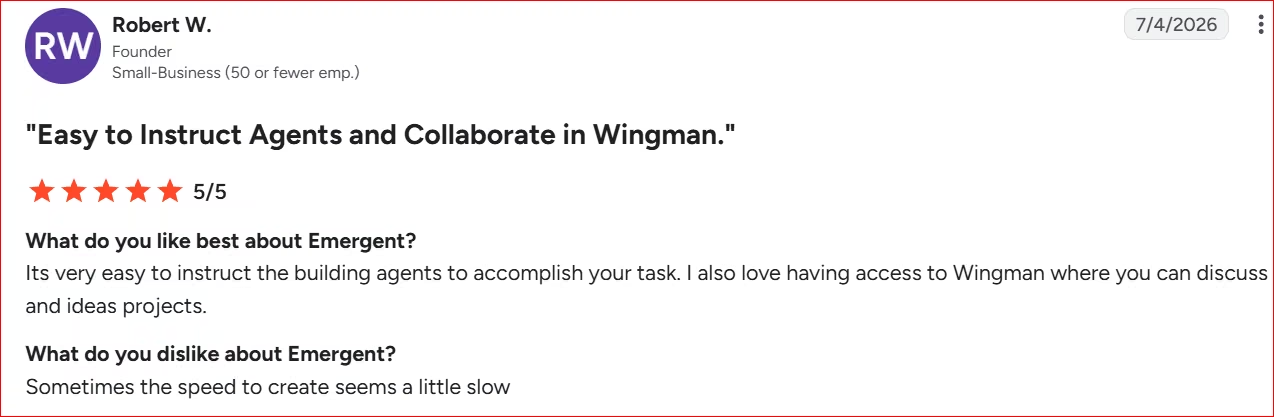
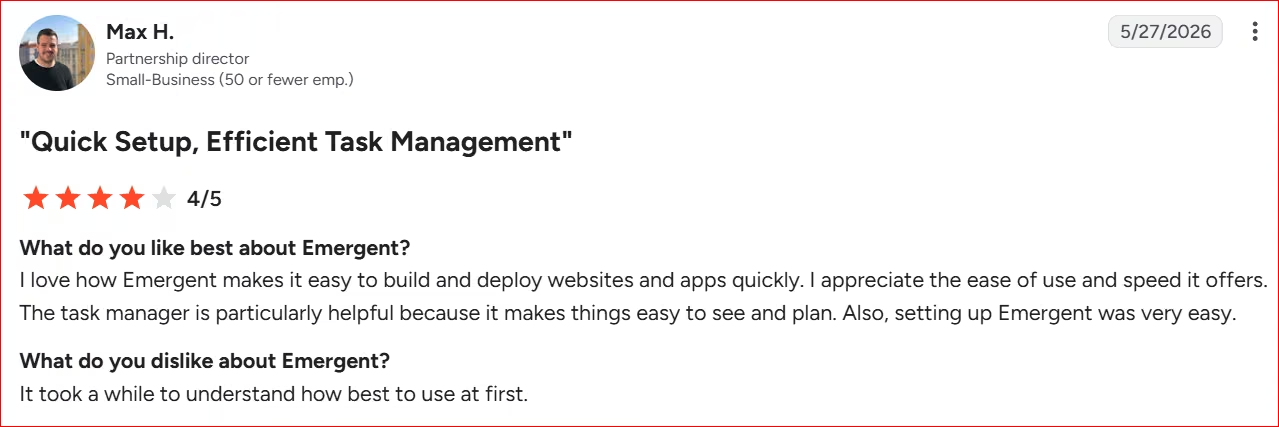
“It took a while to understand how best to use at first. [sic]” (Max H., G2)
Pricing
- Free Plan: $0/month (Includes 10 credits/month for testing basic builds).
- Standard Plan: $20/month ($17/mo billed annually; includes 100 credits and private hosting).
- Pro Plan: $200/month ($167/mo billed annually; includes 750 credits and a 1M token context window).
- Enterprise Plan: Custom quote (For teams that need custom limits, dedicated support, and procurement terms beyond the Pro plan).
Bottom Line
Pick Emergent if you're building your own product and want full control over how it works, beyond the looks. If you run a standard service agency and just need fast client invoicing, pick SuiteDash instead.
2. SuiteDash: Best for All-in-One Client Operations
What it does: SuiteDash is a customizable, all-in-one client portal that combines CRM, invoicing, project management, and file sharing under your own domain.
Best for: Established agencies and service businesses that want to drop five tools for one white-label hub.
I tested SuiteDash by building a customer portal with its own colors. The first thing I noticed after signing up for a 14-day free trial is how complex SuiteDash is. It's a collection of tools, each with its own features. This isn't the tool for you if you're starting out, or you're a non-technical person.
Among its suite of tools are calendar, content, messaging, marketing tools, and a CRM.
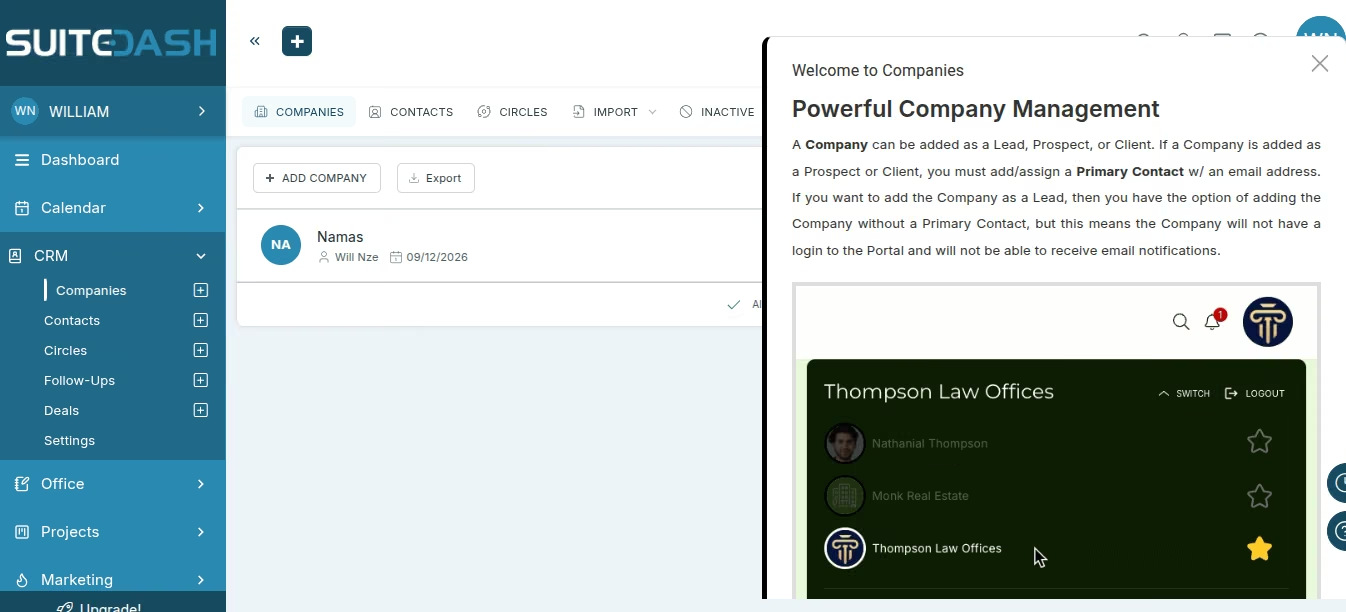
To add a customer, I went to CRM, Company, then Add Company. I entered the company information (name, category, website, address, phone number, role). You must set one primary contact person for a client you add. I added one to my client and sent a link to them.
I went on to add team members, clicking on Manage Teams and filling out the details. The Company section contains all clients and their details.
To white-label the platform, I clicked on Platform Branding to access the options, uploaded a high-res logo I made on Canva, set a theme enabled font themes and set styles for headers. Then branded my email and the email template, setting the colors, sender name, sending method, and email logo.
There's the option to change background color, even select icon packs. You can go as deep as rebranding the client-facing login page itself, right down to the URL.
That said, SuiteDash is laggy. You click a button and wait a few seconds for it to render. It's the only tool on the list with the issue. I suspect it has to do with the long list of tools. Not a deal breaker, but one to watch out for. The learning curve is steep.
Key Features
- Full white-labeling: Maps your own domain, branded portals, custom login screens, and transactional emails.
- All-in-one operations: Combines CRM, file sharing, proposals, invoicing, and time tracking in one system.
- Fine-grained permissions: Lets clients see only their own deliverables, forms, and billing history.
- Client messaging & task tracking: Includes live chat, private secure messaging, and project and task management, plus Zapier and Stripe connections for the rest of your stack.
Pros and Cons
Pros
- Replaces four to five separate subscriptions with one flat rate and no per-user fees.
- Gives agencies real white-label control over the client-facing brand.
- Automates onboarding through built-in intake forms and trigger rules.
Cons
- The interface looks dated next to newer, design-first portals.
- The learning curve is steep. Budget real setup time before it runs smoothly.
What Users Say
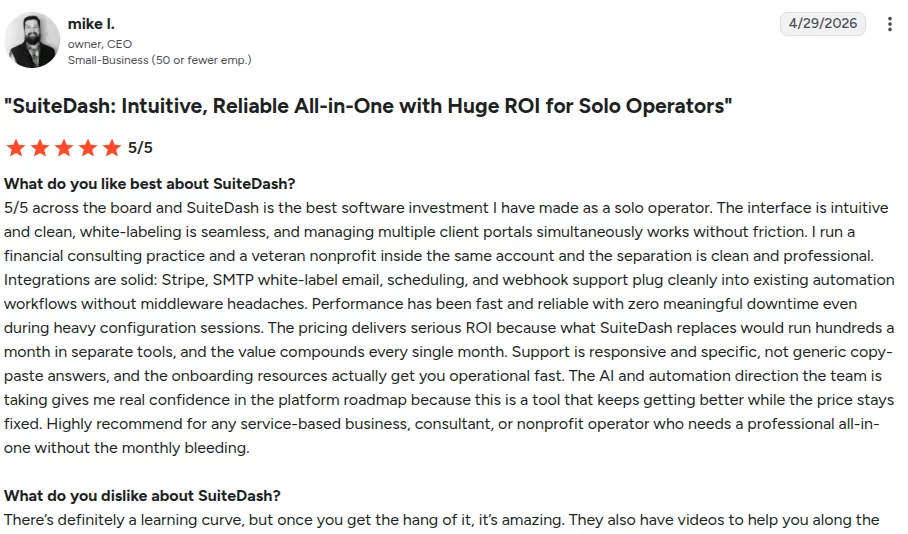
"The interface is intuitive and clean, white-labeling is seamless, and managing multiple client portals simultaneously works without friction." (mike l., G2)
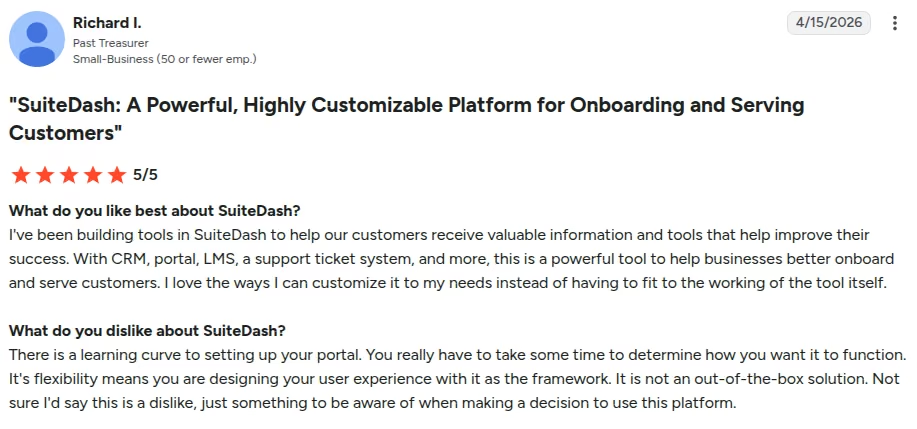
“There is a learning curve to setting up your portal. You really have to take some time to determine how you want it to function.” (Richard I., G2)
Pricing
- Start Plan: $19/month billed monthly, or $180/year billed annually (Includes core CRM, client portals, and unlimited clients).
- Thrive Plan: $49/month billed monthly, or $480/year billed annually (Adds drip marketing autoresponders, the dynamic proposals toolkit, deal stage pipelines, and 500 GB of storage).
- Pinnacle Plan: $99/month billed monthly, or $960/year billed annually (Includes background checks, LMS capabilities, and full system customization).
- There's a 14-day free full-featured trial
Bottom Line
SuiteDash fits established agencies that want to cut software bloat and run everything behind one branded portal. Want something live in 10 minutes? Pick Zendo instead.
3. Zendo: Best for Freelancers and Solo Operators Wanting a Simple Client Portal

What it does: Zendo is a chat-based client portal that folds service ordering, client messaging, and payments into a single conversation thread.
Best for: Freelancers, solopreneurs, and small agencies selling productized services who don't want a heavy CRM.
I set up a productized service catalog for retainers and intake forms. Setup took 10 minutes, the fastest of any tool on this list.
I signed up for a 14-day free trial of Zendo’s Pro plan, and noticed how easy it is to use the software.
The main tabs are on the left. I can access my customers’ requests via the Requests tab in the sidebar. I track progress, communicate with customers, and manage deliverables in one place.
Creating a request is easy. I clicked Submit Request in the top right. As the vendor, you see all requests but your clients only see the ones they have access to.
Every request has its own form, which I used to collect information after a test client submitted a request, and assigned it to a team member I added.
To access a request currently in progress, I clicked on one of the requests currently in progress to see the full conversation, status, and files.
Status shows the stage a project is at, seen by me and the client. You can change status. There are different statuses: New, Needs Clarification, In Progress, Approved, Preparing Quote, Awaiting Approval and Done.
I used the Clients tab in the sidebar to see everyone I work with. There are three ways to add a client: add them manually with their details, send them an invite by email, or share an invitation link. I added my first client manually, although sending an invite is faster and easier.
Storefront displays the services I offer for customers to discover and order. The link is shareable on websites, emails, or other places.
When a customer places an order, it appears in Orders, which is accessible via the Orders tab. You can click on each order to see the full details.
Zendo looks great and is easy to use, though it's light on project management. There's no Gantt chart or task dependencies if you need to track more than a simple request. I was up and running in 10 minutes.
Key Features
- Chat-based requests: Puts quotes, invoices, payment links, and files inside the same client chat thread.
- Productized service catalog: Lists fixed-price, subscription, and custom services with built-in checkout.
- White-label portal: Maps a custom domain and branded intake forms.
- Zapier & app embeds: Connects to the rest of your stack from the Pro plan up, on top of native Stripe payments on every tier.
Pros and Cons
Pros
- Puts client messages and order fulfillment in one inbox.
- Easy to set up if you're selling standard services.
- Clean, light interface that clients enjoy using.
Cons
- No Gantt charts or task dependencies for deeper project management.
- No full CRM pipeline for tracking long-term leads.
What Users Say
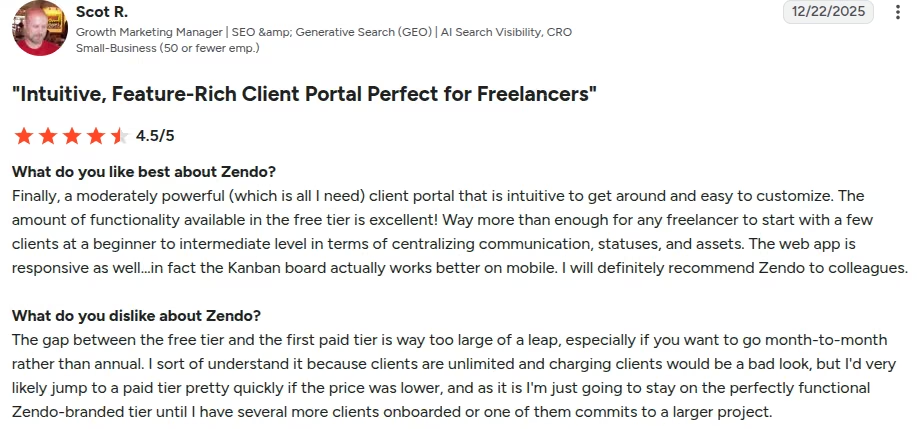
"The amount of functionality available in the free tier is excellent! Way more than enough for any freelancer to start with a few clients." (Scot R., G2)
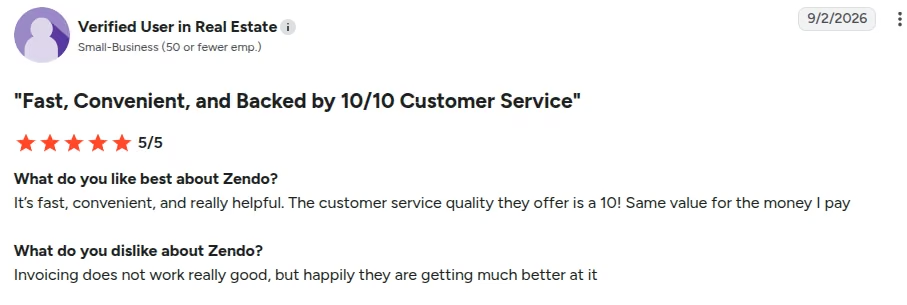
“Invoicing does not work really good. [sic]” (Verified User in Real Estate, G2)
Pricing
- Essential Plan: Free (one internal user, three clients, and one published service).
- Core Plan: $29/mo billed monthly ($25/mo billed annually; unlocks unlimited clients and up to 3 published services). One internal user is included and extra users cost $8/month each.
- Pro Plan: $59/mo billed monthly ($49/mo billed annually; unlocks custom domain, automations, and deeper white-labeling).
- Agency Plan: $99/mo billed monthly ($79/mo billed annually; drops the "Powered by Zendo" badge and unlocks full white-label control).
- A 14-day pro trial is available.
Bottom Line
Pick Zendo if you're a solo operator selling productized services and want client requests in one place. Need deep task tracking or a real CRM? Go with SuiteDash.
4. Agency Handy: Best for a Polished Service Catalog and Automated Onboarding

What it does: Agency Handy is a client operations platform that lets agencies sell services online, onboard clients through custom intake forms, and manage deliverables.
Best for: Digital, creative, and marketing agencies that need an automated intake flow for standardized or custom services.
I built a service catalog with tiered pricing.
I signed up for Agency Handy’s 7-day free trial, landed on my dashboard, and got an overview of revenue, number of clients, projects, orders. Every metric read a big fat zero, as I was just starting out.
The first thing I did was remake the dash, adding some customization. It didn't take long before I started missing Zendo’s beautiful and intuitive interface. It was as though Agency Handy was out to make things difficult. I had to try harder to do basic things.
I clicked on Start Tour for guidance, no show. Zendo didn't even wait for me to ask. It added 7 more days to my 14-day free trial just for completing a tour of the platform.
Finally I figured out how to add a logo, clicking on Workspace Config (yeah, that's what they call it). Three options for a logo: rectangle, circle, and a favicon.
With several languages and currencies on offer, I kept it simple, choosing English and the USD.
I set my default client landing page (the one they'll land on when they log in), which can be a number of things: dashboard, tasks, services, orders, proposals, invoices, tickets, subscriptions.
You can set your own colors (I didn't) and change the appearance of a lot of things. There's an endless list of things to customize, from the looks to sign-in portal to domain.
My advice: unless you have a ton of time to burn, upload your logo, throw in a custom domain, go hunting for customers. The rest can come later.
Setup time depends on how much customization you do. Tweak a few things, keep the rest at default, and you'll be good to go in less than 20 minutes.
I jumped into the service tab in the left sidebar to create a few services, clicking on the Create Service button. I chose the subscription model against a one-time service, added a service and a package (feature, pricing, delivery time, etc.).
Adding clients and leads, and creating tasks and orders are all from the sidebar and follow a similar flow.
Overall, while Agency Handy isn't as intuitive as Zendo, you'll get comfortable once you understand how things work.
Key Features
- Visual service catalog: Shows your services and pricing tiers with instant checkout.
- Automated onboarding: Triggers client briefs, file collection, and a project board after payment.
- Task & delivery management: Kanban boards, deliverable proofing, and client feedback built into the portal.
- Client & team messaging: Built-in conversation threads keep client questions and internal notes in the same place as the order.
Pros and Cons
Pros
- Turns service inquiries into paid orders without a proposal call.
- Clean portal layouts, with white-label domain mapping from the $99/month Team Starter plan up.
- Built-in time tracking and role permissions for VAs and contractors.
- Takes payment through Stripe or PayPal without extra setup.
Cons
- Fewer native integrations than older, established platforms.
- No deep financial forecasting for bigger agency operations.
What Users Say
“It completely eliminates the need to duct-tape multiple SaaS tools together.” (Milan B., G2)

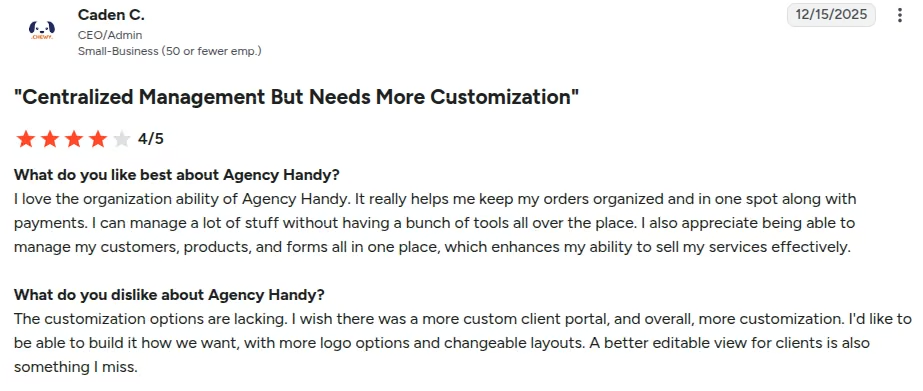
“I wish there was a more custom client portal, and overall, more customization.” (Caden C., G2)
Pricing
- Freelancer Plan: $29/month, or $349 a year, which matches the monthly rate at list price before any promotional discount (Includes one internal user, unlimited clients, and a service catalog).
- Team Starter Plan: $99/month, $1189/year billed annually (Includes 10 internal users, custom domain, app embeds, and API access).
- Business Pro Plan: $199/month, $2389/year billed annually (Includes 30 internal users and up to five separate agency workspaces).
- A seven-day free trial available
Bottom Line
Agency Handy works well for agency owners who want a polished storefront that converts inquiries into paid work automatically. If you're building a custom software portal instead of an agency storefront, use Emergent.
5. Clinked: Best for Secure File Sharing and Document Collaboration
What it does: Clinked is a high-security file-sharing and client portal built for document-heavy work and audit trails.
Best for: Legal, financial, accounting, and consulting firms that need strict file governance and large file delivery inside a branded portal.
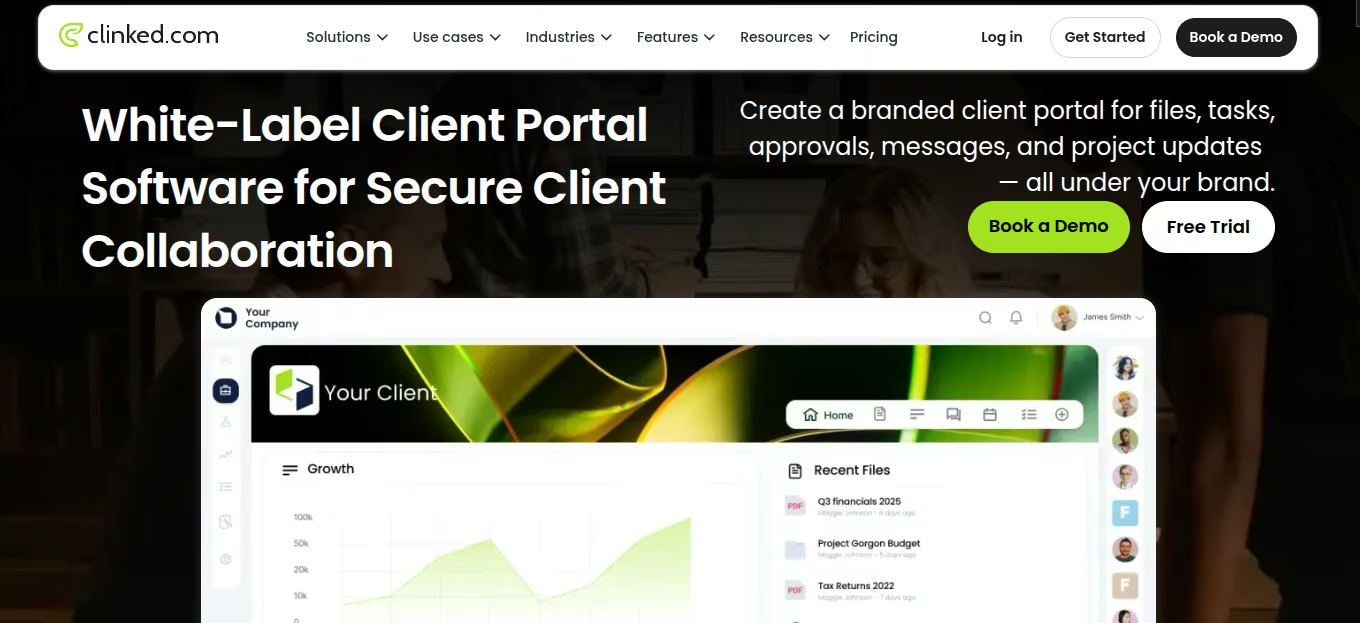
Clinked is demo-gated, so I didn't test it myself. It's a white-label client portal built for businesses that need to share files, manage tasks, and communicate with clients inside a secure, branded space rather than over email.
From the Standard plan up, every workspace runs on your own domain with your logo and colors, so clients interact with what looks like your own software.
Clinked centers on document management: structured folders, granular per-client permissions, in-browser file preview and annotation, version control, and a full audit trail of who viewed, edited, or downloaded what.
Collaboration features include group and one-to-one chat, @mention messaging, shared calendars, task boards, and discussions.
It integrates with Google Workspace, Zapier, DocuSign, Adobe Acrobat Sign, and Jotform.
For businesses that need something more bespoke than the standard plans, Clinked will build a fully custom portal to spec.
Key Features
- Granular file governance: Controls folder access, downloads, view-only mode, and watermarking per client.
- Document annotation & audit trail: Logs every view, edit, and download, with in-browser markup.
- White-label domain and branding: Custom domains and full branding from Standard up, with a white-label mobile app on Enterprise.
- Task boards & group chat: Standard adds tasks, a shared calendar, discussions, and real-time group and one-to-one chat. Premium adds Kanban boards on top.
Pros and Cons
Pros
- SOC 2 Type II and ISO 27001 certified, with GDPR coverage and a full audit trail on sensitive documents.
- Handles big files and complex folder structures without lagging.
- Custom-branded mobile and web apps for corporate clients.
- Syncs with Google Workspace and Zapier, so files and workflows follow you across tools you already run.
Cons
- Expensive for solo freelancers or early-stage startups.
- No client invoicing or a service catalog. Task boards and chat exist, but billing is still handled elsewhere.
What Users Say
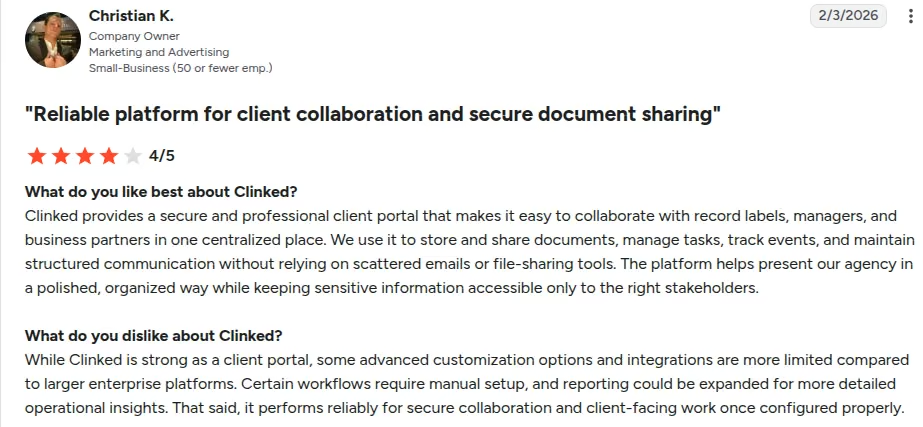
“We use it to store and share documents, manage tasks, track events, and maintain structured communication.” (Christian K., G2)
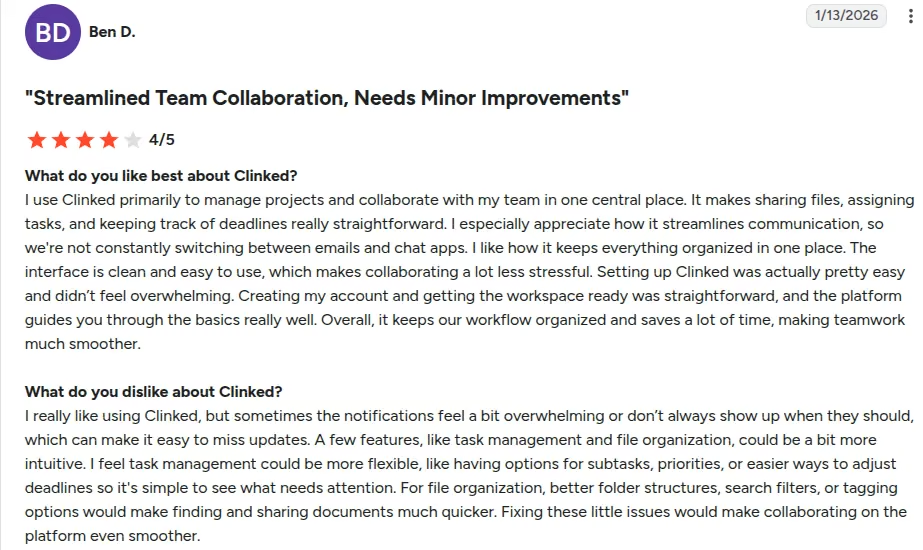
“Sometimes the notifications feel a bit overwhelming or don’t always show up when they should, which can make it easy to miss updates.” (Ben D., G2)
Pricing
- Start Up Plan: $11/month per user, or $8.80/month per user billed annually, scaling from one to 25 users (Includes 200 GB storage and all Standard features).
- Standard Plan: $299/month ($239/month billed annually; includes custom domain, audit trail, and 1 TB storage).
- Premium Plan: $599/month ($479/month billed annually; includes 250 members, 3 TB storage, enforced two-factor authentication, and role-based permissions).
- Enterprise Plan: Contact sales
Bottom Line
Clinked fits businesses built around confidential document exchange and compliance. Agency Handy and Zendo both beat it on invoicing and service catalogs, so pick one of those if billing is the real problem.
6. SuperOkay: Best for a Fully White-Labeled Client Portal

What it does: SuperOkay is a white-labeled client portal that gives agencies and freelancers a branded hub for documents, tasks, proposals, and the apps they already use.
Best for: Branding, design, marketing, and web agencies that want a polished, fully white-labeled client-facing space separate from their internal project tools.
After I got SuperOkay’s free plan, I set out to customize my customer portal and optimize it for SEO. I uploaded my logo and chose my brand colors, similar to what I did in Agency Handy, but far less confusing or stressful.
I created interactive briefs and proposals to share with customers. Clicked on Client, then Add Client, added my client's name and uploaded two logos, one for light themes, the other for dark ones.
To invite a client, I clicked Add First Contact, then entered their name and email address. The email was used to send the invite link. Another way to do this is to create a link to copy and send to a client.
I used pre-made templates to create a project and manage access, which I found faster and easier than starting from scratch.
SuperOkay rivals Zendo on simplicity. There's no clutter. Every screen holds the handful of things you'd actually use, and nothing else.
The free plan is very limited, though. Get a paid plan if you plan to use this tool for serious work.
Key Features
- Smart document builder: Builds proposals, briefs, and reports from reusable blocks, pricing tables, and interactive inputs.
- Full white-label and custom domain: Removes SuperOkay branding entirely and puts the portal on your own domain.
- Embedded apps: Drops tools like Figma, Airtable, Trello, and Miro into a client's project page.
- Task assignment and file sharing: Assigns and tracks tasks tied to each project, with file storage and sharing built in.
Pros and Cons
Pros
- Full white-label branding and a custom domain from the Solo+ tier at $38/month ($29/month billed annually).
- Reusable blocks and templates cut real time out of building client-facing documents.
- Clean, simple interface that clients pick up without instructions.
Cons
- Client sign-in is lighter than the security-first portals on this list, so check SuperOkay's authentication options against your own requirements before you commit.
- No built-in client chat or messaging. Conversations still happen wherever you already talk to clients.
- Storage and client limits are tight on the lower tiers; unlimited clients require the Business plan.
What Users Say
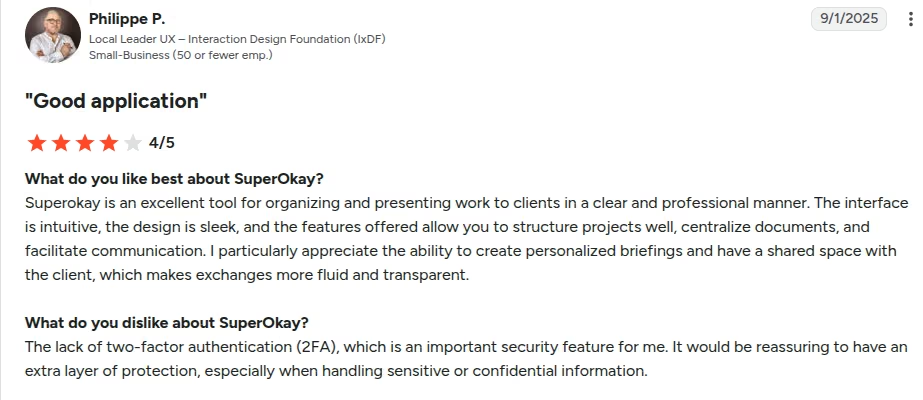
“I particularly appreciate the ability to create personalized briefings and have a shared space with the client, which makes exchanges more fluid and transparent.” (Philippe P., G2)
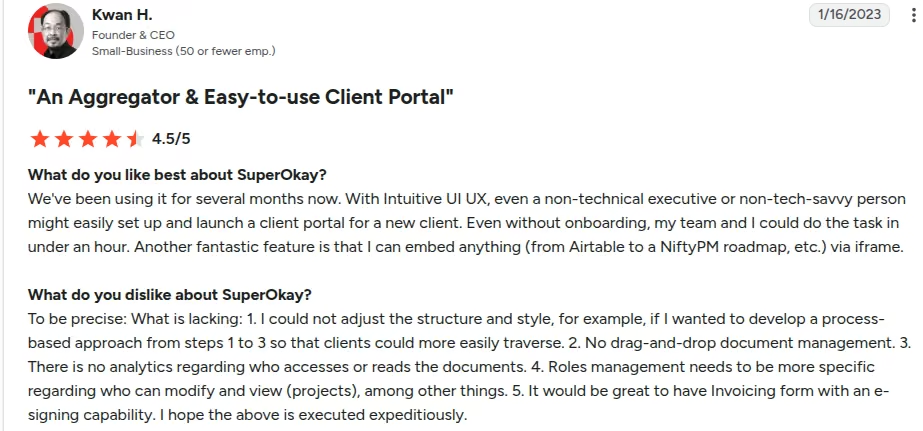
“I could not adjust the structure and style, for example, if I wanted to develop a process-based approach from steps 1 to 3 so that clients could more easily traverse.” (Kwan H., G2)
Pricing
- Basic Plan: Free (one client, one page, 0.5 GB storage).
- Solo Plan: $12/month billed monthly , or $9/month billed annually (three clients, five contacts, 2 GB storage).
- Solo+ Plan: $38/month billed monthly, or $29/month billed annually (five clients, full white label, custom domain, 10 GB storage).
- Business Plan: $146/mo billed monthly, or $112/mo billed annually (Unlimited clients, 1 TB storage, dedicated support).
Bottom Line
SuperOkay is the pick for agencies that want a fully white-labeled client portal without paying for a whole client-ops suite. SuiteDash is the better buy the moment you want CRM and invoicing under the same roof.
7. Zendesk: Best for AI-Powered Customer Service
What it does: Zendesk routes support requests across email, chat, voice, and social using AI-driven workflows.
Best for: High-volume support teams that need ticket routing, macros, and AI agents to handle routine questions.
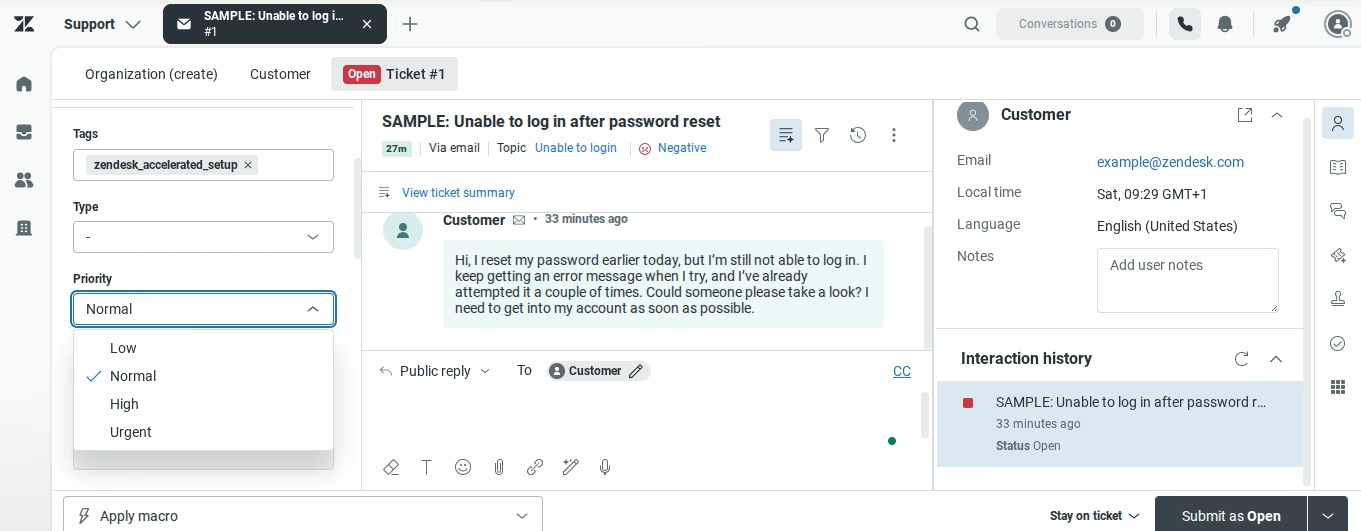
I signed up for Zendesk’s 14-day free trial, entered my name, company name and size, phone number, and support email. Then I landed on my dashboard. The main menu is on the sidebar, where I found tabs for tickets, customers, organizations.
Top left, is a drop-down menu which spits out a laundry list of things: knowledge, community, chat, voice, analytics, sales, admin center, workspace management, and AI agents.
A sample ticket was already waiting for me in the workspace at the center. Zendesk runs on tickets like an airplane runs on jet fuel. A ticket (in Zendesk world) means customer request, question, or any issue they may have.
Whenever a customer fills out a contact form, or sends you a message, Zendesk creates a ticket.
I clicked on the ticket to see what was inside. A typical ticket contains the customer's email, message, the time it was sent, language, the requester, the assignee, tags, and priority.
Priority (low, normal, high, urgent) shows which tickets should be handled first. I replied to the ticket, chose a ticket status (New, Open, Pending, On-hold, or Solved) and submitted.
Open means work needs to be done. On-hold means I'm waiting on another department to come through. Pending means I'm waiting for the customer's reply, and Solved means the issue has been resolved.
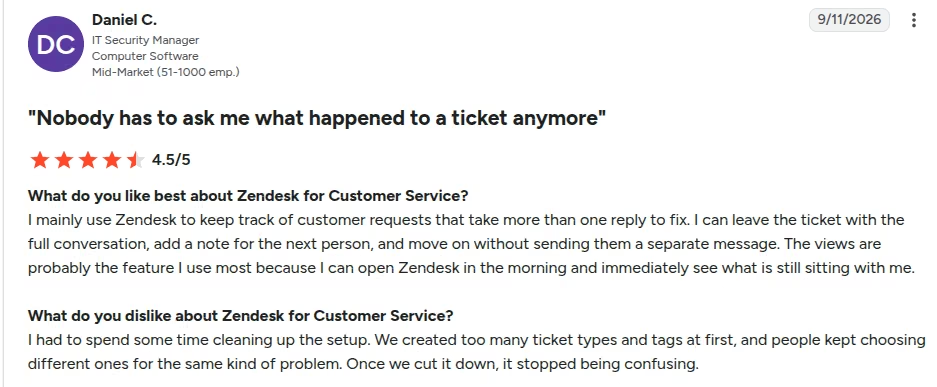
Zendesk supports internal notes, which I used to send follow-up work to a team member I added. Views automatically group tickets based on whether they've been assigned, pending, or solved. Since I had only one unresolved ticket, it appeared in the unresolved group.
The Customer section houses everyone who has contacted your business. I clicked on my customer to get the details of the ticket, along with the history. This is very useful for providing personalized support.
The Organizations tab groups customers according to the businesses they work for. If multiple people from the same business contact you, they'll appear under one organization.
I didn't find Zendesk very difficult to use. I got set up right after I signed up (15 minutes in total). There was no need for a tour.
Key Features
- Omnichannel routing: Centralizes email, chat, phone, and messaging requests into one queue.
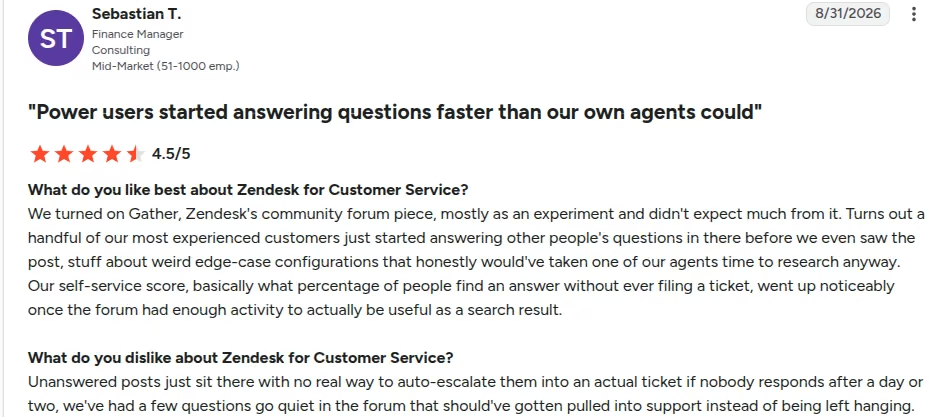
- Self-service help center: Builds knowledge bases and forums that deflect routine tickets.
- AI agents: Drafts replies, tags sentiment, and triggers multi-step workflows.
- Marketplace integrations: Connects to Slack, Salesforce, and 1,000+ other prebuilt apps in the Zendesk Marketplace, part of an 1,800+ app and partner ecosystem.
Pros and Cons
Pros
- Scales cleanly for large, multi-agent support teams.
- AI deflection cuts real workload off support reps.
- Deep reporting on response times and resolution rates.
Cons
- Per-agent pricing climbs fast once you add seats and AI add-ons.
- No real client portal features. No service catalogs, no task boards, no retainer management.
What Users Say
“The views are probably the feature I use most because I can open Zendesk in the morning and immediately see what is still sitting with me.” (Daniel C., G2)
“Unanswered posts just sit there with no real way to auto-escalate them into an actual ticket if nobody responds after a day or two.” (Sebastian T., G2)
Pricing
- Support Team Plan: $25/agent/month ($19/agent/month billed annually; email and basic ticketing only).
- Suite Team Plan: $55/agent/month paid yearly (Includes omnichannel chat, messaging, and basic AI agents).
- Suite Professional Plan: $115/agent/month paid yearly (Unlocks skills-based routing, advanced analytics, and custom roles).
- Suite Enterprise + Copilot: Custom quote (Adds advanced security, governance, and Zendesk's most proactive AI assistant).
Bottom Line
Pick Zendesk if you're running a scaling support organization that needs ticket-based routing and AI deflection. For intake forms and service-catalog checkouts, SuiteDash and Zendo are the right shelf.
If you only need the deflection piece, you can build a customer support agent around your own help content and handoff rules.
What's the Best Customer Portal Software for You?
Choose your customer portal software by what you hand clients: files and invoices point to a ready-made portal, a product experience points to building your own.
Choose Emergent if you:
- Need a custom portal built directly into your own product.
- Want to generate, host, and deploy the portal without writing code.
- Plan to hand the code to developers later, as you scale.
Choose SuiteDash, Zendo, Agency Handy, or SuperOkay if you:
- Run an agency, consulting firm, or productized service business.
- Want invoicing, intake forms, and a service catalog live before the end of the day.
- Need white-label branding without managing your own servers.
Choose Zendesk if you:
- Manage support tickets and AI resolution workflows across thousands of customer inquiries.
- Need omnichannel routing rather than a project- or file-based client portal.
Skip this category if:
- You only share a couple of files a month. Google Drive or Dropbox does the job for free.
Run a service business or agency? SuiteDash or Zendo gets you to professional onboarding, file delivery, and invoicing the fastest. Building your own SaaS product? Off-the-shelf agency tools won't fit your data structure.
Emergent gives you a working, production-ready portal generated from plain prompts, with full control over permissions, features, and your own code. Building the portal into your own product? Start with a single prompt on Emergent's free plan and see how far the first build gets you.

Most AI app builders stop at prototypes. Emergent creates production-ready apps you can actually launch.
- Production-ready apps
- Web & mobile apps
- Deploy in minutes

Most AI app builders stop at prototypes. Emergent creates production-ready apps you can actually launch.
- Production-ready apps
- Web & mobile apps
- Deploy in minutes