



I spent a few weeks running one Austin listing through every AI tool below, handling the writing, graphics, video, and follow-up the way I would for a real client. Below are the ones that actually saved me time, and the ones that left me cleaning up after them.
The 7 Best AI Tools for Real Estate Agents: TL;DR
The best way to compare AI tools for real estate is by job. Match each tool to the one task you'll reuse before you compare features.
Here's the at-a-glance version from my testing so you can skip straight to the tool that fits your job. Full strengths, pricing, and limits are in the comparison table further down, with a deep dive on each tool after that.
- ChatGPT: Best for writing listings, emails, and client copy.
- Canva: Best for listing graphics, social posts, and seller presentations.
- Wingman: Best for hands-off lead follow-up and scheduling.
- Grammarly: Best for polishing client-facing messages.
- Descript: Best for listing and social video editing.
- Zapier: Best for lead routing and follow-up automation.
- Otter.ai: Best for meeting notes and call recaps.
How I Tested These AI Tools for Real Estate Agents
I picked one mid-priced family home in Austin, Texas, acted as its listing agent, and then ran the same agent workflow through every tool. That meant writing the listing, drafting buyer and seller follow-ups, making a flyer and an Instagram carousel, editing a 90-second walkthrough, and recapping a buyer-consult call.
These AI tools for real estate agents do different jobs, so I didn't rank them on one leaderboard. I judged each against its own category using the criteria below.
- Writing quality: Did it produce a usable first draft that needed light edits, not a full rewrite?
- Visual speed: Could I turn one listing into several on-brand assets fast?
- Video without an editor: Could I cut a walkthrough and add captions on my own?
- Automation cost: Could I connect a lead form to follow-up, and was the cost predictable?
- Transcript usefulness: Did the notes save me from re-listening to the whole call?
- Polish without meaning change: Did it clean my copy without rewriting what I meant?
I used AI to speed up first drafts, then verified every property detail and rewrote anything that oversold the house before it went out.
The tool stack also has clear limits. I did not use it for pricing models, automated valuations, predictive prospecting, disclosure review, e-signatures, or site chatbots. Those are separate jobs, and some agents will need separate tools for them.
Best AI Tools for Real Estate Agents: Quick Comparison
| Tool | Best for | Strengths | Free plan? | Starting price (monthly) | Main limitation |
|---|---|---|---|---|---|
| ChatGPT | Writing listings, emails, client copy | Fast, usable first drafts in seconds | Yes | $20/month (Plus) | Makes facts up, so it needs review |
| Canva | Listing graphics, social, seller decks | One listing into many on-brand assets | Yes | $18/month (Pro) | Billing confusion, disclose AI staging |
| Wingman (Emergent) | Hands-off lead follow-up and scheduling | Texts leads, qualifies them, and books showings for you | Yes (10 credits, no card required) | $20/month (Growth, after $1 first month) | Credit cost scales with task complexity, harder to predict at volume |
| Grammarly | Polishing client-facing messages | Real-time tone and clarity cleanup | Yes | $12/month (Pro, billed annually) | Polishes existing copy but does not draft it |
| Descript | Listing and social video editing | Edit video by editing the transcript | Yes | $24/month (Hobbyist) | Worth it only if you film |
| Zapier | Lead routing and follow-up | Connects forms, CRM, email, and texts | Yes | $29.99/month (Professional) | Task cost climbs fast at volume |
| Otter.ai | Meeting notes and call recaps | Clean transcripts with action items | Yes | $16.99/month (Pro) | Consent and recording law apply |
1. ChatGPT: Best for Writing Listings, Emails, and Client Copy
What it does: Generates first-draft written copy from a prompt, including listing descriptions, client emails, social captions, and open-house scripts.
Best for: Agents who want faster listing descriptions, buyer and seller emails, and client copy, and who will verify the facts themselves.
I pasted the address, beds/baths, square footage, and three standout features into ChatGPT with “Write a 150-word MLS listing description in a warm, factual tone,” and had a full draft in under 30 seconds. Then, I cut two lines that oversold the house, and rewrote a buyer follow-up that was too stiff and formal.
ChatGPT earns its spot by giving you a first draft to react to while you supply the facts. It writes listing copy, buyer and seller emails, social captions, and open-house scripts faster than you can fill a blank page yourself.
ChatGPT states things with total confidence, including details it invents. It doesn't know your local market, your contract, or this specific home. You do, so you fact-check before anything reaches a client.
It also leans generic and a little breathless out of the box. Every draft I kept got a pass for tone, so it sounded like me and not like a template. Use it to beat the blank page, then make it yours.
Key Features
- Listing drafts: Turns raw property details into a full description you can trim down.
- Client copy: Writes follow-up emails, texts, and objection responses on request.
- Repurposing: Reshapes one listing into captions, an email, and an ad in one sitting.
- Brainstorming: Spins up open-house ideas, neighborhood angles, and subject lines fast.
Pros and Cons
Pros:
- Usable first drafts in seconds.
- Handles nearly every writing task.
- Free tier covers basic writing.
- Easy to learn, no setup.
Cons:
- Invents facts with full confidence.
- Generic tone until you edit it.
- Not reliable on local or contract questions.
- Privacy risk with client data on free tiers.
What Users Say
“I use ChatGPT for a lot of things in real estate, like scripts, data, texts, emails, and presentations. It's a real time saver! I like it for fine-tuning ideas and putting them into the best verbiage.” - Yola S., G2.

“What I like least is that sometimes the responses can feel a bit generic and need tweaking to match my specific market or voice. It can also miss small local nuances that matter in real estate.” - Jessica G., Capterra.

Pricing
Most agents can use Plus at $20/month for the writing tasks covered here. The free tier is enough to test whether AI writing fits your workflow before you pay for anything.

Bottom Line
ChatGPT is for agents who want faster listing descriptions, emails, and client copy and will fact-check the output themselves. The trade-off is that it invents details with full confidence and reads generic until you edit for tone, so treat it as a first-draft engine, not the final word.
2. Canva: Best for Listing Graphics, Social Posts, and Seller Presentations
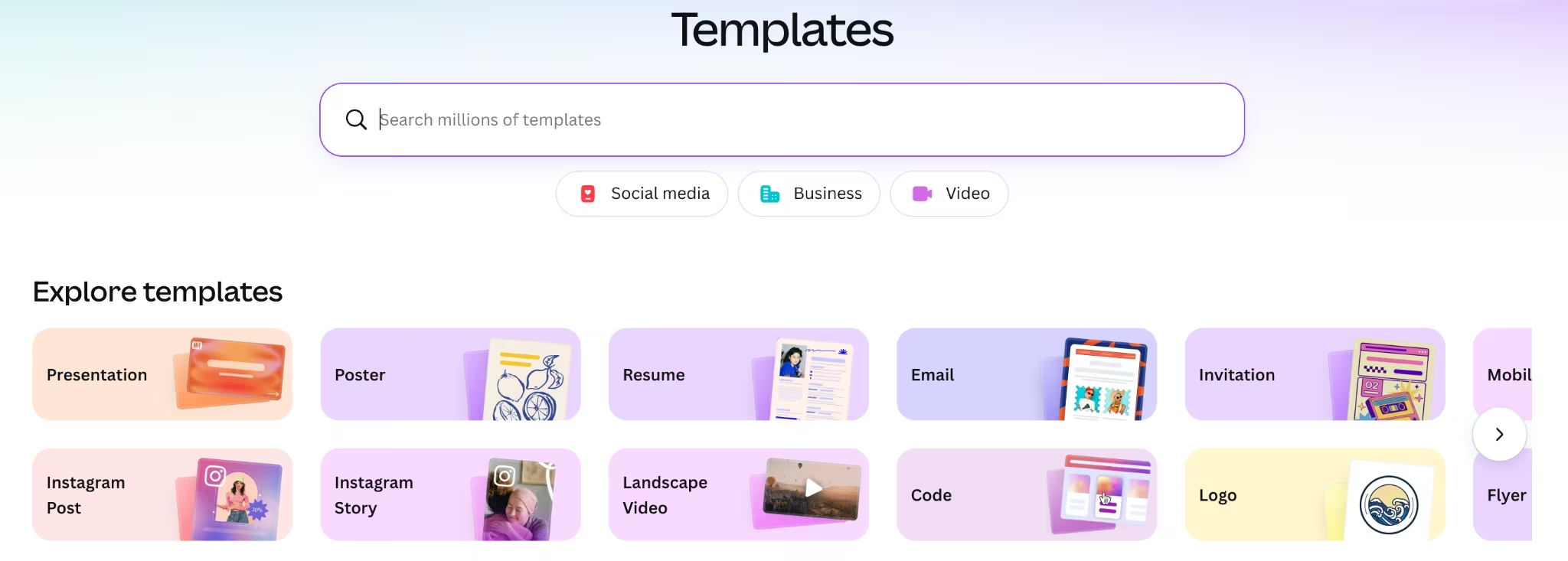
What it does: Builds branded visual assets from templates, turning listing photos into flyers, social posts, stories, and seller-presentation slides.
Best for: Agents who make their own flyers, social posts, and seller presentations, and want them on-brand fast without a designer.
I dropped the same three listing photos into Canva and had a flyer and an Instagram carousel before lunch, reusing one brand template across both. I did it without using a designer, going back and forth, or waiting on a contractor.
You turn one listing into a flyer, a carousel, a story, and a seller-presentation slide in a single sitting, all matched to your colors and logo.
Watch the billing first, since plan changes can surprise people at renewal. If you use Canva's AI tools to stage or enhance a photo, disclose it and keep the image true to the home.
AI staging gets risky when the edit changes how the home feels in person. Adding virtual furniture differs from using AI to hide a cramped room. Treat the visuals the way you treat the copy. Use AI to move faster, then make sure the result still represents the home honestly.
Key Features
- Templates: Thousands of real-estate layouts for flyers, posts, and decks.
- Brand Kit: Locks your colors, fonts, and logo across every asset.
- Magic tools: Resizes one design for every platform and removes backgrounds.
- Team sharing: Lets a partner or assistant edit from the same template.
Pros and Cons
Pros:
- One listing into many on-brand assets.
- Huge template and stock library.
- Generous free plan.
- No design skills required.
Cons:
- Billing and plan changes confuse users.
- AI staging can misrepresent a home.
- Premium assets need a paid plan.
- Seat costs add up for teams.
What Users Say
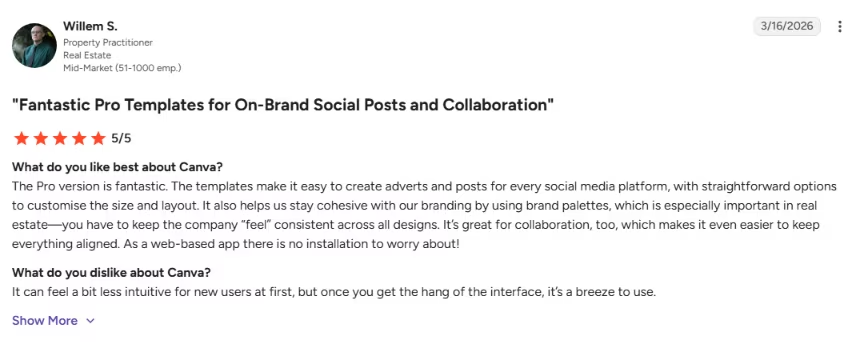
“The Pro version is fantastic. The templates make it easy to create adverts and posts for every social media platform, with straightforward options to customise the size and layout. It also helps us stay cohesive with our branding by using brand palettes, which is especially important in real estate—you have to keep the company “feel” consistent across all designs.” - Willem S., G2
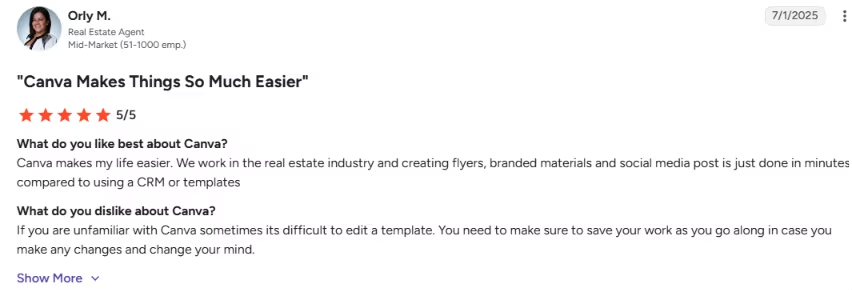
“If you are unfamiliar with Canva sometimes its difficult to edit a template.” - Orly M., G2.
Pricing
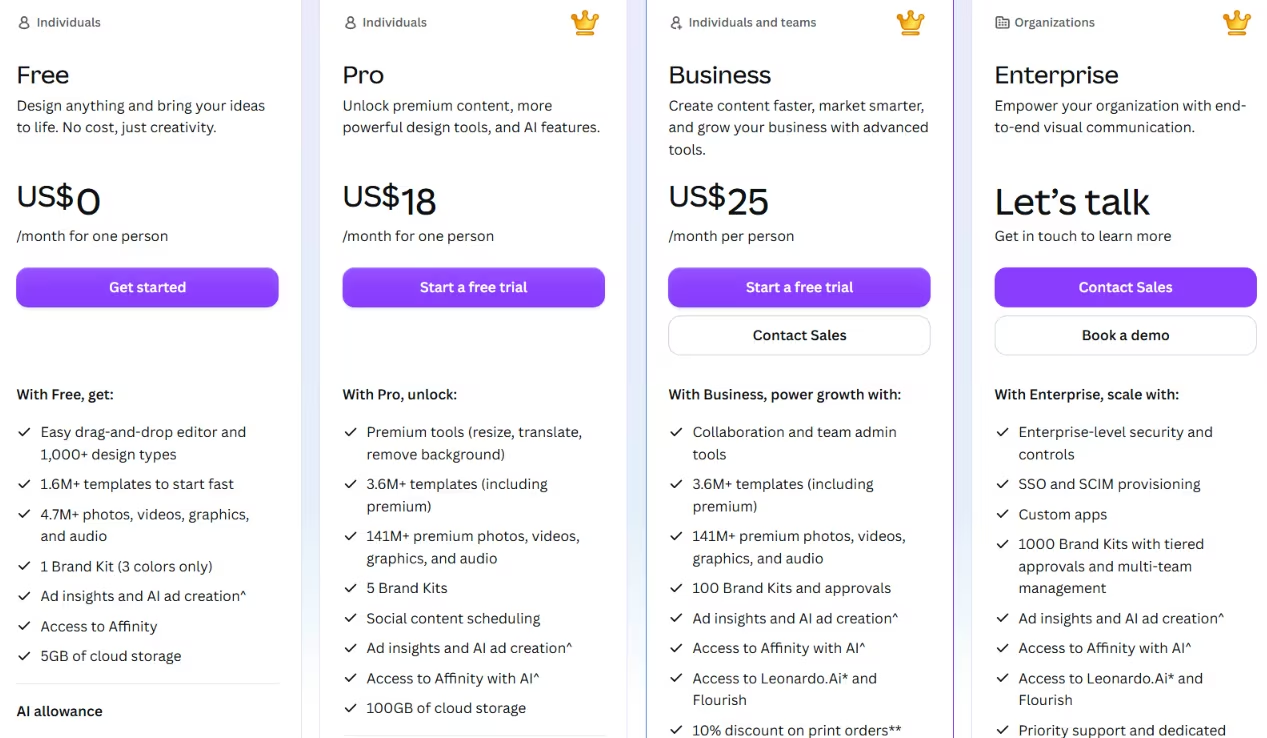
For a solo agent, Pro at $18/month covers the premium assets, Brand Kit, and Magic tools described above. The free plan handles a full listing on its own, so start there and upgrade only when you need premium assets or your Brand Kit.
Source: Canva
Bottom Line
Canva is for agents who make their own flyers, social posts, and seller presentations, and want them on-brand without a designer. On the other hand, its AI staging can misrepresent a home, so if you need true virtual staging or room redesigns, that's a job for a dedicated staging tool.
3. Wingman (Emergent): Best for Hands-Off Lead Follow-Up and Scheduling
What it does: An AI assistant you text. It answers new-lead inquiries, asks qualifying questions, books showings on your calendar, and sends follow-ups for you.

Best for: Agents who want lead follow-up and scheduling handled for them without sitting down to build automations.
I connected Wingman to my phone and gave it a simple job: catch a new website inquiry and respond fast. Instead of wiring up steps, I described the job in plain language over text. It answered inquiries, asked about budget, area, and timeline, and offered showing times against my calendar.
There's no workflow to configure or maintain. You text Wingman the way you'd text a real assistant, and it runs the back-and-forth for you.
That's the pull for a solo agent. Wingman takes the replying, qualifying, and rescheduling off your plate and hands back the hours those tasks used to eat up.
The cost model is the thing to watch. Wingman runs on usage-based tiers, so a busy follow-up flow can climb past the sticker price faster than you'd expect. Point it at the leads worth nurturing, not every cold name in your funnel.
Key Features
- Text-based assistant: Runs over iMessage or SMS, so you manage it from your phone.
- Lead follow-up: Replies to inquiries and nurtures leads around the clock.
- Qualification: Asks about budget, location, and timeline, then flags the leads worth your time.
- Scheduling: Books showings on your calendar and sends confirmations and reminders.
Pros and Cons
Pros:
- Handles follow-up and scheduling without setup work.
- You run it from text, no dashboard to babysit.
- Realtor-specific setups for lead nurture and booking.
- Qualifies leads before they hit your calendar.
Cons:
- Credit-based cost gets unpredictable at volume.
- No permanent free tier, only a trial.
What Users Say
Wingman is too new for a reliable review base, so we're not citing user quotes here yet.
Pricing

Wingman offers a free Starter plan (10 credits, no credit card required), then Growth at $1 for the first month ($20/month after, 100 credits), and Pro at $19 for the first month ($50/month after, 275 credits).
Bottom Line
Wingman works well for agents who'd rather text an assistant than chase follow-ups and juggle showing times themselves. The catch is a bill that grows with use, so lean on the trial and watch your usage before you pay.
4. Grammarly: Best for Polishing Client-Facing Messages
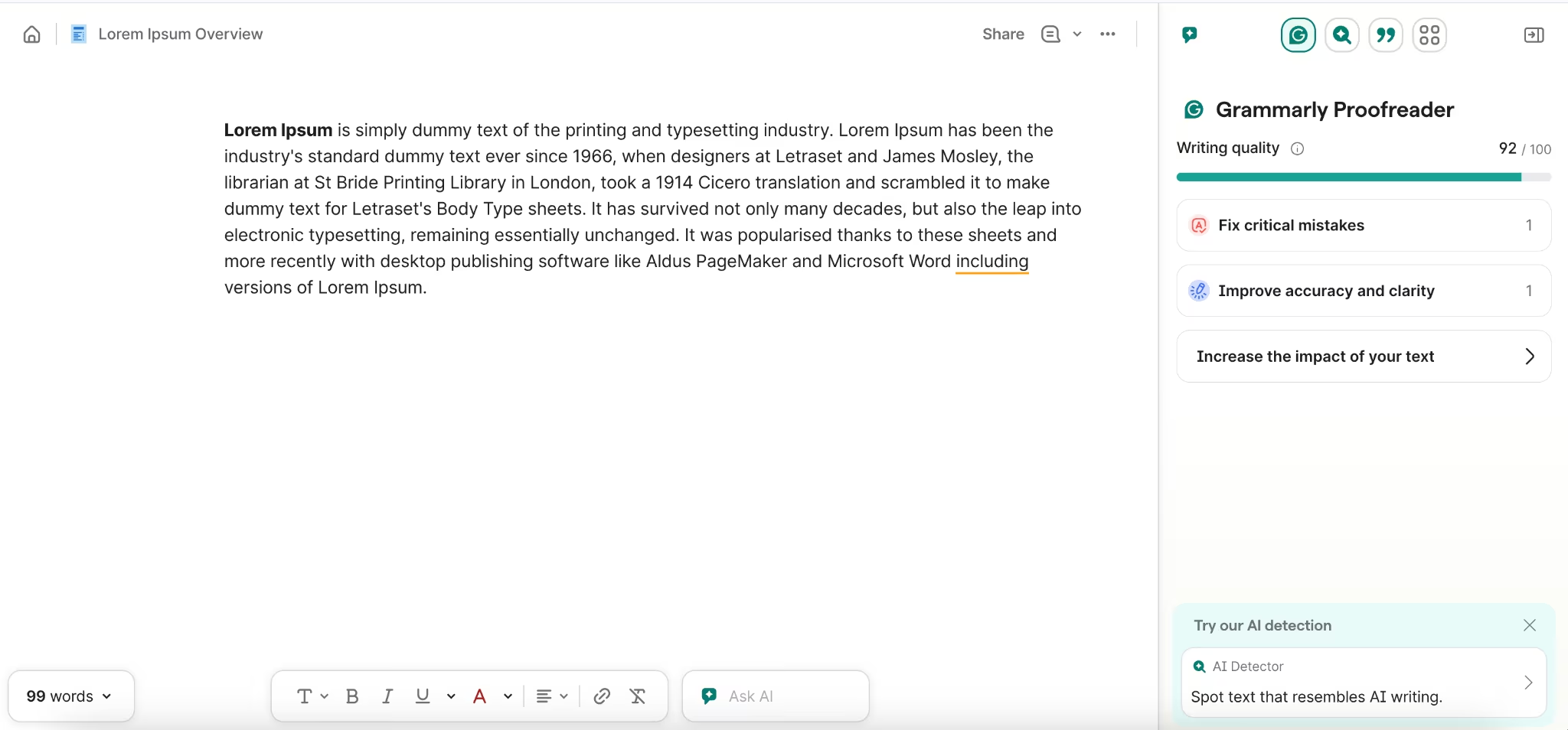
What it does: Checks grammar, tone, and clarity in real time and suggests rewrites on copy you already wrote, inside the apps where you write.
Best for: Agents who send a lot of client-facing messages and want the tone and clarity cleaned before they go out.
I ran my buyer follow-up email through Grammarly, and it tightened the tone and caught two clunky sentences I'd have sent without noticing. I also waved off a couple of corrections that would have changed what I meant to offer.
Grammarly cleans tone, grammar, and clarity on copy you already wrote, which is what client-facing messages need before they go out. It sharpens your words rather than supplying them.
The risk is accepting every suggestion on autopilot. It sometimes flags a "fix" that changes your meaning, and in real estate, a reworded sentence about price or terms can become a problem. Read each suggestion instead of clicking accept-all.
Use Grammarly after the draft exists. ChatGPT gets words on the page, and Grammarly cleans them up. You still make the final call on anything that touches an offer.
Key Features
- Real-time edits: Flags grammar, tone, and clarity issues as you type.
- Tone detection: Tells you if a message reads cold, pushy, or unclear.
- Full-sentence rewrites: Suggests cleaner versions of clunky lines.
- Cross-app: Works in email, browser, and docs where you already write.
Pros and Cons
Pros:
- Real-time tone and clarity cleanup.
- Works inside your existing tools.
- Free plan covers core checks.
- Catches mistakes you'd miss.
Cons:
- Over-corrects and can change meaning.
- Polishes copy, doesn't draft it.
- Best features sit behind Pro.
- Suggestions need your judgment.
What Users Say
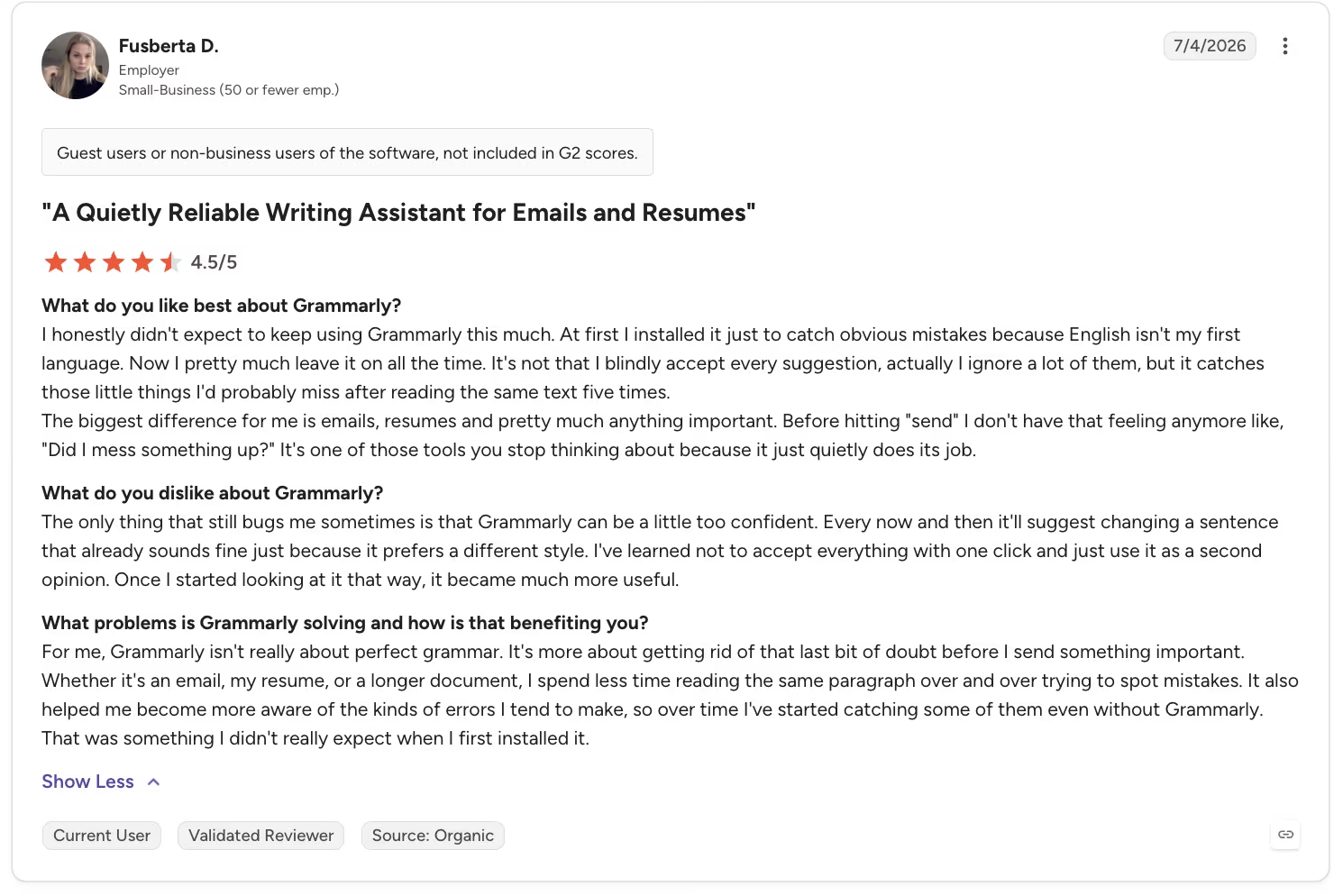
“I honestly didn't expect to keep using Grammarly this much. At first I installed it just to catch obvious mistakes because English isn't my first language. Now I pretty much leave it on all the time. It's not that I blindly accept every suggestion, actually, I ignore a lot of them, but it catches those little things I'd probably miss after reading the same text five times.” - Fusberta D., G2.
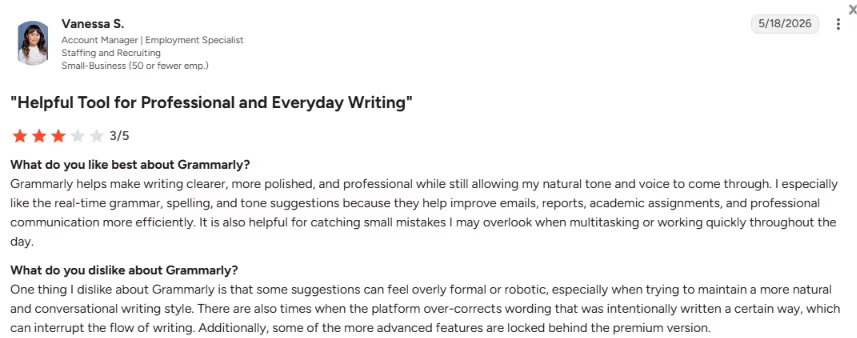
“Some suggestions [on Grammarly] can feel overly formal or robotic, especially when trying to maintain a more natural and conversational writing style. There are also times when the platform over-corrects wording that was intentionally written a certain way, which can interrupt the flow of writing.” - Vanessa S., G2
Pricing
For most agents, the free plan covers grammar, spelling, and basic clarity checks. Pro runs $12/month billed annually, with a higher month-to-month rate, so it's worth it only if you send a high volume of client copy and want the tone and rewrite tools.

Bottom Line
For agents who send a lot of client-facing messages and want the tone and clarity cleaned before they go out, Grammarly is a good tool. It polishes copy rather than drafting it, so pair it with ChatGPT for the first draft and read every suggestion that touches an offer before you accept it.
5. Descript: Best for Listing and Social Video Editing
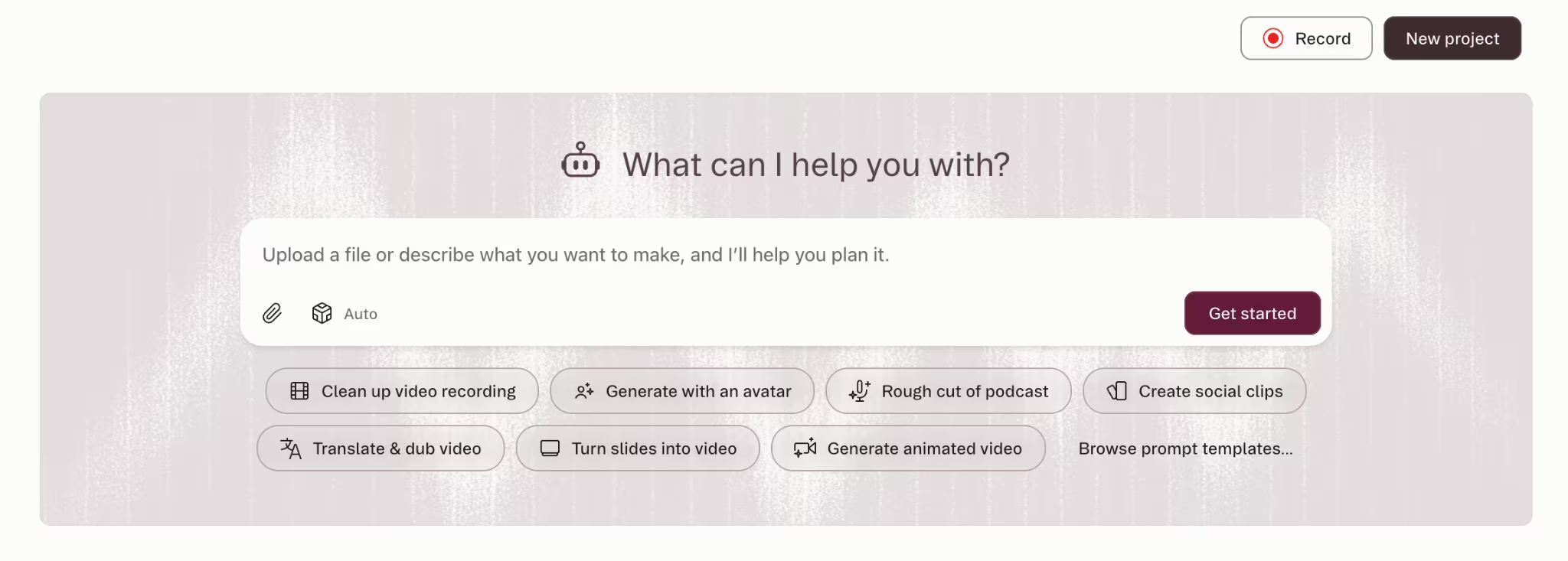
What it does: Edits video by editing its transcript, so you cut footage, strip filler words, and add captions by working with text instead of a timeline.
Best for: Agents who film walkthroughs or reels and want to edit them without learning a video editor.
I uploaded my 90-second walkthrough clip to Descript and cut three rambling parts by deleting the words in the transcript. Then the filler-word tool stripped my "ums" before I added captions, and I finished the edit in minutes.
Transcript-based editing makes video doable for an agent who isn't an editor. You edit the words, and the video follows. There's no timeline to wrestle with. Captions, filler removal, and clean cuts all happen the same easy way.
Descript pays off if you film. Walkthroughs, neighborhood clips, and short reels are worth the subscription. If your marketing is text and flyers, this is a tool you don't need yet.
A walkthrough that used to mean an afternoon in a video editor became a 15-minute job. That's the difference between posting a listing video weekly and never posting it at all.
Key Features
- Transcript editing: Cut video by deleting text, no timeline needed.
- Filler removal: Strips "ums" and pauses with one click.
- Auto captions: Adds accurate captions for muted social feeds.
- Screen and audio: Records walkthroughs, voiceovers, and tours in one place.
Pros and Cons
Pros:
- Edit video by editing text.
- Filler and caption tools save time.
- No editing experience needed.
- Fast for shortlisting clips.
Cons:
- Only worth it if you film.
- Credit limits and occasional glitches.
- Pricing tiers confuse some users.
- Slows down on long projects.
What Users Say
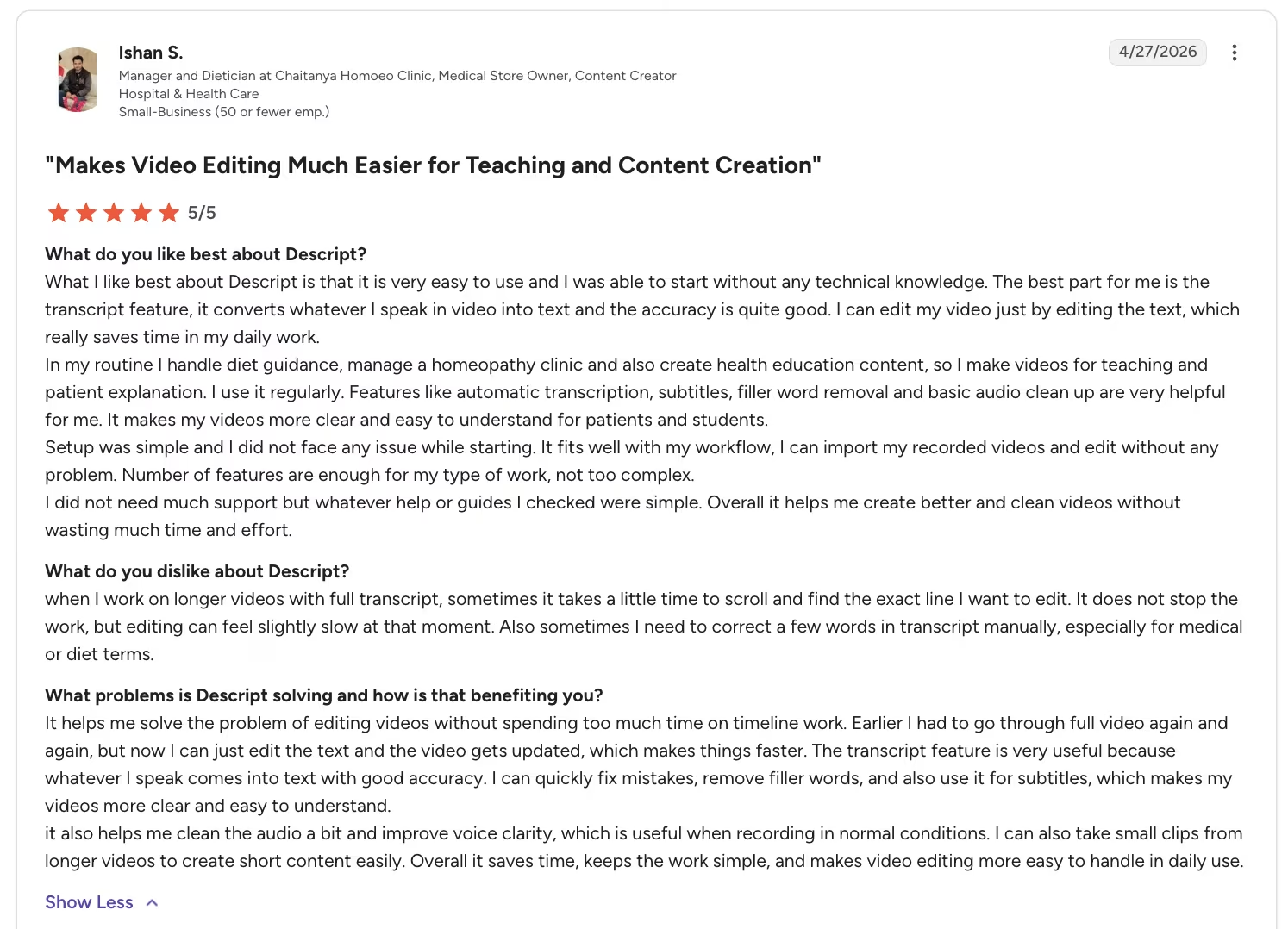
“What I like best about Descript is that it is very easy to use and I was able to start without any technical knowledge. The best part for me is the transcript feature, it converts whatever I speak in video into text and the accuracy is quite good. I can edit my video just by editing the text, which really saves time in my daily work.” - Ishan S., G2
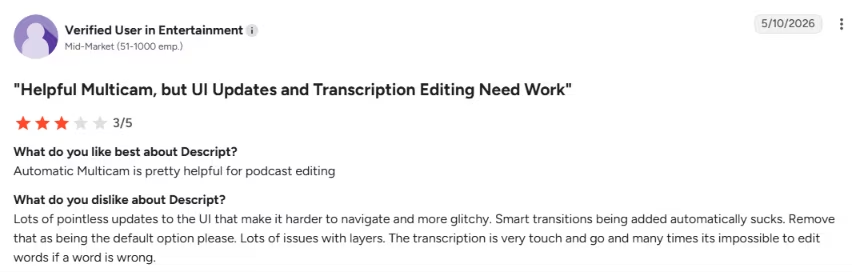
“Lots of pointless updates to the UI that make it harder to navigate and more glitchy. Smart transitions being added automatically sucks.” - G2
Pricing
Most agents who film will fit Hobbyist or Creator, depending on the media hours and AI features they need. Test on the free hour first to confirm that video is a habit you'll keep before you pay.

Bottom Line
Descript is ideal for agents who film walkthroughs or reels and want to edit them without learning a video editor, since it turns an afternoon of editing into a 15-minute job. The downside is that it only earns its $24/month tier once filming is a regular habit, so if your marketing is text and flyers, your money goes further on Canva.
6. Zapier: Best for Lead Routing and Follow-Up Automation
What it does: Connects your lead forms, CRM, email, texts, and calendars so a new lead triggers routing and instant follow-up automatically, with no code.

Best for: Agents whose lead volume is steady and who want instant, automatic follow-up and routing without touching each lead by hand.
I built a Zap in Zapier that pushed every new website inquiry into my customer relationship management (CRM) system and fired an instant follow-up text. Then I watched the task counter to estimate what it would cost once the lead volume picked up.
The task counter mattered more to my test than the setup because it showed what the workflow could cost as lead volume grew. Zapier connects your lead forms, CRM, email, texts, and calendars so a new lead gets a response without you touching it. Speed of first contact is one of the biggest levers on conversion, and Zapier automates it.
The cost is task-based, and it climbs with volume. Every action a Zap takes can use a task, so a busy funnel that fires lots of automations gets expensive faster than people expect. Estimate your task volume before you pick a plan.
It burns budget faster because AI amplifies whatever funnel you point it at. Fix your lead quality first, then automate, or you're paying to chase people who were never going to buy.
Key Features
- App connections: Links thousands of tools, including most CRMs and form builders.
- Instant follow-up: Fires a text or email the moment a lead comes in.
- Multi-step Zaps: Routes one lead through several actions automatically.
- Lead routing: Sends the right lead to the right agent or list.
Pros and Cons
Pros:
- Connects nearly every tool you use.
- Automates follow-up and routing.
- Big library of prebuilt templates.
- No code required.
Cons:
- Task-based cost scales fast.
- Task limits confuse new users.
- Amplifies a weak funnel's waste.
- Setup takes some trial and error.
What Users Say
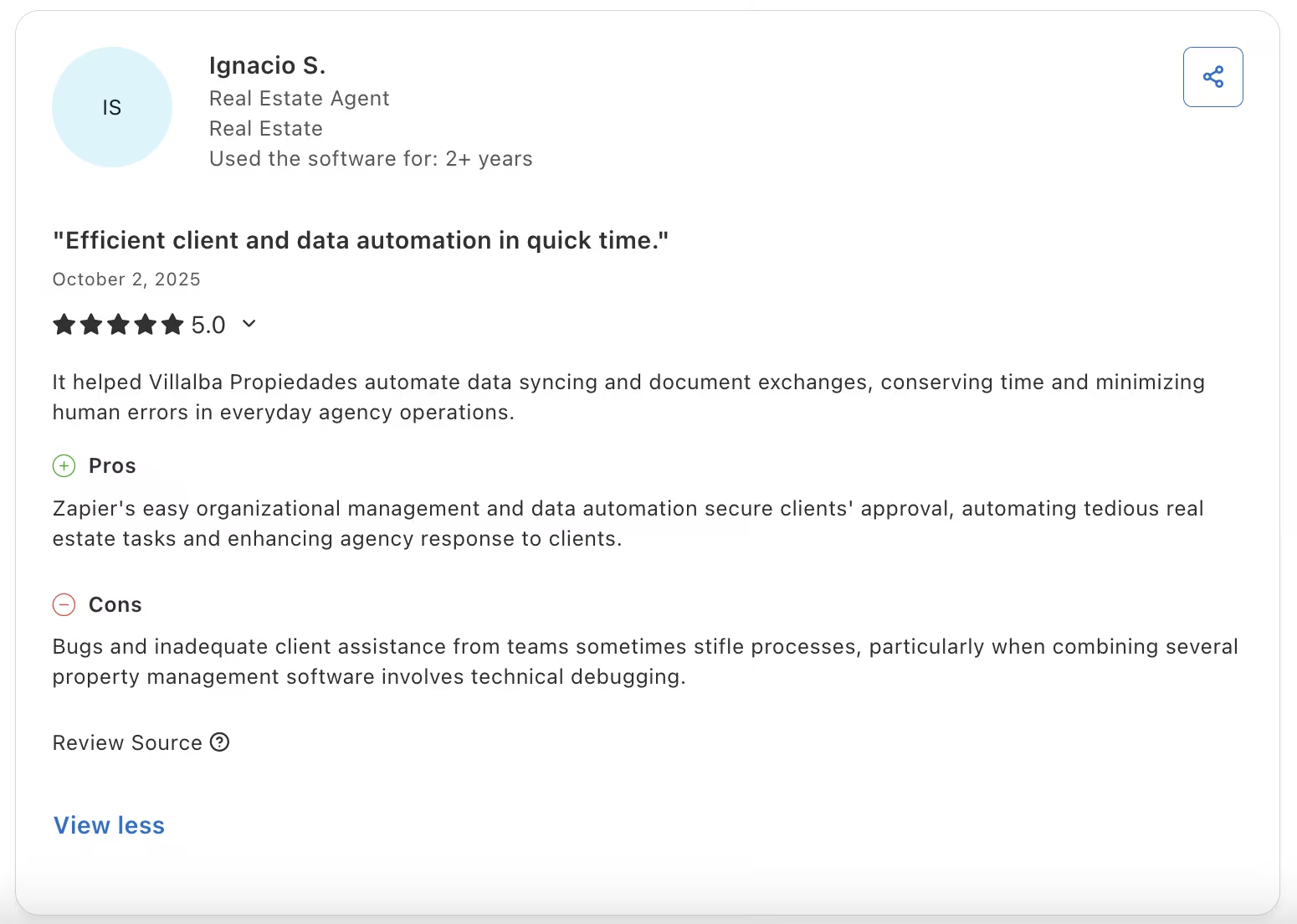
"It helped Villalba Propiedades automate data syncing and document exchanges, conserving time and minimizing human errors in everyday agency operations." - Ignacio S., Capterra
Pricing

Professional at $29.99/month covers a light follow-up setup. Map your monthly task volume before subscribing, because task-based pricing still gets expensive fast at volume.
Bottom Line
Agents with steady lead volume and who want instant, automatic follow-up will get good use out of Zapier. Note, though, that task-based pricing climbs fast at volume, so map your monthly task count before Professional at $29.99/month and automate only a funnel that already works.
Also read our best Zapier alternatives for workflow automation guide for what else is worth trying before the task count adds up.
7. Otter.ai: Best for Meeting Notes and Call Recaps
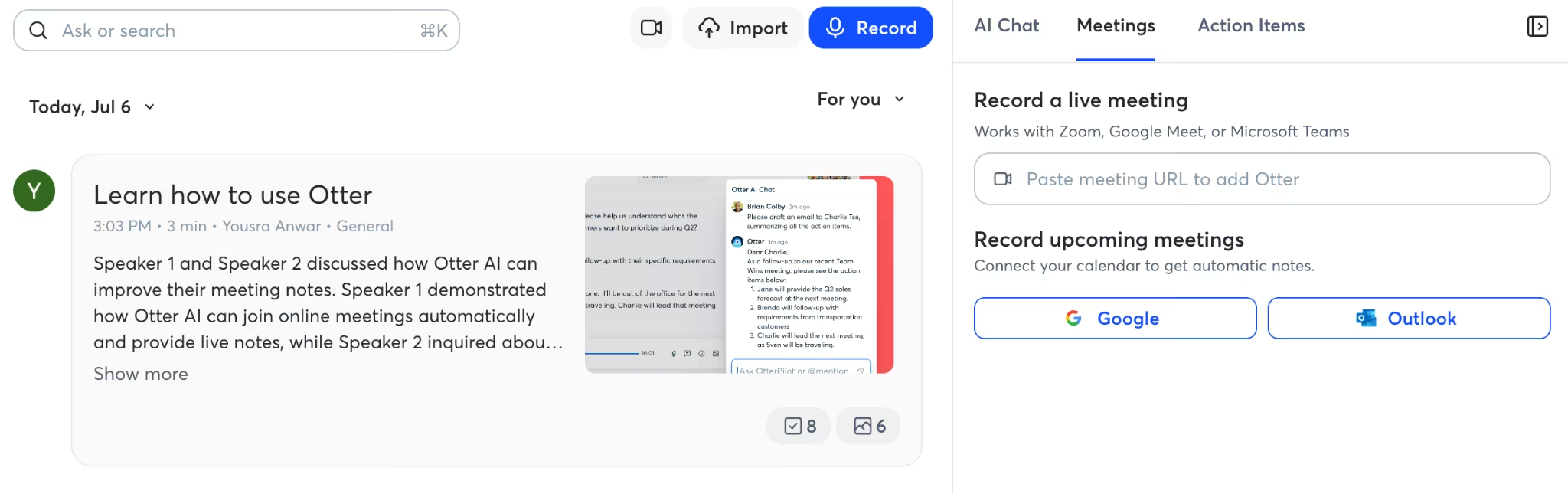
What it does: Transcribes calls and meetings in real time, then produces a summary, action items, and a searchable record you can review afterward.
Best for: Agents who run consults and meetings and want recaps and action items without re-listening to the whole call.
I let Otter.ai transcribe a buyer-consult call, after confirming everyone was fine being recorded, and it handed me a clean summary and action items. Those were the notes I'd normally scribble half-legibly on a pad and lose track of by the next showing.
Use it to recap calls and meetings and pull out follow-up tasks without re-listening to the whole thing. The transcript and action items mean you walk out of a consult with a record of what you promised and what comes next.
Consent and recording laws come first, though. Some states require everyone on a call to agree to being recorded, so confirm it before you hit record, every time. Consent can be the difference between a useful tool and a legal problem.
Sensitive client details need careful handling with any AI tool. Use it for logistics and recaps, not for running a client's private information through a black box.
Key Features
- Live transcription: Captures calls and meetings in real time.
- Summaries: Condenses a long call into a short recap.
- Action items: Pulls out next steps and to-dos automatically.
- Search: Lets you find any moment by searching the transcript.
Pros and Cons
Pros:
- Clean transcripts with action items.
- Saves re-listening to whole calls.
- Free plan for light use.
- Searchable record of what was said.
Cons:
- Consent requirements and recording laws apply.
- Editing and limits frustrate some.
- Privacy concerns with client data.
- Accuracy dips on crosstalk.
What Users Say
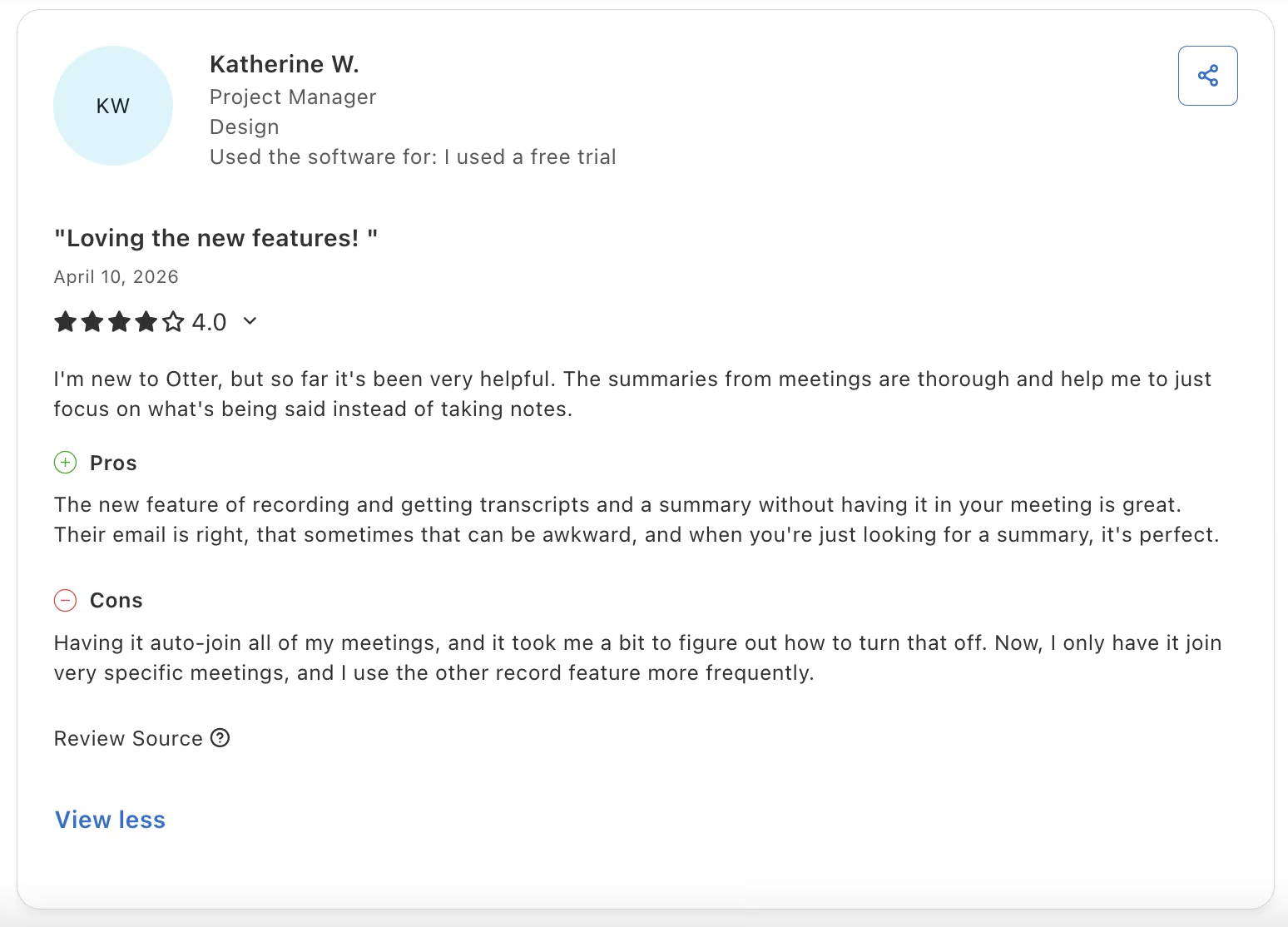
"I'm new to Otter, but so far it's been very helpful. The summaries from meetings are thorough and help me to just focus on what's being said instead of taking notes.” - Katherine W., Capterra
Pricing
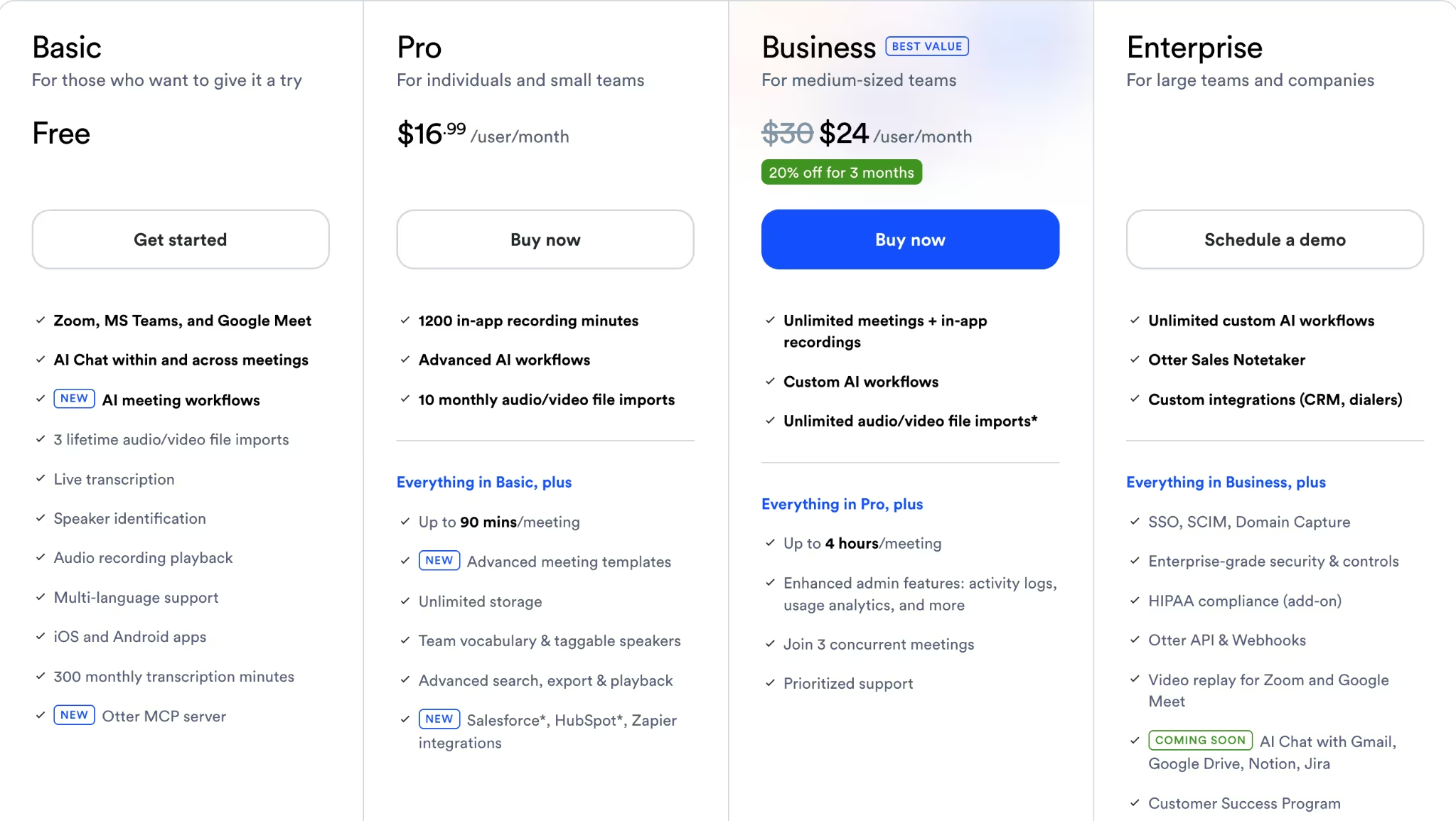
The free Basic plan covers occasional recaps. Pro at $16.99/month makes sense if you run consults often enough that re-listening is eating your week.
Bottom Line
Otter.ai is for agents who run consults and meetings and want recaps and action items without re-listening to the whole call. You have to consider consent law, since some states require everyone on a call to agree, so confirm it before you record and keep sensitive client details out of it.
What AI Still Gets Wrong in Real Estate (and How to Stay Safe)
Across the whole test, AI still needed my review. It sped up my first drafts, but I still checked every property fact and rewrote anything that oversold the house. The tools moved work faster while I still made the final judgment.
Accuracy: AI gave me a wrong square footage, a made-up school rating, and a confident misreading of a contract clause. Document analysis had the same accuracy problem.
A messy disclosure PDF or an inspection report came back summarized wrong, so I treat any AI read of a document as a draft to check. I verify every number and every local or legal claim before it reaches a client, because the confident tone hides the mistakes.
AI staging: Editing a photo to add furniture or hide a flaw can cross into misleading a buyer. In California, AB 723 took effect on January 1, 2026. CRMLS guidance says altered listing images must be labeled and shown immediately before or after the original unaltered image. I disclose any AI edits and keep the image true to the home.
Automation: When I wired up instant follow-up on a weak lead funnel, it spent my budget faster by amplifying its problems. I automate a funnel that already works, and I estimate my task cost before I scale it.
Recording consent: Transcription tools were only safe with consent, and some states require everyone on a call to agree. I confirm it before I record, and I keep sensitive client data out of any AI I wouldn't want quoted back to me.
Keep a human in the loop. AI drafts and repurposes work faster, and I verify the facts, the tone, and the law before anything goes out the door.
Which AI Tool for Real Estate Agents Should You Choose?
Pick the one tool per job you'll reuse, and let your stack grow from what you keep coming back to.
- Choose ChatGPT if: You want faster listing descriptions, emails, and client copy, and you'll verify the facts yourself.
- Choose Canva if: You make your own flyers, social posts, and seller presentations, and want them on-brand fast.
- Choose Wingman if: You want lead follow-up and showing scheduling handled for you, and you'd rather text an assistant than build the automation yourself.
- Choose Grammarly if: You send a lot of client-facing messages and want the tone and clarity cleaned before they go out.
- Choose Descript if: You film walkthroughs or reels and want to edit them without learning a video editor.
- Choose Zapier if: Your lead volume is steady and you want instant, automatic follow-up.
- Choose Otter.ai if: You run consults and meetings and want recaps and action items without re-listening.
A few of these you can skip outright, depending on your business.
- Skip Wingman if: Your lead volume is low, since the credit cost outweighs the time saved.
- Skip Descript if: You don't film video, since flyers and text marketing don't need it.
- Skip Zapier if: Your lead volume is tiny, since manual follow-up is cheaper than a subscription.
Other AI Jobs This Stack Does Not Cover
The seven tools above cover the workflow I tested, but they do not cover every high-intent job agents search for.
Pricing and valuation: General AI tools can help you write a CMA summary or listing presentation, but they are not the same as valuation platforms or property-data tools.
Market-stat research: For neighborhood trends, affordability context, or current market commentary, use a research workflow that lets you verify numbers before you put them in front of a client.
Document review: AI can help summarize disclosure packages, inspection reports, condo documents, and zoning material faster than reading them cold. Treat it as a first pass and do the final reading yourself.
Virtual staging: Marketing design tools help you package a listing. Virtual staging tools help buyers picture an empty or dated room differently. Those are two different jobs.
Prospecting and lead scoring: Automation is useful after a lead arrives. It is different from predicting who is likely to sell, qualifying inbound traffic, or ranking leads by intent.
Chatbots and contract admin: This stack does not include 24/7 site chat, e-signatures, or full transaction paperwork. Some teams will need those if response time and document flow are the main pain points.
Final Verdict: The Best AI Stack for Real Estate Agents in 2026
After the test, my working set matched one tool to each job. ChatGPT wrote, Canva designed, Grammarly polished, Descript cut the video, Zapier ran follow-up, and Otter.ai recapped calls.
The stack paid off because each tool handled one repeated job well. AI handled the first draft and the busywork, and I stayed in the loop to check facts, fix tone, and keep the message honest before it reached a client.
Use a specialist only when a job demands it. For most real estate workflows, the seven tools above cover the seven core jobs I looked at.
How Emergent Helps Real Estate Agents Build the Custom Tool the Stack Can't
Every tool here does one job well, and that's also the limit. None of them gives you one branded place where a lead fills out a form, lands in a logged-in portal, and pays a deposit. That workflow still has to be stitched together across seven subscriptions.
Emergent is aiming for that combined client workflow. If you need a single branded experience that brings together intake, logins, follow-up, and payments, it is positioned as a custom app option rather than another single-purpose tool.
The next step is owning the system behind that workflow: a CRM where you can capture leads, organize client information, track conversations, and manage follow-ups in one place. Emergent’s tutorial, How to Build a Real Estate CRM with the E-3 Agent on Emergent, walks through creating one tailored to a real estate business.
If your needs stop at writing, graphics, and follow-up, the stack above is plenty. But if no single tool owns your whole client flow, a custom app may fit better.
How to Add AI Without Breaking Your Workflow
Start with one repeated task before taking on five: Listing copy, follow-up, meeting notes, and social repurposing usually produce the fastest gains.
Keep a human in the loop on anything high-stakes: Pricing, property condition, school claims, contract language, and disclosures all need your eyes. AI is faster, but you are still the one accountable for what goes out.
Keep AI beside the systems you already trust: Your MLS, CRM, signed documents, and brokerage rules should remain the final reference point.
Automate only after the workflow works manually: Adding automation to a weak lead funnel usually burns time and money faster.
Review outputs where the downside is real: A rough caption is easy to fix. A wrong square footage claim, a misleading staged photo, or a bad contract summary is not.

Most AI app builders stop at prototypes. Emergent creates production-ready apps you can actually launch.
- Production-ready apps
- Web & mobile apps
- Deploy in minutes







