



I spent the last few months building working projects with 10 AI app-building tools. Here are the ones worth your time in 2026.
10 Best AI App Building Tools: Quick Comparison
How I Researched and Tested These AI App Building Tools
I signed up for each tool, gave it the kind of work it was built for, and used it across a few small projects. That included a customer-facing booking page, an internal team dashboard, and a tool that turns a pile of customer feedback into a short list of what to act on. Some tools I ran for a week, others for an afternoon.
I also tried v0, Base44, and Bubble, but cut them. v0 only does UI scaffolding, not full apps, and Base44 felt thin on the backend after Wix's acquisition. Bubble belongs to the older no-code generation.
Here is what I judged each platform on:
- Features: How well the tool turns a plain-English prompt into a working app, and how much it handles for you.
- Usability: Whether it feels fast and clear, or whether you fight the interface to get anything done.
- Integrations: How easily it connects to the other tools people already use, like Stripe for payments or GitHub for code backups.
- Pricing: What you get on the free tier versus the paid plans, and how fast the costs climb.
- Use cases: Whether the tool fits a non-coder shipping a first app, or an engineer doing production work.
Building those projects, instead of skimming feature lists, is what showed me where each tool helps and where it gets in your way.
1. Lovable: Best for Non-Technical Users Shipping a Web App
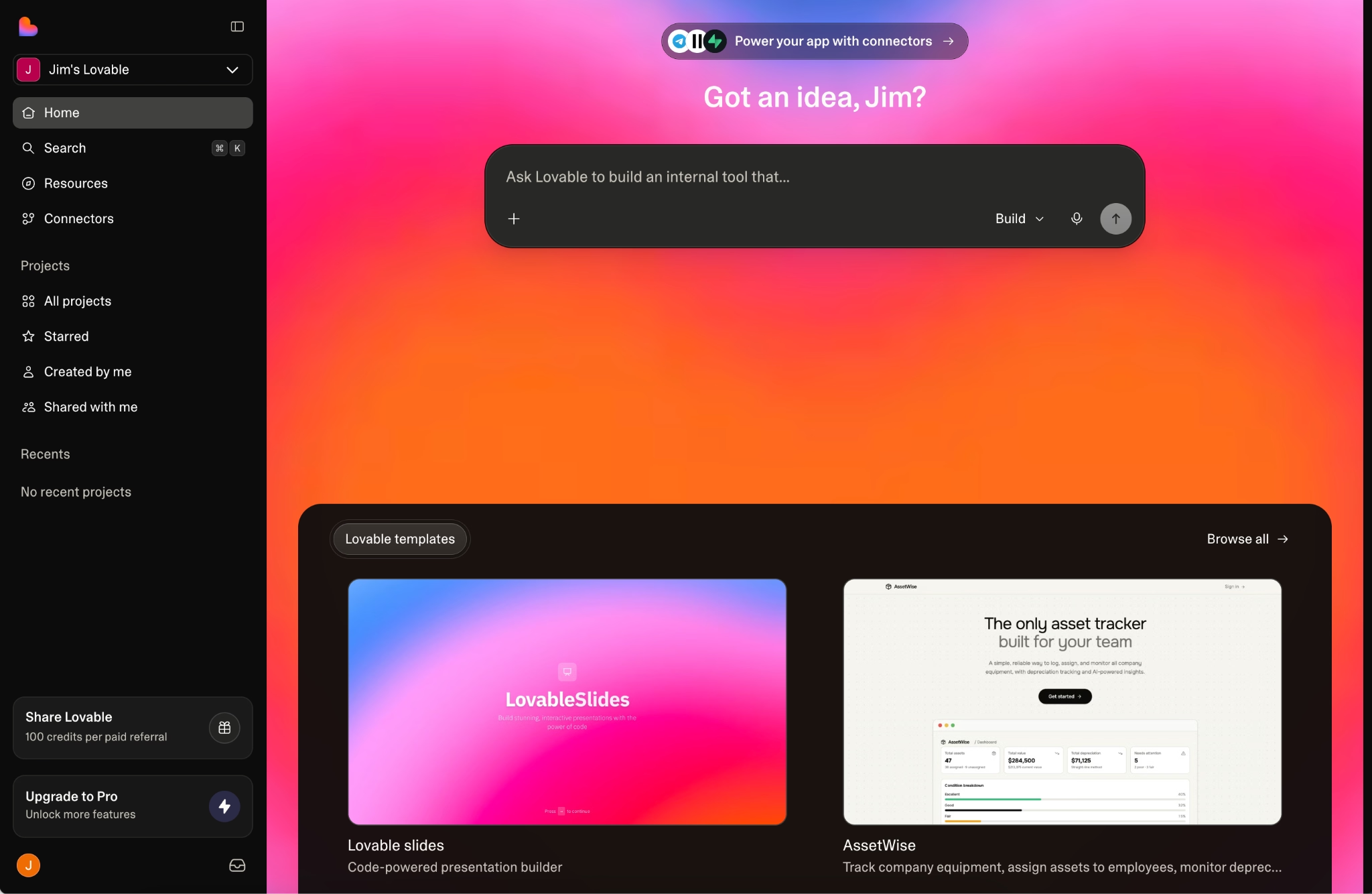
What it does: Lovable is an AI app-building platform, the kind of tool people use for "vibe coding" It builds complete web apps, websites, and prototypes from plain language. You type or even speak what you want, and the AI generates the full version of the app for you.
Best for: Non-coders and entrepreneurs launching a first version or MVP without hiring an engineer, designers who want interactive coded mockups, and developers fast-tracking the early setup before moving the code to GitHub.
Lovable felt like the most beginner-friendly tool I tried. Its Plan Mode lets me think through a feature with the AI before it writes any code, which is a smart safety step for someone new to this. The catch showed up when I asked for unusual backend logic, where the AI started to get confused.
Key Features
- Conversational building: You type something like "Build a booking site for my salon with online payments," and Lovable plans and builds a working version in minutes.
- Plan Mode: You can work through a feature or a bug with the AI before it touches your code, which helps beginners avoid mistakes.
- Visual edits: You click an element and change how it looks directly, without writing a prompt for every small tweak.
- Supabase backend: Lovable connects to Supabase for your database, logins, and file storage, so your app remembers users instead of resetting.
Pros and Cons
Pros:
- One of the easiest tools for a non-coder to get a good first-version web app live.
- Plan Mode and visual edits make small changes painless.
- You can export the code to GitHub if you hand the project to a developer later.
Cons:
- Web only, so it cannot build apps that people download from the App Store or Google Play.
- The backend is tied to Supabase, and deeper or unusual backend work is where the AI tends to stumble.
- You cannot import an existing project, since Lovable only builds new apps from scratch.
What Users Say
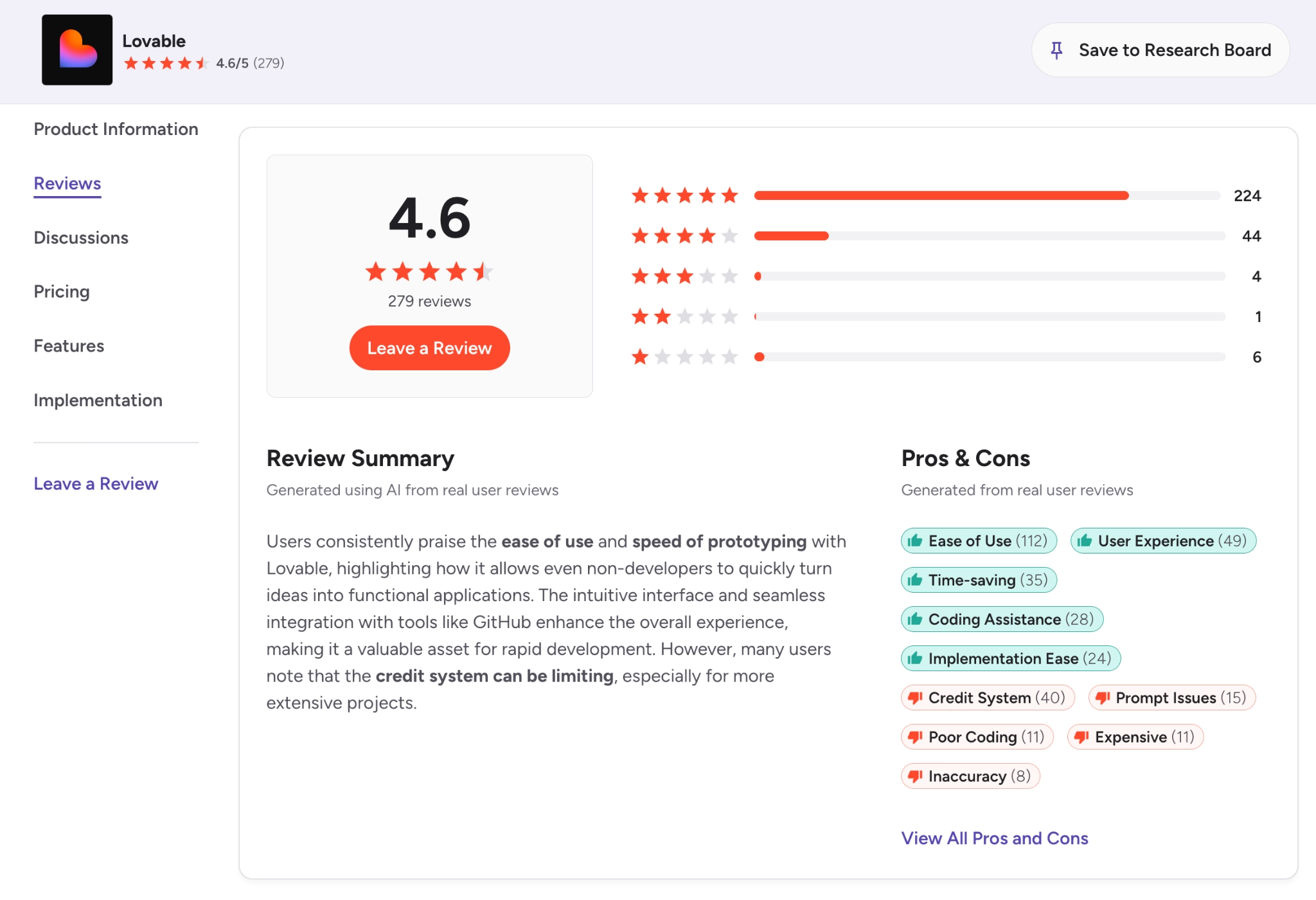
As of this writing, Lovable holds a 4.6 out of 5 across 270+ G2 reviews, where people praise the onboarding and how quickly a first web app comes together, even without coding skills. The recurring criticism is the credit system: Reviewers describe credits draining fast and costs being hard to predict on bigger projects, which matches what I ran into.
Seen the praise but want to know if the credit system is worth it? Read our Lovable Reviews for a closer look.
Pricing
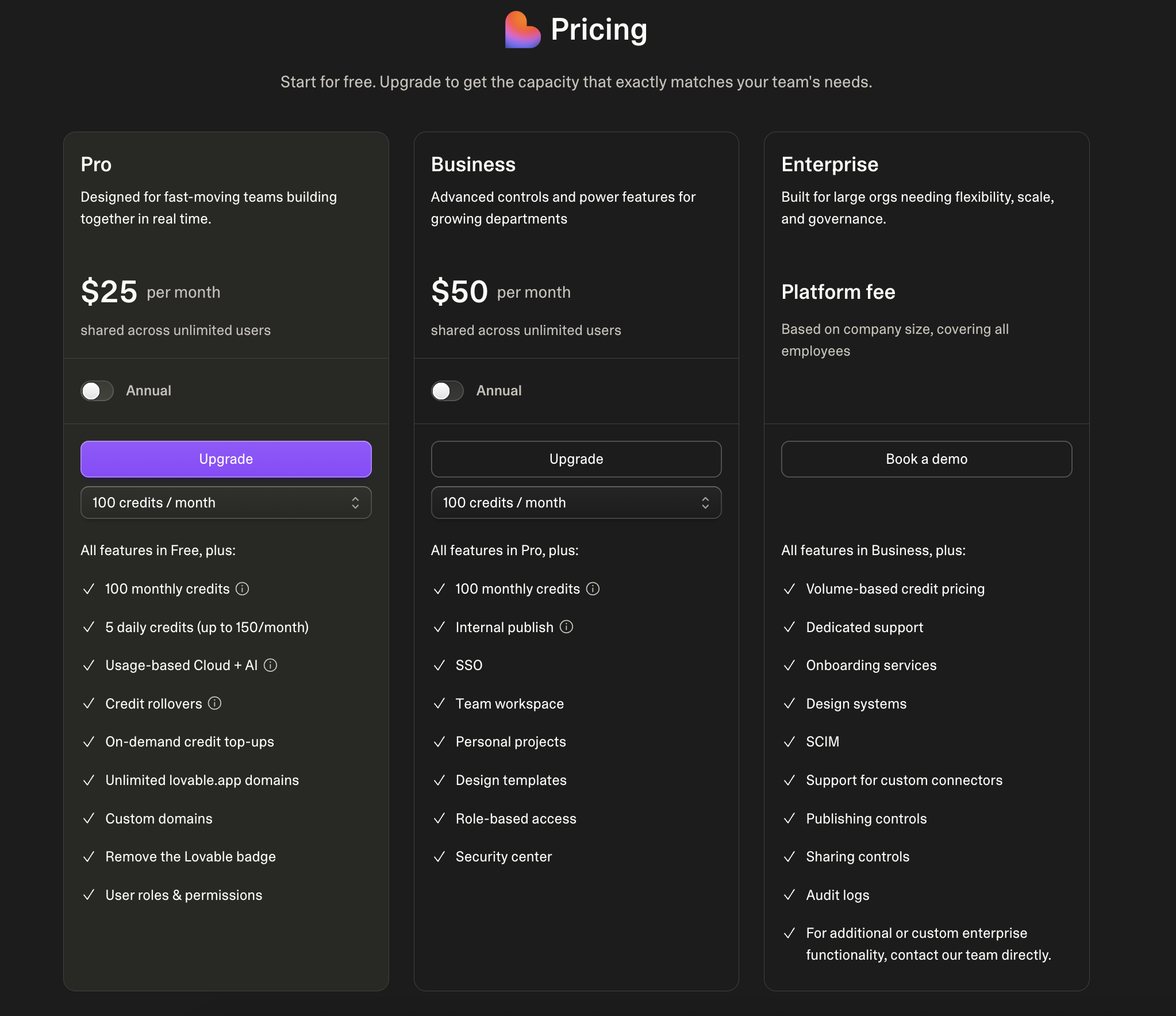
Lovable pricing starts free and runs on credits:
- Free: $0, with 5 daily credits (up to 30 per month).
- Pro: $25/month, for individuals building and shipping web apps.
- Business: $50/month, with more capacity and team features.
- Enterprise: Custom pricing.
Every prompt uses credits, so heavy or complex projects can cost well above the base subscription.
Bottom Line
I would pick Lovable for someone who wants a clean web app and nothing more complicated. If you need a native mobile app or heavy backend logic, look at Emergent or Replit instead.
Lovable not the right fit for what you're building? Our Lovable Alternatives breakdown covers the closest options worth trying.
2. Emergent: Best for Full-Stack Web and Mobile From One Prompt
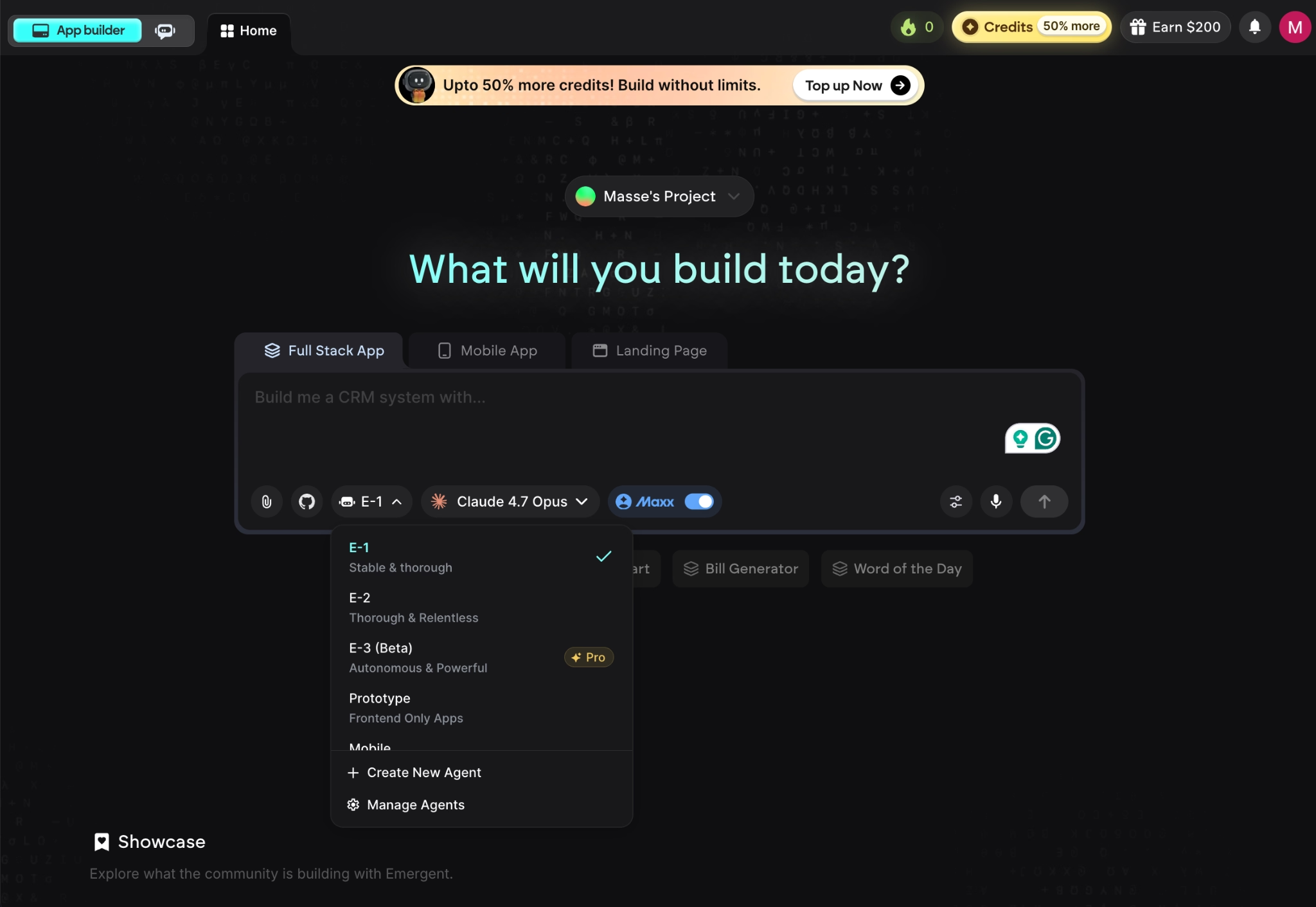
What it does: Emergent is an AI app builder that generates working web and mobile apps from a plain-English prompt, using a team of specialized agents that plan, design, code, test, and connect integrations together.
Best for: Non-coders and small business owners who want to build a full, high-quality web and mobile app fast.
The main reason I like Emergent is that it does more than the other tools here without getting harder to use. A team of specialized AI agents works on your app together, so a plain-English prompt turns into a complete web and mobile app, front to back, with production-ready code you own.
In testing, I watched the agents work in real time, with files and screens appearing within minutes, and the testing agent caught and fixed its own bugs before I had to step in. That mix of speed and finish is what makes it a strong fit for someone with no coding background who still wants an app good enough to put in front of customers.
Key Features
- A team of specialized AI agents: Instead of one model doing everything, Emergent splits the job across agents that handle planning, design, code, testing, and integrations at the same time.
- Custom agents, Maxx, and Wingman: On the Pro plan, you can create custom AI agents and turn on Maxx, a high-power mode for harder tasks. Emergent also offers Wingman, an autonomous agent that handles everyday work like scheduling and inbox triage from WhatsApp, Telegram, or iMessage.
- Built-in databases and sign-in: It sets up where your app stores data and adds logins, including Google sign-in, without you touching any database setup.
- Code ownership with GitHub sync: On the Standard plan and up, Emergent saves your code to a GitHub repository under your account, so you can hand it to a developer later or host it anywhere.
Pros and Cons
Pros:
- The clarifying-questions step gets you a closer-to-right first build than tools that guess.
- Generates standard, readable code (React, Node.js, MongoDB) that any developer can extend.
- Sets up payments and sign-in from a single line in your prompt, like asking for Stripe checkout.
Cons:
- Vague prompts lead to weak results, so the output is only as good as the detail you put in.
- PDF reports come out rough, with page breaks landing in the middle of charts, so it is a poor fit for heavy reporting apps.
- It cannot publish Apple Watch or iPad apps, since those need a separate setup that Emergent does not support yet.
What Users Say
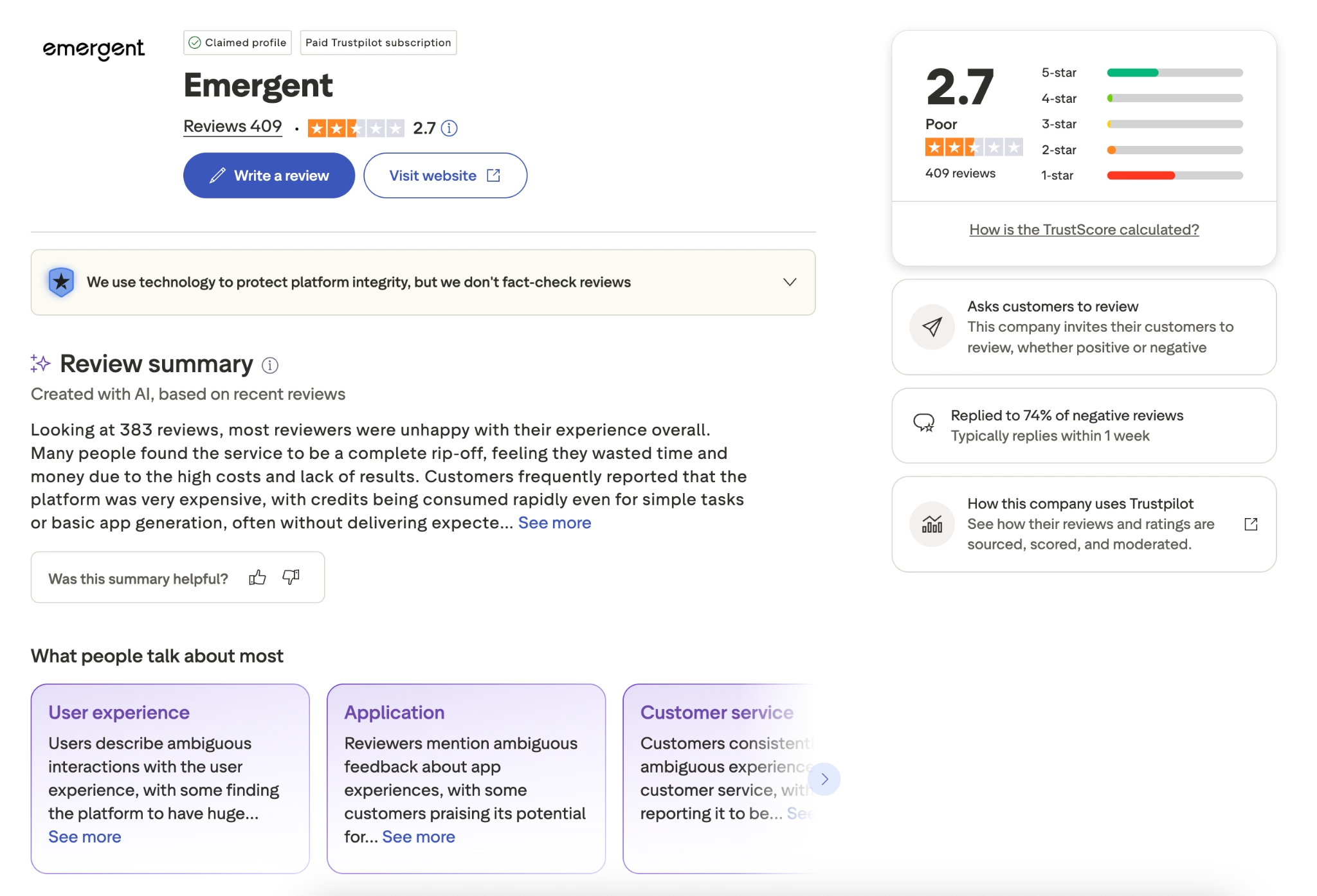
Across 400+ Trustpilot reviews, people new to coding describe shipping apps for their business that they could not have built before, and the team gets credit for fast email support. The clearest complaint is cost control: Reviewers say the agents can get stuck in a retry loop and burn credits, and a few flag in-app promo banners. It lines up with the prompt-quality trade-off above.
Pricing
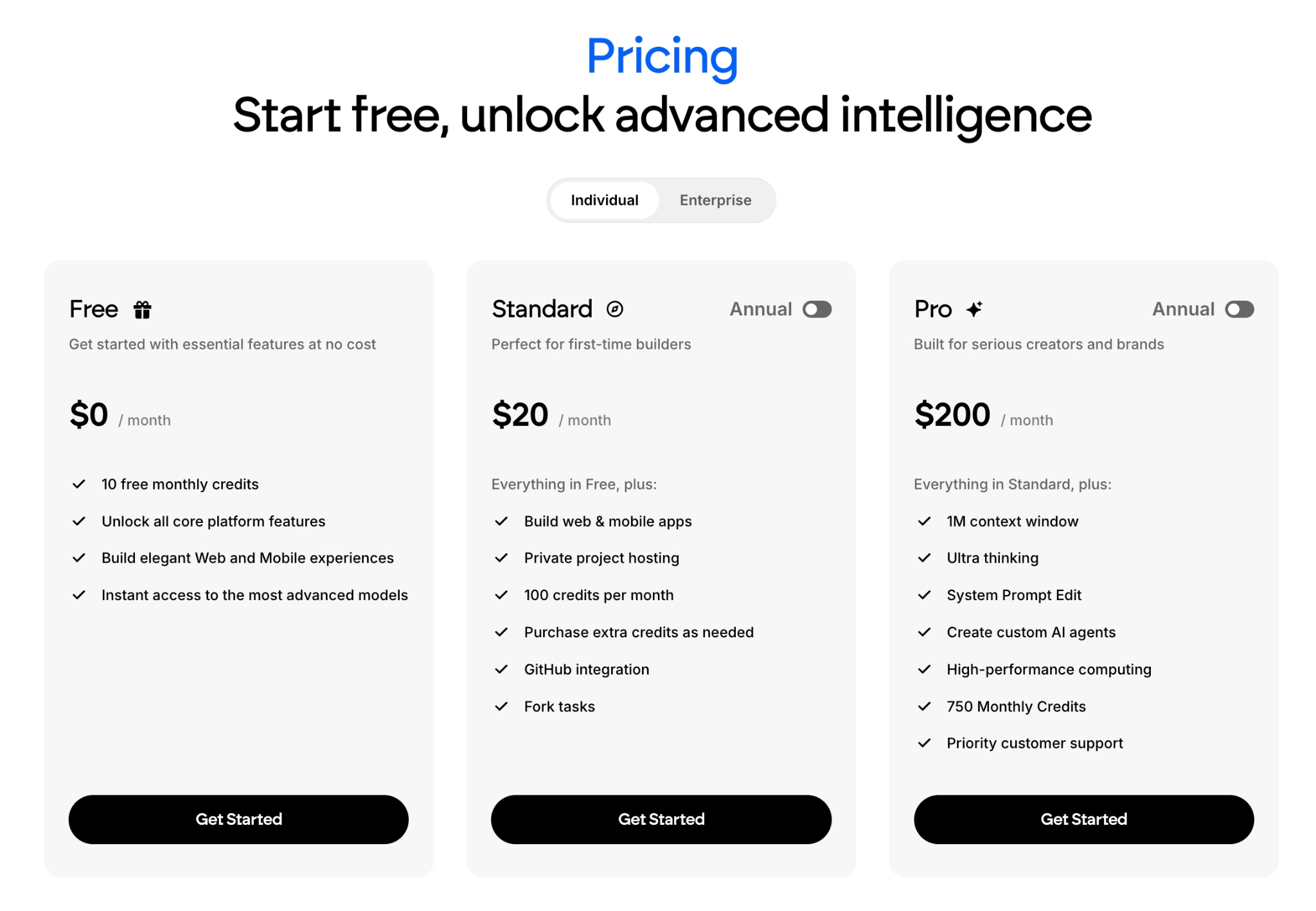
Emergent pricing is credit-based and starts free:
- Free: $0, with 10 monthly credits, for first-time users trying the platform.
- Standard: $20/month, with 100 monthly credits, unlimited small projects, GitHub sync, and popular integrations.
- Pro: $200/month, with 750 monthly credits, a 1M context window, custom agent creation, and priority support.
- Enterprise: Custom pricing with single sign-on, security, and scale features.
Annual billing saves roughly 15% to 17% across the paid tiers.
Bottom Line
Emergent is my personal top pick here for anyone with zero programming background, because it works for both regular users and experienced developers in one place. The reason it gets a first build so close to right is the setup under the hood: Instead of one model doing everything, Emergent runs multiple agents in parallel, so different parts of the job (planning, design, code, testing, integrations) happen at the same time.
The custom AI agents and high-power Maxx mode then give you room to grow that the other beginner-friendly tools here do not.
3. Replit: Best for Building and Shipping in One Place
What it does: Replit is a build-anything workspace that runs entirely in your web browser. You describe the app you want, and its AI assistant writes it, sets up a place for the app to store information, and gets it running live, with nothing to download or install.
Best for: Anyone who wants one place to build, test, and publish an app, plus developers who want hands-on control when they need it.
I gave Replit a vague first prompt on purpose, and it still came back with a plan, a working layout, and a database wired up in a few minutes. The thing that stood out was the checkpoint system: When the Agent broke something, I rolled back to a working version instead of starting over.
Key Features
- Replit Agent, the AI assistant: You explain your app in plain English, and it builds the whole thing, then fixes its own mistakes as you point them out.
- Checks its own work: The assistant opens your app and clicks through it the way a person would, quietly fixing problems it spots before handing it back.
- Everything built in: Your app can store information and let people create accounts from day one, and it links to services like Stripe so you can take payments.
- One-click undo: If a change goes wrong, you jump back to an earlier working version in a single click, so experimenting never costs you your progress.
Pros and Cons
Pros:
- Fast from idea to running app, even with zero coding experience.
- Nothing to install or configure, so you start building in seconds.
- The rollback safety net makes experimenting low-risk.
Cons:
- Credit costs can climb fast, especially when the Agent keeps retrying a fix that does not work.
- The Agent sometimes changes parts of the app you did not ask it to touch.
What Users Say
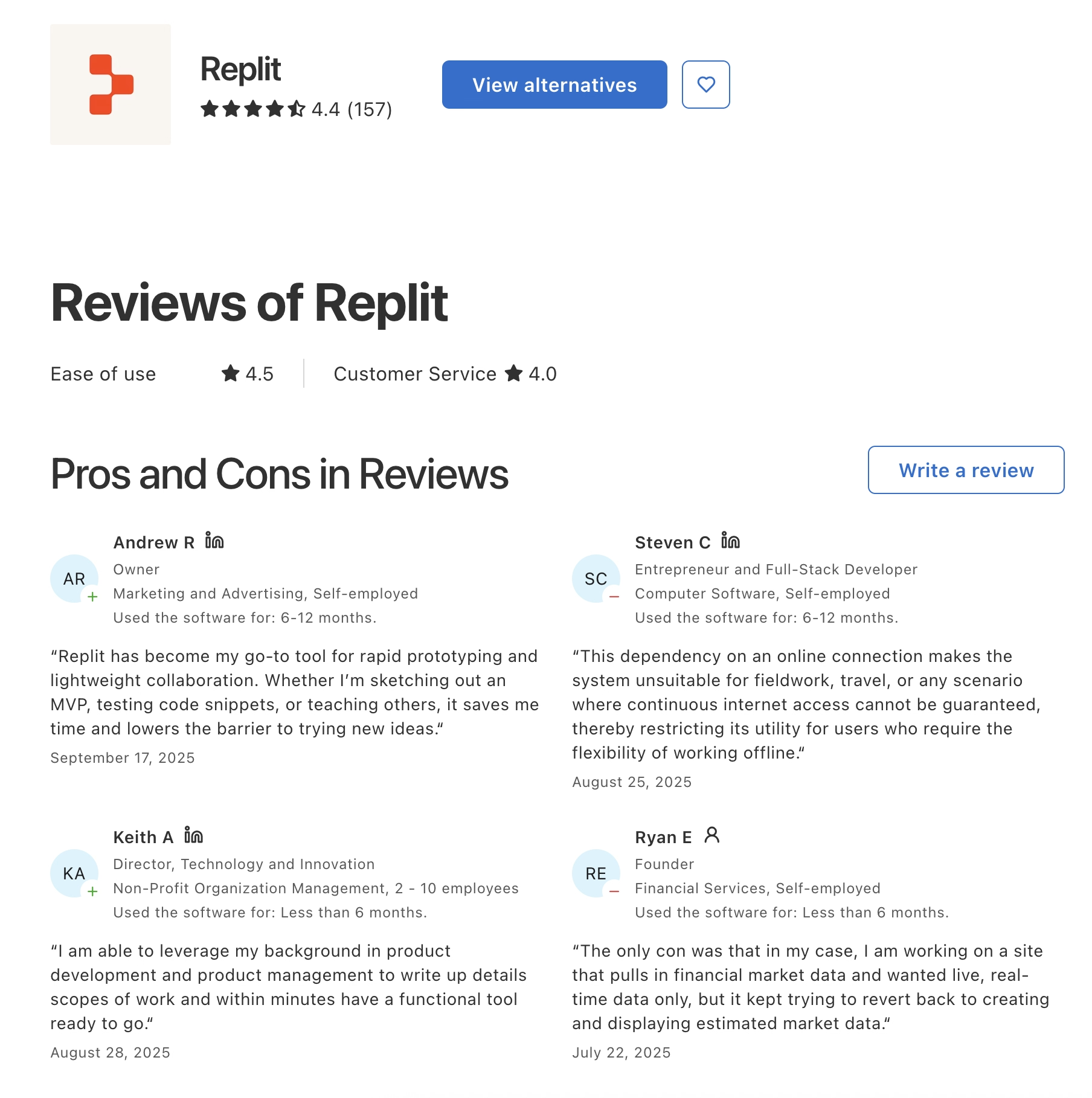
On Capterra, Replit averages 4.4 out of 5, and people single out how fast they get a first version live, with one founder calling rapid prototyping "unbelievable on Replit." The most common complaint on the same page is that the Agent can rewrite or break working features while doing a smaller task, which forces extra cleanup.
Pricing
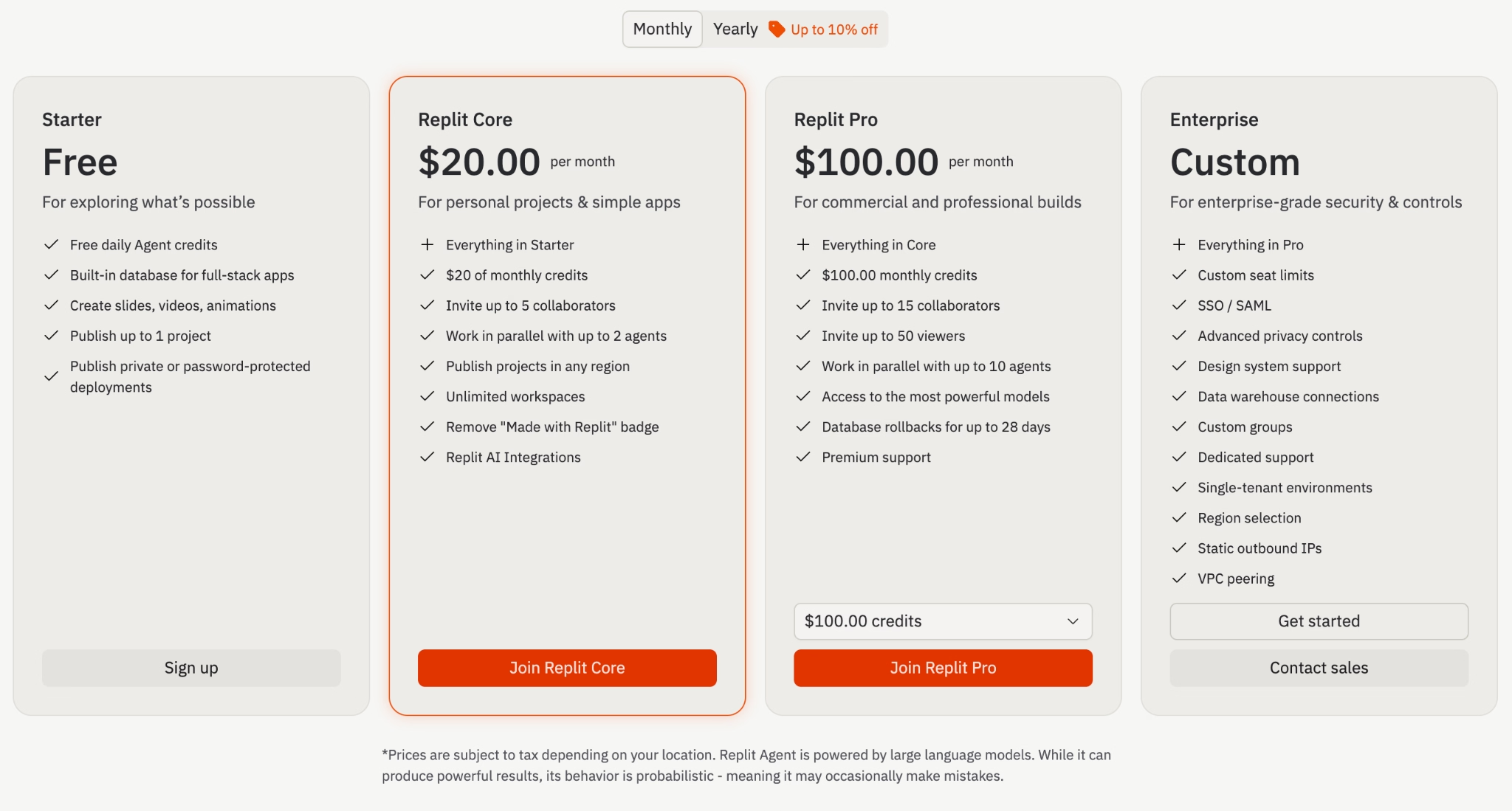
Replit pricing starts free and is credit-based:
- Starter: Free, with daily Agent credits, a built-in database, and one published project.
- Replit Core: $20/month ($18/month billed annually), $25 of monthly credits, up to 5 collaborators, and the "Made with Replit" badge removed.
- Replit Pro: $100/month ($90/month billed annually), $100 of monthly credits, up to 10 agents at once, and 28-day database rollbacks.
- Enterprise: Custom pricing with single sign-on, advanced privacy controls, and dedicated support.
Bottom Line
I would point a lot of beginners to Replit, because the all-in-one setup and rollback make it forgiving to learn on. Watch the credit meter on bigger projects, since costs can surprise you.
Hitting Replit's limits or watching the credit meter climb? Our Replit Alternatives breakdown covers the closest options worth trying.
4. Bolt.new: Best for Same-Day Web Apps
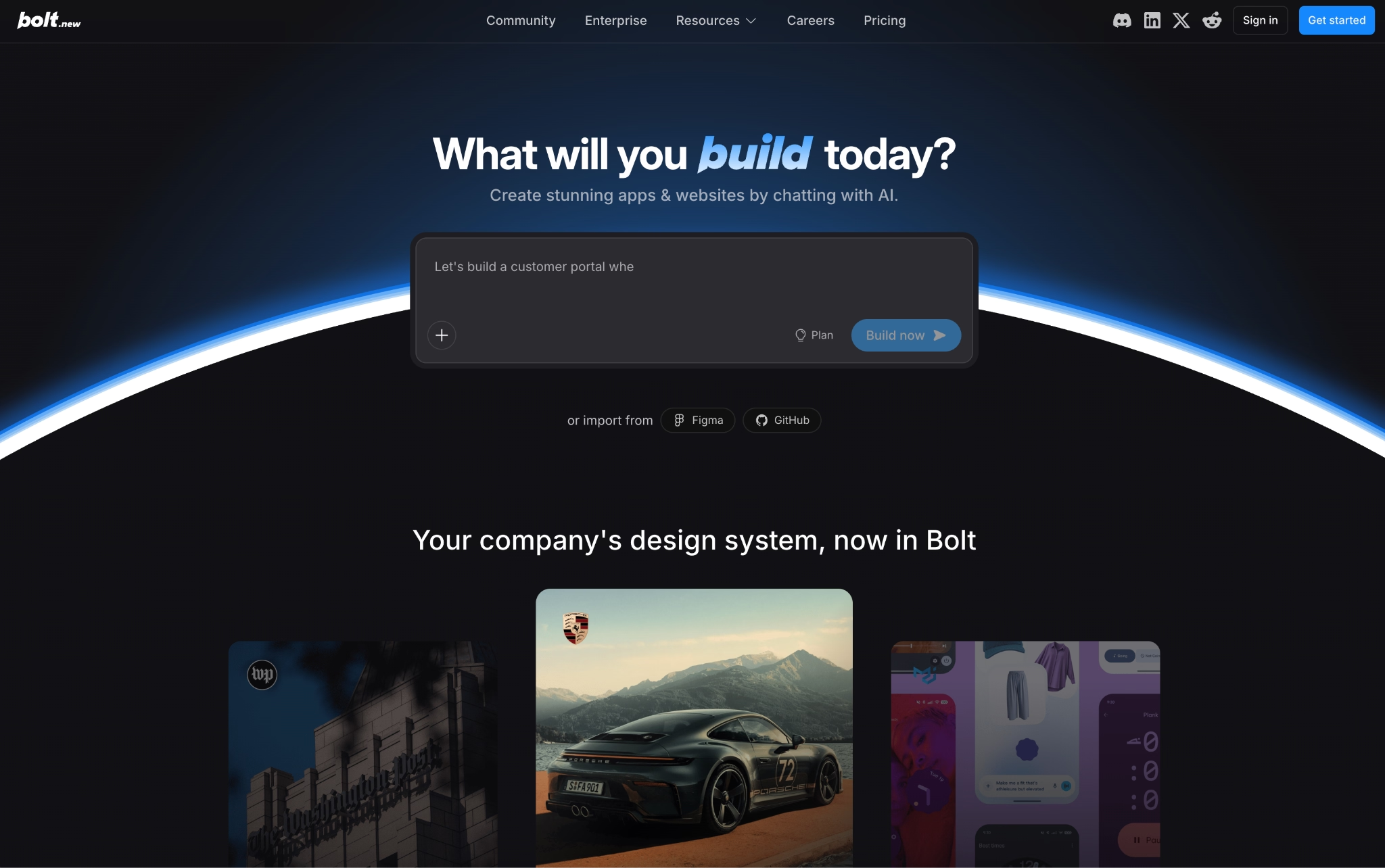
What it does: Bolt.new turns a typed idea into a working website or web app in the browser, then lets you publish it to a live link in one click.
Best for: Anyone who wants a complete app shipped fast, plus developers who like to switch between prompting and editing code directly.
Bolt was one of the first names people mentioned in this space a couple of years ago. Lately, I see far more about Lovable or Emergent across social media, and Bolt feels like it has lost some of that momentum. The product still delivers, though: It got me a clean landing page with a working form in under half an hour, and publishing took one click with a free link attached.
Key Features
- One-prompt builds: You describe a site or app, and Bolt generates the frontend, basic backend, and database in a single pass.
- Built-in hosting and databases: Bolt Cloud bundles hosting, databases, sign-in, and custom domains, so you do not stitch together separate services.
- Design system import: You can bring your brand's components and colors in, so the output looks on-brand instead of generic.
- Integrations that matter: It connects to Figma for design, GitHub for code backups, Stripe for payments, and Expo for mobile.
Pros and Cons
Pros:
- One of the fastest paths from prompt to a live URL.
- Everything runs in the browser, with free code export to GitHub.
- Strong for quick prototypes and validating an idea cheaply.
Cons:
- Token costs are high and hard to predict, and a single complex project can eat a whole month's allowance.
- Sign-in and payment setups can be buggy, and the code often needs a developer's review before going live.
What Users Say
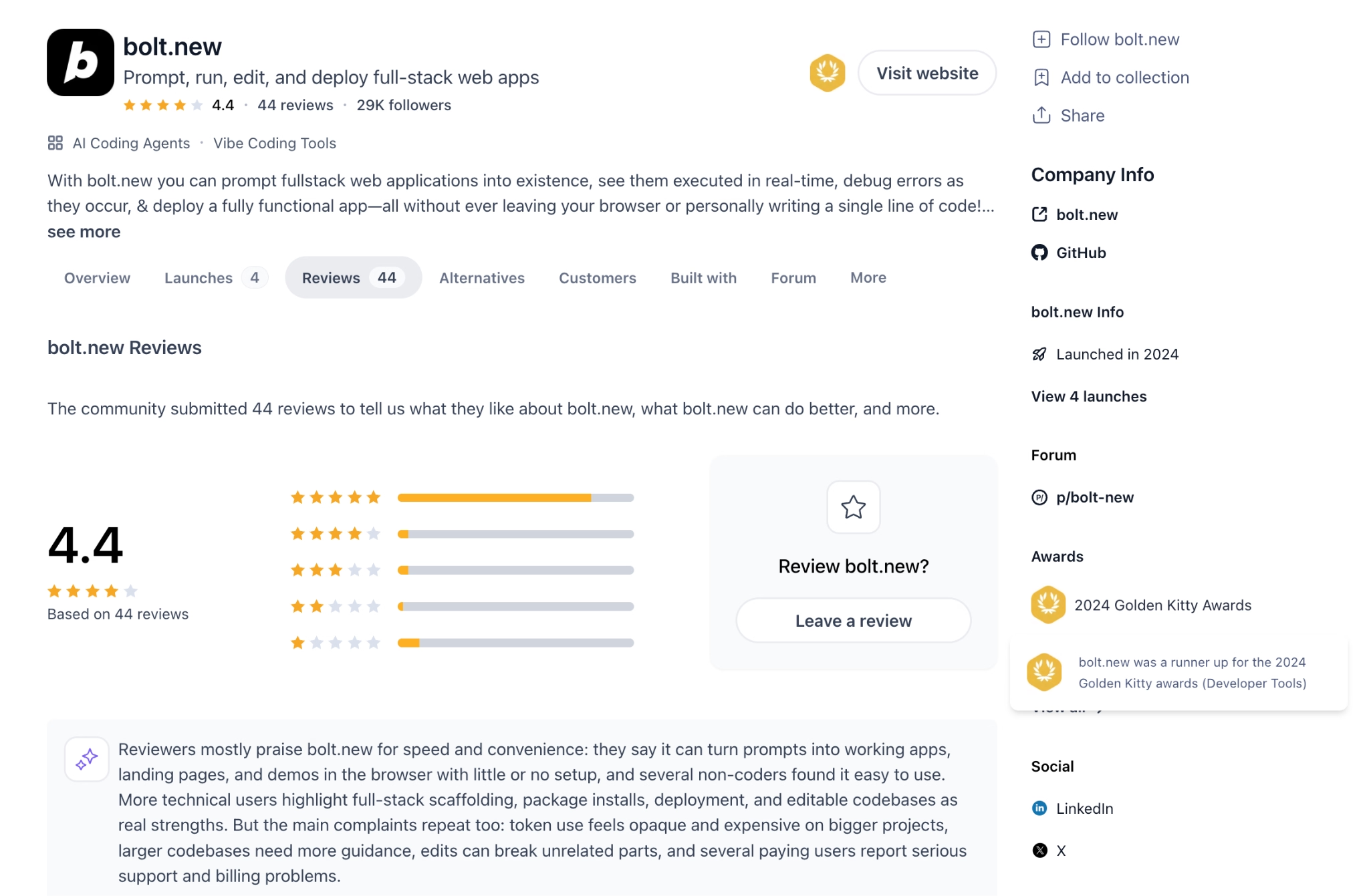
On Product Hunt, builders praise how quickly Bolt gets a prototype running with no setup. The criticism is consistent, too: Reviewers report token balances draining fast and a few billing headaches after canceling, so heavy projects need budget planning.
Pricing
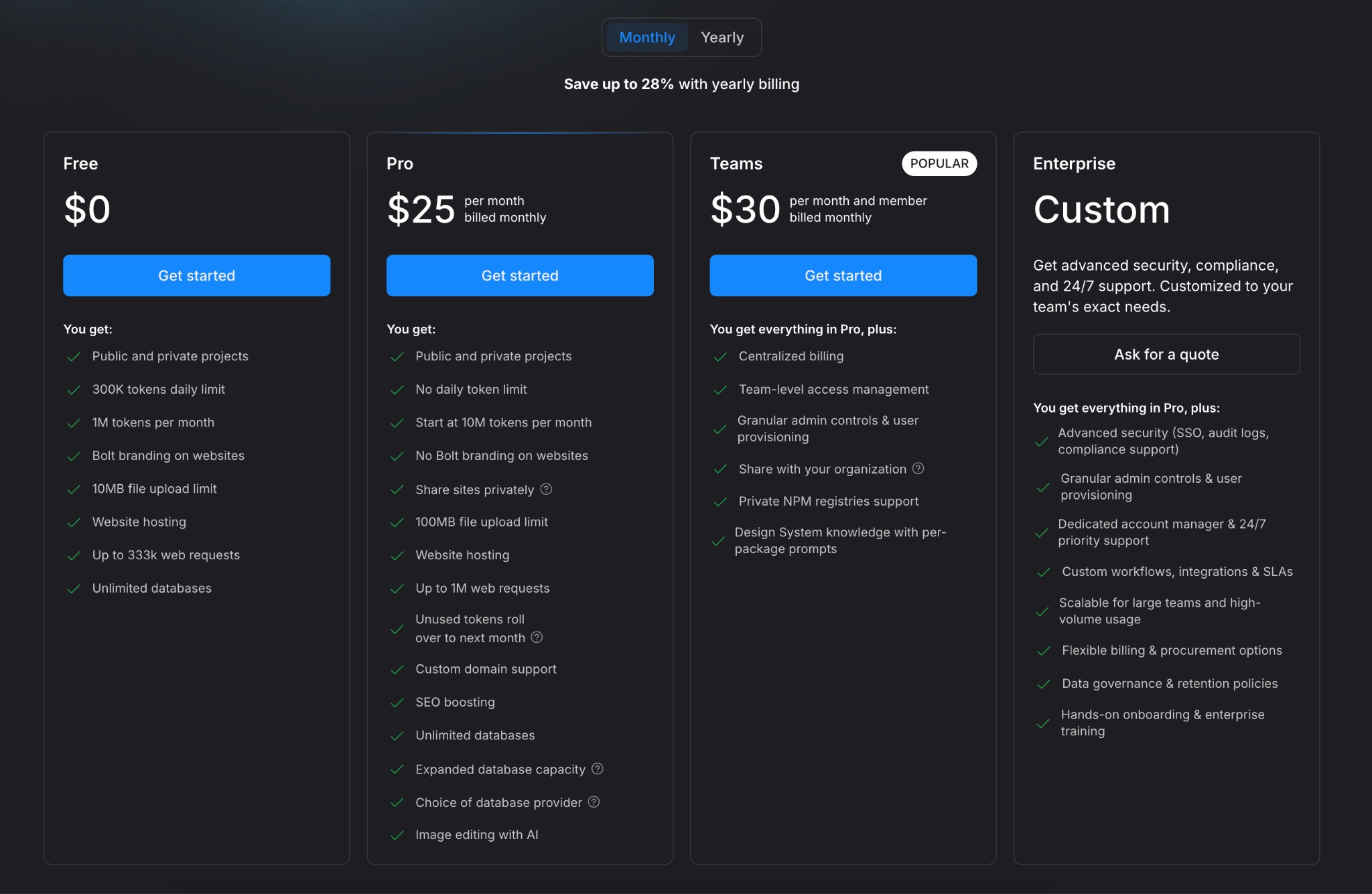
Bolt.new pricing is token-based and starts free:
- Free: $0, with 300K tokens per day, 1M per month, hosting, and Bolt branding on your sites.
- Pro: $25/month (about $18/month annually), no daily limit, 10M tokens per month, custom domains, and branding removed.
- Teams: $30/month per member, with centralized billing, admin controls, and org sharing.
- Enterprise: Custom pricing with single sign-on, audit logs, and a dedicated account manager.
Bottom Line
I would reach for Bolt when I want a web app or landing page to go live the same day. If your app leans on tricky sign-in or payment logic, plan for a developer to check the code before you ship to customers.
Not sold on Bolt.new for your use case? Our Bolt.new Alternatives breakdown covers the closest options worth trying.
5. Google AI Studio: Best for Free Prototyping and Android Apps
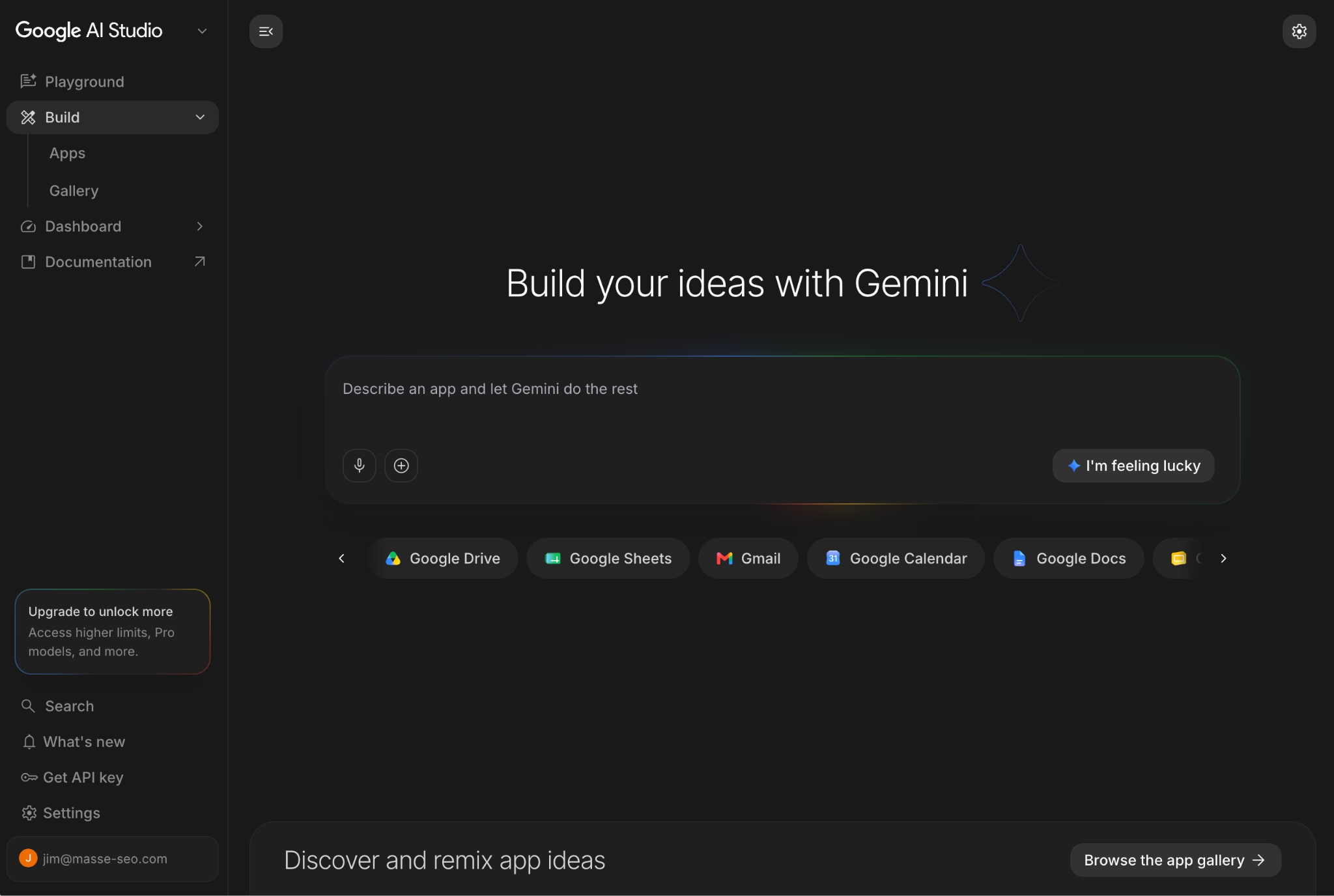
What it does: Google AI Studio is a free, browser-based tool for building apps with Google's Gemini models, where you describe an app, and Gemini writes the code and builds the interface.
Best for: Anyone who wants to prototype for free, and creators who want to build a native Android app without a developer.
The biggest advantage here is how deeply Google AI Studio plugs into Google's ecosystem. You build with Gemini's powerful models and can pull in Google's services directly, and the building tool itself is free, so I tested image generation and a small data tool without paying anything. The flip side is that you are tied to one big tech company's ecosystem, which is not always where you want your project to live.
Key Features
- Free prompt-to-app building: You describe an app in Build mode, and Gemini generates the code and interface, with a live preview as it works.
- Built-in AI features: You can add image generation, Google Maps data, and live audio to an app without wiring up separate services.
- Native Android apps: It builds Android apps you can test in a browser emulator and send to a phone, then hand off to the Play Store.
- Flexible exits: You can deploy to Google Cloud Run, save the code to GitHub, or download it as a file to keep building elsewhere.
Pros and Cons
Pros:
- Free to build and prototype, with no credit card needed.
- Powerful Gemini features are built in, so AI image and data tools work out of the box.
- One of the few tools that generates native Android apps, which most rivals skip.
Cons:
- Quality drops fast on anything beyond a basic, single-page app.
- Apps that lean on outside data or constant input tend to break, with rough UI and weak security in fully AI-built results.
- You are locked into Google's ecosystem, and you pay through Google Cloud once a published app goes past the free tier.
What Users Say
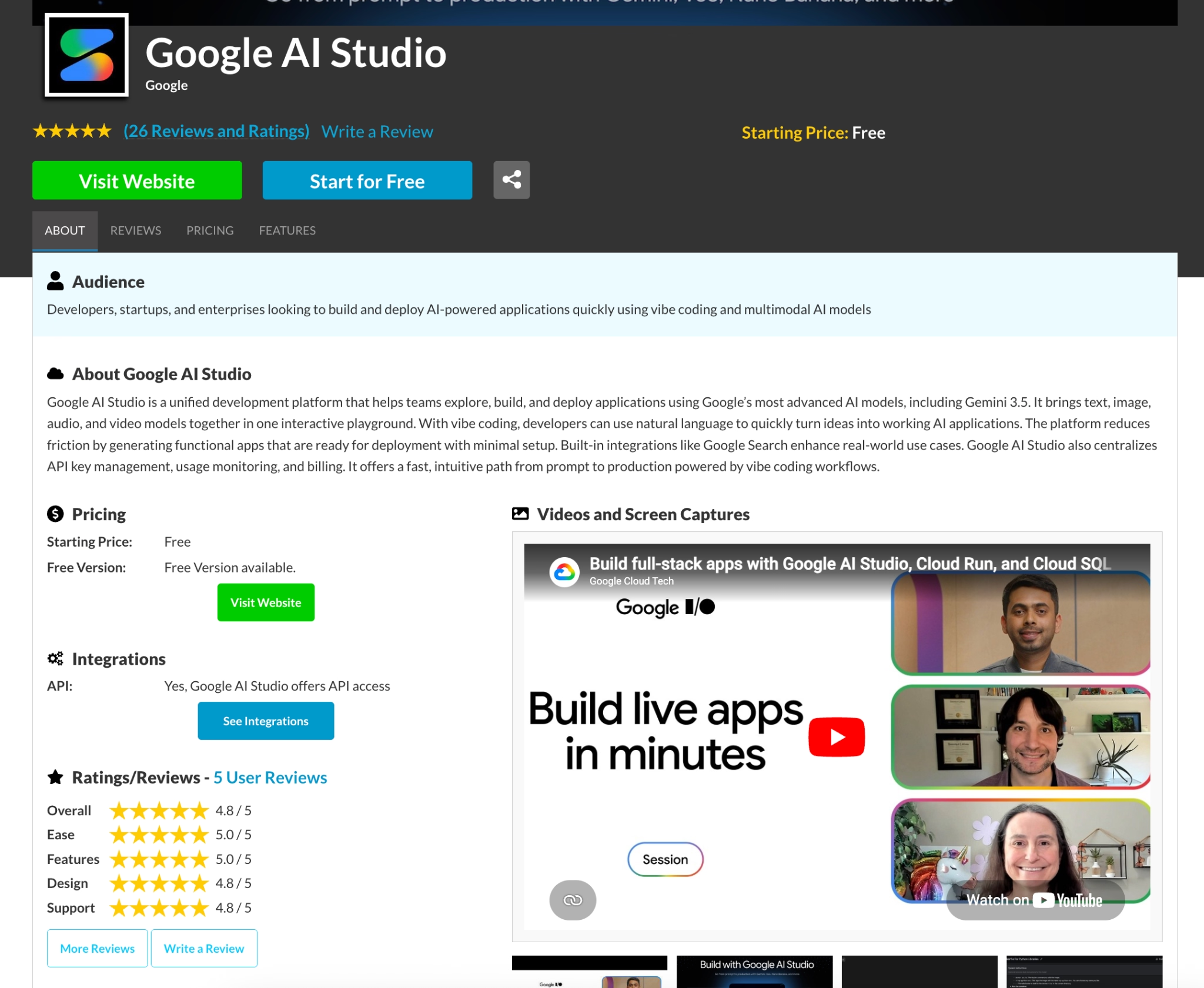
On SourceForge, users call out how easy it is to start with and how strong the built-in Gemini features are, especially for prototyping. The common criticism is limited customization and that it works best as an experiment space, not a finished-product tool, which matches my testing once an app needed outside data.
Pricing
Google AI Studio pricing is mostly free:
- Build mode: Free, with no subscription, credits, or credit card.
- Usage costs: You pay through the Gemini API only after you turn on Google Cloud billing and pass the free tier, charged per million tokens.
- Deployment: Publishing to Google Cloud Run may add standard Cloud Run charges based on usage.
Bottom Line
I would use Google AI Studio to prototype an idea for free or to try a native Android app, especially if you already live in Google's tools. Just go in knowing that building here ties your project to Google, and plan to move serious work into a sturdier setup later.
6. Cursor: Best for an AI Code Editor That Scales With You
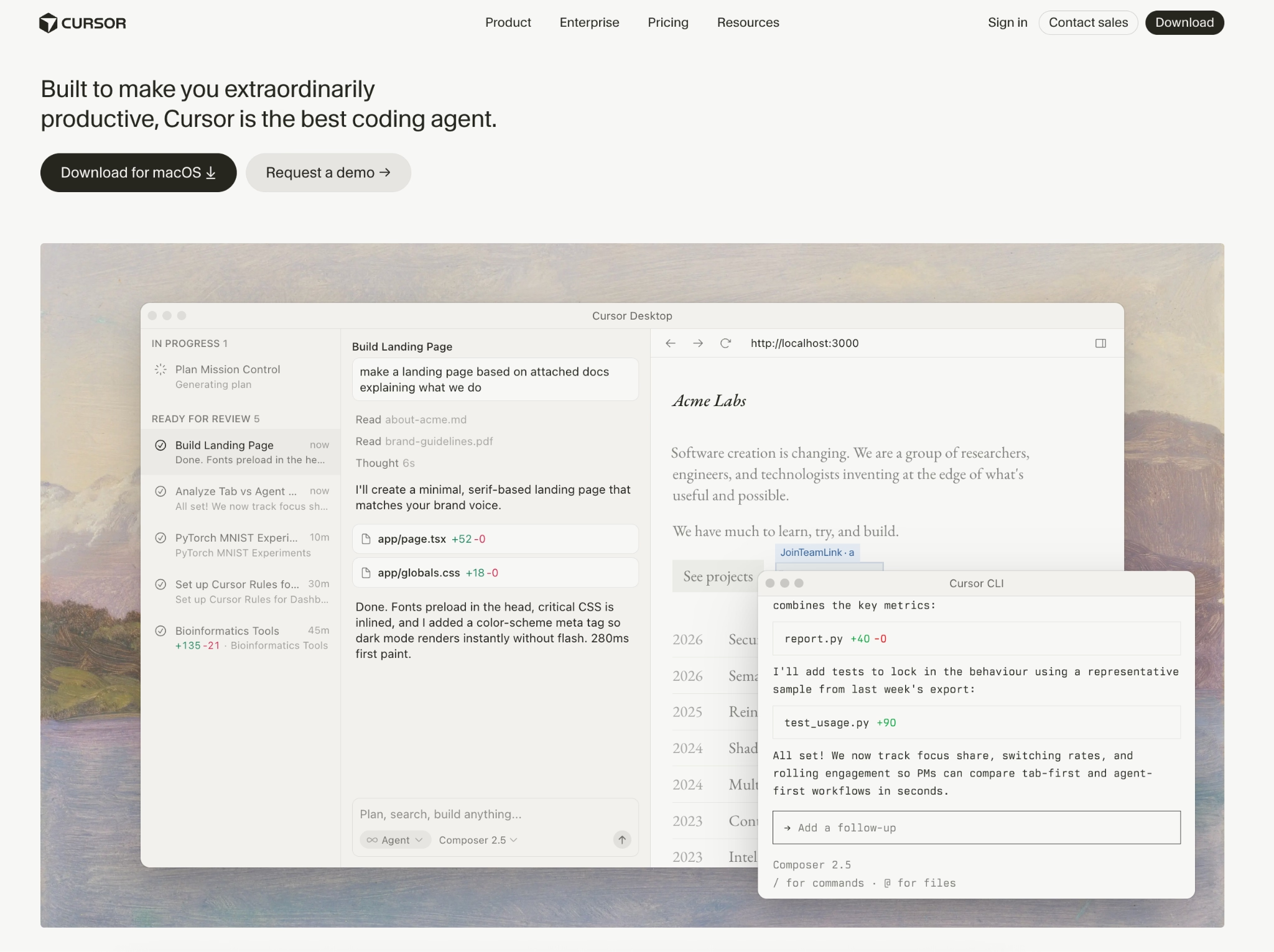
What it does: Cursor is an AI code editor, built on the popular VS Code editor, with an agent that can edit across many files and run commands from a single prompt.
Best for: Coders, and plenty of non-coders too, who want the AI working right inside their editor.
Cursor has been one of the most popular app-building tools for a wide range of users, coders, and non-coders alike. I have built web apps with it over the years, and I keep coming back because of how fast the team ships improvements. When I asked it to rework one part of a project, it traced the connections across files and updated each one instead of breaking things.
Key Features
- Multi-file editing: The agent edits across many files in one run, which is how production code changes happen.
- Whole-project awareness: It reasons across your entire project, including files you do not have open.
- Commands inside the editor: The agent runs setup and test commands itself, so you do not switch between windows.
Pros and Cons
Pros:
- The strongest code-editor agent for multi-file rewrites in 2026.
- Handles larger projects than most coding assistants thanks to whole-project awareness.
- Works with the VS Code add-ons developers already use.
Cons:
- The code editor has a learning curve, so a true beginner may prefer a prompt-based builder first.
- The higher tiers get expensive fast if you lean on top-end AI models.
What Users Say
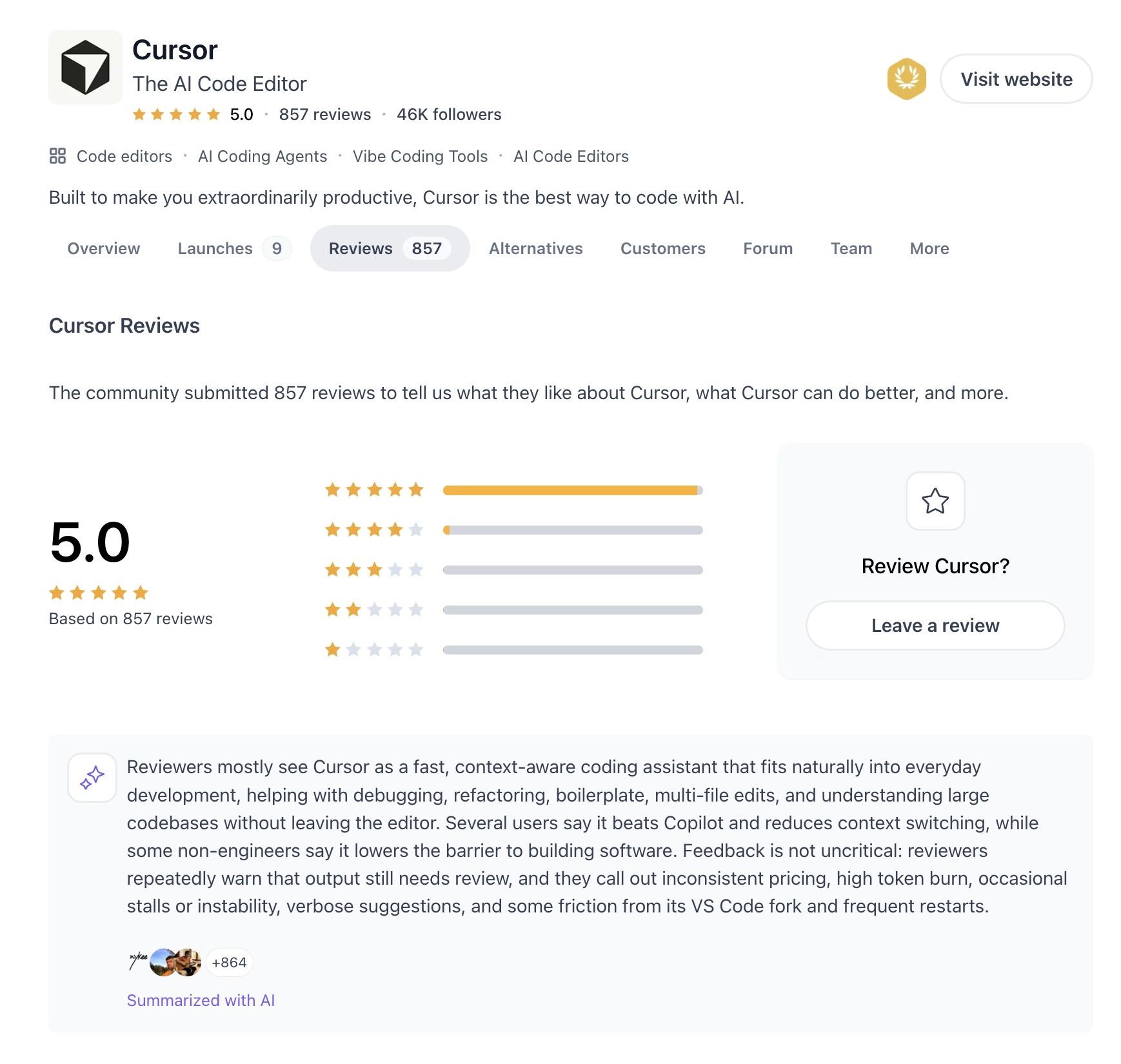
On G2 and Product Hunt, reviewers praise how well Cursor understands a codebase and edits across files. The common gripe is cost. Heavy use of the most capable models on the Pro+ and Ultra plans can run up the bill quickly.
Seen the praise but want the full picture before you decide? Read our Cursor Reviews breakdown for a closer look.
Pricing
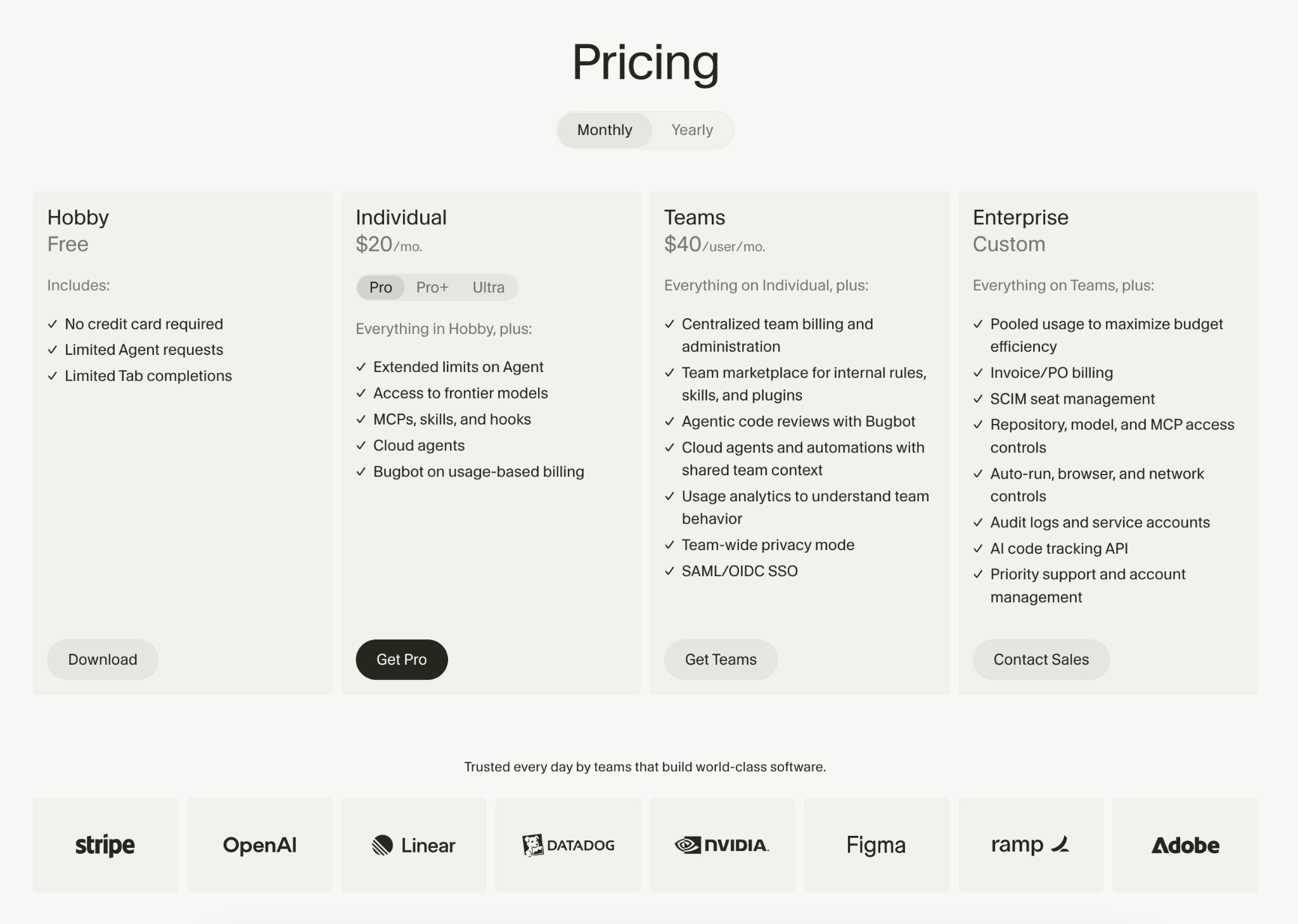
Cursor pricing starts free:
- Hobby: Free, with limited agent requests and code completions.
- Pro: $20/month, with agent mode and access to top-end AI models.
- Pro+: $60/month, with three times the Pro usage.
- Ultra: $200/month, with 20 times the Pro usage and priority access to new features.
- Teams: $40/user/month, with shared rules, single sign-on, and admin controls.
- Enterprise: Custom pricing.
Annual billing saves about 20% on paid plans.
Bottom Line
I would recommend Cursor to anyone willing to spend a little time in a code editor, since it grows with you from a first web app to a serious project. If you want to stay fully in plain-English chat, a prompt-based builder like Lovable or Emergent is a gentler start.
Prefer to skip the code editor entirely? Our Cursor Alternatives breakdown covers the prompt-first options worth trying.
7. Claude Code: Best for Complex App Development
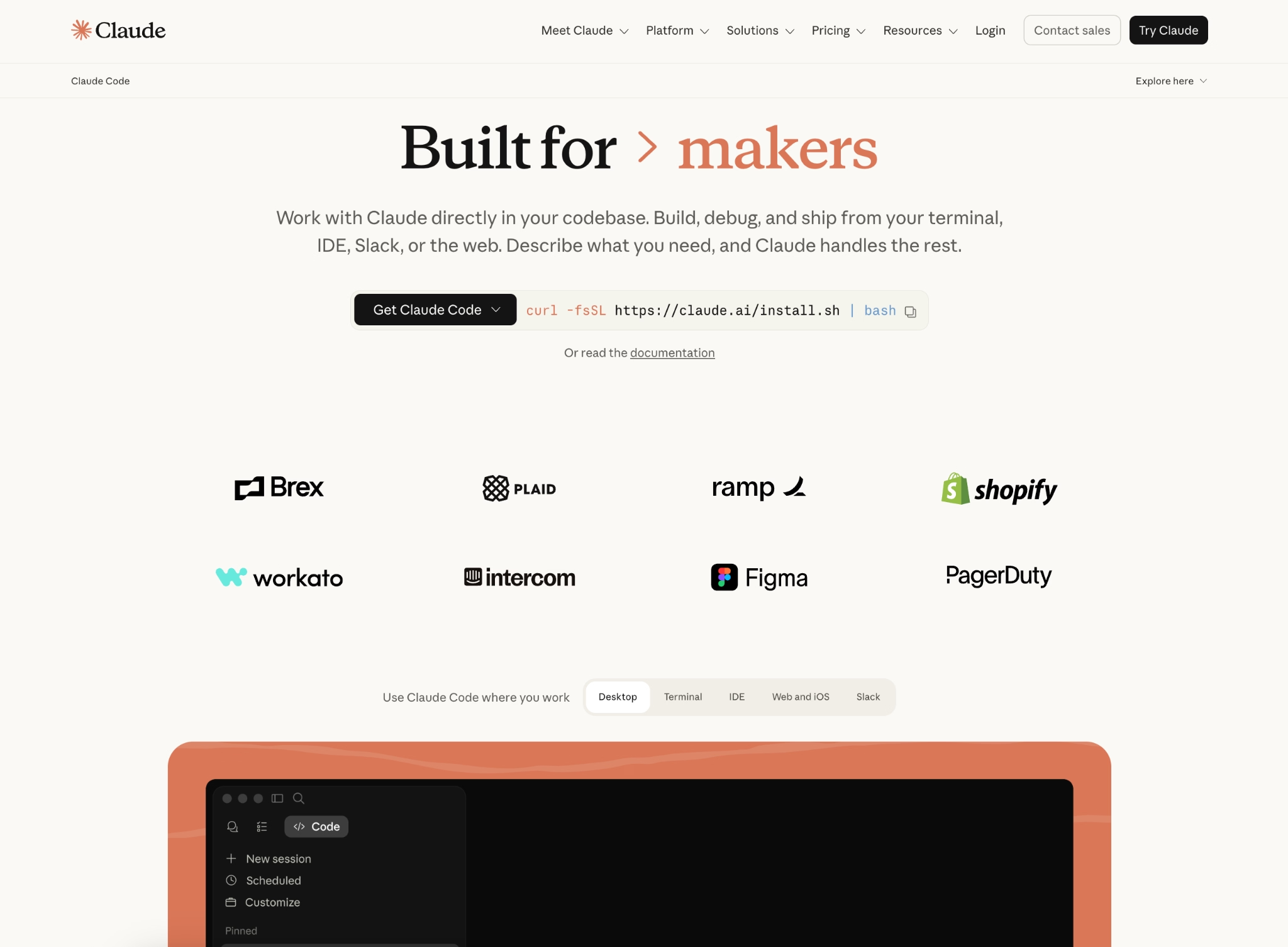
What it does: Claude Code is Anthropic's coding agent that reads your codebase, edits files, runs commands, and lets you build specialized sub-agents with their own roles and permissions.
Best for: Developers building complex apps, plus non-developers who want to build through chat in the desktop Claude app.
Claude Code is, for many developers, the most popular and powerful option on this list for serious work. It runs in the terminal, the text window developers use, but it also lives inside the desktop Claude app, so people who do not code can still use it to build apps through chat.
Its real strength shows on complex builds. I made three sub-agents in an afternoon, and the most useful part was per-agent permissions, which let me give a research agent read-only access so it could not accidentally rewrite my code.
Key Features
- Custom sub-agents: Each agent has its own role, instructions, and permissions, so a research agent reads while a deploy agent handles releases.
- Per-agent permissions: You decide exactly what each agent can touch, which keeps a safe job from turning into a risky one.
- Available across surfaces: It works in the terminal, the desktop Claude app, your editor, and the browser, so non-developers are not forced into the command line.
Pros and Cons
Pros:
- Among the most capable tools here for heavy, complex development.
- Per-agent permissions are a smart safety design: you control what each agent can do.
- Non-developers can build through the desktop Claude app without writing code.
Cons:
- Costs can spike fast when several sub-agents run at once on a large project.
- The deepest features still reward people who are comfortable in code.
What Users Say
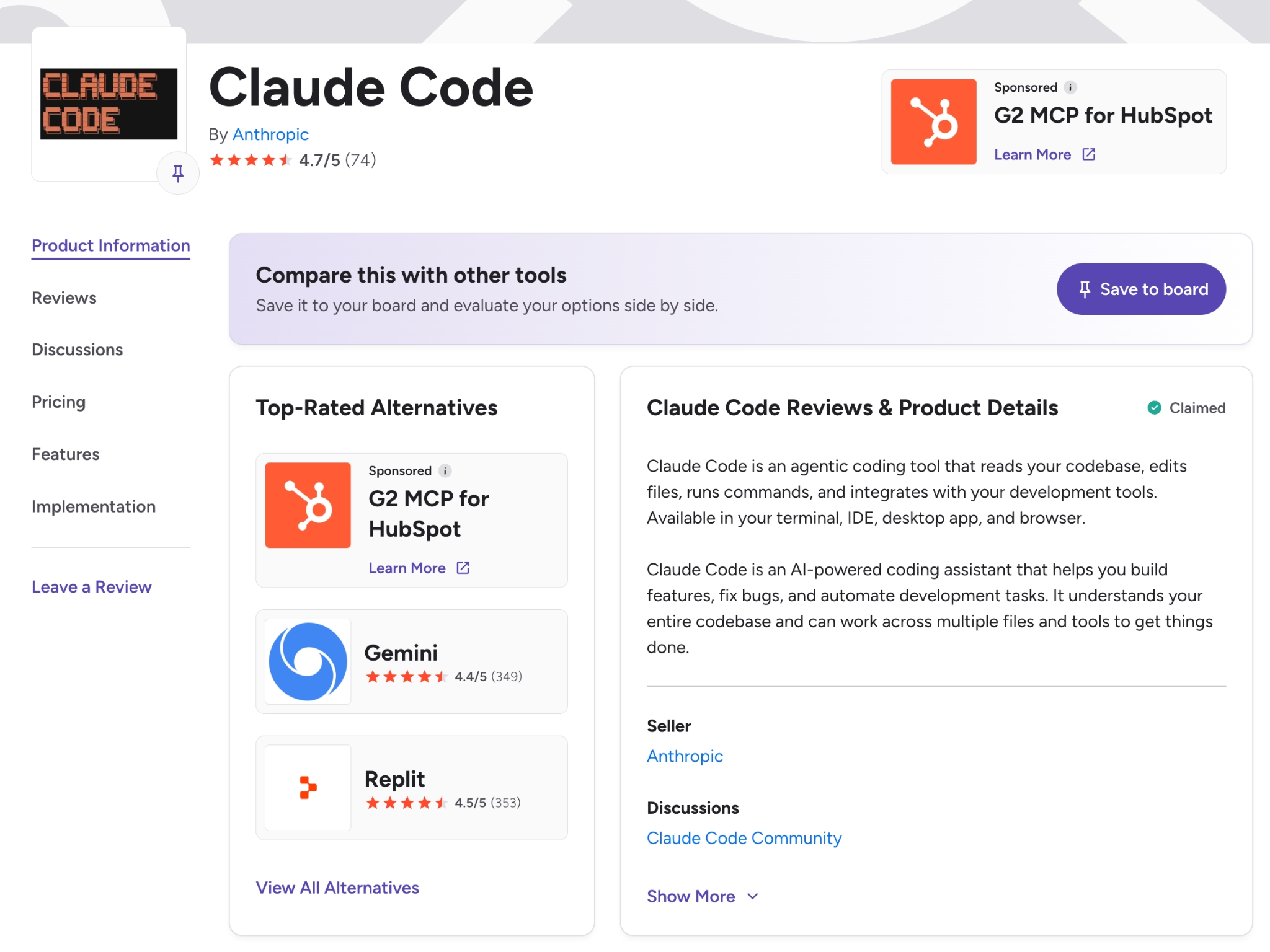
On G2, reviewers carry a 94% satisfaction score as of this writing. They praise how well Claude Code tracks context across a whole project, for both technical and non-technical users. One common criticism is token usage, which can raise costs and interrupt longer sessions.
Pricing
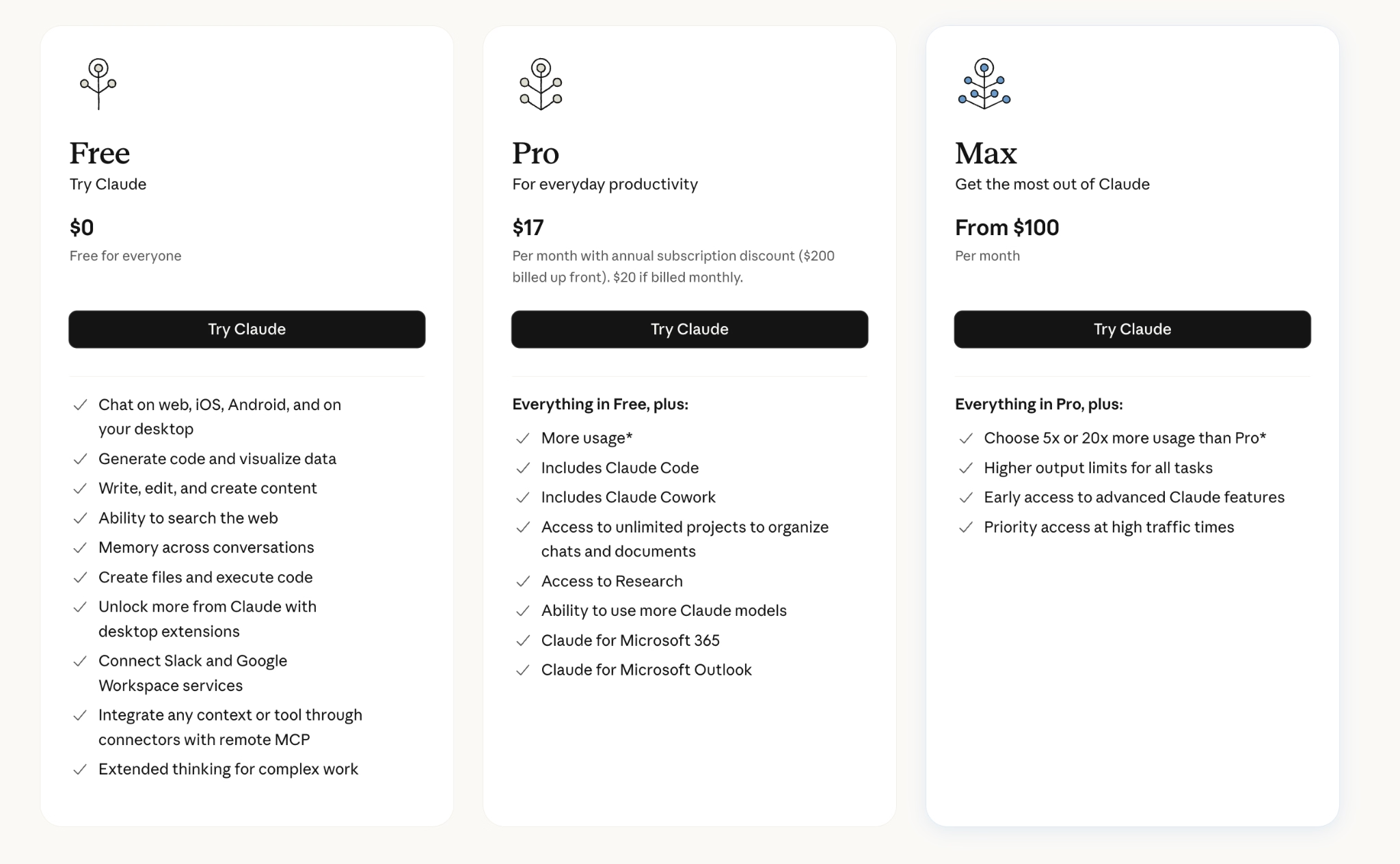
Claude Code runs inside paid Claude plans:
- Pro: $20/month, with Claude Code at standard usage limits.
- Max 5x: $100/month, with five times the Pro usage.
- Max 20x: $200/month, with 20 times the Pro usage.
- Team Standard Seat: $25/month, with more features than Pro.
- Team Premium Seat: $125/seat/month, with a five-seat minimum.
- Enterprise: Custom pricing, with pay-per-use API billing also available.
Bottom Line
I would recommend Claude Code to developers who want serious power for complex apps, and curious non-developers who are happy working through the desktop Claude app. For a quick first app with no code at all, a prompt-based builder is still the easier door in.
8. OpenAI Codex: Best for Hands-Off, Autonomous Engineering
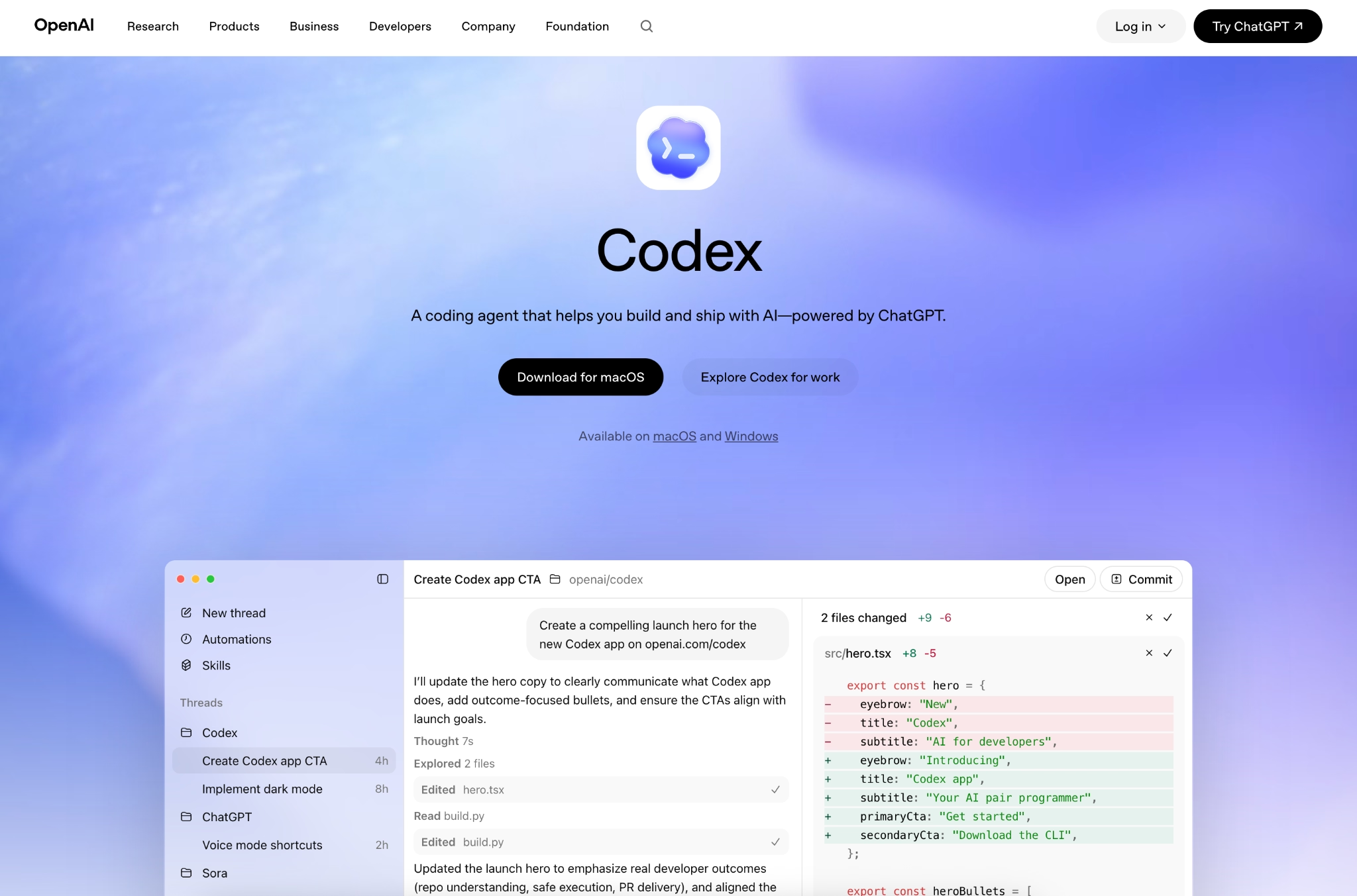
What it does: Codex is OpenAI's coding agent that completes engineering work end to end, planning steps, editing files, running tests, and fixing errors until a task is done, all powered by OpenAI's latest models.
Best for: Developers who want an agent that works on its own across whole tasks.
Codex stood out for how far it ran on its own. I pointed it at a task, and it planned, edited, tested, and fixed errors without much hand-holding. The same agent works in a few places, from the desktop app to the terminal, all tied to one account, which kept my work consistent.
Key Features
- One agent everywhere: The same Codex runs in a desktop app, a code editor, the terminal, the web, and ChatGPT, all under one account.
- Works in parallel: It can run several tasks at once across projects, so long jobs do not block your day.
- Strong code review: It reviews changes and flags the riskiest issues first, catching bugs that other tools miss.
- Always-on automations: It can pick up routine work on a schedule, like checking for crashes or running daily fixes, without you asking.
Pros and Cons
Pros:
- Aggressive autonomy means tasks finish fast, especially big repetitive changes.
- Excellent code review that catches tricky bugs and edge cases.
- The same agent works across the terminal, editor, and desktop, so it fits many workflows.
Cons:
- The wrong tool for a true beginner, who is better served by Lovable, Bolt, or a prompt-based builder.
- Pricing is confusing across surfaces, and the monthly cost varies widely with usage.
What Users Say
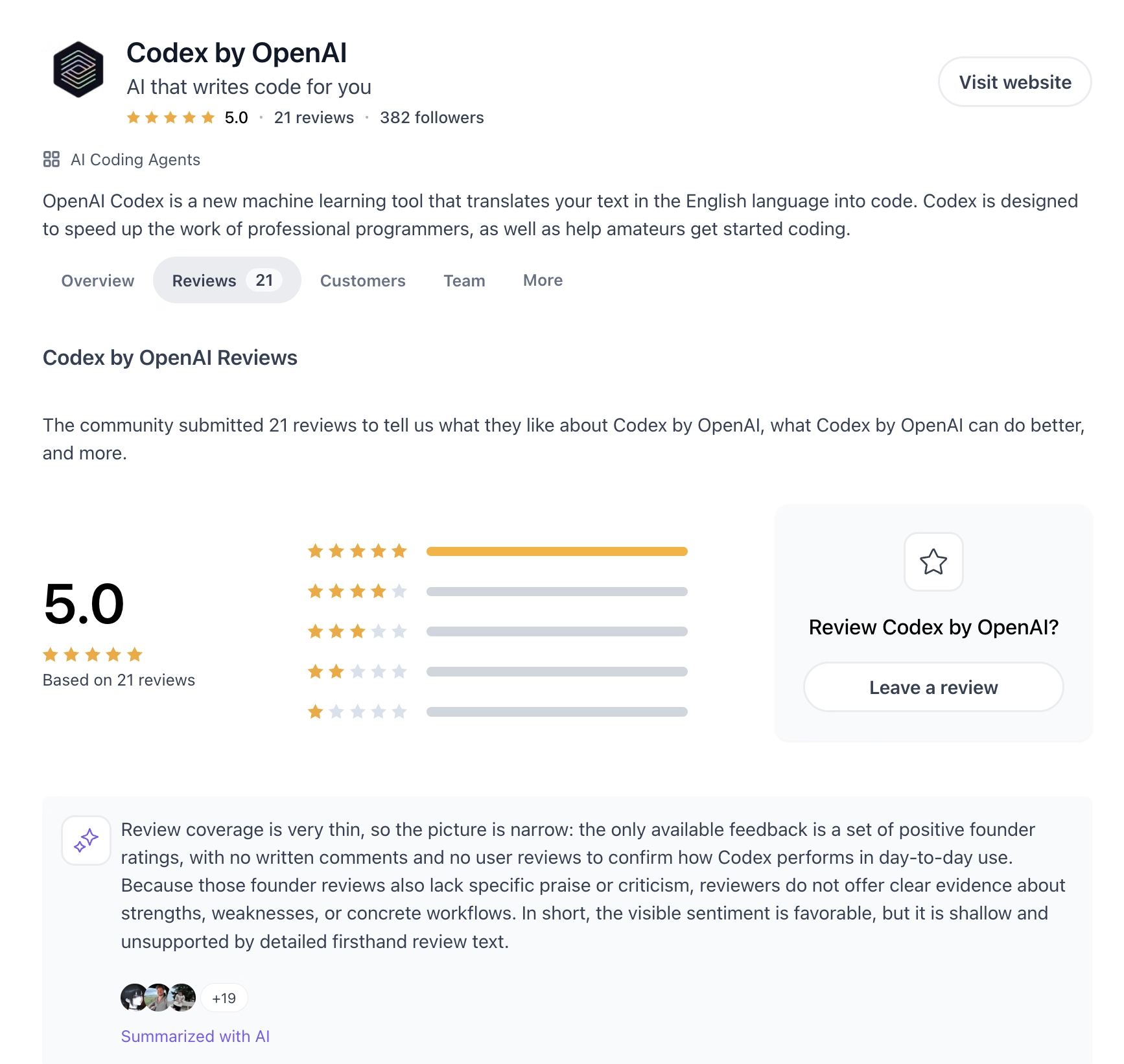
On Product Hunt, engineering teams credit Codex with faster development and code review that catches what they would have missed. The recurring complaints are that you have limited control over which model handles a task, and that billing is hard to predict across its different surfaces.
Pricing
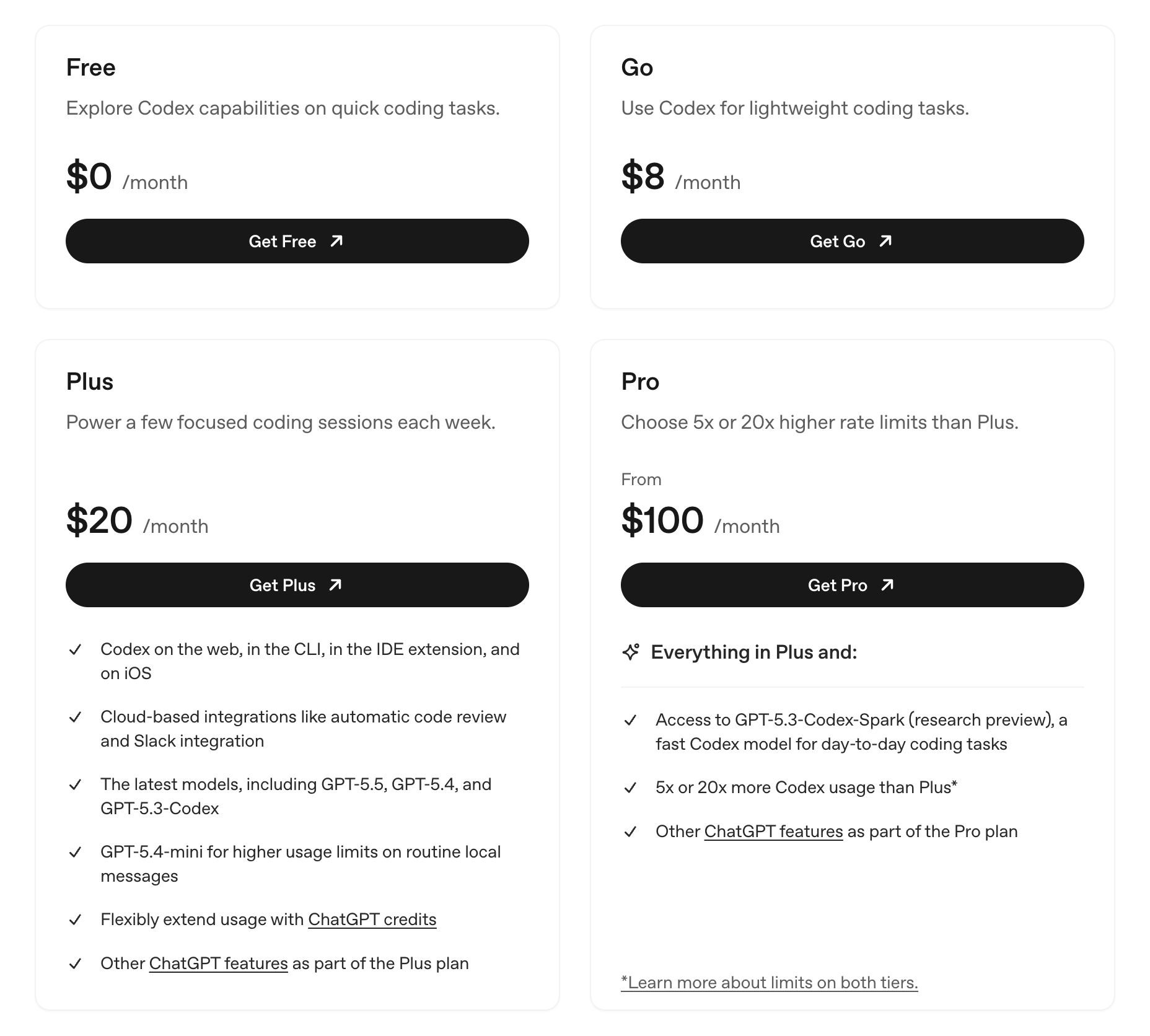
Codex comes bundled with ChatGPT plans:
- Free: $0, for quick coding tasks with tight limits.
- Go: $8/month, for lightweight coding tasks.
- Plus: $20/month, with Codex in the web, terminal, editor, and on iOS, plus code review and the latest models.
- Pro: From $100/month, with the $100 tier at five times the Plus limits and the $200 tier at 20 times.
- Business and Enterprise: Pay-as-you-go seats and custom plans, with admin controls, single sign-on, and no training on your business data.
Bottom Line
I would recommend Codex to developers who want an agent that runs whole tasks with little oversight. Budget for the cost, since heavy use can climb past $200 a month per person.
9. Warp: Best for Automating Terminal and Deploy Work
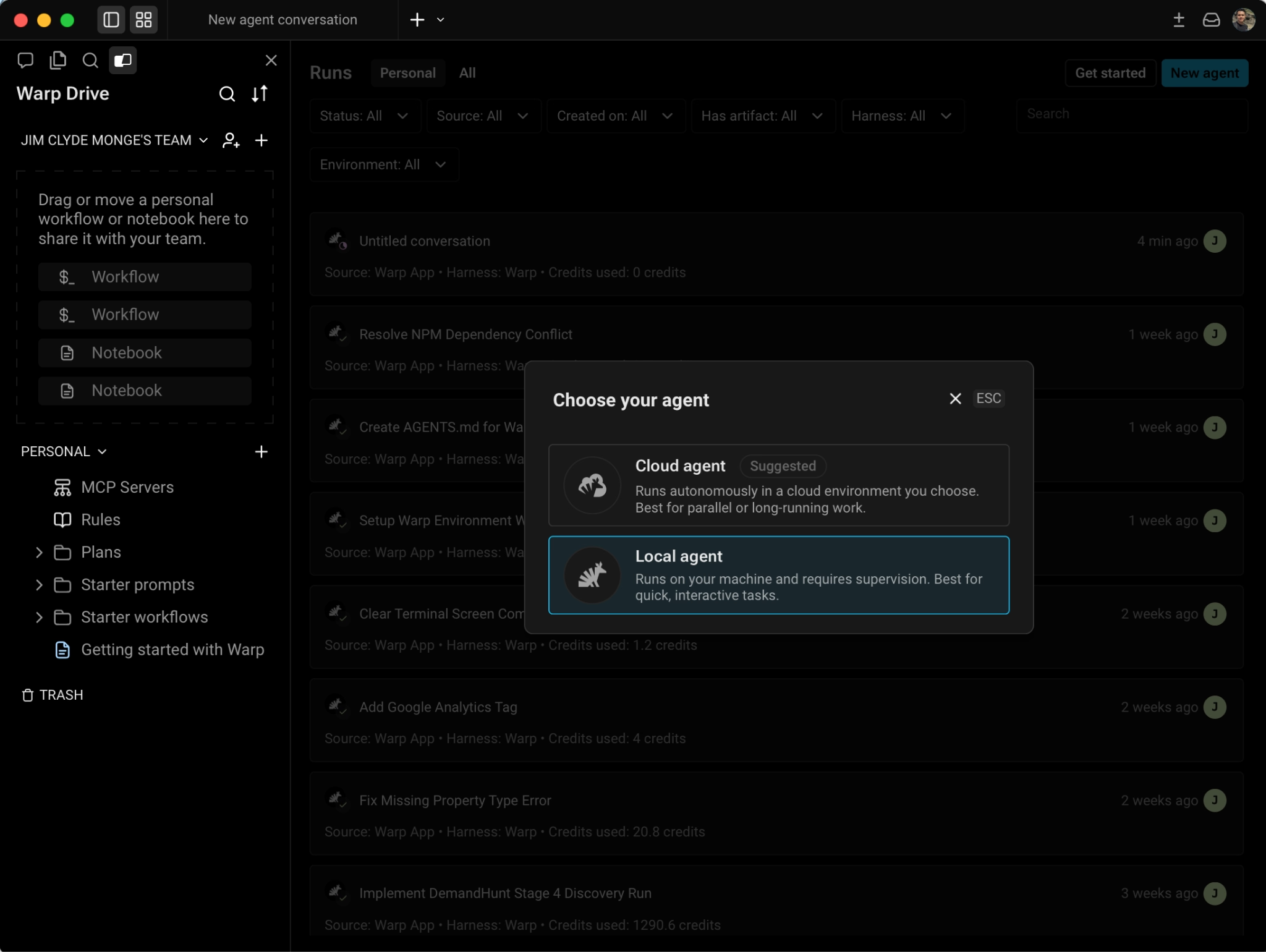
What it does: Warp is an AI-first terminal, the command window developers use, with an agent builder for creating coding, deployment, and workflow agents that run on your computer or in the cloud.
Best for: Technical teams automating command-line tasks, deployment scripts, and software releases.
I tested Warp by building an agent that reads logs, checks a release, and posts a summary to Slack. The part I kept coming back to was the choice between local and cloud agents: Local ones see your full terminal session, while cloud ones keep running after you close the laptop.
Key Features
- Local and cloud agents: Local agents run on your machine with full context, and cloud agents keep working in the background and reach outside services.
- Permission layers: You scope each agent to specific commands, saved scripts, and connected services, so it only does what you allow.
- Bring your own AI key: You plug in your own OpenAI, Anthropic, or Google access key, or point to a custom AI setup for compliance work.
Pros and Cons
Pros:
- One of the best terminal-based agent builders, with a local-or-cloud split that matches how technical teams work.
- Connects agents to GitHub, error tracking, and other services through its cloud platform.
- Open-sourced its terminal in 2026, which is rare in this category.
Cons:
- Built for technical users, since the terminal is the whole interface.
- Some billing and cloud features stay in preview through mid-2026, so costs are hard to forecast.
What Users Say
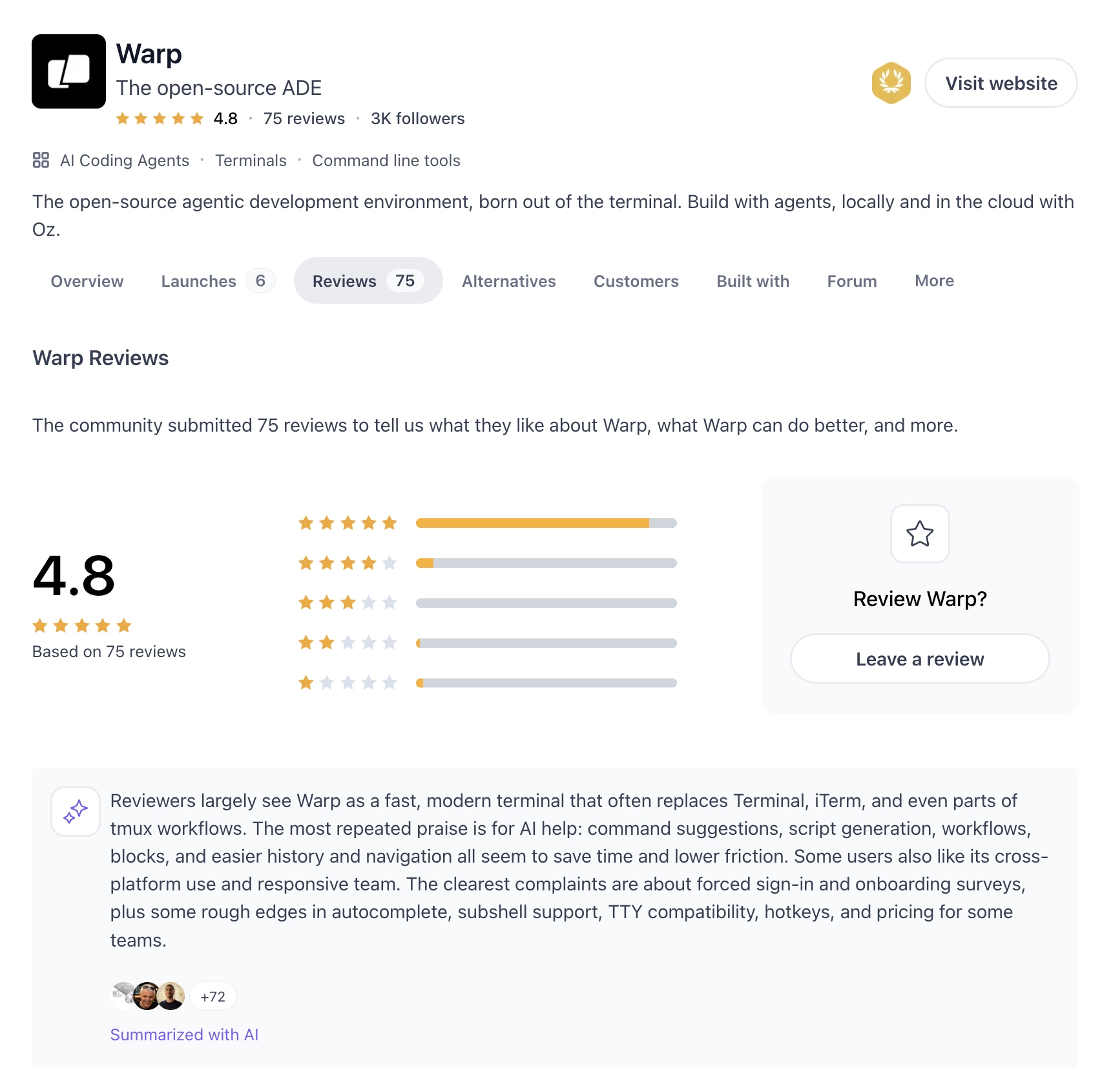
On Product Hunt, reviewers say Warp becomes their default terminal once they try it, praising its speed, saved commands, and AI-assisted scripting and routine tasks. The clearest complaints on the same page are friction around the required login and onboarding, plus rough edges in autocomplete and team pricing.
Pricing
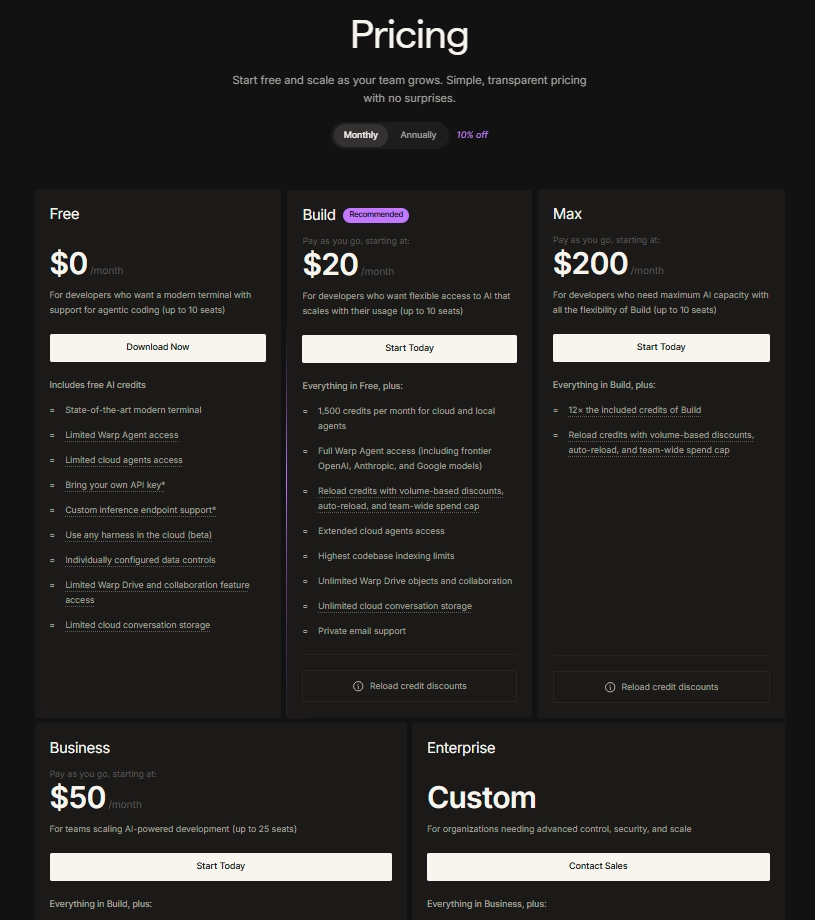
Warp pricing starts free:
- Free: 75 AI credits per month after the first two months (150 for the first two), with all core terminal features.
- Build: $20/user/month, with 1,500 credits, bring-your-own AI key, and collaboration.
- Max: $200/month, with everything in Build plus 12 times the credits.
- Business: $50/user/month, with single sign-on and up to 25 seats.
- Enterprise: Custom pricing for larger teams.
Annual billing saves about 10% on paid plans.
Bottom Line
I would recommend Warp to technical teams that live in the terminal and want to automate deployment and release checks. If you are not comfortable on the command line, this is the wrong tool.
10. Kombai: Best for Front-End and Single Pages
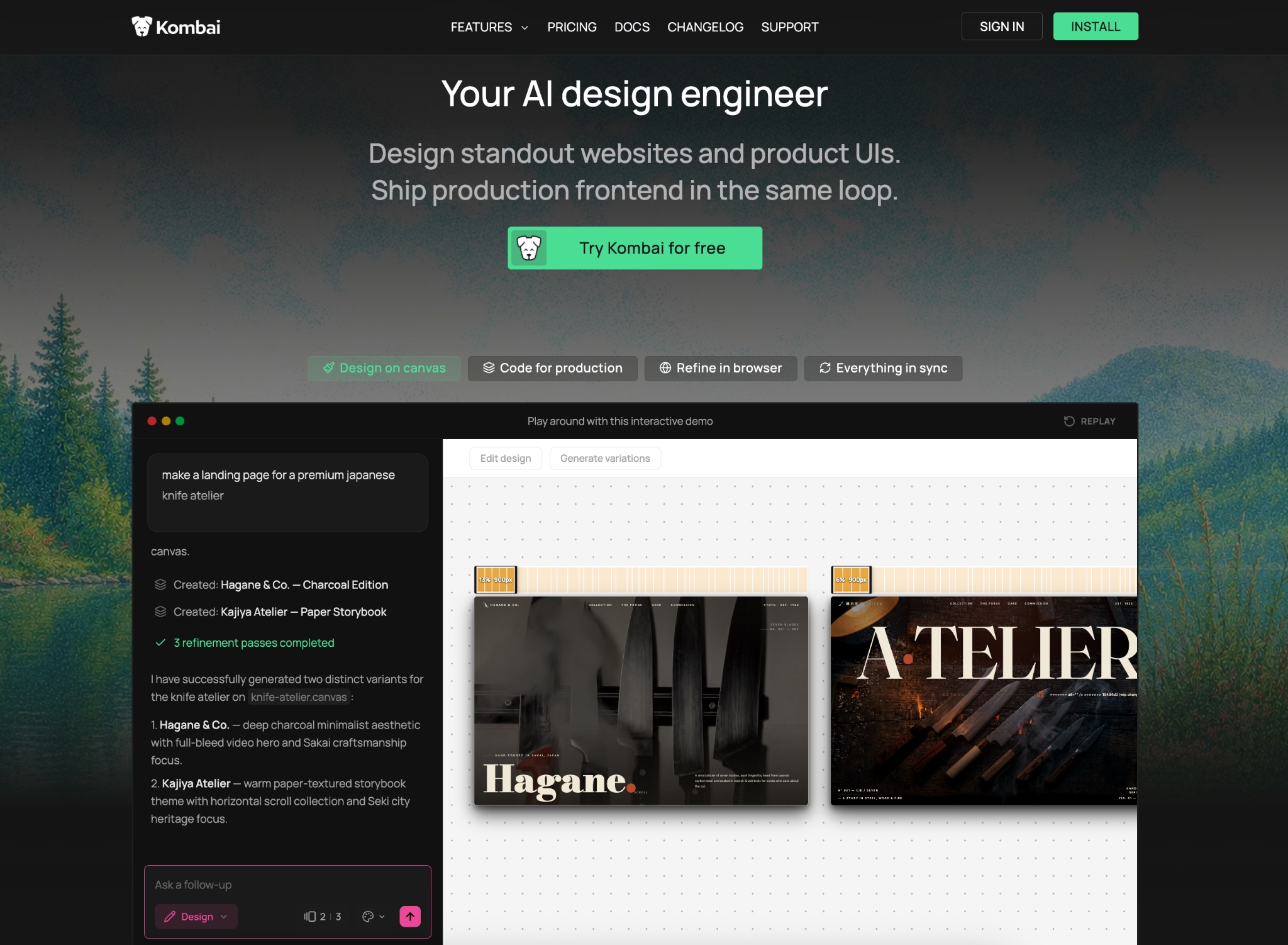
What it does: Kombai is an AI design tool that designs interfaces, writes production-ready frontend code in your existing setup, and lets you edit the result visually, all in one connected loop.
Best for: Front-end and customer-facing page building. If you are making a registration page, a launch page, or a single-page site that does not need heavy data handling behind it, Kombai is worth a look.
Kombai started as a tool that turned designs into code, and it has grown into a fuller design-and-code agent for the pages people actually see. In testing, the code it produced was clean and close to ready, with far less cleanup than I expected. It reads your existing project and reuses your own components, so the result fits in instead of looking bolted on.
Key Features
- Design plus production code: It designs a layout and writes frontend code that matches your existing setup, working with popular frameworks like React and Vue.
- Reuses your components: Kombai reads your project and reuses your existing building blocks, so the new code stays consistent.
- Visual editor: You click any element in the live result to change text, spacing, or styling, like editing in a design tool.
- Asset generation: It can create images, videos, and animations right inside the design.
Pros and Cons
Pros:
- Produces clean, near-ready code with little manual cleanup.
- Reuses your existing components, so output fits your project.
- Strong for production-quality front-end pages, beyond quick prototypes.
Cons:
- Visual fidelity is not perfect, with occasional font mismatches and small layout misses.
- Multi-page work is limited, and best results need detailed guidance rather than a single prompt.
What Users Say
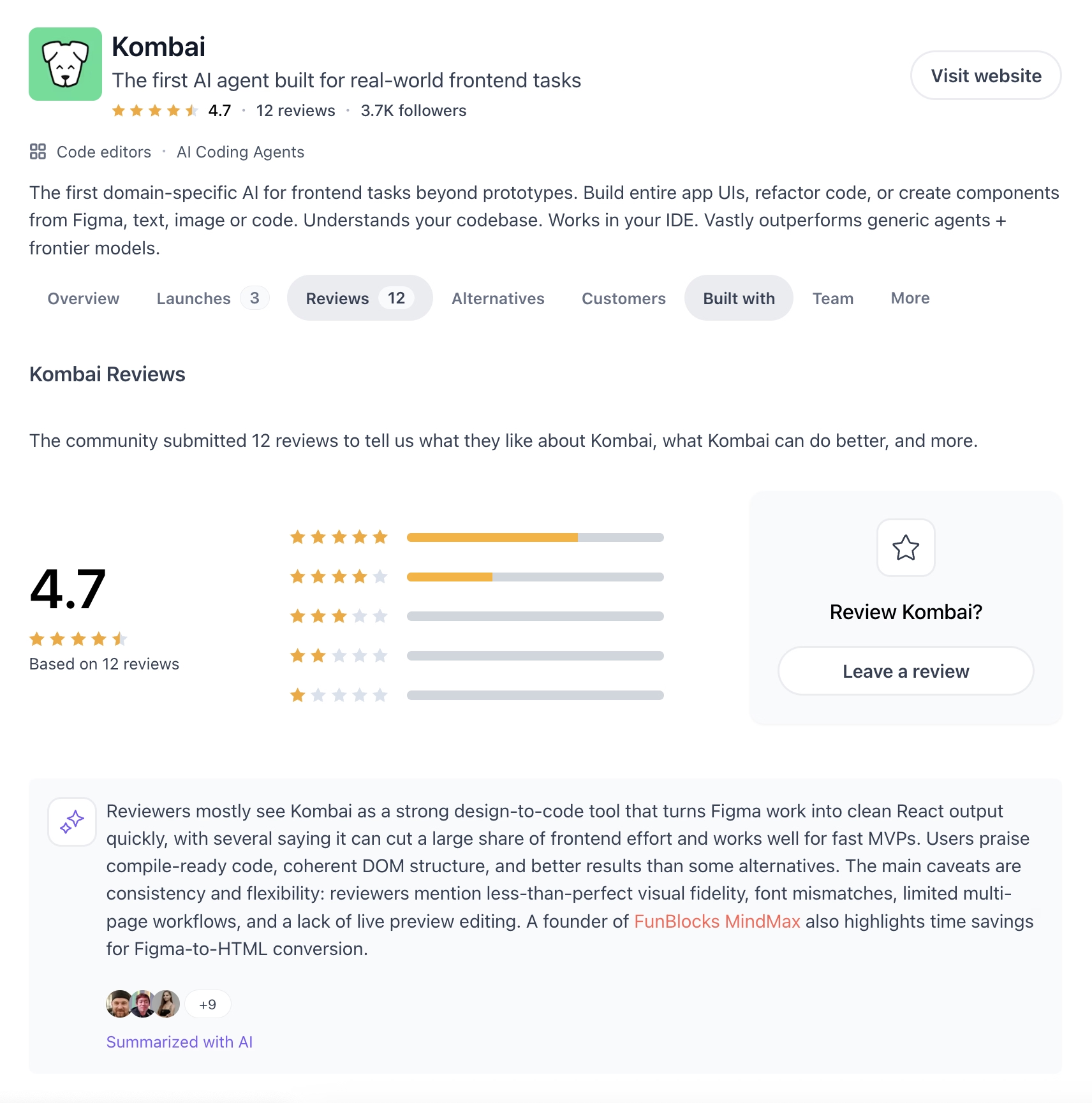
On Product Hunt, front-end developers rate Kombai's code quality above several alternatives, calling it clean and ready to use. The honest counterpoint on the same page is that visual accuracy can slip, with font mismatches and less-than-exact designs, and that multi-page flows are still limited.
Pricing
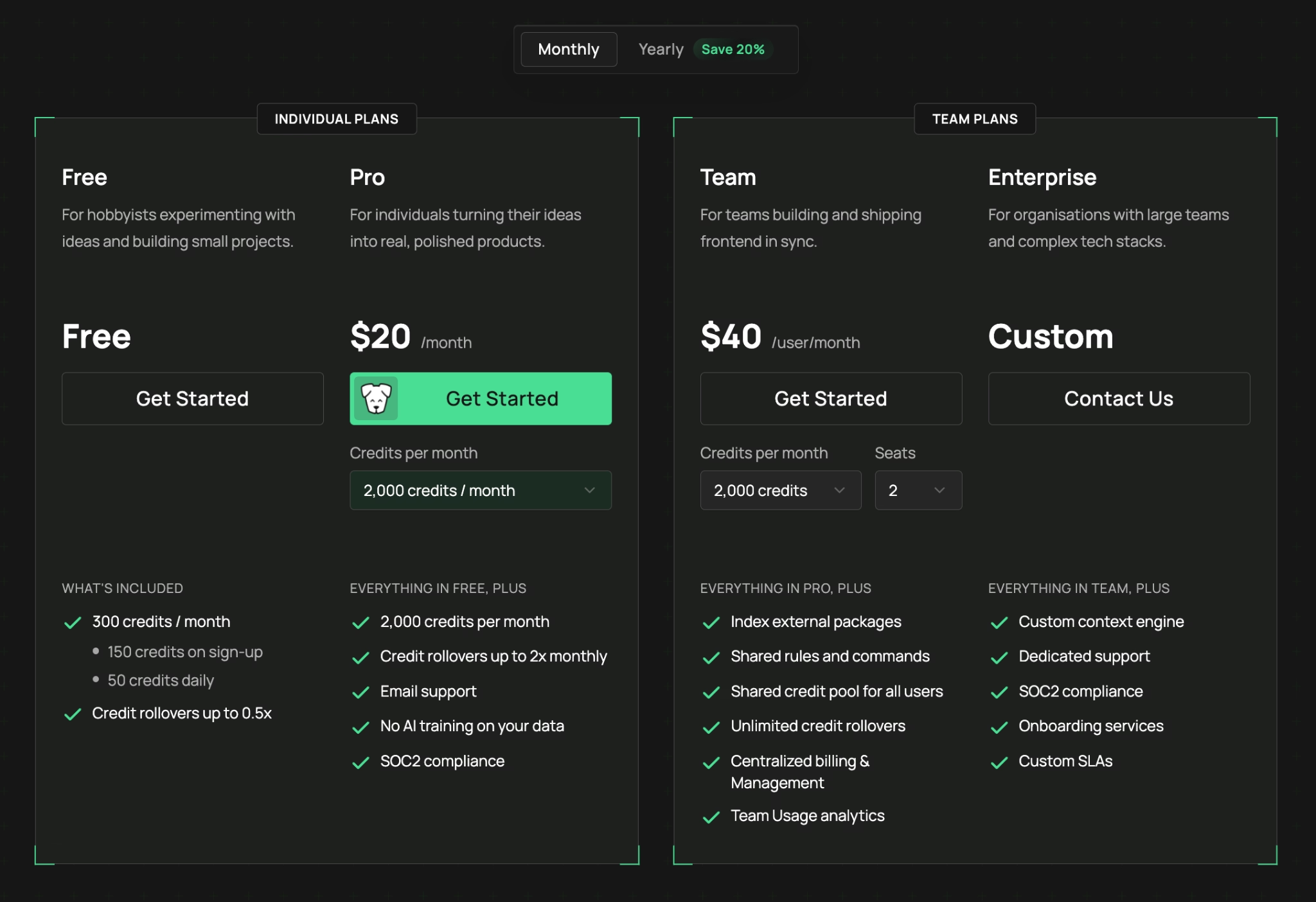
Kombai pricing starts free and runs on credits:
- Free: $0, with 300 credits per month (150 on sign-up plus 50 daily).
- Pro: $20/month, with 2,000 credits per month, email support, and no AI training on your data.
- Team: $40/user/month, with a shared credit pool, role-based access, and team analytics.
- Enterprise: Custom pricing with dedicated support and onboarding.
Yearly billing saves 20%, and you can top up credits as needed.
Bottom Line
I would recommend Kombai for registration pages, launch pages, and other single-page front-end work where code quality matters. If you need a full app with a database and logins, this is not the tool for that job.
Which AI App Building Tool Should You Choose?
The right tool depends on whether you write code and what you are trying to ship.
- Choose Emergent if you: Want a full web and mobile app from one prompt, with hosting and a GitHub copy of your code.
- Choose Lovable if you: Want the gentlest start on a pure web app.
- Choose Replit if you: Want the most forgiving sandbox with one-click rollback.
- Choose Bolt if you: Want a landing page or small web app live the same day.
- Choose Google AI Studio if you: Want to take advantage of Google services and prototype for free, or build a native Android app.
- Choose Cursor, Claude Code, Codex, or Warp if you: Write code, or want to grow into it, and want the AI in your editor or terminal.
Skip these tools entirely if you:
- Need a heavy PDF-reporting system, where most of these still fall short.
- Want a downloadable Apple Watch or iPad app, which none of them publish well yet.
Final Thoughts
For non-coders and anyone with zero programming background, Emergent is my pick of the bunch because it serves both regular users and experienced developers, and gives you room to grow with custom agents and a high-power mode. Lovable runs it close for pure web apps and is the gentlest place to start.
A few years ago, most of these tools were only good for basic apps and not much else. Today, on the right project, they handle work that used to mean hiring a developer. Industry data shows most small-to-midsize business apps still cost between $50,000 and $120,000 to build the traditional way. The internal dashboard and booking page I built across these tools would have run me five figures and weeks of waiting. They took an afternoon each.
None of them is perfect. I sometimes hit errors on builds, and the fix was almost always a clearer prompt. If you already write software, the developer tools here feel like a faster version of what you do. If you do not, a prompt-based builder gets you a working app without you ever touching the code.
Not sure where to start? Our guide on how to build an AI app walks through the process step by step.
Ready to Build Your First App With Emergent?
If a full web and mobile app from one prompt is what you are after, here is why Emergent is worth a first build:
- Go from idea to a working app in an afternoon: A team of specialized agents shares the build, so you get a complete, polished app fast.
- Get web and mobile from one prompt: Emergent creates both versions together with matching logic, so the two stay in sync as you make changes.
- Grow into custom agents and a high-power mode: The Pro plan adds custom AI agents and Maxx, so the platform keeps up as your project gets more ambitious.
- Keep full ownership of your code: On the Standard plan and up, every build saves to a GitHub repository under your account, so your app moves with you if you bring in a developer later.
- Set up logins and payments in one line: Mention Google sign-in or Stripe checkout once in your prompt, and Emergent builds the whole flow for you.
Start your first build on Emergent and see how far one prompt gets you.

Most AI app builders stop at prototypes. Emergent creates production-ready apps you can actually launch.
- Production-ready apps
- Web & mobile apps
- Deploy in minutes







