



Ecommerce businesses generate data across sales, customers, traffic, advertising and other channels. With platforms such as Shopify, much of this store data is readily available. However, turning such data into useful client reporting is a very different challenge. Businesses and teams may need to bring together information from sales, traffic, advertising, email marketing and other sources while giving clients or stakeholders a clear view of the metrics that matter.
A good client dashboard brings these insights into one place and reduces the need for manual effort. However, the right choice depends on your reporting needs and the size and nature of your ecommerce operations. A single-store business may find Shopify’s native analytics sufficient, while an agency dashboard managing multiple ecommerce clients may need automated reporting, cross-channel integrations, white-labeling, and scalable client management.
In this guide, we compare some of the best client dashboards for Shopify and ecommerce data, including AgencyAnalytics, Databox, Whatagraph, DashThis, Klipfolio and Shopify Analytics. We also look at how costs change as you add stores and when building your own custom dashboard may make more sense.
Why Ecommerce Client Reporting Is Different
Shopify can show what happened inside the store, but client reporting often needs to provide a wider context. Sales and orders may need to be viewed alongside traffic, advertising spend, email performance and other acquisition data to understand which channels contributed to the results. This is where an ecommerce analytics dashboard becomes useful: instead of reporting each source separately, it can bring the relevant metrics together in one view.
This implies that agencies often need to work with data from Shopify alongside other platforms such as Google Analytics, Google Ads, Meta Ads, and email marketing tools. Integration is critical, as clients don't want to spend too much time and effort interpreting data and reports from every platform.
The challenge grows as the number of clients increases. Manually collecting data and preparing individual reports may be manageable for a few stores, but the same process can become time-consuming when an agency manages 10, 20, or more ecommerce clients.
This is where it is important to understand the importance of reusable dashboard templates, automated data updates, scheduled reports, client access, and white-labeling. The main objective isn't to display more ecommerce data, but to create an ecommerce analytics dashboard that gives each client a clearer view of performance while keeping the reporting process manageable.
How to Choose an Ecommerce Client Dashboard
The best dashboard depends on what data you need to report, who will use it, and how many stores or clients you manage. Before choosing one, consider these factors:
- Shopify integration: Check whether the platform connects directly with Shopify and which store metrics it can pull into the dashboard.
- Other data sources: Ecommerce performance may involve Google Analytics, Google Ads, Meta Ads, email marketing, and other platforms. Look for a dashboard that can bring the data sources you use into one view.
- Client-facing features: If dashboards will be shared externally, features such as client logins, scheduled reports, custom branding, and white-labeling can make reporting easier and more professional.
- Multiple stores and clients: Consider how easily you can create, duplicate, and manage dashboards when reporting across several Shopify stores or client accounts.
- Customization and automation: Templates can save time, while custom metrics, automated data updates, and reporting workflows provide more flexibility as reporting requirements become complex.
- Pricing at scale: A low starting price does not necessarily mean lower costs as you grow. Some platforms charge according to dashboards, clients, users, or data sources, so compare costs based on the number of stores you expect to manage.
The Best Client Dashboards for Shopify Data
The right ecommerce client dashboard depends on your exact requirements. As with any client dashboard software, the right choice depends on your data sources, the reporting experience you want to provide, and how your requirements may scale.
You might need simple store analytics, multi-channel reporting, client-facing reports, greater customization or a combination of everything.
Here are our shortlisted options:
AgencyAnalytics: Best Overall for Ecommerce Client Reporting
Quick facts
- Best for: Managing Shopify reporting across multiple clients
- Shopify integration: Native
- Integrations: 85+ marketing integrations
- Client reporting: Automated reports, dashboards and white-label client portal
- Pricing: $20 per client/month when billed annually; volume pricing is available for 25+ clients
AgencyAnalytics combines Shopify store data with client-facing reporting features. Its Shopify integration pulls order, sales and customer data, including metrics such as total orders, gross and net sales, refunds, average order value, traffic and conversions.
You can also combine Shopify metrics with data from other marketing platforms within the same reporting environment. Each client can have a separate dashboard, while reports can be scheduled and dashboards shared through a white-label client portal.
This ease of reporting is also reflected in user feedback. AgencyAnalytics currently has a 4.7/5 rating on G2, with reviewers frequently highlighting ease of use, reporting and integrations among its strengths. Some reviewers, however, point to limitations around customization and specific integrations.
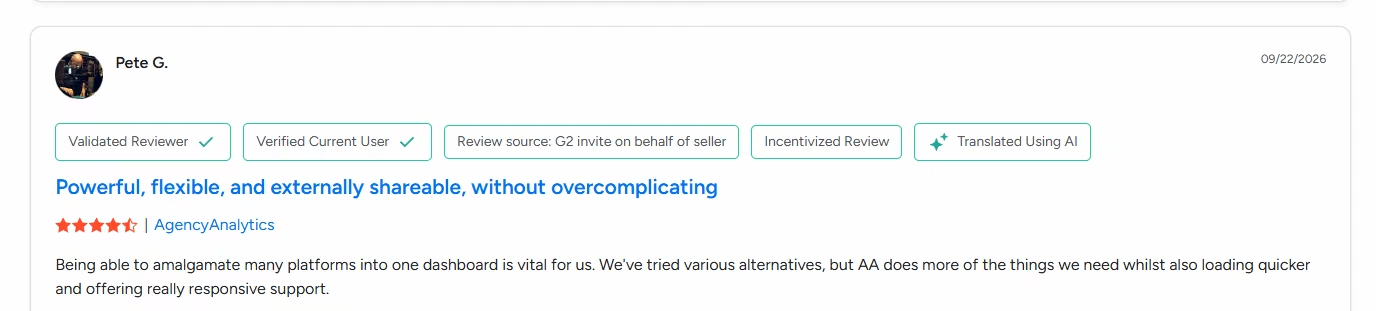
A verified G2 reviewer highlights AgencyAnalytics' centralized client reporting and flexible dashboards. Source: G2
Pricing is relatively straightforward: the Core plan costs $20 per client per month when billed annually and includes unlimited data sources, dashboards, reports, staff accounts and client users. Volume pricing is available for 25 or more clients.
Pros
- Native Shopify integration with detailed e-commerce metrics
- Unlimited data sources and dashboards per client
- Automated reports and white-label client portal
- Simple per-client pricing structure
Cons
- Cost increases with every additional client
Databox: Best for Multi-Source Ecommerce Reporting
Quick facts
- Best for: Combining Shopify with marketing and analytics data
- Shopify integration: Native
- Integrations: 130+ data connectors
- Client reporting: Client accounts, dashboards, automated reports and white-labeling
- Pricing: Agency pricing currently starts at $79/month billed annually, with additional client capacity sold through client packs
Databox is particularly useful when Shopify data is only one part of a client's reporting requirements. It connects with more than 130 tools and lets users bring data from different sources into dashboards, reports and custom metrics.
Its agency setup separates client accounts and includes unlimited users, while access can be controlled for individual clients. Custom templates can also make it easier to repeat the same reporting structure across ecommerce businesses.
This multi-client reporting experience also appears in user feedback. One recent G2 reviewer highlighted the time saved through automated client reports and monitoring clients from one dashboard, while also noting that broader integration support would improve the platform.
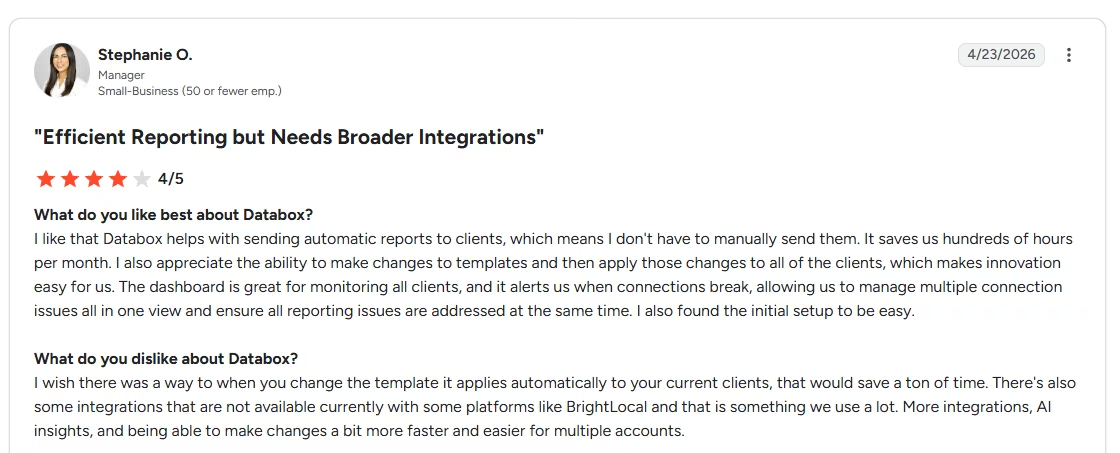
G2 reviewer Stephanie O. highlights Databox's automated client reporting and centralized monitoring while noting gaps in available integrations. Source: G2
Pricing scales differently from AgencyAnalytics because both client and data-source capacity can affect the total cost.
Pros
- Strong multi-source reporting
- Dedicated client accounts
- Reusable templates for reporting across clients
- Broad range of data integrations
Cons
- Pricing becomes more complex as client and data-source requirements grow
- Some white-label capabilities depend on the selected plan or add-ons
Whatagraph: Best for Branded White-Label Reporting
Quick facts
- Best for: Branded, client-facing ecommerce reports
- Shopify integration: Premium integration
- Client reporting: Live report links, PDFs and custom branding
- Pricing: Shopify requires the Prime plan, which has custom pricing
Whatagraph is a strong option when presentation and white-label reporting are priorities. Reports can be customized with your own logo, colors, fonts and branded domain, while clients can receive them as live links or PDFs.
For ecommerce reporting, Whatagraph can bring Shopify data together with sources such as Google Analytics 4, Google Ads, Meta Ads and Klaviyo. Its client-reporting capabilities are also reflected in its 4.5/5 G2 rating, where reviewers commonly highlight automated reporting, ease of use and combining data from multiple marketing sources.
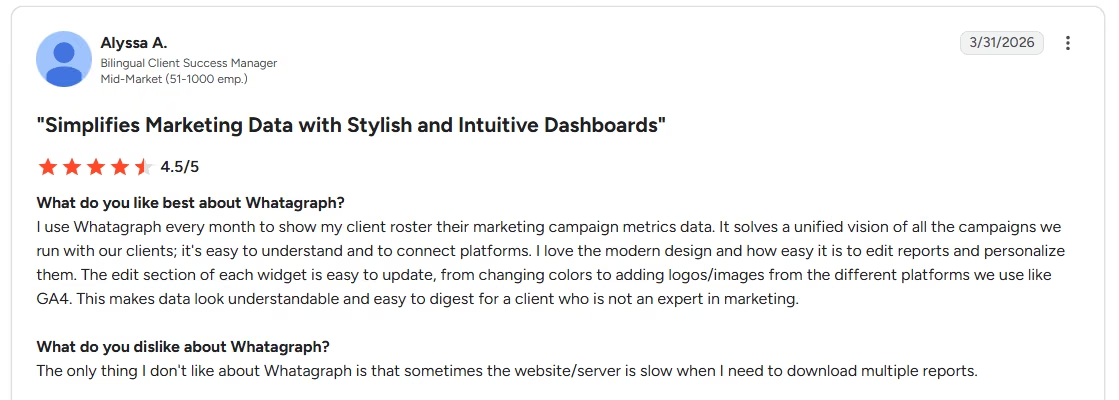
G2 reviewer Alyssa A. highlights Whatagraph's personalized reports and ability to make multi-channel campaign data easier for clients to understand. Source: G2
There is an important pricing consideration, though. Shopify is currently classified as a Premium integration available only with the Prime plan, which uses custom pricing.
Pros
- Custom branding and white-label features
- Combines e-commerce and marketing data
- Unlimited users
- Live links and PDF-based reporting capabilities
Cons
- You need a custom-priced Prime Plan
- Connection requires additional API and app setup
DashThis: Best for Simple Recurring Client Reports
Quick facts
- Best for: Straightforward, recurring ecommerce reports
- Shopify integration: Native, currently in beta
- Client reporting: Shareable dashboards, automated reports and white-labeling
- Pricing: Starts at $44/month billed annually for 3 dashboards and 15 data sources
DashThis focuses on making recurring client reporting relatively simple. Its Shopify integration lets you report store metrics alongside marketing data, helping connect revenue, orders and conversions with advertising and traffic performance.
Client dashboards can be shared through a link without requiring the recipient to log in or sent automatically by email. White-label features are included across paid plans, including custom branding and a custom dashboard domain.
A 2026 G2 reviewer who has used DashThis for more than 10 years highlighted its ease of use, customizable client reports and ability to communicate performance across multiple advertising platforms. However, she also noted that delays in data availability can be a limitation for more frequent reporting.
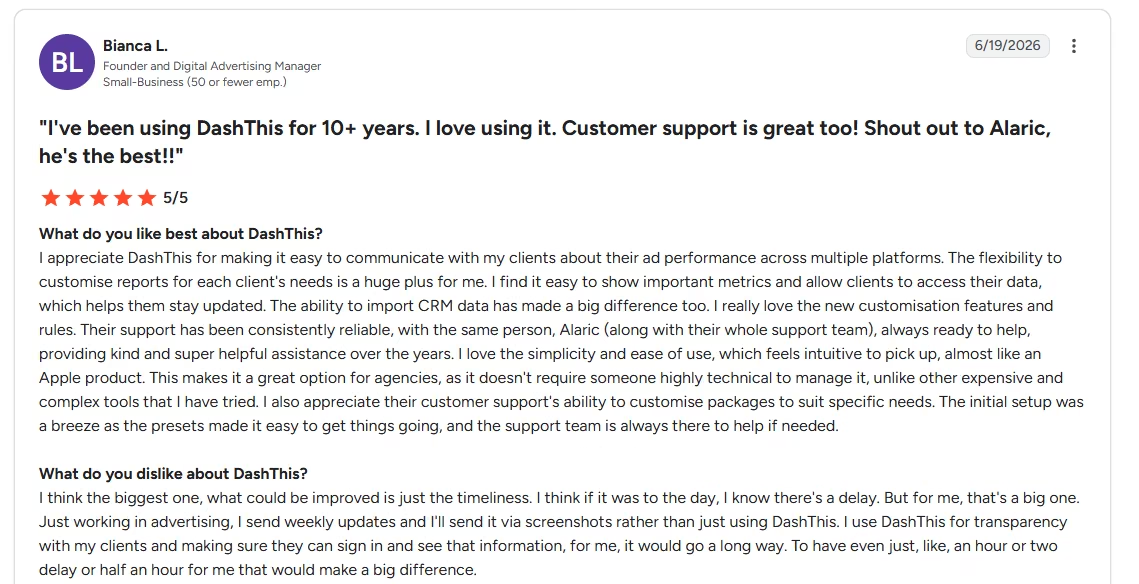
G2 reviewer Bianca L. highlights DashThis's customizable client reporting and ease of use while noting data timeliness as an area for improvement. Source: G2
Pricing scales according to both dashboards and connected data sources, with DashThis noting that users typically create one dashboard per client.
Pros
- Simple dashboard sharing and automated reporting
- White-label features included with paid plans
- Multiple marketing sources can be combined in one dashboard
Cons
- Shopify integration is still in beta
- Dashboard and data-source limits both affect scaling costs
Klipfolio: Best for Customizable Client Dashboards
Quick facts
- Best for: Highly customized ecommerce dashboards
- Shopify integration: Native
- Integrations: 130+ data integrations
- Client reporting: Separate client accounts, reusable dashboards, PDF reports and sharing
- Pricing: Partner plans start at $160/month billed annually for 5 clients and 5 dashboards
Klipfolio stands out when you need more control over how Shopify data is modeled and presented. Its Shopify integration can pull orders, products, customers and revenue data, while custom formulas and data modeling allow you to create metrics suited to specific reporting needs.
Shopify data can also be combined with sources such as GA4, Stripe and advertising platforms. For client reporting, Klipfolio provides separate client accounts and lets you build dashboard templates once and reuse them across clients.
User feedback also reflects this trade-off. Reviewers highlight Klipfolio's flexibility for creating metrics around specific business requirements, while noting that the learning curve can become steeper when dashboards involve multiple data sources and complex formulas.
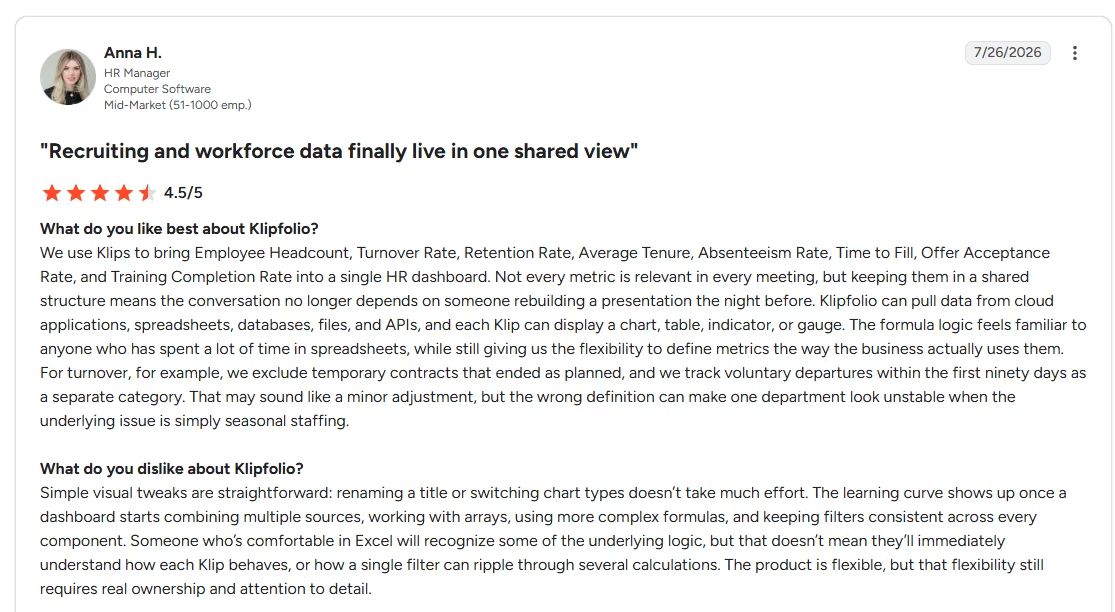
A G2 reviewer highlights Klipfolio's flexibility for defining custom metrics while noting a steeper learning curve as dashboards become more complex. Source: G2
Partner Starter includes five clients and five dashboards, while higher tiers add capabilities such as scheduled reports and white-labeling.
Pros
- Customization of dashboards and metrics is quite extensive
- Native Shopify connection
- Reusable dashboards (across different clients)
- Data modeling capabilities
Cons
- Greater customization can require more setup
- Scheduled reports and full white-label features require higher Partner tiers
Shopify Analytics: Best for Shopify-Native Reporting
Quick facts
- Best for: Businesses primarily reporting within Shopify
- Shopify integration: Built-in
- Reporting: Customizable dashboards, reports and data explorations
- Pricing: Included as part of Shopify subscriptions
Shopify Analytics is the simplest option when you primarily need a Shopify reporting dashboard for the store itself. The built-in dashboard covers metrics across sales, customers, traffic and other areas, while reports can be filtered and customized for deeper analysis.
Unlike the other tools on this list, Shopify Analytics doesn't require a separate dashboard subscription or data connection. Shopify also supports custom data explorations, allowing users to create reports around the metrics and dimensions they need.
Its limitation becomes clearer when reporting needs extend beyond Shopify. While it works well for understanding store performance, dedicated client-dashboard platforms offer stronger workflows for combining multiple external data sources, white-labeling reports and managing reporting across independent clients.
Pros
- Built directly into Shopify
- Customizable reports and dashboards
- No separate dashboard subscription
- Strong option for Shopify-first reporting
Cons
- Less suited to white-label client reporting
- Less convenient for combining multiple external platforms into one client dashboard
Create Your Custom Shopify and Ecommerce Dashboard
The off-the-shelf dashboards discussed here can work well when your ecommerce reporting needs fit their integrations, templates and workflows. However, as your business scales and the ecommerce processes become more specialized, you might realize the importance of a dashboard built around the way your business or clients actually use data.
A custom dashboard can also be useful when your objective is to combine Shopify data with multiple marketing or operational sources. You might need to create your own metrics, apply specific calculations, and provide user access with distinct views.
A custom dashboard may also become worth considering when existing tools become restrictive as you add more stores, clients or reporting requirements.
Instead of starting from a fixed template, an AI dashboard builder can help you create a reporting application around the metrics and workflows you need. For example, you could build a dashboard that pulls Shopify sales data alongside advertising spend, calculates store-specific KPIs and presents the results through separate client or management views.
You might ask why such an approach would be useful. Here is when:
- Reporting workflows that standard dashboard tools do not support
- Custom ecommerce KPIs or calculations
- Data from several platforms presented in a specific way
- Different dashboards or permissions for clients, teams or stores
- Greater control over branding and the reporting experience
However, does a custom dashboard automatically mean it is better than off-the-shelf alternatives? Here, you need to understand that if Shopify’s built-in reporting or any existing dashboard covers your requirements at a reasonable cost, you can postpone the idea of a custom dashboard.
If existing dashboard tools do not match your reporting workflow, an AI dashboard builder can provide another route. With Emergent, you can describe the dashboard you need, connect data from spreadsheets, databases, APIs or other sources, and build custom metrics, visualizations, and access controls without developing the application from scratch.
If you are starting from scratch, this guide on how to build an analytics dashboard explains the broader process of defining metrics, connecting data and structuring the dashboard before launch.
What These Dashboards Cost as You Add Stores
Your decision to select a dashboard should not be based on the free plan alone. Costs can change significantly as you add more stores and your reporting requirements grow. Comparing entry-level prices alone can therefore give the wrong impression about which option will cost less at scale.
AgencyAnalytics uses a relatively straightforward per-client model. Its Core plan costs $20 per client per month when billed annually, with unlimited dashboards, reports, users and data sources for each client. This makes the cost easier to estimate as the number of clients grows.
Databox's Agency plan starts at $79/month billed annually and includes four clients and 20 data sources. Additional client packs cost $20/month and add one client and five data sources, so costs increase as you add clients and their reporting connections.
DashThis prices according to both the number of dashboards and connected data sources. Since one dashboard is commonly used for each client, adding stores can eventually require moving to a higher plan.
Klipfolio's Partner plans bundle a specified number of client accounts and dashboards. The entry Partner plan starts at $160 per month when billed annually for five clients and five dashboards, with higher tiers providing additional capacity and reporting features.
Whatagraph is harder to compare directly for Shopify reporting. Shopify is classified as a Premium integration and requires its custom-priced Prime plan, so there is no standard public Shopify price to meaningfully compare with the other platforms.
Shopify Analytics is already included with Shopify subscriptions, making it the simplest option when you primarily need reporting within Shopify itself. However, its economics are different from dedicated client-dashboard software because Shopify subscriptions are tied to the underlying ecommerce stores rather than a separate reporting platform.
The key takeaway is that the cheapest dashboard for one store may not be the best option when you scale to 5 or 10 stores. You need to compare the number of clients, dashboards, and data connections you need before selecting a dashboard at an advertised ‘starting’ price.
Choosing the Right Client Dashboard for Ecommerce Reporting
No single dashboard works perfectly for every client's requirements. The exact choice depends on the number of stores you manage, the data sources you need to connect, how reports are required and shared, and how much customization you need.
AgencyAnalytics offers a strong all-round option for client reporting, while Databox works particularly well for bringing multiple data sources together. Whatagraph focuses on polished white-label reporting, DashThis keeps recurring reports relatively simple, and Klipfolio provides greater customization. For businesses mainly analyzing their own Shopify store, Shopify Analytics may already provide much of what they need.
Before deciding, compare how each platform will scale with your actual reporting requirements rather than focusing on the starting price alone. If existing tools cannot accommodate your metrics, integrations or workflows, building a custom client dashboard with Emergent may be worth considering.

Most AI app builders stop at prototypes. Emergent creates production-ready apps you can actually launch.
- Production-ready apps
- Web & mobile apps
- Deploy in minutes







