



Emergent vs. Replit: TL;DR
- Emergent: Best for nontechnical founders, operators, and agencies that want AI to handle more of the app from planning through launch.
- Replit: Best for developers, technical founders, and collaborative teams that want an AI agent inside a browser-based coding workspace.
Overall winner for nontechnical app building: Emergent. Replit wins when code control, team collaboration, and direct debugging rank above delegated execution.
Emergent vs. Replit is a choice between delegating more of the build and keeping direct code control. Choose Emergent when you want to guide the product in plain language. Choose Replit when you want to inspect, edit, and debug the code inside a developer workspace.
I compared current pricing, product capabilities, mobile workflows, deployment options, code handoff, security, and recurring user concerns. This is a research-based comparison rather than a hands-on test, so I won’t claim build times, credit totals, or results I didn’t personally measure.
My recommendation is clear: Emergent is the stronger choice for nontechnical founders and service-business operators who want a complete app without managing the code each day. Replit is the stronger choice for developers and technical teams that want visible code, deeper workspace controls, and direct intervention when the agent gets stuck.
Emergent vs. Replit: What’s the Difference?
Emergent is a conversation-first AI app builder. You describe the product, and its agents build the interface, application logic, data layer, integrations, testing flow, and deployment, the step where the finished app goes live for real users. It supports web and cross-platform mobile apps, while paid plans add GitHub push, pull, and branch support.
Replit combines an AI builder with an integrated development environment (IDE), which is a workspace for writing, running, reviewing, and publishing software. Agent can plan and build an app from a prompt, while the Project Editor keeps the code, database, files, preview, history, and publishing controls visible.
Choose Emergent when you want to act as the product owner and give the platform a detailed brief.
Choose Replit when you want to act as the product owner and technical reviewer, with the option to edit or debug the code directly.
Also read our guide on What Is Vibe Coding to understand the concept behind both tools before you commit to either.
How I Compared Emergent and Replit
I used official vendor sources for plan prices, credits, app-building features, mobile support, code handoff, deployment, collaboration, and security. I also reviewed a current Reddit discussion to identify the questions people raise after the first demo, especially control, debugging, long-term upkeep, and credit use.
I treated user comments as anecdotal evidence. They reveal recurring concerns, but they don’t prove that every project will produce the same result. I also rejected outdated comparisons that describe Replit as a basic code assistant. Its current Agent supports full builds, Plan Mode, mobile apps, databases, connectors, visual editing, task planning, and publishing.
The core question guiding this comparison is simple: How much work do you want the platform to own, and how much control do you want to keep?
Emergent vs. Replit: At a Glance
Best fit by build style:
| Tool | Best For | Core Strength | Free Plan | Starter Paid Plan |
|---|---|---|---|---|
| Emergent | Nontechnical founders and operators | Delegated app building | Yes | $20/month ($17/month billed annually) |
| Replit | Developers and technical teams | Visible code and workspace control | Yes | $25/month ($20/month billed annually) |
Emergent starts its paid individual plans at $20/month, while Replit Core starts at $25/month. Both use credits or usage charges beyond the base subscription, so the lowest advertised plan price doesn’t represent the full cost of a serious build.
Meet Emergent: Features and Highlights
Emergent centers the experience on a product brief instead of a code editor. You explain the app, screens, roles, workflows, data, and integrations in natural language. The platform handles the application structure and provides a live preview for review before deployment.
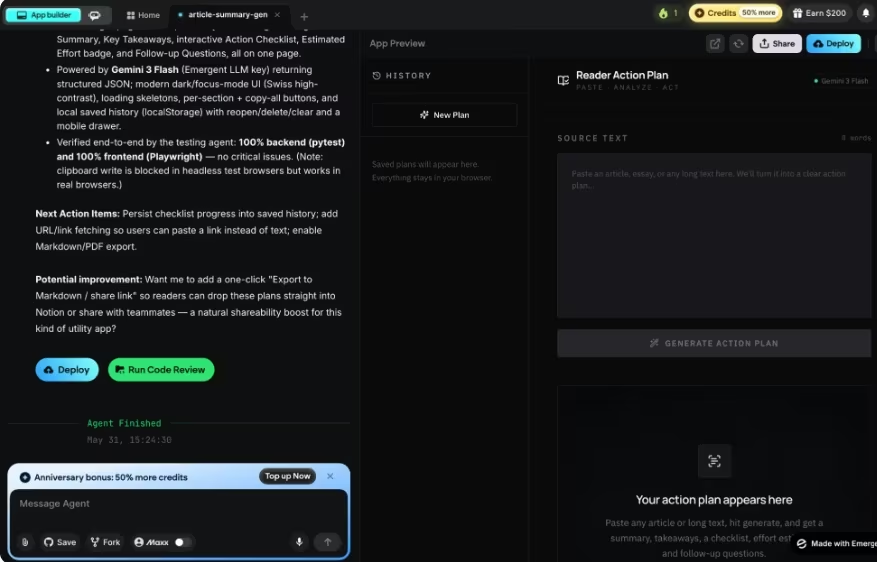
Its strongest fit is a founder or operator who understands the business problem but doesn’t want to assemble the technical parts. Emergent supports web apps, cross-platform mobile apps, authentication, databases, payments, third-party integrations, hosting, and deployment. GitHub integration lets you push, pull, use branches, and hand the code to a developer later.
That approach fits internal tools and service-business software well. In one Emergent customer story, a five-person roofing company replaced five disconnected products with a custom command center for leads, estimates, proposals, payments, email, and text messages.
The company reported reducing monthly third-party software costs from $1,500–$1,800 to roughly $100. That result belongs to one customer, but the scenario shows the type of workflow Emergent targets: a business owner translates a specific process into custom software.
Emergent also has clear limits. Its Mobile Agent uses a fixed setup. Expo and React Native for the app, plus a set server and database it picks for you. That stack is locked in, so you can't swap in different tools the way a hands-on developer might want to.
Mobile building requires a paid plan, and app-store release still requires Expo Application Services (EAS) plus the relevant Apple or Google developer account.
Credit planning also affects the final cost because generation, changes, testing, integrations, and deployment draw from the allowance.
Pricing
Free: $0/month. Standard: $20/month ($17/month billed annually); Pro: $200/month ($167/month billed annually).
Business: custom; Enterprise: custom.
Meet Replit: Features and Highlights
Replit puts Agent inside a full browser development workspace. You can begin with a plain-language request, review the proposed plan, watch the build, inspect the files, open the database, edit the code, test the result, and publish from one project.
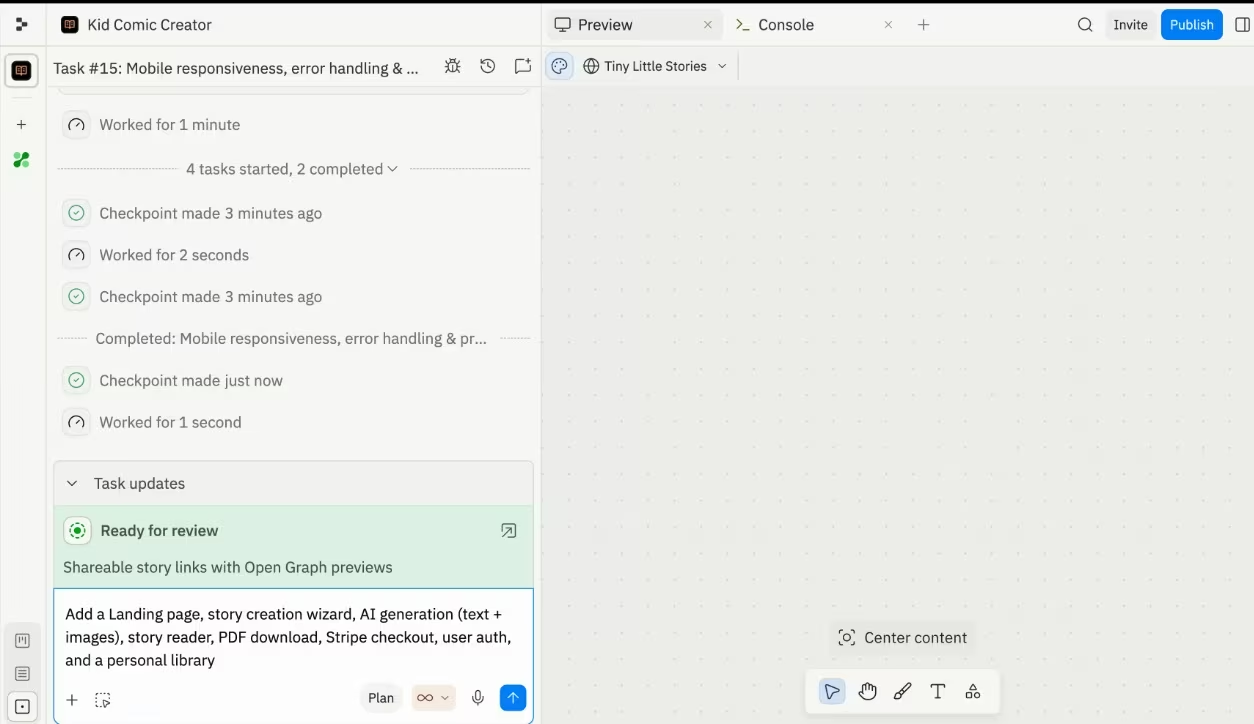
Current Replit is broader than older comparisons suggest. Core includes full builds, Plan Mode, Design Canvas, a visual editor, third-party connectors, all supported artifact types, unlimited workspaces, unlimited published apps, up to five collaborators, and one active background task.
Replit also includes a managed Structured Query Language (SQL) database. An agent can create the schema, connect it to the app, and update the code to store and retrieve data. The Project Editor adds tools for queries, schema changes, data views, and checkpoint restoration.
In one Replit customer story, Plaid built a production service-level agreement (SLA) dashboard during a two-hour build-a-thon. Plaid reported more than 96 hours saved and 10 times faster access to the data its teams needed.
Replit’s main advantage appears when the first version needs technical attention. The code stays visible, checkpoints support rollback, and a developer can intervene without moving the project to a different tool. That makes Replit a strong choice for technical founders, learners, agencies with developers, and teams that expect regular code review.
Replit supports native iOS and Android app creation through Agent and Expo. You can preview the app on a physical device or a streamed simulator, then use its guided flow for TestFlight and App Store submission. This is an important 2026 update because older comparisons sometimes present native mobile support as an Emergent-only advantage.
The main drawback is cost visibility during AI work. Replit uses effort-based pricing, so every Agent interaction is billable and more complex work costs more. Plan Mode conversations also use credits. The same credit pool covers AI, publishing, storage, and databases, although Replit provides usage dashboards, alerts, budgets, and hard spending limits.
Pricing
Starter: $0/month. Replit Core: $25/month ($20/month billed annually); Replit Pro: $100/month ($95/month billed annually). Enterprise: custom.
Also read our Replit pricing guide for a full breakdown of what each plan actually covers before you commit.
Emergent vs. Replit: Feature-by-Feature Comparison
Build Style and Beginner Fit
Emergent gives a nontechnical reader a clearer starting point. The main input is a product description, and the platform takes responsibility for more of the structure behind the app. You still need a clear brief and careful testing, but you spend less time navigating developer concepts.
Replit can also build from natural language, and coding experience isn’t required. The workspace still exposes code, files, databases, publishing options, checkpoints, and build modes. That visibility is useful, but it creates more decisions for a first-time builder.
Winner: Emergent. It asks you to define the product, while Replit asks you to define the product and stay closer to the implementation.
Code Control and Developer Handoff
Replit gives you direct access to the code throughout the build. You can make manual edits, import an existing GitHub project, review changes, and roll back checkpoints without leaving the Project Editor.
Emergent supports code ownership and GitHub synchronization on Standard and higher plans. You can push and pull repositories, work with branches, use pull requests for review, and continue the project with a developer. The difference is emphasis: Emergent keeps the conversation at the center, while Replit keeps the project workspace and code within reach at every step.
Winner: Replit. Both support handoff, but Replit makes code inspection and direct intervention a larger part of the daily workflow.
App Logic, Data, and Integrations
Both platforms create more than a polished screen. Emergent can generate application logic, data models, user accounts, workflows, payments, and integrations from a detailed brief. Replit Agent can create a database schema, connect data to the app, add payment services, use connectors, and publish the result.
Emergent takes the lead for a nontechnical build because the product brief drives the whole flow. Replit takes the lead when a developer wants to inspect the database, run queries, change the schema, or edit an integration by hand.
Winner: Emergent for delegated builds. Replit remains the better technical workspace.
Mobile App Development
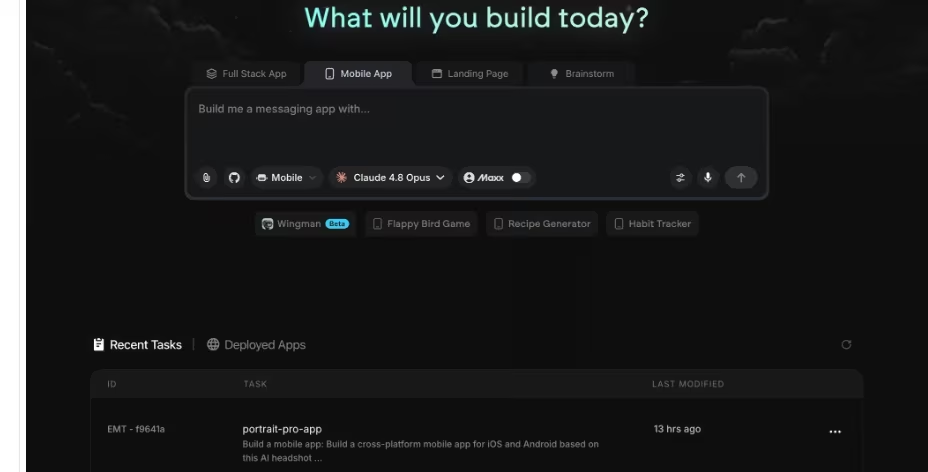
Emergent builds cross-platform iOS and Android apps with Expo and React Native. Its Mobile Agent requires a paid plan, and the documented workflow moves from Emergent to EAS for the final build and store submission.
Replit also builds native iOS and Android apps with Agent and Expo. It supports physical-device previews, streamed simulators and emulators, TestFlight preparation, and an embedded App Store submission flow.
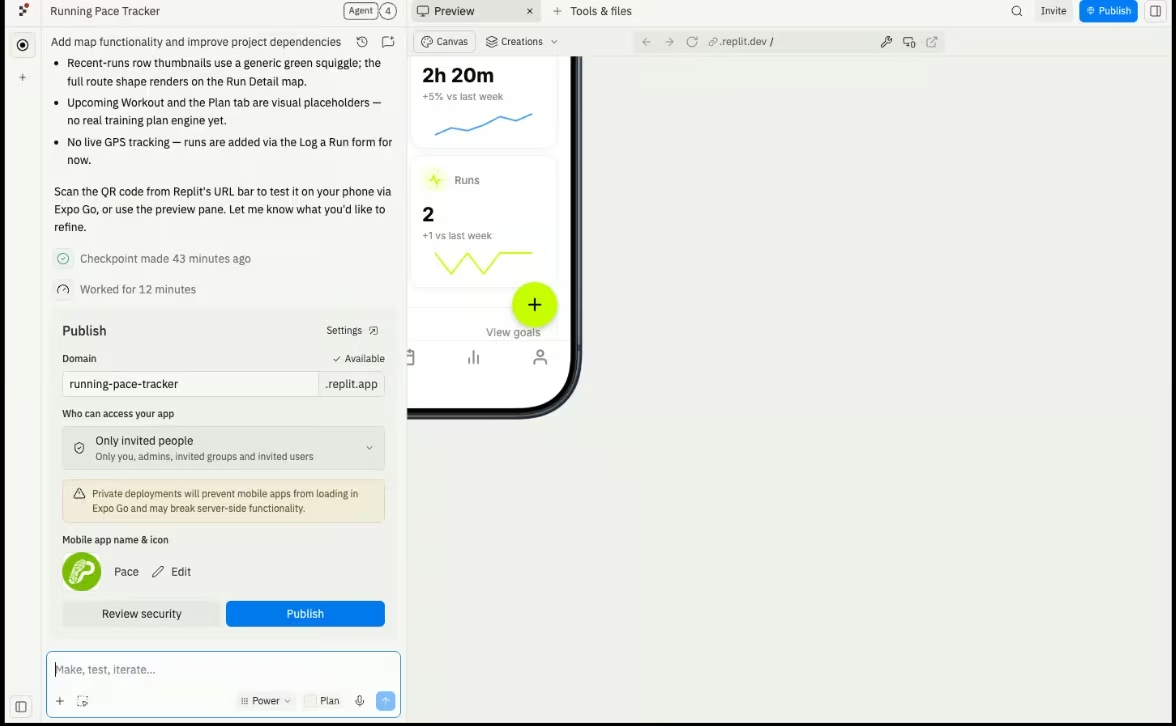
Winner: Replit. Both support real mobile apps, but Replit provides a more guided path from prompt to app-store submission. Emergent gives you a clear export route and a fixed mobile stack.
Collaboration
Replit Core includes up to five collaborators, and Pro includes up to 15 collaborators plus up to 50 viewers. Pro also supports up to 10 parallel Agent tasks, pooled credits, workspace-level tracking, and one-month credit rollover.
Emergent’s individual plans are centered on one account. Shared team workspaces, real-time co-editing, role-based access control, and single sign-on sit in the custom Business plan. Enterprise adds audit logs, user-level credit limits, groups, reporting, self-hosted database support, and deployment in the customer’s cloud.
Winner: Replit. Team collaboration arrives at a public self-serve price, while Emergent reserves its deeper team controls for custom plans.
Pricing and Cost Control
Emergent has the lower monthly entry price: $20/month compared with Replit Core at $25/month. Emergent Standard includes 100 monthly credits, and Pro includes 750. Subscription credits reset each cycle, while purchased top-ups don’t expire. The first deployment of a new app costs 50 credits, while later redeployments of that same app are free.
Replit Core includes $25 in monthly credits, and Pro includes $100. Replit charges by Agent effort, and credits also cover publishing, databases, storage, and other cloud services. Core credits don’t roll over, while Pro subscription credits roll over for one month. Replit provides alerts, detailed usage tracking, and hard spending limits.
Winner: Emergent for a simpler entry plan. Replit wins on spending controls and usage visibility. Neither platform gives you a fixed total project price.
Also read our Replit pricing guide for a full breakdown of what each plan actually covers before you commit.
Security and Production Controls
Emergent is SOC 2 Type I and ISO 27001 certified. Its organizational controls include single sign-on, role-based access, audit logs, self-hosted database support, and customer-cloud deployment options.
Replit is SOC 2 Type II certified and provides pre-deployment security scanning, encrypted secrets, cloud-backed deployments, private publishing, single sign-on, role-based access, and enterprise network controls.
Winner: Tie. Both offer credible organizational controls. Any app handling payments, health data, financial records, or sensitive customer information still needs human security review before launch.
Also read our best Replit alternatives guide for what else is worth trying when the effort-based billing or team collaboration limits become a concern.
What Real Users Are Saying
A current Reddit thread frames the debate as speed versus control. Several commenters describe Emergent as faster for a complete first version, then raise concerns about debugging custom logic and understanding generated code. The same discussion describes Replit as slower at the start but easier to inspect and repair.
That feedback is useful because it focuses on the stage after the demo. It is also anecdotal, and the thread doesn’t account for every 2026 product update. Replit now handles full builds and native mobile work, while Emergent offers GitHub handoff and deeper organizational controls than some comments acknowledge.
Emergent
Pros: Commenters praise the fast path from a detailed description to a working, product-like first version. The platform appeals to people who prefer describing workflows over editing code.
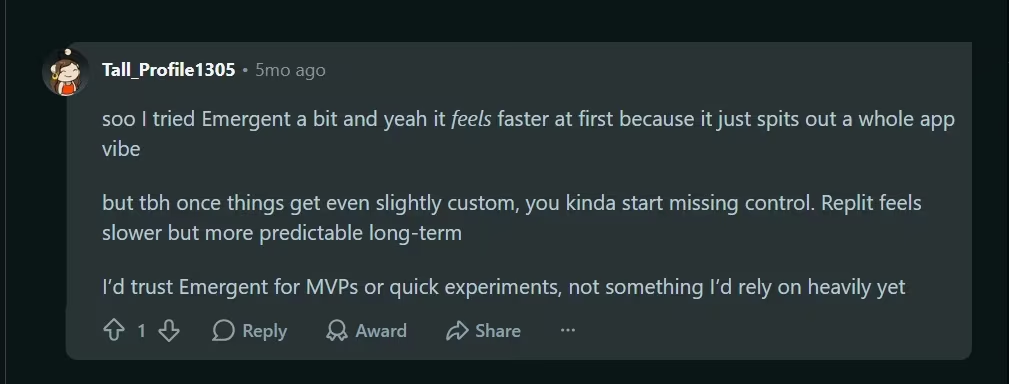
“I tried Emergent a bit and yeah it feels faster at first because it just spits out a whole app vibe.” - Tall_Profile1305, Reddit
Cons: Commenters raise concerns about control once the app needs custom logic or difficult debugging. Credit use also draws criticism when the agent needs repeated fixes.
“Once things get even slightly custom, you kinda start missing control.” - Tall_Profile1305, Reddit
Replit
Pros: Commenters value visible code, direct intervention, and a clearer path for debugging and long-term upkeep. Replit feels familiar to people with basic development experience.
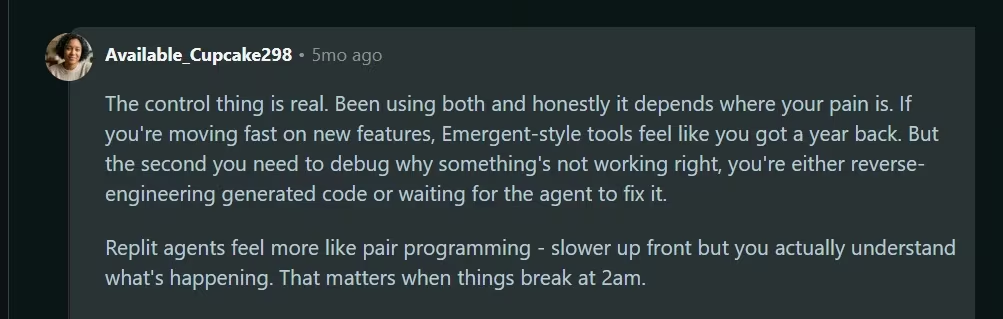
“Replit agents feel more like pair programming - slower up front, but you actually understand what’s happening.” - Available_Cupcake298, Reddit
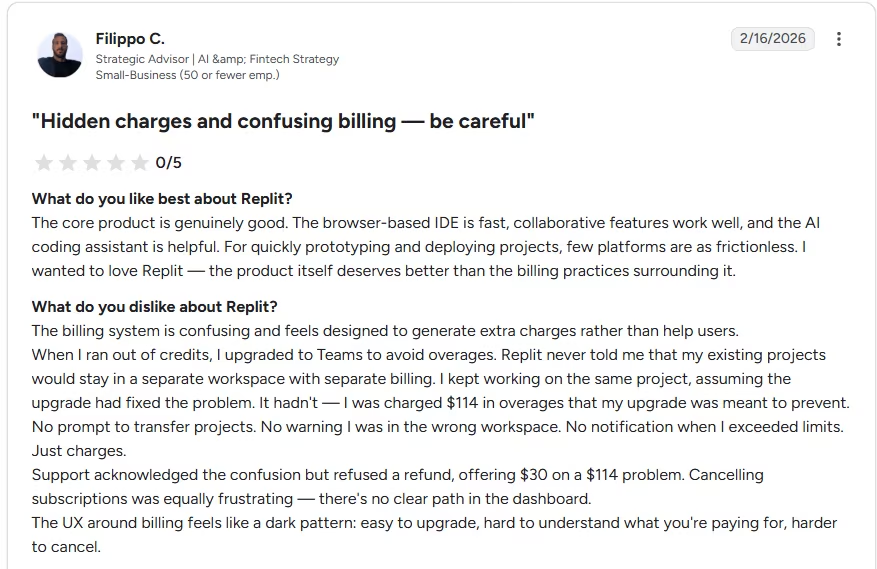
Cons: Commenters describe Replit as slower at the start, even though its visible code makes problems easier to understand and fix. Replit’s effort-based billing can also increase the cost of long debugging sessions.
“The billing system is confusing and feels designed to generate extra charges rather than help users…No prompt to transfer projects. No warning I was in the wrong workspace. No notification when I exceeded limits. Just charges.” -Filippo C., G2
Want the full picture of what users are saying? Read our Replit Reviews for a closer look at what builders actually ran into.
How to Make Your Choice
Choose Emergent for a business workflow that you can explain clearly but don’t want to code yourself. A client portal, lead tracker, proposal tool, booking system, operations dashboard, or mobile service app fits its strengths.
Choose Replit for a product that will receive frequent technical changes, code review, custom infrastructure work, or active developer collaboration. It also fits learners who want the agent to build while they inspect how the app works.
Emergent Is Better For
- Nontechnical founders who want to direct the product through conversation
- Service-business owners replacing disconnected subscriptions
- Agencies producing complete web or mobile apps for clients
- Product managers and operators building internal tools
- Projects where GitHub handoff happens after the first working version
Replit Is Better For
- Developers and technical founders who want visible, editable code
- Teams that need collaborators on a self-serve paid plan
- Projects that need checkpoints, database tools, and direct debugging
- Builders learning software development while using AI
- Mobile projects that benefit from guided app-store submission
My Verdict
Emergent wins this comparison for the reader who has a business problem, a clear workflow, and no interest in living inside a code editor. It gives you the more direct route from a detailed brief to a complete web or mobile app, and its Standard plan adds GitHub handoff when a developer needs to take over.
Replit wins for technical control. Its Agent, code editor, database tools, collaboration, mobile workflow, checkpoints, and publishing controls give developers more ways to inspect and correct the build.
Use this rule: Choose Emergent to delegate more of the product build. Choose Replit to supervise more of the implementation.
Start Building With Emergent
Start with Emergent’s free plan to explore the conversation and scope a small project. Move to Standard at $20/month ($17/month billed annually) when you need 100 monthly credits, private hosting, GitHub integration, and the paid mobile workflow.
Write the first prompt as a product brief: name the audience, screens, user roles, data, actions, integrations, and acceptance criteria. A precise brief reduces rework on either platform, but it has the largest payoff in a delegated build.

Most AI app builders stop at prototypes. Emergent creates production-ready apps you can actually launch.
- Production-ready apps
- Web & mobile apps
- Deploy in minutes







