



Thanks to AI, building a SaaS product without coding experience is easier than ever. A SaaS builder simply generates the code for you based on natural language, with some back and forth along the way.
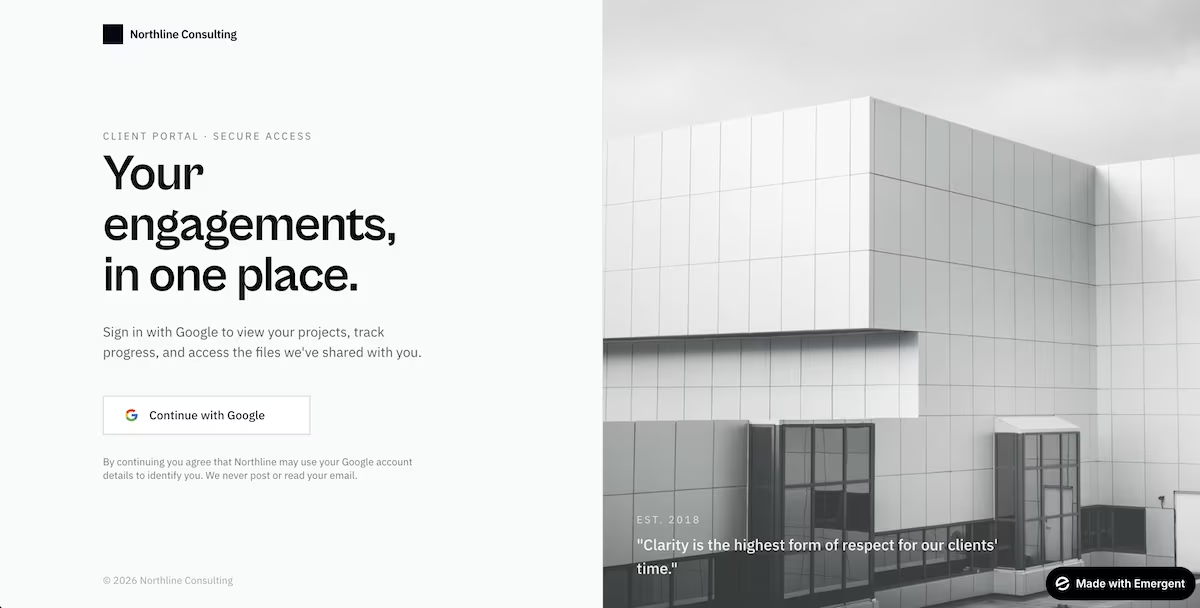
While I don't have a coding background, I always wanted to build a real SaaS tool, so I did. I built a client portal with logins where consultants' customers can see their projects and files in one place. It took about 35 minutes start to finish, and I documented every step below.
What You'll Need Before Starting
Before you start building, keep the following checklist in mind. Technical ability might not be one, but there are a few things to have on hand.
Prerequisites:
- An app idea: Have an idea you can describe to the AI builder in terms of core features and preferred design.
- A target audience: Know who your app is for and what problem it solves.
- One AI tool: Use a chatbot, AI code editor, or a SaaS builder.
- No coding, installs, or technical setup needed. The build runs entirely in your browser.
Time required: You could go from idea to a live app in as little as 35 minutes. Plan for an hour to get your prototype up and running.
How to Build a SaaS Product Without Coding
Here are the steps I followed to build a SaaS product without coding. From idea to live client portal, this was my entire process.
Step 1: Brainstorm Your Idea
When deciding to build a SaaS product, the first thing to do is to come up with an idea. I decided on a client portal for consultants, where clients could log in and view their projects, progress, and shared files all in the same place, instead of having to go and search multiple email threads.
This is the step your build largely rests on, so it’s worth spending some time here before you start building. Consider solving a problem that you’ve either experienced personally or that you’ve seen others run into.
Step 2: Decide on Your Core Features
Once I had the idea I wanted to work on, it was time to think about the core features to include. I decided on a secure login, a dashboard, a project view with shared files, and a basic profile page.
Look again at the problem you're trying to solve and ask yourself which features are essential. Adding nice-to-haves at this stage risks diluting the features that actually solve the problem before you've even found out what people think of it.
Step 3: Create the Starting Prompt
Here’s where you need to take your idea and core features and turn them into a prompt for your AI builder. I went to my go-to AI assistant, Claude, to help me improve my prompt before giving it to Emergent. If you wanted to do the same, you could build straight from Claude with Emergent's MCP connector.
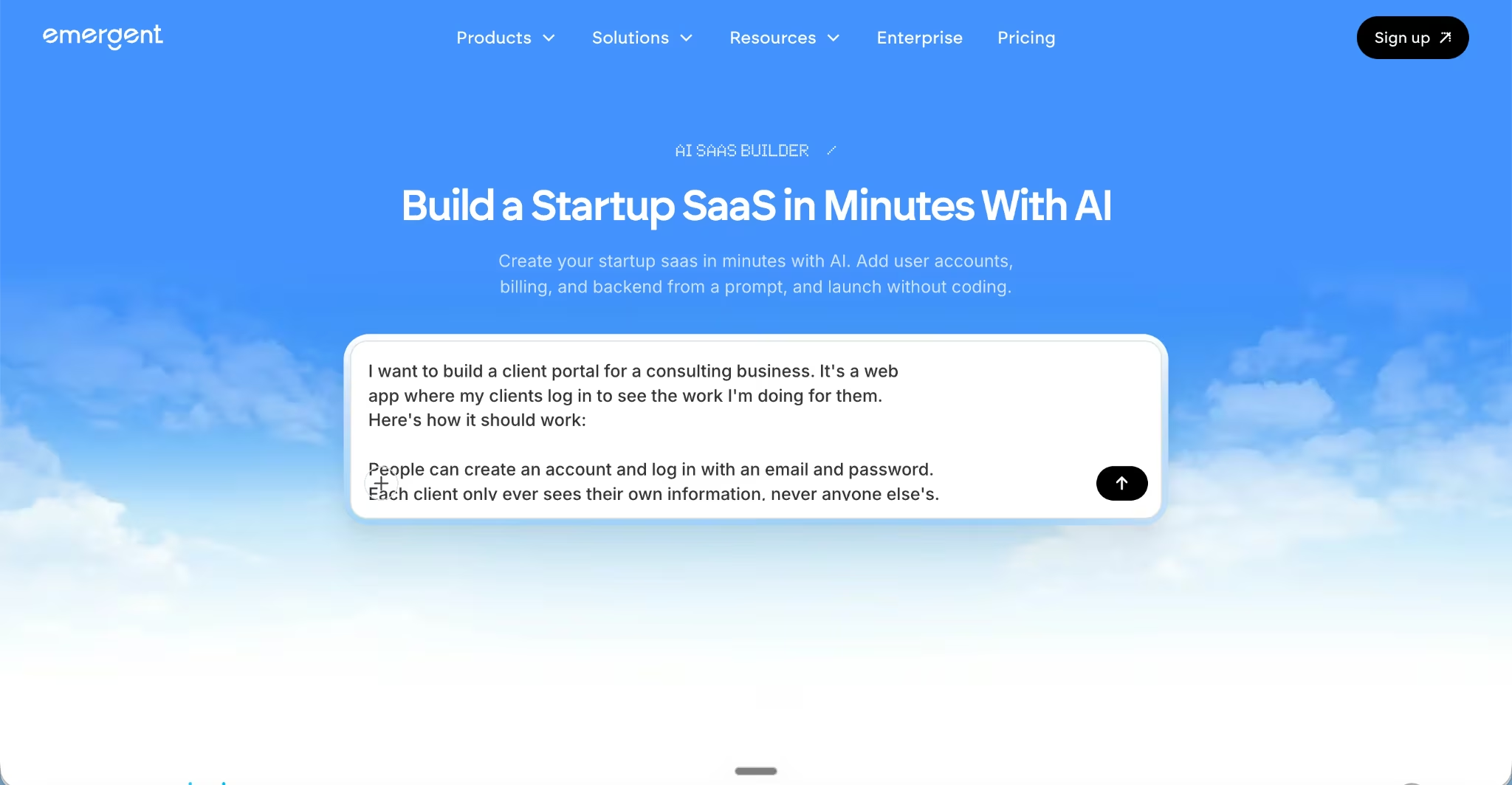
The prompt is basically a brief, and so the more specific you are, the more the builder will reward you. The AI builder needs to know things like who the app is for, whether or not it needs a login area for clients, and what should be on the dashboard and project page (if relevant).
You can also brainstorm the prompt without leaving Emergent. Emmy is a free assistant built into every page that enables you to describe your idea and answer her follow-up questions about who it's for and what it needs. She turns that into a build-ready prompt you can send straight to the builder.
Also read our best no-code SaaS builders guide for what else is worth trying before you commit to a platform.
Step 4: Let the App Build
I used Emergent's SaaS builder to run this build. I gave the initial prompt and let its agents handle the actual work. A specialized team of agents takes care of the design, builds the pages, handles the logic that runs behind the scenes, and even tests it before telling you it’s finished.
In just 15 minutes, I had a working client portal, including a login screen, a dashboard listing each client's projects, and a project page. The sidebar labels were wrong on the first try, but the core flow worked.
When I asked for the project view, Emergent set up the storage for client records and uploaded files automatically, so each login only pulled that client's own data.
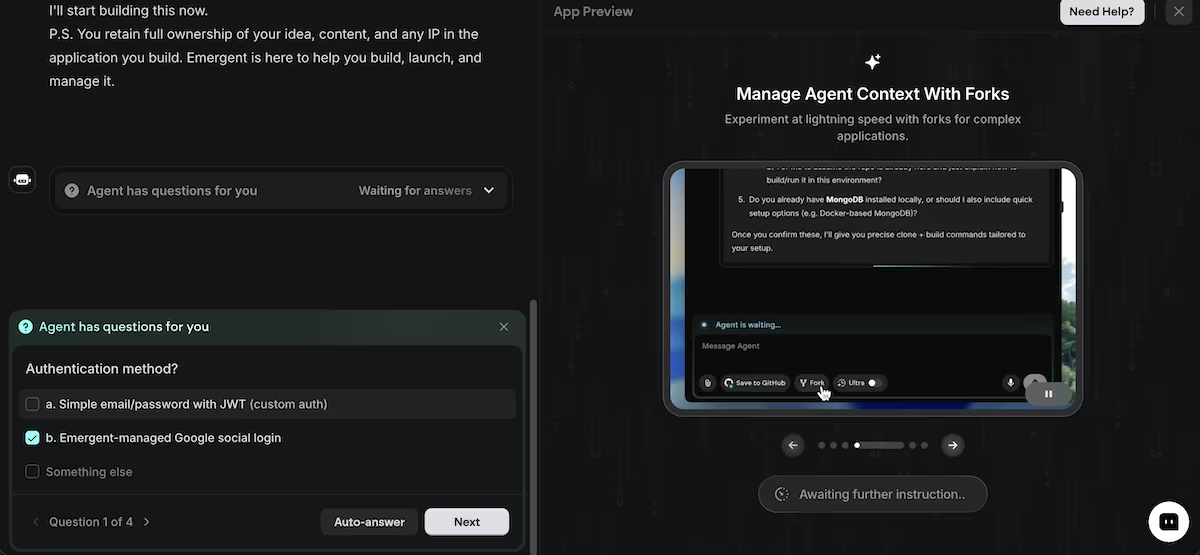
This is the step where you’ll see your idea start to look like an actual product. You’ll also find things you want to fix or change, which is all a part of the process. Just continue to talk to the agent, telling it what you want it to do next. Then let it continue to build.
see what worked and what didn’t. You’d also risk overwhelming the builder.
Step 5: Set up Stripe Integration
Stripe is the most standard option for setting up payments for a SaaS product. So I connected my product to Stripe through Emergent’s Stripe integration.
I told the agent I wanted clients to pay a monthly retainer to unlock their portal. It added a checkout page, and a test-card payment ran through and flipped the account to active.
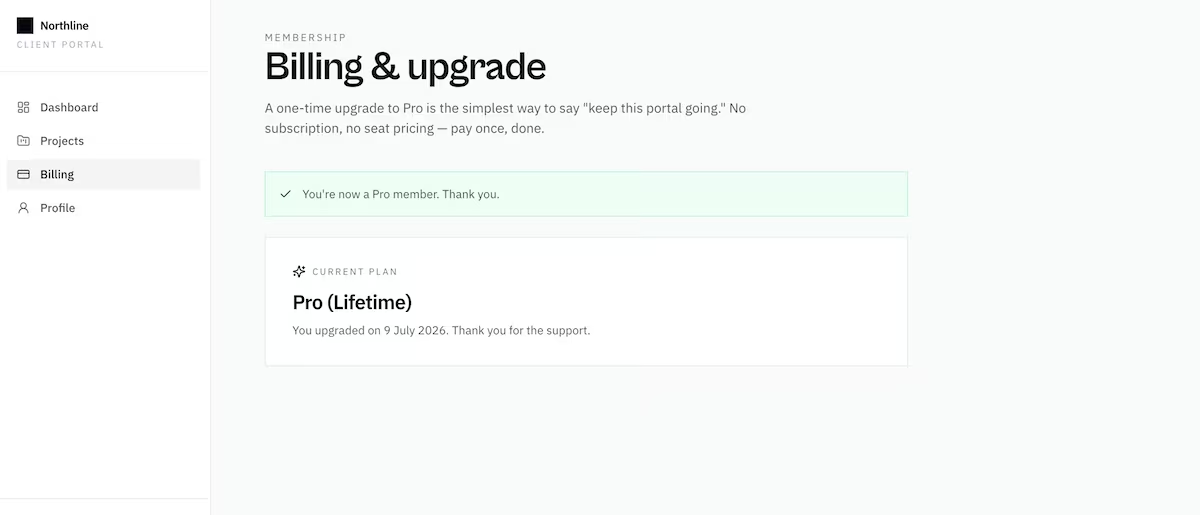
When you add payment functionality to a working app, you’re turning it into a potential business, and setting up Stripe allows you to test the full customer flow. The integration also means that you don’t have to bother with the fiddly setup that would otherwise come with billing.
Step 6: Publish Your SaaS Product
I clicked Publish, and about two minutes later, the portal was live on an Emergent-hosted URL. I opened it in a private window, created a test client account, and saw both the login and project view work on the live site.
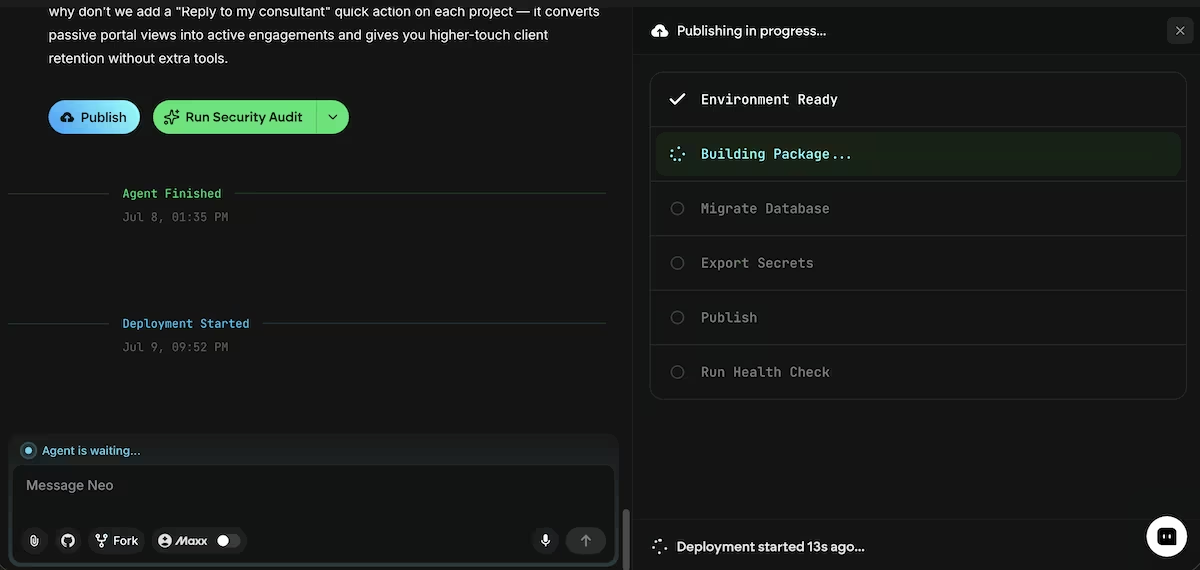
Publishing is the final step of the first iteration of a SaaS product. It’s fun to see the product develop on your screen, but seeing it go live gives you a real sense of accomplishment.
Common Mistakes to Avoid
Building your SaaS product without coding is a lot of fun and absolutely achievable. But it isn’t without potential pitfalls. Here are some of the more common mistakes to avoid.
- Trying to fix everything in the first build: I was tempted to add team roles and a notifications center before anyone had used the portal. Both would have delayed getting feedback, so I left them for another day.
- Letting your data get messy early: ask the builder to keep each customer's records separate from day one. Reorganizing storage after you have real users is far more work than setting it up cleanly at the start.
- Watch performance as you add visuals: when I added a file-preview thumbnail to the project page, the dashboard took noticeably longer to load, until I asked the agent to load previews only when a client opened a project.
Emergent Makes Building a SaaS Product Without Coding Easier
I built a working client portal on Emergent just by describing what I wanted. Its agents handled the design and build, then tested their own work. Here’s how Emergent can help you do the same:
- Start with a description, not a blank editor: Tell Emergent what you want it to build, and it will generate an app you can start testing within minutes.
- Create customer accounts: Include sign-up and login features to provide users with a personalized account, just like the customer portal I built above.
- Make payments possible: Connect your SaaS product to Stripe so that you can offer paid subscriptions and collect payments.
- Deploy to a live, shareable link within minutes: Deploy your SaaS product to a live URL, so you can share a published link to get feedback for your next iteration.
Emergent has a free tier so you can test the idea, and paid plans start at $20/month once your build outgrows the free credits. Try Emergent today.

Describe what you want and Emergent builds it. A real, production-ready app you can launch the same day.
- One prompt to build
- Zero code required
- Deploy in minutes







