




TL;DR
- Validate one painful problem: Talk to a narrow group of buyers and get proof through behavior, because a buyer who books a call or joins a pilot tells you more than one who says the idea sounds good.
- Define one customer and one promise: Your first launch needs a clear buyer, outcome, and activation event.
- Build the smallest useful minimum viable product (MVP): Ship one complete workflow before you add side features.
- Set pricing and test billing: Pick a simple revenue model and test payment, cancellation, and access rules before launch.
- Run a private beta: Watch a small group use the product and fix blockers before you invite more people.
- Choose one primary launch channel: Go where your first customer already spends time, then prepare one clear message and demo.
- Soft launch before the public push: Release to a small group, run a go-or-stop check, and fix the launch path.
- Launch, measure, and iterate: Track the path from visit to activation to payment to repeat use, then fix the weakest step each week.
Launch day gets too much credit. The work that decides whether your software-as-a-service (SaaS) product gets used starts earlier. Prove one painful problem, ship one useful workflow, test the sign-up and payment paths, and line up people who already want to try it.
I checked the current launch path against primary sources. That included 2026 launch advice from Y Combinator, Stripe's current subscription docs, Emergent's deployment docs, and recent SaaS case studies. I also ran the sequence against a simple business-to-business (B2B) approval-tool scenario so each step ends with a clear output.
Use the eight-step plan below if you're here to learn how to launch a SaaS product. It takes you from proof and MVP scope to beta, launch channels, first users, and the weekly feedback loop after release.
What You'll Need Before Starting
Run the full customer path yourself before launch. You should be able to explain who the product is for, what they do inside it, and what result tells you the first session worked.
Prerequisites:
- A one-sentence problem statement: Name the customer, the job, and the pain you remove.
- A short customer list: Have people you can interview, invite to beta, or contact directly.
- A working MVP or build route: The core workflow should exist, or you should know how you will build it.
- A payment setup: If you plan to charge at launch, have a payment account and a test environment ready.
- A support path: Give early customers one obvious way to report a bug or ask for help.
- A simple tracking plan: Decide which event counts as activation, which event counts as payment, and how you will track repeat use.
Time required: Block about four weeks from a working MVP to a public launch for a simple founder-led SaaS. Use the first week for beta, the second for fixes, and the next two for outreach, launch assets, and a soft release. Give yourself more time for regulated data, complex permissions, or custom integrations.
Pro Tip
Pro tip: Put a launch date on the calendar now. A date forces you to cut low-value work instead of polishing forever.
How to Launch a SaaS Product Step by Step
Step 1: Validate One Painful Problem
Start with a problem a named buyer already feels. Don't ask, "Would you use my SaaS?" Ask about the last time the problem happened, how they handled it, what they disliked, who felt the cost, and what they tried before.
Y Combinator gives the same direction. Its core startup advice tells founders to launch early, talk to customers, and keep iterating instead of waiting for a perfect product.
Ask these five questions:
- Last event: When did this problem happen most recently?
- Current workaround: What do you do today when it happens?
- Cost of the workaround: What does that process cost in time, money, missed sales, or extra work?
- Buyer: Who approves or pays for a solution?
- Next action: Would you try a rough pilot if it solved the core problem?
Behavior beats praise. The last question is where weak ideas get exposed. A person who takes a call, joins a beta, sends data for a pilot, or agrees to pay gives you stronger proof than someone who says the idea sounds good.
A useful launch example is Plate OS. Founder Sushen Dang first built it to run his own meal-prep operation, then turned it into a multi-tenant SaaS product. Emergent's June 2026 case study reports a first external customer at $1,800 per month and 20 to 25 prospects in the pipeline after less than a month of active marketing.
Expected result: You can name one customer, one painful job, one current workaround, and one action that shows real interest.
Pro Tip
Pro tip: If every interview ends with "cool idea" and no one agrees to a next step, keep validating. Don't add features to solve a demand problem.
Also read our how to start a SaaS business guide for the founder-side decisions that sit behind a launch plan.
Step 2: Define Your First Customer and Launch Promise
Pick one buyer for the first launch. Write one ideal customer profile. "Small businesses" is too wide. "Marketing agencies with five to 20 people that chase client approvals in email" gives you a buyer, a workflow, and a place to look for early customers.
Write the product promise in plain language. The promise should describe the result the customer gets after the core workflow works.
Use this template:
For [specific customer], [product] helps you [complete one job] so you can [reach one clear result].
For a fictional SaaS approval, I would write it this way:
For small marketing agencies, FollowUp Desk puts every client approval in one place so account managers can see what is waiting, approved, or overdue without searching email threads.
Now define the activation event, the first action that proves a new customer reached value. For FollowUp Desk, activation is the moment a customer sends an approval request and receives the first client decision, well past the point of simply creating an account.
Expected result: Your landing page, demo, onboarding flow, and analytics can all point to the same promise and activation event.
Pro Tip
Pro tip: If your promise needs three commas and a list of features, cut it. Your launch message should be easy to repeat after one read.
Step 3: Build the Smallest Useful SaaS MVP
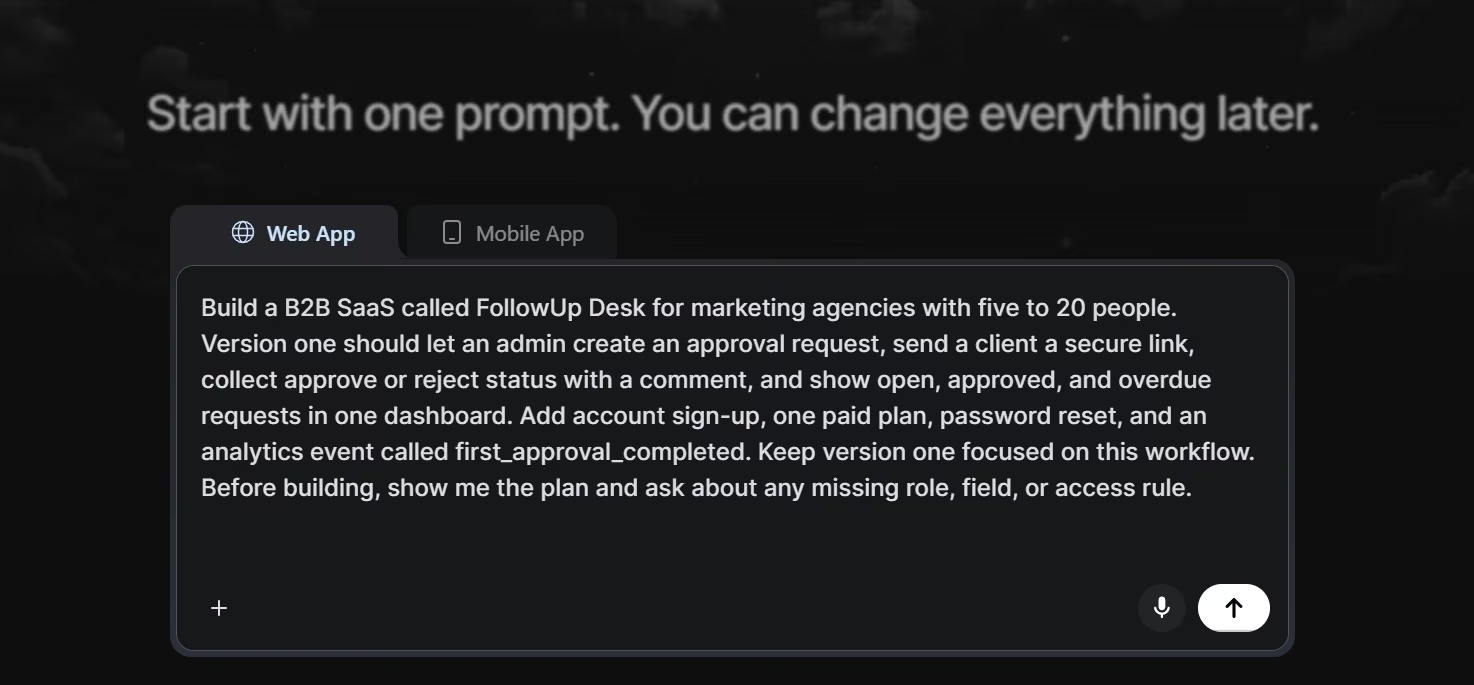
Build one complete customer loop. For FollowUp Desk, that loop is to sign up, create an approval request, send it, let the client approve or reject it, and show the result in the dashboard.
Keep side features out of version one. Do not build a second workflow until the first one works end to end. A reports page, AI summary, team chat, referral system, and advanced settings can wait if none of them help a new customer finish the core job.
If you build with Emergent's SaaS builder, describe the buyer, pages, workflow, roles, billing rules, and activation event in the first prompt. Emergent's current SaaS builder page lists subscription billing, user management, feature access control, and usage analytics among its SaaS workflows.
Starter prompt:
Build a B2B SaaS called FollowUp Desk for marketing agencies with five to 20 people. Version one should let an admin create an approval request, send a client a secure link, collect approve or reject status with a comment, and show open, approved, and overdue requests in one dashboard. Add account sign-up, one paid plan, password reset, and an analytics event called first_approval_completed. Keep version one focused on this workflow. Before building, show me the plan and ask about any missing role, field, or access rule.
If the first build brief feels fuzzy, Emmy can turn a plain-language idea into a build-ready prompt inside Emergent. As of August 2026, Emmy is free to use, costs no credits, and is available on the web product.
Expected result: A new person can complete the core workflow from start to finish without a private explanation from you.
Pro Tip
Pro tip: Ask for the build plan before the build begins. Remove any feature that does not help the first customer reach the activation event.
Launching needs something to launch. Our how to build an MVP app guide covers the seven steps to a first version, scoped tight enough to ship.
Step 4: Set Pricing, Billing, and Access Before Launch
Pick the revenue model before you invite paying customers. If you are still choosing between subscription, freemium, usage-based pricing, or another setup, start by choosing a revenue model and checking what costs rise as usage grows.
For a new B2B SaaS, I would start with one paid plan unless a free tier has a clear role in distribution. One plan gives you fewer access rules, fewer upgrade paths, and fewer billing states to debug during the first launch.
If you use Stripe, its official SaaS guide supports recurring subscriptions through Checkout and walks through a test product, test price, subscription mode, and test checkout before live payments. Stripe's tooling also lets you monitor subscription events such as renewals, invoices, and mid-cycle changes.
Test these billing paths before launch:
- Successful payment: The customer pays and gets the correct access.
- Failed payment: The app shows a clear recovery path.
- Cancellation: The account changes at the time your policy promises.
- Renewal: The next billing event does not create duplicate access or a broken account.
- Plan change: If you support upgrades or downgrades, the right features turn on or off.
- Receipt and support: The customer knows what they paid and where to ask for help.
Expected result: You can run a test customer from pricing page to payment to product access, then cancel or change the subscription without fixing data by hand.
Pro Tip
Pro tip: Keep payment testing separate from product demos. Use test mode and fake customer data until the full billing path behaves the way you expect.
Step 5: Run a Private Beta and Fix Launch Blockers
Start with a small right-fit beta group. Invite a small group before you publish to a broad audience. I would start with five to 10 people who match the buyer profile and who will let you watch them use the product.
Give each tester a specific task to complete so you can watch how they move through the product on their own. For FollowUp Desk, ask the tester to create an account, send one approval request, open the client link, record a decision, and find the result in the dashboard.
Watch for these failure points:
- Onboarding: Can the tester reach the first useful screen without asking what to click?
- Core action: Can they complete the job without your help?
- Permissions: Can each role see only what it should see?
- Recovery: Do password reset, error states, and failed payments have a next step?
- Mobile use: Can the key flow work on the phone size your customers are likely to use?
- Support: Can the tester find a way to report a bug?
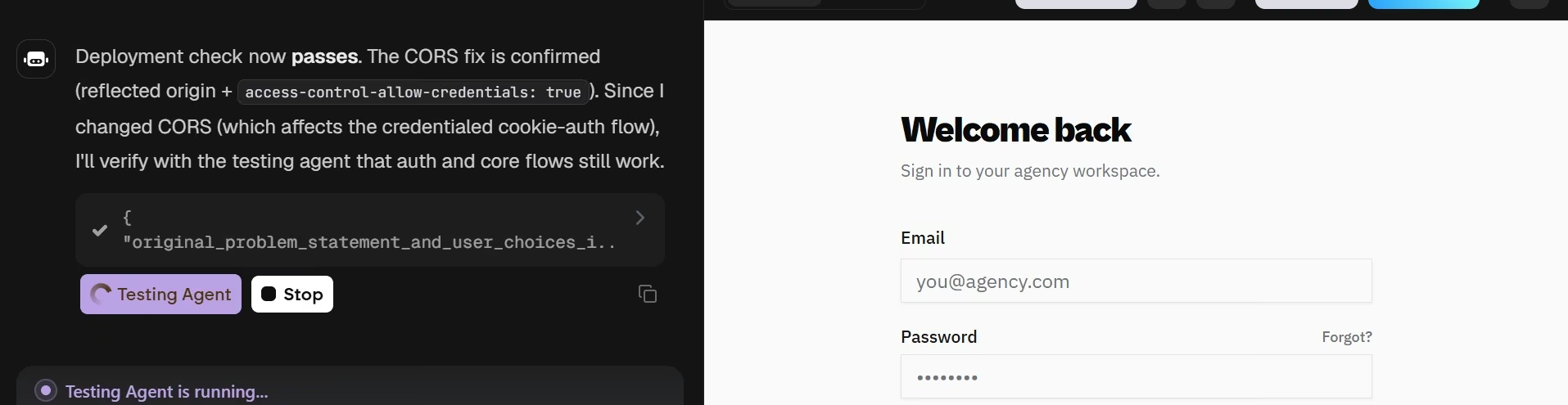
If you are building in Emergent, use Preview for this test pass rather than sharing it as your public launch. Emergent's official deployment docs describe Preview as a temporary testing environment and Deployment as the live environment, and Preview links go to sleep after 30 minutes of inactivity. The Pre-Deployment Health Check can also catch deployment blockers before you publish.
Expected result: Testers can complete the activation event, and every launch-blocking bug has an owner and a fix.
Pro Tip
Pro tip: When a tester gets stuck, wait a few seconds before you help. The hesitation shows you where the product is asking the customer to guess.
Step 6: Pick One Primary Launch Channel and Prepare the Message
Choose the first channel based on where your buyer already looks for help. A B2B SaaS for agency owners may start with direct outreach or a niche agency community. A developer tool may get better feedback from a technical community. A creator product may start with an existing email list or social audience.
Pick one primary channel for this launch round:
- Direct outreach: Best when you can name specific companies or buyers.
- Niche communities: Best when your customers already ask for help in one focused group.
- Existing audience: Best when you already have subscribers, followers, customers, or partners.
- Product communities: Best when the product is easy to try and the audience fits the community.
- Content or search: Best when people already search for the problem, and you can answer it better than the current results.
One channel for the first round does not mean one channel forever. Y Combinator's launch guidance tells founders to think of launching as a repeated process and use different channels to learn where the product gets the strongest response.
Prepare the launch assets before you send traffic. Your page needs a clear promise, one main call to action, a short demo or GIF, pricing, a support contact, and onboarding that gets the new customer to activation fast.
If the SaaS is one part of a wider online offer, the same customer-ready setup used to start a digital business applies here. The offer, payment path, delivery, onboarding, and support path all need to connect.
Expected result: You know where the first launch happens, who sees it, what they read, what they click, and what success looks like.
Pro Tip
Pro tip: Write three versions of your launch message before you publish. Lead with the customer problem in one, the result in another, and a short demo in the third. Use replies and sign-ups to see which framing gets action.
Step 7: Soft Launch Before the Public Push
Soft launch to a small slice of your list or community before you send to everyone. This is your chance to test the whole launch path under real conditions while the audience is still small enough to support by hand.
Use the exact path future customers will take. Send the same page, pricing, sign-up flow, onboarding, and support path you plan to use publicly. Do not build a special beta route that hides any of those real steps.
Launch gate:
| Check | Ready Signal | Stop Signal |
|---|---|---|
| Core workflow | Works without help | Founder rescue needed |
| Billing | Test paths pass | Access breaks |
| Onboarding | Activation is clear | People get lost |
| Support | Contact is obvious | No recovery path |
| Tracking | Events record | Funnel is blank |
| Positioning | Buyer understands | Wrong audience responds |
Fix every stop signal before the broad launch. A soft launch is supposed to catch faults while the support load is small.
Expected result: A real prospect can discover the product, understand the promise, sign up, complete the core action, and get help without a private walkthrough.
Pro Tip
Pro tip: Do not judge a soft launch by traffic alone. Ten right-fit people who show you where the product breaks can teach you more than a large wave of visitors who never fit the buyer profile.
Step 8: Launch, Measure, and Iterate Every Week
Watch the full funnel after you publish. Stay close to support and use the channel you chose. Your first goal is to learn where the path breaks, since a big traffic spike this early teaches you far less than a clear picture of what fails.
Track this simple funnel each week:
- Visitors: How many right-fit people reached the launch page?
- Sign-ups: How many created an account?
- Activation: How many completed the first useful action?
- Paid customers: How many started paying?
- Repeat use: How many came back and used the core workflow again?
- Cancellations: How many paying customers stopped?
Follow the weak point in the funnel. If sign-ups are low, check the audience and message. If sign-ups are healthy but activation is low, fix onboarding or the product. If activation is healthy but payment is weak, test pricing, packaging, or the value shown before checkout. If people pay and then leave, talk to them before you buy more traffic.
YC’s advice is straightforward: focus on building something people actually pull toward before trying to grow quickly. Its startup guidance also cautions against scaling too soon, especially when users aren’t sticking around.
Once repeat use is steady, use the weakest step in your funnel to decide how to grow your business. Fix one bottleneck at a time instead of opening five growth channels at once.
Expected result: Every week ends with one clear product, onboarding, pricing, or distribution change tied to observed customer behavior.
Pro Tip
Pro tip: Keep a launch log with the date, channel, message, sign-ups, activations, payments, cancellations, and top customer quote. After four launch rounds, you will have evidence for what to repeat.
Common Mistakes to Avoid
Scope is the first thing I would check. The launch plan breaks when founders widen it before they have enough proof.
- Building for everyone: Pick one buyer for the first release, even if the product can serve more people later.
- Waiting for a perfect product: Ship once the core job works, the risky paths are tested, and you can support early customers.
- Launching with untested billing: Run payment, cancellation, access, and recovery tests before a real customer pays.
- Starting marketing on launch day: Build the customer list and start conversations before the public release.
- Tracking vanity numbers: Visits and likes are weak on their own. Track activation, payment, repeat use, and cancellations.
- Adding features during beta: Fix blockers first. A new feature can create a new bug right before release.
- Scaling before retention: Do not pour money into acquisition while new customers leave after one or two sessions.
- Hiding support: Early customers will hit rough edges. Give them one visible support path and answer fast.
Taking It Further After Your First Users
Use new evidence to improve one layer at a time. Your next launch should be sharper because you now have behavior, calls, and support requests to work from.
I would take these next steps:
- Interview both active and inactive customers: Ask what made the product click for one group and stall for the other.
- Segment by customer type: Compare activation and repeat use by role, company size, use case, or source.
- Turn repeated support into product fixes: If five customers ask the same question, improve the screen or onboarding before you write another help reply.
- Launch new features as new rounds: Each feature gives you another reason to contact old leads, current customers, and a new channel.
- Add plans only after a real split appears: Create a second plan once customers clearly need different limits, access, support, or value, and let real demand drive that decision even if the pricing page looks a little empty.
- Document the handoffs: Write down how sales, onboarding, support, billing, and product feedback move from one place to the next before the team grows.
Pro Tip
Pro tip: Keep founder-led onboarding longer than feels efficient. Those early sessions give you language for the landing page, objections for sales, and bugs your dashboard cannot explain.
Emergent Makes SaaS Launches Easier
Emergent fits this workflow when you can describe the SaaS as users, screens, data, rules, billing, access, and launch checks. Its current SaaS builder supports subscription billing, user management, feature access control, usage analytics, and payment connections such as Stripe, PayPal, and Razorpay.
Here is how Emergent helps with a SaaS launch:
- Scope before build: Put the buyer, core workflow, roles, plan rules, and activation event into the first prompt so version one has a clear boundary.
- Build the paid path: Add account access and subscription logic to the same product instead of treating billing as a launch-week patch.
- Test before publishing: Use Preview to run the core workflow, then use the pre-deployment check to catch blockers before the live release.
- Get launch guidance in the product: Emmy can help with prompt setup and the publish, health-check, and deployment sequence when the steps are unfamiliar.
- Deploy the product: Move from the test environment to a live URL after the launch gate passes.
This is where I would use an AI SaaS builder for a founder-led SaaS. Get one complete workflow into customers' hands, learn from real use, and add complexity only when the product earns it.
Start building with Emergent.
Final Takeaway
The launch is a tight loop. How to launch a SaaS product comes down to the same sequence. Validate one painful problem, define one buyer, build one useful workflow, test billing and onboarding, soft launch to a small group, then release to the channel where that buyer already spends time.
Judge the launch by behavior. One day of traffic tells you very little on its own. Judge it by whether the right people activate, pay, return, and tell you what to fix. Then run the loop again with better evidence.

Most AI app builders stop at prototypes. Emergent creates production-ready apps you can actually launch.
- Production-ready apps
- Web & mobile apps
- Deploy in minutes







