



TL;DR
- Squarespace: Choose Squarespace when you want a polished business site, portfolio, blog, service website, or small store without spending weeks learning a design system.
- Webflow: Choose Webflow when your design team needs precise control over layouts, reusable components, content structures, animations, and custom code.
Webflow and Squarespace both show polished demos, so the hard part is figuring out how each one holds up after launch: who edits the site, how custom the design has to be, and whether you need built-in selling tools or a more flexible content system.
I reviewed current official pricing, product documentation, migration guides, and recent user feedback for this Webflow vs Squarespace comparison. I didn’t build the same site in both platforms, so I focused on their current features, pricing, and how well each one fits the projects you’re likely to build.
Squarespace is my pick for most small businesses, portfolios, and service providers. Webflow wins for agencies, designers, and marketing teams that need finer layout control, structured content, custom components, and advanced motion.
Webflow vs Squarespace: What’s the Difference?
Webflow is a visual web design platform built around detailed layout control, structured content, reusable components, animations, code components, and hosted publishing. Its editor exposes concepts that mirror professional web development, which gives you more freedom but also creates a steeper learning curve.
Squarespace is an all-in-one website builder that combines templates, a drag-and-drop editor, blogging, online selling, invoicing, analytics, domains, and marketing tools. Its current plans let you sell products or services at every paid tier, and every site begins with a 14-day trial.
A content management system (CMS) stores repeatable content such as blog posts, team profiles, projects, locations, or case studies in a structured database. Webflow gives you more control over those structures. Squarespace gives you ready-made collections for common formats such as blogs, stores, portfolios, courses, calendars, and videos.
Webflow is the better fit if: Your website needs a distinctive design system, advanced animation, reusable layouts, or several structured content types.
Squarespace works better when: You need to launch quickly and manage content, payments, services, invoicing, and marketing from one account.
Why This Choice Is Harder Than It Looks
The first version of a website is only part of the decision. You also need to consider who will add pages, replace images, publish posts, update prices, fix a broken layout, and answer questions six months later.
Squarespace reduces that operating burden. Its editor, curated layouts, built-in commerce tools, hosting, security, and round-the-clock support give a solo operator or small team fewer systems to manage.
Webflow gives your designer or marketing team more control over the final result. That control becomes valuable when your site contains complex landing pages, reusable content structures, branded interactions, localization, or components shared across several pages.
Pricing also works differently. Squarespace gives each website one main subscription. Webflow separates Site plans, Ecommerce plans, Workspace plans, seats, and optional add-ons, although its new Team plan bundles several of those elements for larger organizations.
That difference explains why the cheapest advertised rate rarely settles the decision.
A low-cost Webflow Site plan can work for a simple static site, while a business may also need a paid Workspace, ecommerce hosting, extra seats, localization, analytics, or bandwidth. A Squarespace site can start with one plan, but transaction fees on lower tiers can raise the real cost once sales begin.
How I Compared Webflow and Squarespace
I compared both platforms using their official US pricing pages and current product documentation. I also reviewed official migration guidance and the Reddit discussion supplied in the brief to identify recurring concerns around learning time, design freedom, client handoff, and site upkeep.
Because I didn’t personally build the same project in both platforms, I haven’t presented setup time, output quality, or editor performance as hands-on findings.
Comparison criteria:
- How quickly a new site owner can understand the editor
- How much control a designer has over layout and motion
- How well each platform handles blogs and structured content
- What you can sell without adding a separate system
- Search, AI visibility, redirects, and structured data controls
- Collaboration, support, and client handoff
- Current monthly and annual pricing
- The point where a standard website builder stops being the right category
Webflow vs Squarespace at a Glance
Quick comparison:
| Category | Webflow | Squarespace |
|---|---|---|
| Best for | Design-led sites | Small business sites |
| Editor | Detailed visual canvas | Guided drag-and-drop |
| Learning curve | Steeper | Easier |
| Design control | Excellent | Good |
| Structured content | Stronger | Easier |
| Built-in selling | Separate ecommerce plans | Every paid plan |
| Advanced animation | Stronger | More limited |
| Support | Email and resources | 24/7 support |
| Free option | Starter: Free | 14-day trial |
| Starter paid plan | Basic: $25/month($15/month billed annually) | Basic: $25/month($19/month billed annually) |
| Main limitation | Complexity | Lower design ceiling |
Webflow’s annual Basic price is lower, but Basic excludes the full Webflow CMS and built-in ecommerce. Squarespace Basic costs more annually, yet it includes selling, invoicing, unlimited bandwidth, and the platform’s standard business tools.
Meet Webflow
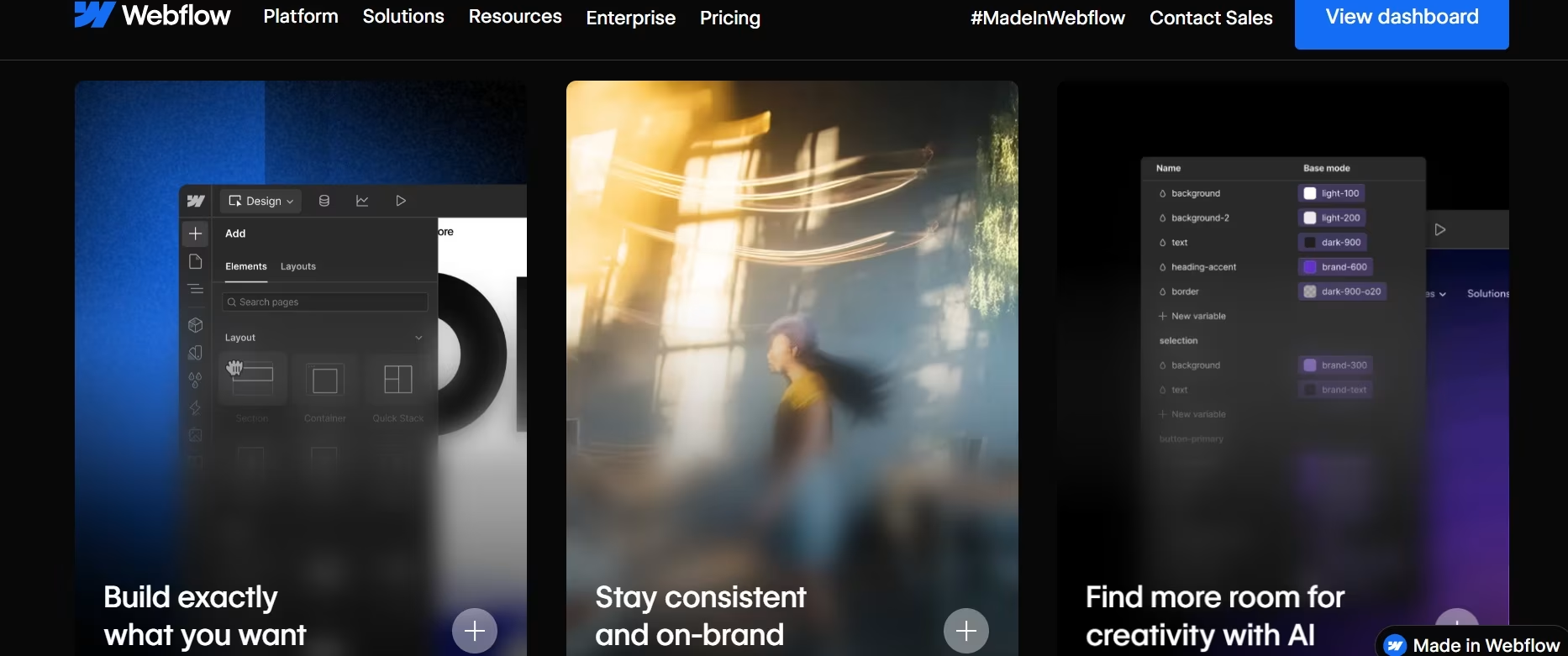
Webflow gives professional designers and marketing teams a visual canvas that maps closely to the way modern websites are built. You can control spacing, grids, responsive behavior, reusable components, structured content, animations, custom code, redirects, metadata, and publishing from one platform.
Its biggest advantage is control. You can begin with a template, use artificial intelligence to generate a starting point, or build a custom system from a blank canvas. Webflow also supports code components built with React, which gives development teams a route for bringing reusable code elements into the visual editor.
Who Webflow Is Best For
Webflow is the better choice for:
- Design agencies producing custom client websites
- Marketing teams managing many landing pages
- Companies with several structured content types
- Sites that depend on branded animations and interactions
- Designers who understand responsive layouts and web styling
- Teams that need code components or custom scripts
- Organizations that need advanced review and publishing controls
What Webflow Does Well
Webflow gives you granular control over the whole page, including the spacing, grids, and layout you set yourself. That freedom helps when a brand requires unusual layouts, exact responsive behavior, complex navigation, or campaign pages that don’t resemble a standard template.
Its Premium Site plan supports 20,000 CMS items and 40 CMS Collections. That gives content-heavy teams room to create separate structures for articles, authors, categories, resources, locations, products, events, and other repeatable content.
Webflow’s current Interactions editor uses the GreenSock Animation Platform (GSAP) for reusable, timeline-based motion. You can connect effects to page loads, scrolling, hovering, clicking, and other triggers without writing the animation code yourself.
Webflow also provides detailed search controls, including page metadata, redirects, sitemap settings, schema support, canonical settings, robots controls, and tools aimed at search engines and AI answer platforms.
If neither Webflow's learning curve nor Squarespace's template limits fits what you are building, our best Webflow alternatives guide compares five platforms on design control, scalability, and cost.
Webflow Pricing
Site and platform plans: Starter is free; Basic is $25/month ($15/month billed annually); Premium is $39/month ($25/month billed annually); Team is $2,500/month on an annual contract; and Enterprise is custom.
Ecommerce plans: Standard is $42/month ($29/month billed annually), Plus is $84/month ($74/month billed annually), and Advanced is $235/month ($212/month billed annually).
Workspace plans: Team Starter is free; Core is $28/month ($19/month billed annually); Growth is $60/month ($49/month billed annually); and Enterprise is custom. Freelancer and agency Workspaces are free for Starter, $24/month ($16/month billed annually) for Freelancer, and $42/month ($35/month billed annually) for Agency.
Where Webflow Falls Short
Webflow asks you to learn more before you can work quickly. Its visual controls reflect concepts from HyperText Markup Language (HTML) and Cascading Style Sheets (CSS), so a complete beginner can face unfamiliar ideas such as classes, containers, grid behavior, positioning, breakpoints, and inherited styles.
The pricing structure also takes more work to understand. A Site plan publishes one site, while a Workspace controls staging and collaboration. Ecommerce uses a different plan family, and seats or add-ons can create further charges.
Webflow’s Standard ecommerce plan adds a 2% platform transaction fee and limits the store to 500 ecommerce items. Plus and Advanced remove that platform fee, but their annual rates are considerably higher.
Support is another difference. Webflow provides email support, a support portal, its university, documentation, and community resources, while Squarespace promotes 24/7 customer support across its website plans.
Meet Squarespace
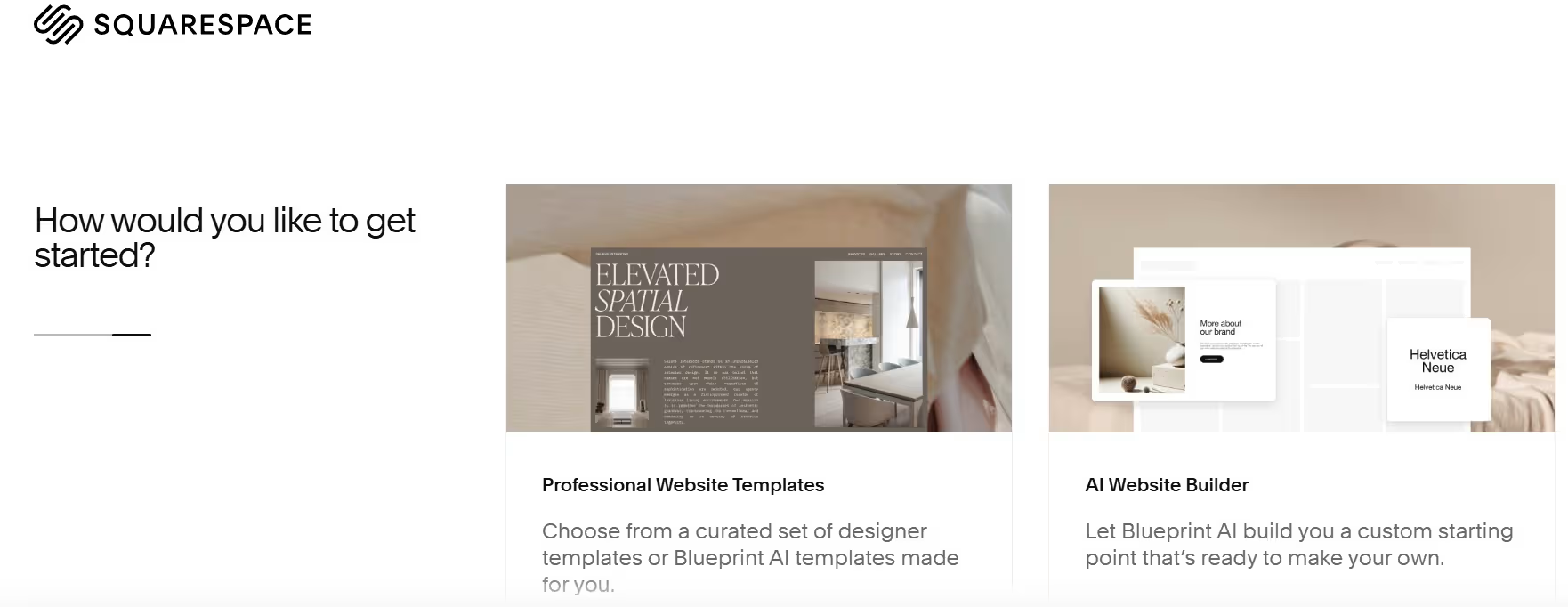
Squarespace is built for people who want one account to handle their website, content, hosting, security, payments, invoices, products, analytics, and common marketing tasks. It gives you less low-level control than Webflow, but it removes more setup decisions.
Its current Fluid Engine editor lets you arrange content through a visual grid, with separate layout adjustments for desktop and mobile. Blueprint AI can also generate a personalized starting point based on your site type, goals, brand details, preferred sections, fonts, and colors.
Who Squarespace Is Best For
Squarespace is the better choice for:
- Consultants, coaches, and local service providers
- Photographers, artists, and other portfolio owners
- Restaurants, studios, salons, and appointment-led businesses
- Solo operators who will update the site themselves
- Small stores selling physical or digital products
- Creators selling courses, memberships, or gated content
- Client projects that need a simple handoff
What Squarespace Does Well
Squarespace helps you reach a professional starting point quickly. Its templates and guided design tools handle typography, spacing, page structure, and mobile presentation, so you spend less time creating a design system from scratch.
Every paid plan can sell products and services. Squarespace also supports invoices, payment links, memberships, courses, subscriptions, gift cards, donations, and in-person selling through supported point-of-sale tools.
Its content tools cover common website formats without asking you to design a database structure first. You can create blog posts, portfolios, products, courses, event calendars, videos, and gated content using built-in collection types.
Support is available around the clock through Squarespace’s customer care channels. The platform also provides help articles, forums, webinars, and a network of Squarespace professionals for owners who want someone else to complete the site.
Squarespace Pricing
Basic is $25/month ($19/month billed annually), Core is $39/month ($29/month billed annually), Plus is $65/month ($49/month billed annually), and Advanced is $139/month ($99/month billed annually).
Squarespace Premium: Custom pricing.
Where Squarespace Falls Short
Squarespace gives you plenty of freedom for a conventional business site, but Webflow gives you more control over the underlying layout system. Designers who need complex responsive behavior, unusual navigation, detailed interaction timelines, or developer-built components will reach Squarespace’s boundaries sooner.
Basic also has limits that can affect a growing business. It allows two contributors and charges a 2% Squarespace transaction fee on standard online-store sales. Digital content and membership sales carry a 7% platform fee on Basic, 5% on Core, 1% on Plus, and 0% on Advanced. Payment-processing charges are separate.
There is no permanent free plan. You receive a 14-day trial without entering a credit card, then you need a paid subscription to keep the website active. Annual subscriptions include a custom domain for the first year.
Also read our Squarespace alternatives guide, which covers five platforms across design control, commerce depth, and long-term ownership.
Webflow vs Squarespace: Feature-by-Feature Comparison
Ease of Use
Squarespace is easier to learn. Its templates, Blueprint AI setup, guided settings, and Fluid Engine editor let you focus on the site’s pages and content without first learning a professional design system.
Webflow’s editor rewards web design knowledge. A beginner can still build with a template or AI-generated draft, but working confidently with reusable classes, responsive layouts, content structures, and positioning takes more study.
Winner: Squarespace.
Design Freedom and Animations
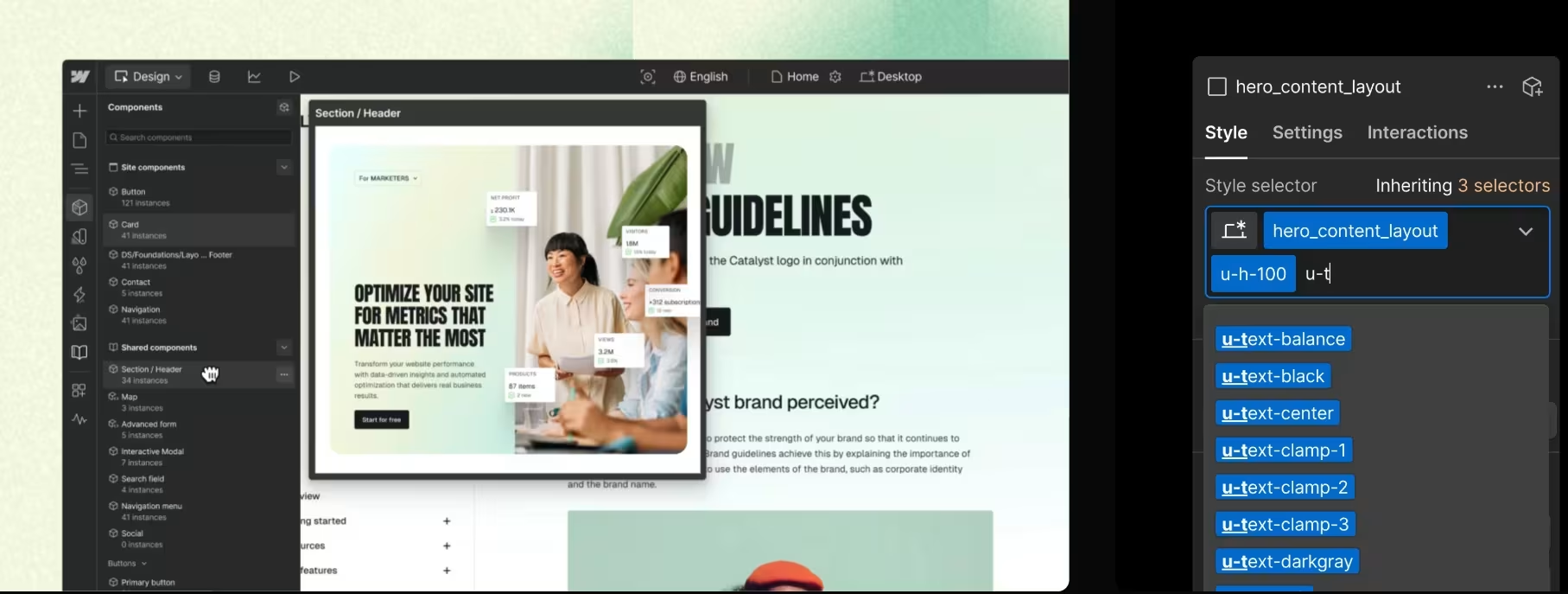
Webflow gives you more freedom over layout, responsive behavior, components, and motion. Its visual design controls mirror professional web styling, while its GSAP-powered interactions support reusable timeline animations and trigger-based effects.
Squarespace’s Fluid Engine is flexible enough for most portfolio and business pages. You can move blocks around a grid and create separate mobile arrangements, but you still work within Squarespace’s editing model.
Winner: Webflow.
Templates and AI-Assisted Setup
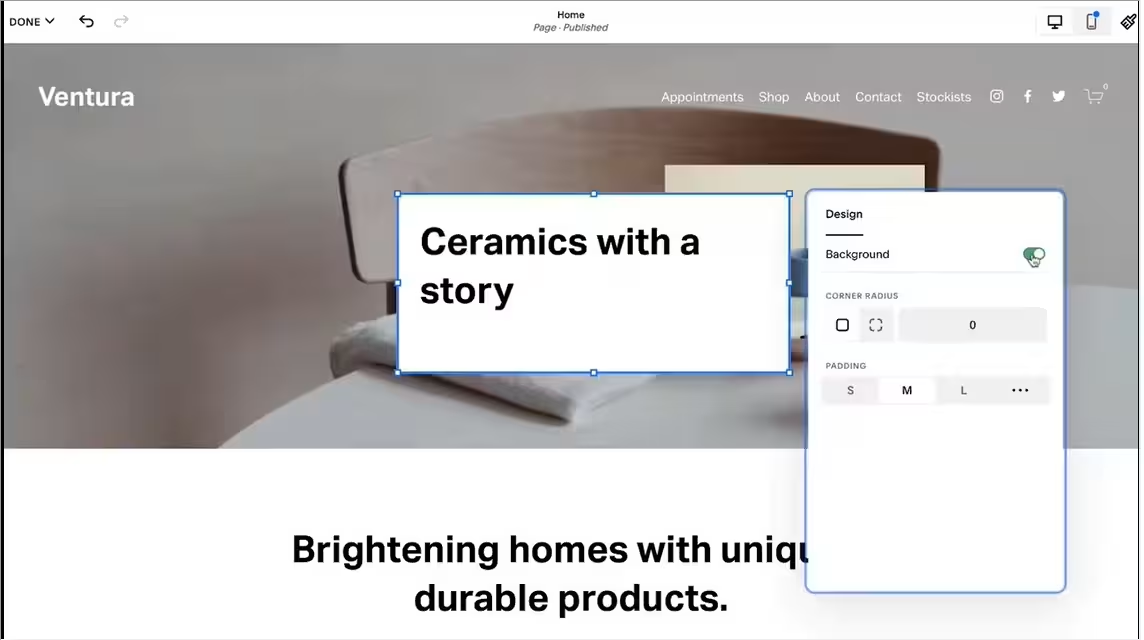
Squarespace wins when you want a guided first draft. Blueprint AI combines your business details and design preferences to create a personalized site structure, copy, imagery, fonts, and colors. You can then edit the result with Squarespace’s standard tools.
Webflow can also generate a site and new sections with AI, and its current plans include AI credits. Its strongest value comes after that first draft, when you need to reshape the design system or create reusable custom components.
Winner: Squarespace.
CMS and Blogging
Webflow is stronger for custom-structured content. You decide which collections exist, what fields each one contains, how collections connect, and how their pages are designed. Premium includes 20,000 CMS items and 40 collections.
Squarespace is easier for a standard blog, portfolio, course library, event calendar, or store. Those formats already have publishing tools and page types, so you can begin adding content without planning a custom data structure.
Winner: Webflow for structured content. Squarespace remains the easier blogging choice.
Ecommerce and Service Selling
Squarespace is the stronger choice for most small stores and service businesses. Every paid plan supports sales, and the platform includes products, services, invoices, memberships, courses, subscriptions, gift cards, payment links, and other business tools.
Webflow gives you deep storefront design control, but you need a separate Ecommerce plan. Standard supports 500 ecommerce items and adds a 2% Webflow transaction fee. Plus and Advanced remove that fee and raise the item limit.
Choose Webflow ecommerce when the custom storefront presentation outweighs platform simplicity. Choose Squarespace when you want to begin selling with fewer setup decisions.
Winner: Squarespace.
SEO and AI Visibility
Search engine optimization (SEO) helps search engines crawl, understand, and rank your pages. Answer engine optimization (AEO) prepares content for discovery and citation in AI-generated answers.
Both platforms cover the essentials, including editable titles and descriptions, mobile-ready pages, secure hosting, sitemaps, image text, and search guidance. Squarespace also includes AI visibility checks and tools that scan for missing site details.
Webflow gives an advanced team more direct control over redirects, sitemap behavior, schema markup, canonical settings, structured data, robots instructions, well-known files, and AI-oriented site audits. The team plan also includes dedicated AEO agents.
Winner: Webflow.
Integrations and Custom Code
Webflow is stronger when a developer needs to extend the site. It supports custom HTML, CSS, and JavaScript embeds, external scripts, React code components, content APIs, and code export on eligible Workspace plans.
Squarespace supports code blocks, CSS editing, code injection on eligible plans, and third-party extensions for common business functions. It works well when the integration already fits Squarespace’s supported model, but it provides less control over the complete codebase.
Winner: Webflow.
Collaboration and Support
Webflow offers stronger advanced publishing workflows. Growth, Team, and Enterprise options can add site-specific access, page building, publishing permissions, review roles, activity records, branching, and governance controls.
Squarespace is easier for a small business owner who needs dependable help rather than a detailed publishing process. It includes 24/7 support and allows unlimited contributors from Core upward.
Winner: Tie. Webflow wins for advanced workflows, while Squarespace wins for accessible support.
Pricing and Value
Webflow has the lowest entry point because its Starter plan is free, and Basic costs $25/month ($15/month billed annually). Basic fits static websites that don’t need Webflow’s full CMS or ecommerce.
Squarespace has no permanent free plan, and Basic costs $25/month ($19/month billed annually). That plan includes selling tools, invoicing, unlimited bandwidth, and common business functions, although lower-tier transaction fees can become expensive for an active store.
For a typical service business, portfolio, or small shop, Squarespace gives you more business functionality in one subscription. Webflow gives better value when design control and structured content are central to the site’s commercial role.
Winner: Squarespace for most small businesses.
What Real Users Are Saying
The Reddit thread I read points to the same dividing line found in the official product documentation. Commenters repeatedly favored Squarespace for portfolios, simpler small-business websites, quick delivery, and client handoff. Webflow was favored for custom designs, content-heavy sites, and projects where the designer wanted more control.
The thread was posted in a Webflow community in 2023, so it isn’t a neutral or current survey. Its value comes from the practical situations people describe, rather than any attempt to count which platform received more votes.
Commenters kept circling back to the learning curve, and our Webflow review covers how steep it actually is once you are past the first project.
Webflow
Common positives:
- Detailed control over layouts and responsive behavior
- Stronger fit for agency and professional design work
- Flexible CMS structures
- Better support for custom motion
- More room to extend a project with code
Common complaints:
- Longer learning period
- More setup decisions
- Pricing can become difficult to calculate
- Client handoff requires planning
- Simple sites can take more work than they need
Squarespace
Common positives:
- Faster setup for standard websites
- Easier client handoff
- Strong fit for portfolios and service sites
- Built-in selling and business tools
- Less upkeep for a solo owner
Common complaints:
- Less control over highly custom layouts
- Advanced design requests can require custom code
- Lower plans add transaction fees
- Designers can outgrow the editor
- Complex content structures are harder to model
How to Make Your Own Decision
Choose based on who will operate the finished site and what the site must do every week. The best editor during the build can become the wrong platform when the owner needs to publish, sell, or revise content alone.
Webflow Is a Great Choice If
- You have a designer, developer, or experienced marketing team.
- Your brand depends on custom layouts and motion.
- You need several connected content collections.
- Your team produces many campaign pages.
- You want to use custom scripts or React components.
- You need advanced review, localization, or publishing controls.
- You accept a longer learning period in exchange for greater control.
Squarespace Is a Great Choice If
- You need a polished site online quickly.
- You plan to edit the website yourself.
- You run a portfolio, local business, consultancy, studio, or small shop.
- You want products, services, invoices, and content in one account.
- You want 24/7 support.
- You prefer guided design decisions.
- You need a platform a client can understand after handoff.
When Neither Website Builder Fits
Webflow and Squarespace work best when the finished product is primarily a website. A project centered on user accounts, role-based dashboards, approval flows, internal records, custom calculations, or several connected workflows belongs closer to the application-building category.
For example, a real estate company may need more than property pages and a contact form. It may need an agent login, lead assignment rules, document status tracking, private client records, and a dashboard showing which deals require action. Forcing that workflow into a conventional website builder creates extra integrations and manual work.
Emergent fits that third case. You describe the application in plain language, and its agents generate the pages, data handling, workflows, integrations, and deployment. It supports forms, tables, filters, charts, logins, dashboards, third-party connections, and code ownership.
Emergent’s pricing includes Free at $0/month with 10 monthly credits, Standard at $20/month ($17/month billed annually) with 100 monthly credits, Pro at $200/month ($167/month billed annually) with 750 monthly credits, Business with custom pricing, and Enterprise with custom pricing.
Use Emergent for custom operational software, customer portals, internal tools, and app-like websites. Squarespace remains the stronger choice for a straightforward business website, while Webflow remains the stronger design platform for a custom marketing site.
Curious what the build actually looks like? Our how to create a business app guide walks through eight steps to a working role-based internal tool in an afternoon.
My Final Take
Squarespace is the overall winner for most people comparing Webflow vs Squarespace. It’s easier to learn, easier to operate, and better equipped for a small business that needs content, selling, invoicing, analytics, and support in one account.
Webflow is the better professional design platform. Choose it when the website must follow an exact visual system, handle several structured content types, support advanced motion, or give a marketing team detailed publishing control.
My recommendation is direct:
- Choose Squarespace for a portfolio, local business, consultancy, personal brand, service company, content site, or small store.
- Choose Webflow for an agency-built marketing site, custom brand experience, campaign system, or structured content operation.
- Choose Emergent when the project’s core value comes from custom workflows, accounts, dashboards, and application logic.

Most AI app builders stop at prototypes. Emergent creates production-ready apps you can actually launch.
- Production-ready apps
- Web & mobile apps
- Deploy in minutes







