

Table of Contents
Overview
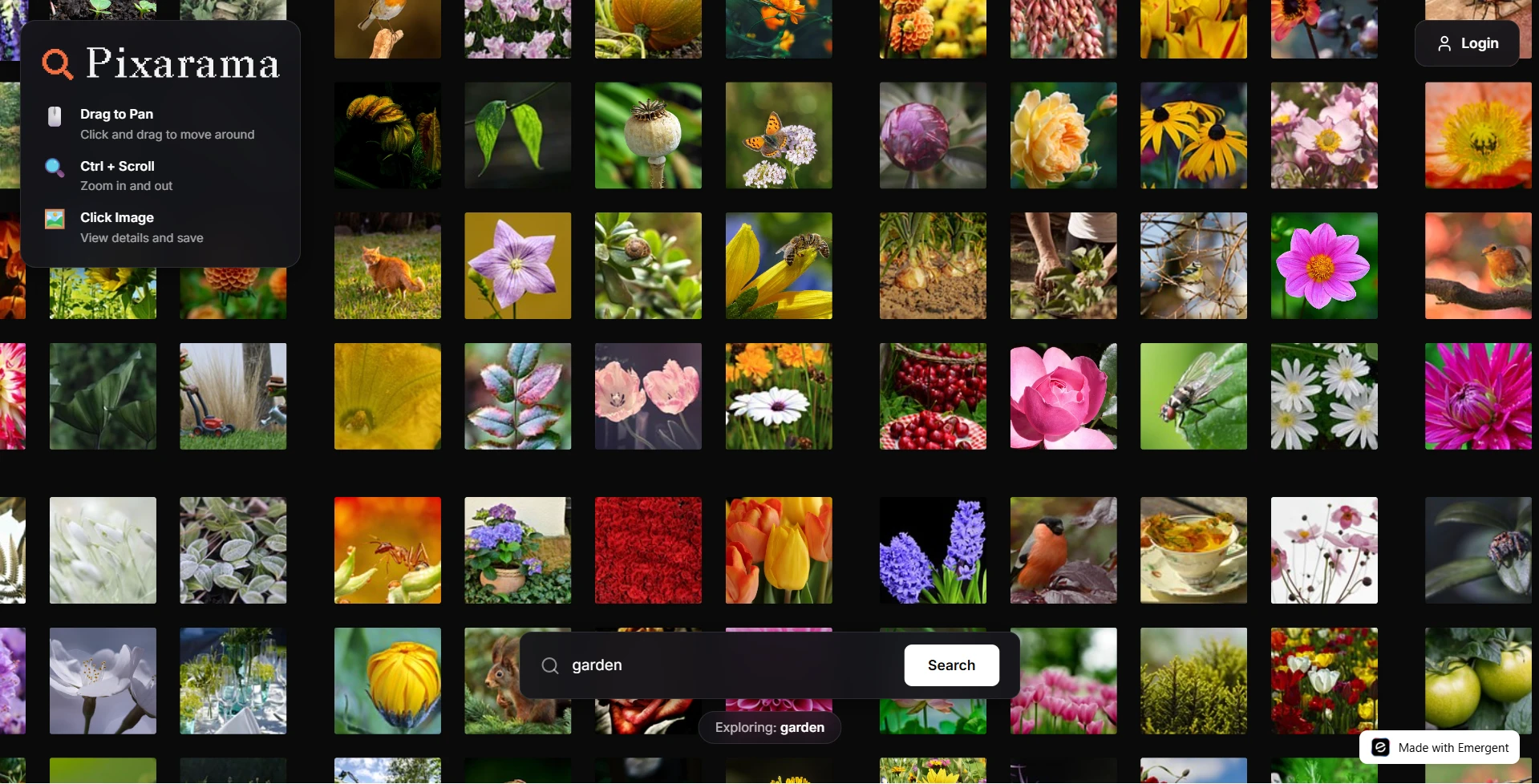
Pixarama provides an infinite canvas of image tiles, progressive quality upgrades, collections, sharing, and a mobile-first experience. Users scroll or pan endlessly, save favorites into collections, and share public collections by link.
Tech Stack
| Layer | Tools |
|---|---|
| Frontend | React, Hooks, Axios, React Router, Lucide React, Sonner |
| Rendering | DOM absolute positioning, CSS transforms |
| Backend | FastAPI, Motor (async MongoDB), Pydantic, HTTPX |
| Auth & Security | JWT, bcrypt |
| Deployment | Kubernetes, Supervisor, Ports: frontend 3000, backend 8001 |
| External APIs | Pixabay, Wikimedia Commons |
Architecture Overview

Main Features
| Feature | What it does |
|---|---|
| Infinite canvas | Pan and zoom over a tile-based world of images |
| Progressive loading | Load preview then upgrade to higher quality |
| Collections | Save images to named collections and share links |
| Image details | Large preview, attribution, download |
| Sharing | Public links to collections |
| Auth | JWT login and protected actions |
| Mobile support | Touch pan, pinch zoom, safe area support |
Image Sources and Integration
| API | Role | Notes (Heads Up!) |
|---|---|---|
| Pixabay | Primary image source - preview, webformat, largeImage | Watch rate limits; handle 429 errors. Once signed up, get the API by going to https://pixabay.com/api/docs/#api_key |
| Wikimedia Commons | Secondary source for attribution and variety | Use thumbnails and credits; combine results with Pixabay |
Key Challenges and Solutions
Challenge: Canvas rendering reliability
- Problem: PixiJS caused rendering failures in some environments.
- Solution: Replace with simple DOM absolute-positioned
<img>tiles and CSS transforms.
Challenge: Grid spacing gaps
- Problem: Extra gap between tiles caused black seams.
- Solution: Use tile edge spacing math and position at TILE_SIZE intervals.
Challenge: Pixelated images
- Problem: 150px previews looked blurry on 200px tiles.
- Solution: Progressive loading: preview → webformat (640px) → large image for downloads.
Challenge: CORS issues
- Problem: crossOrigin blocked in some cases.
- Solution: Remove crossOrigin on simple display; only use crossOrigin when canvas pixel access is needed.
Challenge: Mobile UX and safe area
- Problem: Notch, home bar and touch controls needed fixes.
- Solution: Add viewport-fit and env(safe-area-inset-*) CSS, implement touch handlers and splash guidance.
Performance Optimizations
| Optimization | Why it matters |
|---|---|
| Tile loading with margin | Only create DOM for nearby tiles |
| LRU tile cache | Keep memory use bounded |
| Progressive image upgrade | Fast first paint, better final quality |
| API caching | Reduce rate limit hits and latency |
| Lazy DOM creation | Avoid excessive reflows on large world sizes |
Next Steps and Extensions You Can Add
- Add paid tier for curated collections and higher download rate.
- Add AI-powered image tagging and recommendations.
- Add offline tile prefetch and background sync for mobile.
- Add user collections sync between devices.
Wrapping Up
You now have a complete breakdown of how Pixarama was built from the ground up:
- The full architecture
- The rendering strategy
- Image API integration
- Mobile and performance decisions
- The challenges and how each was solved
- Feature set, UX flow, and data handling
- Deployment structure
This project demonstrates how a simple DOM-based approach combined with modern APIs and progressive techniques can create a smooth, production-quality infinite image explorer.
Check out our finished product over at https://visual-collections-2.emergent.host/ or check out the super-short overview of the app down below!

Build your app in minutes
Emergent turns your idea into a full-stack web or mobile app, no coding required.
 No coding required
- Web & mobile apps
- Deploys instantly
Sign up
Share this article: