

Hey there!
This guide shows how to build a cross platform mobile and web app that displays real time air quality, lets users save locations, track trips, estimate carbon savings and connect with friends. It is technical, but simple enough to follow step by step.
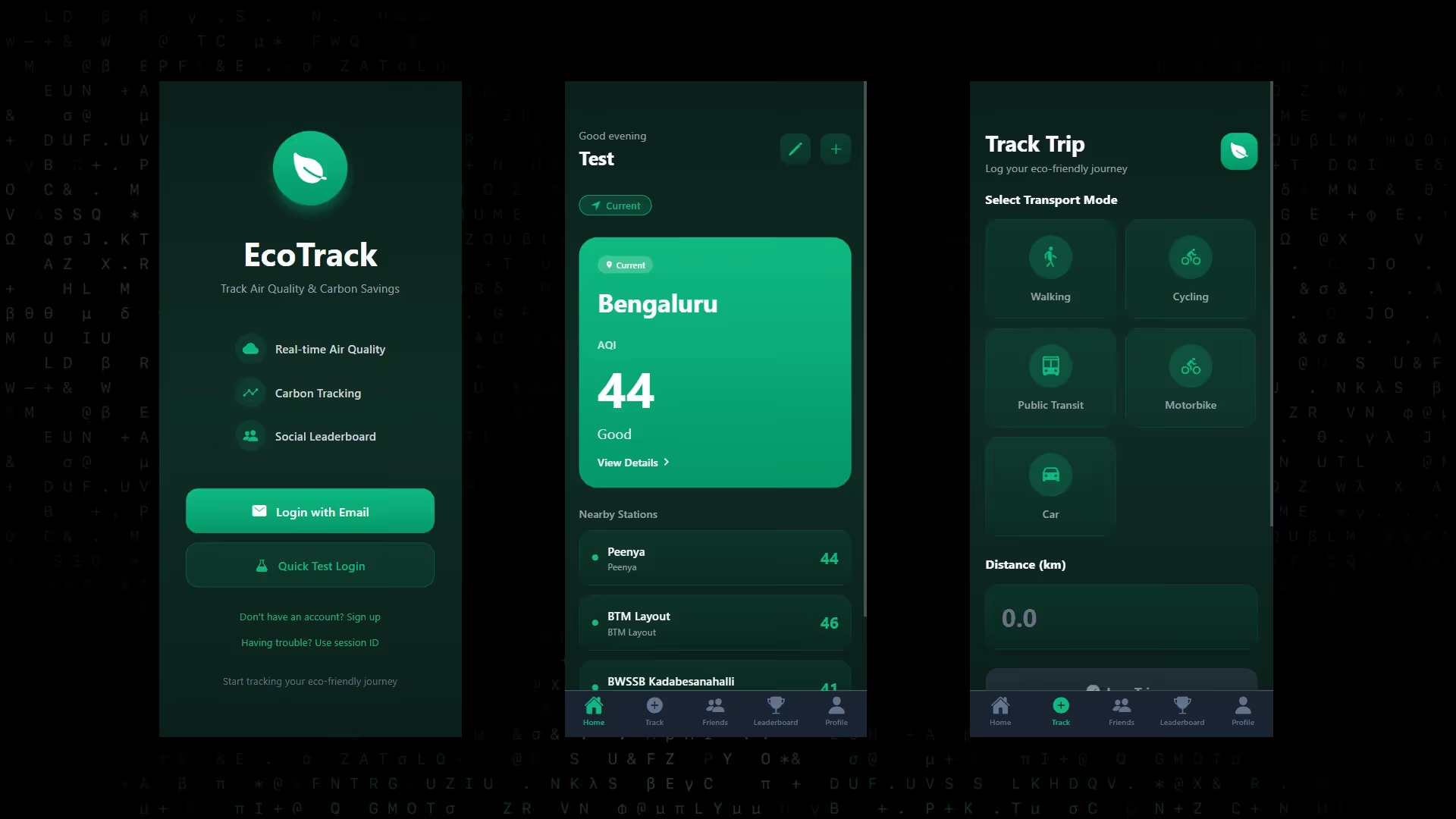
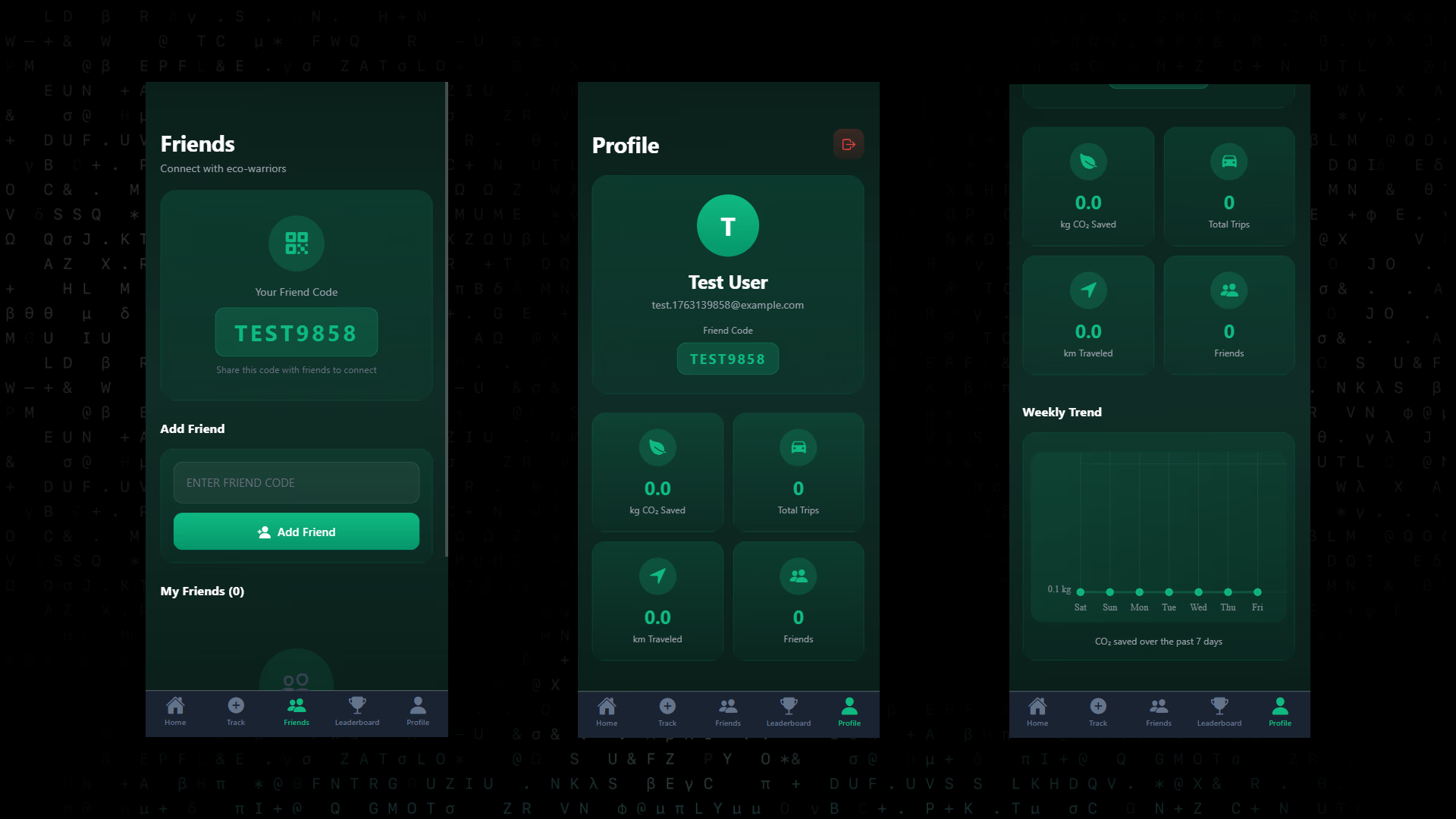
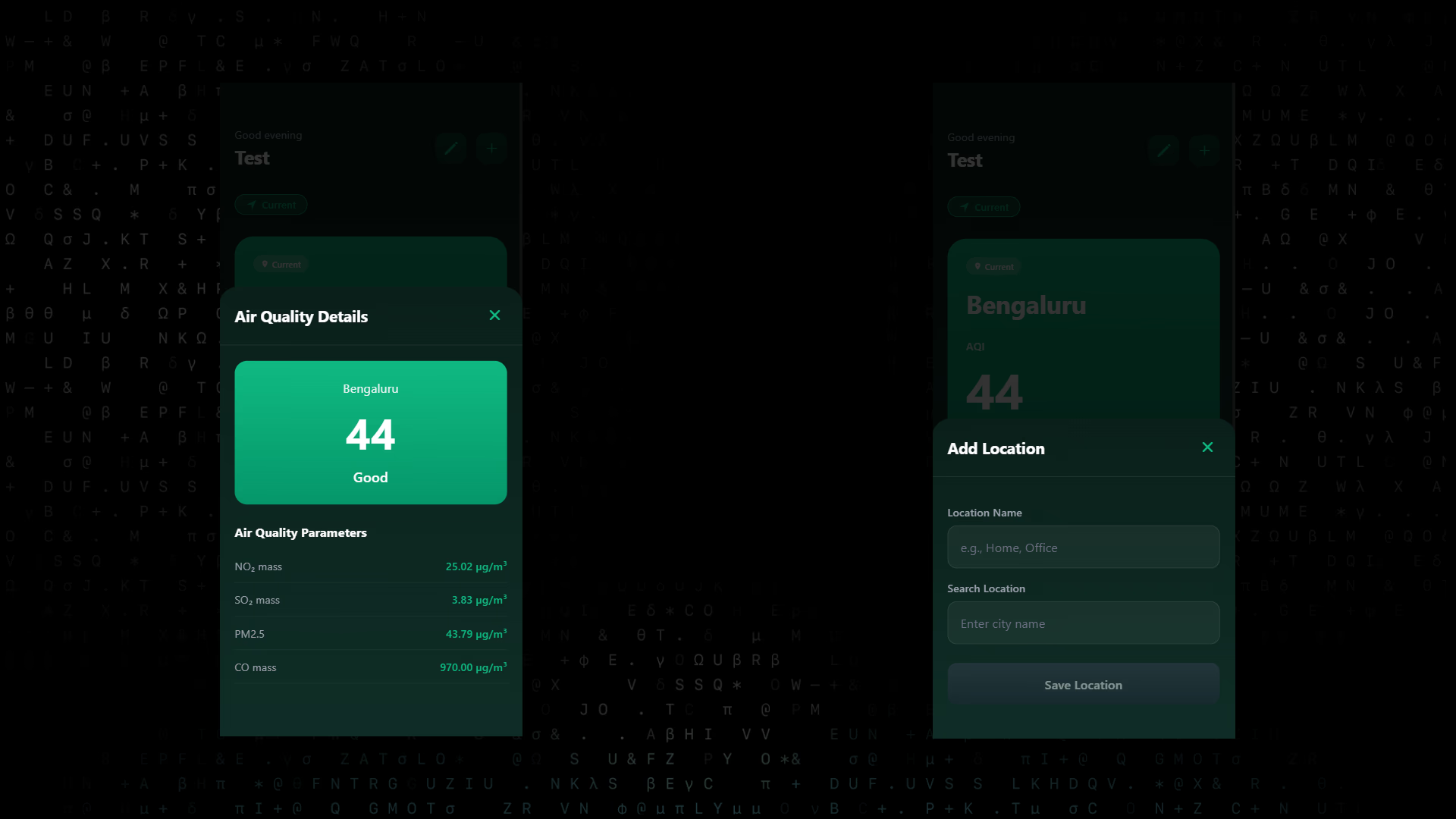
You will build:
- Real time AQI display
- Multi location management
- Carbon tracking with trip logging
- Friends and a private leaderboard
- Weekly CO2 trends
- JWT login on all platforms
- Dark glass morphism UI theme
Let’s get into it.
System Overview
Frontend: Expo (React Native) for iOS, Android and Web
Backend: FastAPI with MongoDB
APIs: OpenAQ v3 for air quality, Nominatim for geocoding, RapidAPI for carbon estimates
Auth: JWT email login, test user mode, optional session id login
Flow:
1. User logs in
2. App fetches current and saved locations
3. Backend fetches station data and returns AQI
4. User logs trips and sees CO2 stats
5. Friends and leaderboard update automatically
Core Features
Home
- AQI cards
- Switch between current and saved locations
- Autocomplete search using Nominatim
- Edit and delete locations
- Smart fallback that picks the first valid PM2.5 value
- Modal with full pollutant details
Profile
- Total CO2 saved
- Weekly CO2 trend chart
- Friend code display
- Logout modal
Friends
- Add friends using an 8 character code
- View name, status and CO2 saved
- Your code displayed for sharing
Leaderboard
- Top 3 podium
- Friends only ranking list
Trip Logging
- Select a transport mode
- Input distance
- See color coded summary
- Backend calculates CO2 savings
Exact Prompt to Use
Paste this directly into Emergent:
Build a cross platform air quality and carbon tracking app.

Core requirements:

Frontend:
- Use Expo (React Native) for iOS, Android and Web
- Use expo-router for navigation
- Dark glass morphism UI theme with gradients and frosted cards
- Screens: Home, Profile, Friends, Leaderboard, Track
- State management with Zustand

Authentication:
- Email/password login with JWT
- Hash passwords with bcrypt
- Include quick Test User login
- Add optional session ID login

Home Screen:
- Show real time AQI for current location and saved locations
- Allow switching between multiple locations
- Add location autocomplete using Nominatim (OpenStreetMap)
- Allow add, edit and delete of locations
- Implement smart fallback to pick first valid PM2.5 value from nearby stations
- Show 3 nearby stations and detailed pollutant modal

Profile Screen:
- Show CO2 saved, total trips, total distance
- Weekly CO2 trend chart using react-native-chart-kit
- Show the user’s 8 character friend code
- Add logout modal

Friends Screen:
- Add friends using 8 character friend codes
- Show friend name, status and CO2 saved

Leaderboard Screen:
- Friends only ranking list
- Top 3 podium with ranking badges

Track Screen:
- Select transport mode (walk, cycle, transit, motorbike, car)
- Input distance
- Show mode colored preview card
- Send request to backend to calculate CO2 savings

Backend:
- Use FastAPI
- Use MongoDB with Motor async client
- JWT generation with sub, iat, exp
- Implement endpoints for auth, locations, air quality, trips and friends
- Integrate OpenAQ v3 for AQI data
- Integrate Nominatim for geocoding
- Integrate RapidAPI for CO2 calculations
- Include fallback logic for invalid PM2.5 values
- Expose backend on port 8001

Other requirements:
- Provide clear error handling for all API calls
- Add platform detection to avoid native-alert issues on web
- Replace Alert.alert with custom modal components
- Use responsive layout that works on mobile and web

Deliverables:
- Fully working app
- All screens implemented
- All APIs wired up
- Testing instructions included
Key Implementation Steps
1. Auth with JWT
Use bcrypt to hash passwords.
Issue JWTs with sub, iat, exp.
Validate tokens in a get_current_user helper.
2. Locations and Geocoding
Use expo-location on mobile for GPS.
Use Nominatim for autocomplete on all platforms.
3. Air Quality Data
- Query
/v3/locations?coordinates=[lat,lon] - Extract a
locations_id - Fetch
/v3/locations/[id]/latest - Loop stations to find valid PM2.5
This improves accuracy in regions where the first reading is invalid.
4. Trip and CO2 Calculations
Store trips in MongoDB.
Call RapidAPI or your own formula for CO2 per kilometer.
5. Cross Platform UI
Use Expo, LinearGradient and frosted cards.
Replace Alert.alert with custom modals since alerts do not work well on web.
Use react-native-chart-kit for the weekly line chart.
Common Issues and Fixes
Geocoding fails on web
Do not use Location.geocodeAsync. Use Nominatim.
AQI shows 0 or -9999
Implement a fallback loop to pick the first valid PM2.5 value.
JWT works on one endpoint but not others
Update token validation to support both JWT and session tokens.
Metro or backend cache stuck
Clear Metro cache and Python __pycache__ before restarting services.
OpenAQ v2 → v3
Use the new two step flow: metadata first, measurements second.
Design Choices
- Friend codes instead of email: simple and private
- JWT login: works everywhere
- Nominatim: free and cross platform
- Custom modals: consistent UX across devices
- Dark glass morphism: readable and modern
What You Can Add Next
- Air quality alerts
- Offline caching
- Map of nearby stations
- More transport modes
- Achievements or streaks
Wrapping Up
That's it!
You now have a well structured cross platform air quality and carbon tracking app running on Emergent.
You described the requirements and Emergent generated:
- The backend architecture
- The data pipelines
- The React Native screens
- The location and air quality system
- The carbon tracking and social features
Once deployed, your app is live and ready to explore.

Emergent turns your idea into a full-stack web or mobile app, no coding required.
 No coding required
- Web & mobile apps
- Deploys instantly