



TL;DR
- Vic.ai: Best for accounts payable (AP) automation on messy, mixed-format invoices.
- BILL: Best for AP and AR automation with payment built in.
- Docyt: Best for multi-entity bookkeeping and reconciliation.
- Lindy: Best for client comms, scheduling, and inbox triage by text (admin only).
- QuickBooks: Best for small business or solo bookkeeping.
- Ramp: Best for card-based spend management and coding.
- Numeric: Best for month-end close and reconciliation.
- Anrok: Best for sales tax and nexus compliance.
- MindBridge: Best for audit and risk detection.
- Karbon: Best for practice management and client workflow.
- Digits: Best for automated day-to-day bookkeeping straight off a live bank feed.
- Blue J: Best for tax research questions that need a defensible, cited answer fast.
- Soraban: Best for automating tax-season client intake and document chasing.
Every one of these AI tools for accountants makes the same landing-page promise: real judgment, on top of the easy job of moving numbers faster. From the outside, there's no way to tell which ones deliver that and which ones are automation wearing a better pitch. You only find out by using them.
I spent about 18 days testing 13 of them, split by the specific job each one claims to do.
The same batch of 15 sample invoices ran through every AP and bookkeeping tool on the list. I broke a reconciliation on purpose to see if a close tool would catch the one line that was wrong. I texted an admin assistant tool the exact message I'd send a human, asking it to chase a mock client for a missing form.
A handful of them caught something a person would have missed entirely; the others did what any competent automation does.
None of the 13 below compete for the same job, so I grouped them by the work they actually do: which ones handle real judgment, which ones are fast automation with good branding, and which job each is worth hiring for, category by category.
Why Most "AI" Tools for Accountants Are Automation With a New Label
A lot of what gets marketed as AI in this category is the same rules-based automation firms have run for years, relabeled for a search trend.
Automation that moves data faster still saves real hours. Across all 13 tools, I used one consistent standard: did the tool catch a transaction or anomaly nobody had flagged?
Judgment-level work, catching something when I deliberately broke it to see if the tool would notice, is what separated the strongest tools from the rest.
How I Researched & Tested These AI Tools for Accountants
I looked at roughly two dozen AI tools marketed at accountants before narrowing this list down to the 13 here. Every test asked how much of the actual accounting task the tool could get right without me stepping in to fix it.
Testing ran about 18 days, category by category, never one continuous stretch. The AP tools and invoice-based bookkeeping tools got the same batch of 15 sample invoices and receipts, including mixed PDFs, phone photos, and forwarded emails. That let me compare exactly what each one coded correctly.
Numeric, MindBridge, Anrok, Karbon, Lindy, Digits, Blue J, and Soraban each got a job-specific test instead, such as a planted error, mock scenario, or request built around the category. The details appear in each tool's section below.
A handful of names came closest to making the cut. Aiwyn overlaps with Karbon's billing scope without matching its breadth.
DataSnipper is a useful Excel plugin, but narrower than MindBridge for audit work. Rillet positions itself as a full ledger replacement, though its own materials flag a missing lease-accounting module.
Tofu is a narrower document-extraction tool already covered by Docyt and Vic.ai. Spark AI isn't purpose-built for accounting workflows.
I cut ChatGPT and Claude as a pair because they are general-purpose assistants with no accounting-specific pricing or features to test (more in the FAQ).
Each criterion got measured a specific way:
- Accuracy on messy input: How many of the 15-invoice batch got coded right without a manual fix.
- Does it catch what a human would miss: Whether it caught the reconciliation break or the planted anomaly.
- Setup cost: How much configuration stood between signup and saving time.
- Pricing clarity: Whether the cost was easy to find, or required contacting sales.
- Scope honesty: Whether the tool does what its category claims, or leans on an adjacent job.
Running a comparable task and stress test within each category turned the judgment-level gap from a marketing claim into something anyone could check fast.
If your firm is a public company or works under heavy audit controls, IT general controls (ITGCs) often restrict who can run ad hoc automations against production ledgers. Check with your controls team first.
13 Best AI Tools for Accountants: Quick Comparison
Here’s how the 13 tools compare by accounting job:
| Tool | Category / Best For | Core Strength |
|---|---|---|
| Vic.ai | Accounts payable automation | Accuracy on messy, mixed-format invoices |
| BILL | AP/AR automation with payments | Invoice-to-payment in one system |
| Docyt | Multi-entity bookkeeping | Single dashboard across AP, receipts, reporting |
| Lindy | Admin, client comms, scheduling | Drafts client-chase texts, books calls by text |
| QuickBooks | Small business/solo bookkeeping | Easiest on-ramp, no bookkeeping background needed |
| Ramp | Card-based spend management | Codes and routes card spend automatically |
| Numeric | Month-end close and reconciliation | Drills to the transaction driving a variance |
| Anrok | Sales tax and nexus compliance | Purpose-built for multi-state tax exposure |
| MindBridge | Audit and risk detection | Surfaced a planted anomaly nobody flagged |
| Karbon | Practice management/client workflow | Centralizes client work across a team |
| Digits | AI-native general ledger/bookkeeping | Categorizes bank-feed transactions without hand-built rules |
| Blue J | AI tax research | Answers a tax research question with cited primary sources in seconds |
| Soraban | AI tax workflow/client intake | Automates tax-season document chasing through a branded client portal |
1. Vic.ai: Best for Accounts Payable Automation
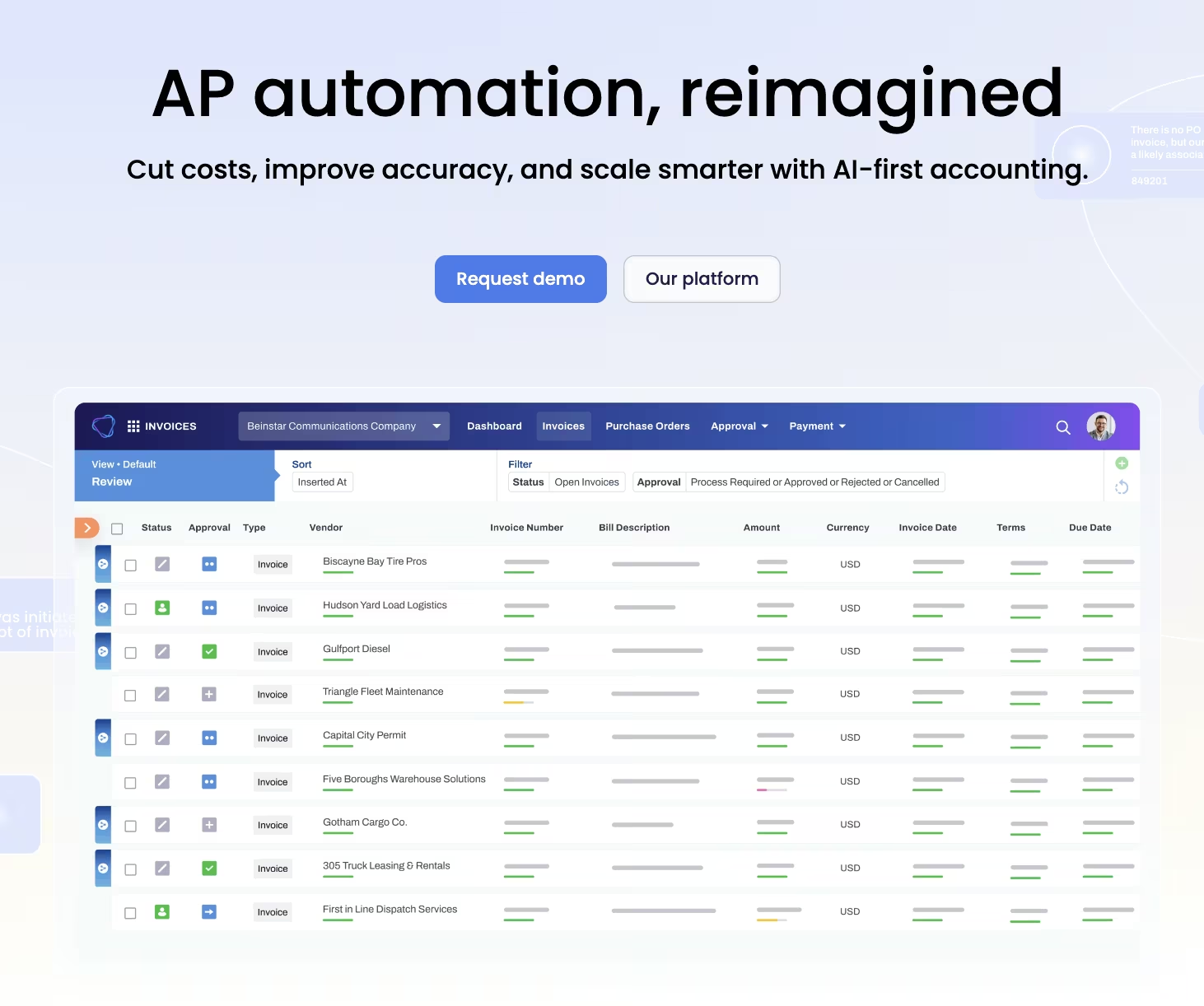
What it does: Vic.ai reads and codes incoming vendor invoices for accounts payable so a person isn't keying each one in by hand.
Best for: Firms and finance teams buried in AP volume who need invoices coded correctly.
Vic.ai went first through the deliberately messy batch from the methodology above, a mix of clean PDFs, phone photos of paper receipts, and invoices forwarded from a personal inbox with the formatting half stripped out.
Vic.ai coded 12 of the 15 correctly on the first pass. The three misses all came from vendors with unusual line-item formats, the type of formatting that would trip up a junior hire too.
What impressed me was how it handled the ones it got right. Beyond pulling a total and a vendor name, it matched the coding to categories consistent with the rest of the batch. That suggested it was recognizing the vendor's usual coding, going a step past plain field extraction.
Two edge-case invoices got flagged for review when the category wasn't clear.
When I hit a snag (a stuck invoice sitting in limbo with no clear next step), I opened a support request. The answer took over a day to come back. For AP busywork that needs invoices moving daily, a day's wait adds up.
Vic.ai codes the invoice and hands it off to a separate payment system. You will still need another tool to pay the vendor.
A few days after the first batch, I ran three more invoices from a vendor already in the system. All three coded correctly with no flag, an improvement over the first pass on that same vendor.
Vic.ai's own materials push AP visibility beyond coding into spend dashboards, approval workflows, and performance reporting across entities and teams. That's the part of the AP job that used to live in a spreadsheet nobody kept current.
None of that showed up in the invoice-batch test directly, but it's the reason Vic.ai bills itself as more than a coding engine. The repeat-vendor accuracy backs up the learned-coding claim. The broader dashboard features are a separate story I didn't test directly.
Key Features
- Multi-format ingestion: Reads PDFs, forwarded emails, and photographed receipts without a consistent template.
- Learned vendor coding: Improves coding accuracy on a given vendor's invoices over repeated exposure.
Pros and Cons
Pros:
- Strongest first-pass accuracy on messy, mixed-format invoices tested.
- Learns vendor-specific coding patterns with repeated exposure to a vendor.
Cons:
- No built-in way to pay a vendor, needs a separate payment tool.
- A support question about a stuck invoice took over a day to answer.
What Users Say
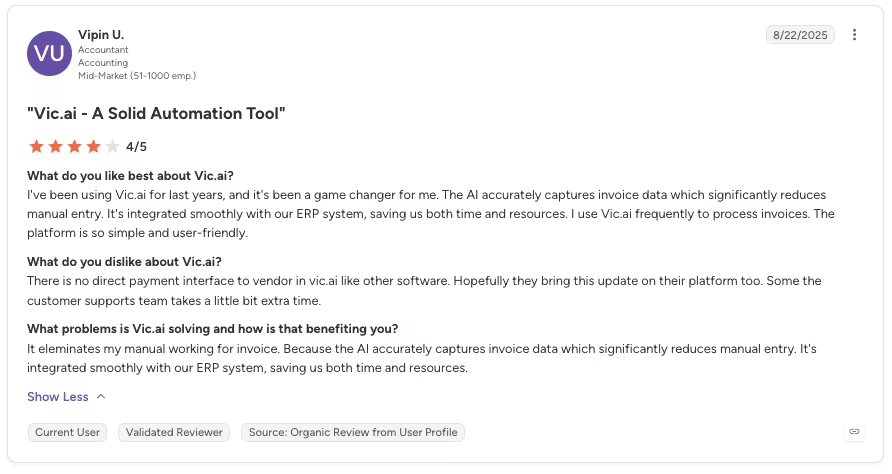
“I've been using Vic.ai [for a few] years, and it's been a game changer for me. The AI accurately captures invoice data, which significantly reduces manual entry. It's integrated smoothly with our ERP system, saving us both time and resources.” - Vipin U., G2
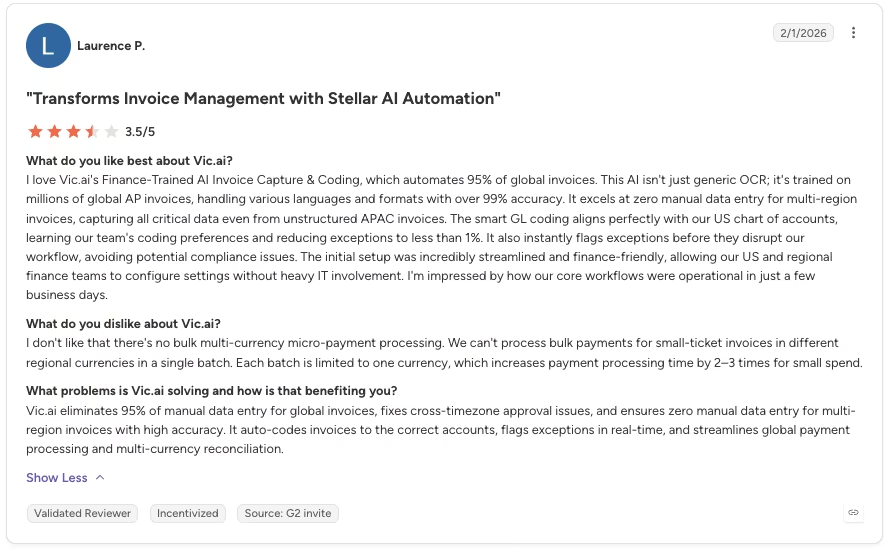
“I don't like that there's no bulk multi-currency micro-payment processing. We can't process bulk payments for small-ticket invoices in different regional currencies in a single batch.” - Laurence P., G2
Pricing
Vic.ai doesn't publish pricing. You should contact sales for quotes.
Bottom Line
Choose Vic.ai when messy invoice coding is the AP bottleneck and vendor payments already run through another system. It coded the messy invoice batch more accurately than any other tool tested, but it will not carry the invoice through to payment.
2. BILL: Best for AP/AR Automation With Built-In Payments
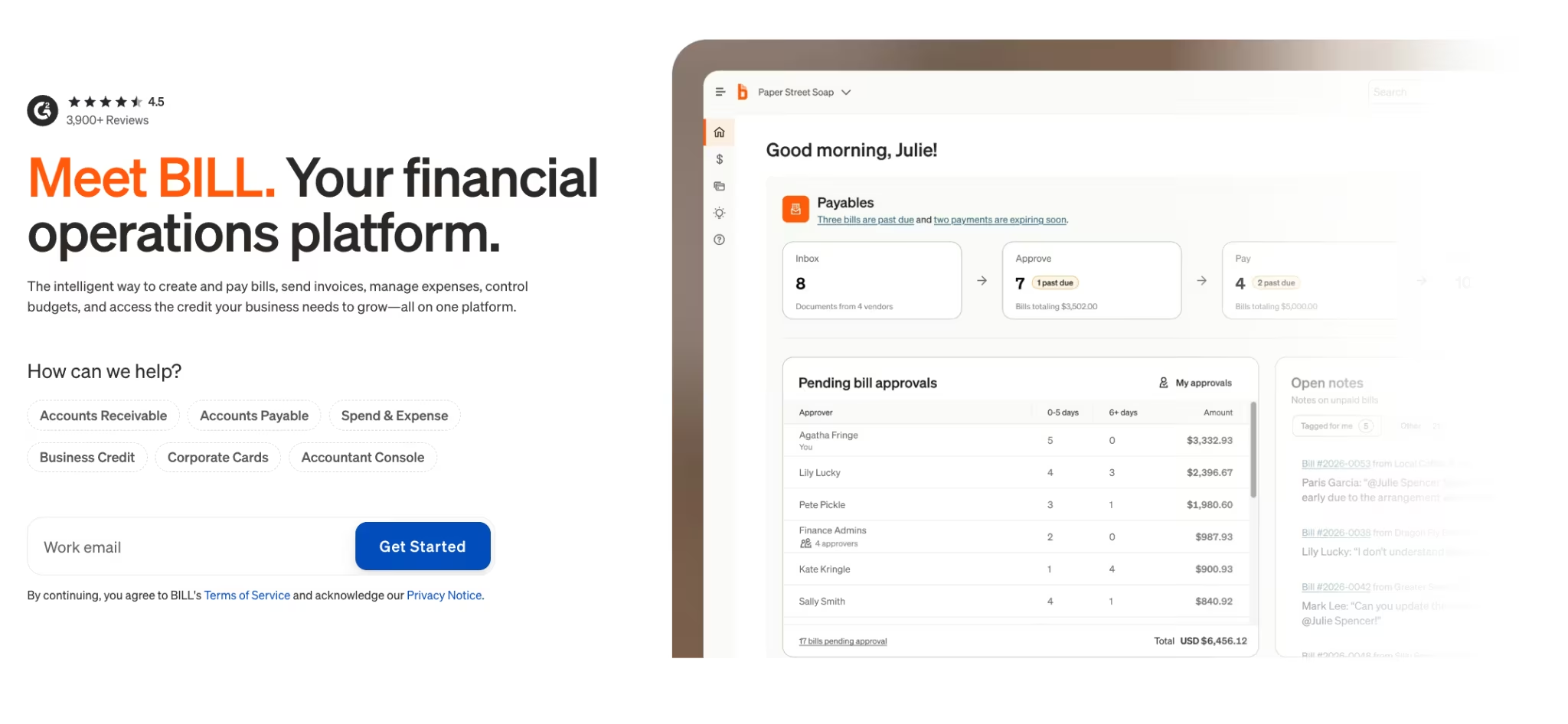
What it does: BILL automates both accounts payable and accounts receivable (AR), and lets you send the payment from inside the same system.
Best for: A firm or business that wants invoice capture and vendor payment handled in one place.
BILL is the only tool on this list that closes the loop from invoice capture all the way to the payment going out, so I picked one invoice from the batch and walked it all the way through BILL's payment workflow.
Every AP-only tool I tested stops at coding. BILL matched the invoice to a payment method and routed it without me exporting anything to a second system.
The AI-driven data capture pulled the vendor, amount, and line items off the batch with the same accuracy I saw from the dedicated AP tools. What's different is what happens after. The invoice never sits in a queue waiting on a second system to pick it up.
The fee structure got complicated once payment was involved. The schedule breaks into more than a dozen separate line items covering ACH, paper checks, international wires, and variations on each. None of it is hidden. It's all publicly posted.
Mapping a typical month took effort, especially at high volume with a varied payment mix.
I put the same invoice through a two-step approval chain, one sign-off from a manager and a second from finance, and BILL held it in the queue until both cleared, never pushing it through on the first yes alone.
That's the type of built-in control a solo QuickBooks user doesn't need, but it's the reason a firm running approvals across more than one person would pick BILL over a tool that only codes an invoice and stops there.
The network side of BILL is bigger than the mock batch on its own suggested, too. BILL's own site puts 8.3 million network members already paying or getting paid through BILL.
BILL gives a real head start the first time a firm pays someone new, since it often already holds that vendor's payment details on file, skipping the step of collecting them from scratch.
BILL's tiered pricing runs from $49 to $89 per user each month, simple on the surface with no annual-billing discount on any tier. The transaction fees are where a firm needs to do the math first.
Key Features
- Invoice-to-payment in one system: Routes the invoice for approval and initiates payment without a second tool.
- AI-driven data capture: Extracts vendor, amount, and line items to cut manual entry.
Pros and Cons
Pros:
- The only tool tested that carries an invoice through to payment initiation in one place.
- Straightforward, publicly posted per-user pricing tiers.
Cons:What Users Say
- The fee schedule stacks quickly with a varied payment mix.
- Every tier bills the same whether you pay monthly or annually.
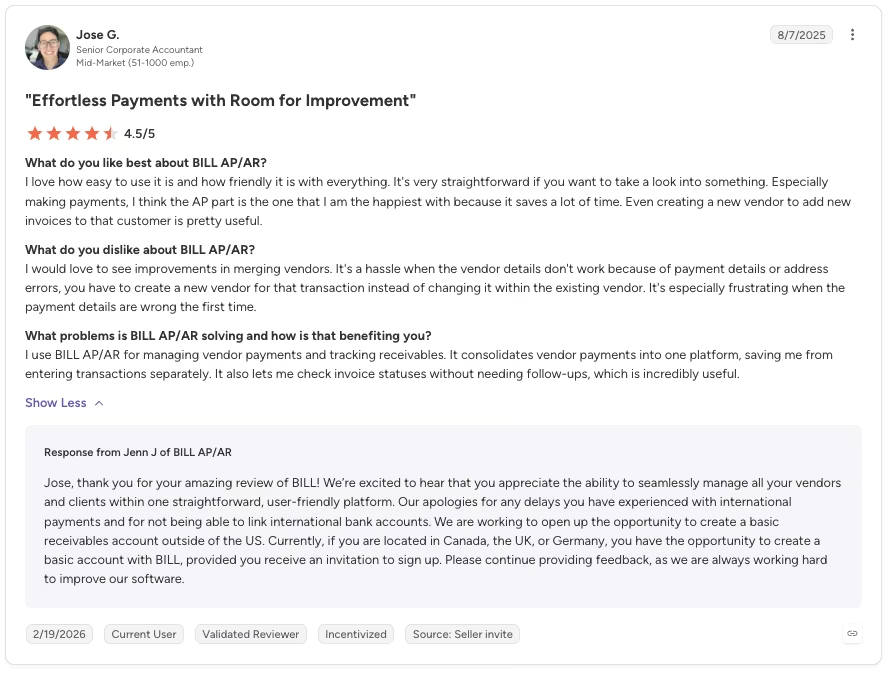
“I love how easy to use it is and how friendly it is with everything. It's very straightforward if you want to take a look into something. Especially making payments, I think the AP part is the one that I am the happiest with because it saves a lot of time.” - Jose G., G2
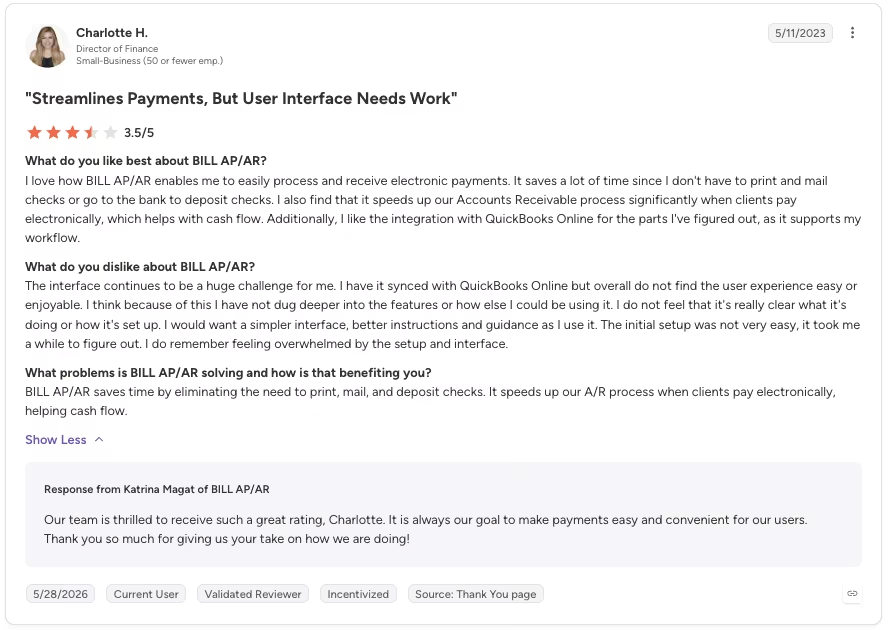
“The interface continues to be a huge challenge for me. I have it synced with QuickBooks Online but overall do not find the user experience easy or enjoyable. I think because of this I have not dug deeper into the features or how else I could be using it.” - Charlotte H., G2
Pricing
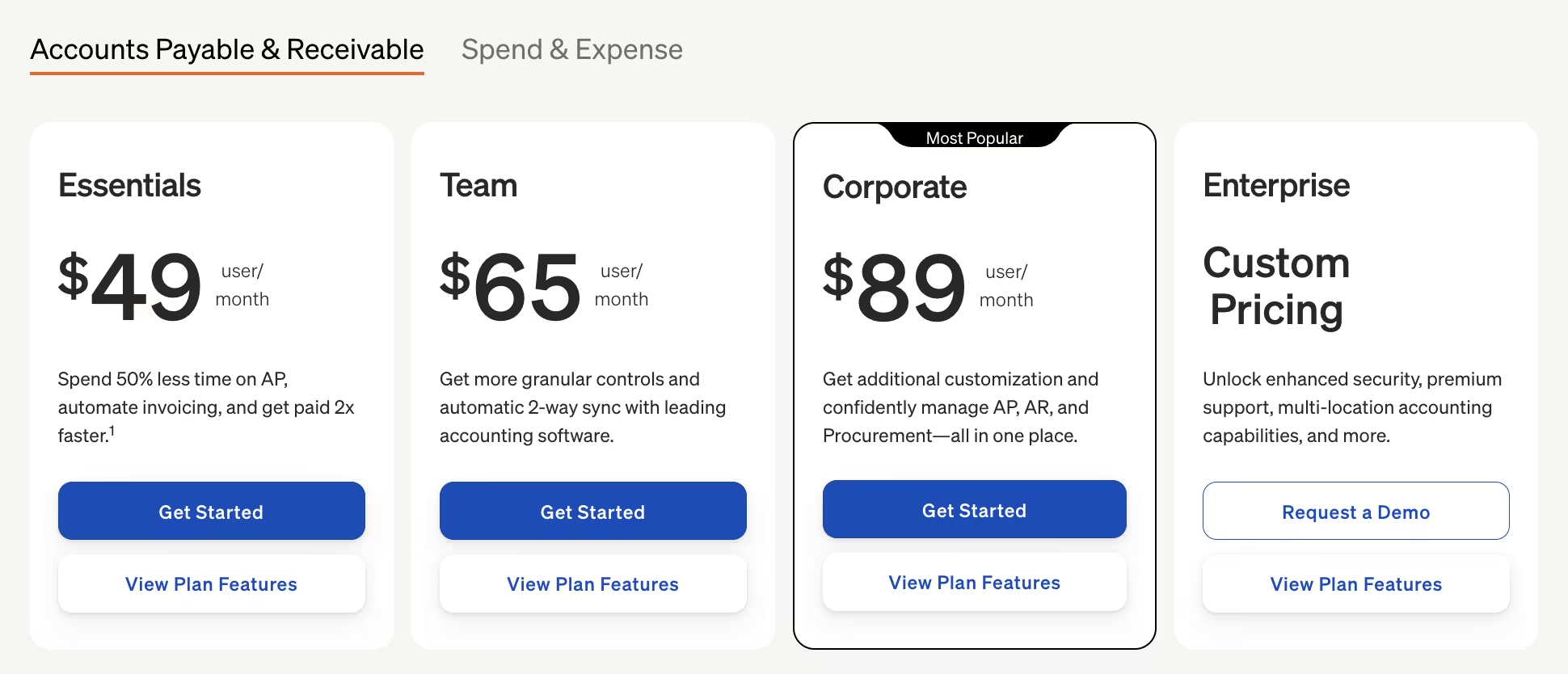
Essentials costs $49/month per user, Team costs $65/month per user, and Corporate costs $89/month per user. Transaction fees apply separately per payment sent.
Bottom Line
The added fee complexity is worth it if having invoice and payment in one system beats chasing the lowest per-transaction cost. Map your payment mix first, since fees stack fast.
3. Docyt: Best for Multi-Entity Bookkeeping
What it does: Docyt combines accounts payable, receipt capture, and financial reporting in one dashboard built for businesses running more than one set of books.
Best for: Bookkeepers or firms managing multiple entities who want one place to review AP, receipts, and reports across every entity.
Docyt's whole pitch is multi-entity bookkeeping, so on top of the standard invoice batch, I layered a monthly reconciliation review across two mock entities to test that claim directly. It’s the main reason a firm would pick Docyt over a single-entity tool.
Switching between the two mock books didn't require a separate login or a re-import. Everything sat in the same view, with entity as a filter. A single-entity bookkeeping tool would have no reason to offer that setup.
I tested the role-based access controls the same way, giving one mock user visibility into a single entity's receipts and reports without also handing them the other entity's numbers.
That separation held during setup and day-to-day use, which is useful for firms managing several clients or business units
The rough edge showed up on the payment side. I tested a check payment to a mock vendor. It took multiple days to reach the vendor, a drag if a client needs same-week turnaround.
For a tool built around consolidating multi-entity work, a slow payment rail undercuts the pitch whenever a client needs speed over consolidation.
Docyt keeps pricing off its site entirely for the accounting-firm product tested here.
There's no plan list, no per-entity figure, only a form that routes to a sales conversation, a real gap for a tool this focused on multi-entity businesses, where per-entity cost is the number you need to budget with.
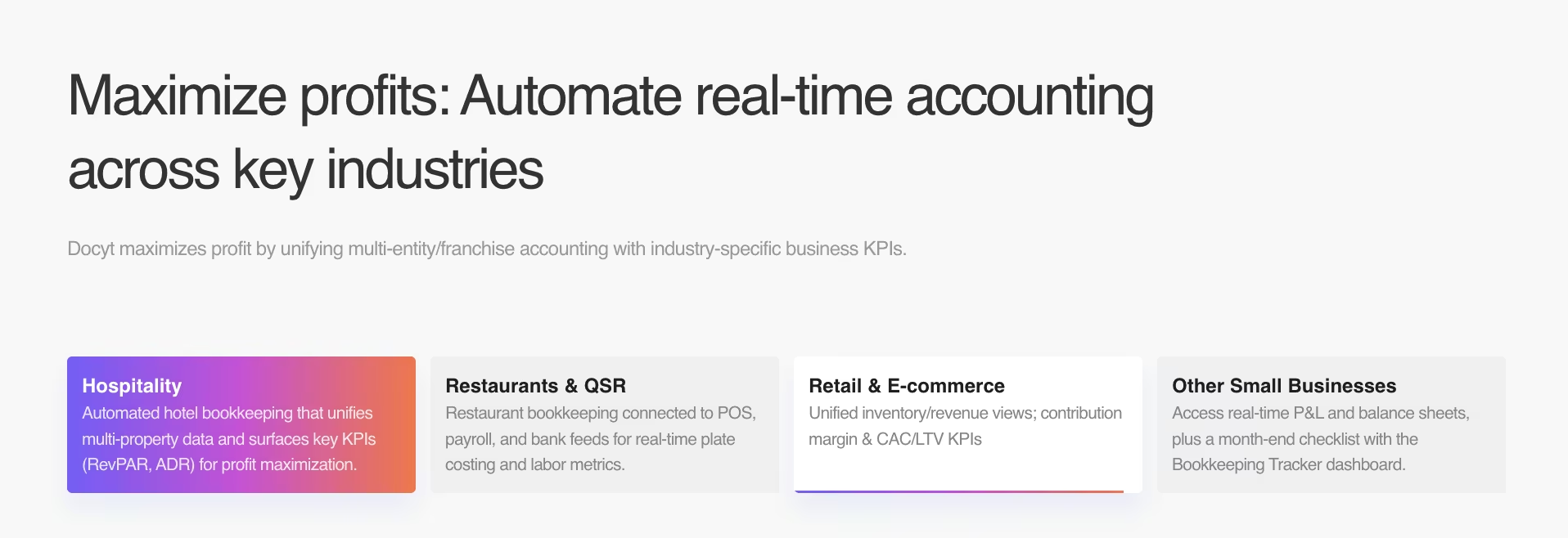
Docyt's real-time reporting dashboard, the one its own materials lead with, is what carried the multi-entity test past AP and reconciliation alone.
It surfaced a profit-and-loss breakdown by entity without an export to a spreadsheet first, and the industry-specific KPIs it layered on top matched what the mock entities were set up to track.
That reporting cut lets a firm managing several businesses review each one on its own, with no combined total to split apart afterward.
Key Features
- Unified dashboard: Reviews AP, receipts, and reports across multiple businesses from one login.
- Role-based access: Assigns different permission levels per entity, keeping each user's view scoped to their own book.
Pros and Cons
Pros:
- Single dashboard held up managing two mock entities side by side.
- Surfaced entity-level profit-and-loss figures and industry-specific KPIs without a spreadsheet export.
Cons:
- A test check payment took multiple days to reach the mock vendor.
- No public pricing anywhere, and no per-entity figure either, the exact number a multi-entity buyer needs upfront.
What Users Say
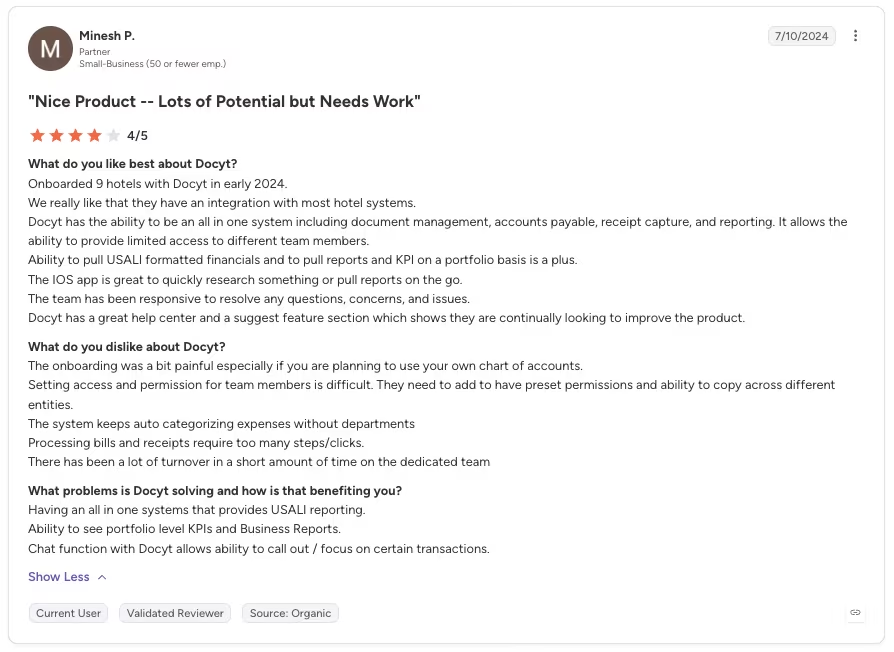
“We really like that they have an integration with most hotel systems. Docyt has the ability to be an all-in-one system including document management, accounts payable, receipt capture, and reporting. It allows the ability to provide limited access to different team members.” - Minesh P., G2
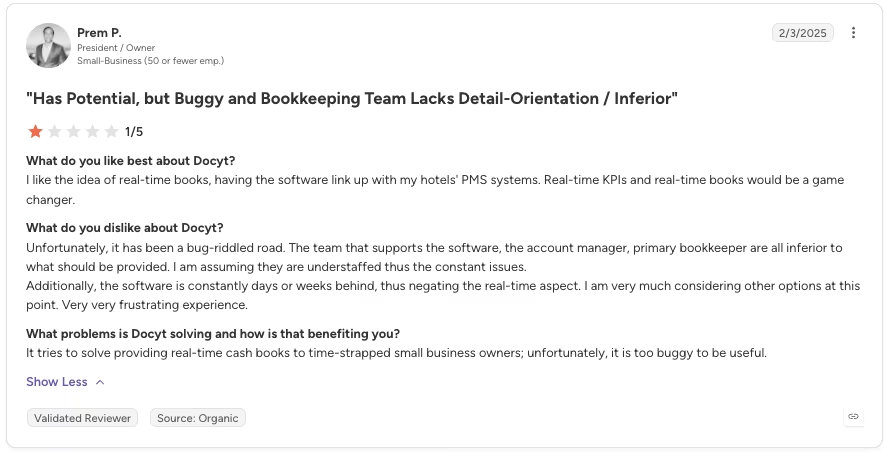
“The software is constantly days or weeks behind, thus negating the real-time aspect. I am very much considering other options at this point. Very very frustrating experience.” - Prem P., G2
Pricing
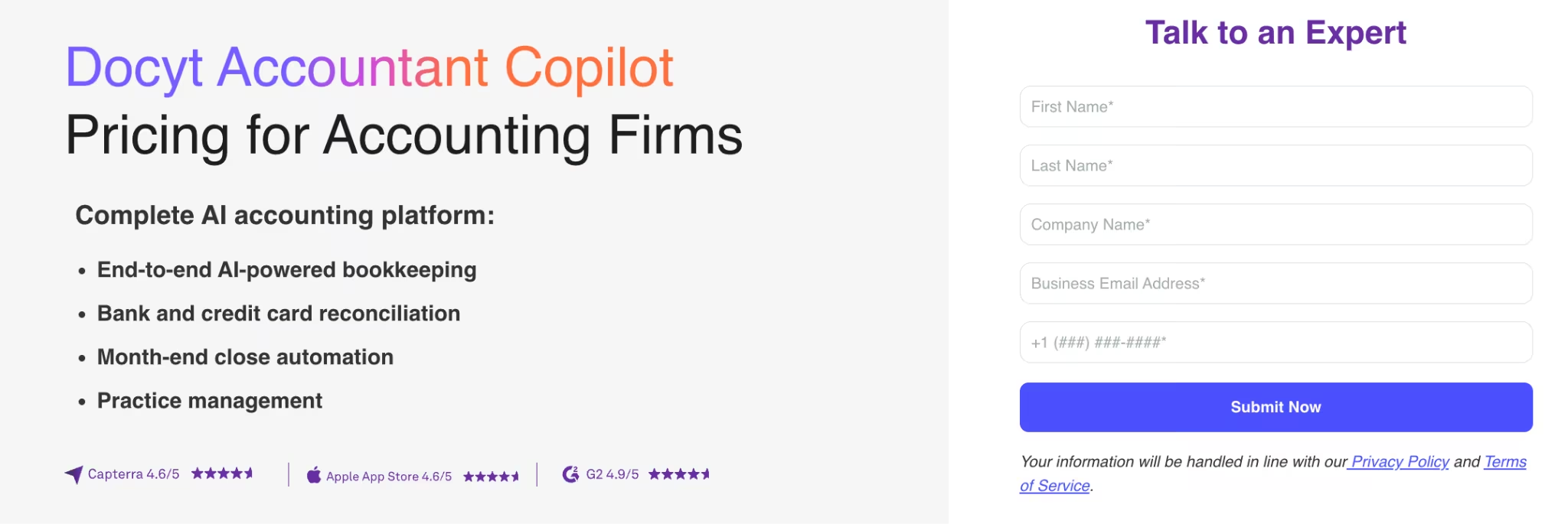
Docyt doesn't publish pricing for its accounting-firm product. Every path leads to a sales conversation.
Bottom Line
Get a quote before budgeting for Docyt, since nothing about the actual cost is public. Its single dashboard beat every single-entity tool tested on breadth alone, but plan for a slower check-payment turnaround.
4. Lindy: Best for Client Comms, Scheduling, and Inbox Triage by Text

What it does: Lindy is a text-first assistant that drafts client messages, proposes meeting times, and triages inbox requests over iMessage or SMS.
Best for: An accountant or small firm drowning in the client-chasing and scheduling grind who wants that busywork handled by text.
I texted Lindy the exact request I'd send a human assistant. The message read: "Chase [mock client name] for their missing 1099 and find a time on my calendar for a 15-minute call this week."
It drafted the client-chase message and proposed three specific call times on the first try, over iMessage, with no second prompt needed, the cleanest first-attempt result of any text-based request I tested.
It directly targets the most concrete admin pain point in this category, chasing a client for a document without babysitting an email thread that goes nowhere.
That narrow scope is exactly why Lindy sits where it does on this list. It doesn't do any accounting-specific task, and won't code an invoice, reconcile an account, or touch a ledger.
It replaces a stack of single-purpose apps for comms and scheduling. Judge it against the admin grind it replaces.
Lindy belongs in the broader AI personal assistant for business category because its wheelhouse is inbox, scheduling, and follow-up work, with accounting tasks left to the other tools here.
Pricing runs from $29.99/month for Plus up to $199.99/month for Max, with all tiers connecting up to five inboxes and the monthly credit pool stepping up from 3,000 on Plus to 35,000 on Max. There's no annual-billing discount on any tier.
Before you rely on it for a whole team, know that Lindy is built iMessage-first. Android users only get the standard SMS experience. The fuller flow is iPhone-only.
I followed up two days later with a second text asking it to move that same call an hour earlier and loop in a mock second staff member.
Lindy handled the reschedule in one reply, rechecking the new time against the calendar before confirming it. It also drafted a separate heads-up text to the second staffer without me restating the original context. That follow-through is the real test of a text-first assistant.
The first message landed clean, and a follow-up still worked without re-explaining the whole thread.
Key Features
- Text-first triage: Drafts responses and flags requests over iMessage or SMS, no separate dashboard.
- Calendar coordination: Proposes specific meeting times off your actual calendar.
Pros and Cons
Pros:
- Nailed the client-chase text and calendar proposal without a second prompt.
- Costs a fraction of a full practice-management platform.
Cons:
- Never touches accounting work, so it isn't a substitute for a bookkeeping or AP tool.
- iMessage is the fully optimized experience; Android gets standard SMS.
What Users Say
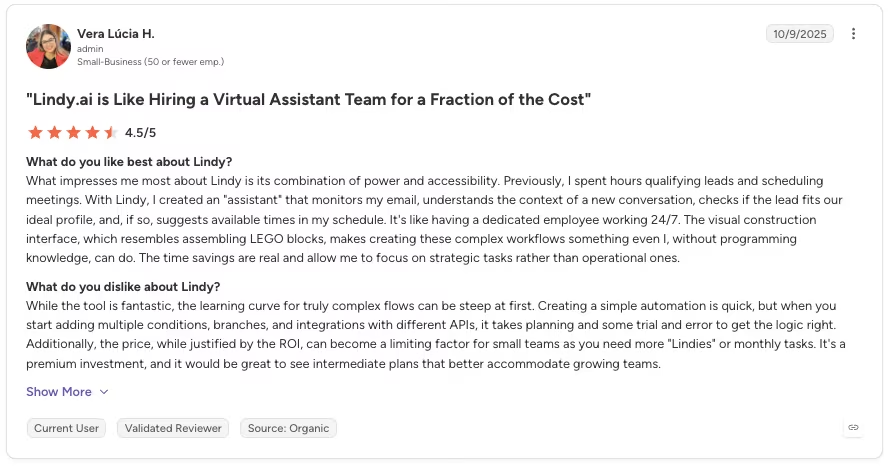
“What impresses me most about Lindy is its combination of power and accessibility. Previously, I spent hours qualifying leads and scheduling meetings. With Lindy, I created an "assistant" that monitors my email, understands the context of a new conversation, checks if the lead fits our ideal profile, and, if so, suggests available times in my schedule.” - Vera Lucia H., G2
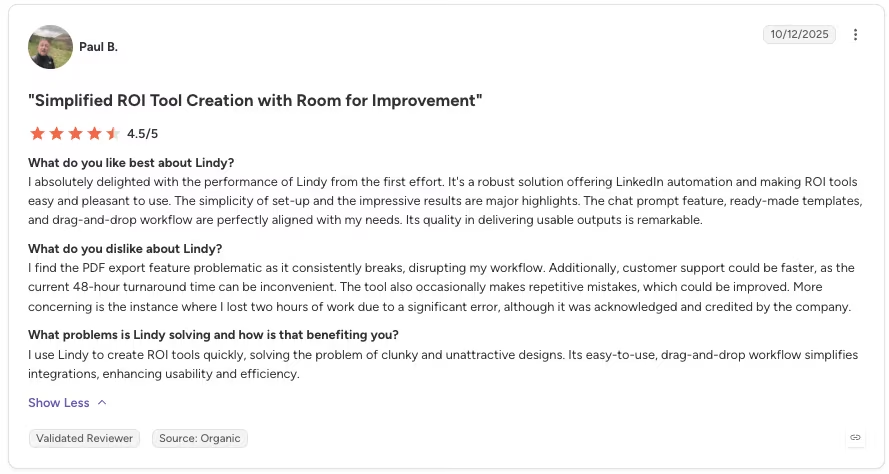
“I find the PDF export feature problematic as it consistently breaks, disrupting my workflow. Additionally, customer support could be faster, as the current 48-hour turnaround time can be inconvenient.” - Paul B., G2
Pricing
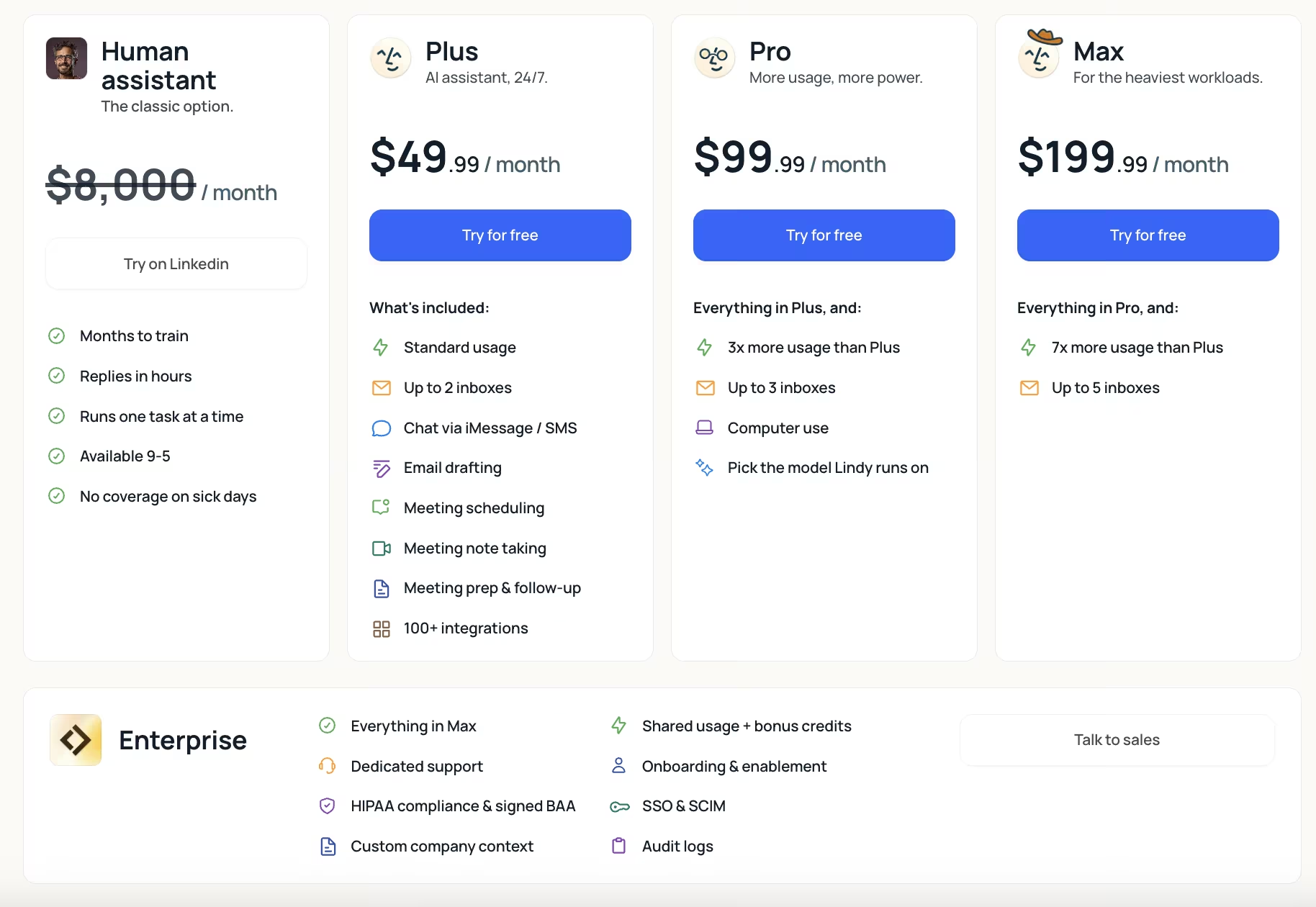
Plus costs $29.99/month, Pro costs $99.99/month, and Max costs $199.99/month, with no annual-billing discount.
Bottom Line
Lindy solves the client-chasing and scheduling grind without the cost of a full practice-management platform. It sits next to Karbon in the admin category here, since it never touches a ledger.
5. QuickBooks: Best for Small Business/Solo Bookkeeping
What it does: QuickBooks (with Intuit Intelligence) automatically imports and categorizes daily transactions into a dashboard built for people without a bookkeeping background.
Best for: A solo bookkeeper or small business owner who wants the easiest possible on-ramp into keeping their own books straight.
QuickBooks needed zero manual import step to turn the invoice batch into categorized transactions. A first-time user can start reviewing the books without learning how to import ledger data first.
I checked the auto-categorization against a manual coding pass, and transactions kept importing and sorting themselves daily with no extra input from me.
The dashboard itself reads clearly, showing income, expenses, and cash flow in plain, everyday terms.
Higher-tier features stayed locked behind pricier plans during testing. A feature that looks standard in a competing tool can sit one or two plans up here.
Map what you need against the tier list first, especially for reporting, since the cheapest plan doesn't always cover what you'd expect. That gap is the easiest way to end up paying for a tier you didn't need.
Reaching an actual human for support took persistence, the kind of back-and-forth that eats time you don't have when something breaks mid-month. The categorization itself was never the issue.
This tool is widely used by people without accounting training, so a rough support experience leaves less room for a fallback plan when the automation gets stuck.
Pricing ranges from $38/month to $340/month across the four plans, all at the regular monthly rate.
I also poked at the reporting Intuit markets under its "Intelligence" branding, custom KPI dashboards, cash-flow forecasting, and 1099/W-9 tracking layered on top of the plain-language view.
Building one custom dashboard, income by project against a monthly target, took about 10 minutes once I found where the setting lived, mostly because the option sits a menu deeper than the basic categorization screen a first-time user starts on.
The functionality works, buried enough that someone without a bookkeeping background might never find it without a nudge.
Key Features
- Daily auto-categorization: Imports and sorts transactions without a manual import step.
- Plain-language dashboard: Shows income, expenses, and cash flow without accounting jargon.
Pros and Cons
Pros:
- Easiest on-ramp tested for someone with no bookkeeping background.
- Kept the mock books updated daily without extra input.
Cons:
- Reaching a human for support took persistence when something went wrong.
- Higher-tier features are locked behind pricier plans.
What Users Say
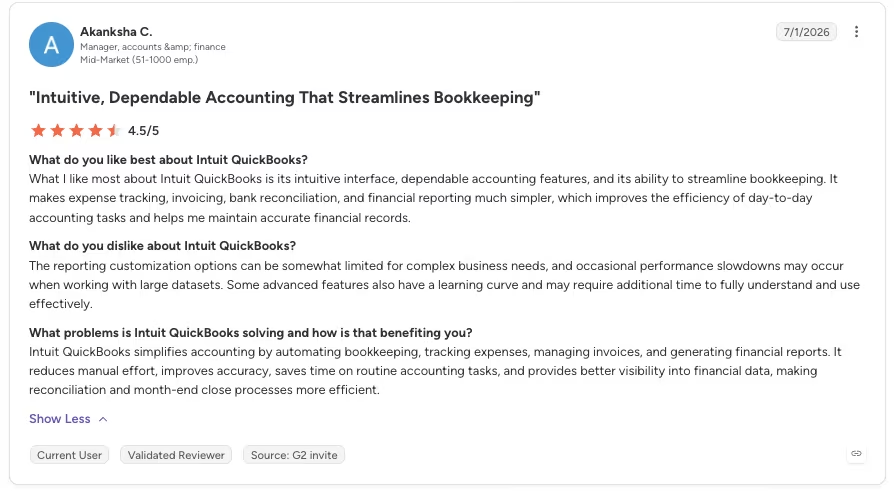
“What I like most about Intuit QuickBooks is its intuitive interface, dependable accounting features, and its ability to streamline bookkeeping.” - Akanksha C., G2
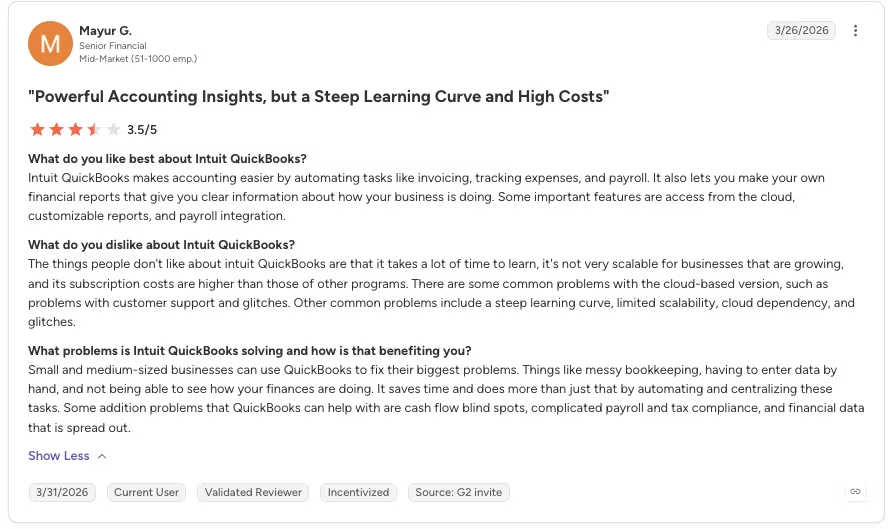
“The things people don't like about Intuit QuickBooks are that it takes a lot of time to learn, it's not very scalable for businesses that are growing, and its subscription costs are higher than those of other programs.” - Mayur G., G2
Pricing
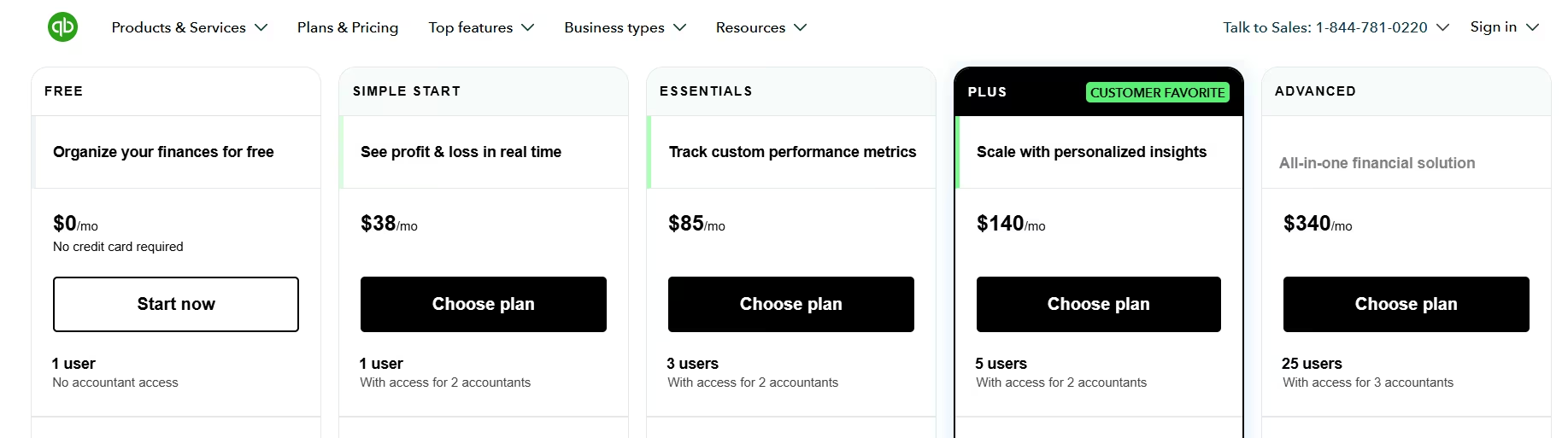
Simple Start costs $38/month, Essentials costs $85/month, Plus costs $140/month, and Advanced costs $340/month, all at the regular rate. QuickBooks has no separate annual-billing discount tier, only a time-limited introductory promo on the regular monthly rate.
Bottom Line
QuickBooks was the easiest tool to get moving on with no bookkeeping background. Budget patience if you need a human for support. That part moved more slowly than the daily import.
6. Ramp: Best for Card-Based Spend Management

What it does: Ramp codes and routes transactions from company card spend automatically, layering AI-driven coding on top of a corporate card program.
Best for: A finance team that wants card spend coded and routed correctly without manually categorizing every swipe.
Card spend is a narrower slice of AP than the other tools tackle, so Ramp's coding and routing flow only had to handle the receipt side of the same messy batch. It matched receipts to card transactions cleanly and routed the coded spend into the right categories without much manual correction.
A matched receipt sent its categorized spend straight to the right budget owner, skipping the manual step that eats the most time in spend management.
Ramp's AI is a coding and routing layer sitting on top of card spend. Vic.ai and Docyt run as standalone accounting engines; Ramp doesn't try to. If your bottleneck is invoice coding across every vendor payment method, Ramp doesn't replace that.
If your bottleneck is specifically card spend that needs to be categorized and routed to the right budget owner, that's the job it's built for.
Ramp's free tier covers the corporate card and basic AP features. The cheapest paid tier, Plus, runs $15/month per user ($12/month per user, billed annually), on top of a separate platform fee based on team size.
That platform fee is easy to miss when you're comparing sticker prices against another spend tool.
I pushed the routing test further with a batch of eight mock transactions across three different budget owners. Ramp sorted all eight to the right person on the first pass, learning the pattern from category and merchant without needing a rule written for each owner ahead of time.
Ramp's local-currency card issuing, which supports GBP, CAD, EUR, JPY, and more, wasn't something I could test directly on a mock US account.
That's why Ramp shows up on spend-management shortlists for companies with staff outside the US, a reach a plain domestic card program can't match.
Key Features
- Automatic card-spend coding: Matches receipts to card transactions without manual entry.
- Spend routing: Directs coded transactions to the correct budget owner automatically.
Pros and Cons
Pros:
- Coded and routed card spend cleanly with minimal manual correction.
- Built specifically for spend management.
Cons:
- Not a standalone accounting engine; won't replace invoice-coding or bookkeeping tools.
- The Plus tier's per-user price is on top of a separate fee tied to how many people are on the team.
What Users Say
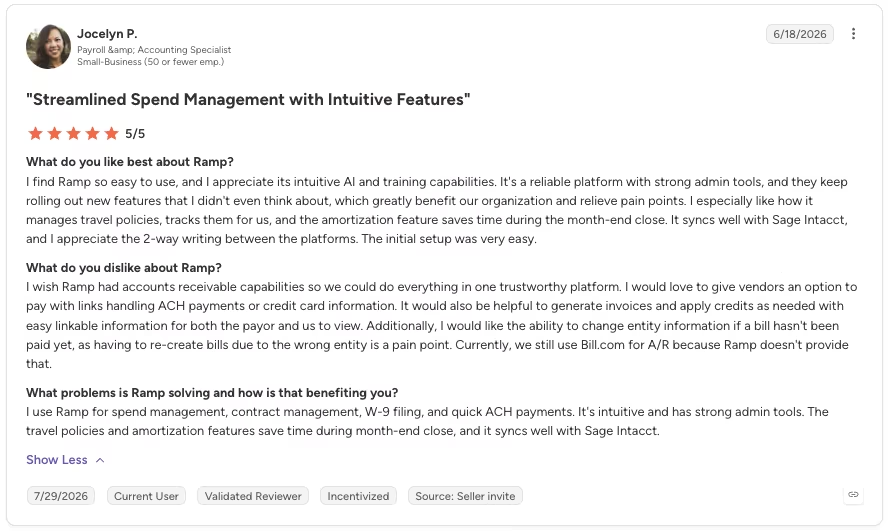
“It's a reliable platform with strong admin tools, and they keep rolling out new features that I didn't even think about, which greatly benefit our organization and relieve pain points.” - Jocelyn P., G2
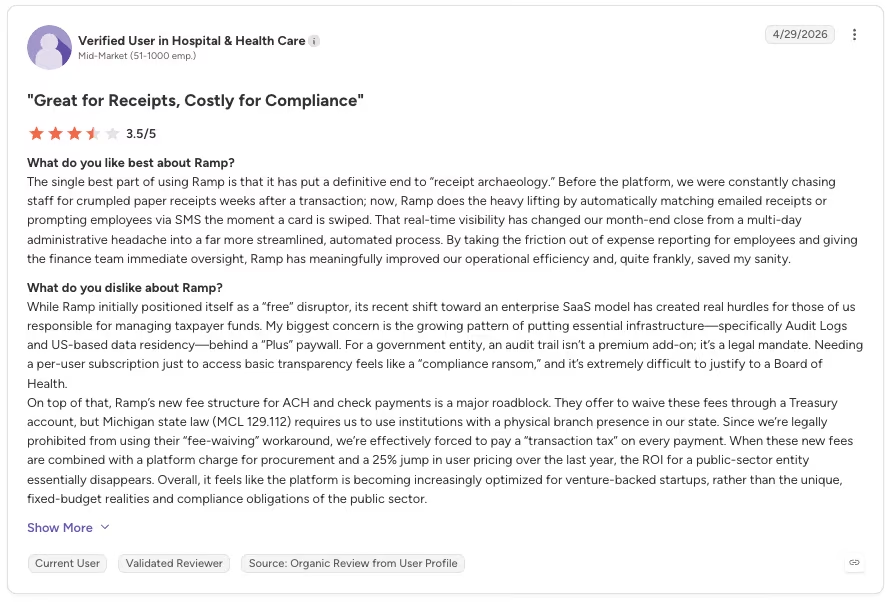
“My biggest concern is the growing pattern of putting essential infrastructure, specifically Audit Logs and US-based data residency, behind a “Plus” paywall. For a government entity, an audit trail isn’t a premium add-on; it’s a legal mandate.” - Anonymous, G2
Pricing
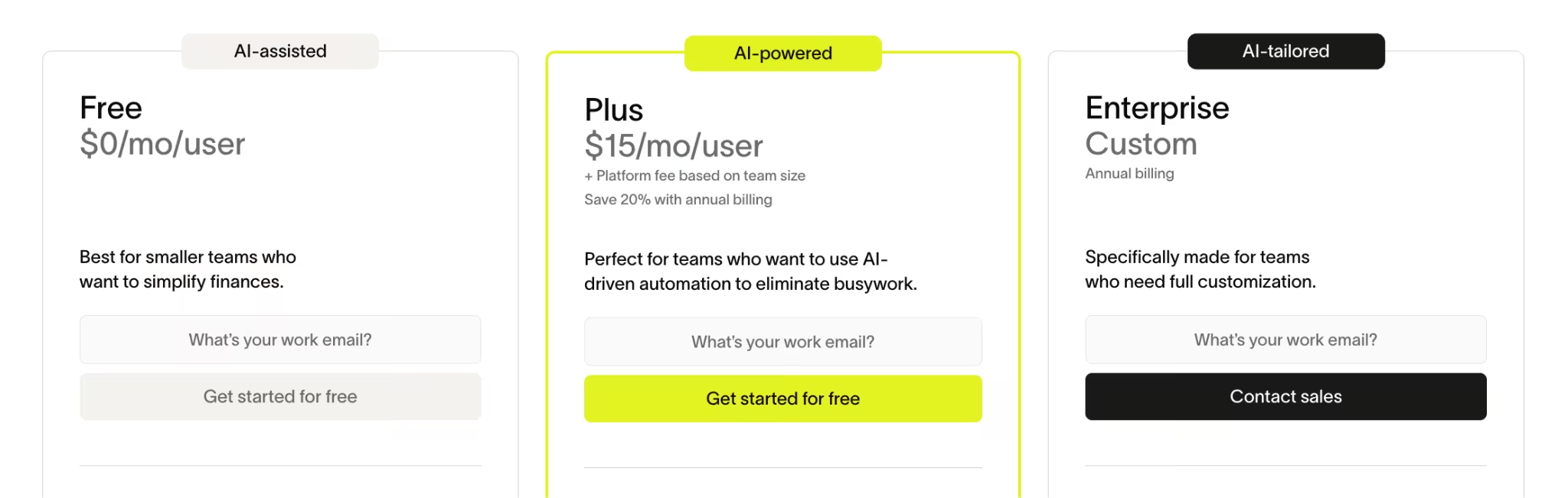
Ramp's Free tier costs $0/month per user. Plus, the cheapest paid tier, costs $15/month per user ($12/month per user, billed annually), plus a platform fee based on team size. Enterprise pricing is custom and billed annually.
Bottom Line
Ramp earns its spot on the routing and coding it does for card spend, the exact job it's built for. Just don't expect it to stand in for a full accounting engine.
7. Numeric: Best for Month-End Close and Reconciliation
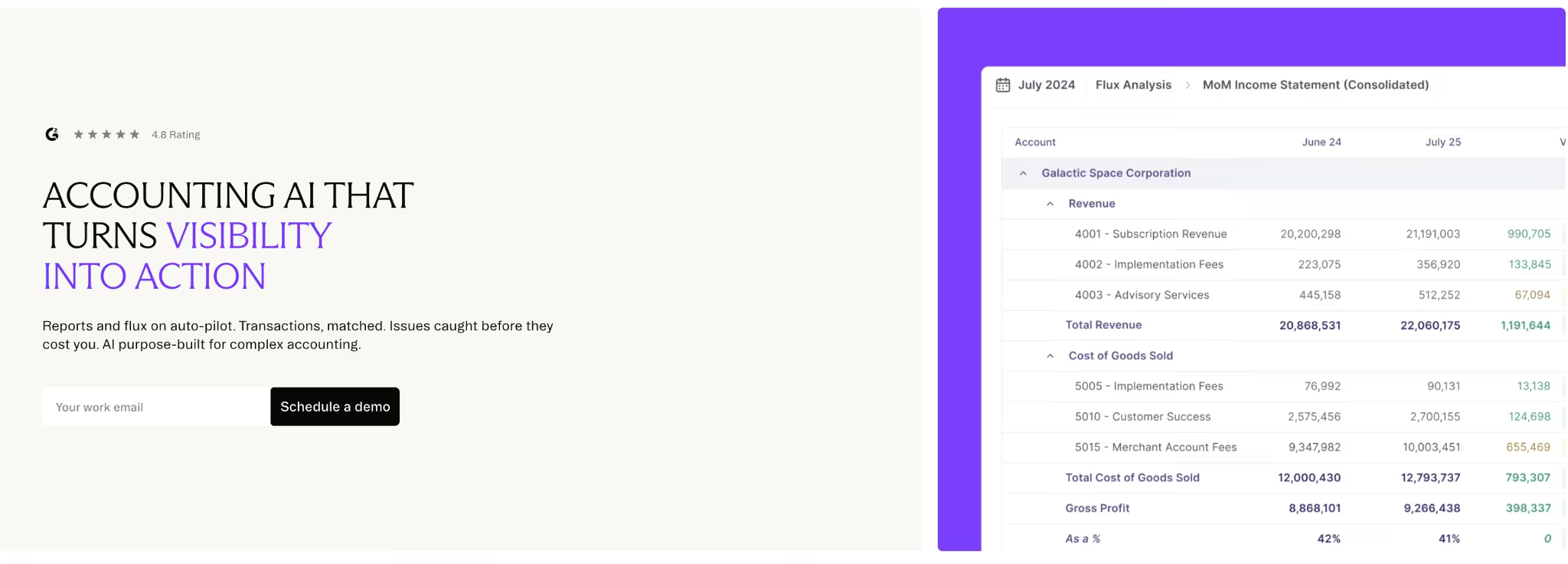
What it does: Numeric automates month-end close tasks like reconciliation and flux analysis, and flags the specific transactions driving a variance.
Best for: A close team that wants month-end finished in days, with the ability to drill into exactly what changed.
I deliberately broke a reconciliation before testing Numeric, planting one mismatched transaction inside a batch of 42 reconciling line items. The point was to see whether the tool would point to the specific line causing the problem, beyond a bare "the total is off" flag.
It drilled straight to the mismatched transaction in under two minutes, matching its own stated claim about pinpointing variances down to the exact line. Numeric passed the test clean.
I didn't have to export anything to a spreadsheet to chase the mismatch down manually. The flux analysis surfaced the variance automatically and tied it back to the exact period comparison that produced it, then let me click straight through to the transaction itself.
The whole pitch of a close tool is turning a hunt that used to eat an afternoon into a couple of clicks.
Every flux variance line required a sign-off, even ones too small to plausibly change anything, a friction easy to miss until you're living in it daily.
For a small team, that adds up to a lot of clicking through variances that were never in question. It's a cost against the time the drill-down saves elsewhere.
Numeric's pricing starts at $30/month per user for Essentials, with Growth and Enterprise both quote-based.
The flux writer did more of the actual writing than I expected going in.
Once the flux analysis had surfaced the mismatched transaction, Numeric drafted a first-pass variance explanation naming the specific driver.
I only had to edit two sentences of it before it read like something I'd have written from scratch.
Across the full batch, that shaved real time off the part of close that usually eats the most of it, both finding what changed and writing up why.
Key Features
- Transaction-level drill-down: Points to the specific transaction driving a variance.
- Automated flux analysis: Flags variances between periods automatically for review.
Pros and Cons
Pros:
- Drilled straight to a deliberately planted mismatched transaction.
- Cuts month-end close time versus a manual spreadsheet process.
Cons:
- Every flux variance line requires sign-off, even trivial ones.
- Reporting and display feel less developed than some established close tools.
What Users Say
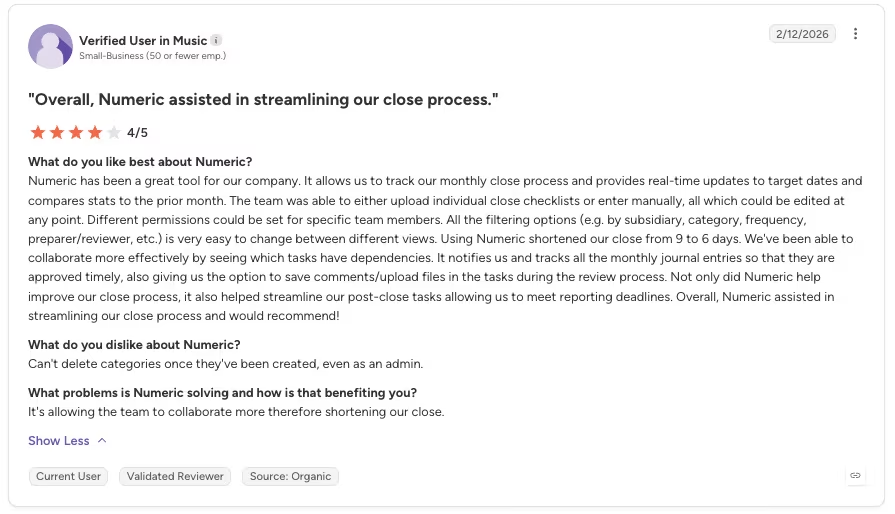
“Using Numeric shortened our close from 9 to 6 days. We've been able to collaborate more effectively by seeing which tasks have dependencies. It notifies us and tracks all the monthly journal entries so that they are approved timely, also giving us the option to save comments/upload files in the tasks during the review process.” - Anonymous, G2
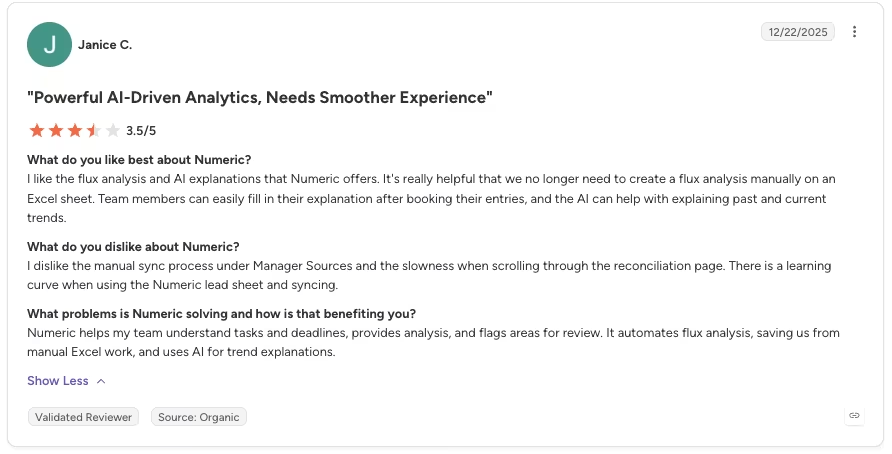
“I dislike the manual sync process under Manager Sources and the slowness when scrolling through the reconciliation page. There is a learning curve when using the Numeric lead sheet and syncing.” - Janice C., G2
Pricing
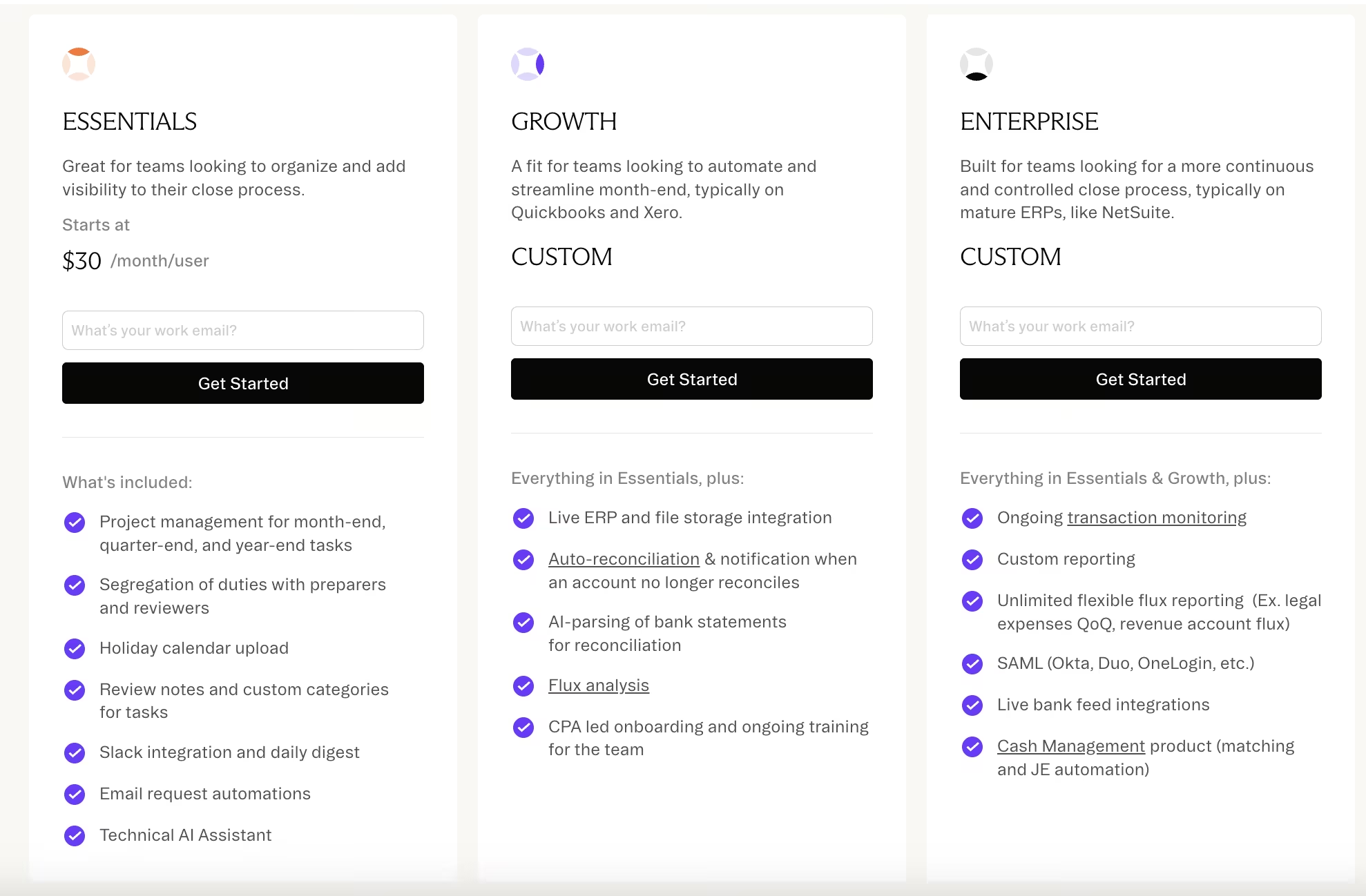
Essentials starts at $30/month per user, with Growth and Enterprise both custom and quote-based.
Bottom Line
Numeric is the close and reconciliation tool I would pick from this list because it found the planted mismatch quickly, though smaller teams may resent signing off on every variance line.
8. Anrok: Best for Sales Tax and Nexus Compliance
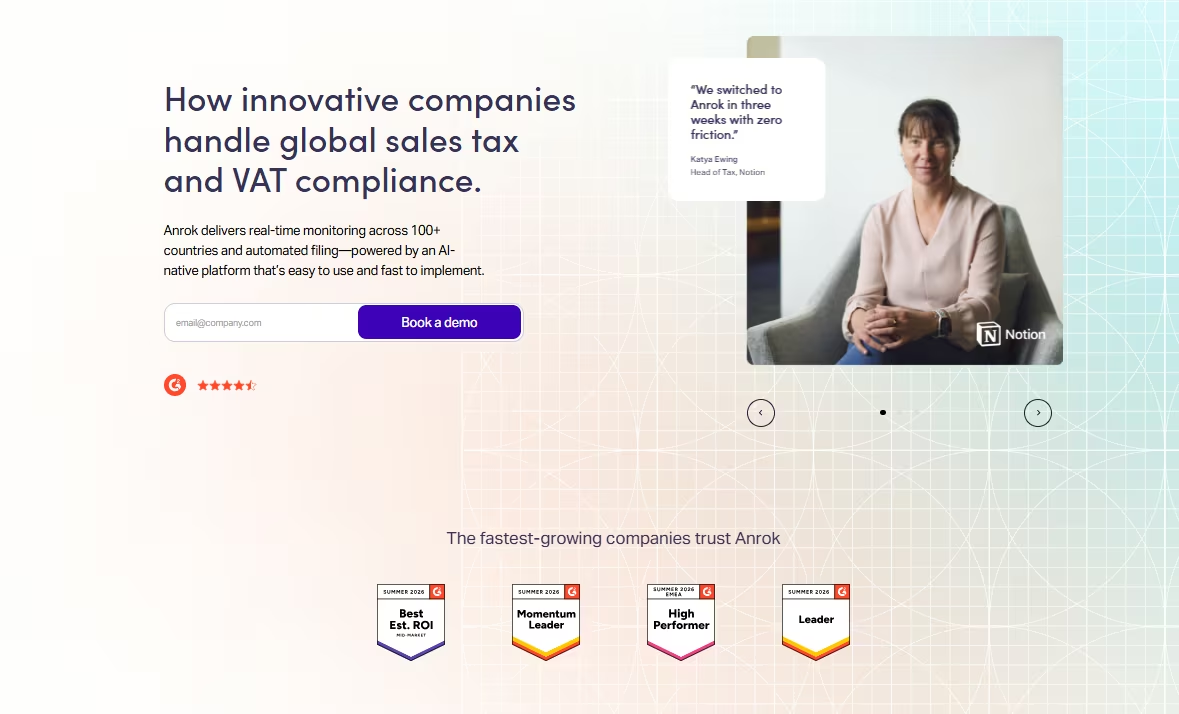
What it does: Anrok monitors where a business has crossed the sales tax threshold in a new state or country and helps manage the resulting compliance work.
Best for: A business selling into multiple states or countries that needs to track economic nexus exposure without checking each jurisdiction manually.
Anrok got a mock scenario modeled on a SaaS company crossing economic nexus thresholds in three different states at once. The test checked whether it could identify new tax exposure before the company missed a registration or filing requirement.
The monitoring flagged the threshold crossings clearly and tied each one to the specific state rule that triggered it.
Anrok's own site claims broad coverage across US taxing jurisdictions and many countries, a scale worth checking against your own footprint if your business sells across state lines.
Anrok's own integrations page confirms native support for NetSuite through a dedicated SuiteApp, with setup in about 30 minutes.
No custom code or hand-built mapping rules were needed for the mock scenario, a real win if your finance stack already runs on NetSuite, since a multi-week integration project is the last thing you want on top of a compliance problem.
Monitoring is only part of what Anrok is built to do. Its own product pages describe calculating and collecting tax as transactions flow through a connected billing system, then carrying a crossed threshold through registration too, a step beyond raising a flag alone.
None of that ran inside the three-state mock scenario I tested, since the test stopped at the threshold flag itself. Those separate workflows are why Anrok positions itself as more than a monitoring dashboard.
Its reach goes beyond NetSuite. A growing roster of billing, payment, and HR/payroll platforms adds to that list. Integrations include QuickBooks, Stripe, Xero, and Rippling.
It also connects to BILL, Zuora, Maxio, and Chargebee, the kind of breadth that pays off if your invoicing and payroll data live in more than one system feeding the same tax calculation.
Anrok's limit comes down to fit. Anrok bills $100/market/month on its Starter plan, where a market is any single jurisdiction you're registered to collect and file in.
Stay registered in one state, and that's a flat $100 a month. Expand into five, and the bill scales to $500, whether or not your sales volume grows to match.
If your business sells into one state and doesn't expect that to change, Anrok is more tool than you need. It's purpose-built for tracking exposure across many jurisdictions at once. That specificity is exactly what makes it valuable for the businesses that have the problem.
Key Features
- Multi-jurisdiction monitoring: Tracks where sales activity crossed a taxable threshold across thousands of jurisdictions.
- Threshold-specific alerts: Ties each flag to the exact rule that triggered it.
Pros and Cons
Pros:
- The only tool here purpose-built specifically for sales tax and nexus compliance.
- Flagged mock multi-state threshold crossings clearly in testing.
Cons:
- Per-market billing means the total climbs with every new jurisdiction you register in, independent of revenue.
- Overkill for a business that only sells into a single state.
What Users Say
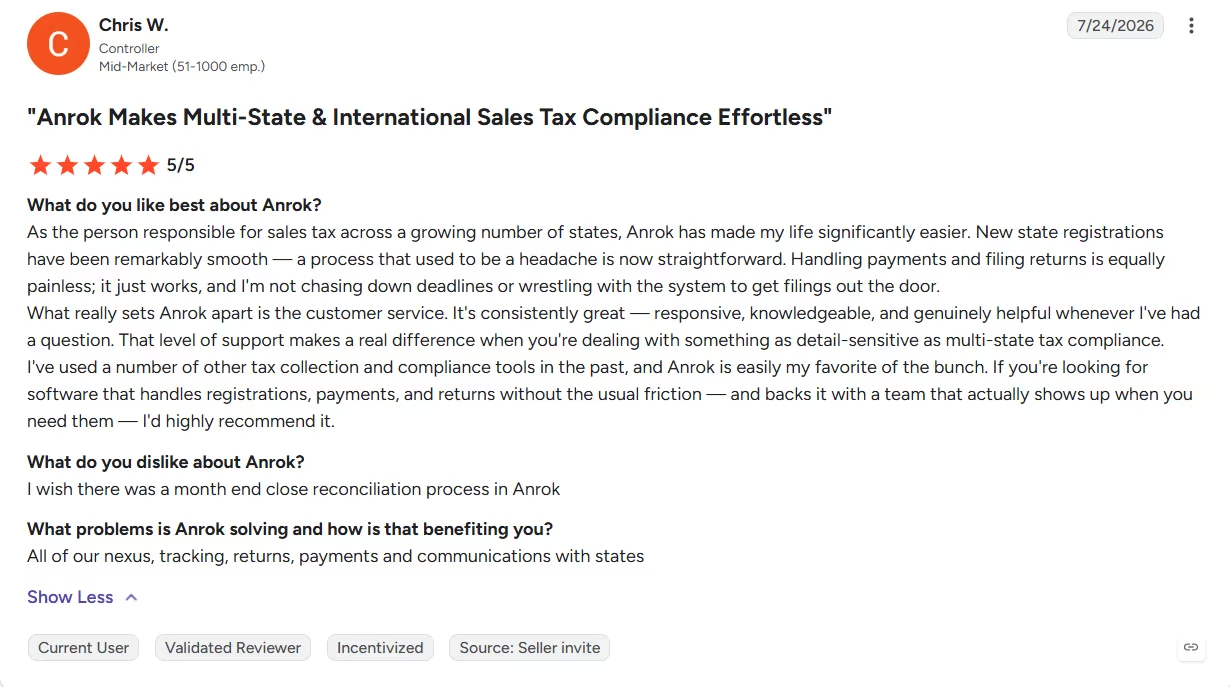
“Handling payments and filing returns is equally painless; it just works, and I'm not chasing down deadlines or wrestling with the system to get filings out the door.” - Chris W, G2
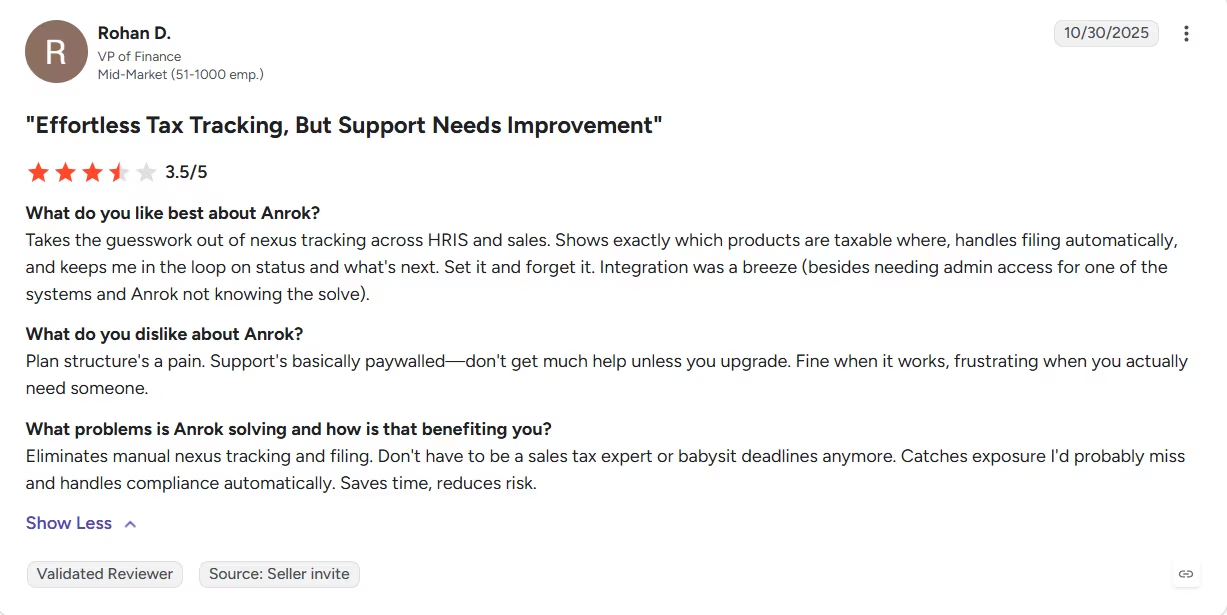
“Plan structure's a pain. Support's basically paywalled. Don't get much help unless you upgrade. Fine when it works, frustrating when you actually need someone.“ - Rohan D., G2
Pricing
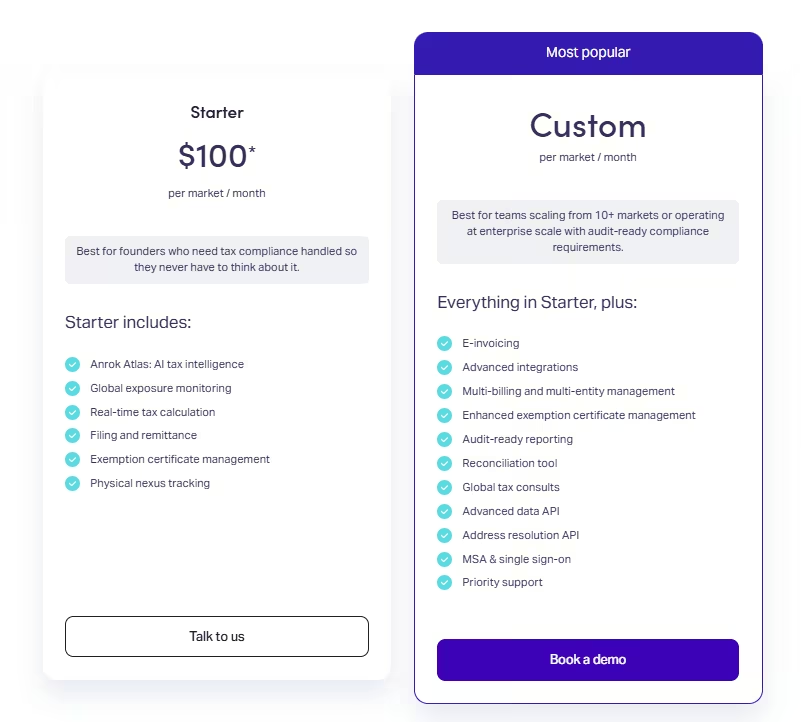
Starter costs $100/market/month, with no separate annual-billing discount tier. Anrok also sells a separate eCommerce Starter plan at $50/market/month for checkout-level tax on platforms like Shopify, but that's a different product from the multi-state nexus monitoring tested in this review.
Each state or country where you're registered to collect and file counts as one market, and the total scales with the number of markets.
The Custom plan, built for larger multi-market operations with audit-ready reporting needs, is quote-based.
Bottom Line
Single-state businesses won't need Anrok's narrow focus. Nothing else on this list is built this narrowly around sales tax compliance, but cross into a second or third jurisdiction and that specificity starts paying for itself.
9. MindBridge: Best for Audit and Risk Detection

What it does: MindBridge scores every transaction in a general ledger (GL) against business rules and statistical models to surface anomalies across the full population.
Best for: An audit team or risk function that wants full-population anomaly detection across every transaction in the ledger.
I fed MindBridge a sample general ledger extract with one anomaly planted on purpose, a duplicate payment. I wanted to see if it would surface something specific.
It caught the planted duplicate payment on the first pass, surfacing it inside its anomaly dashboard with a clear reason for the flag.
The amount, vendor, and date lined up almost exactly with an existing entry, the specific pattern a duplicate payment leaves behind. A sampling-based review might never touch the one transaction where the real problem lives.
The flagged anomalies clustered in an easy-to-navigate dashboard, each one tied to the specific business rule, statistical model, or machine-learning control point that triggered it. I wasn't hunting through a raw export to find the anomaly.
Getting there took work upfront. Feeding it multiple mock enterprise resource planning (ERP) systems with consistent field mapping was unglamorous setup labor.
I spread that work across the same stretch I was testing other categories, without carving out a dedicated week for it alone. It still ate real time before the tool started paying off.
None of that setup time shows up in a sales demo. If your data lives across several disconnected systems with inconsistent formatting, budget time for that step and don't expect instant results. That upfront investment is the actual price of full-population testing.
Pricing follows the same pattern here. Nothing is public, and getting a number takes a sales call.
What made the flag credible was seeing why it fired. Three separate signals, a business-rule check, a statistical outlier score, and a machine-learning control point, all lit up on the same transaction independently.
The dashboard showed all three separately, without collapsing them into one generic "risk" badge.
A sampling-based review pulling, say, 25 transactions out of a full ledger would have had to draw exactly the right one to catch this at all. Full-population scoring doesn't have that luck problem, which is the actual argument for paying for a tool like this over relying on a review checklist.
Key Features
- Full-population scoring: Evaluates every transaction against business rules and statistical models.
- Anomaly dashboard: Surfaces flagged transactions with a clear reason.
Pros and Cons
Pros:
- Caught a planted duplicate payment nobody had flagged manually, on the first pass.
- Full-population scoring across every transaction in the ledger.
Cons:
- Getting multiple ERPs feeding it with consistent field mapping was unglamorous work.
- No rate card anywhere; the number only surfaces once you're on a call with sales.
What Users Say
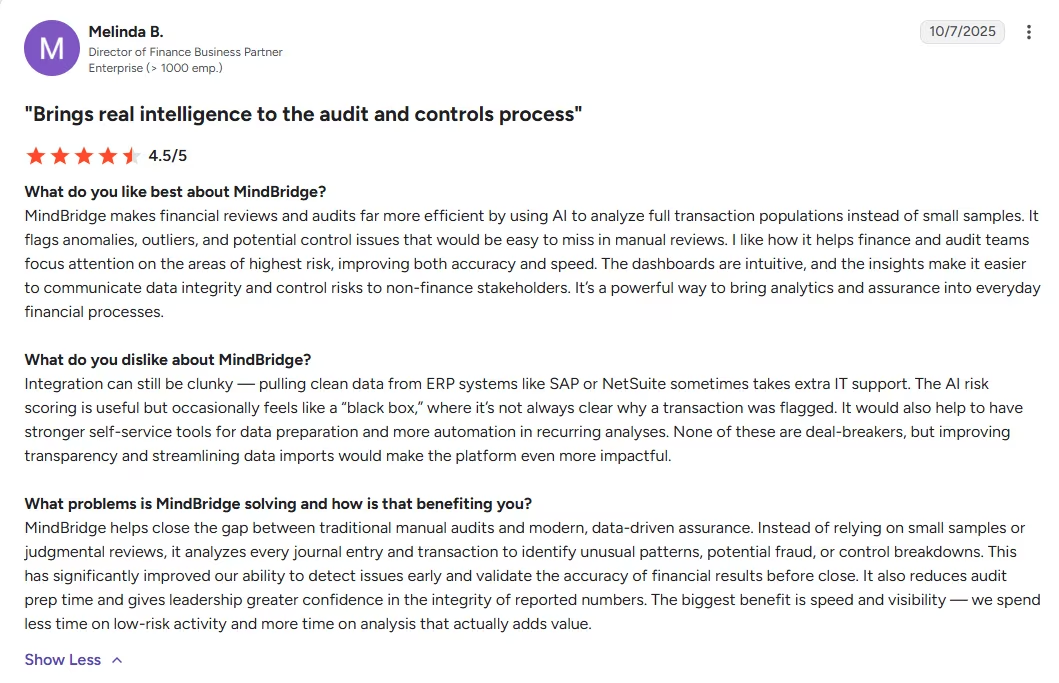
“I like how it helps finance and audit teams focus attention on the areas of highest risk, improving both accuracy and speed.“ - Melinda B., G2
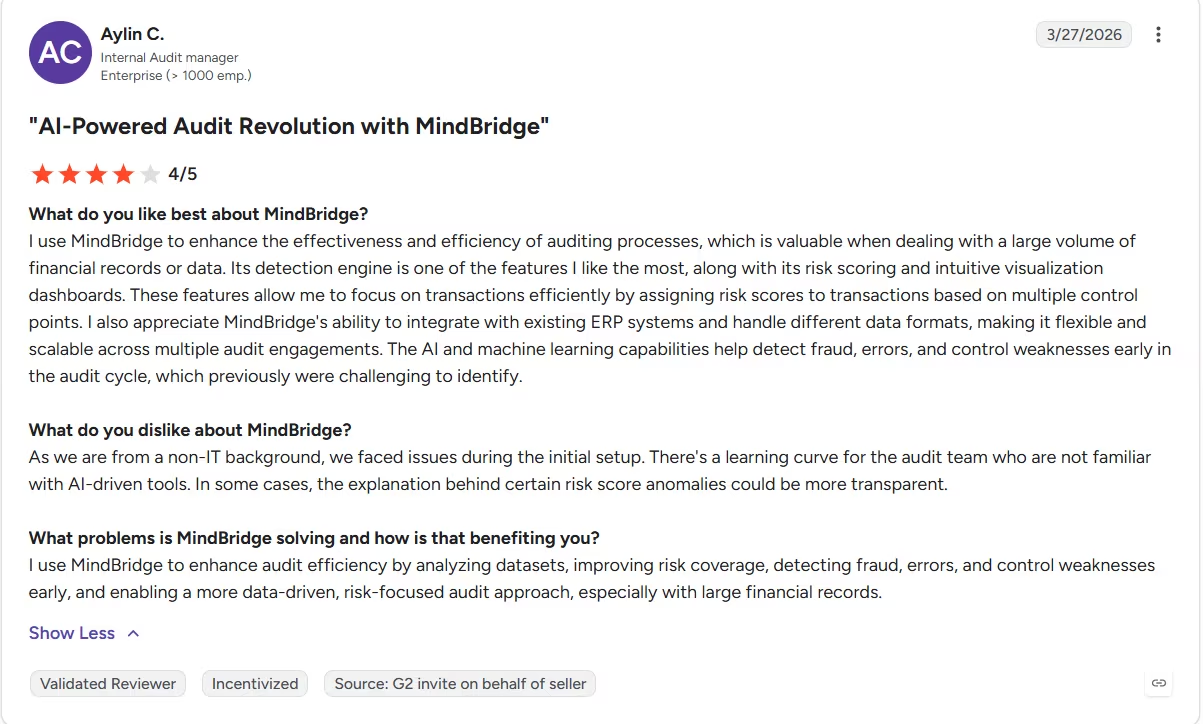
“As we are from a non-IT background, we faced issues during the initial setup. There's a learning curve for the audit team who are not familiar with AI-driven tools. In some cases, the explanation behind certain risk score anomalies could be more transparent.“ - Aylin C., G2
Pricing
MindBridge doesn't publish pricing either. Expect a sales call before you see a number.
Bottom Line
MindBridge caught the planted duplicate payment on its first pass and explained why it had been flagged. The tradeoff comes before that point: inconsistent ERP data needs to be cleaned and mapped before the full-population review becomes useful.
10. Karbon: Best for Practice Management and Client Workflow
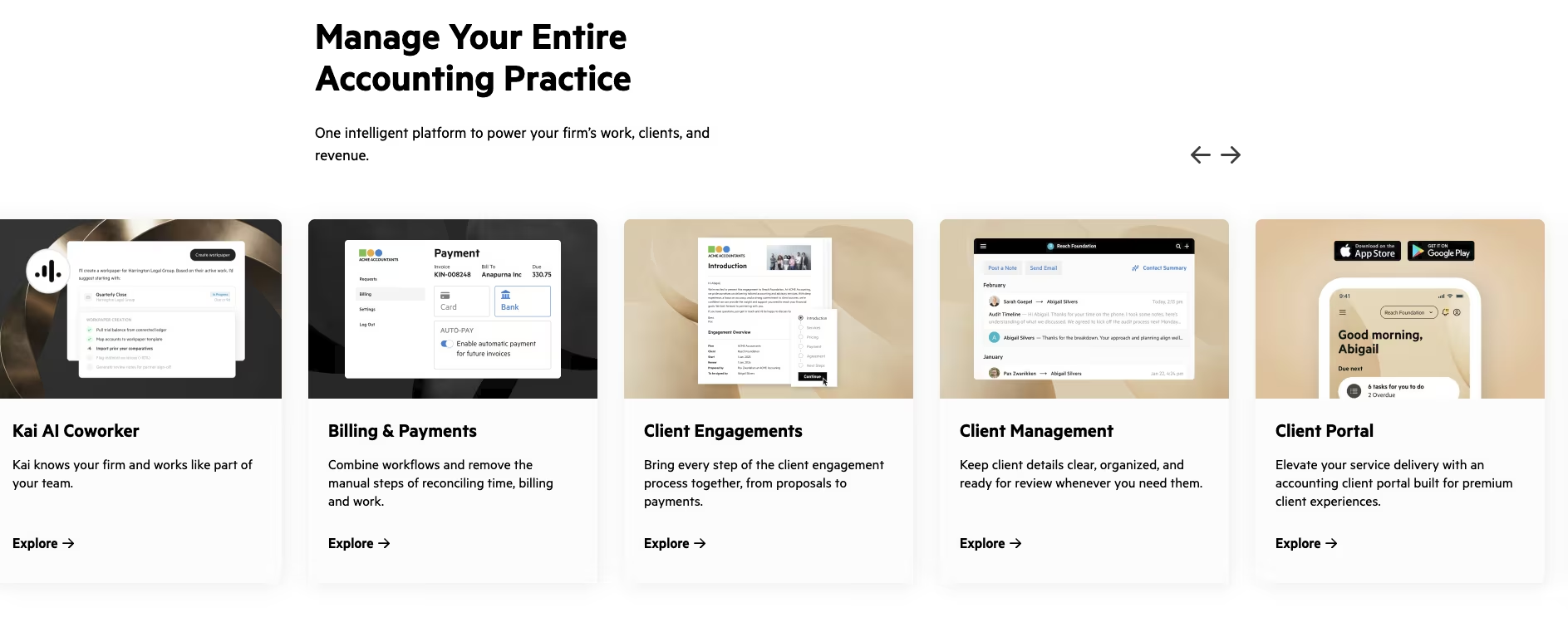
What it does: Karbon centralizes client emails, internal conversations, documents, and recurring workflows against the right project for a firm managing work across a team.
Best for: A firm with multiple staff members who need one shared view of client work.
I walked Karbon through a mock client engagement, onboarding a new client, assigning a recurring tax-return task, and requesting one missing document.
The workflow centralized every piece against the same project view, including the client email thread, the internal notes, and the document request.
Nothing was scattered across separate tools the way it typically does without practice-management software.
The recurring tax-return task didn't need to be rebuilt from scratch either. It ran off a template, assigned automatically to the right person on the mock team, the piece that compounds over a full tax season.
Getting projects, templates, and team roles configured took longer than expected. I worked through it piecemeal between the other tools on this list, never setting aside one solid block of time for it. It's a cost to budget for before the workflow starts saving time.
Karbon is worth contrasting directly with Lindy, since both sit in the admin category here but solve different problems at different scales. Karbon is priced per user for a whole team: $79/month per user for Team ($59/month per user, billed annually).
Lindy is a single-user-priced assistant costing a fraction of that per seat, and it isn't a Karbon replacement. It solves a narrower slice of the admin workload for a lot less money, while Karbon solves the broader practice-management problem a growing team has.
The recurring-task template chained together nine separate onboarding steps, including the engagement letter, initial document request, and internal kickoff note. Each step triggered after the previous one closed, so no team member had to move the file forward manually.
The mock engagement confirmed that the workflow could advance a client file automatically.
Key Features
- Unified client workflow: Centralizes emails, notes, and documents against the correct client project.
- Recurring task automation: Automates repeatable work like onboarding and tax-return delivery.
Pros and Cons
Pros:
- Centralized a mock client engagement across email, notes, and documents in one place.
- Automates recurring tasks a team would otherwise handle manually every cycle.
Cons:
- Configuration took longer than expected before the workflow started saving any time back.
- Per-user, per-team pricing makes it a poor fit for a solo practitioner.
What Users Say
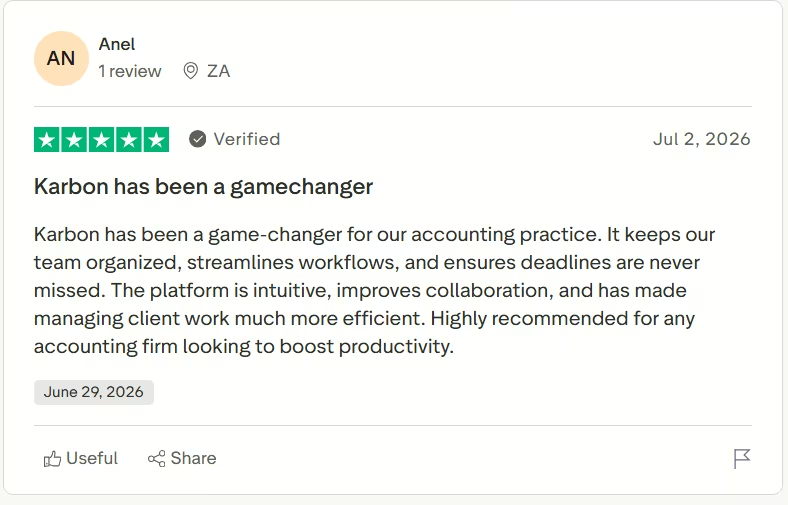
“The platform is intuitive, improves collaboration, and has made managing client work much more efficient.“ - Anel, Trustpilot
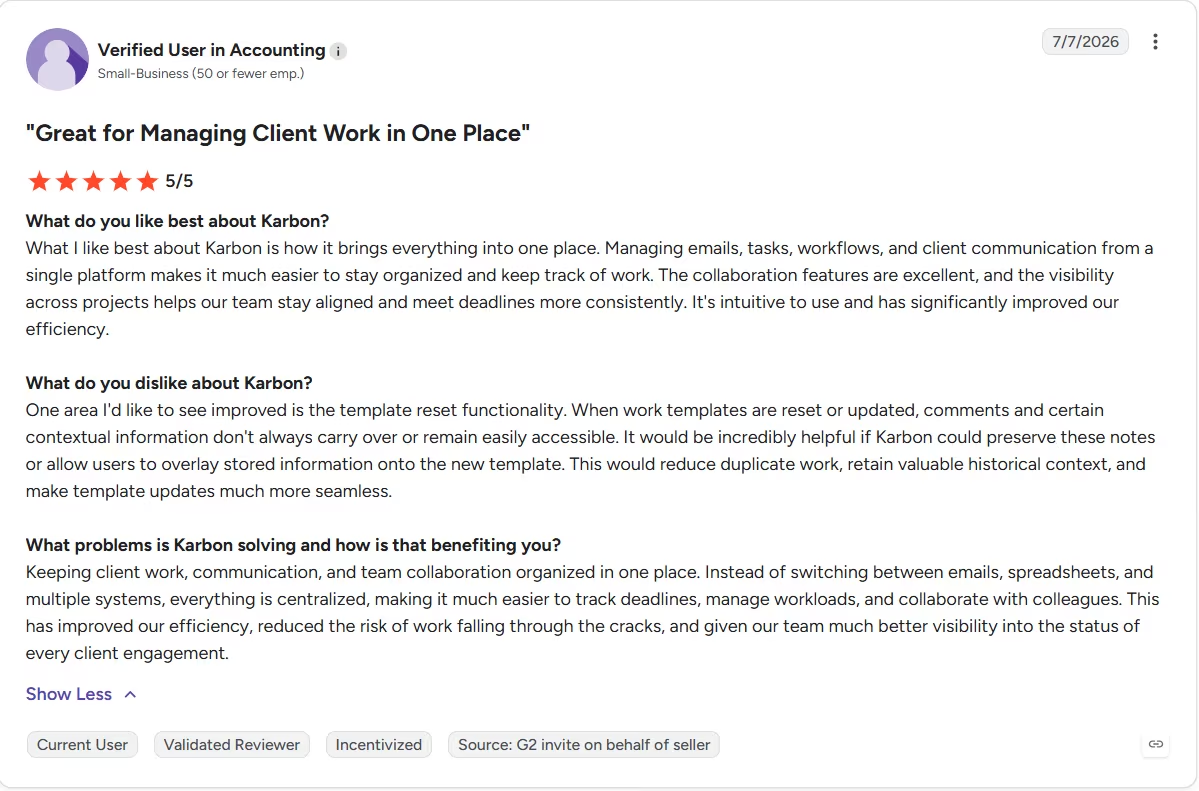
“One area I'd like to see improved is the template reset functionality. When work templates are reset or updated, comments and certain contextual information don't always carry over or remain easily accessible.” - Anonymous, G2
Pricing
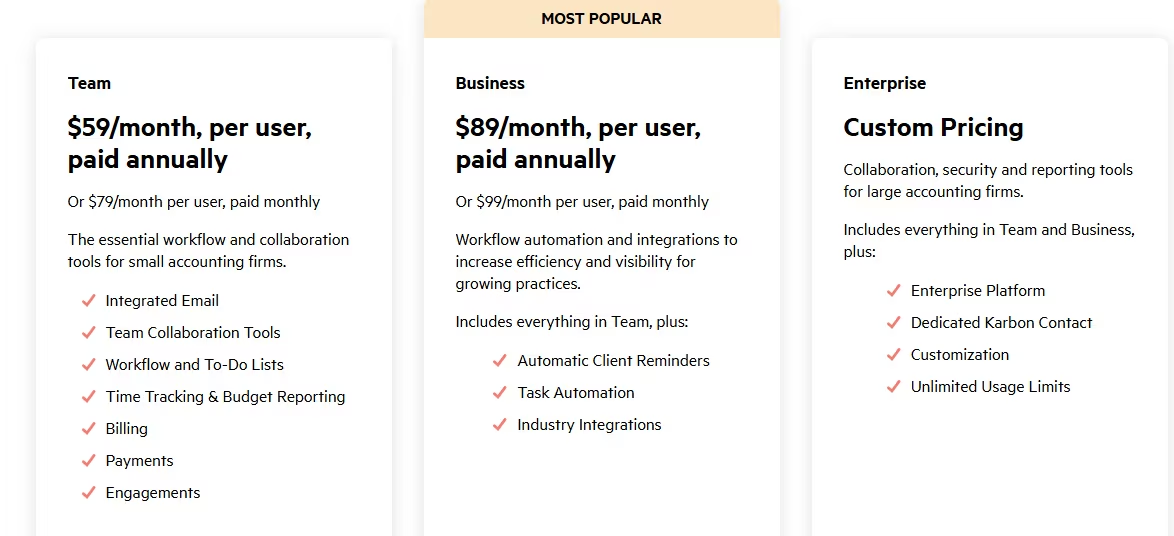
Team costs $79/month per user ($59/month per user, billed annually), and Business costs $99/month per user ($89/month per user, billed annually). Enterprise pricing is custom.
Bottom Line
Solo practitioners should skip Karbon unless their client workflow has already outgrown simpler tools. Its setup and per-user pricing make more sense for a firm that needs several staff members working from the same client record.
11. Digits: Best for Automated Day-to-Day Bookkeeping
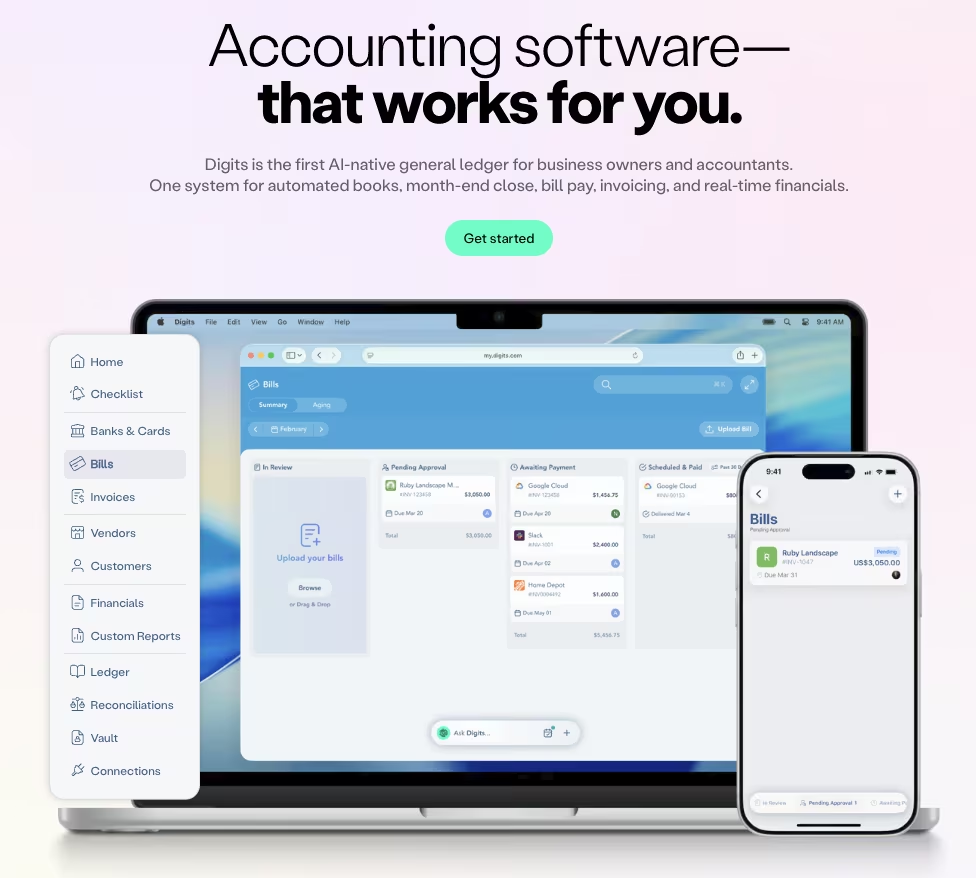
What it does: Digits is an AI-native general ledger that reads a live bank feed, auto-categorizes every transaction without hand-built bank rules, and lets you ask its built-in "Ask Digits" assistant plain-language questions about the resulting books.
Best for: Someone keeping their own books who wants day-to-day categorization handled straight off the bank feed, without setting up rule after rule first.
Digits skips the invoice batch entirely and works off the bank feed itself, so I tested it differently than the AP tools on this list. I connected a mock small-business checking account carrying two months of transaction history, 94 line items in total.
The feed included recurring SaaS charges, a payroll run, a handful of one-off vendor payments, and a few ambiguous transfers between accounts that would trip up a rules-based import.
Digits categorized 86 of the 94 without me touching a single rule, reading vendor names and transaction context the way a bank-feed rule engine can't.
The eight it flagged for review were mostly the ambiguous transfers, exactly the type of case worth a human second look before any automatic guess.
What separates Digits from a rules-based import is the Ask Digits layer sitting on top of the categorized books. I typed a plain-language question straight into it: "What did we spend on software subscriptions this month, and did any of them go up from last month?"
It answered in a few seconds with a specific dollar total and flagged one subscription that had jumped in price, pulling the comparison straight from the categorized transaction history itself, a detail a canned report template wouldn't surface.
That answer alone is why I'd trust Digits over a spreadsheet-based bookkeeping setup for a single-entity business that wants clean books without hiring someone to keep them.
Setting up department and location tracking, a feature marketed on the Core and Pro plans, meant re-tagging several already-categorized transactions by hand on the mock account, work a competing tool with more mature rule templates would have handled during initial setup, before it became rework.
A firm running one straightforward entity pays a minor tax here, for reporting that gets more granular later.
Key Features
- Ask Digits assistant: Answers plain-language questions about the categorized books without a manual export.
- Rule-free bank-feed categorization: Reads vendor context to categorize transactions without relying on hand-built bank rules.
Pros and Cons
Pros:
- Categorized the large majority of a messy mock bank feed without a single manual rule.
- Ask Digits answered a specific spending question with a dollar figure in a few seconds.
Cons:
- Ambiguous transfers still needed a manual review pass.
- Dimensional (department/location) tracking meant re-tagging transactions already categorized under the base setup.
What Users Say
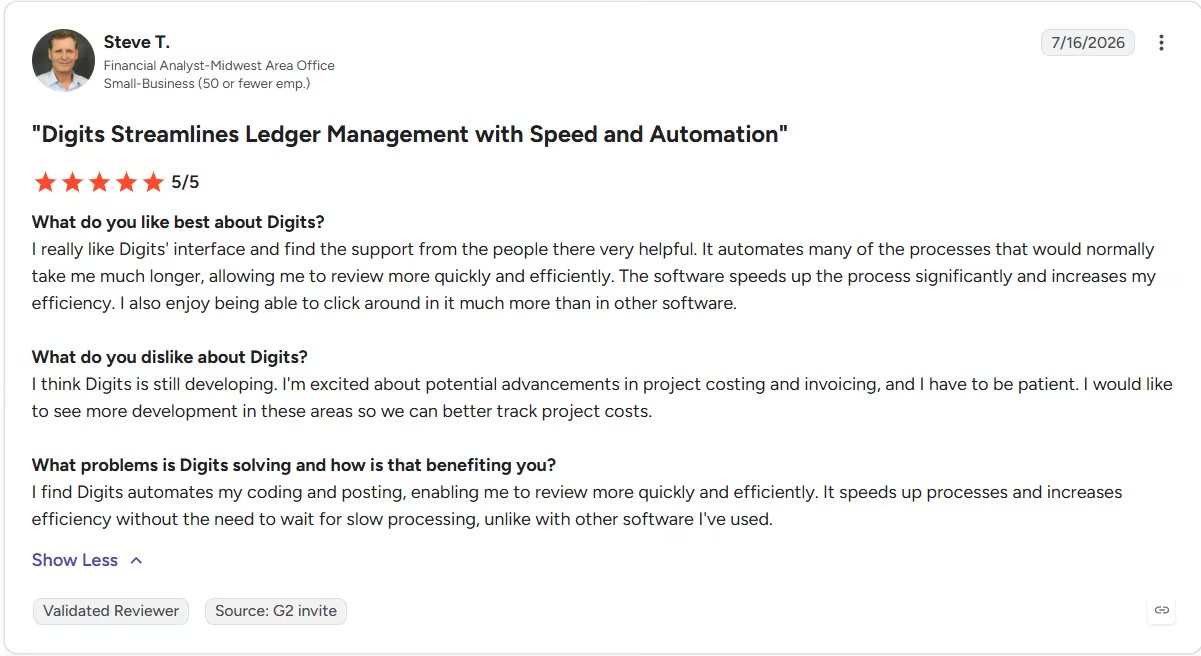
“It automates many of the processes that would normally take me much longer, allowing me to review more quickly and efficiently.” - Steve T., G2
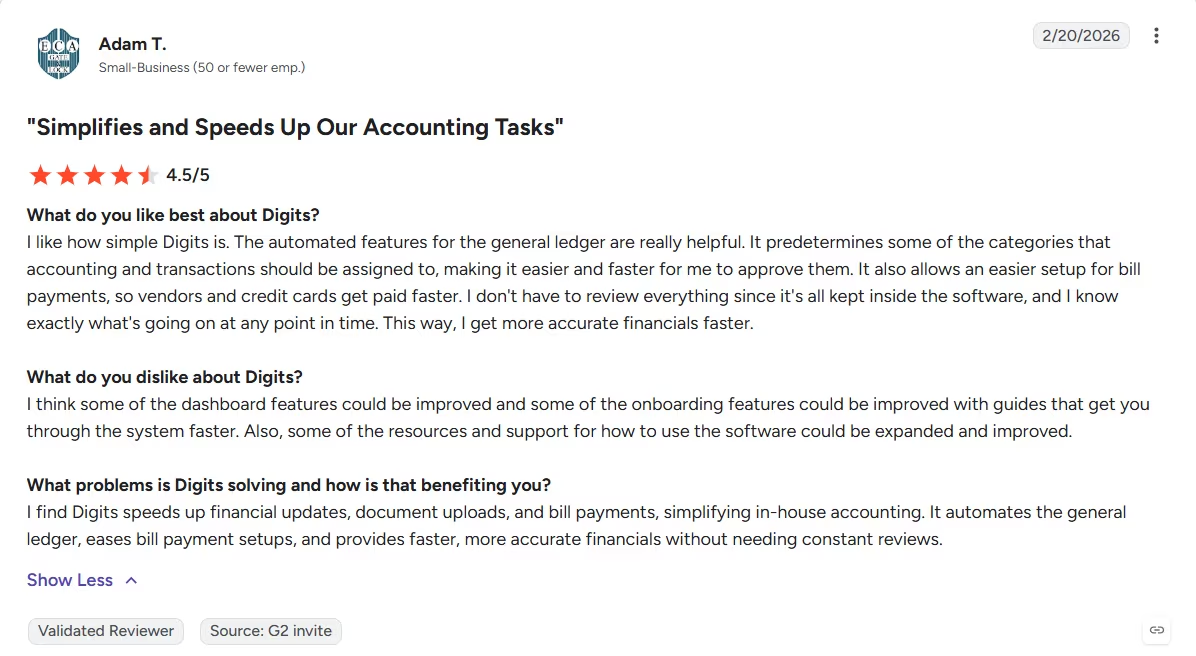
“I think some of the dashboard features could be improved and some of the onboarding features could be improved with guides that get you through the system faster. Also, some of the resources and support for how to use the software could be expanded and improved.” - Adam T., G2
Pricing
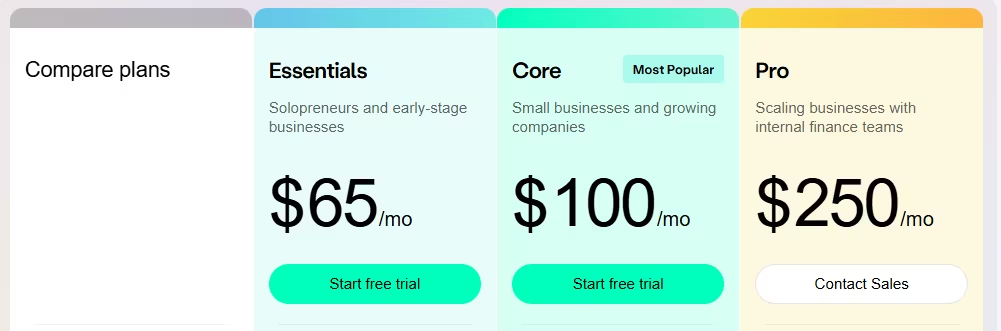
Essentials costs $65/month, Core costs $100/month, and Pro costs $250/month for a single business. Accounting firms pay a separate per-client rate instead, starting around $35/client/month for a solo practice.
Bottom Line
Multi-entity or department-heavy books need extra setup Digits cannot handle. So a firm past that complexity is better served by Docyt.
Short of that, Ask Digits answering a real spending question with an actual number and a direct month-over-month comparison is the most useful five seconds in this list outside the tools built for one narrow job.
12. Blue J: Best for Tax Research
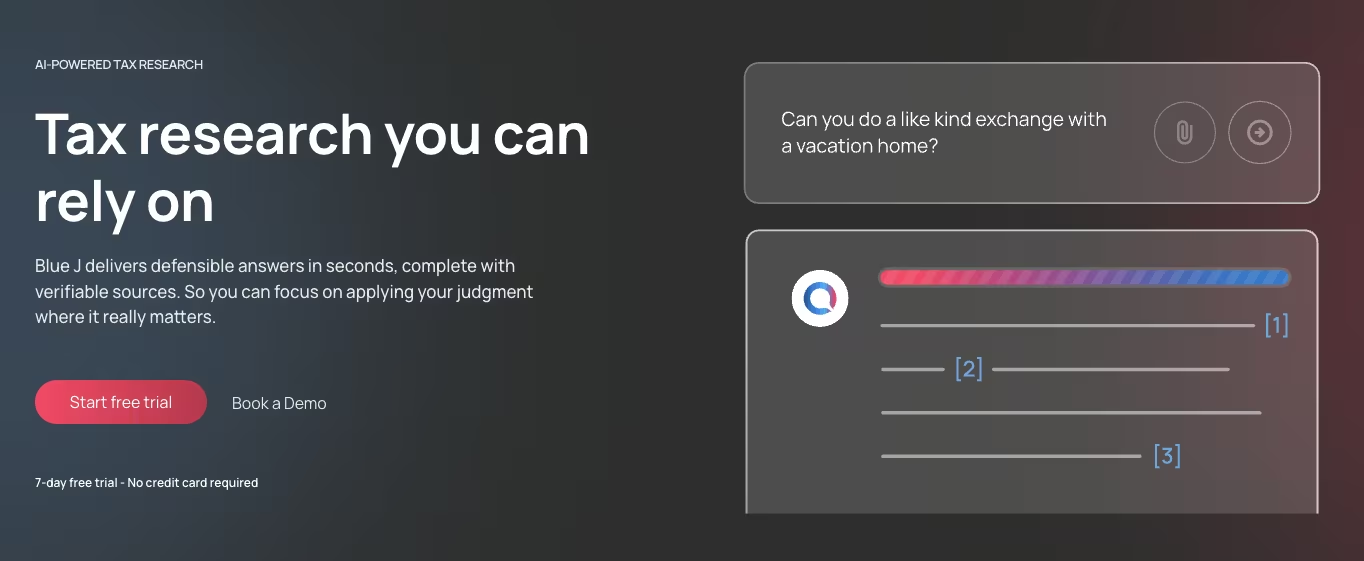
What it does: Blue J is an AI tax research platform that answers a tax question directly, in plain language, and backs the answer with citations to primary tax authority, so you're not left combing through a list of documents yourself.
Best for: A tax professional who wants a defensible answer to a specific scenario fast, without manually working through a research service's keyword search.
Blue J is built to answer a genuinely ambiguous tax question directly, skipping the stack of keyword-matched documents a search tool would hand back.
I tested that pitch directly: "Does a home office deduction still apply if the taxpayer works from that office three days a week and from a co-working space the other two?"
Blue J answered directly, framed around the exclusive-and-regular-use test, and cited three specific pieces of primary authority to support it, each one a genuine sourced reference.
I could click into each citation and land on the actual case or ruling text itself.
The scenario-modeling side went further than a single question. I adjusted one fact, changing the co-working days from two to four, and Blue J re-ran the analysis and flagged that the answer's confidence had shifted, without me having to reframe the whole question from scratch.
That type of reasoning across a changed fact pattern is exactly what a keyword search can't do. A keyword tool would re-run the same search terms and miss the shift.
Blue J is narrower than it first looks. It's built for research and positioning. Filing happens downstream in a separate tax-prep tool. Nothing about the platform prepares or files a return. It sits upstream of a tax-prep tool, feeding it the groundwork a filer still needs to finish.
$1,498 a year buys back real hours for a solo practitioner doing this kind of research every week. A firm that only hits ambiguous scenarios occasionally has a harder sell on their hands, easily beaten by picking up the phone and asking a colleague.
Key Features
- Cited, direct answers: Responds to a plain-language tax question with a direct answer and links to primary authority.
- Scenario modeling: Re-runs an analysis automatically when a single fact changes, skipping the fresh search from scratch a static tool would need.
Pros and Cons
Pros:
- Answered a genuinely ambiguous scenario with a direct answer and citable primary sources.
- Re-ran the analysis correctly after a single changed fact, without a fresh question.
Cons:
- Doesn't prepare or file anything, purely a research and positioning tool.
- The $1,498 annual cost is hard to justify without steady research volume to spread it across.
What Users Say
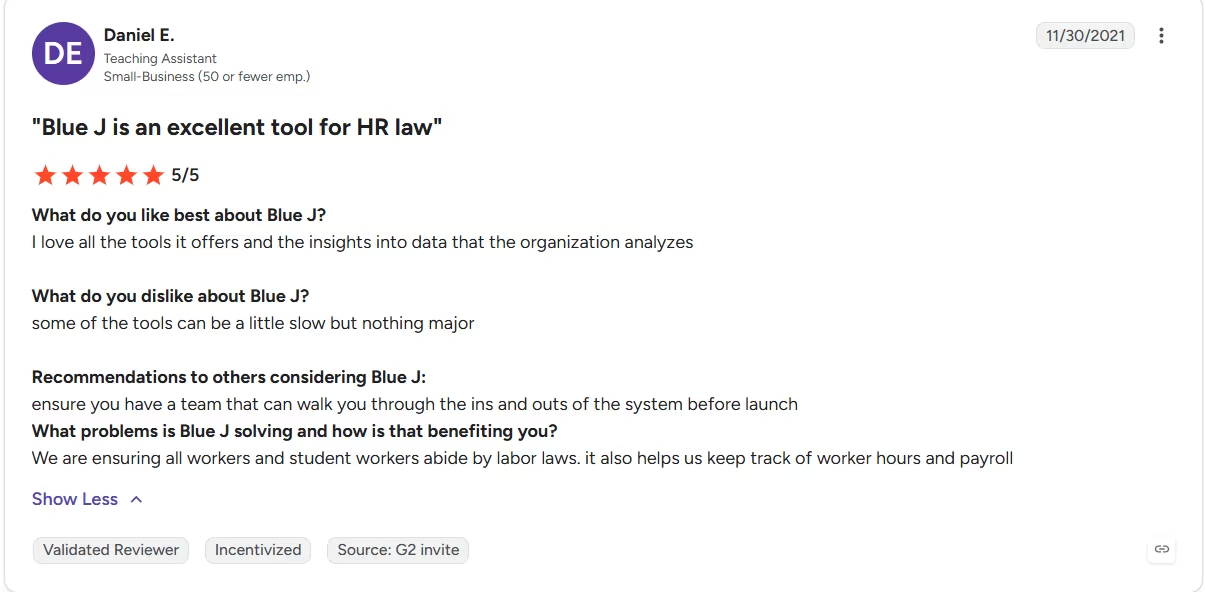
“I love all the tools it offers and the insights into data that the organization analyzes.“ - Daniel E., G2
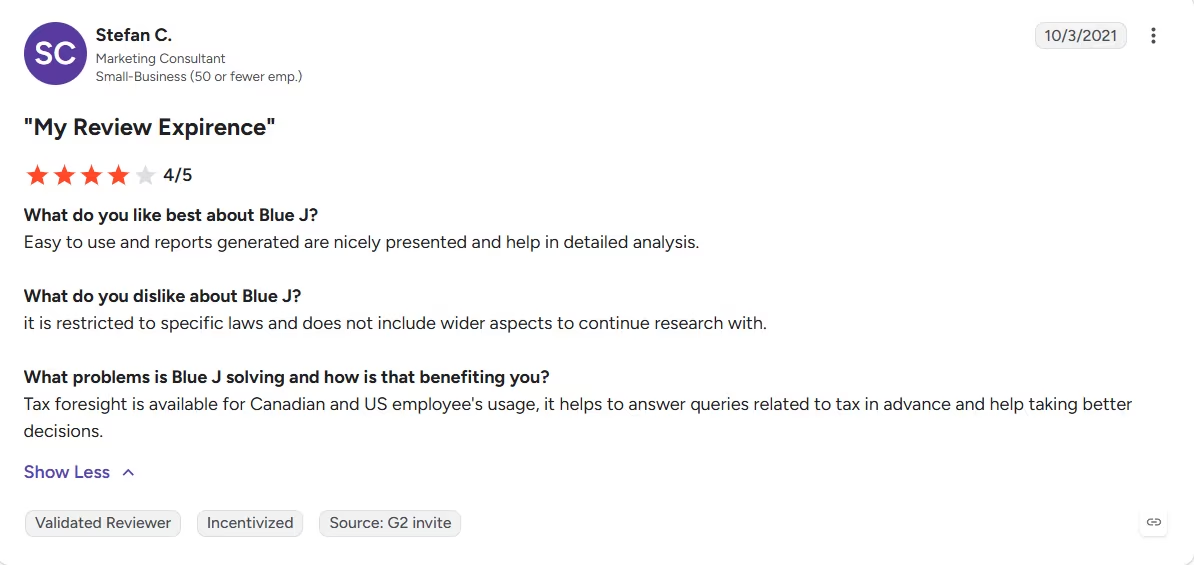
“It is restricted to specific laws and does not include wider aspects to continue research with.” - Stefan C., G2
Pricing
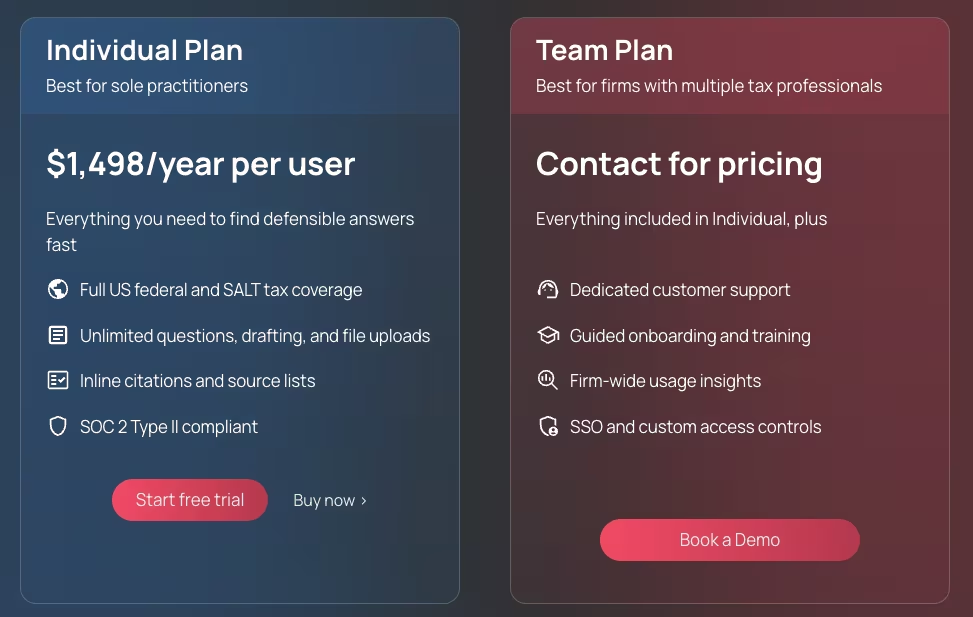
The Individual plan for sole practitioners costs $1,498 per year, billed annually. Team pricing for firms with multiple tax professionals is quote-based.
Bottom Line
Blue J pays for itself fastest for a solo practitioner who leans on that same research grind week after week. Anyone who runs into a scenario like this only once in a while will get more value from a quick call to a colleague than from the subscription.
13. Soraban: Best for Tax-Season Client Intake

What it does: Soraban automates the tax-season client intake grind. It sends a dynamic questionnaire, chases whatever documents are still missing through a branded portal, and pushes the collected data into the firm's tax software once it's complete.
Best for: A tax firm that loses real time every January chasing the same clients for the same missing documents through email and phone calls.
Soraban isn't prompt-driven, so I set it up the way a firm would, with a written intake spec standing in for a typed question: "Self-employed test client, Schedule C income, one mortgage-interest form on file, one 1099 still outstanding."
I fed that brief into a mock 1040 intake through Soraban's Collect flow.
The dynamic questionnaire adjusted its own follow-up questions based on the Schedule C answer, asking about home office square footage and business-use percentage that a static PDF checklist would never surface automatically.
It flagged the missing 1099 as an open item before I manually reviewed the file.
Once the missing document was flagged, Soraban sent an automated reminder through the client's branded portal link. No app download, no new password needed.
I let it run two reminder cycles over a 10-day mock timeline before manually uploading the missing 1099 myself.
The second reminder named the outstanding 1099, specific enough that a client skimming a phone notification stopped to read it.
Soraban doesn't publish pricing anywhere on its site. Every path, demo request or otherwise, requires talking to sales before you see a number, a genuine gap for a firm trying to budget tax-season staffing costs against a new tool ahead of signing on.
Soraban earns its keep at firms processing hundreds of returns, where document chasing eats real staff hours every January. A two-person shop with a handful of straightforward clients won't feel the same payoff.
Key Features
- Dynamic intake questionnaire: Adjusts follow-up questions based on earlier answers, so no two clients get the same static checklist.
- Automated document chasing: Sends portal-based reminders that name the specific outstanding item.
Pros and Cons
Pros:
- Dynamic questionnaire surfaced follow-up questions a static checklist would have missed.
- Reminder cycles named the specific missing document, sharper than a generic pending-items nudge.
Cons:
- A demo request is the only way to see pricing; there's no published rate card to check first.
- App-free portal is a plus for clients, but firm staff still need to manually close out anything the automation flags.
What Users Say
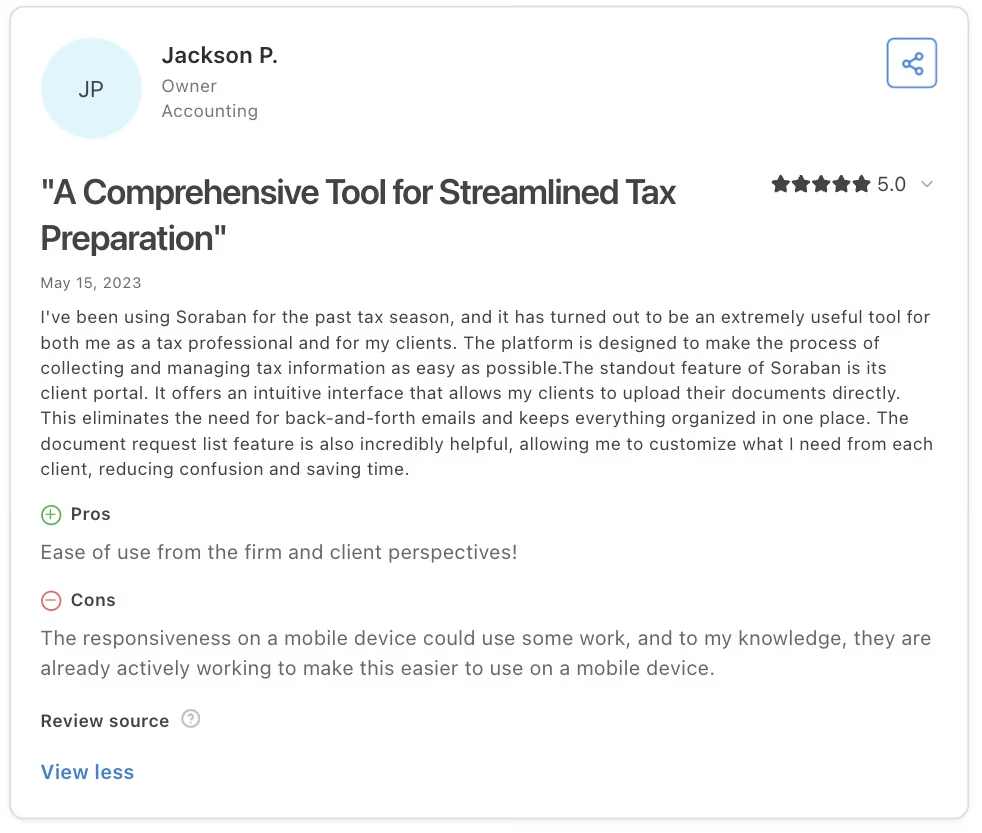
“I've been using Soraban for the past tax season, and it has turned out to be an extremely useful tool for both me as a tax professional and for my clients. The platform is designed to make the process of collecting and managing tax information as easy as possible.” - Jackson P., Capterra
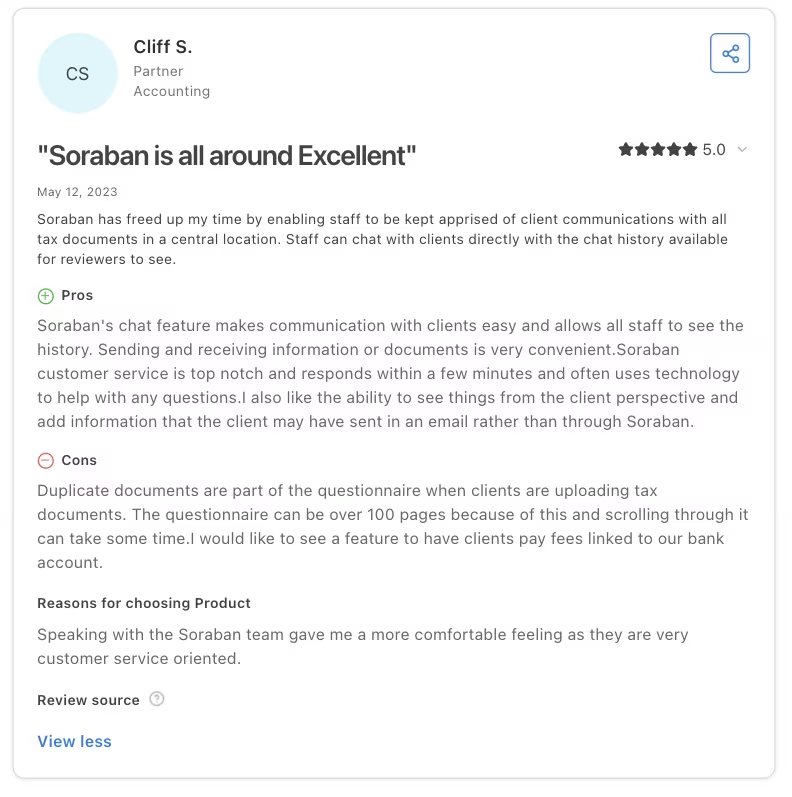
“Duplicate documents are part of the questionnaire when clients are uploading tax documents. The questionnaire can be over 100 pages because of this, and scrolling through it can take some time. I would like to see a feature to have clients pay fees linked to our bank account.” - Cliff S., Capterra
Pricing
Soraban doesn't publish pricing. Every path leads to a demo request. There's no plan list or per-return rate card.
Bottom Line
Two reminder cycles through a branded portal, with the second one naming the exact outstanding document, is a small detail that adds up across a full tax season of clients who ignore generic nudges.
The lack of public pricing makes it a harder sell for a firm that wants to compare costs before ever talking to sales.
Which AI Tool for Accountants Should You Choose?
Start with the job you need done, then pick the tool below that fits it.
Choose Vic.ai if you: Have a genuine AP bottleneck and already have a way to pay vendors.
Choose BILL if you: Want invoice capture and vendor payment handled together in a single system.
Choose Docyt if you: Manage bookkeeping across more than one entity.
Choose Lindy if you: Are drowning in client-chasing and scheduling, and don't need it to touch accounting work.
Choose QuickBooks if you: Have no bookkeeping background and want the easiest possible on-ramp into keeping your own books.
Choose Ramp if you: Need card-based spend coded and routed to the right budget owner automatically.
Choose Numeric if you: Want month-end close in days, with a drill-down to the exact transaction driving a variance.
Choose Anrok if you: Sell into multiple states or countries and need to track nexus exposure.
Choose MindBridge if you: Run audit or risk work and want full-population anomaly detection.
Choose Karbon if you: Manage client work across a team and need one shared view.
Choose Digits if you: Want day-to-day bookkeeping handled straight off a live bank feed, with plain-language answers about the numbers on demand.
Choose Blue J if you: Need a defensible, cited answer to an ambiguous tax research question fast.
Choose Soraban if you: Spend hours every tax season chasing the same clients for the same missing documents.
Skip this category entirely if: You want one tool to do all of it. None of these 13 covers AP, close, tax, audit, and admin at once, and none of them let you build the one-off tool your workflow actually needs.
How Emergent Helps Accountants Build the Tools Packaged AI Can't
That gap (a tool that doesn't exist yet, like a client-intake tracker shaped around your own workflow, or a dashboard pulling data from disconnected systems) is exactly what Emergent fills. Every tool above is built for a use case someone else already defined.
That's where Emergent fits differently. You can build a business app in plain language by describing what the tool should do and how the workflow should work.
Emergent's agents scope the build, put it together end to end, and run their own checks before it's ready to use. Connect it to the systems your firm already runs on through Emergent's MCP connector.
I gave it a brief none of those 13 could take: "Build me an internal tracker where our team logs each client engagement, uploads the signed documents tied to it, and flags any engagement missing a required file."

A client-intake tracker is a gap this category leaves open, a small piece of internal software distinct from a coded invoice or a closed reconciliation.
A working version, with a client list, document uploads, and a missing-file flag, was running in about 12 minutes, using 12 credits for that first pass.
The same client-record structure could also be used to build a CRM for engagement status, follow-ups, and document history.
Two follow-up prompts (moving the flag to the main dashboard view and adding a status filter) took another 10 minutes in total. That kind of session-to-session reshaping is exactly what a packaged AP or close tool can't offer, since those tools are built for one fixed job from day one.
Emergent is built for the bespoke internal tool none of those products were ever meant to build, separate from what any of the 13 tools above already do at their own job. It won't automate accounts payable the way Vic.ai does, for instance.
Final Verdict
Pick the AI tool by the specific task that's slowing your firm down. Ignore which one markets itself as "AI" the loudest. The strongest tools here caught the error I planted to trip them up. The rest sped up the busywork, which still counts.

Most AI app builders stop at prototypes. Emergent creates production-ready apps you can actually launch.
- Production-ready apps
- Web & mobile apps
- Deploy in minutes







