



Friday dinner rush is a bad time to discover that your “AI stack” still leaves the host answering calls, the manager rebuilding schedules, and the owner chasing invoices after closing time.
I compared eight AI tools for restaurants for this guide, pulled current pricing from each vendor’s own site, and ranked them by the restaurant job each one handles best. I also built a restaurant website and reservation workflow with Emergent, which took about 20 minutes and used 15 credits.
The result is one clear pick for eight restaurant jobs, from answering missed calls and planning labor to reducing food waste and building a custom workflow.
Why Restaurant AI Should Start With a Job, Not a Tool
AI earns its place in a restaurant when it fixes a named problem. Start with the missed phone call, bad labor forecast, slow invoice process, weak guest follow-up, or odd workflow you want to improve.
That approach lines up with the National Restaurant Association’s guidance: start by identifying the problem you want to fix and the result you expect.
Then check whether the tool connects with the systems your restaurant already uses, such as your point-of-sale (POS), payroll, and ordering software. You should also look at return on investment (ROI), security, and whether your staff will actually use it.
A 2026 National Restaurant Association report found that 26% of restaurant operators currently use AI tools or technologies, with adoption slightly higher among full-service restaurants at 28% than limited-service restaurants at 24%.
Among restaurants already using AI, marketing is the most common use at 63%, followed by administrative work at 38%, while scheduling, ordering, inventory, and reservations are also part of the mix.
This Reddit discussion gets closer to the day-to-day problems restaurant teams face. People brought up missed phone calls, checking live availability, POS connections, background noise, complicated order changes, and knowing when the AI should hand a customer over to a real person.
Those comments point to a simple buying question: does the AI complete the task, or does it leave your staff with more work?
That’s why I wouldn’t start with a general AI writing tool. Writing menu descriptions is useful, but it’s a smaller win. Turning a missed call into a confirmed reservation or using a sales forecast to plan tomorrow’s staffing has a much clearer impact on the restaurant.
Also read our best AI tools for small business guide for what else is worth trying when you're ready to tackle more than one named problem.
How I Researched and Compared These AI Tools for Restaurants
I compared the restaurant SaaS tools using current product pages, help documentation, integrations, official pricing, and recent user reviews. I also built a restaurant website and reservation workflow with Emergent, which took about 20 minutes and used 15 credits. I ranked each tool around one question: what restaurant job does it handle best?
I used five filters:
- Restaurant fit: I favored software designed around restaurant calls, staffing, purchasing, reservations, or restaurant-specific workflows rather than generic AI features.
- Job completion: I looked for AI that acts on restaurant work, such as booking a table, generating a sales forecast, or processing an invoice, instead of stopping at a suggestion.
- Integration path: Restaurant software becomes far less useful when managers have to move the same information between systems by hand. POS, reservation, payroll, and accounting connections therefore carried weight.
- Pricing clarity: I used current official vendor pricing pages for prices. Where a vendor doesn’t publish exact pricing, I’ve marked it as custom rather than filling the gap with third-party estimates.
- User feedback: I checked recent G2 reviews and first-party customer stories where a current G2 review wasn’t available.
8 Best AI Tools for Restaurants Quick Comparison
The shortest buying guide is this:
1. Slang AI for Phone Answering and Reservations
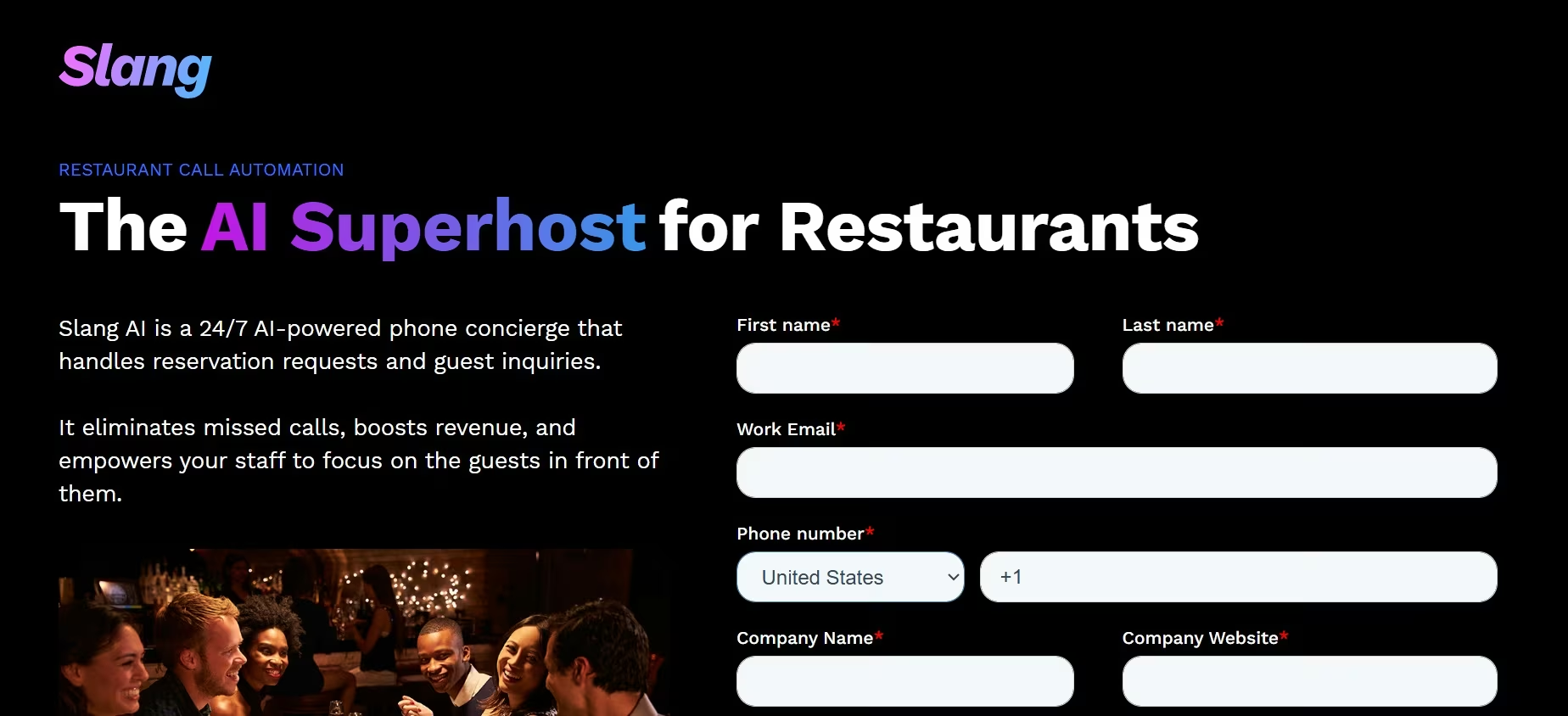
Slang AI is my first pick when the problem starts with a ringing phone. Its Core plan is built around answering restaurant calls, completing reservation flows around the clock, texting guests, recording and summarizing calls, and connecting reservations to platforms including OpenTable, SevenRooms, Yelp, and Fishbowl.
That restaurant focus is what separates it from a general voice bot. A caller can ask about availability, make a reservation, get a confirmation by text, or have a special request logged.
Frequent diners and VIP guests can also be routed directly to staff instead of staying inside the AI flow.
Best for: Full-service restaurants and groups where missed calls translate into missed reservations, repetitive guest questions, or extra host-stand work.
Key Features
The features I’d pay attention to are:
- Reservation completion: Slang AI connects with restaurant reservation systems so a call can become a booking instead of a note for someone to handle later.
- Call context: Recordings, summaries, and reservation insights give managers a record of what guests asked for and how calls were handled.
- Human routing: VIP handling and escalation give restaurants a way to keep staff available for calls where a person is still the better answer.
Premium adds cross-selling between sister restaurants, real-time alerts, AI-powered texting, bilingual support, multi-location insights, and Smart Inbox prioritization. Enterprise adds custom workflows, custom integrations, reporting, access controls, and service-level support.
Pros and Cons
Pros:
- Purpose-built around restaurant phone and reservation workflows.
- Integrates with several major reservation platforms.
- Handles common guest questions and reservation requests outside opening hours.
- Includes a path back to restaurant staff when the call needs human attention.
Cons:
- The starting price is high for a small restaurant with low call volume.
- It is primarily a phone and reservation solution, so it won’t replace labor, inventory, or accounting software.
- Unusual conversations can still expose the limits of automated voice handling.
What Users Say
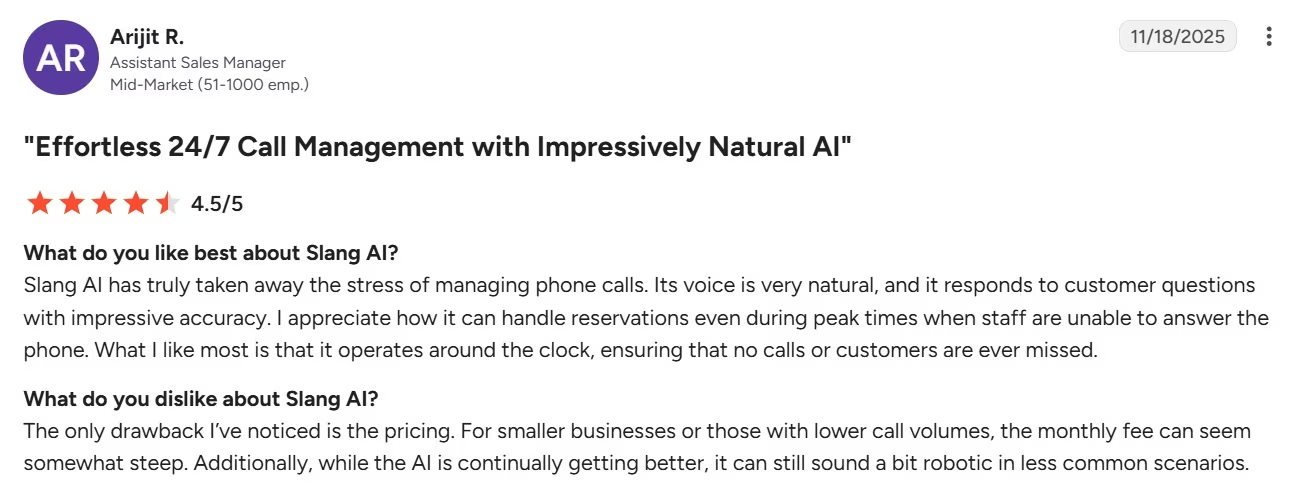
Arijit R., on G2, praised the natural-sounding voice and said calls could be handled without constant intervention. When asked what he disliked about the product, he warned that the “monthly fee can seem somewhat steep” for smaller businesses and said less common scenarios can sound robotic.
For me, the price question comes down to call volume. If missed calls regularly turn into missed reservations, the subscription is easier to justify. If the phone barely rings, it’s harder to make the numbers work.
Pricing
Core starts at $399/month/location, Premium starts at $599/month/location (39/month/location billed annually), and Enterprise uses custom pricing.
Bottom Line
I’d put Slang AI first for a restaurant that can clearly see bookings disappearing into voicemail or staff losing time to repetitive calls. If your bigger problem is scheduling, food cost, or guest marketing after the reservation is made, spend the budget there instead.
2. 7shifts for Labor Forecasting and Scheduling
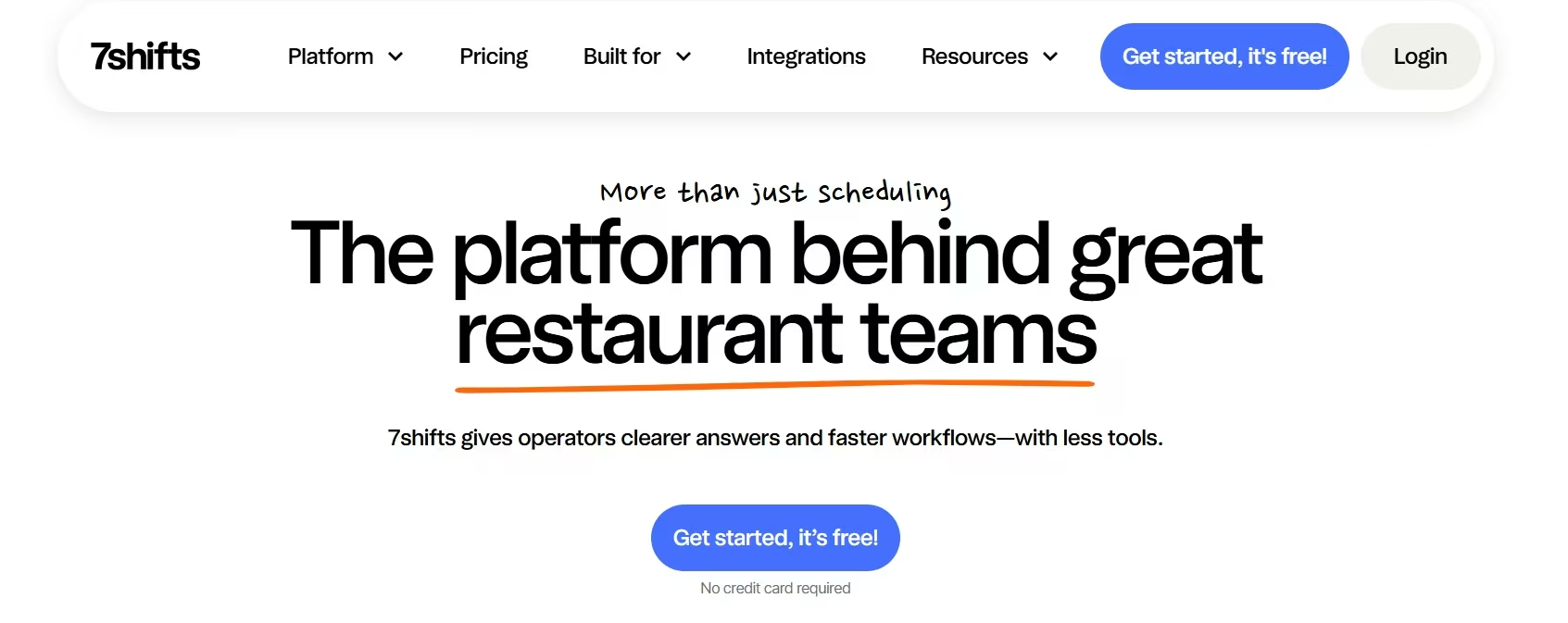
If labor is where your restaurant is feeling the squeeze, 7shifts is one of the first tools I’d look at. It brings scheduling, sales forecasts, labor budgets, time tracking, and team communication into the same system, so you can use expected sales to make better staffing decisions instead of building the schedule on guesswork.
The forecasting is what stands out to me. 7shifts says its POS-connected forecasts are about 95% accurate, and its most recent data audit found an average daily forecast error rate of 5.51%.
There is one catch I’d keep in mind if your restaurant is new. 7shifts needs sales history before its forecasts become useful. You’ll usually start seeing projections after the first couple of weeks, and they should improve as the system gets more of your restaurant’s data.
I also wouldn’t treat those forecasts as something you can follow blindly. Bad weather, a local event, an unexpected sales spike, or a holiday that falls on a different date can throw the numbers off. In those cases, you’ll still want a manager to look at what’s happening and adjust the forecast before building the schedule around it.
Best for: Restaurants that want staffing decisions tied to expected sales rather than managers rebuilding projections in a spreadsheet.
Key Features
The strongest restaurant outcomes are:
- Sales-led scheduling: POS data feeds projected sales into the labor budget, helping managers compare planned staffing with labor targets while they build the schedule.
- Forecasts that learn: The model adds more historical patterns over time, including longer seasonal and year-over-year signals as enough data becomes available.
- One workforce system: Scheduling, team communication, time clocking, labor controls, and reporting sit around the same labor workflow instead of creating another standalone AI dashboard.
Pros and Cons
Pros:
- Built specifically for restaurant workforce management.
- Free Comp plan gives a single location with up to 15 employees a low-risk starting point.
- Sales projections feed directly into labor planning.
- Supports sales syncing with a long list of restaurant POS systems, including Toast, Square, Clover, TouchBistro, and several Lightspeed products.
Cons:
- Forecast quality depends on clean historical sales data and improves over time.
- Moving holidays and unusual events can require manual corrections.
- The lower-priced plans don’t contain every labor and operations feature available in Premium.
What Users Say
Recent G2 feedback is positive about scheduling and communication, with reviewers frequently pointing to ease of use and shift management.
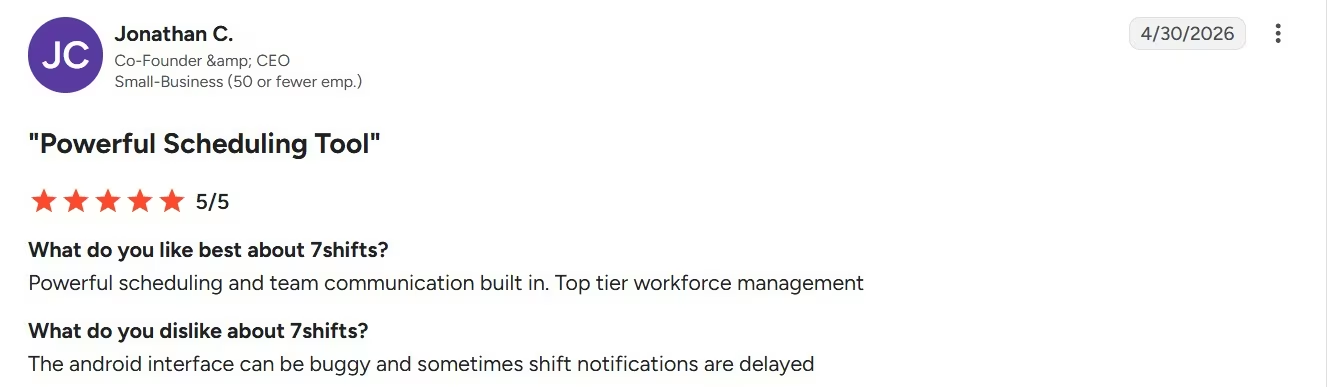
Jonathan C. flagged a more practical annoyance: “The Android interface can be buggy,” and shift notifications can arrive late.
I’d push on this during a trial. A scheduling system only helps if managers and hourly staff can trust the shifts and alerts they see on their phones.
Pricing
Comp is free. Essentials costs $44.99/month/location ($39.99/month billed annually), Pro costs $89.99/month/location ($79.99/month billed annually), and Premium costs $149.99/month/location ($134.99/month billed annually). Enterprise and franchise pricing is custom.
Bottom Line
Choose 7shifts when the manager’s recurring question is “How many people should I schedule for the sales we expect?” The AI sits close enough to that decision to be useful, and the free plan gives smaller restaurants a practical way to see whether the wider workforce system fits before paying.
3. MarginEdge for Food Cost, Invoices, and Forecasting

MarginEdge is the tool I'd look at when the back-office work keeps piling up: invoices, purchasing, inventory, recipe costs, bill payments, and accounting. It brings those jobs into one system instead of making you piece together several separate tools.
What stands out to me is that the main restaurant features come under one flat subscription. You’re not paying for one plan to handle invoices, another to track food costs, and another to help with forecasting.
The forecasting feature is where it gets more useful for day-to-day planning. Once MarginEdge has at least 28 days of sales data, it can start building sales forecasts using up to three years of history. It also looks at patterns such as seasonality, holidays, and weather, refreshes the forecast each day, and can project sales up to 90 days ahead.
MarginEdge reports that its forecasts land within about 15% of actual sales on average. I wouldn’t treat that number as something you follow without question, but it gives you a useful starting point for planning what comes next.
The real value is what you can do with that forecast. If you have a better idea of what sales might look like next week, you can make more informed calls on staffing, how much food to prep, what to order, and where your budget needs to go.
Because MarginEdge also connects your invoice and point-of-sale (POS) data, you can see the costs behind those decisions instead of looking at the sales forecast on its own.
Best for: Restaurant owners and operators who spend too much time processing invoices or who can’t see food-cost changes quickly enough to act on them.
Key Features
The useful parts connect money to restaurant operations:
- Invoice processing: Staff can upload invoices instead of retyping every line, while managers get product price tracking and purchasing data.
- Food-cost visibility: Recipe costing, inventory, ordering, budgets, and sales reporting help show where ingredient and menu costs are moving.
- Forward planning: The 90-day sales forecast gives restaurants a common number to use when thinking about prep, purchasing, labor, and upcoming periods.
Pros and Cons
Pros:
- Restaurant-specific back-office system rather than a generic accounting add-on.
- Flat subscription includes invoice processing, inventory, ordering, recipe costing, bill pay for U.S. restaurants, and sales reporting.
- AI forecasts connect directly to the sales history already flowing through the system.
- No traditional setup fee, although onboarding packages are available.
Cons:
- It costs more than a single-purpose invoice or forecasting tool.
- Restaurant terminology and costing structures take time to learn.
- Toast customers need a separate $50/month/location Toast Restaurant Management Suite subscription to use Toast API integrations with MarginEdge.
What Users Say
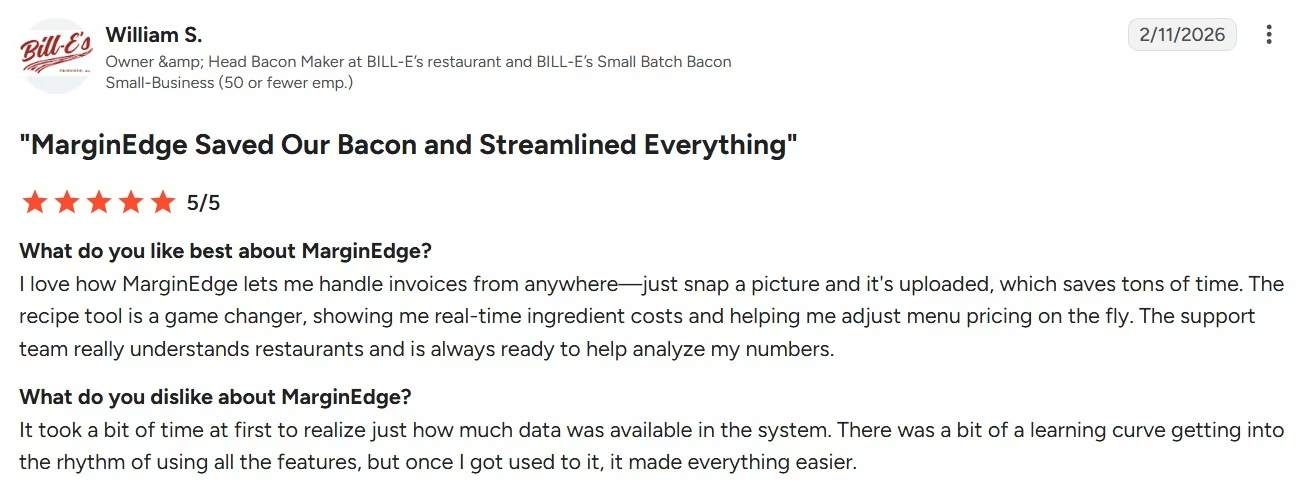
William S., on G2, highlighted the invoice workflow: “just snap a picture and it’s uploaded.” The same review also points to the learning curve, especially understanding MarginEdge terminology and how products are broken down for costing.
I’d expect a learning curve here because MarginEdge gives you more financial detail than a lightweight invoice app. The setup makes more sense when you’re actually using that detail to guide purchasing and food-cost decisions.
Pricing
MarginEdge costs $350/month/location. MarginEdge + Freepour costs $500/month/location, while large groups can arrange bespoke pricing and onboarding packages.
Bottom Line
I’d choose MarginEdge ahead of a generic AI assistant when the owner still doesn’t know yesterday’s food cost without opening several systems or waiting for someone to reconcile invoices. It is a bigger operational commitment than Slang AI or 7shifts, but it also reaches further into the restaurant’s back office.
4. SevenRooms for Guest Relationships and Front-of-House AI

SevenRooms combines reservations with CRM, which means software for storing and acting on guest information.
It also includes table management, reputation tools, marketing, and Voice AI. That makes SevenRooms one of the broadest guest-facing platforms on this list.
Its AI work is spread across the guest experience rather than packed into one assistant. SevenRooms can summarize guest feedback, help draft replies to messages and reviews, organize CRM notes, recommend table assignments, and handle phone inquiries and reservations through Voice AI.
The table-management piece is especially restaurant-specific. Its seating algorithm evaluates more than 10,000 table combinations per second to help assign tables, manage turns, and keep the floor moving.
Best for: Full-service restaurants and groups that care about what happens before, during, and after a guest’s reservation.
Key Features
The main advantage is shared guest context:
- Reservations plus guest profiles: Booking behavior, preferences, notes, and other guest context can stay attached to the relationship instead of living in separate tools.
- AI-supported front-of-house work: Table assignments, feedback summaries, review responses, and guest communications reduce several smaller admin jobs around service.
- A wider restaurant stack: SevenRooms supports more than 100 integrations and flexible APIs across restaurant technology categories.
Pros and Cons
Pros:
- Goes deeper into guest relationships than a standalone reservation app.
- Combines table management, reservations, reputation management, CRM, and restaurant AI features.
- Useful for multi-location groups that want guest information available across venues.
- Voice AI adds phone answering without forcing restaurants into a separate guest database.
Cons:
- Public dollar pricing is unavailable, so budget comparison requires a sales call.
- A restaurant that only needs reservations could end up buying more system than it needs.
- The breadth of features creates a learning curve for smaller teams.
What Users Say
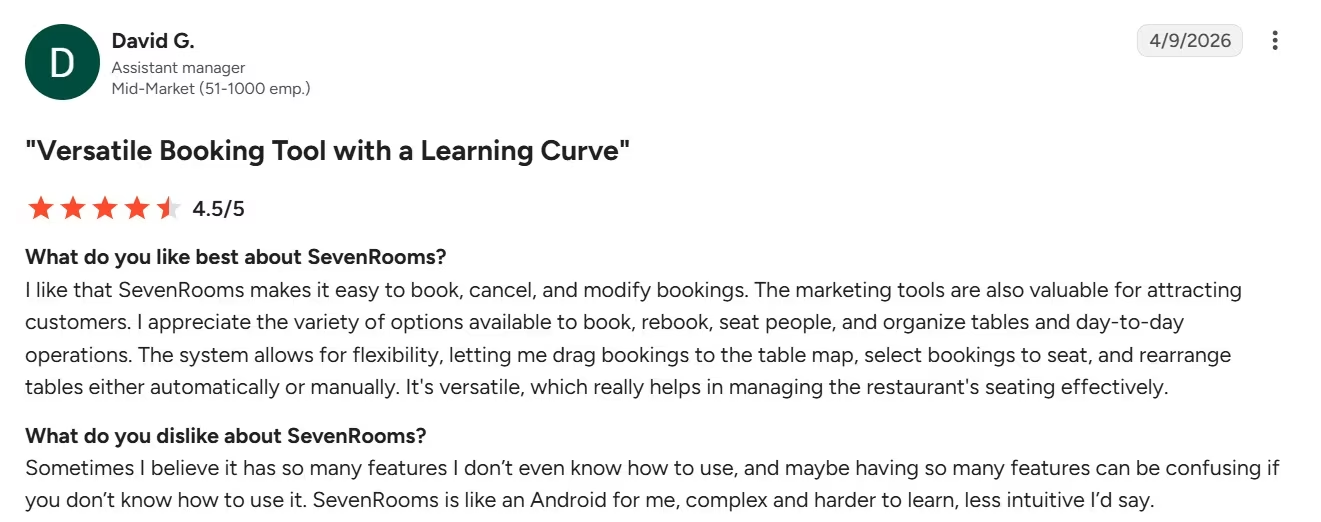
On G2, David G. liked that SevenRooms makes it “easy to book, cancel, and modify bookings.” The same reviewer’s complaint captures the tradeoff: the platform has so many features that knowing how to use all of them can become confusing.
This is the main reason I keep SevenRooms below the more focused tools. Its wider feature set makes more sense once your guest operation is complex enough to use it.
Pricing
SevenRooms uses custom venue pricing for its flat-fee subscription. Exact monthly and annual plan amounts aren’t publicly available.
Bottom Line
Choose SevenRooms when reservations are only the beginning of the job. If you want the same system helping the host seat tables, building guest profiles, reading feedback, supporting marketing, and handling calls, its wider front-of-house model makes more sense.
Also read our best restaurant website builders guide for what else is worth trying to complete the front-of-house digital stack.
5. Emergent for Custom Restaurant Apps and Workflows
Emergent belongs in this list for a different reason. Instead of selling one predefined restaurant operation, it lets you describe a web or mobile app and have AI agents build the interface, logic, data layer, and working application around the workflow.
Emergent also offers a dedicated restaurant app builder preconfigured for menu display, table reservations, order management, and ordering workflows.
Emergent also supports connections to outside systems through an application programming interface (API), which is a structured way for software products to exchange data.
I wouldn’t use that flexibility as an excuse to rebuild software your restaurant already has. Emergent makes more sense for the strange workflow sitting between your standard tools, such as a private-event inquiry tracker, an opening checklist app, a prep-variance dashboard, or a delivery-issue tracker built around your own process.
And because these are custom builds, restaurant owners should treat anything involving payments, sensitive customer information, staff permissions, or a business-critical production workflow as software that needs careful testing and appropriate human review before launch.
My Brims & Stone Build
Prompt I used:
Build a mobile-friendly website and reservation app for a fictional neighborhood restaurant called Brims & Stone. Give it a warm, modern design with a homepage, menu, hours and location, and a reservation request form.
The reservation form should collect the guest's name, email, phone number, date, time, party size, and optional notes. Save submitted reservations to a simple admin dashboard where staff can view each request and mark it as New, Confirmed, or Declined.
If someone selects a party size of 9 or more, show a message telling them that large parties require a private dining inquiry instead of a standard reservation.
Use realistic sample menu items and fake restaurant information. Don't add payments or external APIs. Make sure the navigation, reservation form, admin dashboard, and status controls all work.
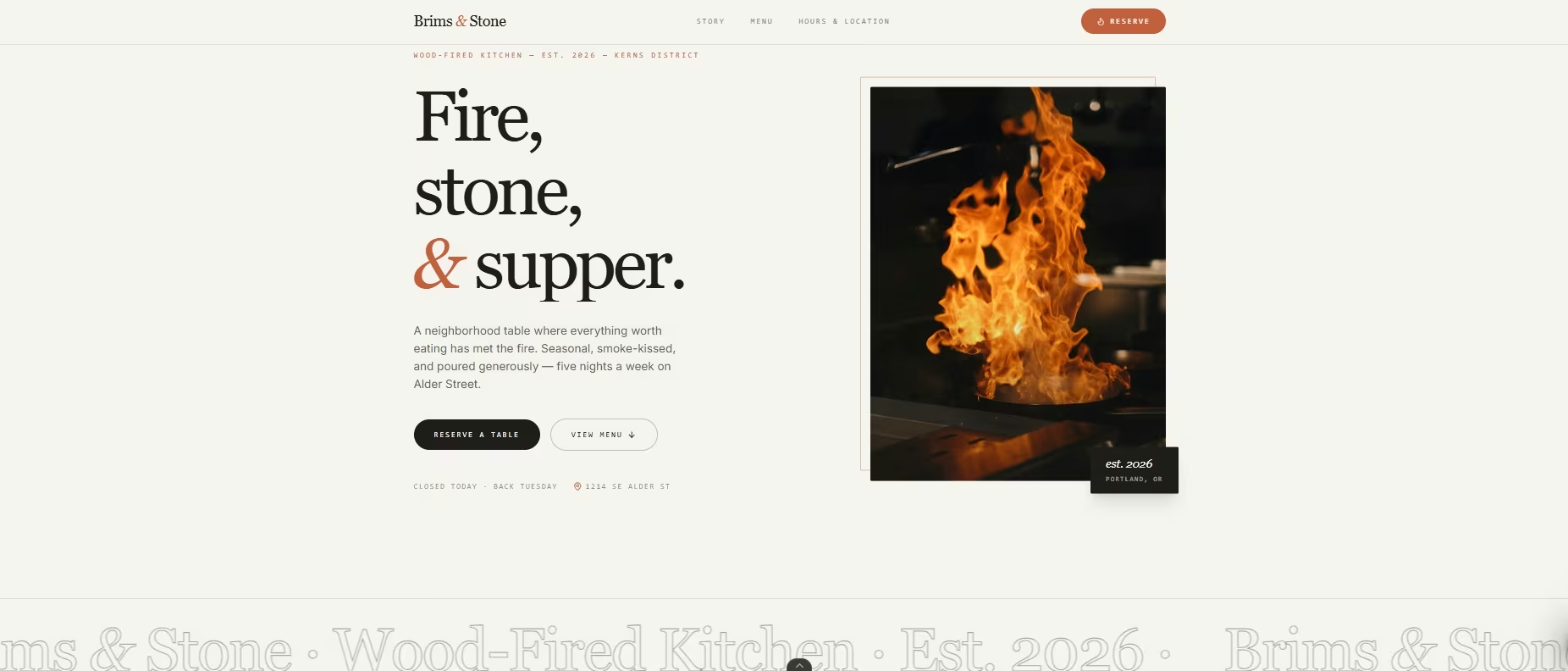
I also built a small restaurant website in Emergent to see how its restaurant workflow handled a real prompt. I asked it to create a mobile-friendly site and reservation app for a fictional neighborhood restaurant called Brims & Stone, with a menu, hours and location, reservation form, and staff dashboard.
Before building, Emergent asked four useful setup questions about admin access, the design style, reservation rules, and how much content I wanted on the homepage. I chose a shared-password admin login, a warm rustic-modern design, validation for past dates and opening hours, and a simple hero-and-highlights homepage.
Emmy also appeared at the start and offered help if I needed it.
The full process took me about 20 minutes and used 15 credits. The finished homepage came out close to the direction I gave it, with cream and charcoal tones, burnt-orange accents, serif headings, restaurant navigation, and clear reservation buttons.
The first pass wasn’t completely smooth. I couldn’t see the preview when the initial build finished, so I had to tell Emergent that the preview wasn’t appearing. After that second pass, I was able to see the Brims & Stone site.
That’s the part I’d keep in mind if you’re using Emergent for a quick restaurant build: the initial design can come together quickly, but you may still need another prompt when something in the build or preview doesn’t behave as expected.
Best for: Restaurants, hospitality groups, and operators with a repeatable workflow that existing restaurant software handles poorly.
Key Features
Its value comes from changing the software around the workflow:
- Prompt-based app building: You can describe screens, roles, actions, and business rules in plain language rather than starting from an empty code project.
- Web and mobile apps: Standard includes web and mobile app building, private project hosting, 100 monthly credits, GitHub integration, and fork tasks.
- More control on Pro: Pro adds a one-million-token context window, Ultra Thinking, system-prompt editing, custom AI agents, higher-performance computing, 750 monthly credits, and priority support.
Pros and Cons
Pros:
- Lets you shape software around a restaurant-specific process instead of changing the process to fit a template.
- Official restaurant tooling covers menus, reservations, orders, and kitchen-ticket workflows.
- Free plan lets you explore a small build before buying a subscription.
- GitHub integration on Standard gives you another path for working with the project code.
Cons:
- It isn’t a restaurant operations suite with years of prebuilt POS, labor, or guest-management workflows behind it.
- Credit usage adds another cost variable to a custom build.
- A custom restaurant app still needs planning, testing, and ongoing ownership after the first version works.
What Users Say
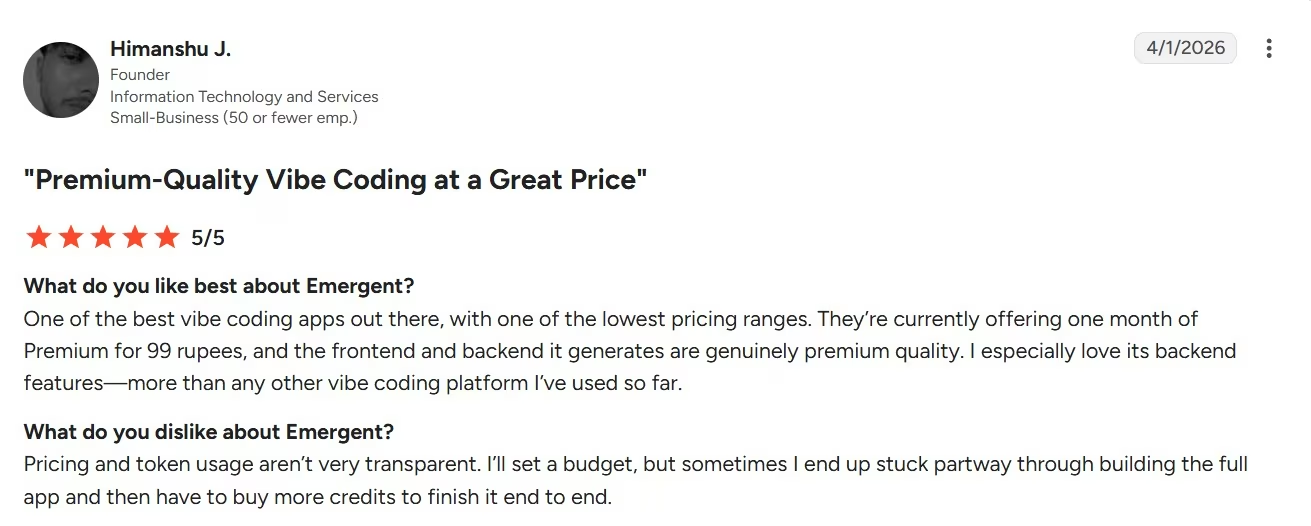
On G2, Himanshu J., Founder, liked the quality of the apps Emergent generated and was especially positive about its backend capabilities. His main frustration was cost visibility: he said pricing and token usage could be unclear, which sometimes left him needing to buy more credits before he could finish a build.
I think the credit concern is fair. Emergent’s cost can change depending on how much you build and how many revisions you make. I’d define the first version clearly and keep an eye on your credit balance before adding more features.
Pricing
Free costs $0/month and includes 10 monthly credits. Standard costs $20/month ($17/month billed annually) with 100 credits; Pro costs $200/month ($167/month billed annually) with 750 credits.
Bottom Line
I still rank Emergent fifth because most restaurants should buy proven restaurant software for standard jobs first.
But my Brims & Stone build showed why it belongs here: I could turn a specific restaurant workflow into a working custom site and reservation experience in about 20 minutes, although the missing first preview also showed that you should expect to review the build and sometimes give it another prompt before relying on the result.
6. Restaurant365 for Multi-Location Back-Office Management
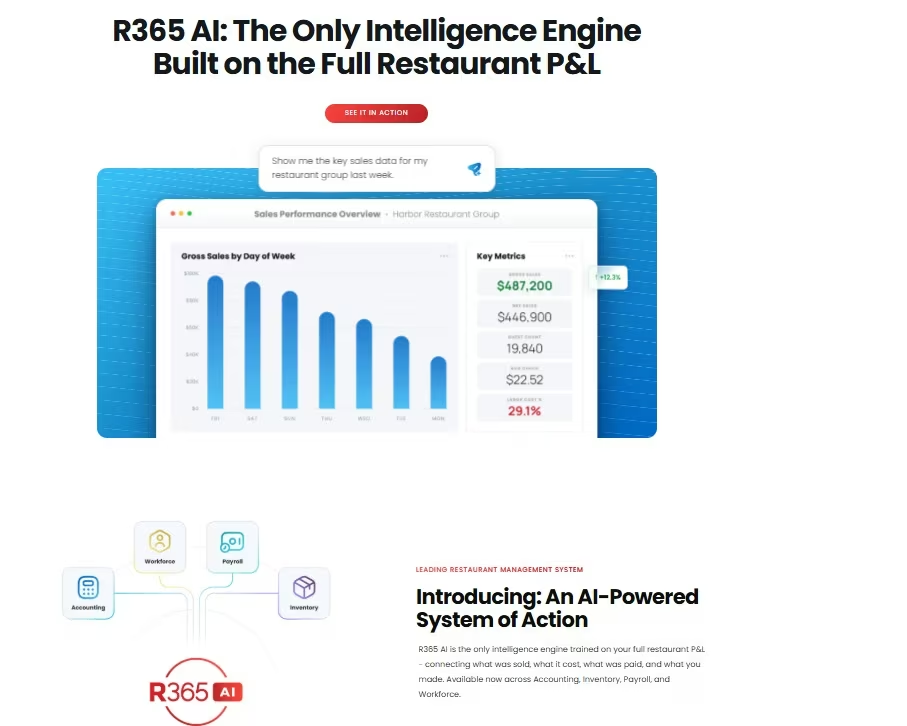
Restaurant365 is the tool I'd move up the list when you're managing enough restaurant operations that separate accounting, inventory, scheduling, and payroll systems are creating more work than they're saving.
It brings those areas together, which is especially useful once you're overseeing several locations instead of one restaurant.
Its AI tools have also become much more practical in 2026. Restaurant365's AI Dashboards can generate dashboards from a prompt, summarize what's happening in the numbers, and answer questions about the data you're looking at.
In May 2026, it also added AI-powered labor insights for patterns such as scheduled versus actual hours, overtime, labor compared with guest counts, and turnover trends.
For my picks, I'd put Restaurant365 in a different category from MarginEdge. MarginEdge is my more focused choice for invoices, food costs, and purchasing.
Restaurant365 makes more sense when you want a much wider operating system connecting finance, inventory, workforce management, and payroll across the business. Its current pricing page describes those four areas as the core pieces of the platform.
Best for: Multi-location restaurants and growing groups that want financial, inventory, labor, and payroll data connected in one restaurant platform.
Key Features
The biggest advantage is how much restaurant data sits together:
- AI Dashboards: You can ask AI to generate dashboards and visualizations from restaurant data, get written summaries of dashboard results, and ask questions about what the numbers mean.
- Connected back office: Accounting, inventory and purchasing, workforce management, and payroll can sit inside the same platform instead of being split between several systems.
- Restaurant-specific labor insights: Its 2026 AI updates can surface longer-term patterns around labor, scheduling, overtime, and turnover.
Pros and Cons
Pros:
- Covers a much wider part of restaurant operations than a single-purpose AI tool.
- Connects accounting, inventory, purchasing, workforce management, and payroll.
- AI Dashboards let you ask questions about existing restaurant data instead of building every report manually.
- Better suited to multi-location operations than most tools in this list.
Cons:
- It's a larger system to implement than a focused tool such as Slang AI or 7shifts.
- Restaurant365 doesn't publish dollar pricing, so you need a sales conversation before you can compare costs.
- You may be paying for more platform than you need if your restaurant only has one narrow problem to fix.
What Users Say
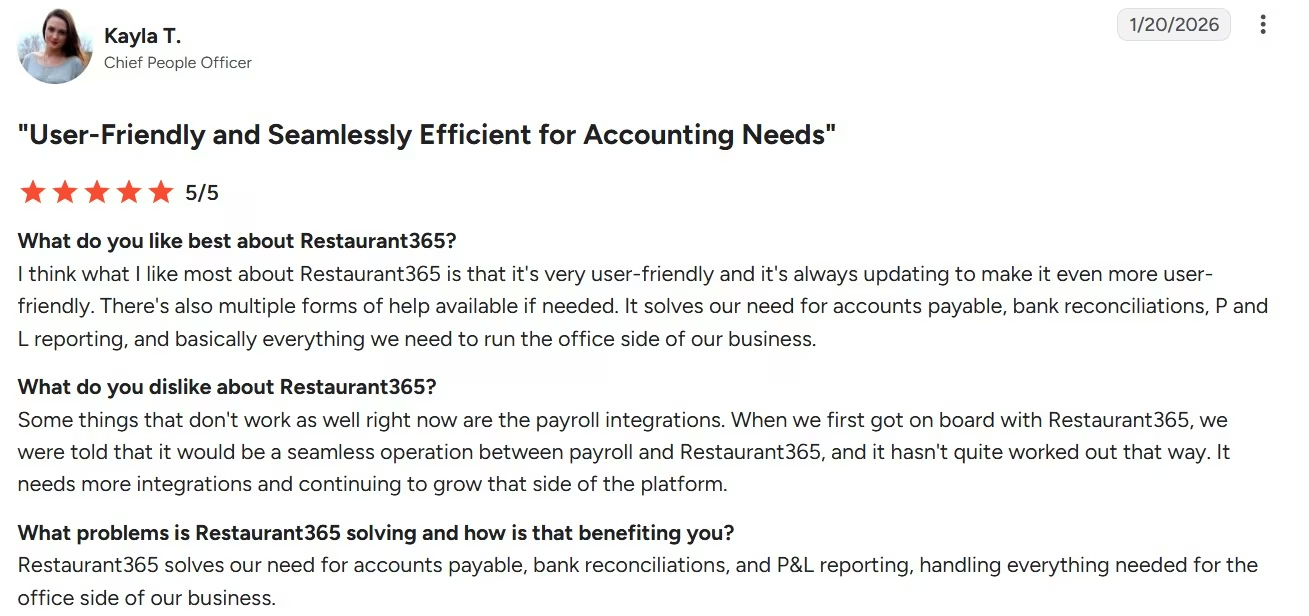
On G2, Kayla T, Chief People Officer, liked how user-friendly Restaurant365 was and said it covered accounts payable, bank reconciliation, profit-and-loss reporting, and much of the office side of the business.
Her main frustration was payroll integration, which hadn't worked as seamlessly as expected.
I think that's the right tradeoff to focus on here. Restaurant365 becomes more valuable as you connect more of the business to it, but that also makes implementation and integrations more important than they would be with a smaller standalone tool.
Pricing
Restaurant365 uses custom quote pricing for its Accounting, Inventory & Purchasing, Workforce Management, and Payroll & HR solutions. It doesn't publish monthly or annual dollar rates on its current pricing page.
Bottom Line
I'd choose Restaurant365 when the real problem is fragmentation across several restaurant locations. If you only need better invoice processing or food-cost visibility, MarginEdge is easier to justify. Once accounting, inventory, labor, payroll, and location-level reporting all need to work together, Restaurant365 has a stronger reason to take up that larger footprint.
7. Winnow for AI Food-Waste Tracking
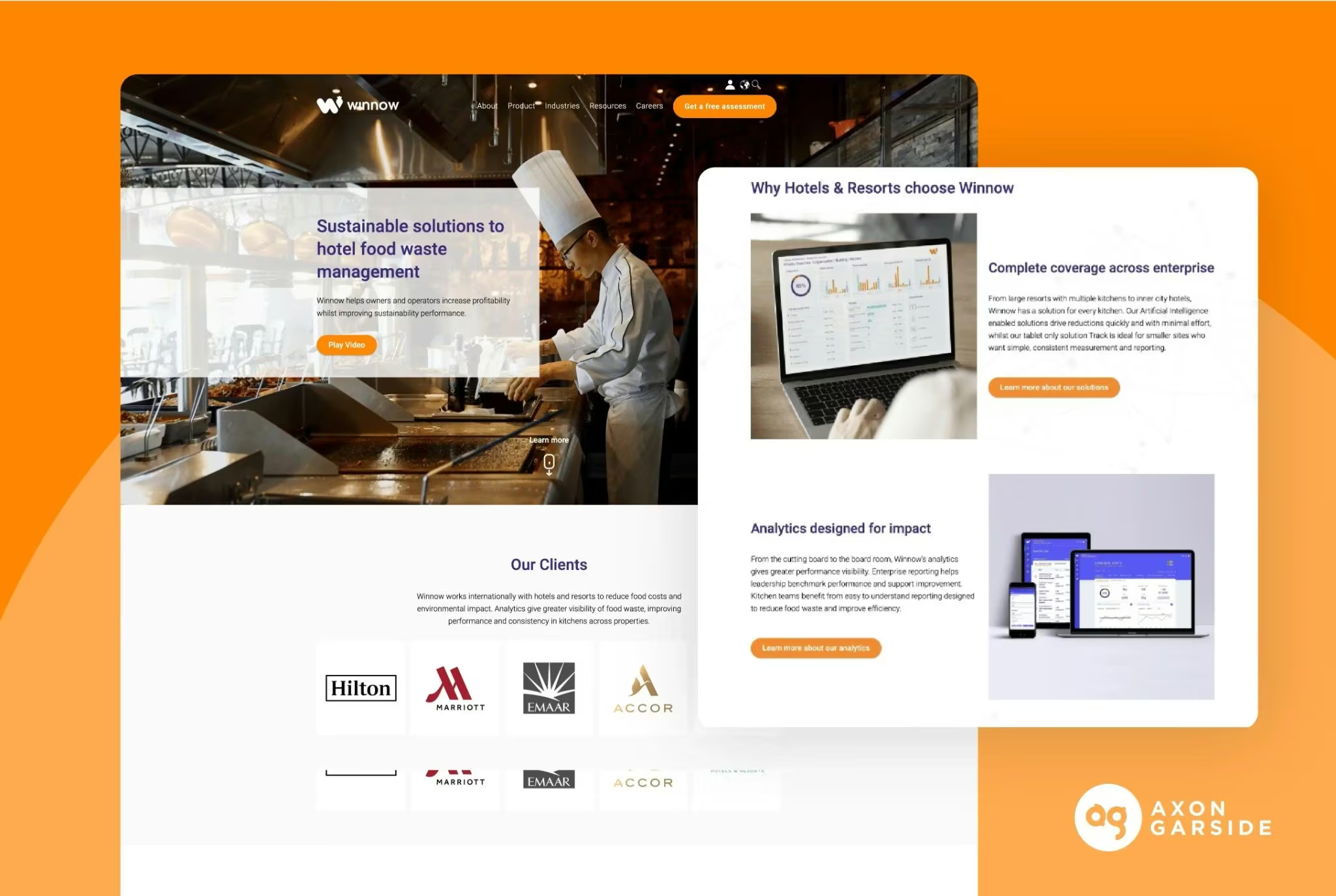
Winnow earns its place because food waste is a completely different AI job from anything the first six tools handle.
It combines AI, a camera, and a connected scale to identify and weigh food as it's thrown away, giving kitchen teams a record of what they're wasting instead of asking them to estimate it after service.
For a busy kitchen, the automation is the part I'd care about.
Winnow's Throw & Go technology can recognize discarded food without staff scanning items or manually entering every waste event. VisionAI recognizes more than 1,000 food types, while Winnow says its AI has been trained on more than 500 million food-waste images.
The range also matters because not every kitchen needs the same hardware. Track is a simpler tablet-based option, VisionControl adds a camera and scale, VisionAI automates recognition, VisionAI+ adds custom menu setup and additional expert support, and VisionPW can track plate waste left behind by guests.
Best for: High-volume kitchens where food waste is large enough to affect purchasing costs and managers need to know exactly what is going into the bin.
Key Features
Winnow turns waste into something you can actually measure:
- Automatic food recognition: VisionAI identifies food as it's discarded instead of requiring kitchen staff to log each item manually.
- Camera and weight data: The system combines images with weight measurements so chefs can see what was wasted and how much.
- Cross-location reporting: Winnow Hub gives multi-site operators dashboards and benchmarking across different kitchens.
Pros and Cons
Pros:
- Tackles a restaurant cost that most software on this list doesn't measure.
- Automated capture reduces the amount of extra work required from kitchen staff.
- Multiple product levels let smaller and larger kitchens use different setups.
- Can track both production waste and, with VisionPW, food guests leave on plates.
Cons:
- Requires kitchen hardware for most of its more advanced products.
- It's much narrower than a full restaurant management platform.
- Pricing isn't public, which makes it difficult to compare the investment before speaking with Winnow.
What Users Say
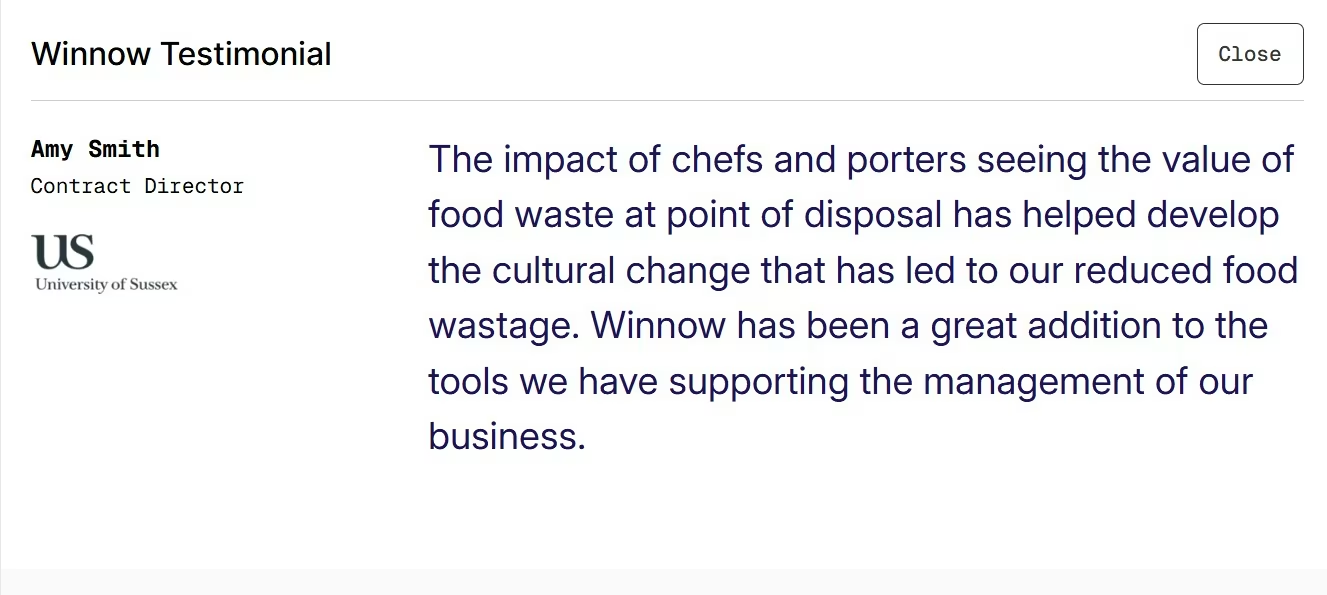
On FeaturedCustomers, Amy Smith, Contract Director at the University of Sussex, said Winnow helped chefs and porters see the value of food being thrown away at the point of disposal.
She connected that visibility with the behavior changes that helped reduce food waste, while FeaturedCustomers lists the university's case study as achieving a reduction of more than 70%.
The part I'd pay attention to is the staff behavior. Winnow can show your kitchen what is being wasted and what it costs, but the results still depend on your team using that information to change prep, production, and purchasing decisions.
Pricing
Winnow offers Track, VisionControl, VisionAI, and VisionAI+, with VisionPW available for plate-waste tracking. Pricing is customized to the kitchen and product selected, and Winnow doesn't publish monthly or annual dollar rates.
Bottom Line
I'd choose Winnow when food waste is a real cost center, especially in a hotel, buffet, large commercial kitchen, or multi-site operation. A small restaurant with modest waste probably doesn't need camera-and-scale infrastructure, but a kitchen throwing away meaningful amounts of food has a much clearer case for measuring the problem properly.
8. Toast IQ for Restaurants Already Using Toast
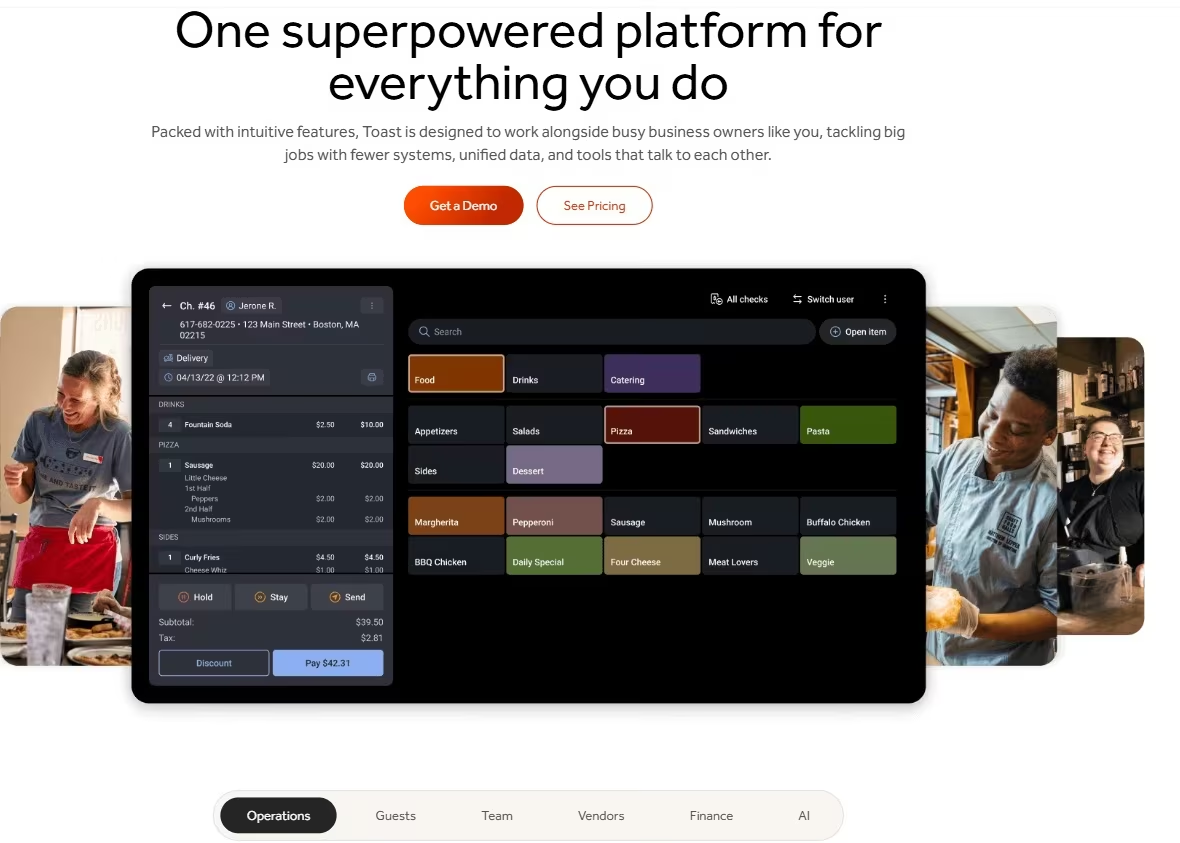
Toast IQ is the easiest recommendation on this list if your restaurant already runs on Toast. It's built into Toast POS and can use the sales, labor, menu, guest, and operational data already inside the platform to answer questions and complete certain tasks from a chat interface.
The important part is that it can do more than summarize a report.
You can ask Toast IQ to mark menu items out of stock, adjust inventory, or edit certain shifts. You can also ask it to update menu items and modifiers, manage takeout and delivery availability, set up upsells, or respond to guest feedback.
Toast requires confirmation before it makes configuration changes.
There is also enough usage data now to show what restaurant operators are actually asking it. Toast analyzed activity from more than 125,000 U.S. restaurant locations that used Toast IQ in Q1 2026. Sales and revenue were the most common conversation area, followed by menu and inventory, guests and marketing, and operations and reporting.
Best for: Restaurants already using Toast that want AI connected directly to their POS, menu, labor, inventory, and guest data.
Key Features
Toast IQ's advantage is that it already knows what's happening inside Toast:
- Ask questions about restaurant data: You can query sales, labor, menu performance, guest trends, discounts, voids, and other Toast data in plain language.
- Take action from chat: Toast IQ can support menu, inventory, shift, upsell, delivery, and guest-response actions, depending on your Toast setup and permissions.
- Proactive suggestions: Its “For You” feed can surface business and local-market insights before you go looking for them.
Pros and Cons
Pros:
- Toast IQ is included with Toast POS at no additional cost.
- Works from restaurant data already stored in Toast instead of requiring another standalone system.
- Can take certain actions instead of stopping at recommendations.
- Useful across sales, menus, inventory, labor, guests, and operations.
Cons:
- The strongest reason to use it disappears if your restaurant doesn't already use Toast.
- What it can do depends on the Toast products, data, and permissions your restaurant has.
- Moving to Toast just to get Toast IQ means taking on a broader POS ecosystem, including Toast hardware and payment processing.
What Users Say
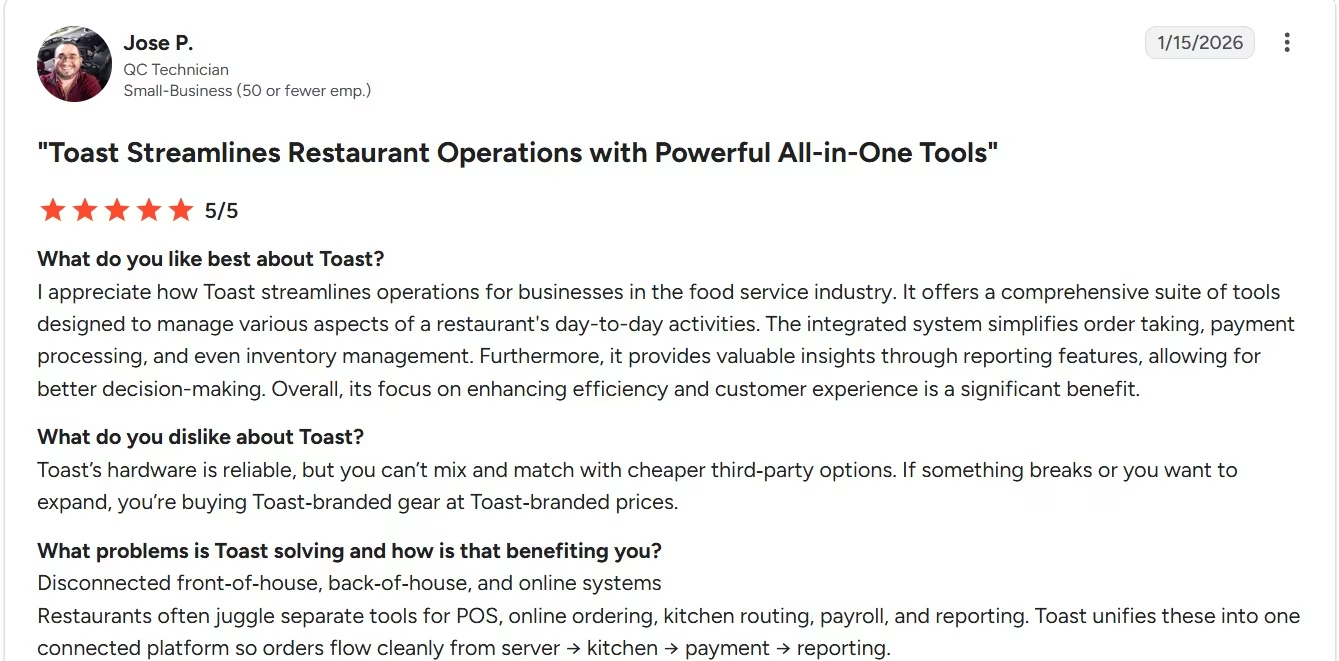
On G2, Jose P. liked that Toast combines order taking, payments, inventory, and reporting in one system and said its reporting helped with decision-making. His main criticism was the proprietary hardware: restaurants can't simply replace it with cheaper third-party equipment when they want to expand or replace a device.
This reinforces why Toast IQ belongs at number eight rather than higher. If you're already paying for Toast, getting an AI assistant inside it is an easy win. I wouldn't tell a restaurant to replace a POS it likes just to get access to Toast IQ.
Pricing
Toast IQ is included with Toast POS at no additional cost. Toast's Starter Kit starts at $0/month, Point of Sale starts at $69/month, the POS + Payroll bundle starts at $69/month plus $9/employee/month, and Build Your Own uses custom pricing; Toast doesn't publish discounted annual rates for these plans.
Bottom Line
Choose Toast IQ when Toast is already the center of your restaurant's operation. You get AI working directly against data the POS already has, and it can carry some requests through to an actual change. For a restaurant outside the Toast ecosystem, one of the more focused tools above is a much cleaner purchase.
Which AI Tool Should Your Restaurant Choose?
The right purchase follows the bottleneck. Don’t buy a stack of AI subscriptions just because the category is popular. Pick the recurring job that costs you the most time, revenue, or control, then measure whether the tool changes it.
Choose Slang AI if:
- Your host stand misses calls during service.
- Reservations and common guest questions dominate phone traffic.
- You already use one of its supported reservation platforms.
Choose 7shifts if:
- Managers spend too much time building schedules.
- Labor targets and expected sales are disconnected.
- You want restaurant workforce tools around the forecast.
Choose MarginEdge if:
- Invoices still create piles of manual work.
- Food-cost changes reach you too late.
- Purchasing, inventory, recipes, and sales data need to live closer together.
Choose SevenRooms if:
- Guest history should influence how your team handles reservations and service.
- You want reservations, table management, feedback, CRM, and marketing closer together.
- Your operation is large enough to use the wider feature set.
Choose Emergent if:
- The workflow is specific to how your restaurant operates.
- Existing tools still leave staff copying information between systems.
- You can define a small first version and properly test it before relying on it in live service.
Choose Restaurant365 If:
- You manage several restaurant locations.
- Accounting, inventory, purchasing, labor, and payroll are spread across separate systems.
- You want a broader restaurant operations platform rather than a tool for one narrow job.
Choose Winnow If:
- Food waste is a visible cost in your kitchen.
- You want to know what food is being thrown away and how much it costs.
- Your kitchen is large enough to justify dedicated waste-tracking hardware and software.
Choose Toast IQ If:
- Your restaurant already runs on Toast.
- You want to ask questions about sales, menu, labor, or guest data without digging through reports.
- You’d rather use AI inside your existing POS than add another standalone subscription.
Buy Restaurant Software vs. Build a Custom Workflow
Buy a specialist when: The job is already well understood across restaurants. Reservations, labor schedules, invoices, inventory, food cost, and guest CRM all benefit from mature restaurant data models and established integrations.
Build when: The job is specific to you. A private-event qualification board with your venue rules, a prep checklist across three concepts, or an internal exception dashboard can be easier to define than to force into another general restaurant platform.
Keep your existing stack when: A new AI subscription has no owner, no baseline, and no number you plan to improve. If you can’t define what “better” looks like before the purchase, the tool is likely to turn into another login.
A Simple Way to Roll Out Restaurant AI
You can make the buying process much smaller than the software category makes it sound.
Use this sequence:
- Name one problem: “We miss reservation calls between 6 p.m. and 8 p.m.” is better than “We need AI.”
- Set a baseline: Count missed calls, scheduling hours, invoice-processing time, food-cost variance, or whatever the job produces today.
- Check the connection: Confirm the product works with the POS, reservation, payroll, accounting, or ordering software the workflow depends on.
- Give one person ownership: Someone needs to review the result, catch exceptions, and decide whether the tool is improving the job.
- Review the number after a fixed period: If missed calls are still missed or schedule creation still takes the same amount of manager time, the AI label hasn’t earned another subscription cycle.
This is close to the National Restaurant Association’s recommended buying logic: start with the problem and outcome, then evaluate restaurant fit, integrations, ROI, security, and staff adoption.
Final Verdict on the Best AI Tools for Restaurants
The best AI tools for restaurants in 2026 solve a specific job you can already point to. Slang AI is my pick for phone calls and reservations, 7shifts for labor planning, MarginEdge for food costs and back-office work, and SevenRooms for guest relationships and front-of-house operations.
Emergent is my choice when the workflow is specific enough to deserve its own app. In my Brims & Stone build, I created a restaurant website and reservation workflow in about 20 minutes using 15 credits, although I needed another prompt when the first preview didn’t appear.
Further down the list, Restaurant365 is better suited to multi-location operators that want a wider back-office platform, Winnow gives commercial kitchens a focused way to measure food waste, and Toast IQ is the easiest AI addition for restaurants already using Toast.
Start with the job that is costing your restaurant the most time, money, or control. If one of these tools can finish that job and fit the systems your team already uses, you have a much stronger reason to pay for it than simply adding another AI product to your stack.

Most AI app builders stop at prototypes. Emergent creates production-ready apps you can actually launch.
- Production-ready apps
- Web & mobile apps
- Deploy in minutes







