




Every AI software development tool on the market promises to turn your ideas into working apps.
But not many of these tools actually scale from MVP to production and create a launch-worthy, final product.
That’s the problem I kept running into while testing this year’s crop of AI tools for software development.
A tool might generate a beautiful frontend, but you're left to wire up the database, auth, and hosting yourself. You then find another tool sold as being excellent for backend development, but then it struggles with databases that have more than a couple of interconnected tables.
The tools that made this list are the ones that held up past the demo, across multi-file edits, real production workflows, and other unglamorous parts of shipping software.
TL;DR
- Emergent: best for founders and ops teams who need a real, working product, web and mobile, without hiring engineers.
- Replit: best for developers and technical founders who want to see and control the build as it happens.
- Lovable: best for non-technical founders who want a polished web MVP with the backend handled automatically.
- Bolt.new: best for developers who want a fast, disposable prototype running in minutes.
Why Most AI App Builders Fall Apart After the Demo
Every tool on the market can turn a prompt into a landing page. Type a sentence, watch a UI show up, be impressed for ten minutes.
The real test starts after that: can it add a second data table without breaking the first one? Does it remember a relationship you set up three prompts ago?
Can you actually hand the codebase to an engineer when you’re ready to scale? That’s the part most roundups skip, and it’s the one this list is built around.
How We Evaluated These AI Software Development Tools
For the four AI app builders, I signed up for each platform and used the same prompt to build a simple client content tracking tool.
I wanted to see how well each tool understood my requirements, generated the application, and handled real relationships between data, such as linking articles to specific clients, instead of creating a simple flat list.
I also focused on how well they handled software development tasks such as building features, debugging, refactoring, and optimizing code to speed up development.
The exact prompt I used, unedited, across all four tools: “Build a content tracker for a content agency. I need to manage multiple clients, log articles per client with a status of draft, in review, or published, and see everything organized by client instead of one flat list.”
Here's what I looked for when evaluating each tool:
- Ease of use: How much friction stood between a plain-language prompt and a working result, and how quickly I could get there.
- Development capabilities: Whether the tool followed my instructions accurately and implemented the requested features correctly, including handling real data relationships.
- AI assistance quality: Whether it asked clarifying questions, caught its own mistakes, and recovered when something went wrong.
- Deployment readiness: How close the final result was to something I could realistically deploy.
- Pricing: How far could the free plan take me before I needed to upgrade?
These recommendations aren’t based on my testing alone. I also compared my experience against verified user reviews from G2, Trustpilot, and other reputable sources. I weighed both the praises and the criticisms, so this review reflects real-world experience, not just my own.
The 4 Tools at a Glance
| Tool | Best For | Core Strength |
|---|---|---|
| Emergent | Founders and ops teams who need a real, working product without hiring engineers | Builds full-stack web and mobile apps from plain English, GitHub sync included |
| Replit | Builders who want visibility and control alongside the AI | Full browser IDE with built-in database, hosting, and autonomous debugging |
| Lovable | Non-technical founders shipping a polished web MVP fast | Deep Supabase integration handles the backend and database automatically |
| Bolt.new | Developers who want a disposable prototype running in minutes | Fast idea-to-prototype turnaround, runs entirely in-browser |
1. Emergent
What it does: Emergent is a multi-agent AI app builder that turns a plain-language prompt into a complete, working app — interface, data, sign-in, and hosting all handled for you.
Best for: Founders and non-technical builders who want to vibe code or create a complete working product, web or mobile, without needing to hire a full development team.
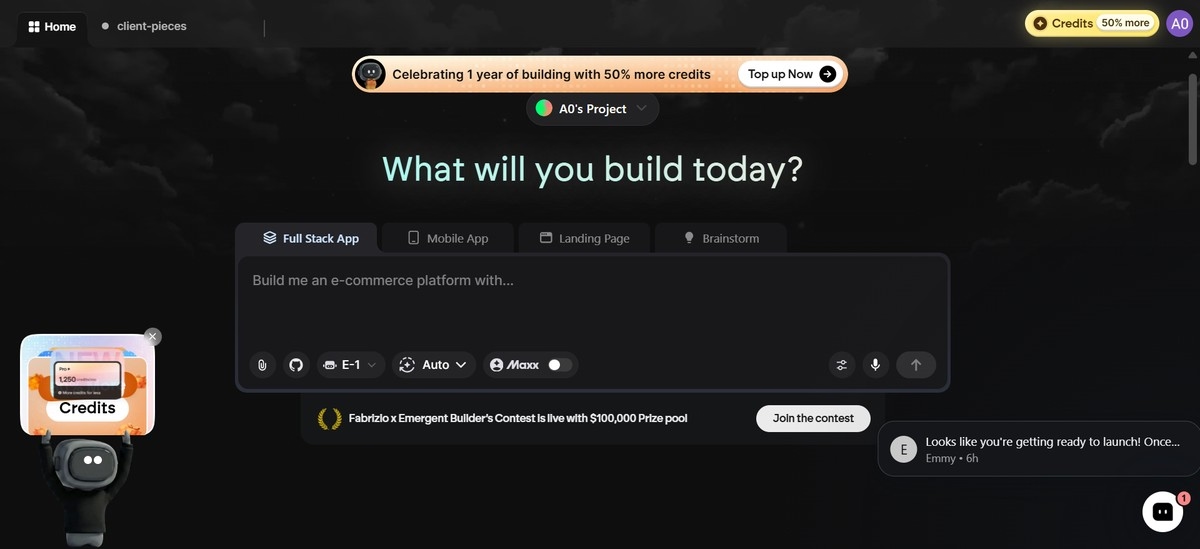
What immediately caught my attention and made me optimistic about the result was that, after entering my prompts, Emergent asked clarifying questions before building anything. None of the other tools I tested did this.
One of those questions was whether to include sign-in, so the first build shipped with working authentication baked in rather than bolted on later. The bigger payoff was the output itself: a full-stack app with a real backend, connected data, and a deployable link, all from one build.

So, I definitely understand Bibhudatta’s reaction:
“An app builder that built an entire app completely from only one single prompt, I was shocked.”
It also provided post-build suggestions to help take the app further instead of leaving me to figure out the next steps alone.
Another big plus was Emergent’s automatic QA pass. Its testing agents automatically clicked through the app, identified broken workflows, and fixed issues before presenting the final result.
It was not flawless, though. Adding client data failed on the first attempt, which also blocked adding articles because each article needed to be linked to a client. One troubleshooting round fixed the issue, and everything worked smoothly afterward.
The full build, from my first prompt to a deployable link, took 11 minutes, right in the middle of the pack on speed. Once it finished, clients, articles, and statuses were already connected the way I'd described them, not dumped into one flat table.
I tried to break it mid-build with a follow-up prompt: “Add a filter for overdue articles and group the dashboard by status instead of by client.”
Emergent updated the schema and the UI in the same pass instead of bolting a separate table onto the side, which is where most of these tools start to show cracks.
Key Features
- Multi-agent build system: Specialized agents split the work across the build — some shape the interface, others handle logic and integrations, and testing agents check everything before it ships.
- Universal LLM Key: Provides access to models like GPT, Claude, and Gemini through one key and one billing system, without requiring separate provider accounts.
- Built-in quality control: Includes deployment readiness checks and a code review feature that audits the project before launch.
- Native mobile app support: AI app builders that can create iOS and Android apps alongside web applications in the same workflow.
Pros
- Ships a complete, production-ready app from one build: a working backend, authentication, and a live deployment, not just a front-end you still have to assemble.
- Runs entirely in your browser, so there's nothing to install or configure before you start building.
- Comes with SOC 2 Type I and ISO 27001 certification, making it a stronger fit for apps that process user data or payments.
- GitHub sync gives you code ownership, so you can continue improving the project later without rebuilding from scratch.
Cons
- Monthly credits can run out quickly on lower plans.
- The jump from Standard ($20/month) to Pro ($200/month) is significant for users who need more capacity but are not ready for enterprise-level spending.
- Complex, heavily-interconnected data models can hit resource ceilings or need a troubleshooting round to get right, as this test's client-linking step did.
What Users Say
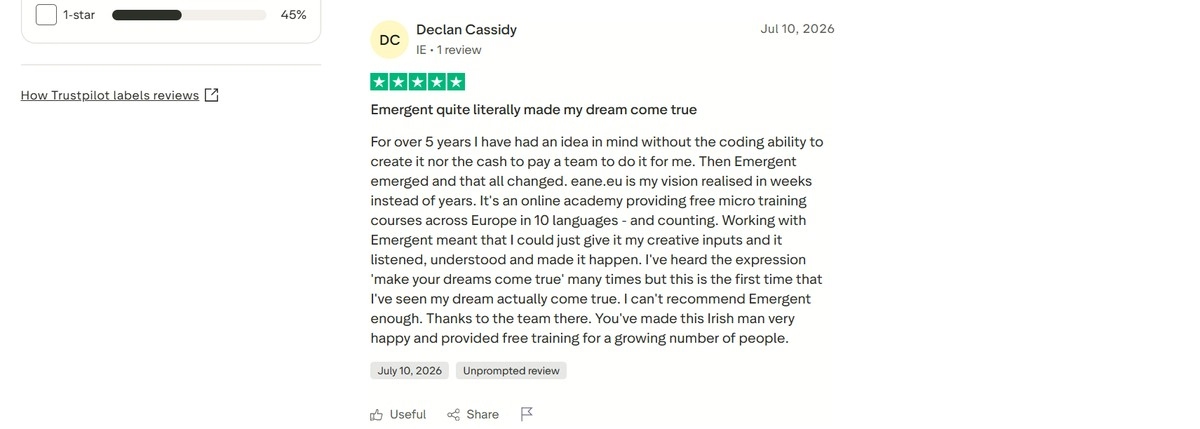
“Eane.eu is my vision realised in weeks instead of years. It's an online academy providing free micro training courses across Europe in 10 languages - and counting. Working with Emergent meant that I could just give it my creative inputs and it listened, understood and made it happen.” – Declan C., Trustpilot
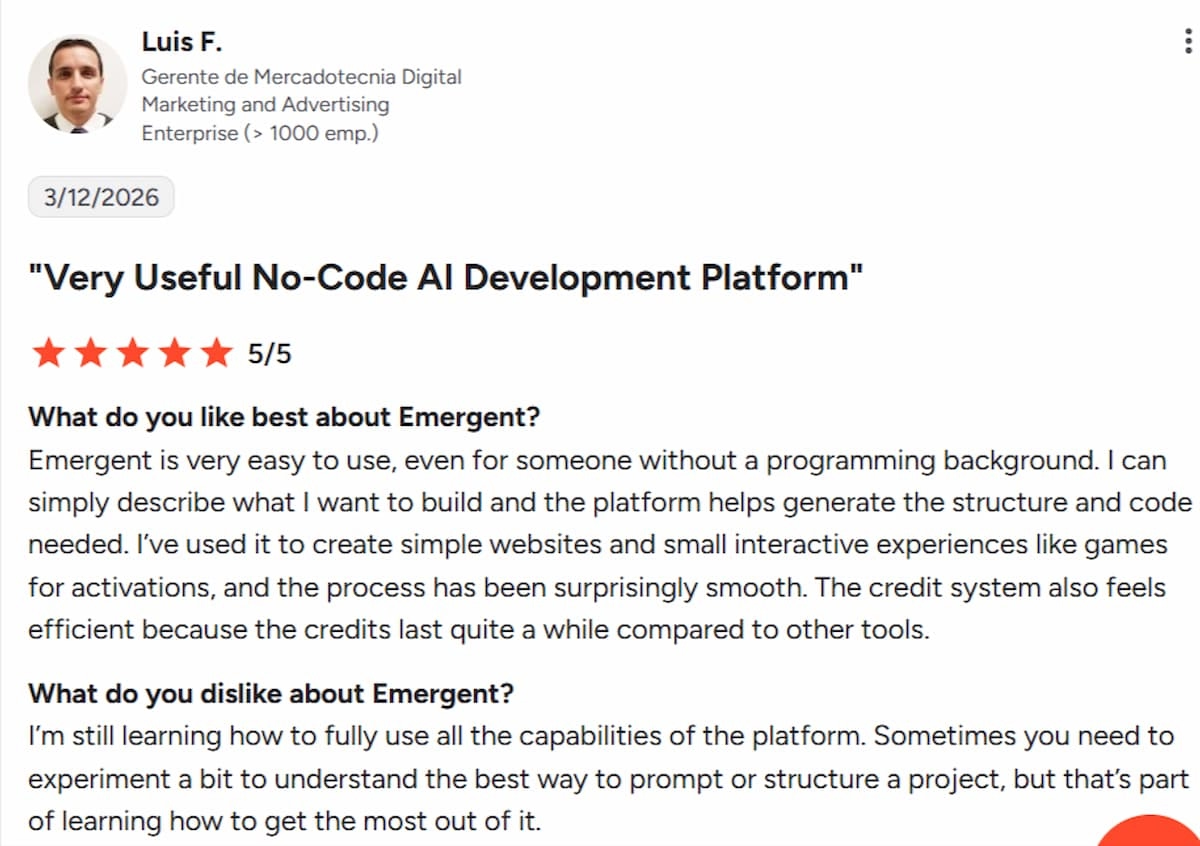
“I'm still learning how to fully use all the capabilities of the platform. Sometimes you need to experiment a bit to understand the best way to prompt or structure a project, but that's part of learning how to get the most out of it.” – Luis F, G2
Pricing: Free (10 credits); Standard at $20/month (100 credits, mobile support); Pro at $200/month (750 credits)
Verdict: Emergent is for non-technical founders and businesses that want to go from idea to a real, deployable product: a full-stack app, web and mobile, with the backend, authentication, payments, and hosting handled by its multi-agent build. It’s the tool to reach for when you want a working product you can ship and own, not just a prototype.
2. Replit
What it does: Replit combines a browser-based coding workspace with files, a terminal, and live preview, while its AI agent builds, runs, and deploys complete applications from natural-language prompts.
Best for: Developers and technical founders who want more control over the development process.
In my test, Replit was the slowest of the tools I tried. It took 18 minutes to generate the first version compared with 10–12 minutes for the others.
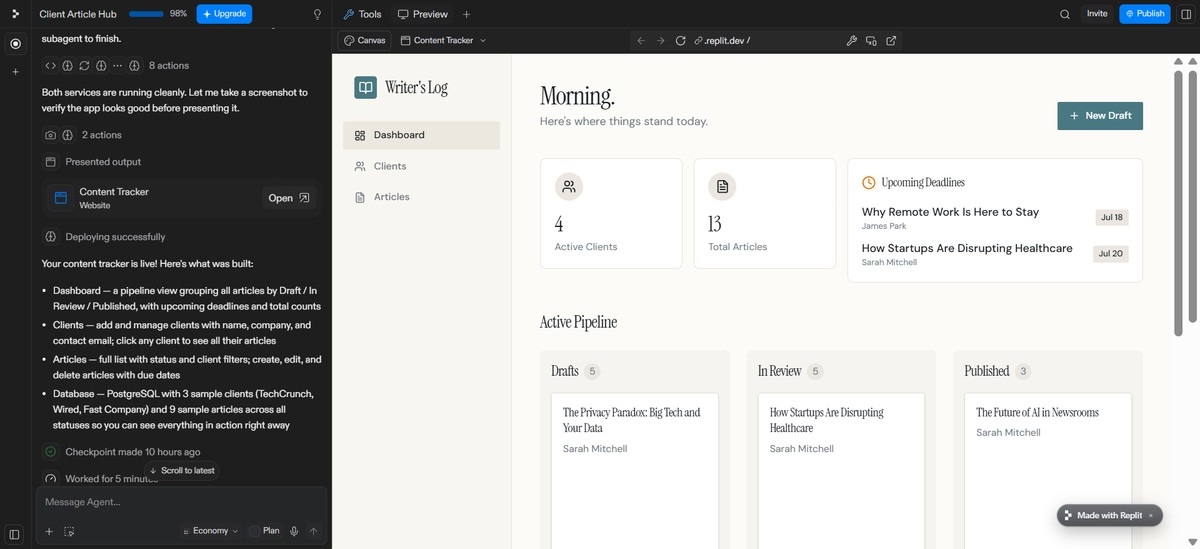
Unlike Emergent, it did not ask clarifying questions before building. Instead, it made its own assumptions and, without being prompted, seeded the app with realistic sample data, including an article editor, search filters, and other features.
Replit’s autonomous approach also shows in how it tests and verifies as much of the app as possible before handing it over. The upside is fewer back-and-forth iterations, though it costs you a longer initial build.
Since Replit takes longer to build, complex projects can become very time-consuming.
Once it handed the app over, I pushed it with a follow-up prompt: “Add a contact field to each client and show it on the article page for that client.”
Replit re-ran its own checks after the change instead of just applying it and moving on, which is likely where the extra time goes.
That trade-off is the whole story with Replit. You give up speed, but I didn't have to manually re-test the client and article relationship after the change. Replit had already done it before showing me the result.
Key Features
- Browser-based IDE: Files, terminal, and live preview in one place with no local setup required.
- AI Integrations: A managed key covering 300+ models across OpenAI, Anthropic, Google, and OpenRouter, billed through Replit credits without requiring separate provider accounts.
- Built-in infrastructure: Database, hosting, and deployment are included, reducing the need to connect external services.
- Checkpoints: Let you undo AI changes and return to an earlier version when something goes wrong.
Pros
- Zero errors across the full test; both adding and editing client and article data worked first try.
- Genuinely no setup, entirely browser-based
- More framework flexibility than most comparable tools
- Solid integrations with GitHub, Supabase, and Firebase for moving a prototype into real infrastructure
Cons
- Slowest build time of the four tools tested, at 18 minutes total.
- Replit makes more assumptions and moves ahead quickly, which can be a drawback when you need an exact result.
- Users have expressed concerns over the lack of transparency and predictability of the product’s pricing.
What Users Say
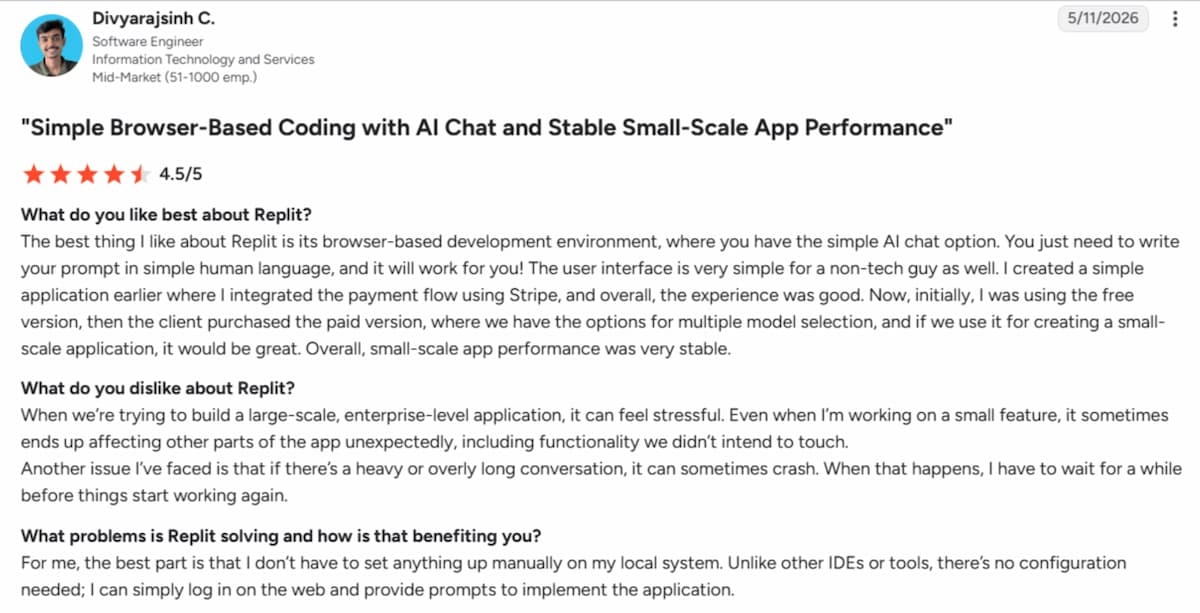
“I don't have to set anything up manually on my local system. Unlike other IDEs or tools, there's no configuration needed; I can simply log in on the web and provide prompts to implement the application.” – Divyarajsinh C, G2
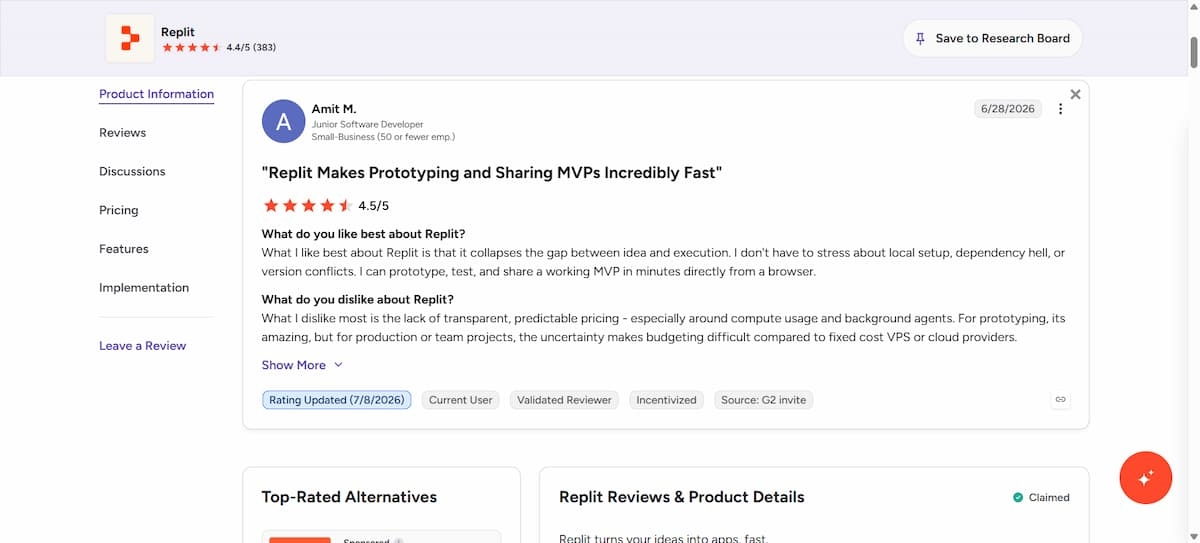
“What I dislike most is the lack of transparent, predictable pricing - especially around compute usage and background agents. For prototyping, its amazing, but for production or team projects, the uncertainty makes budgeting difficult compared to fixed cost VPS or cloud providers.” Amit M, – G2
Pricing: Free Starter tier with daily credit limits; Core at $20/month; Pro at roughly $100/month; Enterprise custom-priced.
Verdict: Replit is a powerful tool for software developers who want to see and edit the actual code. But it’s not the tool to reach for if speed and precise results matter most.
3. Lovable
What it does: An AI app builder that creates complete web applications — the interface, the data behind them, and sign-in — powered through its native Supabase integration.
Best for: Non-technical founders and small teams who want a fast, clean web MVP without touching backend configuration themselves.
Next up is Lovable. Another very straightforward tool on this list. I prompted the tool, and in about 12 minutes, it generated the first version of my client content tracking tool.
On the first pass, the app was functional and well-structured. The overall architecture was solid, and the core features were implemented correctly.
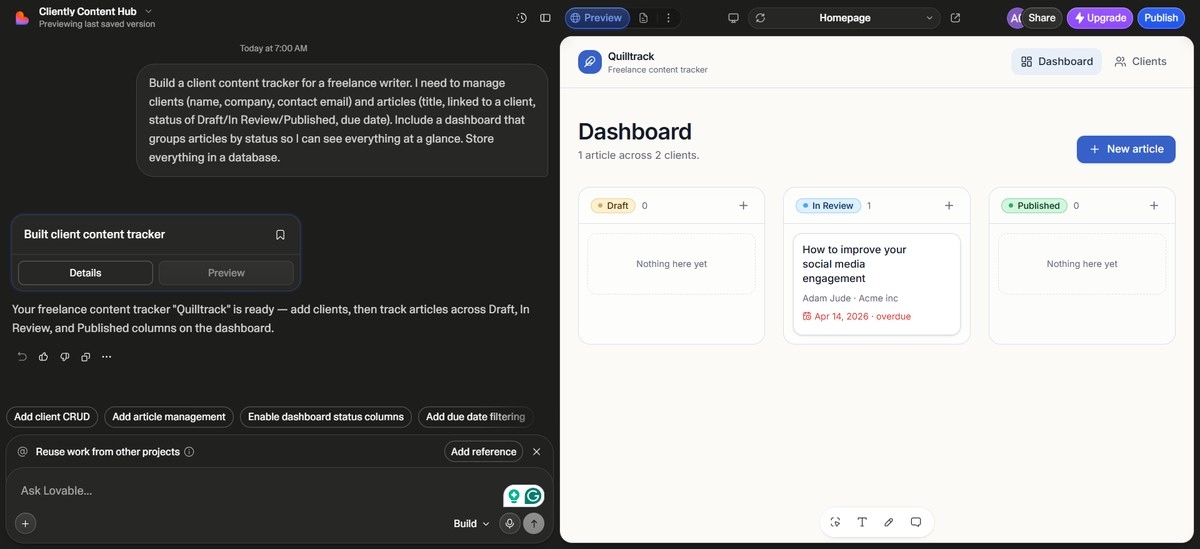
The UI looked polished, too, but it still had a generic feel rather than something custom-built. Lovable also had occasional downtime that interrupted my workflow while building the tool.
My take: Lovable is best suited for MVPs or smaller-scale apps, not full production builds. It can comfortably handle apps with a modest user base, but it’s not the right choice if you’re expecting significant traffic or enterprise-level scale.
One thing I loved, similar to Emergent: it offered follow-up suggestions once the build was complete.
To test the visual editor, I skipped a new prompt entirely and just clicked into the dashboard directly, changing the card layout and swapping the color scheme for the status labels.
That took about 90 seconds and didn't touch the underlying data structure, which is exactly what the visual editor is supposed to do: cosmetic changes without burning a credit on a full prompt.
The downside showed up when I asked for something more specific and asked: 'Sort the client list by most recent article activity, newest first.' Lovable applied a plain alphabetical sort instead, and I had to reword it twice before it landed.
Lovable is dependable on structure, less so on precise instructions.
Key Features
- Supabase integration: Backend, authentication, database, and storage are created alongside the UI instead of requiring a separate setup process.
- Visual editing: Click elements directly in the live preview and adjust them without using another prompt.
- Lovable AI Gateway: Provides access to models like Gemini and OpenAI without requiring separate provider accounts, with usage billed through Lovable credits.
- Post-build suggestions: Offers specific next steps after a build is complete instead of leaving users to figure out what to add next.
Pros
- Structure came out correctly on the first try, including clients, articles, and a status-grouped dashboard.
- Visual editor lets you fix small UI details directly without spending additional prompts.
- Easy to use with a less overwhelming chat interface that hides the code, making it more approachable for non-technical users.
Cons
- The output was visually plain out of the box and requires more refining to give a custom feel.
- Some users report falling into a “fix one thing, break another” cycle on more complex logic.
- The AI is very agreeable and rarely challenges vague instructions.
What Users Say
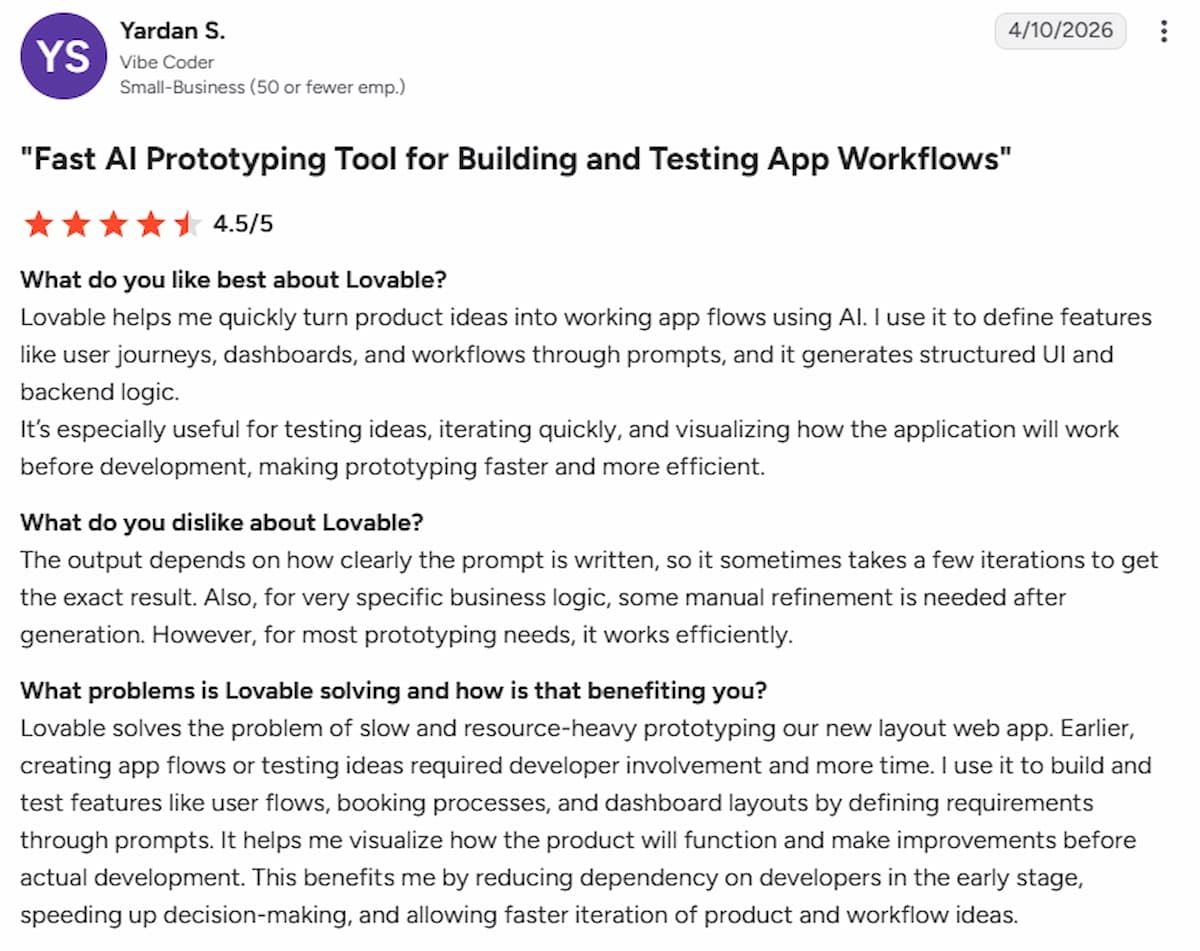
“The output depends on how clearly the prompt is written, so it sometimes takes a few iterations to get the exact result. Also, for very specific business logic, some manual refinement is needed after generation. However, for most prototyping needs, it works efficiently.” – Yardan S., G2
Pricing: Free tier with 5 credits/day; Pro at $25/month (100 credits); Business at $50/month (100 credits).
Verdict: Lovable is for non-technical founders who want a reliable, low-friction way to build and refine a simple web MVP.
Looking for more AI app-building options? Explore these Best Lovable Alternatives and Competitors to find the right platform for your needs.
4. Bolt.new
What it does: An AI conversational app builder that requires no local setup. It supports multiple frameworks beyond React, including Vue, Svelte, Astro, and Expo for mobile applications.
Best for: Developers and technical founders who want a fast path from a text description to a live, working prototype.
Bolt generated a functional first version of my client content tracking app with most of the features I requested.
The client dashboard was well organized, the filtering and search worked smoothly, and I had a usable prototype up and running within minutes.
That said, Bolt performs best when you know exactly what you want. I spent quite a bit of time refining my prompts through trial and error, which burned through credits faster than I expected.
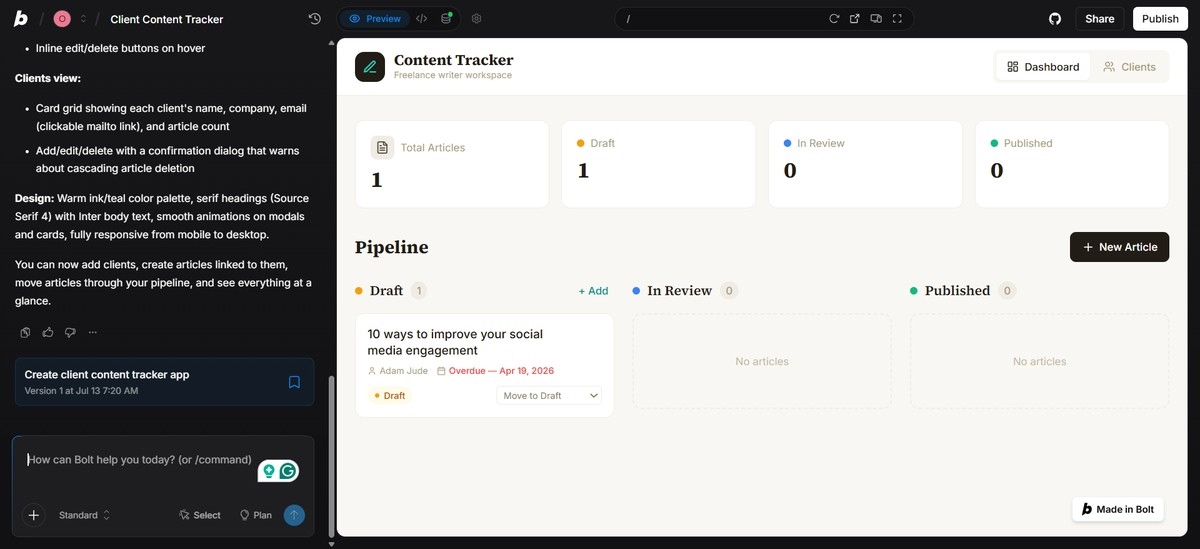
It also offers very little guidance before or after the build, making it a better fit for users with a clear product vision than complete beginners.
And if you step away from a project for too long, there's no chat history to return to, so those mid-project breaks can be painful.
The first version Bolt generated missed the actual relationship I'd asked for. Clients and articles existed as two separate lists with no link between them. I sent a follow-up prompt: “Link each article to a specific client and show the article count per client on the dashboard.” Bolt fixed it in one pass, but getting to that exact wording took two rewrites first.
Between the initial build and those two follow-ups, I'd burned through roughly 60,000 of my 300,000 daily free tokens on a single, fairly simple app. If your prompts aren't precise on the first try, that budget disappears fast.
Bolt just isn't the tool to reach for if you're still figuring out what you want built.
Key Features
- Built-in error detection: Detects and fixes issues during the build process instead of only highlighting problems.
- Framework flexibility: Supports React, Vue, Svelte, Astro, and Expo for mobile, giving developers more stack options than many comparable tools
- Integrations: Connects with GitHub, Supabase, and Firebase for moving prototypes into real infrastructure.
- Figma import: Converts existing designs into working code.
Pros
- Fast build time
- Completely browser-based with no setup required.
- More framework flexibility than many comparable AI app builders.
- Strong integrations with GitHub, Supabase, and Firebase.
Cons
- Can struggle with more complex, production-level applications as projects scale, according to some reviewers.
- Moving code cleanly into your own Git repository doesn’t always go smoothly.
- There are recurring complaints around lack of support, account issues, and billing disputes.
What Users Say
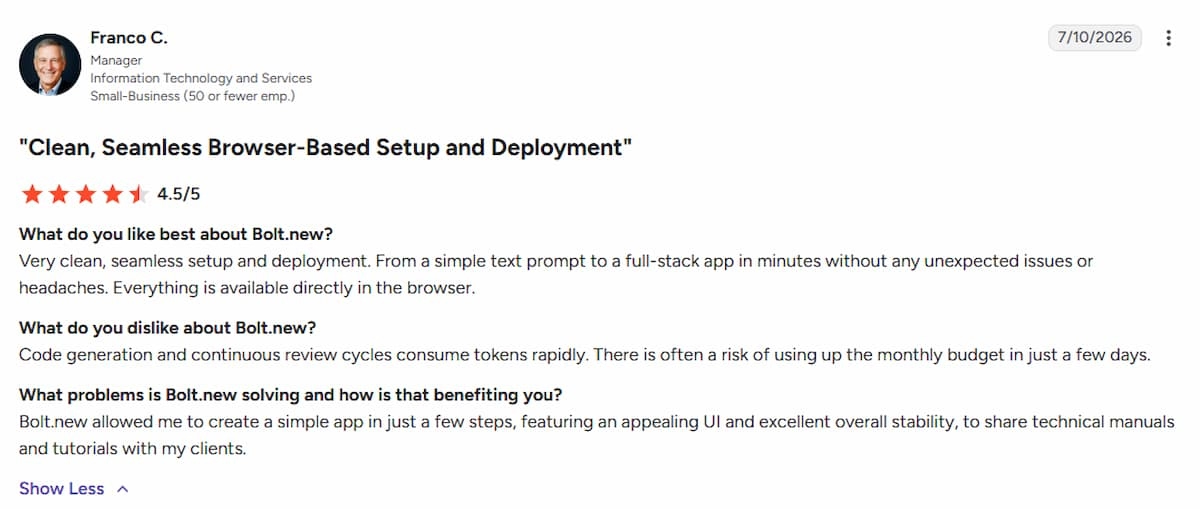
“Very clean, seamless setup and deployment. From a simple text prompt to a full-stack app in minutes without any unexpected issues or headaches. Everything is available directly in the browser.” – Franco C., G2
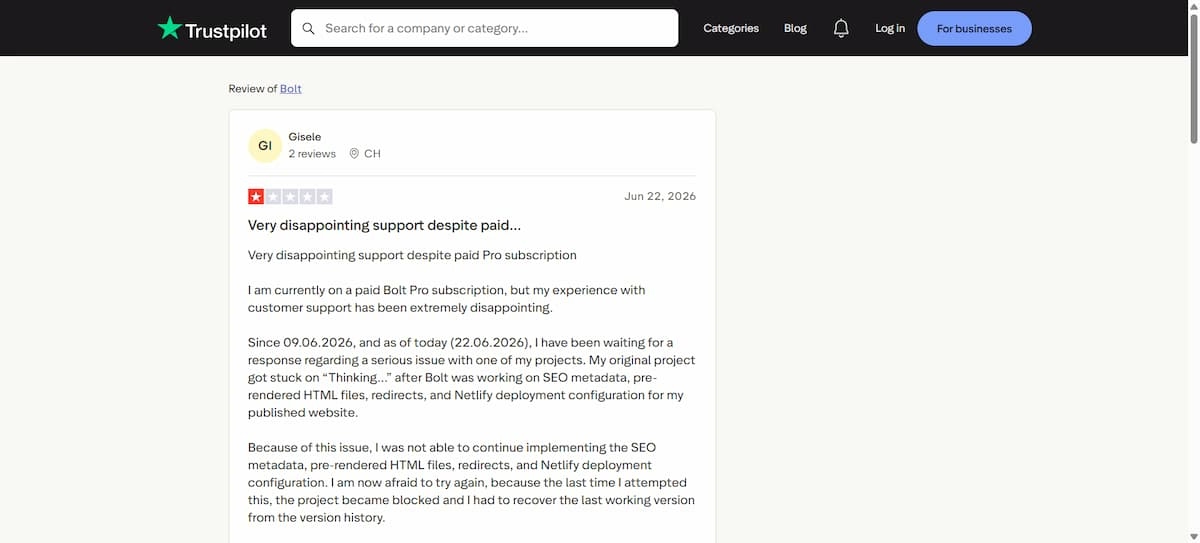
“I am currently on a paid Bolt Pro subscription, but my experience with customer support has been extremely disappointing. Since 09.06.2026, and as of today (22.06.2026), I have been waiting for a response regarding a serious issue with one of my projects.” – Gisele, Trustpilot
Pricing: Free tier with 300K tokens/day; Pro at $25/month (10M tokens); Team at $30/user/month (10M tokens).
Verdict: Bolt.new is a strong choice for quick prototypes, but you should be aware that it has recurring complaints around credit usage and account issues on Trustpilot.
Bolt.new is a strong option for quick prototypes, but it may not suit every workflow. Comparing it with Replit and Lovable can help you see where each platform stands out.
Which AI Tool For Software Development Should You Choose?
Still deciding? Here’s a quick way to choose:
Choose Emergent if:
- You’re building a complete product, web and mobile, and don't have a dev team.
- You need a tool that can handle the entire development workflow from UI design and backend logic to deployment so you can focus on refining the product.
- You need to generate a shareable live URL of your product and export the full codebase to GitHub whenever you’re ready to continue development with an engineering team.
Choose Replit if:
- You want to see and control the build as it happens, not just prompt and wait for a finished result.
- You need a real database, hosting, and deployment included in the same workspace, without connecting external services yourself.
- You want checkpoints that let you roll back to an earlier version the moment an AI change breaks something.
Choose Lovable if:
- You want a polished web MVP with the database and auth handled automatically through its native Supabase integration.
- You’d rather fix small UI details directly in a live preview than spend another prompt on a cosmetic change.
- You want post-build suggestions that tell you what to add next instead of guessing your own roadmap.
Choose Bolt.new if:
- Speed is the priority and you can live with some inconsistency in exchange for a working prototype in minutes.
- You want to bring in an existing Figma design and turn it into working code without starting from scratch.
- You need more framework flexibility than most comparable tools, including Vue, Svelte, Astro, and Expo for mobile.
Start Your First App Build on Emergent
If you’re considering Emergent, here's a quick overview of what you access from any paid plan:
- Builds without an engineering team: Emergent handles design, code, testing, and deployment from a plain description.
- Web and mobile from one prompt: The same conversation that builds your web app can generate the native iOS and Android versions. You don’t need a separate wrapping tool.
- Every build spins up its own agents. They handle design, testing, integrations, and fixes automatically, with no manual setup required.
- Error recovery: A deployment readiness check and a code review catch issues before you see them, and when something does break, it fixes it in one pass.
- Built-in deployment: Every app deploys directly to managed infrastructure, with Google OAuth, a database, and SSL already in place.
- Post-launch monitoring: Analytics, health checks, error logs, and mobile alerts show what's happening once the app is live.
- GitHub sync on Standard and above: Every build syncs to a GitHub repository under your account. You can take the codebase to any hosting service from there.
Ready to start building your first app? Start with Emergent.

Most AI app builders stop at prototypes. Emergent creates production-ready apps you can actually launch.
- Production-ready apps
- Web & mobile apps
- Deploy in minutes







