TL;DR
- Emergent: Build the exact employee tracker your team needs, shaped around how your team already works.
- Connecteam: The strongest free-to-start option for deskless and mobile teams.
- BambooHR: A clean, records-first HRIS with real onboarding e-signature routing.
- Zoho People: The cheapest full HR ladder, though PTO tracking requires stepping up to the Workforce tier.
- TMetric: Contractor time-and-project tracking with clean per-project splits.
- Justworks: A PEO built around payroll and benefits, without the features you'll never touch.
- monday.com: A flexible work canvas you can bend into an HR system if you're willing to build it yourself.
- Deel HR: Global compliance coverage for a multi-country team.
- Remote: Employer-of-record coverage for teams that need it, overbuilt for teams that don't.
- Gusto: Payroll and PTO that work the way small teams expect them to.
- Eddy: Onboarding, PTO, and a directory that work together as one connected system, no stitched-together add-ons.
Managing a team well shouldn't mean fighting your own software. Maybe you've onboarded a new hire while three different tools each held a piece of their paperwork. Maybe a PTO request slipped through during a blackout week nobody flagged.
If either sounds familiar, you're already shopping for a better employee management app, so I ran this comparison. I spent 10 days running the same test workspace through 21 of these tools, though not every one got the same hands-on treatment. Eleven made the final lineup; the other 10 (and why each dropped out) are covered further down.
These 11 tools are grouped by the specific job each one is built for. By the end, you'll know which of the 11 fits your problem.
Why the "Best" Employee Management App Depends on the Job
Scoring every tool against the same five criteria (features, ease of use, integrations, pricing, support) treats every buyer's needs as identical, and real buyers never are. A deskless-team manager coordinating shift workers cares about GPS clock-ins and a mobile app that works one-handed.
An HR generalist buying benefits compliance software cares about renewal-rate history and whether the provider files paperwork on time. A distributed team hiring across borders cares about local employment law more than shift scheduling.
That's why this comparison sorts these 11 tools into the real paths they each serve.
Records-and-onboarding HRIS is the biggest group here, covering BambooHR, Zoho People, and Eddy. Justworks and Gusto handle payroll and benefits, Connecteam owns deskless and mobile coordination on its own, Deel HR and Remote cover global compliance, and TMetric sticks to time and contractor tracking.
monday.com gives you boards and workflows to assemble into an HR system yourself, and Emergent builds that same custom fit for you, generating the app around the workflow you describe instead of handing you a toolkit to piece together yourself. If you're building something none of these fit, dedicated in-house tool builders solve a different problem.
How I Tested These Employee Management Apps
The full test workspace:
Set up a workspace for a 12-person distributed team: nine salaried employees across three departments (Content, Support, Ops) and three hourly contractors who only log time against specific projects. Build a real onboarding checklist for one new Content hire starting in two weeks: Collect their tax and banking info where the tool supports it, assign a laptop-and-accounts checklist, and route their offer-letter e-signature to me for approval before it reaches them.
Set up a PTO policy with two blackout dates (the first and last week of December) where a request inside that window should auto-flag instead of auto-approve, and confirm the flag fires when I file a test request inside it. Build a two-tier reporting structure, three team leads reporting to me, and confirm a team lead can approve their own reports' PTO requests but not their own.
For the three hourly contractors, log a week of hours against two different projects each and pull a report that splits their hours by project, not just by person.
Tell me exactly what leaves with me if I export everything tomorrow (employee records, the org chart, the PTO history, and the time log), in what format, and what stays locked inside the tool. If a tool can't do blackout-date auto-flagging, contractor project-split time reporting, or a real data export, it needs to say so plainly instead of approximating.
Ten of the 21 tools I tested didn't make the final 11. Zapier connects other employee management apps to each other, but an employee directory or onboarding checklist there is a generic Tables template, so it fails the category's core job.
Monitask centers on activity and screenshot monitoring as its core product, and even its own Workforce Management add-ons skip a proper employee-records database or onboarding checklist, so it reads closer to surveillance software than an employee management system. Tools that offer optional screenshot capture alongside a real time-and-project system, like TMetric, stayed in.
RemoFirst competes in the same narrow employer-of-record and global-payroll space Remote already covers in this comparison, so a near-duplicate specialist didn't earn a second slot.
Lattice shut down its HRIS on July 31, 2026, after ending payroll in March, and now centers on performance reviews, goals, and engagement. With no employee records, onboarding, or PTO left to test, it no longer fits this category.
TriNet's sandbox access came with an NDA and a real sales call, but the call never reached the one thing this brief actually needed confirmed: whether the blackout-date rule auto-flags or auto-approves. A tool that goes through the whole process and still can't answer the core question isn't a fair comparison point.
Rippling's demo covered most of the brief cleanly, but the rep couldn't confirm on the spot whether the blackout-date rule was native or needed a custom workflow, and escalated it. Same issue as TriNet: the one test that mattered most came back unresolved.
Insperity never exposed a single self-serve setting for any part of this brief; onboarding, reporting, and PTO exceptions all went through an account team. That's a legitimate way to run HR. It's also a service model, with no feature set to line up against the rest of this list.
Paycor's own positioning is mid-market HR and payroll reporting, built for teams considerably larger than this test's 12 people, so it was never a natural fit for this comparison's scenario to begin with.
Leapsome’s HRIS and Time Tracking modules, the ones covering onboarding, PTO, and contractor tracking, sit behind a second sales conversation the review never reached, so it's out.
HiBob requires a sales conversation before you can even get a demo account, the same access barrier as Leapsome and Insperity: not a tool a buyer can self-serve into and try.
Deel HR and Remote are the two exceptions, covered from their product, pricing, and help pages instead of the test workspace. Both are built around hiring and paying people abroad without a local entity.
That job sits outside this brief, and no hands-on pick here is built around it. HiBob and Leapsome center on records, PTO, and onboarding, the exact jobs this brief tests, so their vendor pages couldn't stand in for a hands-on run.
The 11, side by side, before the deep dives below:
| Tool | Best For | Standout Feature | Starting Price |
|---|---|---|---|
| Emergent | Building your own tracker | You describe the workflow, it builds the app | $20/month ($17/month, billed annually) |
| Connecteam | Deskless and mobile teams | Free for up to10 users, all features | $35/month ($29/month, billed annually) |
| BambooHR | Records-first HRIS | Offer-letter e-signature routing | $10/employee/month; flat from $250/month for 25 employees or fewer |
| Zoho People | Budget-conscious HR ladder | HR records and onboarding from under$5/user | $4/user/month ($3/user/month, billed annually) |
| TMetric | Contractor time-by-project | Clean per-project time splits | $7/seat/month ($5.83/seat/month, billed annually) |
| Justworks | Payroll and benefits PEO | Flat per-employee compliance pricing | $8/employee/month + $50 base(Payroll); $79 (PEO) |
| monday.com | Teams that want to build their own workflow | Fully custom boards for any HR process | $12/seat/month ($9/seat/month, billed annually) |
| Deel HR | Global, multi-country teams | One worker profile across countries | $5/employee/month |
| Remote | US PEO and global EOR coverage | Full compliance in90+countries | $99/employee/month (US PEO) |
| Gusto | Small-team payroll and PTO | Blackout-date PTO worked with no extra configuration | $49/month + $6/person |
| Eddy | Flat-priced onboarding-plus-PTO combo | Onboarding, PTO, and directory together | $4/month/person + $50 base |
1. Emergent: Build the Employee Tracker That Fits Your Team

What it does: Emergent turns a plain description of a workflow into a real, working web app with its own database, logins, and reporting.
Best for: Teams whose actual process doesn't match any pre-built HR tool's data model.
Describing the Brief and Building the Workspace
I didn't start Emergent with a template. I gave it the same brief every tool in this test worked from, typed out the way you'd describe it to a coworker rather than filled into a form:
"Set up a workspace for a 12-person distributed team: nine salaried employees across three departments (Content, Support, Ops) and three hourly contractors who only log time against specific projects."
The first pass got the employee list, the department structure, and a basic PTO request form running.
I needed a second and third round of prompting to get the blackout-date logic right, spelling out precisely when a request landing in the first or last week of December should trigger the flag. The whole build, across all three rounds, took about 40 minutes.
The three rounds cost 26.4 of the Standard plan's 100 credits, so at $20/month. There's plenty left to keep refining the workflow. Worth knowing before you plan a budget: each deployed app also draws 50 credits a month to stay live.
Where the Build Held Up
The team-lead approval exception (approve your reports but not yourself) worked on the first real test once I'd described the rule clearly. What surprised me was the contractor time report. I asked for hours split by project and it built exactly that view. The report was on the dashboard when I went looking for it.
I named each onboarding step (collect tax and banking info, assign a laptop, route the offer letter for my sign-off), and the interface turned that into a ready-to-use checklist view with an owner and a due date on each line, skipping a separate configuration screen entirely. A full export test returned employee records, the org chart, and PTO history and the time log, and the app's code can be pushed to GitHub with Save to GitHub on Standard.
Key Features
- Conversational setup: Describe the workflow in plain language; the system builds the database and interface.
- Custom logic on request: Conditional rules like the blackout-date PTO flag get built to the exact spec, replacing the generic toggle other tools rely on.
- Real data ownership: The underlying database and exported records are yours to keep, free of any vendor lock-in.
Pros and Cons
Pros:
- Handles conditional logic that pre-built HRIS tools either fake or skip entirely
- The contractor project-split report came out exactly as specified, with no manual rework
- Fast to get a working first version, even without any coding background
Cons:
- No pre-built payroll tax filing or benefits-carrier network the way a PEO ships with one
- The blackout-date rule took three rounds of prompting to get right; the first two passes approved a December request that should have flagged
What Users Say
“One of the best vibe coding apps out there, with one of the lowest pricing ranges.” - Himanshu J., G2

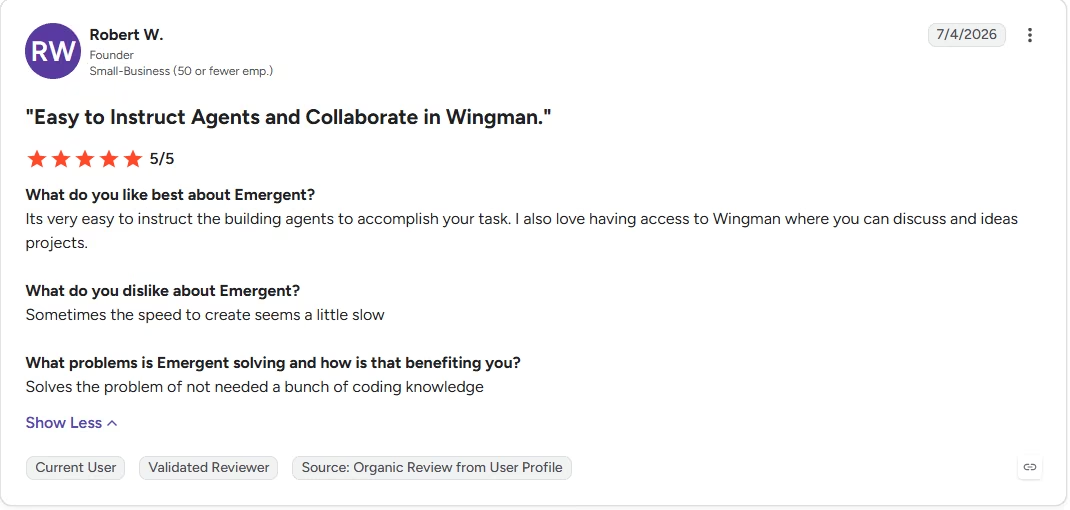
“Sometimes the speed to create seems a little slow” - Robert W., G2
Pricing
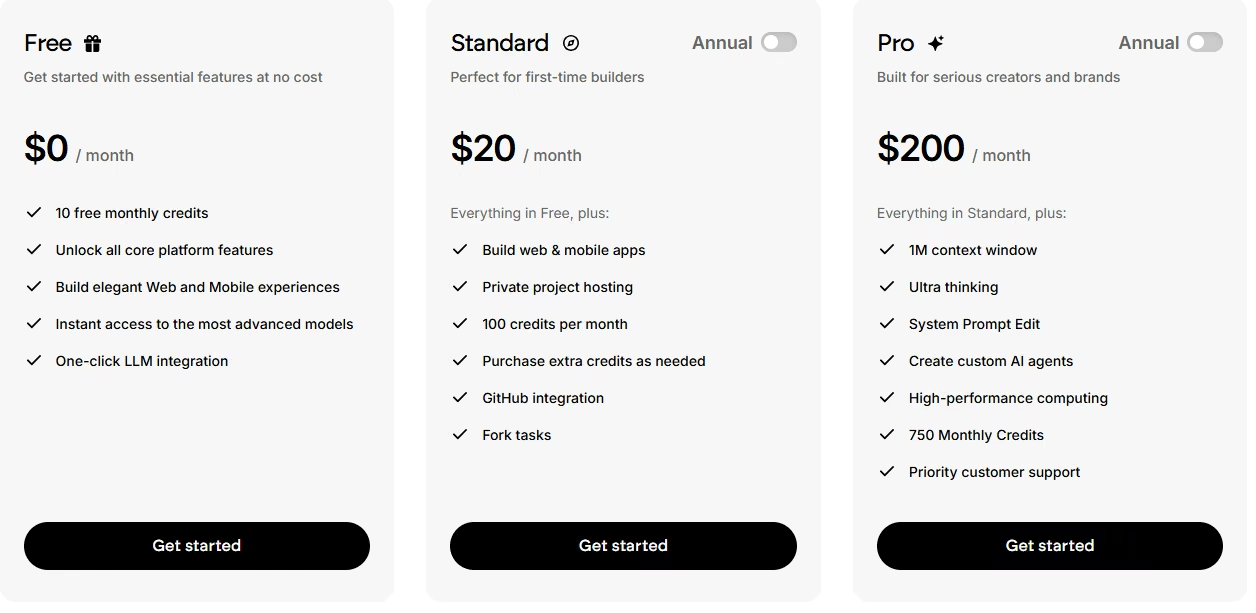
- Free: $0/month. Includes 10 credits a month, enough to try the core building experience.
- Standard: $20/month ($17/month, billed annually). Includes 100 credits a month, web and mobile app building, private project hosting, and GitHub integration.
- Pro: $200/month ($167/month, billed annually). A 1M-token context window, Ultra thinking mode, custom AI agents, and priority support.
- Business: No public price; contact sales. Adds role-based access and single sign-on.
- Enterprise: No public price; contact sales. Adds audit logs and VPC deployment.
Bottom Line
It won't file your payroll taxes, so if that's the whole job, look further down this list. When nothing pre-built matches your workflow, this is the one that molds around your team's process.
2. Connecteam: The Strongest Free Starting Point for Deskless Teams

What it does: Connecteam bundles time tracking, scheduling, team communication, and HR basics into one mobile-first app, split across three "hubs" (Operations, Communications, HR & Skills).
Best for: Field, retail, and hospitality teams where most employees never sit at a desk.
Setting Up the Org Chart and PTO Policy
I built the org chart and PTO policy on Connecteam's free Small Business plan first, since it's free for up to 10 users with every hub included. This 12-person team is two past that ceiling, though Connecteam now offers a free Limited plan for teams of 11 to 30, so the headcount alone doesn't force a paid upgrade.
I moved to the paid Basic tier anyway for the fuller feature set the rest of this test needed. There, the blackout-date PTO flag took about 15 minutes to configure, using the built-in time-off policy rules.
What the Blackout-Date Test Showed
A test request inside the December blackout window couldn't be submitted at all. Connecteam blocks the request outright, shows the employee why, and keeps it out of the approval flow. I also tested the self-approval exception on the same policy, confirming a team lead could approve their reports' PTO requests but not approve one filed under their own name.
That worked correctly on the first try, using Connecteam's existing role permissions.
The onboarding checklist worked cleanly too, with digital forms and a document center that covered the laptop-and-accounts checklist item without much friction.
Connecteam's Job Insights view, tucked under the Timesheets tab, splits hours by job and by employee together, the exact breakdown the brief asked for; I missed it during testing and built the split myself in a spreadsheet instead.
To test the GPS clock-in, I walked two blocks from where I'd normally log in. Connecteam logged a GPS stamp with the punch, but nothing flagged the mismatch on its own. Flagging that mismatch takes a geofence. Geofencing starts on the Advanced tier; Basic doesn't have it.
The employee directory and chat features layered on top of the same login the contractors already used for their timesheets. A separate full data export test returned employee records and PTO history as clean files in one download.
Key Features
- GPS-verified time clock: Confirms where an employee clocked in from, useful for field and multi-location teams.
- Digital forms and checklists: Covers onboarding paperwork and recurring safety or shift checklists.
- Employee directory and chat: Keeps team communication and contact info in the same app employees already use to clock in.
Pros and Cons
Pros:
- The blackout-date rule configured in about 15 minutes and correctly blocked a test request inside the December window on the first try
- The onboarding checklist and document center covered the laptop-and-accounts item without extra configuration
Cons:
- Past 10 users, the full-featured Small Business plan gives way to either a paid tier or a pared-down free Limited plan
- Job Insights covers the project-hours split, but it's buried under Timesheets and easy to miss
What Users Say
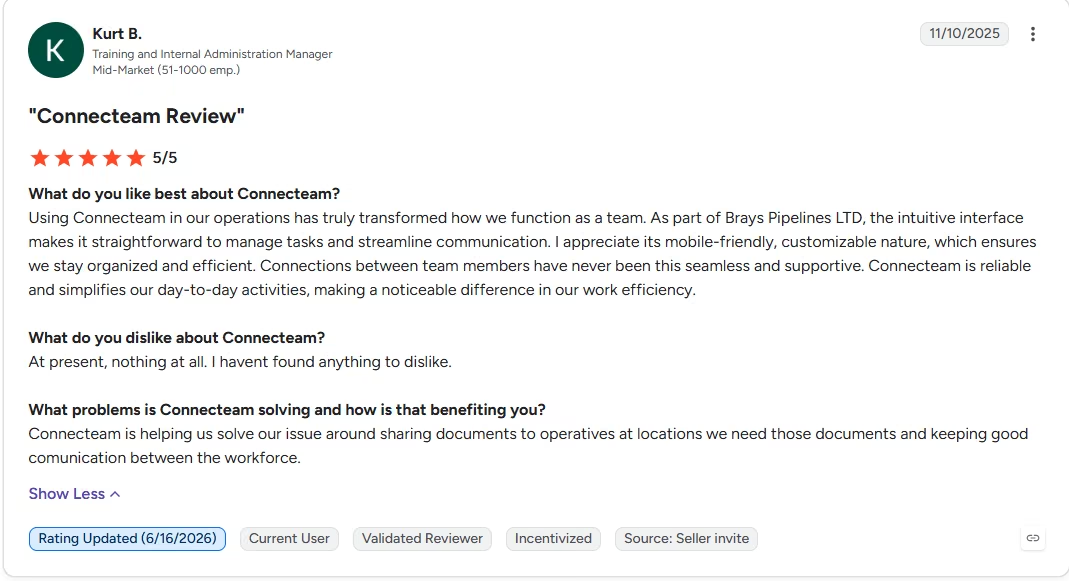
“Connections between team members have never been this seamless and supportive.” - Kurt B., G2
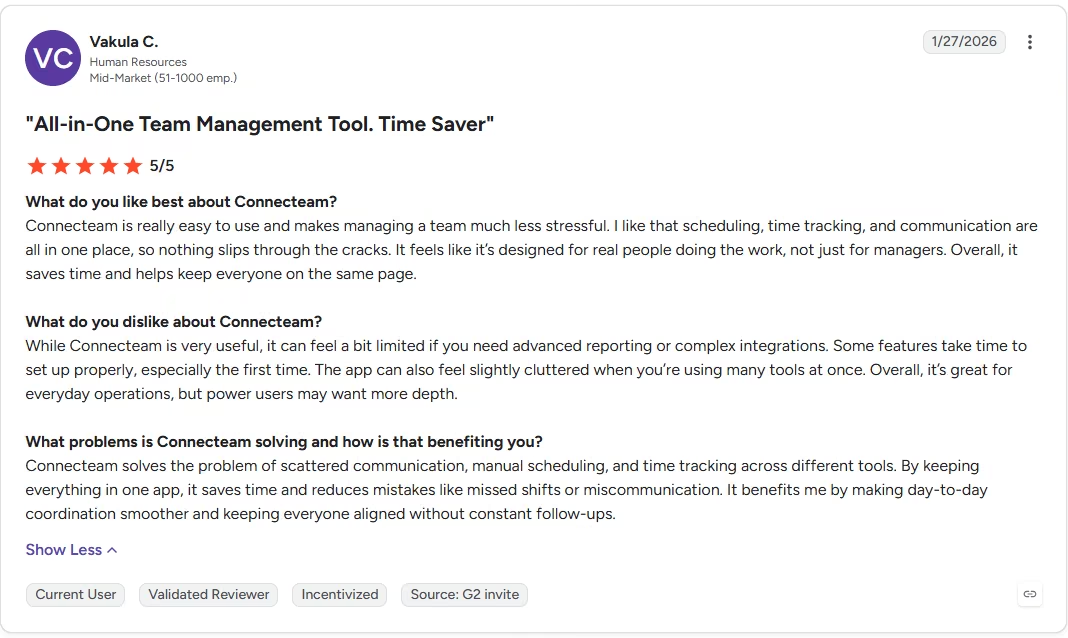
“The app can also feel slightly cluttered when you’re using many tools at once. Overall, it’s great for everyday operations, but power users may want more depth.” - Vakula C., G2
Pricing
- Free: $0/month. Up to 10 users, every hub and feature included.
- Limited (free): $0/month. For teams of 11 to 30, with a reduced feature set and no additional paid seats.
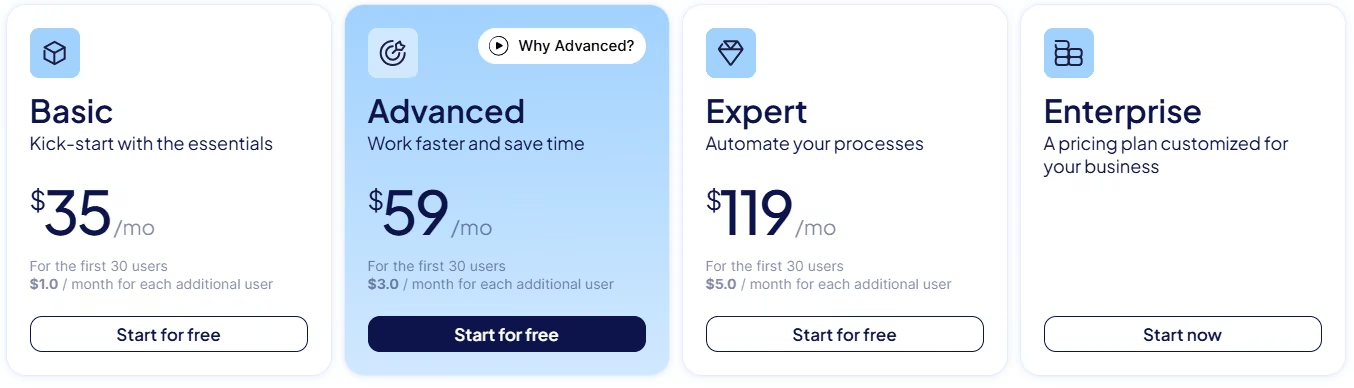
- Basic: $35/month ($29/month, billed annually). Covers the first 30 users, then $0.60 to $1 per additional user per month depending on the hub ($0.50 to $0.80 billed annually)
- Advanced: $59/month ($49/month, billed annually). First 30 users.
- Expert: $119/month ($99/month, billed annually). First 30 users.
- Enterprise: Custom pricing.
Bottom Line
Outside the Job Insights discoverability gap, this is hard to beat on price and mobile usability for a team under 30 people.
3. BambooHR: A Clean, Records-First HRIS
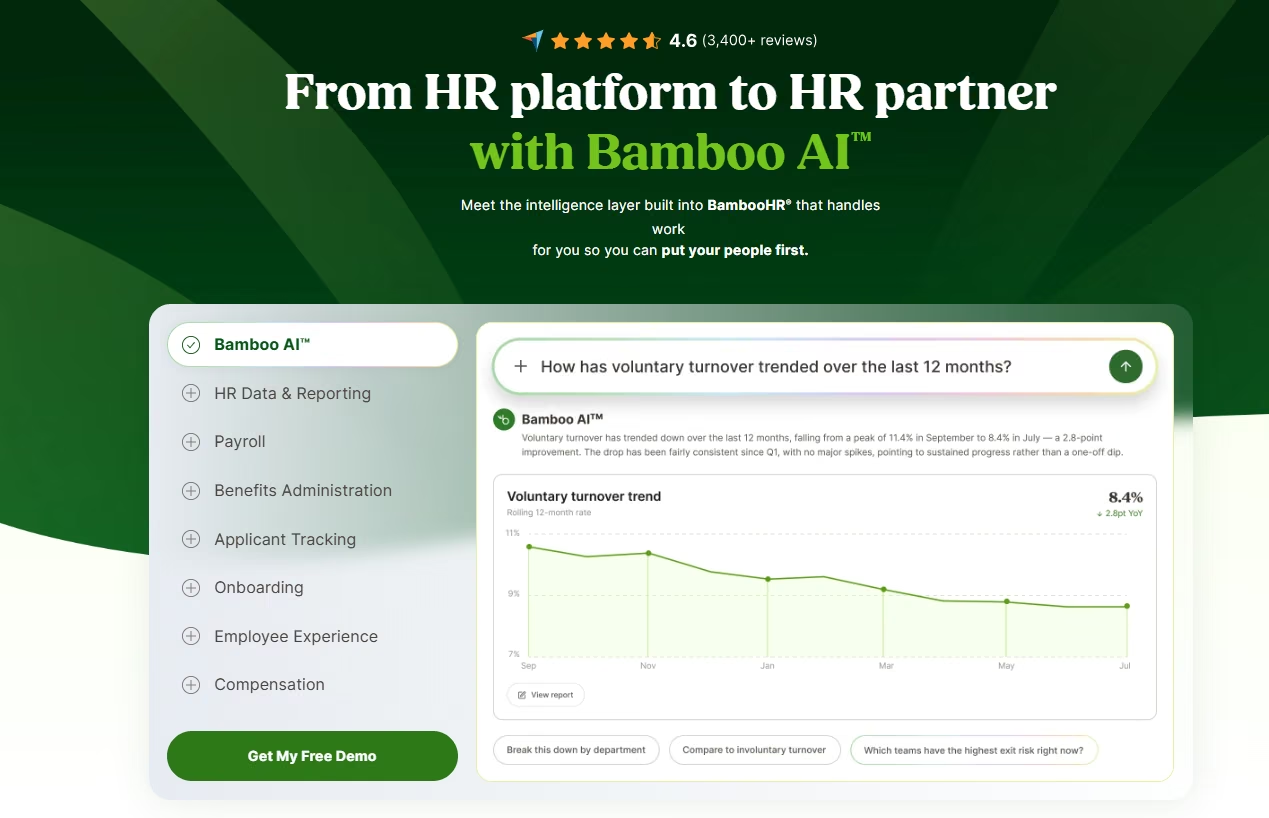
What it does: BambooHR centralizes employee records, onboarding, time off, and performance reviews in one interface built specifically for HR teams.
Best for: Companies that want a dedicated, well-organized HRIS without payroll or PEO services bundled in by default.
Setting Up Onboarding and Finding the Blackout-Date Gap
Among the records-first tools I tested, BambooHR's onboarding flow took the least setup work. I set up the new Content hire's checklist quickly, including routing the offer letter for e-signature approval, using the built-in workflow templates. The approval step worked exactly as the brief asked. The blackout-date PTO rule was the sticking point.
BambooHR's time-off policies support standard accrual and approval-chain logic, but a request landing inside a specific date range still auto-approves like any other. There's no native rule to flag it separately. I spent about 25 minutes in the policy settings confirming that gap firsthand.
The two-tier approval structure worked fine on its own, since a team lead can approve their reports' requests through role-based permissions, though not the blackout-specific piece. On a 12-person team, that per-employee Core rate never applies. BambooHR bills teams of 25 or fewer at a flat rate starting around $250 a month instead.
Testing the Report Builder and Engagement Tools
The custom report builder turned out more useful than expected. I pulled together a headcount-by-department view in a few clicks, without exporting anything into a spreadsheet first.
A short engagement survey through the eNPS tool tested how open-text responses got handled. The platform grouped a batch of test answers into a small set of named themes on its own, roughly the quality of a first pass from a human analyst.
Key Features
- Custom report builder: Pulls employee data into ad hoc reports without needing a separate BI tool.
- Offer-letter e-signature routing: Sends offer letters through an approval step before they reach a candidate.
- eNPS-powered engagement tools: Runs satisfaction surveys and buckets open responses into themes automatically.
Pros and Cons
Pros:
- Onboarding and e-signature routing worked exactly as specified, no workarounds needed
- Volume discounts apply automatically as headcount grows, no negotiation required
Cons:
- No native way to auto-flag a PTO request inside a specific blackout date range
- Payroll, benefits, and global employment each cost extra as separate add-ons
What Users Say
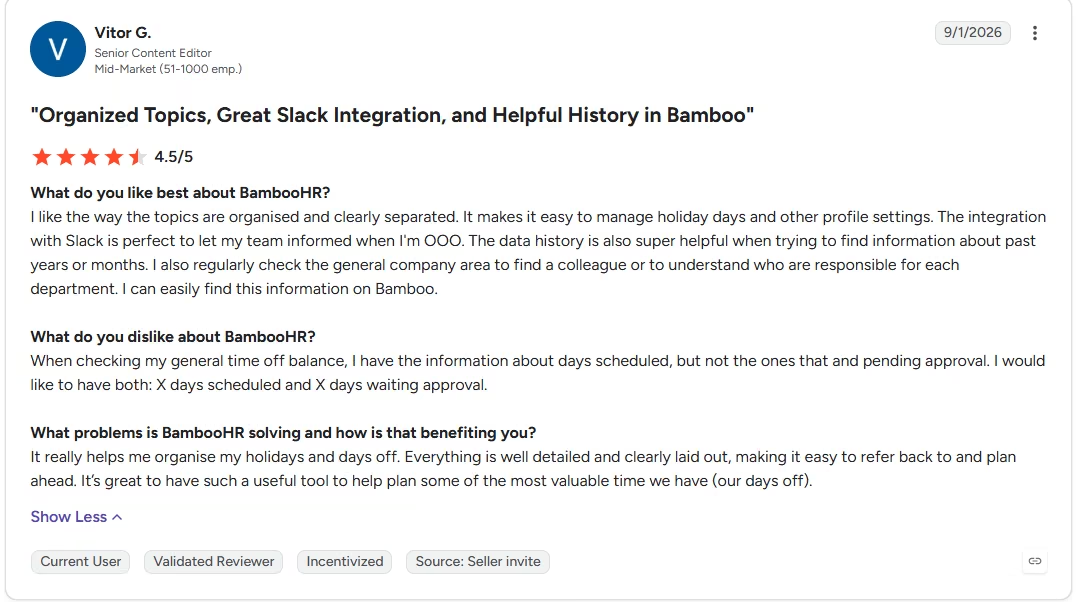
“It makes it easy to manage holiday days and other profile settings.” - Vitor G., G2
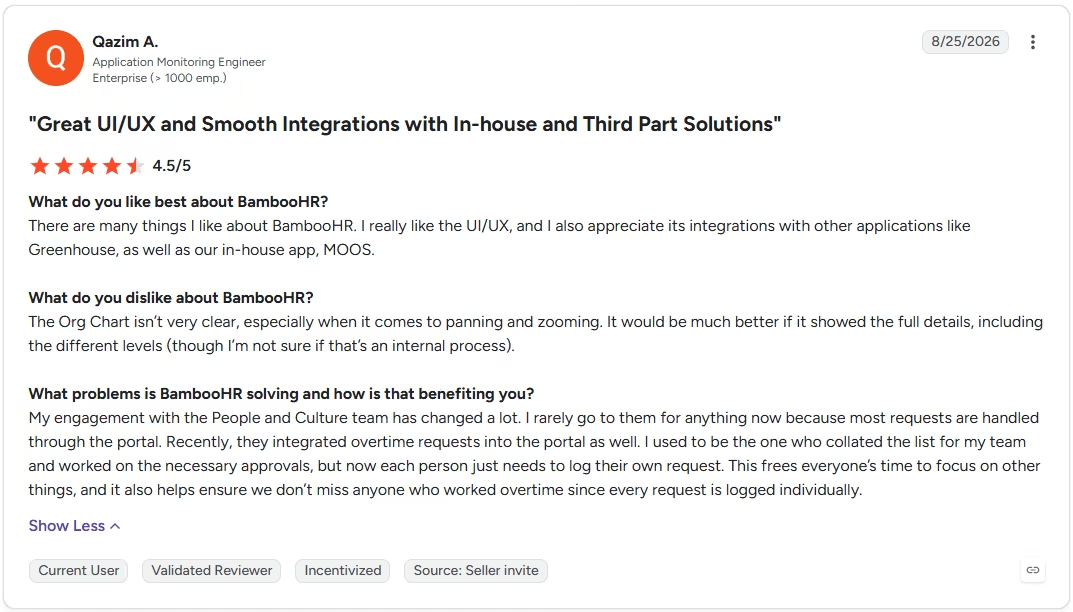
“It would be much better if it showed the full details, including the different levels (though I’m not sure if that’s an internal process).” - Qazim A., G2
Pricing
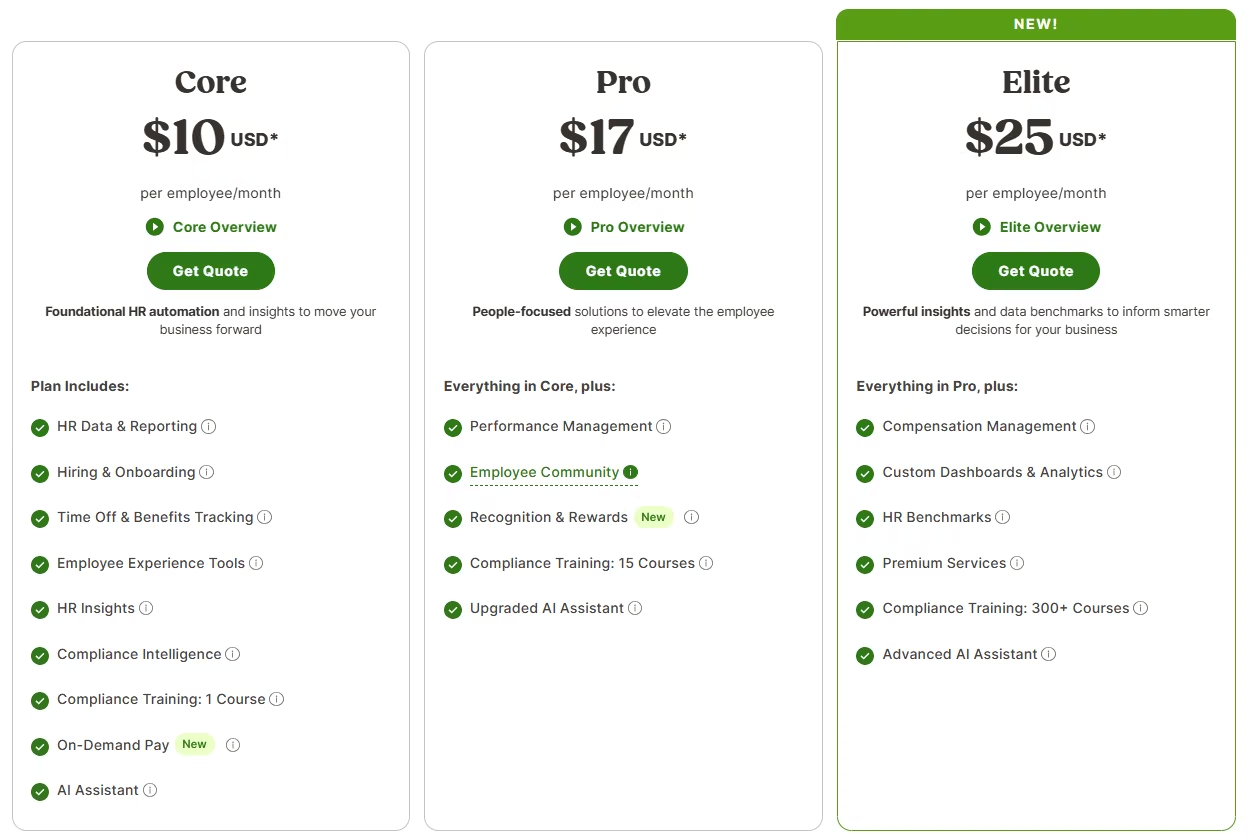
- Core: $10/employee/month. HR data and reporting, hiring and onboarding, time off tracking.
- Pro: $17/employee/month. Everything in Core, plus performance management and an employee community.
- Elite: $25/employee/month. Everything in Pro, plus compensation planning and HR benchmarks.
- Companies with 25 or fewer employees pay a flat rate starting at $250/month instead.
- BambooHR shows no annual-billing toggle, so these are the standing per-employee rates.
Bottom Line
The onboarding and e-signature flow made this one of the smoothest tools to set up on the list; just budget setup time for the blackout-date rule it doesn't have.
4. Zoho People: The Cheapest Full HR Ladder

What it does: Zoho People covers employee records, onboarding, time off, attendance, and performance management on a per-user pricing ladder that starts under $5 a person.
Best for: Budget-conscious teams that still want a full onboarding-through-performance HR suite, well beyond bare records.
Testing Essential HR's Approval Automation
Essential HR includes a multi-level approval automation engine that lets a team lead approve their reports' onboarding and offer-letter steps without approving their own, confirmed in under 10 minutes. The onboarding checklist and offer-letter flow both worked as expected.
On a 12-person team, Essential HR comes out to about $48 a month total, the cheapest entry point among the full HR ladders here. Where it is stripped down is time off: Zoho lists PTO tracking as a Workforce-tier feature, absent from Essential HR entirely, so the blackout-date auto-flag test had nowhere to run.
For this same 12-person team, Workforce runs about $72 a month billed monthly ($60 billed annually), the tier where the blackout-date rule would need to be built and confirmed. I didn't upgrade for this test, so it stays unconfirmed.
Testing the Zia Assistant on Essential HR
On the Essential HR tier, I tried the Zia assistant on a couple of routine questions, asking it to draft a short onboarding-policy summary and pull up which department one salaried employee sat in. Both answers came back as direct sentences pulled from the records already entered, skipping the usual detour to a help article.
Key Features
- Zia AI assistant: Answers routine HR questions from company data and helps draft policies or onboarding content.
- Tiered per-user pricing: Scales from a basic records tier up to time off, compensation, and learning management without jumping platforms.
- Custom leave policies (Workforce tier and up): Lets you build conditional approval rules for specific date ranges, with some setup effort.
Pros and Cons
Pros:
- The cheapest tier that still covers onboarding and role-based approvals
- Two-tier manager approval worked correctly with no custom configuration
Cons:
- Time off, including the blackout-date flag, isn't available at all on Essential HR, the tier this test priced out; confirming it at Workforce would mean upgrading, which this test didn't do
- Free tier caps out at five users, tighter than several other tools
What Users Say
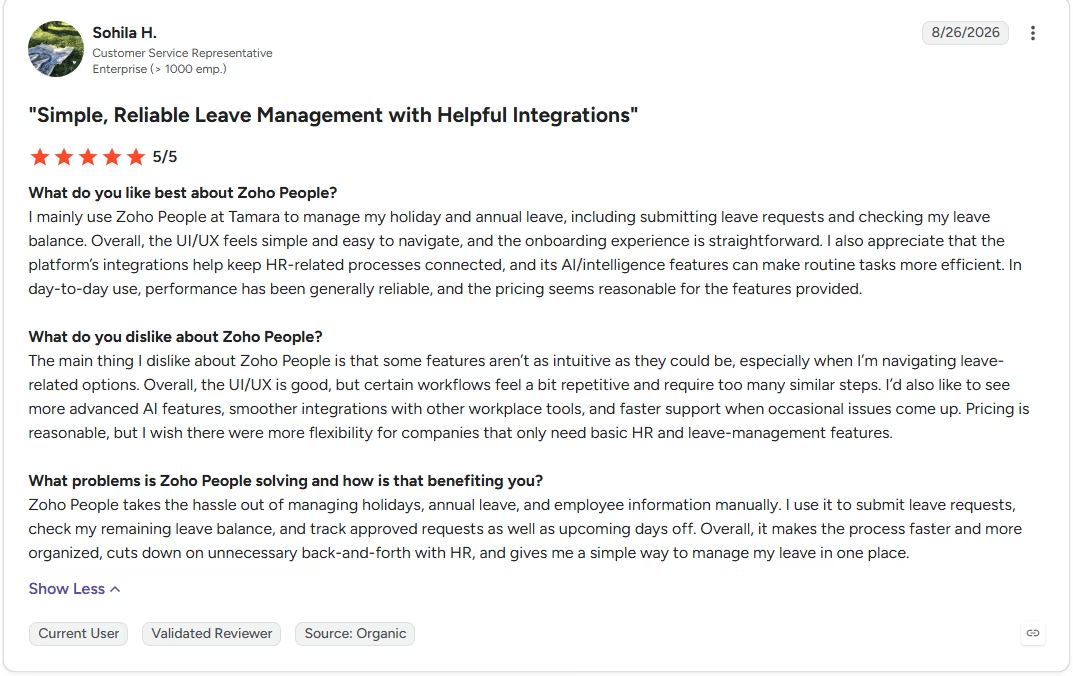
“I mainly use Zoho People at Tamara to manage my holiday and annual leave, including submitting leave requests and checking my leave balance.” - Sohila H., G2
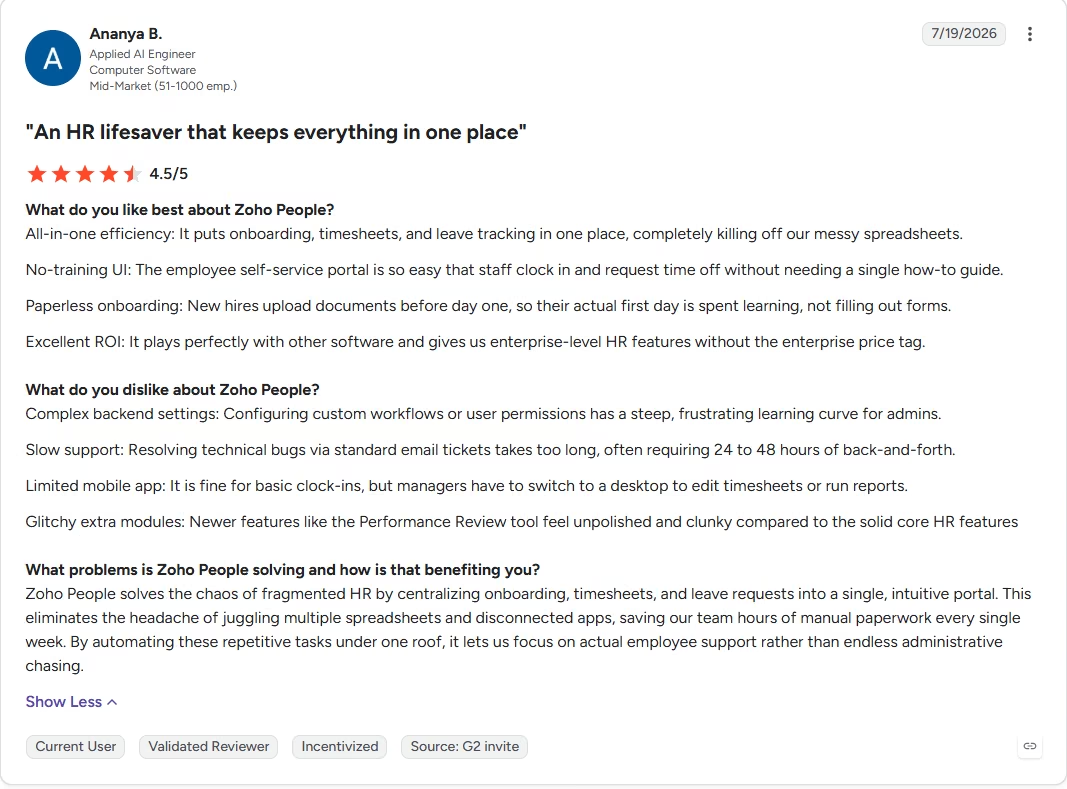
“Slow support: Resolving technical bugs via standard email tickets takes too long, often requiring 24 to 48 hours of back-and-forth.” - Ananya B., G2
Pricing
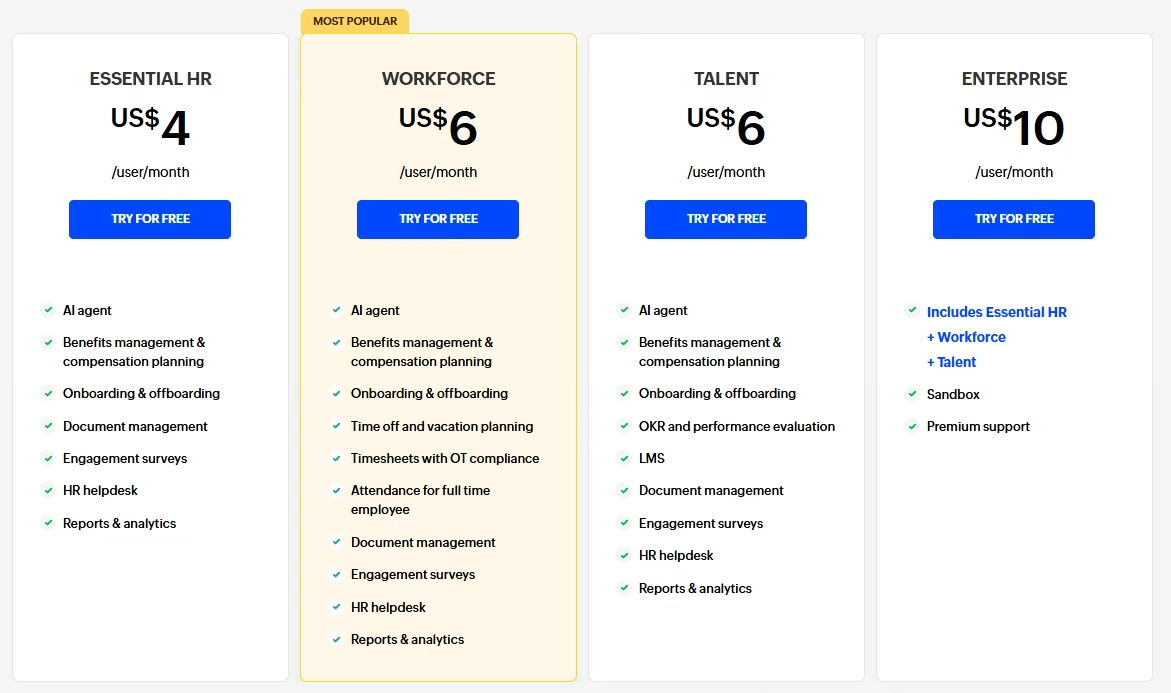
- Free: $0/month. Up to three users.
- Essential HR: $4/user/month ($3/user/month, billed annually). Records, onboarding, and approval automation basics.
- Workforce: $6/user/month ($5/user/month, billed annually). Adds Zia's AI agent capabilities, time off and vacation planning, and OT-compliant timesheets on top of Essential HR's standard Zia assistant.
- Talent: $6/user/month ($5/user/month, billed annually). Adds OKR-based performance evaluation and an LMS on top of Essential HR.
- Enterprise: $10/user/month ($8/user/month, billed annually). Bundles Essential HR, Workforce, and Talent, plus a sandbox and premium support.
Bottom Line
Workforce is where the blackout-date rule lives, though this test didn't upgrade to confirm it. Even so, this is still one of the cheaper full HR ladders here.
5. TMetric: Contractor Time Tracking by Project
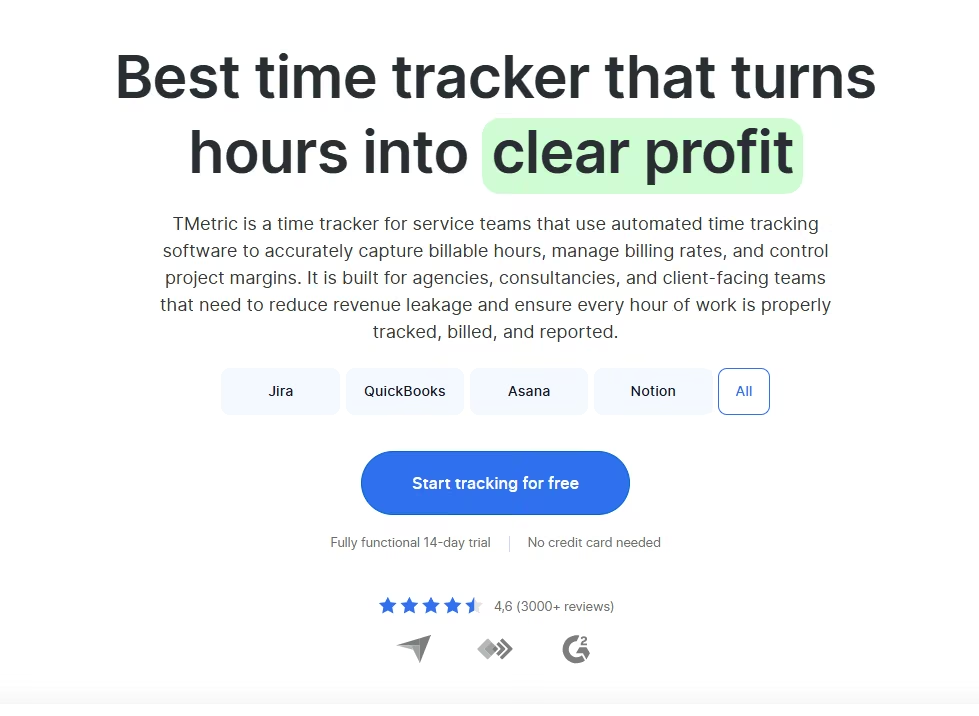
What it does: TMetric is a dedicated time-tracking and reporting tool that logs hours against specific projects and clients.
Best for: Teams whose real problem is accurate contractor and project time tracking, separate from full HR records.
Testing the Contractor Project Split
TMetric's test barely left the contractor project-split requirement. I logged a week of hours for the three contractors against two projects each in a few minutes. I then pulled a report that split the hours by project, in about five minutes total.
The reporting includes billable rates per project and exportable summaries. A permissions system lets a client see only their own project's hours.
TMetric plainly isn't a fit for the rest of the brief. There's no onboarding checklist or offer-letter routing at any tier, and the Time Off module that would cover PTO policies sits one tier up, on Business. The Professional tier this test priced out doesn't include it, so the blackout-date and two-tier approval tests don't apply here.
On a 12-person team at the Professional tier, the monthly cost stays low for what amounts to accurate time data alone; the people behind those hours still need a system of record kept somewhere else.
Testing Idle Detection and Timesheet Locking
The idle-detection feature got a deliberate test too, stepping away from the keyboard mid-session to see whether it caught the gap. It did, flagging the idle minutes separately and keeping them out of the billable total.
Once I approved a contractor's week, the entries greyed out and couldn't be edited without reopening the whole timesheet first. TMetric never once asked for an employee's tax information, a start date, or an org-chart position. None of that is what the tool is built to track.
Key Features
- Per-project time splits: Reports break contractor and employee hours down by project and client, going beyond a simple per-person total.
- Billable rate management: Set different rates per project or per person for accurate client billing.
- Idle detection and timesheet locking: Catches inactive tracked time and locks approved timesheets from further edits.
Pros and Cons
Pros:
- Approved entries locked immediately; editing one meant reopening the whole timesheet first
- Granting a client view access surfaced only their own project's hours, keeping the rest of the team's billable data private
Cons:
- No onboarding checklist or employee records at any tier; PTO policies exist, but only on the Business tier up from what this test priced out
- Functions as a time-tracking companion only, leaving records, PTO, and onboarding to a separate system
What Users Say
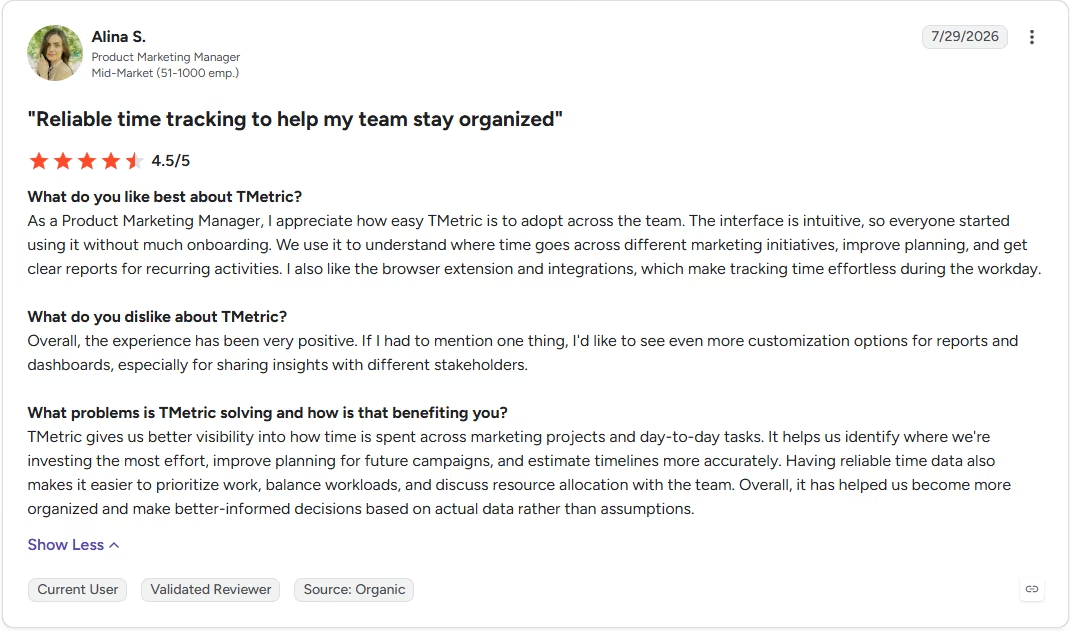
“I also like the browser extension and integrations, which make tracking time effortless during the workday.” - Alina S., G2
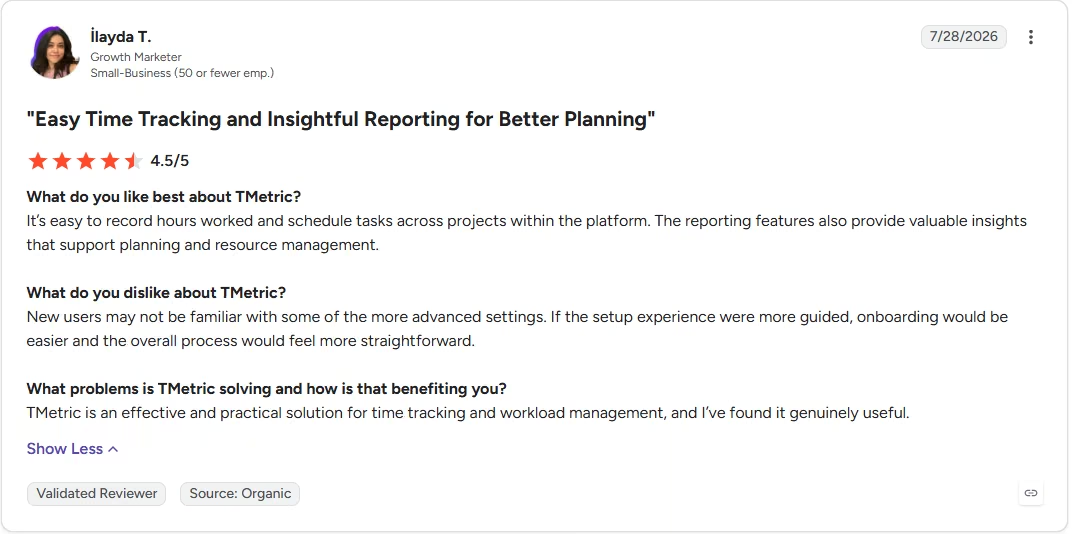
“If the setup experience were more guided, onboarding would be easier and the overall process would feel more straightforward.” - İlayda T., G2
Pricing
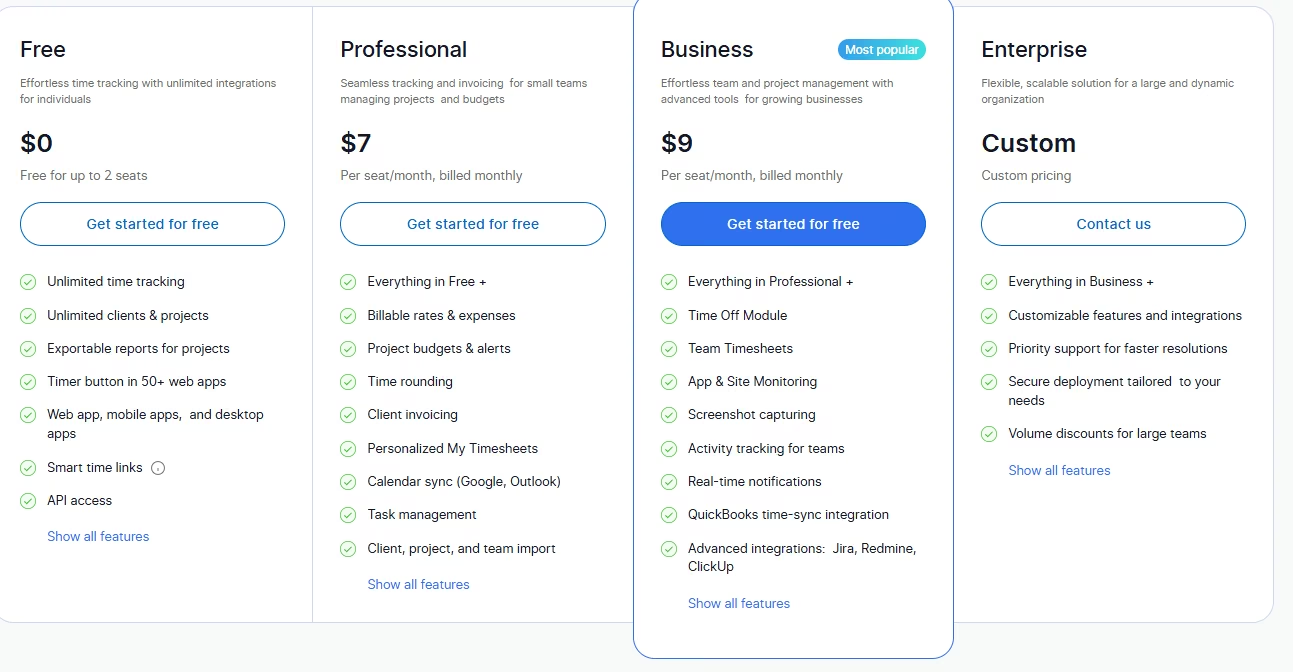
- Free: $0/month. Up to two seats.
- Professional: $7/seat/month ($5.83/seat/month, billed annually). Billable rates, project budgets, and client invoicing.
- Business: $9/seat/month ($7.50/seat/month, billed annually). Adds the Time Off module, team timesheets, screenshot capturing, and QuickBooks sync.
- Enterprise: Custom pricing; contact sales.
Bottom Line
The project-split report came with billable-rate detail and client-only permissions, a combination none of the other tools in this test surfaced. It's a time-tracking specialist, best paired with whatever runs the rest of your HR.
6. Justworks: A PEO Built Around Payroll and Benefits

What it does: Justworks is a professional employer organization (PEO) that co-employs your team to handle payroll, benefits, and compliance, with basic HR tools layered on top.
Best for: Small businesses that want payroll tax filing and benefits administration handled by an outside team, not just tracked by software.
Comparing the Payroll and PEO Entry Points
Justworks has two entry points, and what each one includes differs more than the price tags suggest. The standalone Payroll plan now includes online onboarding and PTO management, more HR than its price tag suggests, though I couldn't confirm whether e-signature routing and the specific blackout-date rule are part of that tier.
Confirming the blackout-date PTO flag, the two-tier approval structure, and e-signature routing would have meant upgrading to PEO Basic, roughly a tenfold jump in per-employee cost. I didn't make that jump for this test, so all three stay unconfirmed at the tier I actually priced out.
Support and Benefits Beyond the Payroll Tier
Justworks' own materials describe the rest of the PEO work, including multi-state payroll tax filing, W-2 and 1099 handling, and a nationwide benefits catalog, though confirming any of it would also have meant upgrading past Payroll, which I didn't do for this test.
I called the support line and reached a person within a few minutes, though Justworks reserves its 24/7 human support for the PEO tiers rather than the Payroll plan this test priced out.
Key Features
- Compliance-first payroll: Automates tax withholding, filing, and remittance across multiple states.
- Nationwide benefits access: Offers medical, dental, and vision plans through national carrier networks.
- 24/7 live support: A real human answers the phone, any hour, any day.
Pros and Cons
Pros:
- Payroll now includes onboarding and PTO management, more than the entry price suggests
- Reached a real person on the 24/7 support line within a few minutes
Cons:
- E-signature routing and the blackout-date rule aren't confirmed on Payroll; confirming either means upgrading to PEO Basic, which this test didn't do
- Confirming the blackout-date rule, two-tier approval, and e-signature routing would mean the tenfold jump to PEO Basic, untested here
- Benefits renewal rates typically climb every year, Justworks says, driven as much by industry-wide health insurance costs as by anything plan-specific
What Users Say
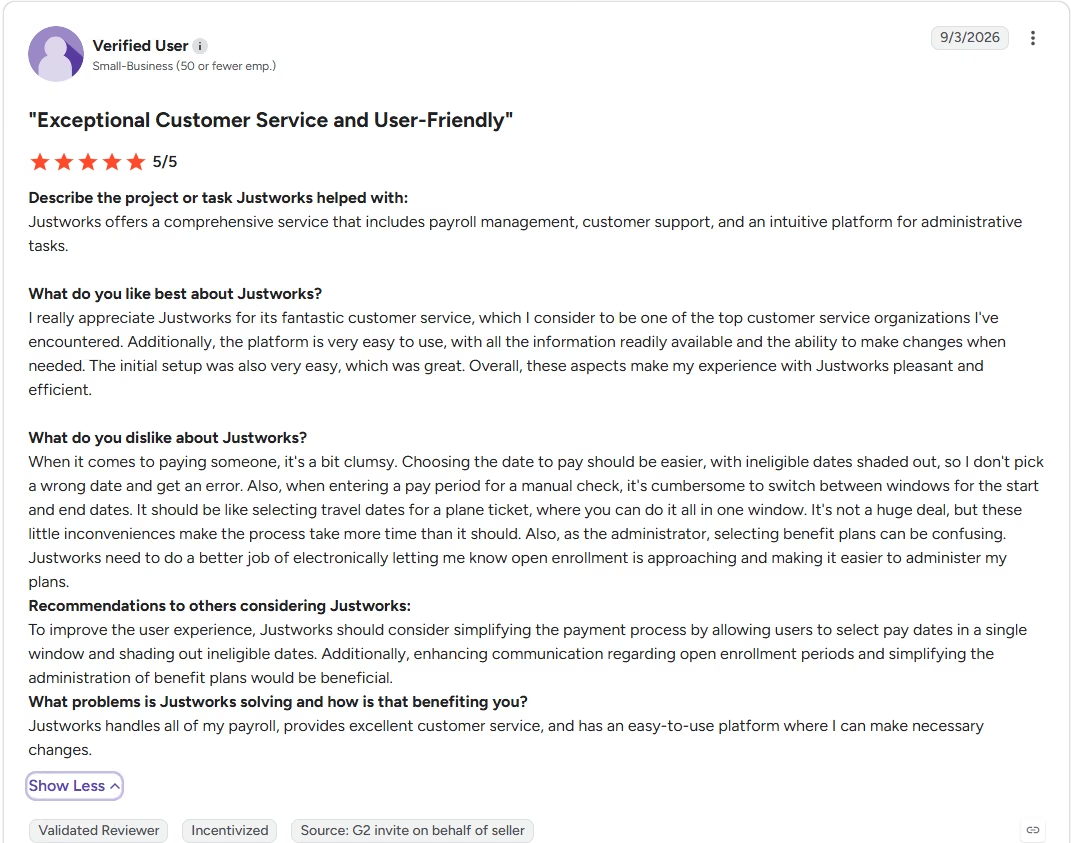
“Justworks offers a comprehensive service that includes payroll management, customer support, and an intuitive platform for administrative tasks.” - Anonymous, G2
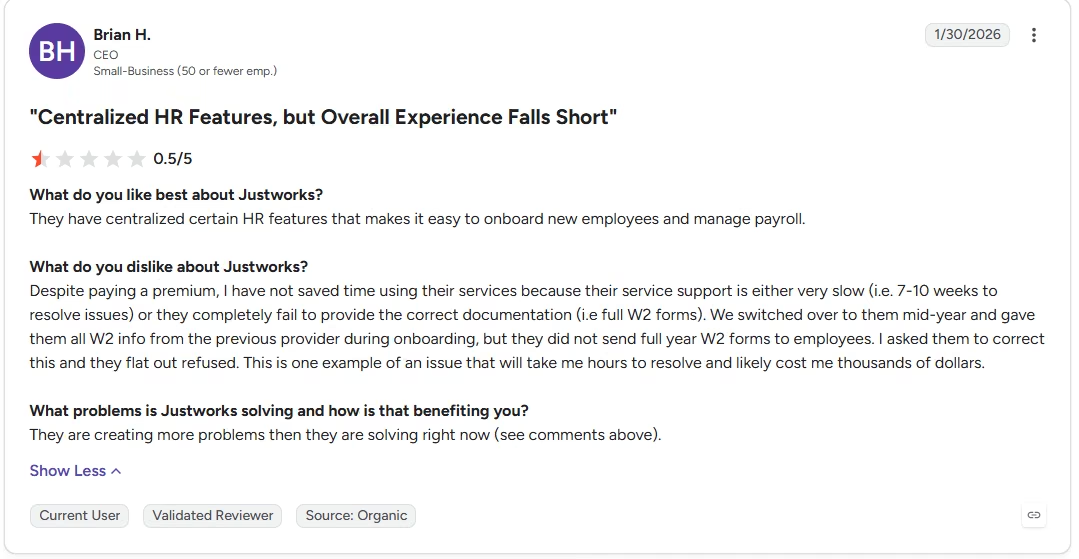
“Despite paying a premium, I have not saved time using their services because their service support is either very slow (i.e., 7-10 weeks to resolve issues) or they completely fail to provide the correct documentation (i.e full W2 forms).” - Brian H., G2
Pricing
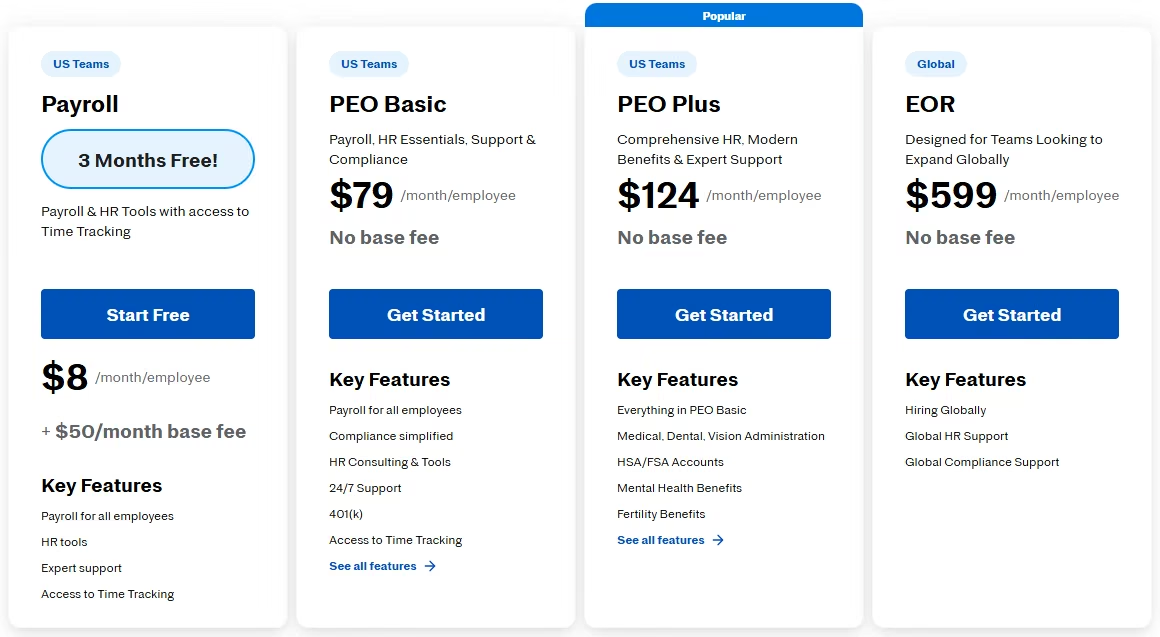
- Payroll: $8/employee/month, plus a $50/month base fee.
- PEO Basic: $79/employee/month. No base fee.
- PEO Plus: $124/employee/month. No base fee.
- Global EOR add-on: $599/employee/month for international hires.
- None of these tiers show an annual-billing discount.
Bottom Line
Payroll's newly added onboarding and PTO management are worth weighing on their own. Confirming the blackout-date rule, two-tier approval, and e-signature routing would mean the tenfold jump to PEO Basic, a move this test didn't make.
7. monday.com: A Flexible Canvas You Build Into an HR System

What it does: monday.com is a work-management platform with customizable boards, automations, and AI agents that teams increasingly stretch into HR and employee-lifecycle workflows.
Best for: Teams that already run projects in monday.com and want that same canvas to absorb HR without adopting a new tool.
Building the Roster, Onboarding, and PTO Automation
Before this test, I knew monday.com mainly as one of the AI project management tools teams already use. monday.com doesn't ship with employee records, onboarding checklists, or a PTO engine as native objects. Everything here got built from boards, columns, and automations.
I set up the 12-person roster and department structure as a board in about 10 minutes, straightforward enough. The onboarding checklist worked reasonably well as a board with status columns and assigned owners.
There's no built-in "PTO policy" feature. I had to hand-build an automation recipe that checks a submitted date against the December blackout range and overrides the default auto-approval by changing the status column. That took about 35 minutes and required the paid tier's automation-action allotment, unavailable on the free plan.
Testing the AI Agent and Reporting View
I tried the AI agent workforce feature next, on one repetitive piece of the workflow. It posted a reminder to the assigned owner whenever an onboarding task sat untouched for more than two days. It worked, but configuring it meant writing the trigger and the message myself.
The roster board, the onboarding board, and the project boards this team already used all lived in the same workspace, so pulling a headcount-by-department view took nothing more than filtering one board. A board export returned clean CSV data. The same filtering approach split contractor hours by project, and a second automation blocked a lead's own approval.
Key Features
- Fully custom boards: Build any workflow, HR or otherwise, from scratch with no fixed data model.
- AI agent workforce: Automate repetitive steps like status updates or reminders using built-in AI credits.
- Cross-functional visibility: The same platform your team already uses for projects can host HR tracking too.
Pros and Cons
Pros:
- The 12-person roster and department structure came together as a board in about 10 minutes
- HR lives on the same boards a team already runs projects in
Cons:
- Zero native HR objects; everything is a hand-built workaround
- The blackout-date automation needed real effort and a paid tier's automation allotment
What Users Say
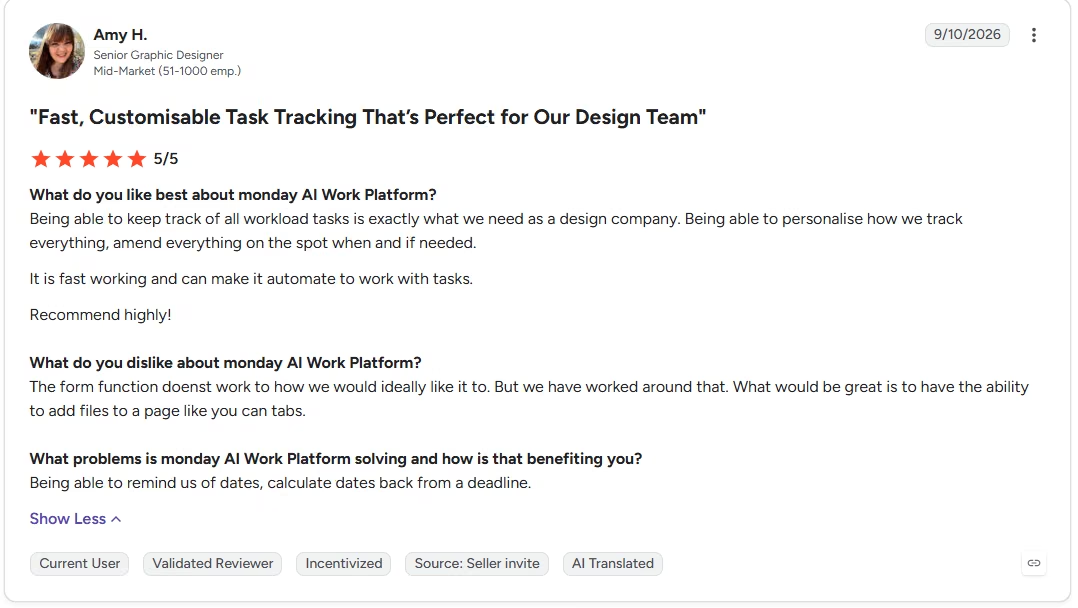
“Being able to keep track of all workload tasks is exactly what we need as a design company.” - Amy H., G2
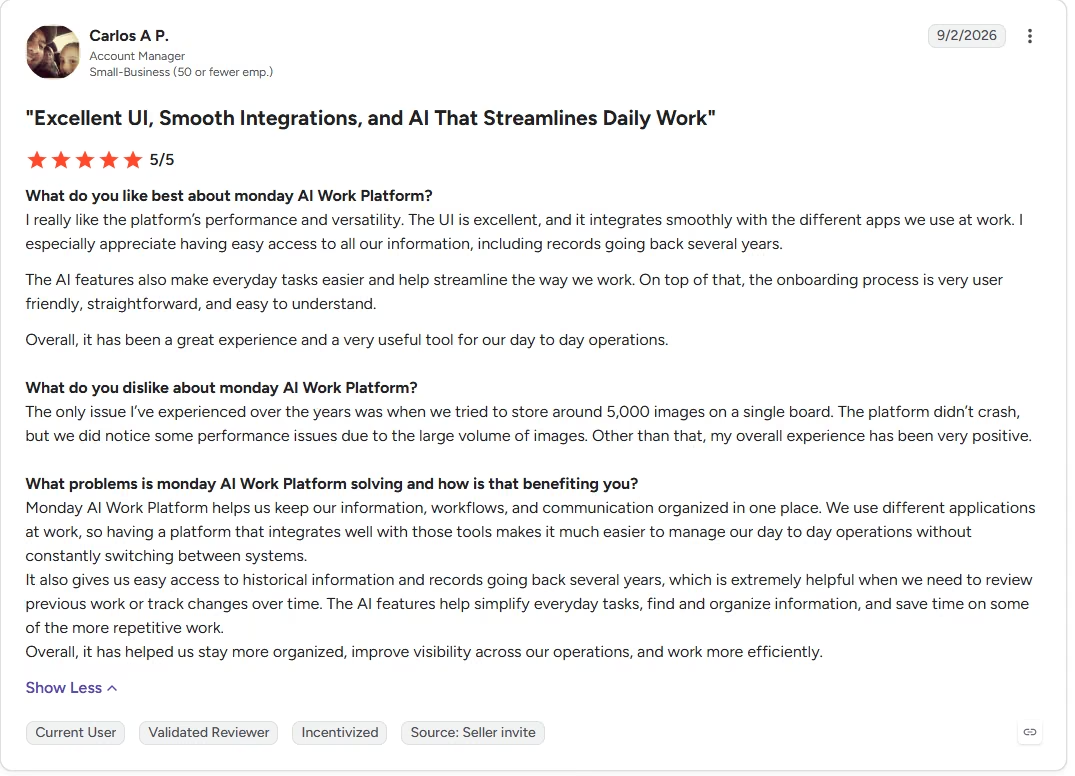
“The platform didn’t crash, but we did notice some performance issues due to the large volume of images.” - Carlos A P., G2
Pricing

- Free: $0/month. Up to two seats.
- Basic: $12/seat/month ($9/seat/month, billed annually).
- Standard: $14/seat/month ($12/seat/month, billed annually). monday.com also bundles 2,000 AI credits a month at no extra charge on this tier.
- Pro: $24/seat/month ($19/seat/month, billed annually). Includes 3,000 AI credits a month, the AI meeting notetaker, and the Sidekick assistant.
- Enterprise: Custom pricing; the exact price also depends on seat count.
Bottom Line
There's no out-of-the-box PTO rule or onboarding checklist, since everything gets hand-built from boards and automations. If your team already lives in monday.com for projects, extending it to HR still beats bringing in a second tool.
8. Deel HR: HR Records for a Multi-Country Team
What it does: Deel HR is the records-and-compliance layer underneath Deel's contractor, EOR, and PEO products, built to run one HR system across employees and contractors in different countries.
Best for: A company already hiring outside its home country that wants worker records, time off, and compliance tracking to work the same way no matter where someone is employed.
This section is built from Deel's product and pricing pages.
One Worker Profile Across Countries
Every worker gets one profile holding their org-chart position, job architecture, time off, and approvals, and Deel runs payroll off that same profile. Local policies come preconfigured for every worker type in each country a team hires in.
Key Features
- Pay bands by market: Elite sets pay bands by market and sub-market, so the same role can carry different pay ranges by location.
- AI analytics and reporting: Core includes AI reporting that answers plain-language questions about workforce data.
- Role-based permissions: Core includes roles and permissions, so an admin can limit who sees sensitive worker records from the entry tier.
Pros and Cons
Pros:
- Core's $5/employee/month rate comes to $60 a month for a 12-person team.
- A team can start on Core for records and compliance, then move up to Advanced or Elite once it needs performance or compensation tools, with no data migration between tiers.
- Every Deel HR plan includes an anonymous reporting channel, so employees can flag a workplace issue without attaching their name.
Cons:
- Performance reviews and goals start on Advanced at $19/employee/month, nearly four times the Core rate.
- Deel HR has no self-serve trial; its pricing FAQ points buyers to a free demo or a call with sales first.
What Users Say
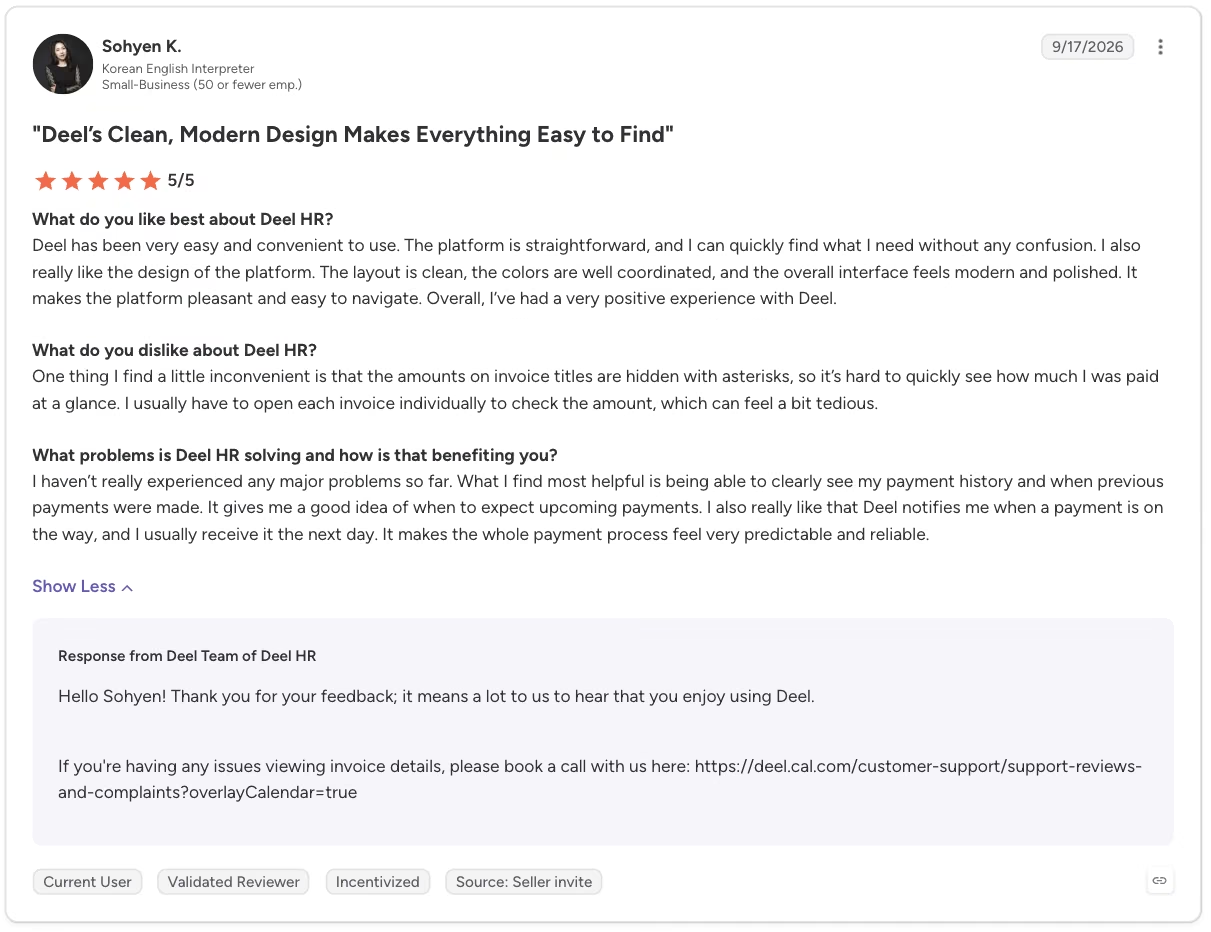
"Deel has been very easy and convenient to use. The platform is straightforward, and I can quickly find what I need without any confusion." - Sohyen K., G2
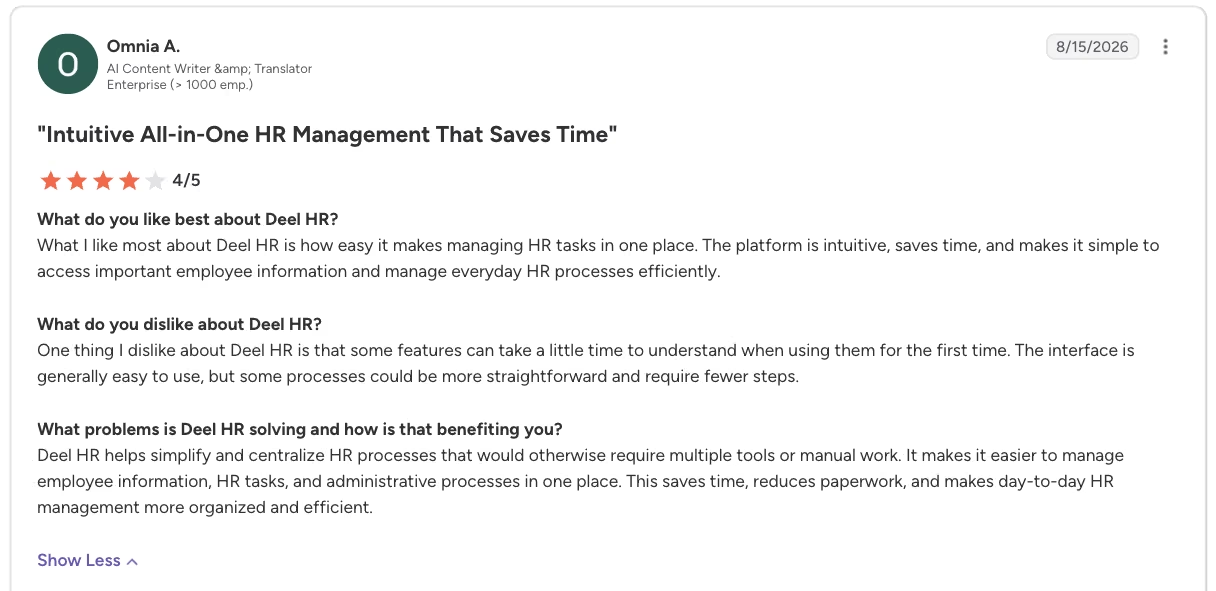
"One thing I dislike about Deel HR is that some features can take a little time to understand when using them for the first time.” - Omnia A., G2
Pricing
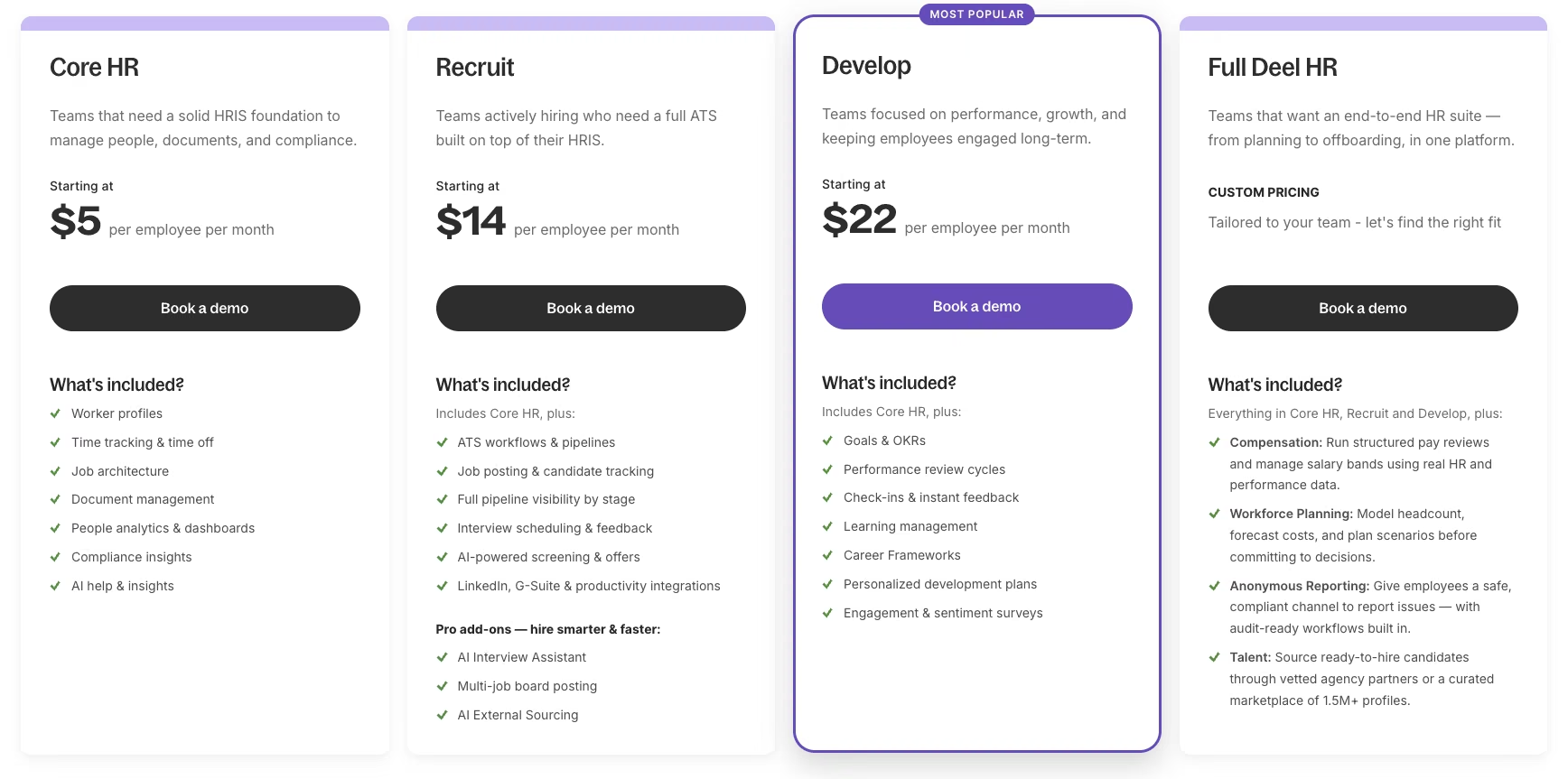
- Core: $5/employee/month. Worker profiles, org chart, time off, attendance, job architecture, and compliance tracking.
- Advanced: $19/employee/month. Adds performance reviews, goals, and a learning management system on top of Core.
- Elite: $29/employee/month. Adds pay bands, headcount planning, and cost forecasting on top of Advanced.
- ATS add-on: From $10/employee/month. Adds applicant tracking to any tier.
Outside Deel HR itself, Deel's contractor and employment products price separately:
- Contractor management: $49/contractor/month, or $325/contractor/month for Contractor of Record, where Deel takes on classification risk.
- US PEO: $125/employee/month. Co-employment for US-based employees, with benefits included.
- Employer of Record: $599/employee/month. Full legal employment abroad.
Deel's pricing page lists monthly per-worker rates only.
Bottom Line
Once hiring spreads past one country, Deel's 150-plus-country coverage is the reason to pick it; a single-country team gets records and time off for less from Zoho People.
9. Remote: Employer-of-Record Coverage Where You Need It

What it does: Remote is an Employer of Record and global payroll platform that legally employs workers in countries where a company has no registered entity, taking on the local contract, payroll, and statutory benefits itself.
Best for: A team that needs to put one or two full-time employees on payroll in a country where it doesn't have a legal entity, without opening one for a single hire.
This section is built from Remote's product, pricing, and help-center pages.
How Remote Handles a New International Hire
Adding a new hire works through a contract-details step where an employer chooses the employee's local currency or, where a country allows it, a non-local currency for salary. That choice carries through to the employment agreement, which states the salary in whichever currency was selected.
Remote owns the legal entity in every country it covers and handles compliance directly through those entities.
What's Bundled Into the Price
Remote's Payroll and Contractor Management plans include its HR Core layer as standard, and the EOR plan includes HR Essentials. Remote also lists one flat EOR platform fee per hire, whatever the country.
Key Features
- Localized benefits packages: The EOR plan includes benefits packages localized to each employee's country.
- Dedicated onboarding specialist: Each EOR hire goes through onboarding with a dedicated specialist, with in-house experts on hand for local questions afterward.
- One-click contractor invoices: Contractor Management lets a team approve contractor invoices in one click or set them to auto-pay.
Pros and Cons
Pros:
- A first international hire can run records and pay through one vendor, since the EOR plan bundles an HR layer.
- A company with an entity in one country and none in another can run Global Payroll where it has an entity and EOR where it doesn't, on the same platform.
- Contractor Management charges only for contractors a team actively works with.
Cons:
- EOR runs $699/employee/month, $100 more per employee than Deel's $599 EOR rate.
- Basic Contractor Management carries no indemnity protection against a contractor misclassification penalty; that coverage only comes with Contractor Management Plus, at $70/contractor/month more.
What Users Say
"I like Remote's prompt and professional employee support. They effectively addressed my queries about health insurance and meal allowance with clear explanations and ensured my concerns were fully resolved." - Nagaraju G., G2

"Billing and support have been a real pain point for me. To send an agreement to an employee, we first have to make a reserve payment, but the Remote system and Finance team can take many days to recognise it.” - Verified User in Information Technology and Services, G2

Pricing
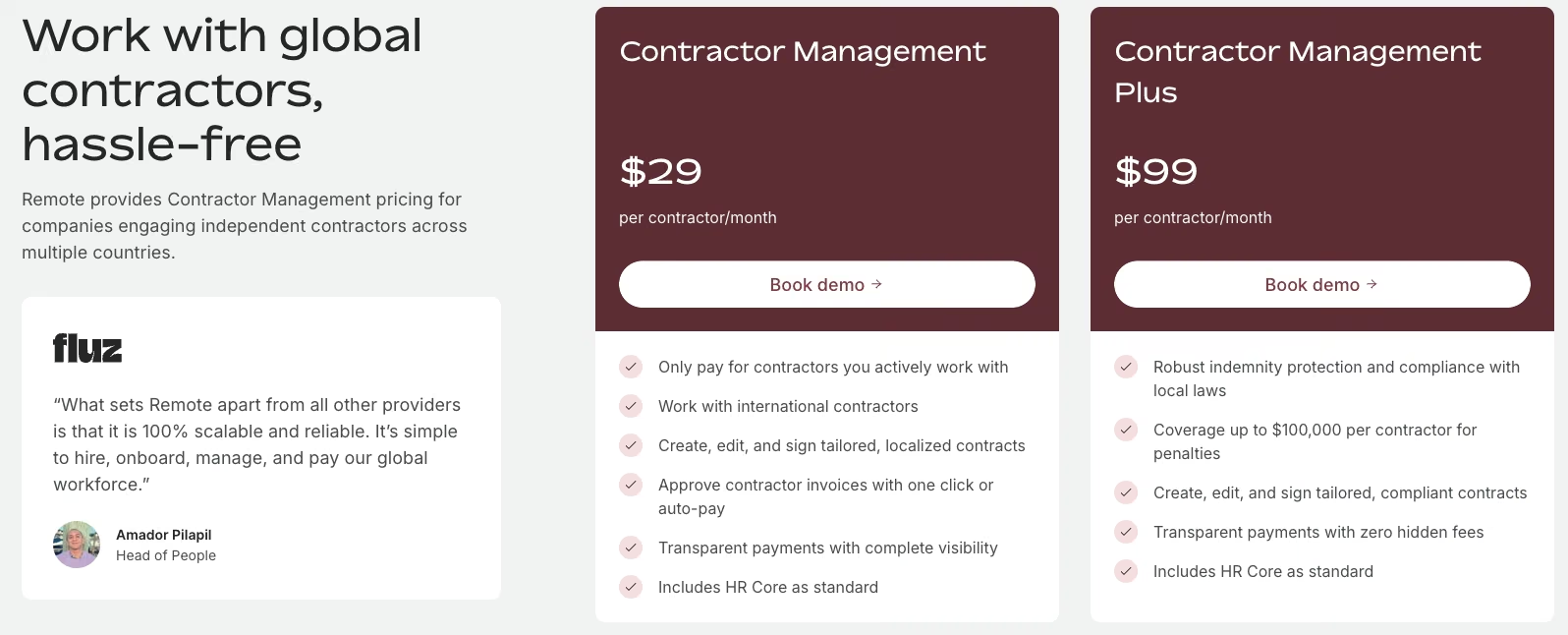
- Contractor Management: $29/contractor/month. Covers hiring, managing, and paying a contractor.
- Contractor Management Plus: $99/contractor/month. Adds indemnity coverage up to $100,000 per contractor.
- Global Payroll: $29/employee/month. For a company that already has its own entities but wants centralized payroll infrastructure.
- PEO (US employees): From $99/employee/month. Co-employment for US-based employees, with payroll and benefits handled by Remote; a 12-person US-only team starts at $1,188 a month.
- Employer of Record: $699/employee/month. Full legal employment in a country where the hiring company has no entity, with no annual-billing discount on any tier.
Bottom Line
Remote's EOR plan earns its monthly fee for one or two hires abroad; as that headcount grows, price it against opening a local entity of your own.
10. Gusto: The Blackout Rule Worked With Zero Extra Setup
What it does: Gusto runs payroll, benefits, and basic HR tools for small and mid-sized teams, with add-ons for time tracking and performance.
Best for: Small teams whose main need is dependable payroll and PTO without a PEO's co-employment structure.
Testing Payroll Setup and the Blackout-Date Rule
After Justworks' compliance depth, Gusto's payroll setup and the blackout-date PTO test both felt cleaner than expected. Gusto's own leave-policy builder handled the blackout rule correctly the first time I tested it, using only the standard setup. The only friction came from a mid-setup prompt to register for state tax withholding as a separate add-on.
On a 12-person team on the Simple tier, the monthly cost lands at $121. The two-tier approval structure worked correctly too. A team lead could clear their reports' time off, but the queue stopped them from signing off on their own.
I found 401(k) and workers' comp available from inside Gusto, though both require additional setup beyond turning on a toggle.
Testing Onboarding and Data Export
The 401(k) option added a short compliance questionnaire before it activated, a few extra minutes at most. The onboarding checklist itself lived directly inside the same payroll flow, already built in as part of it. It collected the new hire's tax and banking details and routed the laptop-and-accounts checklist in that same place.
Before wrapping up testing, I pulled a sample export and got employee records and payroll history back as clean CSV files. The configured PTO policy itself stayed locked inside the account when the rest of the data left.
Key Features
- Automated payroll tax filing: Calculates and files federal and state payroll taxes automatically.
- Built-in time-off policies: Configurable PTO rules including custom date-range handling.
- Add-on marketplace: Layer on 401(k), HSA/FSA, workers' comp, and performance tools without switching platforms.
Pros and Cons
Pros:
- Blackout-date PTO fired correctly on the first attempt, no extra configuration needed
- Both 401(k) and workers' comp can be started from inside Gusto
- Transparent flat-rate-plus-per-person pricing on every tier
Cons:
- State tax registration surfaces as a separate add-on mid-setup, easy to miss
What Users Say
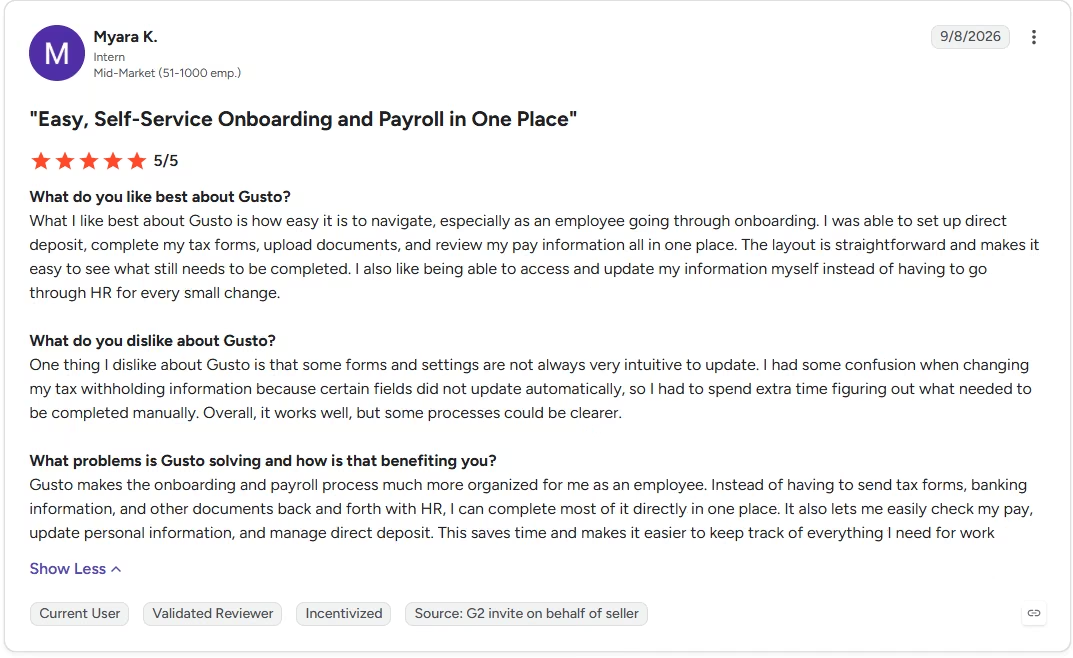
“What I like best about Gusto is how easy it is to navigate, especially as an employee going through onboarding.” - Myara K., G2
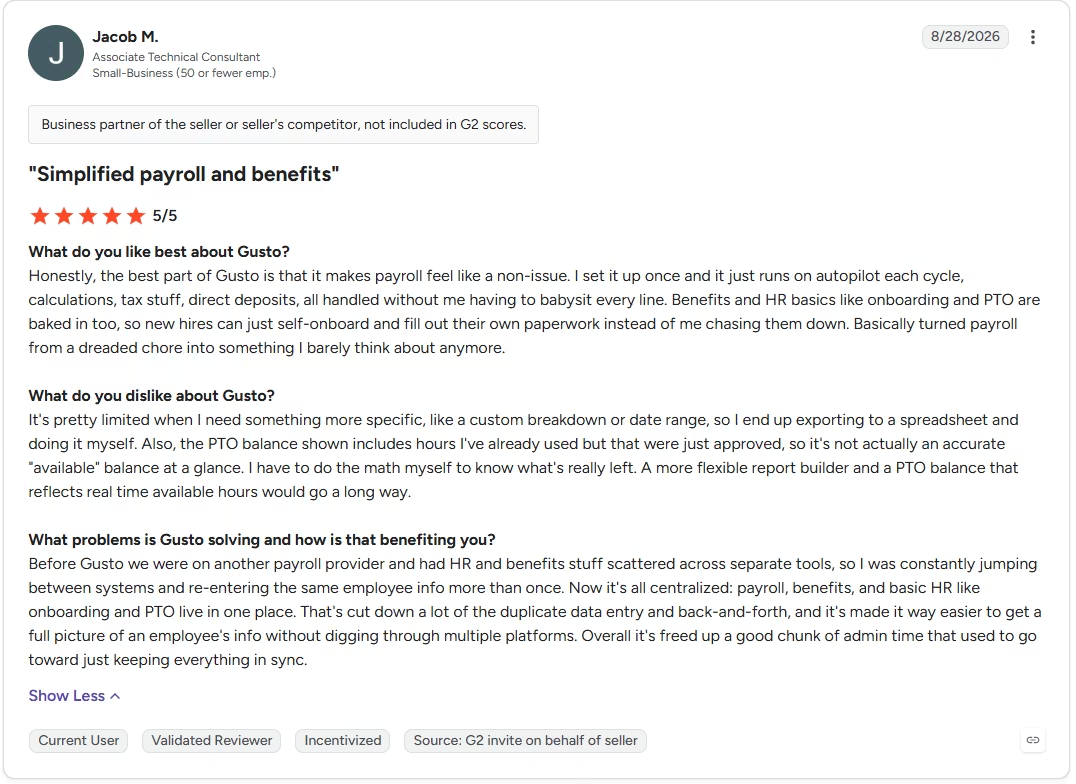
“It's pretty limited when I need something more specific, like a custom breakdown or date range, so I end up exporting to a spreadsheet and doing it myself.” - Jacob M., G2
Pricing
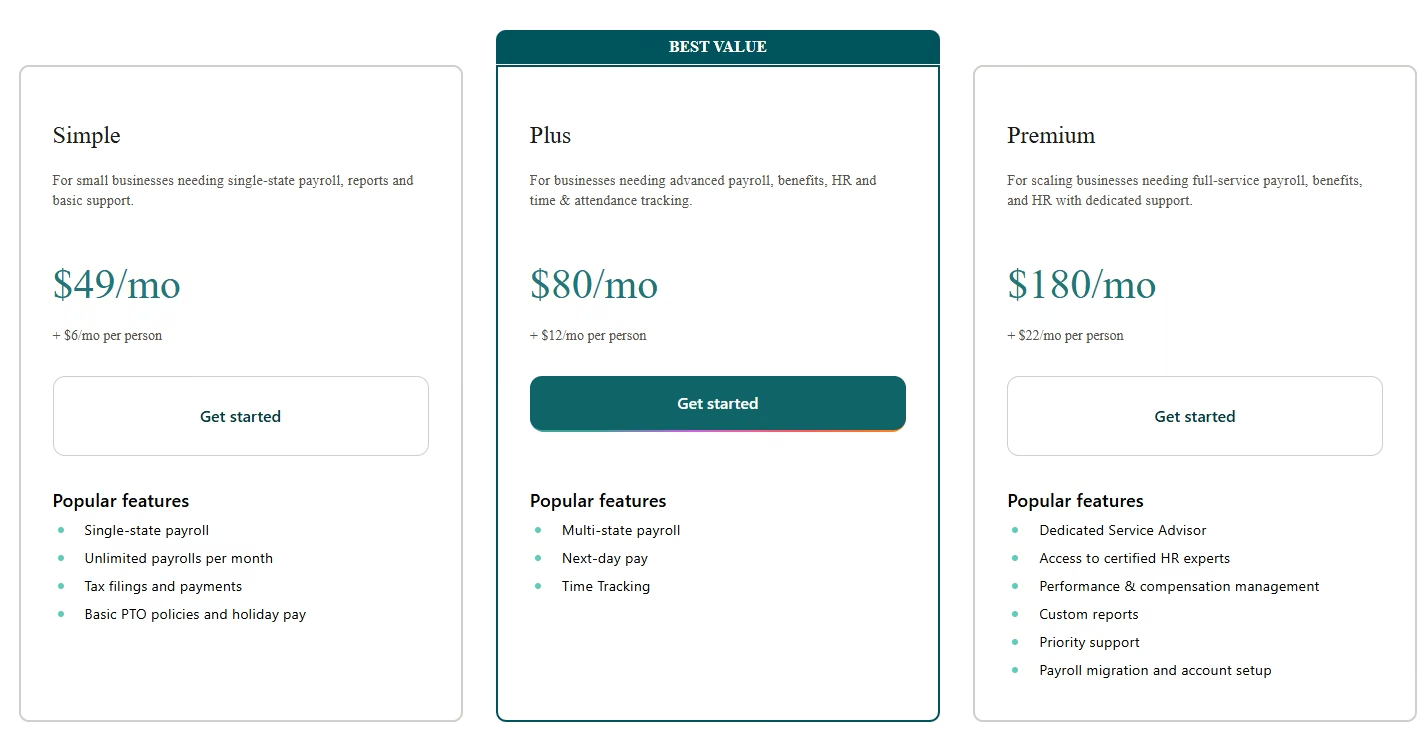
- Simple: $49/month, plus $6/month per person.
- Plus: $80/month, plus $12/month per person. Adds multi-state payroll and time tracking.
- Premium: $180/month, plus $22/month per person. Adds a dedicated service advisor and compensation management.
- Contractor Only: Currently discounted to $0/month (down from $35/month) for the first six months, plus $6/month per person.
- None of Gusto's tiers show an annual-billing discount.
Bottom Line
The core payroll and PTO setup was easier than I expected. Multi-state teams still need to budget for the Plus tier to get there.
11. Eddy: Onboarding, PTO, and a Directory That Work Together
What it does: Eddy bundles employee records, onboarding, hiring, and PTO tracking into a low-cost HR platform with payroll and hiring available as add-ons.
Best for: Small, local businesses that want onboarding and PTO handled properly without paying enterprise HRIS prices.
Building Onboarding on Starter, Approvals on Growth
Eddy's onboarding checklist came together quickly on the Starter tier. I built the checklist for the new Content hire in a handful of drag-and-drop steps. Each task got assigned to a specific owner, me for the offer letter, the hire themselves for their tax forms.
The org chart, manager-approval flows, and custom-signature documents all sit on the Growth tier, one step up from Starter. Once there, the multi-signer document flow routed the offer letter for approval before it went anywhere near the candidate. The blackout-date PTO flag hit the same wall as BambooHR.
Eddy's approval chains handle ordinary time-off requests fine, but nothing inside them watches for a specific date window, so the same December test case slipped through and auto-approved without ever getting flagged.
The two-tier reporting structure, three leads under me, came together through Eddy's org-chart tool on Growth without any workaround. On a 12-person team, Starter runs $98 a month for the onboarding and PTO piece; Growth runs $171 a month once you add the org chart and signature documents.
Testing the Hiring-to-Onboarding Handoff
I kept the test listing private rather than public, so it never reached the career page or any job board, then checked whether hiring and onboarding connected inside the same account. They did.
Dragging a test candidate to the Hired column carried their name and contact details straight into the onboarding checklist, and the new Content hire's record never needed re-entering by hand between the two.
Key Features
- Custom career page: Post open roles on a branded page without any coding.
- Document storage and e-signature: Stores employee documents with multi-signer signing support on the Growth tier and up.
- Org chart and directory: Keeps reporting lines and contact info in the same place as records.
Pros and Cons
Pros:
- The multi-signer offer-letter flow routed for approval before it ever reached the candidate
- Payroll and hiring available as clearly priced, optional add-ons
Cons:
- No native blackout-date PTO rule, the same gap as BambooHR
- Premium tier pricing requires a custom quote
What Users Say
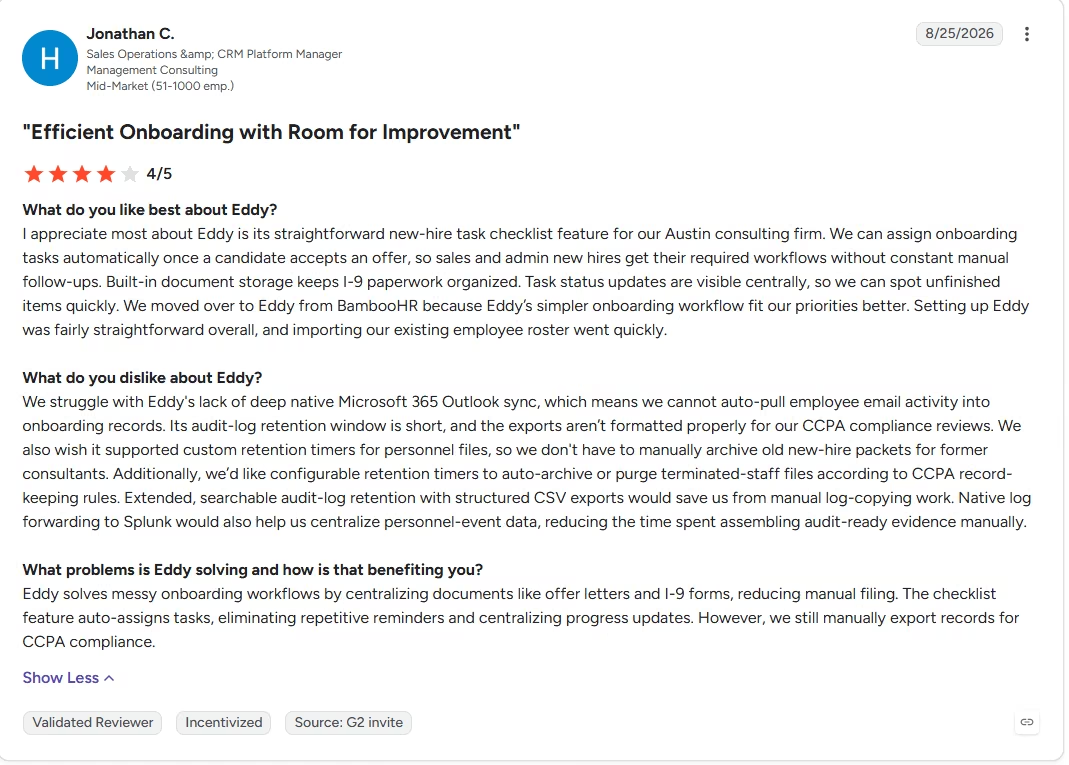
“We can assign onboarding tasks automatically once a candidate accepts an offer, so sales and admin new hires get their required workflows without constant manual follow-ups.” - Jonathan C., G2
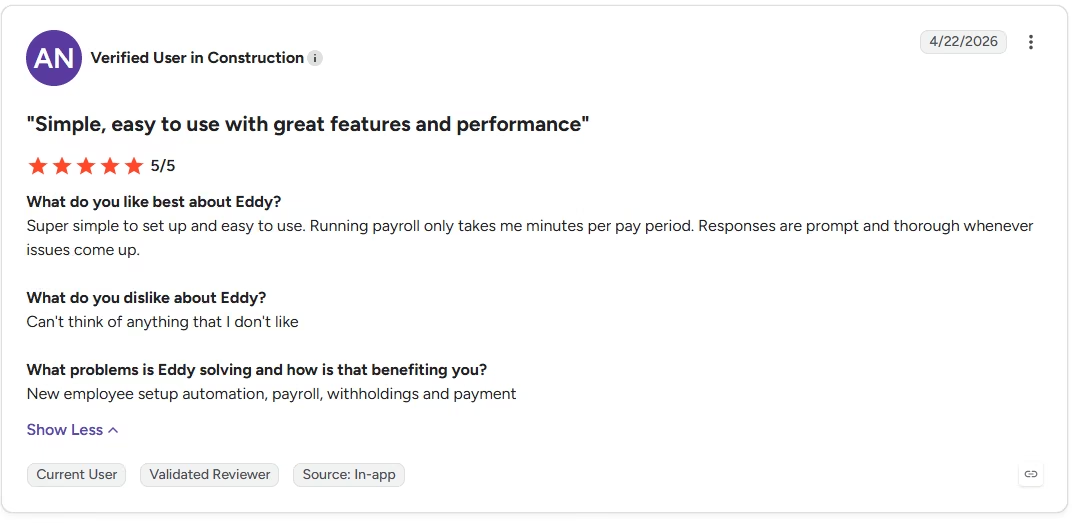
“Payroll submission of tax reporting could use some help.” - Anonymous, G2
Pricing
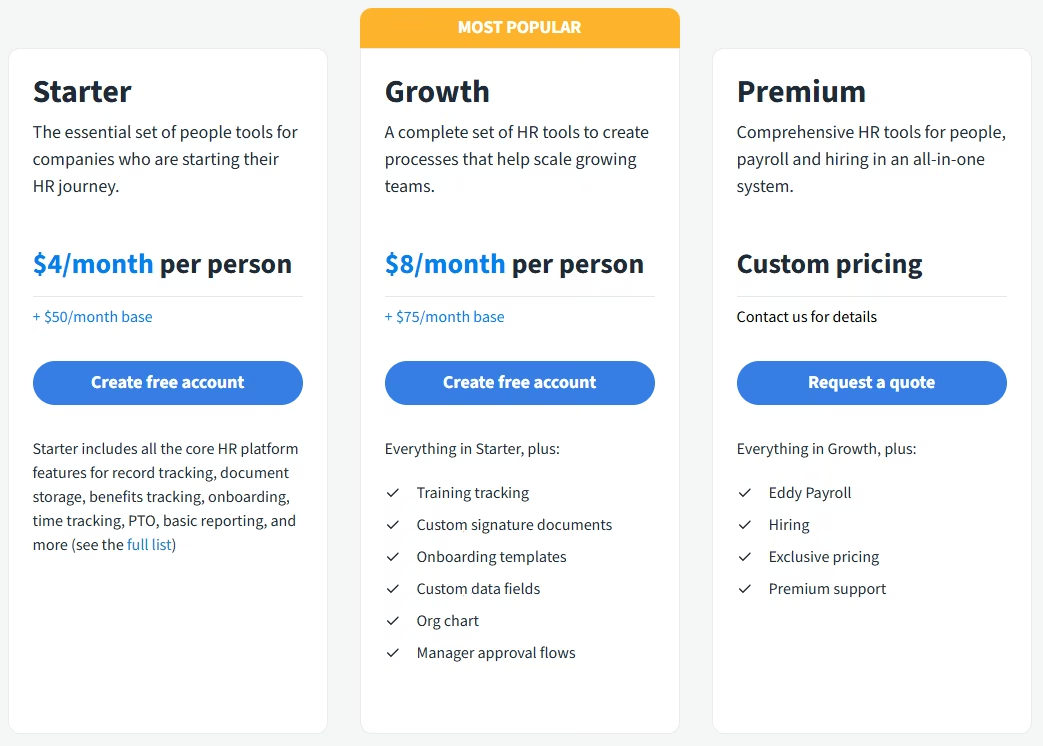
- Starter: $4/month per person, plus a $50/month base fee.
- Growth: $8/month per person, plus a $75/month base fee. Adds training tracking and custom onboarding templates.
- Premium: Custom pricing; adds Eddy's own payroll and hiring modules.
- Payroll add-on: $6/person, plus a $50/month base.
- Hiring add-on: A flat $199/month.
- Eddy shows no annual-billing discount on any tier.
Bottom Line
For a small team on a budget, this combination worked as one connected system without feeling like three add-ons stitched together. The blackout-date gap is real, plan around it if you need that rule.
How These Tools Connect to the Rest of Your Stack
Zapier is the connective layer several tools here lean on, linking a records-first HRIS to accounting software or a chat app neither one talks to on its own.
BambooHR and Gusto each ship a real integration hub of their own. BambooHR's Marketplace lists over 100 pre-built partner integrations, covering payroll, background checks, and applicant tracking. Gusto's App Directory leans toward accounting and hiring tools specifically, syncing payroll data to QuickBooks or Xero and pulling new hires in from Greenhouse or Lever.
Zoho People has a Marketplace too, but it mostly connects within the Zoho ecosystem itself, to tools like Zoho Books, Projects, and Sign, more than out to a broad third-party catalog. Eddy has no comparable marketplace; its integrations are a short, named list, QuickBooks Online and Employee Navigator among them, each set up one at a time.
monday.com and Emergent don't need a middleman for this. monday.com fires its own automation recipes at other apps, and Emergent reaches your other tools through the MCP connector. For the rest of the lineup, CSV export remains the common denominator, the same baseline mentioned in the FAQ below.
How Emergent Helps Teams Build the Employee Tracker That Fits Their Own Process
Every employee management app in this comparison ships with its own fixed idea of what managing an employee looks like, whether that's a records template, a PTO policy structure, or an approval chain shape.
That works until your team's process doesn't match the template, and you're bending your workflow to fit the software or hunting for a report that may or may not exist, exactly what happened with the contractor project-split report on one of the tools tested.
Emergent starts from a different point. You describe the exact PTO rules, approval chain, and reporting your team needs, in plain language. Its AI app builder scopes and builds the app around the workflow you describe, then checks the result before it ships.
Emergent doesn't handle a PEO's payroll tax filing or a global compliance platform's employment-law coverage. When the real blocker is a workflow no off-the-shelf HR tool was built around, building an admin dashboard around your team's real process closes that gap.
The same approach works for an event management dashboard for a company offsite, or any adjacent problem this list wasn't built to solve. The MCP connector keeps a tracker built this way connected to the rest of your stack. If the 12-person structure grows to six departments, or one blackout-date rule turns into a dozen exceptions, you describe the change and the app updates in place, without a platform migration. If the repetitive part is onboarding reminders and PTO requests, you can build an HR agent that handles those steps and leaves approvals to your managers.
Most AI app builders stop at prototypes. Emergent creates production-ready apps you can actually launch.
- Production-ready apps
- Web & mobile apps
- Deploy in minutes
Most AI app builders stop at prototypes. Emergent creates production-ready apps you can actually launch.
- Production-ready apps
- Web & mobile apps
- Deploy in minutes