




A customer messages your business at 9 PM and asks for a Thursday slot. Nobody replies until morning, and by then they have booked elsewhere. That is the problem you solve when you learn how to build an AI appointment scheduling agent.
This guide walks through how a scheduling agent works, then builds one in nine steps. After that, it covers what breaks once real customers show up and how to test for it before they do.
Getting an agent to book one appointment is the easy part. The hard part is making it hold up when two people reach for the same slot at the same moment. That gap is where most of this article spends its time.
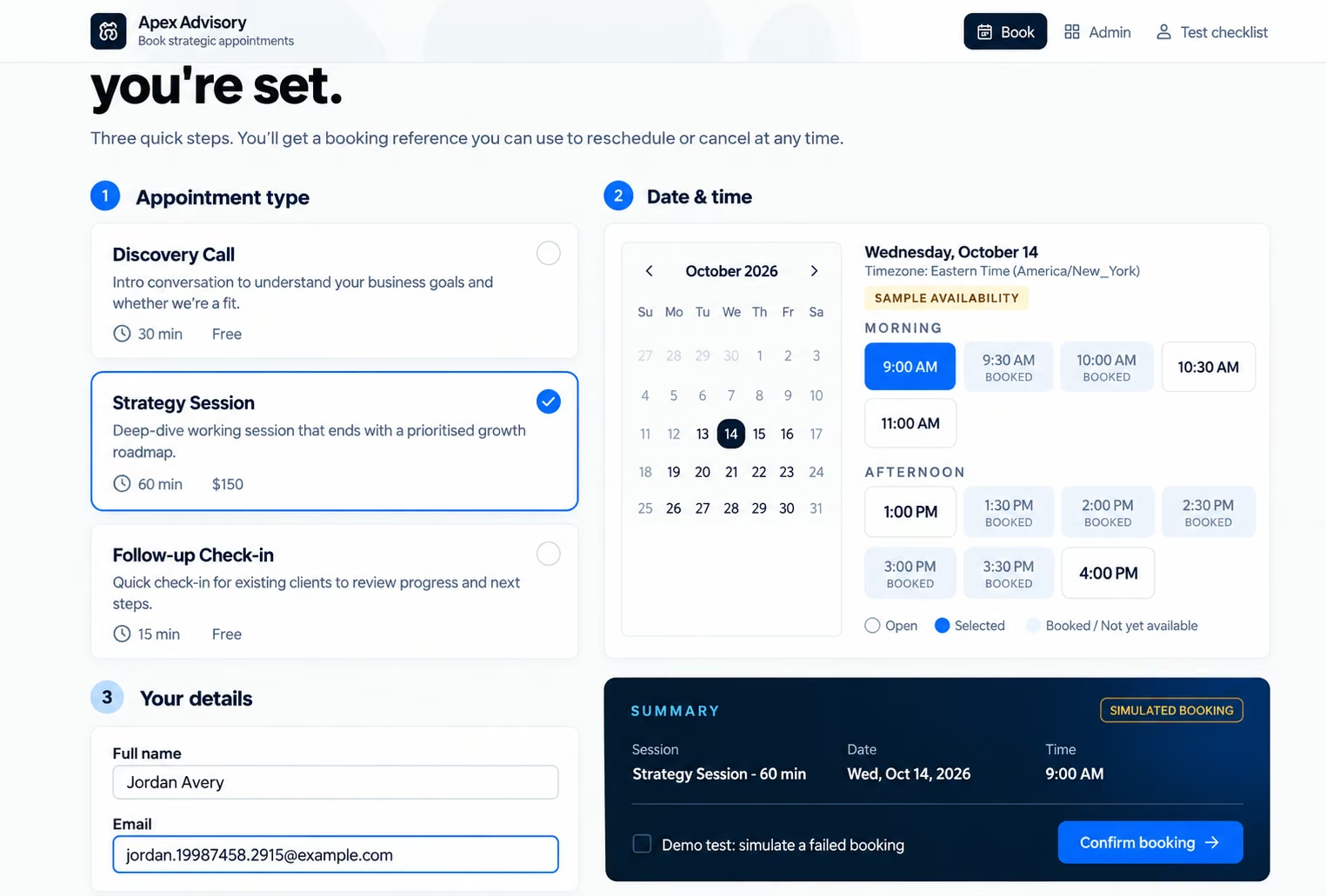
What Is an AI Appointment Scheduling Agent?
An AI appointment scheduling agent is software that reads booking requests and completes scheduling tasks. It works through connected calendars, APIs, or booking tools. Emergent’s appointment scheduling agent builder describes agents that book, reschedule, and send reminders.
A chatbot tells people how to book. A scheduling agent books for them, once you give it permission.
Here is a simple example. A customer writes: “I need a 30-minute consultation on Thursday afternoon.” The agent should:
- Identify the appointment type and duration.
- Work out the date and time zone.
- Check the calendar for open slots.
- Offer valid options.
- Collect the customer’s details.
- Create the booking after the customer picks a slot.
- Confirm only after the calendar saves the event.
How it compares to other tools:
A salon offering three services with fixed time slots may do just fine with a booking form. A clinic handling different appointment lengths and customer questions has more to manage, especially when someone wants to reschedule halfway through booking.
How an AI Appointment Scheduling Agent Works: The Core Components
Booking passes through the same five stages every time. Once you know them, it becomes clear what the AI handles and what your system must enforce.
- A customer sends a request by chat, form, or voice.
- The AI works out what they want and asks for anything missing.
- The system checks your rules against live calendar data.
- The system creates or updates the calendar event.
- The customer gets confirmation and reminders, or a person takes over.
What each component does:
The model interprets. Your calendar and application logic act. That split is the core idea behind the principles of building AI agents.
The calendar side already works. Google Calendar’s FreeBusy API returns the times when someone is busy. Its events.insert method creates new events. Microsoft Graph has getSchedule for checking availability.
Those docs cover the calendars, not your builder. A no-code platform may not connect to every one of these tools, so test the connection yourself.

How to Build an AI Appointment Scheduling Agent: Step-by-Step
Each step below covers what to set up and how to test it.
Step 1: Map Your Booking Flow and Rules
Before starting, list your services and how long each one takes, say 30 minutes for a consultation. Add your working hours, breaks, holidays, and the gap you want between meetings. Skip any of it, and the agent will offer slots you can’t honor.
Then come the limits on customers:
- How far ahead they can book, and the shortest notice you’ll accept
- Cancellations and reschedules stop being free at some point, so pick that deadline
- Some appointment types, like a sales call, may need your approval before they’re confirmed
For example, if you take 30-minute consultations from 9 AM to 5 PM, leave a 15-minute gap after each one so the next customer doesn’t get an overlapping slot.
Test it: Compare your rules with your real calendar settings. If they disagree, fix the calendar first.
Step 2: Pick Your Platform
Look at these four things before you commit to a platform:
- Rules you can see and change. Hidden logic means you can’t fix a wrong booking.
- Check whether you can export your booking records and customer data. If you want more control over the application, also ask whether the platform supports code export.
- A website chat, a phone line, and an internal tool each need a different setup.
- Count the full monthly cost in dollars: plan, usage, and hosting. Many tools quote only the plan.
Emergent’s AI Agent Builder works from plain-English instructions. Its scheduling page says it connects calendars, CRMs, and any tool with an API.
Quick test: Open the platform and look for your calendar in its list of integrations. If it isn’t there, ask whether it connects through an API.
Step 3: Connect Your Calendar and Read Live Availability
Your AI appointment scheduling agent needs a reliable source of availability, whether that's a connected calendar or a booking system that checks multiple calendars. It shouldn’t guess availability from a prompt or from your usual hours.
The process looks like this:
- Authorize the calendar.
- Pick the right calendar.
- Read the busy periods for the dates the customer wants.
- Apply the duration, buffers, and your rules.
- Return only the slots that pass every check.
Booking needs write access. With read-only access, the agent can show times but can’t create events.
Try this:
- Book a fake meeting for Tuesday at 2 PM, then ask the agent for that time. It should say no. Ask for an open slot, and it should say yes.
- Add an event to your second calendar and see if the agent notices. Then disconnect the calendar and ask for a time. A good agent says it can’t check right now. A broken one offers every slot.
Some calendar integration failures may return an empty availability result instead of a clear error. If the system mistakes that response for a free day, it could offer slots that are already booked.
Step 4: Build the Conversation Flow (What to Collect)
Think of the last time a booking chat asked for your company size. Each extra question gives a customer one more reason to leave.
So start small. Get the customer’s name and a way to reach them, by email or phone. Then ask what they want to book and when.
Your business decides the rest:
- Name
- Email or phone number
- Appointment type
- Location
- Time zone
For example, if someone says, “Can I book a consultation next Thursday afternoon?”, the agent should check the available slots, suggest suitable times, and collect any missing details before confirming the appointment.
Before you move on: Send vague requests like “tomorrow,” “after lunch,” and “next week.” Confirm the agent reads each one in your business time zone.

Step 5: Add a Qualification Gate Before Booking
Some appointments need eligibility checks first. A sales team may ask about company size. A consultant may check if the request fits their scope.
Set the eligibility rules in advance so the agent knows who can book. A consultation may be limited to existing customers. Test what happens when someone qualifies, doesn't qualify, or gives conflicting answers.
For example, if a consultation is available only to existing customers, the agent should verify customer eligibility before offering a slot. If the customer doesn't qualify, it can explain the requirement or suggest contacting the team instead.
Step 6: Build the Availability Check and Booking Action (With a Slot Lock)
This is the most sensitive step because two customers can pick the same slot within seconds. Both see it as open, and both try to book it.
Follow this workflow:
- Check which slots are available.
- Share the available times with the customer.
- Let them choose a slot.
- Check that the slot is still free.
- Save the booking in the database.
- Add it to the calendar and confirm the booking.
- If the slot is taken, offer another available time.
If the calendar update fails, the system should keep the booking unconfirmed and either retry safely or release the reserved slot.
A slot lock stops two requests from claiming the same time. Your booking backend must enforce it. A line in the prompt cannot. One common method is to enforce booking rules in the database or backend so that overlapping appointments for the same staff member cannot be confirmed.
Emergent’s appointment booking agent builder covers live slot booking, and you can ask for this rule in your build brief.
- Open two browser windows, pick the same slot in both, and confirm one right after the other. Only one booking should go through.
- The second customer should see a “slot taken” message with new times.
- A double tap on confirm, or a page refresh mid-booking, should still leave one appointment.
- When a booking fails, the customer should never see “You’re booked.”
Step 7: Add Confirmations, Reminders, and Reschedule or Cancel
A good agent handles the whole appointment, not just the booking.
Confirmations should include the type, date, time, time zone, location or link, and change instructions. Send them only after the event saves.
Reminders need clear rules:
- When they go out and on which channel
- How to avoid duplicates
- What happens when sending fails
- What a cancellation does to pending reminders
If you want a dedicated reminder flow, see the appointment reminder agent builder.
If a customer changes their Thursday 3 PM appointment to Friday, the agent should update the booking and release Thursday's slot once the rescheduling is confirmed. After canceling a booking, check that no reminder is sent to them. Also, test a cancellation within your allowed notice period to make sure the agent follows your cancellation policy.

Step 8: Know When to Hand Off to a Person
Eventually, a customer asks for something your rules don’t cover. Maybe they want a Saturday slot you never open, or they dispute a booking. A good agent hands those conversations to a person.
Handoffs usually come from a few situations:
- The calendar is down, so the agent can’t see availability
- A request falls outside your rules
- A customer disputes a booking
- The agent can’t tell which appointment someone means
- Several attempts to book an appointment fail.
When someone takes over, they should be able to see the customer’s original request, the details already collected, any error message, and the booking reference, if available.
OWASP’s prompt injection guidance backs this approach. It recommends giving AI systems only the access they need and adding human approval for sensitive actions.
A quick way to test the fallback is to revoke the test calendar connection and send a request. A working fallback tells the customer what went wrong and offers a real next step, such as a callback.
Step 9: Try to Break It, Then Launch
It’s easy to feel done once the demo works: you pick a slot, see the confirmation, and call it finished. Then a customer taps the same slot on their phone a second before you do.
Before you launch, try to break the agent yourself. If it holds up, go live.
Before launch, open your booking log and find the test bookings you just made. Every attempt should appear there, and only your team should be able to open it. After launch, scan it each week for failed bookings and two customers on one slot.

What Breaks in Production (and How to Prevent It)
Most failures come from the same few places.
Three rules cover most of this table:
- A prompt is not a security boundary. Enforce permissions and rules in the application.
- The operation result beats the agent’s wording. Tell the customer only what the calendar confirmed.
- Retry with care. A blind retry can create a second event. Google’s guidance on handling API errors recommends exponential backoff for retryable errors.
Build Your Appointment Scheduling Agent Without Code Using Emergent
When a customer books a slot, the appointment needs to reach your calendar and stay saved in your database. Emergent lets you build the scheduling interface and backend with no-code.
That matters here. A scheduling agent needs a backend that rechecks slots and saves bookings, not just a chat window. Emergent’s scheduling page lists live booking against your calendar, reschedule and cancel handling, and call follow-up. It also lists voice features for inbound and outbound calls. You can create an AI agent for appointment scheduling by describing it in plain English, then refining it through prompts.
Here is how to run the process:
- Describe the booking workflow and its limits.
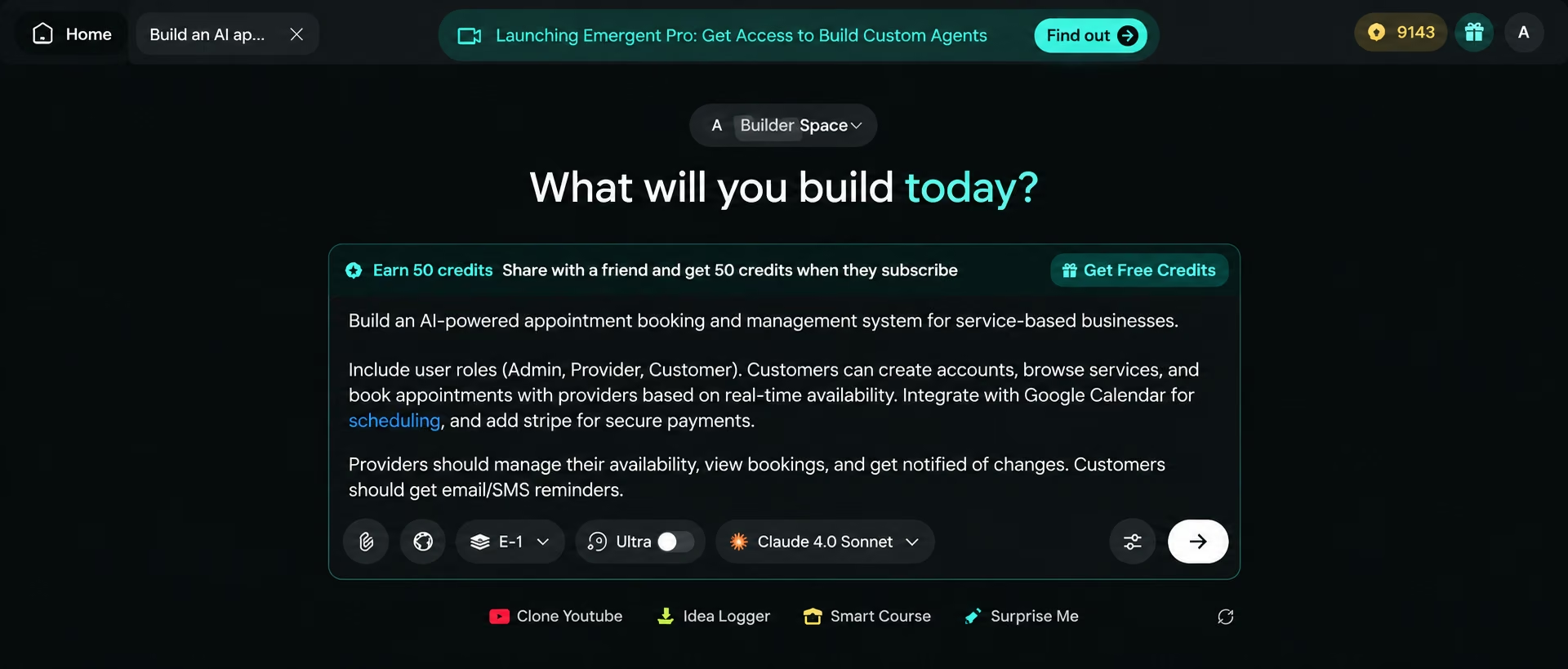
- Add your rules, fields, and cancellation policy to the brief.
- Connect and authorize your calendar.

- Define success, failure, and handoff responses.
- Run every test from Step 9 before publishing.
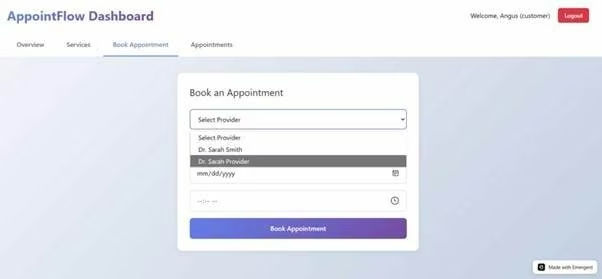
A starter prompt you can adapt:
Build an AI-powered appointment scheduling web app for a small consulting business, with a conversational agent that understands natural-language booking requests.
Customers choose an appointment type, enter contact details, and book
an available slot. Use the connected calendar as the source of truth.
Follow our hours, durations, buffers, and notice rules. Recheck the
slot before booking and block double bookings. Confirm only after the
calendar saves the event. Support rescheduling, cancellation, reminders,
time zones, logs, and a human handoff for unresolved requests. Treat this as a template, not a tested build. Run your own tests on conflicts and failed calendar calls before you trust it with customers.
Once the app is generated, test it with a natural-language request such as “Book a 30-minute consultation next Friday afternoon.” Check whether the agent understands the request, retrieves available slots, and completes the booking through the connected calendar. If any part fails, refine the instructions and test again.
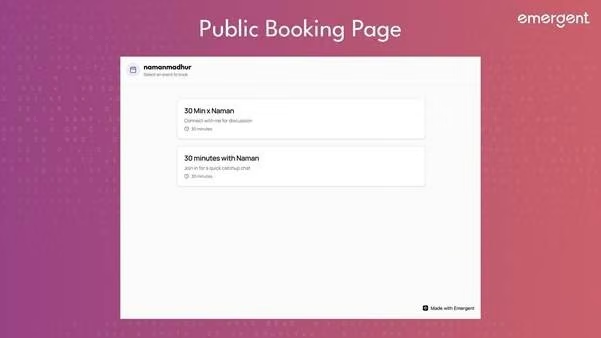
What it costs: Emergent’s AI agent cost guide lists these plans:
Publishing an app on Emergent consumes additional credits, starting at 50 credits per month for the Starter publishing tier. Higher tiers require more credits, depending on the resources needed. Building, testing, and integrations may also consume credits, so check Emergent's current pricing before estimating the total cost.
Deployment also uses credits, and the amount depends on the publishing tier. Check Emergent’s current deployment pricing before estimating the monthly cost. If you plan to run multiple apps, include their deployment costs in your budget. The cost of an agency-built solution can also vary depending on its features and complexity.
You can start building and experimenting with an AI appointment scheduling agent on Emergent's free plan, subject to its available credits and features. Check the deployment requirements before publishing.
For a small business, Emergent offers a practical way to turn a manual booking process into a working appointment scheduling system without writing code.

Most AI app builders stop at prototypes. Emergent creates production-ready apps you can actually launch.
- Production-ready apps
- Web & mobile apps
- Deploy in minutes







