



Noloco vs Softr vs Emergent: TL;DR
- Emergent: Best for teams who want the app assembled and verified from a single prompt, with none of the data setup left to them.
- Noloco: Best when the numbers matter more than the pages, because it reasons about the data model before it builds anything.
- Softr: Best for the fastest route to a permission-aware portal, provided somebody audits the dashboard figures.
Noloco vs Softr could come up the moment you need an internal tool your team can sign into. It isn’t an easy choice, as the two look close to identical on their marketing pages. Both promise a portal over your data in minutes and both show an impressive dashboard in their demo videos. Add Emergent to the mix, and the decision becomes even tougher.
I gave all three builders one prompt, including a detail that only a tool reasoning about its own data model would handle correctly: flag any project containing a task past its due date. Once each build was done, I opened the app to check the numbers against the records underneath.
Two of the three tools told me they’d done something they hadn’t. By the end of this, you’ll know which one to trust with a dashboard your team makes decisions from.
Why Portal Builders Are Hard to Compare
Every tool here looks great in a demo. You describe an app, a dashboard appears, and the numbers look about right. Whether they’re right is a different question.
That’s the problem. A portal builder produces something that looks finished whether or not it’s correct. A count labeled "Overdue" tells you nothing about what the tool counted to get there, and a build summary claiming a feature exists doesn’t prove that it does.
How I Tested These Portal Builders
I assigned each tool the same brief: a project management app for a small creative agency, with email sign-in, a three-column board per project, and a dashboard counting tasks by status.
Here’s the prompt I gave to all three:
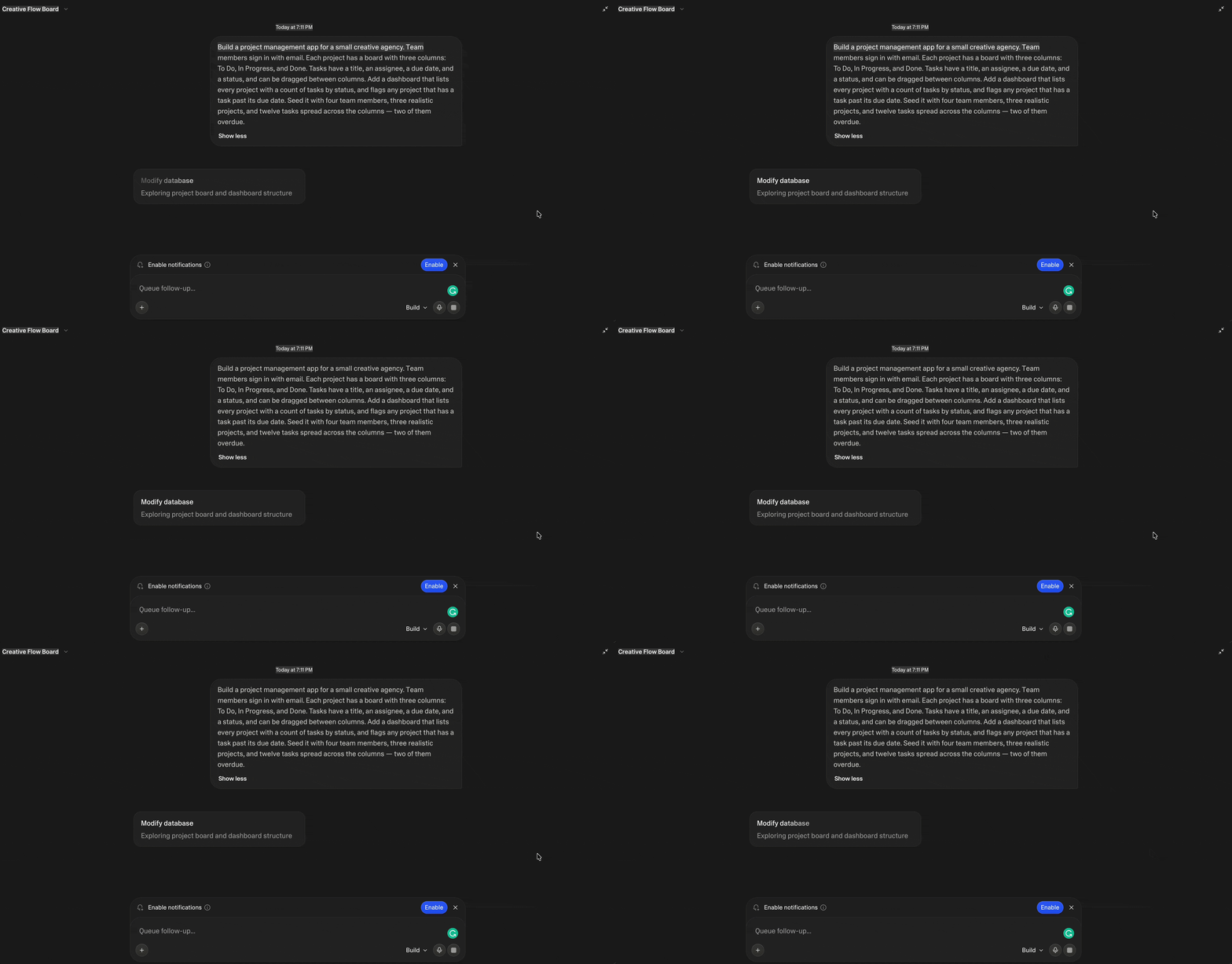
Build a project management app for a small creative agency. Team members sign in with email. Each project has a board with three columns: To Do, In Progress, and Done. Tasks have a title, an assignee, a due date, and a status, and can be dragged between columns.
Add a dashboard that lists every project with a count of tasks by status, and flags any project that has a task past its due date. Seed it with four team members, three realistic projects, and twelve tasks spread across the columns, two of them overdue.
I spent roughly half an hour of building across the three tools, then about the same amount of time checking the output. Softr and Noloco both offered a paid-tier trial at signup without my asking, so both were built on trials, not free plans. Emergent ran on a paid account.
The test was really the dashboard flag. Counting tasks by status is simple filtering. Flagging a project because one of its child records is past due is a different class of problem. It needs a per-task calculation, then an aggregation up to the project, and it needs to exclude completed tasks that happen to have old due dates.
I ran the prompt directly in each builder rather than through a chat interface, though that's an option now too. Emergent's MCP connector lets you build from a conversation in ChatGPT or Claude.
Noloco vs Softr vs Emergent: At a Glance
Here's how the three compare before we go deeper into each build:
| Emergent | Softr | Noloco | |
|---|---|---|---|
| Best for | Complete apps from one prompt | Speed to a signed-in portal | Correct data over fast pages |
| Core strength | Verifies its own build before showing you the result | Guided setup that configures access and sign-in for you | Plans the schema, then asks permission before changing it |
| User roles / permissions | Not part of the build's setup flow | Configured in setup — access level, login method, self-signup all chosen upfront | Permission-aware by design; access configured after the initial build |
| Starting paid plan | $20/mo Standard ($17 billed annually) | $59/mo Basic ($49 billed annually) | $149/mo Pro ($99 billed annually) |
| Free plan | 10 credits a month | 10 app users, 5,000 records, 5 AI credits a month | 2,000 rows |
| How you pay | Credits, per build | Flat tier, per app user | Flat tier, per seat (team + client) |
| Kanban board on which plan | Any (not a gated block) | Professional and up ($167/mo) | Any (no tier gate published) |
| Data sources | Builds its own database | Softr Database; Airtable, Sheets, HubSpot, SQL, Notion, and more | Noloco Tables; Airtable and Sheets on Pro; HubSpot and SQL on Business |
| Tests its own build | Yes | No | No |
Emergent: Best for an App That Tests Itself Before You See It
What it does: Emergent takes a plain-English prompt and builds a complete web app with its database, tests it, and then shows the result in the Preview tab.
Best for: Founders and teams that need a working product instead of a demo, and that want to own the code outright.
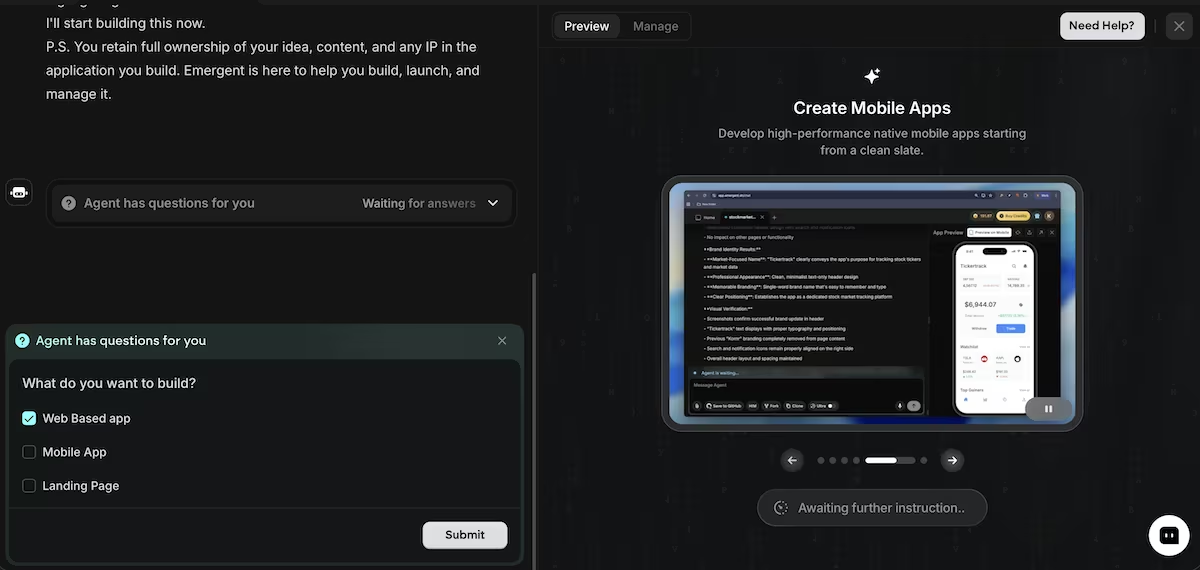
Before it started building, Emergent asked me whether I wanted a web app, mobile app, or landing page. I chose web app, and it got to work.
Emergent wrote a product requirements document into the project, saved a set of test credentials, and ran its own testing agent against the build before it told me it was done.
In just 13 minutes, the builder had taken my prompt and turned it into a finished app. It named the agency Meridian Studio, picked a color palette and a typeface pairing, and wrote the landing page copy for a sign-in screen.

The dashboard displayed four team members, three projects, 12 tasks, and two overdue flags, which is exactly what I asked for. It flagged Kestrel Coffee Rebrand and Solstice App Launch, left Meridian Editorial on track, and put both overdue tasks in different projects.
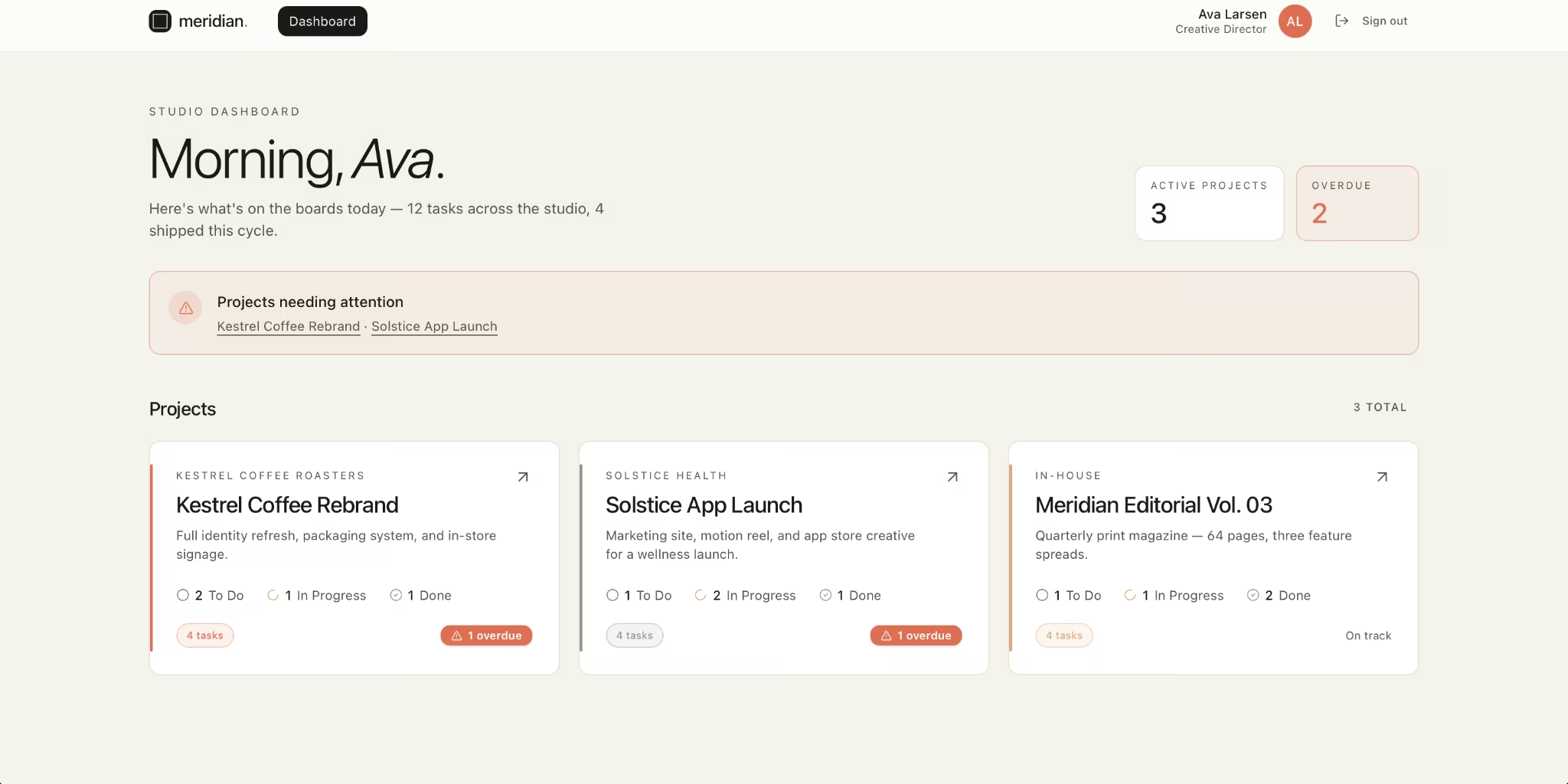
There was one flaw I noticed. The dashboard greeted me with "Morning, Ava." It was 7 pm.
The real issue was the cost, as the build burned 15.19 credits. A free Emergent account gets 10 credits a month, so this app wouldn't have finished. I was able to complete the build, as I was on a paid plan. Otherwise, it would have cost me $20 to upgrade.
On the flip side, Emergent states the ownership position up front: you keep your idea, your content, and any IP in the app. That kind of promise is reassuring when you start building your own tool.
Emergent did more than I asked for, and got the important part right. If you’re building something similar, I'd start here, on a paid plan.
Key Features
- Self-testing while building: It runs its own testing agent, checking the app works before you see the finished product.
- Complete app from one prompt: the interface and a seeded database together rather than just an interface you're left to configure yourself.
- Ownership stated from the outset: You keep your own idea, the content, and any IP in the build.
Pros and Cons
Pros:
- The only tool that tested the finished build rather than spot-checking one field
- Read the brief properly, splitting the two overdue tasks over different projects rather than displaying them in one
- A working app you can sign into and test within minutes
Cons:
- The build burned 15.19 credits, which would have exceeded the 10-credit monthly allowance on the free plan
- The dashboard greeted me with "Morning, Ava" at 7 pm
- While I didn’t deploy my build, doing so uses extra credits, so ongoing edits can add up
What Users Say
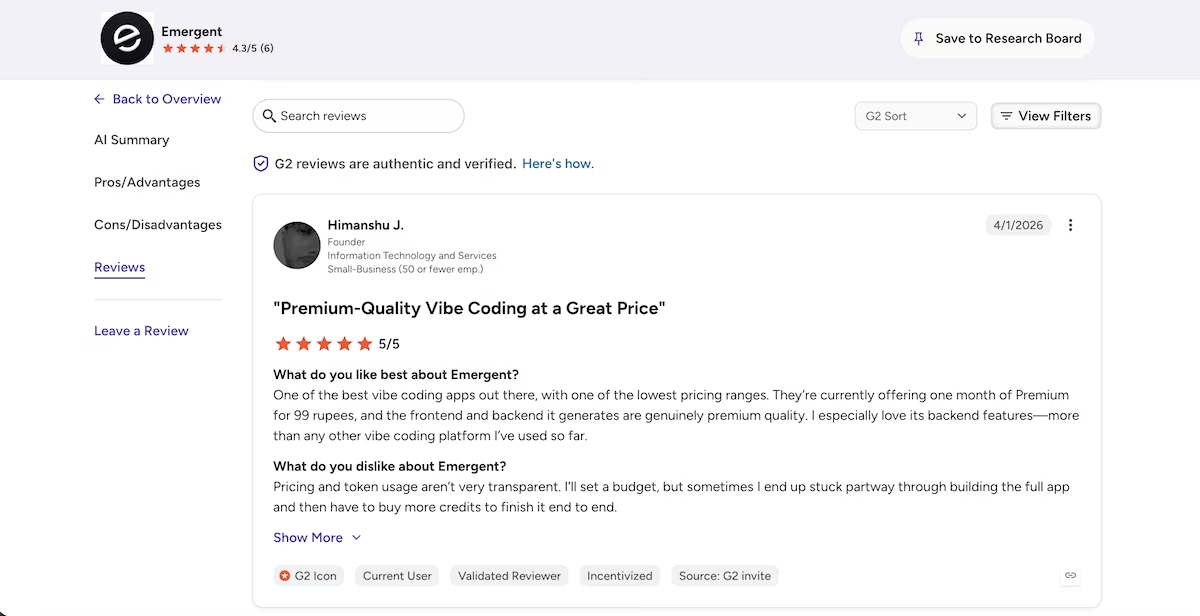
“Premium-Quality Vibe Coding at a Great Price” Himanshu J., G2
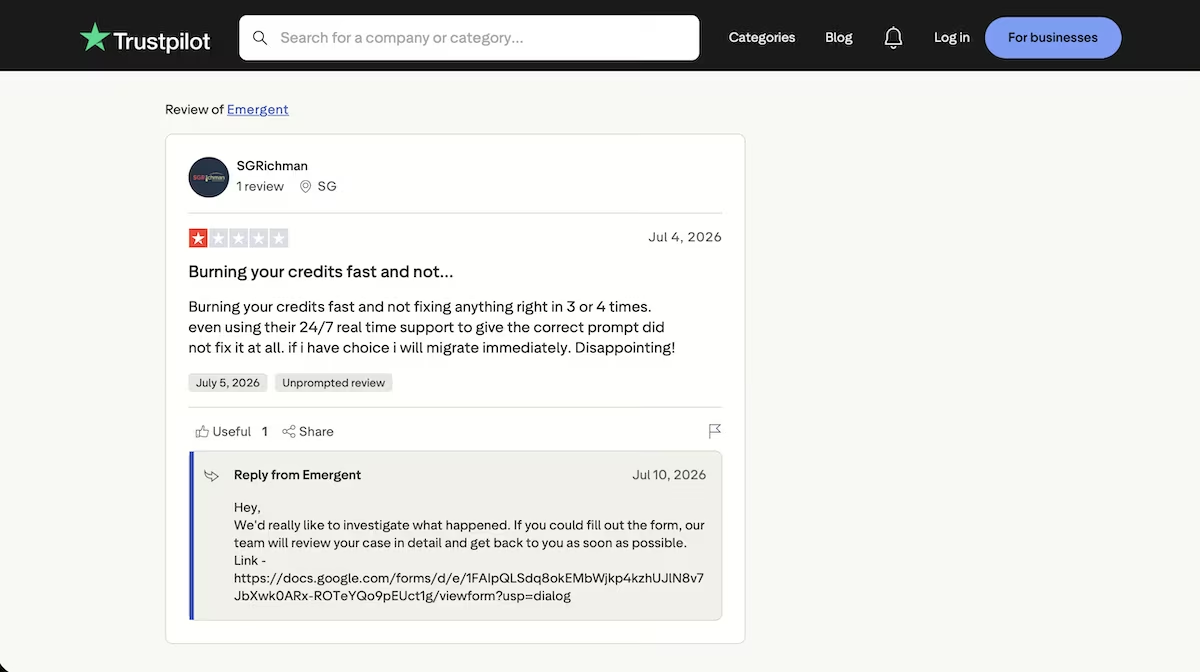
“Burning your credits fast and not fixing anything right in 3 or 4 times.” SGRichman (Trustpilot)
Pricing
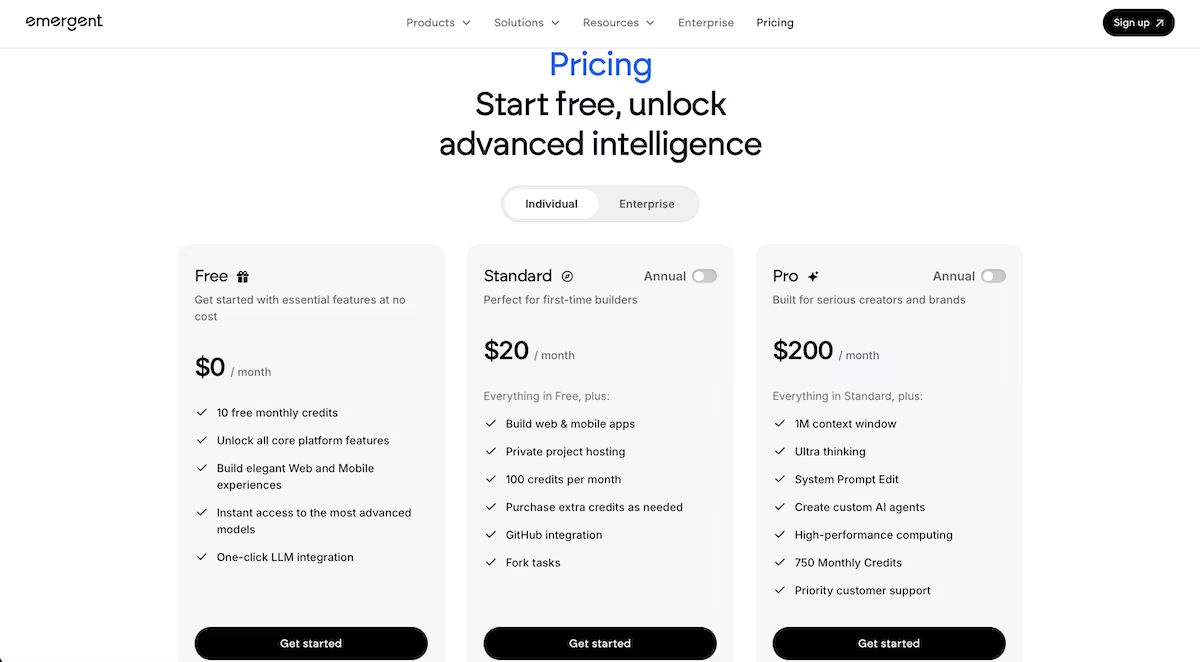
Emergent's free plan gives you essential features and 10 credits a month. Paid plans start at $20/month for the Standard tier, with Pro at $200/month for heavier use.
Softr: Best for a Permission-Aware Portal Built in Minutes
What it does: Softr generates the database, seed records, pages, and user permissions from one prompt.
Best for: Teams needing a portal that staff or clients can sign into this week, with access roles already configured.
Softr asked me seven questions before building anything: client access or internal-only, comments, time tracking, login method, self-signup, navigation layout, theme. My prompt covered none of that, but every answer I gave was integrated into the finished build.
The build took nine minutes and narrated as it went. Partway through, it said, "I've added the rollup fields on Projects to count tasks by status and flag projects with overdue tasks." It worked out that flagging a project because a child task is past due needs a rollup, a field that adds up values from linked records, and created one called Overdue Task Count.
Then the seed data arrived. I'd asked for four team members, three projects, 12 tasks. Softr made seven users, eight projects, 40 tasks. These were realistic records, with client names and sensible leads. But the counts were nowhere near what I'd asked for.
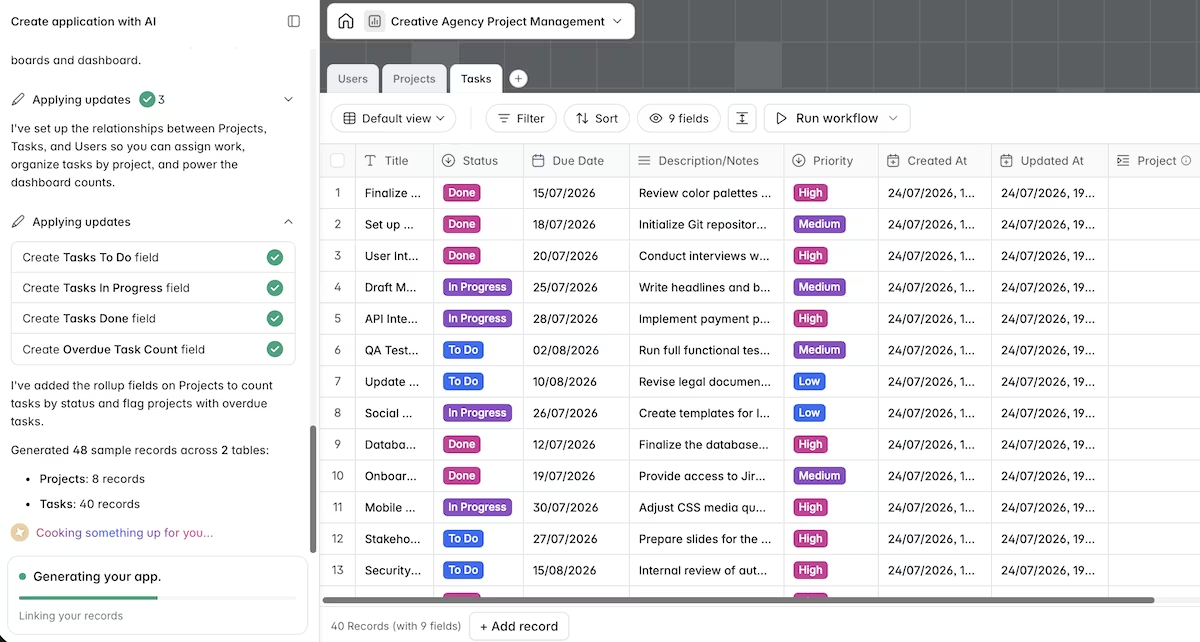
The Home dashboard showed Active Projects, Overdue Projects, and Open Tasks. The Tasks page carries a kanban board at 13 / 11 / 16, and cards drag between columns, writing status back to the database.
Then I compared two pages. Tasks reports Overdue Tasks: 0. Home, reading the same 40 records, reports Overdue Projects: 7.
The project cards show overdue counts of 6, 5, 0, 6, 1, 1, 1, 4, totaling 24, which is also the Open Tasks figure. The rollup counted every task that wasn't Done and labeled the result overdue.
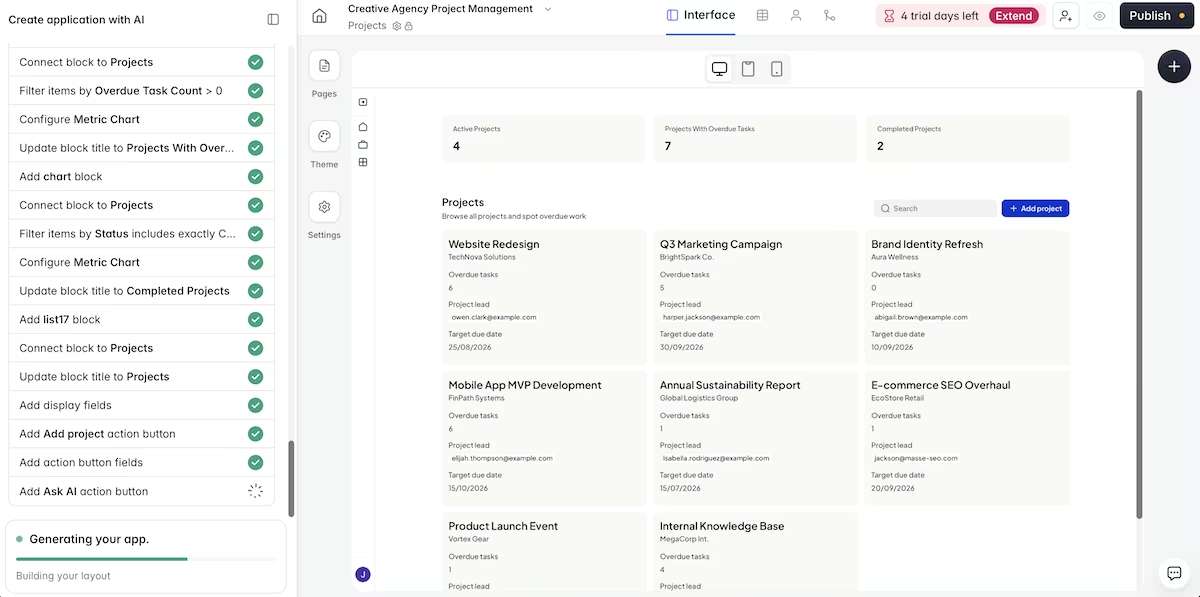
It took nine minutes and 6.64 trial credits for an invite-only portal, which was a strong return.
Key Features
- Guided setup before generation: Seven questions on access, sign-in, navigation, and theme, so permissions and logins are configured during setup instead of bolted on afterward.
- Native database with rollups: Softr Databases handles relationships and rollup fields directly, with no external Airtable or Sheets connection required.
- Drag-and-drop kanban that writes back: Moving a card between columns updates the underlying status field, not just the view.
- Invite-only sign-in out of the box: Email login with self-signup disabled, generated from the setup answers.
Also read our best Softr alternatives guide for what else is worth trying when the seed data accuracy or rollup logic becomes a concern.
Pros and Cons
Pros:
- Reasoned its way to a rollup field for the conditional overdue flag without being told how
- Produced a signed-in, permission-aware portal in nine minutes for 6.64 trial credits
- Setup questions caught requirements my prompt never specified
Cons:
- Seeded eight projects and 40 tasks against a brief asking for three and twelve
- The Overdue Task Count rollup counts open tasks, so two dashboards report contradictory numbers
- The kanban block is gated to Professional and above, so the board isn't testable on the free or Basic plans
What Users Say
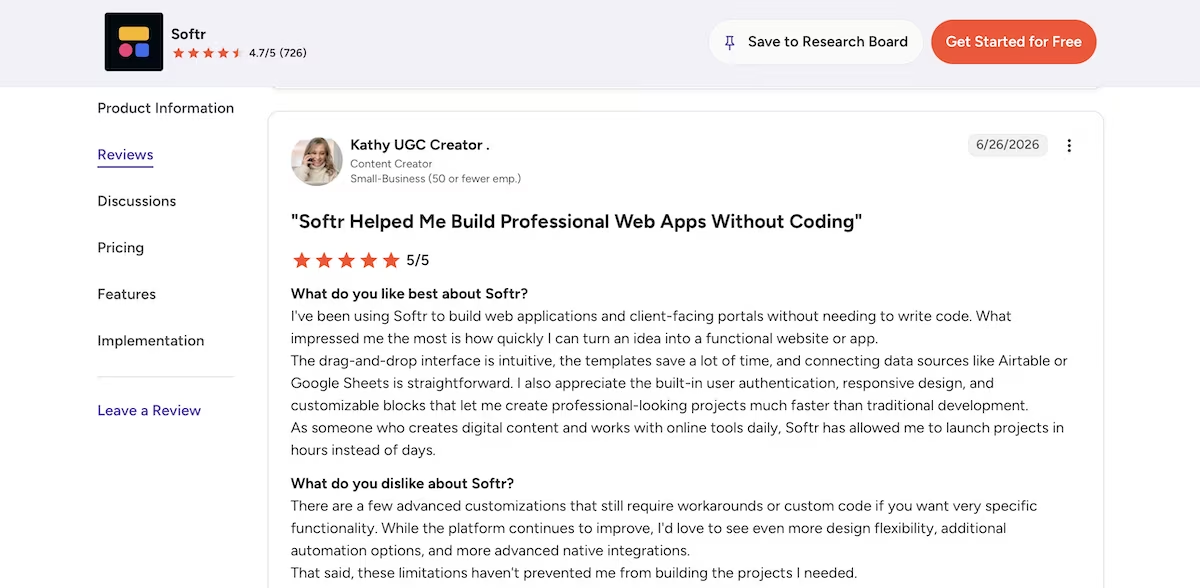
"Softr Helped Me Build Professional Web Apps Without Coding" Kathy (G2)
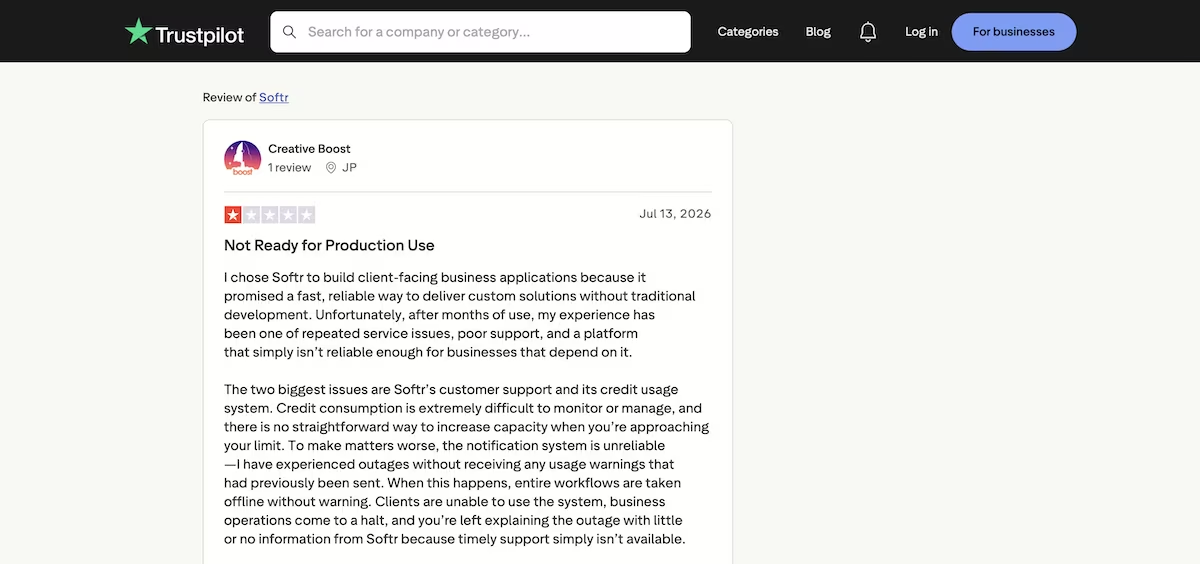
“Not Ready for Production Use” JP (Trustpilot)
Want the full picture of what users are saying? Read our Softr Review for a closer look at what builders actually ran into.
Pricing
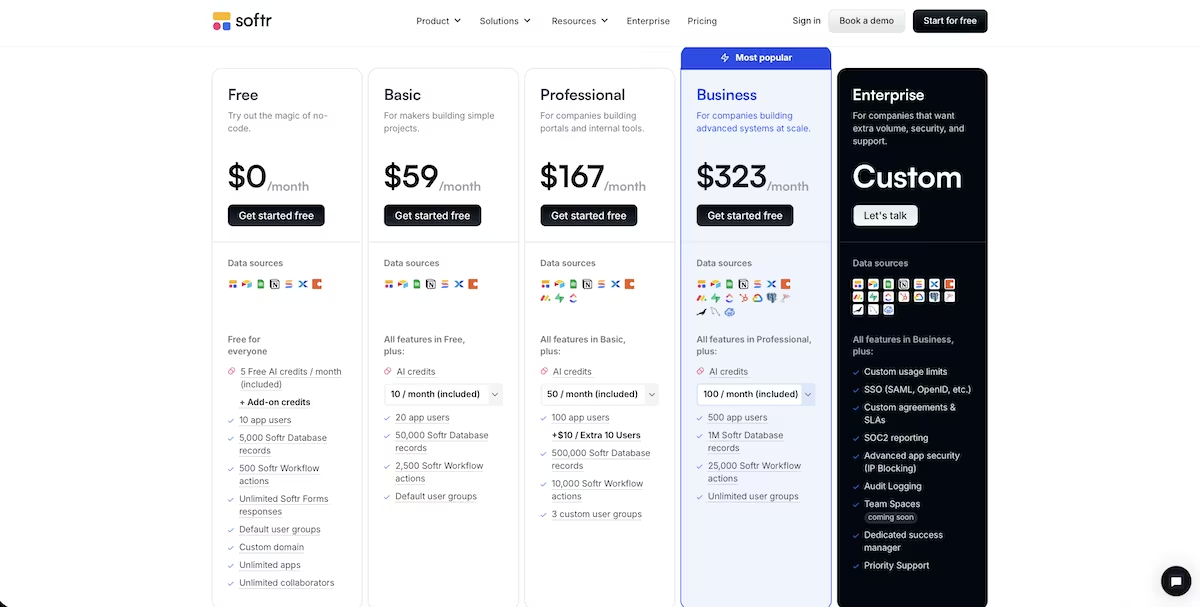
Softr's free plan has no time limit and lets you publish unlimited apps, but it caps you at 10 app users and 5,000 database records. Also, the Kanban block doesn't unlock until Professional, which is $167 per month billed monthly, or $139 if you pay for the year.
Basic costs $59 per month billed monthly, or $49 if you pay for the year, and brings 20 app users and 10 AI credits. My build alone burned 6.64 credits, so the five credits that the Free plan includes wouldn't have covered it.
Want the full breakdown of what each plan actually covers? Read our Softr pricing guide before you commit.
Noloco: Best for Getting the Data Model Right Before It Builds
What it does: Noloco layers a permission-aware portal over a relational database, and its build agent restructures the schema, meaning how your tables and their links are laid out, writes formula fields, and seeds records on request.
Best for: Teams who care more about whether the numbers are correct than how fast the pages appear.
Noloco offered a 14-day Business trial at signup without my asking, then asked two questions about where the data was coming from and what I was building.
I pasted the prompt into the Build chat. It produced a six-step plan and waited for my approval. Step two was the one that caught my eye. Before touching anything, it wanted to add a calculation to each task, working out whether it's overdue. Then a second calculation on each project checking whether any of its tasks came back overdue.

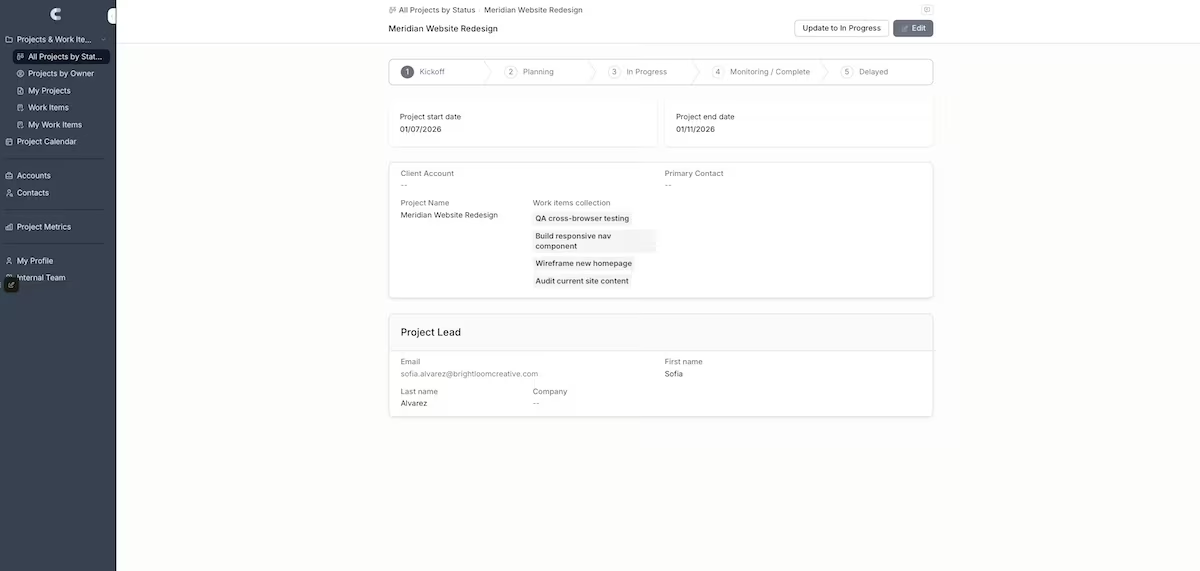
My prompt never asked for that. So Noloco worked out on its own that flagging a project because one of its tasks is late needs two steps, not one. It also spotted that the tick-box marking tasks complete had to go, since a box that's either ticked or not can't drive three columns.
It stopped three more times, once each before adding the team members, the projects, and the tasks. Ten minutes in total. The seed data matched the brief exactly: four team members, three projects, 12 tasks, two overdue.
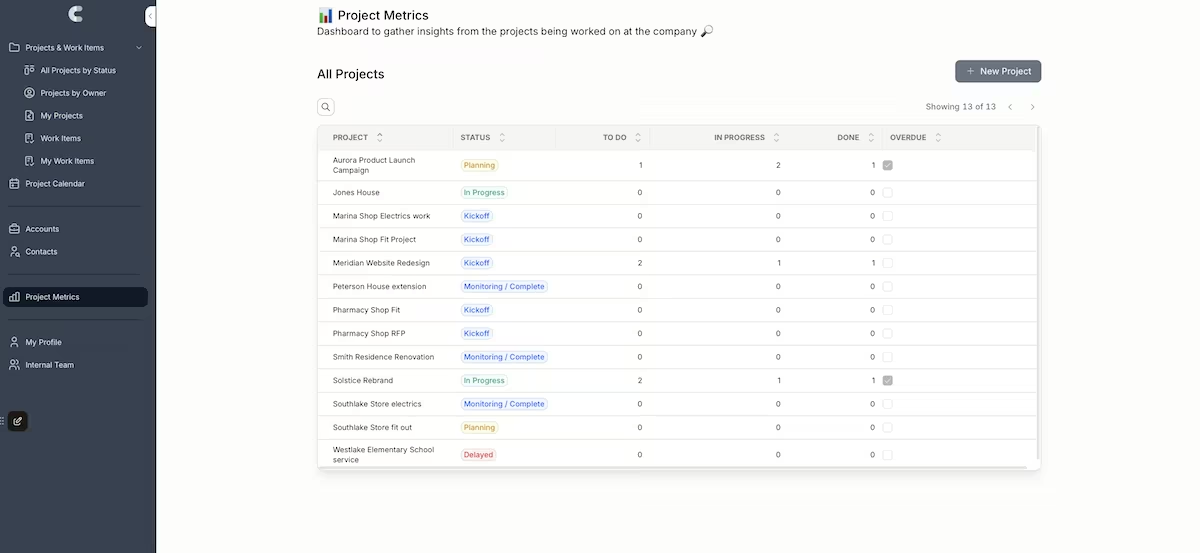
Noloco also volunteered that the flag recalculates on create or edit rather than against a live clock, so a task past its due date overnight won't flag until someone touches it.
Then the frustrating part. Step four promised a per-project board with three columns and drag-and-drop, and the summary confirmed it. There were four static chips, but no board.
Use Noloco when what the numbers mean matters most. Just verify that what it reports building is actually there.
Key Features
- Plan-first building: A numbered plan requesting approval before any schema change.
- Formula and rollup fields: Task-level formulas feeding project-level rollups, so counts and flags are computed in the data, not assembled in a view.
- Parallel subagents: Independent parts of the build run at the same time when they touch different pages.
- Native tables plus external sync: Noloco Tables out of the box, with Airtable and Google Sheets on Pro, and HubSpot plus SQL sources from Business upward.
Pros and Cons
Pros:
- Derived the correct two-layer solution to the overdue flag without being told how
- Seeded exactly four members, three projects, and 12 tasks, two of them overdue
- Disclosed the flag's recalculation behavior without being asked
Cons:
- Reported building a per-project task board that isn't on the record page by any route
- Left 11 template tasks stranded with no status or due date after the schema change
- Personal views open on error states, since the seeded team members aren't real users
What Users Say
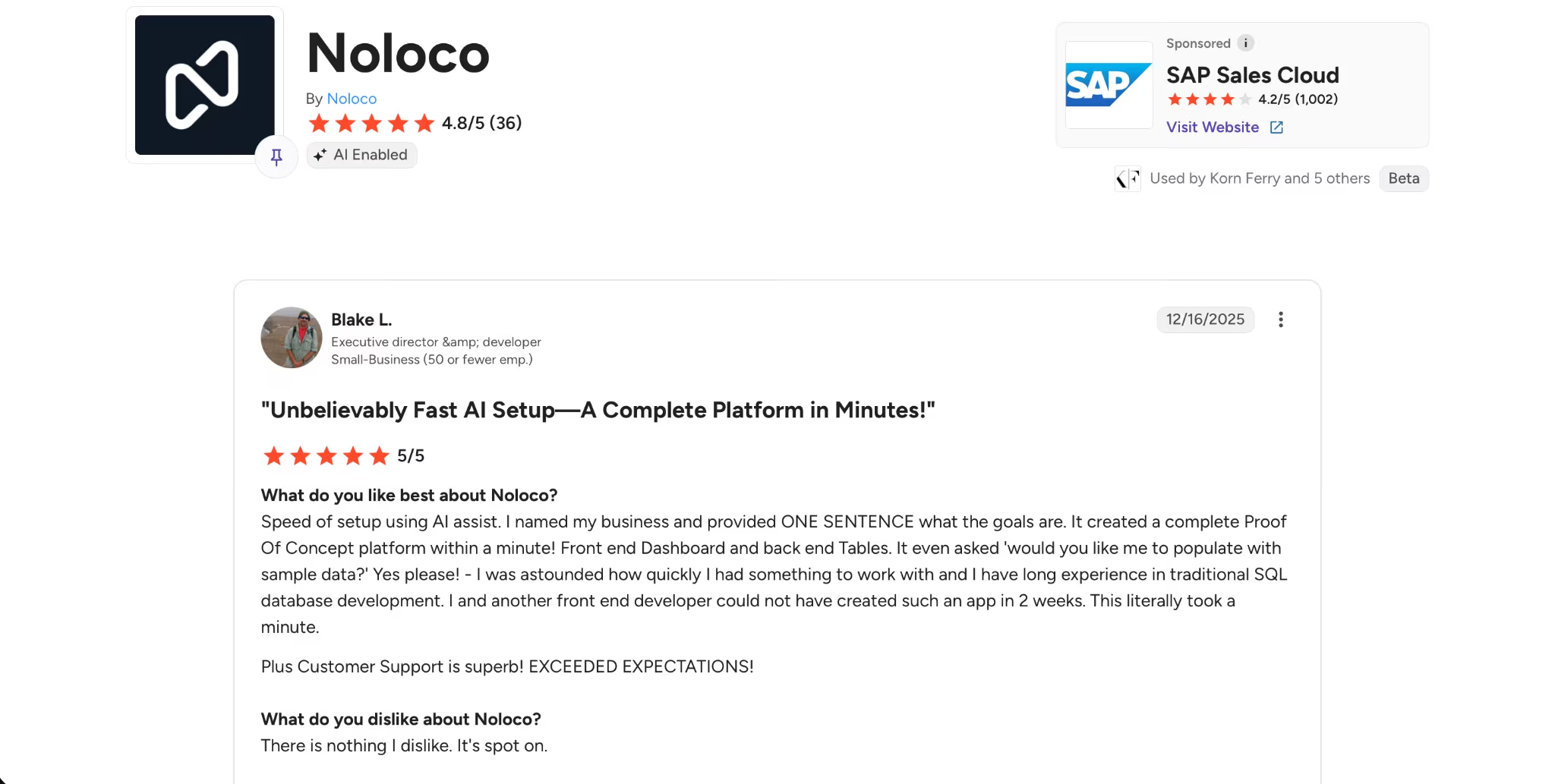
"Unbelievably Fast AI Setup—A Complete Platform in Minutes!" Blake L. (G2)
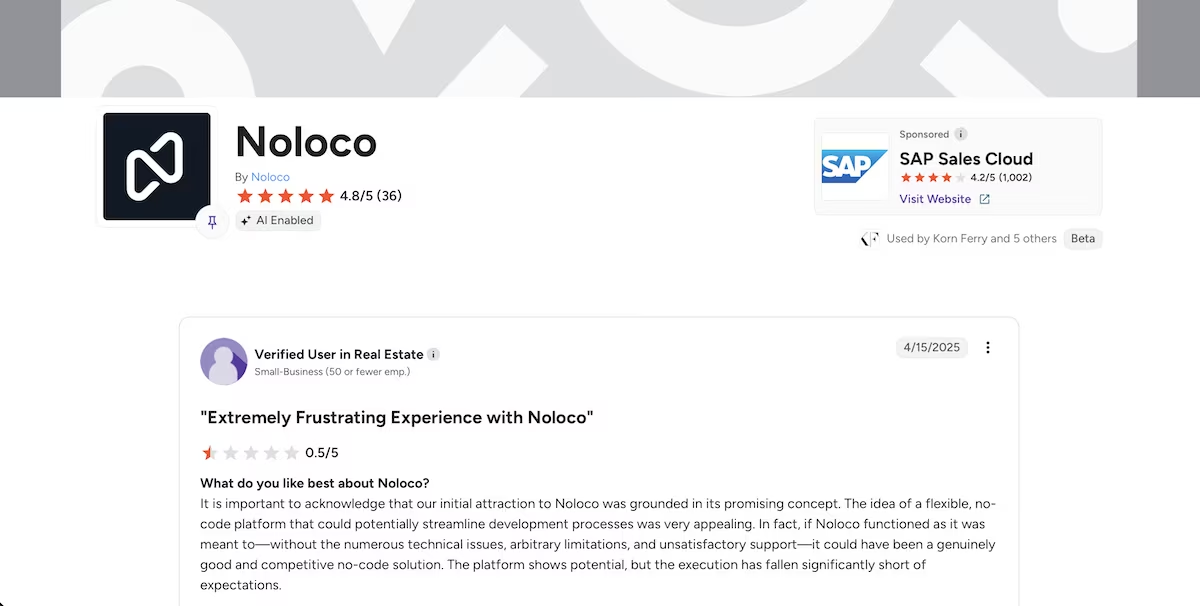
"Extremely Frustrating Experience with Noloco" Verified User in Real Estate (G2)
Pricing
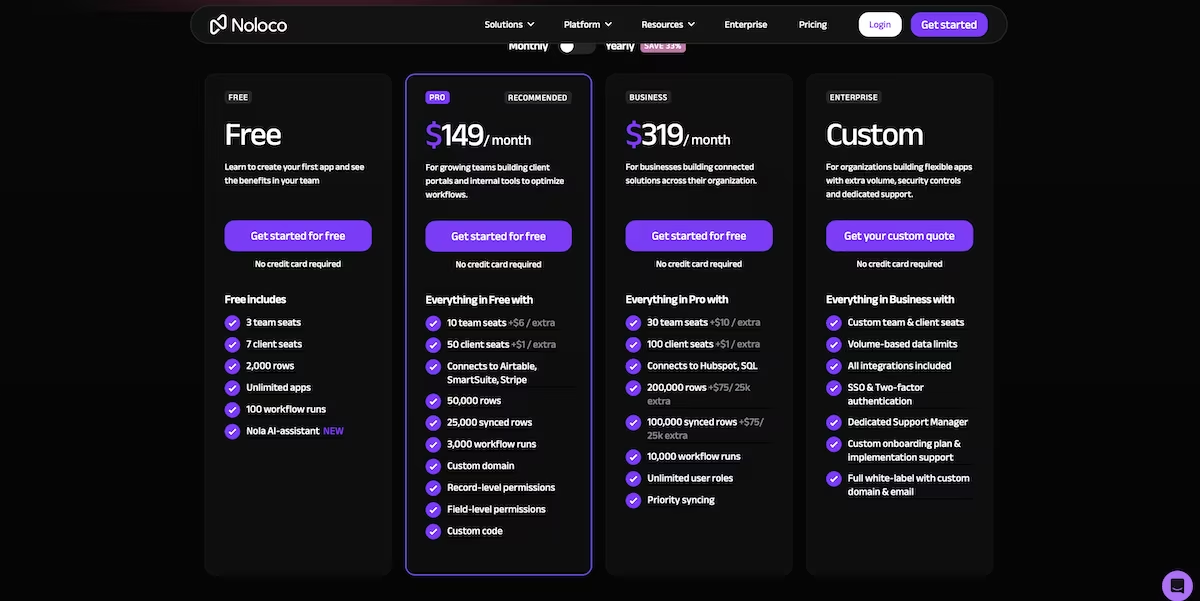
Noloco runs on a flat monthly tier instead of build credits, so the ten-minute build cost nothing beyond the trial itself. Paid plans start at $149 per month for Pro, or $99 if you pay for the year, with Business at $319. There's a free plan alongside the paid tiers, and every account starts on a 14-day Business trial with no card required. Full tiers are on the Noloco pricing page.
Want the full breakdown of what each plan actually covers? Read our Noloco pricing guide before you commit.
Which Portal Builder Should You Choose?
Every tool produced something presentable. Only one produced something I could trust without checking it first, and each broke in a different place. Softr built the overdue flag but counted the wrong tasks. Noloco worked out the right logic, then never put the board on the page.
Choose Emergent if you:
- Want the database, the interface, and the seed data assembled from one description
- Would rather the tool test its own output than ask you to take its word for it
- Would prefer to pay per build rather than per seat
Choose Softr if you:
- Need something your team can sign into this week
- Want roles and permissions configured during setup
- Have an hour to audit what the dashboard numbers actually count
Choose Noloco if you:
- Need dashboard figures that hold up when someone checks them
- Want to see and approve a plan before anything touches your schema
- Already have data in Airtable or Google Sheets, or in HubSpot or a SQL database, if you're budgeting for the Business tier
My Verdict
Emergent takes it. It handled the conditional flag from the prompt alone, split the two overdue tasks across separate projects rather than clustering them in one, and tested the finished build before reporting done.
Softr comes second despite being the fastest of the three, while Noloco comes third on the strength of its data model. If you're weighing Noloco vs Softr specifically, here's the trade. Noloco gets the numbers right but leaves a hole in the interface. Softr gives you the whole interface, but its numbers don't mean what the labels say.
One broader note for anyone new to this category. Describing an app in plain English and having it built for you is a fast-moving approach often called vibe coding, and it's improving quickly. What none of these tools has solved is telling you when they've got something wrong, so a finished build arrives sounding equally confident whether it works or not.
Ready to Try Emergent?
If the dashboard figures are what you care about, Emergent is where I'd start. Its agents assemble the app and its seed records together, then run tests against the finished build before handing over a preview link. Current plans and credit allowances are on the pricing page.
Ready to see how it handles your build? Try Emergent free.

Most AI app builders stop at prototypes. Emergent creates production-ready apps you can actually launch.
- Production-ready apps
- Web & mobile apps
- Deploy in minutes







