
TL;DR
- MiniMax Hailuo: Best for free high-resolution tests.
- Pika 2.5: Best for short cinematic product shots.
- Wan 3.0: Best for a strong free product frame.
- Kling 3.0: Best for character motion on a free plan.
- HeyGen: Best for turning a prompt into a production blueprint.
- Runway Gen-4.5: Best for creators who need camera control.
- Seedance 2.0: Best for fast drafts through host platforms.
- InVideo: Best for script-led assembly when you already plan to pay.
- Google Veo 3.1: Best for native audio and detailed shot direction.
I gave nine AI video generators the same eight-second brief. One came back with a clean 2K product ad; two never got past the payment screen; and one failed twice without producing a frame.
I tested nine tools using an eight-second ad for a fictional sparkling water brand called Solara, checking whether each kept the subject, movement, setting, and brand details consistent. The main prompt asked a woman to walk toward a market stall, pick up and open a labeled can, and smile as the camera moved closer.
Hailuo produced the strongest overall result from the available free access, Pika gave the cleanest simple product shot, and Wan created the cleanest branded frame within a two-second limit. Other tools planned the scene well, offered useful controls, failed during generation, or required payment before I could assess the output.
This comparison explains what each tool produced, how long the successful tests took, and what you can test before paying.
How I Researched and Tested These AI Video Generators
Over three weeks in September 2026, I tested all nine tools through their web workflows with the same 16:9 Solara product-ad concept wherever the controls allowed it. The longer prompt combined a person, four connected actions, a camera move, brand text, visual continuity, and optional audio.
I also opened accounts on Luma Dream Machine, Genmo, and Haiper and cut all three before testing:
- Luma's free tier had dropped to a handful of one-time generations with no recurring monthly allowance
- Genmo's hosted product had been folded into a research-only release with no consumer signup
- Haiper had closed its public app in early 2025 to focus on enterprise work.
I didn't test Sora, since OpenAI shut down the consumer app in April and the API was scheduled to end the same week I was testing.
I also used a shorter product-only prompt to see whether removing the person and connected actions improved camera motion and label consistency.
The longer prompt was:
Create a cinematic 8-second product advertisement for Solara sparkling water. A woman in a yellow summer dress walks toward a small market stall, picks up a silver can labeled “SOLARA,” opens it, and smiles. The camera begins with a wide shot, slowly moves closer, and ends on the can in her hand. Keep her face, hands, clothing, and the can consistent throughout. Show natural fabric movement and realistic hand contact with the can. Use warm late-afternoon light. If audio generation is available, include light market ambiance, footsteps, and the sound of the can opening. No subtitles, logos, or extra text apart from “SOLARA” on the can.
For the simpler Pika and Wan tests, I used this shorter prompt:
Create a cinematic product advertisement for Solara sparkling water. A silver can labeled “SOLARA” sits on a wooden market stall surrounded by fresh produce. The camera slowly pushes in toward the can. Use warm late-afternoon light. Keep the can and label consistent. No people, subtitles, logos, or extra text.
I judged every result against the same five questions:
- Prompt coverage: Whether the result followed the requested sequence, product, setting, camera move, and text restrictions.
- Visual consistency: Whether people, hands, objects, lighting, and the SOLARA label stayed stable across the clip.
- Generation time: How long the first result took and whether the wait stayed within a practical testing window.
- Access and credits: What the free account could generate, which models required payment, and how resolution or duration changed the cost.
- Workflow fit: Whether the tool worked best for one generated shot, an avatar video, a script-led edit, or a wider production process.
I checked official documentation and pricing pages for features, limits, availability, and plan details. Review-site evidence supports the firsthand tests where it adds context, especially when a paid gate prevented a completed generation.
This process showed which tools produced enough evidence to judge and which ones need a paid test before I would recommend them for client work.
For a broader comparison beyond video, our guide to the best generative AI tools covers writing, research, images, audio, automation, and app building.
What Free Access Meant in Practice
The biggest surprise was that a visible credit balance told me almost nothing about access. Runway showed 742 credits and still opened a paid upgrade screen when I selected Gen-4.5, while Kling's 66 and Hailuo's 60 each covered a real generation.
HeyGen showed two free videos remaining but stopped the Video Agent project before the final render.
Hailuo, Pika, and Wan provided the clearest usable free tests. Pika's allowance supported a complete four-second clip and a second generation, while Wan's free account was capped at 720p and a short clip length.
Google Flow began the job without charging for the failed result, but it produced no video to assess.
A credit balance answers none of the three questions that matter. Check that the account can reach the named model, that the allowance covers a clip long enough to judge, and that the workflow doesn't draw on a separate quota.
9 Best AI Video Generators: Quick Comparison
How they compare at a glance: the table shows what happened in each test and the main access or cost trade-off to check before choosing a tool.
| Tool | Best for | Main trade-off | Starting price |
|---|---|---|---|
| Google Veo 3.1 | Native audio | Reliability on first attempt | Free limited access, $4.99/month |
| Runway Gen-4.5 | Camera control | Credits don't equal model access | Free 125 credits, $15/month |
| Kling 3.0 | Character motion | Iteration can consume credits | Free account, $8.80/month |
| HeyGen | Guided video planning | Final render hit quota | 3 free videos, $29/month |
| Pika 2.5 | Product shots | Complex prompts lose actions | Free plan, $10/month |
| InVideo | Script-led videos | Free plan is weekly-metered, not on the pricing page | $9/month billed annually |
| Seedance 2.0 | Fast iteration | Access depends on host | Host-dependent |
| Wan 3.0 | Low-cost product frames | Free output is too short | Daily free credits, $10/month |
| MiniMax Hailuo | High-resolution options | Returns clips shorter than requested | 60 free credits, $14.99/month |
1. MiniMax Hailuo: Best for Free High-Resolution H3 Tests

What it does: Hailuo AI turns text prompts into short AI-generated videos through MiniMax video models, with support for high-resolution output and generated audio.
Best for: Cinematic product videos that combine realistic settings, human movement, several connected actions, and a clear closing product shot.
I tested Hailuo with the longer Solara prompt. Hailuo created the most convincing opening scene in my test. The market looked occupied and active, with shoppers walking through the street and a male vendor working behind the fruit display.
The woman, silver cans, fruit stall, warm sunlight, and surrounding buildings all created a cohesive scene.

The model also followed the requested sequence closely. The woman walked toward the fruit vendor, picked a can from the display, opened it, smiled, and looked at the camera.
Her movement flowed naturally as the camera moved steadily closer, giving the clip the cinematic progression I asked for.
The audio strengthened the result. I could hear footsteps as she walked, along with a light piano-like sound that gave the scene a polished ad feel.
The closing frame was the strongest product shot I received from the longer prompt. The woman remained consistent, her hand held the can naturally, and the raised pull tab showed that she had opened it.
“SOLARA” also remained accurate and readable, although Hailuo added smaller text or markings to the can despite my instruction to include no other text.

Hailuo produced the clip in clean 2K, the strongest quality-to-credit result in the comparison. It did return five seconds against the eight I asked for.
Key Features
- Native audio: The model can add music and action-related sounds during generation, as shown by the footsteps and piano-like audio in my test.
- High-resolution output: MiniMax H3 rendered at 2K, sharper than anything else I got out of a free allowance.
- Camera direction: The model followed the requested wide opening and gradual cinematic move toward the subject.
- Character consistency: The woman’s face, yellow dress, and overall appearance remained consistent from the opening shot to the final close-up.
Pros and Cons
Pros
- Followed the multi-action prompt more accurately than the other tools tested
- Preserved the SOLARA name accurately
- Included footsteps and background music
Cons
- Returned five seconds against a requested eight
- Added small text or markings beyond the requested brand name
What Users Say
“This is one of the best models out there. The action with 2.0 is much better than any other model.” - Serge Donaldson, July 2025, Trustpilot

“I tried using my new user bonus credits to generate a video. The text area where you write your prompt, instead of inserting a new line when I hit Shift+Enter, it ******* submitted my prompt as if I was done, and the service ate 105 of my 200 credits.” - Lazlow HP, Trustpilot

Pricing
Hailuo’s official pricing lists Standard at $14.99/month with 1,000 credits, Pro at $54.99/month with 4,500 credits, and Master at $119.99/month with 10,000 credits. All three include priority generation and watermark-free downloads.
Ultra at $124.99/month with 12,000 credits and Max at $199.99/month with 20,000 credits sit on a separate legacy plan line rather than above Master, which is why Ultra costs more than Master for a similar allowance. Hailuo's public terms page doesn't list annual rates.
My free account received 60 credits. The five-second MiniMax H3 video I generated at 2K used 20 credits, leaving enough for two more attempts at the same cost.
Bottom Line
Choose Hailuo if you need a short product video with believable people, connected actions, cinematic movement, and generated sound. It handled the full scene more convincingly than anything else I tested, and it did it inside a free allowance.
2. Pika 2.5: Best for Short Cinematic Product Shots

What it does: Pika 2.5 creates short text-to-video and image-to-video clips, with camera movement and creative effect tools.
Best for: Simple cinematic product shots built around one subject and one clear action.
I tested Pika 2.5 twice to compare a focused product shot with a sequence that required a person to complete four connected actions. The shorter prompt worked best.
Pika placed a silver SOLARA can on a wooden market stall, kept the label readable, and used warm late-afternoon light with a detailed market behind it. The camera moved toward the can in a slow, cinematic push.

The four-second generation took about six minutes. It matched the core visual request without adding people or stray text, and it kept the can centered throughout the push-in. I could use the result as a product insert or short social-ad shot with little cleanup.
The longer prompt exposed Pika's limits. I asked for an eight-second scene and Pika returned about four seconds.
The woman began by walking away, then turned with a container already in her hand. The camera moved toward her hand, but SOLARA was never readable, just like with Kling. The object also looked closer to a black can than the silver in the prompt.

The market, yellow dress, and golden light stayed consistent, and the closing smile looked plausible. Pika just skipped the approach, the pickup, and the opening, compressing everything into one sudden turn.
Key Features
- Text and image-to-video: Pika 2.5 can generate a clip from a written prompt or animate a supplied image.
- Pikaffects: One-tap effects can squash, melt, inflate, or otherwise transform an uploaded subject into a stylized animation.
- Pika Agent and MCP connector: Pika offers conversational creation through its agent, plus model access over MCP for tools that support it.
Pros and Cons
Pros
- The short prompt produced the cleanest product composition in my tests
- The SOLARA label stayed readable in the simple clip
- The slow push-in suited a cinematic product shot
Cons
- Produced only four seconds against a requested eight
- Pika skipped several connected actions
- The product shape and label failed in the more complex scene
What Users Say
“Great support! I subscribed to the yearly Pro plan because of a feature that had been advertised on their YouTube channel two years ago. Unfortunately, that feature was no longer available, so I contacted the support team and asked for a refund.” - Marcel Finkbeiner, Trustpilot

“My account showed 80 credits, but when I tried to use the service I kept getting pushed to a payment/upgrade screen. What annoyed me most was that the payment screen made normal navigation extremely difficult.” - Mustafa Torun, Trustpilot

Pricing
Pika's official pricing includes a free plan with watermark-free downloads, but no commercial license. Starter costs $10/month ($8/month billed annually) with 900 credits, Creator costs $35/month ($28/month billed annually) with 3,150 credits, and Fancy costs $95/month ($76/month billed annually) with 8,550 credits and up.
Paid plans unlock all resolutions and Pikaframes, with faster queues at the higher tiers.
Bottom Line
I'd use Pika for one clear subject and one camera move. I wouldn't ask it to complete several linked actions when brand text must stay readable.
If free access matters more than advanced controls, our comparison of free AI tools shows what you can use before paying.
3. Wan 3.0: Best for a Strong Free Product Frame

What it does: Wan 3.0 creates videos from text and image inputs, with options for camera movement, resolution, duration, and audio on supported plans.
Best for: Short product visuals that need a strong central composition at a low entry cost.
Wan gave me the best visible result from the smallest free allowance. The free account is capped at 720p and short clip lengths, with 1080p and 10 to 30-second durations reserved for paid plans.
I used the shorter Solara prompt so the model only needed to show the can on a market stall and move the camera closer.

Wan produced a clean product frame. It placed a silver can in the center, kept SOLARA readable, and built a warm market background with convincing depth.
The wooden table, produce stalls, and late-afternoon light supported the product without pulling attention away from it.
The camera zoomed quickly toward the can, but the two-second duration gave the shot no time to settle. The result felt closer to a looping GIF than a complete ad because the camera reached the product almost immediately. Composition was the win here. Pacing needs a longer clip than six free credits buy.
Wan's wider appeal comes from its low entry price and flexible input options. It supports text, images, multimodal references, and editing workspaces. Its paid plans list 10-30 second durations and a First and Last Frame mode of its own, and one reviewer running the model through a third-party host reports 15-second clips with that frame control.
Key Features
- Text and image-to-video: Wan can build a clip from a written prompt or animate a supplied still image.
- Multimodal reference tagging: The @ reference control lets you attach source media and direct the model toward specific visual elements.
- Canvas and timeline tools: Generated assets can move into dedicated Canvas and Timeline workspaces for arranging shots and continuing edits.
Pros and Cons
Pros
- The SOLARA label stayed readable
- The market scene and lighting looked polished
- The result arrived with clear camera motion
Cons
- Six free credits only covered two seconds at 720p
- The fast zoom made the clip feel abrupt
- The free result couldn't test people or connected actions
What Users Say
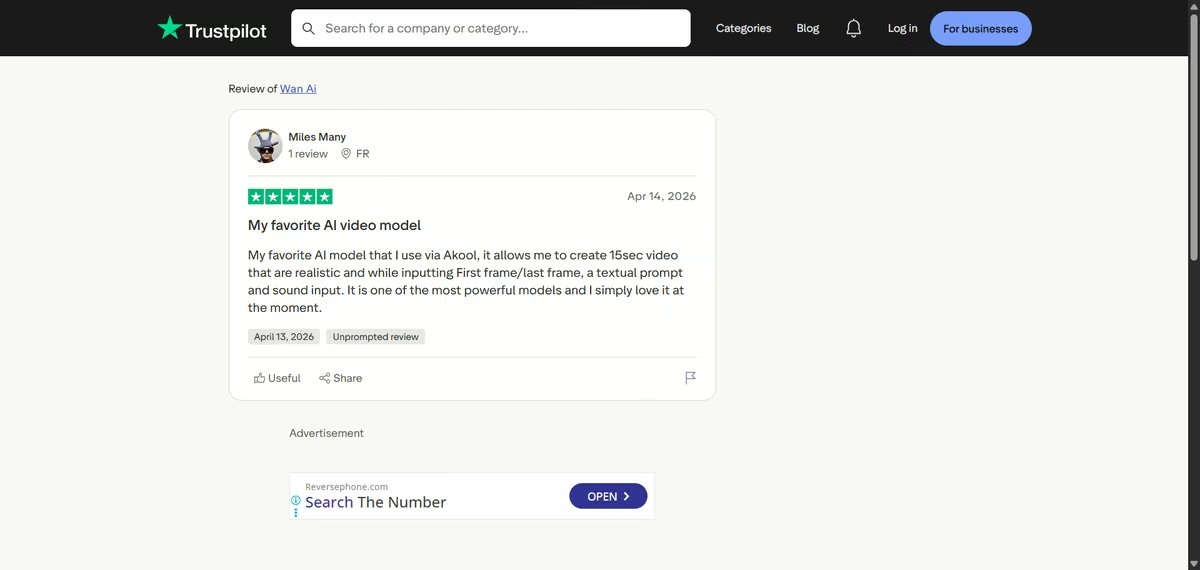
“My favorite AI model that I use via Akool, it allows me to create 15sec video that are realistic and while inputting First frame/last frame, a textual prompt and sound input.” - Miles Many, Trustpilot
“The issues started right at checkout because the system crashes and doesn't recognize special characters. Constant crashing is a daily occurrence during use. The AI operates completely on its own, burning through your paid credits on failed generations. Even when you give crystal-clear instructions to maintain the original style and not change elements, the AI completely ignores them.” – Steel Leaf, Trustpilot

Pricing
Wan's official pricing offers free credits through daily check-ins. Its entry subscription includes 300 credits per month and costs $10/month ($5/month billed annually).
The paid plan opens all image styles, but video length, resolution, and model choice still determine the credit charge.
That limit showed up in my test because six credits covered only a two-second 720p clip. Wan also sells extra credits, so the subscription price alone doesn't show the full cost of repeated video generations.
Bottom Line
Choose Wan when you need a strong product frame at a low entry cost. Budget for more than the six free credits if pacing or story matters, because the two-second test proved the look only.
4. Kling 3.0: Best for Character Motion on a Free Plan

What it does: Kling 3.0 generates video from prompts and reference images, with controls for duration, resolution, aspect ratio, outputs, and audio.
Best for: Character-led scenes and physical motion, even on a free account.
I started with the longer Solara prompt and then the shorter one. I selected Kling 3.0 at 720p, 16:9, five seconds, and one output.
I turned native audio off because enabling it pushed the generation cost above my available credits. Without audio, the video cost 30 credits. The longer prompt cost the same as the shorter product prompt, despite containing more actions.

For the longer prompt, the clip opened with the woman walking toward a produce stall. Kling followed the requested setting, yellow dress, wide composition, and warm lighting.
The woman and her clothing remained consistent in the closing shot. Her hand wrapped around the can convincingly, and the camera finished close to the product as requested.
It also placed several silver cans among the fruit, but none showed the correct brand name. The clearest lettering looked more like “ANTOS” than “SOLARA.”

However, the lettering on the shorter prompt was clearer.

The contrast suggests that Kling handles branded products more reliably when the scene contains one subject and one camera movement. Adding a person and several actions made the label less stable.
Key Features
- Multimodal direction: Kling 3.0 can use text and reference media together to guide subject identity, visual style, and motion.
- Storyboard control: Long-form storyboard instructions can coordinate several shots and transitions within one sequence.
- Native audio: The model can generate sound with the scene and hold a character's vocal tone steady across multi-scene clips.
Pros and Cons
Pros
- The woman, clothing, market setting, and can remained visually consistent
- The camera moved from a wide market view to a close product shot
- The shorter product prompt preserved the SOLARA label
Cons
- The longer test replaced SOLARA with incorrect lettering
- The shorter duration compressed the requested actions
- Native audio required more credits
What Users Say
“I love KlingAI! I have had fantastic results and created excellent videos with it. I think in most cases, people expect to achieve great results with some sub-par prompts. It is a game of trial and error.” - Cruella Barbie, Trustpilot

“Approximately 95% of the generated videos contained text that looked like gibberish rather than any recognizable language. The voiceovers were just as bad.” - Benyam Mazengia, Trustpilot

Pricing
Kling’s official pricing lists Standard at $10/month, currently discounted to $8.80 on renewal ($6.60/month billed annually), with 660 monthly credits. New subscribers pay $6.99 for the first month.
Pro costs $32.56/month ($24.42/month billed annually) with 3,000 credits and starts at $25.99 for the first month. Premier costs $80.96/month ($60.72/month billed annually) with 8,000 credits and starts at $64.99 for the first month.
Ultra costs $159.99/month ($119.17/month billed annually) with 26,000 credits and starts at $127.99 for the first month.
Bottom Line
Kling handled the person, setting, physical interaction, and camera progression well, but it lost the brand name in the more complex scene.
I’d use it for short character-led product videos when exact packaging text isn’t essential. For a branded close-up, I’d simplify the scene or provide a product reference image.
5. HeyGen: Best for Turning a Prompt into a Production Blueprint

What it does: HeyGen builds videos from scripts or prompts using avatars, voices, generated visuals, translation, and a guided Video Agent.
Best for: Avatar-led business videos and users who want help turning an idea into a production plan.
HeyGen did more planning with the long prompt than any other tool I tested. Its Video Agent asked about narration, presenter choice, format, visual style, and the main takeaway.
I kept ambient sound, chose landscape, and let the agent pick the presenter. It then built an eight-second Solara plan with a custom woman avatar, a product image, a script, and a warm market setting.
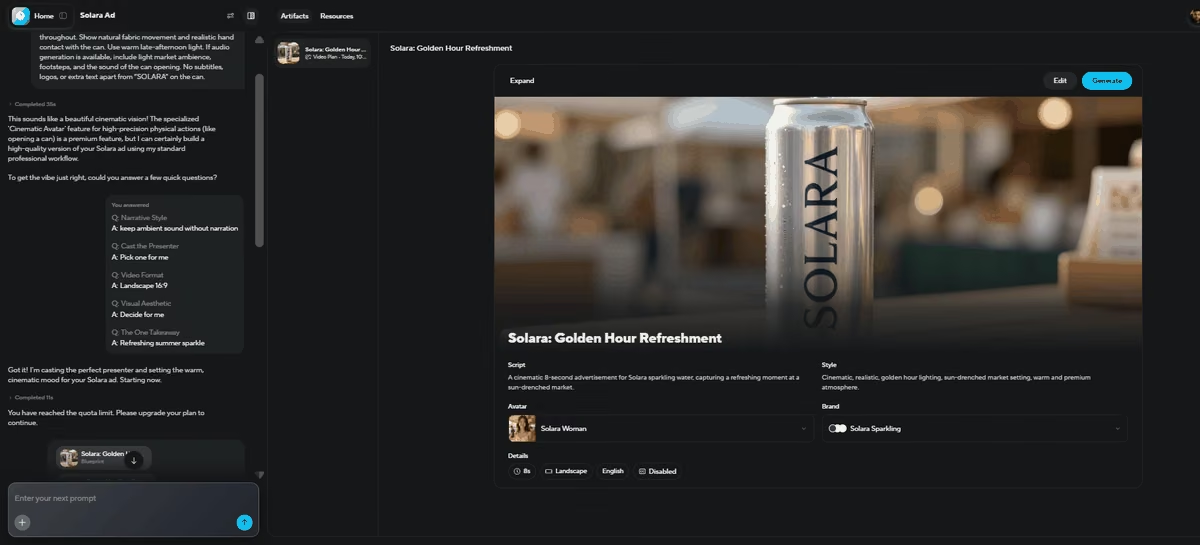
The product image looked polished, and the SOLARA label stayed readable. HeyGen also understood that the result needed the feel of a product ad, without slipping into a talking-head explainer.
HeyGen's pricing page says the free plan includes three videos per month, each up to one minute. My account showed two free videos remaining, yet this Video Agent project still hit a quota limit. The headline video allowance therefore didn't cover every generative workflow.
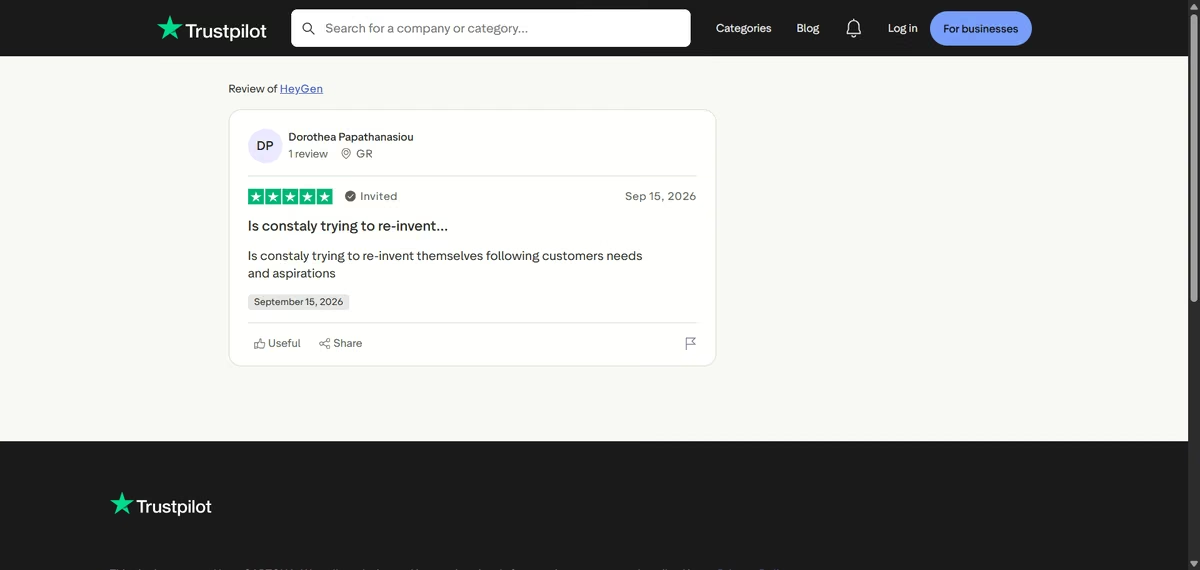
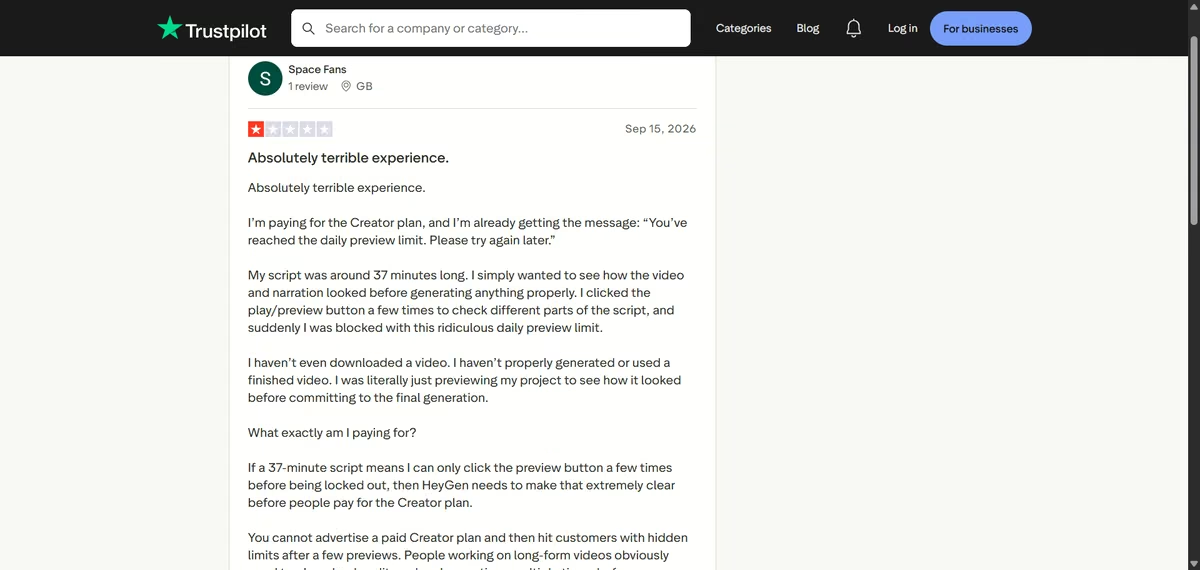
The reviews show both useful support and plan friction. One HeyGen review praises the company for responding to customer needs, while a preview limit review describes a paid account hitting a daily cap. My test showed the same tension.
HeyGen interpreted the brief well and created useful assets, but the free account couldn't turn them into a finished clip.
Key Features
- Avatar and voice assignment: You can select an avatar and voice, then control orientation, duration, and scene instructions before generation.
- Brand System: You can apply saved colors, fonts, logos, and style rules across a project so every scene follows the same visual identity.
- Scene-level revisions: Video Agent can update a single visual or narration line without rebuilding the whole video, while larger structural changes reopen the production plan.
Pros and Cons
Pros
- The agent broke a complex prompt into clear production choices
- HeyGen kept the SOLARA label readable in the generated product image
- The blueprint gave me useful evidence before video rendering
Cons
- The final video hit a quota limit despite two free videos showing on the account
- Free-plan duration doesn't explain workflow-specific credit limits
- I couldn't assess motion or final audio
What Users Say
“Is constaly trying to re-invent themselves following customers needs and aspirations” - Dorothea Papathanasiou, Trustpilot
“I’m paying for the Creator plan, and I’m already getting the message: ‘You’ve reached the daily preview limit. Please try again later.’” - Space Fans, Trustpilot
Pricing
HeyGen's official pricing starts with a free plan that allows three videos per month, each up to one minute. Creator costs $29/month ($24/month billed annually) with 600 credits, 1080p export, fast video processing, and watermark removal.
Pro starts at $49/month ($41/month billed annually) with 1,000 credits and adds 4K export plus access to advanced AI models. Business costs $149/month for the first seat plus $20 for each additional team member, with 1,500 credits and videos up to 60 minutes.
Bottom Line
HeyGen is the strongest choice here for guided planning and avatar-led business video. Check the credit cost of Video Agent before investing time in its questions because the free video count didn't cover my final render.
For other ways to create content, automate work, and support customers, see our comparison of AI business tools.
6. Runway Gen-4.5: Best for Creators Who Need Camera Control

What it does: Runway Gen-4.5 turns text or reference images into short video clips and provides camera controls and editing tools.
Best for: Creators who want shot control and a workspace for extending or refining clips.
Runway exposed the production controls clearly before access became the issue. I selected Gen-4.5, set the project to 16:9, chose eight seconds, and pasted the full Solara prompt.
The account showed 742 credits, which looked sufficient. When I pressed Generate, Runway opened a Pro upgrade screen and didn't start the job.
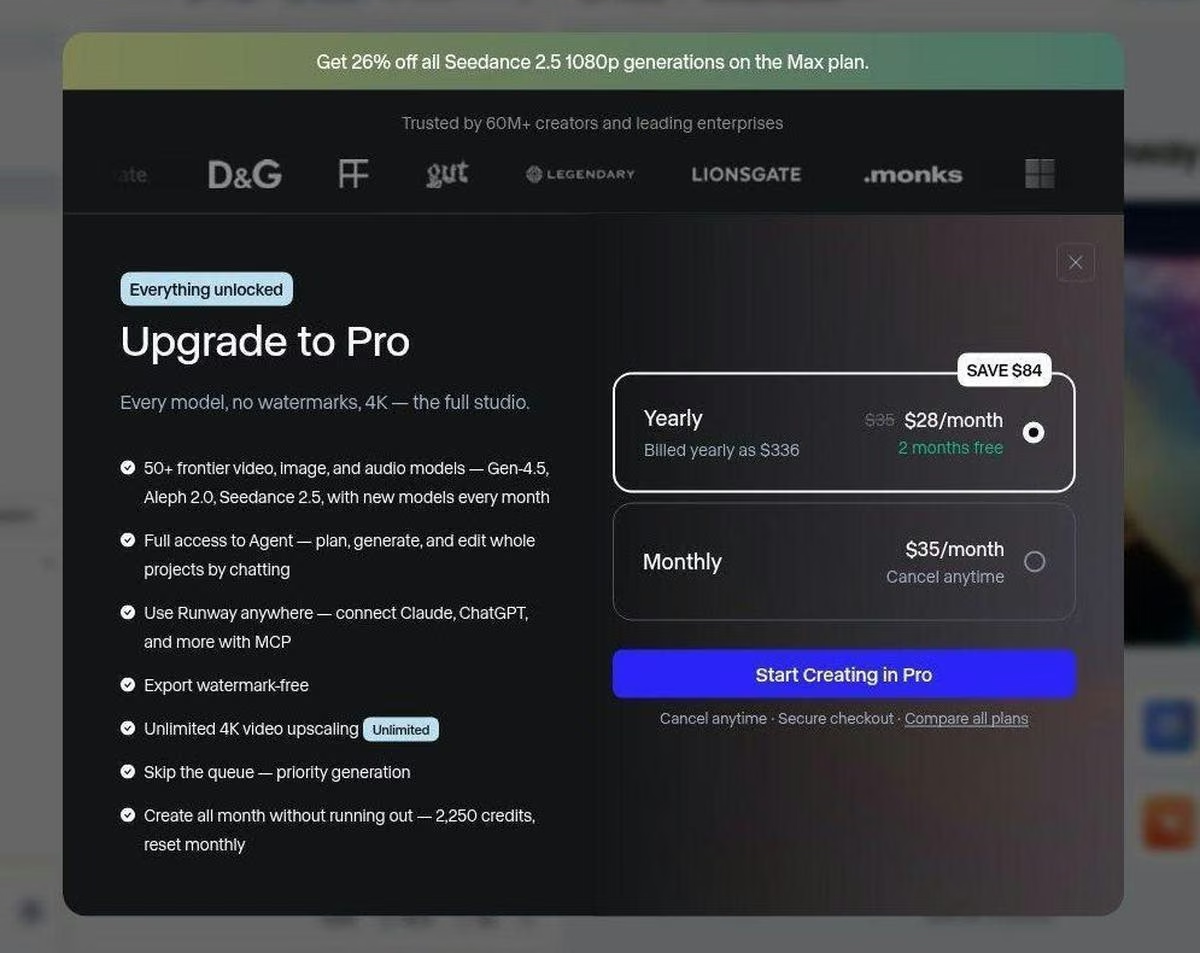
The upgrade screen exposed the difference between having credits and having access to a specific model. Runway's documentation places newer models behind paid plans, so the visible balance didn't unlock Gen-4.5 on my free account.
Runway still belongs on the shortlist for creators who want to shape a clip after the first render. Its workspace combines camera direction, references, existing footage, extensions, and targeted editing tools, going well beyond a single prompt box.
That broader workflow suits filmmakers who expect the first generation to be a starting point.
I couldn't time a generation on the free account since it wouldn't accept my prompt at all. Runway publishes no queue-time figure, and complex movement may require several attempts regardless of plan.
That matters because Gen-4.5 credits accrue by the generated second. Runway makes the most sense when you value camera control and editing enough to budget for several paid iterations.
Key Features
- Text and image-to-video: Gen-4.5 can create a shot from text alone or animate a supplied image while using the prompt to direct motion.
- Sequenced prompt control: The model accepts detailed instructions for camera choreography, event timing, composition, and atmospheric changes within one prompt.
- Targeted video editing: Runway's separate Edit Studio tool lets you change products, characters, backgrounds, objects, or effects from a selected keyframe, billed at its own higher rate rather than Gen-4.5's.
Pros and Cons
Pros
- The interface shows the shot settings before generation
- Runway combines generation and editing in one workspace
- Camera-focused controls suit filmed-style work
Cons
- The free account couldn't access Gen-4.5 despite its visible credit balance
- I couldn't verify output quality or speed firsthand
- Complex shots may require several paid generations
What Users Say
“Controversial but I think runway is pretty good! I like the workflows product and I'd rather have more credits than wait for hours in the unlimited queues” - ella, Trustpilot

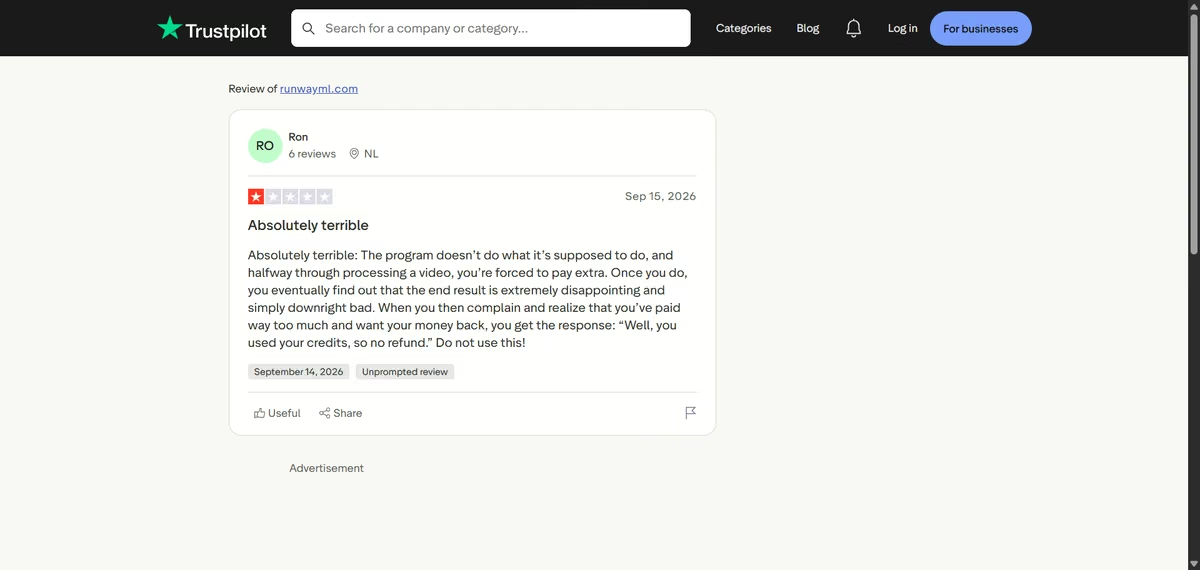
“The program doesn’t do what it’s supposed to do, and halfway through processing a video, you’re forced to pay extra. Once you do, you eventually find out that the end result is extremely disappointing and simply downright bad.” - Ron, Trustpilot
Pricing
Runway's official pricing includes a free plan with 125 one-time credits and selected models.
Standard costs $15/month ($12/month billed annually) with 625 credits, Pro costs $35/month ($28/month billed annually) with 2,250 credits, and Max costs $95/month ($76/month billed annually) with 9,500 credits.
Standard unlocks all video models, removes watermarks, and adds 4K upscaling, while Pro adds credit top-ups and more parallel jobs.
Gen-4.5 costs 60 credits for five seconds. Standard and Pro credits reset each month and do not roll over, while Max carries unused credits for one month.
Bottom Line
Choose Runway when camera direction and later editing matter more than free access. Skip it for a no-cost trial of Gen-4.5 because the free balance didn't unlock the model in my account.
7. Seedance 2.0: Best for Fast Drafts Through Host Platforms
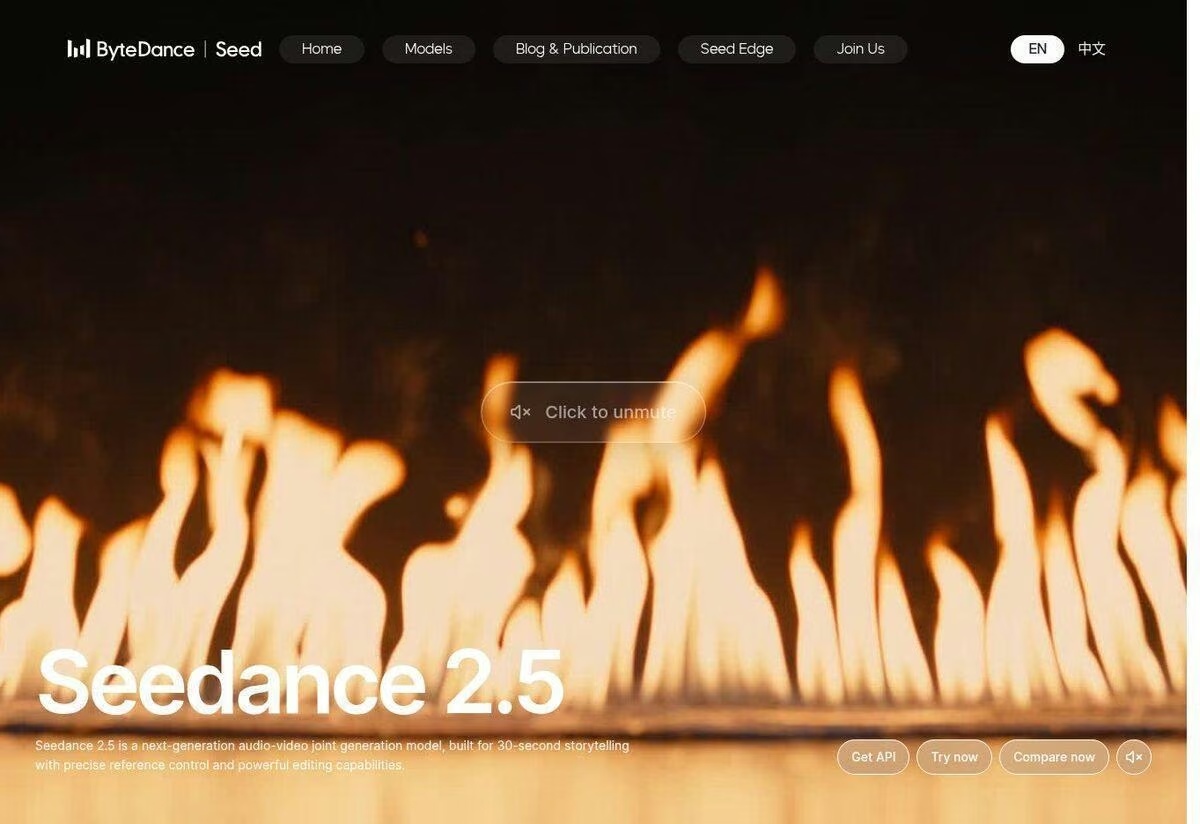
What it does: Seedance 2.0 is ByteDance's video model for generating clips from text, images, and multimodal references through products such as CapCut. ByteDance has since released Seedance 2.5, which my test didn't cover.
Best for: Fast drafts inside an editing workflow when the account provides model access and credits.
Seedance was harder to test because it is split across several separate products, with no single universal consumer generator. The Seedance page showed official examples, while Higgsfield pricing puts full Seedance access behind its Plus tier and above, with only the Fast and Mini variants lower down.
In CapCut, I found Seedance 2.0 Fast and Mini as lower-credit options, but the account showed zero credits, so I couldn't start a generation.

The CapCut agent did respond to the Solara prompt. It said that the workflow couldn't produce a cinematic or broadcast-style product advertisement, then offered a non-cinematic promo with a silver can, warm market stall, slow push-in, and no extra text.
The response captured the product, setting, camera move, and text restriction, but it changed the requested style before creating any frames.
The official Seedance launch describes multimodal references, prompt-driven editing, and multi-shot audio-video generation.
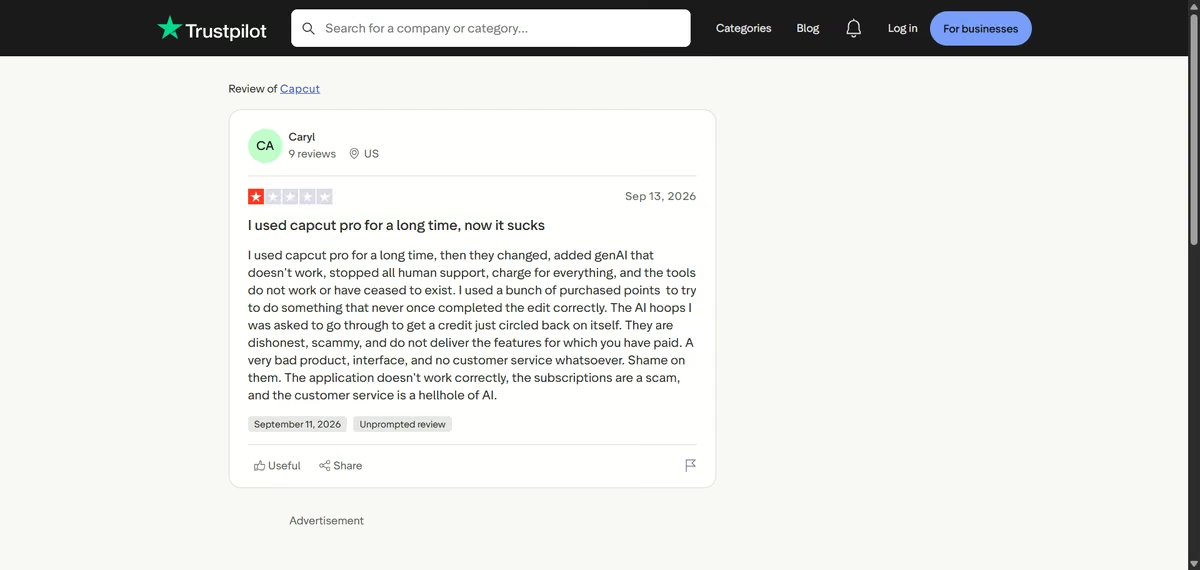
These reviews are about CapCut the editor. Seedance output is a separate question. A positive CapCut review praises a long-running YouTube workflow, while a critical CapCut review reports broken generative tools and poor support. Confirm the exact Seedance variant, host platform, and credit requirement before paying.
Key Features
- Multimodal references: Seedance 2.0 can combine text with up to nine images, three video clips, and three audio clips to guide composition, motion, camera language, and sound.
- Prompt-driven editing and extension: You can modify specified clips, characters, actions, or storylines and extend an existing video with continuous shots.
- Multi-shot audio-video generation: The model supports 15-second multi-shot output with synchronized voice, ambiance, effects, and dual-channel audio.
Pros and Cons
Pros
- The CapCut agent picked up every constraint in the brief, the product, setting, camera move, and text restriction
- Fast and Mini variants use fewer credits
- Host platforms can place the model inside an editor
Cons
- My account had zero credits, so I couldn't generate
- The workflow changed the requested cinematic style
- Model access and variant names differ by platform
What Users Say
“I really like Capcut, I have a year Pro subscription. I have a kids youtube channel and use capcut alot.” - Savannah, Trustpilot

“I used capcut pro for a long time, then they changed, added genAI that doesn't work, stopped all human support, charge for everything, and the tools do not work or have ceased to exist.” - Caryl, Trustpilot
Pricing
CapCut’s official pricing lists Pro at $19.99/month, or $179.99 per year, which works out at about $15 a month. The plan includes premium editing tools and about 1TB of cloud storage. CapCut doesn't publish how many AI credits Pro includes.
CapCut also sells additional credits for AI tools. Its credit documentation values each credit at $0.01, although the number of credits included with Pro can vary by plan, billing term, and region.
Bottom Line
Seedance may suit quick drafts, but confirm the host platform, model variant, and credit requirement before choosing it. My test supports CapCut's prompt interpretation and workflow. Treat finished video quality as untested.
8. InVideo: Best for Script-Led Assembly When You Already Plan to Pay
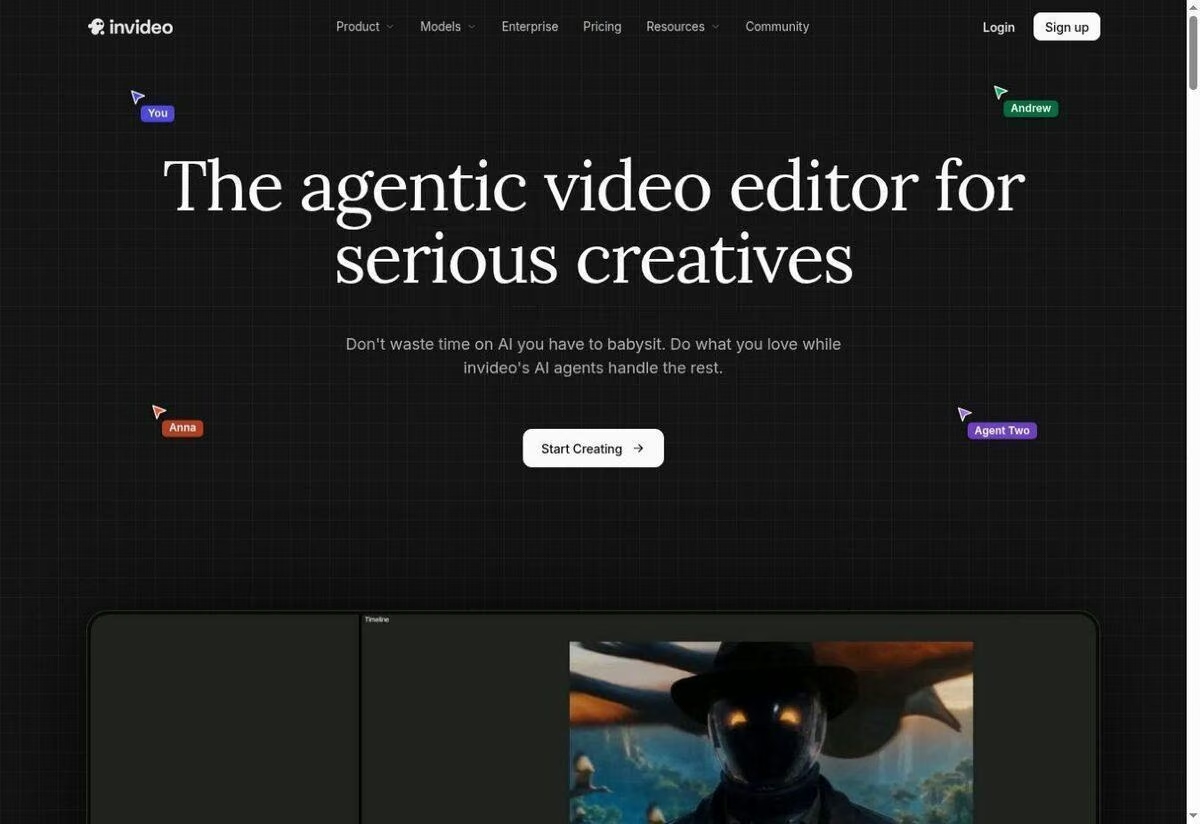
What it does: InVideo turns a prompt or script into an assembled video using stock footage, generated media, voiceover, subtitles, and text-based editing.
Best for: Narration-led marketing videos when you're prepared to pay and revise the first cut.
InVideo approaches AI video differently from model-first tools such as Pika and Veo. It can combine a script, stock footage, voiceover, subtitles, and automated editing to assemble a complete marketing video from one prompt.
That makes it better suited to explainers, list videos, and social content than tightly controlled individual shots.
The platform estimated that my Solara video would require 13.5 credits. The signup flow I hit pushed me to a paid plan before the generator opened, though InVideo documents a free weekly credit quota that doesn't require a card.

Since I couldn’t generate the video, I couldn’t assess its handling of motion, product consistency, or readable brand text.
Its workflow also relies heavily on scripts, stock media, templates, and automated narration, so it offers less direct control over each generated frame than Veo, Kling, or Pika.
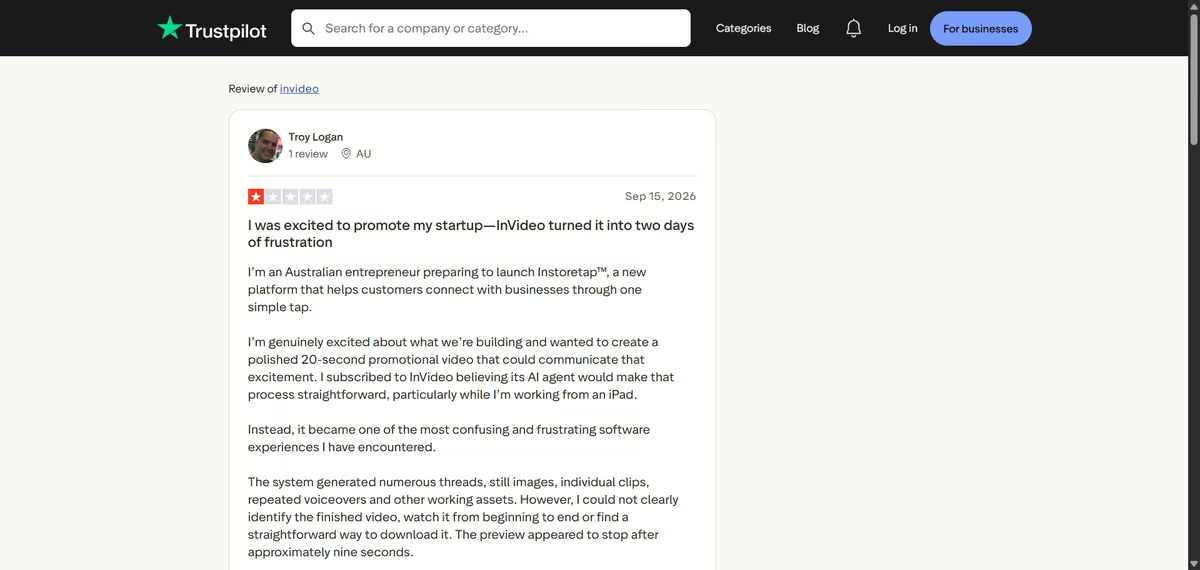
That concern also appears in user feedback. One InVideo user reported losing two days and still being unable to access the finished video in a usable form.
Script generation, stock assembly, and automated narration are what would get InVideo onto my list for a narration-led first cut. One user's frustration with the workflow is worth knowing before you commit a client project to it. I wouldn't choose it first for a product ad where the object and label must remain visually accurate.
Key Features
- Script generation: InVideo can turn a prompt into a structured script before it assembles the scenes.
- AI voiceovers and subtitles: The platform can add narration, captions, music, and sound effects as part of the generated project.
- Text-command editing: You can request changes in plain language to revise scenes and media without editing every element on a timeline.
Pros and Cons
Pros
- The workflow targets complete marketing videos, not isolated clips
- Script and stock assembly can reduce manual editing
- Useful for narration-led explainers and social videos
Cons
- The signup flow required payment before I could test
- I couldn't gather firsthand generation evidence
- Stock-led assembly may not preserve a specific branded product
What Users Say
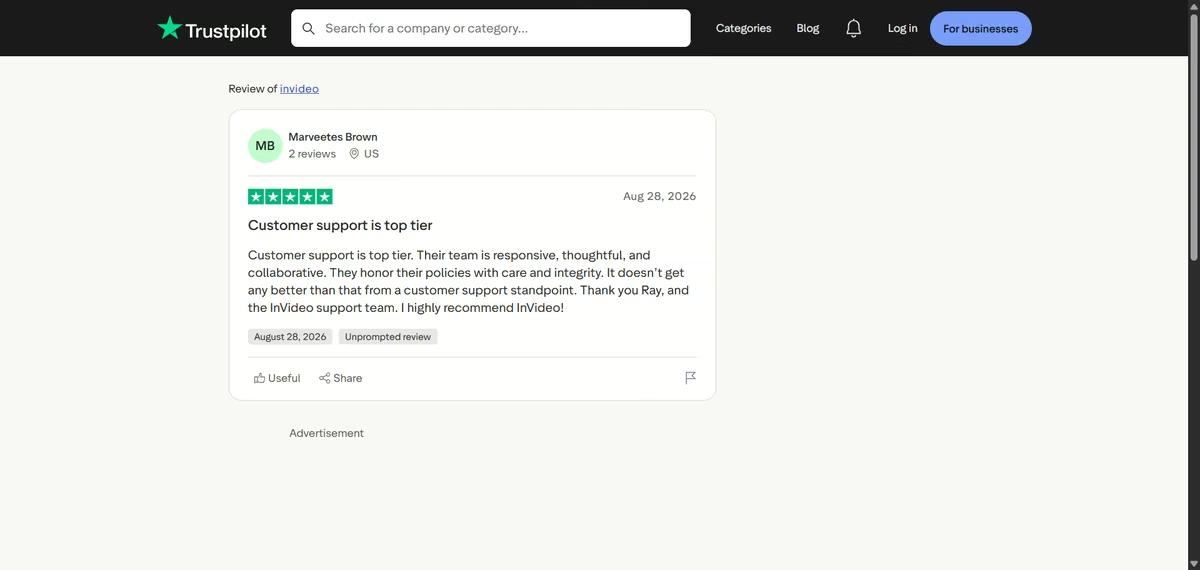
“Customer support is top tier. Their team is responsive, thoughtful, and collaborative. They honor their policies with care and integrity.” - Marveetes Brown, Trustpilot
“Instead, it became one of the most confusing and frustrating software experiences I have encountered.” - Troy Logan, Trustpilot
Pricing
InVideo's official pricing currently emphasizes annual plans. Basic costs $9 per seat each month on annual billing and includes 190 credits, about seven Seedance 2 Fast videos, but no full Seedance 2.0 or 2.5 access.
Pro costs $30/month ($25/month billed annually) with 1,000 credits, full Seedance access, 4K Seedance 2.0 output, and about 28 Seedance 2 videos.
Ultra costs $80/month ($60/month billed annually) with 3,000 credits and about 85 Seedance 2 videos. InVideo's pricing page lists only paid tiers; the free plan is documented in the help center rather than shown alongside Basic, Pro, and Ultra.
Bottom Line
Choose InVideo for script-led production when you expect to pay and edit the first cut. Choose a model-first generator when product shape, label text, and physical interaction decide whether the clip is usable.
9. Google Veo 3.1: Best for Native Audio and Detailed Shot Direction

What it does: Google Veo 3.1 generates short videos from text or image prompts, with native dialogue, ambiance, and sound effects in supported workflows.
Best for: Cinematic clips that need generated audio and detailed shot direction.
Veo 3.1 gave me the clearest setup for the longer test, which combined a woman, four connected actions, a slow camera move, readable brand text, and optional audio. In Google Flow, I selected Veo 3.1 Quality, a 16:9 frame, and one output.
The interface quoted 100 credits before I submitted the eight-second Solara scene, so I knew the cost before generation began.

The test ended after about 37 seconds with a generation error. I tried it again, but the second attempt also failed. Other Flow users have reported the same error across repeated generations, so my experience wasn’t isolated.
Without a clip, I couldn’t judge motion, hands, label consistency, or native audio. What I could judge was reliability in my account. Veo may look excellent in demos, but two failed attempts leave room to question its reliability.
However, Google positions Veo as a model that can generate video with synchronized sound, including dialogue, effects, and ambiance. That explains why it asked for footsteps, market noise, and the sound of a can opening.
That’s a sign of a possibly great result because most tools in this comparison still treat audio as a separate stage or omit it on lower plans.
Key Features
- Native audio generation: Veo creates dialogue, ambient sound, music, and effects with the video so the soundtrack follows the action in the scene.
- Ingredients-to-video: You can combine several reference images with a prompt to carry specific characters, objects, and visual details into the generated clip.
- First and last frame control: You can provide boundary frames to guide how a shot begins and ends, which gives a transition or product reveal a clearer destination.
Pros and Cons
Pros
- The setup exposed the important generation choices clearly
- Google deducted no credits after the failed attempt
- Official audio support fits ads that need ambiance and sound effects
Cons
- My first generation failed before producing any footage
- The 100-credit estimate makes repeated attempts costly
What Users Say
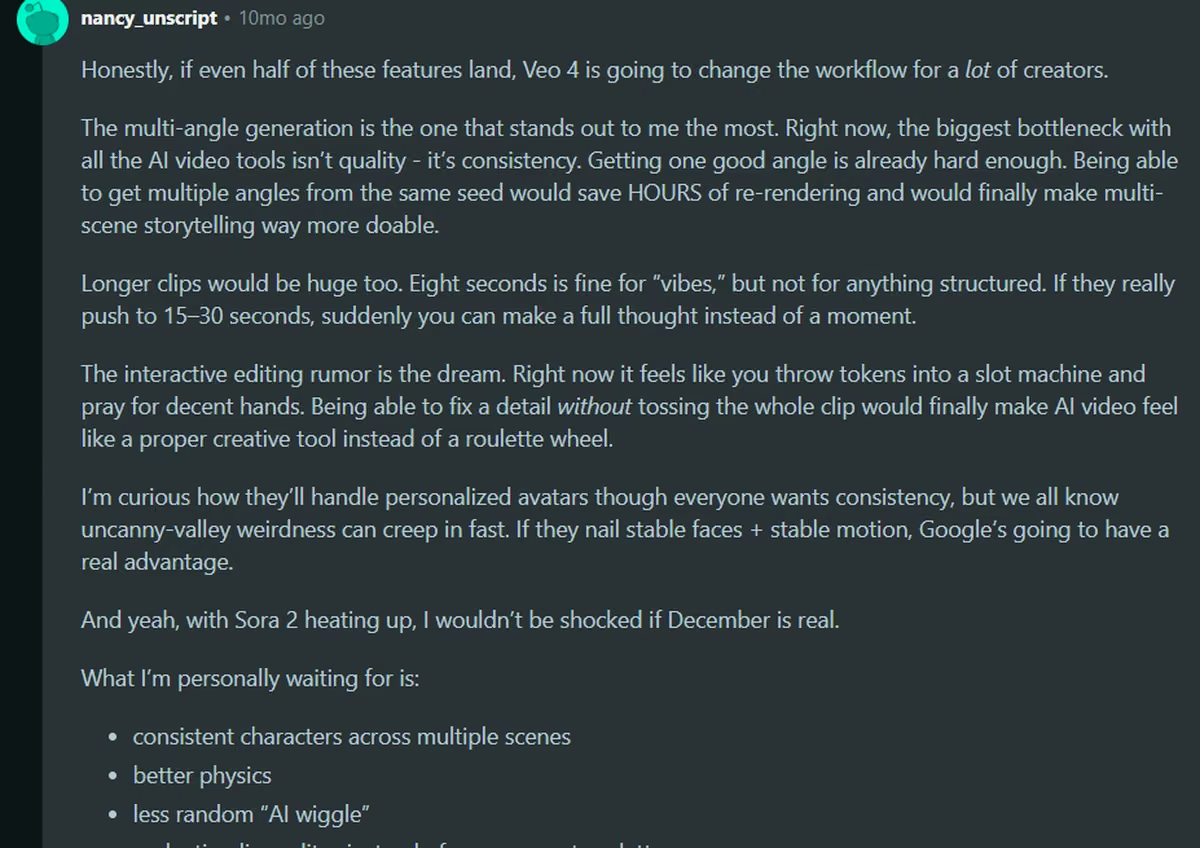
The multi-angle generation is the one that stands out to me the most. Right now, the biggest bottleneck with all the AI video tools isn’t quality - it’s consistency. Getting one good angle is already hard enough. Being able to get multiple angles from the same seed would save HOURS of re-rendering and would finally make multi-scene storytelling way more doable. Nancy., Reddit
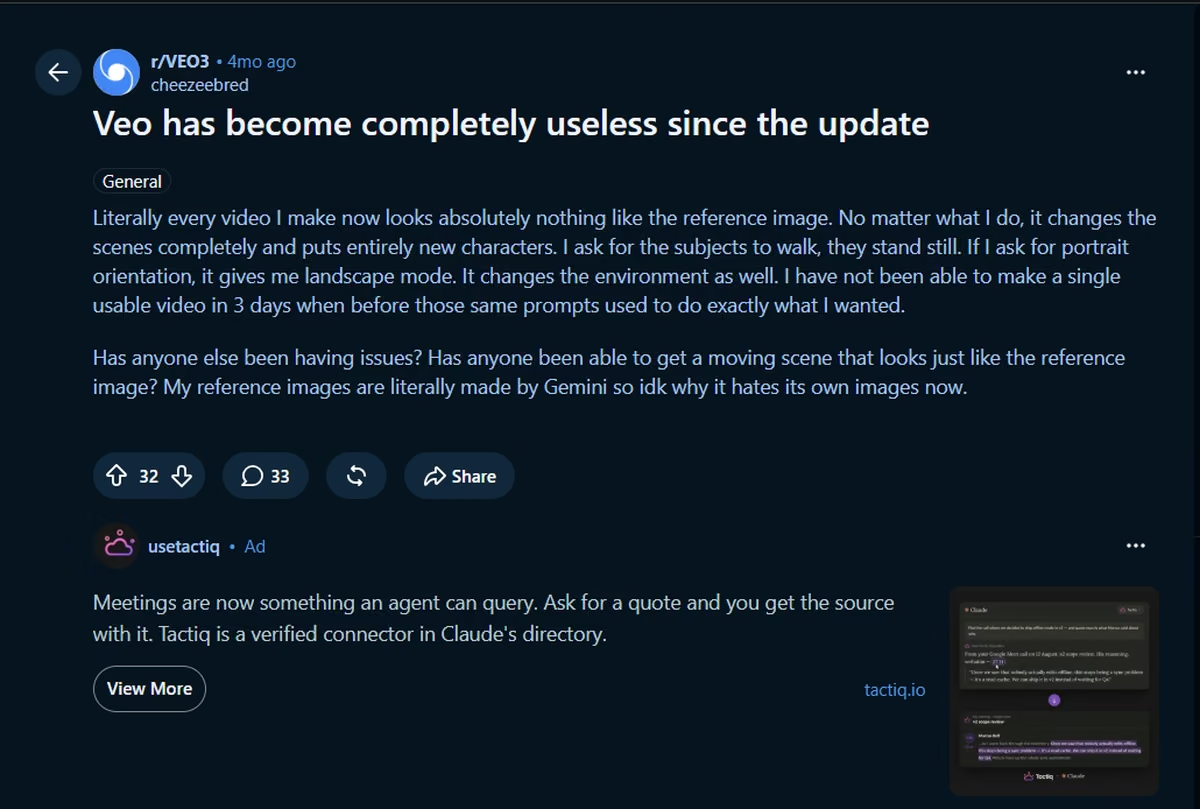
Literally every video I make now looks absolutely nothing like the reference image. No matter what I do, it changes the scenes completely and puts entirely new characters. I ask for the subjects to walk, they stand still. If I ask for portrait orientation, it gives me landscape mode. It changes the environment as well. I have not been able to make a single usable video in 3 days when before those same prompts used to do exactly what I wanted. Cheesebred., Reddit
Pricing
Google AI plans include a free tier with limited video generation. Google AI Plus costs $4.99/month, Google AI Pro costs $19.99/month, and Google AI Ultra starts at $99.99/month. Pro expands video access in Gemini and Flow, while Ultra raises the limits further.
Bottom Line
I'd keep Veo 3.1 on the shortlist for ads that need generated audio and detailed shot direction. I wouldn't schedule client work around it until a short test clip succeeds in the same account and region.
Which AI Video Generator Should You Choose?
Choose based on the level of control your video needs. Hailuo produced the strongest overall result, while Pika worked well for a simpler product shot.
Kling handled movement and physical action but lost the brand name, and Wan’s two-second limit made it more useful for checking composition than judging a complete sequence.
Choose Pika 2.5 if you
- Need a short cinematic product shot with one clear subject.
- Want a free test that can produce enough footage to judge motion and label quality.
Choose Wan 3.0 if you
- Need a clean branded product frame at a low entry cost.
- Can pay for a longer clip after confirming the composition with a short draft.
Choose HeyGen if you
- Need an avatar-led business video or help turning a prompt into a script and visual plan.
- Value guided production more than frame-level control over a branded object.
Choose Runway Gen-4.5 if you
- Need camera language, references, extensions, and editing in one workspace.
- Already expect to pay for the model and several iterations.
Choose Kling 3.0 if you
- Need a character to approach, pick up, and interact with a product.
- Can correct inaccurate packaging text or supply stronger product references.
Choose Google Veo 3.1 if you
- Need generated dialogue, ambiance, or sound effects in the same pass.
- Can test reliability before committing to a deadline-sensitive project.
Choose InVideo if you
- Want a narration-led marketing video assembled from scripts, stock media, voice, and subtitles.
- Don't need exact continuity for a branded product across connected actions.
Choose Seedance 2.0 if you
- Want fast drafts inside a host platform such as CapCut or Runway.
- Have confirmed the exact model variant, credits, and regional access before starting.
Choose MiniMax Hailuo if you
- Need a short cinematic scene that combines people, product interaction, camera movement, and generated audio.
- Want clean 2K output at a modest credit cost and can accept that the result may be shorter than requested.
Skip AI video generators entirely if you
- Need exact product packaging, legal copy, or frame-by-frame continuity without manual correction.
- Can't budget for reruns when a clip shortens the sequence, changes an object, or loses readable text.
For a wider view of research, automation, client portals, and content production, compare the best agency AI tools.
When One Model Isn't Enough
Testing nine tools taught me no single model wins every shot. Hailuo handled the people and the sequence; Pika and Wan held the label in a simple frame, and Kling lost the brand name as soon as the scene got busy. Produce more than the occasional clip, and you end up routing each job to whichever model suits the shot, then tracking what came back and what it cost. If that routing is the part you want to automate, you can build a video editing agent that sends each brief to the right model and keeps the versions together.
That routing is the part worth building once.
Emergent can generate that kind of internal tool from a plain-language prompt: somewhere to drop a brief, send it to whichever video API fits, and keep the outputs, the credit spend, and the versions together instead of spread across nine browser tabs. Check out Emergent's app builder or agent builder for a closer look at what you could create.
Final Verdict
Hailuo is my top choice for a short cinematic product ad. It followed the connected actions, kept SOLARA readable, added sound, and delivered a clean 2K video for 20 credits. Pika is better suited to a simpler product shot, while Wan works for checking composition with a short draft.
Choose HeyGen or InVideo for guided business-video production, and consider Runway or Seedance when you need more editing control. You can also sign up for Emergent to build a repeatable video workflow for your team or clients.
Most AI app builders stop at prototypes. Emergent creates production-ready apps you can actually launch.
- Production-ready apps
- Web & mobile apps
- Deploy in minutes
Most AI app builders stop at prototypes. Emergent creates production-ready apps you can actually launch.
- Production-ready apps
- Web & mobile apps
- Deploy in minutes