



I put the most-hyped free AI tools of 2026 through real work and ranked each by how far its free plan got me before the paywall, from everyday chat to building an app.
The Best Free AI Tools: Quick Comparison
ChatGPT is the best free AI tool overall, with Perplexity for research, Cursor for coding, Canva for design, Leonardo.Ai for images, and Lovable for building an app without code.
These 12 picks cover very different jobs. Some are everyday chat assistants, some build a whole app from one prompt, some are coding editors for people who already read code, and a few just help you research or make visuals before you spend a build credit.
| Tool | Category | Best for | Free plan | Watch out for |
|---|---|---|---|---|
| ChatGPT | General assistant | Everyday chat + drafting | Limited access to GPT-5.5 | Newest model gated to paid |
| Google Gemini | General assistant | Google Workspace users | Free in Gemini app, limited Deep Research | Heavy use throttled |
| Claude | General assistant | Long docs + reasoning | Free, daily message caps | Caps out fast on long chats |
| Perplexity | Research | Fast, sourced answers | Quick search, few Pro Searches | Top models paywalled |
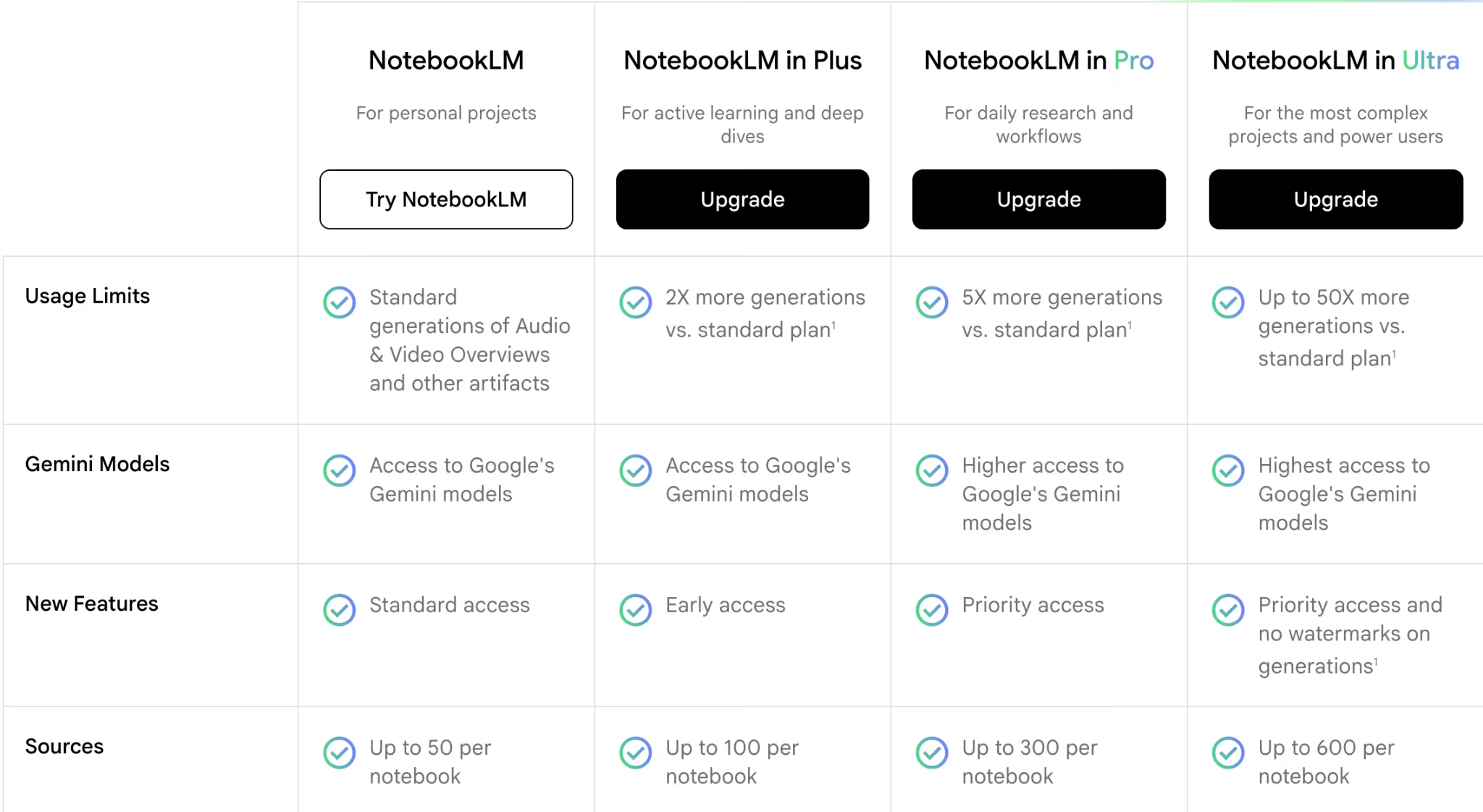
| NotebookLM | Research | Working from your sources | 100 notebooks, 50 sources each | Only knows what you upload |
| Cursor | Coding | Developers in an editor | Free Hobby, limited requests | Not a no-code tool |
| v0 | Coding | React and Next.js front ends | $5 credits/month, 7 msgs/day | Weak on full backends |
| Grammarly | Writing | Everyday writing polish | 100 AI prompts/month | Can overcorrect your tone |
| Canva | Design | Quick visuals + slides | ~200 AI uses/month | Best AI features need Pro |
| Leonardo.Ai | Image generation | Free daily image credits for creators | 150 Fast Tokens/day, resets daily | Free images are public |
| Lovable | App builder | No-code first MVP | 5 credits/day, 30/month | Credits vanish during debugging |
| Emergent | App builder | A usable product from one chat | 10 credits/month, GitHub sync | Free credits suit testing |
How I Researched and Tested These AI Tools
I split testing into two tracks.
For the assistants, writing, and design tools, I ran them on the work I do every week: drafting emails, summarizing long documents, researching claims, and making quick visuals.

For the app builders and coding tools, I gave each one the same brief: a simple client tracker with a login, a dashboard, an editable table, a file upload, and one admin-only view, then pushed each free plan to its limit.
Here's what I weighed:
- First output quality: How good the very first draft or build was before any cleanup.
- Free plan reality: What you can actually finish for free versus where the paywall starts.
- Credit and message drain: How far each free plan got me before it ran dry.
- Control: Whether I could export, verify, or roll back what the tool produced.
- Use case fit: How each tool handled real work, not a polished demo.
AI Assistants (Everyday Chat and Reasoning)
These three are the all-rounders: open one for a quick draft, a summary, or a question you'd normally search. ChatGPT is the do-everything default, Gemini fits if you live in Google apps, and Claude is the one I reach for on long documents and reasoning.
1. ChatGPT: Best Free AI Tool Overall
What it does: ChatGPT is OpenAI's general-purpose assistant for chat, drafting, brainstorming, and light coding help.
Best for: anyone who wants one free tool that handles most everyday tasks well.
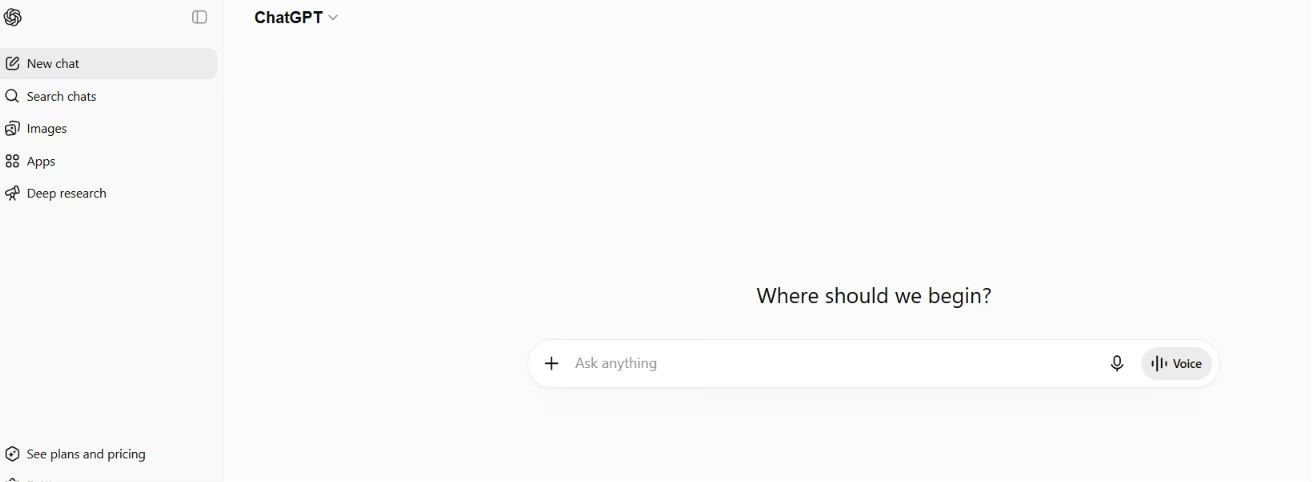
ChatGPT was the tool I reached for without thinking. It drafted emails, untangled a messy outline, and explained a chunk of code I'd inherited, all on the free tier. The catch is the cap: free gives you limited access to GPT-5.5 Instant before dropping you to a lighter model, and one focused session can use that up.
Key Features
- General chat and drafting: Handles writing, brainstorming, and quick research in one place.
- Web browsing: Pulls in current information instead of relying on stale training data.
- Light coding help: Explains and writes small scripts without a separate tool.
Pros and Cons
Pros:
- The most capable free all-rounder I tested.
- Genuinely useful across writing, research, and code.
- Web browsing pulls in current info, not just stale training data.
Cons:
- Free GPT-5.5 Instant use is capped, then drops you to a lighter model until it resets.
- GPT-5.5 Thinking, agent mode, and deep research need a paid plan.
What Users Say
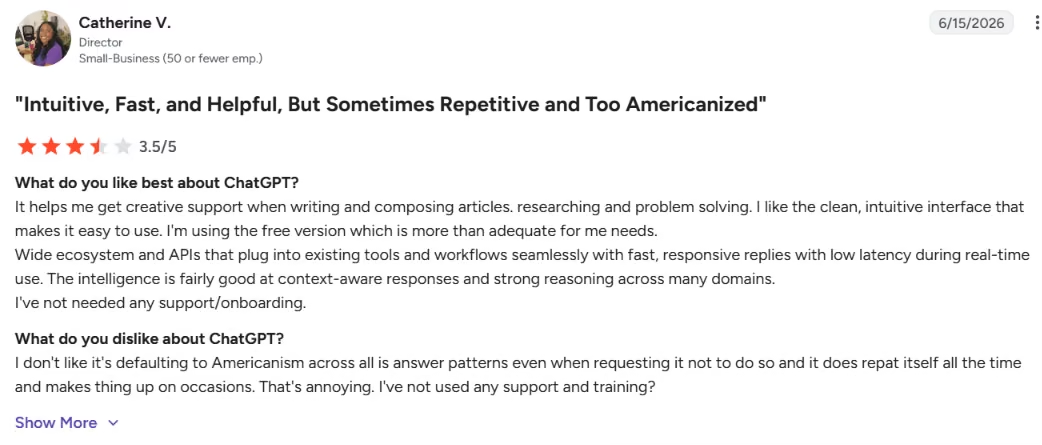
"It helps me get creative support when writing and composing articles." – Catherine V., G2
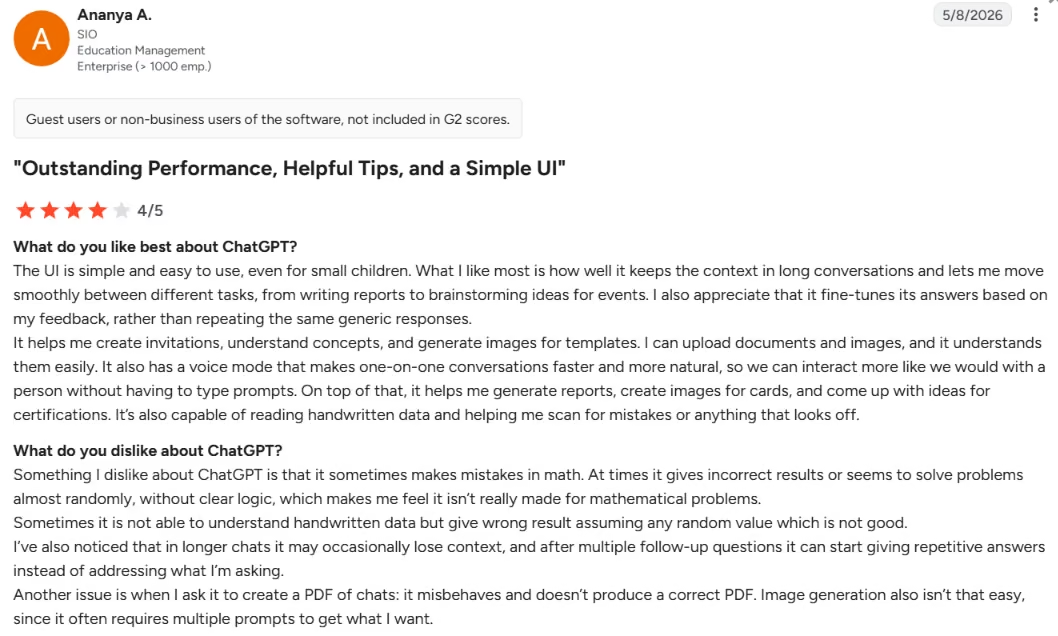
“At times it gives incorrect results or seems to solve problems almost randomly, without clear logic.” – Ananya A., G2
Pricing
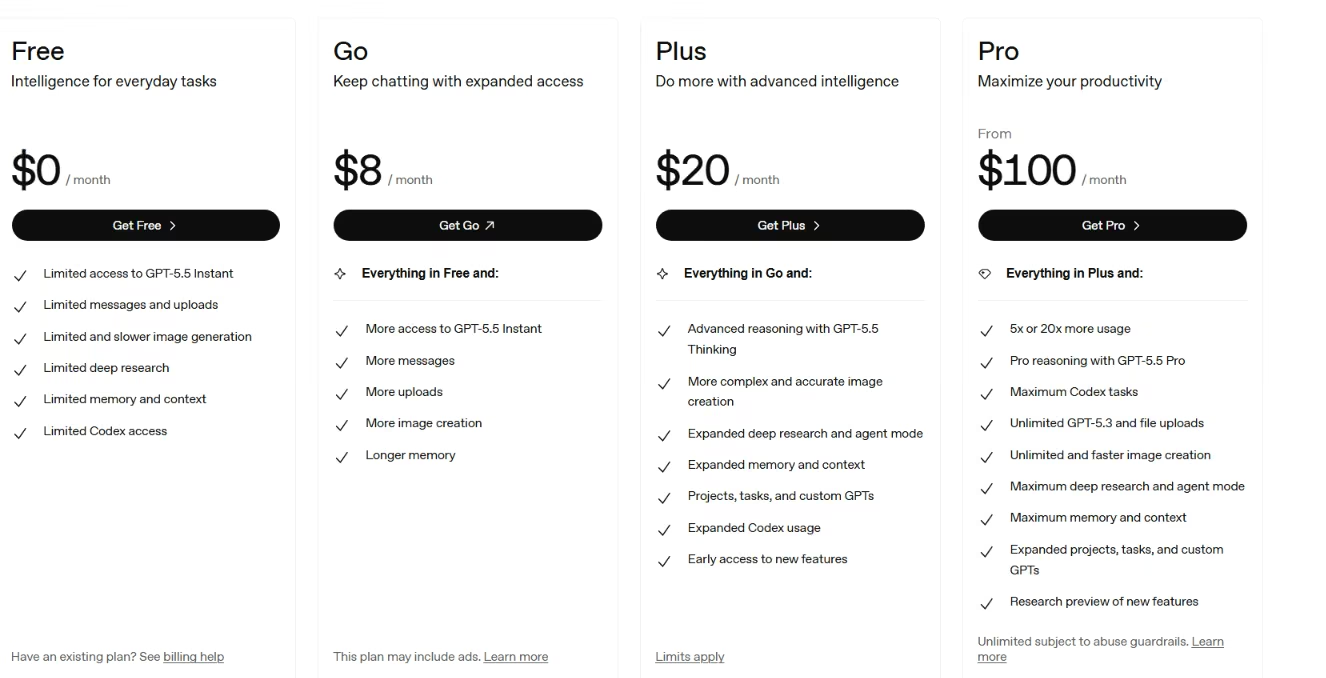
ChatGPT's free plan includes limited access to GPT-5.5 Instant, limited messages and uploads, limited image generation, and limited deep research. Plus $20/month, adding GPT-5.5 Thinking, expanded deep research, and agent mode.
Want the full breakdown of what each plan actually covers? Read our ChatGPT pricing guide before you commit.
Bottom Line
ChatGPT is the free tool I'd hand to almost anyone, since it does the most across the widest range of tasks. Power users will hit the message cap and want Plus.
Need something more specific than ChatGPT? Our ChatGPT alternatives breakdown covers the best options by use case.
2. Google Gemini: Best Free AI Tool for Google Workspace Users
What it does: Gemini is Google's assistant, built into the Google apps you already use.
Best for: people who live in Docs, Sheets, and Gmail.
Gemini earned its spot by being where my work already was. Drafting inside Docs and summarizing a long Gmail thread without switching tabs saved real time. Dropping a long PDF in and querying it interactively was the moment it clicked for me.
Key Features
- Workspace integration: Drafts and summarizes directly inside Docs, Sheets, and Gmail.
- Multimodal input: Handles text, images, and files in one conversation.
- Deep Research: Compiles a sourced report, with limited runs on the free tier.
Pros and Cons
Pros:
- Built into the Google apps you already work in.
- Strong free access for everyday tasks.
Cons:
- Heavy use gets throttled on the free tier.
- Execution can stumble on tasks needing live data or memory.
- Deep Research is capped.
What Users Say
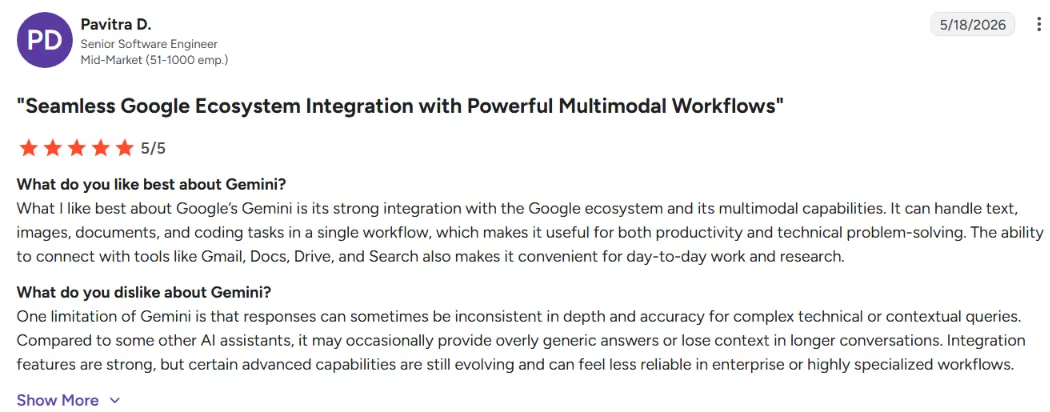
"It can handle text, images, documents, and coding tasks in a single workflow," – Pavitra D., G2
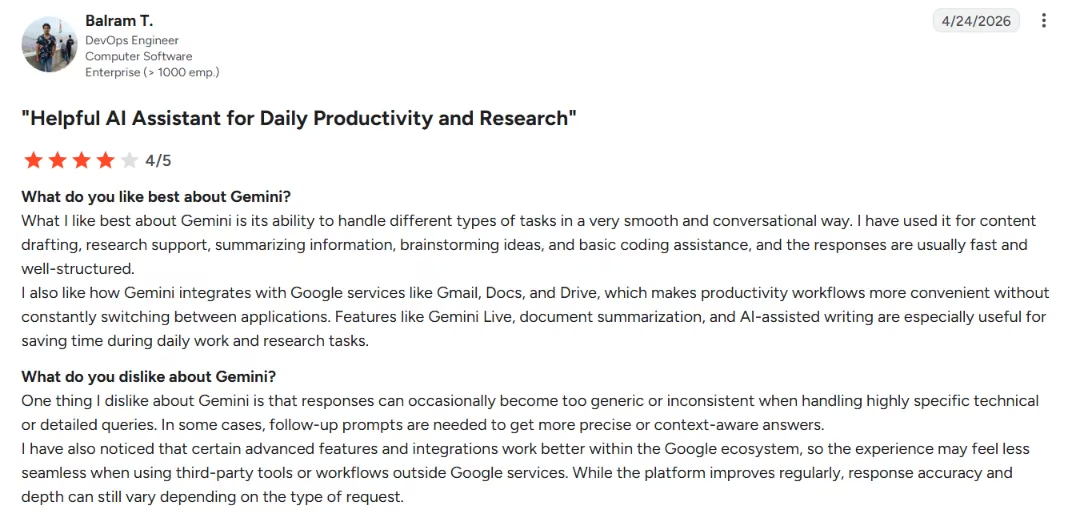
“Inconsistent when handling highly specific technical or detailed queries.” – Balram T., G2
Pricing
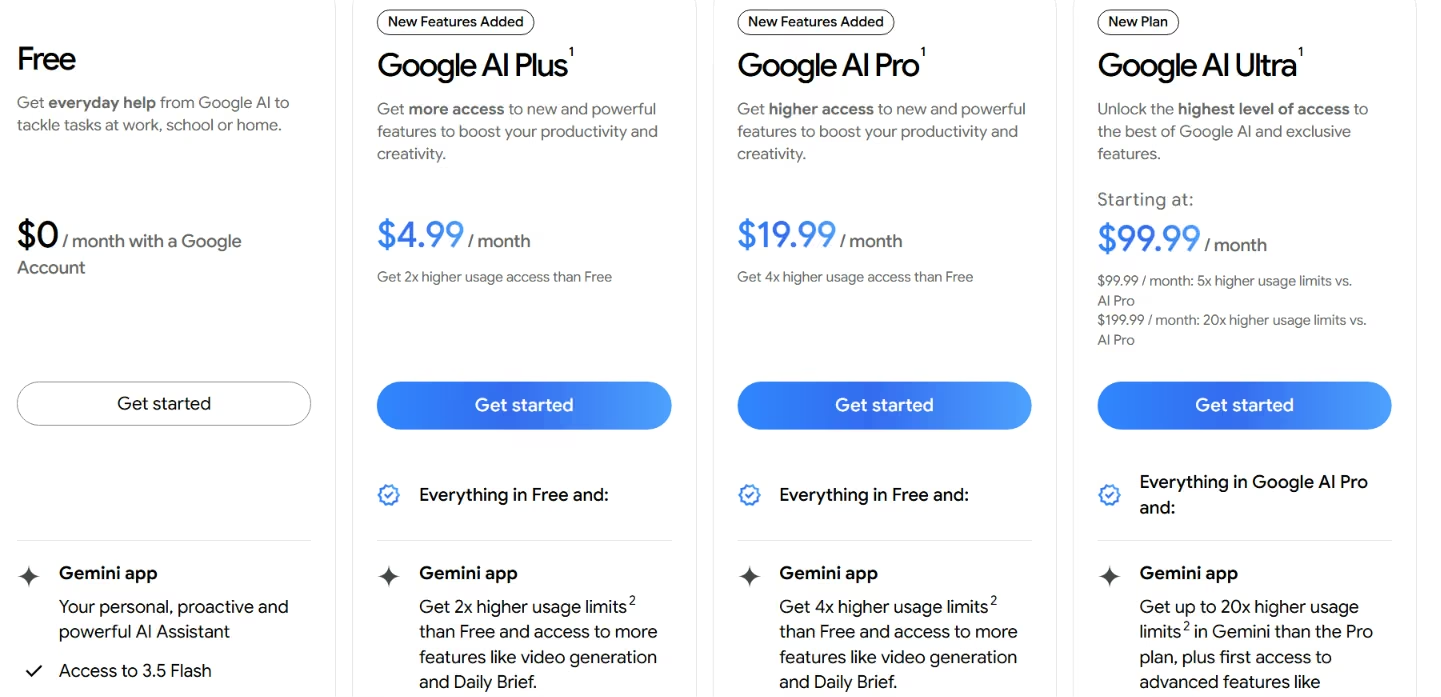
Gemini is free in the Gemini app, with Gemini 3.5 Flash, limited 3.1 Pro access, limited Deep Research, and 15 GB of storage. Pro $19.99/month.
Bottom Line
If you already live in Google Workspace, Gemini is the free assistant that fits your day with the least friction. Outside that ecosystem, the pull is weaker.
3. Claude: Best Free AI Tool for Long Documents and Reasoning
What it does: Claude is Anthropic's assistant, strong at long-form writing, careful reasoning, and reading code.
Best for: Working through long documents or problems that need clear, step-by-step thinking.
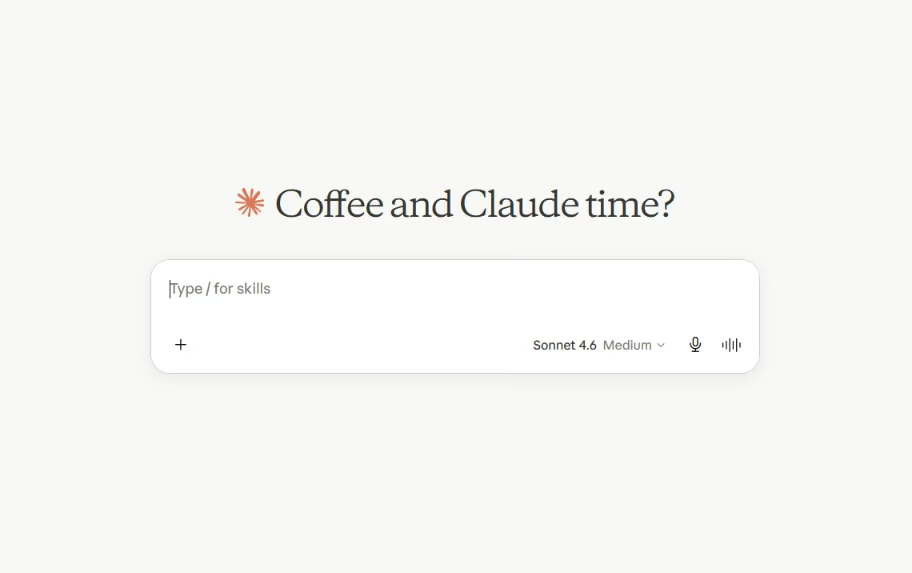
Claude was my pick for anything that needed real thought, not just a quick answer. It handled a long, messy document and explained its reasoning along the way. The free tier is genuinely usable, though it caps out fast on long chats.
Key Features
- Long-context reasoning: Holds a long document or thread without losing track.
- Code review: Explains what the code does and why, with clear walkthroughs.
- Natural writing: Produces the least robotic prose of the assistants I tested.
Pros and Cons
Pros:
- The clearest reasoning and most natural writing of the three assistants.
- Free plan is usable for real work, not just a teaser.
- Holds a long document without losing the thread.
Cons:
- Message caps hit fast during long sessions.
- No native image generation.
What Users Say
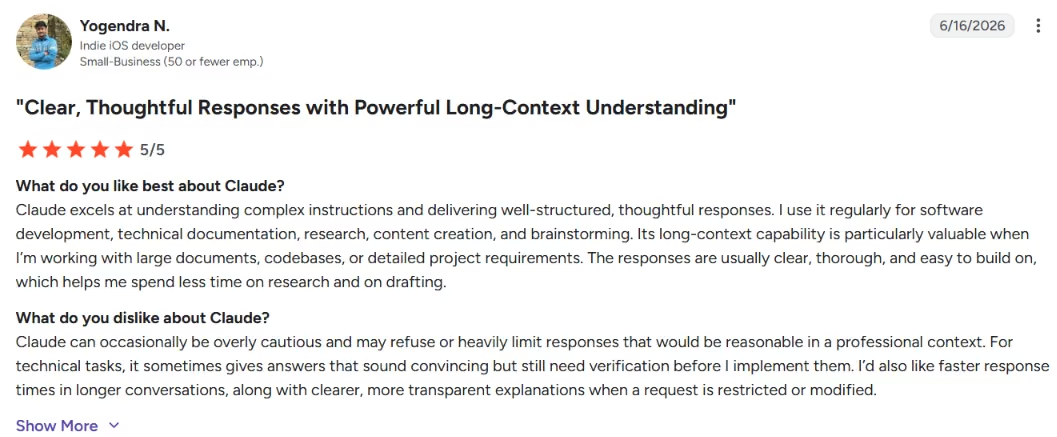
"Claude excels at understanding complex instructions and delivering well-structured" – Yogendra N., G2
“I dislike the usage limit, which feels overly restrictive.” – Natale Q., G2
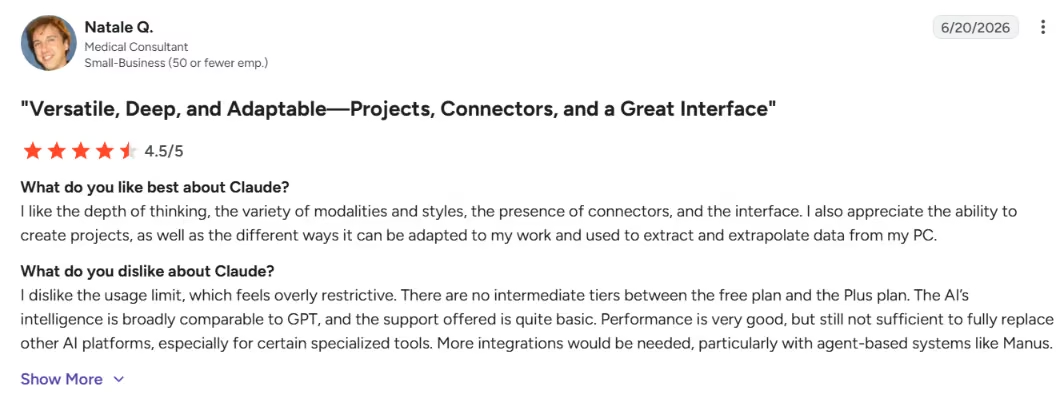
Claude earns consistently high marks on G2, with users praising its writing, reasoning, and coding support, while the most common gripe is usage limits cutting work short.
Pricing
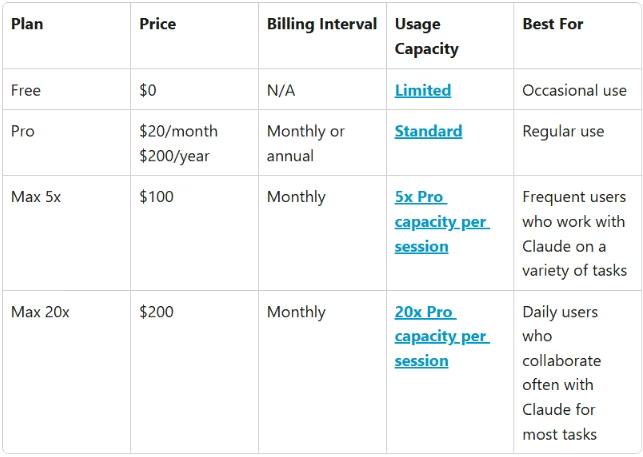
Claude's free plan covers web, mobile, and desktop access with text and code generation plus web search, subject to daily limits. Pro for $20/month ($17/month billed annually).
Bottom Line
Reach for Claude when the task needs careful reasoning or long-document work. Just expect the free caps to interrupt a long session.
AI Research Tools
These two are built for digging into a topic rather than chatting about it. Perplexity answers with sources you can check, and NotebookLM works only from the documents you feed it.
4. Perplexity: Best Free AI Tool for Fast, Sourced Research
What it does: Perplexity answers questions with sources attached, so you can check the work instead of trusting it blindly.
Best for: Fast, sourced research and planning before you spend a build credit.
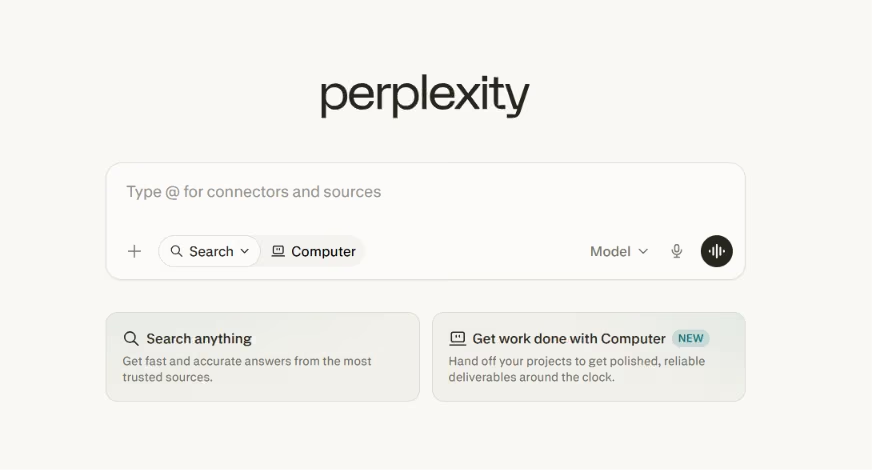
This was my planning tool. Before I touched a builder, I'd map out what I wanted to build and fact-check pricing claims against real sources. Leaning on it hard hit the Pro Search cap fast, usually within an afternoon of heavy digging.
Key Features
- Sourced answers: Every response links to where it came from.
- Quick and Pro Searches: Fast everyday answers plus deeper searches on tougher questions.
- File uploads: Ask questions about your own documents.
Pros and Cons
Pros:
- Cited answers you can actually verify.
- Faster than digging through a page of links.
- Pulls from forums and real discussions, not just official docs.
Cons:
- The free plan caps Pro Searches.
- The deepest models sit behind the paywall.
What Users Say
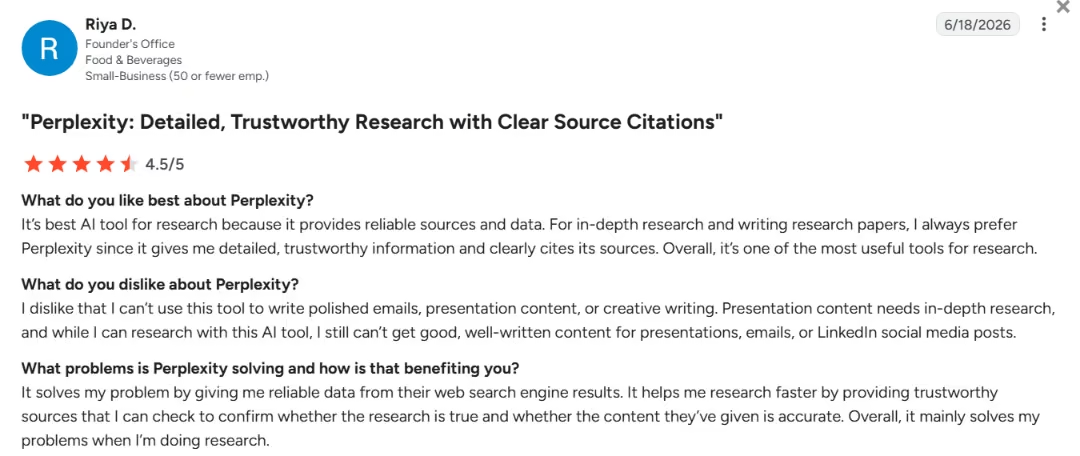
"It’s [the] best AI tool for research because it provides reliable sources and data." – Riya D., G2
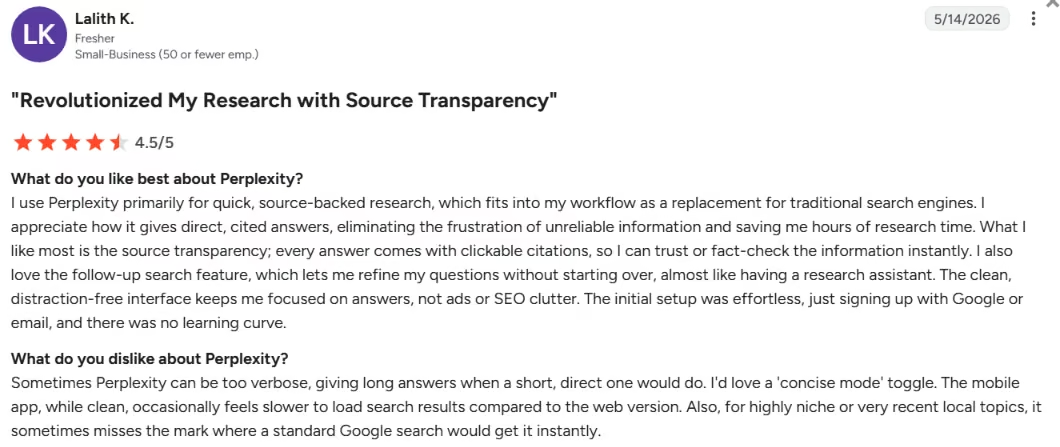
“Sometimes Perplexity can be too verbose, giving long answers,” – Lalith K., G2
Pricing
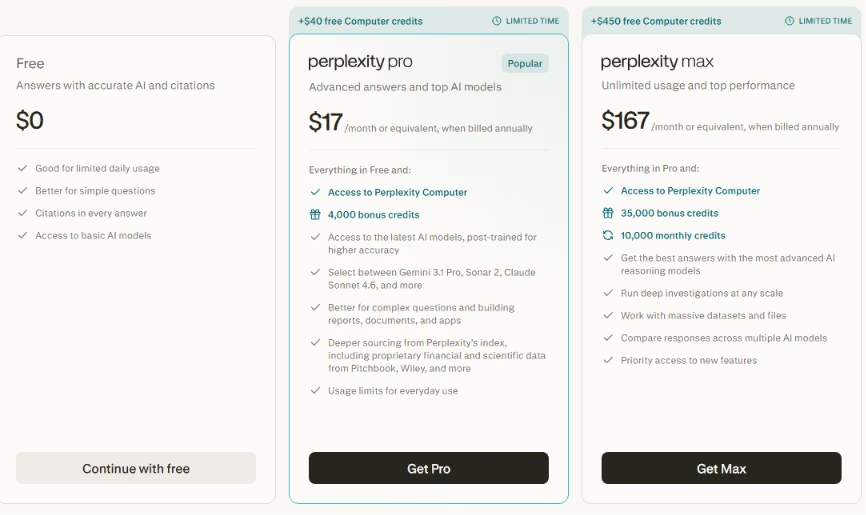
Free comes with unlimited quick searches, history, basic file uploads, and a few daily Pro Searches. Pro $20/month ($17/month billed annually).
Bottom Line
Perplexity gives sourced answers you can verify, which saves the credits you'd waste on a half-formed idea.
Not sure Perplexity fits every use case? Our best Perplexity alternatives breakdown covers what else is worth trying.
5. NotebookLM: Best for Working From Your Own Sources
What it does: NotebookLM works only from the sources you upload, turning them into summaries, FAQs, and audio overviews.
Best for: Turning your own documents into study notes, briefings, and quick reviews.
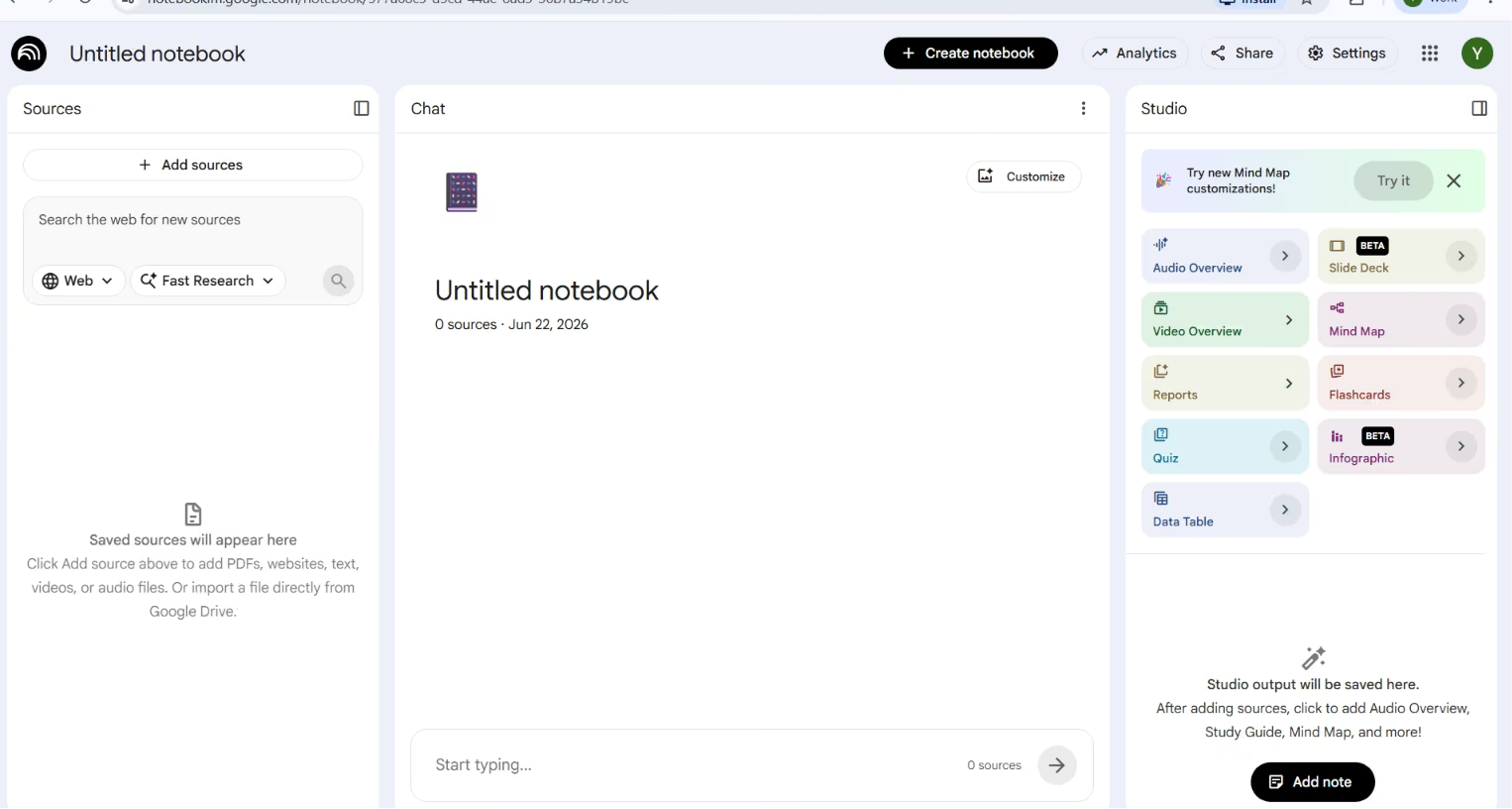
Before I spent a credit anywhere, I dumped all my research into a notebook and let it brief me back. I fed it each tool's docs and pricing pages, then asked it to pull out the free-tier limits, so I wasn't cross-checking ten tabs. The audio overview was a weirdly nice way to review a messy pile of docs on a walk.
Key Features
- Grounded answers: Responses draw only from your uploaded sources, each with a clickable citation back to the original passage.
- Audio and video overviews: Turn your documents into a podcast-style discussion or a visual summary you can review on the go.
- Auto study tools: Generate FAQs, briefings, and timelines from the material you add.
Pros and Cons
Pros:
- Answers use the sources you upload, so there is less guessing.
- The audio overview is useful for review on the go.
Cons:
- It only knows what you give it, with no web search.
- The free plan caps each notebook at 50 sources.
What Users Say
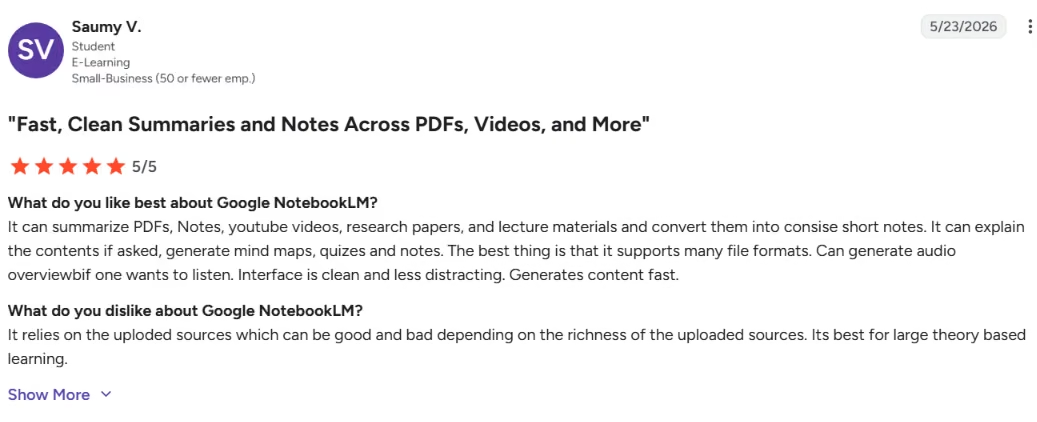
"The best thing is that it supports many file formats." – Saumy V., G2
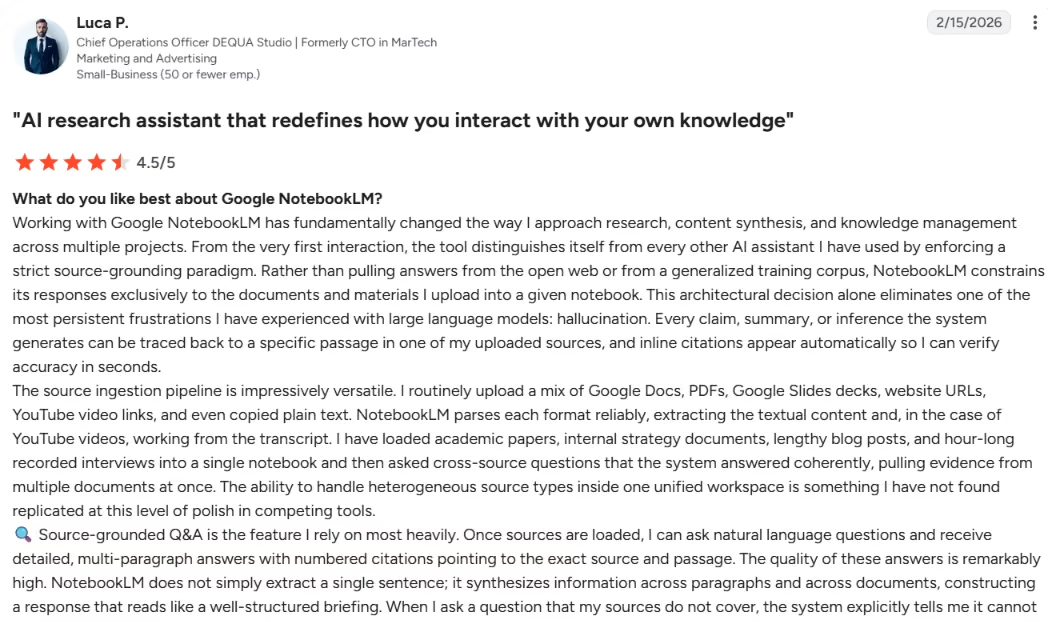
"The source limit per notebook is one of the first constraints." – Luca P., G2
Pricing
Bottom Line
NotebookLM keeps answers grounded in your sources. Use it as a research helper rather than an app builder.
AI Coding Tools (For People Who Write Code)
These next two are for people who read code: v0 generates front-end code you carry into a project, and Cursor works inside your existing codebase.
6. Cursor: Best for Developers in a Code Editor
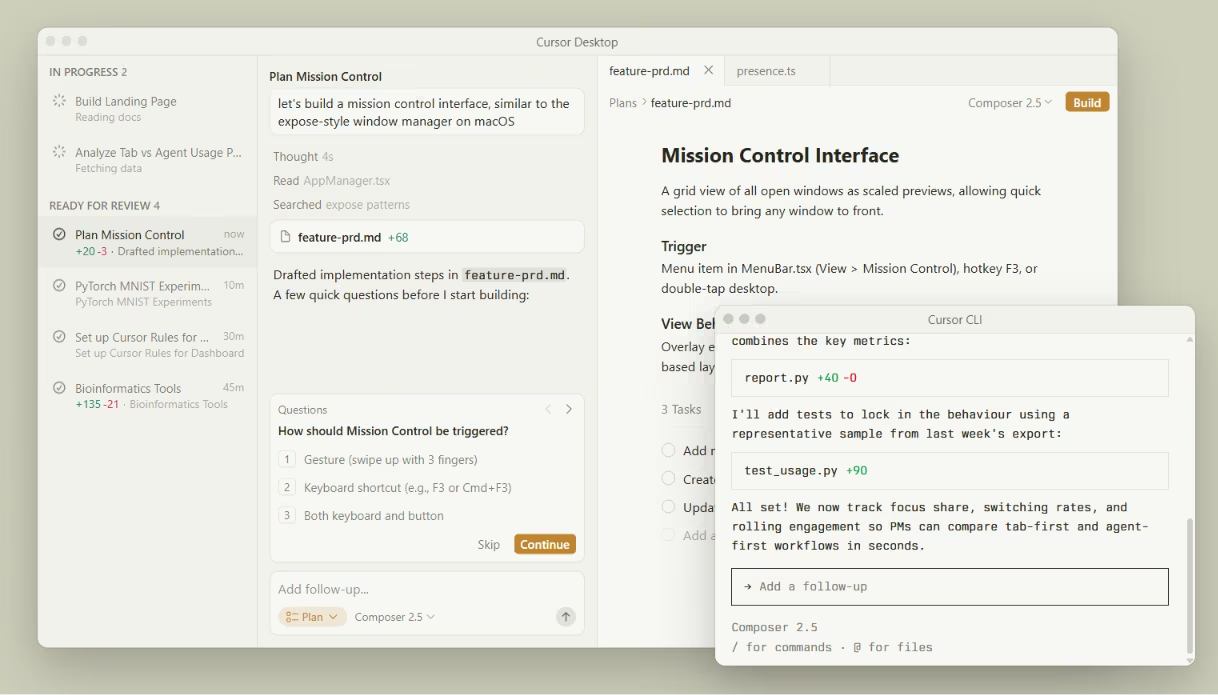
What it does: Cursor is an AI coding editor, a fork of VS Code, built for people who can read code and steer the AI.
Best for: Developers who want AI inside a familiar editor instead of a no-code builder.
As a dev tool, it's the one I reached for most. I steered it through a multi-file refactor without leaving the editor, watching each diff before I accepted it. The free tier ran dry in about one focused afternoon of Agent work.
Key Features
- VS Code base: A fork of VS Code, so your extensions, themes, and shortcuts carry over unchanged.
- Tab completion: Fast inline autocomplete that predicts multi-line edits as you type.
- Multi-file Agent edits: Change code across several files from one prompt, with diffs you review before applying.
Pros and Cons
Pros:
- AI coding inside an editor developers already know.
- The full editor is free with no credit card.
- It works inside your existing codebase, not just greenfield projects.
Cons:
- The free AI allowance dries up fast.
- Cursor is for people who can read code.
What Users Say
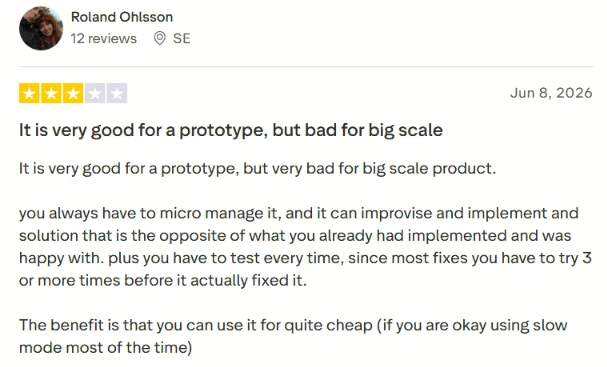
"It is very good for a prototype." – Roland Ohlsson, Trustpilot
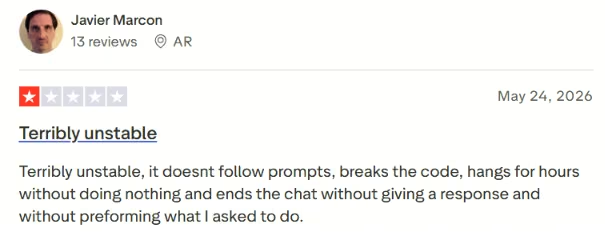
"It doesn't follow prompts, breaks the code" – Javier Marcon, Trustpilot
Pricing
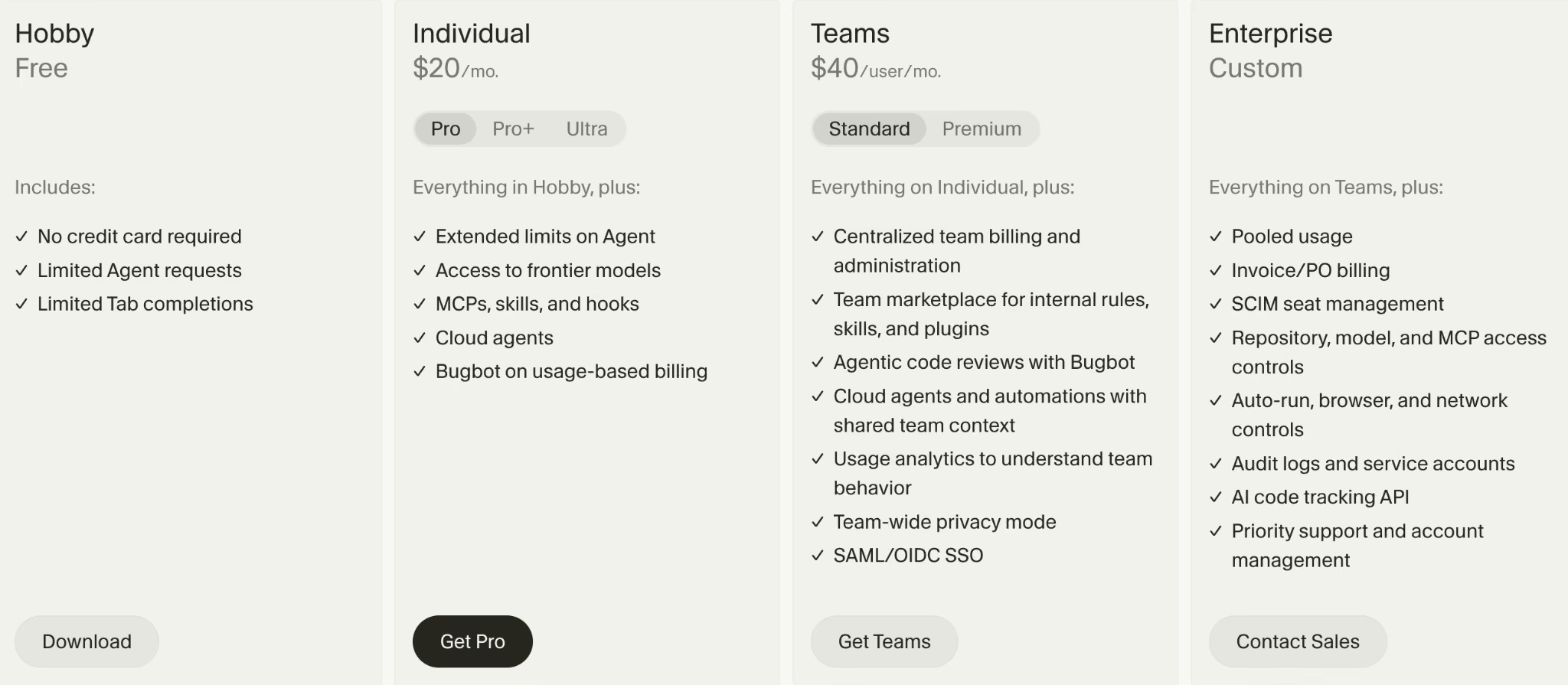
The free Hobby plan covers limited tab completions and premium requests each month. Pro from $20/month ($16/month billed annually), Teams $40/user/month ($32/user/month billed annually), and Enterprise custom.
Bottom Line
Cursor puts AI in a familiar editor, so try the free tier to decide, then expect to pay once it sticks.
Want to know what developers actually think before you commit? Read our Cursor Reviews for a closer look after 40+ opinions and real testing.
7. v0: Best for React and Next.js Front Ends
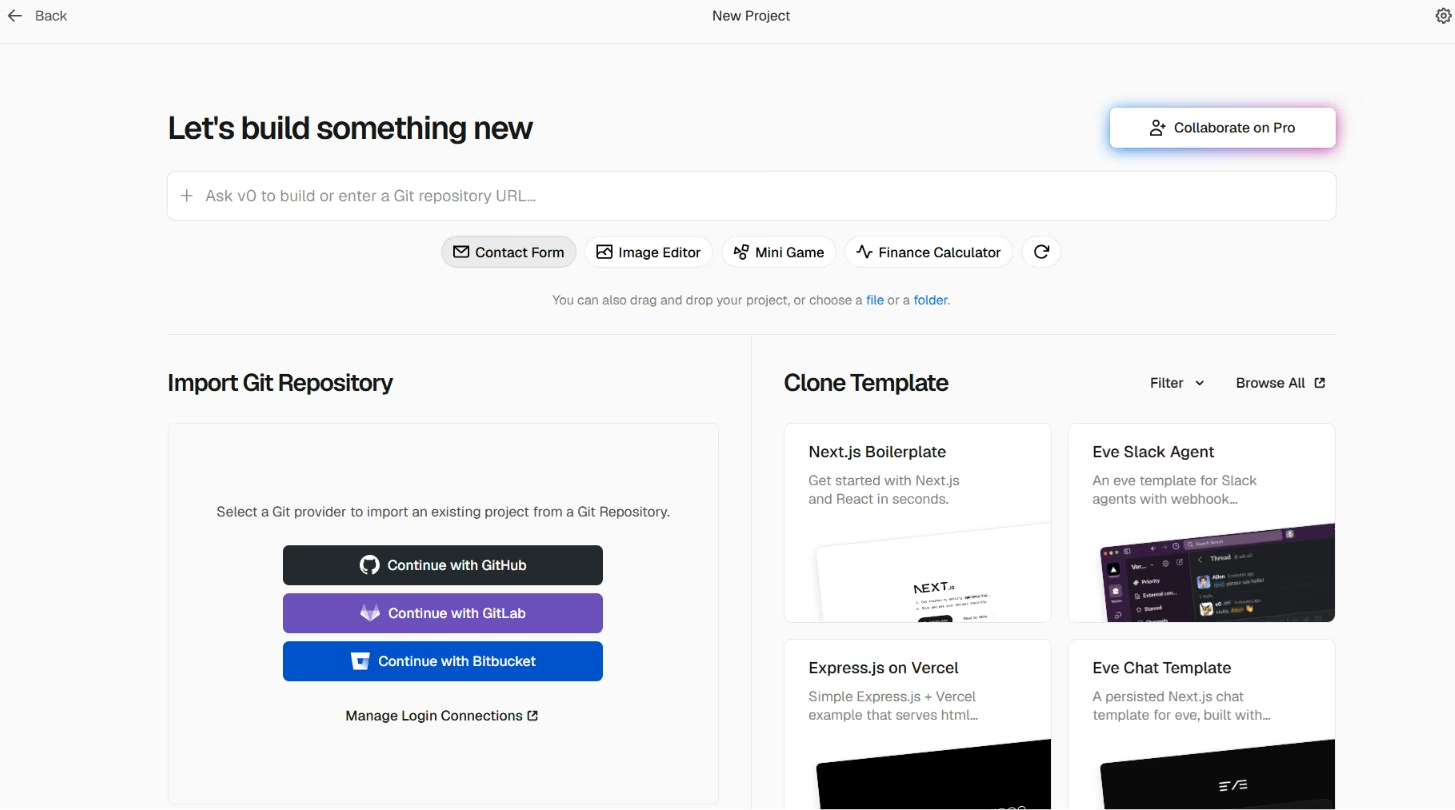
What it does: v0, built by Vercel, turns prompts into clean interfaces and front-end flows, especially for React and Next.js.
Best for: Front-end work, landing pages, and dashboards where design quality matters most.
The front end was the prettiest of anything I tested, and it got there in minutes. But the moment I wanted auth and a database wired together, I exported the code and finished elsewhere.
Key Features
- Prompt-to-UI: Generates polished React components styled with shadcn/ui and Tailwind from a plain-English description.
- Design Mode: Adjust spacing, color, and layout visually without rewriting the underlying code.
- Vercel deploy and GitHub sync: Ship the front end to Vercel in one click, or open a pull request to hand it off cleanly.
Pros and Cons
Pros:
- The best-looking output of the bunch.
- Deploys to Vercel and syncs to GitHub out of the box.
- The shadcn/Tailwind code is clean enough to drop into a real project.
Cons:
- v0 focuses on front-end work rather than full backend builds.
- The free plan caps you at 7 messages a day.
What Users Say
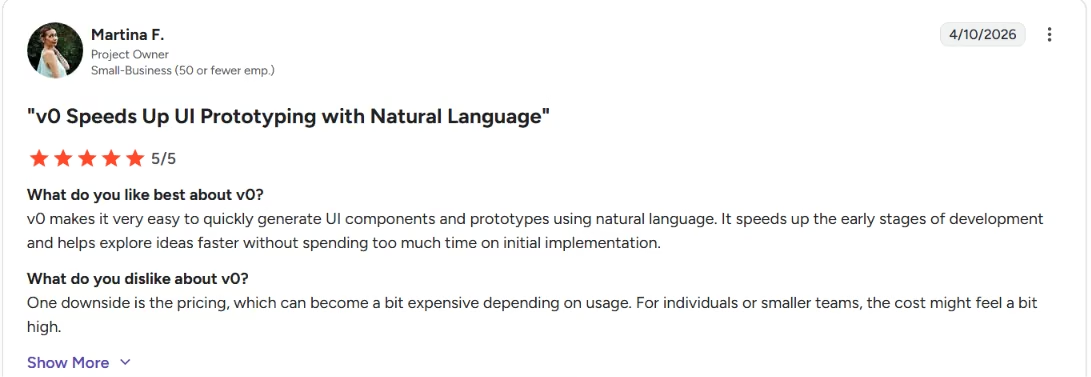
"v0 makes it very easy to quickly generate UI components," – Martina F., G2
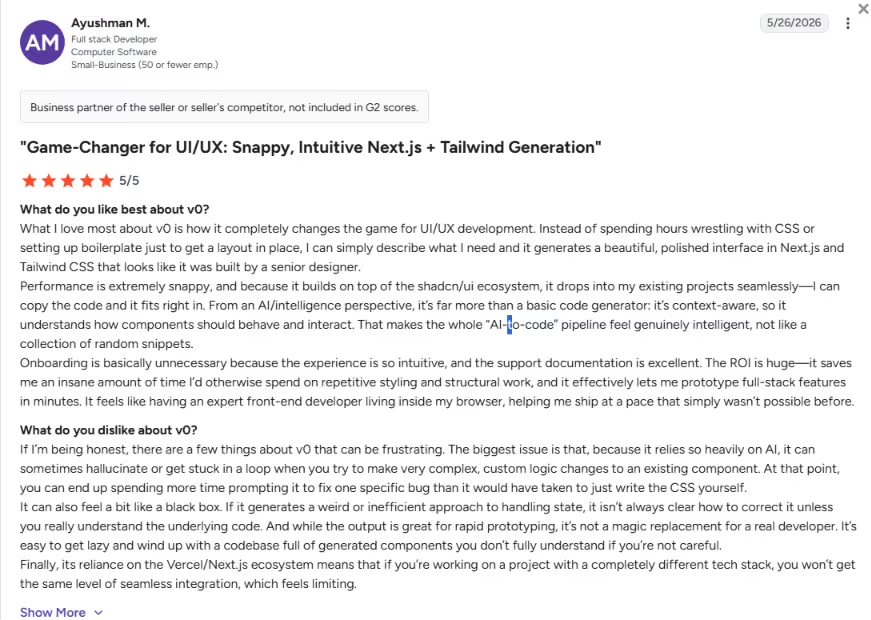
"it can sometimes hallucinate or get stuck in a loop," – Ayushman M., G2
V0 Pricing
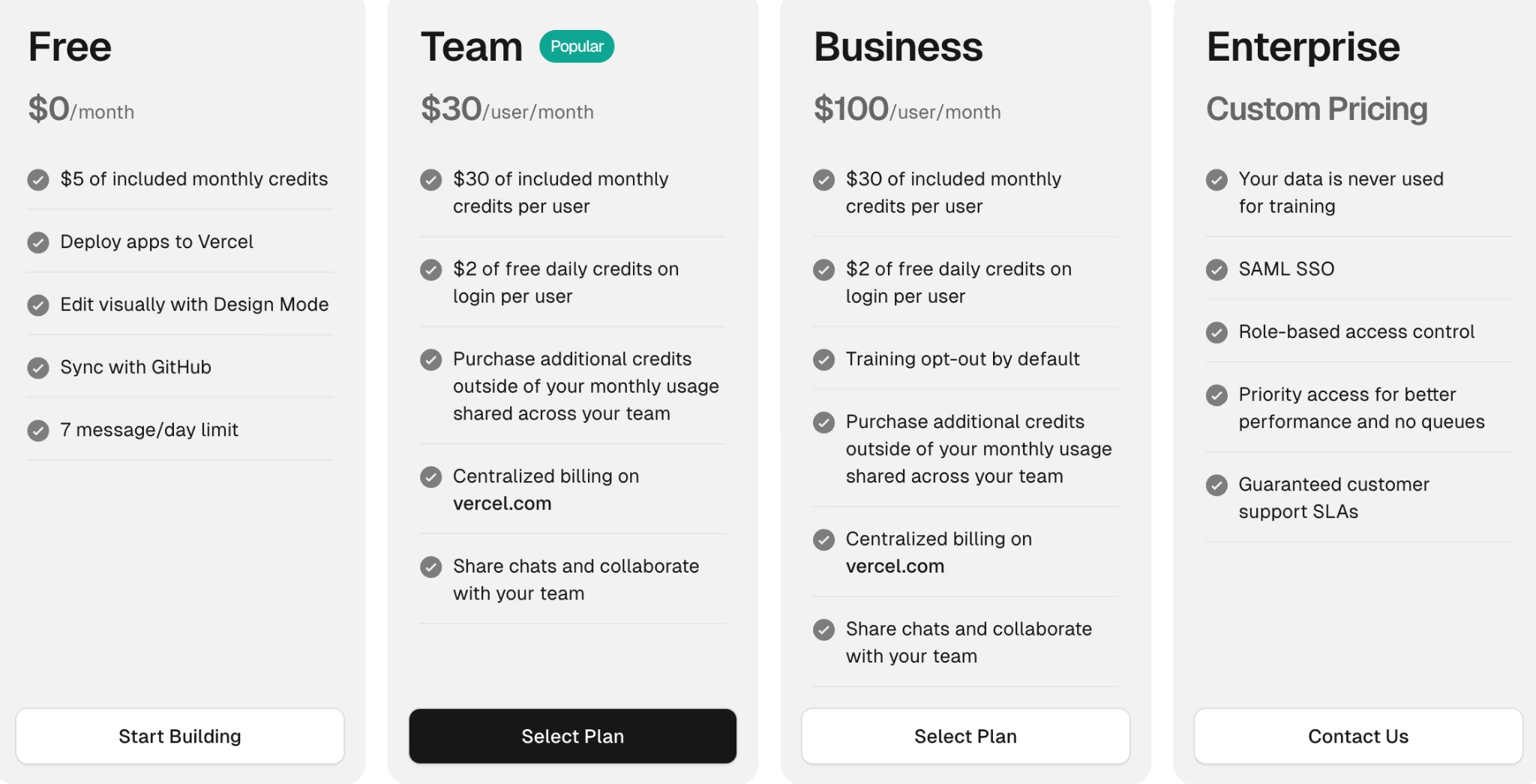
The free plan includes $5 in monthly credits, Vercel deployment, Design Mode, GitHub sync, and 7 messages per day. Team from $30/user/month, Business $100/user/month, Enterprise custom.
Bottom Line
v0's interface output is the cleanest here. Pair it with a backend tool for the full workflow.
Also read our best no-code software builders guide for what else is worth trying when you need the full stack in 2026.
AI Writing Tools
This is the category for cleaning up everyday writing: grammar, tone, and clarity fixes across the apps you already type in.
8. Grammarly: Best Free AI Tool for Everyday Writing Polish
What it does: Grammarly is an AI writing assistant that catches grammar mistakes, adjusts tone, and rewrites clunky phrasing across the apps you already use.
Best for: Cleaning up emails, reports, and docs, especially for non-native English writers.
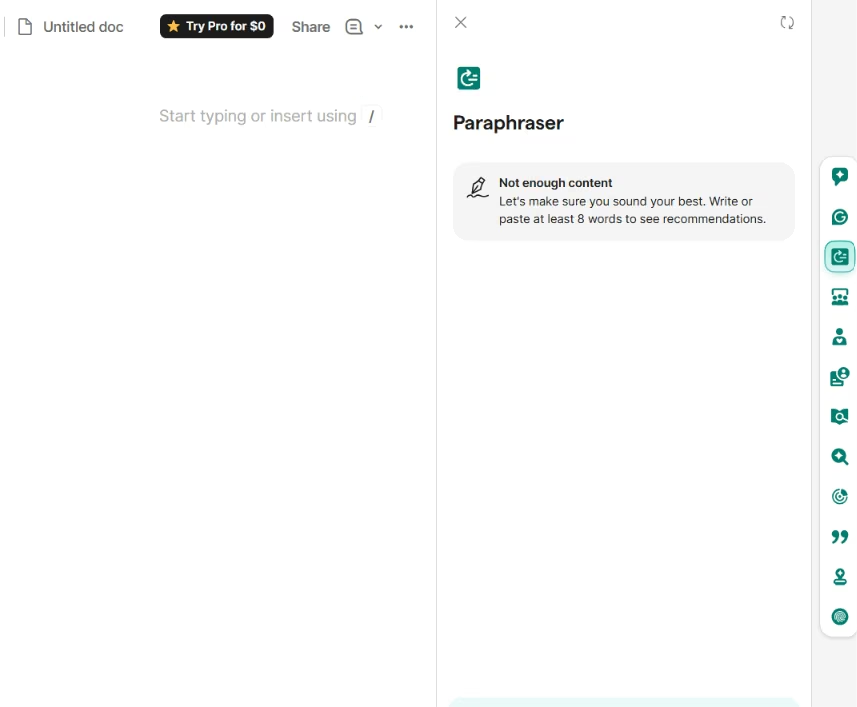
Grammarly works quietly in the background wherever I write, from Gmail to a Google Doc. It caught tone slips I'd have missed and tightened sentences without flattening my voice, most of the time. It can overcorrect, so I learned to skim its suggestions rather than accept them all.
Key Features
- Tone detection: Sees your writing tone as you write.
- AI prompts: Generate text with 100 AI prompts a month.
- Core corrections: Catch grammar, spelling, and clarity mistakes.
Pros and Cons
Pros:
- Catches mistakes and shows your writing tone on the free plan.
- The free Basic tier covers core grammar and clarity fixes well.
Cons:
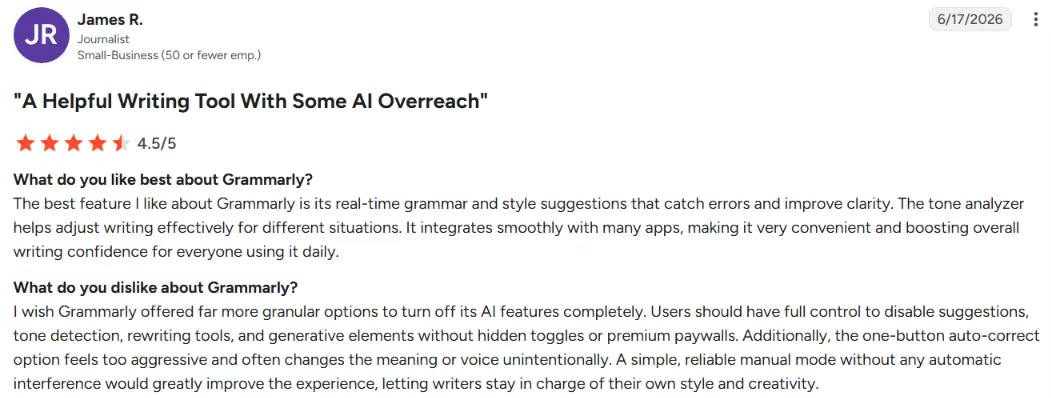
- Full-sentence rewrites and tone adjustment sit behind Pro.
- Suggestions can misread intent and flatten your tone.
- The widget can feel intrusive while you work.
What Users Say
"The best feature I like about Grammarly is its real-time grammar and style suggestions that catch errors and improve clarity" – James R., G2
Pricing
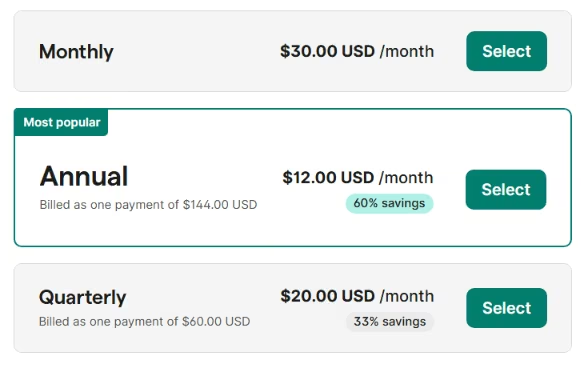
The free version includes core grammar and clarity checks plus 100 AI prompts a month. Pro is $30/month($12/month, billed annually), adding plagiarism checks and 2,000 prompts a month.
Bottom Line
Grammarly is the easiest free pick for everyday writing cleanup. Skip the paid tier unless you need plagiarism checks or heavy AI rewriting.
AI Design Tools
This is the category for turning a rough idea into something presentable fast, no design software and no designer needed.
9. Canva: Best Free AI Tool for Quick Visuals and Slides
What it does: Canva is a design platform with built-in AI tools, branded as Magic Studio, for generating images, copy, and layouts.
Best for: quick social posts, slides, and visuals without a designer.
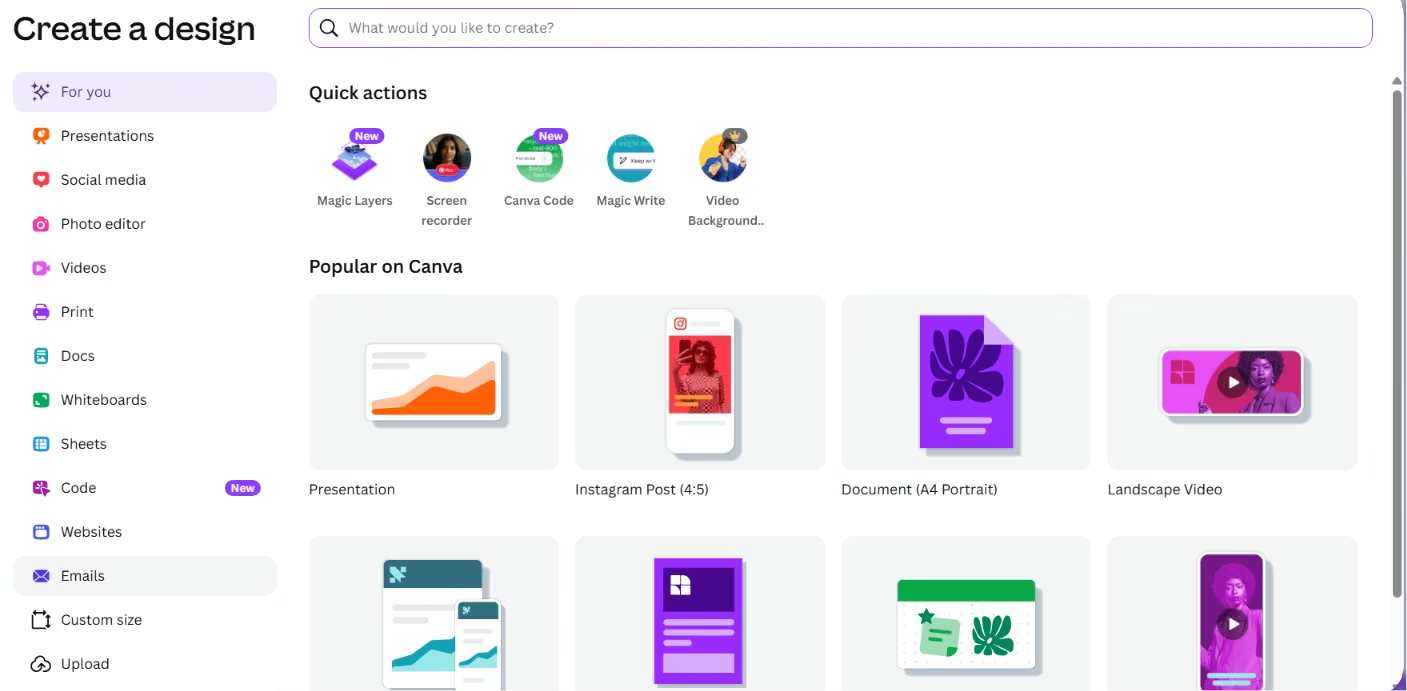
Canva was the fastest way to turn a rough idea into something presentable. I made a set of slides and a few social graphics in one sitting, and the Magic Studio tools handled the parts I'd normally fumble. The strongest AI features sit behind Pro, but the free plan covers a lot.
Key Features
- Magic Design: Generates layouts and slides from a prompt or a few assets.
- Magic Write: Draft headlines and copy inside your design.
- Huge template library: Start from a near-finished design instead of a blank page.
Pros and Cons
Pros:
- The fastest free tool for non-designers making real visuals.
- Templates cover almost any format you'd need.
Cons:
- The best AI features need a Pro plan.
- Free AI credits run out fast with regular use.
- Premium elements show watermarks until you upgrade.
What Users Say
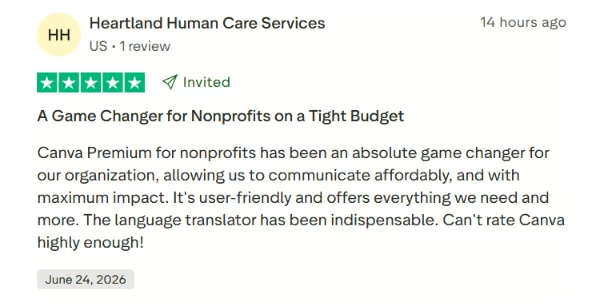
"It's user-friendly and offers everything we need and more." – Heartland Human Care Services, Trustpilot.
Pricing
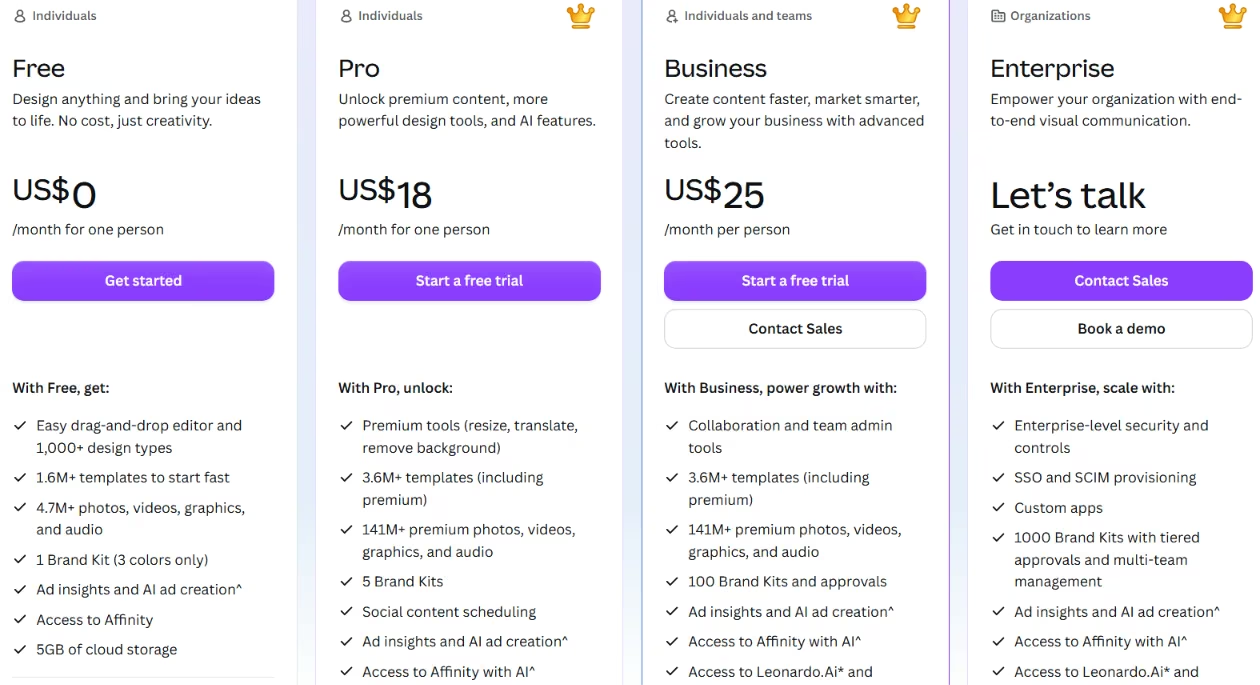
Canva's free plan includes templates, real-time collaboration, and basic AI tools, with around 200 Standard AI uses (or 20 Premium) a month. Pro $18/month ($12/month, billed yearly) for full Magic Studio access.
Bottom Line
Canva is the free pick for anyone who needs decent visuals fast and doesn't want to learn design software. Heavy AI use means upgrading to Pro.
AI Image Generators
The design and assistant tools handle most visual work, but they hit a wall when you want art built from a sentence. That's where a dedicated image generator earns its spot.
10. Leonardo.Ai: Best Free AI Tool for Image Generation
What it does: Leonardo.Ai turns a text prompt into images inside a clean web app built for control, not a chat box.
Best for: Hobbyists and casual creators who want a real daily allowance of free images without a credit card.
I typed in a prompt for a product mockup and had four usable variations back in under a minute. The web canvas beats fighting with a Discord bot, and the free plan refills every day, so tomorrow you get another go.
Then I looked at the token counter. One high-quality generation with the fancy settings on ate a big chunk of my 150 daily tokens before I understood what was happening.
Key Features
- 150 daily Fast Tokens: They reset every 24 hours, enough for roughly 10 to 15 higher-quality images or more if you keep the settings basic.
- AI Canvas: Inpainting and editing tools that let you fix one part of an image instead of regenerating the whole thing.
- Model variety: Access to first-party models plus training your own on 10 to 20 sample images.
Pros and Cons
Pros:
- The most generous free daily allowance of the image tools I tested.
- Commercial use is allowed even on the free plan.
- The daily reset means you never wait more than a day to keep going.
Cons:
- Free images are public, and Leonardo holds the rights to them.
- Heavy settings like high resolution burn tokens fast.
What Real Are Saying
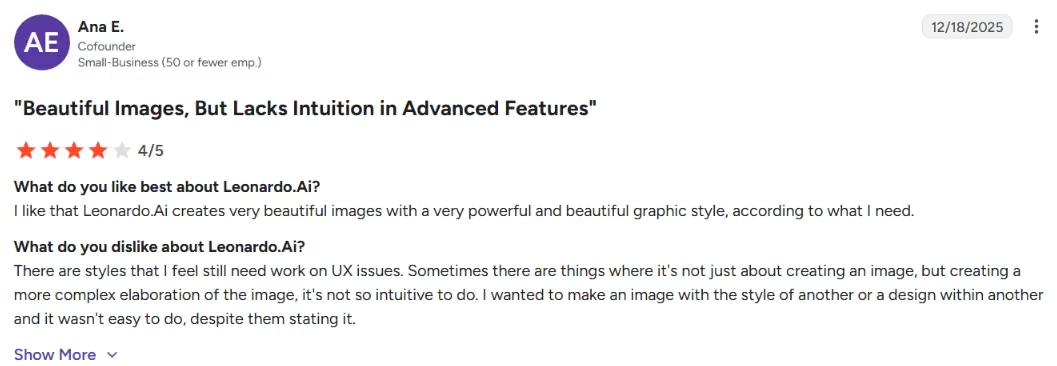
“Leonardo.Ai creates very beautiful images with a very powerful and beautiful graphic style,” - Ana E., G2
Pricing
The free plan gives you 150 Fast Tokens a day, public creations, basic quality settings, and one personal collection.
Paid tiers are Essential at $12/month ($10/month billed annually), Premium at $30/month ($24/month billed annually), and Ultimate at $60/month ($48/month billed annually). Paid plans add private generations, enhanced quality, and token rollover.
Bottom Line
Leonardo.Ai is the free pick if you want to make real images every day without paying. Move to Essential once your work needs to stay private or fully yours, since free-tier images are public and owned by Leonardo, which is a real risk for client work.
AI App Builders
These two tools build and host the app for you without code. They mostly run on credits. Every prompt and fix costs credits, so the total spend climbs the more you tinker. I put each one through the same client tracker, and here's how they held up.
11. Lovable: Best for Non-Coders Building a First MVP
What it does: Lovable turns a plain-English description into a working web app without setup or a blank screen.
Best for: Founders and builders who want a product they can launch and own.
My first dashboard screen looked clean in about two prompts. Then a login bug pulled me into the weeds, and I watched my five daily credits disappear before lunch.
Key Features
- Prompt-to-app: Describe the app in plain English, and Lovable generates a working React front end plus basic logic, with no setup or blank screen.
- Live iteration: Refine layouts and flows by chatting in natural language, so non-coders never open a config file.
- Supabase and GitHub integration: Connect a Supabase database for auth and storage, and sync the codebase to GitHub once you outgrow the prototype.
Pros and Cons
Pros:
- The friendliest on-ramp for people who can't code.
- A usable first build lands in minutes instead of hours.
- Supabase and GitHub are there when you're ready to scale past the basics.
Cons:
- The 30 monthly credits run out fast once you debug.
- Vague prompts waste credits on rounds of fixes.
What Users Say
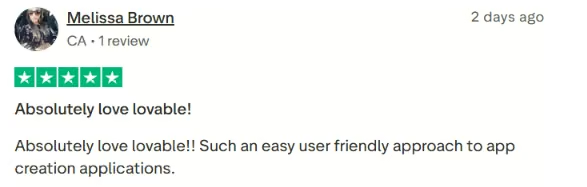
"Such an easy user friendly approach to app creation applications." – Melissa Brown, Trustpilot
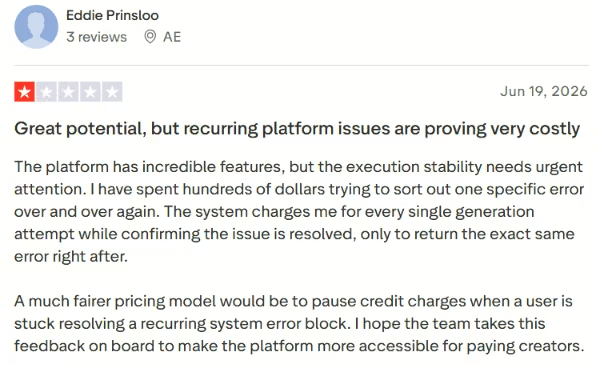
"The system often gets stuck going in circles, unable to solve a trivial problem," – Eddie Prinsloom, Trustpilot
Want the full picture of what users are saying? Read our Lovable Review for a closer look at the pros, cons, and who it actually fits.
Pricing
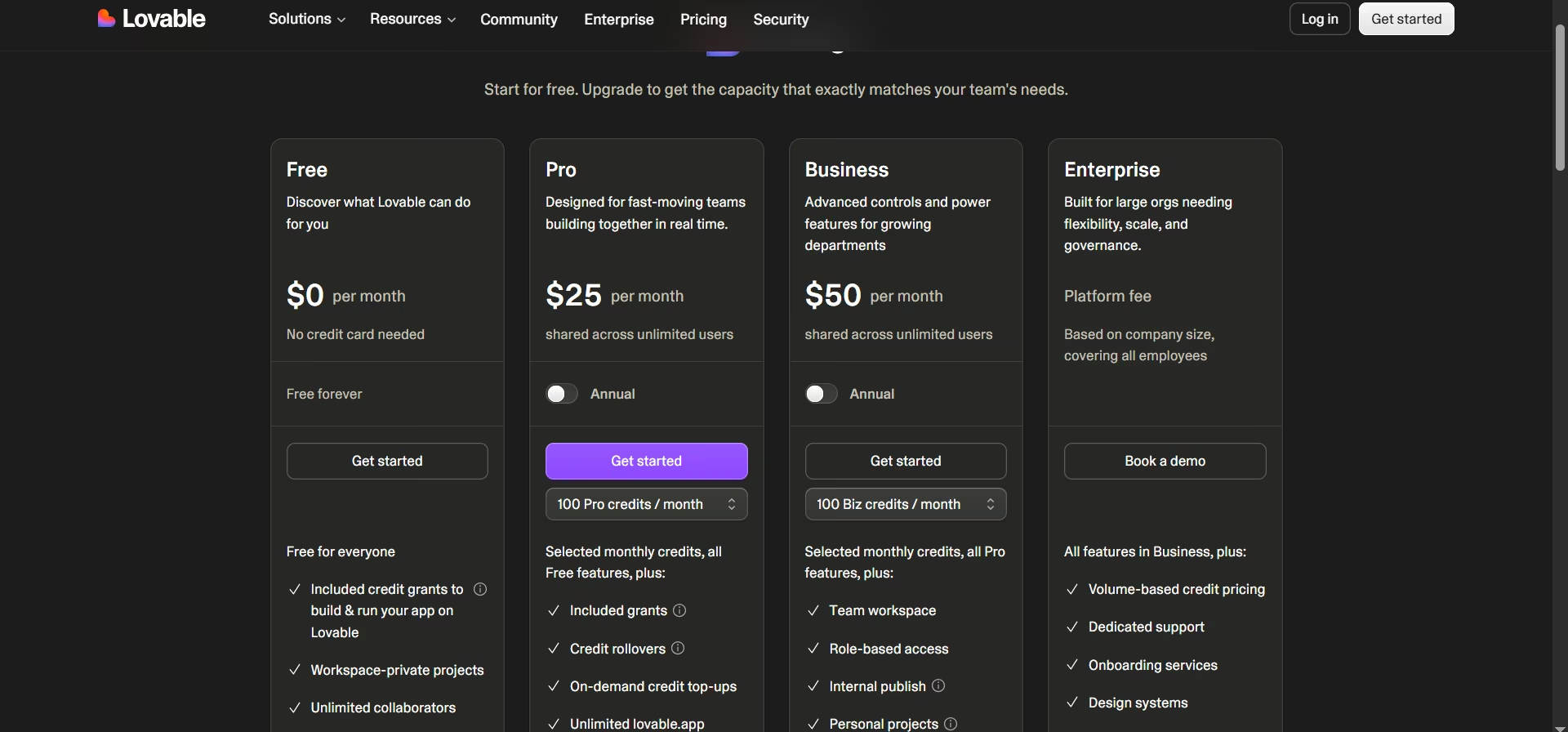
The free plan gives you 5 build credits per day, capped at 30 a month. Pro from $25/month ($21/month billed annually), Business $50/month ($42/month billed annually), Enterprise custom.
Want the full breakdown of what each plan actually covers? Read our Lovable pricing guide before you commit.
Bottom Line
Lovable is the easiest start for non-coders, though a complex build means upgrading once the prototype proves out.
Also read our best Lovable alternatives guide for what else is worth trying once your build outgrows the free tier.
12. Emergent: Best for Building a Usable Product From One Chat
What it does: Emergent is an AI app builder that turns a plain-English chat into a working app, with the logins, payments, and data storage the product needs handled for you.
Best for: Founders and builders who want a product they can launch and own, with more than a front-end mockup.
Behind the scenes, specialized agents split the work. Some shape the interface, others handle the logic and integrations, and testing agents check things before it ships.

When I ran my client-tracker brief through it, the logins and data came back wired up on the first build, and every change synced to my GitHub, so the code stayed mine. The 10 free credits go quickly, so I mapped the app out before spending them.
Key Features
- Multi-agent build: Specialized agents split design, logic, integrations, and testing, then wire up the screens, logins, and hosting for you.
- You own the code: Every change syncs to your private GitHub repo, so you can export it or keep building elsewhere.
- Built-in infrastructure: Auth, database through Supabase, payments through Stripe or PayPal, and hosting come configured out of the box, with a checkout flow or mobile version added on request.
Pros and Cons
Pros:
- Builds something you can launch, with the main app pieces already wired up.
- Code syncs to GitHub and stays yours.
- Add a checkout flow or a mobile version just by asking for it.
Cons:
- The 10 free monthly credits are for testing, not finishing a build.
- Larger projects need paid credits to see them through.
- Unused credits expire at the end of each month.
What Users Say

"Interactive, proactive and thorough!" – Martin, Trustpilot
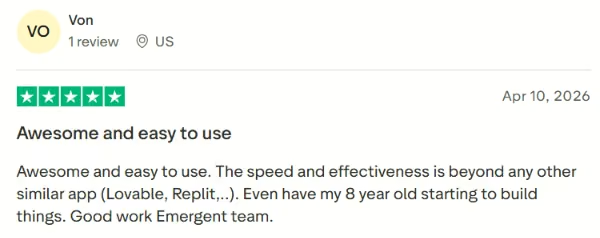
“Awesome and easy to use.” – Von, Trustpilot
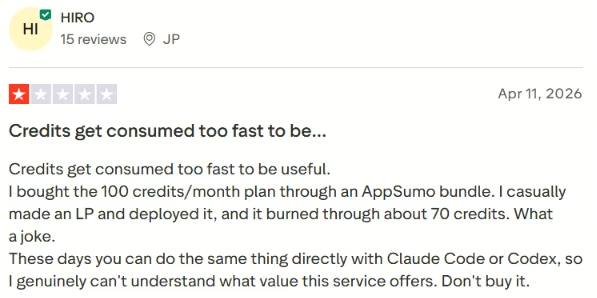
"Credits get consumed too fast to be useful." – Hiro, Trustpilot
Pricing
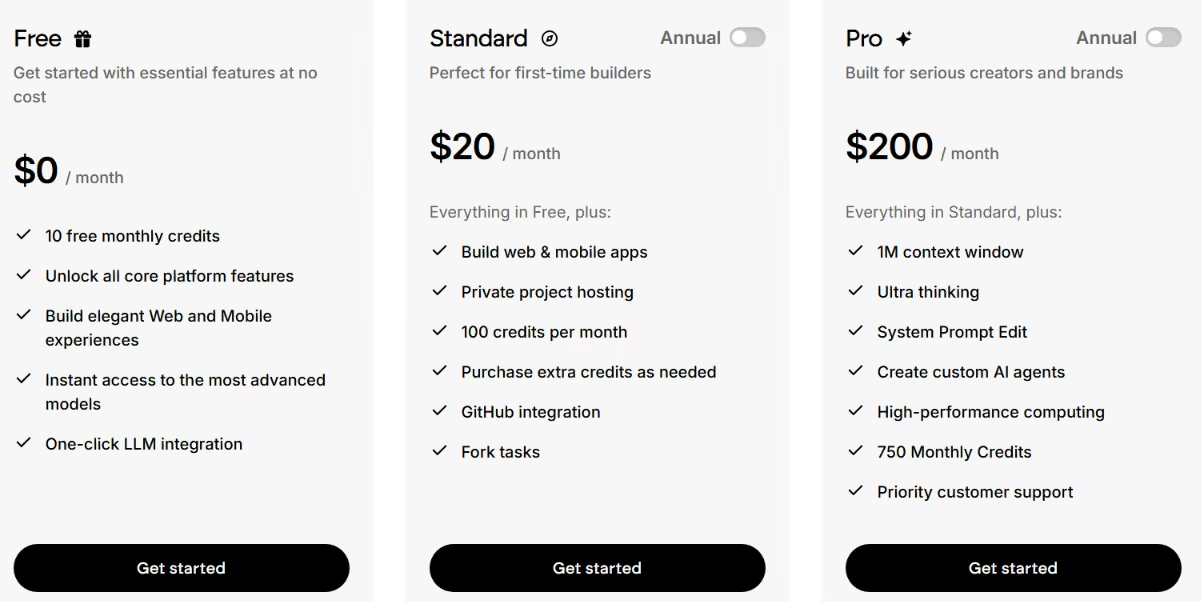
Free includes 10 monthly credits and core platform features. Standard $20/month for 100 credits ($17/month billed annually), and Pro is $200/month for 750 credits ($167/month billed annually). Unused credits expire monthly.
Bottom Line
For a deployable product you can own, Emergent gets you there if you plan around the free credits.
Also read our guide on the 10 best AI app-building tools we tested in 2026 for a fuller picture of what else is worth trying.
Which Free AI Tool Should You Choose?
The right tool depends on the job in front of you.
Choose ChatGPT, Gemini, or Claude if you:
- Want one free assistant for chat, writing, and research.
- Care about everyday work over building software.
Choose Perplexity or NotebookLM if you:
- Need sourced research or want to work from your own documents.
- Want to plan before you spend a build credit.
Choose Cursor or v0 if you:
- Already work in a code editor or with React and Next.js.
- Want AI to speed up work you could do yourself.
Choose Grammarly or Canva if you:
- Need writing polish or quick visuals without specialist software.
- Want a free tier that covers everyday output.
Choose Lovable or Emergent if you:
- Want a working app from a prompt without writing code.
- Can accept tight free-tier credit limits.
Final Verdict
ChatGPT is the best free AI tool overall, since it does the most across the widest range of everyday work. Perplexity wins for sourced research, Cursor for coding, Canva for design, and Lovable for a fast no-code prototype.
When a prototype isn't enough, and you want a product you can launch and own, Emergent handles the logins, data, and hosting from one chat.
The best free AI tools are worth using to test an idea, not to ship a finished product, so verify the output before it reaches anyone who matters.

Most AI app builders stop at prototypes. Emergent creates production-ready apps you can actually launch.
- Production-ready apps
- Web & mobile apps
- Deploy in minutes







