



TL;DR
- Looker Studio: Best free option when you're starting out
- DashThis: Best for simple, fast branded reports
- AgencyAnalytics: Best for automating reports across a growing client roster
- Databox: Best for real-time KPI tracking clients can check anytime
- TapClicks: Best for agencies managing large, complex ad portfolios
- Klipfolio: Best for teams that want to build custom metrics from raw data
- Whatagraph: Best for large multi-location teams needing cross-channel blending
- Emergent: Best if none of these match your exact reporting needs
Five platforms, one spreadsheet, and the same slide deck rebuilt every month for every client. That's most agency reporting once you pass a handful of accounts.
I built the same client report in seven reporting tools and timed every setup, from Google's free option to a platform that won't quote you without a sales call.
Here's which one fits your client count and your budget, and how each one's pricing scales as you add clients.
This list sticks to reporting specifically. If you're shopping more broadly, check our roundup of the best AI tools for marketing agencies.
What Is a Client Reporting Dashboard?
A client reporting dashboard pulls live marketing data into one shareable view, replacing manual spreadsheets and slide decks. You connect each data source once, and the dashboard keeps pulling fresh metrics from all five platforms on its own.
Most dashboards fall into two categories: template-based tools like Looker Studio and DashThis, built for speed and simplicity, and platform-style tools like TapClicks and Klipfolio, built for scale and custom calculations.
Agencies use these dashboards for three main jobs: showing campaign performance without manually building slides, tracking budget pacing so nobody overspends mid-month, and proving ROI in a format a client can open any day of the month.
How I Researched and Tested These Client Reporting Tools
I built the same report in six of the seven tools: a monthly SEO and paid-search summary for a two-location client pulling GA4, Google Ads, and Meta Ads. I timed every setup from signup to a link I'd send a client, and I checked how each tool's price moves as you add clients, since a sticker rate tells you almost nothing at five accounts.
TapClicks has no self-serve trial, so it ran on provisioned demo access. Worth knowing up front: you can't get a price without a call. I tested Whatagraph on its 14-day free trial, which is no longer available. Whatagraph is now demo-gated too.
What I tested:
- Time to first dashboard: How fast you can go from account creation to a shareable view
- Usability without a data analyst: Whether a non-technical founder can build and edit reports alone
- Integration depth: The stability and variety of native data connectors
- Pricing at low client counts: What each tool actually bills for, and which billing unit bites first as you grow
This hands-on process revealed which tools handle daily client work smoothly and which ones create extra maintenance.
How to Choose a Client Reporting Dashboard
Before you pick a tool, check it against these five things. They matter more than any feature list.
- Connectors: Does it natively support the platforms your clients actually use, or will you be stuck exporting CSVs by hand for anything niche?
- White-labeling: Can you remove the vendor's branding and use your own domain, or is that locked behind a higher-priced plan?
- Pricing model: Do tools bill per client, per dashboard, or per data source, and each scales differently. Check which model matches how your agency adds clients.
- Custom metrics: Can you build a calculated metric from raw data (like blended CAC or a custom ROAS), or are you limited to whatever the vendor pre-built?
- Client access: Do clients get their own login to check numbers anytime, or do you have to manually send a report every time someone asks?
What a Good Client Report Should Include
The tool matters less than what you put in front of the client. A good client report covers:
- A top-line summary: the two or three numbers that actually answer "how did we do this month," before any chart.
- Progress against a real target: how each number compares to the goal you set together.
- A channel breakdown: where budget went and what it returned, so a client can see which channels are pulling weight.
- A trend line: this month next to last month (or last year), so a single bad week doesn't read as a crisis.
- Plain-language context: one or two sentences explaining why a number moved.
- What happens next: a short note on what you're changing or testing based on the data.
Which Tier Are You? A Quick Framework
Pick your tier by client count, then jump straight to the tools built for it.
- Tier 1 — Just starting (1-5 clients): You need simple, low-cost reporting that looks professional without complex setup. Looker Studio or DashThis would do.
- Tier 2 — Growing (6-20 clients): You need multi-channel automation and fast client onboarding to save hours every week. AgencyAnalytics or Databox is a good fit.
- Tier 3 — Outgrew templates (20+ clients, custom metrics, or multi-location reporting): You need high-scale ad consolidation, custom metric calculations, or a dedicated setup built from scratch. Look at TapClicks, Klipfolio, or Whatagraph.
- Tier 4 — None of these fit (any client count): your clients pay you for a metric no template calculates, or you'd rather own the software than rent seats. Build it yourself with Emergent.
7 Best Client Reporting Dashboards: Quick Comparison
Same seven tools, side by side, before the full reviews.
| Tool | Best For | Starting Price |
|---|---|---|
| Looker Studio | Solo founders using Google ad stack | Free |
| DashThis | Quick, polished client reports | $54/mo($44/mo billed annually) |
| AgencyAnalytics | Growing agencies with 5+ clients | $25/client/mo($20/client/month billed annually) |
| Databox | Agencies tracking daily goals | $79/mo billed annually(Agency plan, 4 clients; $99/mo billed monthly); free tier limited to 3 sources |
| TapClicks | Large ad portfolios and networks | Custom quote |
| Klipfolio | Teams building tailored formulas | $140/mo for 3 dashboards (Base; $120/month billed annually) |
| Whatagraph | Large, multi-location teams | From $812/mobilled annually, per source credit, from 50 credits |
Client Reporting Dashboard Examples and Templates
If you want to see a real dashboard before committing to a tool, most of the platforms above ship free templates you can preview or clone before building your own.
- Looker Studio has a public Template Gallery of Google-built report templates, organized by data source (Google Analytics, Google Ads, Search Console, etc.), plus a public Report Gallery showcasing community reports. Both are copyable with Edit and share.
- DashThis ships pre-built templates for social media, PPC, and SEO reporting, each with standard KPIs already mapped.
- AgencyAnalytics lets you clone a finished client dashboard into the starting template for your next client.
- Klipfolio offers a public Klip Gallery with example dashboards and metric templates you can adapt.
If you'd rather build something that matches your exact reporting format instead of adapting someone else's template, that's the same problem Emergent's build-your-own approach solves.
1. Looker Studio (Formerly Google Data Studio): Best Free Option for Google-Only Reporting
Tier 1: 1 to 5 clients.
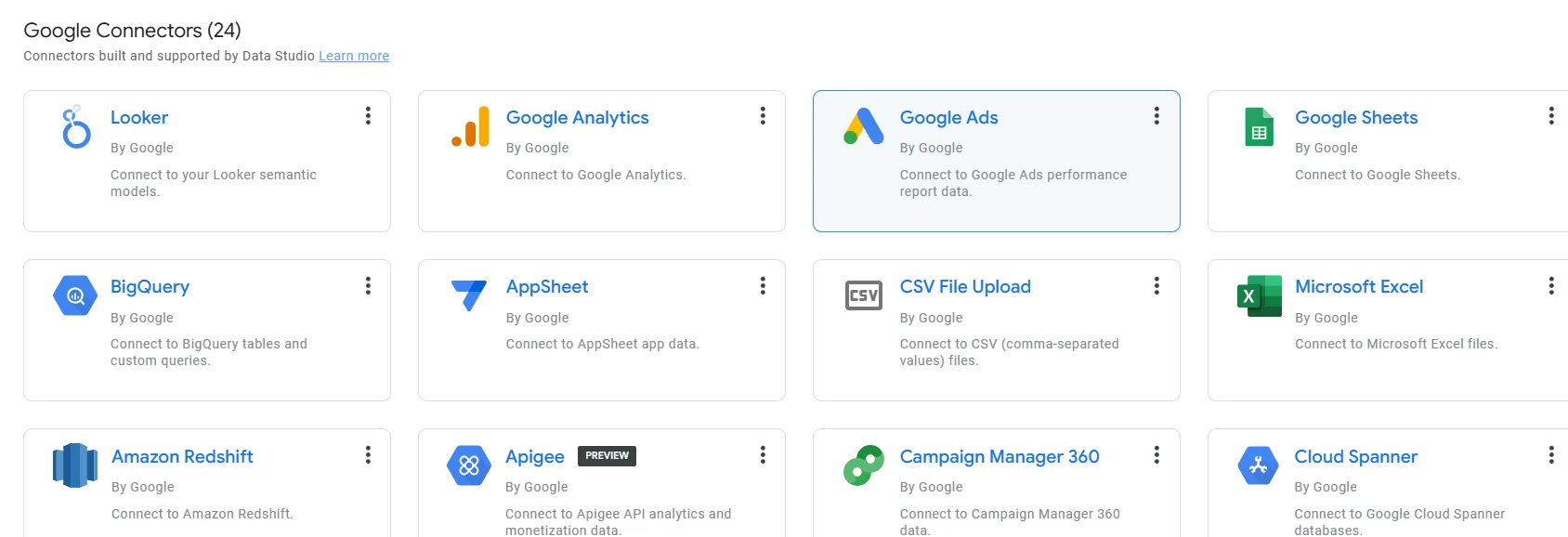
What it does: Looker Studio, the tool Google used to call Data Studio, is a free drag-and-drop data visualization tool that turns live raw metrics into interactive reports.
Best for: Solo founders or small agencies running campaigns mainly within Google's ad stack.
Creating reports in Looker Studio is fast if you've used Tableau or Power BI. If you haven't, expect a learning curve.
Setting up a basic report took less than ten minutes. Because it connects natively to Google Sheets, Google Analytics 4, Google Ads, and Search Console, pulling metrics in was easy, requiring no initial configuration.
I started from a blank report. GA4 took one Authorize click and a property pick. Google Ads was the same, plus I chose Overall Account Fields. Both Google sources were live in under three minutes.
My first page (4 scorecards), from a spreadsheet I uploaded from my account, was ready to share in nine minutes. Lining up that row of scorecards by hand took another ten minutes. The snap-to-grid is loose. One card was particularly difficult to set in place.
The interface is dated next to most tools here. Organizing elements isn't smooth, and it costs you time. At $0, that's a fair trade.
Key Features
- Direct Google product connections: Connects natively to GA4, Google Ads, BigQuery, and Google Sheets with no third-party connector required.
- Drag-and-drop layout builder: Lets you place charts, scorecards, and date filters anywhere on the page without writing code.
- Native data blending: Combines metrics from different sources, like Google Ads and Google Sheets, using shared dimensions.
Pros and Cons
Pros:
- Free with no seat or dashboard fees
- Directly supported by Google, so native connections don't depend on a third-party vendor staying online
- Easy to share view-only access via a simple link, using Google's familiar permission system
Cons:
- Loading times slow down significantly as you add page elements or blend complex sources
- Connecting non-Google platforms (like Meta Ads) often means a third-party connector, and most free tiers cap out quickly on accounts or history.
What Users Say
"The most useful aspect is the integration with spreadsheets that work as data sources, the ease of dragging or selecting table columns, and the recent modification designed with a mobile-first approach, which allows reports to adapt correctly on mobile devices." — Jaime Ricardo L., G2
"Looker Studio can feel limited when it comes to more advanced data modelling and complex calculations." — Candy N., G2
Pricing
Looker Studio's core platform is free. Paid connector add-ons for non-Google channels (via tools like Supermetrics) add real monthly cost on top.
Bottom Line
Looker Studio is the right choice if you're managing a handful of accounts on a tight budget and relying mostly on Google's ad products. If your clients require heavily customized non-Google reporting, third-party connector fees will add up.
2. DashThis: Best for Simple Branded Reports
Tier 1: 1 to 5 clients.
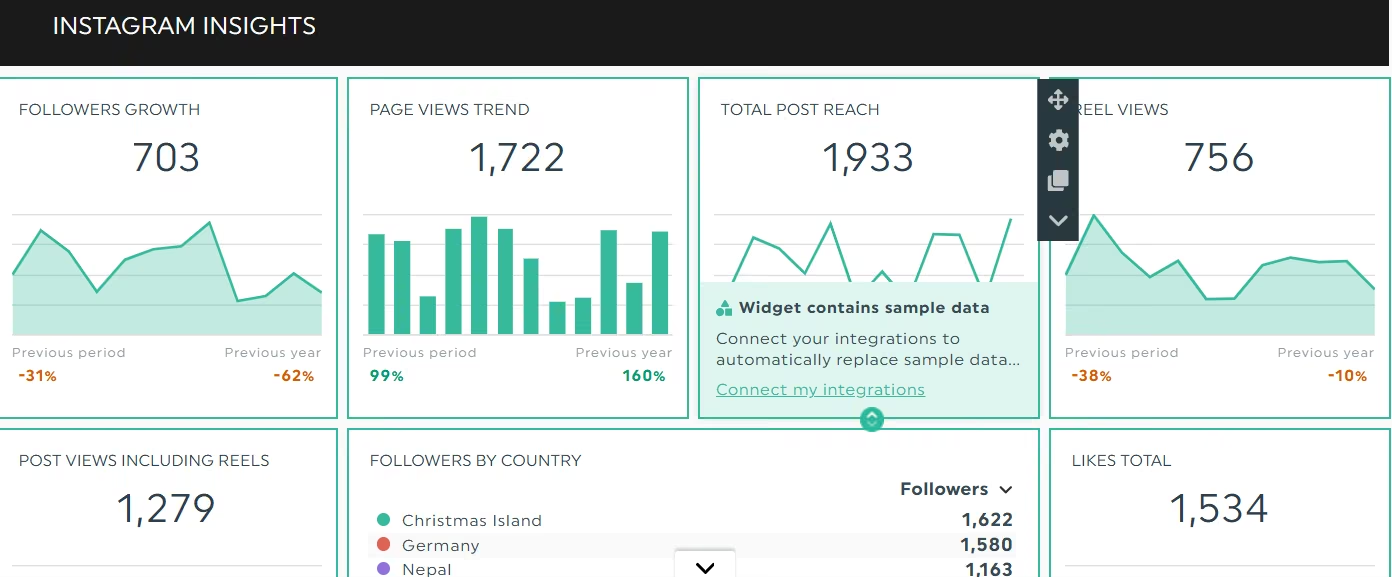
What it does: DashThis turns raw campaign data into clean, white-labeled client dashboards automatically.
Best for: Small agencies or solo consultants who need to deliver branded reports across 1 to 3 clients on the entry plan without wrestling with design controls.
I signed up for the 14-day trial with no card. Create Dashboard + opens a template picker. I picked a preset, set the title, and connected my data. DashThis mapped the standard KPIs for me, so I didn't have to pick metrics one at a time.
I was on a free trial and couldn't add a custom domain and full colors; they're on the Professional plan. I clicked AI Insights in the header and ran a Summary.
The overall interface is much better and more structured than Looker Studio.
DashThis doesn't connect with smaller or niche platforms like Quora Ads or ActiveCampaign.
DashThis has no custom API. If your client uses a platform outside its roughly 30-tool list (a niche CRM, an e-commerce platform besides Shopify), the only way you can get that data is if you upload the CSV file manually. And you must do this every time you want fresh insights.
If a custom API or connector-builder is a priority, consider Whatagraph.
Key Features
- 30+ native integrations: Connects to major platforms like Meta Ads, LinkedIn Ads, Google Analytics 4, and Shopify in a few clicks.
- White-label branding: Lets you add a custom logo on every plan; custom domain, color themes, white-labeled dashboards, and a custom sender email are included from the Individual tier up, though some of them stay locked during the free trial.
- Pre-configured dashboard templates: Offers channel-specific layouts (like SEO or social media) that automatically map relevant KPIs during setup.
Pros and Cons
Pros:
- Launch client-ready reports in minutes using cloneable templates and presets
- Scheduled PDF reports go out to clients on their own, so nobody on your team sends them by hand
- Layouts come out client-ready with no design work; I didn't adjust a single element on the template I picked.
Cons:
- Pricing now scales on both dashboards and connected data sources, which gets expensive quickly as you add clients or channels
- Calculated Widgets combine data from any integration into one metric, but you can't write free-form formula syntax the way Klipfolio's editor allows
What Users Say
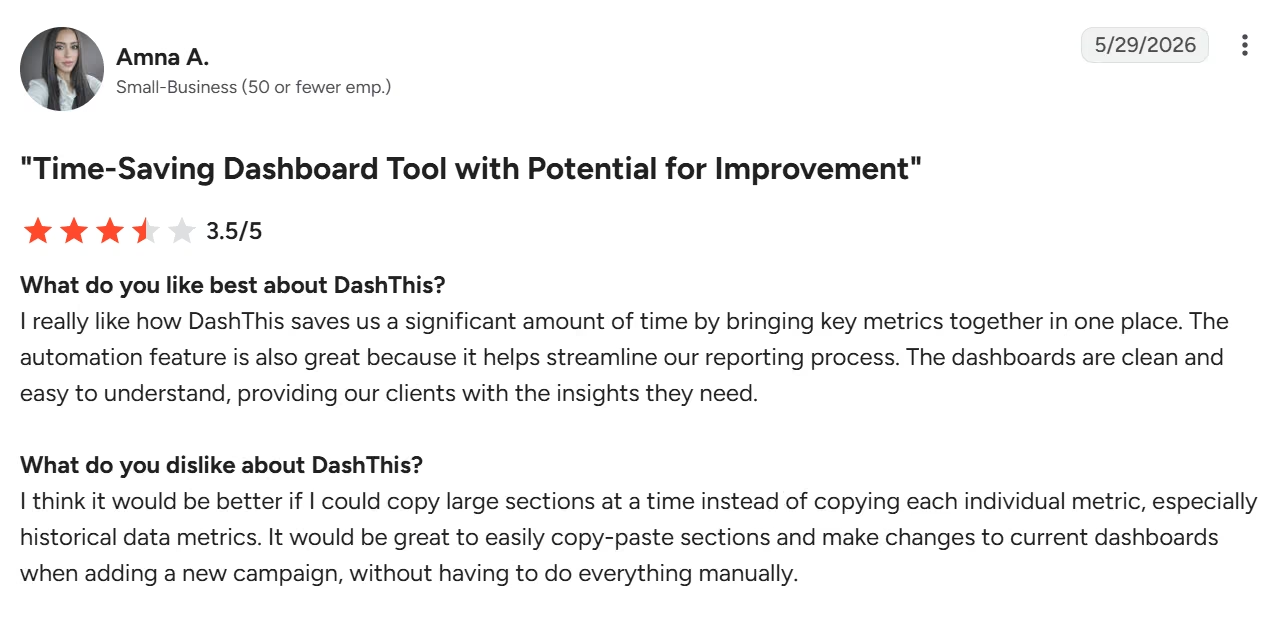
"I really like how DashThis saves us a significant amount of time by bringing key metrics together in one place." — Amna A., G2
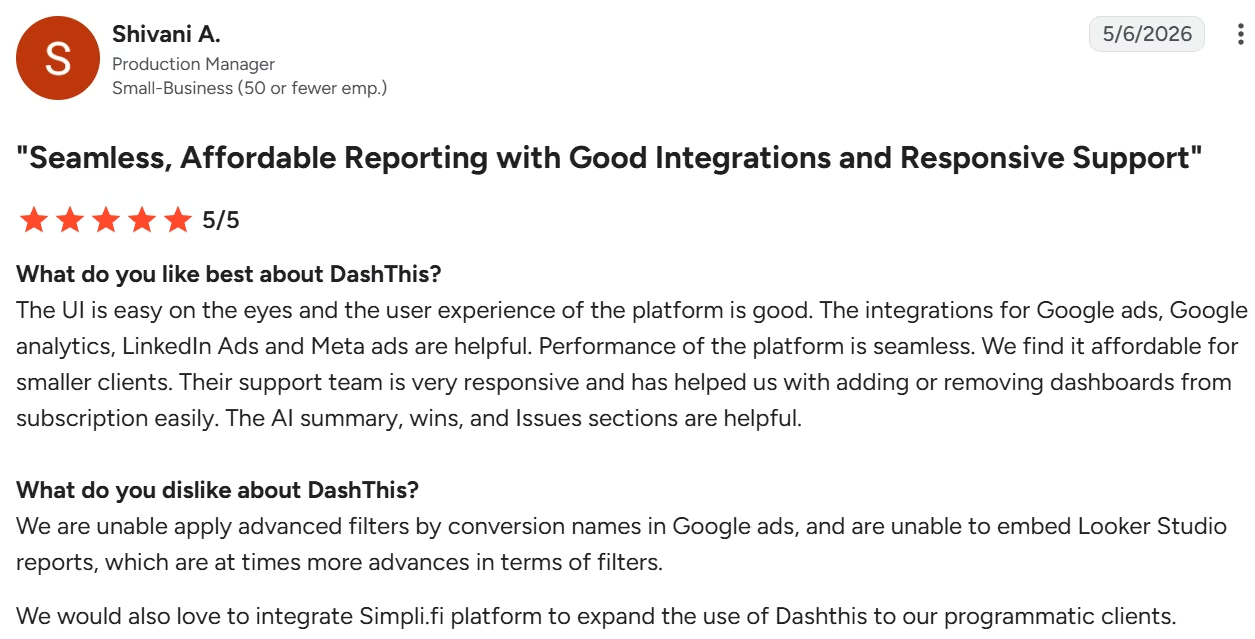
"We are unable apply advanced filters by conversion names in Google ads, and are unable to embed Looker Studio reports, which are at times more advances in terms of filters. [sic]" — Shivani A., G2
Pricing
DashThis starts at $54 per month ($44/month billed annually) for the Individual plan, which includes 3 dashboards and 15 data sources. Scaling up to the Professional plan costs $164/month ($139/month billed annually) for 10 dashboards and 40 data sources.
Above that, Business is $324/month ($279/month billed annually) for 25 dashboards, and Standard is $499/month ($429/month billed annually) for 50 or more. A 14-day free trial is available without a credit card.
Bottom Line
DashThis is ideal if you want fast, well-designed client reports that spare you hours of tweaking. But if your business requires deep custom metric formulas or a high number of dashboards and data sources, the tiered pricing pushes you to the next plan on both dashboards and data sources.
3. AgencyAnalytics: Best for Multi-Client Automation
Tier 2: 6 to 20 clients.
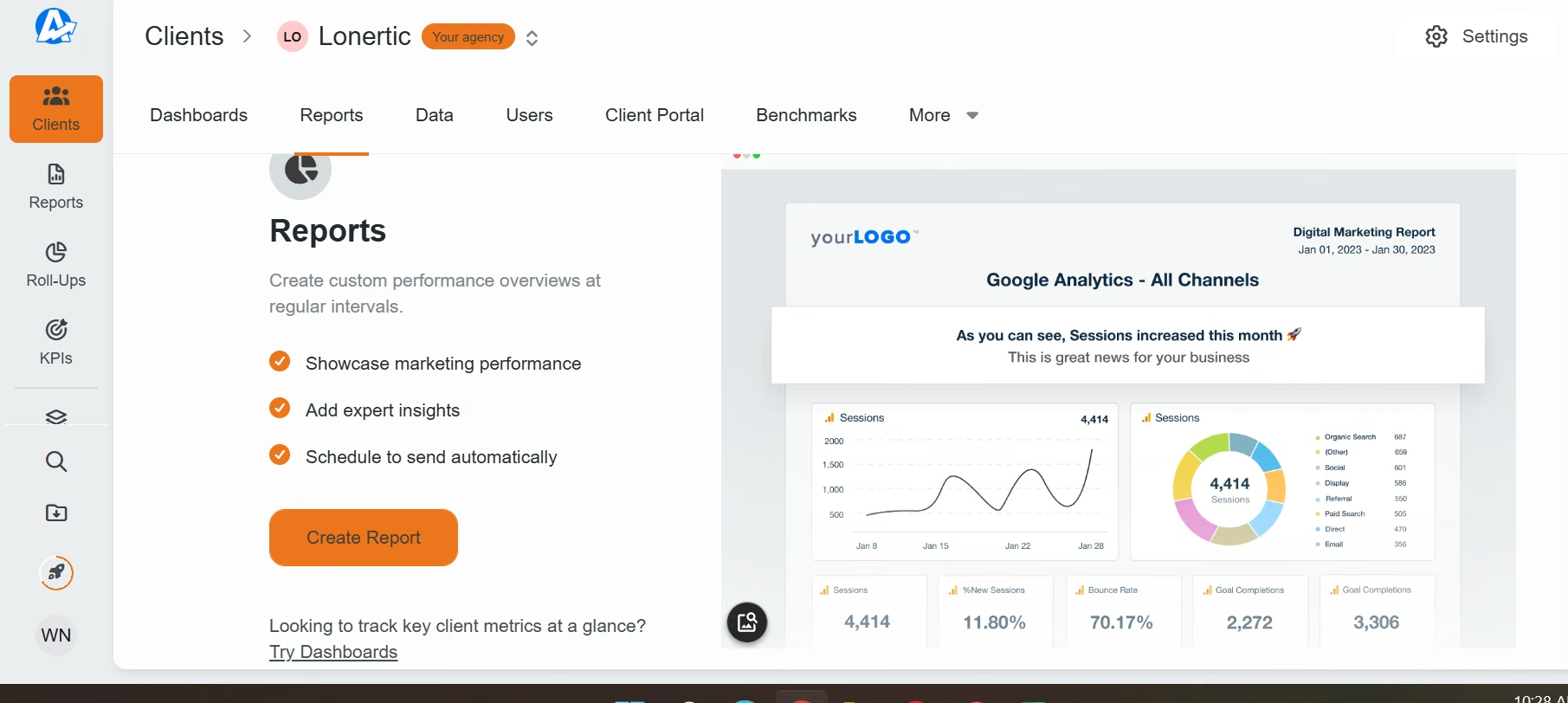
What it does: AgencyAnalytics is an automated reporting platform built specifically for growing agencies that need to manage dozens of client accounts under one roof.
Best for: Marketing agencies managing 6 to 20 clients who need white-labeled reports, automated delivery, and built-in rank tracking.
I connected Google Ads, Meta Ads, GA4, Google Search Console, and Sheets to test the integration feature. Five connections took 8 minutes.
Then I went to Reports → Create Report → Client Report → picked that client → Document Report → Smart Report. Smart Report reads what you already connected and builds a section for each tool. Spreadsheet queries took a little over two minutes.
The auto-built report still needed cleanup. I deleted two social widgets it guessed I wanted, and moved a table. I cloned the report onto a second profile and didn't rebuild a widget.
There are 4 starting points. You can start from a blank report, a premade template, clone an existing report, or use the Smart Report feature.
AgencyAnalytics has one of the largest connector libraries on the list, over 85 of them. It's likely the platforms you already use are on the list.
Key Features
- 85+ native marketing connectors: Integrates directly with ad networks, SEO tools, and social platforms without requiring third-party data middleware.
- Full white-label branding: Lets you host dashboards on custom domains, apply client-specific color themes, and send reports from your own email domain.
- Multi-client management workspace: Allows you to organize campaigns into separate client profiles with isolated permissions for external stakeholders.
Pros and Cons
Pros:
- Fast client onboarding using cloneable dashboard templates and automated reporting
- Rank tracking and site audits run inside the platform, so the reporting and the SEO data live in one place.
- Clean, dedicated client access portal with precise permission controls
Cons:
- Per-client pricing model scales cost up linearly every time you add a new account
- Limited flexibility if you need to perform complex raw data transformations or custom mathematical modeling
- Rank Tracker and AI Tracker are priced on top of the per-client rate, so $25 isn't your all-in cost.
What Users Say
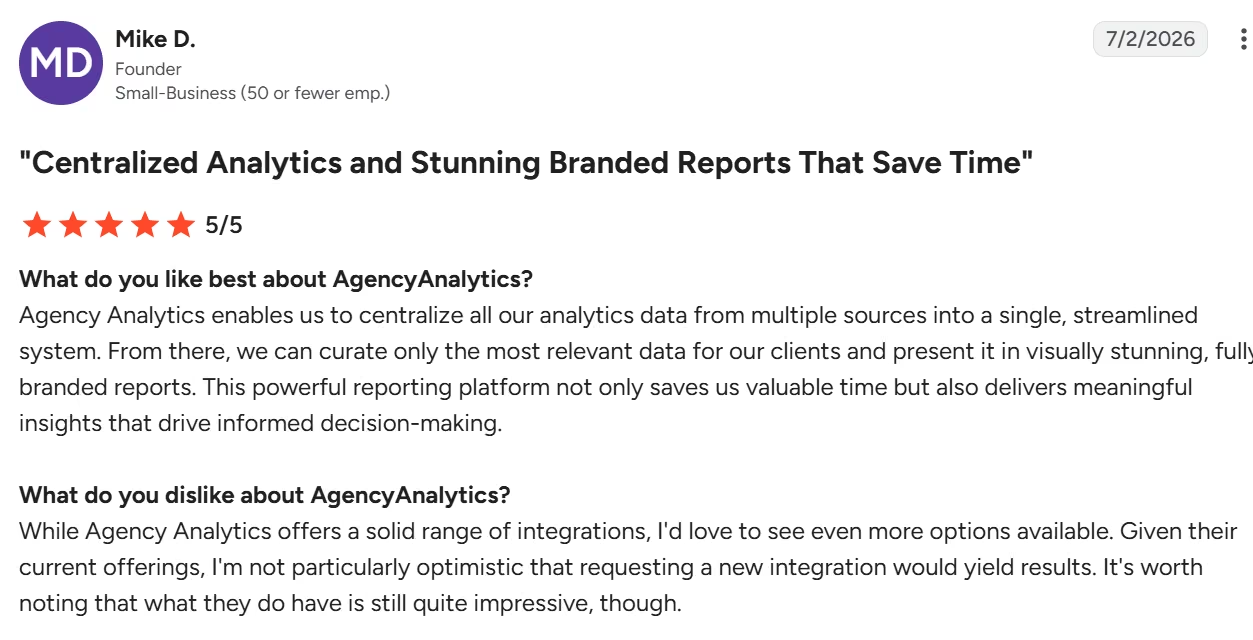
"Agency Analytics enables us to centralize all our analytics data from multiple sources into a single, streamlined system." — Mike D., G2
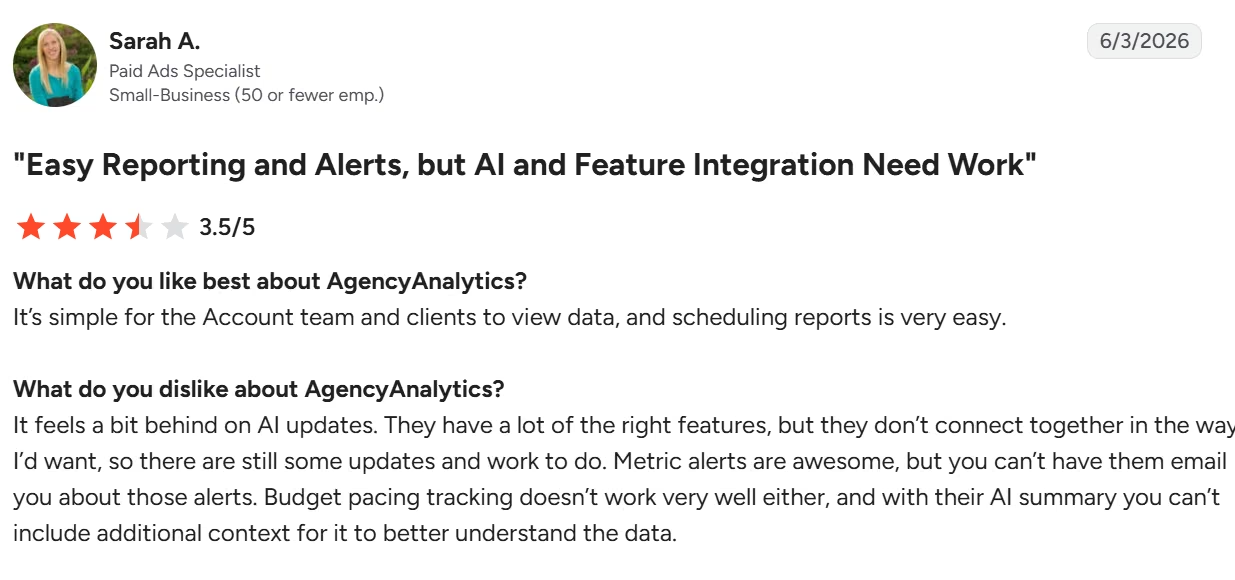
"It feels a bit behind on AI updates." — Sarah A., G2
Pricing
AgencyAnalytics uses a flat per-client model. The plan starts at $25 per client per month (or $20 per client per month billed annually), including unlimited staff users and white-labeling.
There's a custom Enterprise plan for large-scale businesses with 25+ clients. A 14-day free trial is available without a credit card.
Bottom Line
AgencyAnalytics is the gold standard for agencies scaling from 6 to 20 clients who want to automate weekly reporting and give clients clean web portals. If you run an enterprise setup with dozens of non-standard ad sources, the per-client model can get expensive.
4. Databox: Best for Real-Time KPI Tracking
Tier 2: 6 to 20 clients.
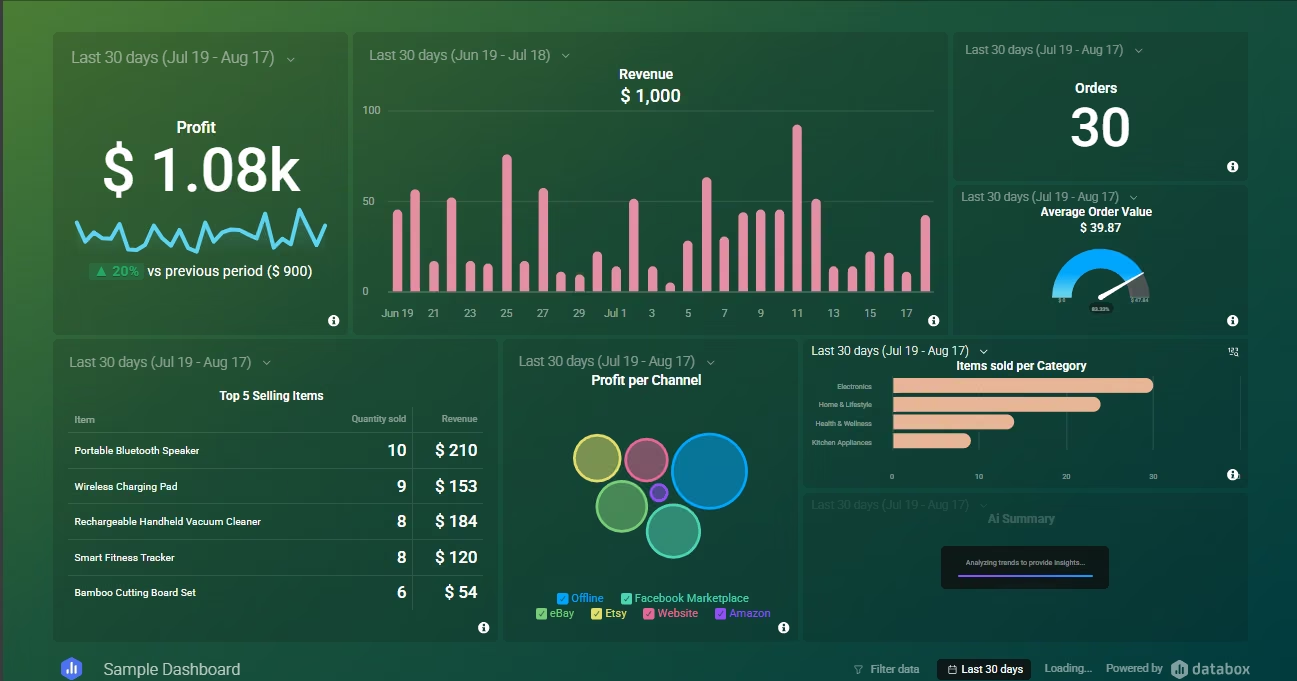
What it does: Databox is a performance management platform built to monitor real-time business KPIs and goal metrics on live visual dashboards.
Best for: Agencies and account teams whose clients demand ongoing visibility into daily targets and instant performance alerts.
Google Ads and GA4 connected with normal logins. I also connected Google Sheets, uploaded a two-tab CSV for North and South sales, and used a template to create a dashboard.
Report creation was straightforward. I clicked New Report on the Reports page.
After creating the report, I set the update frequency to daily (24 hours). The first full sync took about three minutes. Later scorecard updates were under ten seconds.
You can set it to a few hours or minutes. Databox recommends every 15 minutes, but it ultimately depends on the pace of your industry.
The platform has Genie, an AI data analyst, which automatically pulls insights from data and creates reports. I prompted it to analyze sales data; the results weren't very good. It seemed to struggle to understand the CSV file.
Databox connects with many platforms, even Excel and QuickBooks, which some tools don't support.
Key Features
- Real-time goal tracking & alerts: Lets you set monthly targets on specific KPIs and triggers push or Slack notifications when performance drops.
- Mobile app & TV display modes: Formats dashboards automatically for mobile viewing or continuous office wall-monitor displays.
- 100+ native cloud connectors: Integrates with marketing, CRM, and sales platforms like HubSpot, Google Analytics, and Stripe.
Pros and Cons
Pros:
- Keep clients aligned on targets using real-time goal tracking and visual progress bars
- Clients can check numbers from the mobile app whenever they want, without asking you for a report
- Test platform capabilities risk-free with a usable free tier for basic connections
Cons:
- Free and lower plans cap sync frequency, with the free plan syncing daily and paid tiers hourly
- Building custom calculated metrics across multiple sources requires upgrading to higher tiers
What Users Say
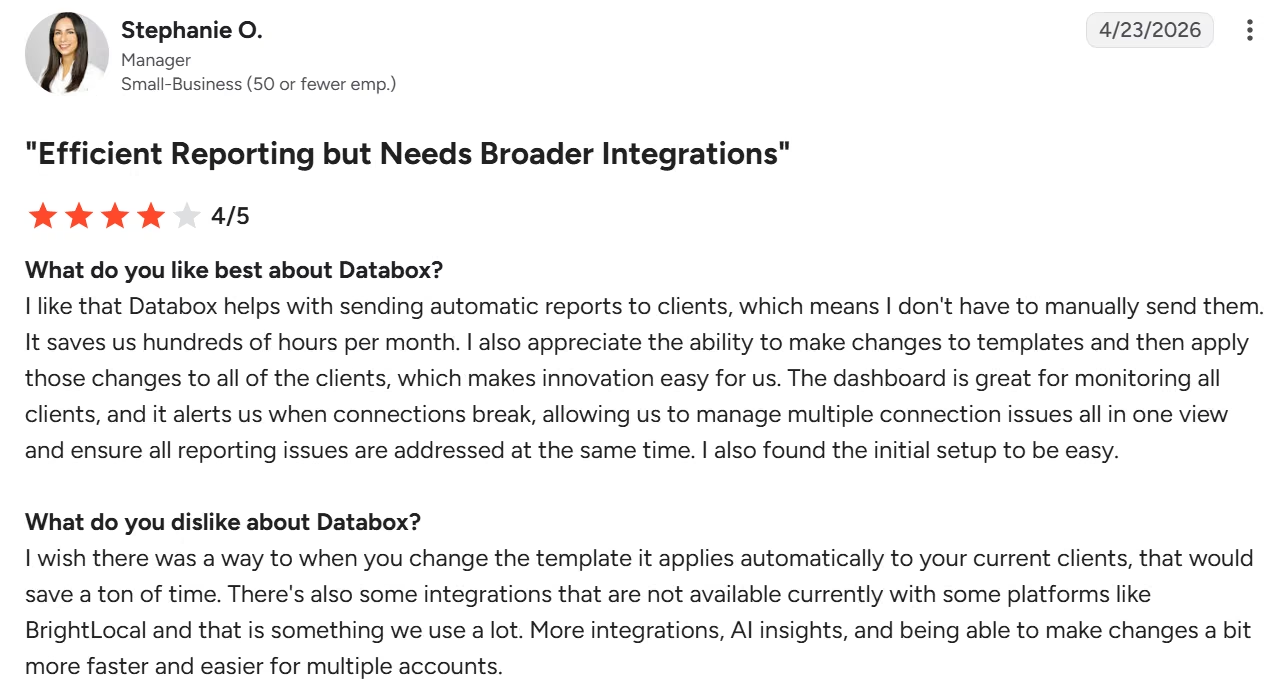
"I like that Databox helps with sending automatic reports to clients, which means I don't have to manually send them." — Stephanie O., G2
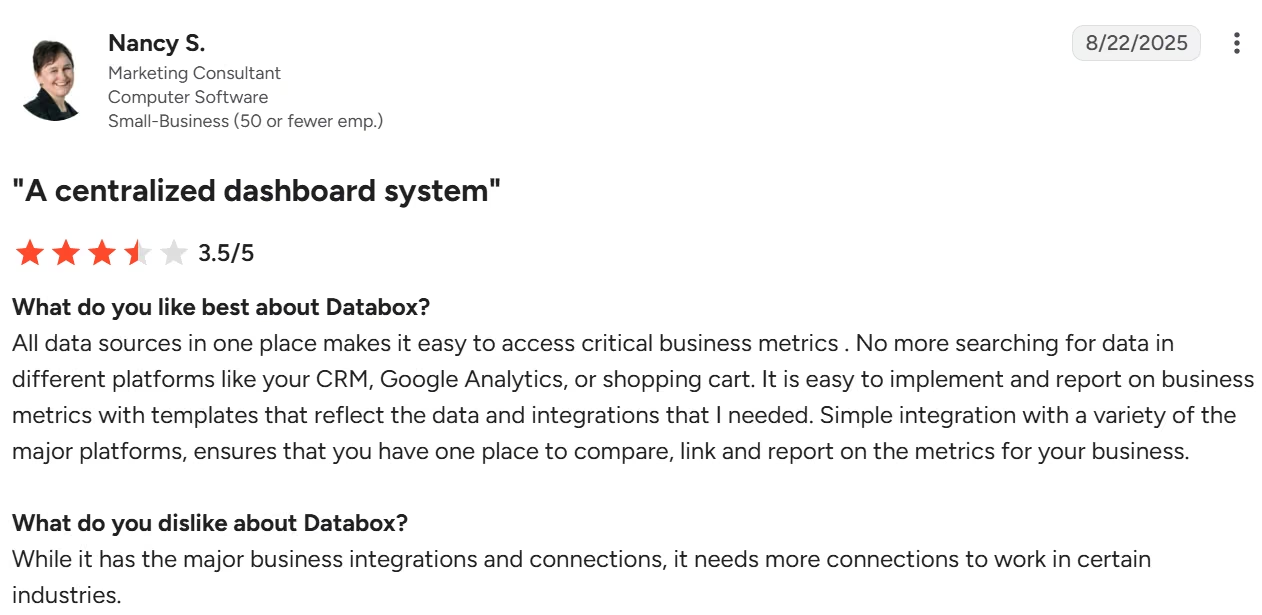
"It needs more connections to work in certain industries." — Nancy S., G2
Pricing
Databox runs one agency tier, called Agency, starting at $79/month billed annually ($99/month if you pay monthly), scaling with client packs at $25/month each ($20/month billed annually), where one pack adds 1 client, 5 data sources, and 50 AI credits.
The base plan covers 4 clients, 20 data sources, 300 AI credits, and unlimited users. White-labeling is not bundled into any tier: it is an $80/month add-on you can put on any plan. The free plan gives you 3 data sources and 1 dashboard.
There's a Custom plan which requires contacting sales.
Bottom Line
Databox is good if your agency operates on proactive goal management and wants to keep clients updated without sending weekly manual PDFs. If your clients only care about a monthly summary email, simpler reporting tools will serve you better.
5. TapClicks: Best for Large Ad Portfolios
Tier 3: 20+ clients.

What it does: TapClicks is an enterprise marketing operations and reporting suite designed to unify ad data across hundreds of channels.
Best for: Large agencies managing dozens of client ad accounts that need multi-tier data warehousing and automated client governance.
TapClicks took me the longest of the seven: 48 minutes from the demo login to a dashboard I would show a client. Looker Studio reached the same point in nineteen minutes. There's no self-serve sign-up, so I built on its sample data rather than my own client set.
It integrates with a very large pool of tools, including all the popular ones: Google, Facebook, Instagram, and LinkedIn ads. Google Analytics 4, Facebook Insights, Instagram Professional, Mailchimp, to name a few.
Key Features
- 250+ instant connectors and Smart Connector engine: Integrates with major ad networks out of the box and lets you ingest custom data feeds via CSV, FTP, or webhooks.
- Automated data warehousing: Stores historical campaign data in a dedicated repository so client reports load instantly without live API latency.
- Hierarchical client permissions: Manages multi-location franchise brands or enterprise rosters with detailed, role-based access control.
Pros and Cons
Pros:
- One template generates reports for every client, cutting build time from hours to minutes.
- Unlimited team and client viewer seats, so sharing a dashboard never costs extra
- Parent-and-child dashboards let one build serve every location in a franchise roster, which nothing in Tier 1 or Tier 2 managed without duplicating the whole report.
Cons:
- Performance can slow down on large data sets. Some users report dashboards that take a minute or more to load
- Onboarding experiences are mixed
- Pricing isn't published, and getting a quote requires a sales call, a process that tends to favor larger agencies with dedicated budget over smaller shops
What Users Say
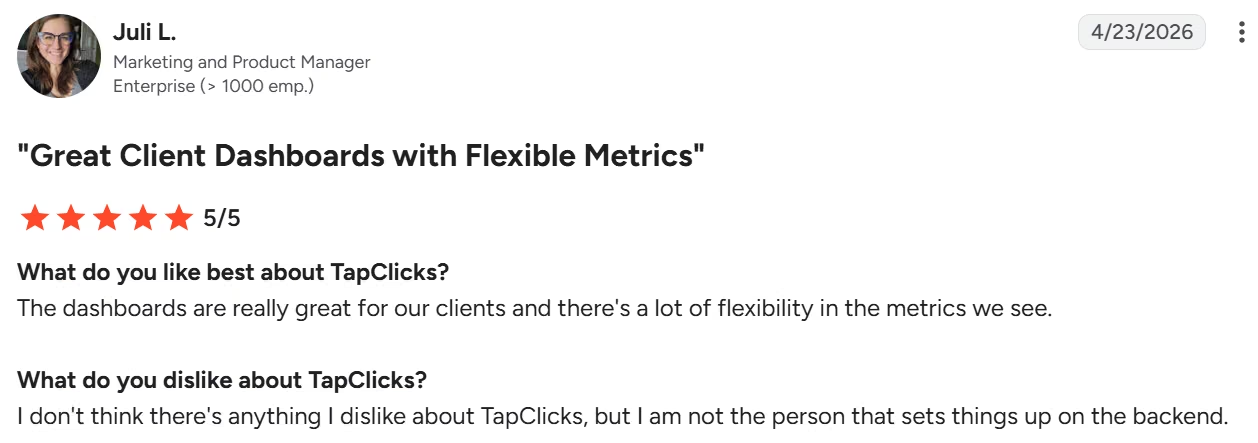
"The dashboards are really great for our clients and there's a lot of flexibility in the metrics we see." — Juli L., G2
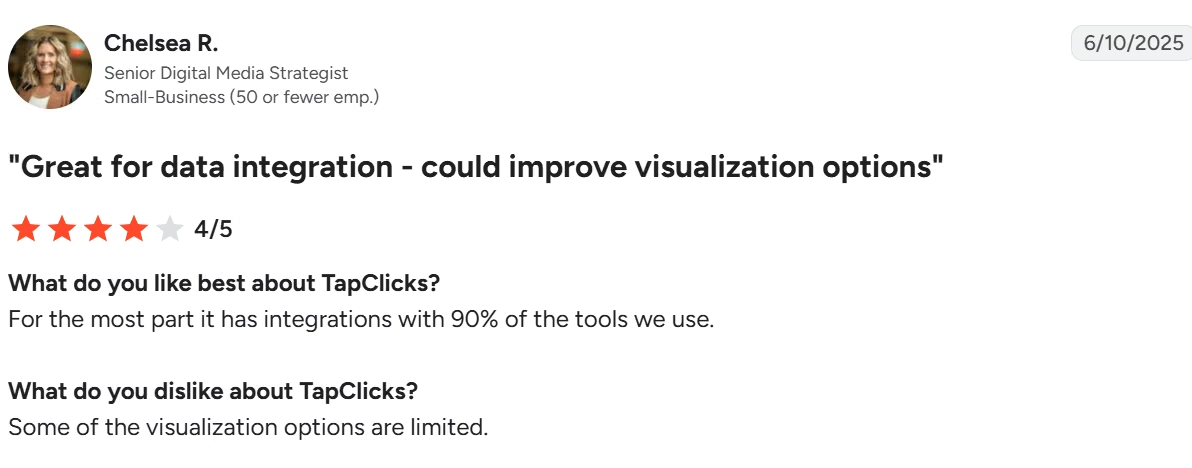
"Some of the visualization options are limited." — Chelsea R., G2
Pricing
TapClicks doesn't publish pricing on its official site. Its pricing page is a feature-comparison tool across four plans (SmartStory, SmartReports, SmartAnalytics, and SmartSuite), each bundling 10 clients at no extra charge. Actual cost requires scheduling a call with sales.
Bottom Line
TapClicks is built for high-volume agencies managing complex ad networks where standard reporting templates aren't enough. If you manage a small client list or basic local campaigns, stick to Tier 1 or Tier 2 tools.
6. Klipfolio: Best for Custom Metric Building
Tier 3: 20+ clients.
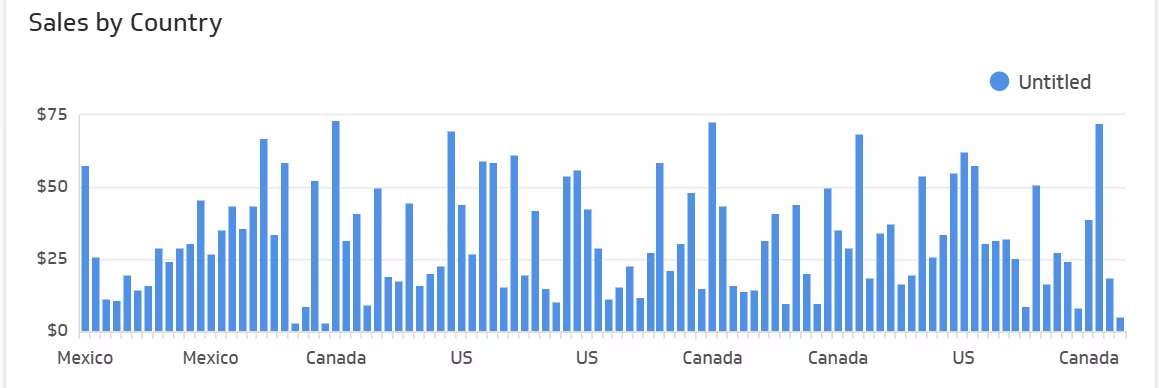
What it does: Klipfolio Klips is a business intelligence and dashboard platform built for teams that need to run custom math on raw client data. Klipfolio also sells a separate self-serve analytics product called PowerMetrics.
This section covers Klips, the white-label dashboard product agencies use for client reporting.
Best for: Analytical agencies that build proprietary performance metrics that standard marketing templates can't calculate.
From my experience, building a dashboard using Klips is more “old school”, closer to building dashboards in traditional analytics tools. It works more like an advanced spreadsheet than a drag-and-drop report builder.
Understandably, it took more time, as I had to drag charts (tables, bar charts, etc.) in place, then populate them with data.
I picked a chart and a source, then wrote a formula. I couldn't map the KPIs as I did in DashThis.
I added Google Ads and GA4; the connections were fine.
It best fits agencies with an in-house analyst. If that's not you, look at other tools on the list.
Key Features
- Custom formula-driven metrics: Builds custom, reusable business metrics by combining raw data fields using spreadsheet-like formulas.
- Hundreds of open data connectors: Connects to web services via direct REST APIs, SQL databases, and pre-built marketing connectors.
- Multi-workspace management: Keeps client environments separate with individual data security rules and user roles.
Pros and Cons
Pros:
- Report on true business impact by calculating complex custom metrics like blended CAC and LTV
- Direct REST API connections pull in client data from custom databases that no native connector covers
- A separate modeling layer sits between raw data and visuals, so a source change doesn't break every dashboard.
Cons:
- Steep learning curve requiring familiarity with data modeling and formula syntax
- No built-in campaign management or time-tracking features. It's purely an analytics display engine
What Users Say
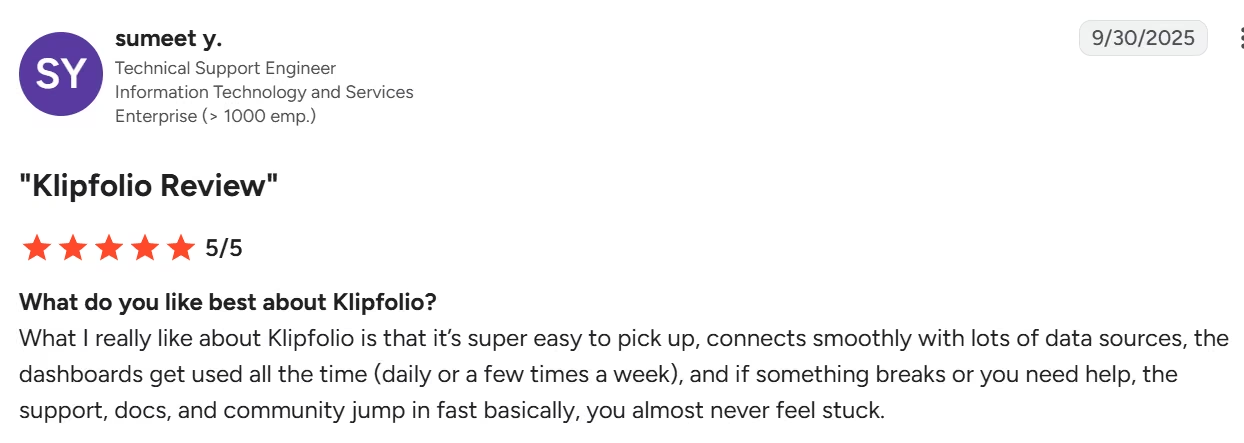
Reviews divide sharply on the learning curve. One G2 reviewer calls it easy: "What I really like about Klipfolio is that it's super easy to pick up." — sumeet y., G2. That matches the drag-and-drop layout. The formula editor is where the real learning sits.
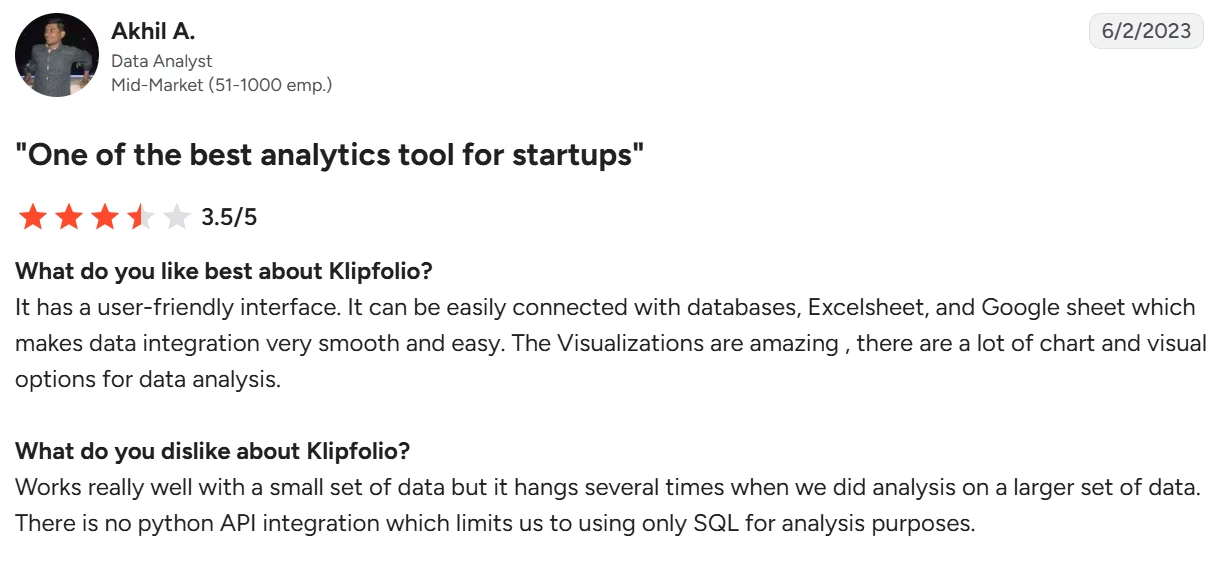
"Works really well with a small set of data but it hangs several times when we did analysis on a larger set of data." — Akhil A., G2
Pricing
Klips has no permanent free plan, only a 14-day free trial with no card required, though Klipfolio's separate PowerMetrics product does offer a free tier. The entry-level Base plan starts at $140 per month ($120/month billed annually) for 3 dashboards. Grow is $220/month ($190/month billed annually) for 10, Team is $350/month ($310/month billed annually) for 20, and Team+ is $690/month ($600/month billed annually) for 40.
Bottom Line
Klipfolio earns its price if your agency's edge is custom math on raw data. Few tools in this list let you touch formulas this directly. But if you want Facebook Ads and Google Analytics numbers mapped instantly with zero setup, look elsewhere.
7. Whatagraph: Best for Large Multi-Location Teams
Tier 3: 20+ clients.
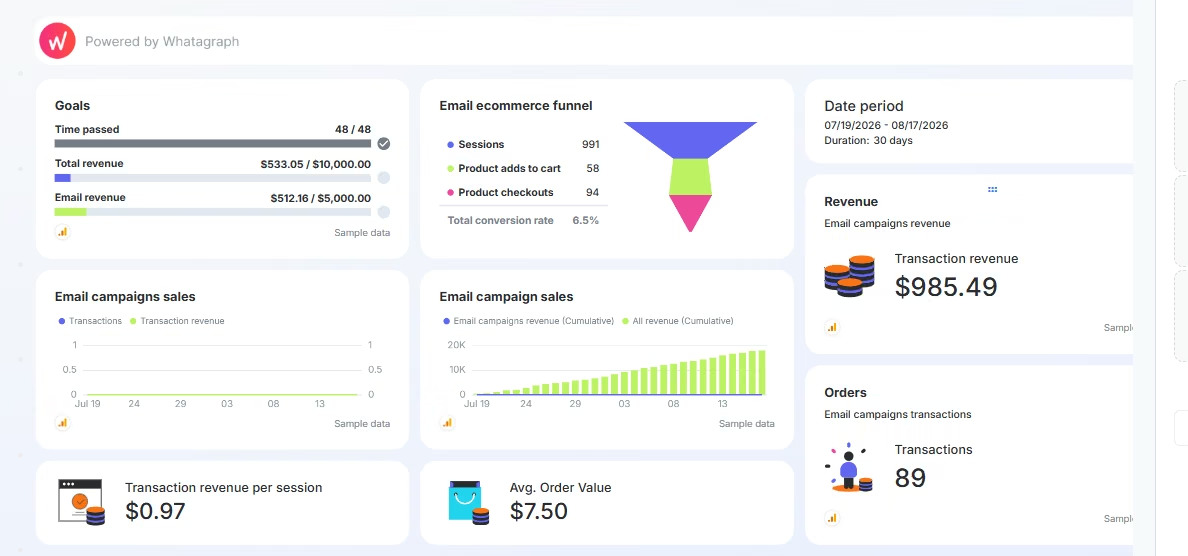
What it does: Whatagraph is an automated data platform designed to blend metrics across multiple marketing channels into single visual reports.
Best for: Larger, multi-location agencies or brands that manage paid, social, and web analytics simultaneously across many accounts and need combined performance views at scale.
I signed up for Whatagraph's 14-day free trial and set up fast, but data syncing was a big letdown. I spent over 15 minutes trying to bring in a CSV file after linking the platform with Google Sheets.
Changes I made in the source file took several minutes to register on the Whatagraph end, which is a problem if you're editing right before a client call. The report builder itself gave me no trouble.
It's a pretty solid tool that lets you create reports in several ways. Besides starting from scratch or using a template, there's Whatagraph IQ (AI assistant) to count on to do the job on your behalf.
Whatagraph IQ lets you build reports from a single prompt, write automated performance summaries, and chat directly with live marketing data.
The free trial is no longer available, replaced by a gated demo.
Key Features
- Cross-channel data blending: Merges metrics from different platforms (like Meta Ads and Google Ads) into single aggregated widgets.
- Modular visual report builder: Offers a drag-and-drop widget layout system tailored for cross-platform side-by-side comparisons.
- Automated multi-channel delivery: Schedules and sends PDF reports or live share links directly to clients on recurring schedules.
Pros and Cons
Pros:
- Fast report creation using pre-built cross-channel campaign templates
- Prove cross-channel ROI instantly by combining spend and performance data with point-and-click formulas
- Report designs look current out of the box, with no styling work needed.
Cons:
- Priced from about $9,700 a year, and it climbs with every data source you connect.
- Only two plan tiers, with the entry tier requiring annual billing and a live sales conversation to move past
What Users Say
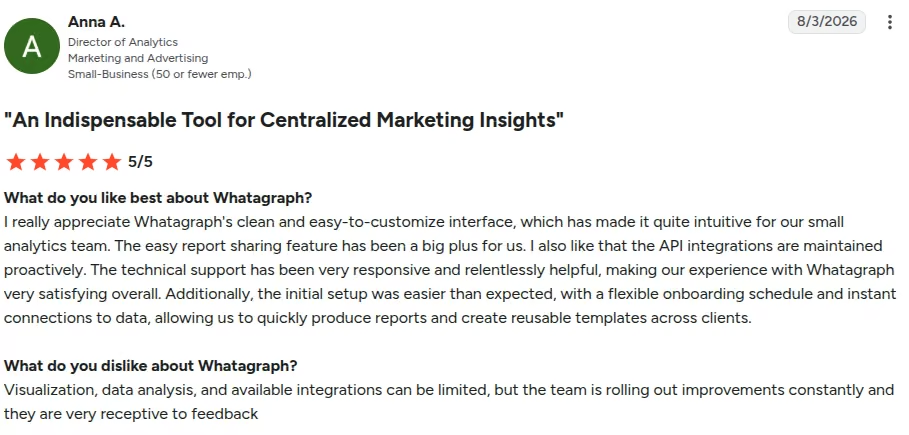
"I really appreciate Whatagraph's clean and easy-to-customize interface, which has made it quite intuitive for our small analytics team." — Anna A., G2
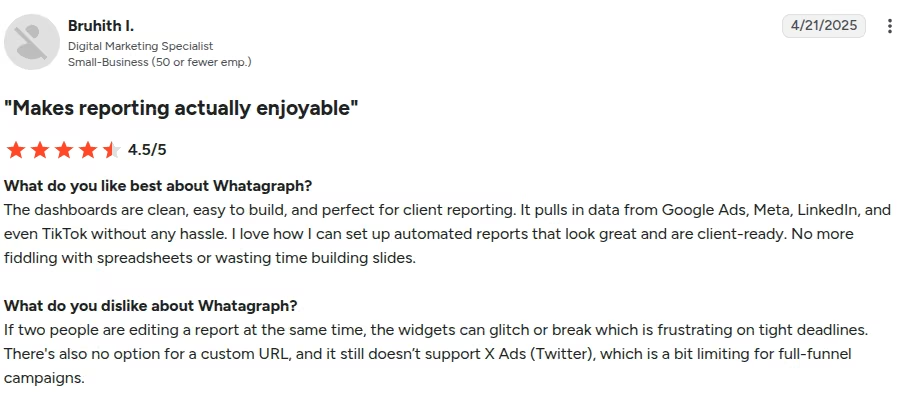
"If two people are editing a report at the same time, the widgets can glitch or break, which is frustrating on tight deadlines." — Bruhith I., G2
Pricing
Whatagraph offers two plans: Max, from $812 per month billed annually, and Prime, custom-priced for high-volume reporting teams. Both price on source credits, one credit per connected data account, and Max starts at 50 credits, so the bill climbs with every account you plug in.
There’s no free plan and no self-serve trial. Access starts with a booked demo, so budget for a sales call before you can even see the product.
Bottom Line
Whatagraph is a power tool for larger, multi-location agencies that need unified multi-channel ROI at scale. The price isn't justified if you manage fewer than 20 clients or run simple single-channel campaigns. Look at AgencyAnalytics or Databox instead.
Or Build Your Own With Emergent
Tier 4: any client count.

What it does: Emergent is a vibe-coding AI dashboard builder that turns plain-English descriptions into custom dashboards, client portals, and bespoke web apps. It also works as a web app builder and mobile app builder when you need more than reporting.
Best for: Founders or small agency owners who have unique reporting needs and want to own their dashboard outright.
You describe what you need in plain English: the layout, the metrics to track, and who should see what. Emergent builds a working dashboard from that description. Conversational follow-up prompts let you adjust the design or the data it pulls in.
What You Gain
- Full software ownership: You own the application outright, so there are no seat licenses and no per-client upcharge when you add a stakeholder. Running it isn't free. Each deployed app costs 50 credits a month to stay live, so budget by the number of dashboards you keep online.
- Exact-fit performance tracking: You define the precise metrics, layout grids, and client permissions without working around rigid template constraints.
- Native software capabilities: Build custom client login portals, interactive date range selectors, and automatic connections to the other tools your agency already runs on.
- Multi-agent build process: Separate agents work on different parts of your build at the same time.
What You Give Up
- Narrower connector list than established tools: dozens of native integrations cover the popular platforms, but a niche or proprietary tool not on that list means building the connection yourself
- You're the one maintaining it: nobody is on call to fix your dashboard the way DashThis support is. Emmy, Emergent's built-in assistant, is free to chat with and reads your project context, so it already knows your project when something breaks. The build is still yours to own, though.
- Credit budgeting: The Standard plan's 100 monthly credits cover roughly one to two simple builds. Publishing your finished dashboard so clients can see it live can use a large share of that allowance on its own.
Pricing
Emergent's free plan gives you 10 monthly credits for testing prompts and can't deploy an app. Standard is $20 per month ($17/month billed annually) for 100 credits, and Pro is $200/month ($167/month billed annually) for 750 credits. That's the realistic tier if you're keeping several client dashboards live. Above that, Business and Enterprise are both custom-quoted.
Bottom Line
Building on Emergent makes sense if your reporting requirements don't fit off-the-shelf templates and you'd rather own the software than rent a seat.
Do the credit math first: one live dashboard is half of Standard's monthly allowance, so the savings show up when one flexible dashboard serves many clients. If you need standard reports up in five minutes, choose a template-based tool from Tiers 1 or 2.
Which Client Reporting Tool Should You Choose?
The right reporting software depends on your agency's scale and how much time you currently waste building manual decks.
- Move off Looker Studio when you add your first non-Google ad channel and connector subscriptions cost more than DashThis.
- Move off DashThis when you hit ten dashboards and Professional's $164/month stops feeling like a bargain.
- Choose AgencyAnalytics or Databox if You're actively adding clients, juggling multiple ad channels, and you're still assembling reports by hand.
- Move off AgencyAnalytics when per-client billing crosses roughly $500/month, around 20 clients.
- Reach for Klipfolio only if someone on your team writes formulas for a living.
- Skip TapClicks and Whatagraph until: you have a sales-call budget and 20+ accounts.
- Build your own with Emergent if None of these tools match your exact reporting needs and you would rather own your reporting stack outright, the way you would with any other piece of custom business software.
- Skip this category entirely if you manage one or two clients who only ever ask about Google Ads spend. A shared Sheet pulling from Looker Studio covers that, and you can move up when a client asks for a channel Google doesn't own.
Final Verdict
AgencyAnalytics is the strongest off-the-shelf pick for agencies running 6 to 20 clients. Its cloning tools turn onboarding into a two-minute task. Looker Studio is great for solo founders with zero budget who live inside Google's ad stack.
Whatagraph and TapClicks only pay off if you're managing at scale. Below that, you're renting enterprise software for a job DashThis handles at $54/month, though DashThis itself climbs to $324/month once you're running twenty client dashboards.
If your agency tracks KPIs no template accounts for, building your own internal tools with Emergent beats bending your reporting to fit someone else's template.

Most AI app builders stop at prototypes. Emergent creates production-ready apps you can actually launch.
- Production-ready apps
- Web & mobile apps
- Deploy in minutes





