



TL;DR
- FlutterFlow: The low-code option for anyone planning to scale past a prototype and keep the source code.
- Adalo: The fastest path to a working demo without touching a single line of logic.
- Emergent: The conversational AI builder that builds the app from a plain-language description.
Any app builder can throw together a login screen and a list of expenses in a few minutes. The real test starts the moment you ask it to figure out who owes whom money.
I spent three weeks building the same roommate expense tracker, RoomTab, first in FlutterFlow, then in Adalo, then in Emergent, from the same starting prompt each time. The only real variable was which tool could turn four roommates' tangled expenses into the smallest possible number of payments, the one feature that required real logic instead of data entry.
Only FlutterFlow and Emergent produced the real settle-up logic, each with a catch: FlutterFlow needed a hand-written Dart workaround, and Emergent nailed it on the first try but offers no visual screen editor. Adalo never got the real version working and settled for a simplified stand-in.
By the end, I had a clear read on which tool wins if code ownership is the priority, which one gets a working screen up the fastest, and which one makes sense if you'd rather describe an app than build it screen by screen. That's what this comparison breaks down.
Meet the Contenders
FlutterFlow: The Code-Export Option
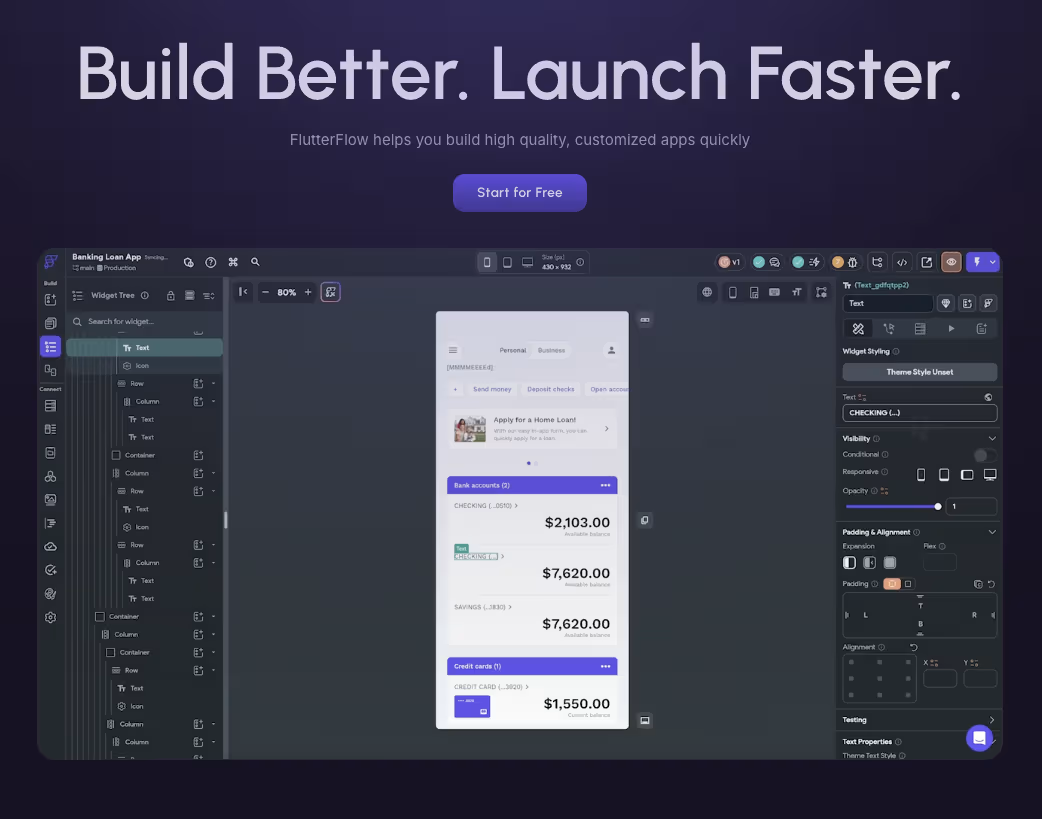
FlutterFlow compiles what you build into real Flutter code, so the app you ship is the same app a developer could keep working on later. Its AI generator turned my locked prompt into three rough screens in a few minutes. Getting a database attached meant a separate trip to Firebase before anything worked.
Adalo: The Fast Visual Builder
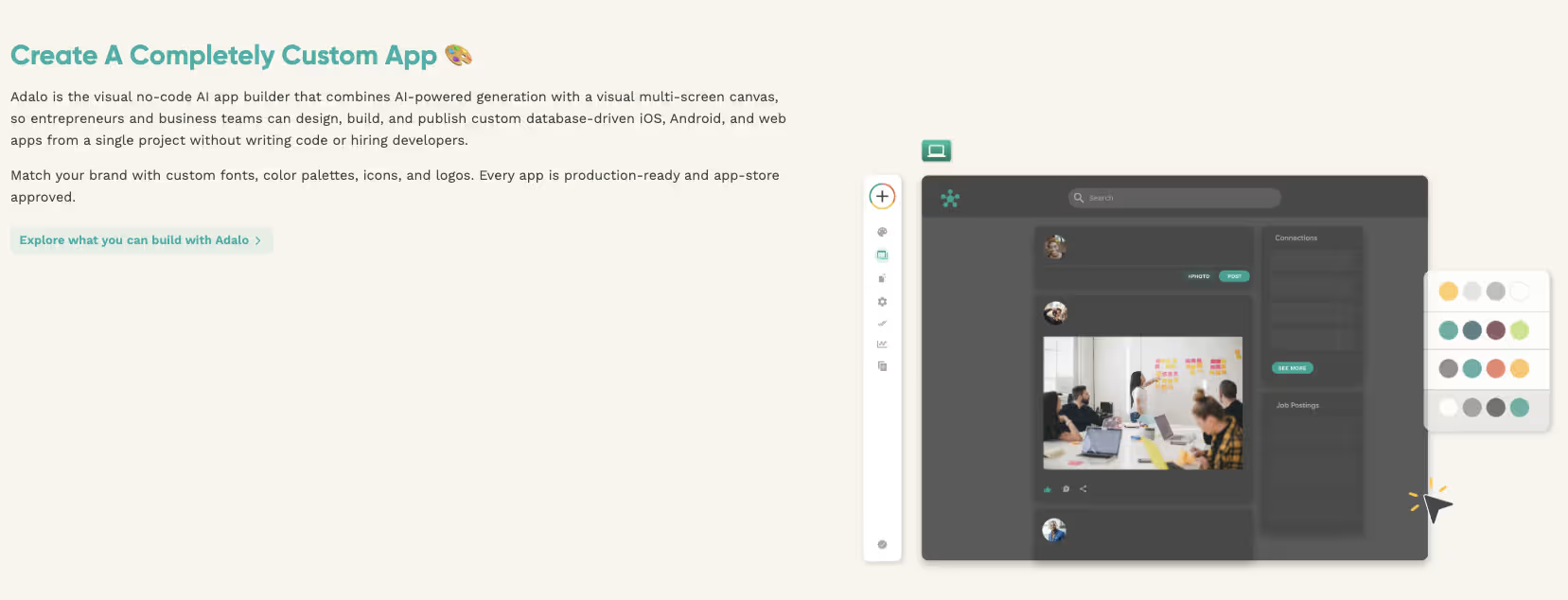
Adalo skips the external-setup step entirely. Its MagicStart feature reads a prompt and scaffolds a matching database and screens on the spot. That's exactly what happened with RoomTab's roommate and expense tables. Its limit appeared later, once RoomTab needed the settle-up netting logic.
Emergent: The Conversational AI App Builder
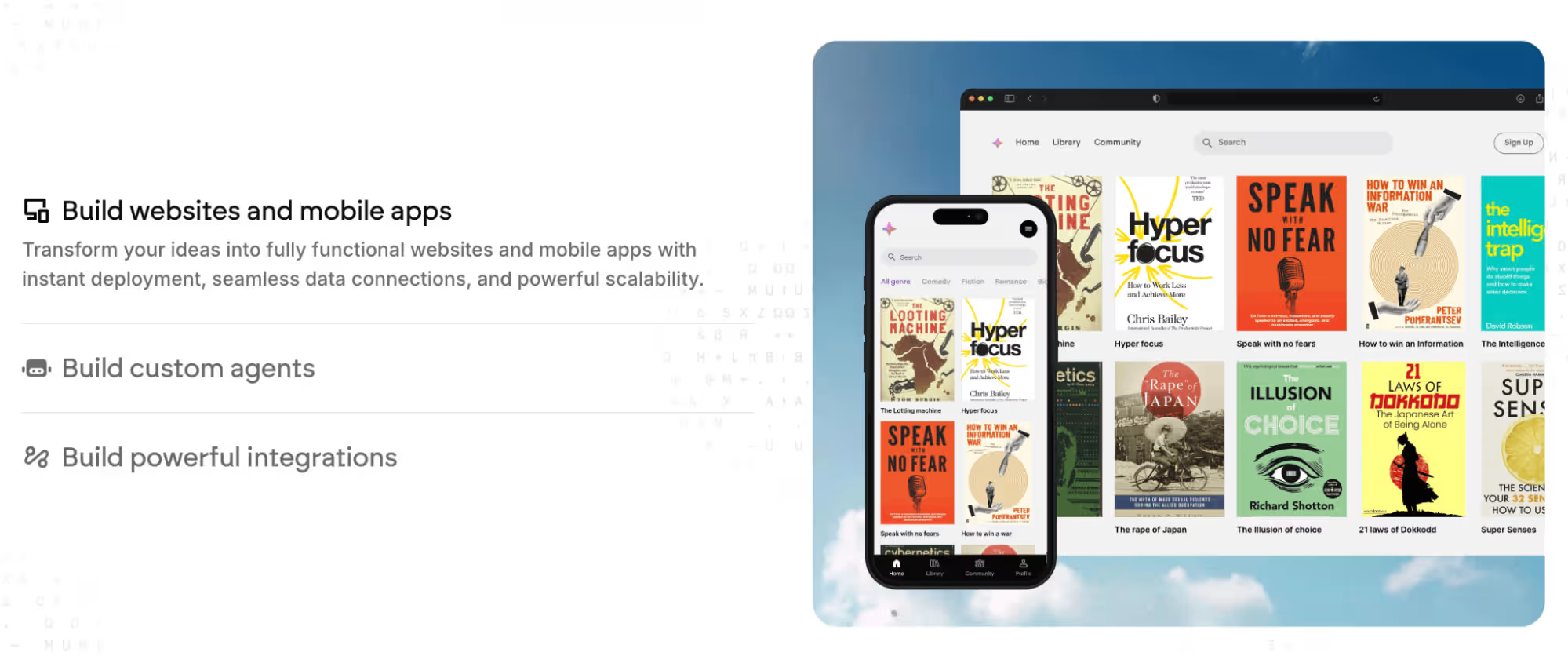
Emergent has no separate generator step to invoke. You describe RoomTab in plain language, and the system builds the app and database from the conversation.
How I Tested FlutterFlow, Adalo, and Emergent
I built one app, RoomTab, across all three tools using the same starting prompt, in the same order, over three weeks total:
"Build an app called RoomTab for a household of up to 4 roommates to track shared expenses. Roommates log in and see a list of expenses (who paid, the amount, the category, and whether it's split equally or by custom amounts). Add a running balance screen showing who owes whom. Add a Settle Up action that nets everyone's balances down to the smallest number of payments and marks them paid."
I ran FlutterFlow first, then Adalo, then Emergent, each starting cold from that exact wording before any manual follow-up work. Ease of use was measured as minutes from the prompt to a working first screen.
Customization was measured by whether the settle-up netting math worked inside the tool, needed a custom function, or had to be simplified. Performance was judged by how each app felt to use in preview as more expense entries piled in, well past the first empty screen.
Two other tools appeared in the sources I reviewed but never made the cut. Bubble appeared once without a detailed comparison to FlutterFlow or Adalo. Bilt appeared only in its vendor's own blog post, with no independent source in my research supporting its inclusion. I kept both outside the test group.
FlutterFlow vs Adalo vs Emergent: At a Glance
How the three stack up at a glance:
| Tool | Best For | Starting Price | Key Strength |
|---|---|---|---|
| FlutterFlow | Scaling past a first version with real code ownership | $39/month ($29.25/month, billed annually) | Compiles to native Flutter code you can export |
| Adalo | Validating an idea fast with zero setup | $45/month ($36/month, billed annually) | Built-in database, no external setup to configure |
| Emergent | Skipping the visual builder entirely | $20/month ($17/month, billed annually) | Fully conversational build, no screen-by-screen assembly |
FlutterFlow vs Adalo vs Emergent: Feature Breakdown
Ease of Use and Learning Curve
MagicStart read my prompt and had RoomTab's household, roommate, and expense tables scaffolded, matching screens included, in about six minutes.
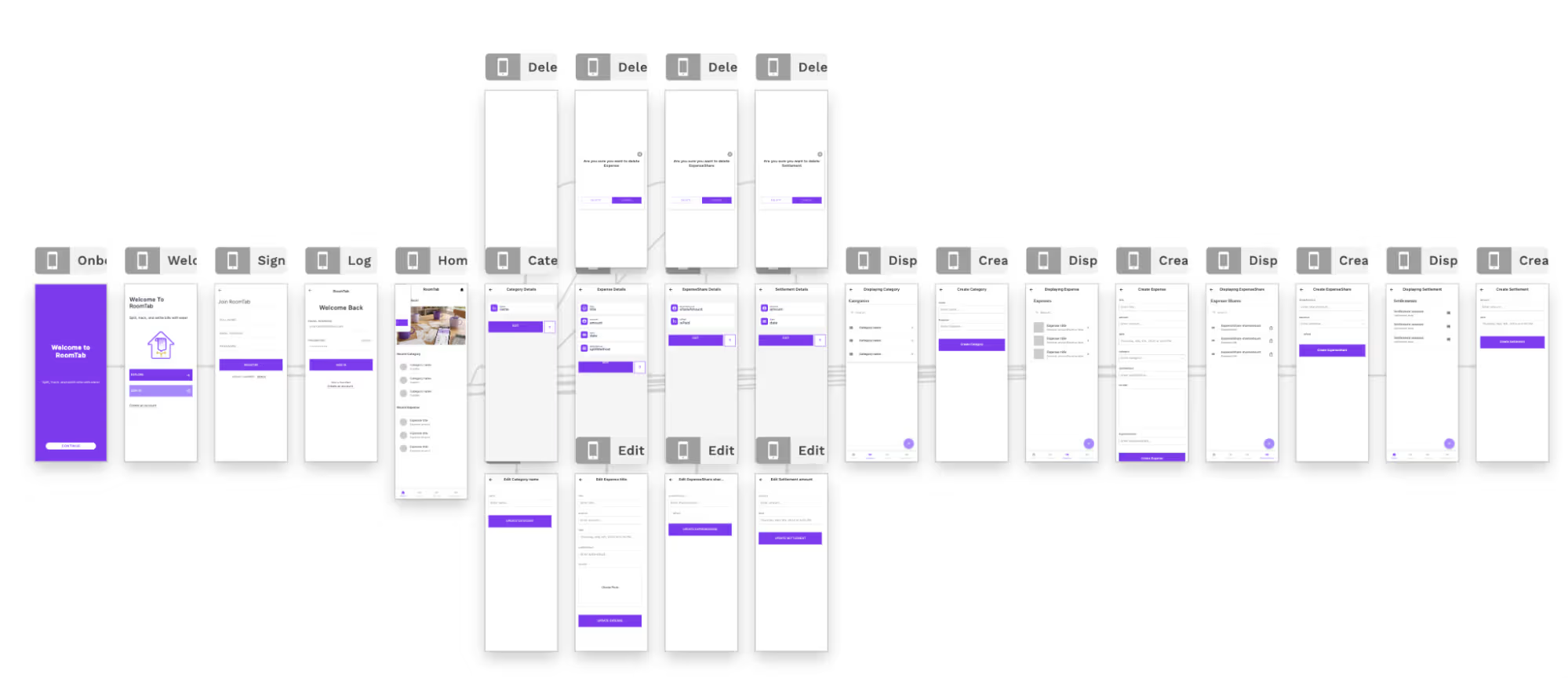
That's the fastest a first working screen showed up across all three tools. It happened without me touching a database schema or a sign-in setting.
FlutterFlow took longer before anything worked. The AI generator laid out the three core screens quickly. Getting them to match the prompt took more iteration than expected.
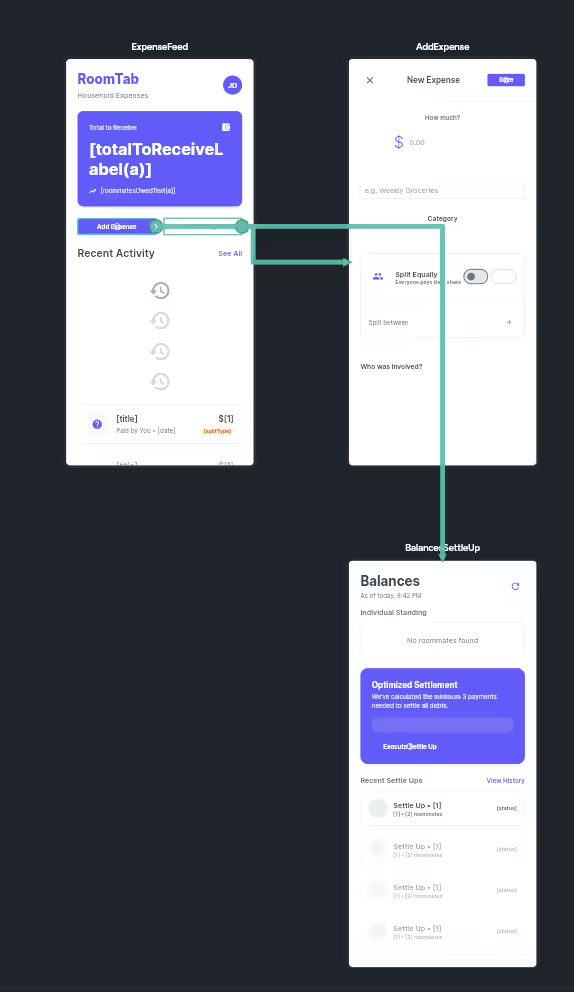
Scaffolding and adjusting the three screens burned 19 of the Basic plan's 50 monthly AI generation requests. Nothing ran, though, until I connected Firebase separately for logins and data storage, an extra setup step neither of the other two tools required.
Emergent sat in between. There was nothing to configure before starting, but figuring out what to ask for conversationally took a beat longer than clicking through Adalo's guided setup.
- FlutterFlow: Screen layout is fast, but a setup step (Firebase) stands between you and a working app.
- Adalo: MagicStart had a working screen up faster than either competitor.
- Emergent: There's no generator step to learn, but the conversational format has its own small learning curve.
Winner: Six minutes to a working screen is hard to beat, and that's Adalo's win here.
Database and Data Handling
This is where the three tools diverge in philosophy. FlutterFlow ships with no database of its own. RoomTab's roommate and expense records lived in Firebase. Firebase is a separate service that needs its own setup, connection, and security configuration before the app can store anything.

Adalo's database is built in. The moment MagicStart finished scaffolding, RoomTab already had somewhere to put its data, with zero external setup.
Emergent generated a working database directly from the prompt too, with no external service to configure. The first version, complete with logins and the household and expense tables, was ready to preview after roughly 11.4 credits.
- FlutterFlow: It has no built-in database, so RoomTab needed an external service before its data could persist.
- Adalo: Its built-in database was ready the moment scaffolding finished, with zero external setup.
- Emergent: It builds a working database directly from the prompt, with nothing to configure beforehand.
Winner: The database category goes to Emergent. It generated a complete, prompt-specific database (logins, household, and expense tables) directly from natural language, with no scaffolding step to trigger, while Adalo's zero-setup database instead populates an existing built-in structure.
Customization and Code Ownership
RoomTab's settle-up feature is where this comparison earned its keep. FlutterFlow's visual action-flow system could lay out screens and simple logic fine, but it couldn't express the netting math on its own.
FlutterFlow's own custom function editor produced a Dart function about 30 lines long. It finally computed the correct minimum-payment breakdown for all four roommates.
Adalo hit a harder ceiling. I spent roughly 45 minutes trying to build the same netting logic inside Adalo's Custom Actions. Eventually, I accepted that true netting wasn't achievable in the platform's own logic system. What shipped was a simplified flat "mark as settled" button per expense, a different feature than the netting the prompt asked for.
Adalo also has no source code export under any plan. Those 45 minutes produced a feature that would need to be rebuilt if RoomTab ever moved to another platform.
Emergent came out ahead on the settle-up calculation. The netting logic worked correctly for all four roommates on the first pass, with no workaround. Its screen editing is more limited because it doesn’t offer the visual drag-and-drop controls available in FlutterFlow and Adalo. Its mobile controls also don’t match FlutterFlow's.
- Adalo: Source code stays locked inside the platform, and RoomTab's settle-up logic hit a limit inside Custom Actions.
- Emergent: The netting logic worked out of the box, but there's no visual screen editor to fall back on.
- FlutterFlow: Full Flutter code export is included, along with a path to hand-write the logic a visual builder can't express.
Winner: FlutterFlow's code export settles this category. It offers a Flutter project a mobile developer can continue editing. Emergent handled the tested logic faster, but FlutterFlow offered the clearer Flutter-specific handoff.
Performance and Scalability
Once FlutterFlow's Dart function was in place, RoomTab's settle-up screen felt native in preview, with smooth animations and no lag computing the payment breakdown. That tracks with how FlutterFlow compiles. It's real Flutter underneath, the same engine a native app would use.
Adalo felt more web-app-like in testing, and that showed up the moment RoomTab's expense list grew past a handful of entries. Screens that felt instant with a couple of roommates started to lag slightly once all four and their full expense list were loaded in.
Emergent's output runs on web and mobile via Expo/ React Native, a different approach from both app builders. RoomTab's screens felt responsive. The step-by-step guide to building an Android app with AI shows how that workflow moves from a prompt to phone testing.
That said, a single roommate-tracker app over three weeks isn't enough load to stress-test scalability the way a production app eventually would.
- FlutterFlow: It compiles to real Flutter, with a near-native feel with no lag under light load.
- Adalo: It felt more web-app-like in testing, and that shows once data volume grows past a small demo.
- Emergent: Its output runs on web and mobile via Expo/ React Native, responsive but not stress-tested at scale here.
Winner: FlutterFlow delivered the strongest performance in this preview test. The test covered a small app under light load, so it did not establish production scalability.
AI-Assist Depth
This deserves its own category, because it shapes how much of the actual build you do yourself. Adalo's MagicStart handled the initial database and screen scaffolding well, and MagicAdd let me add the settle-up action without hand-building every field.
Both are still narrower tools layered on top of a traditional drag-and-drop editor. FlutterFlow's AI generator does something similar, useful for basic layout and simple logic suggestions, but you're still assembling the rest by hand.
Emergent uses a different workflow. The build, from the first prompt to the working balance screen, happened as one conversation because AI is the main interface. It was the most hands-off route to a working preview, though Adalo reached its first working screen faster. Emergent also gives you less visual control than the other two tools.
- FlutterFlow: AI handles basic layout and logic suggestions, but most of the build is still manual.
- Adalo: MagicStart and MagicAdd are genuine AI-assist features, but they still sit on top of a mostly manual screen-building process.
- Emergent: The build runs through the conversation itself, while FlutterFlow's and Adalo's AI tools sit on top of manual editing.
Winner: Emergent wins AI-Assist Depth outright.
Pricing and Cost to Scale
The base subscription price is only one part of the costs to create an app. Once seats, database hosting, and publishing fees are added to the base plan, the total looks different. Here's the full breakdown, though every figure below needs a live check before you budget against it.
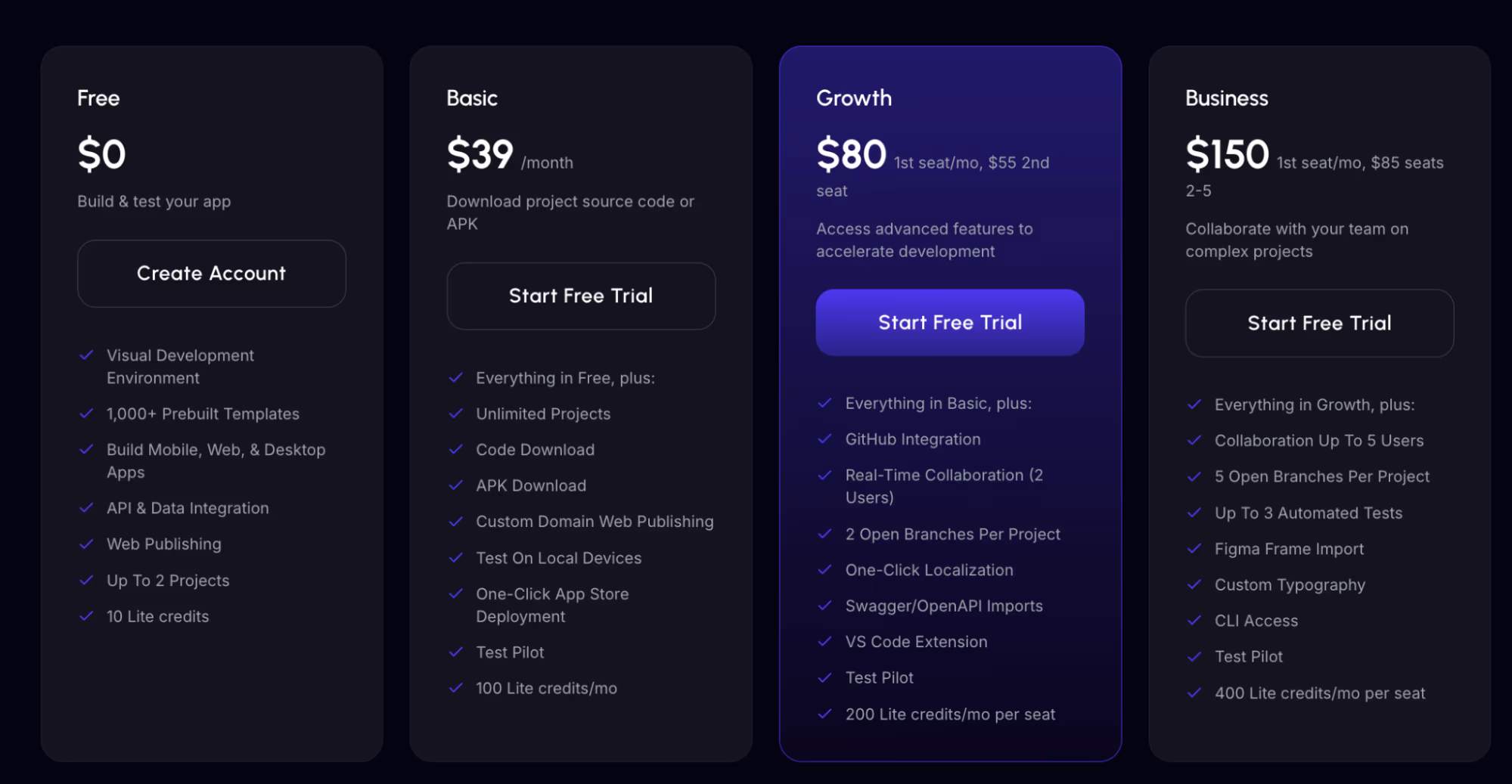
FlutterFlow's pricing start with Basic at $39/month ($29.25/month, billed annually), then move up to Growth at $80/month for the first seat ($60/month, billed annually) and Business at $150/month for the first seat ($112.50/month, billed annually). Above that sits Enterprise, which has no public price and requires contacting sales.
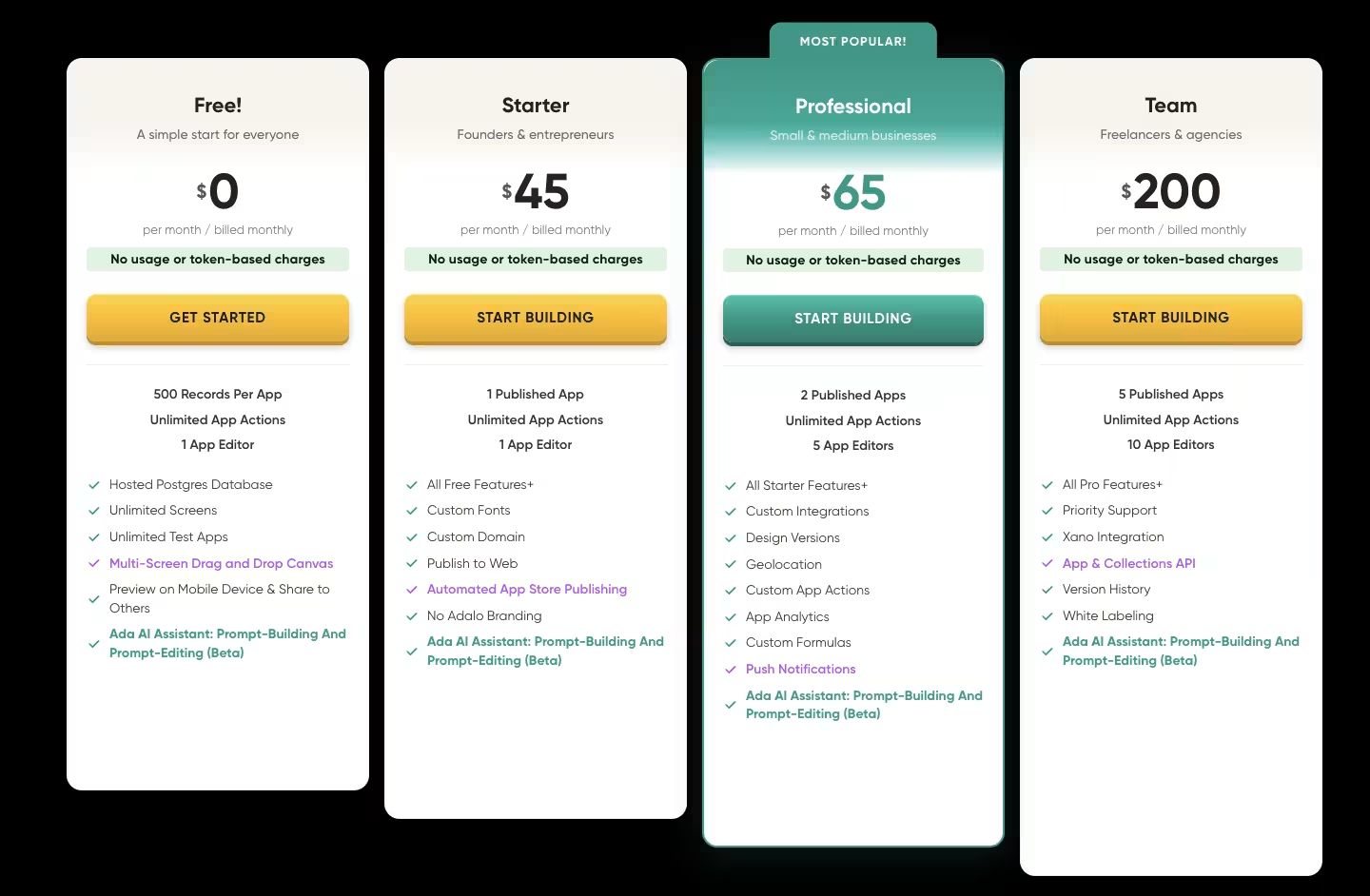
Adalo's plans start with Starter at $45/month ($36/month, billed annually), then move up to Professional at $65/month ($52/month, billed annually) and Team at $200/month ($160/month, billed annually).
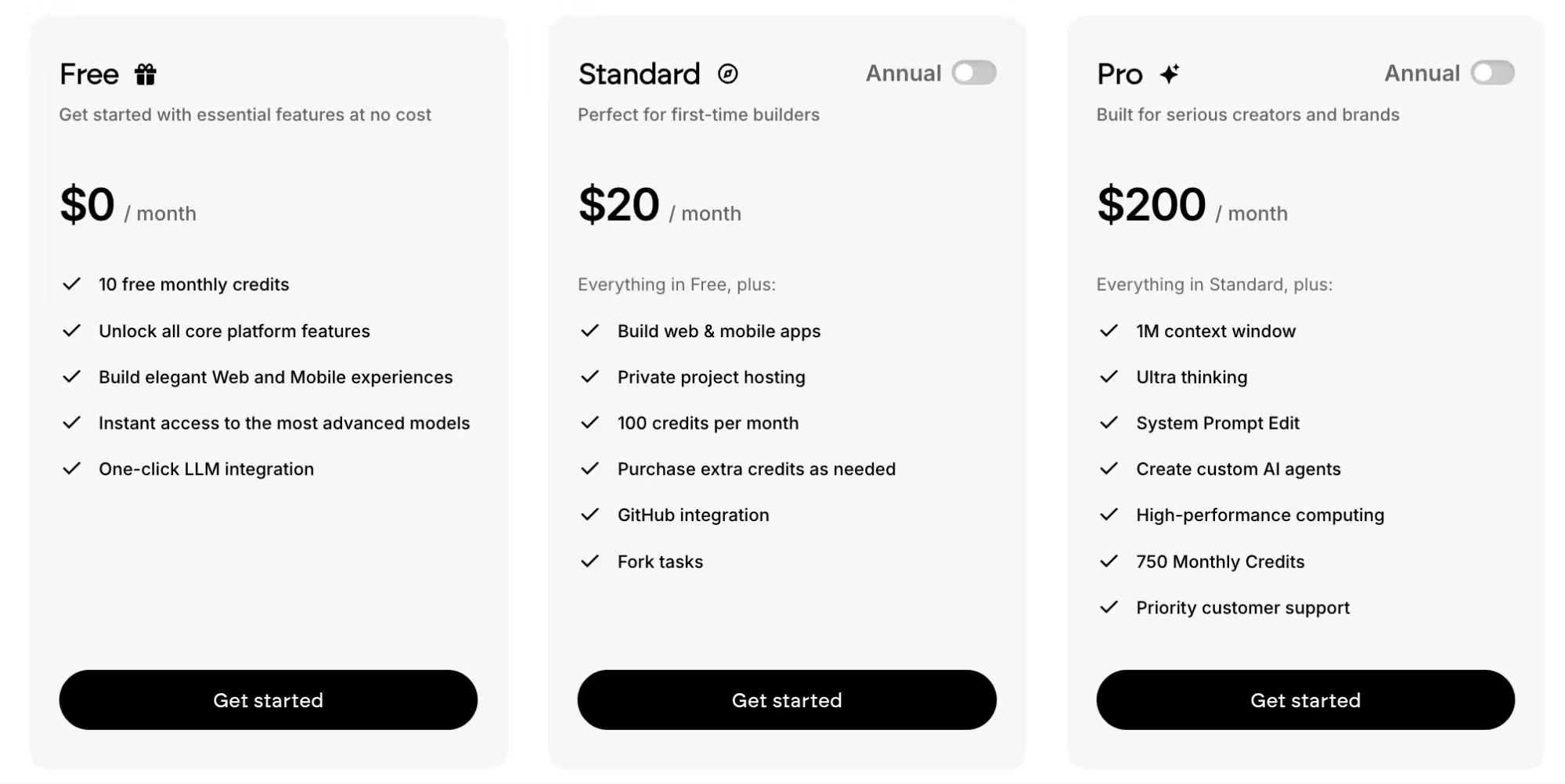
Emergent's plans start with Emergent runs Free (10 credits/month), Standard at $20/month ($17/month, billed annually), moving up to Pro at $200/month ($167/month, billed annually).
FlutterFlow's Growth plan runs $80/month for the first seat and $55/month for the second seat (a two-seat cap). Business runs $150/month for the first seat and $85/month for each additional seat ($112.50/month and $63.75/month, billed annually). Adalo's native App Store and Google Play publishing comes included on its base Starter plan.
The extra costs beyond the base subscription are where FlutterFlow's and Adalo's pricing structures diverge. FlutterFlow's own base plan doesn't include a database at all. Taking RoomTab further would carry a separate Firebase bill on top of whatever tier you're paying for.
Adalo folds hosting and the database into its subscription, but teams need higher tiers as their editor and published-app requirements grow.
Emergent is credit-based across the board, starting at $20/month for 100 monthly credits on the Standard plan. RoomTab's first working version ran roughly 11.4 credits, leaving most of that allowance untouched. At that rate, Standard covers a build like this with plenty of room left over.
Winner: Emergent comes out ahead on pricing. At $20/month, it starts at a lower price than both FlutterFlow's $39/month and Adalo's $45/month, and RoomTab's own build used only a fraction of the Standard allowance rather than straining it.
Like Adalo, there's no separate database bill to plan for, and FlutterFlow's Firebase costs remain the one truly open-ended expense in this comparison.
Community, Templates, and Ecosystem
None of RoomTab's screens needed a template, but a reader building something less custom leans on this more than any feature already covered here.
FlutterFlow runs the deepest ecosystem of the three. Its Marketplace sells and gives away templates, widgets, and plugins built by other users, and it's backed by a separate community forum plus FlutterFlow University's own tutorial library.
Adalo runs a narrower but genuinely free version of the same idea. Its marketplace lists 39 cloneable kits across app templates, UI kits, and functional kits, every one free to clone straight into the builder with no code required. A public forum covers troubleshooting and component sharing.
Emergent doesn't compete on either front. There's no public template marketplace to browse, since the conversational format is built to replace template-hunting with a prompt. Its community runs on Discord, built around weekly build events and a monthly 48-hour hackathon, with no searchable knowledge base or component library to browse.
- FlutterFlow: A real marketplace, a dedicated community forum, and its own university add up to the deepest ecosystem of the three.
- Adalo: 39 free cloneable kits and an active public forum make for a narrower ecosystem than FlutterFlow's, but a genuinely accessible one.
- Emergent: It has no public template marketplace, and its community support runs through Discord build events.
Winner: FlutterFlow's ecosystem wins this category, combining a marketplace, public forum, and tutorial library.
What Real Users Say
FlutterFlow
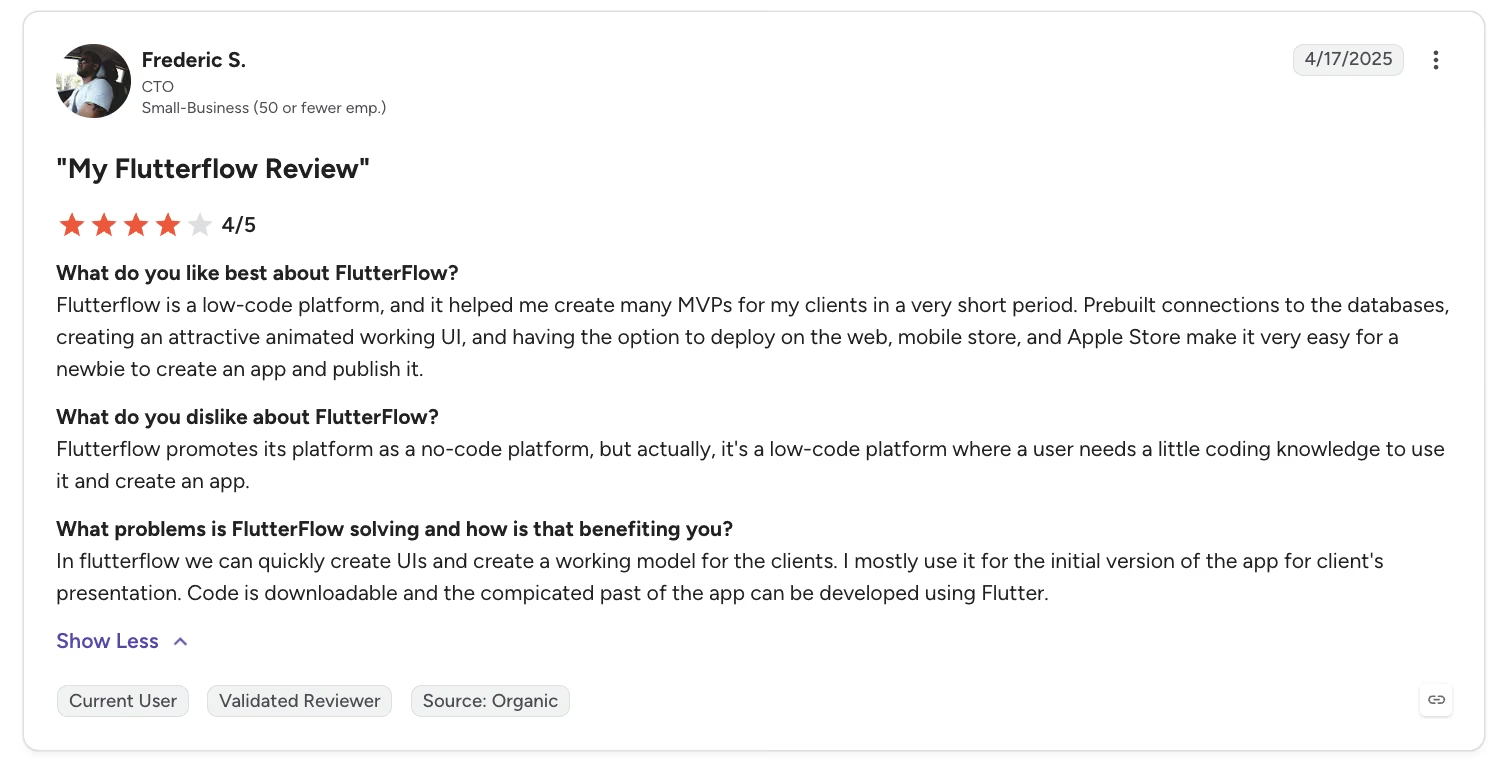
“FlutterFlow is a low-code platform, and it helped me create many MVPs for my clients in a very short period.” - Frederic S., G2
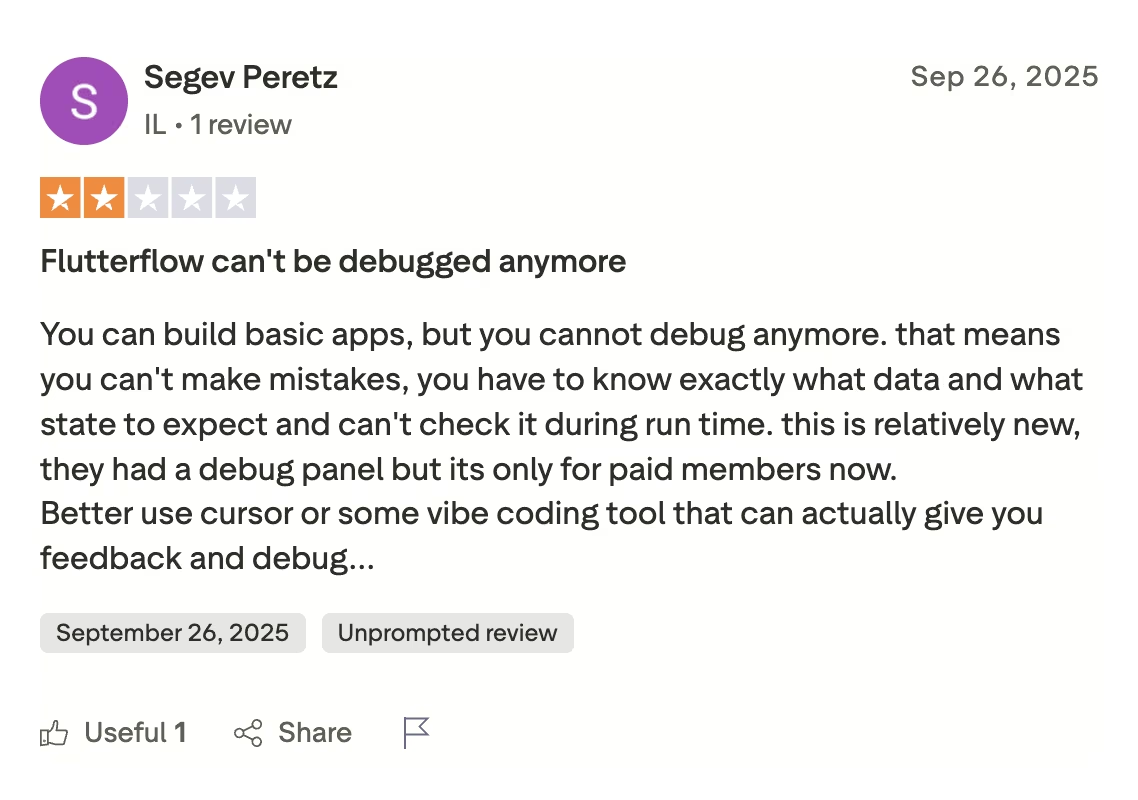
“You can build basic apps, but you cannot debug anymore. That means you can't make mistakes; you have to know exactly what data and what state to expect and can't check it during runtime.” - Segev Peretz, Trustpilot
Adalo
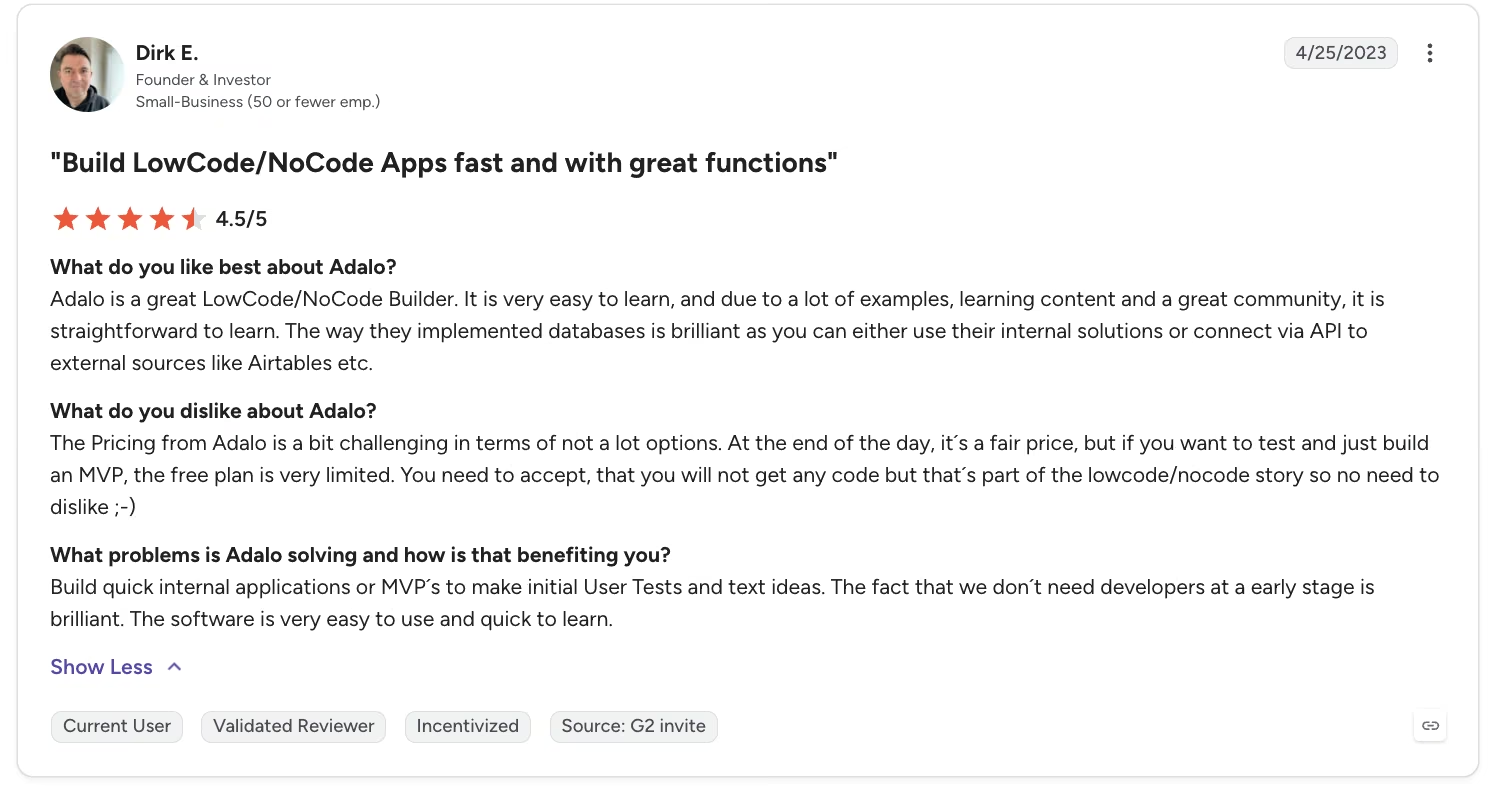
“Adalo is a great LowCode/NoCode Builder. It is very easy to learn, and due to a lot of examples, learning content, and a great community, it is straightforward to learn.” - Dirk E., G2
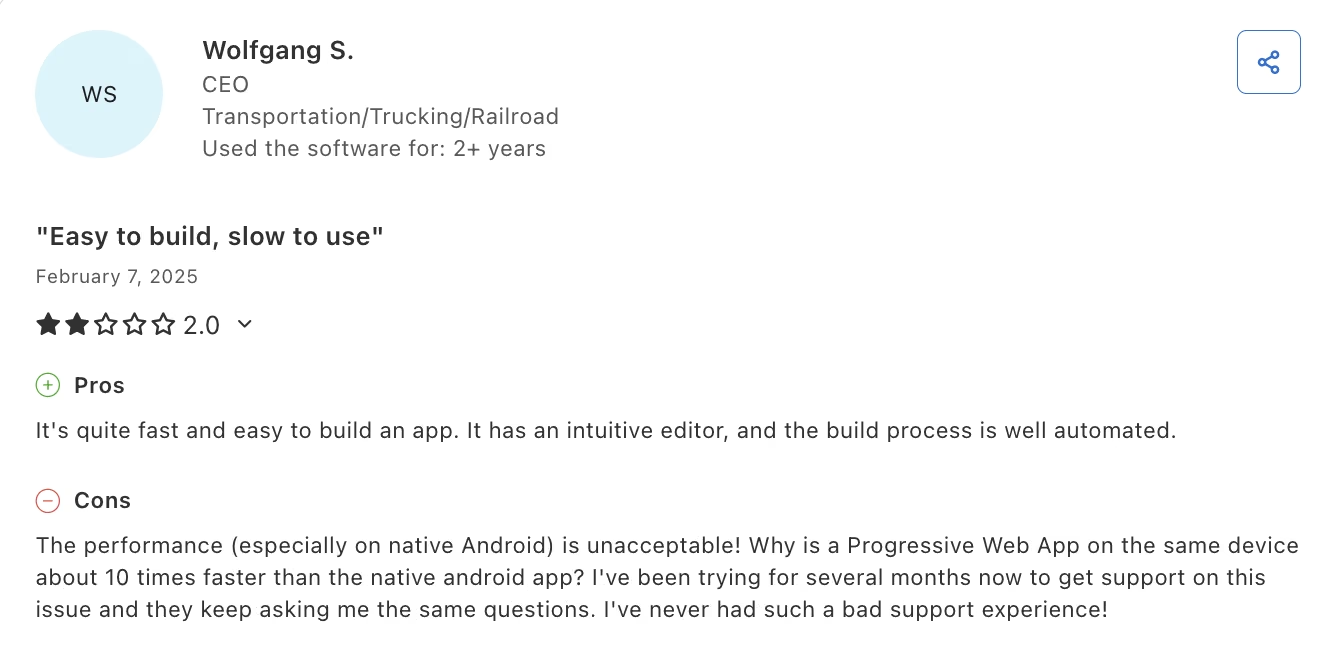
“The performance (especially on native Android) is unacceptable! Why is a Progressive Web App on the same device about 10 times faster than the native Android app?” - Wolfgang S., Capterra
If you want to understand Adalo on its own before weighing it against FlutterFlow, Adalo review takes a deeper look at its strengths and limitations.
Emergent
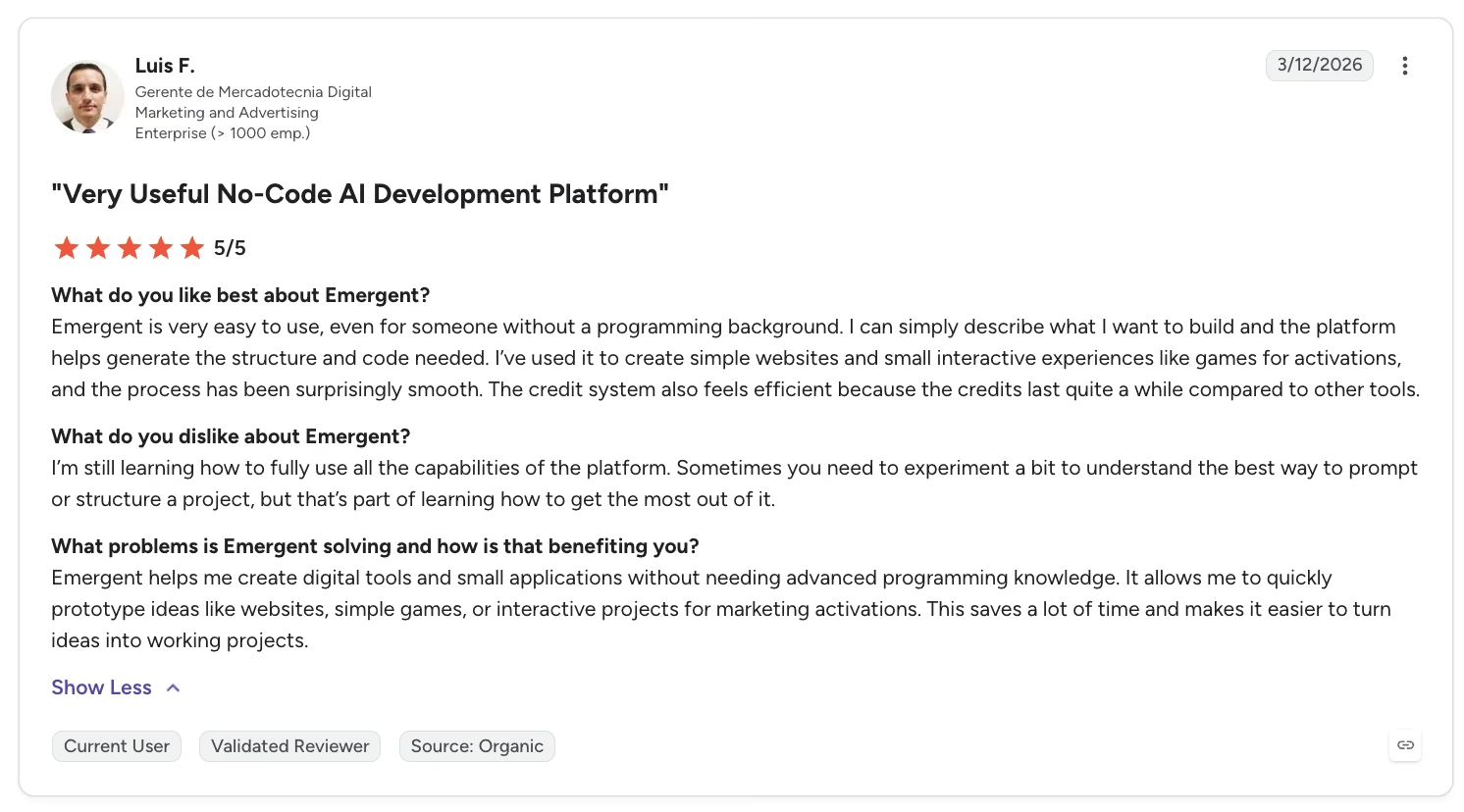
“Emergent is very easy to use, even for someone without a programming background. I can simply describe what I want to build and the platform helps generate the structure and code needed.” - Luis F., G2
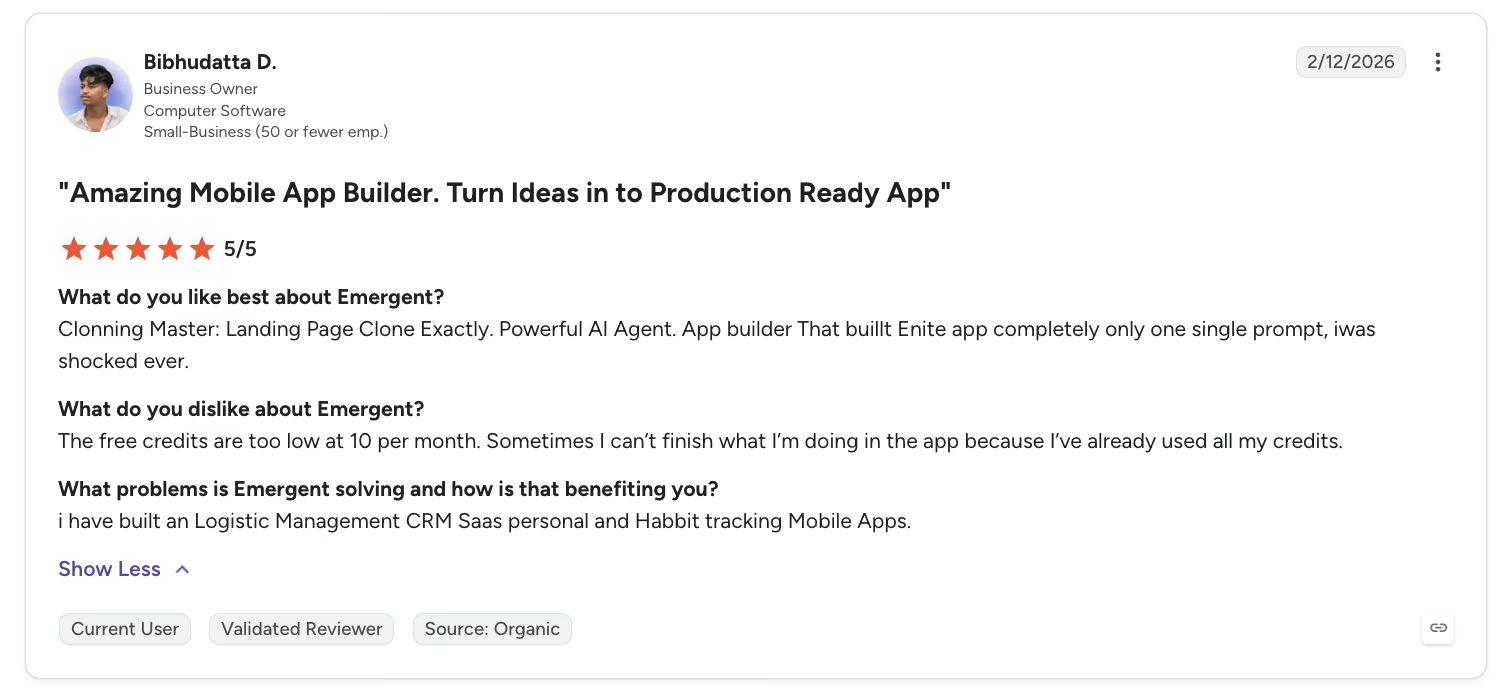
“The free credits are too low at 10 per month. Sometimes I can’t finish what I’m doing in the app because I’ve already used all my credits.” - Bibhudatta D., G2
If you want more context on FlutterFlow before comparing it with Adalo, FlutterFlow review takes a closer look at what the platform does well and where it falls short.
Which Tool Should You Choose?
The settle-up feature is the moment each tool's ceiling showed up, and that's the lens this section uses to sort the three tools.
Choose FlutterFlow if you:
- Plan to grow RoomTab, or anything like it, past its first build and want the source code to take with you.
- Don't mind an external database setup and a short Dart detour once the logic gets hard.
Choose Adalo if you:
- Want to validate the idea with real roommates this week, with zero database setup standing between you and a demo.
- Can accept a simplified version of complex logic when it doesn't fully match the exact feature you originally asked for.
Choose Emergent if you:
- Want to describe RoomTab in a sentence instead of assembling it screen by screen.
- Can live without a visual editor.
My Final Verdict
For the FlutterFlow vs Adalo decision specifically, FlutterFlow wins for anyone planning to build something that outgrows a quick first build. It gave me an exportable Flutter project and a path to add the settle-up calculation in Dart.
FlutterFlow also held onto that performance edge from the earlier preview test. Its Flutter export and smoother preview performance become more useful when RoomTab needs further development.
Adalo earns its own recommendation for a narrower job, building an MVP app that proves the idea before anyone commits to writing real logic. Getting a working screen up before anyone's even finished reading the pitch is a real edge for a household deciding whether the app is worth using at all. That speed might count for more than code ownership ever will.
Emergent suits builders who prefer describing an app to assembling its screens manually. That netting win from the customization test still counts for more than pixel-level control does for most household use cases.
How Emergent Helps Non-Developers Handle Complex App Logic
FlutterFlow and Adalo both hit a ceiling on RoomTab's settle-up feature, covered in the Customization section above. That's the specific gap Emergent is built to close, the moment a visual builder's own logic system hits its limit.
I ran the same locked prompt through Emergent's AI app builder. The prompt asked for a Settle Up action that turns everyone's balances into the fewest possible payments.
The database, logins, and screens came together from that single prompt, and the settle-up netting worked on the first pass, exactly the ceiling FlutterFlow and Adalo hit and the one Emergent is built to clear.
Here’s an example of a non-technical product manager who used the same prompt-led approach to build an enterprise product tool for a 100-person team with Emergent.
The tool turns the description into a working version and handles the build steps inside the conversation. You don’t have to connect the generated screens and logic manually.
That said, there's no drag-and-drop screen editor here, something both FlutterFlow and Adalo give you. If hand-tuning pixel-level layout outweighs skipping that logic ceiling for you, Emergent isn't the fit.
That build still landed at roughly 11.4 credits, the same figure from the pricing test, with the settle-up logic intact.
If you're curious what that looks like on your own project, you can start describing it directly on Emergent. You can also connect it to the tools you already use through the MCP connector.

Most AI app builders stop at prototypes. Emergent creates production-ready apps you can actually launch.
- Production-ready apps
- Web & mobile apps
- Deploy in minutes







