



A restaurant website can look polished while an old price, buried reservation button, or clumsy mobile menu gets in the customer’s way. Those small restaurant website mistakes can slow down someone who already knows what they want to do.
Diagnose the customer path first, then fix the points creating friction. The process below gives you a quick way to find common problems and eight practical fixes you can make without rebuilding pages that already work.
Why Restaurant Website Problems Happen
Most restaurant website problems start with routine changes. A dish leaves the menu. Holiday hours change. You switch reservation providers. Someone uploads a new homepage photo and never checks how it loads on a phone.
Updates also get delayed when nobody owns the website. A 5-minute price change can sit unfinished for weeks if every edit has to pass through several people.
Treat your website like another customer-facing part of the restaurant. When the menu, hours, services, or booking process changes in the restaurant, the website needs the same update.
How to Diagnose Restaurant Website Problems in 5 Minutes
Start with your live website on a real phone. The editor preview can wait because your customer never sees it.
Run these six checks:
- Can you reach the menu quickly?
- Can you read dishes and prices without zooming?
- Can you find today’s hours, location, and phone number?
- Is the main Order Online, Book a Table, Call Us, View Menu, or Get Directions action easy to spot?
- Do the navigation, phone, directions, booking, and ordering links work?
- Does the page feel quick when you open it away from fast office Wi-Fi?
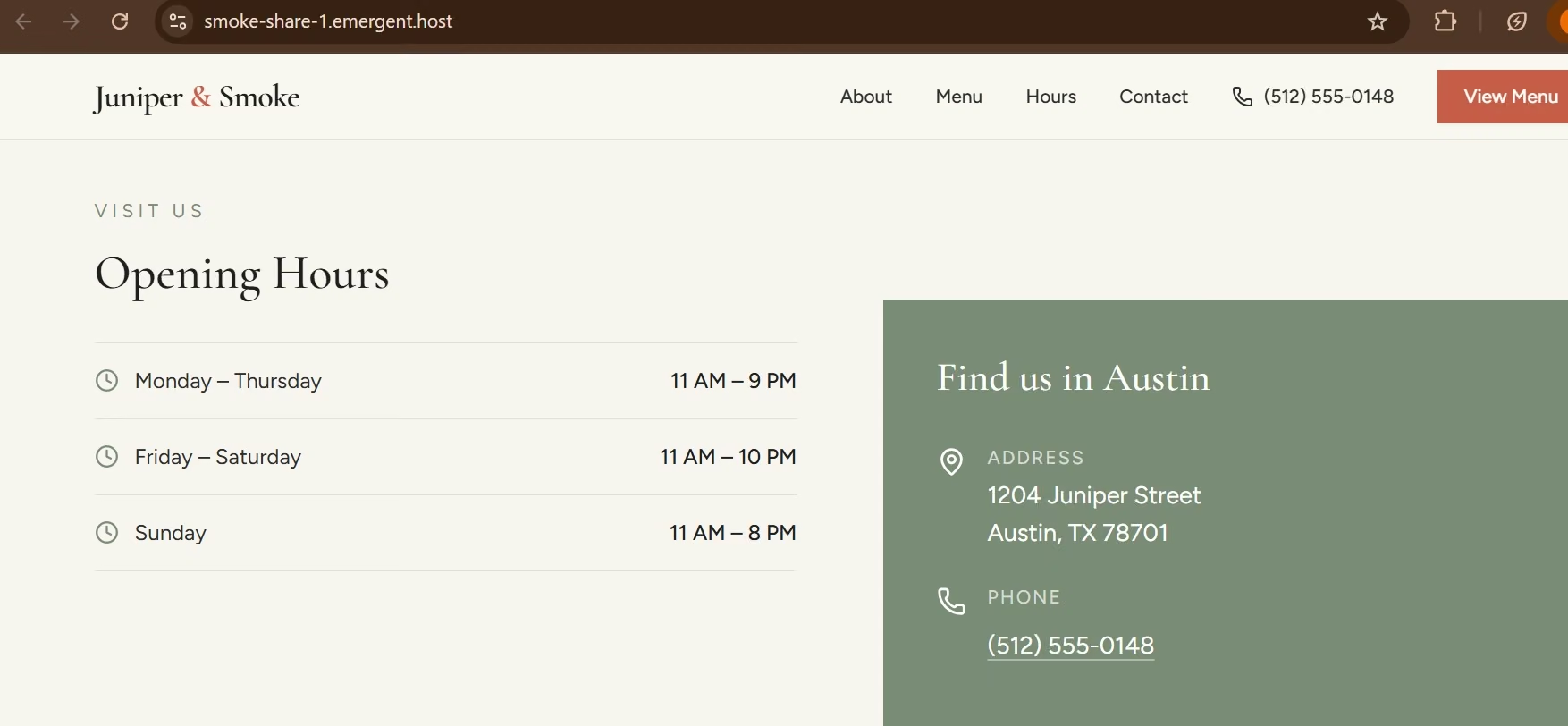
Plenty of bad restaurant website examples look polished while burying dinner prices, the booking button, or today’s hours.
How to Fix Restaurant Website Mistakes With 8 Practical Changes
Work through these eight fixes in order. Start with the problems that stop a diner from finding information or taking action, then check the details that are easier to miss until you use the live site yourself.
1. Replace a PDF-Only Menu With a Mobile-Friendly Page
Your main menu should work like a webpage. A print-sized PDF can make people pinch, zoom, and drag around the screen to compare dishes.
How to fix it: Put the core menu on a normal page and organize it into sections diners already understand. Show current prices and use short descriptions where they help someone choose.
Keep a PDF as an optional printable copy if your customers use one. Send the main Menu button to the web version.
2. Fix Old Prices, Hours, and Restaurant Details
A wrong opening time can send someone to a locked door. An old menu price creates another unpleasant surprise after they’ve decided what to order.
How to fix it: Compare the live website with the information your restaurant currently uses. Check prices, dishes, regular hours, special hours, address, phone number, ordering options, and reservation information.
Keep your Google Business Profile current at the same time. Restaurants can manage regular and special hours, ordering links, booking options, and other business details there.
Give one person ownership of these updates. Log every menu, hours, or service change in one shared document or task list so the person responsible knows what needs updating.
3. Make the Mobile Version Easy to Use
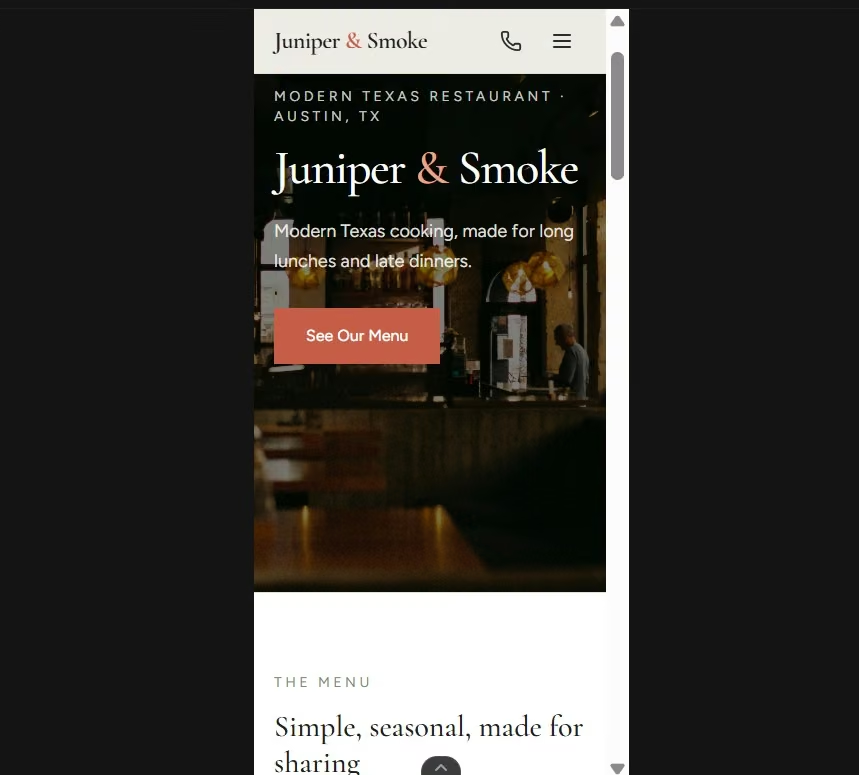
Open your restaurant site on your phone and work through it from top to bottom. Google uses the mobile version of a site’s content for indexing and ranking, so the mobile experience also affects how Google understands your pages.
Check these mobile issues:
- Tiny menu text: Prices and dish names should be readable at the normal screen size.
- Crowded buttons: Leave enough space for someone to tap the action they want.
- Sideways scrolling: Keep page content inside the phone screen.
- Poor content order: Put useful restaurant information where people can reach it quickly.
- Missing information: Check that important desktop content still appears on mobile.
Repeat this test after a large homepage change, menu redesign, or new ordering integration.
4. Give Diners One Obvious Next Step
Decide what you want someone to do after they land on the homepage. The right action could be Order Online, Book a Table, Call Us, View Menu, or Get Directions.
How to fix it: Pick the main action and give it clear visual priority. Show it early, then repeat it where the customer is likely to need it again.
If you’re a reservation-led restaurant, Book a Table deserves the strongest position. A takeout-heavy restaurant should make ordering equally easy to find.
Your button copy should also describe what happens next. “Order Online” tells the diner much more than “Get Started.”
5. Reduce Slowdowns From Large Photos and Video
Food photography helps people picture the experience. Huge image files can leave the page waiting while the customer is trying to reach the menu.
One useful performance measure is Largest Contentful Paint (LCP), which reports the render time of the largest image, text block, or video visible in the viewport. Google’s target is 2.5 seconds or less at the 75th percentile of page loads, measured separately for mobile and desktop.
How to fix it: Run the live URL through PageSpeed Insights. Resize large photos before uploading them, compress oversized files, and remove background media that slows the page without helping someone choose your restaurant.
Test the homepage and menu separately because they can score differently.
6. Turn Phone Numbers and Addresses Into Actions
Someone standing outside with their phone shouldn’t have to copy your phone number into the dialer or paste your street address into Maps.
How to fix it: Make the phone number tappable and give the address a directions link. Test both from your phone after publishing.
If you run several locations, give each location its own information. The customer should see the right menu, hours, address, phone number, and booking or ordering destination for the branch they chose.
7. Fix the Browser Tab and Google Search Result
Old or generic information can also show up in the browser tab and Google search results.
Google recommends concise, descriptive page titles and warns against vague titles such as ‘Home.’ It can use the title element, visible headings, and other page content when creating the title shown in Search.
When I built Juniper & Smoke for my guide on how to launch a restaurant website in one day, the pre-launch review caught a browser title that still read ‘Emergent | Fullstack App.’ I could easily have published it because the visible restaurant page already looked finished.
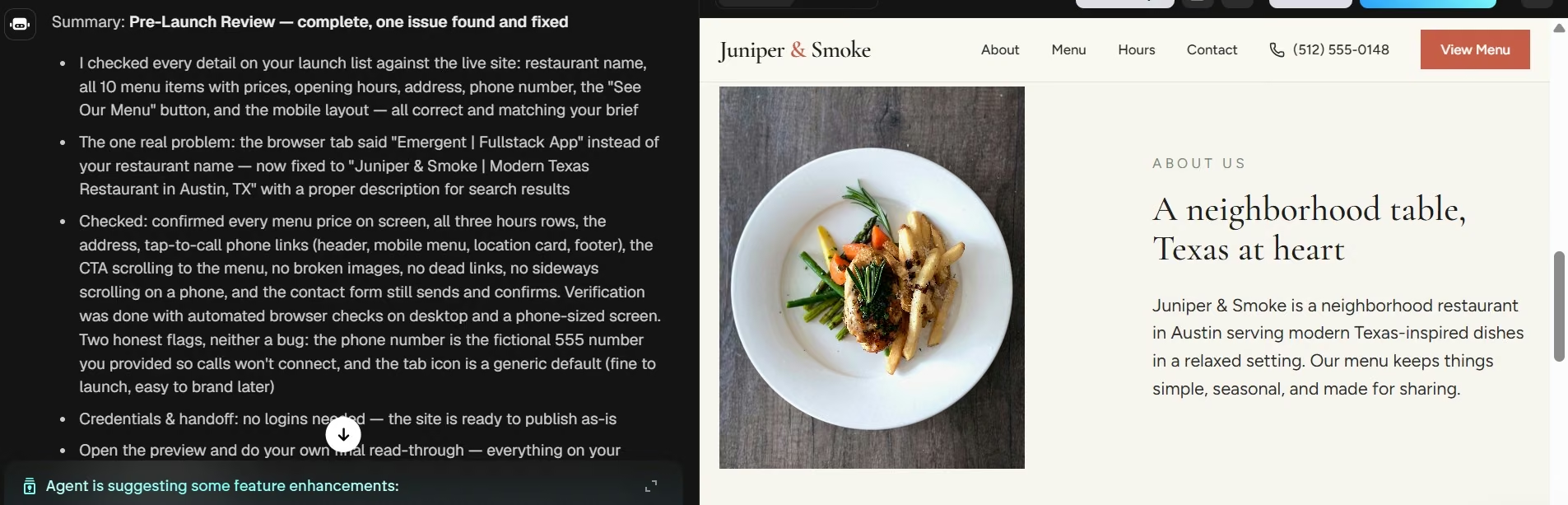
That experience changed what I check before publishing.
How to fix it: Open the public page, inspect the browser tab, search the restaurant name, and read what a customer sees before clicking.
8. Test the Full Ordering or Reservation Path
A working Order Online button only proves that the first click works. Follow the process through to the point where a real customer would finish.
How to fix it: Start on the homepage, choose an item or table time, and complete every available step. Repeat the same process on your phone.
Look for the wrong restaurant location, an expired third-party page, confusing pickup options, forms that stop responding, or a booking link that sends the customer somewhere unexpected.
Run this check again whenever you change ordering, delivery, reservation, or payment services.
How to Prevent Restaurant Website Problems From Coming Back
A quick audit works best when someone owns it and knows when to run it.
Set up the routine this way:
- Owner: Name one person who can run the check and publish routine fixes the same day.
- Cadence: Check the live site on a phone on the first business day of each month.
- Triggers: Run an extra check after a menu or price change, new homepage media, changed hours, or a switch in ordering or reservation providers.
- Record: Keep a short shared log of what changed and when so you can tell whether a problem is new or has returned.
If basic updates keep taking too much work, the platform itself may be slowing you down. Starting with a clear website-building process can help you decide which pages and actions deserve a place in the new version.
Also read our best restaurant website builders guide for platforms that make routine updates easier to manage without a developer.
Emergent Makes Restaurant Website Changes Easier
Emergent lets you turn a specific restaurant website problem into a plain-English change request and review the updated page in the same project.
With its AI restaurant website builder, you can change menu content and page structure, review the mobile version, and add ordering or reservation workflows when you’re ready to test them.
Here’s where that helps:
- Changing menus: Update dishes, prices, page copy, and structure through prompts.
- Building for mobile: Start with mobile-first output and review the result before publishing.
- Adding restaurant actions: Set up ordering and reservation workflows or connect third-party services.
- Making future edits: Update images, booking forms, checkout steps, and other page content from the same project.
Before accepting live orders, run the full ordering test from fix eight on the finished site. Use your provider’s test mode, place a test order, complete a test booking if you offer reservations, and confirm the expected confirmation or receipt arrives before enabling live payments.
If you get stuck while describing a change, Emmy, Emergent’s built-in assistant, can ask follow-up questions and turn the conversation into a build-ready prompt. You can also attach a screenshot when something on the page is confusing. Emmy costs no credits and is currently available on desktop web.
Also read our guide on how to turn your website into an app for when your restaurant site needs to go further than a browser experience.
Once you know which restaurant website problems you want to fix, you can use those findings as the starting brief for your next version. Start building with Emergent.
Final Takeaway on Restaurant Website Mistakes
Fix the restaurant website mistakes that stand between a diner and their next action first. Start with the menu, current business details, mobile layout, speed, contact actions, and ordering or booking path.
The Juniper & Smoke browser title is a good reminder of why the last review still counts: a page can look finished while a small customer-facing detail is waiting to be caught.

Emergent designs, writes, and publishes your whole site from one prompt. No templates, no drag-and-drop.
- Full site from one prompt
- Custom design, real pages
- Publish in minutes







