



TL;DR: Squarespace vs WordPress In 2026
- Squarespace: best for small businesses, creators, consultants, portfolios, and simple online stores that need to launch fast without managing hosting or plugins.
- WordPress: best for content-heavy sites, custom workflows, membership sites, advanced search engine optimization, and long-term ownership.
Squarespace vs WordPress is the kind of choice that looks simple until you start planning the site you actually need. A portfolio site, a local service business website, a blog, a store, and a booking portal all pull you in different directions.
Use Squarespace if you want the fastest path to a polished business website with hosting, templates, payments, support, and security handled in one place. Use WordPress if you want deeper control, a larger plugin ecosystem, better long-term flexibility, and you’re comfortable managing more moving parts.
I dug into both platforms’ live pricing and feature pages, the WordPress plugin and theme directories, and real switching stories from people who’ve run sites on each, so you can match the platform to the site you’re actually building.
Squarespace vs WordPress: What’s The Difference?
Squarespace is an all-in-one hosted website builder, while WordPress is a website publishing system that comes in two main versions: hosted WordPress.com and self-hosted WordPress.org.
Squarespace bundles templates, hosting, website editing, ecommerce tools, support, security, and domain options into one subscription. Its official comparison page positions it around design, AI website building, drag-and-drop editing, ecommerce, and all-in-one website management.
WordPress.org is open-source software licensed under the General Public License (GPL), and WordPress powers more than 43% of sites across the web. WordPress.com is the hosted commercial version with a free plan and paid plans that bundle hosting, storage, support, and managed features.
Why This Comparison Is Harder Than It Looks
The real Squarespace vs WordPress decision is about how much control you want to trade for convenience.
That tension shows up clearly in the Reddit thread ranking for this topic. The original poster already understood the basic split: Squarespace felt straightforward, while WordPress looked more customizable and flexible but raised security concerns.
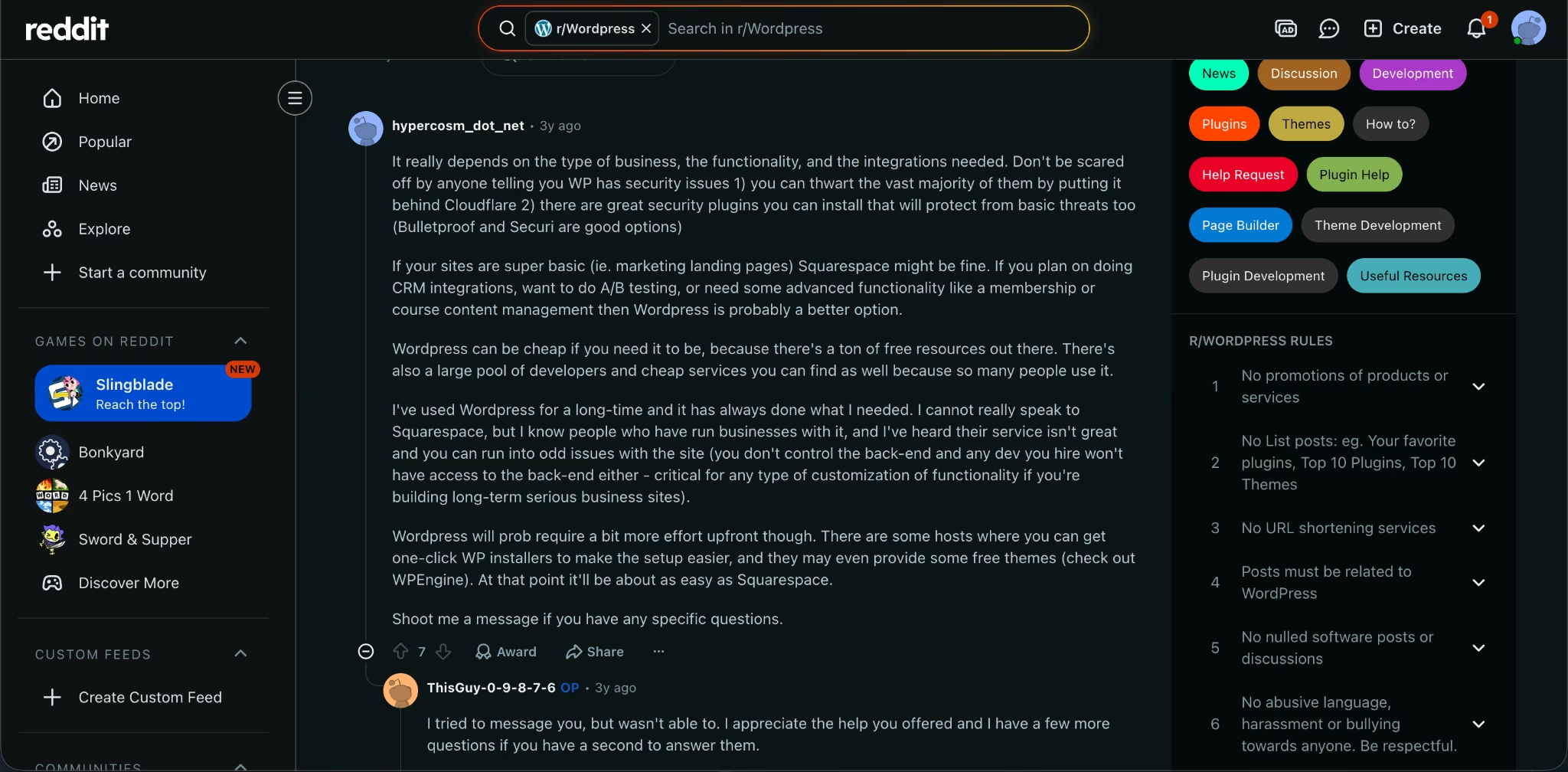
One reply gave the most useful framing: Squarespace works for simple marketing pages, while WordPress fits better when you need customer relationship management (CRM) integrations, A/B testing, membership functionality, or course content management.
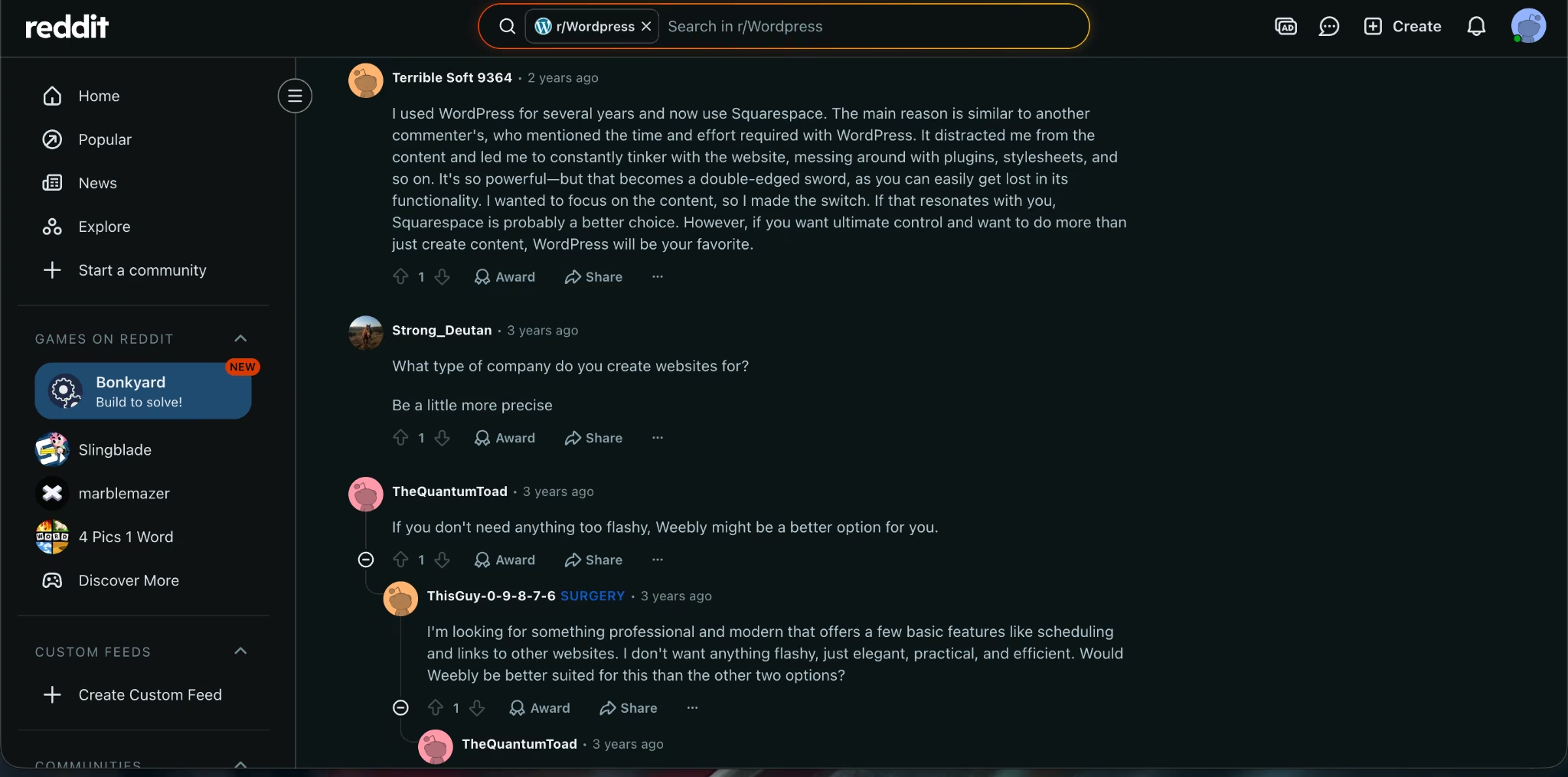
Another commenter said they switched from WordPress to Squarespace because WordPress kept pulling them into plugin and styling work instead of content creation.
If you want to turn a website idea into something you can actually launch, Can ChatGPT Build a Website? A Step-by-Step Guide covers the process from prompt to finished site.
How I Compared Squarespace And WordPress
To compare these fairly, I worked through both platforms’ current pricing and feature pages, dug into the WordPress.org plugin and theme directories, and pulled in what real users say about living with each one day to day.
I compared official pricing pages, official product pages, WordPress.org plugin and theme directories, and Squarespace’s official WordPress comparison page. I held both platforms to the same questions:
| Question | Why It Matters |
|---|---|
| How fast can you launch? | Most small businesses need a working site before they need perfect architecture. |
| How much control do you keep? | Switching platforms later can be expensive and slow. |
| What happens when you need more features? | Plugins, integrations, code access, and ecommerce depth decide the long-term fit. |
| Who handles security and maintenance? | A site you don’t maintain can become a liability. |
| What does the starter price include? | Cheap software can get expensive once hosting, domains, plugins, and support enter the picture. |
Squarespace vs WordPress At A Glance
| Category | Squarespace | WordPress |
|---|---|---|
| Best For | Polished business sites, portfolios, service pages, simple stores | Blogs, content sites, custom sites, membership sites, scalable builds |
| Free Plan | No free plan, 14-day free trial | WordPress.com Free: $0/month; WordPress.org software: $0 |
| Starter Paid Plan | Basic: $25/month ($19/month billed annually) | WordPress.com Personal: $9/month ($4/month billed annually) |
| Hosting | Included | Included on WordPress.com; separate for WordPress.org |
| Templates | Curated templates and AI design guidance | Roughly 14,000+ free themes on WordPress.org |
| Plugins | Squarespace Extensions and built-in tools | 67,000+ free plugins on WordPress.org |
| Ecommerce | Built in across website plans, with plan-based transaction fees | WooCommerce and ecommerce plugins, plus WordPress.com Commerce |
| Maintenance | Squarespace handles platform maintenance | You manage more on WordPress.org; WordPress.com handles more for hosted plans |
| Winner For Simplicity | Squarespace | - |
| Winner For Control | - | WordPress |
Meet Squarespace: Features And Highlights
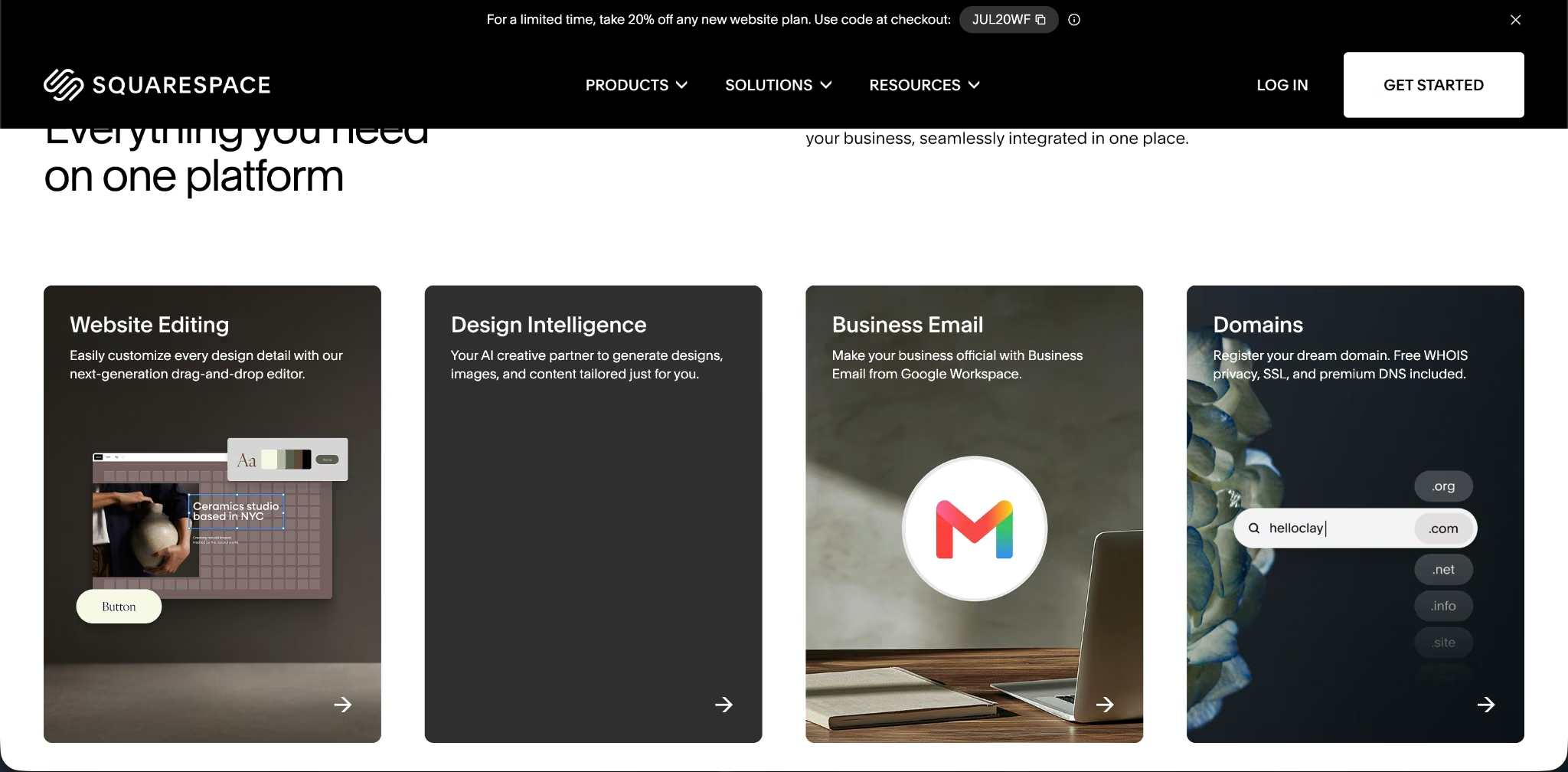
Squarespace is built for people who want to publish a professional website without assembling a stack of hosting, plugins, themes, backups, security tools, and ecommerce extensions.
The editor centers on visual building. Squarespace bundles the essentials into one editor: AI-assisted design and drag-and-drop building, mobile-ready templates, built-in SEO and SSL, unlimited bandwidth, and ecommerce and code-editing tools on higher plans.
Its strongest fit is a business website where the site itself is the product surface: a consultant’s service site, a photographer’s portfolio, a fitness studio site, a simple store, a restaurant page, a course landing page, or a booking-led service business.
Squarespace Pricing
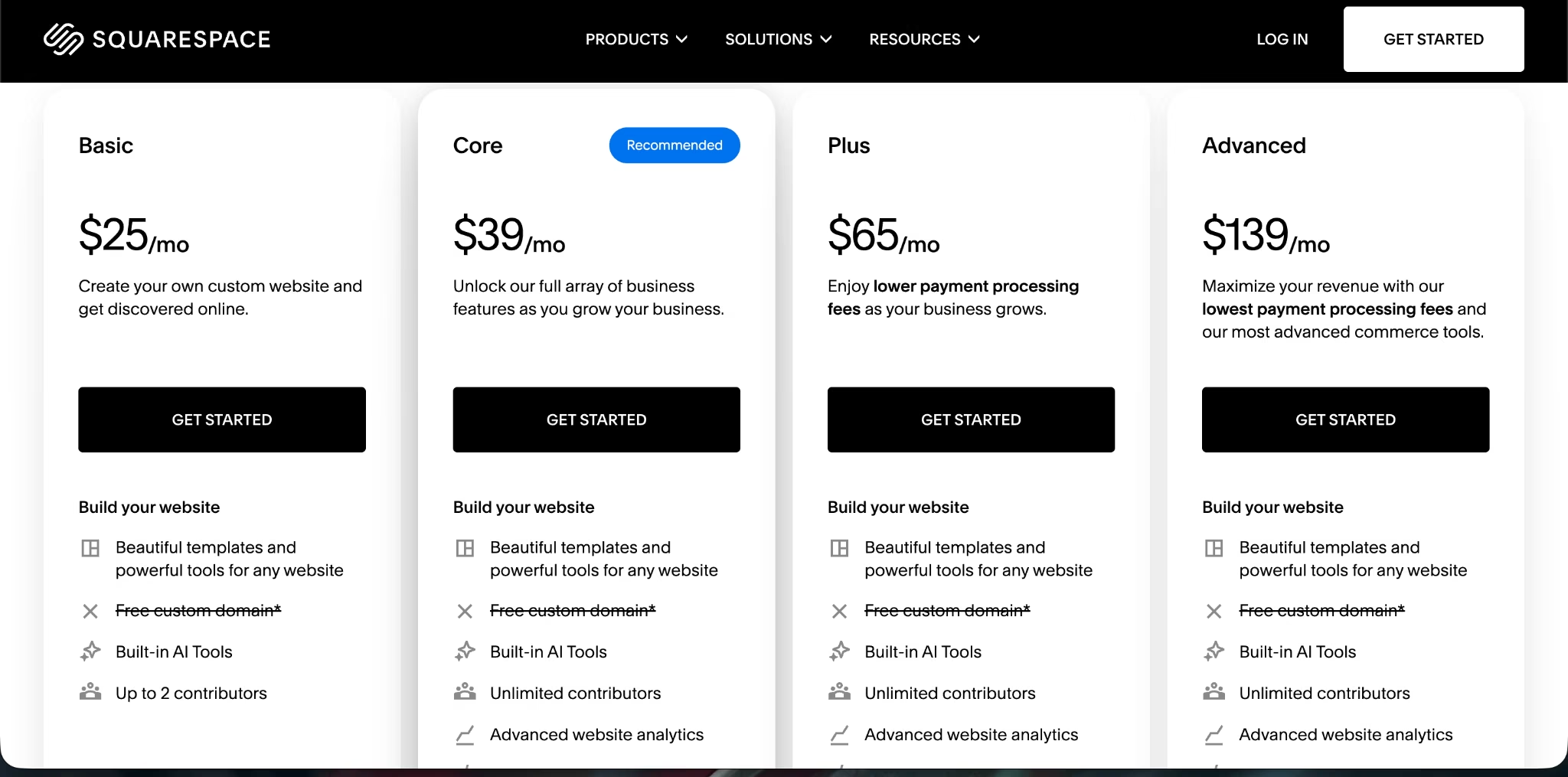
Squarespace has four standard website plans: Basic at $25/month ($19/month billed annually), Core at $39/month ($29/month billed annually), Plus at $65/month ($49/month billed annually), and Advanced at $139/month ($99/month billed annually). Squarespace has no free plan, but every site starts with a 14-day free trial.
Meet WordPress: Features And Highlights
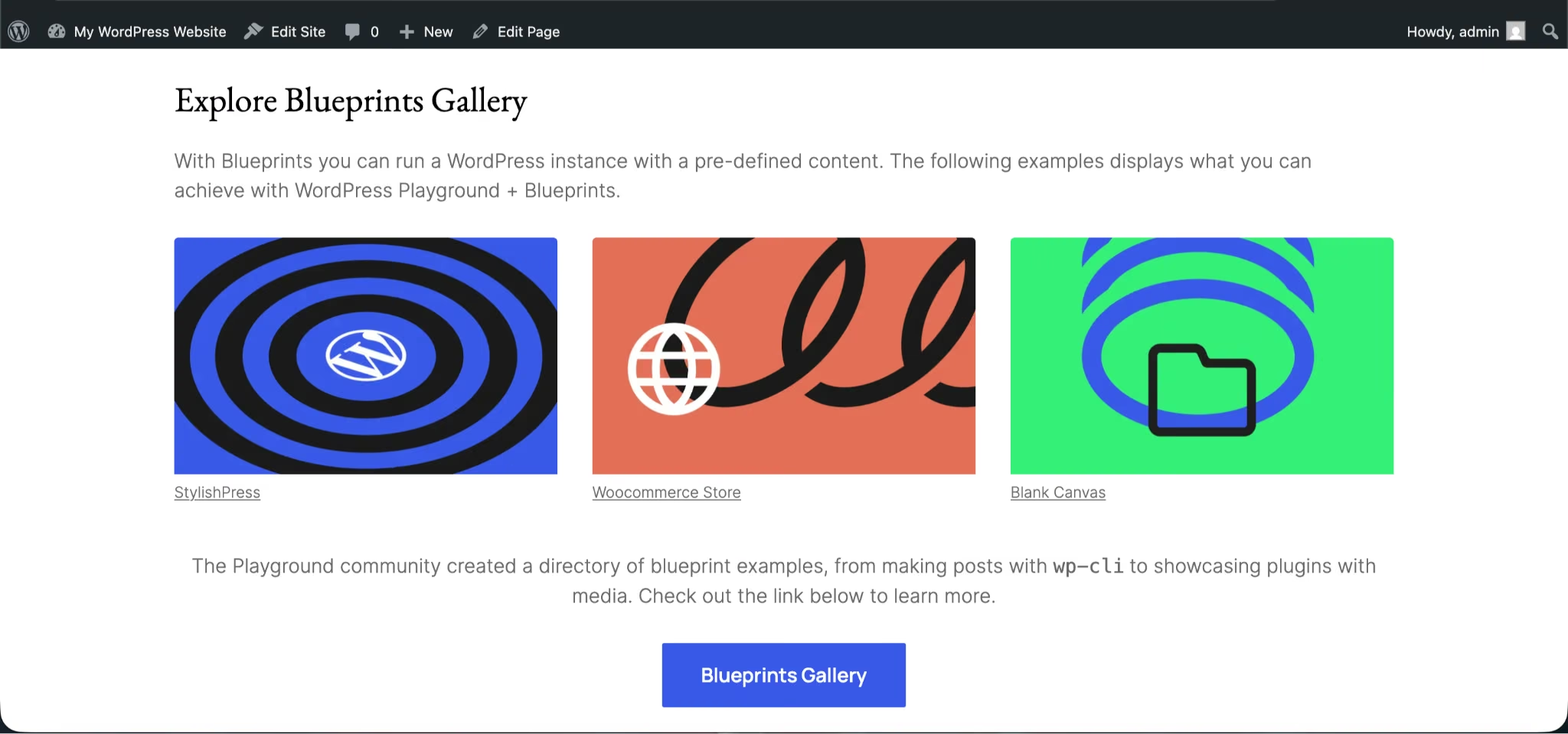
WordPress gives you more control, but you need to choose the right WordPress path.
WordPress.org is the free open-source content management system (CMS). A CMS is software that helps you create, organize, edit, and publish website content. With WordPress.org, you bring your own hosting, domain, theme, plugins, security setup, and maintenance workflow. WordPress.org has over 70,000 free plugins and roughly 15,000 free themes.
WordPress.com gives you a hosted version with plans, storage, support, and managed features. It also adds modern site-building options such as an AI website builder, premium themes, plugin access on eligible plans, backups, developer tools, and Commerce with WooCommerce support.
WordPress Pricing
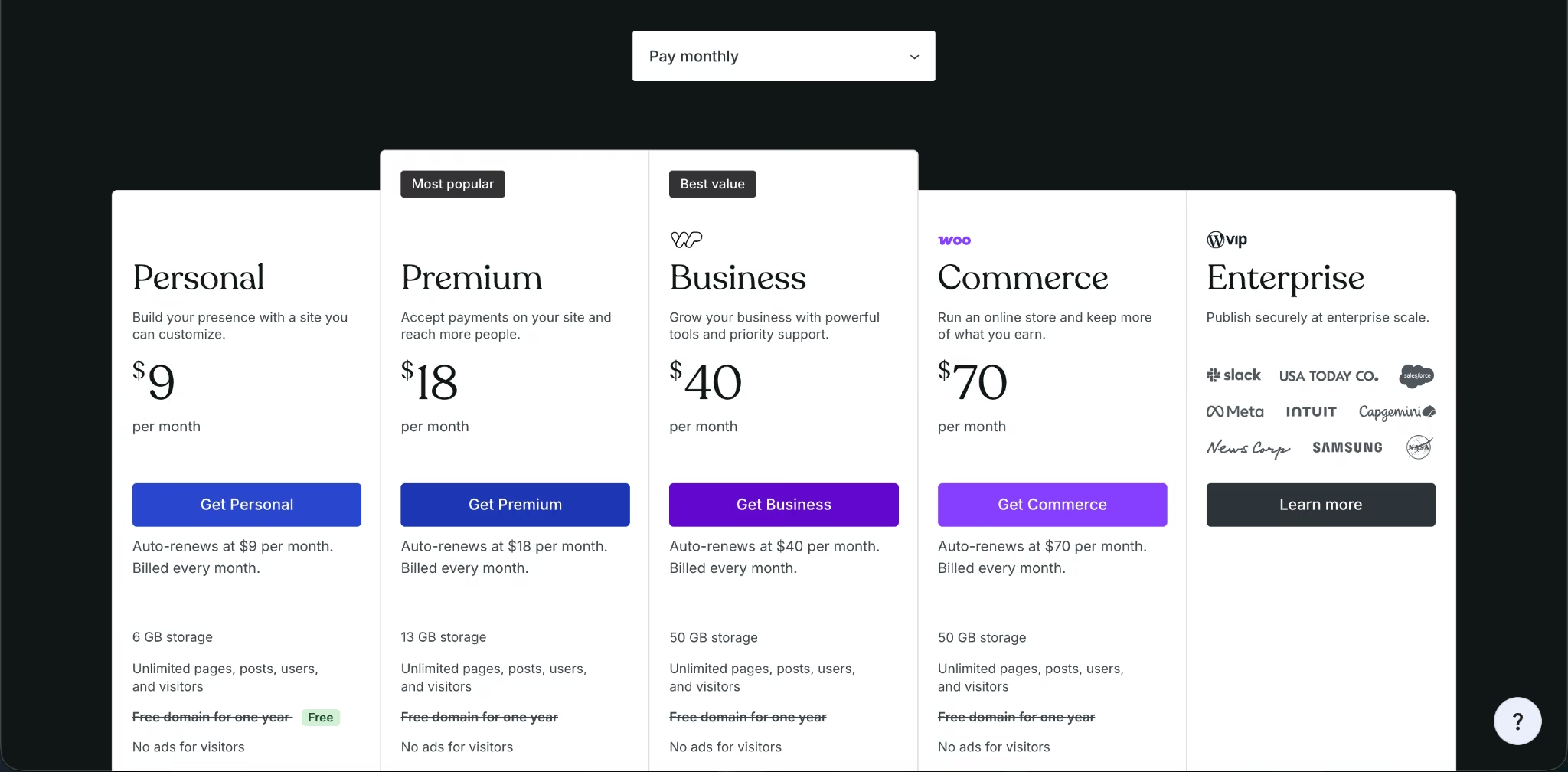
WordPress.org software is free, with hosting, domain, premium themes, premium plugins, and developer costs set by your providers. WordPress.com has Free, Personal: $9/month ($4/month billed annually), Premium: $18/month ($8/month billed annually).
Business: $40/month ($25/month billed annually), Commerce: $70/month ($45/month billed annually), and Enterprise through WordPress VIP with custom pricing.
Squarespace vs WordPress: Feature-By-Feature Comparison
Ease Of Setup And Maintenance
Squarespace wins for setup speed and low maintenance.
You don’t need to choose a host, install WordPress, configure a theme, pick security plugins, set up backups, or think about server updates. Squarespace’s website plan includes the editor, hosting, templates, SSL security, support, and website tools inside one product.
WordPress takes more setup because the best WordPress path depends on your host, theme, plugin choices, and maintenance habits. WordPress.com reduces that work, but self-hosted WordPress.org still gives you the highest ceiling.
Winner: Squarespace. Pick Squarespace when you need a clean business site live fast and don’t want platform maintenance in your weekly routine.
Design And Editing
Squarespace wins for polished design defaults. WordPress wins for deeper design control.
Squarespace gives you designer templates, Blueprint AI, drag-and-drop editing, mobile-optimized layouts, layout options, and built-in design guidance. That combination is ideal when you want the site to look professional before you touch a line of code.
WordPress gives you themes, block editing, layout patterns, and deep customization through plugins, child themes, custom code, and page builders. The tradeoff is time. You can make WordPress look like almost anything, but you need better decisions along the way.
Winner: Squarespace for non-designers. WordPress for custom design systems.
Squarespace and WordPress sit at opposite ends of this spectrum, but they aren't the only two options. Several of the best online website builders land somewhere in between.
Customization And Extensibility
WordPress wins customization by a wide margin.
WordPress.org has over 67,000 free plugins. That matters when your site needs forms, memberships, search engine optimization (SEO) tools, redirects, analytics, learning management, custom post types, multilingual content, advanced ecommerce, booking, gated content, or unusual workflows.
Squarespace supports built-in business features, extensions, code blocks, CSS editing, code injection, premium integrations, donations, pay links, invoices, memberships, and ecommerce tools. That’s enough for many service businesses, but it doesn’t match the WordPress plugin availability.
Winner: WordPress. Choose WordPress when your site needs features you can’t clearly map inside Squarespace before launch.
Both platforms assume the feature you need already exists as a plugin or an extension. When it doesn't, the choice becomes vibe coding or no-code, which is a different tradeoff entirely.
Blogging And Content Management
WordPress wins for serious publishing.
WordPress began as a publishing system, and that DNA still shows. If you’re building a blog, media site, resource library, affiliate site, documentation hub, or search-led content engine, WordPress gives you stronger content structure and plugin depth.
WordPress also has revision history, unlimited pages and posts on WordPress.com plans, visitor stats, plugin support on eligible plans, and site tools that fit content-heavy work.
Squarespace can absolutely run a blog. It fits creators and small businesses that publish occasionally and want the blog to live inside a polished brand site. But when content becomes your growth engine, WordPress is the better system.
Winner: WordPress. Use WordPress if publishing is core to your business model.
Ecommerce And Payments
Squarespace wins for simple selling. WordPress wins for custom ecommerce.
Squarespace covers the main selling jobs inside the platform: payments and point-of-sale, unlimited products and services, invoices and pay links, gift cards, subscriptions, courses, abandoned cart recovery, tax tools, and commerce APIs on higher plans.
WordPress ecommerce usually means WooCommerce. The official WordPress.org plugin directory describes WooCommerce as a tool for launching and growing an online store, with more than 7 million active installations. WordPress.com Commerce also includes ecommerce tools and a WooCommerce experience, with support for selling in 60+ countries and accepting 135+ currencies.
Winner: Squarespace for simple stores. WordPress for custom stores. Choose Squarespace for services, products, appointments, digital content, and smaller stores. Choose WordPress when your store needs custom checkout logic, unusual integrations, complex catalogs, or developer control.
Both options here predate the AI-first store builders now handling catalog setup and checkout flows automatically. Our roundup of the best AI ecommerce website builders covers where those fit.
Search Engine Optimization And AI Visibility
WordPress wins for advanced SEO. Squarespace wins for built-in SEO basics.
Squarespace includes SEO tools, search keyword analysis, default SEO and AI optimization page titles and descriptions, social share controls, and AI tools that can scan for missing content and generate SEO-friendly copy and image alt text.
WordPress gives you deeper SEO control through plugins, themes, custom code, schema plugins, redirects, custom content types, speed tools, and technical site structure. The WordPress.org plugin directory includes major SEO plugins such as Yoast SEO and SEOPress.
Winner: WordPress for advanced SEO. Squarespace for built-in basics. If you want to publish a good local business site, Squarespace gives you enough. If search is your main acquisition channel, WordPress gives you more room.
Ownership, Portability, And Long-Term Control
WordPress wins ownership and portability.
WordPress is open-source software under the GPL, which gives you the freedom to run, study, change, redistribute, and distribute modified versions of the software. That matters when you want control over hosting, code, content structure, and future migration.
Squarespace is a hosted platform. You get convenience because the platform handles hosting, security, support, editing, and built-in tools. The tradeoff is platform dependence. If you outgrow Squarespace, rebuilding parts of the site elsewhere can take real work, a concern that also appears in user discussions around this comparison.
Winner: WordPress. If long-term control is your top priority, choose WordPress.
Security And Support
Squarespace wins for hands-off security and support.
Squarespace includes SSL security, 24/7 customer support, hosting, platform infrastructure, and built-in website tools.
WordPress security depends on which version you choose. WordPress.com includes managed security features, support, backups on higher plans, and protection features through its hosted platform. WordPress.org gives you more control, but you’re responsible for choosing quality hosting, updating plugins, monitoring vulnerabilities, and keeping backups current.
Winner: Squarespace for hands-off site owners. WordPress for owners who want direct control.
What Real Users Are Saying
The real user split is consistent: Squarespace attracts people who want to stop tinkering, while WordPress attracts people who want control.
Squarespace
Pro: Squarespace helps you stop managing the website and get back to the business. In the Reddit thread, they moved from WordPress to Squarespace because WordPress kept pulling them into plugins, stylesheets, and site tweaking instead of content. That’s the strongest case for Squarespace: it limits how much you can fiddle, which is exactly what some site owners need.
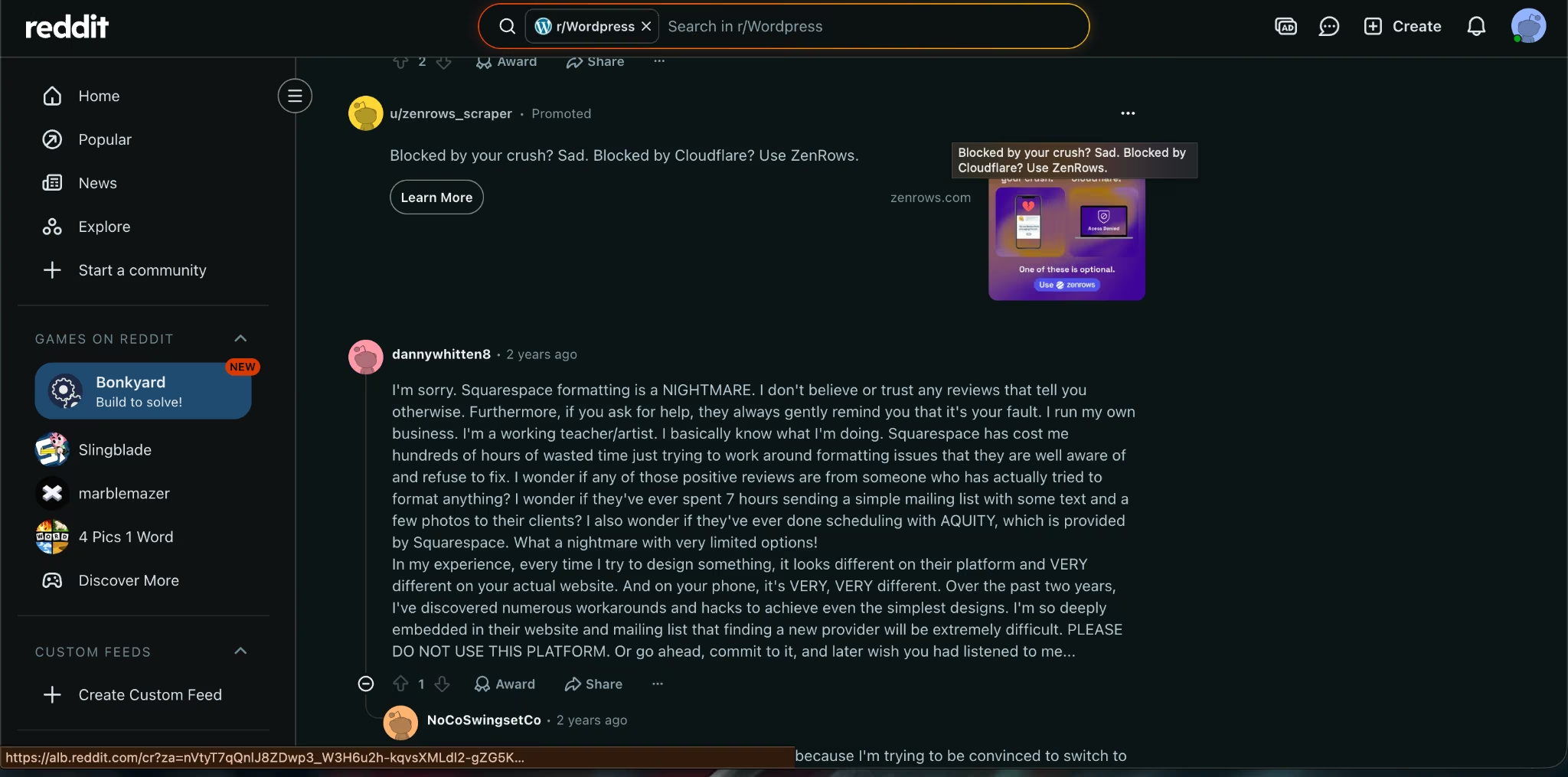
Con: Squarespace can feel limiting once you care about detailed formatting or portability. Another commenter complained about formatting differences between the editor, live site, and mobile view, and several commenters raised concerns about being tied to Squarespace’s hosted system.
WordPress
Pro: WordPress gives you more room to grow. The strongest WordPress-leaning comments focused on integrations, A/B testing, memberships, course content, backend access, and the size of the plugin library. If your site is going to change shape over time, that flexibility matters.
Con: WordPress can pull you into maintenance work. The same flexibility that makes WordPress powerful also creates more upkeep. One commenter described getting lost in plugins, stylesheets, and constant tweaking, while another pointed to update conflicts and support costs as a reason a smaller feature set can feel attractive.
That’s the decision in one sentence: Squarespace saves time now; WordPress protects optionality later.
How To Make Your Choice
Pick the platform based on the next two years, not the next two weeks.
Squarespace is the right answer when your website is mostly a public-facing business presence. WordPress is the right answer when your website is a long-term content, commerce, or software system.
Choose Squarespace If
Choose Squarespace if you need a beautiful site, basic selling tools, scheduling or invoicing support, a simple blog, and one platform handling the site foundation.
It’s the better pick when you’re a consultant, coach, real estate agent, local service provider, photographer, designer, restaurant owner, creator, or small store owner who wants to launch without a technical setup project.
Choose WordPress If
Choose WordPress if you care more about control than convenience.
It’s the better pick when you’re building a large blog, media site, affiliate site, membership site, course site, custom ecommerce store, content library, marketplace-style experience, or any site where plugins and code access will shape the business.
Choose Emergent If Your Website Needs To Become Software
Choose Emergent when your site needs working product logic behind it.
That means customer accounts, dashboards, bookings, payments, admin panels, internal workflows, lead routing, mobile apps, or a custom business tool. Emergent builds web and mobile apps through conversation, which puts it closer to vibe coding than a traditional drag-and-drop website builder. Its agent system helps design, build, test, and ship the app from one prompt-driven workflow.
This is where a service-business example fits: a Brooklyn real estate agent doesn’t just need a pretty property page. They need lead capture, showing requests, follow-up tracking, client notes, and maybe a private buyer portal. Squarespace can publish the public-facing site. WordPress can support the content and plugins.
Emergent is the better fit when that workflow should become a custom app instead of a pile of forms and plugins. Emergent’s own website-building guide frames this exact line: once a page needs bookings, payments, customer logins, or internal work, it becomes more than a static website.
My Verdict
For most service businesses, creators, consultants, and portfolios, Squarespace is the better starting point. It gets you online faster, keeps the setup simple, and bundles the pieces that usually slow non-technical site owners down.
For content-heavy sites, custom functionality, serious SEO, memberships, complex ecommerce, and long-term ownership, WordPress is the stronger platform. It asks more from you, but it gives more back when your site becomes central to the business.
For a website that needs to act like software, Emergent is the sharper third option. Don’t force Squarespace or WordPress to become a custom portal, app, dashboard, or workflow engine when what you need is software generation from the start.
Conclusion
Squarespace vs WordPress comes down to speed versus control.
Choose Squarespace when you need a polished website with fewer technical decisions. Choose WordPress when you want ownership, plugins, publishing depth, and room to customize. Choose Emergent when your website needs logins, payments, workflows, dashboards, or app-like behavior.
If the third option sounds unfamiliar, start with what vibe coding is before deciding whether Squarespace or WordPress is really your only choice.

Most AI app builders stop at prototypes. Emergent creates production-ready apps you can actually launch.
- Production-ready apps
- Web & mobile apps
- Deploy in minutes







