



Ask five people about Wix, and you'll get five different answers. One says it's the easiest way to get a small site live in a weekend. Another says the price crept up the moment they weren't paying attention.
Both are describing the same website builder. They're judging it at different points in owning it.
For this Wix review, I built a full nonprofit test site called Fernwood Community Exchange. It has skill-share workshops, a small digital-guides shop, and a donation page.
I kept it on a paid, month-to-month plan for roughly five weeks. I picked month-to-month on purpose, so I'd watch a real renewal happen firsthand.
This review covers what building on Wix felt like, and what it costs once you clear the free tier. It also covers what I found buried in the fine print on renewals, payments, and leaving.
What Is Wix?
Wix is a drag-and-drop website builder that lets you build and host a site without writing a line of code. Wix is a publicly traded company used by a large base of small businesses, creators, and nonprofits. That settles the 'is Wix legit' question before you even open the editor.
The free plan gets you a Wix-branded site to test the waters. Paid plans add a custom domain, more storage, and ecommerce.
Features
Wix packs a lot into one platform. Here's what you get, useful if you're sizing it up for your own project.
- Drag-and-drop editor: You place every element exactly where you want it, which gives you more creative control than a rigid, section-based builder. That control also makes spacing, alignment, and mobile layout your responsibility.
- AI site generator: Answer a few questions about your site's title and purpose, and Wix builds a starter site and a setup to-do list from that input. It's what produced the first version of my own test site, more on that below.
- App Market: Over 800 apps, Wix's own combined count of native and third-party tools, cover booking widgets, live chat, email marketing, and more. That's enough to bolt on extra functionality without any coding.
- Template library: Wix lists hundreds of templates, and that count shifts with updates; treat any specific number as a snapshot.
- Velo by Wix: A JavaScript-based development layer for custom logic and databases, built for people who already know how to code. It's an option if your project needs something the standard editor can't do, but it's not something a typical Wix user touches.
Two structural limits are worth knowing before you build past a handful of pages. Wix caps sites at 100 pages (blog posts don't count against that total). Its navigation menu also supports only one dropdown level under each main menu item, so deeply nested sub-menus aren't possible.
While building the site, Fernwood's six-page structure stayed below both limits. But a larger site would hit them fast. The mobile app also can't create new pages. You'll need a desktop browser or the AI editor for that.
Wix's SEO tools have come a long way from its older reputation as a weak SEO choice, too. Editable meta tags, canonical tags (which tell Google which version of a page to index), and Google Search Console integration are all built in.
Wix Pricing: What You Pay Each Month
Wix does have a free plan, and it's the one price Wix makes easy to find: no cost, but Wix branding, no custom domain, and no ecommerce at all. That's enough for testing the editor, well short of what a real launch needs.
A nonprofit selling even a handful of digital guides needs a paid tier from day one, so I ruled out Free for Fernwood within the first few minutes. Picking a paid tier is where Wix got harder to pin down.
Every time I tried to compare monthly prices, Wix routed me into its sign-in flow first. The public plans page shows only the annual rate; the real month-to-month figure surfaces once you're signed in and picking a plan to buy.
Here's what each paid tier includes, and what it costs both ways:
- Light: $24/month ($17/month, billed annually). A custom domain, no Wix branding, and more storage than Free.
- Core: $36/month ($29/month, billed annually). Everything in Light, plus Wix's ecommerce tools.
- Business: $46/month ($39/month, billed annually). Everything in Core, plus Standard eCommerce and more storage.
- Business Elite: $172/month ($159/month, billed annually). Everything in Business, plus Advanced eCommerce, Wix's highest storage tier, and priority support.
Wix also sells two-year and three-year prepay options at a steeper discount past the annual rate, and layers limited-time sale pricing on top of all of it, so the exact figure moves.
If you pick monthly to stay flexible, know that it skips the free domain every other billing cycle bundles in. Check Wix’s official site for the current rate.
Whatever tier you land on, no plan is exempt from a separate per-transaction fee through Wix Payments. It runs 2.9% of the transaction amount plus $0.30 USD per US-card transaction (American Express runs higher, at 3.7% + $0.30). That fee applies every time a guide sells, or a donation comes through, on top of your monthly plan cost. Build that into your margin now, before you price anything.
Want the full breakdown of what each plan actually covers? Read our Wix pricing guide before you commit to a tier.
What Real Users Are Saying
Pros
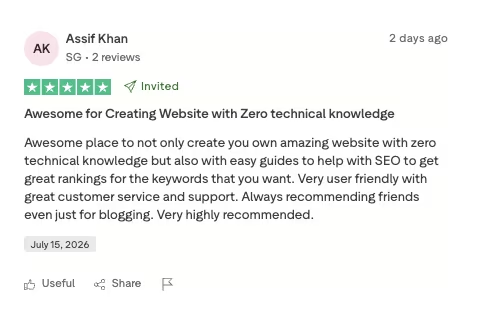
“Awesome place to not only create your own amazing website with zero technical knowledge but also with easy guides to help with SEO to get great rankings for the keywords that you want.” - Assif Khan, Trustpilot
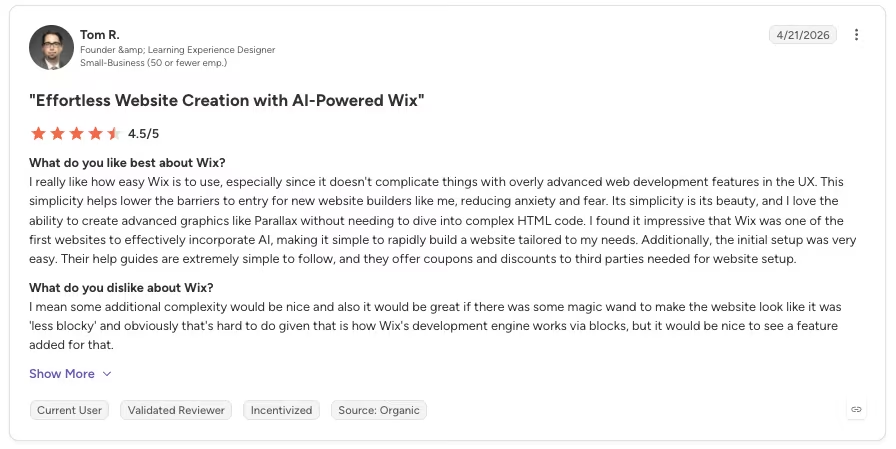
“I really like how easy Wix is to use, especially since it doesn't complicate things with overly advanced web development features in the UX. This simplicity helps lower the barriers to entry for new website builders like me, reducing anxiety and fear.” - Tom R., G2
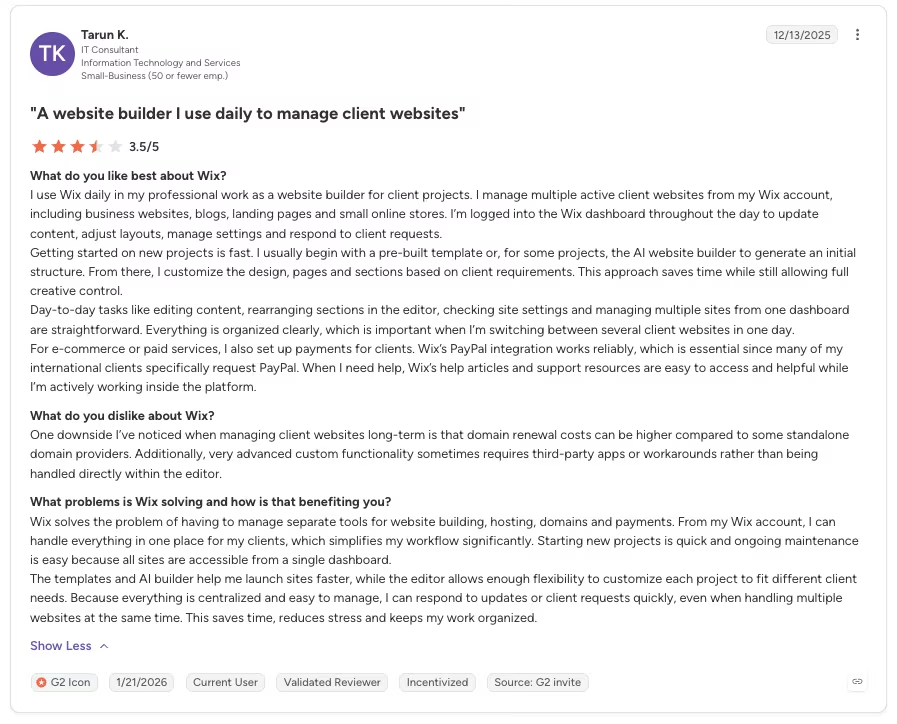
“Getting started on new projects is fast. I usually begin with a pre-built template or, for some projects, the AI website builder to generate an initial structure. From there, I customize the design, pages and sections based on client requirements. This approach saves time while still allowing full creative control.” - Tarun K., G2
Cons
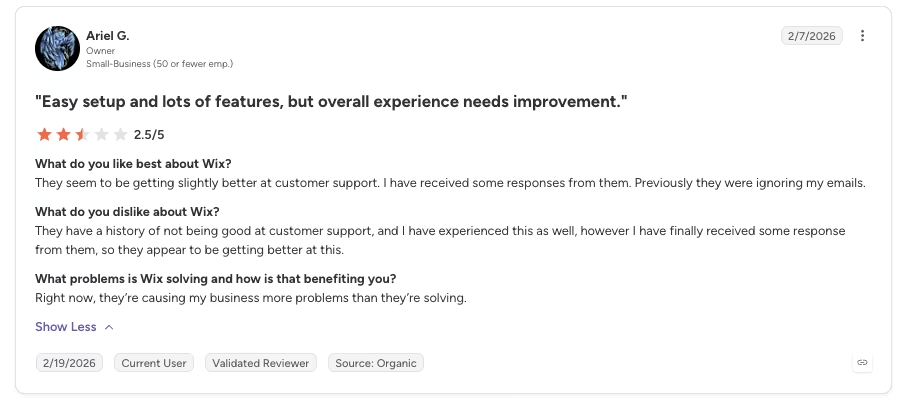
“They have a history of not being good at customer support, and I have experienced this as well, however I have finally received some response from them, so they appear to be getting better at this.“ - Ariel G., G2
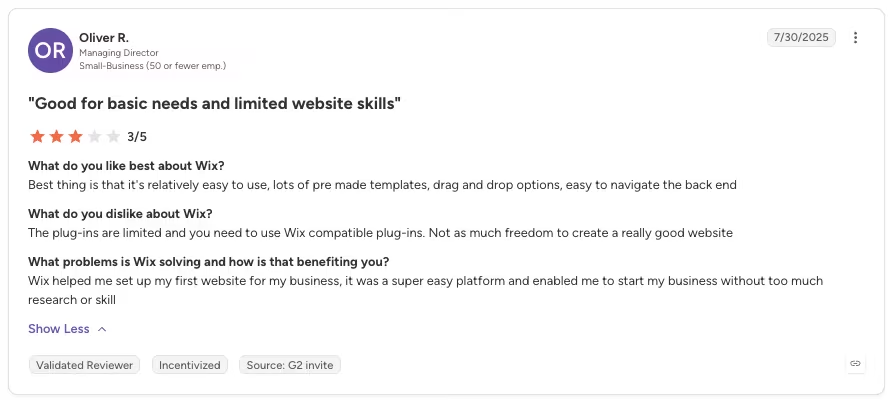
“The plug-ins are limited and you need to use Wix compatible plug-ins. Not as much freedom to create a really good website” - Oliver R., G2
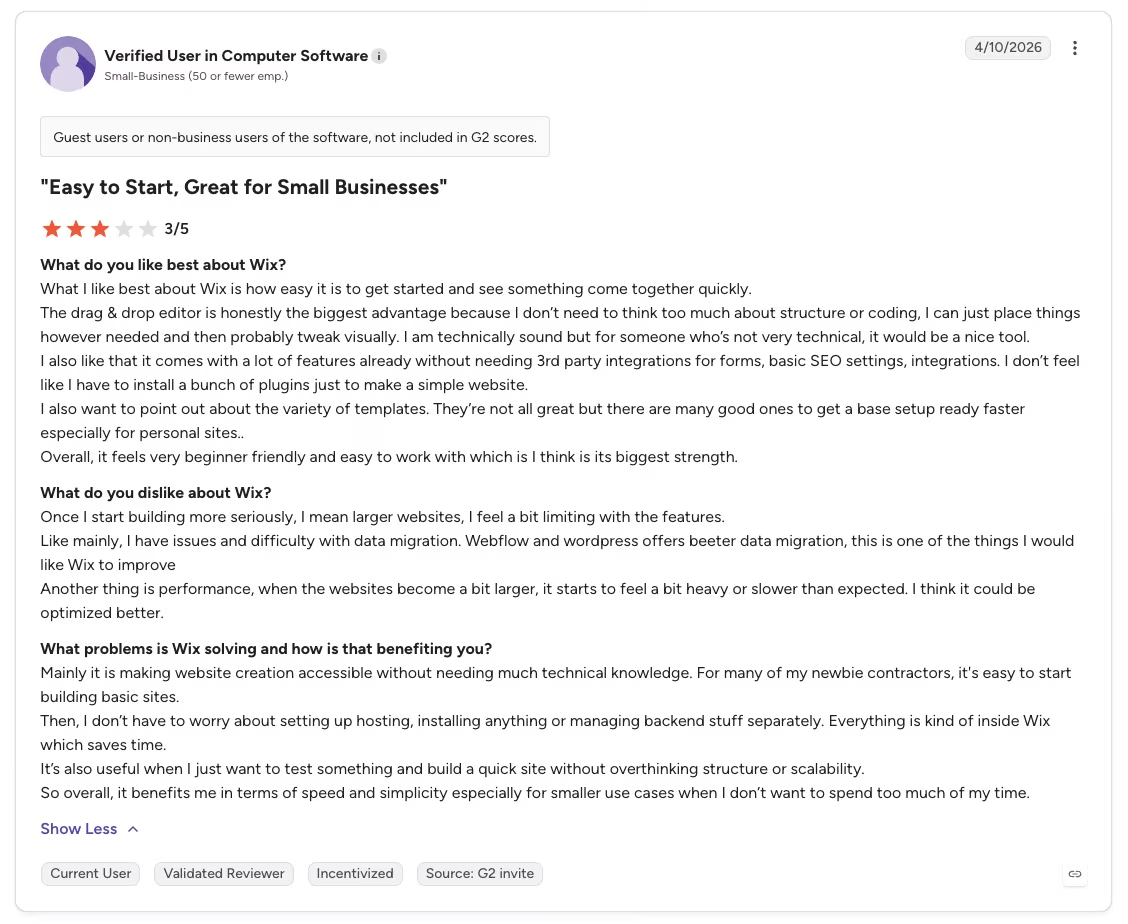
“Once I start building more seriously, I mean larger websites, I feel a bit limiting with the features. Like mainly, I have issues and difficulty with data migration. Webflow and WordPress offers [sic] better data migration — this is one of the things I would like Wix to improve.” - Anonymous, G2
How I Tested Wix
I tested Wix by building a full site for a hypothetical project I called Fernwood Community Exchange. It's a neighborhood group that runs free monthly skill-share workshops, covering things like budgeting basics, container gardening, and simple home repairs.
Fernwood also sells a small library of downloadable how-to guides to help cover costs. This is an experiment I ran purely to test Wix. There's no real client and no real nonprofit behind it, only a build made to try the tool.
Signing up dropped me straight into Wix's AI site generator, which asks for your site's title and its purpose before it builds anything. I typed in exactly this:
Title: "Fernwood Community Exchange" Purpose: "We host free monthly skill-share workshops for neighbors and sell a small library of downloadable how-to guides to help cover our costs."
From that, Wix generated six starter pages and a setup to-do list in under a minute. The nonprofit tone came through right away in the name and the overall copy voice.
The specific idea of "workshops" got flattened into generic donation-page language I had to rewrite by hand. I also couldn't tell right away, for the better part of an hour, whether I'd landed in the newer AI-first editor or the older Classic one.
Once I had real pages to work with, building the Events page for monthly workshop RSVPs moved fast. Styling the RSVP widget took about 40 minutes, mostly spacing and font tweaks so it didn't look bolted on.
Then I tested it the way a visitor would. I ran through the RSVP flow in Wix's preview mode, start to finish. It worked cleanly, with no broken links and no confusing steps, which told me more than staring at the dashboard ever would have.
My Personal Take on Wix
Connecting Wix Payments to handle the guide sales and donations is where the tone shifted. The setup flow covers identity verification, and I went through every disclosure screen carefully.
One disclosure is worth reading slowly: Wix can hold funds or apply a reserve on new or higher-risk accounts. That's standard language for a payment processor, but the hold-and-reserve clause deserves a closer look.
Setup also surfaced the same per-transaction fee covered in the pricing section above.
I never triggered a hold myself, since I never took Fernwood live to run real sales. But the disclosure sits right there in plain view before you connect a payout method.
Template lock-in was the clearest drawback I found. Wix won't let you swap templates in place. More on what that costs you when you leave, below.
Wix earns its reputation as an easy platform to launch on. I wouldn't hesitate to recommend it for a straightforward site like Fernwood's.
What Renewing, Getting Paid, and Leaving Wix Involves
I checked Wix's own published auto-renewal policy before confirming Fernwood's plan. Monthly plans renew automatically, but you can turn off auto-renewal manually in your account settings.
I picked a month-to-month plan over an annual one so I could see the renewal cycle for myself. Over roughly five weeks, it renewed automatically once at the same starting price.
That's a narrow result. I watched a single renewal cycle, well short of a full annual one, and one clean charge doesn't prove pricing never changes.
My limited test still shows renewal is automatic and easy to miss if you're not expecting the charge. The real terms live at checkout, while the page that sold you the plan leaves them out.
Wix Payments deserves a separate read from how you feel about the page editor. Liking the builder doesn't tell you anything about the processor sitting underneath it.
The per-transaction fee also stacks on top of your monthly plan cost.
The clearest finding came from trying to leave. Near the end of the test, I attempted to export Fernwood's content to see what leaving Wix would require.
Text and images export cleanly. The template, the layout, and how the pages connect to each other don't come with them. That's the part you'd have to recreate yourself.
There's no built-in tool that moves a working Wix site to another host, and not even one between Wix's own editors. Moving from the Classic Editor to Wix Studio means starting over there too.
If you ever plan to leave Wix, budget for that work. A quick export won't get you there.
Wix Customer Support: What Contacting Wix Involves
That reserve clause raised an obvious follow-up: if a hold ever landed on a small nonprofit, how fast could a real person help?
I didn't put in a support ticket to find out. Fernwood never had a reason to. But Wix leans hard on '24/7 support' in its own marketing, so I checked what that phrase actually covers.
The answer is narrower than the marketing suggests, though not for the channel I expected. Wix's own Help Center states that live chat for English-speaking users runs Monday through Friday, 2 a.m. to 6 p.m. Eastern, a 16-hour weekday window that falls short of round-the-clock coverage.
Phone callback, by contrast, is available 24/7 for English speakers. Email support exists in every supported language, with no response-time commitment stated anywhere on the page. None of the three channels carries a fee, on any plan.
My take is that Wix's support setup is fine for the small donation questions Fernwood ever needed answered. I wouldn't want to be an ecommerce store with an active payment reserve on a Saturday, when live chat is dark until Monday, and a phone callback is your only way in.
By channel, that breaks down to:
- Live chat: Bot-first triage, human escalation on request, Monday through Friday, two a.m. to six p.m. Eastern for English.
- Phone: Callback only, no inbound number, available 24/7 for English.
- Email: Available in every supported language, no stated response-time commitment.
- Priority support: Reserved for the Business Elite tier, the same plan named in the pricing breakdown above.
Is Wix Right for You?
Who will love it:
- Portfolios and simple brochure sites that need to look good fast
- Nonprofit and community groups running events, fundraising, or simple content sales (Fernwood's own use case)
- Coaching, consulting, and service businesses that want a professional site without hiring a developer
- Events and appointment-based businesses
- Creators selling a small run of courses or digital downloads
- Small shops with a simple, uncomplicated catalog
Who should avoid it:
- Sellers planning to scale ecommerce well past a small catalog
- Anyone who wants the freedom to switch templates or hosts without starting over
- A business that can't absorb a renewal-price surprise without checking the checkout terms first
- Anyone who needs a guaranteed, low-friction way off the platform later
The dividing line runs right through what this test found. The renewal disclosure and the migration attempt are exactly where those two lists split.
Also read our best Wix alternatives guide for platforms that give you a cleaner exit path and fewer renewal surprises.
The Best Wix Alternative: Emergent
Wix is built for one job, and it does that job well. It's a fast, polished website you fill in with a template and an editor. Once your project needs actual logic, its own booking rules, or somewhere to store and manage customer data, that's a different kind of build. That holds true no matter how good the page editor is.
That's the gap Emergent is built to fill. Wix gives you pages and widgets to arrange inside a template. Emergent starts from a different place.
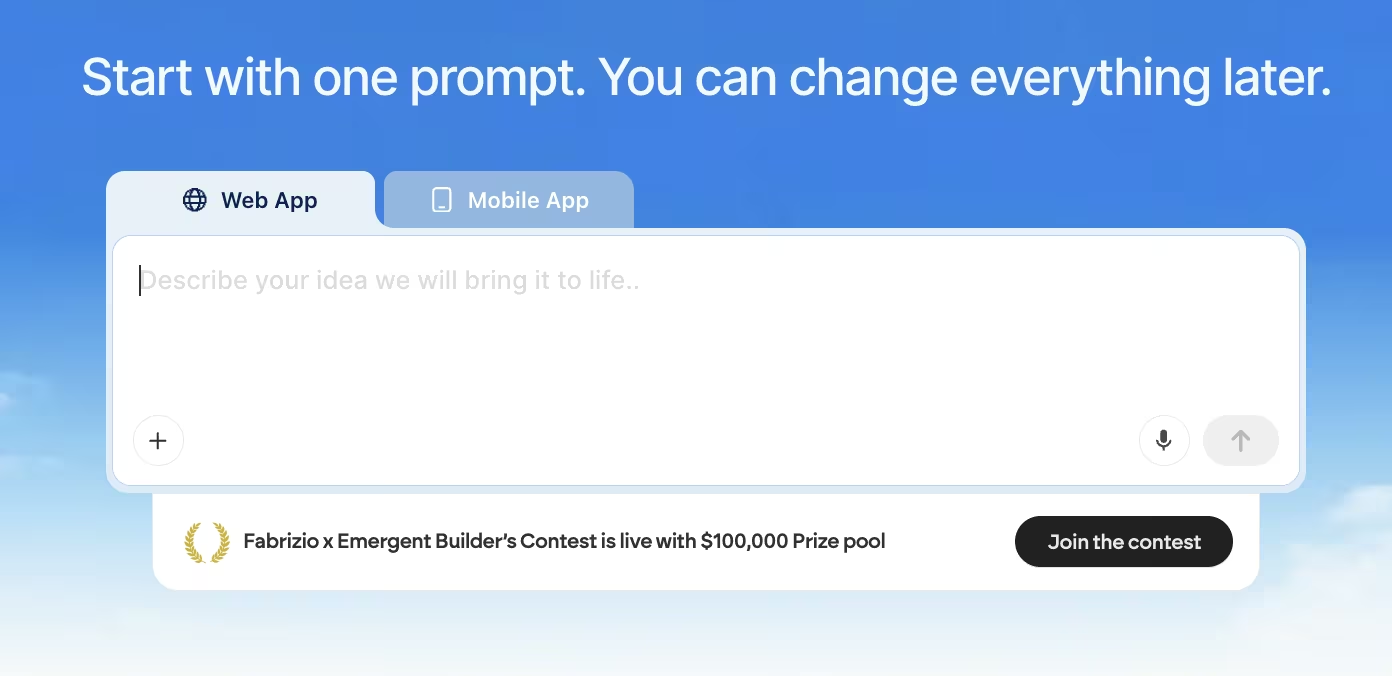
You describe the app you want, whether that's a booking system with your own scheduling rules or a member dashboard with logins. A system of agents scopes it, builds the whole thing end to end, and tests it before handing it back.
Emergent won't beat Wix at Wix's own job. If you need a marketing site or a brochure page live by this afternoon, a page builder is still the faster, simpler path.
Wix vs. Emergent Pricing and Use Cases
The two platforms also price the gap between them differently. Emergent's free tier includes 10 monthly credits, enough to describe and generate a first working version of an app, database included, at no cost. Its Standard tier runs $20/month ($17/month, billed annually) and adds GitHub integration and exportable code. No Wix tier offers either.
Wix, by contrast, charges nothing extra for logic its standard editor was never built to handle. That kind of work sits outside what the page editor does.
Fernwood's own RSVP-only events setup is a good example of the ceiling. It's a "sign up for a workshop" flow, simple by design. Once you need it to become "manage recurring memberships with their own rules and a real dashboard," it outgrows what any page builder can do, Wix included.
If your project is still a website, Wix is a reasonable place to start. If it's turning into something with its own logic and its own data, that's worth testing on Emergent instead.
Describe that first version and see what Emergent builds from it, free to start.
Final Verdict
For a brochure, nonprofit, or events project that needs to look sharp and launch fast, Wix lives up to its reputation.
If you want a platform where the renewal terms, payment setup, and exit path won't catch you off guard, read the fine print. Do it before you commit. The ease that makes Wix so easy to love on day one didn't hold up once I tested what came after launch.

Emergent designs, writes, and publishes your whole site from one prompt. No templates, no drag-and-drop.
- Full site from one prompt
- Custom design, real pages
- Publish in minutes







