




TL;DR
- The core difference: A template hands you a design to fill in. A generator writes a new one from your description.
- Templates are stronger on: Predictability. You see the layout up front, and the structure is road-tested.
- Generators are stronger on: Sites that work for a living, like taking bookings, holding customer logins, or charting spreadsheet data.
- The cost templates hide: Some platforms won't let you swap templates after launch, so changing the structure means starting over.
- The cost AI hides: The first output is unfinished. Copy, mobile layout, and accessibility still need a human pass.
- How to choose: Count what the site must do besides display information. Zero means a template. Anything visitors submit, pay for, or log into means a generator.
Open a website builder today, and it asks you one thing before you've typed a word. Do you want to pick a template, or describe the site in a sentence and let the software draw it?
That's the AI website generator vs templates decision, and it gets sold as the old way against the new way. I built the same small site both ways for this piece. One prompt gave me a complete site to react to, while the template gave me a layout and a long list of fields to fill in.
Four differences decide the outcome, and the platforms' own pages on libraries, limits, and pricing settle each one.
What Is an AI Website Generator?
An AI website generator is software that turns a written description into a finished website. You type what the site is for, and it produces the pages, styling, navigation, and starter copy in one pass.
From there, it's a conversation. The generator asks a few questions, builds a first version, and you refine it by describing changes in plain language.
This is the mainstream face of vibe coding. The category grew from $3.51 billion in 2025 to $4.19 billion in 2026, and The Business Research Company projects 19.9% annual growth to $8.66 billion by 2030.
Also read our best AI website builders guide for what else is worth trying across the growing field of prompt-driven site builders.
What Is a Website Template Builder?
A website template builder gives you a ready-made design and asks you to swap in your own text and images. Someone else made the layout decisions and shipped them as a starting point you preview first.
The libraries are enormous. The WordPress theme directory lists more than 8,500 free themes as of August 2026, and Wix has 2,000+ designer-made templates. Whatever you sell, somebody has designed a site for a business like yours.
Templates also dominate the live web. WordPress alone powers 40.7% of all websites tracked by W3Techs, with Wix at 4.2% and Squarespace at 2.5% as of September 2026.
AI Website Generator vs Templates: At a Glance
Six aspects separate an AI generator from a template builder. The four in bold decide your call, and the other two rarely change the answer:
| Aspect | AI website generator | Template builder |
|---|---|---|
| Starting point | A sentence you write | A layout you pick |
| What you see first | A first draft | The full design |
| Changing it later | You describe the change | You edit blocks by hand |
| Beyond static pages | Part of the prompt | Add-ons and plugins |
| Main design risk | Generic output | Look-alike sites |
| What you keep | Exportable code (some tools) | Content only |
Website Template vs AI: Where the Two Approaches Differ
The line has blurred. Wix now offers AI site generation alongside its template library, so you'll often meet this choice inside one product. Visual builders sit between the two: every element is placed on a blank canvas by hand.
Speed isn't one of the differences. Both get you to something viewable in a single sitting.
These four differences do the work:
Certainty Before You Commit
A template is a promise you can inspect. You open the demo and decide, and on my template build there were no surprises. A generator asks you to commit first and judge second. My first generated draft came back tailored to the brand, with captions that matched the theme, but every run comes out different, so you don't know what's coming until it lands.
If you can't yet tell a good layout from a bad one, picking from a curated gallery beats describing one and hoping.
The Cost of a Later Change
Templates are cheap to edit and expensive to replace. Squarespace doesn't let you switch templates in version 7.1.
You can restyle colors, fonts, and section layouts, but the template never comes out from under the site, so a structural redesign means rebuilding.
Generators flip that cost. When I asked for a new showcase section, the generator added it in about five minutes. The template didn't include one, and I put the same job at around five hours by hand.
The catch is that a regeneration can quietly alter something you liked, so re-check the page after.
Jobs Beyond Displaying Pages
Template builders display information. The moment you want a booking flow, a member area, or a mailing list, you enter the add-on market. On my template build, I connected Mailchimp, SEOSpace, and Printful. None of them charged me, but each came with its own account, its own settings screen, and its own moving parts to line up.
App-building generators treat those as part of the same request. Ask for a booking page with a payment step, and you get one, wired up, from the prompt that made the homepage. That's irrelevant on a brochure site, but it decides everything once visitors start submitting forms.
Ownership of the Code
You stay inside the platform with a template, and for plenty of owners that's the appeal. Somebody else owns the code, so there's nothing to patch and nothing to hand over. Your text travels if you leave, but the design and add-ons stay put.
Some AI app-building platforms, Emergent included, hand you the underlying code to export. That decides whether hiring a developer in year two is a clean handover or a full migration.
When a Template Builder Is the Better Choice
Templates are the right call more often than AI marketing suggests, and a marketing site is the clearest case. For a few pages describing the business, a template builder beats anything that generates code on price.
Four situations favor a template builder:
- Your site is five to seven pages of information, and that's the entire job.
- You'd rather browse a gallery than write a brief, and you want the design settled before you spend a weekend on it.
- Weekly updates are text-and-image swaps that take five minutes in the editor.
- A flat monthly fee suits you better than buying credits per build.
One caution on popularity. The Astra theme has more than 1 million active installations, so a stock template with light edits can end up matching a competitor's site.
When an AI Website Generator Is the Better Choice
A generator earns its place when visitors do more than read. Four signs you want an AI website generator:
- Visitors sign in or pay. A client portal, an inventory count that updates, or an application form that scores what comes in.
- Nothing in the gallery fits, because your business doesn't sit in a standard category.
- You expect the site to keep changing, and typing the change beats hunting for the setting.
- You want the code at the end, so a developer can take it over as-is.
Small teams land here the first time a contact form stops being enough. Emergent's roundups of the best AI website builders for beginners and AI website builders for small businesses cover which tools go furthest past a brochure site.
What Both Routes Still Get Wrong
Neither hands you a finished website, and the accessibility numbers make that concrete. WebAIM's February 2026 scan of 1 million home pages found detectable failures against the accessibility standard on 95.9% of them, and the average page carried 56.1 errors.
Platform choice moves the error count without solving it. Squarespace pages averaged 33.0 errors and Wix 33.3, better than WordPress at 52.8 but well short of clean. Polish and accessibility are separate problems.
Search works the same way. Google's spam policies target scaled content abuse, which covers pages generated in volume with no value behind them. Building one site with AI stays well clear of that policy. Thin copy is a copy problem on either platform.
Either way, the last mile is yours. On my template build, I found generic labels I'd forgotten to swap after I thought it was done. Read the copy, test the mobile view, and run an accessibility scan.
Where Each Approach Belongs
The AI website generator vs templates question is a proxy for another: how much your site has to do after launch. Displaying information is a solved problem, and templates got there a decade ago at a price that's hard to beat.
Past that point, a template usually means plugin shopping, while a generator turns the same need into one more sentence in the prompt. Neither is automatic, and you still have to check what comes back.
Sketch the year-two feature list first, then pick the route that already covers it.
Emergent Turns Your Description Into a Working Website
If your site has to take bookings, logins, or payments, Emergent is built for it.
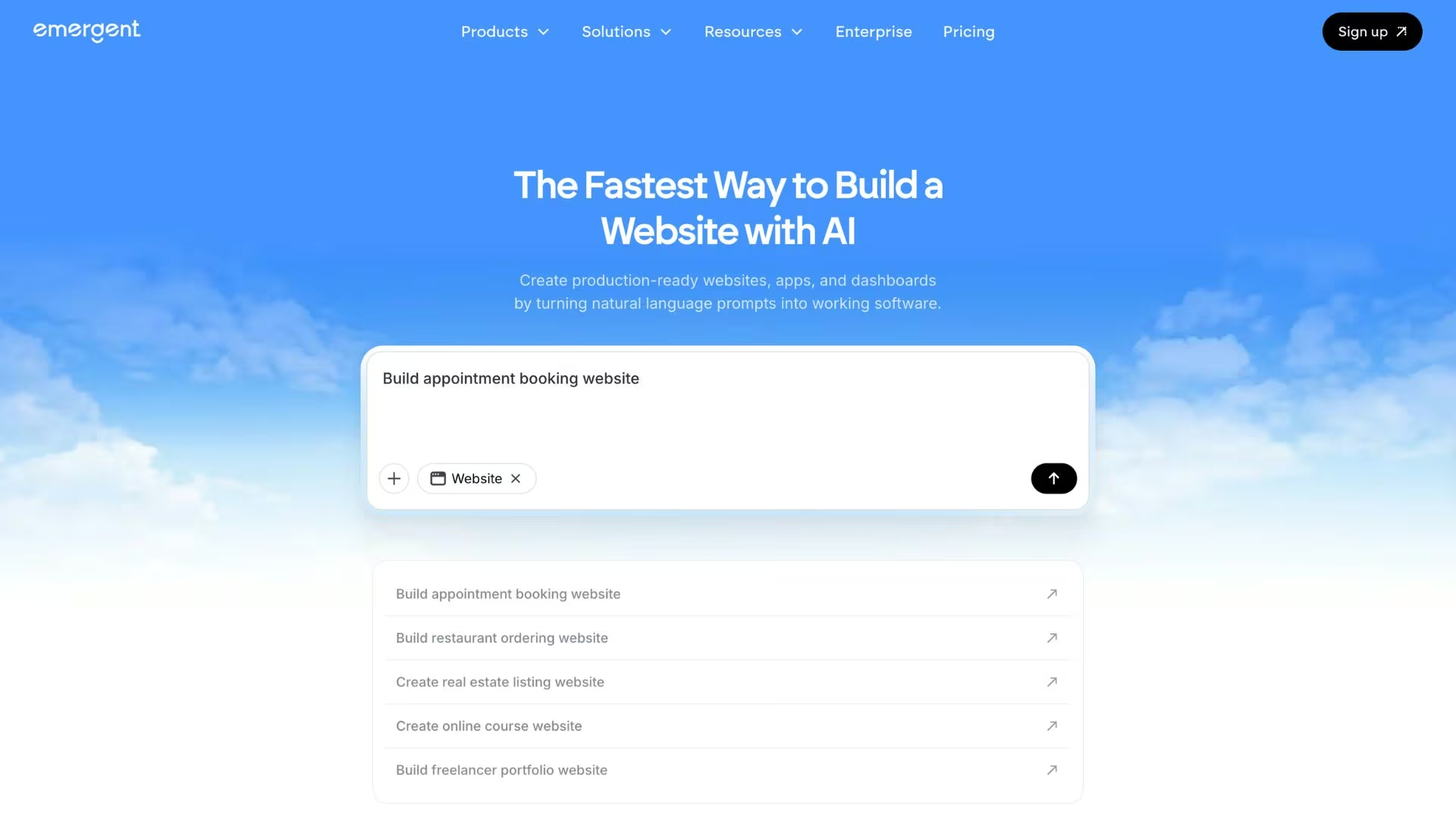
It's an AI app-building platform made for vibe coding, so you describe the site, and it builds the screens and the data behind them.
- Describe the site once and get something that works: Emergent's AI website builder reads a plain-English brief, asks what it needs, then builds the site. Bookings, charts, forms, and customer sign-ins come out of that same prompt, so the add-on shopping never starts.
- Change it by asking: Describe the edit, and Emergent's agents rewrite that part of the site, then check that the whole flow still works.
- Get unstuck without leaving the build: Emmy is a free chat assistant built into every Emergent page in your browser. She turns a rough idea into a build-ready prompt and answers questions mid-build without spending credits.
- Click Deploy, then attach your own address: Roughly 10 to 15 minutes later, the site is live on an emergent.host address. From there, buy a custom domain through IONOS, the registrar built into Emergent, or point one you already own at it.
- Keep the code: You own what gets built, and from the Standard plan up you can sync it to your own GitHub account. Bringing in a developer later starts from your files.
- Start without paying: The free plan includes 10 monthly credits, enough to start a site and judge the output, though credits stretch further on a few pages than on a full business site.
Try building your first site on Emergent.

Most AI app builders stop at prototypes. Emergent creates production-ready apps you can actually launch.
- Production-ready apps
- Web & mobile apps
- Deploy in minutes







