




GitHub Copilot is a strong default, but it starts to feel limiting the moment you want a different editor, a terminal-first workflow, or stricter data controls.
After comparing the closest GitHub Copilot alternatives, I’d pick Cursor for an AI-native editor, Claude Code for terminal-first repo work, and Codex for coding inside ChatGPT. I also kept Devin Desktop and Tabnine on this list because each one solves a real Copilot pain point: agent control, AWS workflows, or privacy-heavy development.
TL;DR
- Choose Cursor if: You want an AI-first coding editor with agents, completions, chat, cloud agents, and a VS Code-like workflow. It's not the best fit when your company won't allow a new editor.
- Choose Claude Code if: You want a terminal-native agent that can read your codebase, edit files, run commands, and help with commits or pull requests. It's less beginner-friendly than editor-based tools.
- Choose Codex if: You already use ChatGPT and want the same coding agent across web, CLI, IDE, and mobile surfaces. Usage limits vary by plan, so heavy agent work may push you into higher tiers.
- Choose Devin Desktop if: You want an IDE for coordinating multiple coding agents, including local and cloud agents. It's still a bigger workflow shift than adding an extension.
- Choose Tabnine if: Privacy, code control, and deployment flexibility matter more than having the flashiest agent interface.
Stick with GitHub Copilot if: You already live in GitHub, VS Code, JetBrains, or Visual Studio and want the most familiar AI coding assistant with broad editor support. GitHub lists support for GitHub, Visual Studio, VS Code, Xcode, JetBrains, Neovim, Eclipse, and Raycast.
How I Tested These GitHub Copilot Alternatives
I tested each GitHub Copilot alternative against the same three coding tasks: adding a small dashboard feature, fixing a broken API flow, and refactoring a messy component without breaking the build. I looked at how well each tool understood the existing repo, how cleanly it edited multiple files, whether it could explain or run tests, and how much manual cleanup I needed after the first pass.
I also looked at tools that came up often in the SERP, including Gemini Code Assist, JetBrains AI, Sourcegraph Cody, Continue.dev, Cline, and Aider. I kept the main list focused on the six tools that felt closest to GitHub Copilot for everyday coding, then covered the free and open-source sub-intent in the FAQ.
5 Best GitHub Copilot Alternatives: At a Glance
| Platform | Best for | Starting price | Best reason to switch |
|---|---|---|---|
| Cursor | AI-native coding editor | Free; Individual $20/month | Strong IDE-native agent workflow |
| Claude Code | Terminal-first coding agent | Pro $20/month ($17/month billed annually) | Deep codebase reasoning from the terminal |
| OpenAI Codex | ChatGPT-native coding workflows | Free; Go $8/month; Plus $20/month | Coding agent across web, CLI, IDE, and app |
| Devin Desktop | Managing multiple coding agents | Free; Pro $20/month | Local and cloud agents inside one editor |
| Tabnine | Privacy-focused teams | Monthly pricing not publicly listed ($39/user/month billed annually) | Private, controlled AI coding with deployment options |
Why Look for GitHub Copilot Alternatives?
GitHub Copilot covers the widest surface area here: it supports model choice, agent workflows, IDE integrations, GitHub-native workflows, CLI usage, chat apps, and custom Model Context Protocol (MCP) servers.
But the best GitHub Copilot alternative depends on what feels limiting.
You may want a coding-first editor. Copilot fits into your editor. Cursor replaces the editor with one built around AI from the start.
You may want a terminal-native agent. Claude Code is built for developers who prefer to ask an agent to inspect a repo, edit files, run commands, and create pull requests from the terminal.
You may want more control over agents. Devin Desktop is now the new name for Windsurf, and its pitch is a full IDE where you can manage local and cloud coding agents.
You may need stricter privacy controls. GitHub Copilot’s Free, Pro, and Pro+ code snippets may be used for product improvements unless you opt out. Some teams prefer tools like Tabnine, which doesn’t train on customer code, retains no code, and supports private deployment options.
The 5 Best GitHub Copilot Alternatives
1. Cursor
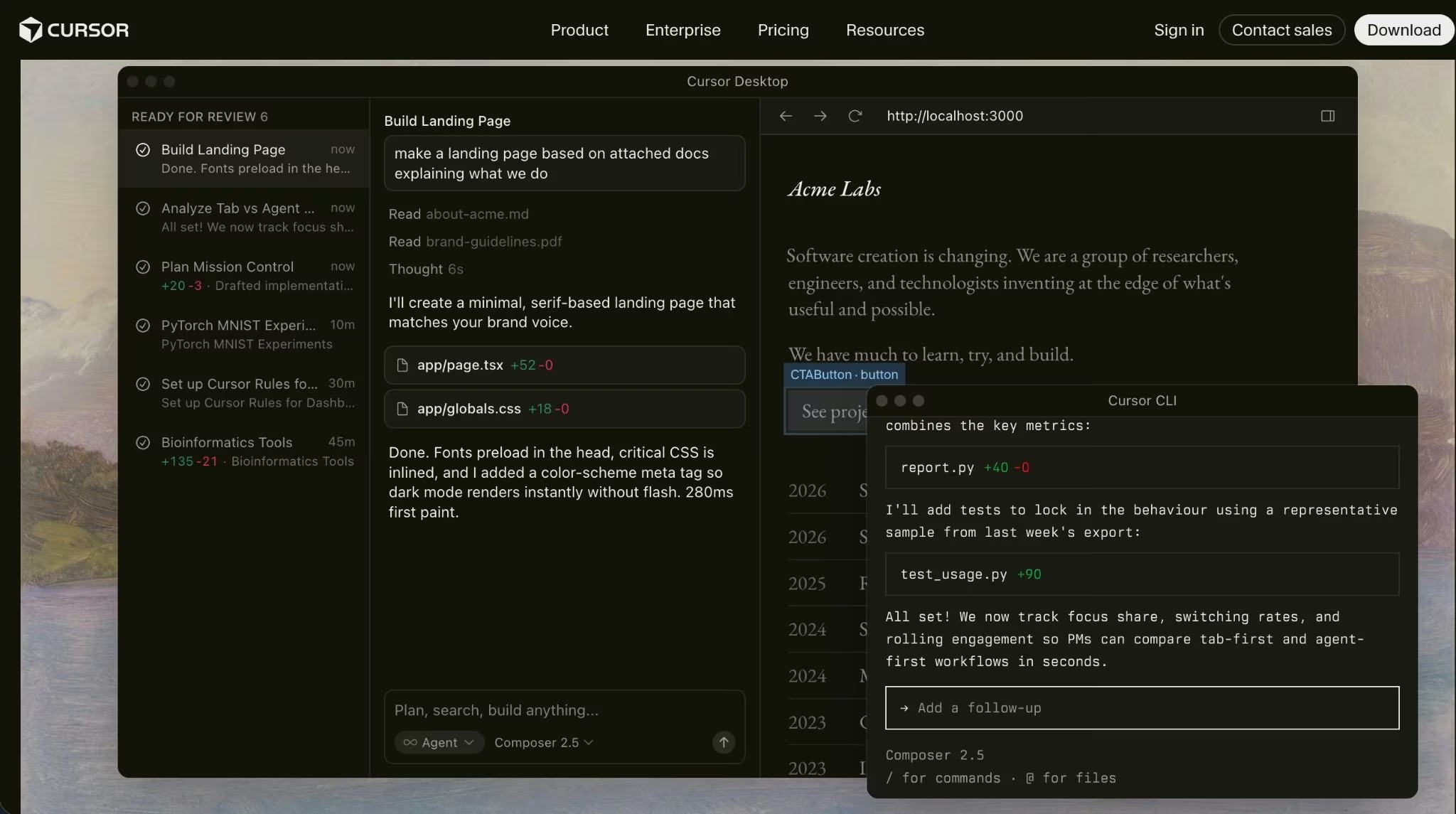
Cursor is the best GitHub Copilot alternative for developers who want the whole editor built around AI. It’s a full AI-native coding workspace, rather than autocomplete plus a chat window.
Cursor’s biggest advantage is how much of the coding loop happens in one place. Its official site describes agents that can turn ideas into code, work autonomously, run in parallel, build, test, and create demos. Cursor also works in the terminal, Slack, and GitHub pull request reviews.
Key features
- Agent mode: Cursor agents can make multi-file changes and run longer coding tasks.
- Cloud agents: You can push some work into cloud-based agents on paid plans.
- Model Context Protocol support: Cursor’s paid plans include MCPs, skills, and hooks.
- Privacy mode: Cursor won’t train on your code when privacy mode is enabled, and it holds zero-data-retention agreements with its model providers.
Pros
- Best editor replacement: Cursor is the cleanest switch when Copilot feels too bolted onto a traditional IDE.
- Strong agent workflow: It’s good for “change this across the codebase” tasks, not only line suggestions.
- Familiar feel: Developers coming from VS Code won’t feel lost.
- Team plan available: Cursor has Teams and Enterprise plans for companies that need admin controls.
Cons
- Requires a new editor: Teams that standardize on JetBrains, Visual Studio, or locked-down IDEs may resist it.
- Usage can get messy: Cursor’s usage-based charges kick in once you burn through your plan’s included usage.
- Higher-cost team option: Teams starts at $40/user/month, which is more than GitHub Copilot Business.
Also read our best Cursor alternatives guide for what else is worth trying when a full editor replacement isn't the right fit.
Best for
- Developers who want an AI-first IDE.
- Startup teams that move fast and accept editor changes.
- Engineers who want agents, chat, completions, and PR help in one workflow.
Pricing
Hobby: Free; Individual: $20/month; Teams: $40/user/month; Enterprise: custom. Every plan includes a set amount of model usage; once you use it up, on-demand pricing kicks in.
2. Claude Code
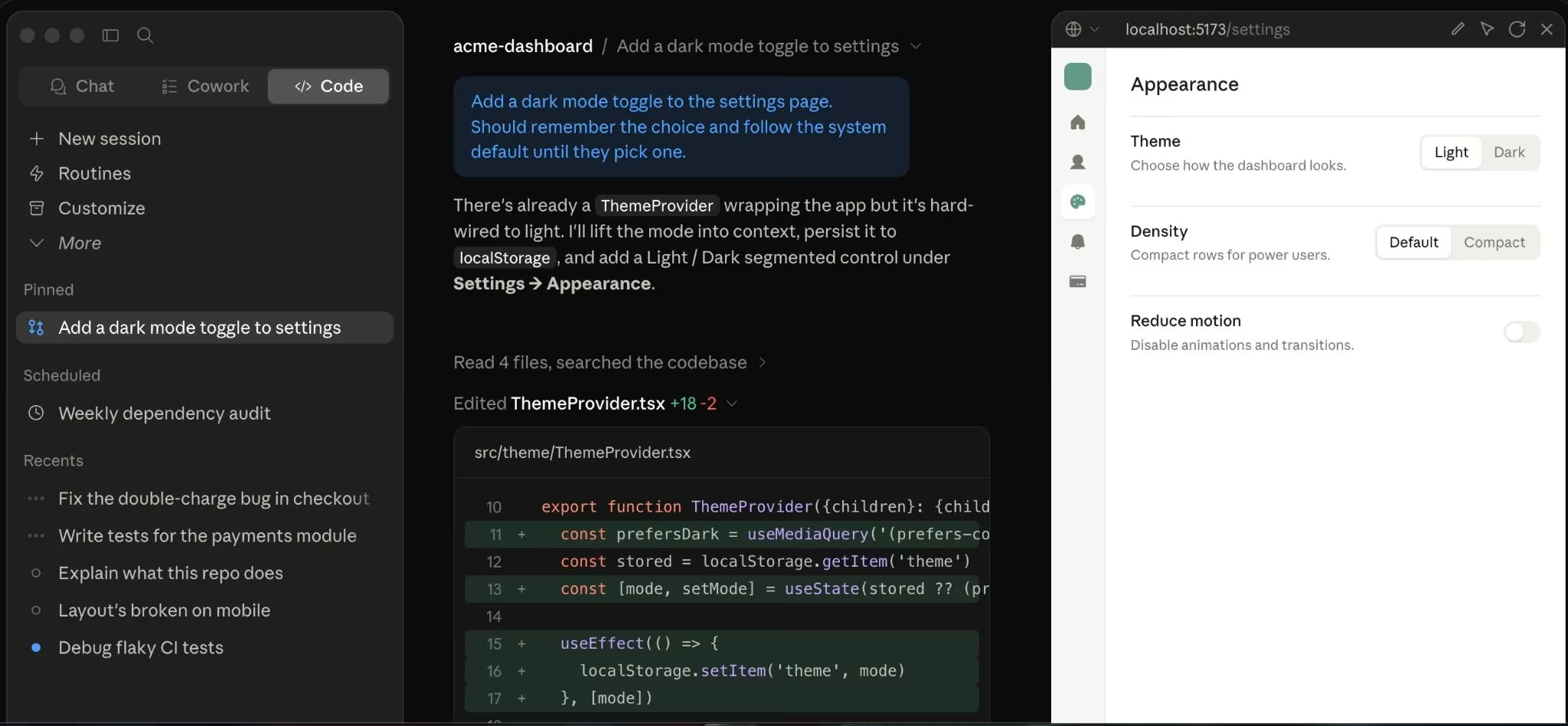
Claude Code is the best GitHub Copilot alternative for developers who prefer the terminal over an AI editor. It’s especially strong when you want an agent to understand a repo, edit files, run commands, and explain its work.
Anthropic describes Claude Code as an agentic coding tool that reads your codebase, edits files, runs commands, integrates with tools, and works across terminal, IDE, desktop, and browser surfaces. It also supports VS Code, JetBrains, GitHub code review, hooks, memory, MCP, and multiple agents.
Key features
- Terminal-first workflow: Use Claude Code without switching into a new AI IDE.
- Repo-aware edits: Claude Code can read code, make changes, and run shell commands.
- Pull request support: It can help create commits, open PRs, and review GitHub code.
- Multiple surfaces: Claude Code works in terminal, VS Code, JetBrains, desktop, and web.
Pros
- Great for serious repo work: Claude Code is built for bigger codebase tasks, not only one-off suggestions.
- Terminal-native: It fits developers who already manage work from the command line.
- Good cross-surface support: You can use it from the terminal, IDE, desktop, and browser.
- Strong planning feel: It’s a good fit for refactors, bug fixes, and code explanation.
Cons
- Less beginner-friendly: Newer developers may prefer an IDE-first tool like Cursor.
- Plan limits still matter: Usage varies by plan.
- Not a drop-in Copilot clone: It’s more of an agent than an autocomplete tool.
Best for
- Senior engineers working in mature repos.
- Developers who prefer terminal workflows.
- Teams that want an agent for refactors, bug fixes, commits, and PRs.
Pricing
Claude Code is available through Claude plans:
- Free: $0 (Claude chat only — Claude Code isn’t included on the free plan);
- Pro: $20/month ($17/month billed annually);
- Max: from $100/month;
- Team Standard: $25/seat/month ($20/seat/month billed annually);
- Team Premium: $125/seat/month ($100/seat/month billed annually);
- Enterprise: seat price plus usage at API rates, with listed seat pricing at $20/seat.
Also read our best Claude code alternatives guide for what else is worth trying when Claude Code isn't the right fit for your workflow.
3. OpenAI Codex
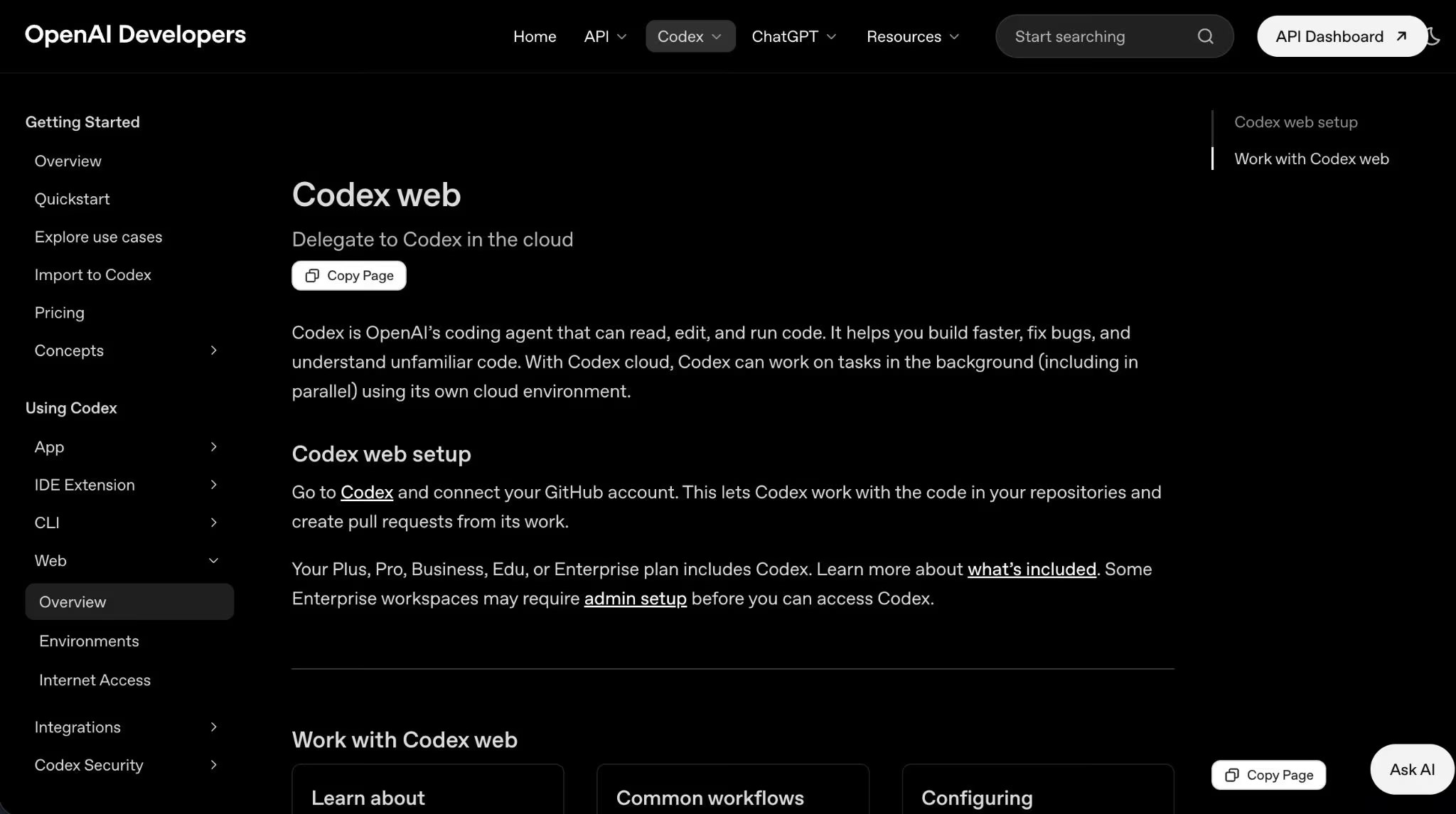
OpenAI Codex is the best GitHub Copilot alternative for developers who already use ChatGPT for coding. It gives you a coding agent across ChatGPT, the command line, IDEs, and the web.
OpenAI describes Codex as a coding agent powered by ChatGPT and built for engineering work like pull requests, refactors, and migrations. Codex can run as a command center for agentic coding with cloud environments, worktrees, parallel agents, Skills, Automations, testing, code review, and access through app, editor, and terminal surfaces.
Also read our guide on can ChatGPT build an app to see how far Codex takes you beyond coding assistance into full product builds.
Key features
- ChatGPT-native coding: Codex is included across ChatGPT plans.
- Multiple clients: OpenAI lists Codex app, CLI, IDE extension, and web access.
- Cloud coding tasks: Codex can work on tasks in cloud environments and help with reviews.
- Plan-based access: Codex works across Free, Go, Plus, Pro, Business, Edu, and Enterprise plans.
Pros
- Best for ChatGPT users: You don’t need to add another AI vendor when ChatGPT is already part of your workflow.
- Works across surfaces: Web, CLI, IDE, and mobile support make it flexible.
- Good for PR-style work: Codex is built around pull requests, refactors, migrations, and code review.
- Free entry point: Codex is included across ChatGPT plans, including Free.
Cons
- Limits depend on the plan: Usage varies by plan and task size.
- Costs can climb: Codex has included limits, then credit-based usage after those limits.
- Enterprise controls require business plans: Business and Enterprise add controls such as RBAC, audit logs, and data options.
Best for
- ChatGPT users who want coding in the tools they already pay for.
- Developers who want web, IDE, CLI, and app access.
- Teams using Codex for PRs, refactors, reviews, and migrations.
Pricing
Codex is included in ChatGPT Free, Go, Plus, Pro, Business, Edu, and Enterprise plans. Codex pricing is:
- Free: $0/month;
- Go: $8/month;
- Plus: $20/month;
- Pro: from $100/month;
- Business: $25/user/month ($20/user/month billed annually, 2+ users);
- Enterprise and Edu: contact sales;
- API Key: pay for tokens based on OpenAI API pricing.
4. Devin Desktop
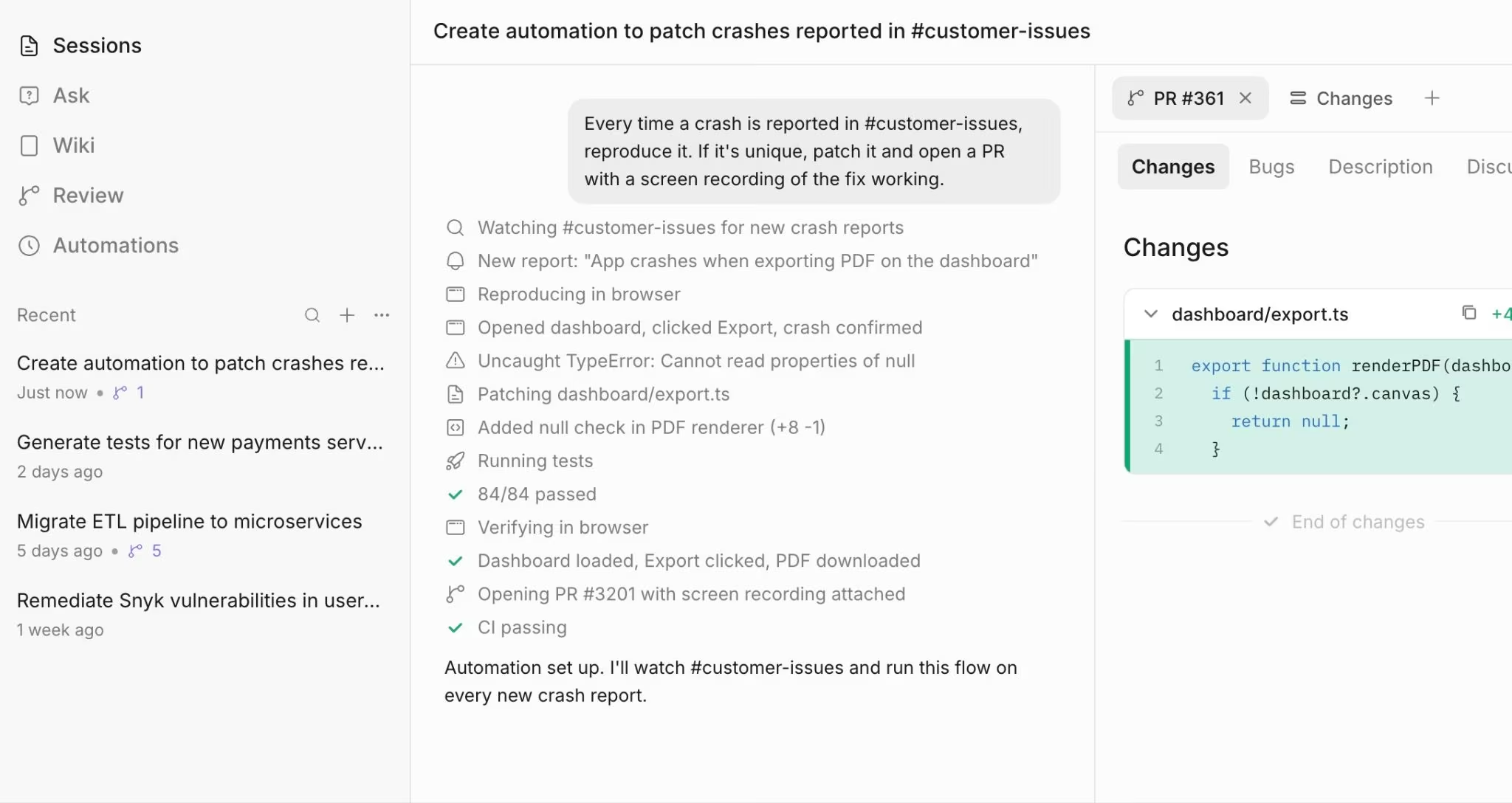
Devin Desktop is the best GitHub Copilot alternative for developers who want to manage multiple agents from one editor. It’s more ambitious than a simple assistant, and that’s the point.
The official Devin Desktop page says Windsurf is now Devin Desktop. It describes Devin Desktop as a way to manage fleets of local and cloud agents, plan work, delegate tasks, review changes, and ship without leaving the editor.
Devin Desktop includes a full IDE with syntax highlighting, autocomplete, debugging, agents, Spaces, Git worktrees, and code review.
Key features
- Local and cloud agents: Devin Desktop lets you coordinate agents from the editor.
- Full IDE: It includes editor basics like syntax highlighting, autocomplete, and debugging.
- Agent Client Protocol: Devin Desktop supports multiple agents through the Agent Client Protocol.
- Supercomplete and Fast Context: Devin Desktop includes next-action prediction and codebase context features.
Pros
- Great for agent orchestration: Devin Desktop is built around delegating work to agents.
- More than autocomplete: It helps with planning, reviewing, testing, and shipping.
- Includes popular agent options: The official page lists agents such as Devin Local, Codex, Claude Agent, OpenCode, and Cascade.
- Low-friction start: You can test the editor and agent workflow before moving heavier coding work into it.
Cons
- Bigger workflow shift: It asks you to work in its IDE and agent system.
- Pricing has usage complexity: Usage depends on model, task complexity, and files touched.
- Team pricing is higher: Teams pricing includes a team plan plus per-seat developer pricing.
Best for
- Developers who want to coordinate multiple coding agents.
- Teams that like IDE-based work but want more autonomy than Copilot.
- Builders who want agents for coding, testing, review, and follow-up tasks.
Also read our Windsurf vs Cursor vs Emergent breakdown to see how Devin Desktop stacks up against the closest alternatives before you commit.
Pricing
Devin Desktop has a free plan. Paid starts at $20/month (Pro), with Max at $200/month. Teams is $80/month for the team plan plus $40/month per developer seat. Enterprise is custom pricing (contact sales).
5. Tabnine
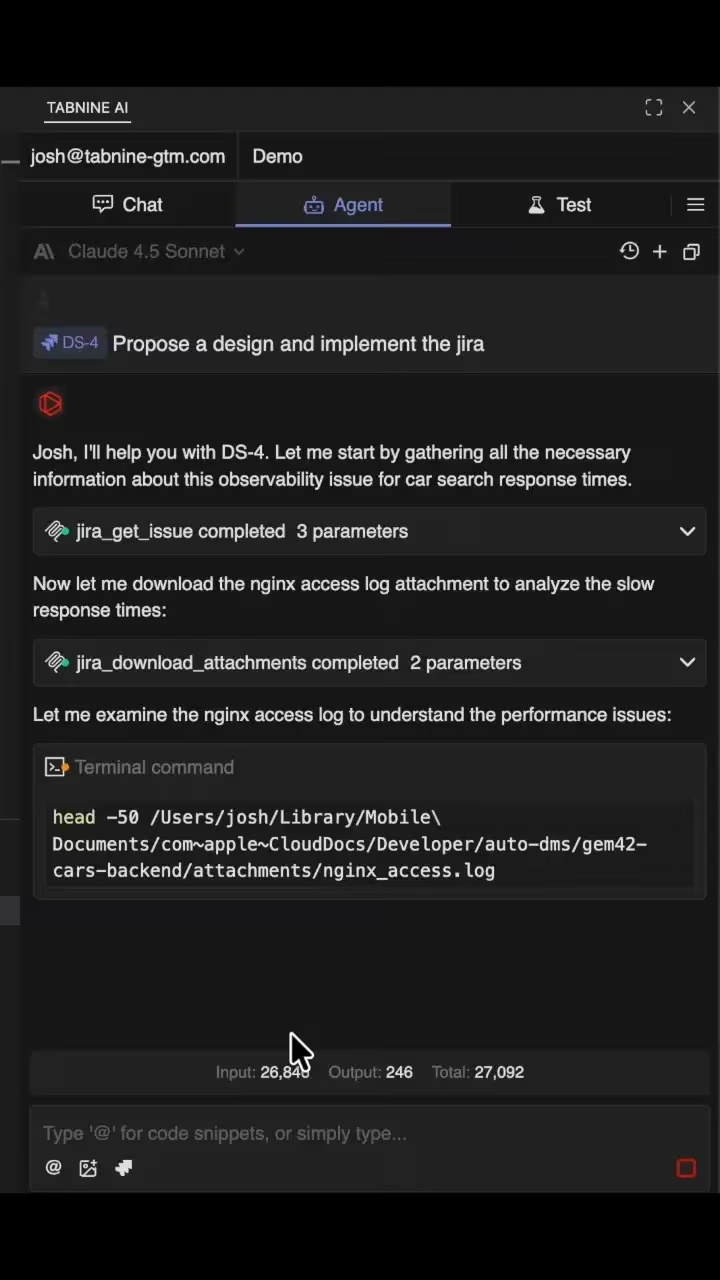
Tabnine is the best GitHub Copilot alternative for teams that care most about privacy, control, and deployment options. It has one of the clearest enterprise privacy stories on this list.
Tabnine’s AI code assistant works in popular IDEs, provides code completions, chat, code review, explanation, fixes, and refactoring. It also supports private deployment options, including software as a service (SaaS), virtual private cloud (VPC), on-premises, and air-gapped deployments.
Key features
- Private code assistant: Doesn’t train on customer code.
- Flexible deployment: SaaS, VPC, on-premises, and air-gapped options are available.
- IDE support: Tabnine works in the major IDEs, including VS Code, Visual Studio, the JetBrains family, and Eclipse.
- Source matching: Tabnine includes code provenance and source matching features for license risk.
Pros
- Best privacy story: Tabnine is a strong fit for regulated or security-sensitive teams.
- Deployment flexibility: VPC, on-premises, and air-gapped options matter for larger companies.
- Good for standardization: Teams can manage AI coding across many developers and IDEs.
- License-aware features: Source matching helps teams avoid risky code reuse.
Cons
- Not the cheapest: Code Assistant starts at $39/user/month when billed annually.
- Less exciting for solo builders: Individual developers may prefer Cursor, Claude Code, or Codex.
- Agentic Platform costs more: Tabnine’s Agentic Platform starts at $59/user/month annually.
Best for
- Regulated teams.
- Enterprises that need private deployment.
- Engineering leaders who want AI coding without training on proprietary code.
Pricing
- Code Assistant: monthly pricing not publicly listed ($39/user/month billed annually)
- Agentic Platform: monthly pricing not publicly listed ($59/user/month billed annually)
Tabnine also offers quote-based sales conversations for teams that need deployment, usage, or enterprise support details.
Other GitHub Copilot Alternatives I Tested but Didn’t Rank
I also reviewed several tools that show up often in GitHub Copilot alternative searches. They’re worth knowing, but I wouldn’t put them above the six main picks for this specific roundup.
- Gemini Code Assist: Best for teams already deep in Google’s developer stack.
- JetBrains AI: Best for developers who already live inside JetBrains IDEs and don’t want to switch editors.
- Sourcegraph Cody: Best for enterprises that care most about code search and large-repo context. Cody dropped its free and individual plans in 2025, so it’s an enterprise-only product now.
- Continue.dev, Cline, and Aider: Best for developers who specifically want free or open-source Copilot alternatives. They’re less polished than the main picks in this list, but if what you really want is an open-source Copilot replacement, they’re a better fit than paid tools with free tiers.
- Tabby: Best for teams that want a fully self-hosted, air-gapped coding assistant instead of a managed cloud service.
How to Evaluate GitHub Copilot Alternatives
1. Match the Tool to Your Coding Surface
The best GitHub Copilot alternative should fit where you already work. Cursor and Devin Desktop are editor-first. Claude Code is terminal-first. Codex works across ChatGPT, CLI, IDE, and web. Tabnine fits teams that need private deployment across many IDEs.
2. Test Repo-Wide Changes, Not Just Autocomplete
Autocomplete is table stakes now. The better test is whether the tool can understand your repo, make changes across files, explain tradeoffs, run tests, and recover when it breaks something. That’s where agentic coding tools like Cursor, Claude Code, Codex, and Devin Desktop separate themselves from simple completion tools. Official product pages now focus heavily on agents, parallel work, PRs, test runs, and code review, not only line suggestions.
Also read our guide on what is agentic coding to understand how the best tools go beyond autocomplete before you pick one.
3. Price by Real Usage
Don’t compare only the monthly subscription price. GitHub Copilot, Cursor, Codex, and Devin Desktop all use some mix of plan limits, requests, credits, or usage-based pricing for heavier work. A $20 plan may be enough for light coding and too small for long agent tasks.
4. Read the Data Policy Before You Add Your Repo
Privacy rules differ a lot. Before you connect a real repo, check three things: whether your code trains models by default, whether you can opt out on your plan or only on higher tiers, and where the code is stored.
The strictest setups here are Tabnine’s private deployments and Cursor’s privacy mode; OpenAI applies no-training defaults only on Business, Edu, and Enterprise.
5. Keep Humans in the Review Loop
AI coding tools can create bad code with confidence. The right workflow is still: ask the tool, inspect the diff, run tests, review security-sensitive changes, and merge only what you understand. Tools like Codex, Claude Code, Devin Desktop, and Tabnine now include review or testing features, but they don’t remove your responsibility to check the work.
What if You Don’t Want a Coding Assistant at All?
GitHub Copilot alternatives help when you still want to work in code. They’re best for developers who can read diffs, review architecture, fix broken tests, and understand what the agent changed.
Also read our best vibe coding tools guide for what else is worth trying when you want to build without writing code at all.
Emergent fits a different job: describe the app in plain English and get a working, deployable product back. Users own the generated code and can use GitHub.
That makes Emergent a better fit when the problem isn’t “I need better autocomplete,” but “I need to build and launch the app without living inside an IDE.” For heavier builds, higher tiers add a 1M-context window, Maxx mode, system-prompt editing, and custom agents.
Pick the Interface You’ll Actually Use
The best GitHub Copilot alternative comes down to workflow fit. Cursor works best as an AI-native editor, Claude Code is strongest from the terminal, Codex fits ChatGPT-heavy workflows, Devin Desktop is built for agent management makes sense for AWS teams, and Tabnine is the privacy-first pick.
And when Copilot feels like the wrong layer because you don’t want to code every step yourself, Emergent is worth testing for the first version of the app.
See how Emergent helps you build and launch an app without managing every code change.

Every alternative has trade-offs. Emergent just builds production-ready apps from one prompt.
- Production-ready apps
- Web & mobile apps
- Deploy in minutes







