


TL;DR
Bubble builds web apps. Describe what you want and it writes a plan for you to approve before it starts building. It includes an editor, as well as an AI agent you can ask to make fixes.
Webflow builds websites. Its AI turns a brief into a designed draft in a few minutes. You then refine the result in the Designer and use a Content Management System (CMS) for anything you need to repeat.
- Choose Bubble if: there's data behind your pages, forms that need to keep what people send, or filtering and logic beyond publishing.
- Choose Webflow if: every page needs an address of its own, design control is a must-have, and you don't mind paying for hosting.
Bubble vs Webflow might sound like a contest between an app builder and a site builder, but there’s more to it than that. Bubble is built around the information a site collects and reuses; Webflow around how the finished pages look and where each one lives.
To truly compare the two builders, I gave each the same brief: a four-page portfolio for a freelance brand designer. I used free accounts and didn’t use any templates. I timed both builds and judged the outputs against what I’d asked for.
Before you try either of these tools yourself, here's what happened when I put both to the test.
Bubble builds web apps. Describe what you want and it writes a plan for you to approve before it starts building. It includes an editor, as well as an AI agent you can ask to make fixes.
Webflow builds websites. Its AI turns a brief into a designed draft in a few minutes. You then refine the result in the Designer and use a Content Management System (CMS) for anything you need to repeat.
- Choose Bubble if: there's data behind your pages, forms that need to keep what people send, or filtering and logic beyond publishing.
- Choose Webflow if: every page needs an address of its own, design control is a must-have, and you don’t mind paying for hosting.
How I Tested Bubble and Webflow
I gave the following prompt to both builders:
"Build a 4-page portfolio site for a freelance brand designer: a home page with a hero and a grid of featured projects, a Projects collection with individual project pages, an about page, and a contact page with a form. Modern, minimal, lots of whitespace."
I chose a portfolio because it asks each builder two questions at once: does the homepage look like something a designer would put their name on, and can the tool turn one Projects template into a set of separate case studies?
I tested Bubble on a free account and Webflow on a free Starter site plan. Each AI got the first pass on its own, and I judged the result on what it produced rather than on what I could iterate afterwards.
I logged four things: the time it took from the prompt to a preview, which parts of the brief were followed and which weren’t, where the limits of each plan stopped me, and what it would cost to take things further.
If prompt-to-app tools are new territory to you, Emergent's explainer on vibe coding covers what it involves.
Meet Webflow: What It's Like to Build With
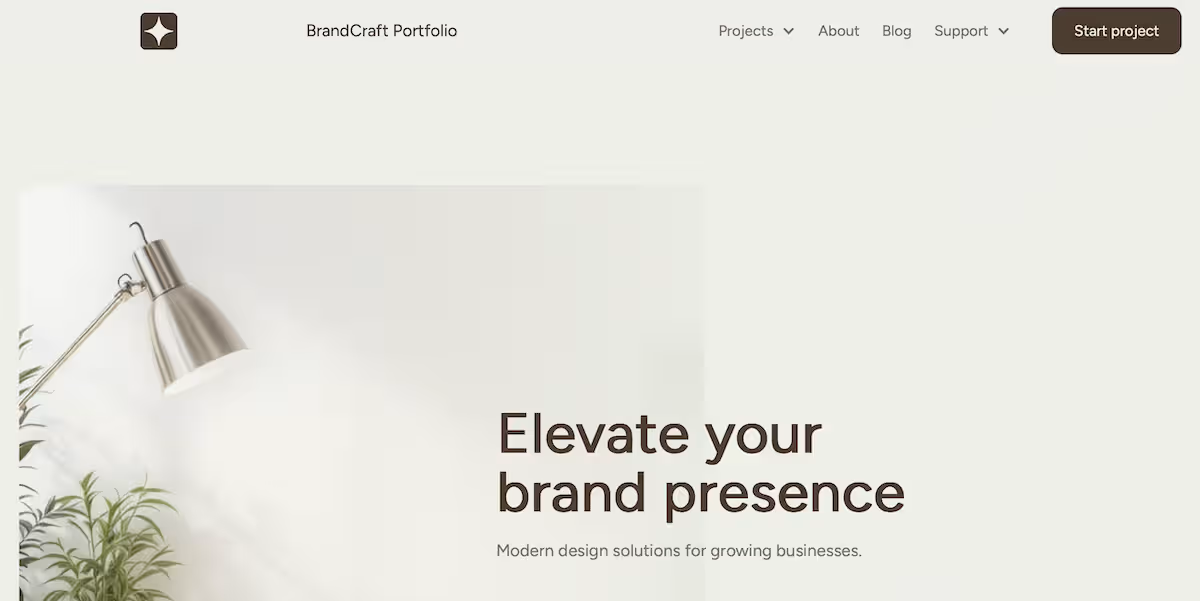
The AI builder page showed me a "Start fast. Build right" prompt box. That’s different from the blank Designer you’re shown if you access a site from the dashboard.
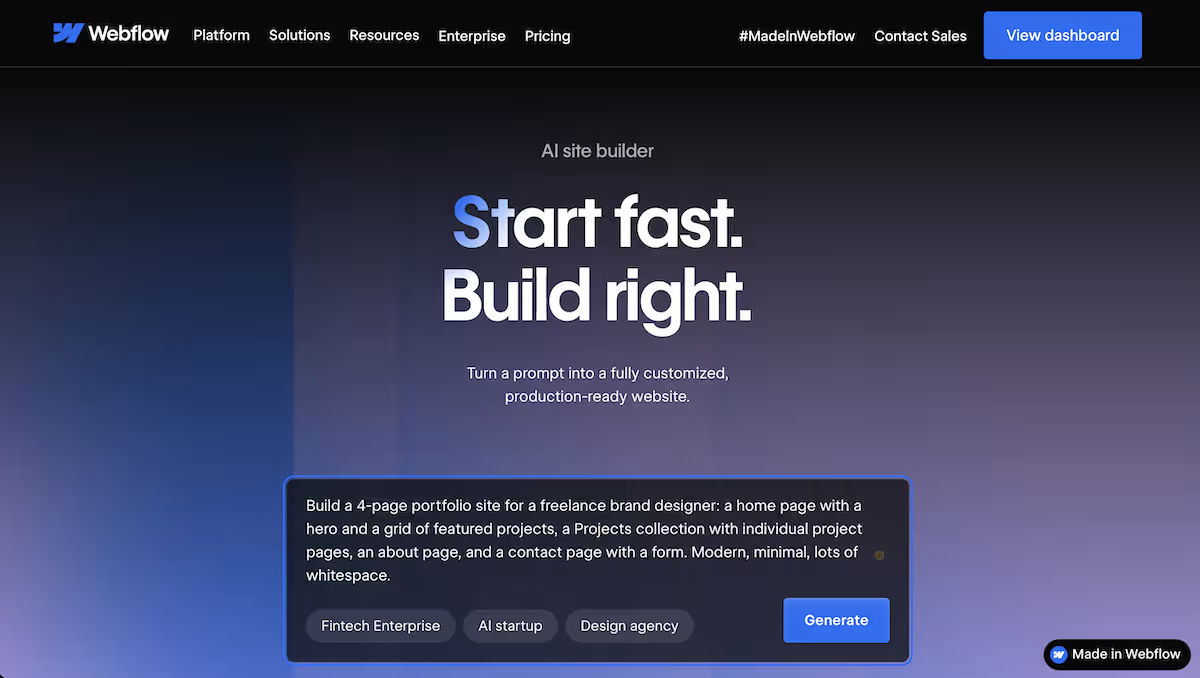
Before it built, it showed me a structure preview: Home, Projects, About, and Contact, each broken into labeled sections like hero, feature list, gallery, testimonial, contact form, and footer. Seeing the skeleton and being able to cut sections before committing was reassuring.
Next, it showed me a banner saying that the Starter plan includes only two pages, and the next screen made me choose which two of the four to keep. It warned me that everything I unchecked would be permanently removed, which I wasn’t too happy about.
I kept Home and About and lost the CMS-driven project pages before the site even rendered.
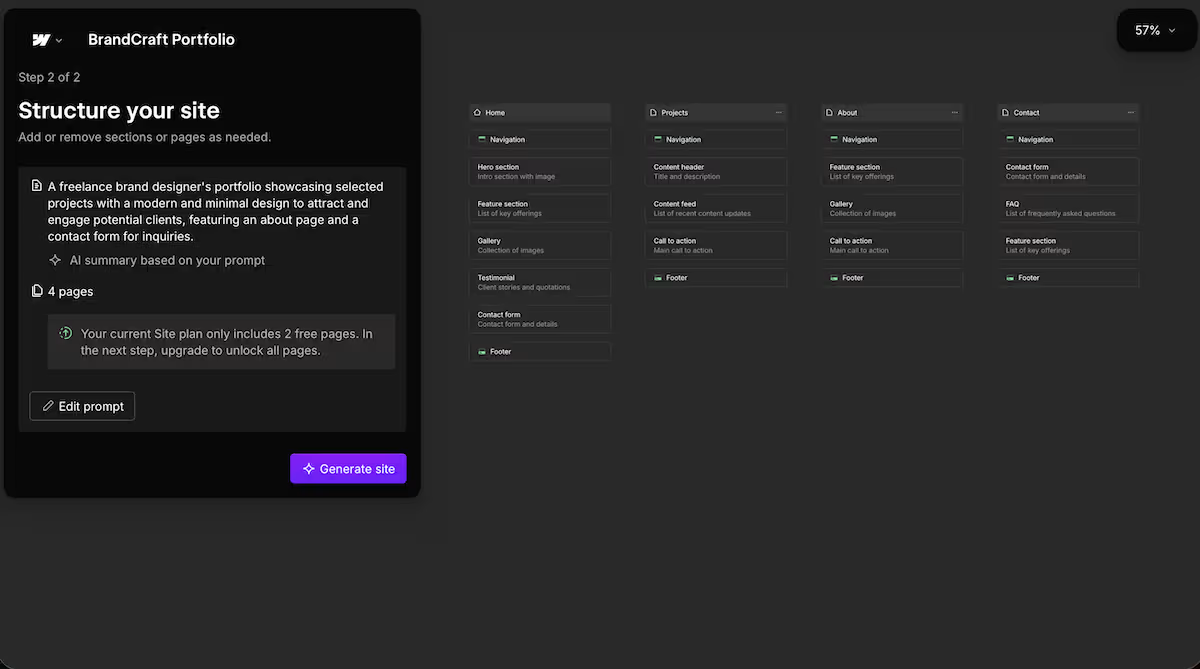
The generated navigation still lists Projects, along with a Blog and a Support dropdown that weren’t even in my brief. So the finished free site has a menu pointing at non-existent pages. Trimming might be a two-minute job, but it's a reminder that the builder plans for the site you asked for, then ships a smaller one.
What it did render, it rendered well. Four minutes from prompt to a finished, previewable site: a clean hero ("Elevate your brand presence"), coherent type, real whitespace, and stock imagery already integrated.
From there, it took me to the Designer with the AI Assistant docked on the right, offering to create sections, rewrite copy, or build a CMS collection. A Get started checklist tracked what was left, with two of six done at that point. The AI keeps working after the site is built, shifting from building the pages to editing them.
My take: Webflow's builder is fast, and the pre-build preview is a helpful feature, letting you see the whole structure before committing. However, the two-page Starter ceiling means a four-page portfolio won't fit on the free plan. So on a four-page build, you have to choose which half of your site to keep.
Key Features
- Prompt-to-site generation: One brief produces a multi-page site with structured sections in minutes.
- Editable structure preview: The pre-build step shows you every page and section so you can trim before generating.
- Full Designer hand-off: The generated site triggers Webflow's Designer, with the AI Assistant ready for follow-up edits.
Pros and Cons
Pros
- Speed to a polished draft: Four minutes to a coherent, on-brand-looking homepage with imagery and copy all done.
- Shows you the page cap before it builds: You pick which pages you want to keep instead of Webflow choosing on your behalf and you finding out later.
Cons
- A two-page free ceiling limits the use case: Having to cut a freelancer’s portfolio's project pages is a serious limitation.
- The AI builder is easy to miss: Accessing the site from the homepage shows you the blank Designer with no prompt option, so you have to find the AI site builder’s URL before you can generate anything.
If you’re looking for a different approach to website building, 7 Best Webflow Alternatives and Competitors in 2026 covers platforms with different levels of control, flexibility, and ease of use.
Meet Bubble: What It's Like to Build With
I gave Bubble the identical brief:
"Build a 4-page portfolio site for a freelance brand designer: a home page with a hero and a grid of featured projects, a Projects collection with individual project pages, an about page, and a contact page with a form. Modern, minimal, lots of whitespace."
Straight out of the gate, I noticed a difference between Webflow and Bubble. Instead of jumping straight into building, Bubble spent 90 seconds writing a plan.
The Features tab held a card per page with a paragraph I could rewrite or delete. A second tab, Scenarios, held user stories in plain language: "As a visitor, I can open an individual project page so that I can read a detailed case study with images and context." Every page from the brief was in there. I was happy with the plan and hit Generate.
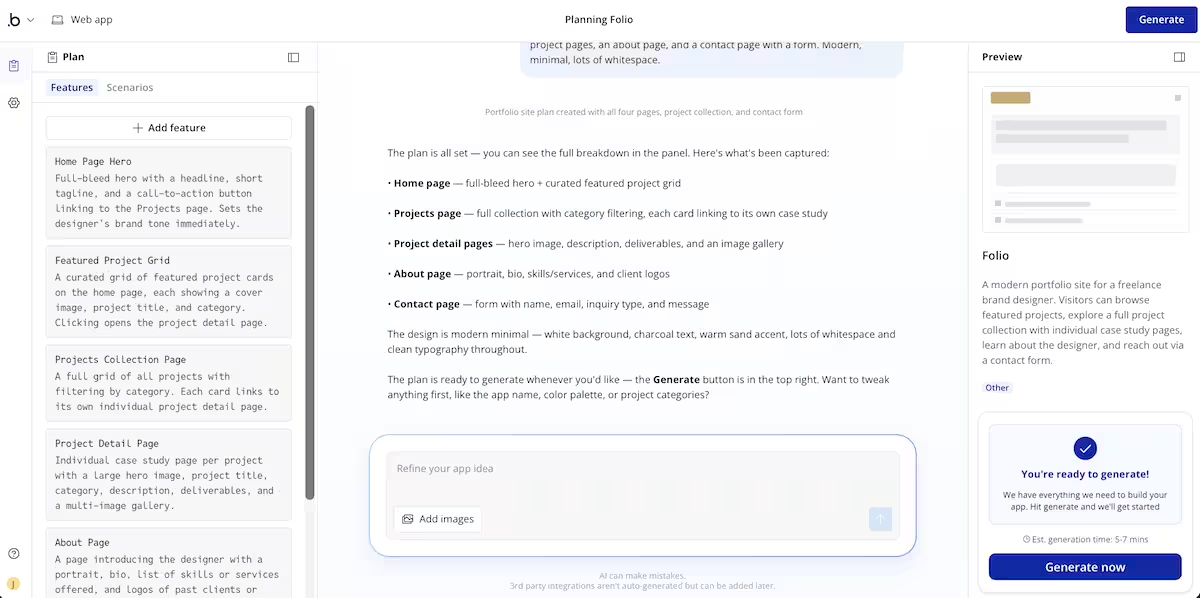
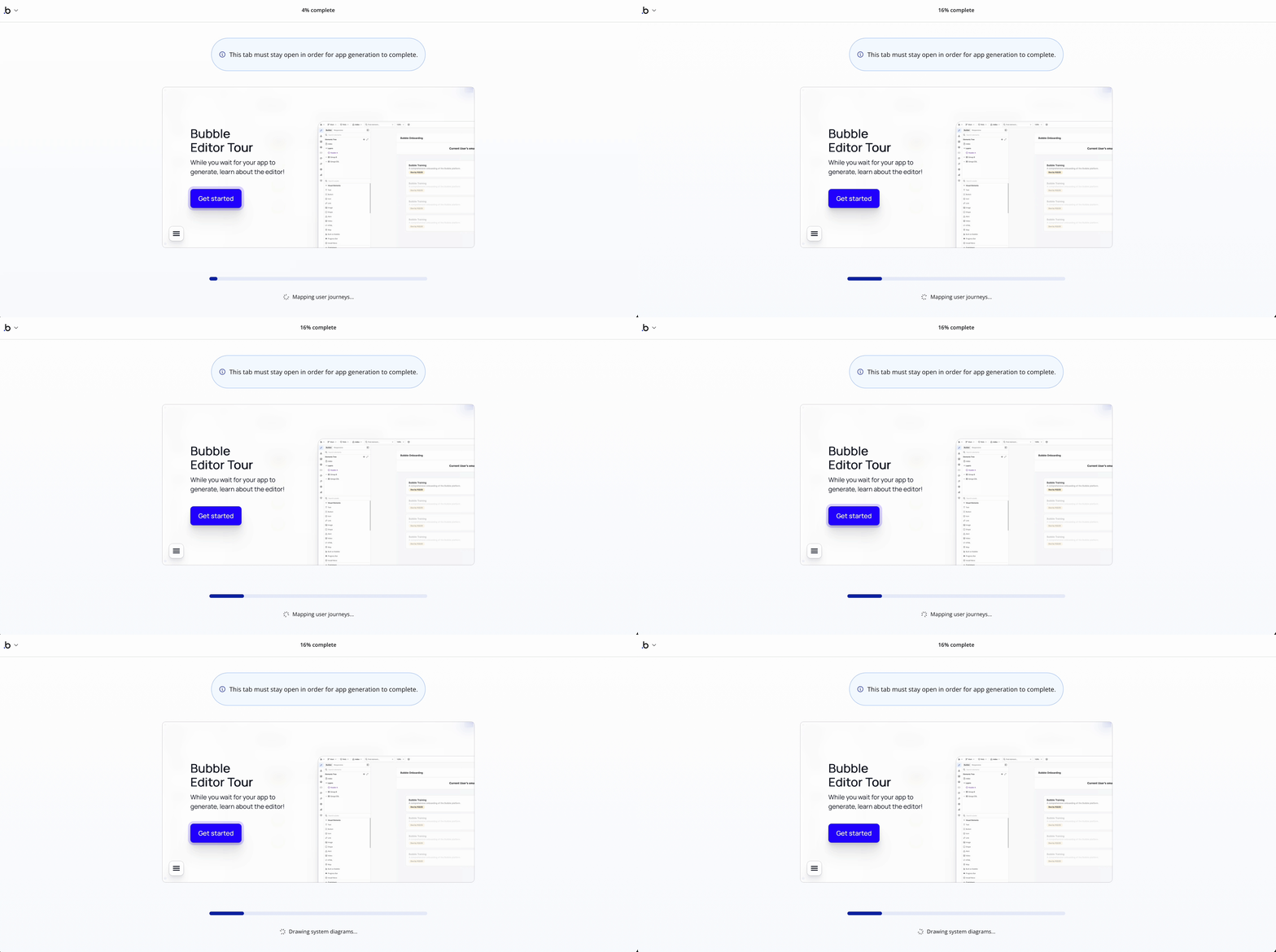
Right after I clicked Generate, a pop-up opened up asking me if I wanted to upgrade, which I exited from. My first attempt ran for 24 minutes without me knowing it had stalled. When I later started a fresh builder, the same pop-up appeared.
That’s when I realized I had to click “Use basic features” before it would build. Once it did, generation took just five minutes.
At first glance, Bubble gave me everything I asked for. There were four pages, a homepage, a projects collection with a category filter and real records, an about page with portrait and skills, and a contact form page that saved my submission to a ContactSubmissions table.
I tried the contact form, but didn’t receive an email, which aligned with Bubble's warning that integrations aren't auto-generated.
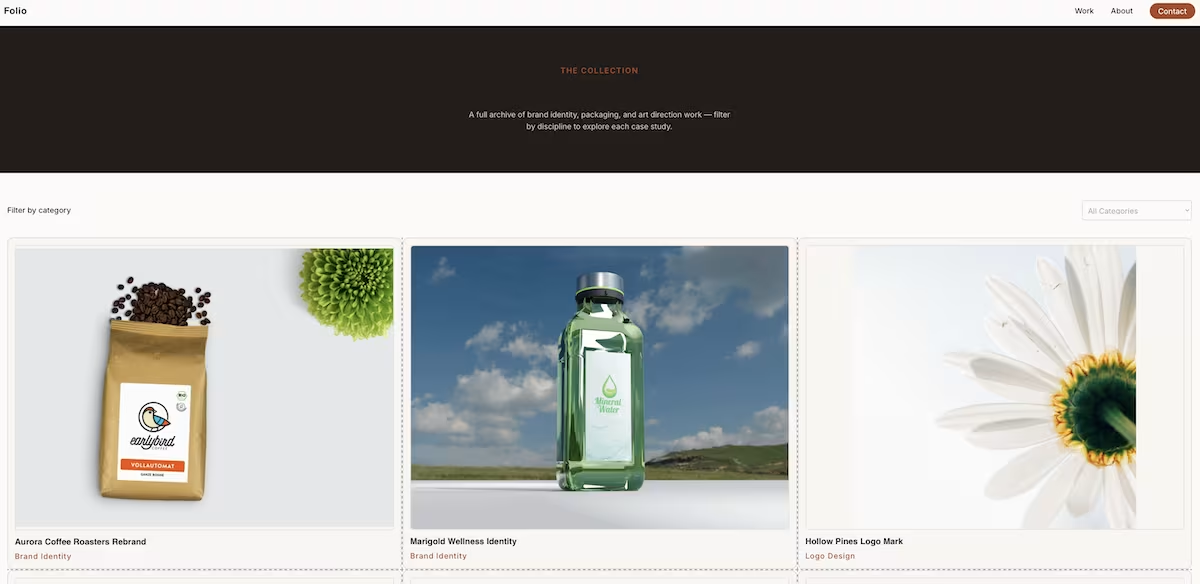
There was an issue with the case studies on the Projects page. Clicking a project card opened a modal over the collection page, the URL didn’t change, and the hero image and gallery were both blank.
My take: Bubble gave me more from my brief than Webflow did, and editing a feature list beats choosing which half of your site to delete. However, Bubble’s modals have no address to share or index, which is a real cost for a portfolio site.
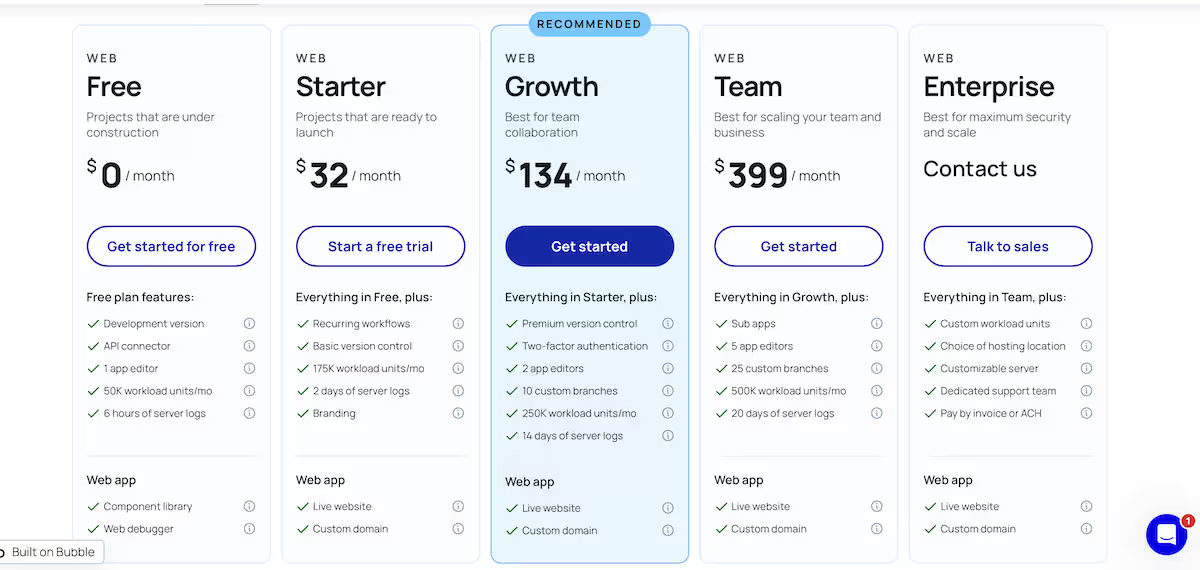
I'd have needed to be on a paid plan to publish. The Starter Web plan is $32 per month after a 14-day trial, or $29 per month if paying for the year.
Key Features
- An editable plan before the build: Bubble writes pages, features, and user scenarios, then waits while you cut or rewrite them.
- A real database from one prompt: the generated app arrives with data types, seeded records, and a filterable collection reading from them.
- An in-editor AI Agent: describe a fault in plain language and it proposes a numbered plan for approval before touching anything.
Pros and Cons
Pros
- Nothing from the brief was dropped: all four pages, the project collection, and the contact form were all built on a free account.
- The free plan reaches a live preview: you can click through the finished site at a bubbleapps.io address before deciding whether to pay.
Cons
- Case studies open as modals: individual project pages have no URL of their own, so nothing can be linked or indexed.
- The agent repaired half of what I gave it: two approved edits fixed the hero image, left the gallery blank, and reported zero issues anyway.
If you’re comparing no-code and AI-powered app builders, 9 Best Bubble Alternatives and Competitors in 2026 can help you see how the leading options differ in features and flexibility.
Bubble vs Webflow: At a Glance
| Feature | Bubble | Webflow |
|---|---|---|
| Best For | Pages with data behind them, stored form submissions, filtering | Sites where every page needs its own URL and design control matters most |
| Core Strength | Editable plan, then a complete four-page build on the free tier | Polished visual output and an advanced CMS underneath it |
| Pricing | Free plan (build + preview only);Starter Web$32/mo ($29 billed annually); Growth $134/mo; Team $399/mo; Enterprise (custom). | Starter plan: Free, Basic: from $25/month ($15/month billed annually), Premium: from $39/month ($25/month billed annually), Team: from $2,500/month, Enterprise: custom. See Webflow's pricing. |
Bubble vs Webflow: Feature-by-Feature Comparison
Speed to a Finished Build
Webflow reached a previewable site in about four minutes. Bubble spent roughly 90 seconds writing a plan, then five minutes building. In that time, it delivered four pages, a project collection, seeded records, and a contact form saving to a database. The clock times were close; the outputs weren't.
Winner: Tie. Webflow is a minute quicker, but Bubble does more with the extra minute.
What You Get on the Free Plan
Webflow showed me a preview of all four pages, then said the Starter plan includes only two and made me choose. I removed the project pages, which made my portfolio site look more like a brochure. Bubble built every page, with its paywall cropping up at the deployment stage instead.
Winner: Bubble
Planning Before the Build
Webflow's preview lists pages and labeled sections, so you’ll be limited to whatever you asked for before it starts building. Bubble writes a plan in prose, includes one card per feature and a tab of user scenarios describing what a visitor should be able to do. It asks you if you want to modify the plan before you click on Generate.
Winner: Bubble
Ease of Use
Bubble asks more of you before anything renders: read the plan, edit the features list, then work in an editor with an agent alongside it.
Webflow's route is shorter. The prompt box, the structure preview, and the Designer hand-off run in one line, with the AI Assistant already docked when you land. The catch is finding that prompt box, which doesn't appear if you open a site from the dashboard.
Winner: Webflow. Fewer decisions between the brief and something you can look at.
Individual Project Pages
A CMS collection in Webflow produces one page per record, each with an address that can be shared, linked, and indexed. That structure is available on the free Starter plan, which includes 50 CMS items and 20 Collections, but the AI builder pushed me to drop the Projects page during setup rather than generate the collection.
Bubble's case studies appear as modals over the collection page. In other words, the URL doesn’t change, so you don’t have a specific webpage to share or for search engines to find.
Winner: Webflow
Design Output
Webflow's homepage uses a coherent type scale, whitespace, and stock imagery. Bubble showed me a warm minimal palette with a serif display face and photography on every card in the grid. It also displays placeholder tokens in the header and footer and includes an outdated copyright year.
Winner: Tie
SEO and Discoverability
On Webflow, a CMS record becomes a page Google can reach and rank. The generated build needs a pass first, since its nav advertises three pages that were never created, which sends readers and search engines to dead ends.
Bubble's issue runs deeper than a menu. A case study locked inside a modal never becomes a page at all, so there's nothing for search to find, and the free tier keeps you on a bubbleapps.io subdomain until you pay for a custom domain.
Winner: Webflow. Trimming a menu takes minutes; giving a modal a URL takes a rebuild.
What Real Users Are Saying
Bubble
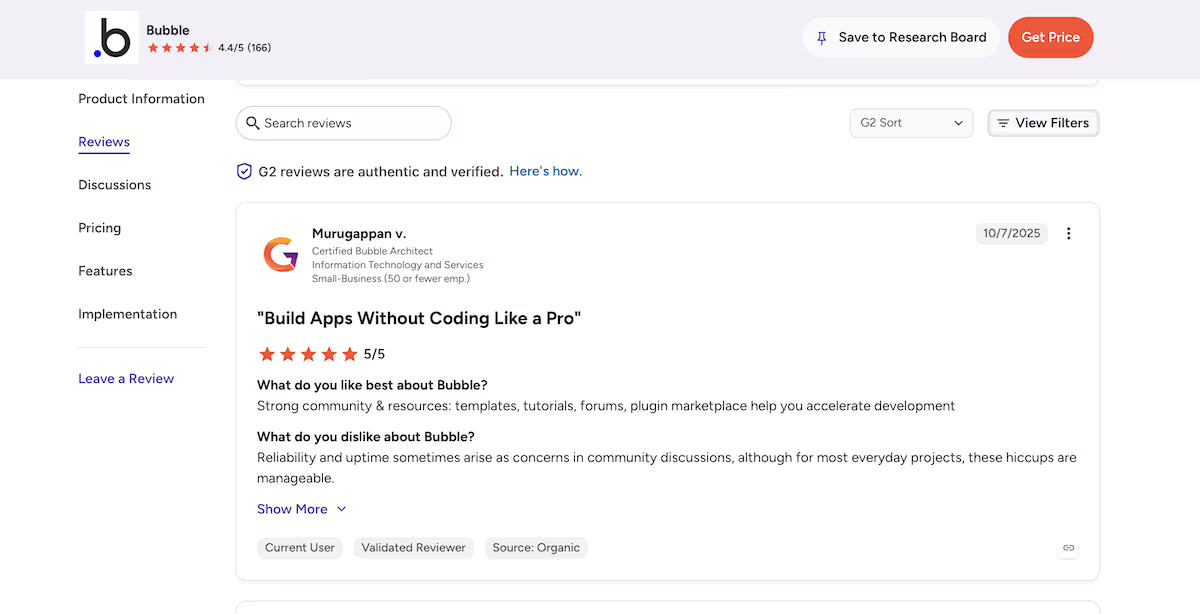
“Strong community & resources: templates, tutorials, forums, plugin marketplace help you accelerate development” - Murugappan v. (G2)
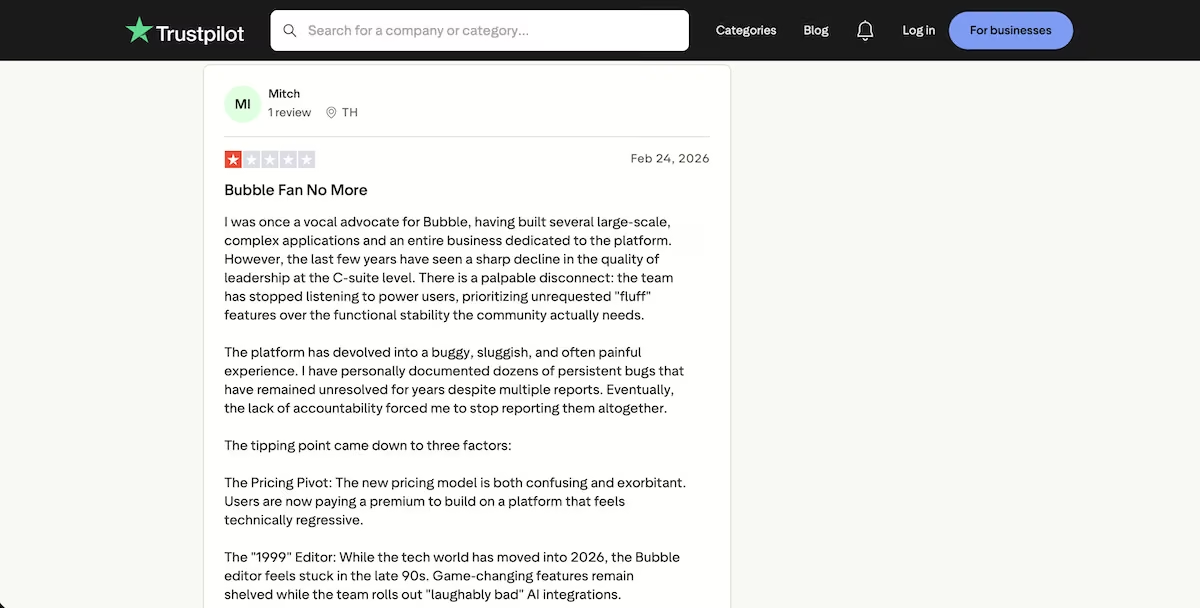
“I was once a vocal advocate for Bubble, having built several large-scale, complex applications and an entire business dedicated to the platform. However, the last few years have seen a sharp decline in the quality of leadership at the C-suite level.” - Mitch (Trustpilot)
Webflow
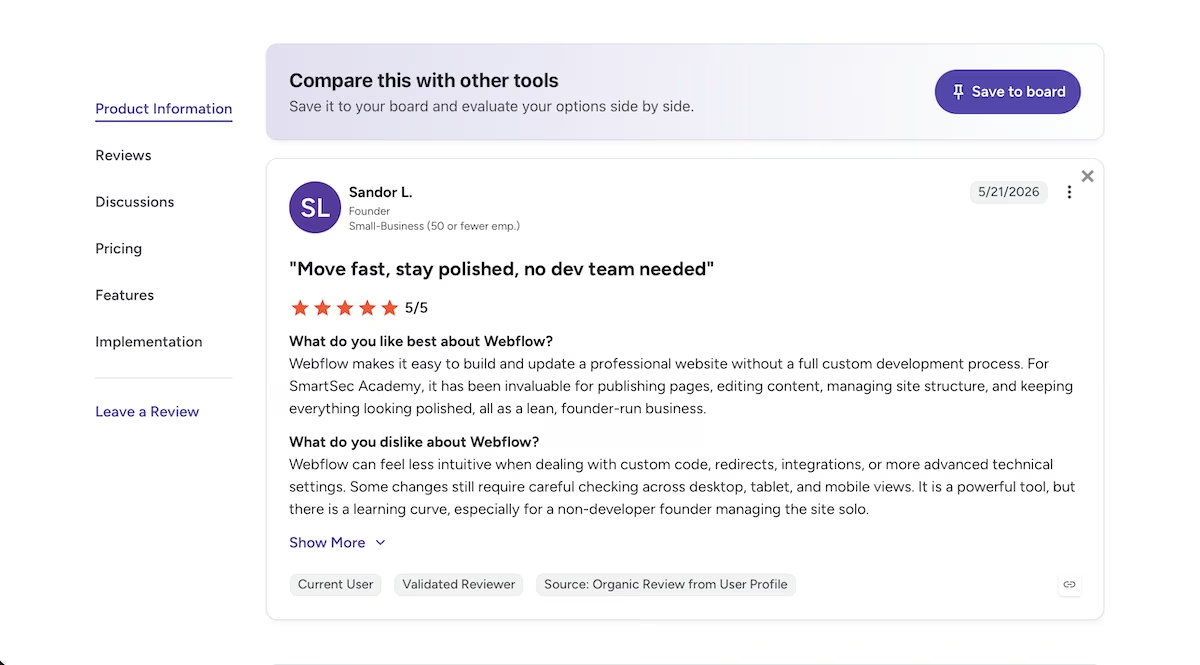
“Webflow makes it easy to build and update a professional website without a full custom development process.” - Sandor L. (G2)
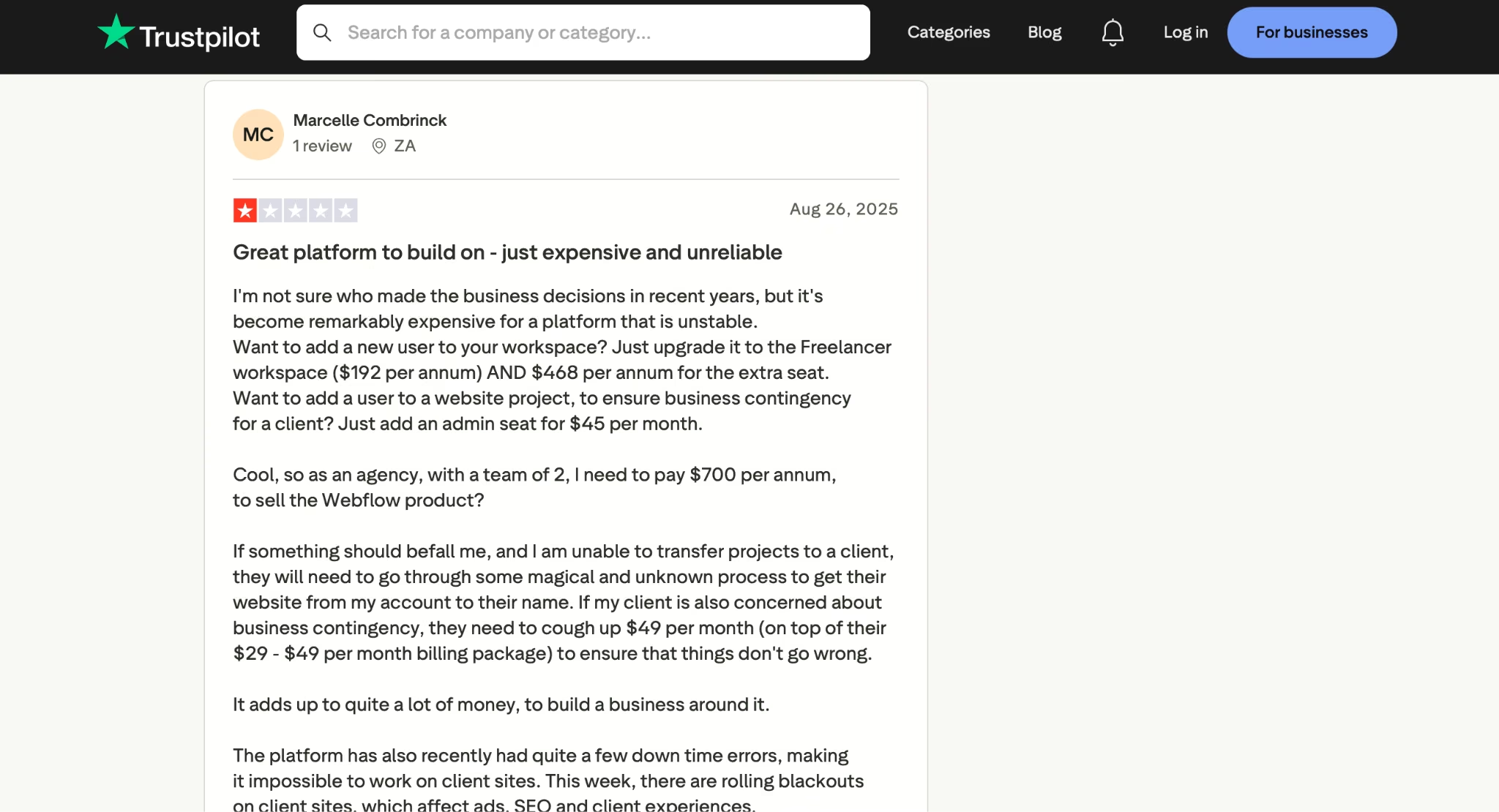
“I'm not sure who made the business decisions in recent years, but it's become remarkably expensive for a platform that is unstable.” - Marcelle Combrinck (Trustpilot)
How to Make Your Choice
Bubble gave me more for free, so it's a sensible first stop when you're testing an idea and haven't set a budget yet. If you’re willing to pay, Webflow gives you the better site, and its page structure is more in line with what search engines are looking for.
Bubble is Better For:
- Portfolios and small sites needing stored form submissions, filtering, or records behind the pages
- Seeing a complete build before paying anything
- Anyone who wants to edit the plan before the AI starts generating
Webflow is Better For:
- Sites where every page needs its own URL for sharing and search
- Content-led builds that will grow past a handful of pages
- Designers who want close control of the finished layout and are willing to pay for hosting
My Verdict
Bubble kept every page I asked for, produced a database, and let me see a preview of the whole site before asking for money. Webflow's build was fast and looked good, but a two-page ceiling was never going to satisfy a four-page brief.
The caveat is the modals. If your case studies need addresses of their own, Bubble doesn't provide them, and turning those overlays into pages is down to you. For that requirement specifically, Webflow on a paid Site plan is the cleaner answer.
Next Steps
If you’re still undecided, start with Bubble's free tier. You’ll see the entire build before spending anything, which tells you quickly whether or not the modal limitation is a dealbreaker for what you're making. If it is, consider a Webflow Site plan and treat its free tier as a taste of what it can do rather than as a finished site.
If what you're describing has logins, stored data, or integrations, it's closer to an app than a site, and builders designed for that are worth a look. Emergent uses multiple agents to plan, build, and review the work. It connects to tools you already use through the MCP connector, and its pricing page sets out what each plan covers.

Most AI app builders stop at prototypes. Emergent creates production-ready apps you can actually launch.
- Production-ready apps
- Web & mobile apps
- Deploy in minutes







