



Type “free photography website builder” into Google and half the top results are trials wearing a free label. You get 14 days to build and publish. Then the platform asks for a card, or takes down the site.
That's a problem if you're building a client base slowly or still deciding whether photography will bring in enough work to justify another monthly bill.
I signed up for all five of these free plans and built the same thing on each: a five-page portfolio with two galleries, an about page, and a contact form. I cut Format, Squarespace, and SmugMug once I confirmed none of them has a permanent free tier. Here's where each free plan stopped me.
By the end, you'll know which free photography website maker can support a real, permanent launch and what you'll have to give up to keep it free.
If you'd rather see paid options for photographers specifically, our 5 best website builders for photographers covers the tools worth paying for.
How I Tested These Free Plans
Same brief, five platforms: a portfolio with a public gallery page, a second gallery, an about page, and a contact form, built entirely on each free tier with no upgrades and no workarounds.
- Pixieset: Built the Website and Client Gallery free plans side by side to see where the 15-page and 100-photo caps actually land.
- Wix: Used the drag-and-drop editor and a photography template to see how far 500MB of storage goes with real, unresized images.
- Canva: Stacked sections on a single page until the free plan's 10-section publish limit kicked in.
- Portfoliobox: Built out galleries until I hit the 30-image cap.
- Emergent: Described the same five-page brief as a prompt and tracked how many of the 10 free monthly credits it used.
Format, Squarespace, and SmugMug didn't make the cut. All three only offer a 14-day trial, not a permanent free tier, so they don't meet this article's own bar.
“Free” Doesn't Always Mean Free
Three names that show up constantly in “best photography website” searches, Format, Squarespace, and SmugMug, don't have a permanent free plan. Each offers a 14-day trial.
Adobe Portfolio is a fourth case: it's genuinely free and ad-free, and it syncs straight from Lightroom, but only if you already pay for a Creative Cloud subscription. Free with a $10-plus monthly prerequisite isn't the same as free.
All three are strong once you're paying, but a roundup that lists them next to genuinely free tools without flagging the difference isn't being straight with you.
A trial gives you time to evaluate a product before buying it, while a free plan keeps a real, working site online with no deadline. That's useful if you're a student building a portfolio for internship applications, or you're testing whether photography can become a business before committing to another monthly expense.
The five platforms below all have a real no-time-limit free tier. What varies is what that tier caps.
What Each Free Plan Actually Caps
Pricing and limits current as of August 2026.
Pixieset: Best for Client Galleries and a Portfolio Together
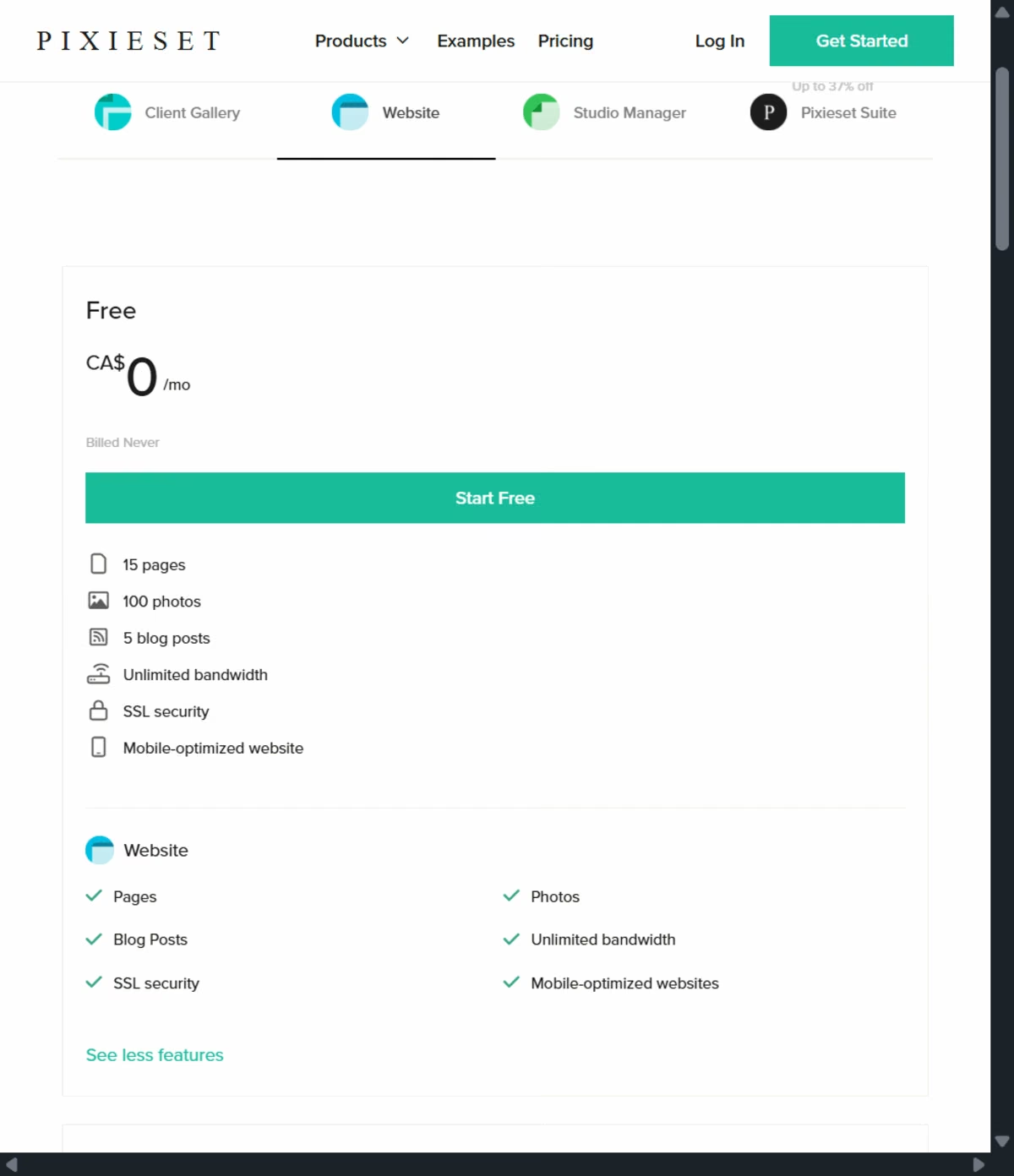
If you want a free portfolio site but also need somewhere to deliver client photos, Pixieset gives you more than most free builders. Its free Website plan includes 15 pages, 100 photos, and five blog posts on a mypixieset.com subdomain.
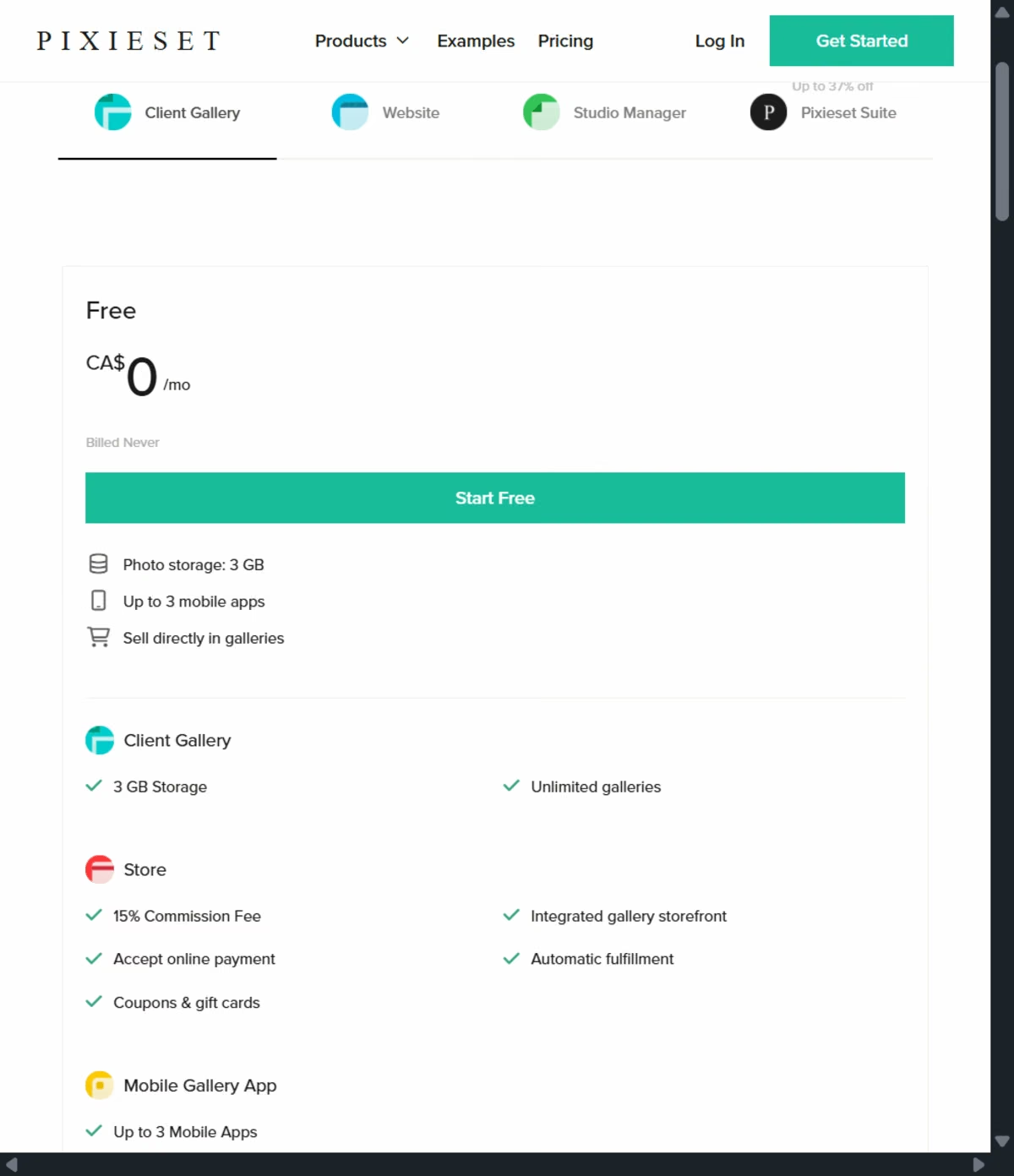
You can also use the free Client Gallery plan for unlimited galleries and 3GB of storage.
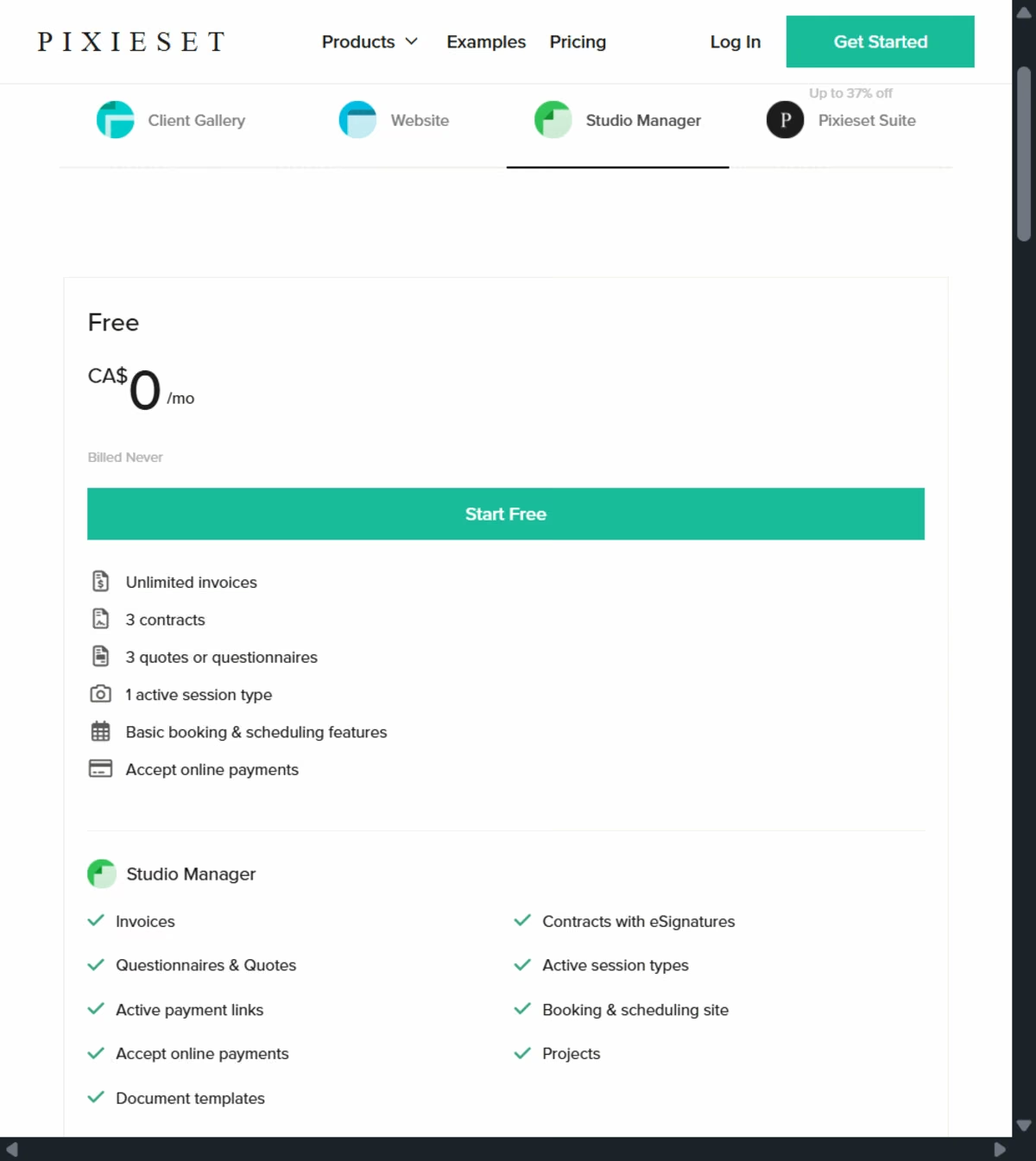
Pixieset also offers a free Studio Manager for contracts, e-signatures, invoices, online payments, and booking, though the free tier caps you at three contracts, three quotes or questionnaires, and one active session type. Invoices are unlimited.
It's a separate app from Website and Client Gallery, though it runs off the same Pixieset account. That's enough to book your first few clients without paying for any of the three products, and not much more.
The tradeoff shows up when you start selling. The free plan takes a 15% commission on print sales through the built-in store, and you can't connect a custom domain until you upgrade.
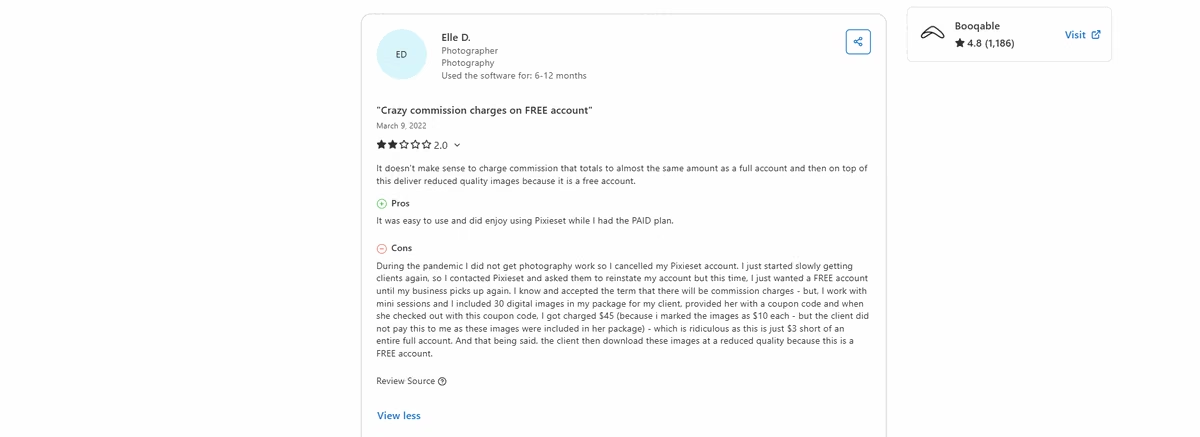
One Capterra reviewer who used the free account called out both restrictions: "It doesn't make sense to charge commission that totals to almost the same amount as a full account and then on top of this deliver reduced quality images because it is a free account." - Elle D., Capterra
The reduced-quality complaint checks out: free and Website-plan downloads cap at 3600px on the long edge, and full original-resolution files are a Client Gallery or Suite plan feature.
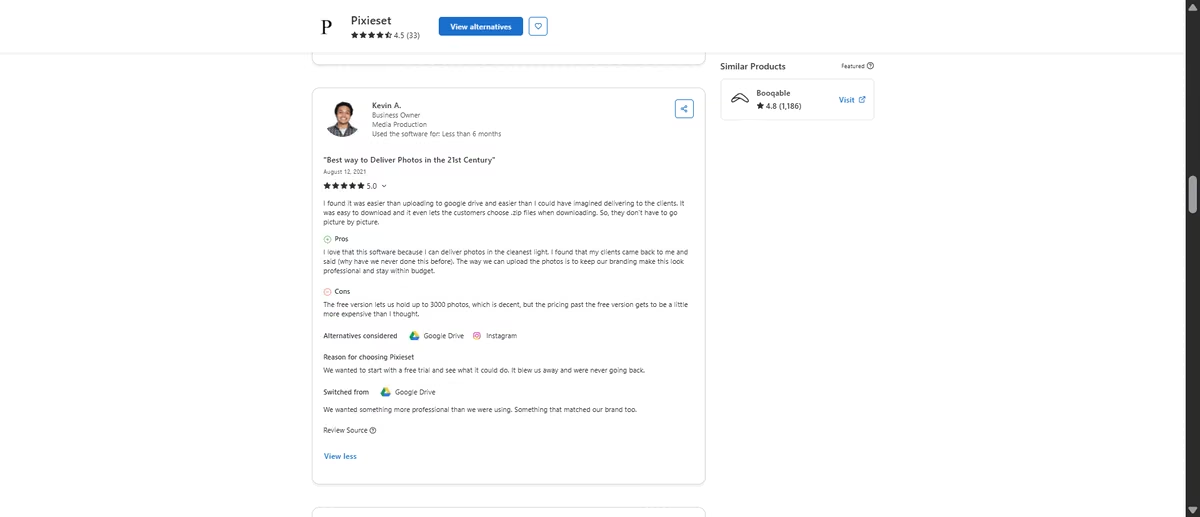
One reviewer, talking about the Client Gallery side rather than the Website plan, found the free storage generous but the step up pricey:
"The free version lets us hold up to 3000 photos, which is decent, but the pricing past the free version gets to be a little more expensive than I thought." - Kevin A., Capterra
For a photographer who only needs a portfolio, those limitations may not matter much. But if you also deliver client galleries, book sessions, and sell prints, Pixieset's free tier covers much more of the business than most portfolio builders.
Wix: Best for a Fast, Disposable First Site
Wix's free plan gets you a working portfolio with a drag-and-drop editor, photography templates, and hosting, all at no cost. That's enough to get your work online quickly, but the limitations become noticeable once you want the site to do more than showcase your work.
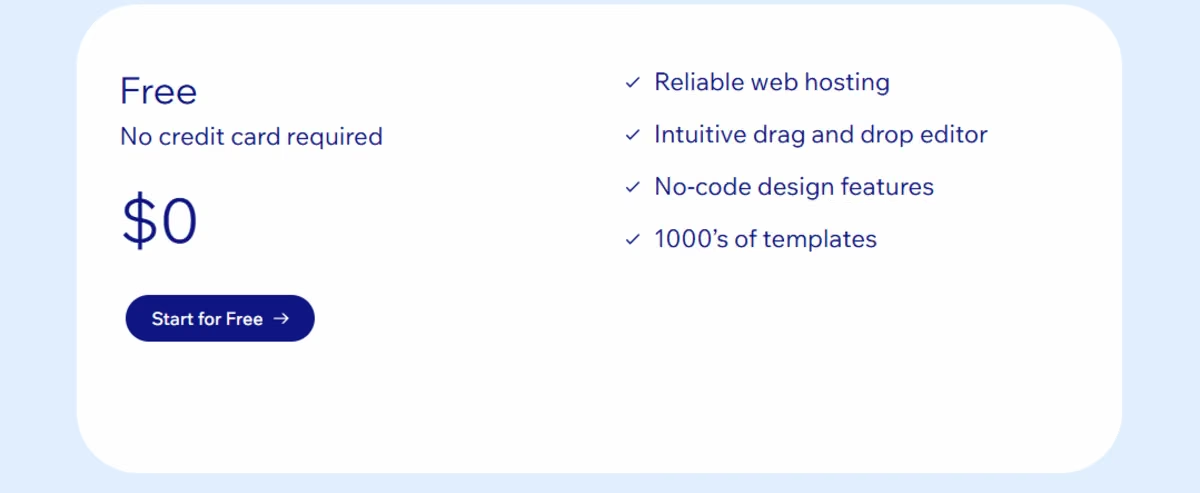
Storage caps at 500MB, which gives you room for a relatively small portfolio but not an extensive library of full-resolution images. More importantly, there's no e-commerce on the free tier, so you can't use your site to sell prints or other products. Your site also uses a wixsite.com subdomain and displays Wix branding.
I built the same five-page brief here in about twenty minutes, most of it spent picking a photography template and swapping in placeholder images. The editor itself doesn't slow you down, the free-tier limits show up afterward: at three medium-resolution galleries, I was already past a third of the 500MB storage limit.
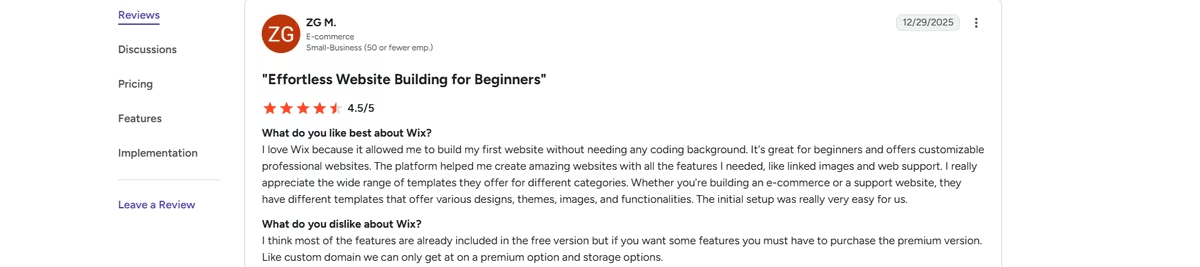
One Wix user summed up the free-versus-paid tradeoff this way: "I think most of the features are already included in the free version but if you want some features you must have to purchase the premium version. Like custom domain we can only get at on a premium option and storage options." - ZG M., G2
Wix is the one to pick if you want something online this afternoon and you're relaxed about rebuilding it later. Just don't plan on selling anything from it.
Canva: Best for a Multi-Page Site Without the Learning Curve
Canva's website builder is probably the easiest option here if you're already comfortable with Canva. You build the site by stacking sections such as a hero banner, image gallery, testimonial, contact form, or footer, then publish it as a website without learning a traditional website builder.
The free plan lets you design with up to 20 sections on a page, but you can only publish 10 of them. If you add more than 10, Canva asks you to delete the extras or upgrade to publish the full page.
For a photographer, that means a portfolio page with a hero image, several galleries, an about section, testimonials, and contact information can run into the limit fast.
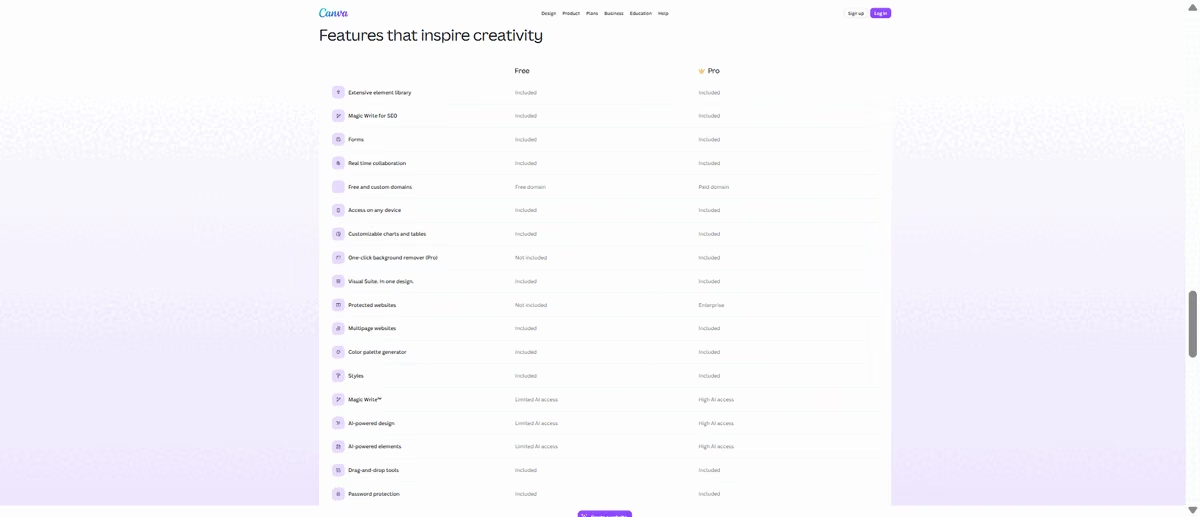
You can still build a multi-page site, up to 45 pages, so you don't have to squeeze your entire portfolio onto one page. You can have separate pages for your work, about sections, and contact information. But Canva isn't a photography-specific platform, so you won't get the client galleries and proofing workflow that comes with Pixieset.
The other limitation is the domain. Your free site uses a my.canva.site address, while connecting your own domain requires a paid plan.
That free-versus-paid divide also comes up in Canva user reviews. One Capterra reviewer said:
“What I liked least about Canva is that some of the better features and assets are locked behind the paid version, which can feel limiting on the free plan. It can also become a bit repetitive since a lot of people use the same templates, so designs don't always feel fully unique unless you spend time customizing them. On more advanced design work, it also feels a bit restricted compared to professional tools." - Michael Z., Capterra

Portfoliobox: The Most Generous Real Free Plan
Portfoliobox is a real free portfolio, not a trial that expires. The free plan caps you at five pages and 30 images. That's enough for a small portfolio with separate pages for your work, about section, contact details, and pricing, but the 30-image limit is considerably tighter than Pixieset's 100.
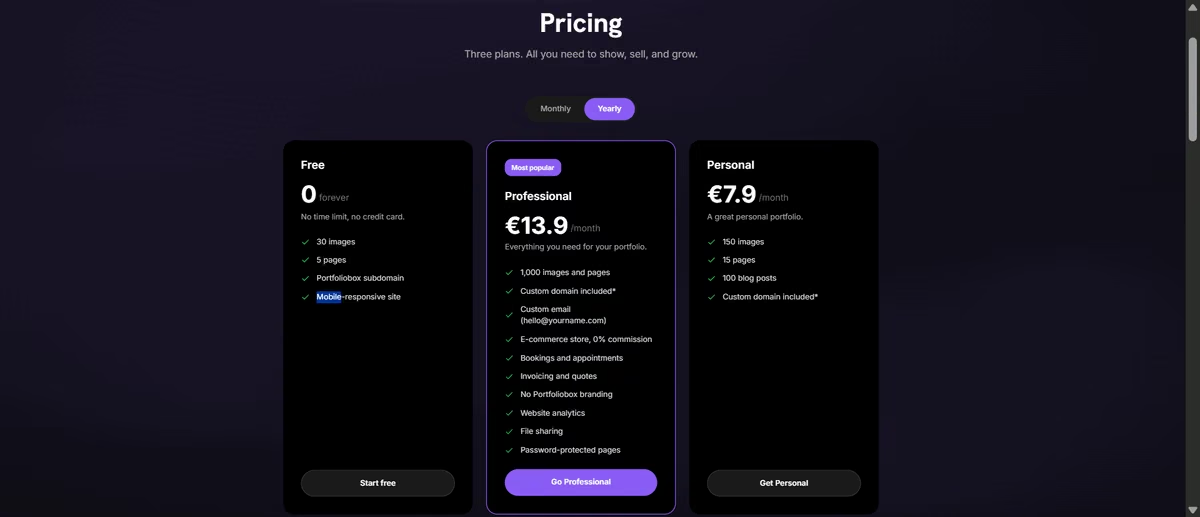
Where Portfoliobox does make sense is if you want a site that feels like a photography portfolio from the start. Its templates and gallery layouts are built around showcasing visual work rather than adapting a general-purpose website builder to it.
I hit the 30-image cap on my third gallery. Five pages was enough for work, about, contact, and pricing, but a photographer with three specialties will run out of pages before they run out of photos.
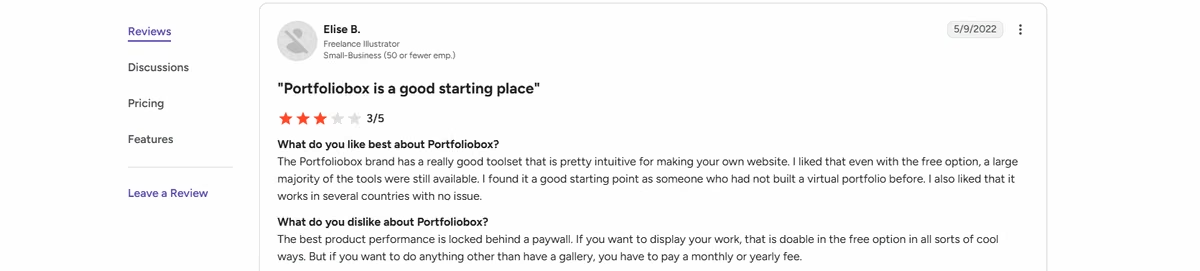
"The Portfoliobox brand has a really good toolset that is pretty intuitive for making your own website. I liked that even with the free option, a large majority of the tools were still available. I found it a good starting point as someone who had not built a virtual portfolio before. I also liked that it works in several countries with no issue." - Elise B., G2
Emergent: The Recommended Pick for a Custom Build
Emergent works differently from the other builders on this list. You describe the site you want, full-bleed galleries, a client proofing area, a booking form, whatever layout fits how you want to present your work, and Emergent builds it around that description. There's no template to start from.
That flexibility matters if the standard portfolio layouts don't match what you have in mind. Pixieset and Portfoliobox give you photography-specific galleries and layouts out of the box. With Emergent, you have to describe those features yourself, but you're not limited to what the template offers.
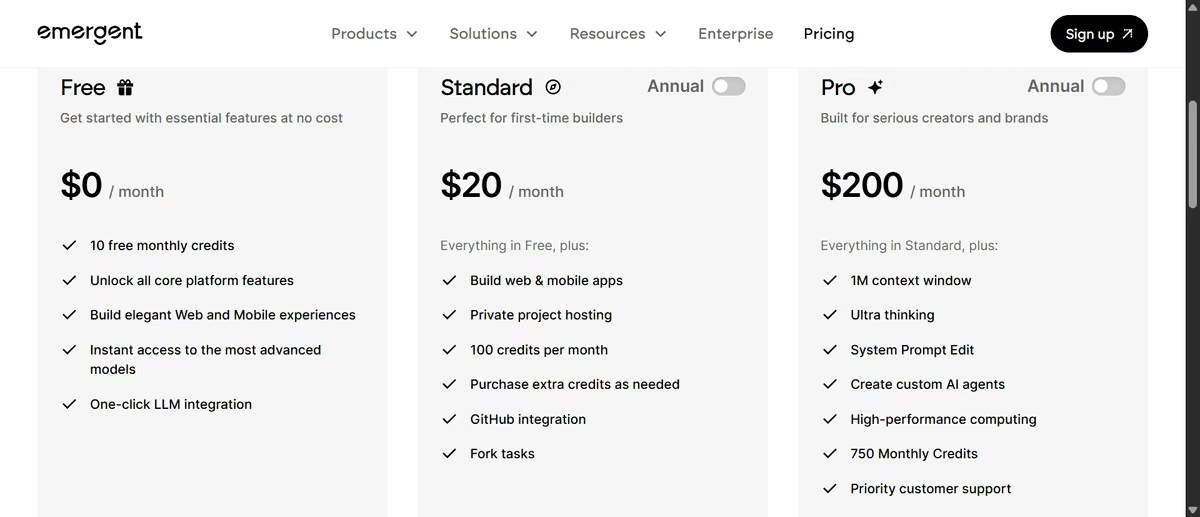
The free plan includes 10 credits a month. There isn't a fixed page or photo cap like you'll find on Wix or Portfoliobox, but every build and revision uses credits.
“Build a photography portfolio with a homepage gallery, a second gallery page, an about page, and a contact form.” That single prompt used 6 of the free plan's 10 monthly credits for the initial build. A follow-up prompt to adjust the gallery layout used 2 more, leaving 2 credits for the month, not much room for further revisions before hitting the cap.
One G2 reviewer ran into exactly that problem:
"The free credits are too low at 10 per month. Sometimes I can't finish what I'm doing in the app because I've already used all my credits." - Bibhudatta D., G2

Emergent is the one pick here where the free plan won't keep a site online. Free gets you 10 credits a month to build and iterate, but deployment is a Standard-plan feature, and each live app costs 50 credits a month on top of that.
So use free to build and see the thing working, then move to Standard at $20 per month to publish it with a custom domain. If your priority is a permanently free live URL, Portfoliobox or Pixieset is the honest answer.
For a full walkthrough of what to build first, our guide on how to make a photography website covers structure and page order in more depth than a free-tier comparison can.
Which Free Photography Website Builder Should You Choose?
- Choose Pixieset if you want the website to connect naturally to client galleries and photography delivery.
- Choose Wix if you want to quickly build a familiar website with pages, galleries, forms, and a drag-and-drop editor.
- Choose Canva if visual design and ease of creation matter more than website functionality.
- Choose Portfoliobox if you want a straightforward photography portfolio without much setup.
- Choose Emergent if you have a specific site in mind and want a photography website builder to build it from scratch.
Skip the free tier entirely if you already have paying clients. A $9 to $20 monthly plan on almost any platform here removes the branding and adds the custom domain, usually paying for itself with a single booking.
If you're comparing website builders more broadly, Emergent's guide to the best online website builders breaks down how it compares with general-purpose options such as Wix, Squarespace, Webflow, and Framer.
When You'll Need to Upgrade
The point where a free plan stops working depends on what you're building. Wix runs into its 500MB storage limit. Canva's 10-section publishing limit makes fuller pages harder to build. Portfoliobox's 30-image cap can force you to leave work out. Emergent's 10 monthly credits can run out while you're still refining the site.
For many photographers, the bigger turning point comes when the portfolio becomes part of the business, and the free subdomain starts looking less professional.
But before then, if you want something custom, Emergent lets you create a site around your portfolio, galleries, booking flow, and the way you want clients to use it.
Ready to build it? Sign up and start building your free photography website with Emergent right away.

Most AI app builders stop at prototypes. Emergent creates production-ready apps you can actually launch.
- Production-ready apps
- Web & mobile apps
- Deploy in minutes







