




Asking Emergent for a plain storefront barely tests it. The interesting question is what happens when you add behavioral rules. Can a shopper buy a bag of coffee in a grind that sold out yesterday? Does stock come down when an order goes through, and does it come down on the right item?
I gave Emergent a brief for a coffee roastery store and answered five setup questions. After 31 minutes and 36.97 credits, I had a working ecommerce store. I spent the next half an hour checking how Emergent did with those rules I mentioned.
I documented the entire process, including the exact prompt I used, what the build got right, the one thing it got wrong, and the testing I did to make sure the build did exactly what was in the brief.
What You'll Need Before Starting
Here’s a short list of things to have on hand before you start.
- An Emergent account. The build below ran on a paid plan.
- A rough spec. Around 10 lines of "here's what the store does" is enough.
- A test card. Stripe's
4242 4242 4242 4242works with any future expiry date and any three-digit code. - A second sign-in. Use a personal account to check your admin area is properly locked.
- Time: about 30 minutes to build and 30 minutes to test.
- Credits: This build cost 36.97. That's comfortable on a paid plan, and well beyond what the free plan's monthly allowance covers.
Building the Store, Step by Step
I built a store for a fictional coffee roastery called Ridgeline. I asked for eight products, each sold in three grinds and two bag sizes. On top of that: a Stripe checkout, a customer sign-in, an order history, and an admin area for managing stock.
I chose coffee due to the stock problem. The same beans are sold as whole beans or ground, in two bag sizes, and each has its own count in the stockroom.
I ran the build on Emergent's paid plan, in one session on a Saturday afternoon. I didn't use a starter template or edit any code. I gave it a prompt, answered five questions, and then tested the result. It was vibe coding with a 48-variant stock system, role-based access, and a payment processor attached.
Step 1: Decide the rules before you open the builder
The temptation is to start typing in the "What will you build today?" box immediately. Try to avoid doing that and spend five minutes deciding what your store does when things go wrong. That’s the part an ecommerce app builder can't guess, but also the part your customers could find within seconds of visiting your site.
For Ridgeline, I had three rules:
- Stock lives on the combination of grind and bag size, rather than on the product.
- A sold-out combination can't be added to a cart, but the rest of that product stays buyable.
- Anything with three or fewer left says so on the page.
They're also a worthy test of whether a builder is reasoning about your store or pattern-matching a generic one. The more basic version of this feature attaches stock to the product and looks fine until something sells out.
Step 2: Put the entire brief in one prompt
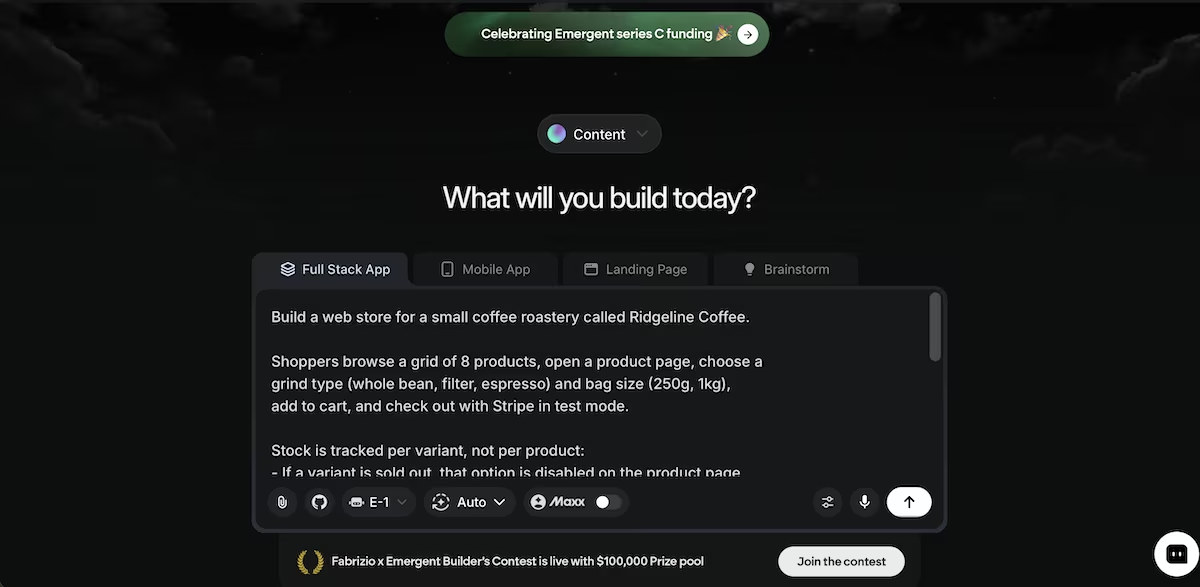
Here’s the exact prompt I gave to Emergent:
“Build a web store for a small coffee roastery called Ridgeline Coffee.
Shoppers browse a grid of 8 products, open a product page, choose a grind type (whole bean, filter, espresso) and bag size (250g, 1kg), add to cart, and check out with Stripe in test mode.
Stock is tracked per variant, not per product:
- If a variant is sold out, that option is disabled on the product page and can't be added to the cart, but the product stays buyable in its other variants.
- If a variant has 3 or fewer left, show "Only X left" beside that option.
- Checkout blocks if cart quantity exceeds what's in stock, and stock decrements when an order is placed.
Shoppers sign in to see their past orders and order status.
I also need an admin area where I can add products, edit prices and stock per variant, and see incoming orders with their status.
Prices in USD. Send an order confirmation email after checkout.”
Adding one feature at a time might feel safer, but if it needs more information than you gave it, it may go ahead and decide for itself. Give it the entire brief up front and let it plan the full build in advance.
Step 3: Answer the setup questions
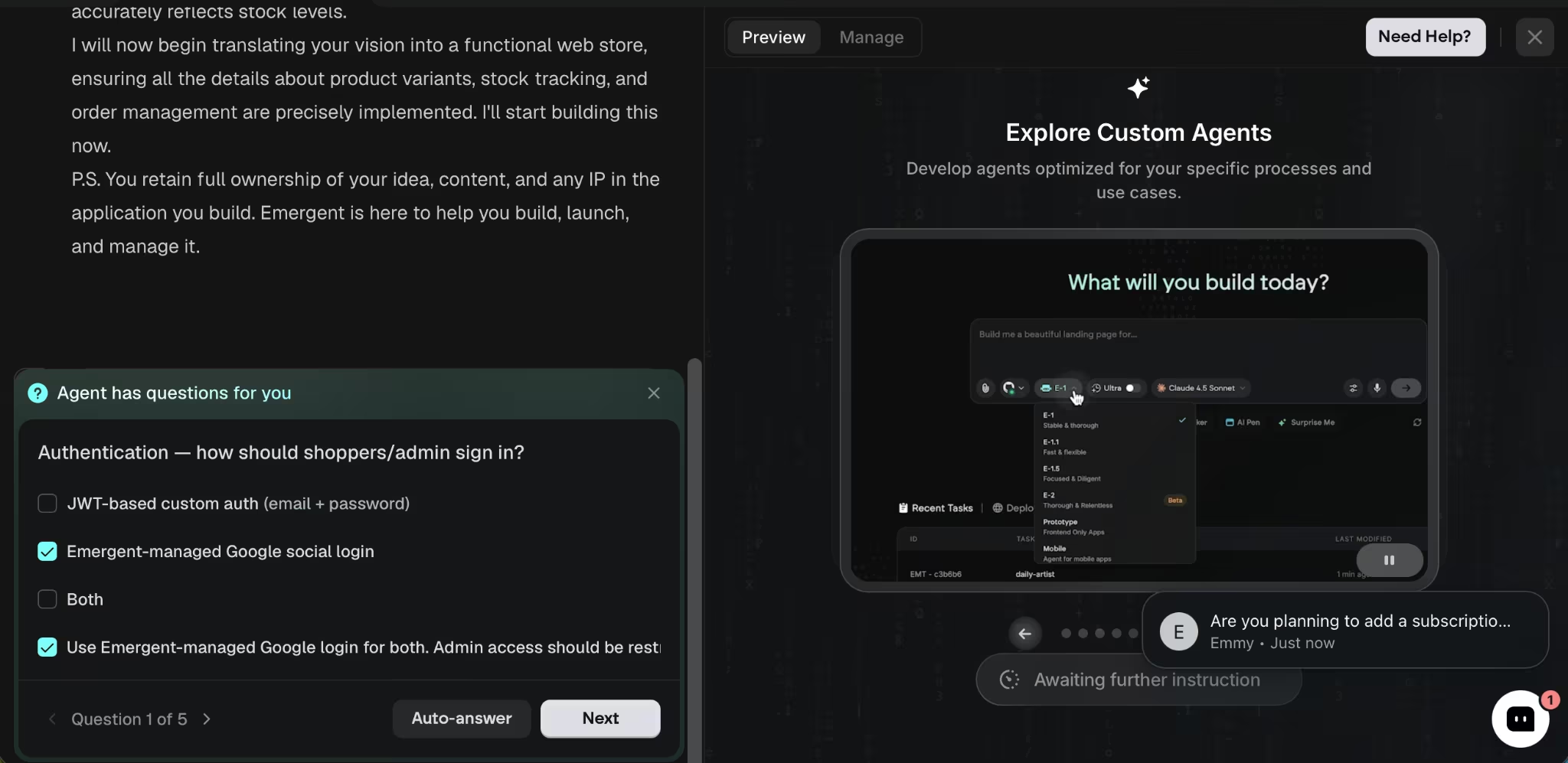
Before building, Emergent asked me five questions: how sign-in should work, how to handle payments, whether to send confirmation emails, who gets admin access, and whether to seed sample products.
I picked Google sign-in, so there's no separate developer console to configure. Stripe went through Emergent's own integration, so I didn’t have to paste any keys. And customer emails went through a managed Resend integration, again with nothing to set up.
On seeding, I asked for sample products with mixed stock levels: one variant sold out, one down to two, and the rest normal. That saved me 10 minutes of clicking through the admin to manufacture the states I needed to test.
Step 4: Watch what it builds
The build ran for 31 minutes, and the running commentary is interesting (well, at least, I thought so). It set up the data and the store logic, then the storefront, then ran its own test pass before finishing the build. Specialized agents split the work, with testing agents checking the result.
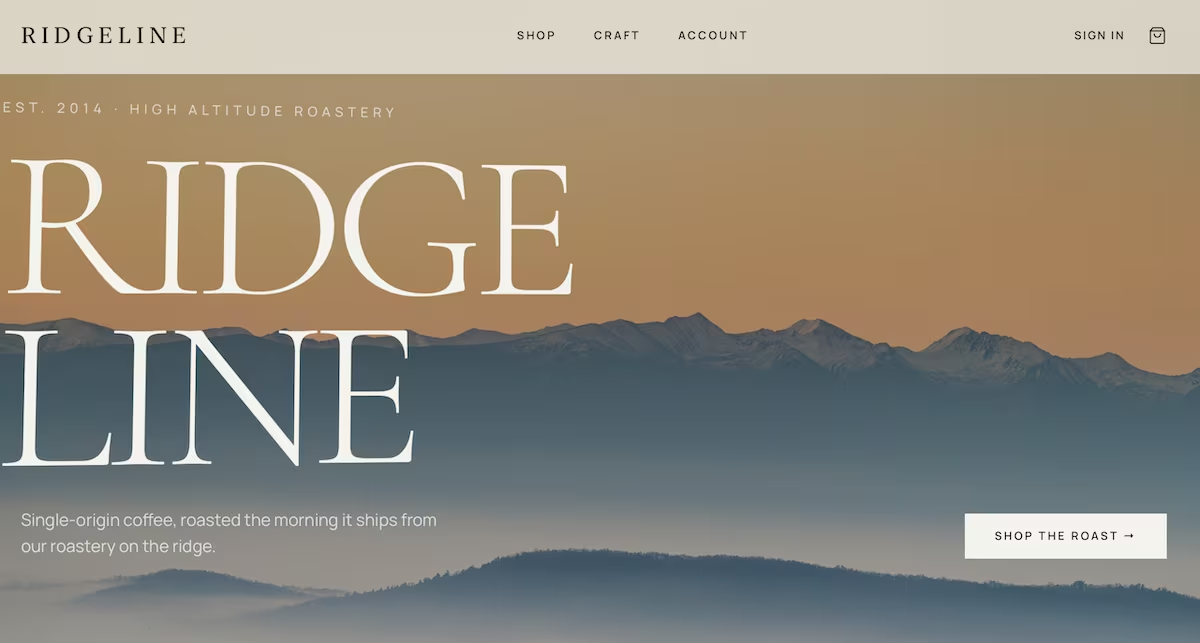
There were two things that stood out to me. It wrote its own credential and test notes partway through, so it could verify the store end to end. It also built Ridgeline as a real brand, with a mountain hero image, roast notes, and tasting tags on each product. Much better than the gray placeholder store I expected.
The credit meter moved from 343.15 to 306.18 by the time the agents had finished. Most of that went on the initial build, since I never had to spend credits on fixes.
Step 5: Test the rule your store depends on
This is where you find out whether you have a store or a demo. Open a product and click through every combination.
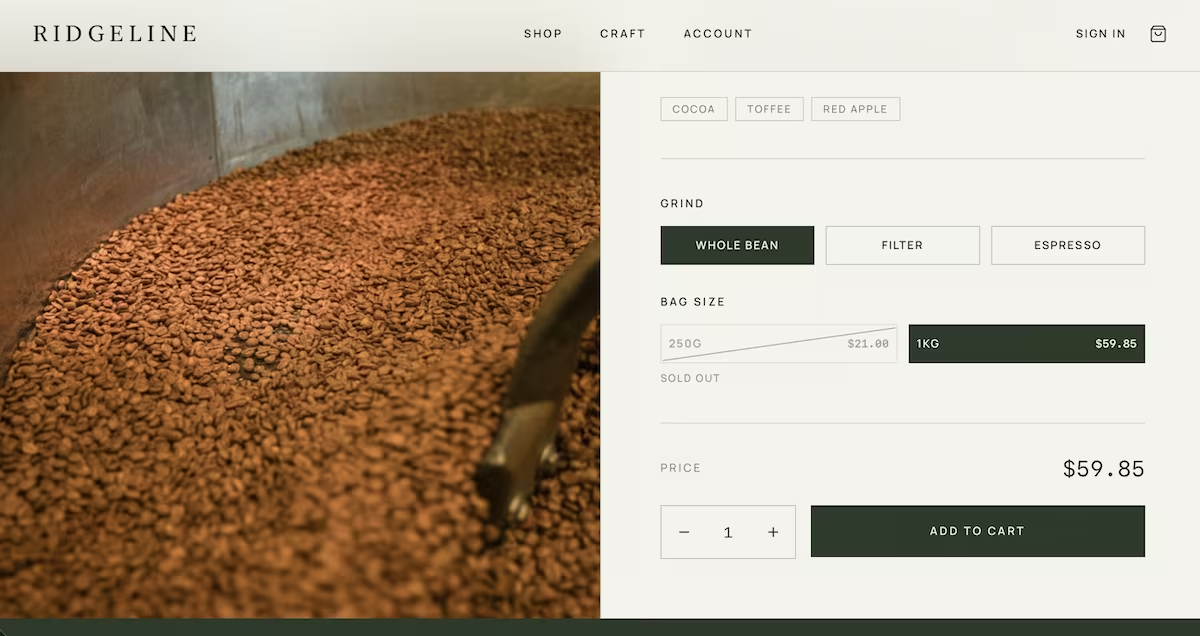
On Ridgeline Signature Blend, with whole bean selected, the 250g option displayed SOLD OUT beneath it, so the page had switched me to the 1kg at $59.85. Then I selected filter coffee and the 250g showed $21.00, while the 1kg showed ONLY 2 LEFT. That’s exactly what I asked for in my prompt.
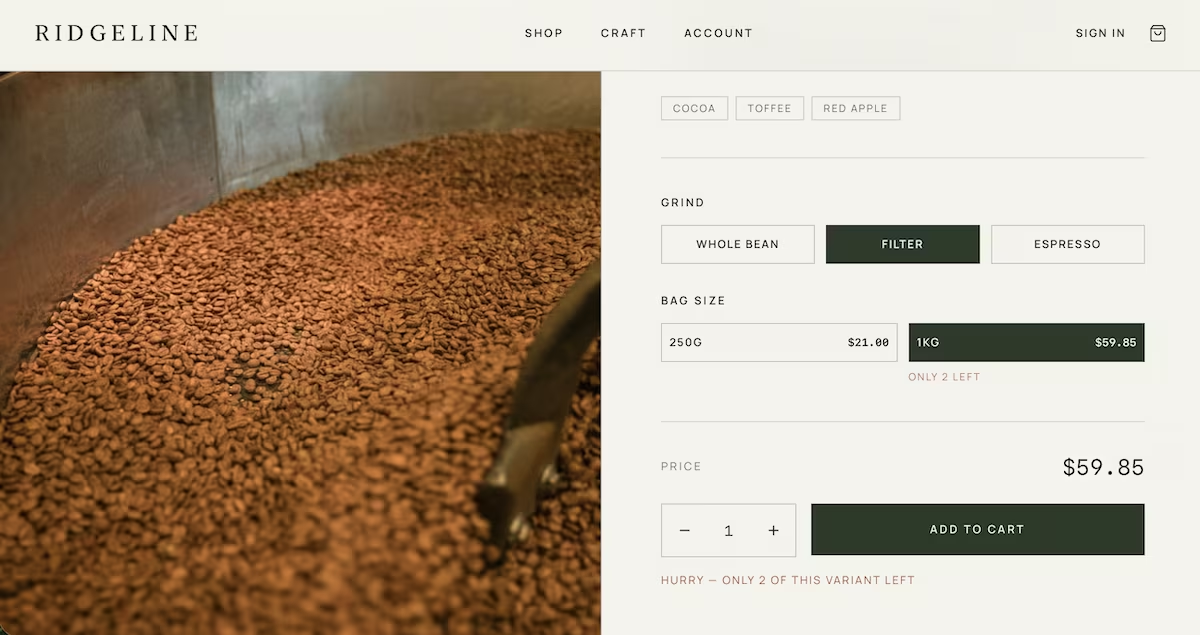
Stock is tracked on the specific combination of grind and bag size, which is 48 separate quantities over eight products. I liked how a sold-out combination didn’t leave me on a dead page. Instead, it moved me to an available size and updated the price to match. I then tried to over-order, but the variant with two left didn’t allow me to order more than that amount.
Step 6: Buy something with a test card
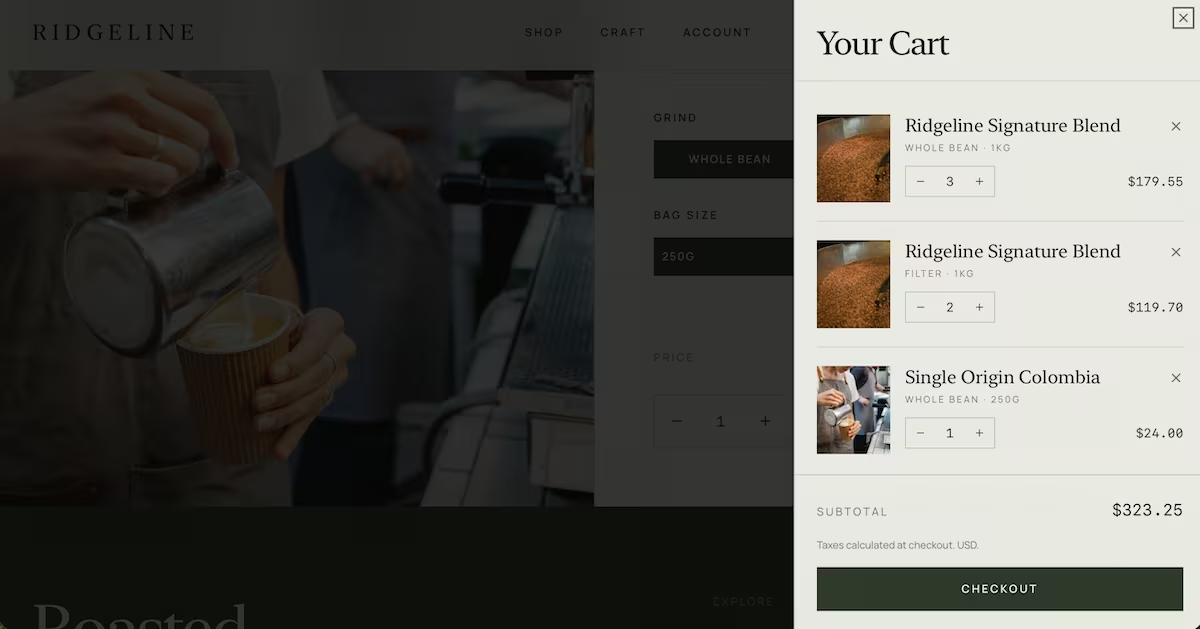
I loaded three of the Signature Blend whole bean 1kg, two of the filter 1kg, and one Colombia 250g, giving a subtotal of $323.25. Finally, I hit Checkout.
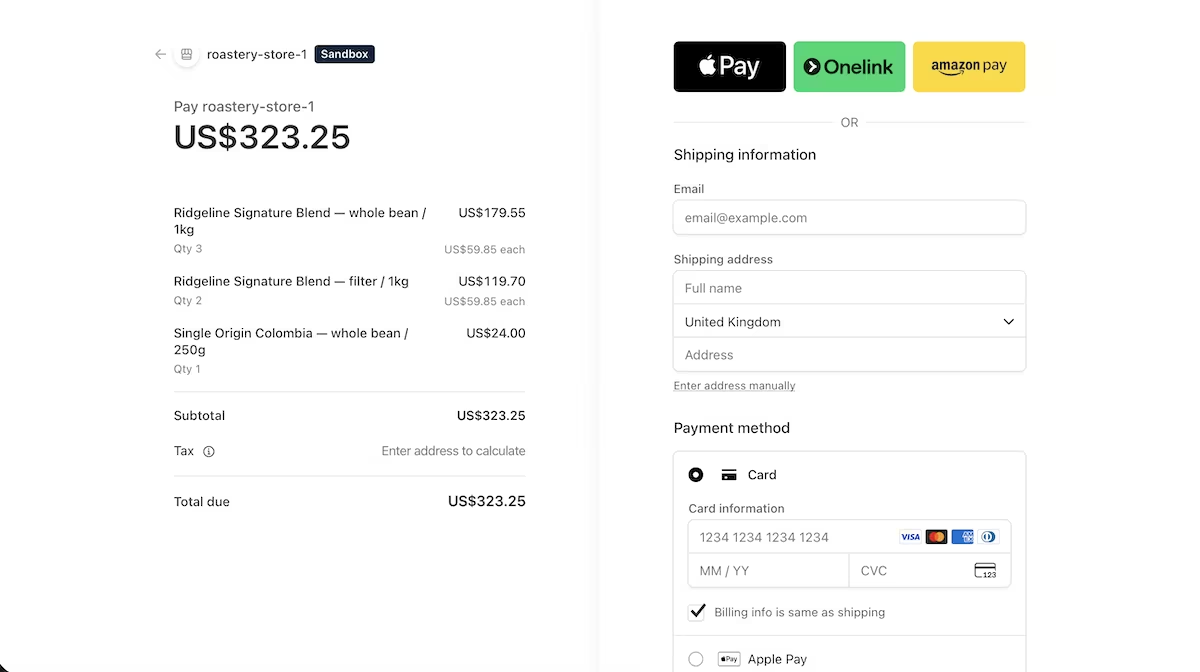
That took me to a Stripe checkout page in sandbox mode, itemized correctly, with card, Apple Pay, and other payment wallet options to choose from. I entered the Stripe test card number 4242 4242 4242 4242, any future expiry, and any three digits, and the payment went through.
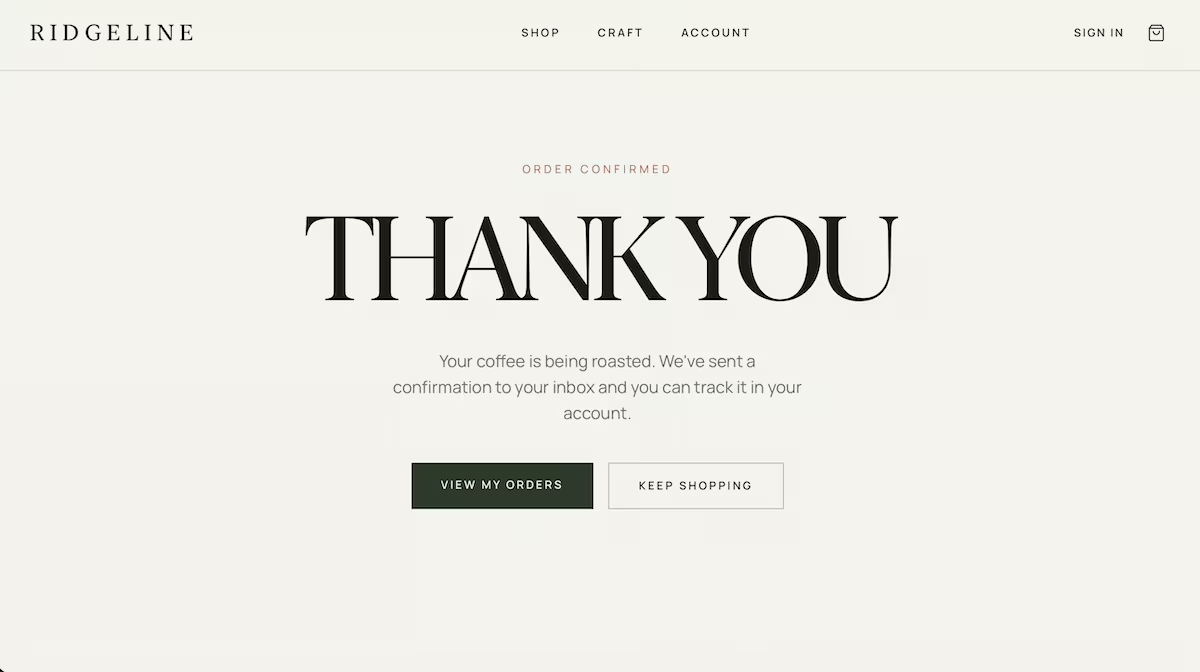
The store then displayed a confirmation page saying, "Your coffee is being roasted. We've sent a confirmation to your inbox, and you can track it in your account." I didn’t receive a confirmation email, so that’s something I’d need to fix if I was to take this further.
Step 7: Check the admin side, then try to break into it
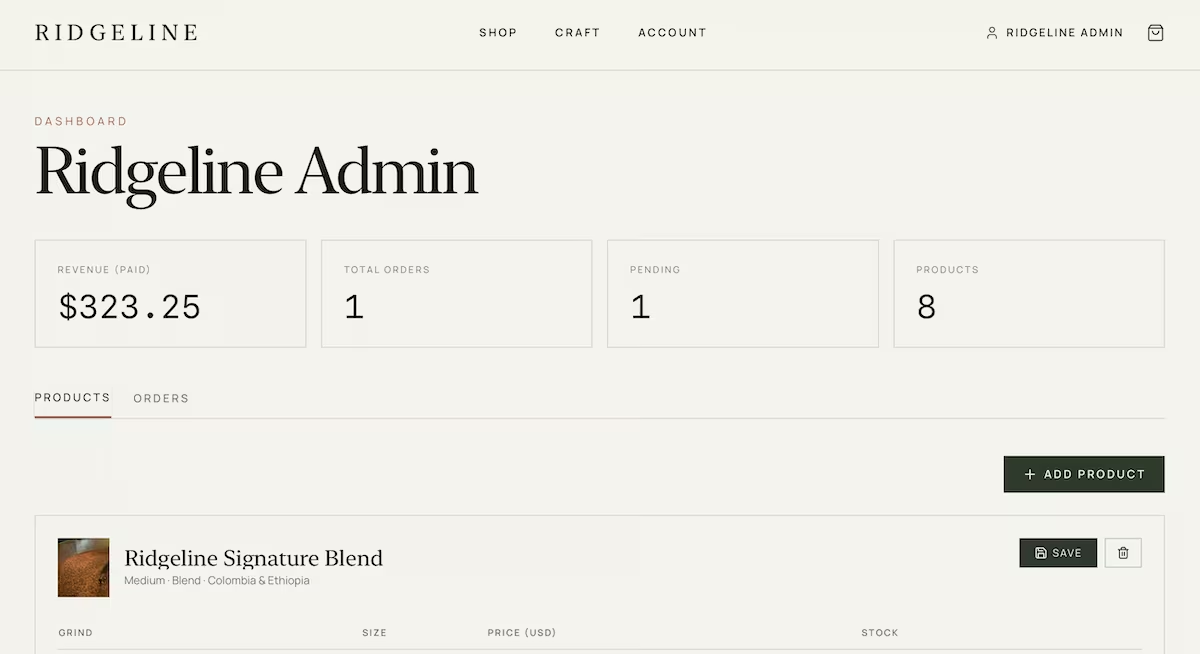
The admin dashboard showed a revenue total of $323.25, one order marked Pending, and eight products, with the header displaying "Ridgeline Admin" as requested rather than my sign-in address.
Then I checked the stock. Before my order, Signature Blend whole bean 1kg had 15 and filter 1kg had 2. They now read 12 and 0 respectively, and Colombia whole bean 250g went from 12 to 11. Everything else stayed the same.
For admin access, I’d given a specific email address rather than letting any signed-in account through. So my final test was the security check. I signed out, signed back in with a different email account, and typed the admin address straight into the browser. The response showed ACCESS DENIED: "This area is restricted to Ridgeline administrators." Another test passed.
Common Mistakes to Avoid
A live build isn't necessarily a finished one. Here are the mistakes that cost time when building an ecommerce app.
- Trusting the success screen: my store said it had emailed me an order confirmation. It didn’t. Make sure to verify that part for yourself.
- Adding features one prompt at a time: it burns credits and produces a store assembled in layers instead of planned as a whole.
- Seeding tidy sample data: if every product has 20 in stock, none of your edge cases exist, and you can't test the rules you just paid to build.
- Accepting every improvement the builder offers: mine suggested a low-stock badge on the grid, an abandoned-cart email, and image uploads for the admin. They were all reasonable suggestions, but my store didn’t need any of them to achieve what I’d asked for.
- Considering the storefront the be-all and end-all: the storefront is the easy part to get right, and the least important.
Where Emergent Made This Easier
Emergent had clearly answered the question of how to build an ecommerce app. The store went from one prompt to a live checkout without me writing any code whatsoever. And the setup that usually takes an afternoon if you’re doing it manually (sign-in, payments, transactional email) took me three clicks because Emergent manages those integrations itself.
What worked well:
- Reasoning about the rules: 48 separate stock quantities behaving correctly with a variety of grinds and sizes, verified through a test purchase.
- Payments without the paperwork: the Stripe integration worked in sandbox from the first attempt, with no keys to configure.
- Sign-in without a developer console: Google sign-in managed by Emergent, with admin access restricted to a specific email address.
- Design taste: a coherent brand rather than a placeholder layout.
What didn't:
- Two things fell short: the confirmation email didn’t arrive, despite the app reporting it had, and admin product images take pasted web addresses rather than uploaded files.
The code is yours to keep, and Emergent supports exporting your project to GitHub if you want to take it to a developer, another host, or your own environment later.
The reason a build this size holds together is that specialized agents split the work rather than one model attempting everything at once, with data and store logic built first, then the storefront, and finally, a test pass before it finishes.
If you want to try doing this yourself, the Emergent free plan is enough for a basic build, but you'd need to upgrade for something of this size.
A build like Ridgeline sits comfortably within a paid month's allowance, and current plan details are on the pricing page. If you'd rather work from a chat window you already have open, the Model Context Protocol (MCP) connector lets you build straight from Claude or ChatGPT; the same brief works from there.
Ready to try it yourself? Start building on Emergent

Describe what you want and Emergent builds it. A real, production-ready app you can launch the same day.
- One prompt to build
- Zero code required
- Deploy in minutes







