




Guides on how to build an ecommerce website usually hand you a platform recommendation and a list of settings. You pick a template, wrestle a theme into shape, install four apps to cover what the theme can't do, and two weeks later you still don't trust your checkout.
I built a store the other way instead. O-Tees sells oversized shirts out of Texas and ships worldwide. Its store took 24 minutes, and 47 credits on Emergent's ecommerce builder, an AI website builder made for vibe coding.
Below is the prompt I used, the five questions the agent asked back, what shipped, and how to get your own store onto a custom domain.
What You'll Need Before You Start
Four things show up in either the prompt or the setup questions, and guessing mid-build is where first attempts go sideways.
Have them ready first:
- Product details: Names, prices, and the variants you sell (sizes, colors, or both). Five to 10 of your own products beat 50 placeholders.
- Shipping reality: Where you ship and what you'll charge. I went in with flat rates and the agent turned them into rules.
- Payment provider: Emergent connects to Stripe and Razorpay. Emergent's setup screen says you can start testing with Stripe before you claim an account.
- Domain name: Either one you already own or one you'll buy during setup.
Time required: The build itself ran under half an hour. Add an hour or two for refinements and a test order.
One decision comes first. Two routes get you a store without code: template platforms like Shopify or Wix hand you a proven checkout and a theme to work inside, while AI builders generate the store from a description. This guide takes the AI route. The fuller comparison sits further down.
How to Build an Ecommerce Website With AI in 6 Steps
This walkthrough uses the Standard plan, so the build screen shows the default options. Higher plans change what's on that screen, but the steps below are the same.
Step 1: Turn Your Business Into a Build-Ready Prompt
Write down what the store is, in the plainest language you've got. The quality of the first prompt sets the quality of the first build.
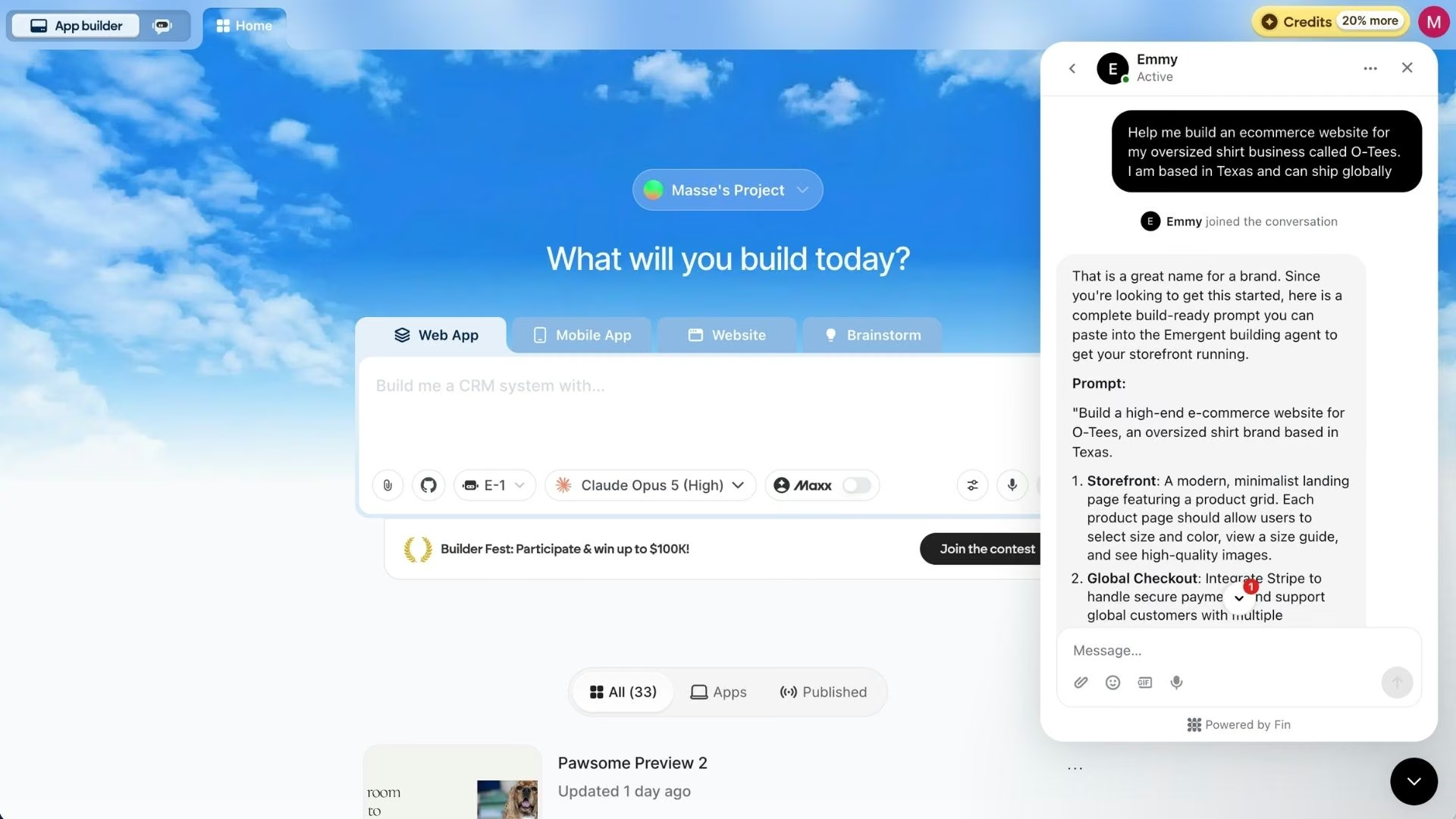
I let Emmy write mine. Emmy is a free chat assistant built into Emergent, reachable from the bottom right corner of every page. One of its jobs is turning a plain description into a complete prompt, and it doesn't consume credits.
Here's what I typed:
"Help me build an e-commerce website for my oversized shirt business called O-Tees. I am based in Texas and can ship globally."
What Emmy handed back:
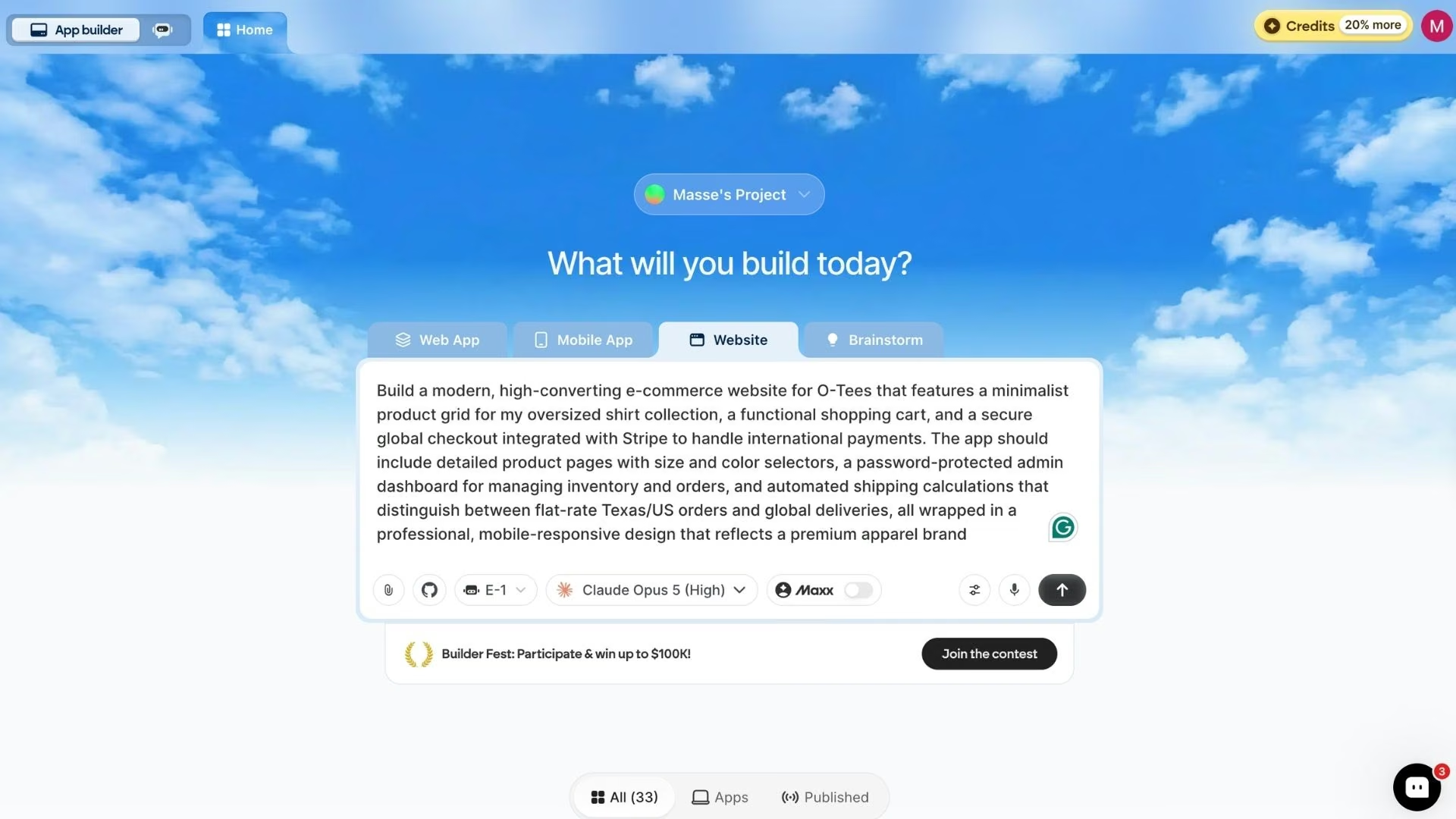
"Build a modern, high-converting e-commerce website for O-Tees that features a minimalist product grid for my oversized shirt collection, a functional shopping cart, and a secure global checkout integrated with Stripe to handle international payments. The app should include detailed product pages with size and color selectors, a password-protected admin dashboard for managing inventory and orders, and automated shipping calculations that distinguish between flat-rate Texas/US orders and global deliveries, all wrapped in a professional, mobile-responsive design that reflects a premium apparel brand."
Two sentences bought me a full spec. Read the expansion before you use it and correct anything it guessed wrong. Emmy named Stripe, the size and color selectors, and the US/international shipping split; three details I'd have had to remember myself.
Step 2: Start the Build on Emergent's Ecommerce Builder
Paste the prompt into the box on Emergent's ecommerce builder page. I used E-1, Emergent's core builder, with Claude Opus 5 behind it. E-1 is tuned for real products over speed, and it checks in as it goes, so on a first store you catch a wrong turn at the next message instead of after an hour of unattended building.
Emergent offers multiple agents. Emergent offers multiple agents. E-2 steps up to reliability and complex integrations if you outgrow E-1, and the Pro plan adds E-3, a more autonomous option in beta that interviews you first, then builds alone.
Step 3: Answer the Setup Questions
Emergent opens the build by asking questions, and your answers get baked into the first version.
Mine asked five. I answered like this:
- Payment provider? Stripe. The setup screen labeled it recommended and promised no account or keys to start testing, with the account claimed later when you're ready to take real money.
- Admin dashboard access? Emergent-managed Google sign-in, so I didn't have to wire that up myself.
- Shipping rules? Flat $5 in Texas, $9 for the rest of the US, $25 international.
- Product catalog? Seed sample oversized-shirt products with stock imagery, so the store looked live on first load.
- Customer accounts at checkout? Guest checkout only.
The shipping answer is the one worth slowing down on. Zone rates are painful to retrofit once a cart exists, so put your real numbers in here.
Step 4: Walk Through the First Version of Your Store
Twenty-four minutes later, I had five screens to click through.
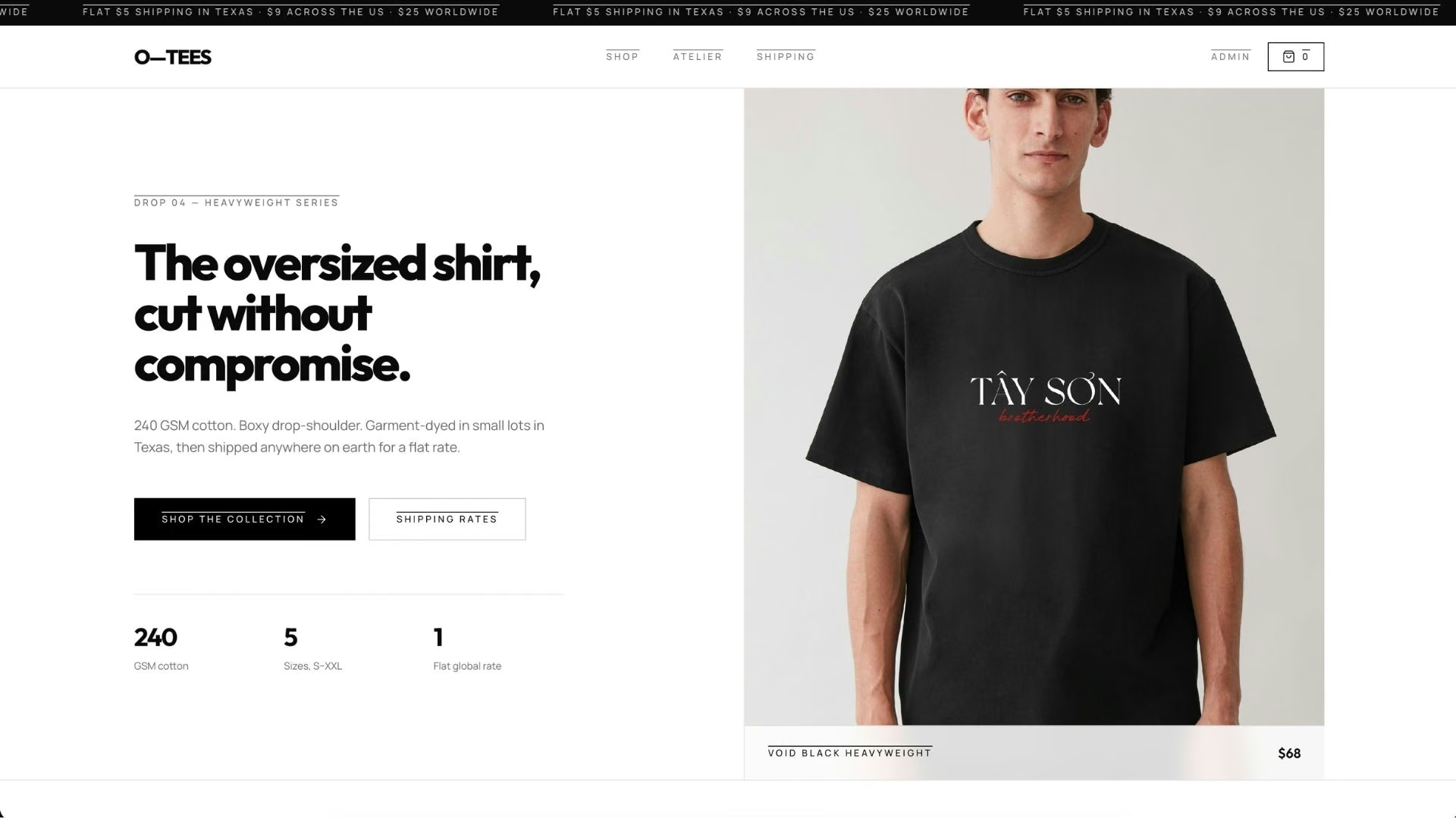
The landing page picked its own hero photography, and the headline and subheading under it needed no rewriting.
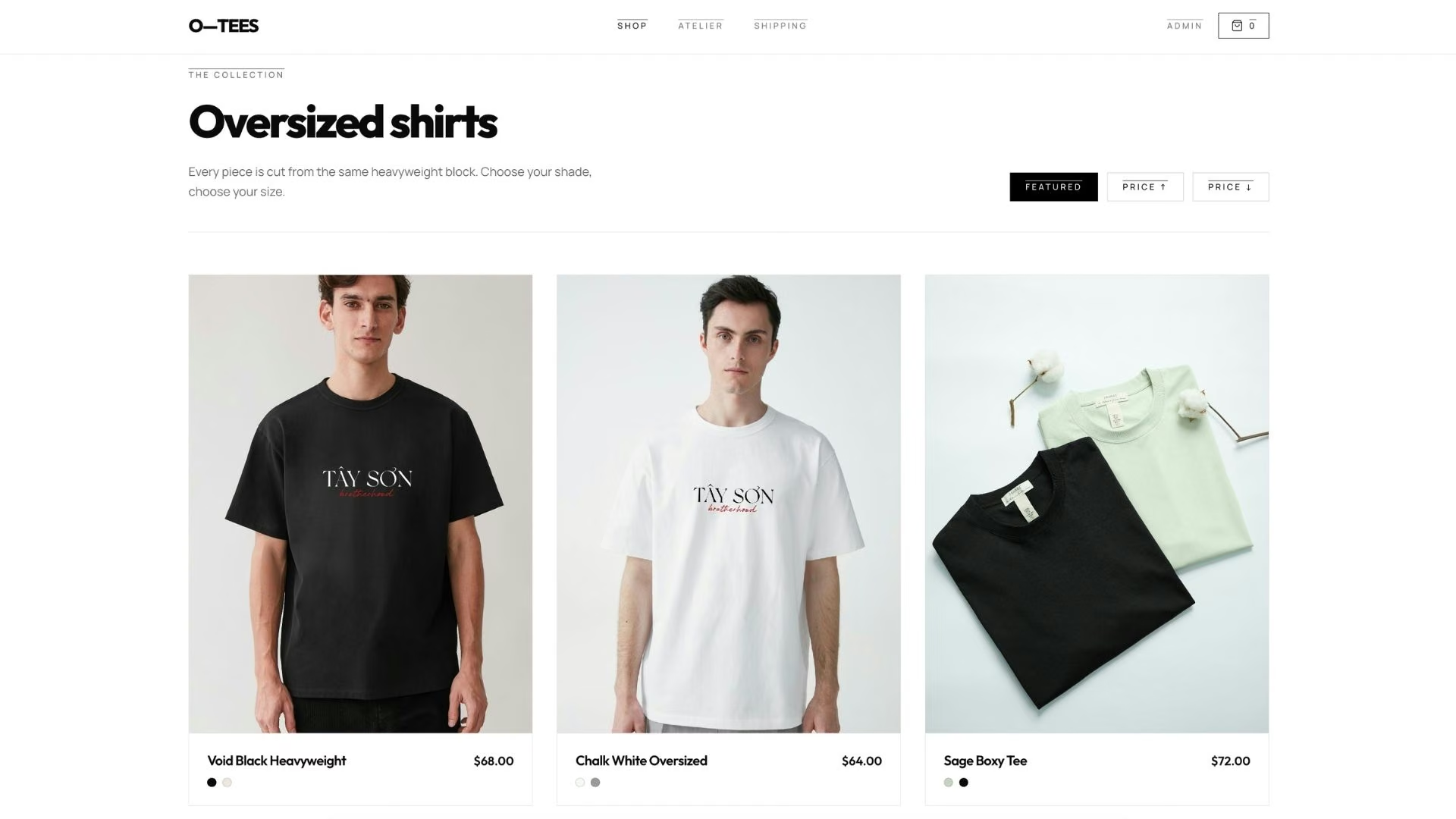
The shop grid came back with six sample products that look like something you'd actually buy. Clicking one opens its own page, where you choose size and color before adding to cart. That's the variant behavior the prompt asked for, and it worked on the first pass.
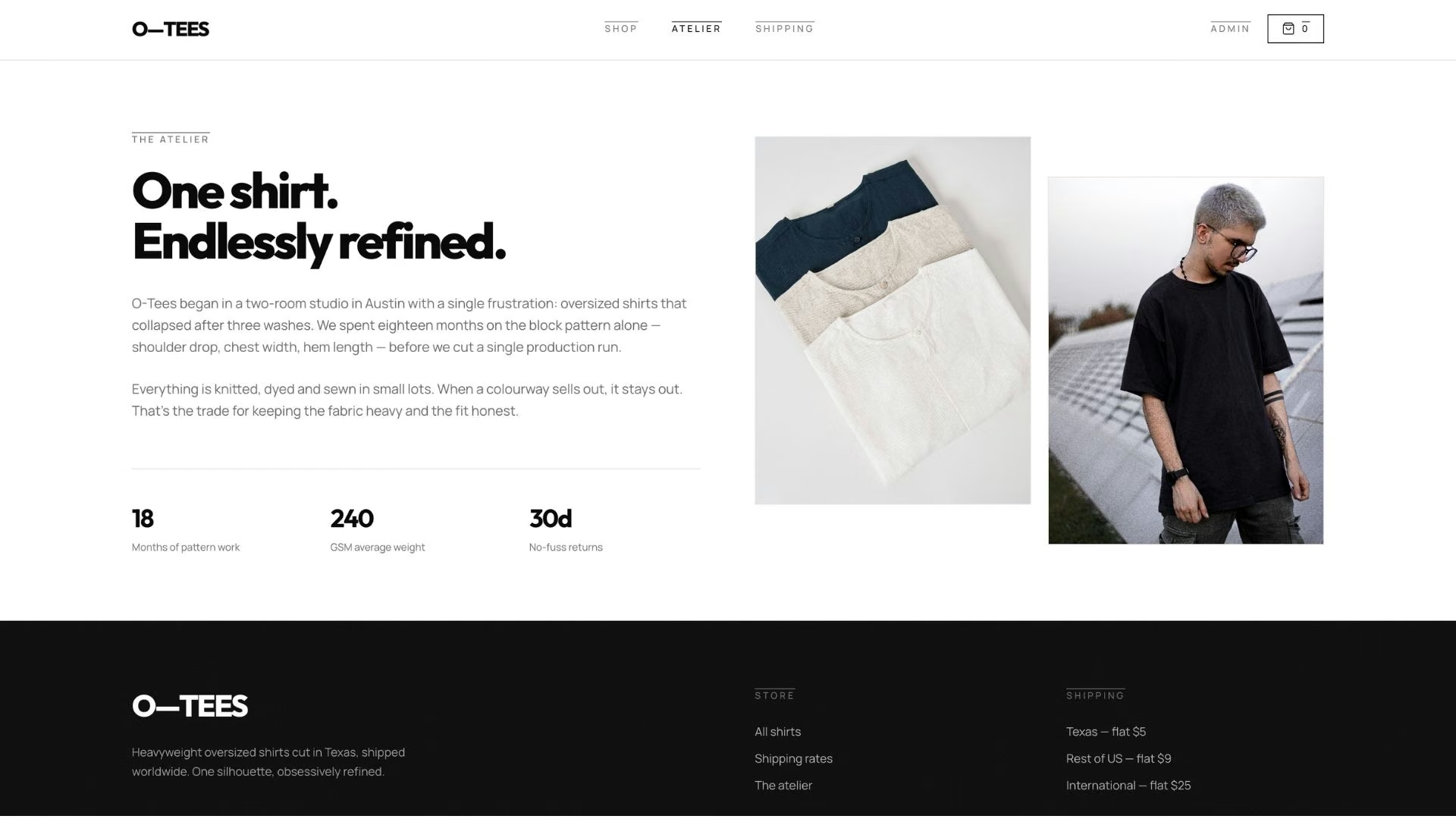
The Atelier section tells the brand's story, and I never asked for it directly. Emmy's prompt wanted a design that "reflects a premium apparel brand," and the agent read a story page into that. It's the page I'd have written next by hand.
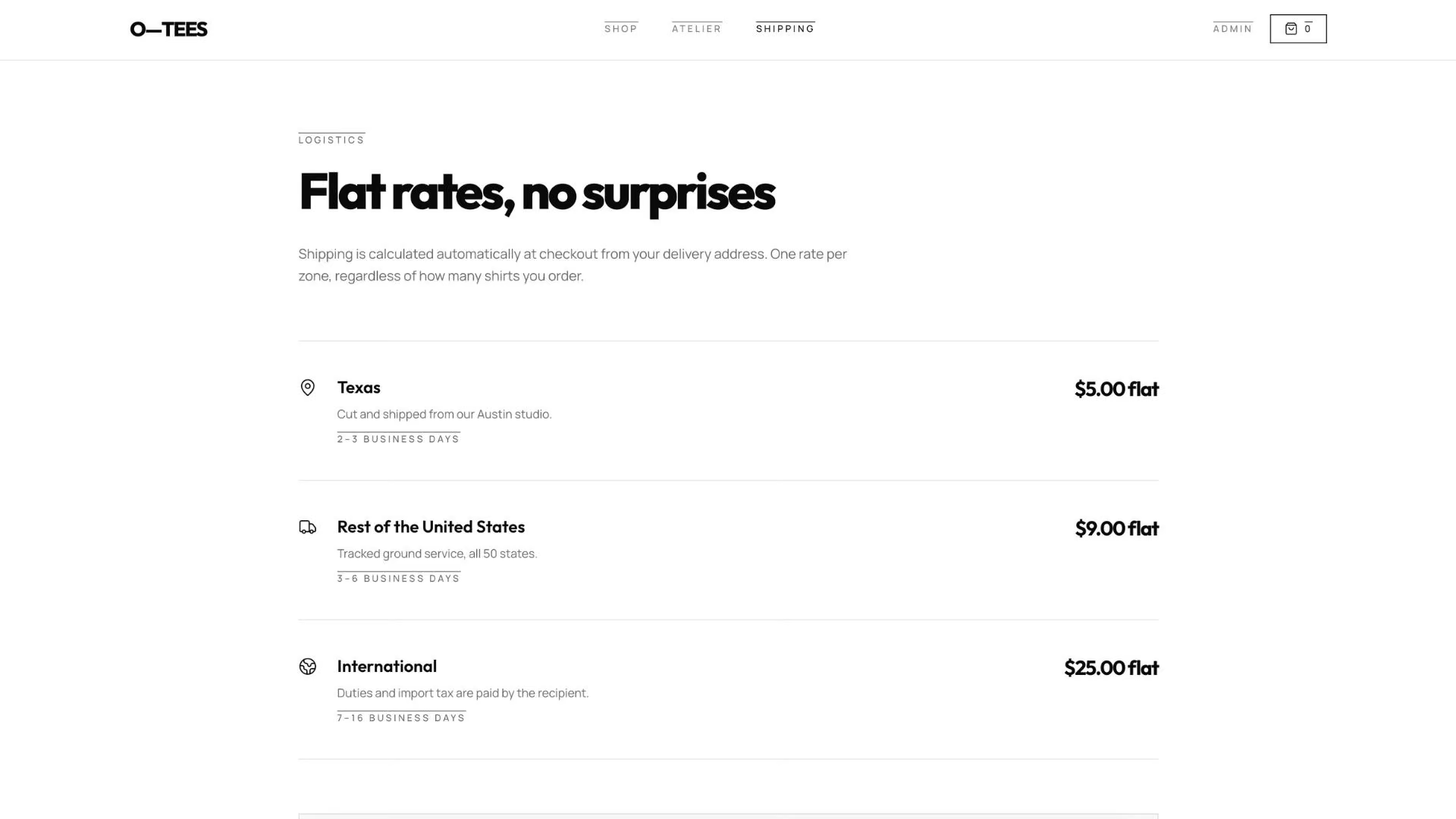
The shipping page lists the rate for each location alongside its business-day estimate. The $5, $9, and $25 answers from Step 3 came through intact.
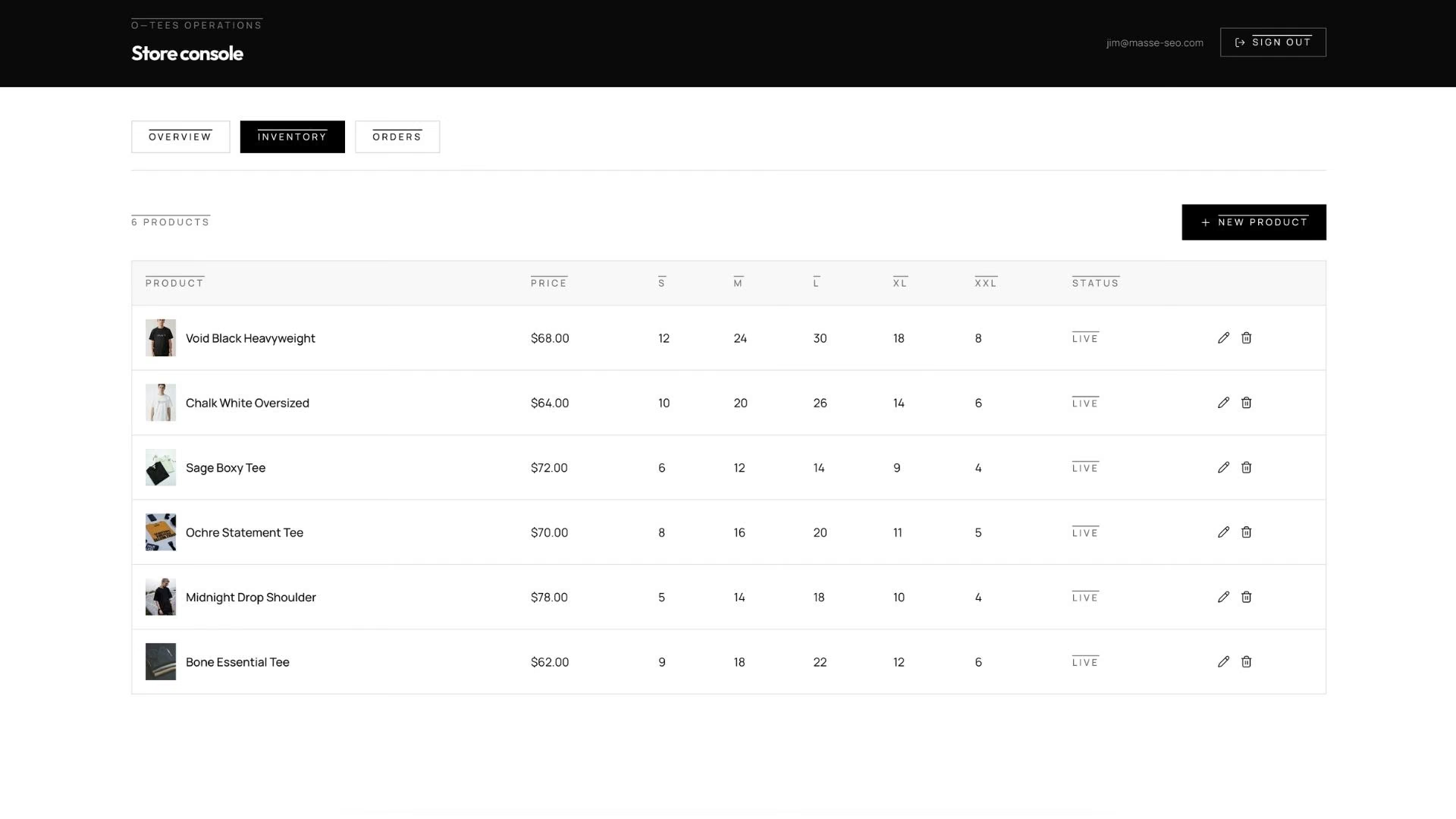
The admin dashboard tracks orders and transactions in one list and lets you add products to inventory. The Google sign-in gates it.
Run one test purchase before going further, the same end-to-end check in Emergent's ecommerce app walkthrough. Add a product, apply shipping, complete the payment, then check the admin area for the order and the dropped stock count. This build stopped short of that, so treat the checkout as wired but unproven until you run it.
Step 5: Refine With Follow-Up Prompts
Every change goes through the chat. Ask for one thing at a time, since a prompt bundling six changes gives you six places to look when one breaks.
Prompts that earn their credits on a first store:
- Checkout friction: "Show the shipping cost and order total before the payment step starts."
- Trust signals: "Add a returns policy page and link it from the footer and the checkout page."
- Inventory behavior: "Gray out sold-out sizes and hide products with zero total stock from the listing page."
Start with the checkout one. The average documented cart abandonment rate is 70.22% across 50 studies. Among shoppers who abandon for a concrete reason rather than idle browsing, 40% blame extra costs like shipping, tax, and fees. Showing the full total early is the cheapest fix of the three.
Step 6: Deploy and Connect Your Domain
Publishing is a deliberate action. You click the Deploy button, and after roughly 10 to 15 minutes, the store goes live on a free emergent.host address. Deploying costs 50 credits a month for as long as the store stays live, and it's available from the Standard plan up.
Mine went live at premium-apparel-hub-24.emergent.host.
Then you point your own domain at it. Two paths sit in the same place: buy a new domain inside Emergent, free for the first year through the registrar IONOS, or connect one you already own. Emergent's guide to setting up a custom domain covers the settings and wait time for each.
Claim your Stripe account and place one real order yourself before you share the link.
Common Mistakes to Avoid
Three habits create the most rework on a first store:
- Vague first prompts: "Build me a clothing store" gives the agent nothing on variants or payments, so you'll spend the saved credits on repair prompts.
- Placeholder shipping rates: International zones bolted on after launch usually mean reworking the cart and re-testing checkout.
- Late domain setup: Pointing a domain you already own can take hours to resolve everywhere, so start it before launch day, not on it.
Can You Build an Ecommerce Website Without Coding?
Yes, you can build an ecommerce website without coding, and you have two options that work in different ways. Template platforms like Shopify give you a proven checkout and an app marketplace, starting at $39/month on Basic ($29/month billed annually). You work inside what the theme and the apps allow.
AI builders generate the store from your description, so the layout, the product structure, and the rules are whatever you asked for. The Atelier section is the small version of that difference.
Neither asks you to write code. Pick a template platform for the shortest path to a conventional store. Pick an AI builder if your store has a rule a theme won't bend to, like custom bundling, wholesale pricing tiers, or a made-to-order flow.
Also read our best AI ecommerce website builders guide for what else is worth trying when a template platform reaches its limits.
Final Thoughts
The prompt is the whole job. The pages, the variant logic, the shipping math, and the checkout all came out of how carefully I described O-Tees. The two sentences I gave Emmy did more work than the 24 minutes that followed.
Running a store still takes judgment about your own business. The mechanics arrive assembled, so your hours go to the pages customers look at.
Create an Ecommerce Website With AI on Emergent
Emergent builds the store, product data, sign-in, and payment flow from a single description, then keeps updating it as you prompt. It's the same AI website builder behind booking tools and client portals.
What that gets you:
- One build instead of four apps: Products, variants, cart, checkout, and admin arrive together, with no plugin stack.
- Changes by asking: Shipping rules, layout, and policies update from a prompt.
- Payments wired in from the start: Stripe and Razorpay connect during the build.
- A store you can take with you: You own the code, and GitHub integration, included from Standard up, lets you host it elsewhere.
- Free help while you build: Emmy turns a two-line description into a build-ready prompt, and it costs no credits.
Emergent's free plan includes 10 monthly credits, enough to start a build and judge the output for yourself. Standard runs $20/month for 100 credits ($17/month billed annually); Pro is $200/month for 750 credits ($167/month billed annually); and Business and Enterprise are custom.
Credits stretch further on a simple catalog page than on a full store with per-variant stock. Try building your first store on Emergent.

Most AI app builders stop at prototypes. Emergent creates production-ready apps you can actually launch.
- Production-ready apps
- Web & mobile apps
- Deploy in minutes







