



TL;DR
- Readable, updateable menu: Show dishes, descriptions, and current prices on the page.
- Hours and contact details: Make your address, phone number, opening hours, and directions easy to find.
- One clear main action: Point visitors toward the next step, such as viewing the menu, booking, or ordering.
- Mobile-friendly layout: Keep menus, buttons, prices, and contact details easy to use on a phone.
- Simple navigation and fast pages: Help diners reach the information they need without extra clicks or slow-loading pages.
- Online reservations: Give guests a clear booking path if you take table reservations.
- Online ordering: Make pickup or delivery easy to start from your menu if those services are part of your restaurant.
- Real photos and social proof: Show the food and restaurant experience, along with useful reviews, awards, or press mentions.
- Local search basics: Keep your business information clear for search engines and local customers.
- Easy updates after launch: Make routine changes to prices, menu items, hours, and content without rebuilding the site.
Most people open a restaurant website with a short list of questions: What's on the menu? How much is it? Are you open? Where are you? Can I book or order?
I kept those questions in view as I built Juniper & Smoke, a fictional Austin restaurant, using Emergent's restaurant website builder. I later changed a menu price, added a new drink, checked the phone layout, and caught a wrong browser title before publishing.
That experience gave me a useful way to judge restaurant website features. A feature earns its place when it helps someone find information, choose your restaurant, or take the next step.
What Should a Restaurant Website Include?
A restaurant website should include a current menu with prices, opening hours, address, phone number, mobile-friendly layout, and a clear main action. Your main action could be viewing the menu, booking a table, ordering food, calling, or getting directions.
I also reviewed a restaurant-owner discussion during my research. One owner described the website as a place for current food photos, menus, basic information, and two main actions: booking or calling. The thread also raised a useful owner-side concern. Changing menus and opening hours needs to stay easy for someone who isn't technical.
That second point deserves more attention. A restaurant website can look polished on launch day and become unhelpful when an old price or closing time stays online for months.
Also read our best restaurant website builders guide for platforms that make menu and hours updates easy for non-technical owners.
10 Must-Have Restaurant Website Features
I’d start with the features that answer a diner's first questions. Then you can add booking, ordering, search, and other tools around the way your restaurant runs.
1. A Menu Diners Can Read, and You Can Update
Your menu should show dish names, useful descriptions, and current prices in a format that works well on a phone.
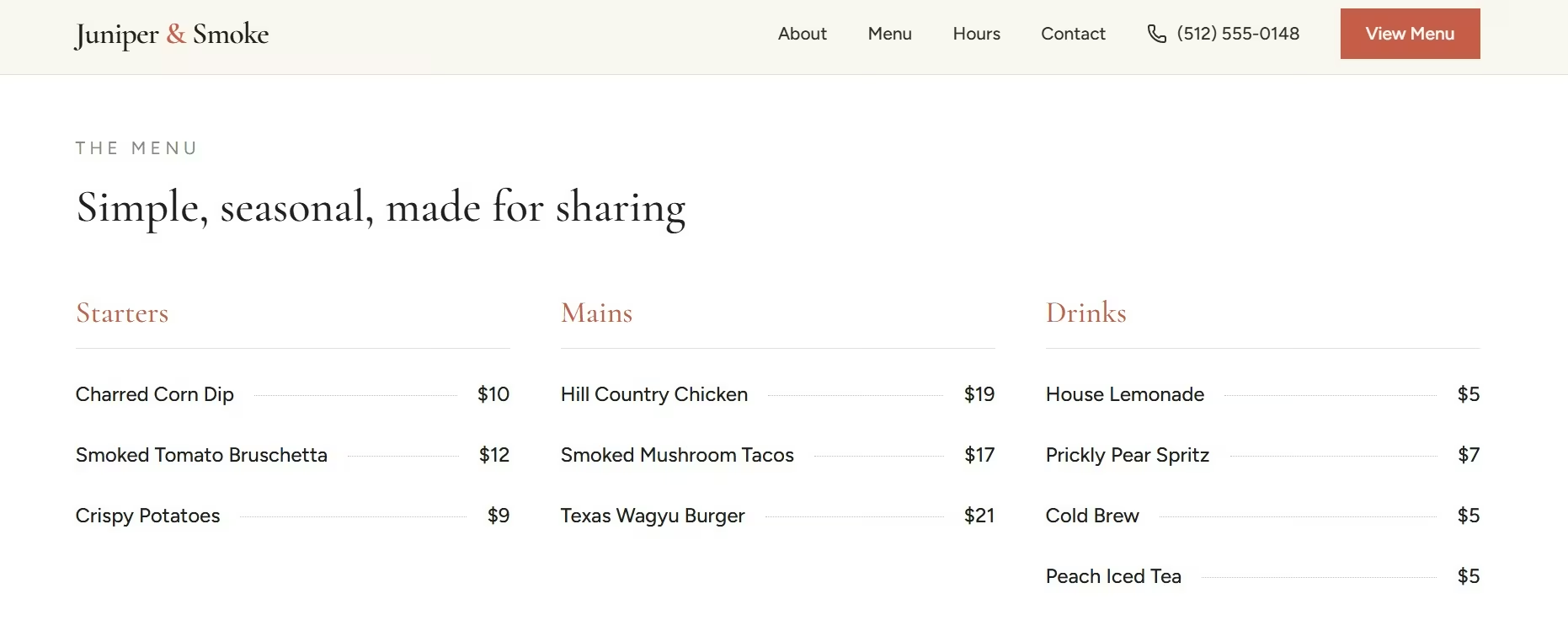
Updates count too. As I worked on Juniper & Smoke, I changed Smoked Mushroom Tacos from $16 to $17 and added Peach Iced Tea for $5. The rest of the page stayed in place.
That's the standard I'd use for a restaurant menu. You should be able to change one item without rebuilding the whole page.
2. Current Hours, Address, Phone Number, and Directions
Someone deciding where to eat shouldn't have to search through three pages for your closing time.
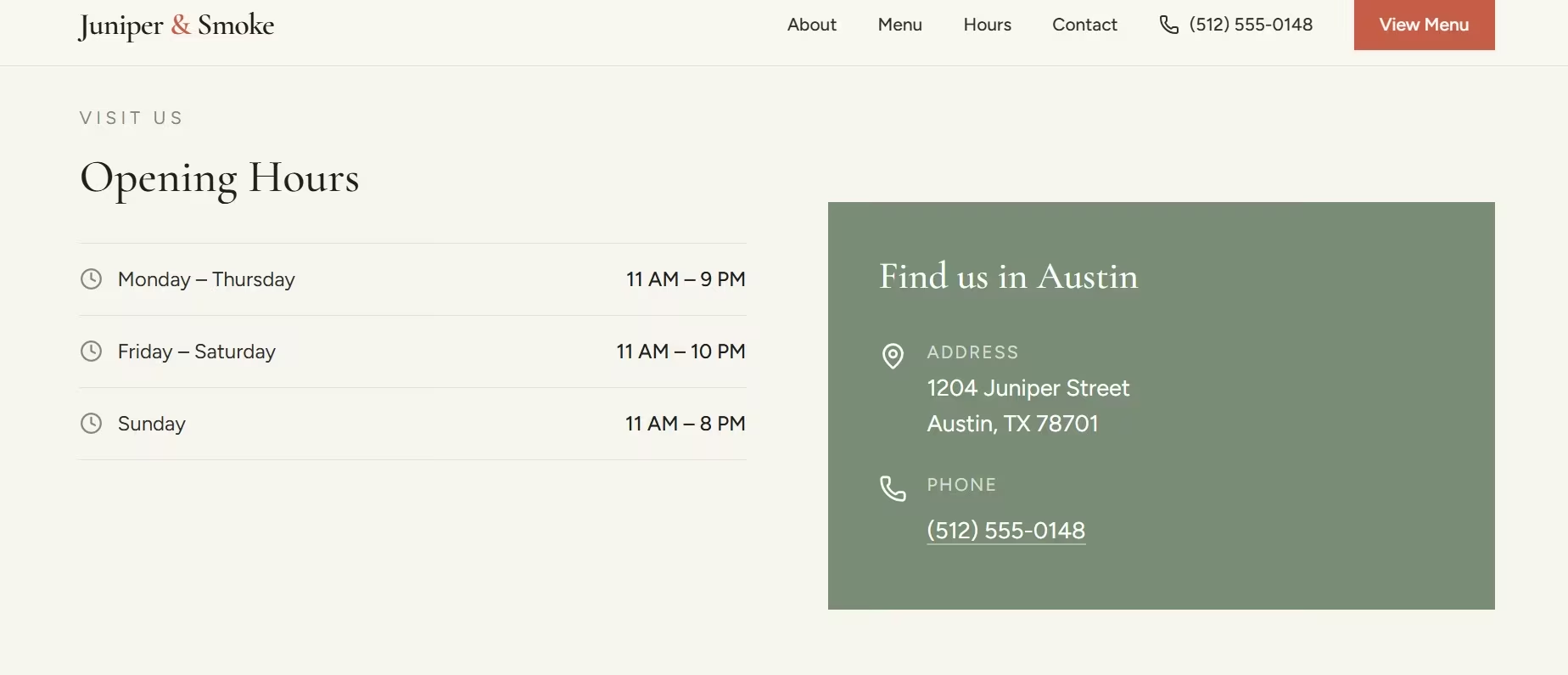
Keep your opening hours, full address, and phone number easy to find. A directions link is also useful for people already traveling to you.
Keep the same core details on your Google Business Profile. If your website says 10 PM and your Google listing says 9 PM, you've created a problem before the customer arrives.
3. One Clear Main Action
Give people an obvious next step.
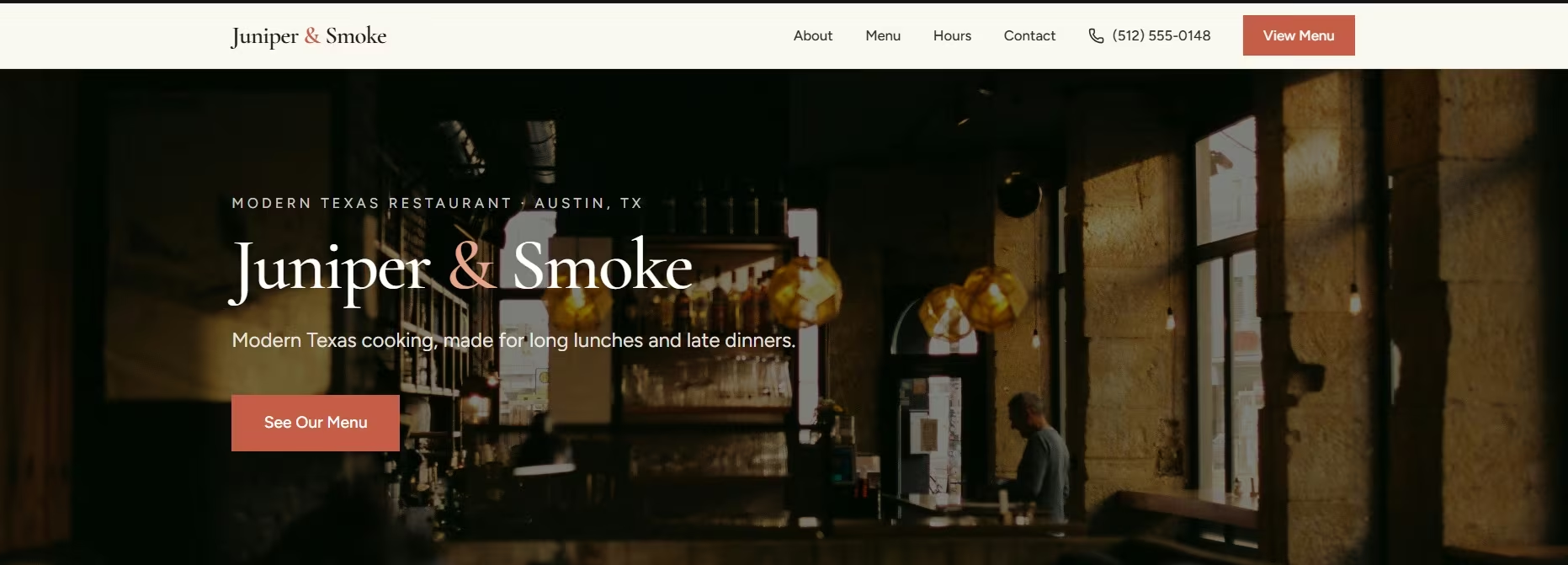
For Juniper & Smoke, the main button led visitors to the menu. I changed its text from "View Menu" to "See Our Menu" during the edit pass.
For your restaurant, that action could be See Our Menu, Book a Table, Order Online, Call Us, or Get Directions. Pick the one that best fits the page's goal.
4. A Mobile-Friendly Layout
A restaurant website needs to work well on the phone in someone's hand.
I checked Juniper & Smoke in a phone-sized preview before publishing. The menu prices and hours stayed readable, the main actions were easy to reach, and I didn't find sideways scrolling or crowded buttons.
Google uses the mobile version of your site's content for indexing and ranking, which gives you another reason to check the phone version carefully.
5. Simple Navigation and Fast Pages
Use familiar labels such as Menu, About, Contact, Reservations, and Order Online. People should know where a link goes before they tap it.
I ran Juniper & Smoke's homepage through PageSpeed Insights before publishing and found two oversized food photos slowing the mobile load. Recompressing them dropped the page weight by half. Compress your images and check the page on a real phone connection before you launch.
Keep the first screen focused. Restaurant visitors usually have a clear job to do, so your navigation should help them finish it quickly.
6. Online Reservations When You Take Bookings
If you take table bookings, make the booking path easy to spot.
A useful reservation flow should collect the details your restaurant needs and tell the guest what happens next.
I tested this on Brims & Stone, another fictional restaurant site I built in Emergent. The form collected the guest's name, email, phone number, date, time, party size, and optional notes. A four-person reservation for August 30th at 5:00 PM returned a clear “Reservation request received” confirmation with a reference number.
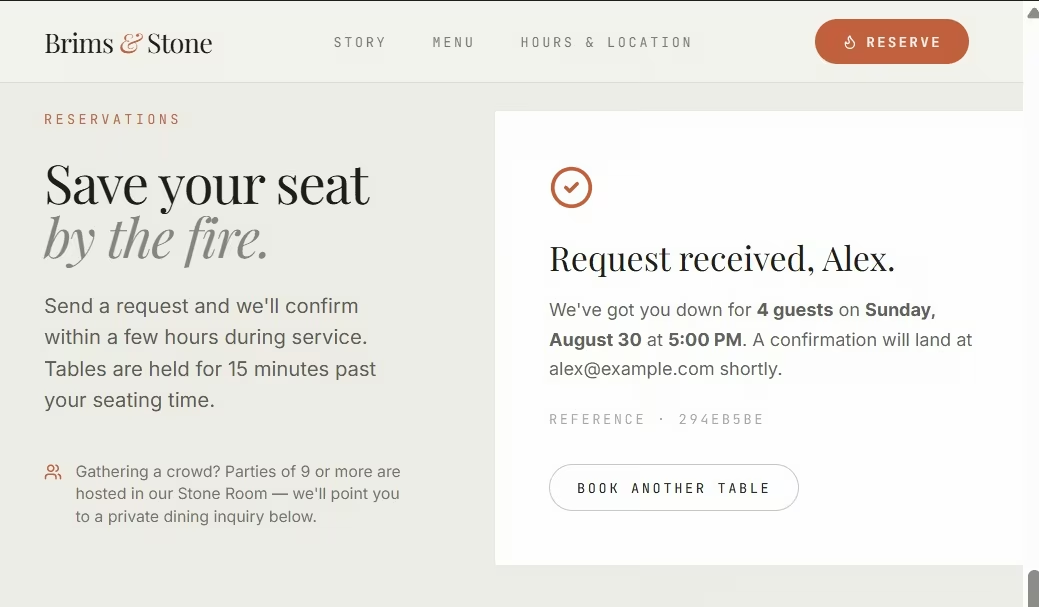
I had also built a separate rule for larger groups. Parties of nine or more were directed to a private dining inquiry instead of the standard booking flow. Submitted reservations then appeared in the staff dashboard, where they could be marked New, Confirmed, or Declined.
Test the whole booking path before launch, including the confirmation the guest sees and the request your staff receives.
7. Online Ordering for Pickup or Delivery
If pickup is part of your restaurant, let diners move from choosing food to placing an order without leaving the site.
I added pickup ordering to Brims & Stone and tested it with two menu items. I ordered two of The Brim at $19 each and one Chocolate Budino at $10. The cart showed three items and calculated the total at $48.
The checkout also let me add my name, email, phone number, pickup date, pickup time, and an optional note. I chose September 2 at 5:00 PM and added: “Extra chili honey on the side.”
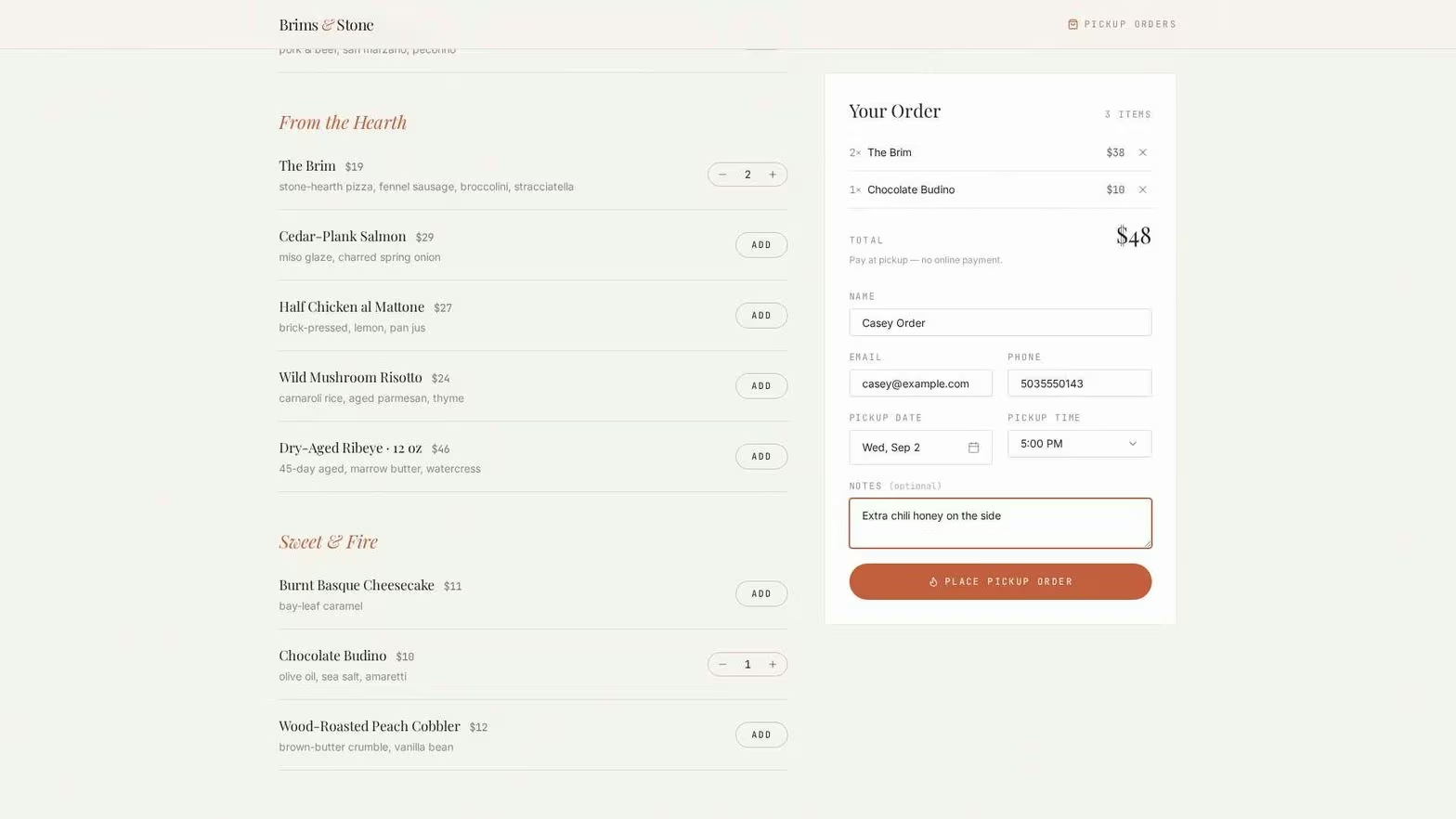
After submission, the $48 order appeared in the staff Orders dashboard with the customer details, pickup time, ordered items, notes, total, and a New status. The dashboard also included Confirmed, Ready for Pickup, and Canceled status options.
Your ordering feature should connect the customer action to the staff action that follows. Test both sides before launch.
8. Real Food Photos and Useful Social Proof
Give diners a sense of the restaurant before they arrive. Your photos and story can explain the food, setting, and personality that a menu alone won't show.
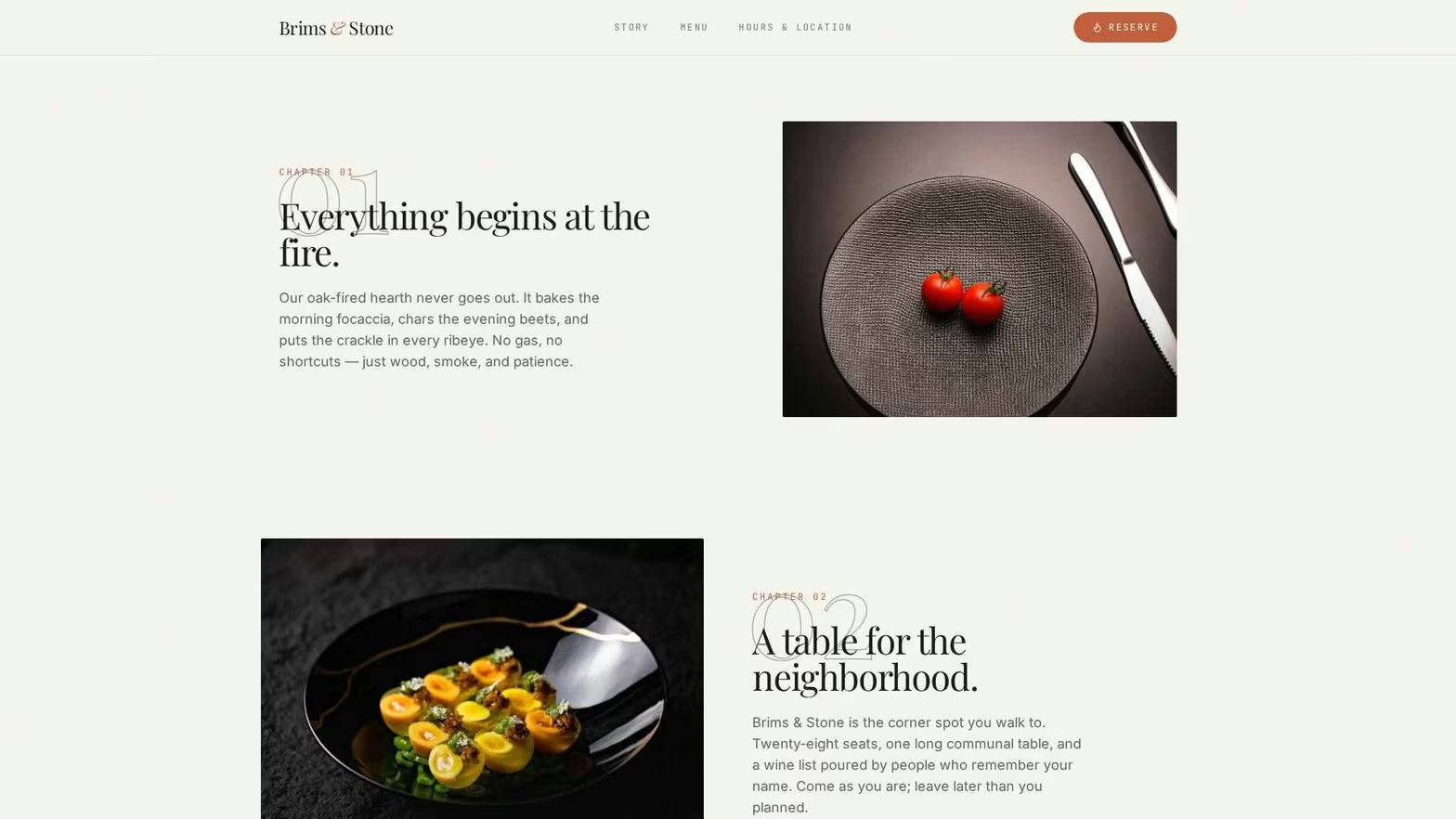
I added an Our Story section to Brims & Stone and kept it tied to the restaurant's existing fire-and-stone theme. The copy explains its oak-fired cooking, 28-seat neighborhood dining room, seasonal menu, and the fictional founders behind the name. Food photography sits alongside that story instead of appearing as a separate gallery.
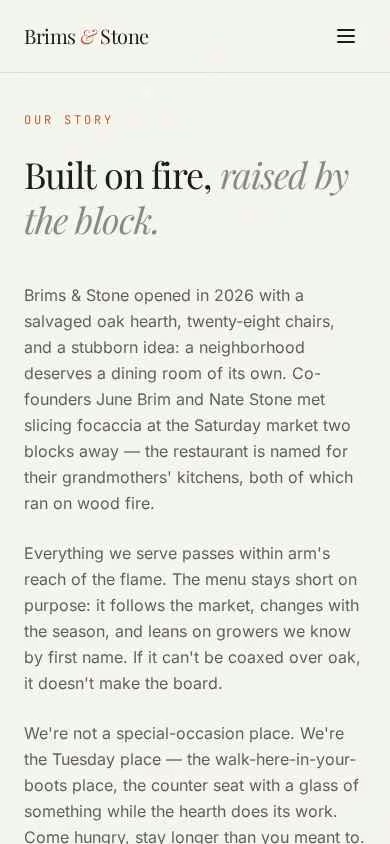
I also added a sample social-proof section to the demo. On mobile, the reviews stayed readable and followed the same type and colors as the rest of the site.
For a real restaurant, use real customer reviews, press mentions, awards, or testimonials you have permission to publish. The goal is to help someone understand what eating there is actually like.
Optional for repeat visits: If you run events, seasonal menus, or special dinners, an email signup gives interested guests a way to hear from you again. Eleven Madison Park places its newsletter signup alongside reservations and other restaurant information on its contact page.
9. Local Search Basics
Your restaurant name, location, hours, page title, and contact details should be clear to people and search engines.
This was one of the useful mistakes in my Juniper & Smoke build. The site looked ready, while the browser tab still showed Emergent's default project title. My pre-launch check caught it and replaced it with the restaurant name before publishing.
For deeper search setup, Google can use local business structured data to understand details such as your restaurant name, address, phone number, cuisine, menu, and opening hours.
10. Easy Updates After Launch
Your website needs to keep pace with the restaurant.
Juniper & Smoke gave me a useful test here. In one edit request, I moved the menu above the About section, changed the taco price, added Peach Iced Tea, and asked Emergent to keep the existing design. All four updates appeared without replacing the rest of the page.
Routine edits should be easy to make and easy to check. I’d give that extra weight when choosing how to build a restaurant website.
Also read our guide on how to launch a restaurant website in one day to put all ten features into practice from start to publish.
Limits to Plan For
Some restaurant website features connect to work happening outside the page.
Reservations depend on the booking system and available tables. Online orders connect to your menu, payment flow, and restaurant operations.
Test every customer action from start to finish. A button looking correct isn't enough. Click it, complete the flow, and check the result on a phone.
If your plans later include push notifications or app-store distribution, you can also turn your website into an app.
Restaurant Website Checklist Before You Publish
Run through this restaurant website checklist before launch:
- Menu items and prices are current.
- Opening hours are correct.
- Address and phone number are easy to find.
- The main button opens the right page or service.
- The menu works on a phone without zooming or sideways scrolling.
- Booking and ordering flows work if you offer them.
- Food photos load clearly without slowing the page.
- The browser title uses the restaurant name.
- Your Google Business Profile matches the key details on the website.
- Someone on your team knows how to make routine updates.
Also read our guide on how to build a website for everything you need to get the foundation right before you run through the checklist.
Final Takeaway
If you're starting from zero, I'd put your first effort into the menu, business details, mobile layout, and one clear action. Those are the restaurant website features that answer the questions diners actually bring to your site.
Add booking, ordering, social proof, and search features around the way your restaurant serves customers. Keep prices, hours, menu items, and other changing details easy to update.
The Juniper & Smoke demo build stayed in one Emergent project from the first prompt through publishing. If you want to build the same kind of site, Emergent's restaurant website builder lets you describe the site and its updates in plain English. Emmy can also ask follow-up questions and turn your idea into a build-ready prompt before you start.

Emergent designs, writes, and publishes your whole site from one prompt. No templates, no drag-and-drop.
- Full site from one prompt
- Custom design, real pages
- Publish in minutes





