



TL;DR
- Shopify: Best for most product-first businesses that want to launch, sell, and manage orders without running the technical side of the website.
- WordPress + WooCommerce: Best for content-led stores and custom builds backed by someone who can manage hosting, updates, plugins, and troubleshooting.
The Shopify vs WordPress decision gets harder once the “free versus paid” story falls apart. Shopify bundles your store, hosting, checkout, and daily operations into one service. WordPress pairs free software with WooCommerce, hosting, extensions, and site upkeep.
For this comparison, I reviewed current official pricing, product documentation, and store-owner feedback as of July 29, 2026. Shopify is my overall pick for most new and growing stores. WordPress is the stronger choice when publishing and deep custom control shape the business.
Key Takeaways
Shopify wins for speed, simpler upkeep, and built-in selling tools. WordPress wins for publishing freedom and deeper control over the site.
Shopify vs WordPress: What’s the Difference?
Shopify is hosted software as a service (SaaS) built around ecommerce. Your subscription includes hosting, a store admin, checkout, inventory tools, sales channels, themes, and platform updates.
WordPress is a content management system (CMS). It handles pages, posts, media, users, and site structure. To turn a self-hosted WordPress.org site into a store, you add WooCommerce, choose a host, and configure the services your store needs.
In this article, I compare Shopify with self-hosted WordPress.org plus WooCommerce. WordPress.com is a separate hosted service, so I include its current plan prices as an optional route instead of treating it as the default WordPress setup.
Choose Shopify if: You want a working store with fewer technical decisions and one company responsible for the core platform.
Choose WordPress if: You need broad control over content, code, hosting, and store functionality, and you have the time or technical help to manage it.
How I Compared Shopify and WordPress
I used official vendor pages for every price and product fact. I compared setup, store management, checkout, design, content, search engine optimization, security, support, scaling, and total operating cost.
I also reviewed store-owner discussions to identify the problems people raise after launch. Those comments shaped the questions in this comparison, but they didn’t replace official sources for pricing or features.
I didn’t build and run a live store on either platform for this article. I don’t claim personal setup times, conversion gains, or performance results.
Meet Shopify: Features and Highlights
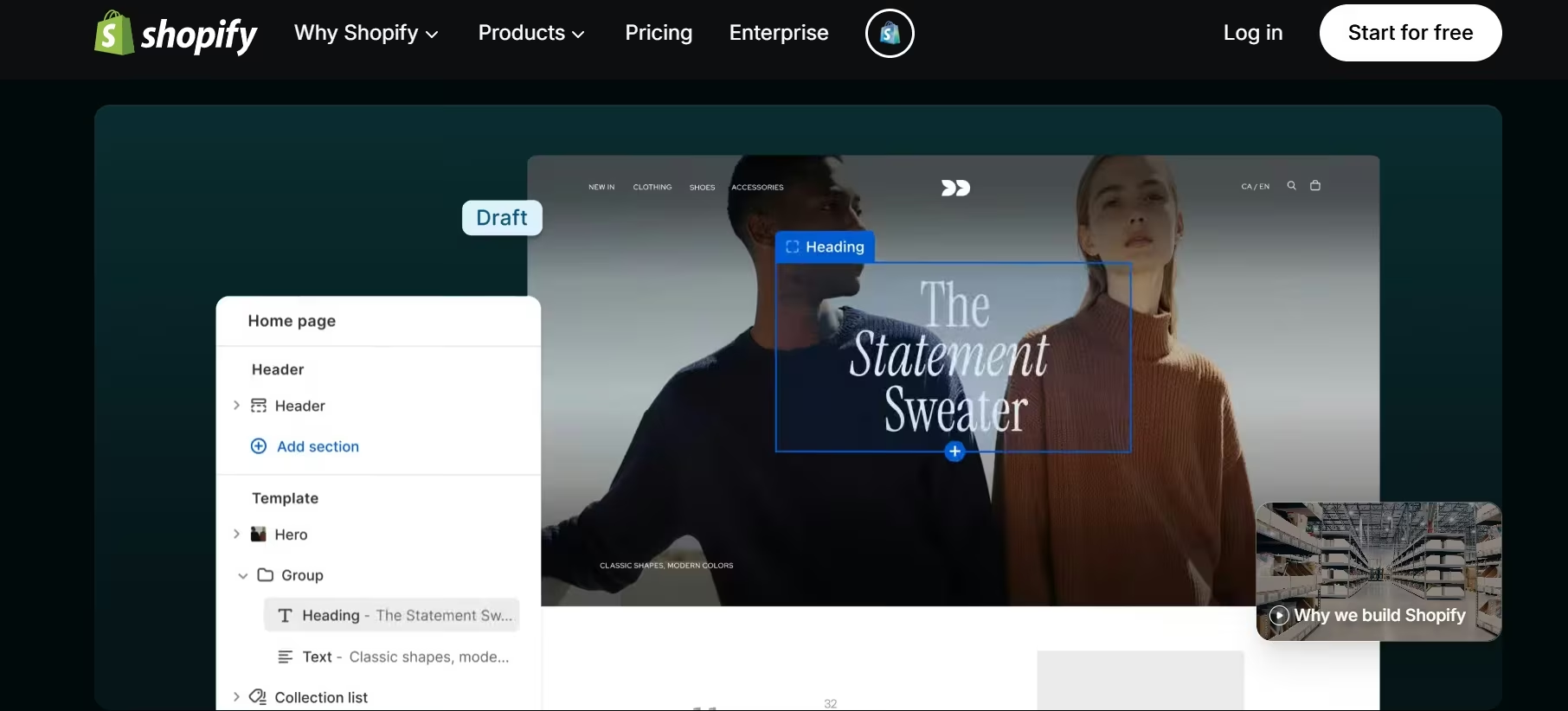
Shopify gives you a hosted online store with product management, checkout, orders, inventory, analytics, themes, sales channels, and hosting in one admin. Basic, Grow, Advanced, and Plus include a full online store and unlimited products.
You can edit layouts, colors, typography, and page sections without code. Eligible stores can also generate a free personalized theme with artificial intelligence (AI).
Shopify also handles several technical tasks behind the scenes. It provides Transport Layer Security (TLS) for encrypted connections, creates sitemaps, adds canonical tags, and applies platform updates.
Also read our best Shopify alternatives guide for what else is worth trying when the store-first model or pricing structure doesn't fit.
Pricing
Basic costs $39/month ($29/month billed annually), Grow costs $105/month ($89/month billed annually), and Advanced costs $399/month ($359/month billed annually).
Plus costs $2,300/month. POS Pro costs $89/month per location, billed annually on Basic, Grow, and Advanced, while Plus includes up to 200 POS Pro locations.
A full online store starts with the Basic plan. New stores can try Shopify free for three days, then pay $1/month for the first three months.
Meet WordPress: Features and Highlights
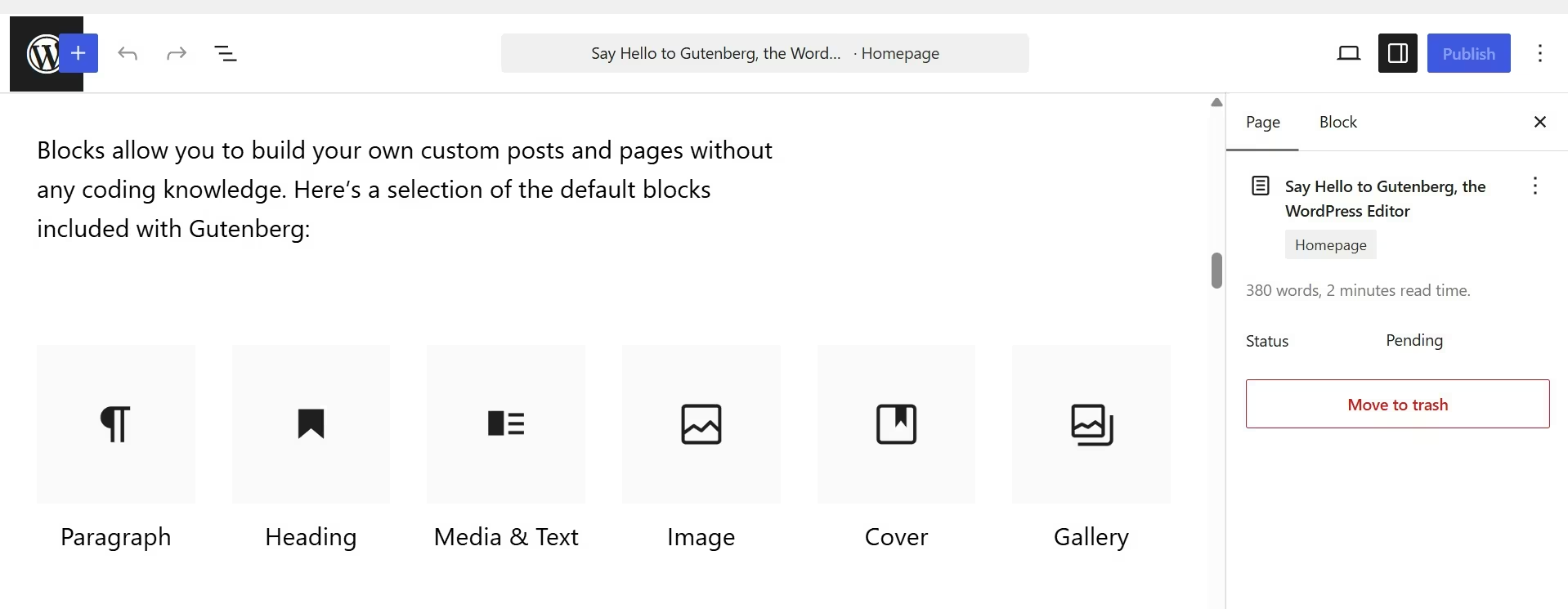
WordPress is free, open-source publishing software. You can choose the host, edit the code, install themes, add plugins, create custom content types, and move the site between hosting providers.
Also read our best WordPress alternatives guide for what else is worth trying when open-source flexibility or self-hosted control isn't the right fit.
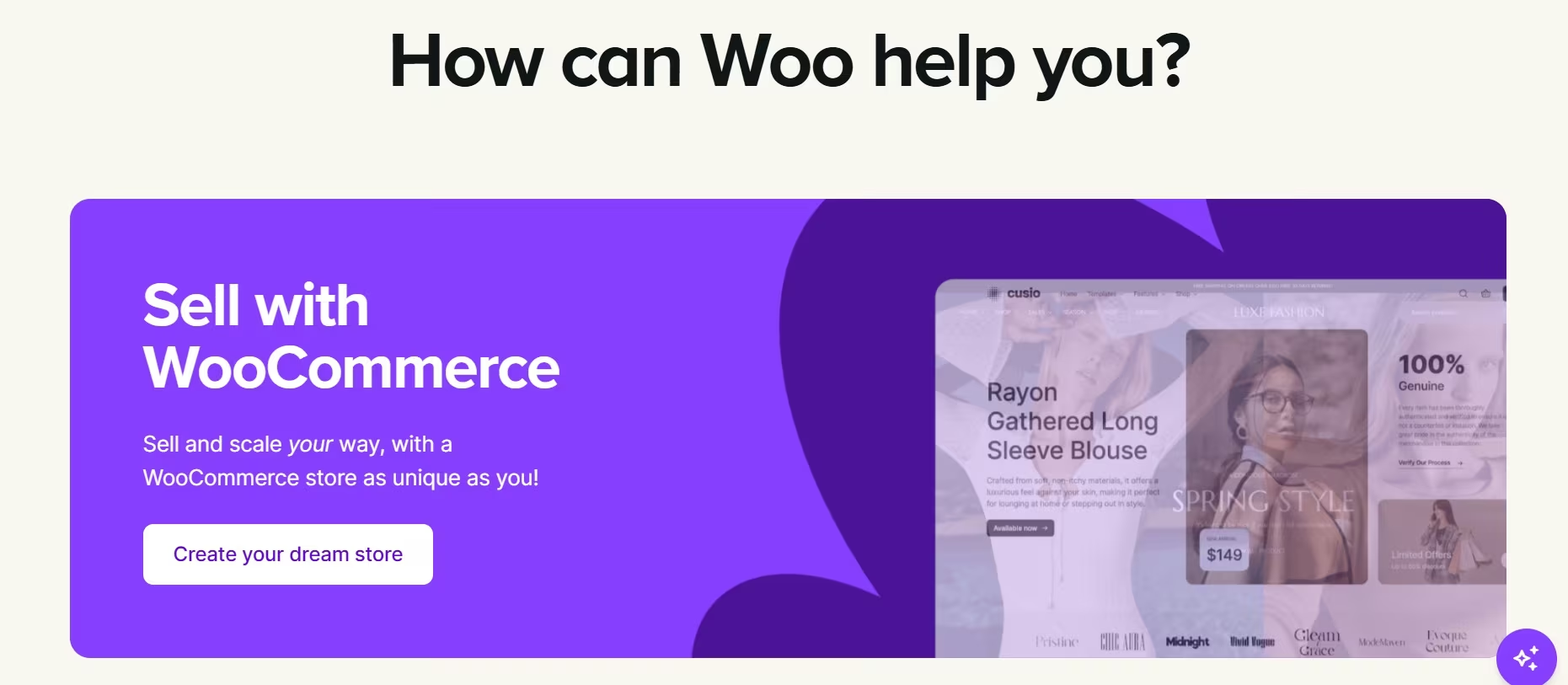
WooCommerce adds products, checkout, orders, payments, shipping, taxes, reports, and store settings to WordPress. Its core plugin is free, and you choose paid hosting, extensions, payment services, and development help as needed.
That freedom creates more work. The store owner or host must manage WordPress, WooCommerce, the theme, and plugin updates. Backups and compatibility checks also need a clear owner.
Pricing
WordPress and WooCommerce core cost $0/month. WooCommerce estimates hosting at $25–$350/month for most stores and paid extensions at $29–$299/year each.
WordPress.com offers Free at $0/month, Personal at $9/month ($4/month billed annually), Premium at $18/month ($8/month billed annually), Business at $40/month ($25/month billed annually), Commerce at $70/month ($45/month billed annually), and Enterprise with custom pricing. WordPress VIP offers Standard, Enhanced, and Signature with custom annual pricing.
Shopify vs WordPress: At a Glance
Quick comparison:
| Category | Shopify | WordPress+WooCommerce |
|---|---|---|
| Best for | Product-first stores | Content-led or custom stores |
| Free option | 3-day free trial, then paid plans | Core: $0/month |
| Entry paid plan | Basic: $39/month ($29/month billed annually) | Hosting: from $25/month |
| Hosting | Included | Chosen separately |
| Store setup | Guided in one admin | WordPress, host, and Woo setup |
| Design control | Strong theme controls | Full theme and code control |
| Content tools | Blog and pages included | Publishing is a core strength |
| Platform upkeep | Managed by Shopify | Shared across owner, host, and vendors |
| Direct support | 24/7 Shopify support | Split across host, plugin, and theme vendors |
| Overall fit | Most new and growing stores | Technical or content-heavy builds |
Shopify has no free plan, though new stores get a short free trial before choosing a paid plan. WooCommerce core is free, but a live self-hosted store still needs hosting and, normally, a domain.
Shopify vs WordPress: Feature-by-Feature Comparison
Setup and Day-to-Day Use
Shopify keeps the main store tasks in one place. You add products, choose a theme, connect payments, set shipping rules, and process orders from the Shopify admin. Hosting and platform updates are included.
WordPress has a guided WooCommerce setup flow, but the full setup crosses several services. You choose hosting, install WordPress, activate WooCommerce, select a theme, and add any required payment, shipping, tax, marketing, or security tools.
The difference becomes clearer after launch. With Shopify, one vendor controls the core store software and hosting. With WordPress, a problem can come from the host, WordPress core, WooCommerce, the theme, or another plugin.
Winner: Shopify. It gives you fewer technical handoffs and a simpler daily workflow.
Ecommerce and Checkout
Shopify is built around selling. Its full store plans include unlimited products, checkout, order management, inventory, discount tools, sales channels, and a first-party point of sale (POS) system. Higher plans add lower card rates, more staff access, and more advanced global and reporting tools.
Shopify Payments online standard card rates are 2.9% + 30¢ on Basic, 2.7% + 30¢ on Grow, 2.5% + 30¢ on Advanced, and 2.25% + 30¢ on Plus. If you use a third-party payment provider, Shopify adds 2% on Basic, 1% on Grow, 0.6% on Advanced, or 0.2% on Plus.
WordPress relies on WooCommerce for selling. WooCommerce gives you control over checkout, data, hosting, and payment-provider choice. WooCommerce takes no platform revenue share, though your payment processor still charges its own fees.
That flexibility is useful when your catalog, checkout, subscriptions, bookings, or pricing rules need unusual logic. It also puts more responsibility on your extension choices and technical setup.
Winner: Shopify for most stores. WooCommerce takes the lead when your sales flow needs deeper custom work, and you have technical support.
Design and Customization
Shopify offers a visual theme editor for sections, layout, typography, colors, and content. Basic, Grow, and Advanced stores can add up to 20 themes and generate a free personalized theme with AI. Deeper theme work uses Liquid, HTML, and CSS.
You still work inside Shopify’s platform rules. Theme code is editable, but checkout customization and access to core services differ by plan.
WordPress gives you broader control. Themes, the Site Editor, WooCommerce blocks, plugins, custom code, custom content types, and your choice of host can shape nearly every part of the store.
That control adds more ways for a change to cause a conflict. A custom design should have a staging site, backups, and a clear update process.
Winner: WordPress. It gives you more control over the full site and store experience.
Content and SEO
Search engine optimization (SEO) covers the content and technical work that helps pages appear in search results.
Shopify includes a blog, pages, editable title tags, meta descriptions, URLs, and image alt text. It automatically creates a sitemap and robots.txt file, adds canonical tags, and activates secure connections.
WordPress starts as a publishing platform. It supports posts, pages, revisions, scheduling, user roles, custom content types, taxonomies, themes, and SEO plugins. This gives a content team more room to build detailed editorial structures and landing-page systems.
Neither platform guarantees rankings. Your content quality, site structure, product information, links, performance, and brand demand still shape results.
Winner: WordPress. Shopify covers the core SEO controls, while WordPress gives content-led businesses more publishing and structural freedom.
Also read our guide on how to build a website with AI to see how the right platform choice affects your SEO and content structure from the start.
Maintenance and Security
Shopify handles the hosted platform, software updates, and TLS connections. It holds a current Payment Card Industry Data Security Standard (PCI DSS) Level 1 attestation, which it renews annually.
You still need to protect staff accounts, review app permissions, control customer-data access, and test changes before publishing.
WordPress gives you control over the software and hosting, so you also take on the update plan. WordPress recommends keeping core, plugins, and themes current, and its documentation advises regular backups before automatic or manual updates.
A managed WordPress host can take over part of this work. Plugin quality and compatibility still need attention.
Winner: Shopify. It removes more infrastructure and updates work from your weekly list.
Scaling and International Selling
Shopify lets you move from Basic to Grow, Advanced, and Plus as staff, reporting, international selling, and operational needs grow. The hosted model means Shopify continues to run the core infrastructure while you manage products, channels, inventory, and fulfillment.
WordPress and WooCommerce can support small or large stores, but the result depends on hosting, caching, code quality, database work, extensions, and technical oversight. You can choose each layer, which helps with custom projects and raises the planning load.
Winner: Shopify for the fastest-growing stores. WordPress is the better route when your business needs a custom architecture and already has the people to run it.
Support
Shopify includes 24/7 live chat support on Basic and Grow. Advanced includes enhanced live chat, while Plus includes priority support and priority 24/7 phone support.
WordPress has documentation and community forums. WooCommerce provides documentation, an AI assistant, forums, and direct help for eligible Woo products. Your host, theme developer, and plugin vendors handle their own parts of the setup.
This split support model works when you know which component caused the problem. It’s frustrating when you don’t.
Winner: Shopify. One core support path is easier for a business without an in-house web specialist.
Total Cost
Shopify has a predictable base subscription. Your final cost can rise through paid apps, premium themes, POS upgrades, card processing, and third-party payment fees.
WordPress and WooCommerce have no core monthly software fee and no WooCommerce revenue share. Your final cost comes from hosting, domains, extensions, payment processing, premium themes, development, security, backups, and support.
A small WooCommerce store can cost less when you use a modest host and a few paid extensions. A custom store can cost far more once development and troubleshooting enter the budget.
Winner: Shopify for cost predictability. WordPress wins the lowest software cost route when you can handle the technical work yourself.
What Store Owners Say
Store-owner discussions return to three concerns: time, control, and recurring add-ons. The comments are strongly divided, so they work best as evidence of owner priorities rather than proof of platform performance.
Shopify
Positive feedback: Shopify is the common pick for owners who want to focus on products, orders, and customers. People value its guided setup and lower technical workload.
Critical feedback: Paid apps can turn a simple subscription into a larger monthly bill. Owners also point to limits when a store needs unusual content structures or custom business logic.
WordPress
Positive feedback: WordPress appeals to people who value code access, hosting choice, publishing tools, and the ability to shape the site around a specific business.
Critical feedback: “Free” software doesn’t remove hosting, extension, update, backup, and developer costs. Beginners can lose time tracing conflicts across several vendors.
One simple rule comes out of these discussions. Pick Shopify for an ecommerce site with supporting content. Pick WordPress for a content site with supporting ecommerce.
How to Make Your Choice
Shopify is the better default for most new stores. Choose WordPress when you can name a clear need for its extra control and have a plan for the technical work.
Choose Shopify When You
- Want one admin for products, orders, inventory, payments, and sales channels
- Don’t have a developer or WordPress specialist
- Sell in person and online
- Prefer a predictable platform bill
- Plan to expand into more regions or channels without managing the hosting layer
- Value one support path for the core store
Choose WordPress When You
- Run a publication, education site, membership business, or content-heavy brand
- Already have a WordPress site and team
- Need custom content types, unusual page structures, or deep code access
- Want to select your own host and payment tools
- Can manage updates, backups, security, and plugin conflicts
- Accept a less predictable operating cost in exchange for control
Also read our best AI eCommerce website builders guide for what else is worth trying when neither Shopify nor WordPress fully fits your store.
Where Emergent Fits
Shopify and WordPress are strong choices for standard online stores. A different need appears when you want a custom operations tool, supplier portal, inventory dashboard, customer app, or workflow that connects the store to the rest of your business. That’s where Emergent comes in.
Emergent’s Shopify integration can read and write products, orders, customers, inventory, and collections. That makes it useful for a custom reporting dashboard, fulfillment tracker, inventory alert tool, or connection between Shopify and services such as Airtable, Google Sheets, Asana, Salesforce, or Slack.
Keep the store’s proven checkout and payment setup in place while you test the custom tool with sample data and controlled access. This reduces risk and gives you a clear boundary between the sales platform and the new workflow.
My Verdict
In the Shopify vs WordPress comparison for most new and growing ecommerce businesses, Shopify wins. It combines the store, hosting, checkout, security controls, updates, support, and core sales tools in one service.
Choose WordPress with WooCommerce when content drives the business or your store needs deep site, data, and code control. Make that choice with a named owner for hosting, updates, backups, testing, and troubleshooting.
The trade-off is clear. Shopify buys operational simplicity. WordPress buys control.
Conclusion: Shopify Wins for Most Online Stores
For Shopify vs WordPress, start with Shopify unless your business has a clear publishing or customization need that WordPress serves better. The higher monthly software bill is easier to plan around than an open-ended technical workload.
Choose WordPress when you already have the skills, support, or content operation to use its freedom well. For a custom Shopify-connected app or internal store tool, start building with Emergent.

Most AI app builders stop at prototypes. Emergent creates production-ready apps you can actually launch.
- Production-ready apps
- Web & mobile apps
- Deploy in minutes







