



A blank website editor makes you decide on pages, layouts, colors, copy, forms, and hosting before you have anything useful to show. An AI website builder starts with your business description and turns it into an editable website draft, with much of that setup already completed.
I reviewed five representative platforms through their official product pages, documentation, pricing pages, and independent review profiles. This guide explains what an AI website builder does, where it saves time, what still needs human review, and which type fits the website you need.
What Is an AI Website Builder? The 30-Second Answer
An artificial intelligence (AI) website builder is software that creates a website from a written prompt, questionnaire, existing design, or webpage. It can generate the page structure, layout, colors, images, and starter copy, then give you tools to edit and publish the result.
The strongest platforms can also create forms, stores, bookings, customer accounts, databases, dashboards, and custom workflows. The category therefore covers everything from fast landing-page generators to agent platforms that create websites with application-like functions. Wix, Webflow, Framer, 10Web, and Emergent all support prompt-based website creation, but they provide different levels of design control and business functionality.
The bottom line: An AI website builder removes much of the setup work, but you still need to verify the facts, replace generic copy, test every action, and decide whether the finished site represents your business properly.
Key Capabilities
Most AI website builders combine several of these capabilities:
- Prompt-based generation: You describe your business, audience, style, and required pages.
- Automated site structure: The builder proposes pages, navigation, and section order.
- Generated layouts: It creates typography, spacing, colors, and image placement.
- Starter content: It drafts headlines, service descriptions, calls to action, and page copy.
- Responsive design: It adapts the layout for desktop, tablet, and mobile screens.
- Visual or conversational editing: You change the site through direct editing, follow-up prompts, or both.
- Business functions: Some platforms add forms, stores, bookings, payments, accounts, and customer-management tools.
- Hosting and publishing: Many builders host the finished website and connect it to a custom domain.
- Content management: A content management system (CMS) lets you update repeatable content such as articles, case studies, products, properties, and team profiles.
How Does an AI Website Builder Work?
An AI website builder interprets your instructions, proposes a site structure, generates the first version, and gives you a way to refine and publish it. The process usually has six stages.
1. You Describe the Website
You enter a prompt or answer questions about:
- Your business
- Your target customer
- The pages you need
- Your preferred style
- Your products or services
- The functions the site needs
- The action visitors should take
Specific prompts produce stronger drafts. “Make a modern roofing website” leaves too many decisions to the builder. Naming the location, services, audience, pages, form fields, colors, and main call to action creates a usable brief.
Copy-and-paste example prompt:
Build a five-page website for a residential roofing company in Austin, Texas. Include Home, Services, About, Reviews, and Contact pages. Use a confident, plain-spoken tone. Add a quote-request form with fields for name, email, phone, ZIP code, roof type, and project timeline. Use dark charcoal, white, and warm orange. Make every page mobile-friendly and give each page one clear call to action. Do not invent licenses, customer reviews, prices, certifications, or guarantees.
2. The AI Creates a Site Plan
The builder interprets the brief and decides which pages and sections the site needs. A service-business homepage could include a hero section, service summary, proof points, reviews, service area, frequently asked questions, and a quote form.
This stage gives you a proposed information structure rather than an empty canvas. You should still check whether the navigation and section order match how customers make decisions.
3. The Builder Generates the First Draft
The platform creates layouts, styles, images, navigation, and copy. Wix combines AI generation with drag-and-drop editing. Webflow creates a responsive site and a supporting design system. Framer keeps the generated result editable on its canvas. Emergent can create pages alongside forms, bookings, dashboards, and custom workflows.
4. You Refine the Design and Content
You can edit the website directly or continue giving instructions such as:
- “Move the reviews above the service-area section.”
- “Replace the formal copy with shorter sentences.”
- “Make the quote button visible without scrolling.”
- “Add a page for commercial roofing.”
- “Replace generated images with real project photos.”
- “Add an appointment request after the quote form.”
This back-and-forth exposes one of the biggest differences between platforms. A strong builder preserves the existing design and working sections while applying a focused change. A weaker one can fix the requested section while altering unrelated parts of the site.
5. You Test the Website
Before publishing, test:
- Every navigation link
- Contact and booking forms
- Payment or checkout flows
- Confirmation messages
- Mobile layouts
- Buttons and calls to action
- Spelling and factual claims
- Privacy notices and consent fields
- Page titles and descriptions
- Heading order, labels, contrast, and alternative image text
Community discussions about AI-built websites repeatedly make the same distinction: generating a static first version is easy, while maintaining working behavior through multiple revisions takes closer supervision.
6. You Connect a Domain and Publish
The final step is connecting a domain, reviewing the published version, and making the site available to search engines. Some platforms include hosting across their plans, while others require a paid site plan before you can use a custom domain.
AI Website Builder vs. Traditional Website Builder: What’s the Difference?
An AI website builder begins by generating a proposed website from your instructions. A traditional website builder begins with a blank page or template and expects you to assemble and write most of the site yourself.
Core differences:
| Area | AI Website Builder | Traditional Website Builder |
|---|---|---|
| Starting point | Prompt-generated draft | Blank canvas or template |
| Page structure | Suggested automatically | Planned manually |
| Starter copy | Usually generated | Written or imported manually |
| Design direction | Generated from instructions | Selected and configured manually |
| Editing | Prompts, visual controls, or both | Mainly visual controls |
| First-draft speed | Minutes or hours | Hours or days |
| Main risk | Generic or incorrect output | Slow setup and inconsistent design |
| Best fit | Fast creation and iteration | Detailed manual control |
Traditional builders still make sense when you already have approved copy, completed designs, and someone who understands the editor. AI builders win when the blank page is the main obstacle or when the website needs to change as you learn more about your customers.
The line is becoming less rigid. Wix, Webflow, Framer, and 10Web combine AI generation with direct editing, so you can switch between prompting and manual adjustments.
The Three Main Types of AI Website Builders
The category includes three different product approaches. Choosing the right one prevents you from starting with a fast generator that reaches its limit after launch.
1. AI-Assisted Visual Builders
Wix, Webflow, and Framer generate a site, then place it inside a visual editing environment.
Choose this type when your main priorities are:
- Marketing pages
- Visual control
- Blog or CMS content
- Brand consistency
- Fast manual edits
- Managed hosting
2. AI WordPress Builders
10Web generates and manages websites built around WordPress.
Choose this type when you need:
- A WordPress CMS
- WordPress plugin compatibility
- WooCommerce support
- Managed hosting and updates
- A familiar handoff path for WordPress developers
3. Agentic Website Builders
An agentic builder, such as Emergent, creates the website around the outcome and functions you describe. It can handle pages and design while also creating custom forms, data handling, customer accounts, dashboards, booking logic, and integrations.
Choose this type when the website needs to do more than present information. It is the strongest category for a site that could grow into a customer portal, marketplace, internal tool, or web application. Emergent supports prompt-based generation, conversational revisions, custom functions, integrations, deployment, and code ownership.
What Can You Build With an AI Website Builder?
AI website builders can create most common website types, but the right platform changes with the job.
Service-Business Websites
A contractor, consultant, real estate agent, accounting firm, or home-service company can create service pages, local landing pages, reviews, quote forms, and appointment requests.
Based on a client scenario at Emergent: SSF Detail, a 15-person car-detailing business in South Florida, replaced an underperforming WordPress website with an Emergent-built site in four days. The company reported a 35% increase in lead-form submissions after launch. The case study reports about 50 visitors per day and a running platform cost of $20 per month.
Portfolios and Marketing Sites
Freelancers, designers, consultants, and startups can create:
- Personal portfolios
- Product-launch pages
- Agency websites
- Event pages
- Campaign landing pages
- Waitlist sites
Framer is particularly strong for this category because the generated structure remains editable inside a design-focused canvas.
Content and Publishing Websites
Webflow, Wix, Framer, and WordPress-based options can manage structured content such as articles, case studies, team profiles, directories, and resource libraries.
Webflow is the strongest choice here when a marketing team needs a visual CMS with detailed layout control. 10Web is the direct fit when WordPress is a firm requirement.
Online Stores
Wix and 10Web include commerce options, while other builders connect to payment providers or external commerce platforms.
Before choosing, check:
- Product limits
- Transaction fees
- Inventory tools
- Tax features
- Shipping support
- Required apps
- Checkout customization
- Recurring-payment support
Membership and Customer Portals
A function-first builder can create sites with:
- Customer logins
- Private dashboards
- Membership content
- Booking histories
- Saved preferences
- Status tracking
- Staff portals
This is the point where the line between a website and a web application starts to disappear.
Interactive Tools
You can also build calculators, directories, assessment tools, quote generators, lead-qualification forms, and dashboards. These projects require more testing than a standard marketing site because the output must handle data and visitor actions correctly.
5 AI Website Builders That Show the Category’s Range
These five platforms represent the closest useful choices for a non-technical entrepreneur or service-business owner. Each solves a different version of the website-building problem.
Quick comparison:
| Tool | Best For | Free Option | Starter Paid Plan |
|---|---|---|---|
| Emergent | Custom workflows | Free: $0 with 10 monthly credits | Standard: $20/month ($17/month annually) |
| Wix | All-in-one business sites | Free: $0 | Light: $17/month billed annually |
| Webflow | CMS and visual control | Starter: $0 | Basic: $25/month ($15/month annually) |
| Framer | Design-led marketing sites | Free: $0 | Basic: $10/month billed annually |
| 10Web | AI-built WordPress sites | Free generation and trial | AI Starter: $20/month ($10/month annually) |
Wix offers monthly subscriptions, but its public US pricing view displays the annual-equivalent prices and presents the active monthly rate during account checkout. Framer offers monthly and annual billing for Basic and Pro, while its public pricing page currently opens on annual billing.
1. Emergent: Best for Websites That Need Custom Workflows
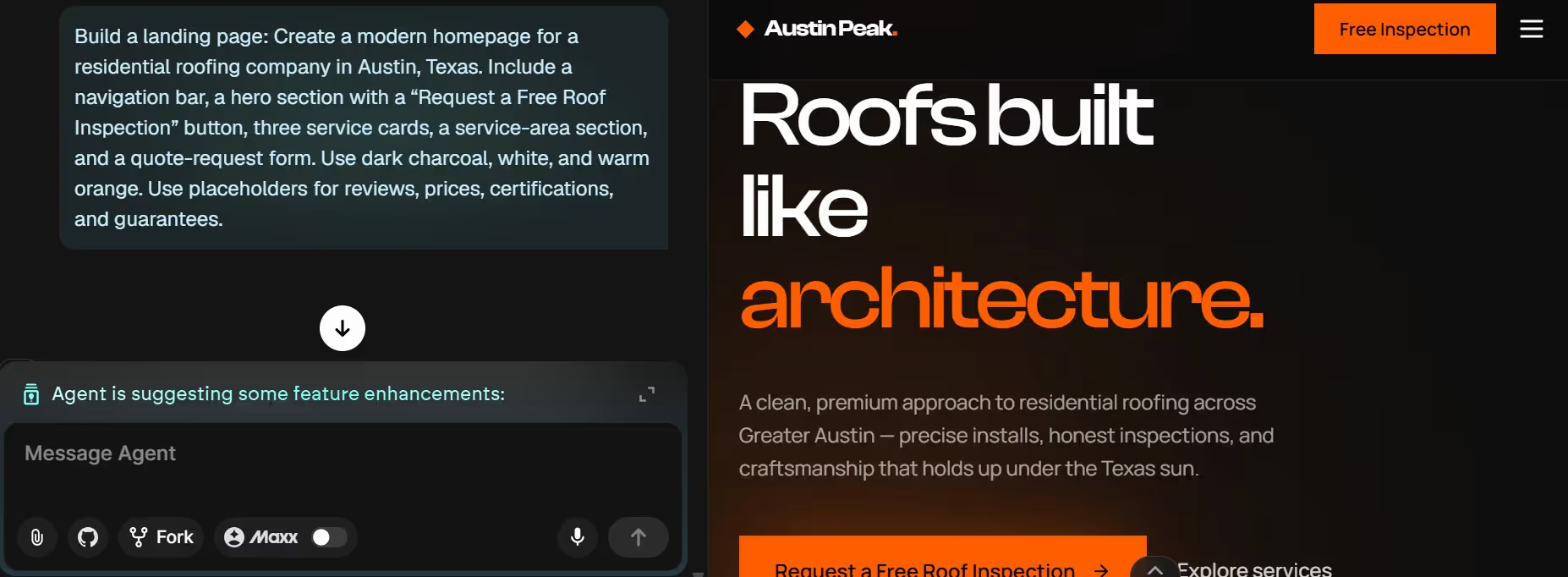
Emergent is the strongest choice when your website must eventually do more than display pages. You describe the site and its required behavior in plain language, then continue refining it through conversation.
When I used Emergent for the roofing example, it asked whether the form should save leads, send email notifications, and follow a particular visual style before generating the landing page.
A service company can begin with a homepage, service pages, reviews, and a contact form. It can later add scheduling, customer accounts, a job-status dashboard, or an internal staff view without moving the project to another builder. Emergent also provides GitHub integration on paid plans and states that your project files remain yours, which creates a clearer developer-handoff path.
Choose Emergent when custom behavior matters more than selecting from a large template catalog. Choose a visual builder when the project is a conventional marketing site and detailed manual design control matters more than custom logic.
Pros:
- Builds website pages and custom functions through the same conversation
- Supports forms, dashboards, bookings, accounts, and integrations
- Gives the project room to grow into a working business tool
- Includes a free plan for exploring the builder
- Supports GitHub integration on paid plans
Cons:
- Credit use rises as the build and number of revisions grow
- Complex workflows require systematic testing
- Broad prompts create more avoidable rework
- Sensitive data, payments, and account permissions need human review
What Users Say
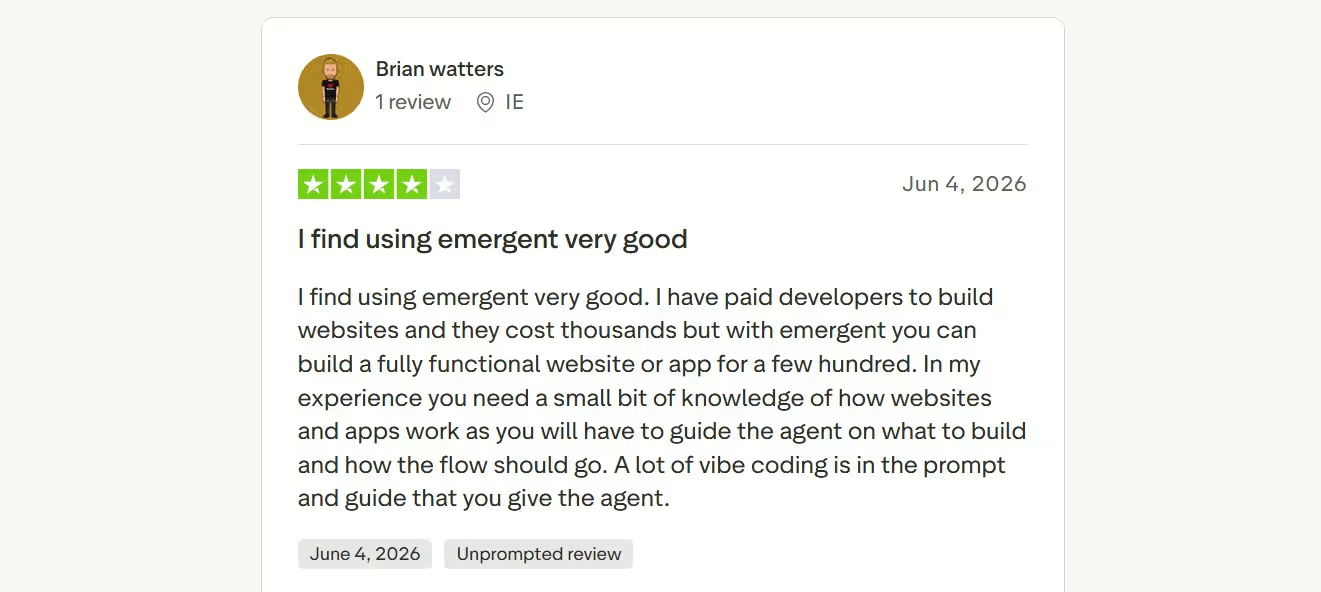
One useful Emergent review captures the platform’s central tradeoff: it can lower the cost of getting a working website or app, but it does not remove the need for informed direction. In a four-star review, Brian Watters said Emergent cost considerably less than hiring developers, while noting that users still need to guide the agent and define how the workflow should operate.
Pricing
Emergent offers Free at $0/month with 10 monthly credits, Standard at $20/month ($17/month annually) with 100 monthly credits, and Pro at $200/month ($167/month annually) with 750 monthly credits. Business and Enterprise use custom pricing.
2. Wix: Best for an All-In-One Small-Business Website
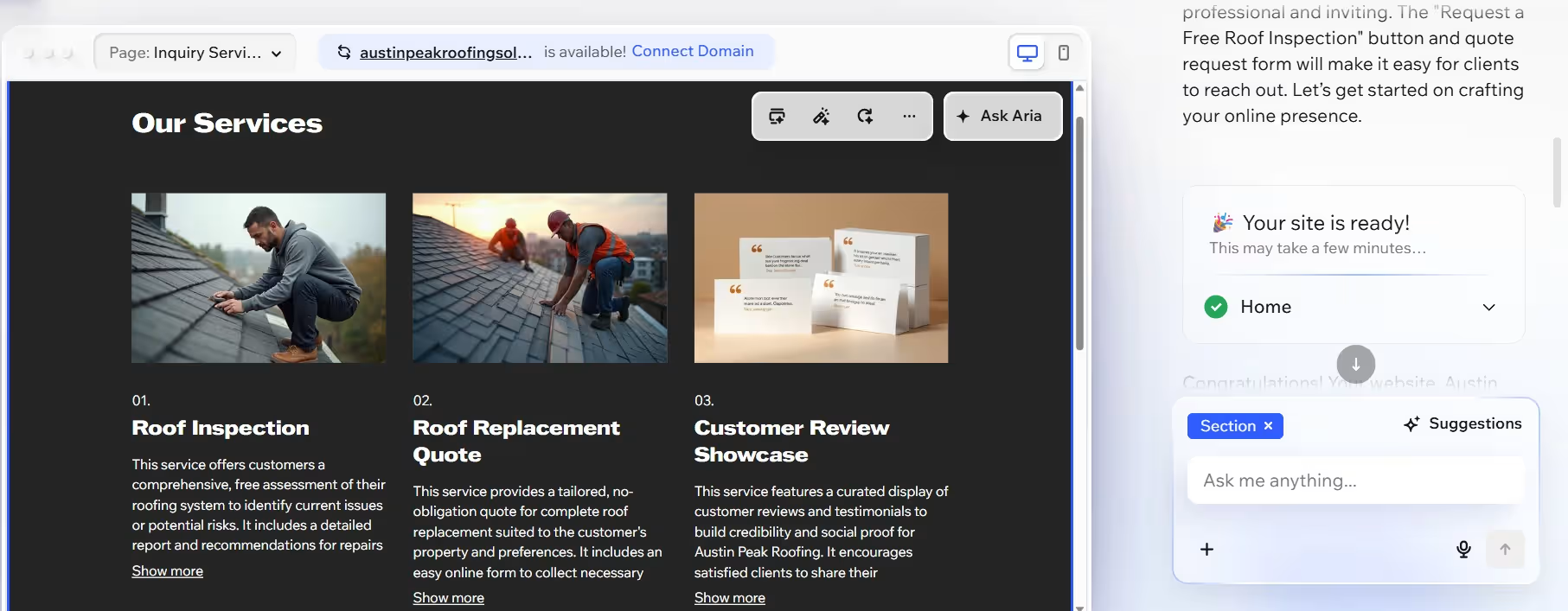
Wix is the most straightforward choice for a conventional business website with built-in services. Its AI builder creates a first draft from a prompt, then lets you edit the result through direct visual controls.
In my test, Wix first turned the roofing brief into a business profile through a guided conversation, then opened the generated site for visual editing.
Wix fits restaurants, coaches, salons, photographers, retailers, and appointment-based businesses. The platform combines hosting, blogging, scheduling, payments, marketing, customer management, and commerce in one product family. The current Wix AI builder also supports continued prompting through Aria and manual editing through Wix Harmony.
Choose Wix when you value breadth, familiar business tools, and a guided publishing path. Skip it when the core requirement is a custom operational workflow that falls outside Wix’s built-in tools and app options.
Pros:
- AI generation and drag-and-drop editing work together
- Includes hosting and a free starting plan
- Covers bookings, stores, blogs, memberships, and marketing
- Provides a large template and business-tool library
- Works well for first-time website owners
Cons:
- The number of tools and settings can make the editor feel busy
- Paid apps can raise the real monthly cost
- Specialized workflows can require platform-specific development
- The free plan uses Wix branding and a Wix subdomain
What Users Say
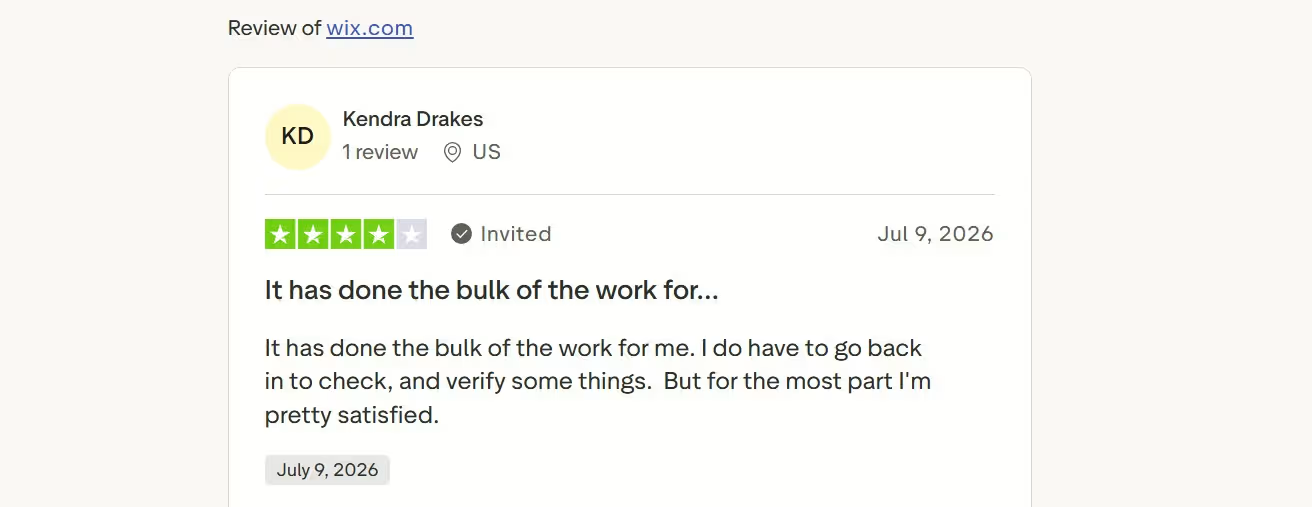
A four-star review from Kendra Drakes captures a realistic expectation for Wix’s AI-assisted workflow: “It has done the bulk of the work for me.” She added that she still needed to check and verify parts of the result, which is the right approach to generated website copy and layouts.
Pricing
Wix offers Free at $0, Light at $17/month, Core at $29/month, Business at $39/month, and Business Elite at $159/month. These displayed prices are for yearly subscriptions paid in full. Monthly and multi-year subscriptions are also available, with pricing and availability varying by location. Wix Enterprise uses quote-based pricing.
3. Webflow: Best for Professional CMS and Marketing Sites
Webflow is the strongest option here for a design or marketing team that wants detailed control over layouts and structured content.
Its AI site builder can generate a responsive website with up to five initial pages on a paid Workspace or Site plan, along with content, styles, and a reusable design system. Without a paid plan, sites are limited to two pages. You can then refine layouts, animations, sections, and CMS content inside Webflow’s visual environment.
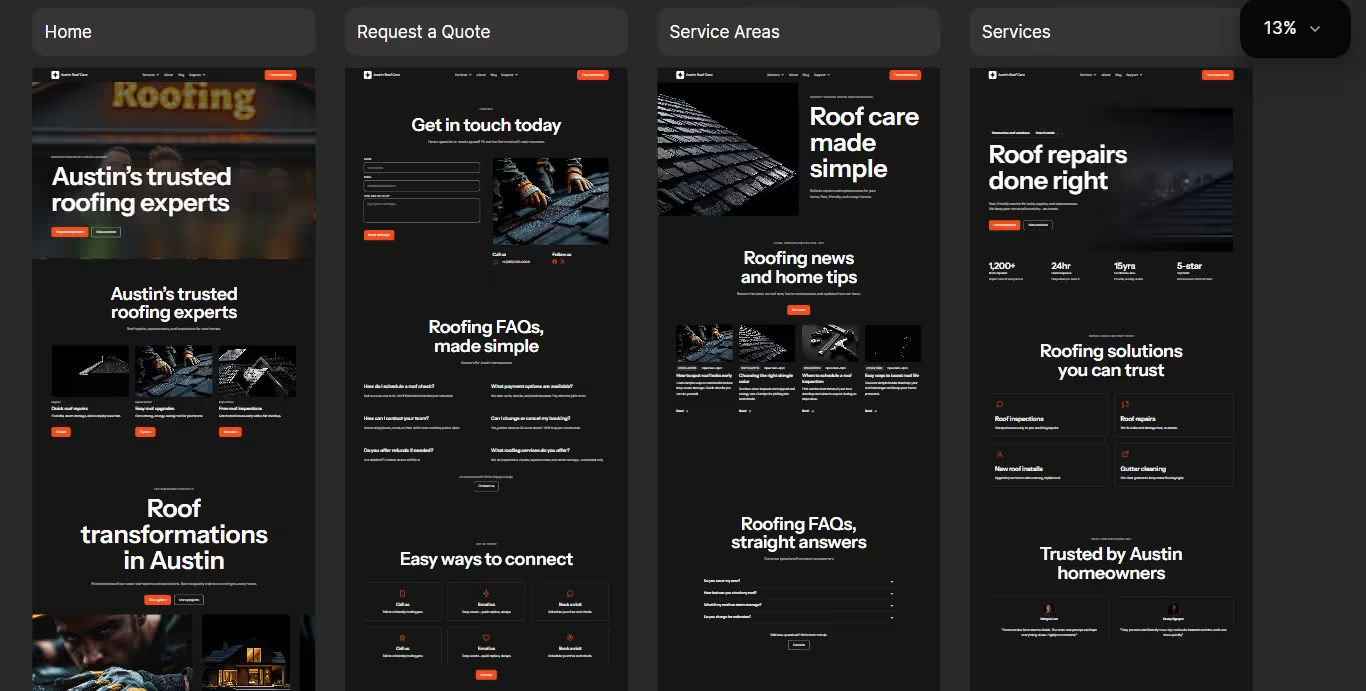
Using the same roofing brief, Webflow produced several coordinated page previews rather than limiting the first draft to a single homepage.
Webflow makes the most sense for content-heavy company sites, agency projects, resource libraries, and campaigns that need repeatable design rules. It is less friendly than Wix for a first-time owner who needs a simple five-page site and does not want to learn responsive layout concepts.
Pros:
- Strong control over layout, typography, and responsive behavior
- Built-in CMS for structured content
- Suitable for marketing teams and agency workflows
- AI output remains editable inside a detailed visual environment
- Provides staging, collaboration, and development options
Cons:
- Has a steeper learning curve than general-purpose builders
- Site plans, workspace access, seats, and add-ons require careful cost review
- Greater design freedom creates more room for inconsistent changes
- Content-heavy or high-traffic sites can require higher plans and add-ons
What Users Say
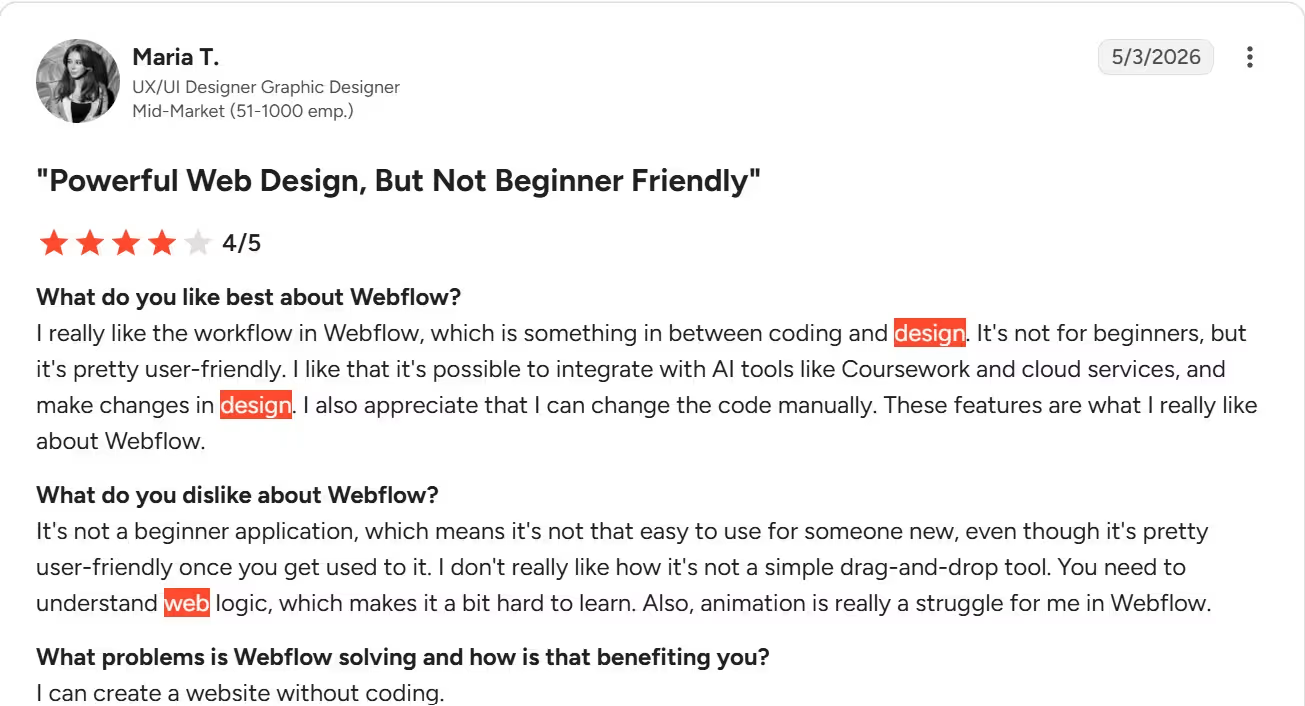
In a four-star review, Maria T. praised Webflow’s combination of visual design and code-level control, including its ability to work with AI tools and cloud services. She noted that the platform becomes user-friendly with experience, but beginners still need to understand basic web-design logic, and animations can be difficult to manage.
Pricing
Webflow offers Starter at $0, Basic at $25/month ($15/month annually), and Premium at $39/month ($25/month annually). Team costs $2,500 per month on an annual contract, while Enterprise uses custom pricing.
4. Framer: Best for Design-Led Landing Pages
Framer is the strongest choice for a polished landing page, portfolio, product site, or startup marketing website.
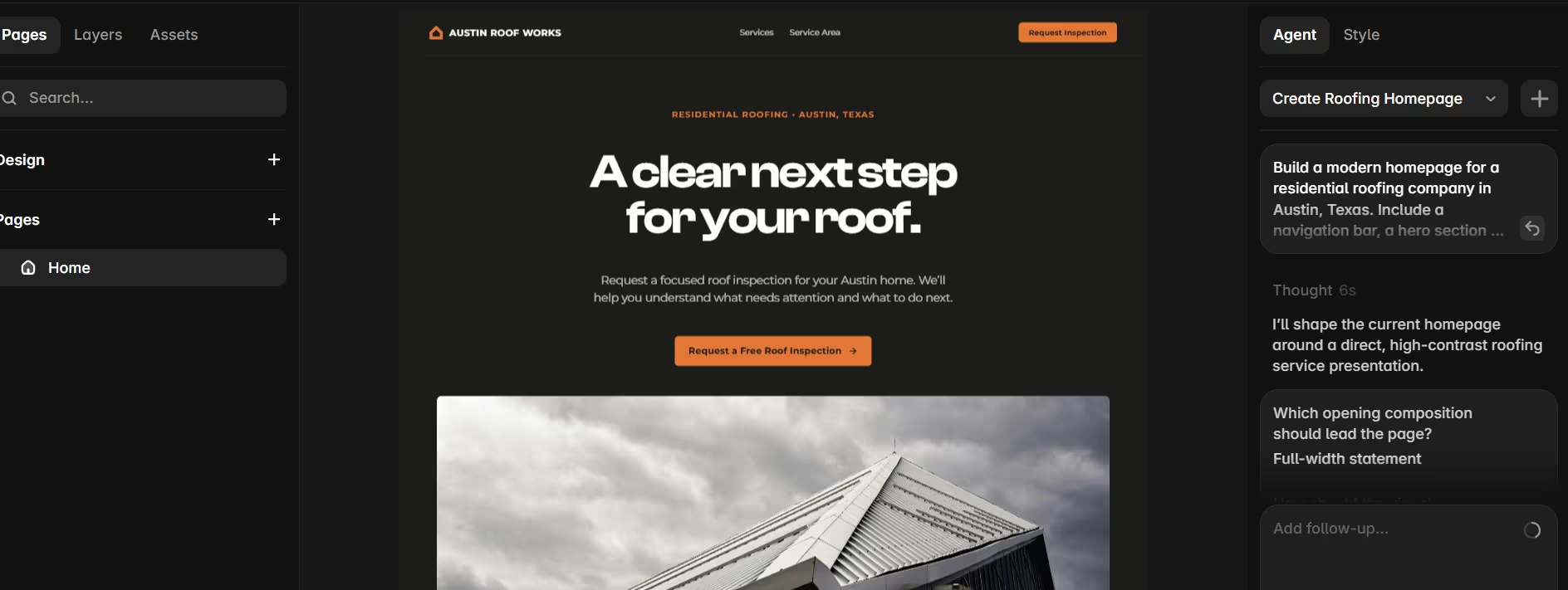
Its AI agents generate page structure, sections, headlines, and first-draft content. In my test, the generated landing page remained on the canvas beside the Agent panel, so I could continue editing the first draft without leaving the project. I could adjust typography, components, responsive breakpoints, effects, CMS content, and section order.
Framer is especially effective when visual identity is part of the product. It is less suitable when the website needs deep operational workflows, a large plugin library, or complex native commerce.
Pros:
- Produces visually strong first directions
- Supports direct canvas editing after AI generation
- Includes hosting, analytics, CMS, and search controls
- Provides a free plan for exploring the workflow
- Fits fast campaign and product-page production
Cons:
- Complex business functions usually need integrations or another platform
- Larger CMS projects can reach plan and usage limits
- Editor and content-editor seats add to team costs
- Strong visual output still needs brand-specific copy, proof, and imagery
What Users Say
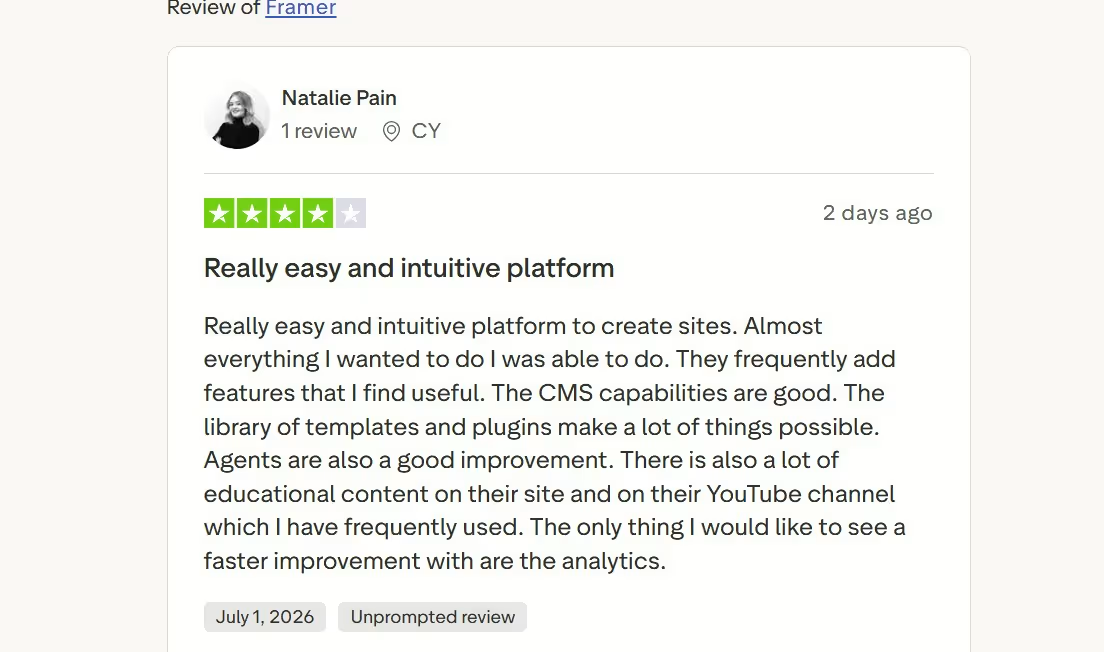
In a four-star review, Natalie Pain described Framer as easy and intuitive, and highlighted its CMS, templates, plugins, Agents, and educational resources. Her main request was faster improvement to the platform’s analytics, making this a useful balanced review for a design-led website builder.
Pricing
Framer offers Free at $0, Basic at $10/month billed annually, Pro at $30/month billed annually, and Enterprise with custom pricing. Monthly billing is also available for eligible plans, with the applicable rate shown when you select the billing cycle at checkout. Additional Editor seats cost $20/editor/month, while Content Editor seats cost $10/editor/month.
5. 10Web: Best for AI-Assisted WordPress Sites
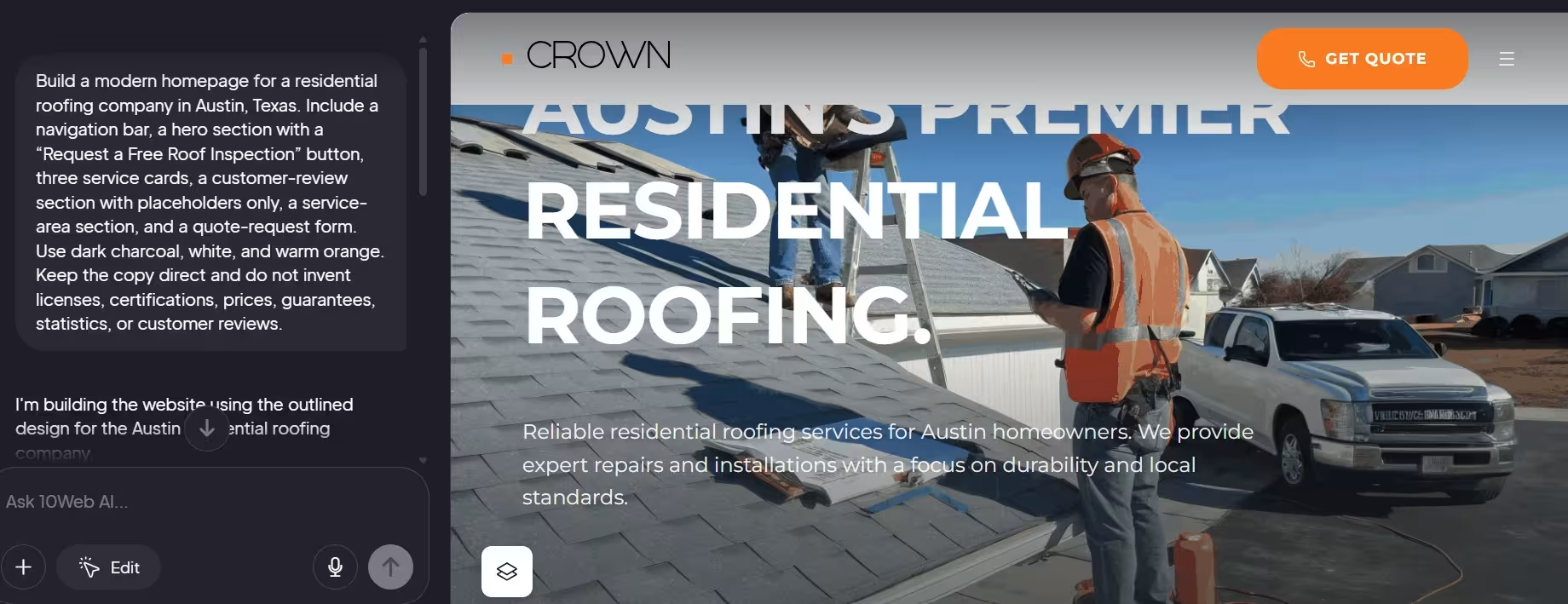
10Web is the clearest choice when you want AI generation while keeping WordPress at the center of the project.
You can create a site from a written description, redesign an existing page, recreate a page from a URL, or convert a Figma design into a WordPress website. The platform combines the builder with WordPress management, hosting, backups, updates, and WooCommerce options.
With 10Web, I saw that the roofing instructions remained visible beside the generated WordPress page, making the progression from business brief to website preview easy to follow.
Choose 10Web when WordPress compatibility is a requirement. Skip it when you want to avoid WordPress concepts, plugin decisions, and the maintenance issues that can appear when several plugins interact.
Pros:
- Produces a WordPress-based website
- Supports WooCommerce and WordPress plugins
- Includes managed hosting, backups, and updates
- Can generate, redesign, clone, or import pages from Figma
- Offers agency and white-label options
Cons:
- WordPress plugins can still conflict or require maintenance
- Generated copy and imagery need close review
- The free route is a generation and trial path, rather than a permanent hosted free plan
- Agency pricing and site limits require closer comparison
What Users Say
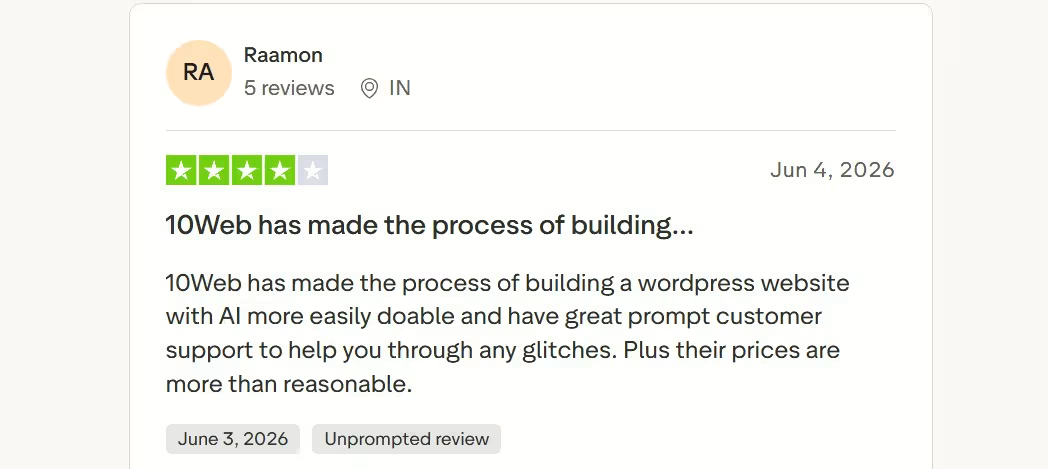
In a four-star review, Raamon said 10Web made AI-assisted WordPress website creation easier and praised the customer support available when glitches occurred. The comment reflects 10Web’s main appeal: a faster WordPress starting point, with support still important when the generated workflow needs correction.
Pricing
10Web offers AI Starter at $20/month ($10/month on a 12-month plan, or $10 per website), AI Premium at $30/month ($15/month on a 12-month plan, or $8 per website), AI Ultimate at $45/month ($23/month on a 12-month plan, or $6 per website), and Agency Core at $160/month ($112/month on a 12-month plan, or $6 per website). Agency Pro uses custom pricing, with prices starting as low as $2.50 per website.
For a broader comparison of website-building platforms, 6 Best Online Website Builders in 2026 looks at the strengths and limitations of the leading options.
Benefits of Using an AI Website Builder
You Reach a Useful First Draft Faster
AI removes the repetitive setup involved in selecting sections, creating navigation, placing placeholder content, and defining a basic visual direction. You spend more time improving a draft and less time assembling one section at a time.
It Helps You Make Early Decisions
A generated website makes abstract choices visible. It is easier to decide that the homepage feels too formal, the service hierarchy is confusing, or the call to action is weak when you can see the complete page.
You Can Iterate in Plain Language
Prompt-based editing lets you request an outcome:
- Make quote requests more prominent.
- Add proof before the pricing section.
- Create a separate page for commercial clients.
- Show different calls to action for buyers and sellers.
- Add a customer dashboard after login.
This makes website work more accessible to someone who understands the business but does not work as a designer or developer.
Small Teams Can Handle More Work Themselves
A founder or service-business owner can create the first version, collect feedback, and update the site without coordinating a designer, copywriter, developer, and hosting provider for every small change.
The Website Can Grow With the Business
This benefit depends on the platform. A traditional AI-assisted builder can add pages, content, stores, and common business tools. An agentic builder can go further by adding custom logic and operational workflows.
Limitations of AI Website Builders
Generated Copy Is Usually a Starting Point
AI copy tends to repeat familiar phrases, make broad promises, and miss the details that separate one company from another.
Replace it with:
- Real service areas
- Exact process steps
- Specific turnaround times
- Named qualifications
- Genuine testimonials
- Clear limitations
- Real examples and photographs
Do not publish claims about prices, guarantees, certifications, legal compliance, or customer results unless you have verified them.
Generated Designs Can Look Familiar
AI systems learn common design patterns. That makes them effective at producing acceptable layouts, but it can also create sites that resemble other startup, agency, and local-business websites.
Use original photography, brand typefaces, customer language, proof, and visual details to move the site away from the default look.
Complex Changes Can Break Earlier Work
A request that affects navigation, data, forms, or shared components can cause unwanted changes elsewhere. Test the entire website after a major revision rather than checking only the section you changed.
Accessibility Still Needs Human Review
A generated page can have weak contrast, missing labels, poor heading order, unclear link text, or images without useful alternative text. Treat accessibility as a publishing requirement rather than a final optional cleanup.
AI Does Not Guarantee Search Rankings
Search engine optimization (SEO) helps search engines understand a website and helps people decide whether to visit it. An AI builder can create page titles, descriptions, organized sections, and responsive layouts, but Google does not guarantee indexing or rankings for any website.
Useful original content, crawlable pages, accurate information, clear organization, and ongoing improvements still matter. Google also warns against generating many pages primarily to manipulate search rankings, a practice it calls scaled content abuse.
The Lowest Plan Is Rarely the Full Cost
Check the cost of:
- A custom domain
- Business email
- Additional editors
- Higher traffic or storage
- AI credits
- Apps and plugins
- Ecommerce features
- Payment processing
- Localization
- Forms and automation
- Ongoing revisions
The best-value plan is the one that covers the website you will run, rather than the cheapest plan that lets you publish a homepage.
Should You Use an AI Website Builder?
Use an AI website builder when speed, iteration, and independent control matter more than creating every element manually.
An AI Website Builder Is a Strong Fit When You
- Need a business website without waiting weeks for a first draft
- Know your customer and offer but are unsure how to structure the site
- Need to update pages without depending on a developer
- Want to test a product, service, or campaign quickly
- Expect the site to change after customer feedback
- Need forms, bookings, accounts, or business workflows
- Can review every important page before publishing
Skip an AI-Website Builder When You
- Already have a completed design system and approved page designs
- Need a tightly controlled enterprise publishing workflow
- Work in a regulated field where specialist approval is required
- Cannot allocate time for testing and rewriting
- Need a rare technical architecture that the platform does not support
- Expect the builder to make positioning, legal, or compliance decisions for you
A clear brief helps the builder move quickly, but the quality of the result still depends on a clear offer, real customer insight, verified facts, and responsible review.
How to Build a Better AI Website in 6 Steps
Step 1: Define One Primary Visitor
Write down who the website serves and what that person needs to do.
“Homeowners in Austin who need a roof inspection after storm damage” gives the builder more direction than “people who need roofing.”
Step 2: Choose One Primary Conversion
Pick the main action:
- Request a quote
- Book a call
- Buy a product
- Join a waitlist
- Schedule an appointment
- Create an account
- Download a resource
A site with six equally prominent calls to action makes every decision harder.
Step 3: Write a Specific First Prompt
Include:
- Business type
- Location
- Audience
- Required pages
- Services or products
- Brand tone
- Visual preferences
- Required functions
- Primary call to action
- Information the AI must not invent
Pro tip: Tell the builder to use placeholders for testimonials, prices, certifications, and statistics unless you provide verified information.
Step 4: Fix the Structure Before Styling Details
Check whether visitors can answer these questions:
- What does the business offer?
- Who is it for?
- Why should they trust it?
- What should they do next?
- What happens after they take that action?
Fixing these answers creates more value than adjusting button shadows or corner radius.
Step 5: Replace Generic Material
Update the draft with:
- Original photography
- Real customer language
- Named services
- Verified prices
- Actual service areas
- Real biographies
- Specific proof
- Clear policies
Step 6: Test the Published Experience
Submit every form yourself. Complete a booking or purchase. Open the website on at least one phone and one desktop browser. Ask someone unfamiliar with the project to find a service, understand the offer, and complete the primary action without guidance.
For a practical walkthrough of the website creation process, How to Build Your Own Website in 10 Easy Steps covers everything from getting started to publishing your site.
How to Manage an AI-Built Website After the First Draft
Work in Small Revisions
Request one meaningful change at a time, then check the result before moving on. Smaller requests make it easier to identify what changed, catch unintended edits, and reverse a mistake.
Separate Design Changes From Functional Changes
Do not combine a visual redesign with changes to forms, navigation, databases, or integrations in one request. Keeping design and functionality changes separate makes problems easier to isolate and test.
Preserve Working Versions
Create a backup, branch, duplicate, or restore point before major structural changes. The feature name varies by platform, but you should always have a reliable path back to the last working version.
Use Real Data Carefully
Use fictional customer details while building and testing. Add production credentials, payment information, and private business data only through the platform’s intended secure settings.
Final Verdict on AI Website Builders
An AI website builder is the fastest practical route from a business description to an editable website, but the first generated draft is the beginning of the work.
Choose Wix for a familiar all-in-one small-business website. Choose Webflow for a content-rich marketing site with detailed visual control. Choose Framer for a design-led landing page or portfolio. Choose 10Web when WordPress is a firm requirement.
Choose Emergent when the website must support custom workflows, customer accounts, dashboards, bookings, data, or functions that could turn the project into working software. Its advantage is the room to continue building after the marketing pages are finished.
The strongest process is simple: describe the outcome clearly, generate a first version, replace generic material, test every important action, and publish only when the site reflects the real business.

Most AI app builders stop at prototypes. Emergent creates production-ready apps you can actually launch.
- Production-ready apps
- Web & mobile apps
- Deploy in minutes







