




I tested the free plans of 11 popular builders to see which ones let you build a landing page without paying a cent. Here are the best free landing page builders in 2026.
11 Best Free Landing Page Builders: Quick Comparison
Here's how the 11 free plans stack up at a glance.
| Tool | Free Plan | Best For | Free-Plan Catch |
|---|---|---|---|
| Framer | Full editor, free to build | Design-led marketing pages | Stuck on a Framer subdomain |
| Emergent | 10 credits/month | Pages that collect sign-ups and payments | 10 credits is a test drive |
| Wix | Free forever plan | An all-in-one site with marketing tools | Wix ads on every free page |
| Carrd | 3 free sites | A fast single-page site | One page, Carrd badge |
| Canva | 5 free live sites | Simple pages that look good fast | Premium templates need Pro |
| HubSpot | 30 free landing pages | Pages that feed a CRM | HubSpot branding and subdomain |
| Google Sites | Free, no branding | A no-cost informational page | Very basic design and features |
| Lovable | 5 credits/day | Prompt-to-page for non-coders | Daily credits run out fast |
| Bolt.new | 1M tokens/month | Fast building in the browser | Token use is hard to predict |
| Replit | Free Starter plan | Pages you'll grow into full apps | Limited AI build allowance |
| MailerLite | 2,500 emails/month | Landing pages built around email | 250-subscriber cap |
How I Researched and Tested These Landing Page Builders
I signed up for the free plan of each tool and built a simple landing page in it, so I could see where each free tier actually stops.
I focused on six things that matter when the budget is zero:
- Building: How easy it is to get from a blank screen to a finished page, whether by prompt or by dragging blocks.
- Starting points: Whether you begin from a template library or describe the page from scratch.
- Free-plan ceiling: How fast you hit the limit, whether that's credits, tokens, or build minutes.
- Going live: What it takes to get the page online, and where the free plan hands you off to a paid one.
- Branding: Whether the tool stamps its own badge on your free page.
- Backend: Whether the page can store leads, take payments, or sign users in, and where captured leads end up, whether that's a database you can export or your email tool.
This hands-on approach showed me which free plans can build a working page and which ones are closer to a trial that points you to a paid plan.
1. Framer: Best for Design-Led Marketing Pages
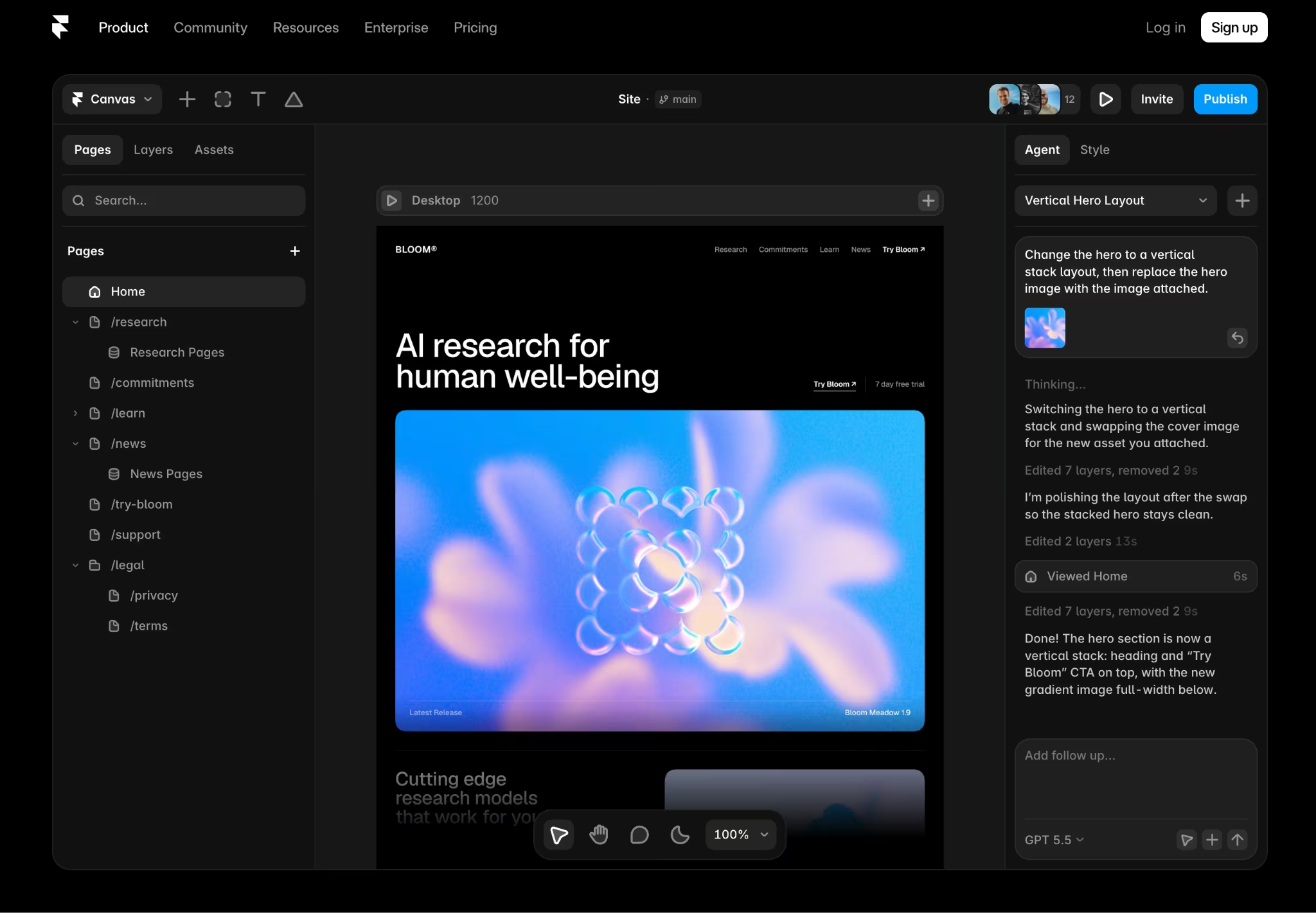
What it does: Framer is a visual website builder. You describe the layout you want, Framer AI generates the sections on a canvas, and you refine the design by dragging and adjusting each block.
Best for: Founders and marketers who want a well-designed, animated marketing page and care about how it looks.
I started Framer with a prompt and watched it lay out a hero, features, and a call-to-action in seconds. The output looked closer to a designer's work than anything else I tried, and the free plan let me build a full page at no cost.
Key Features
- AI design tools: Generate layouts and visual styles from a prompt, then adjust spacing, type, and animations by hand.
- Free hosting: Puts your page on a free Framer web address (a subdomain like yoursite.framer.website) with built-in SEO settings and basic analytics.
- Template marketplace: Free and paid starting points you can drop in and edit instead of starting from scratch.
Pros and Cons
Pros:
- Pages come out looking professionally designed without writing a line of code.
- Fast to go from an idea to a finished page.
- The free plan includes the full editor plus AI tools to get started.
Cons:
- The learning curve is steep if you've never used a design tool like Figma.
- Free pages sit on a Framer subdomain with a "Made in Framer" badge.
What Users Say
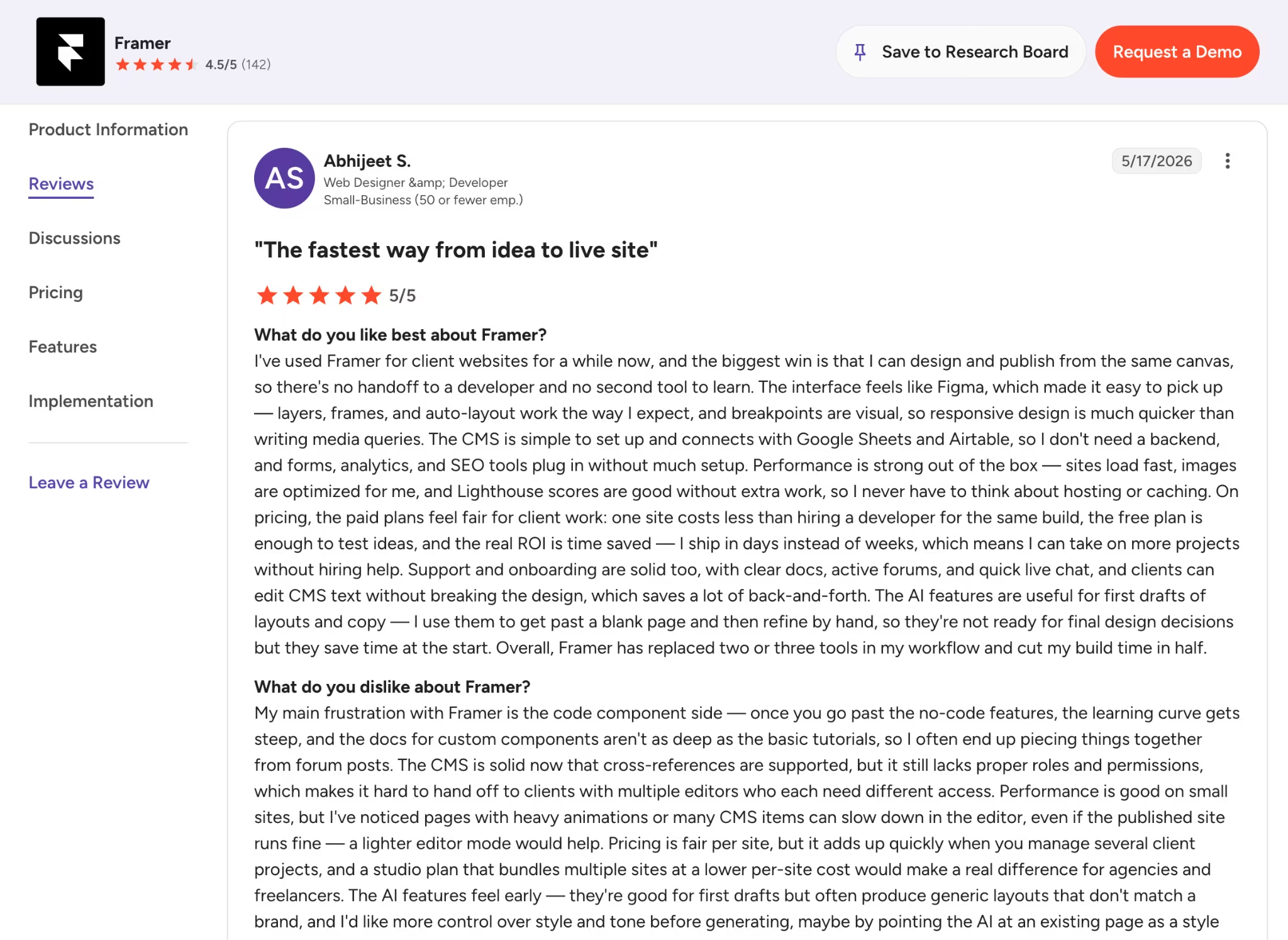
One G2 reviewer called Framer the fastest way from an idea to a live site, with an interface that feels familiar if you know Figma.
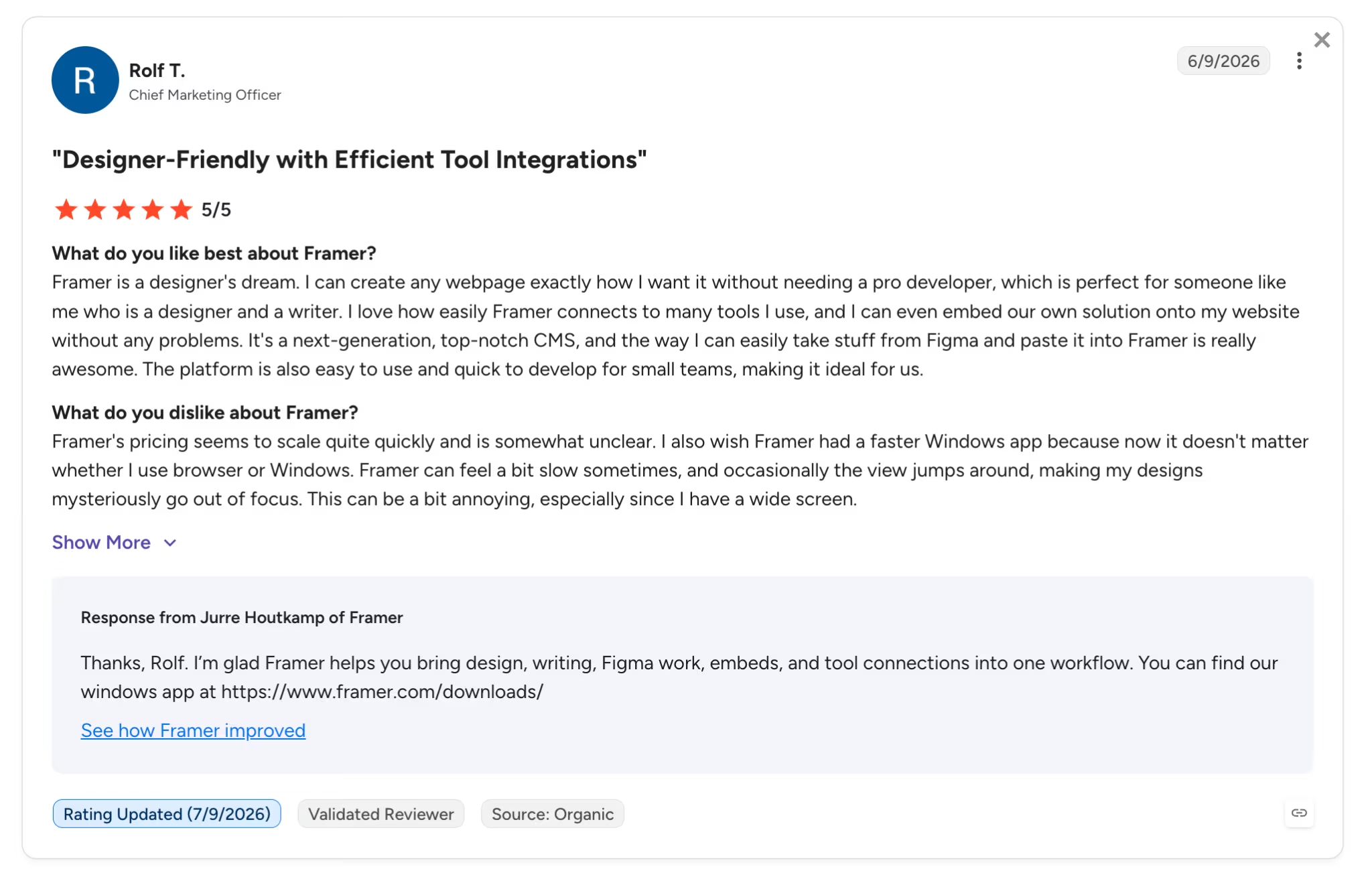
Another G2 reviewer pushed back on cost, noting that pricing scales quickly and can be unclear as a site grows.
Pricing
Framer's free plan costs $0 and includes the full editor plus AI tools to get started. Paid plans start at $15 per month for Basic ($10 per month billed annually), which adds a custom domain, then $30 per month for Pro (billed annually), with custom pricing for Enterprise.
Bottom Line
I'd recommend Framer to anyone who wants a well-designed marketing page for free. Once you want your own domain, the Basic plan is an easy upgrade.
2. Emergent: Best for Pages That Do Something (Sign-Ups, Payments, Saved Leads)

What it does: Emergent is an AI app-building platform where you describe what you want, and a team of agents plans, designs, builds, and tests a complete web or mobile app, including the database and logic behind the parts people see.
Best for: Pages that are the front door to a working product, capturing leads into a database, taking payments, or signing users in.
I described a simple signup page and answered two quick questions, and Emergent came back with a working form that saved the entries, something the design-first tools didn't do on their free plans. Emergent treats a landing page as the first piece of a working app: instead of picking from a template gallery, you describe the page you want and the agent builds it.
The free plan gives you 10 monthly credits, which is enough to test whether the prompt-to-app workflow fits you before you commit to a paid plan.
Key Features
- Multi-agent build: A team of agents plans, designs, builds, and tests the app, including end-to-end checks that catch and fix broken code.
- Backend built in: Adds a database (MongoDB or Supabase), sign-in through Google OAuth, and payments via Stripe or RazorPay from a single prompt. Captured leads can trigger follow-up email through the built-in SendGrid integration or your own provider.
- Code ownership: You own and can export the code, with custom domains through the built-in IONOS integration. You can also link your existing domain.
Pros and Cons
Pros:
- Builds the working parts too, so forms save leads and pages can take payments.
- One prompt builds the whole app, front and back.
- You own and can export the code.
Cons:
- The free 10 credits are meant for testing, and a paid plan covers ongoing work.
- Credit use can be hard to predict, and support reports are mixed.
What Users Say
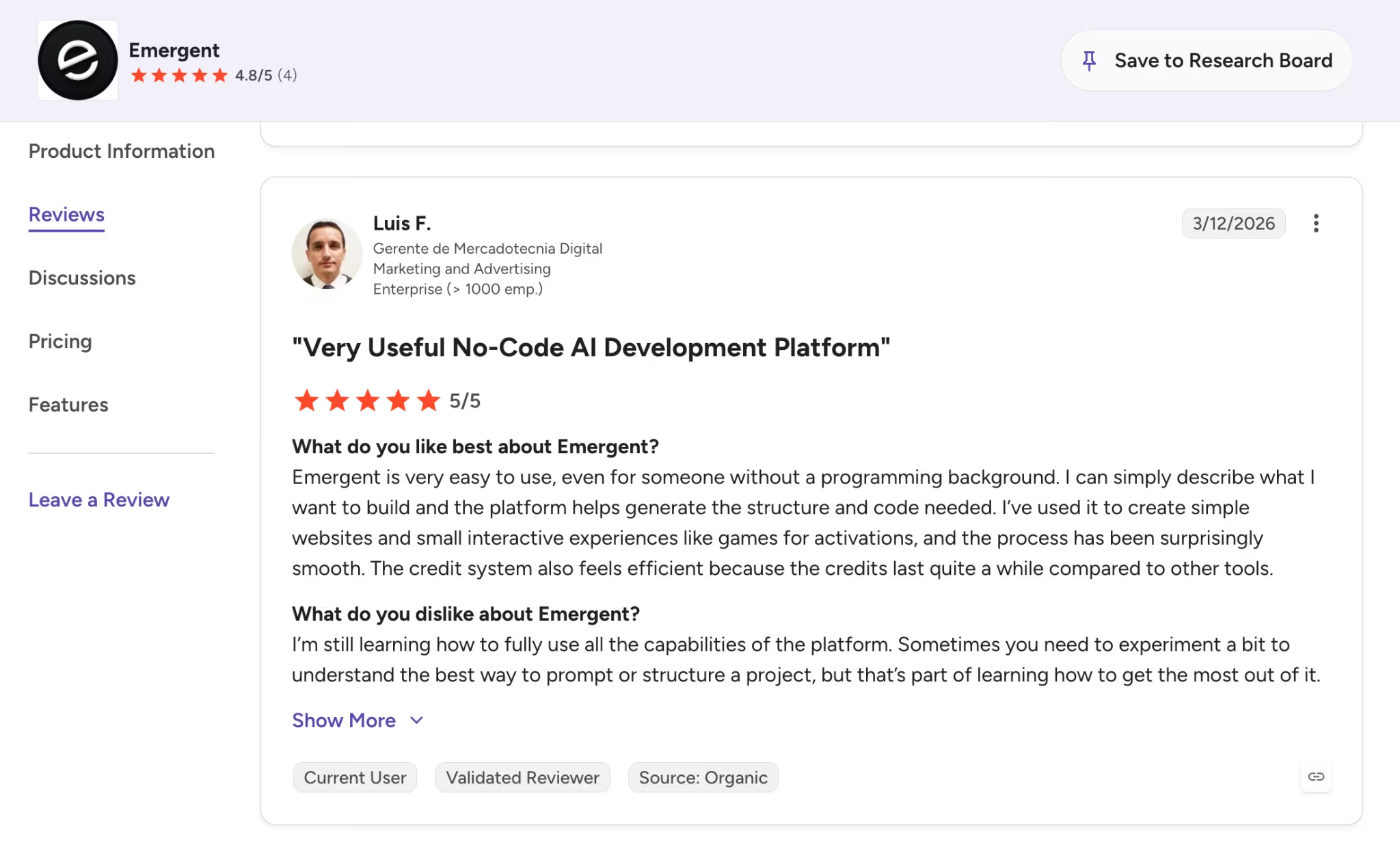
A G2 reviewer said Emergent is easy to use even without a programming background, since you describe what you want and it generates the structure and code.
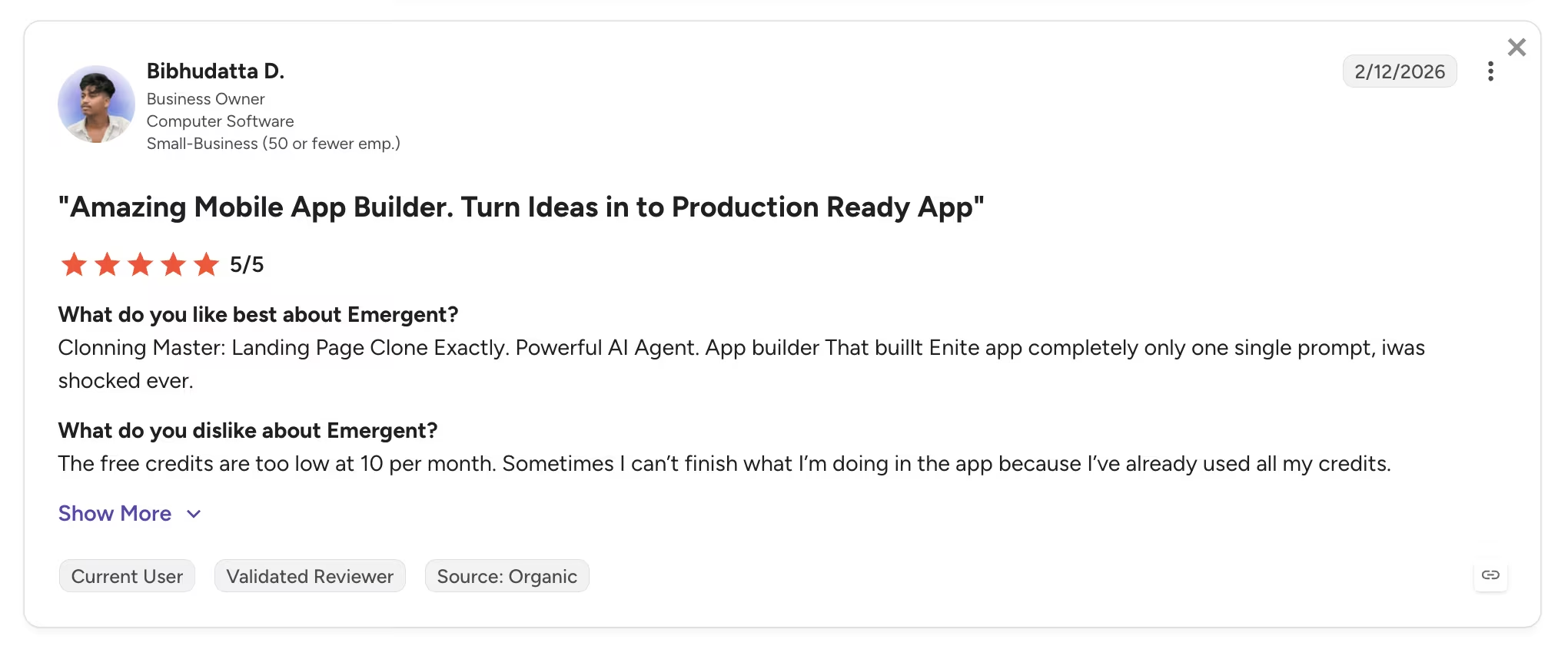
Another G2 reviewer was impressed that one prompt built a complete app, but found the free plan's 10 monthly credits run out fast, so plan to upgrade once you're building in earnest.
Pricing
Emergent's free plan includes 10 monthly credits with access to all core features. Paid plans start at $20 per month for Standard (100 credits; $17 per month billed annually), then $200 per month for Pro (750 credits; $167 per month billed annually), with custom Enterprise pricing.
Bottom Line
Emergent is the one I'd reach for when the page has real work happening behind it. Start with the free credits to see how the prompt-to-app workflow handles your idea, then move to a paid plan when you're ready to keep the page running.
3. Wix: Best for an All-in-One Site With Marketing Tools
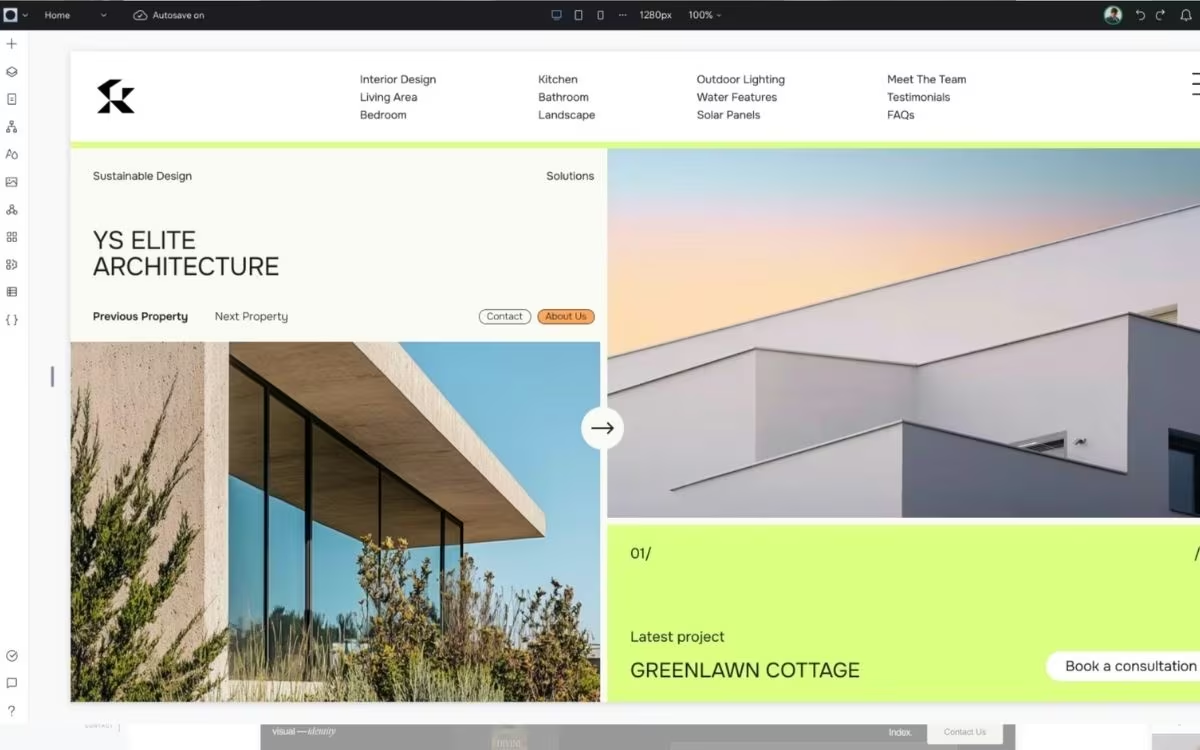
What it does: Wix is a mainstream website builder with a drag-and-drop editor, and its AI site builder can generate a full site from a short description.
Best for: Small businesses that want the page, the contact list, and the email follow-up in one place.
I let the AI builder draft a page from a one-line description, then swapped in one of the templates, and the whole thing took about ten minutes. Wix has the most complete free plan on this list for a conventional business page. Form submissions land in Wix's built-in contact list, so leads and email follow-up sit in the same dashboard as the page. The trade-off is visibility, since free sites sit on a wixsite.com address and show Wix ads on every page.
Key Features
- Template library: Over 2,000 free templates across industries, so most landing pages start from a near-finished design.
- AI site builder: Describe your business and Wix generates the site, then you adjust everything in the drag-and-drop editor.
- Built-in marketing tools: Forms feed a built-in contact list, and the free email plan covers up to 200 marketing emails a month.
Pros and Cons
Pros:
- The most complete free feature set here for a standard business page.
- Leads and email follow-up live in the same dashboard as the page.
- The free plan has no time limit.
Cons:
- Wix ads appear on every free page, on top of the wixsite.com address.
- The 500 MB storage cap fills quickly on image-heavy pages.
What Users Say
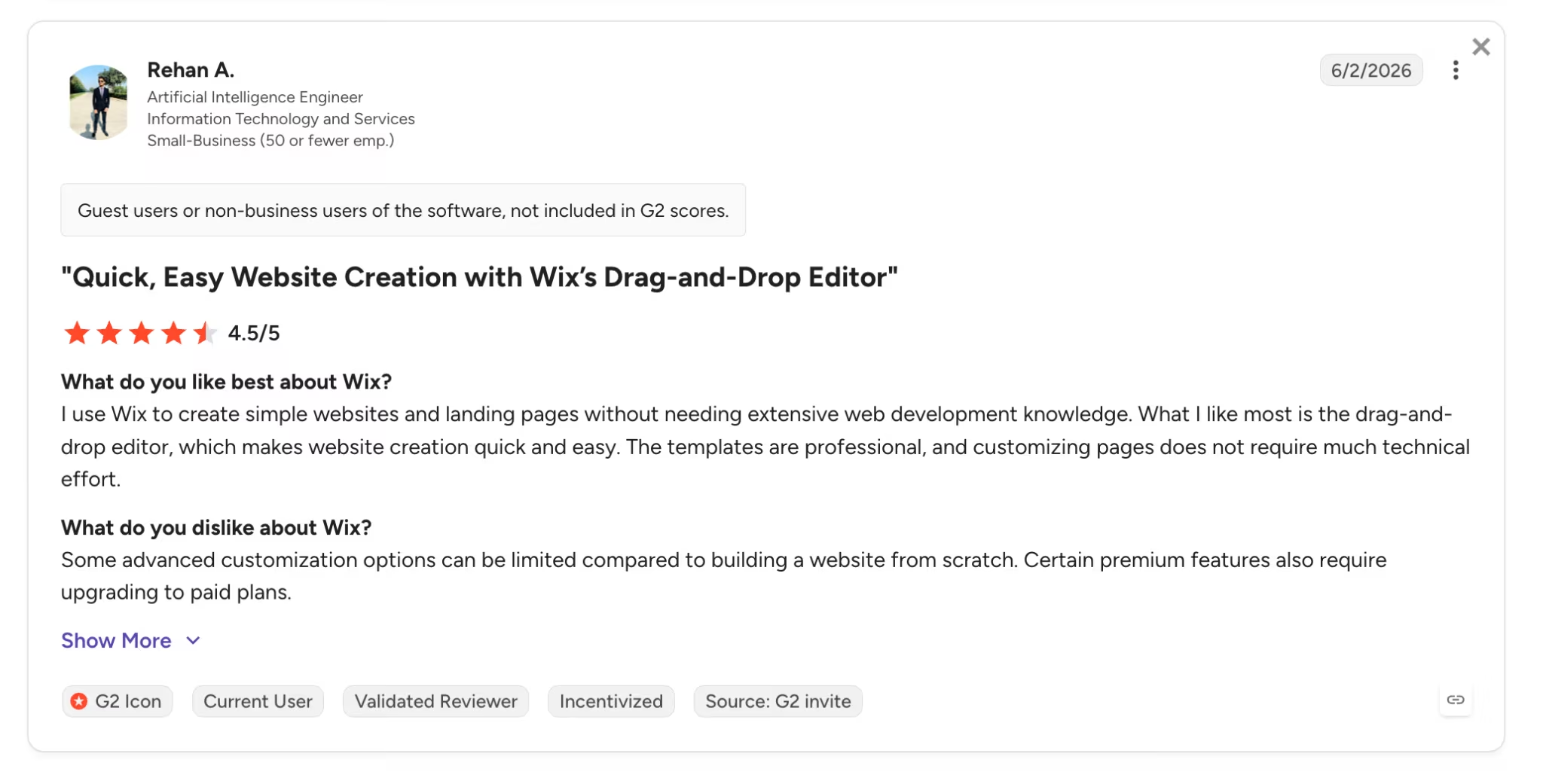
On G2, one reviewer praised the professional templates and low technical effort it takes to customize a page.

Another G2 reviewer found the platform simple but warned that reaching customer support can be a challenge when you need help.
Pricing
Wix's free plan costs $0 with no time limit. Paid plans start at $17 per month for Light (billed annually), which removes the ads and connects a custom domain, then about $29 per month for Core (billed annually) if you want to sell online.
Bottom Line
I'd recommend Wix for a conventional small-business landing page where the leads, contact list, and email follow-up should live in one dashboard. Plan on the Light plan early, because the free-plan ads sit on every page.
4. Carrd: Best for a Fast, No-Cost Single-Page Site
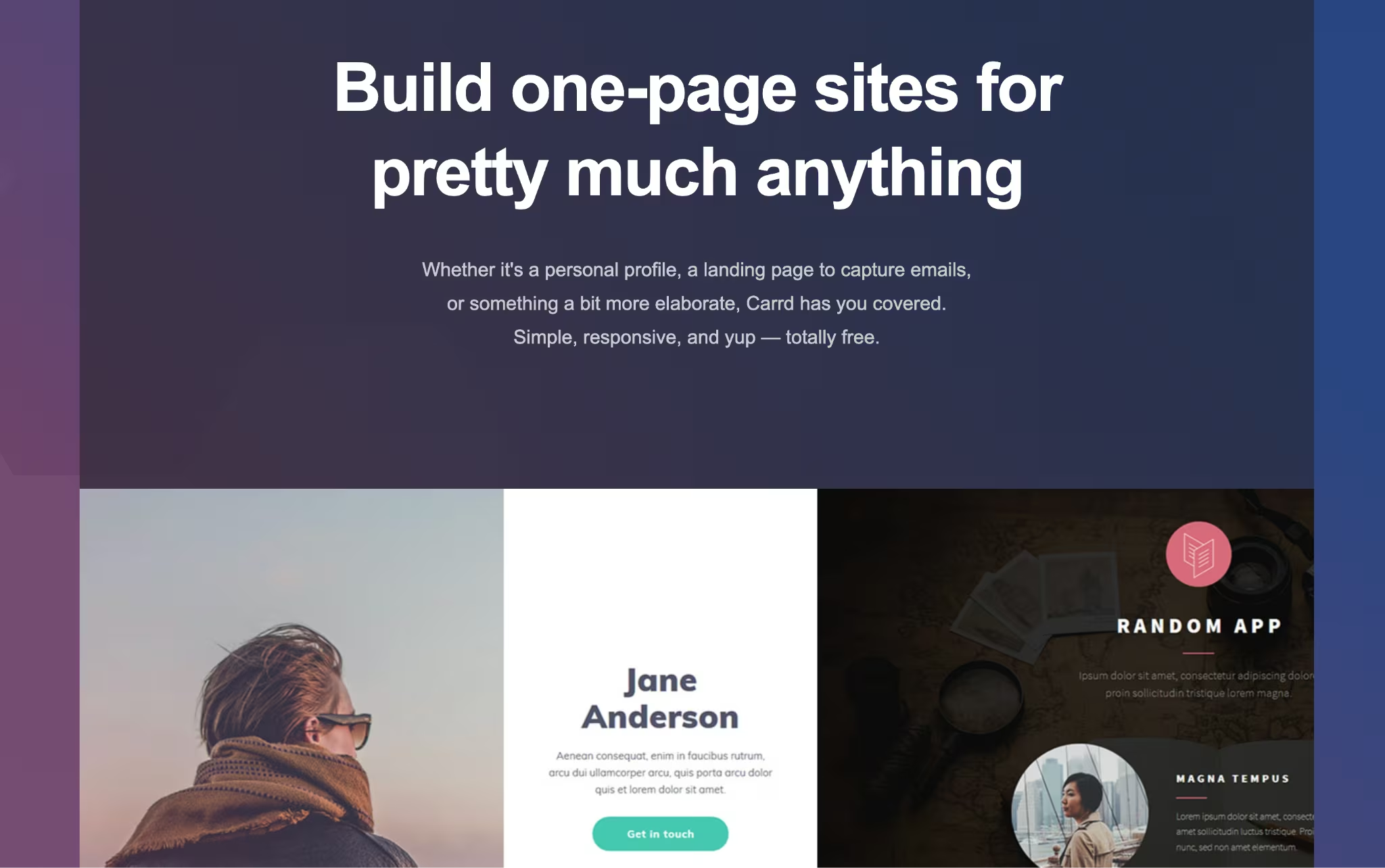
What it does: Carrd is a builder made for simple, responsive single-page sites, like landing pages, link-in-bio pages, and personal profiles.
Best for: Anyone who wants a clean one-page site live in minutes without paying anything.
I picked a template, swapped the text and image, and had a tidy page ready in well under half an hour. Carrd does one thing and does it well: fast one-page sites. The free plan lets you build and publish up to three sites on a carrd.co address, with a small "Made with Carrd" badge in the corner.
Key Features
- Template library: Dozens of responsive one-page templates for profiles, landing pages, forms, and link hubs.
- Block-based editor: Add text, images, buttons, and video as blocks, with tasteful built-in animations.
- Three free sites: Build and publish up to three sites at no cost, each on a carrd.co address.
Pros and Cons
Pros:
- The fastest, cheapest way to get a clean one-page site online.
- Templates look current and are hard to make messy.
- Three published sites on the free plan.
Cons:
- One page per site by design, with no multi-page option.
- Forms, custom domains, and integrations need a Pro plan, and the free site keeps a Carrd badge.
What Users Say
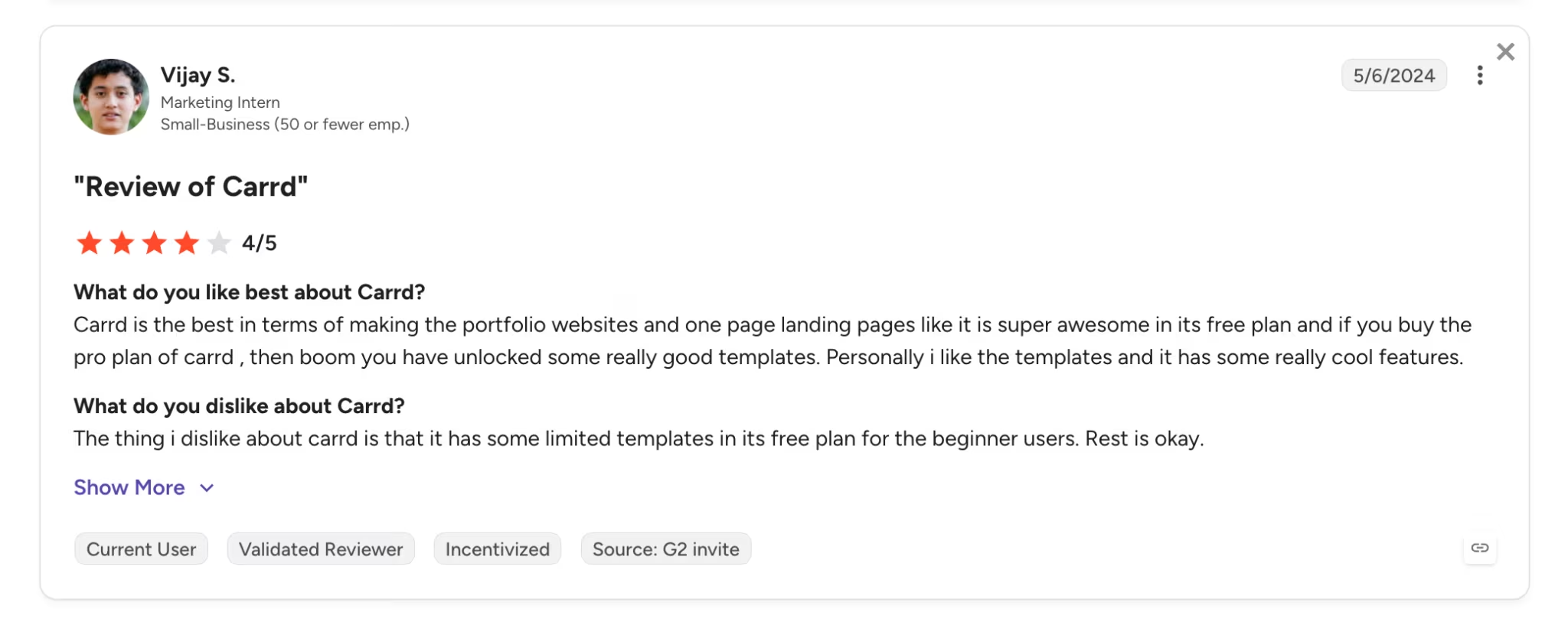
On G2, reviewers call Carrd a great value for portfolios and one-page landing pages, with a free plan that covers the basics well.
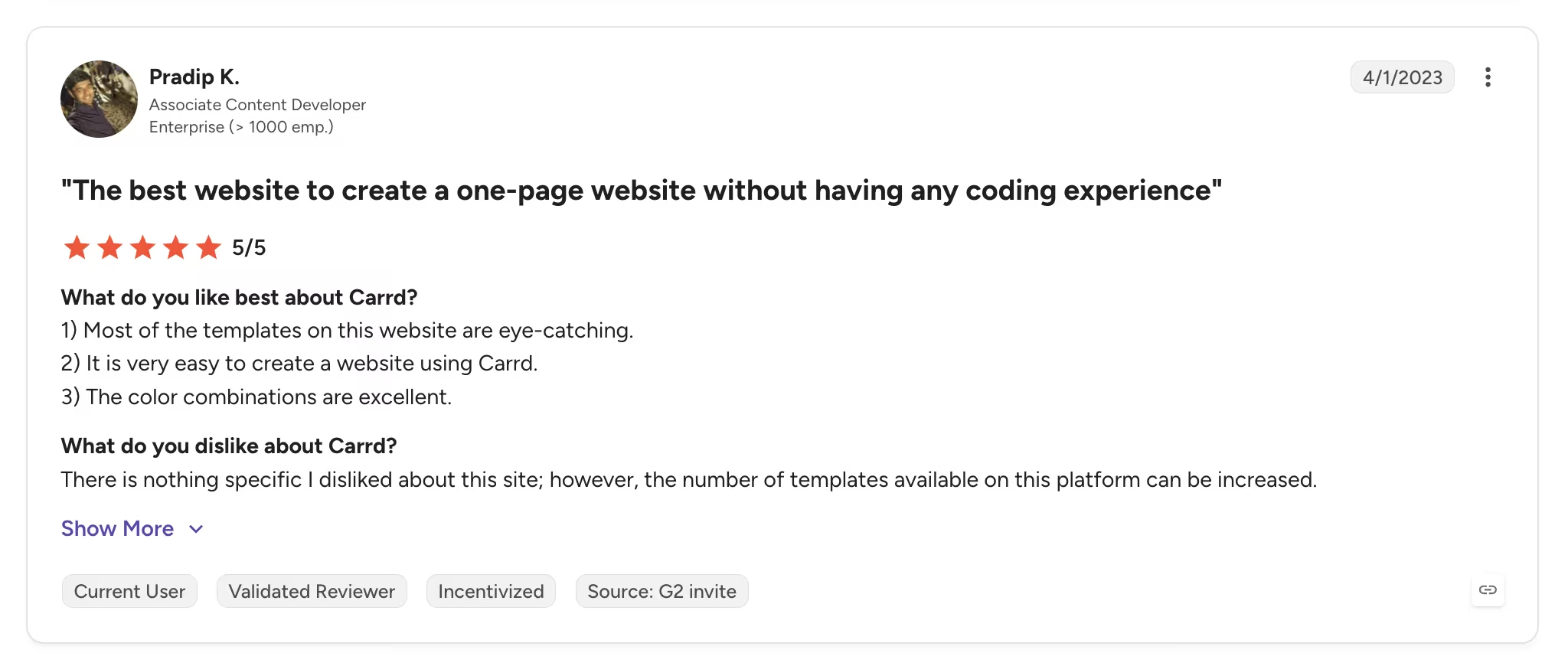
A common critique of G2 is its limited selection of templates.
Pricing
Carrd's free plan costs $0 for up to three sites on a carrd.co address. Paid plans are billed annually only: Pro Lite at $9 per year removes the badge, Pro Standard at $19 per year adds custom domains and forms, and Pro Plus at $49 per year adds more sites and integrations.
Bottom Line
I'd recommend Carrd when you need one clean page fast and cost is the priority. The moment you need a second page, a form, or your own domain on the free plan, you'll be looking at a Pro tier or a different builder.
5. Canva: Best for Simple Pages That Look Good Fast
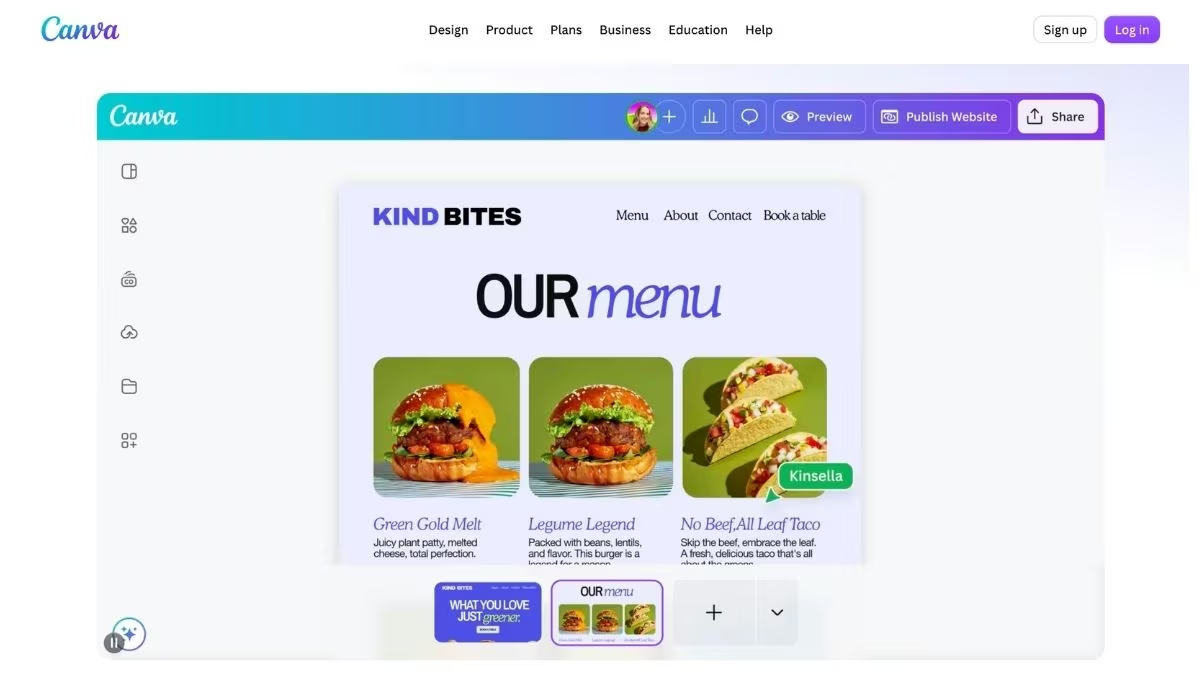
What it does: Canva is a design platform with a built-in website builder, so you design a page the same way you'd design a social post and publish it from the same editor.
Best for: Beginners who want a simple page that looks professionally designed, live in an afternoon.
I built a one-page site from a Canva template in a single sitting, and because I already use Canva for graphics there was nothing new to learn. You start from one of hundreds of free website templates, drag elements anywhere on the canvas, and publish up to five live sites on a free my.canva.site address.
It's built for pages that present something, like an event, a portfolio, or a launch announcement, rather than pages that process leads or payments.
Key Features
- Website templates: Hundreds of free, mobile-responsive designs for landing pages, portfolios, and event pages.
- Familiar design editor: The same drag-and-drop canvas as Canva's design tools, with Magic Write to help draft the copy.
- Five free live sites: Publish up to five websites on the free my.canva.site domain, each with SSL included.
Pros and Cons
Pros:
- The gentlest learning curve on this list, especially if you already use Canva.
- Templates look professionally designed out of the box.
- Up to five live sites on the free plan.
Cons:
- No e-commerce support, and forms and lead capture are limited.
- Many of the best templates and elements are locked behind Canva Pro.
What Users Say

On G2, one reviewer said the drag-and-drop editor takes him from a blank canvas to a finished design in minutes.
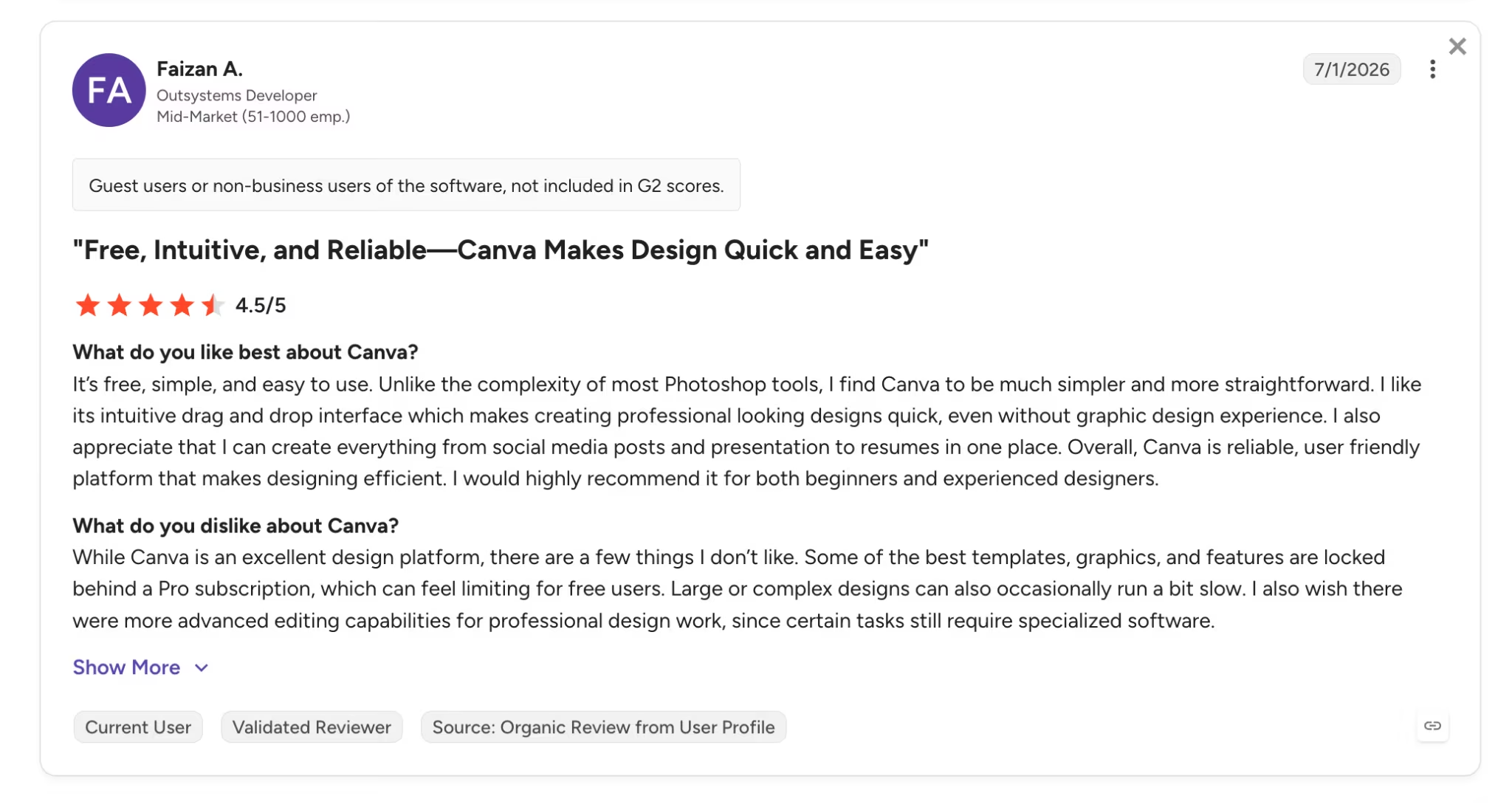
Another reviewer likes that it's free and simple, but noted that the best templates and features sit behind a Pro subscription, which can feel limiting on the free plan.
Pricing
Canva's free plan costs $0 and includes the website builder with up to five live sites. Canva Pro costs $18 per month ($12 per month billed annually) and unlocks premium templates, a custom domain, and website analytics.
Bottom Line
I'd recommend Canva when the page's job is to present something beautifully, and you want it live today. If the page needs to collect leads into a database or take payments, the builders higher and lower on this list handle that better.
6. HubSpot: Best for Pages That Feed a CRM
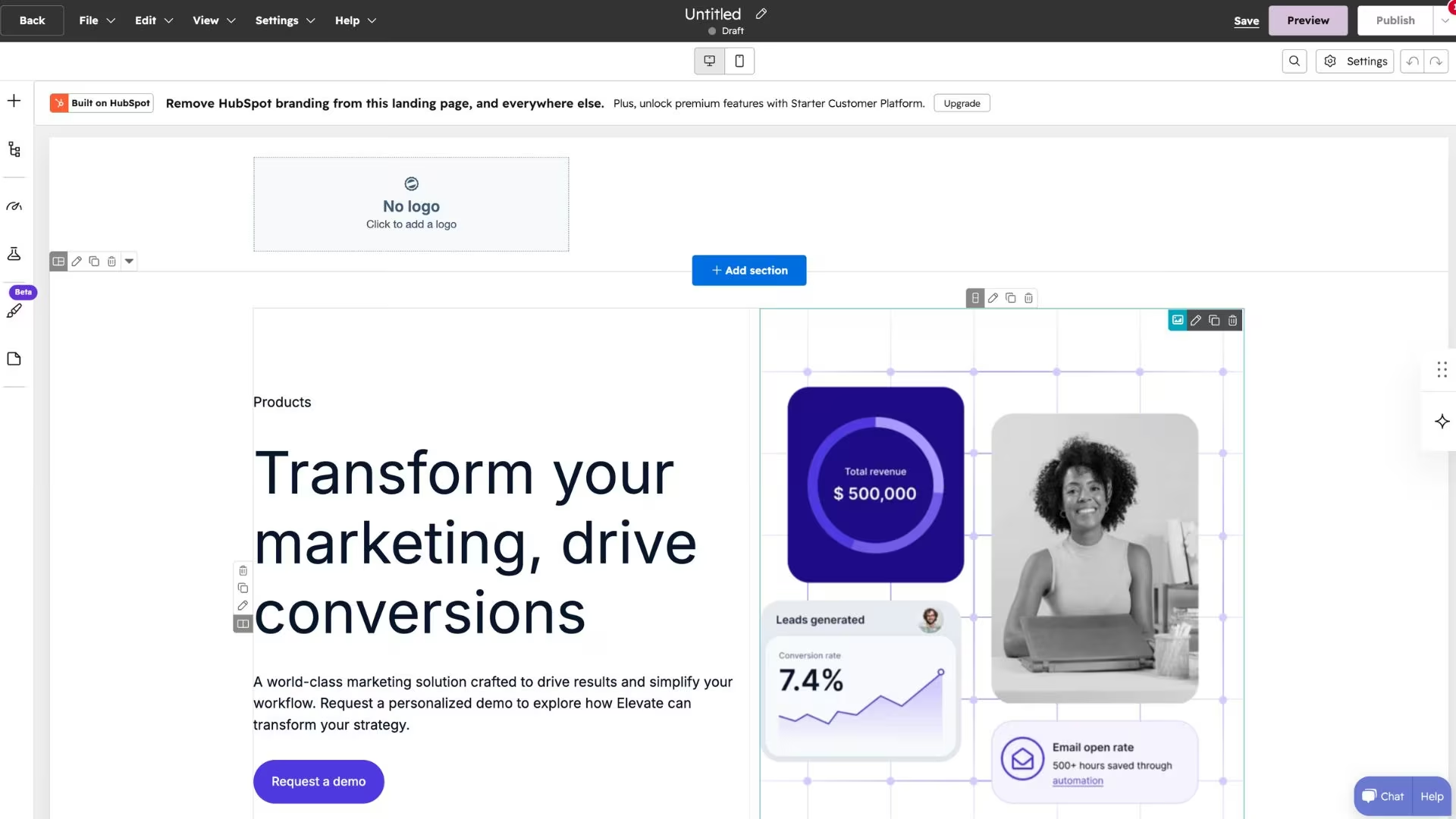
What it does: HubSpot has a free landing page builder inside its Content Hub, and every form on the page feeds straight into HubSpot's free CRM.
Best for: Small teams that want each lead to land in a CRM they can follow up from.
I dragged a form and a call-to-action into a template, published it, and the test submissions showed up as contacts in the CRM without any setup. That connection is the point of using HubSpot. The free plan gives you up to 30 landing pages, with HubSpot branding and a HubSpot subdomain.
Key Features
- Drag-and-drop builder: Build from a set of templates with form, image, and call-to-action modules, no code needed.
- Free CRM built in: Every form submission becomes a contact record you can track and follow up.
- Up to 30 landing pages: The free plan covers 30 landing pages and basic reporting on views and submissions.
Pros and Cons
Pros:
- Leads flow straight into a capable free CRM.
- Up to 30 free landing pages, more than most free plans here.
- Forms, contacts, and page reporting sit in one place.
Cons:
- Free pages carry HubSpot branding and a HubSpot subdomain, and a custom domain needs a paid tier.
- The best features, like automation and A/B testing, sit behind Content Hub Starter and above.
What Users Say
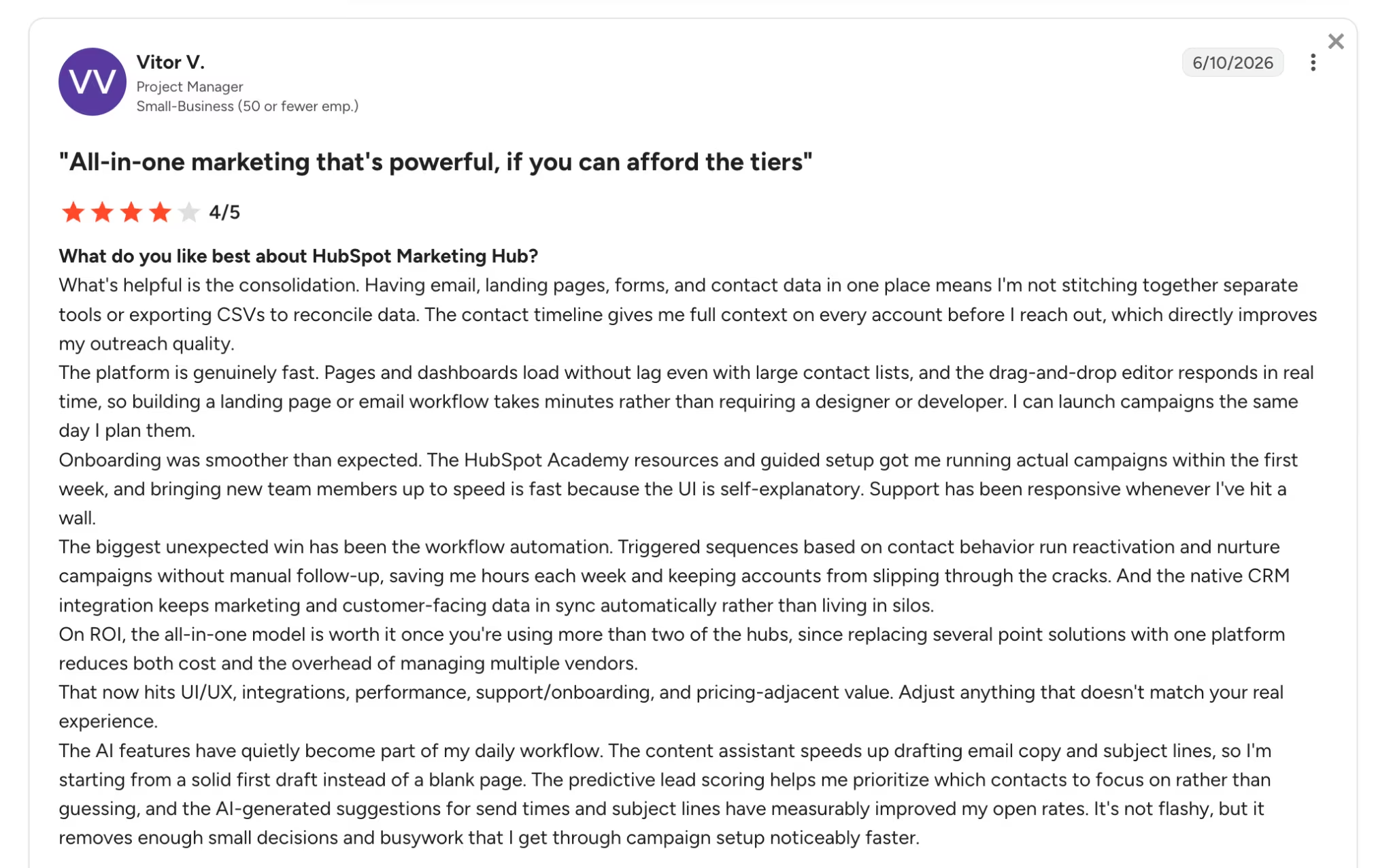
On G2, reviewers praise how HubSpot ties the landing page, forms, and CRM together so leads are tracked automatically.
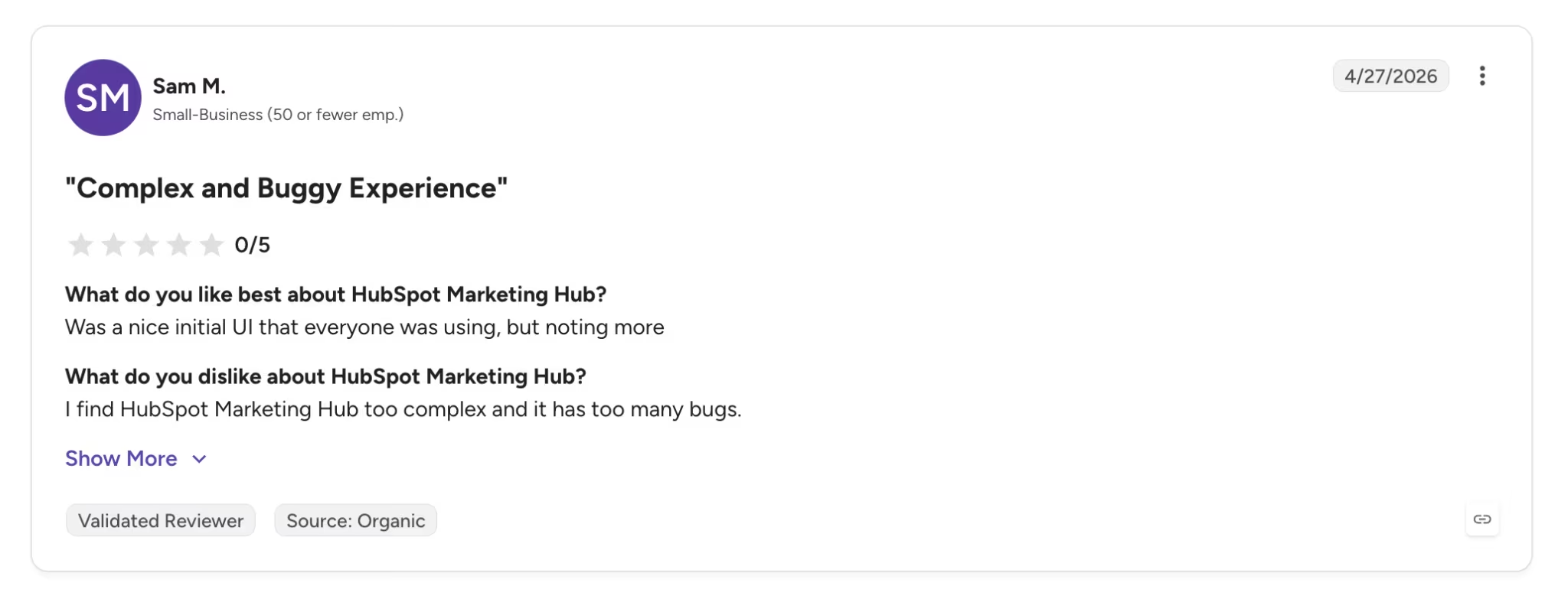
Another G2 reviewer said they find HubSpot Marketing Hub too complex and buggy.
Pricing
HubSpot's free plan costs $0 and includes the landing page builder, up to 30 landing pages, forms, and the free CRM. Content Hub Starter, which removes branding and adds a custom domain, starts at $20 per month, or $15 per month billed annually.
Bottom Line
I'd recommend HubSpot when the landing page is really a lead-capture front end for a CRM you'll keep using. If you only need a nice page and don't care about the CRM, the branding and subdomain make lighter tools a better free fit.
7. Google Sites: Best for an Ad-Free Page at No Cost

What it does: Google Sites is Google's free website builder, where you assemble a simple page from blocks much like building a slide or a doc.
Best for: A simple informational page, like an event, a team page, or a project hub, at zero cost with no ads or badges.
I put together a basic page in a few minutes using the block editor, and it felt a lot like editing a Google Doc. Google Sites is free with no paid tier, no ads, and no "Made with" badge, which none of the other free plans here can say. The trade-off is that the design and features are very basic.
Key Features
- Block-based editor: Add text, images, and embeds in a simple layout that stays tidy on any screen.
- Google Workspace integration: Drop in Google Docs, Forms, Maps, and Calendar, and collaborate like you would in a Google file.
- Free hosting and SSL: Publish on a sites.google.com address with hosting and security included.
Pros and Cons
Pros:
- Free with no ads and no platform badge on your page.
- Nothing to learn if you already use Google Docs.
- Real-time collaboration and version history are built in.
Cons:
- Very limited design control and a small set of layouts.
- Minimal SEO tools, no lead database, and a sites.google.com address unless you map a domain you own.
What Users Say
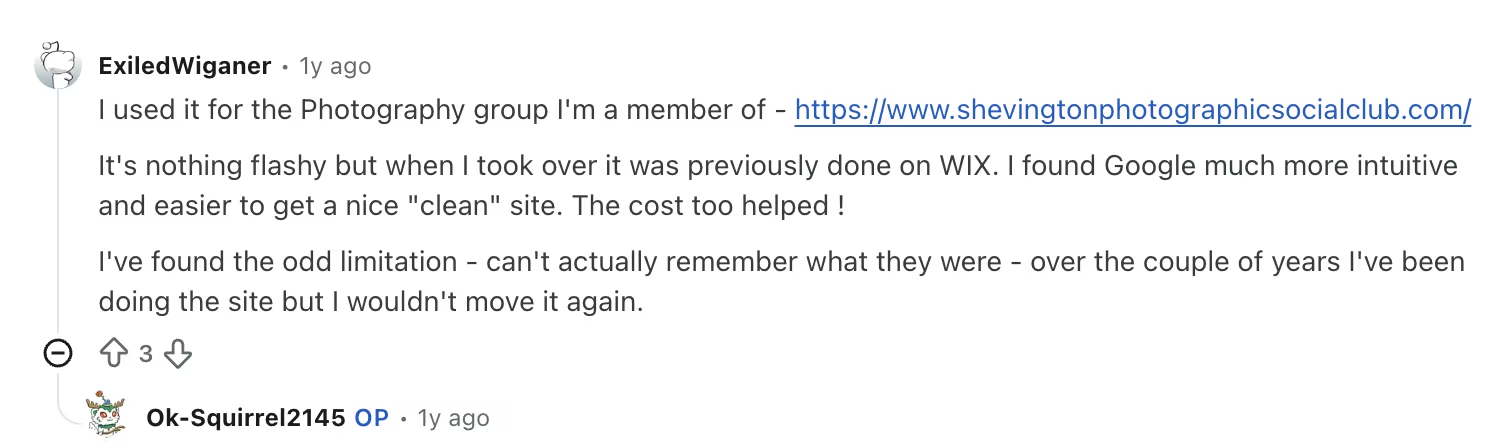
In a Google Sites community thread, one user said they found it intuitive and easy to get a clean-looking site, and that the low cost sealed it.
The same user was candid about the trade-off, mentioning the odd limitation over the couple of years they'd run the site, though nothing serious enough to make them switch.
Pricing
Google Sites is free with a Google account, including hosting and SSL, on a sites.google.com address. Connecting a custom domain means using one you own, and business features come through a paid Google Workspace plan.
Bottom Line
I'd recommend Google Sites when you want a straightforward, no-cost page and don't need design flexibility or lead capture. For a page meant to sell or convert, the design limits show quickly, and a builder like Framer or Wix will serve you better.
8. Lovable: Best for Turning a Prompt Into a Page Fast

What it does: Lovable turns a plain-English description into a working web page and can add the app logic (database and sign-in) behind it.
Best for: Non-coders who want to describe a page in a sentence and get a working draft back in minutes.
I typed a one-line description and had a styled page in under a minute. If you'd rather skip the blank prompt, Lovable also has a library of remixable templates for landing pages, portfolios, and storefronts. The free plan gives you five build credits a day, which is enough to create a page and make a couple of tweaks before you hit the cap.
Key Features
- Prompt-to-page generation: Describe the page and Lovable builds the layout and content for you.
- Backend included: Adds a Supabase database and sign-in when your page needs to store data or sign users in.
- Code ownership: You can sync to GitHub and export the code, so you're not locked in.
Pros and Cons
Pros:
- The fastest way I found to get from a sentence to a working page.
- Can add a working backend, so forms and sign-ups function.
- You own and can export the code.
Cons:
- Five daily credits disappear in two to four meaningful edits.
- Free pages sit on a Lovable subdomain, and a custom domain needs a paid plan.
What Users Say

On G2, a reviewer said Lovable makes it easy to create a working landing page from scratch very quickly, with GitHub sync as a bonus.

In another G2 review, a user was more cautious about the credits, describing a complicated relationship with the credit system until you learn to spend them wisely.
Pricing
Lovable's free plan includes five build credits a day, up to 30 a month. Paid plans start at $25 per month for Pro, which adds private projects, a custom domain, and more credits. For a closer look at how the credits translate into builds, this Lovable pricing breakdown walks through the plans.
Bottom Line
I'd recommend Lovable if you want to describe a page and get a working draft instantly. The daily credit cap means you'll want to plan your edits, so write a clear prompt the first time. There's also a full Lovable review if you want the longer verdict.
9. Bolt.new: Best for Fast Building in the Browser

What it does: Bolt.new builds a full web app in your browser from a prompt, all in one window. While one million free tokens a month sounds like a lot, you can usually build around two to five small projects before hitting the limit.
Best for: Builders who want speed and a workspace they can open and use without installing anything.
Bolt was quick to produce a first version, and because it runs in the browser there was nothing to install. Bolt also offers official starter templates, including a landing page starter that opens directly in the workspace and saves tokens. The free plan gives you one million tokens a month, with a daily limit, and tokens get used up as your page grows.
Key Features
- Browser-based building: Generates and runs your page live in the browser, with no setup.
- Built-in integrations: Connects to tools like Stripe, Supabase, GitHub, and Figma as your page grows.
Pros and Cons
Pros:
- Very fast first build, with nothing to install.
- Builds and previews a page in the same window for free.
- Connects to tools like Stripe and a database.
Cons:
- Token use is hard to predict, and a complex page can eat a big chunk of your monthly tokens.
- The daily token cap can stop a long session, and free pages carry Bolt branding.
What Users Say
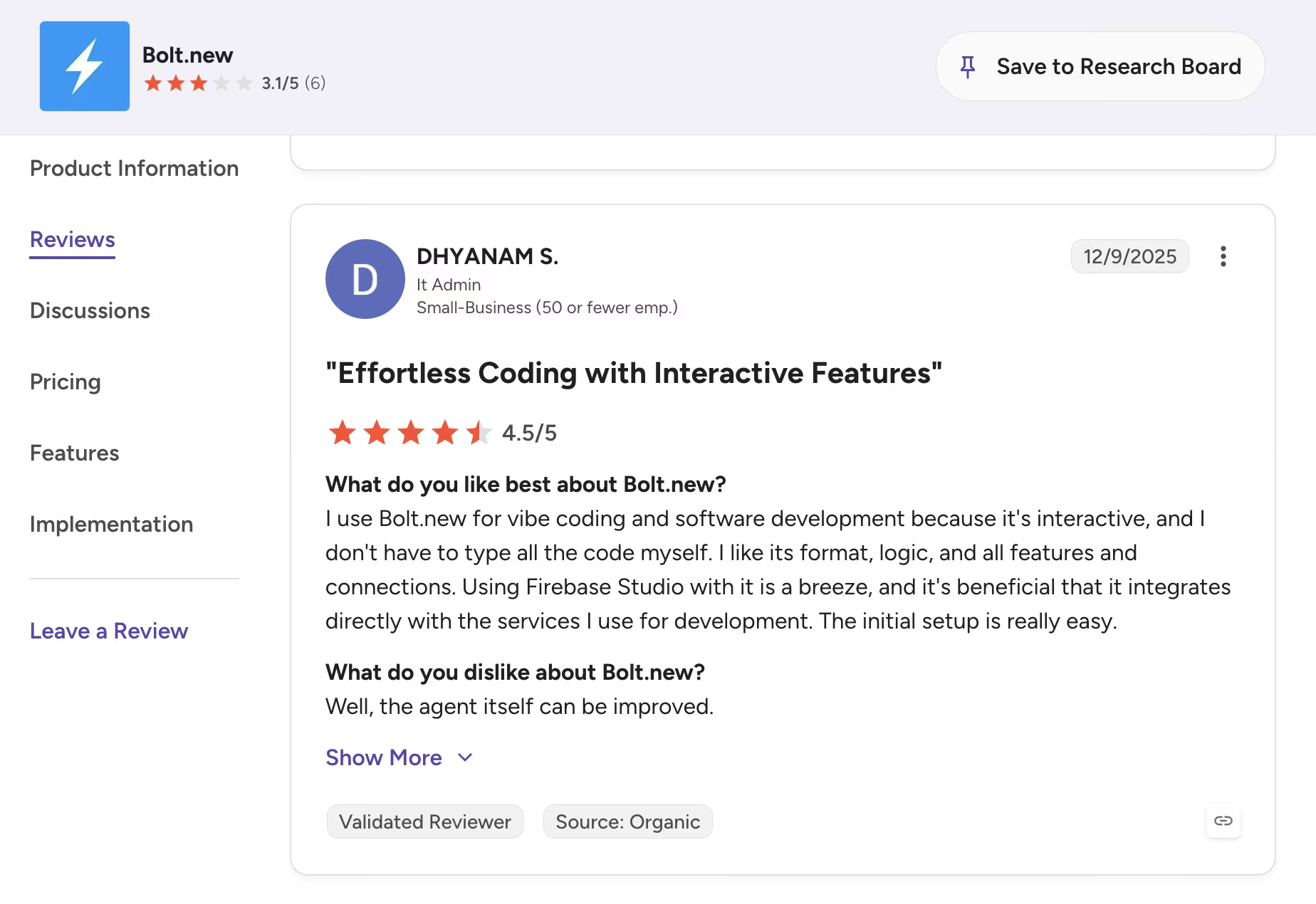
On G2, one reviewer liked that Bolt is interactive and handles the coding so you're not typing it all yourself, with an easy initial setup.
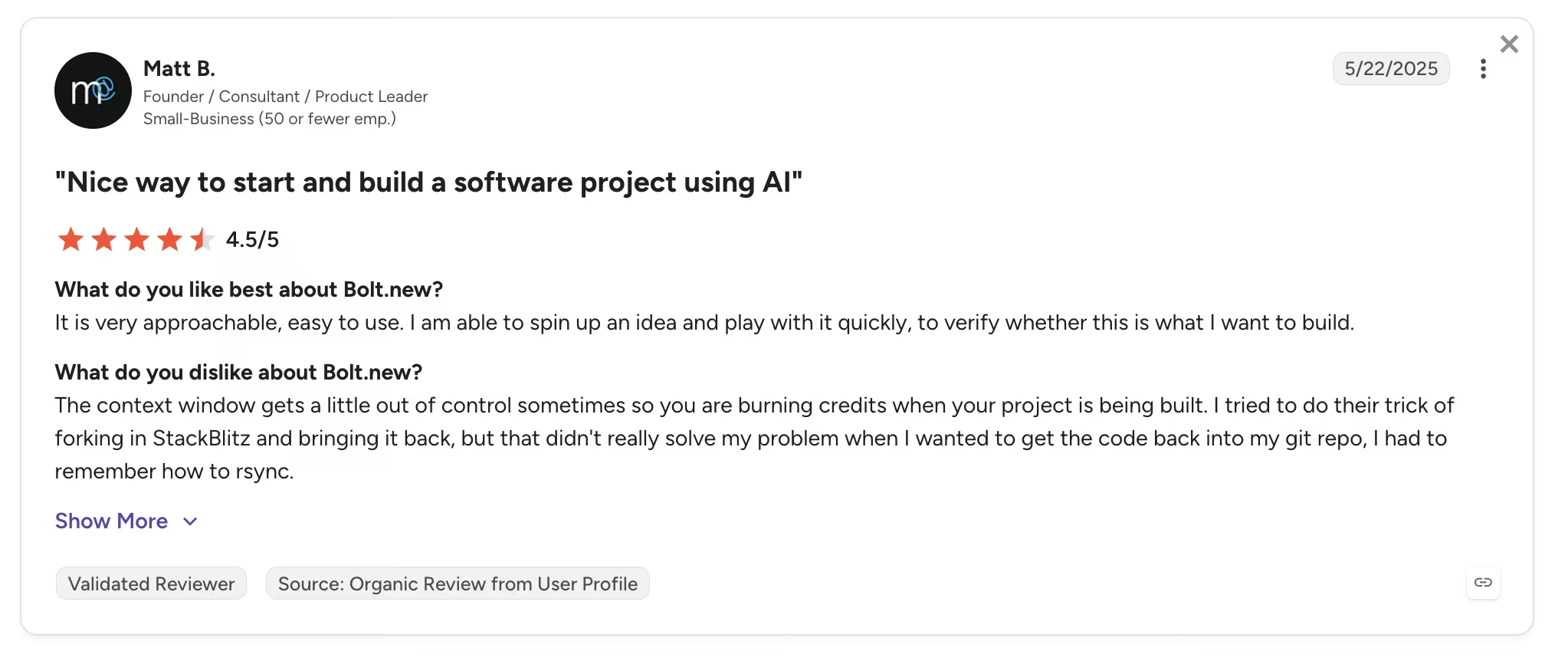
Another G2 reviewer flagged the cost side, noting the context window can run away and burn credits while a project is being built.
Pricing
Bolt.new's free plan includes one million tokens a month with a 300,000 daily limit. The Pro plan adds more tokens, a custom domain, and removes the branding, starting around $25 per month.
Bottom Line
I'd recommend Bolt if you want speed and a browser workspace in one place. Keep an eye on the token meter, because bigger pages and repeated fixes use them up quickly. To see how it stacks up against a close rival, read this Lovable vs Bolt comparison.
10. Replit: Best for Pages You'll Grow Into Full Apps
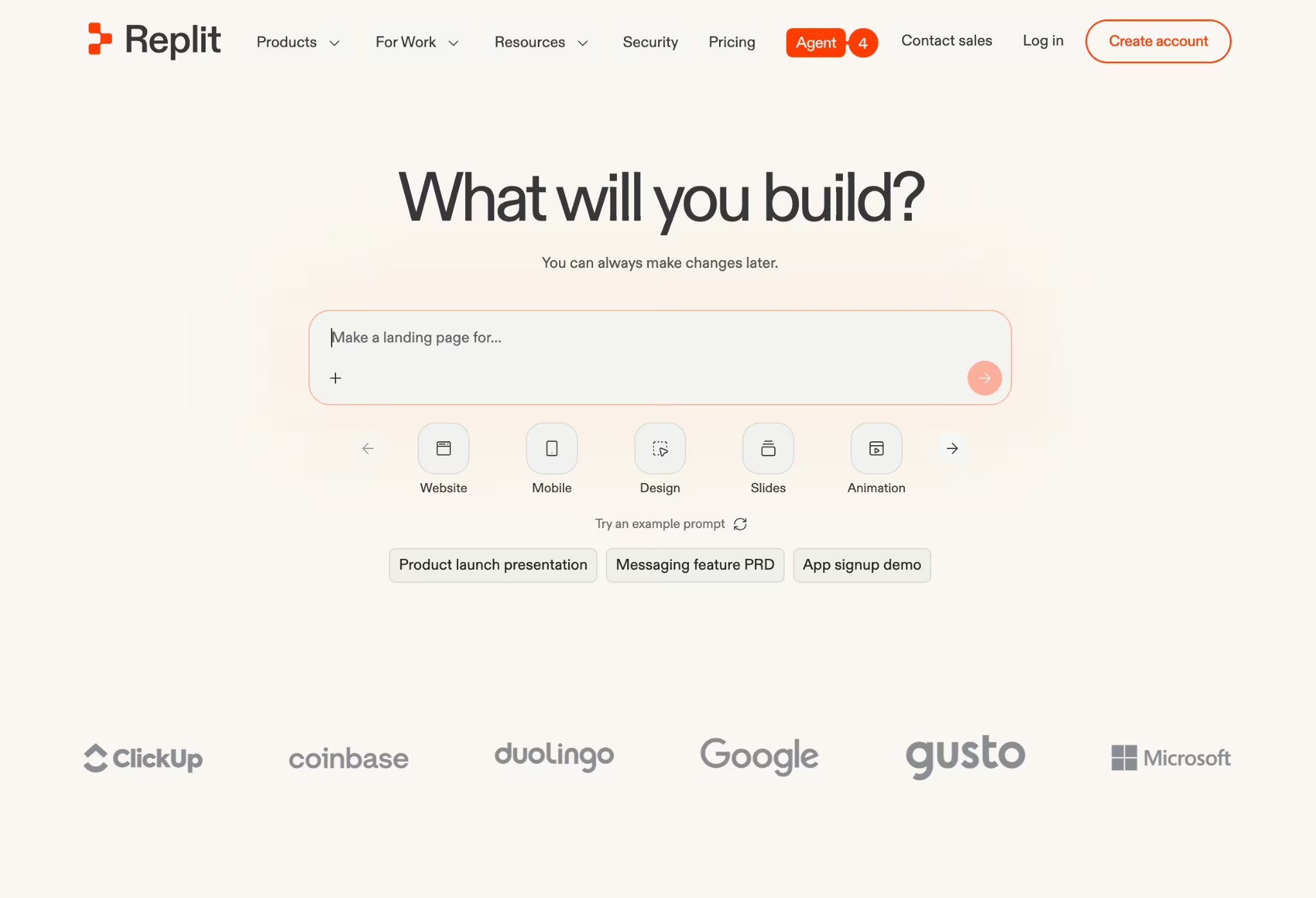
What it does: Replit is an all-in-one workspace where the Replit Agent builds and runs apps from plain-English instructions, with the code, hosting, and database in one place.
Best for: Builders whose landing page is really step one of a bigger app they plan to keep building.
Replit felt like a full workshop rather than a page maker, which is the point. Its template gallery gives you a working starting point when you'd rather begin from an example instead of an empty editor. The free Starter plan lets you build and use a limited amount of AI, so it's a fair way to test the platform.
Key Features
- AI build agent: The Replit Agent builds full apps from a description.
- All-in-one workspace: Editor, hosting, and database live together, so you don't juggle separate tools.
- Collaboration: Invite others into the same project to build alongside you.
Pros and Cons
Pros:
- A complete place to build a page and grow it into a full app.
- Good for learning how an app fits together.
- Code, hosting, and data sit in one workspace.
Cons:
- The free AI build allowance is a trial, so heavy use needs a paid plan.
- Once you pay, the effort-based pricing is hard to predict, and reviewers report being charged for failed attempts.
What Users Say
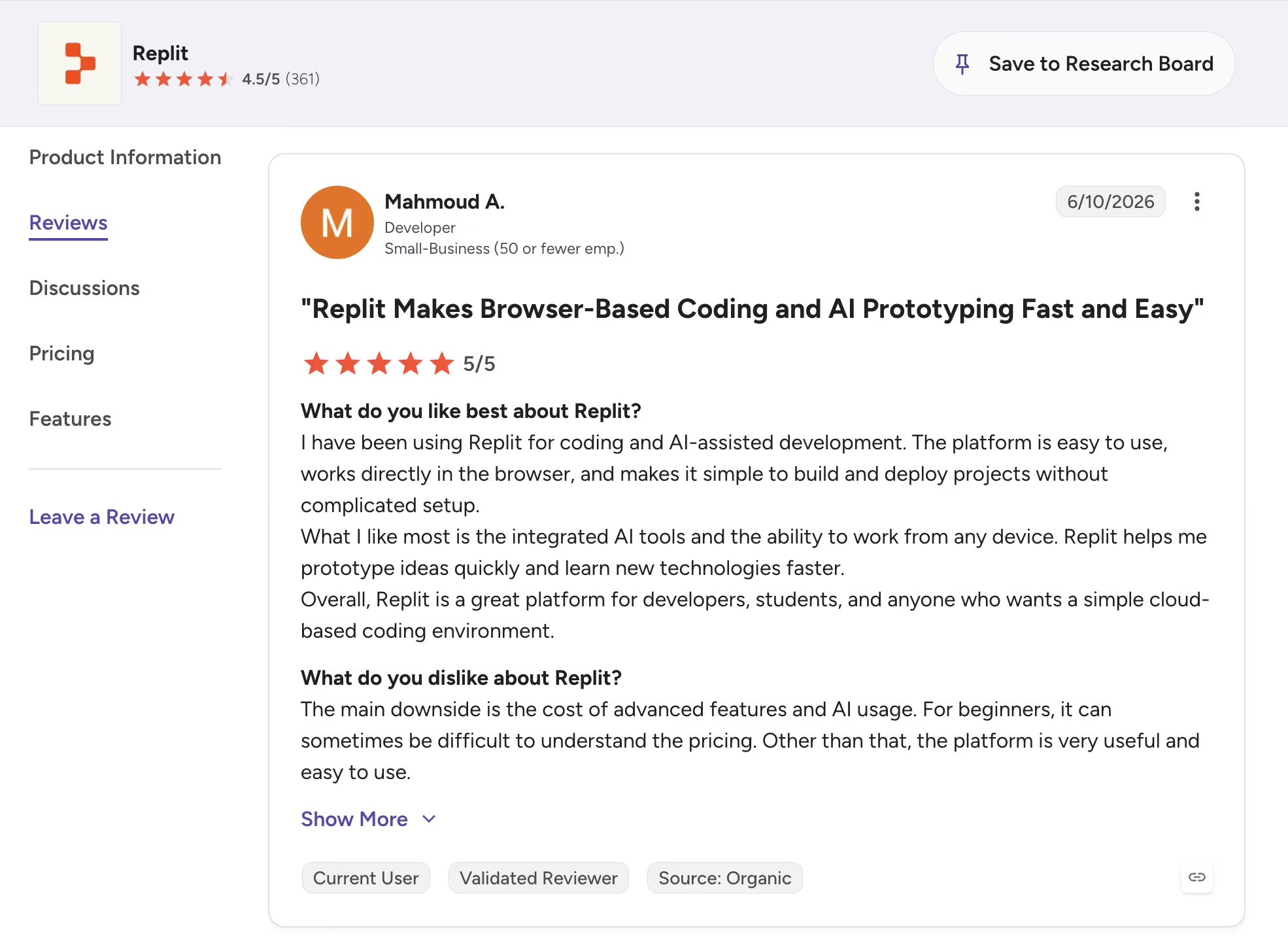
On G2, a reviewer praised how quickly Replit takes him from an idea to a working app in one browser workspace.
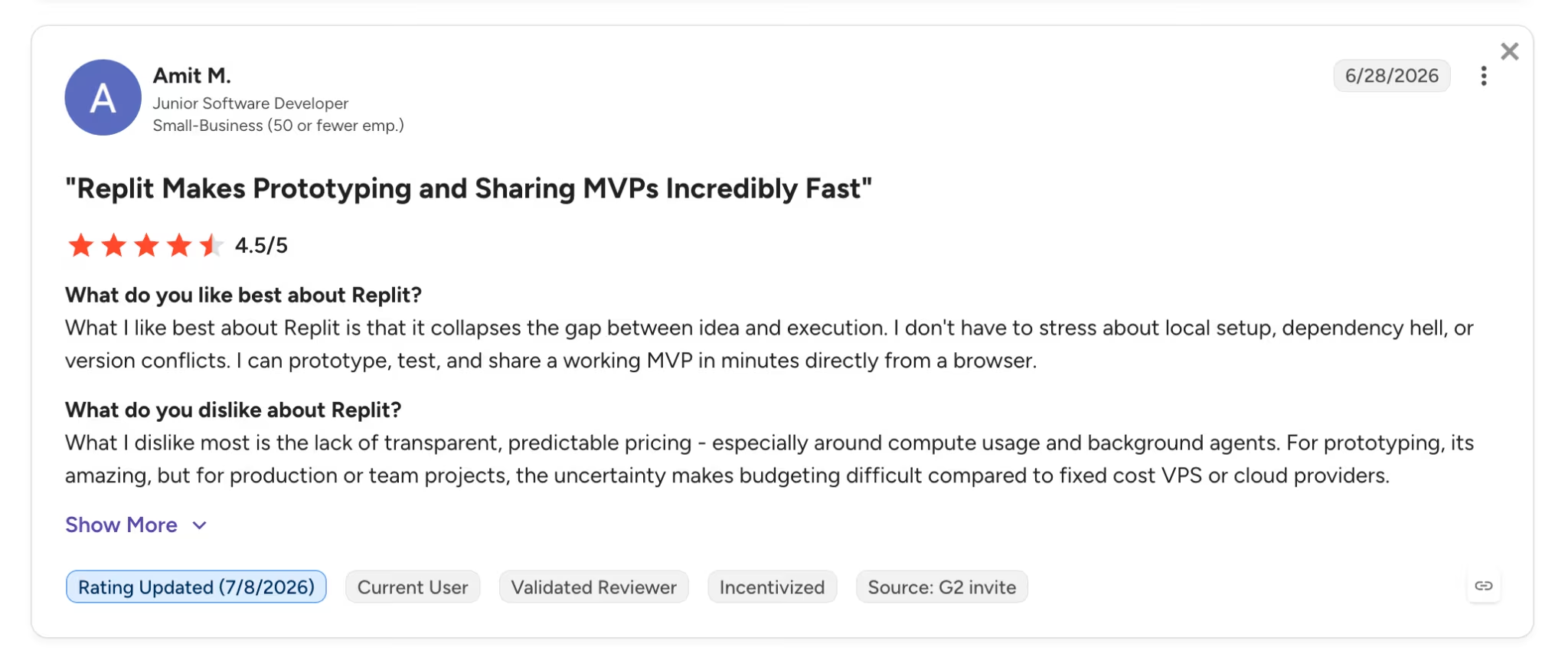
The recurring G2 criticism is cost. Reviewer pointed to the lack of transparent, predictable pricing around AI usage, a theme that repeats across reviews.
Want the full picture of what users are saying? Read our Replit Reviews for a closer look at what builders actually ran into.
Pricing
Replit's free Starter plan includes a limited monthly Agent and development allowance. Paid plans start at $20 per month for Core ($18 per month billed annually), with the Pro plan at $100 per month ($90 billed annually) for up to 15 builders.
Want the full breakdown of what each plan actually covers? Read our Replit pricing guide before you commit.
Bottom Line
I'd recommend Replit if your landing page is the first piece of a larger app. Budget carefully once you pass the free allowance, since the Agent's costs can climb fast on tricky builds. This deeper Replit review covers how it holds up over a full month.
11. MailerLite: Best for Landing Pages Built Around Email
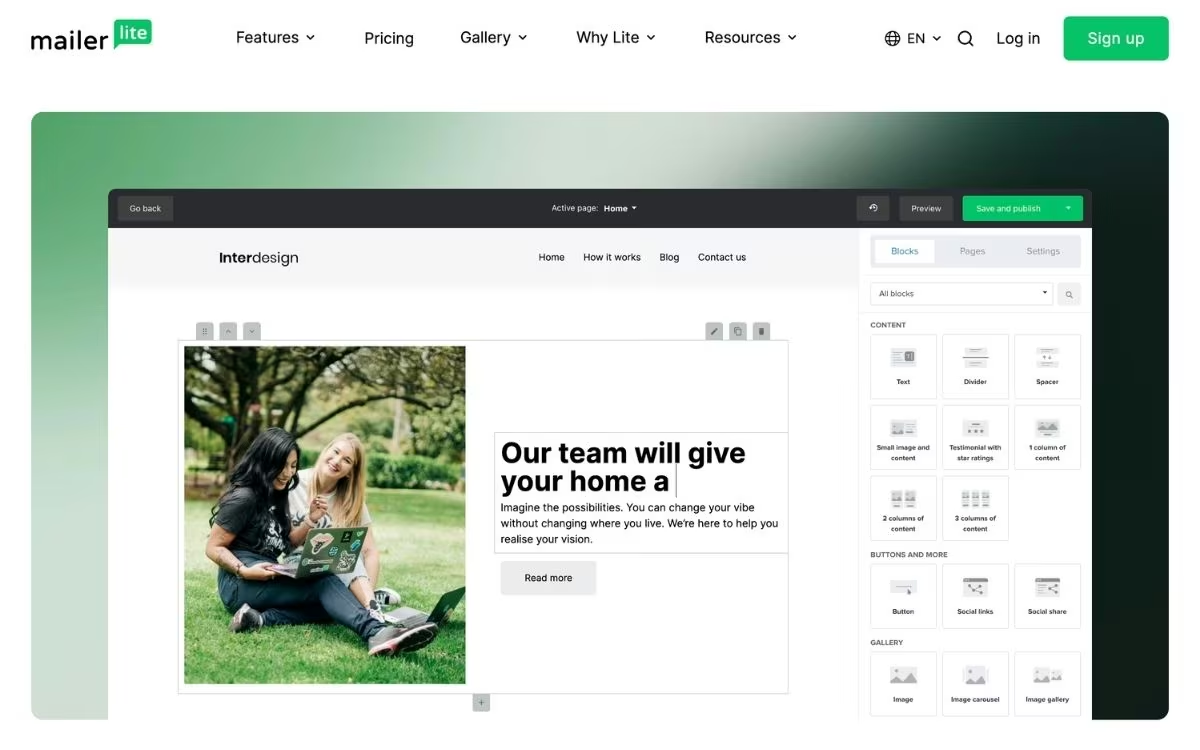
What it does: MailerLite is an email marketing platform with a built-in landing page builder, so the page, the signup form, and the email follow-up all live in one tool.
Best for: Pages whose whole job is growing an email list, like newsletter signups and lead magnets.
I built a signup page and wired up a welcome email in one sitting, and every test signup dropped straight into the subscriber list with no separate tool to connect. MailerLite comes at landing pages from the email side. The free plan covers 250 subscribers and 2,500 emails a month, with one live landing page and one website.
Key Features
- Landing page builder with templates: A drag-and-drop editor with pre-designed landing page templates, included on the free plan.
- Email and automation built in: Signups flow straight into your list, and the free plan runs up to three automations, like a welcome series.
- Signup forms and pop-ups: Embeddable forms and pop-ups collect subscribers beyond the landing page itself.
Pros and Cons
Pros:
- The page, the list, and the follow-up automation live in one tool with nothing to connect.
- Landing page templates are included on the free plan.
- The free email toolkit covers campaigns, forms, and automations at $0.
Cons:
- The free plan caps you at 250 subscribers and 2,500 emails a month, so a page that converts well outgrows it fast.
- You can keep one landing page and one website live on the free plan, and MailerLite branding stays on your emails.
What Users Say

On G2, a reviewer likes the intuitive, clean interface that keeps campaign building efficient.
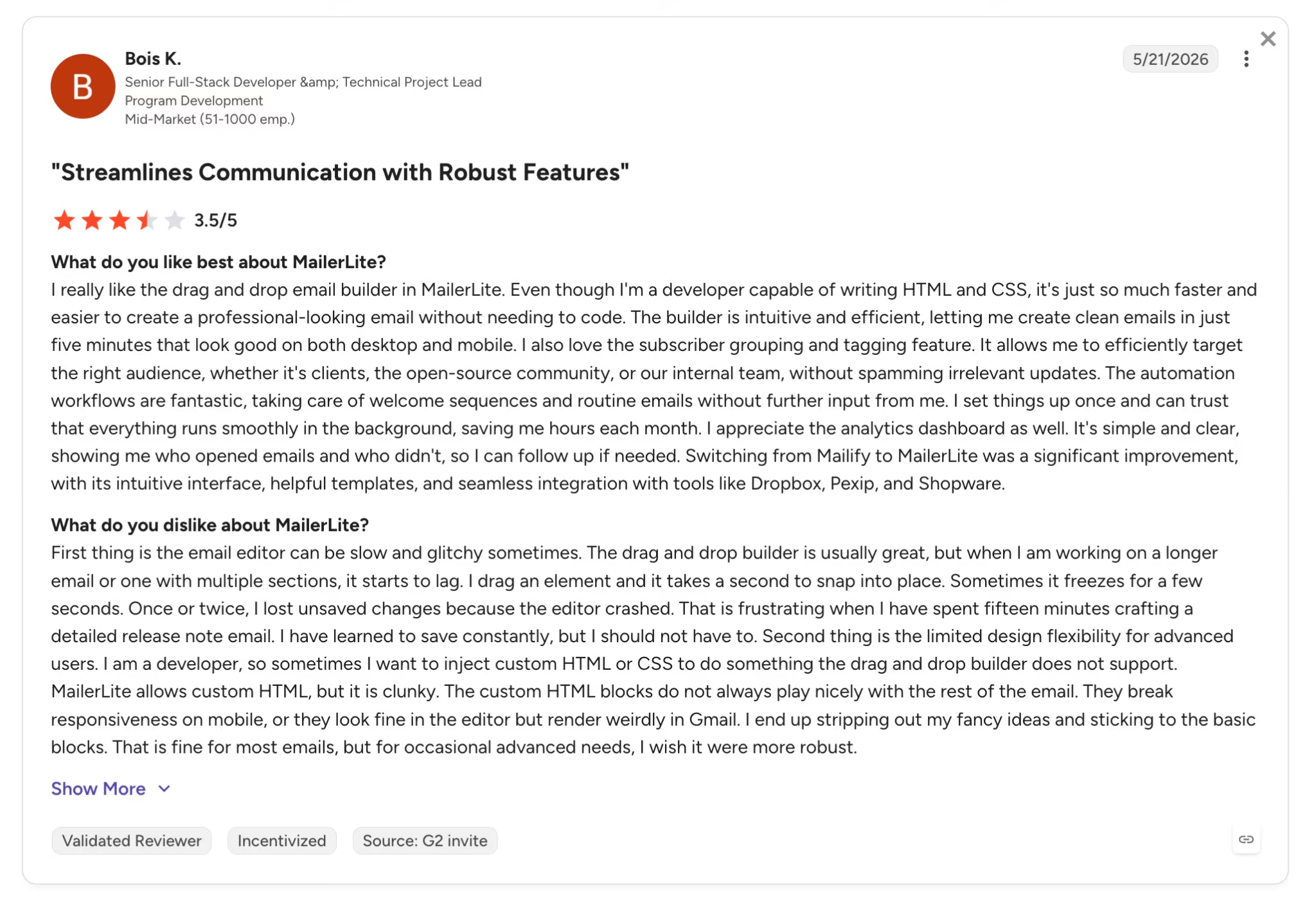
Another G2 reviewer is a fan of the drag-and-drop builder but noted the editor can be slow and glitchy at times.
Pricing
MailerLite's free plan includes 250 subscribers, 2,500 monthly emails, one live landing page, and one website. Paid plans start at $12 per month for Comfort, then $25 per month for Power, with a 10% discount on annual billing.
Bottom Line
I'd recommend MailerLite when the page exists to grow an email list, since the signup, the subscriber list, and the welcome series sit in one place. Watch the 250-subscriber cap, because a page that converts will reach it quickly.
Which Free Landing Page Builder Should You Choose?
The right free builder comes down to what the page has to do: present your offer cleanly or capture leads and take payments.
Choose Framer if you:
- Want a well-designed marketing page with control over the design.
- Are happy on a Framer subdomain until you upgrade for your own domain.
Choose Emergent if you:
- Want the page itself to sign people up, charge them, or save their details.
- Want that working setup from a single prompt.
Choose Wix if you:
- Want the page, contact list, and email follow-up in one dashboard.
- Don't mind Wix ads on the page until you upgrade.
Choose Canva if you:
- Already use Canva and want a simple page live today.
- Mainly need the page to present something, like an event or portfolio.
Choose Lovable if you:
- Want to describe a page in plain English and get a working draft fast.
- Don't mind planning your edits around five daily credits.
Choose Bolt.new if you:
- Want fast building in a single browser window.
- Can keep an eye on token use as the page grows.
Choose Replit if you:
- See the landing page as step one of a bigger app.
- Want the code, hosting, and database in one workspace.
Choose MailerLite if you:
- Want the page, the email list, and the welcome automation in one tool.
- Can work within 250 subscribers and one live landing page before upgrading.
A free plan won't be enough if you:
- Need a live page on your own domain that stays up for months. Every tool here points you to a paid plan the moment you want a custom domain, so budget for at least the entry tier.
Final Verdict
For a free landing page that needs to look good, Framer is the one I'd start with, because its free plan produces a well-designed page without asking for a card.
Emergent is the pick when the page has an actual job to do beyond looking sharp. Wix and Canva are the mainstream choices, with Wix bundling the contact list and email into the page and Canva getting a simple page live fastest.
Carrd is the quickest, cheapest route to one clean page, HubSpot fits when the page should feed a CRM, and Google Sites is the pick when you want something free with no branding.
Lovable and Bolt are close behind if you'd rather describe a page than design one, Replit makes sense when the page is the first step of a full app, and MailerLite is the email-first pick when the page exists to grow a subscriber list.
The honest catch with every option is the same. The free tiers are good enough to build a page, but each one points you to a paid plan the second you need your own domain or want the page online past the trial.
Ready to Turn Your Landing Page Into a Working Product?
If your page is the front door to a product, here's what makes Emergent a fit.
- Capture every lead in a database: describe a signup or contact form, and Emergent stores each submission, ready for follow-up by email.
- Take payments from day one: mention Stripe or Razorpay in your prompt, and Emergent sets up the checkout flow for you.
- Move to your own domain when you're ready: connect a custom domain through the built-in IONOS integration, with a step-by-step guide here.

Most AI app builders stop at prototypes. Emergent creates production-ready apps you can actually launch.
- Production-ready apps
- Web & mobile apps
- Deploy in minutes







